Venstar Thermostat T2800 Instruction Manual
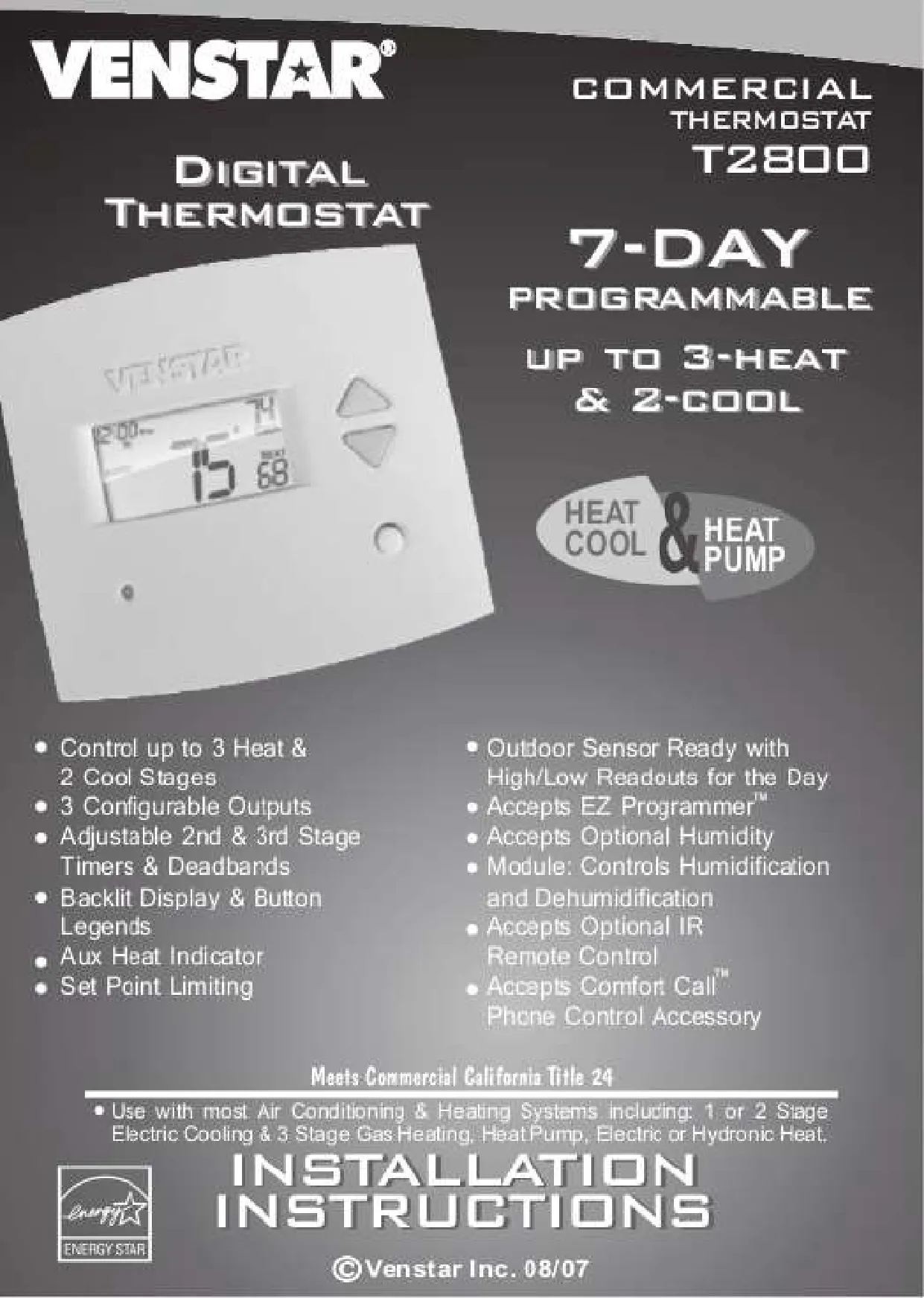
Venstar Thermostat T2800











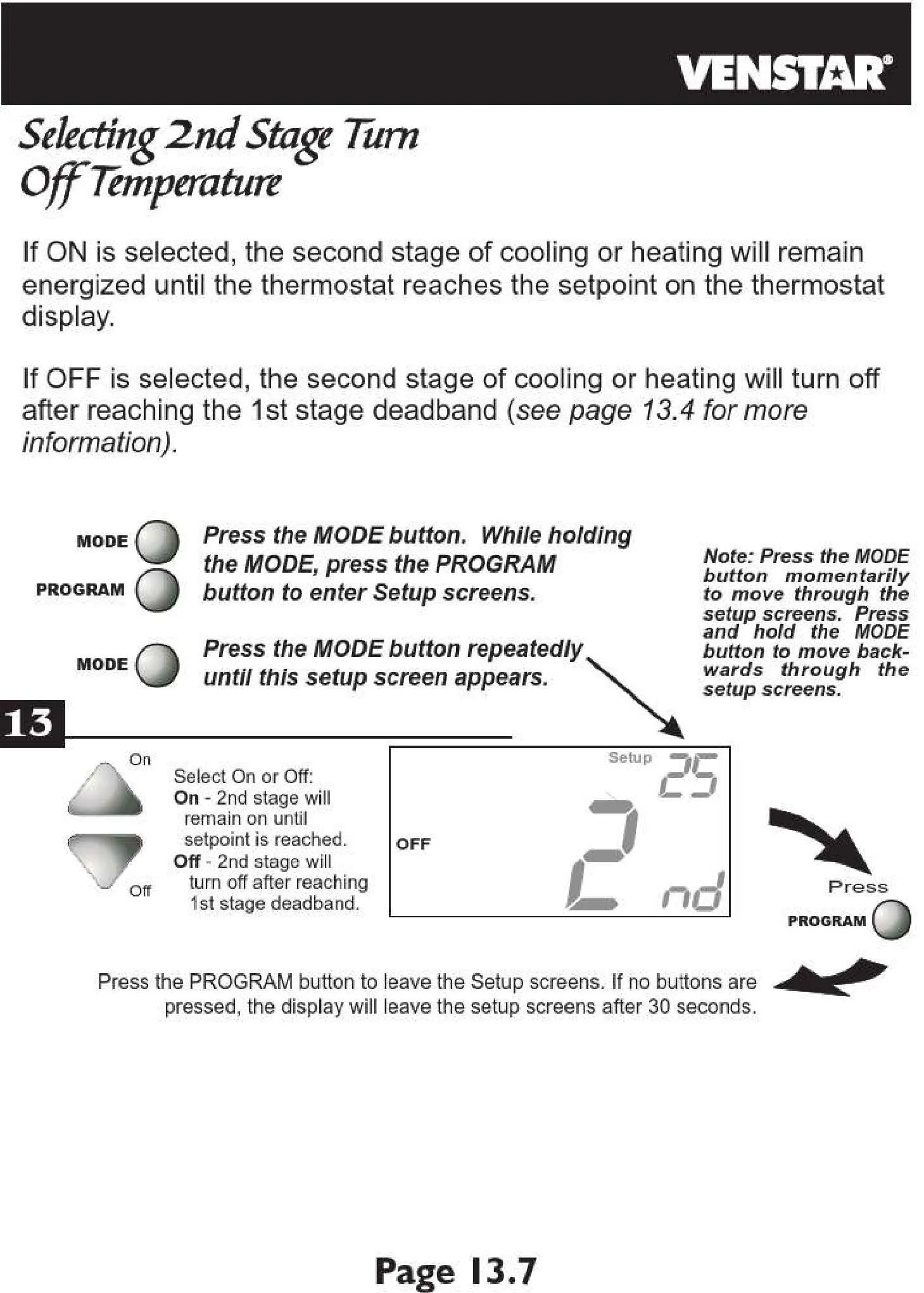
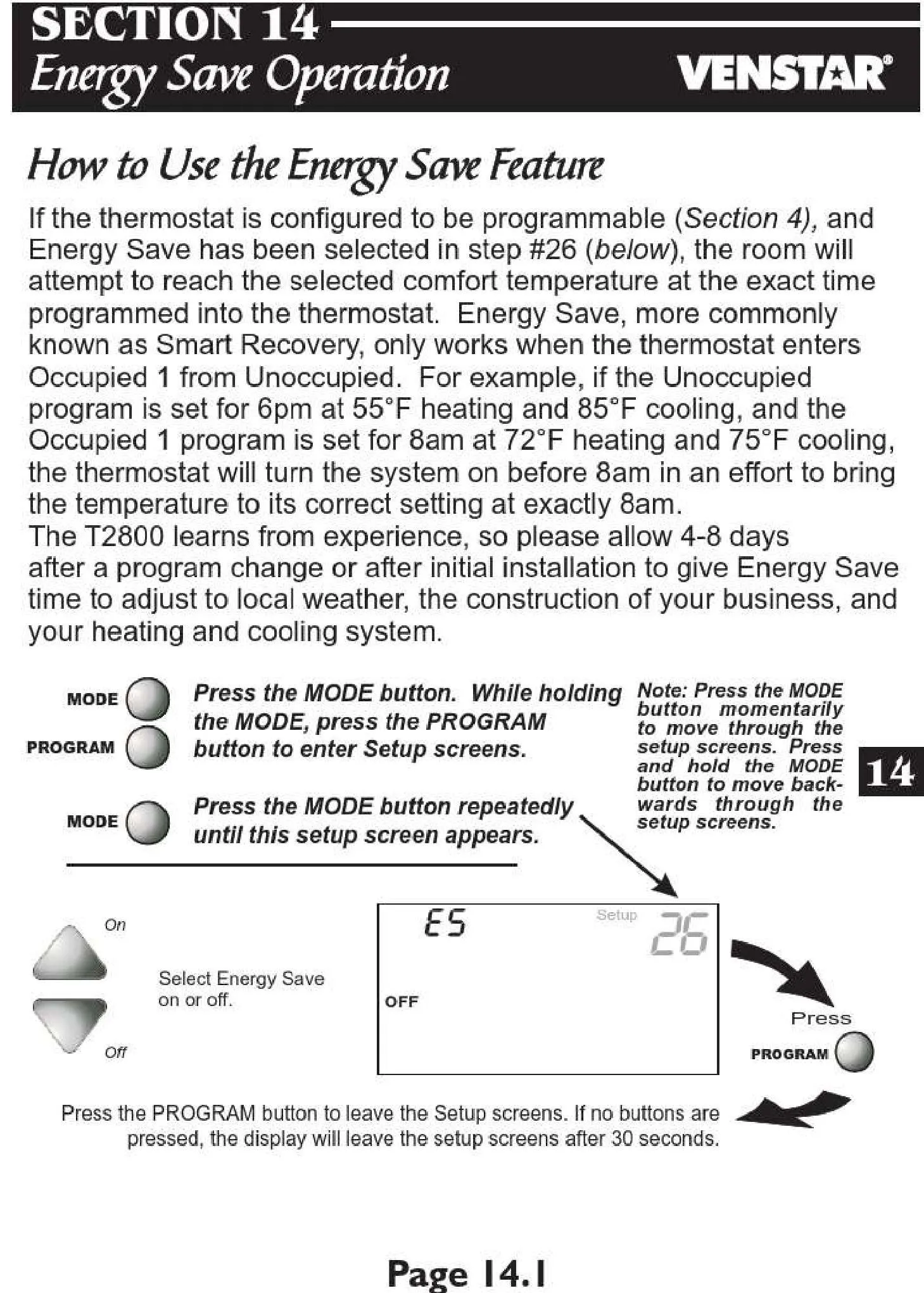

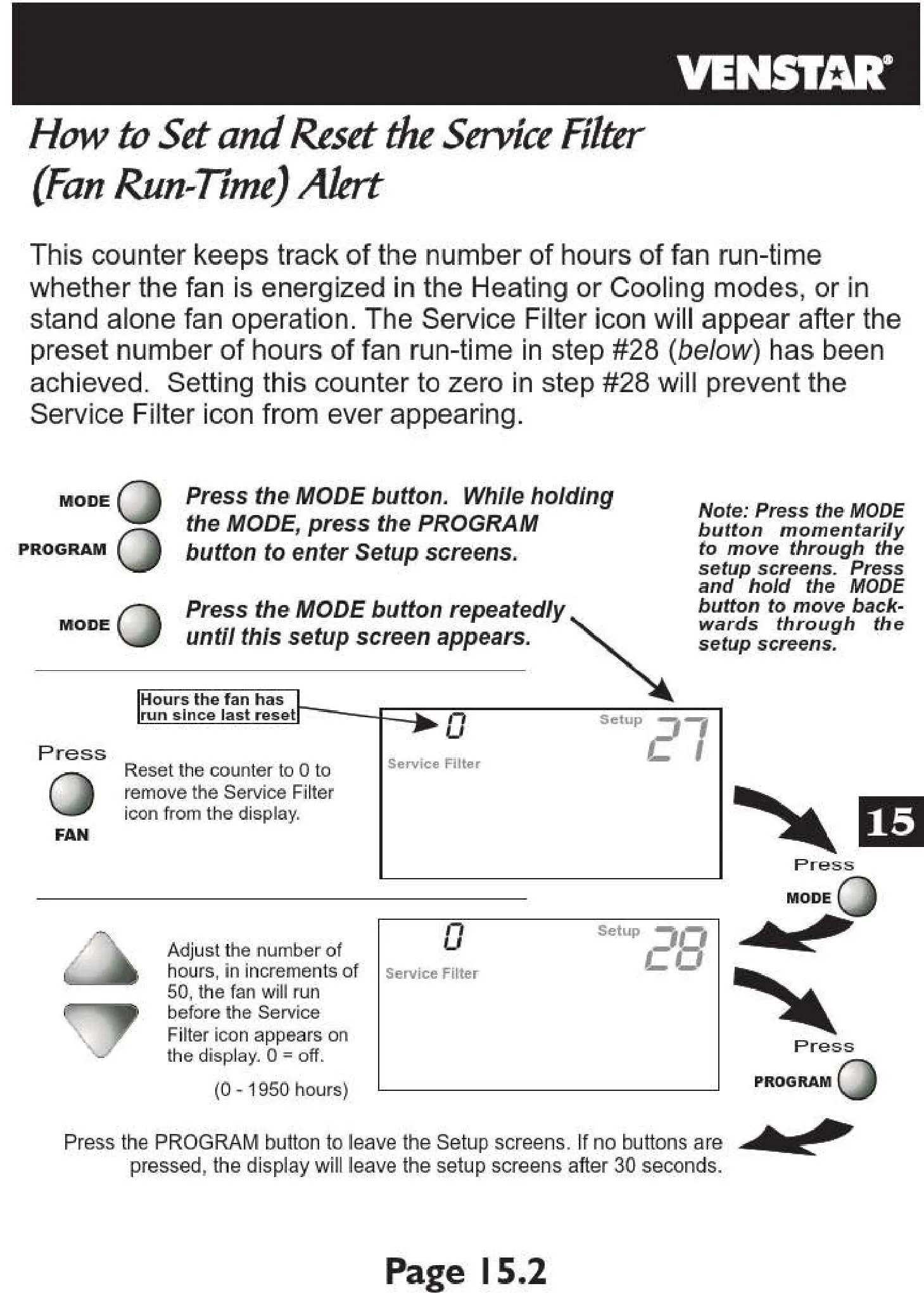
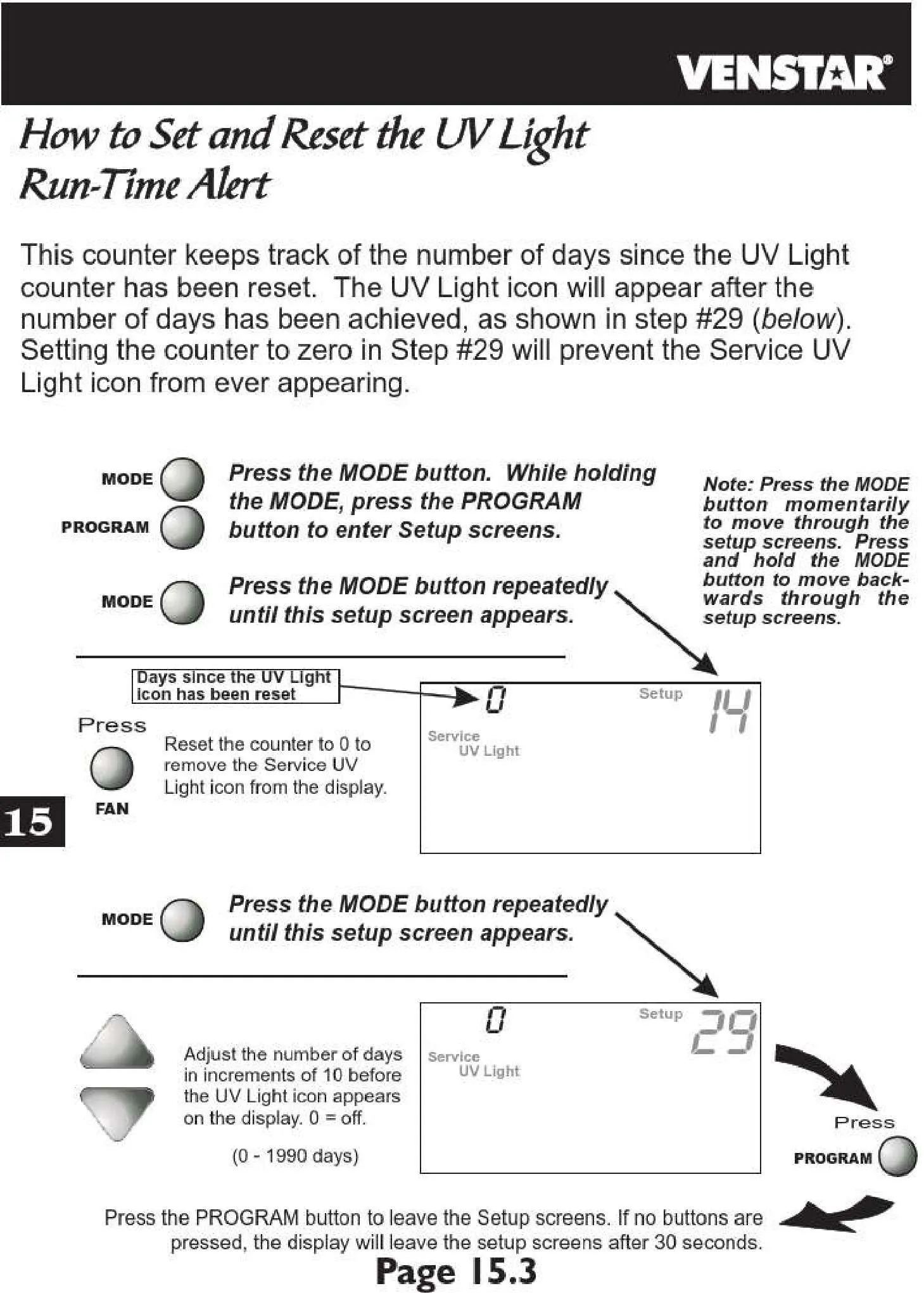





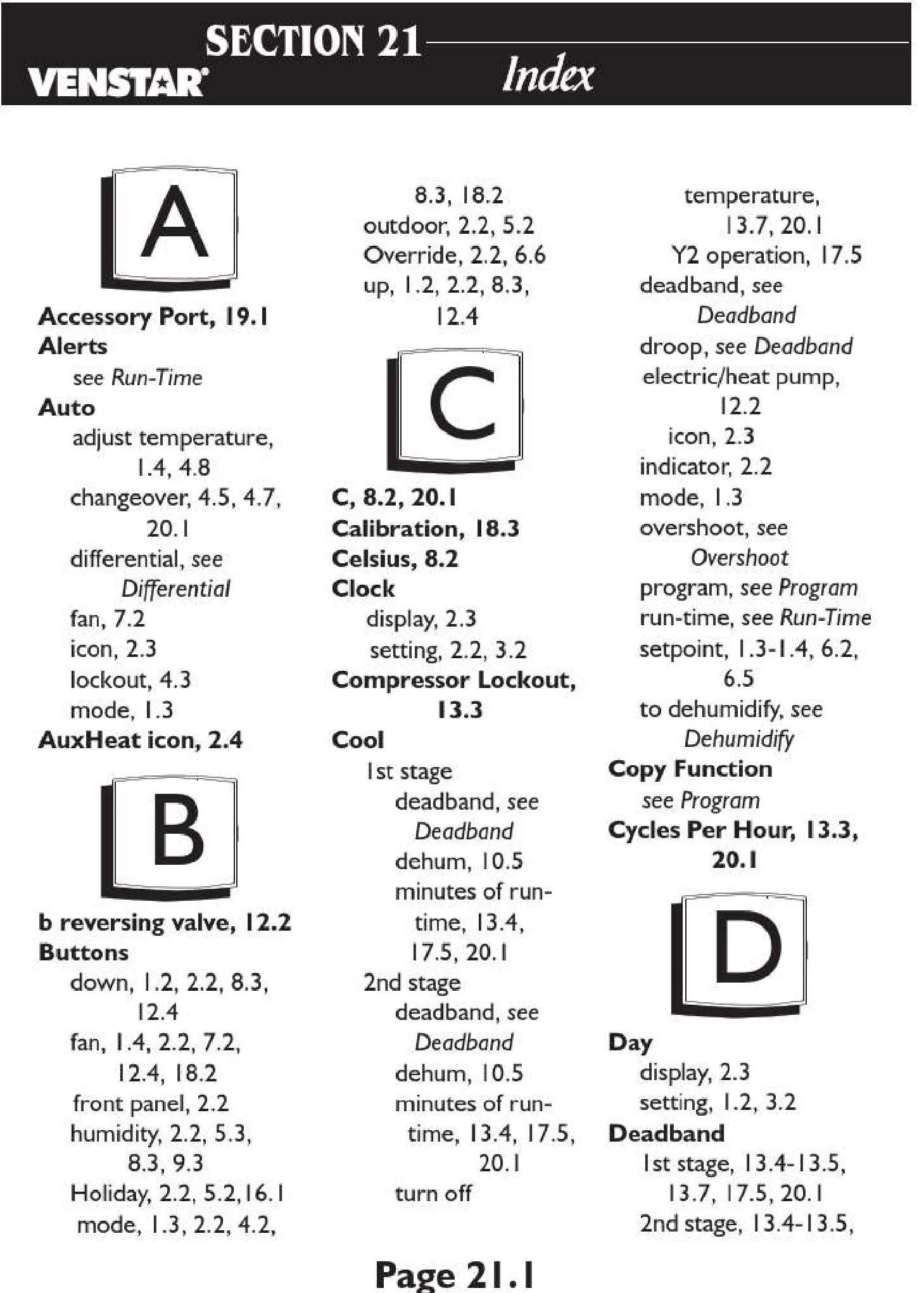
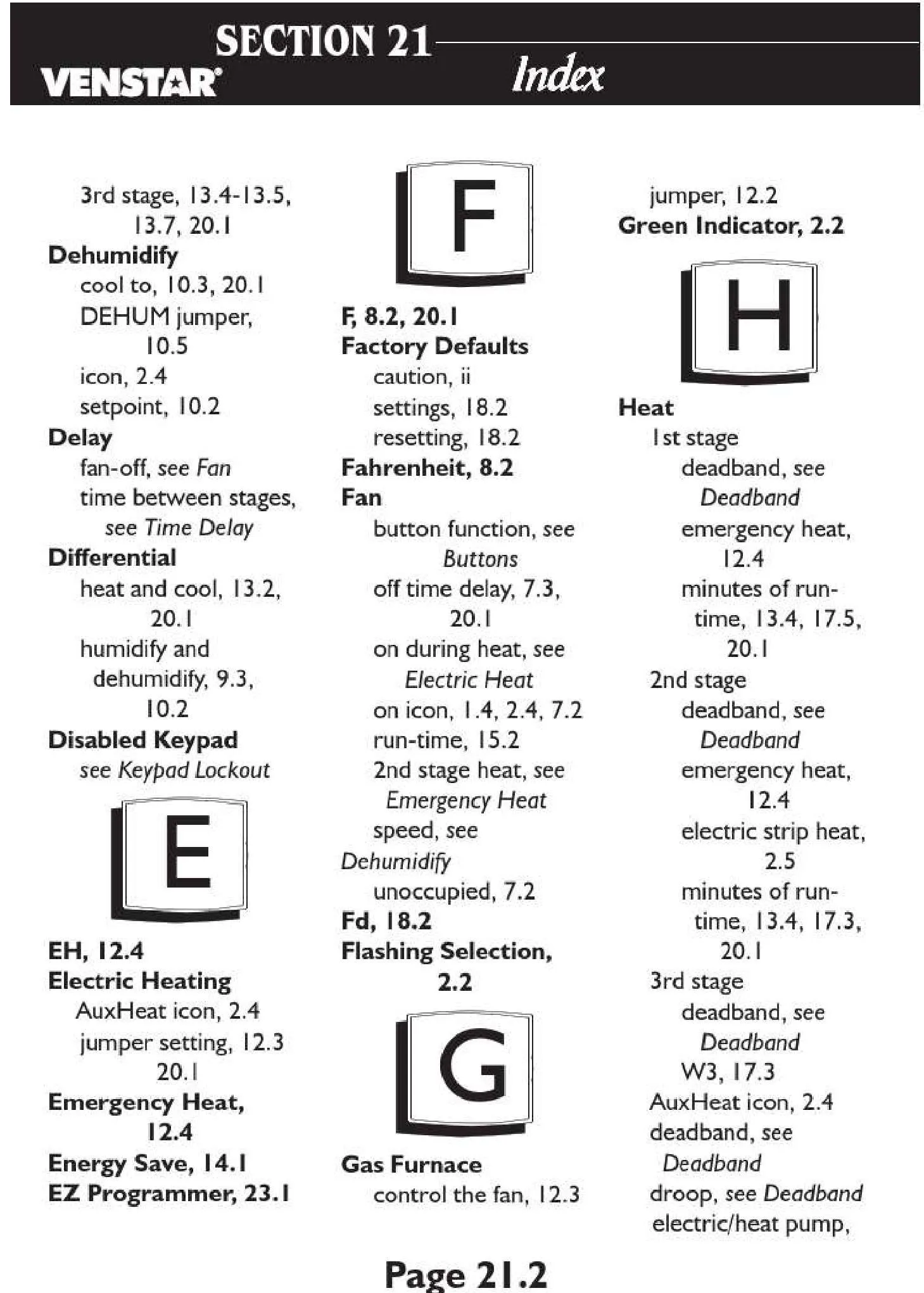
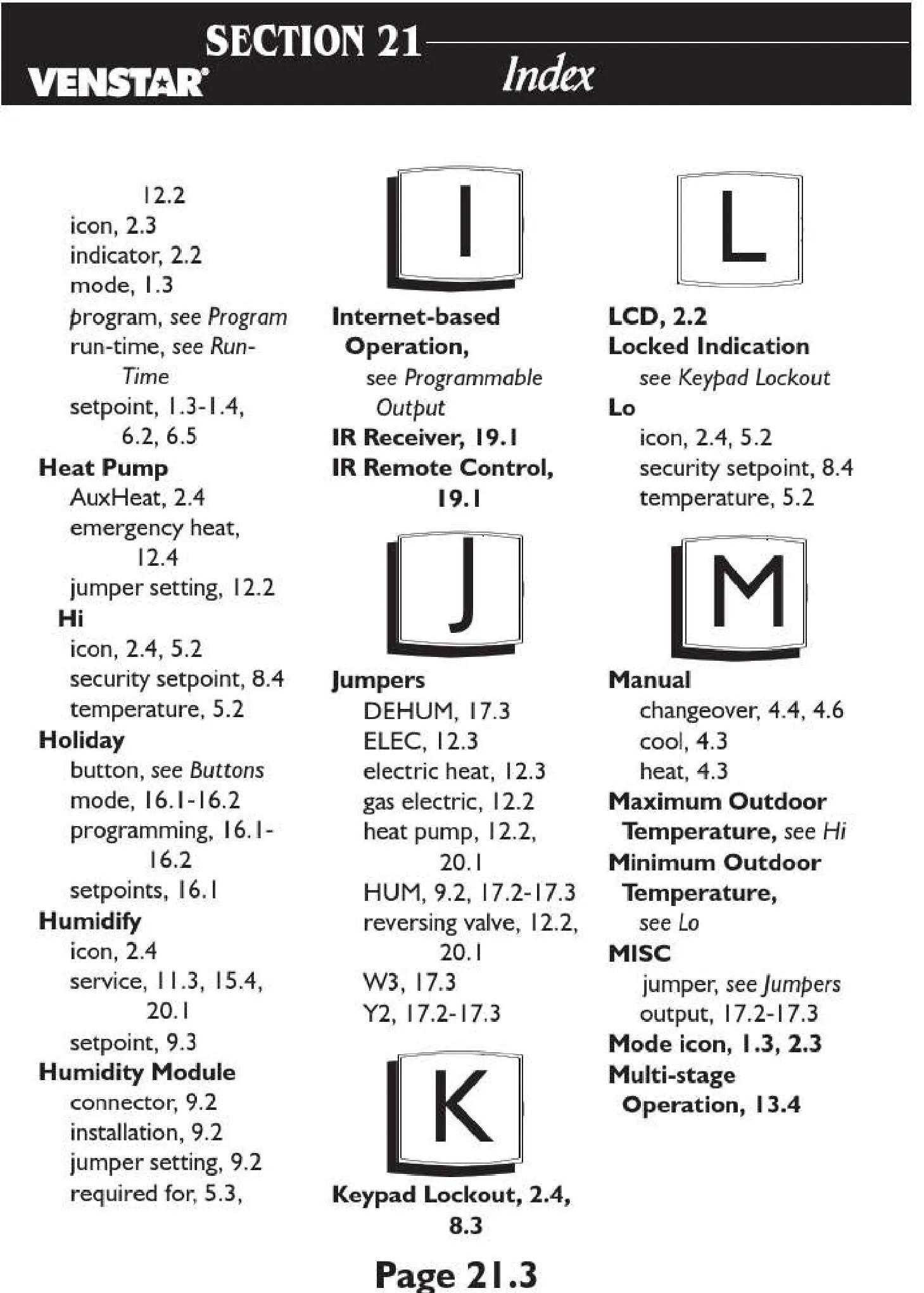
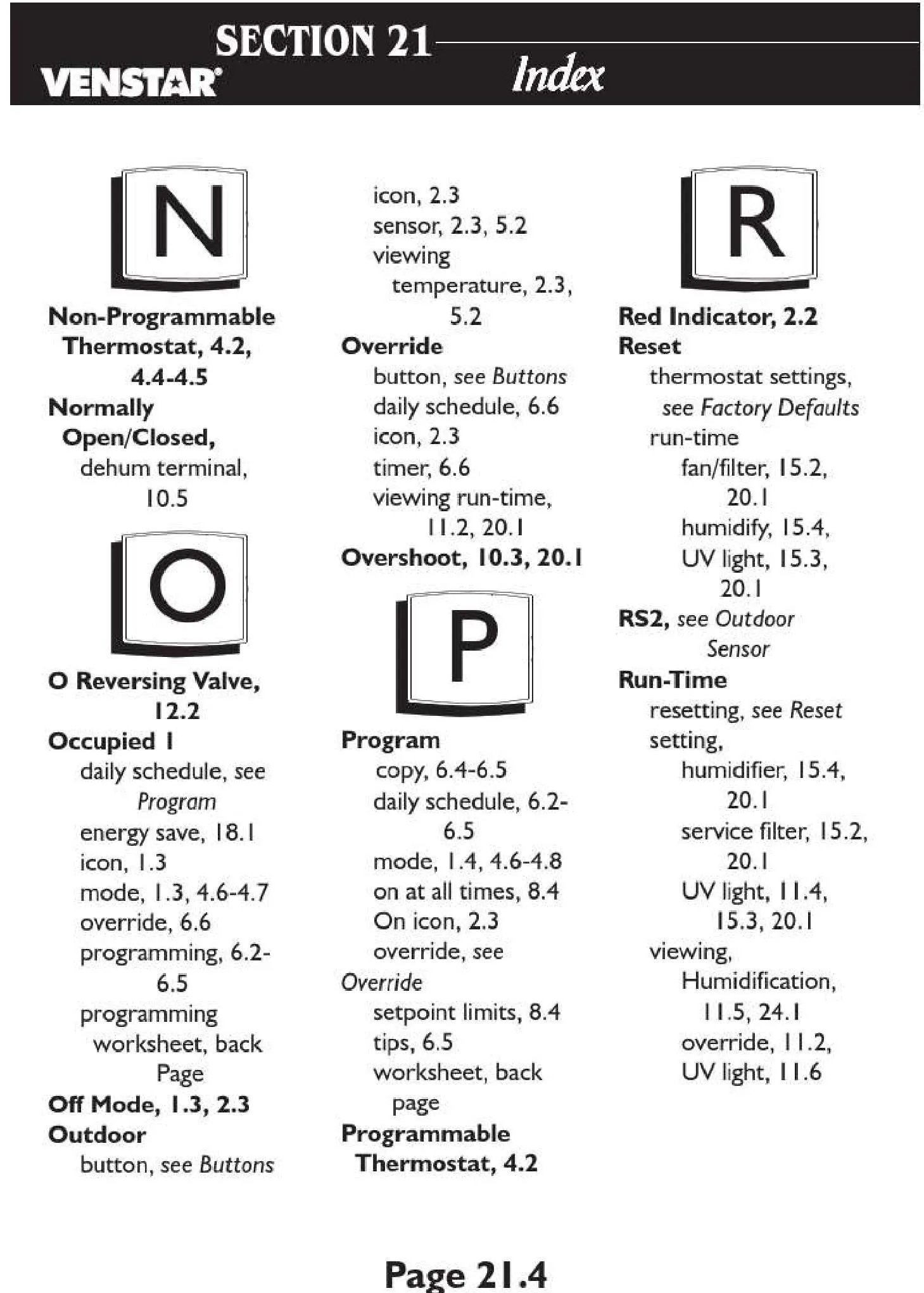



Venstar Thermostat T2800


Venstar Thermostat T2800 Instructions
Here we offer the Venstar Thermostat T2800 manual completely free and in English. We have cataloged this manual in the Thermostats section on Manualverse, and it has been rated by 1 users with an average rating of 5. If you have any specific questions about Venstar Thermostat T2800, we suggest checking the Frequently Asked Questions (FAQs) section of this manual.
Product Images
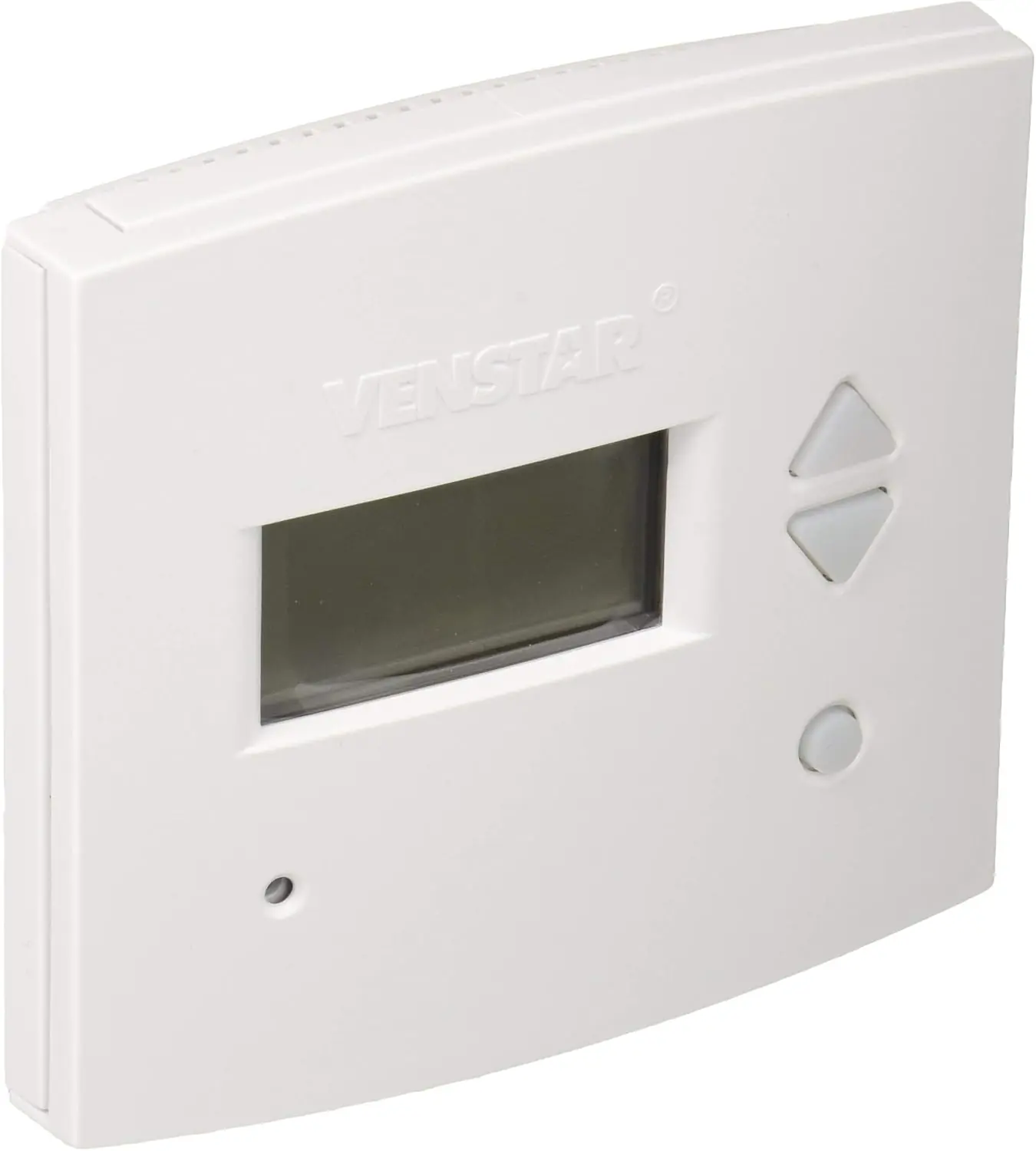
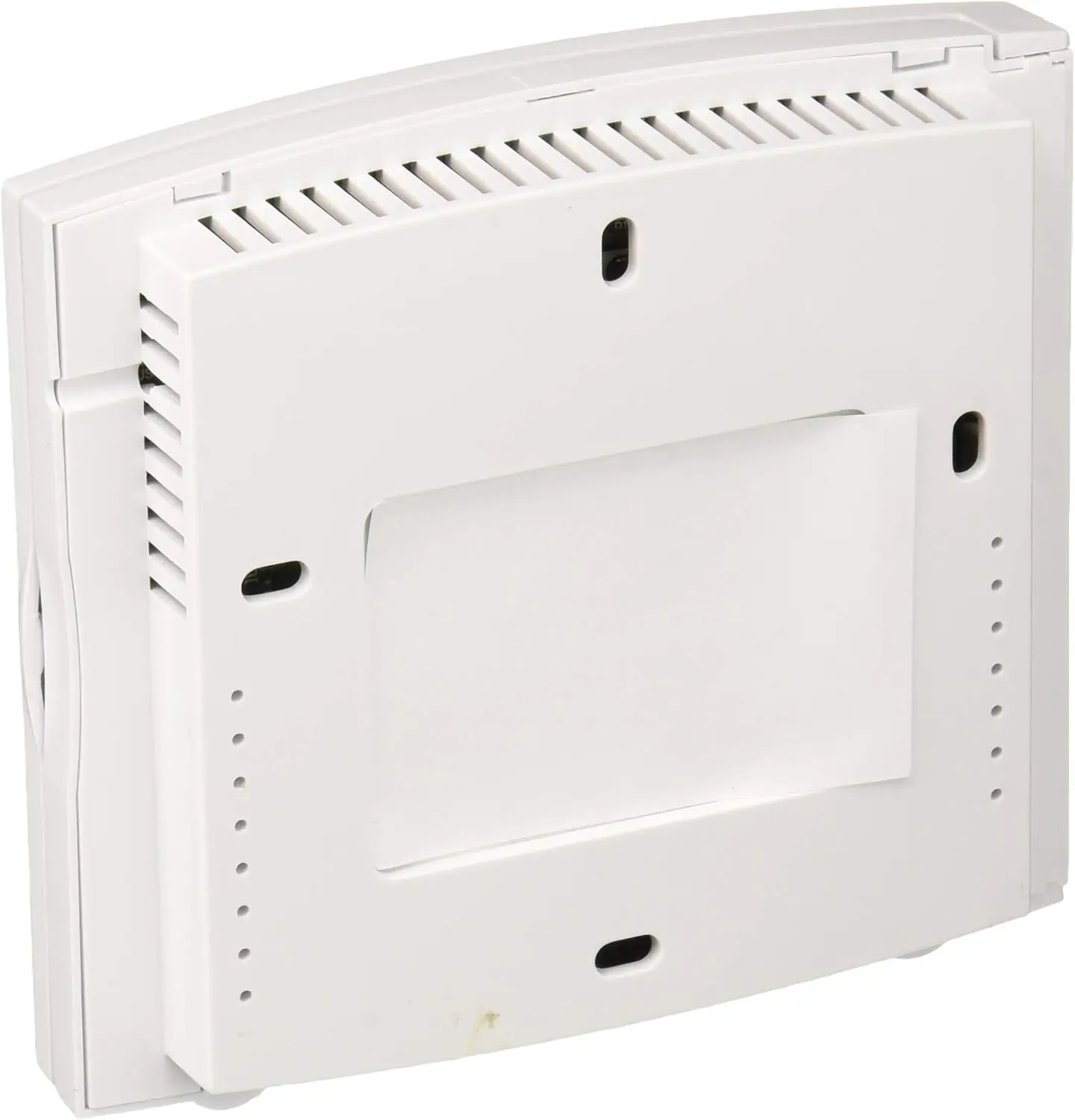
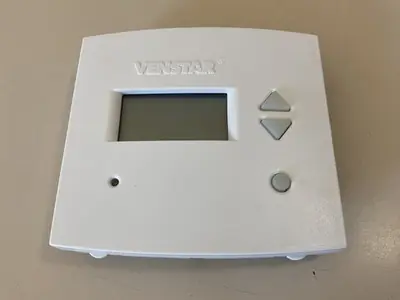
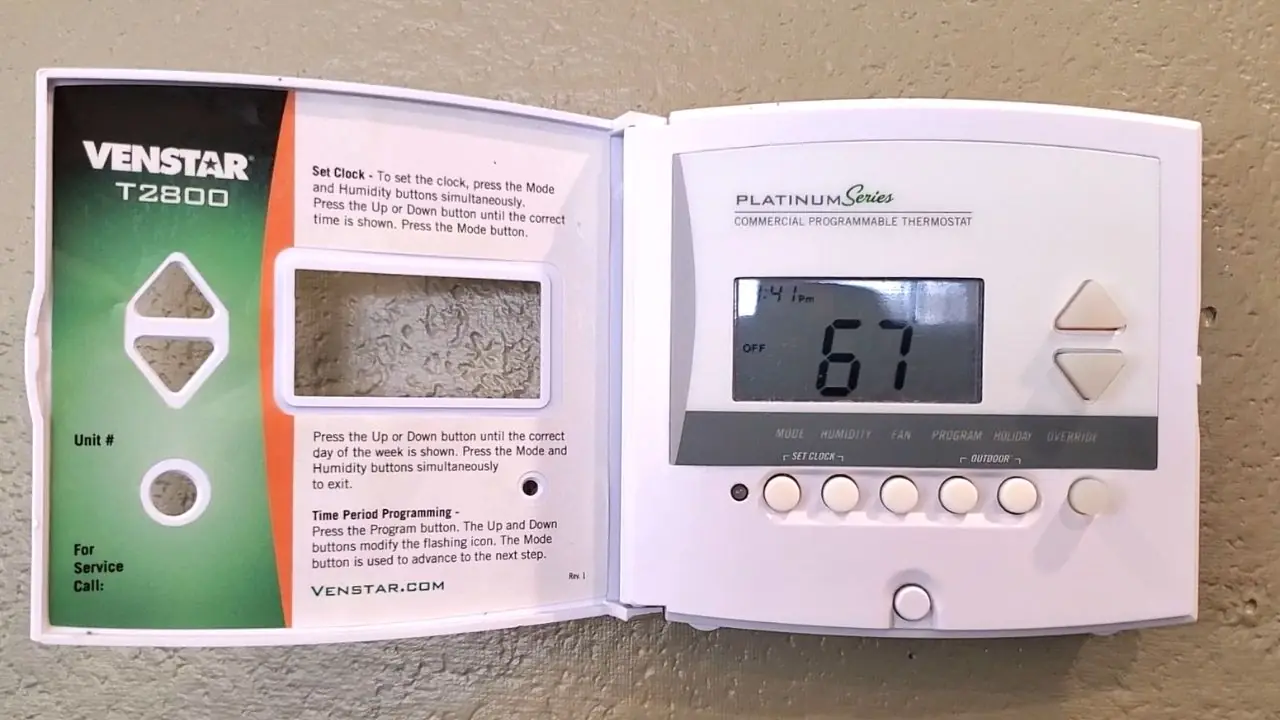
Venstar Thermostat T2800 Specifications
| Feature | Specification |
|---|---|
| Model | Venstar T2800 |
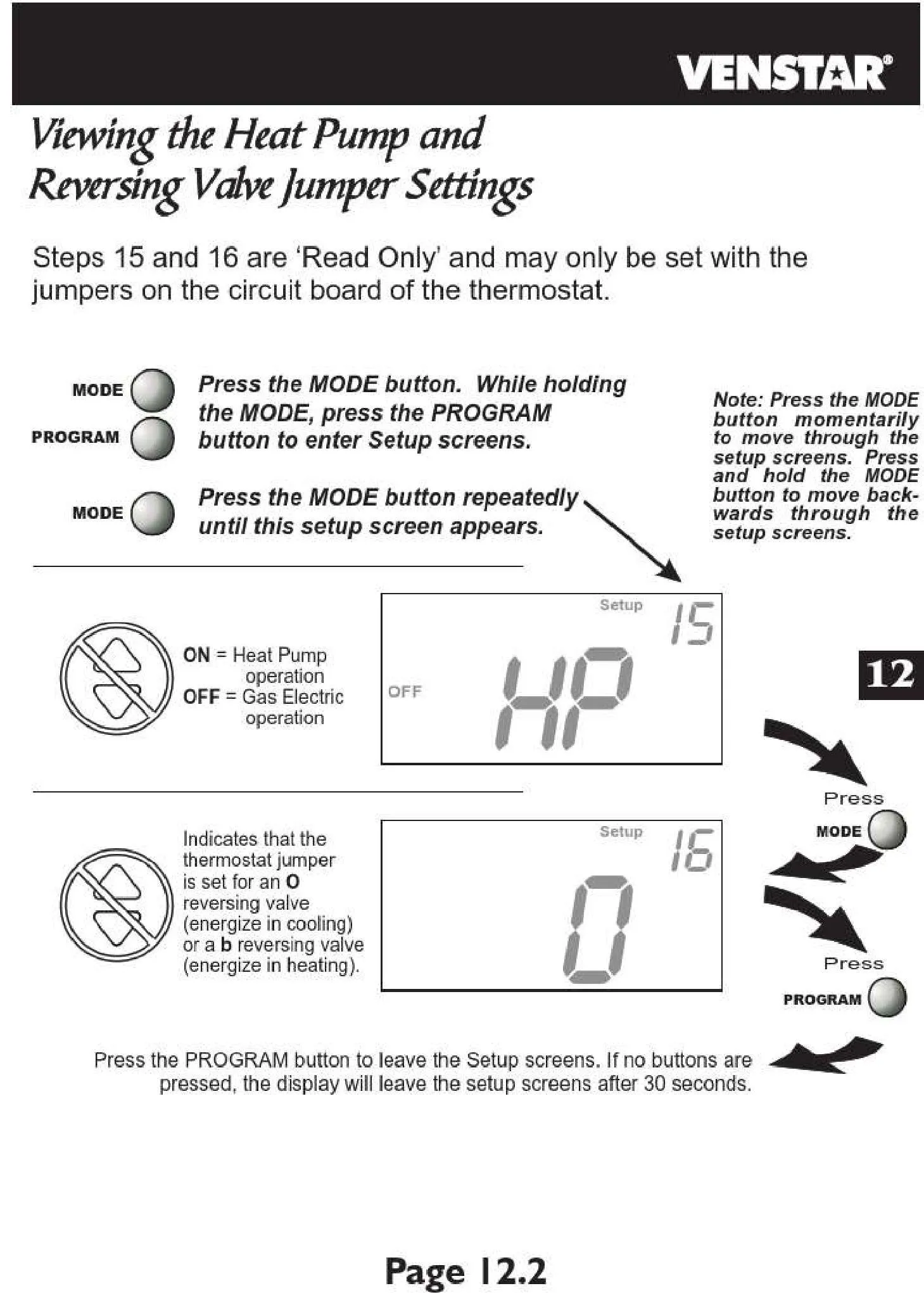
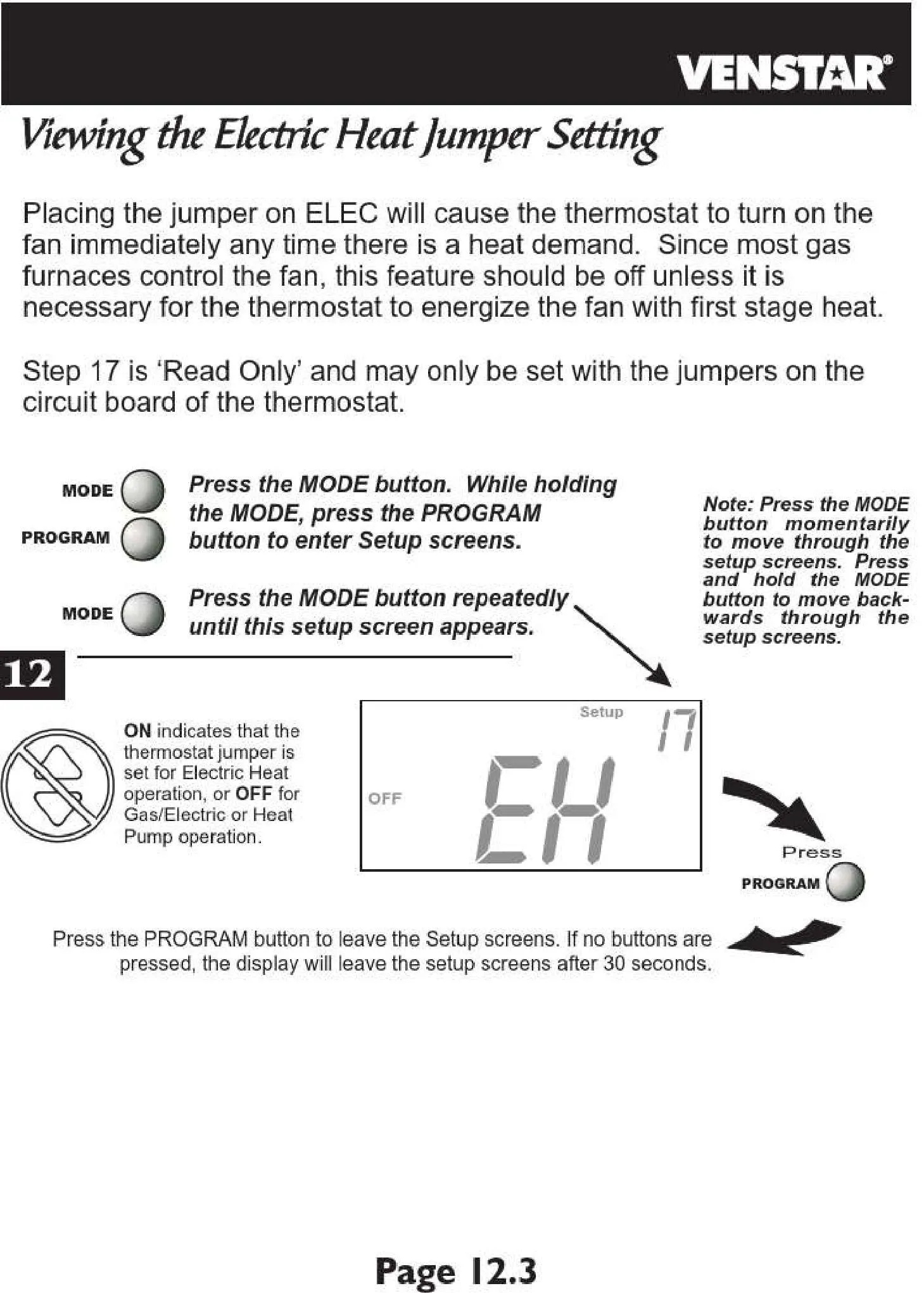
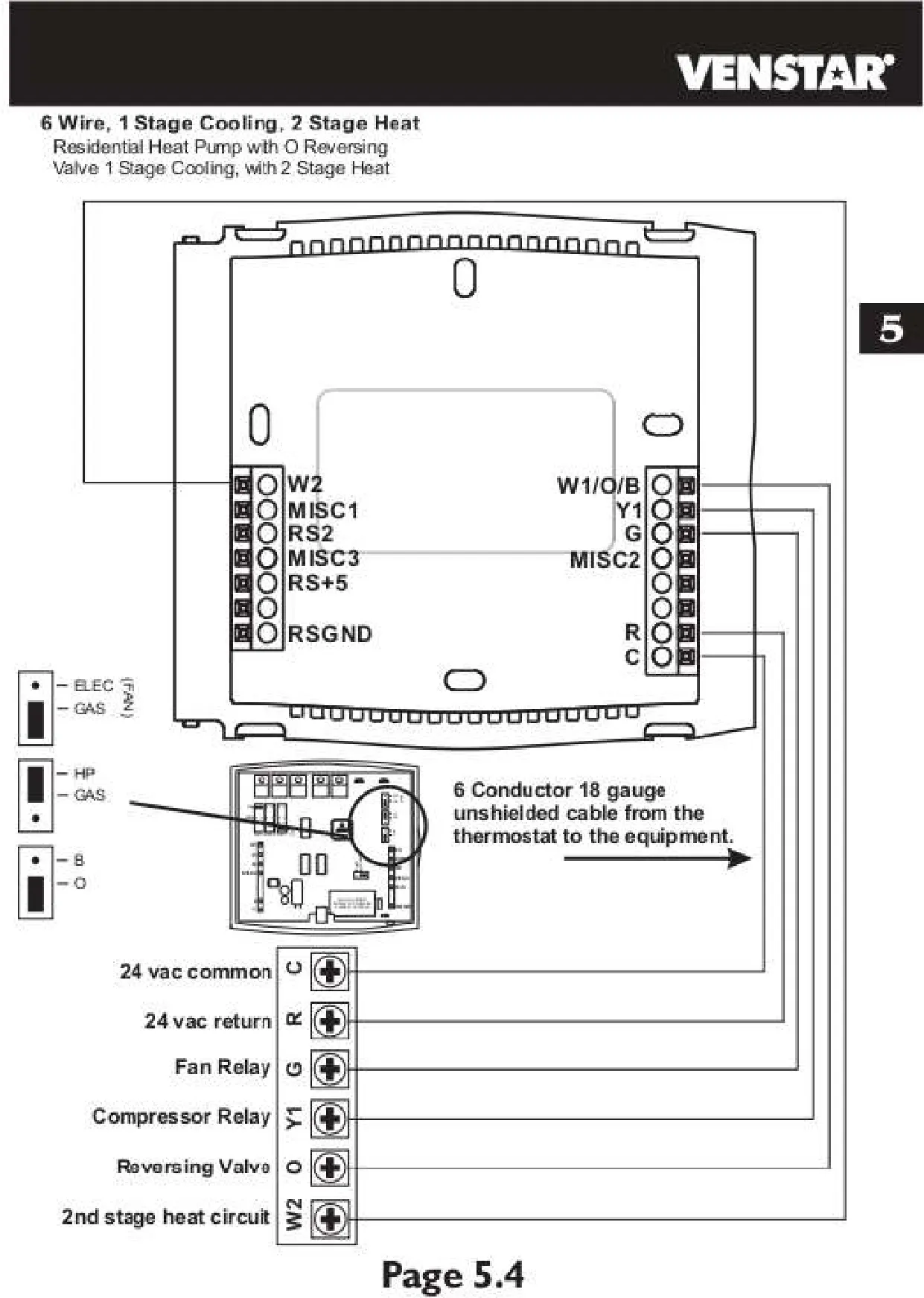
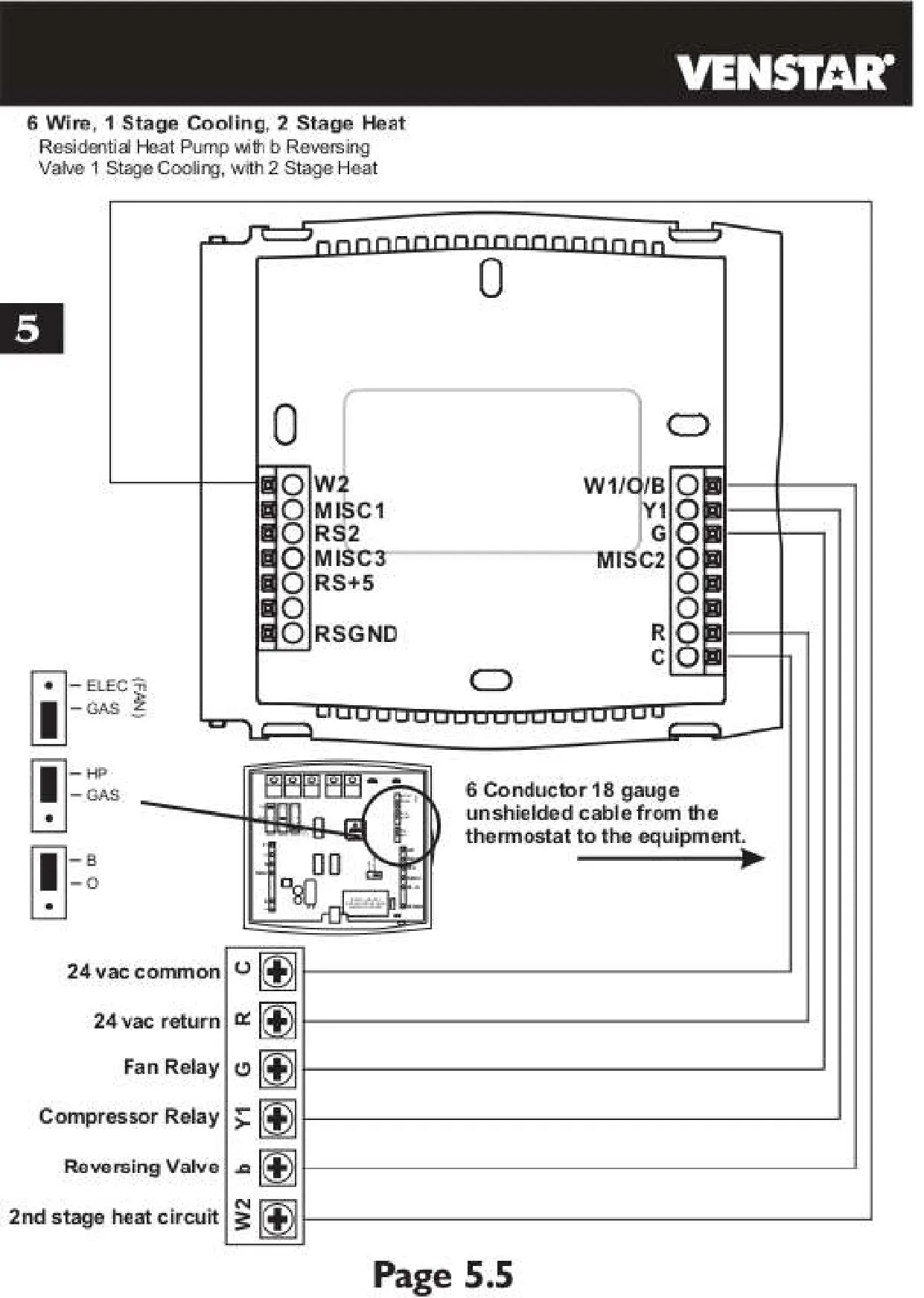
| System Compatibility | 2 Heat / 1 Cool Heat Pump or 1 Heat / 1 Cool Conventional |
| Power Supply | 24 VAC Nominal |
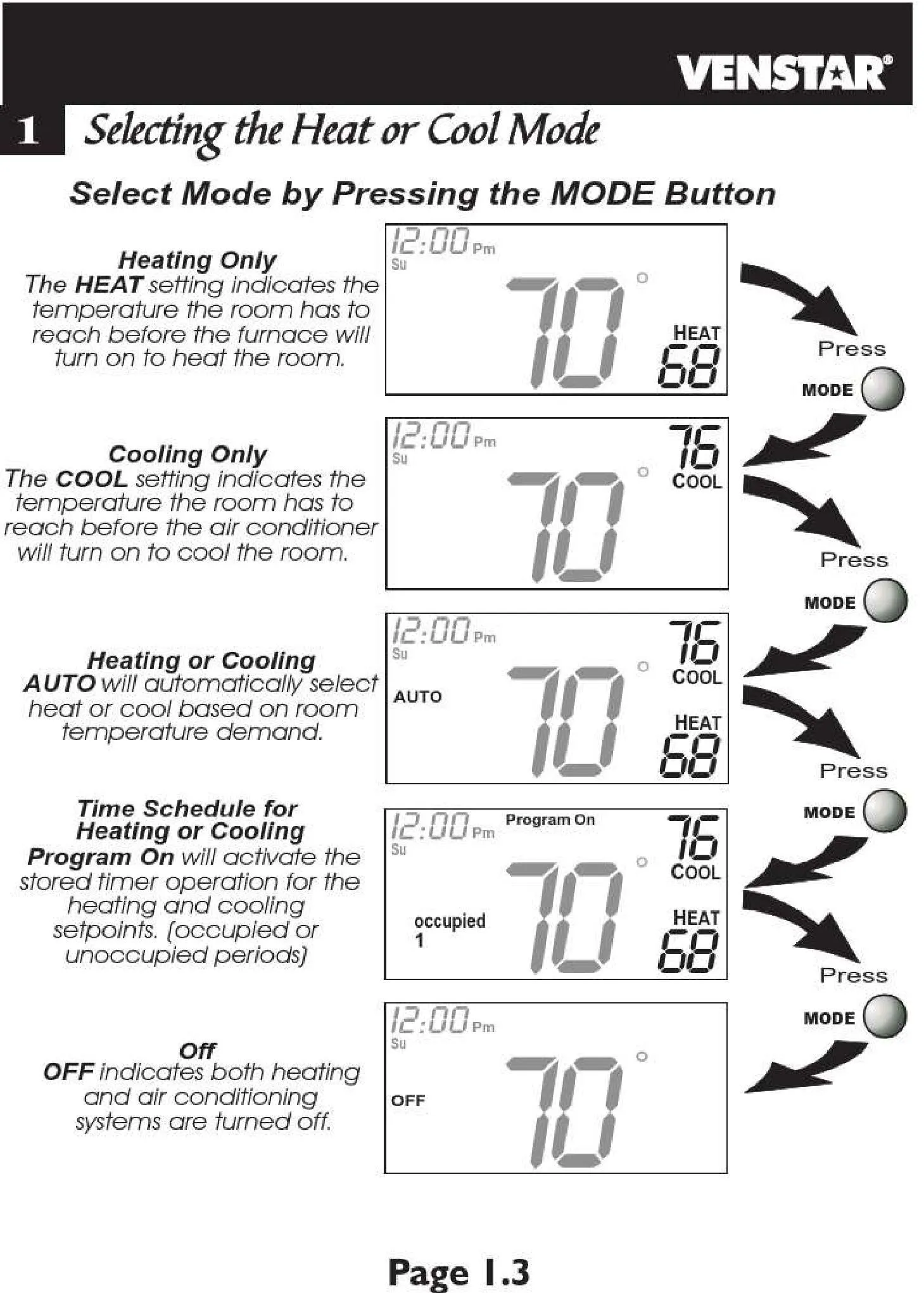
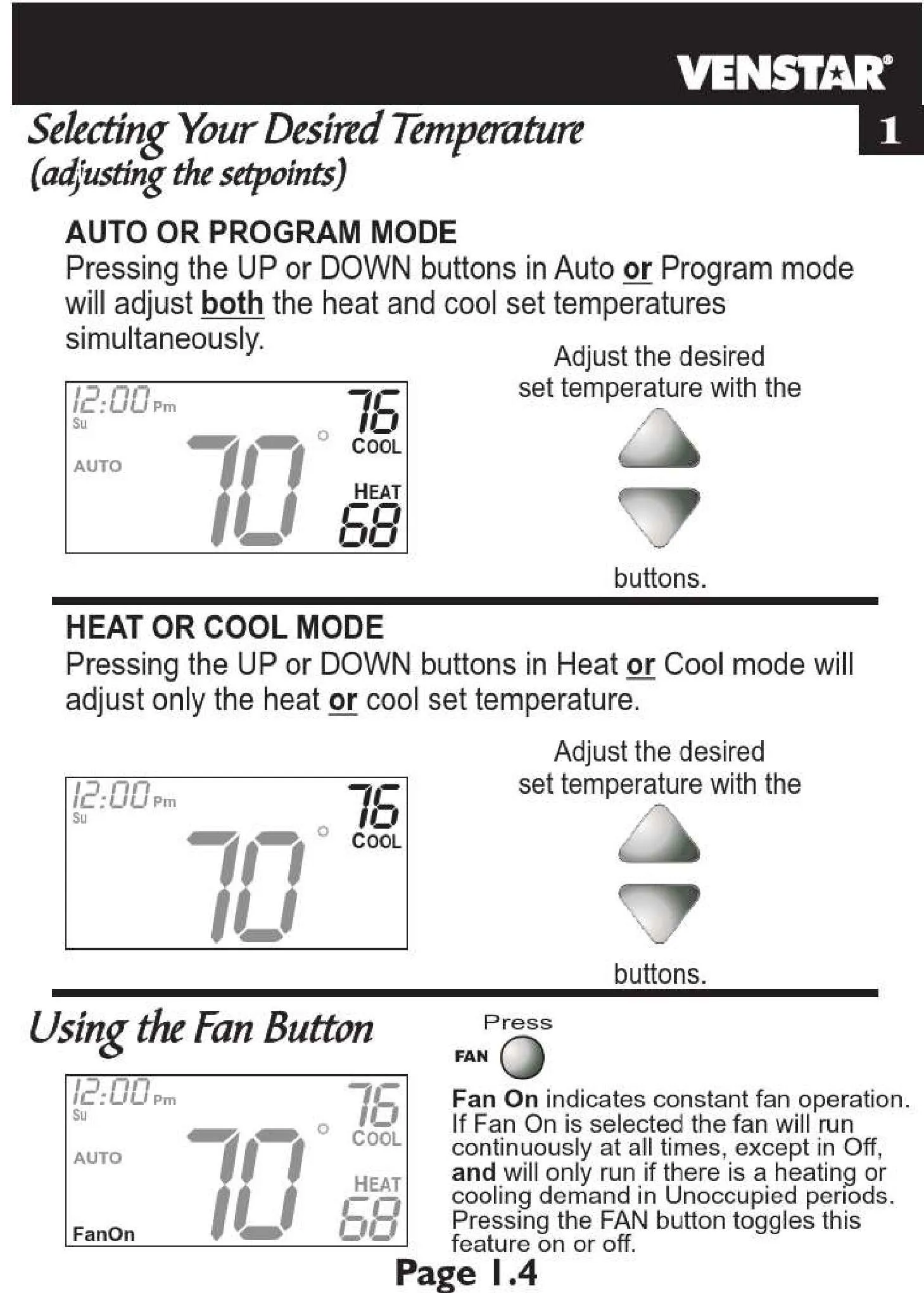
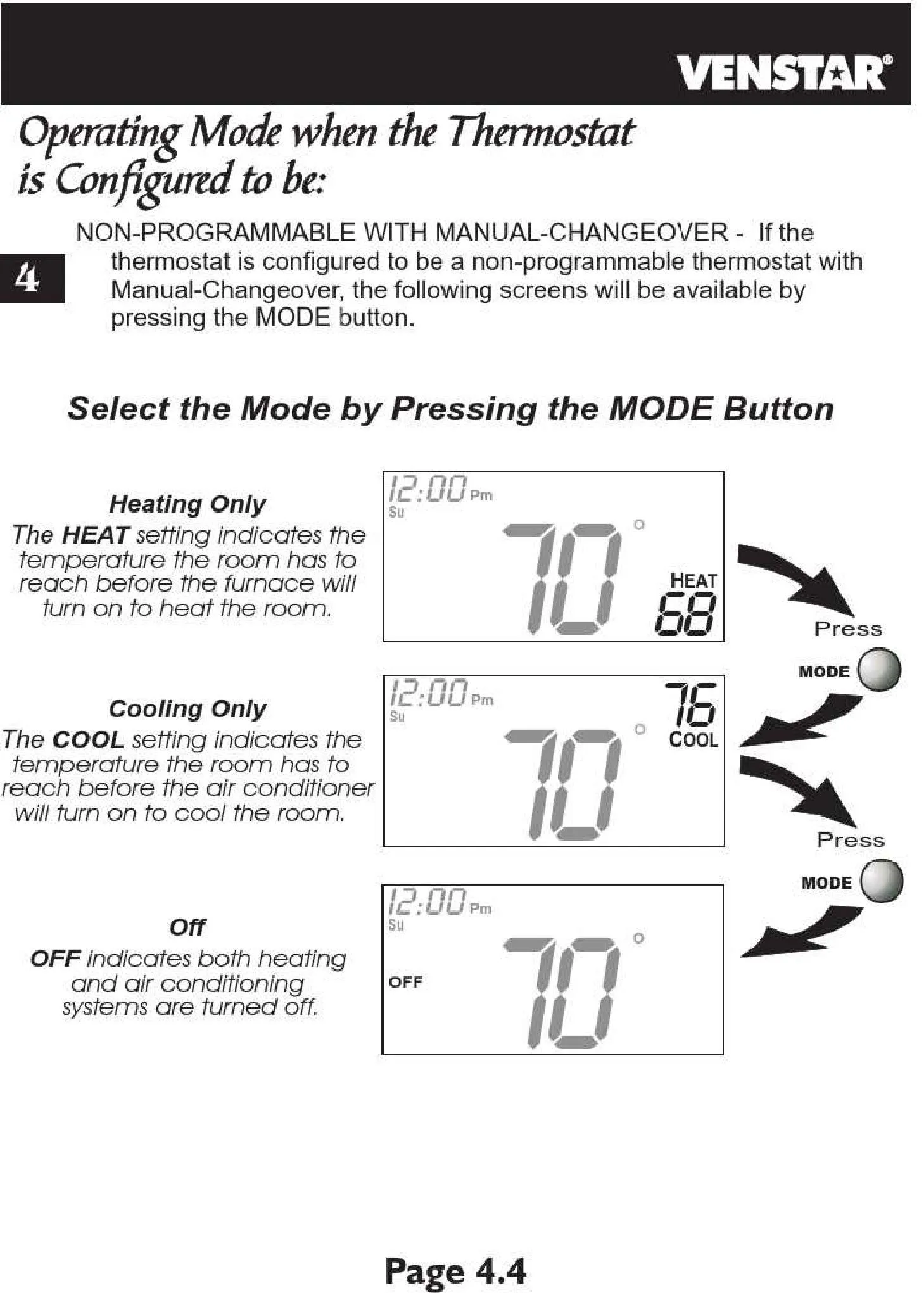
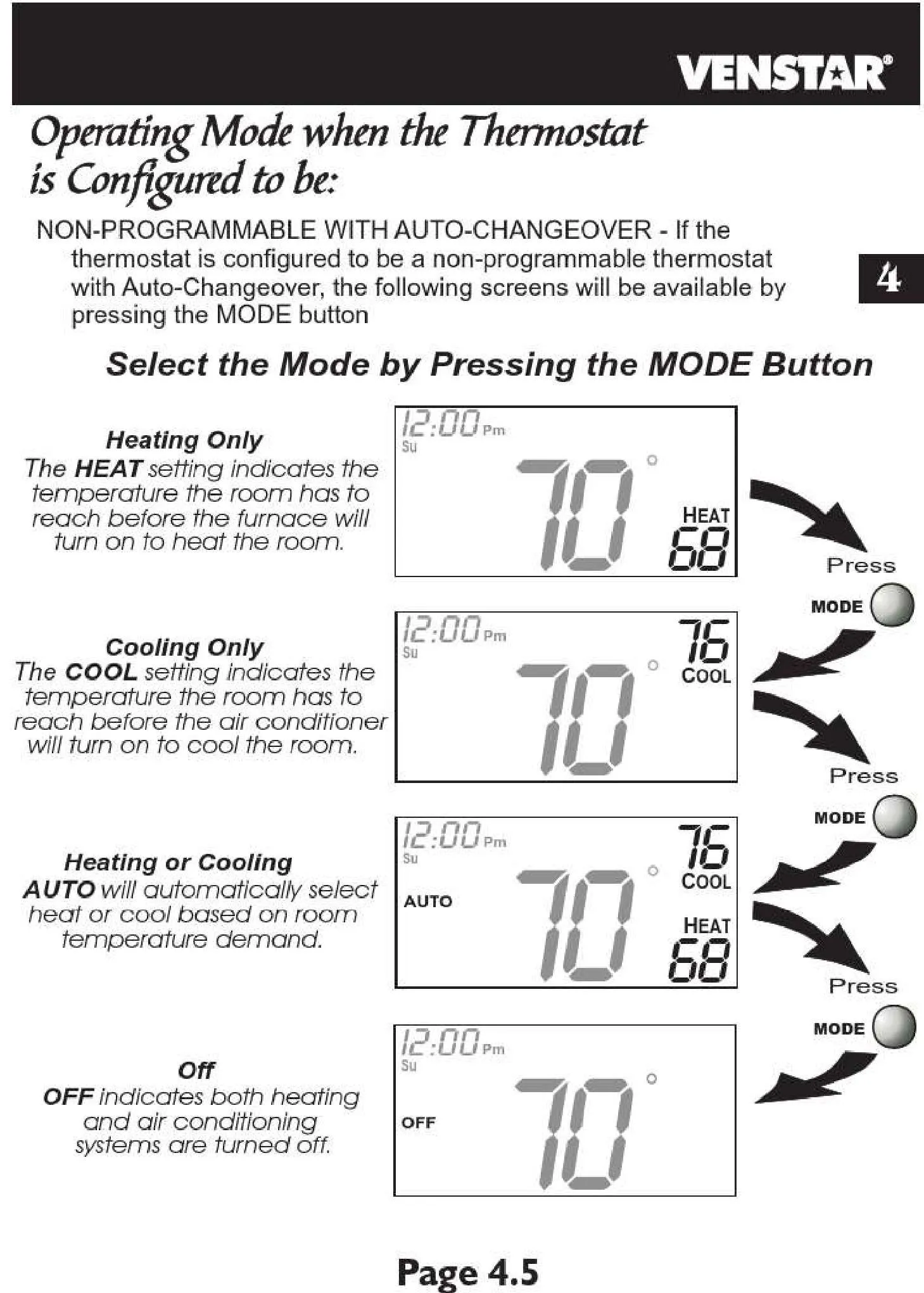
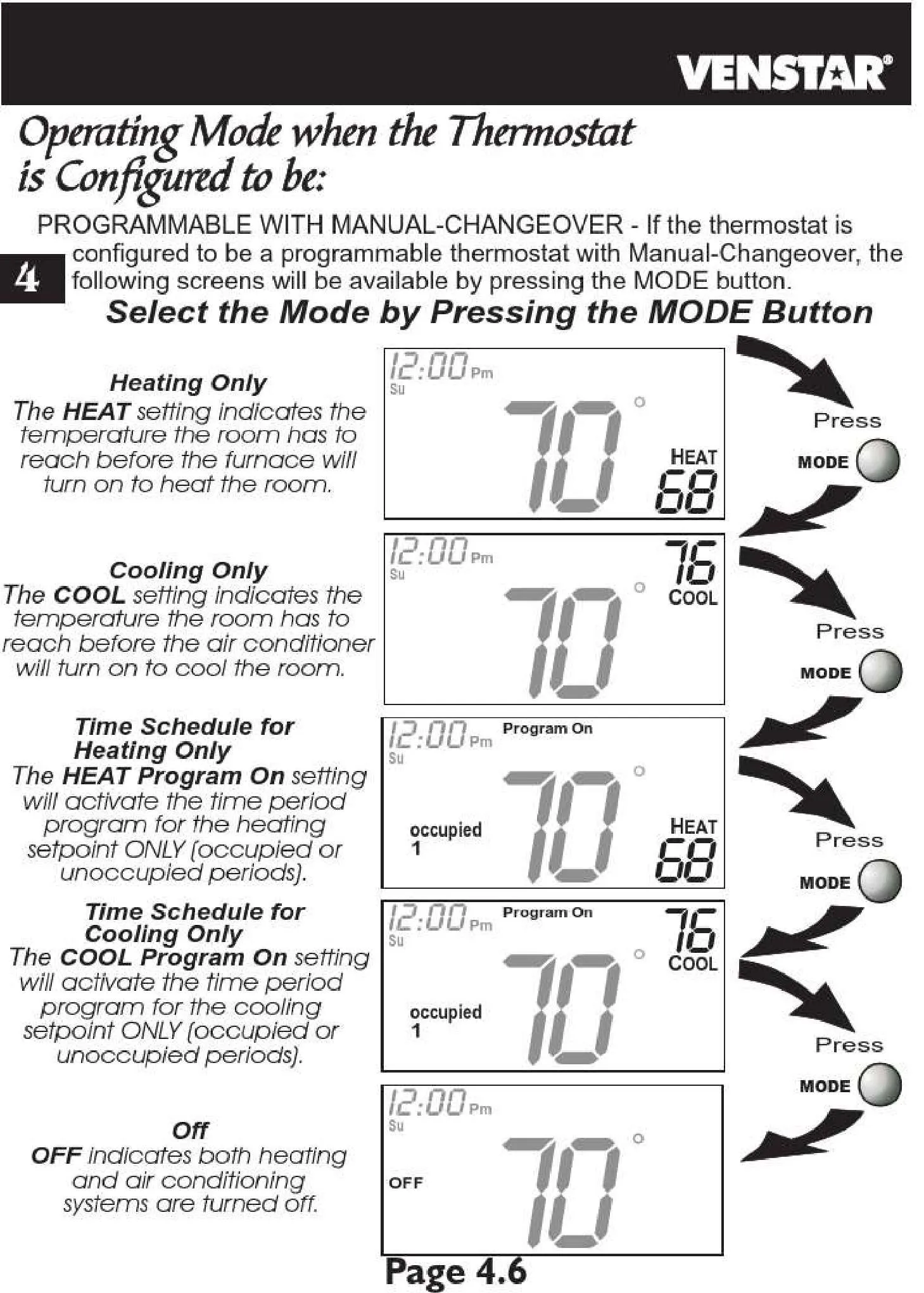
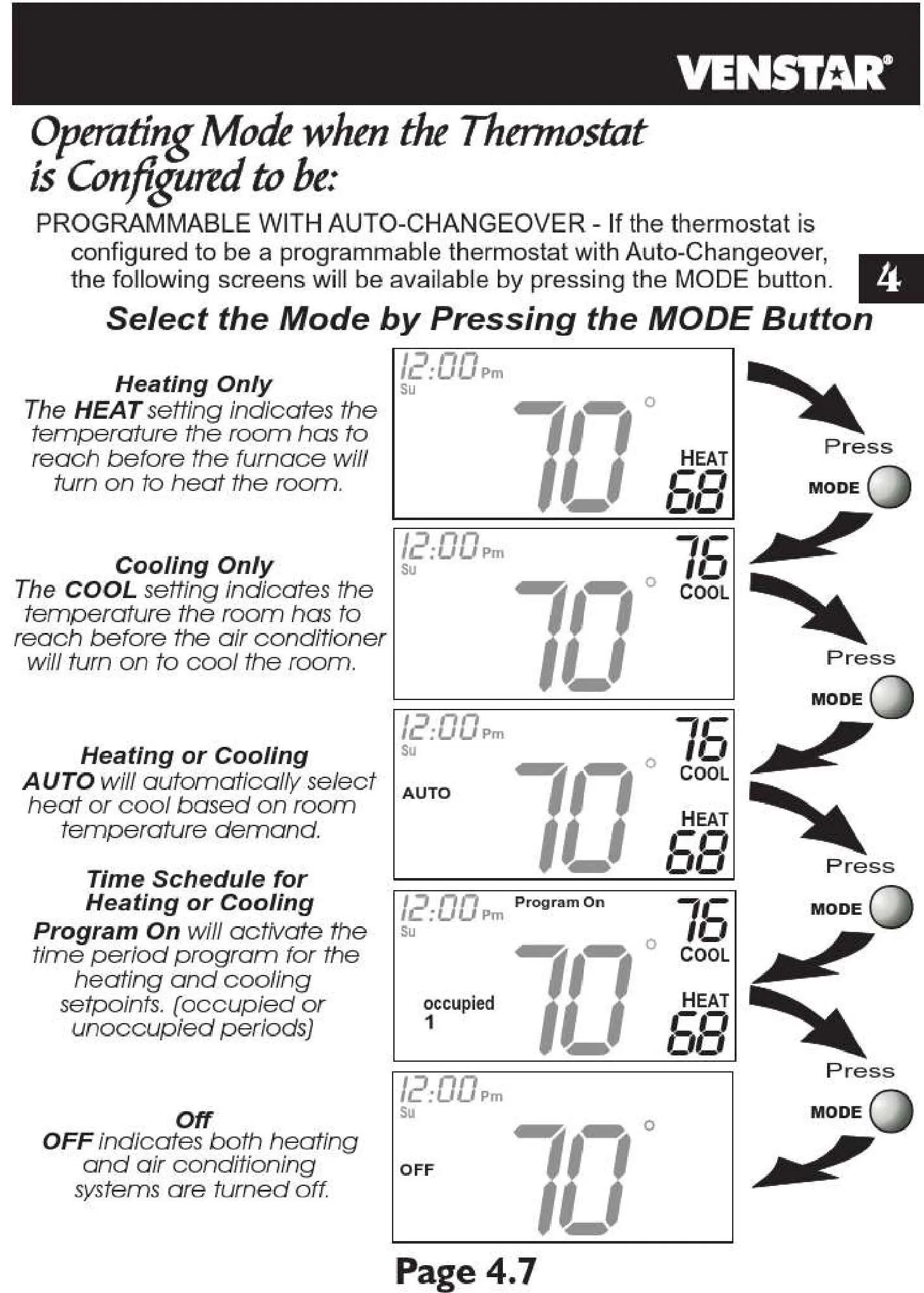
| Operating Modes | Heat, Cool, Auto, Off, Fan |
| Programming | 7-Day Programmable, 4 Periods per Day |
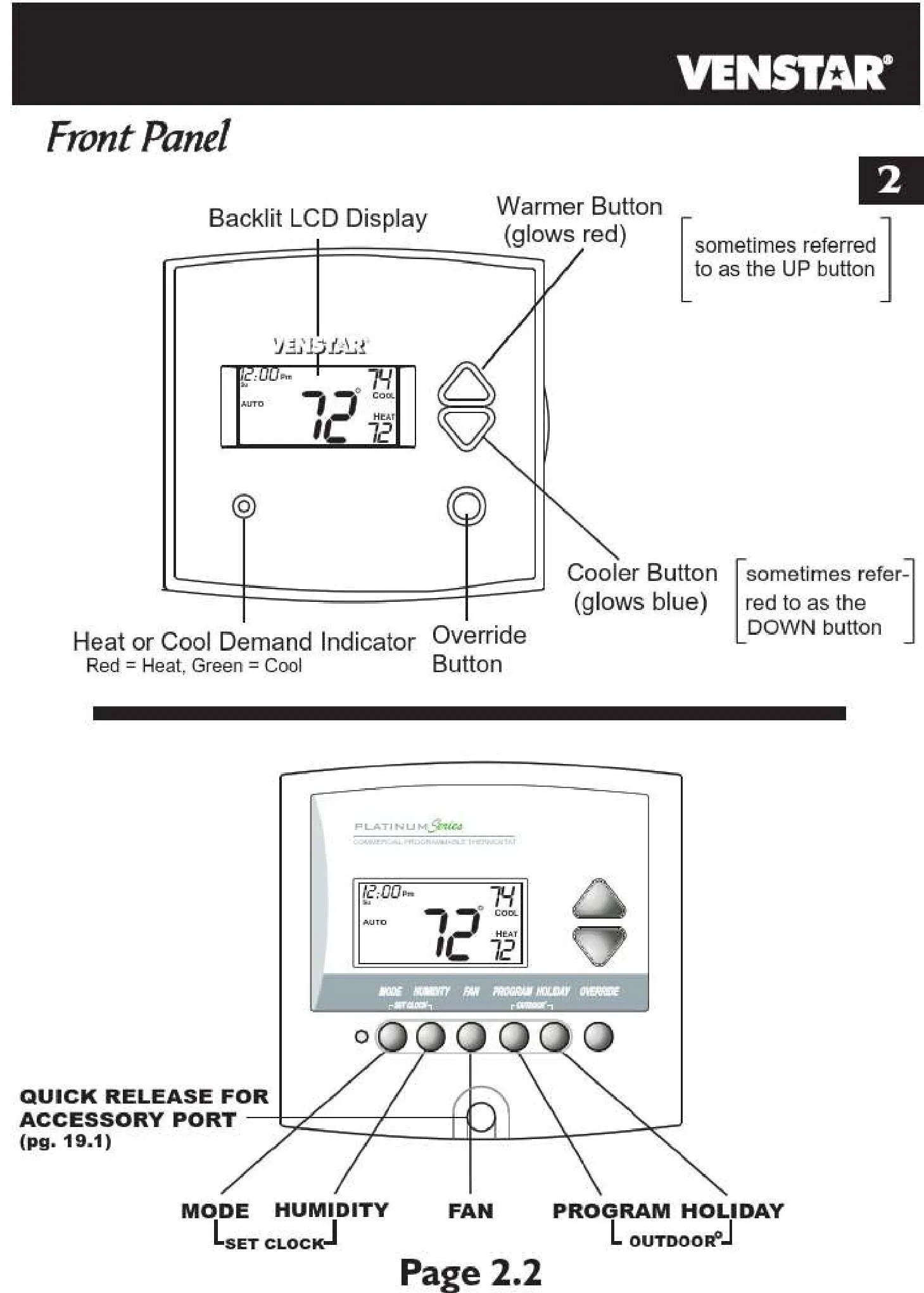
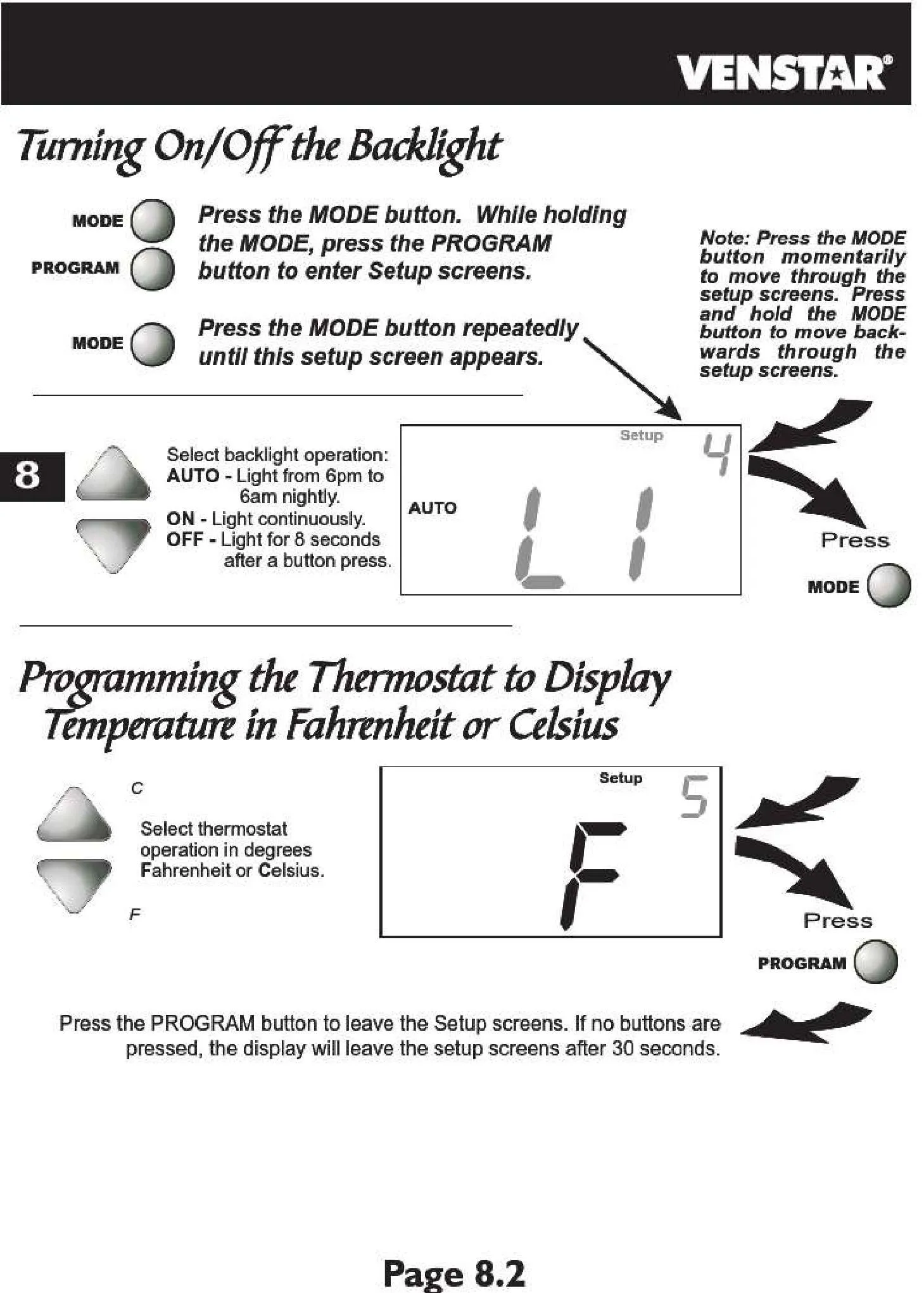
| Display | Large LCD with Optional Continuous Backlight |
| Auto-Changeover | Yes |
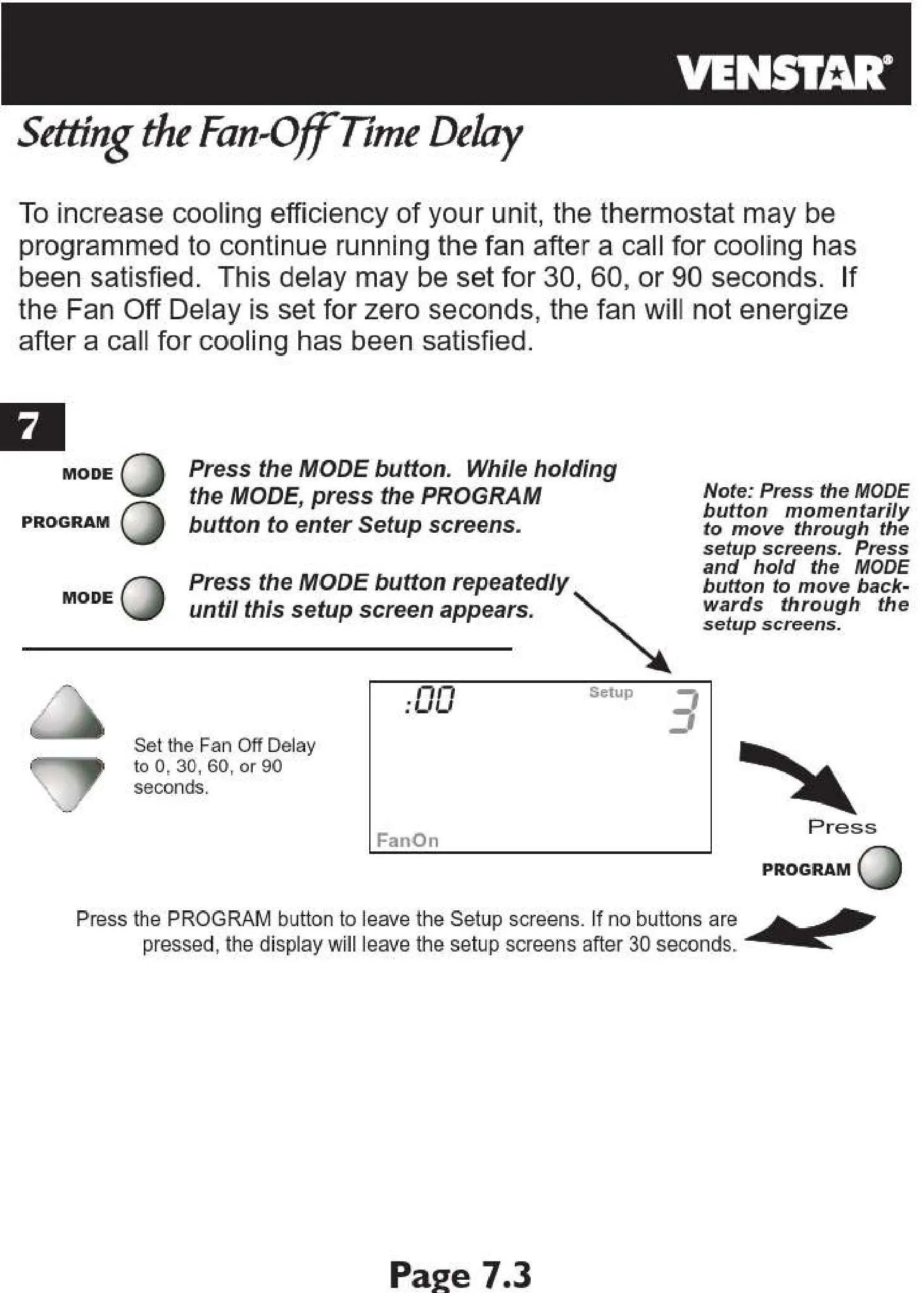
| Fan Off Delay | Adjustable (0-4 minutes) |
| Heat Setpoint Range | 40°F to 90°F (5°C to 32°C) |
| Cool Setpoint Range | 50°F to 99°F (10°C to 37°C) |
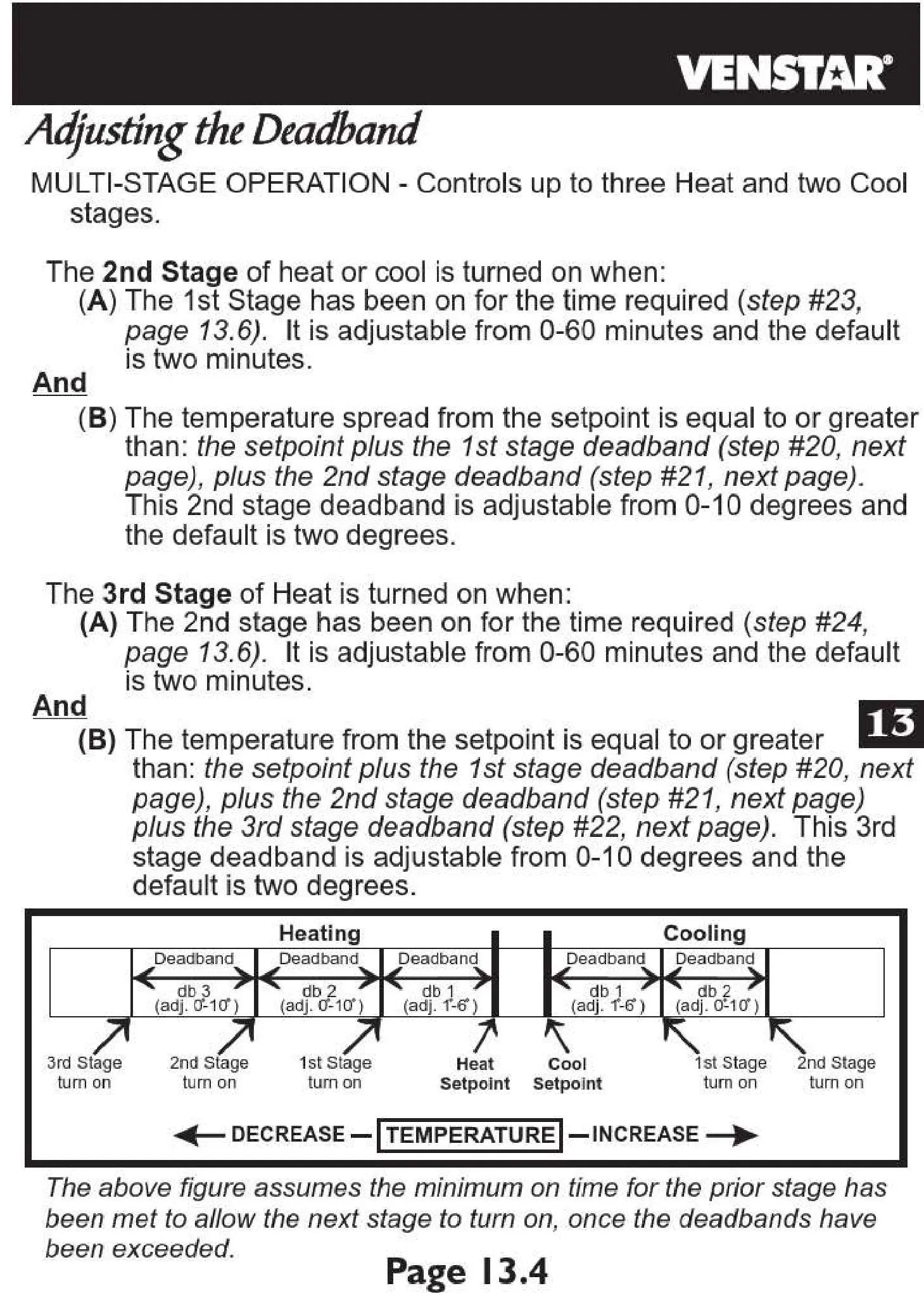
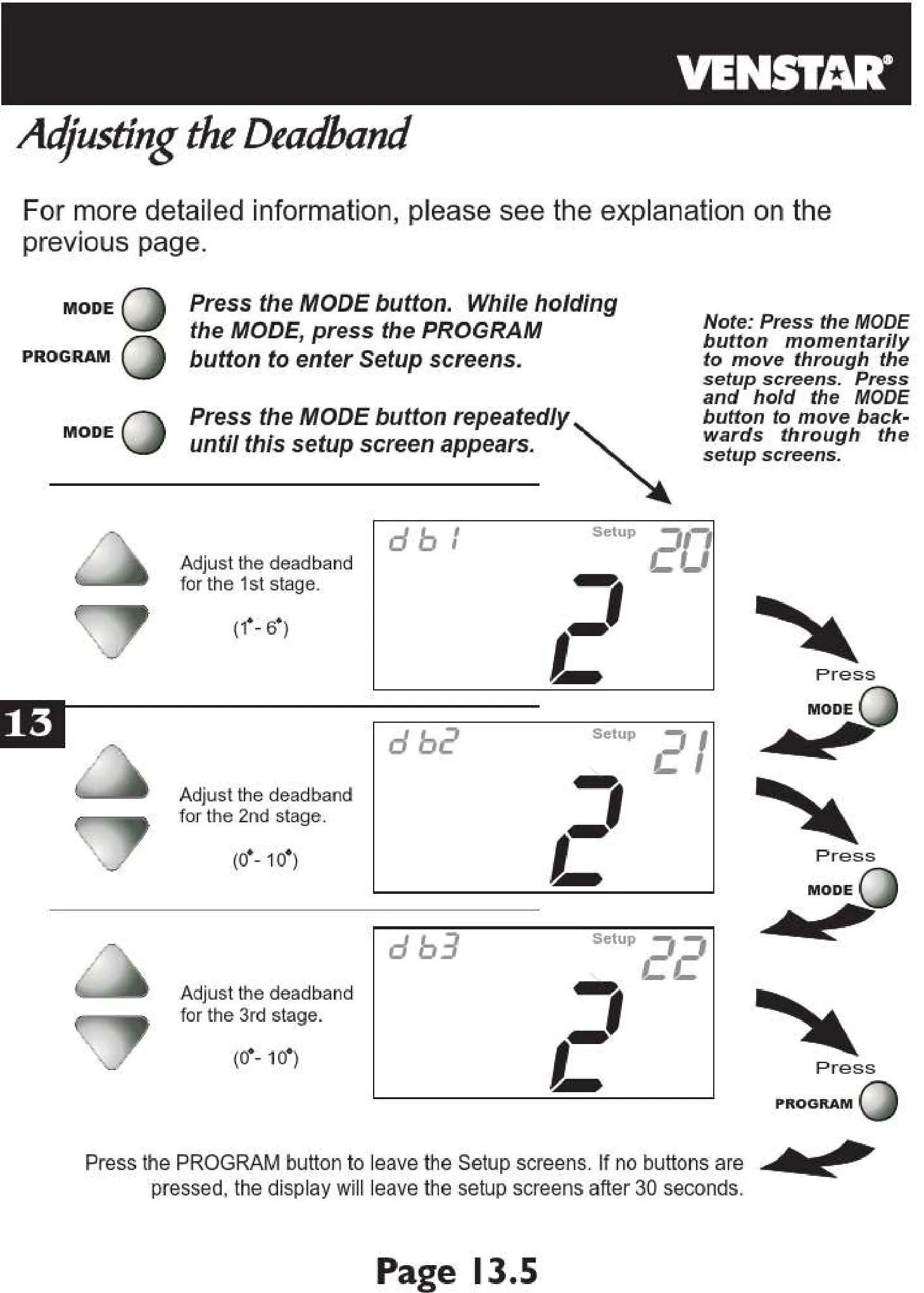
| Minimum Differential | 1°F to 6°F (0.5°C to 3°C) |
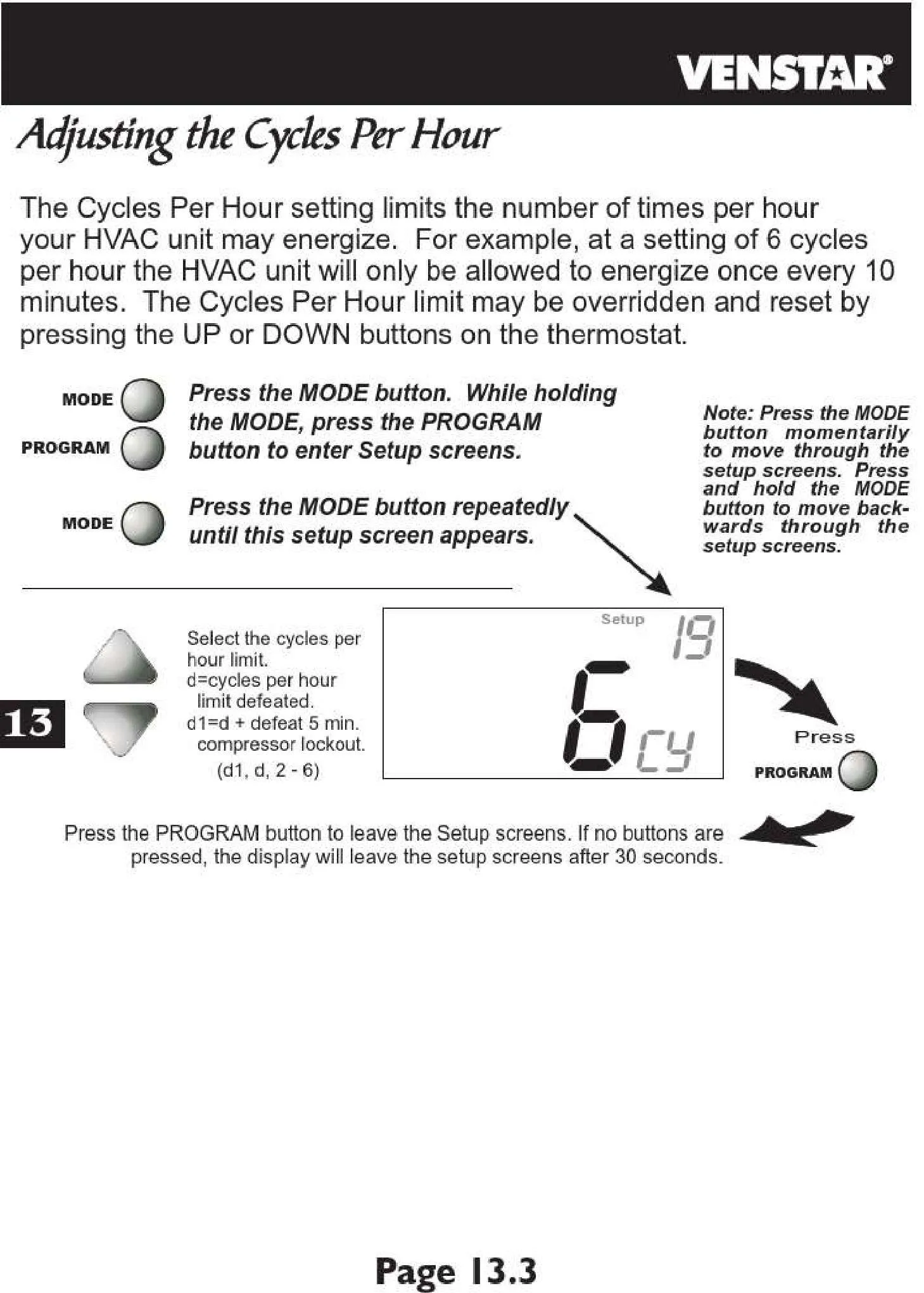
| Cycles Per Hour (CPH) | Adjustable (1-6) |
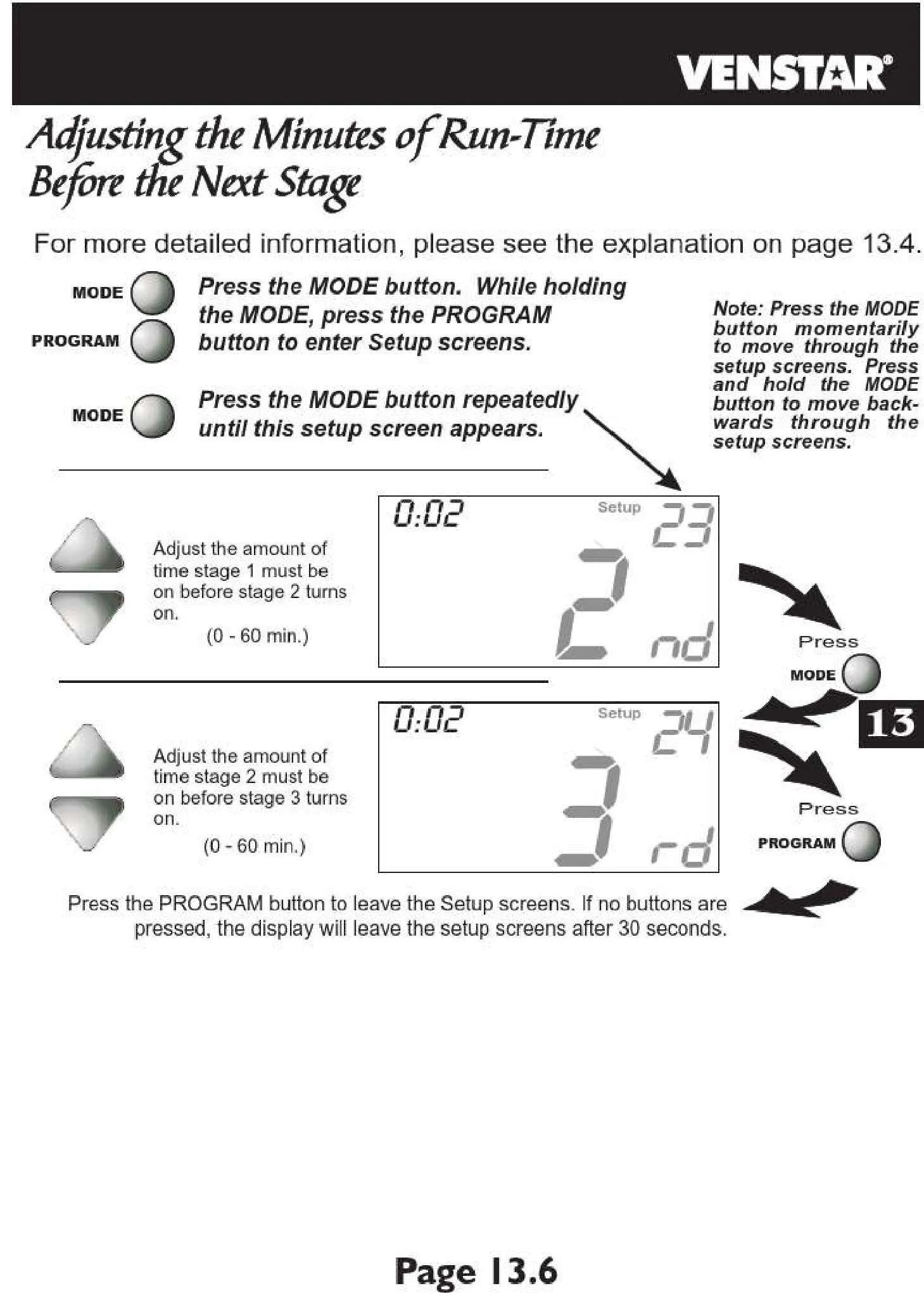
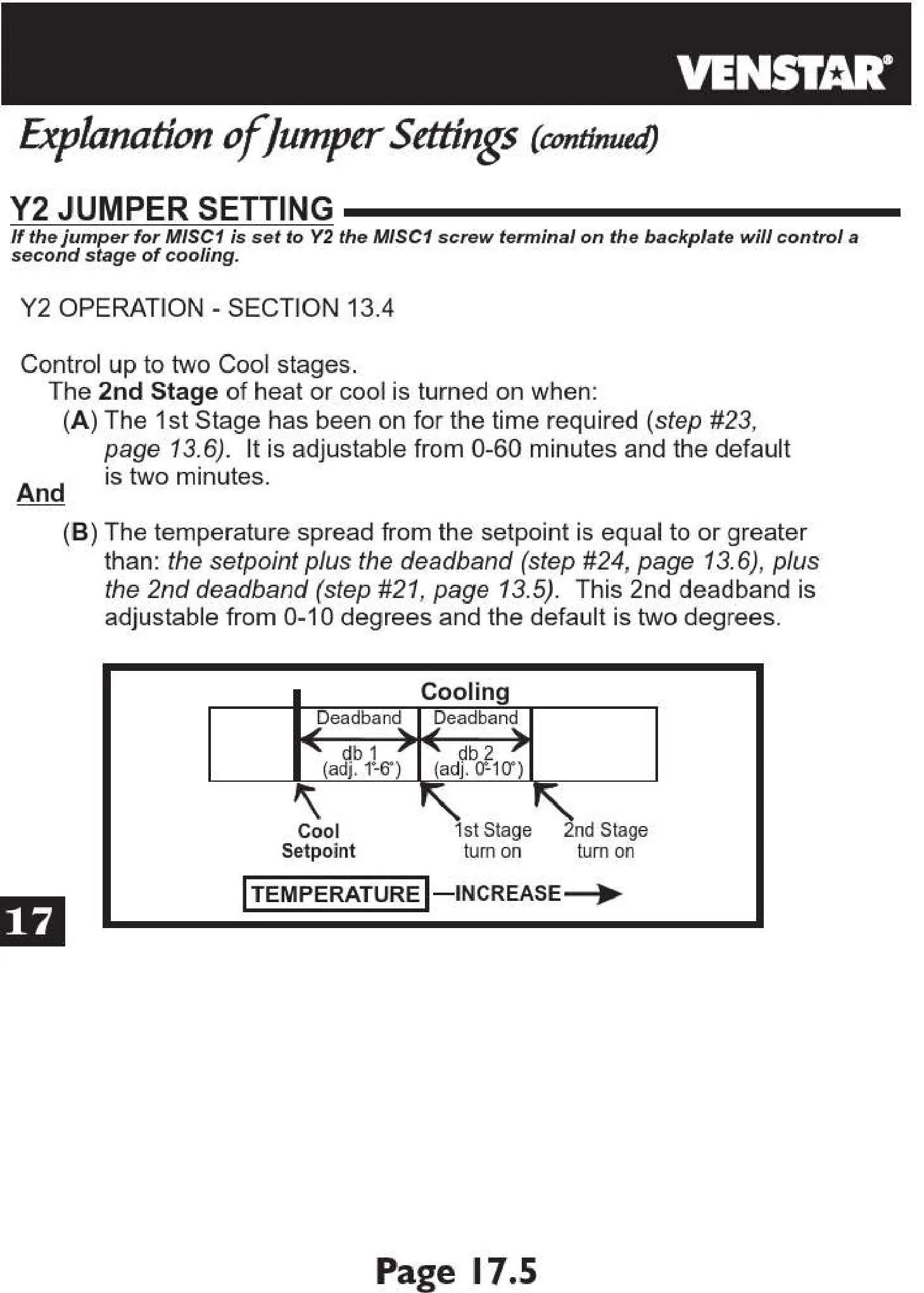
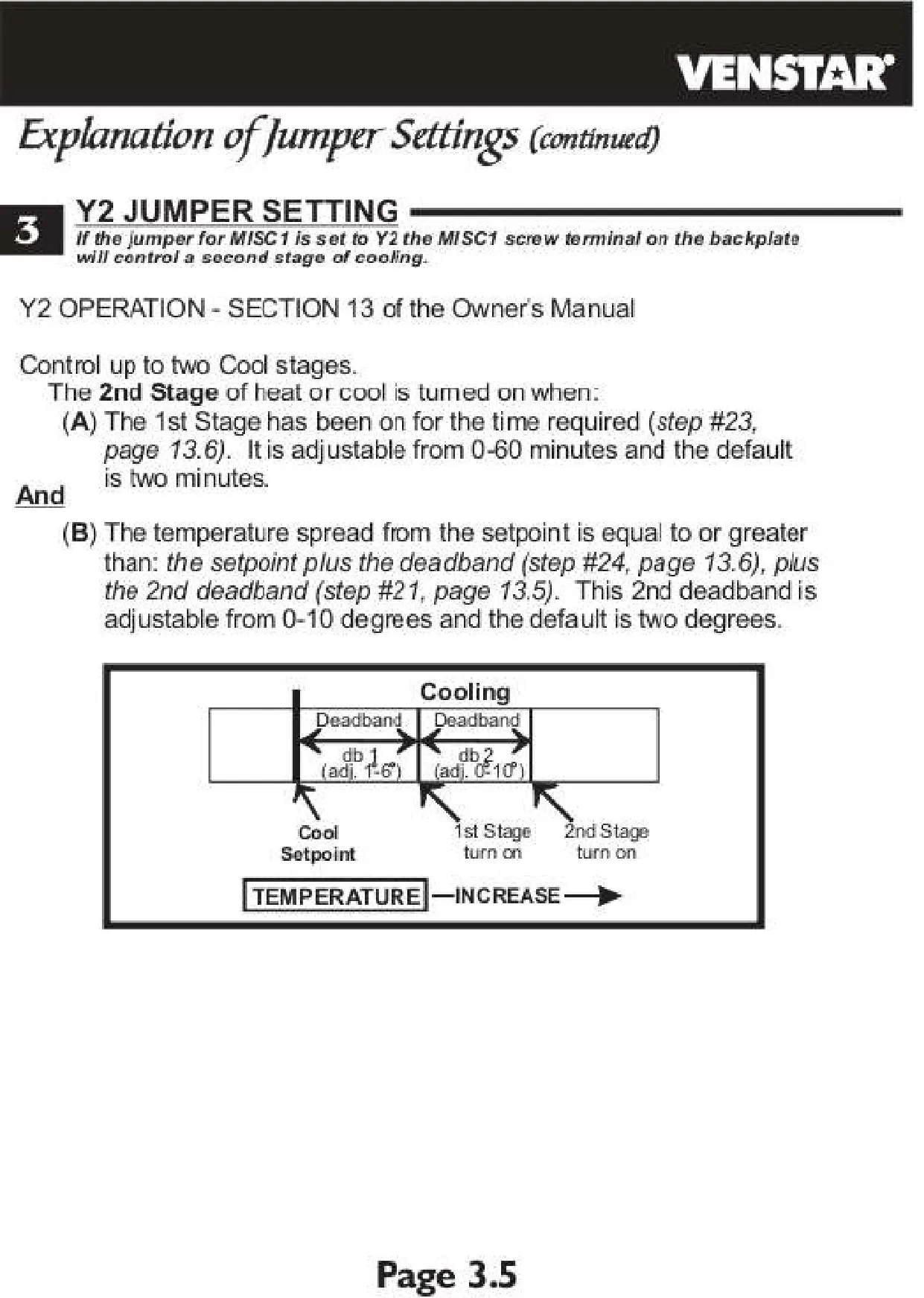
| Inter-stage Delay (1&2 / 2&3) | Adjustable (5-60 minutes) |
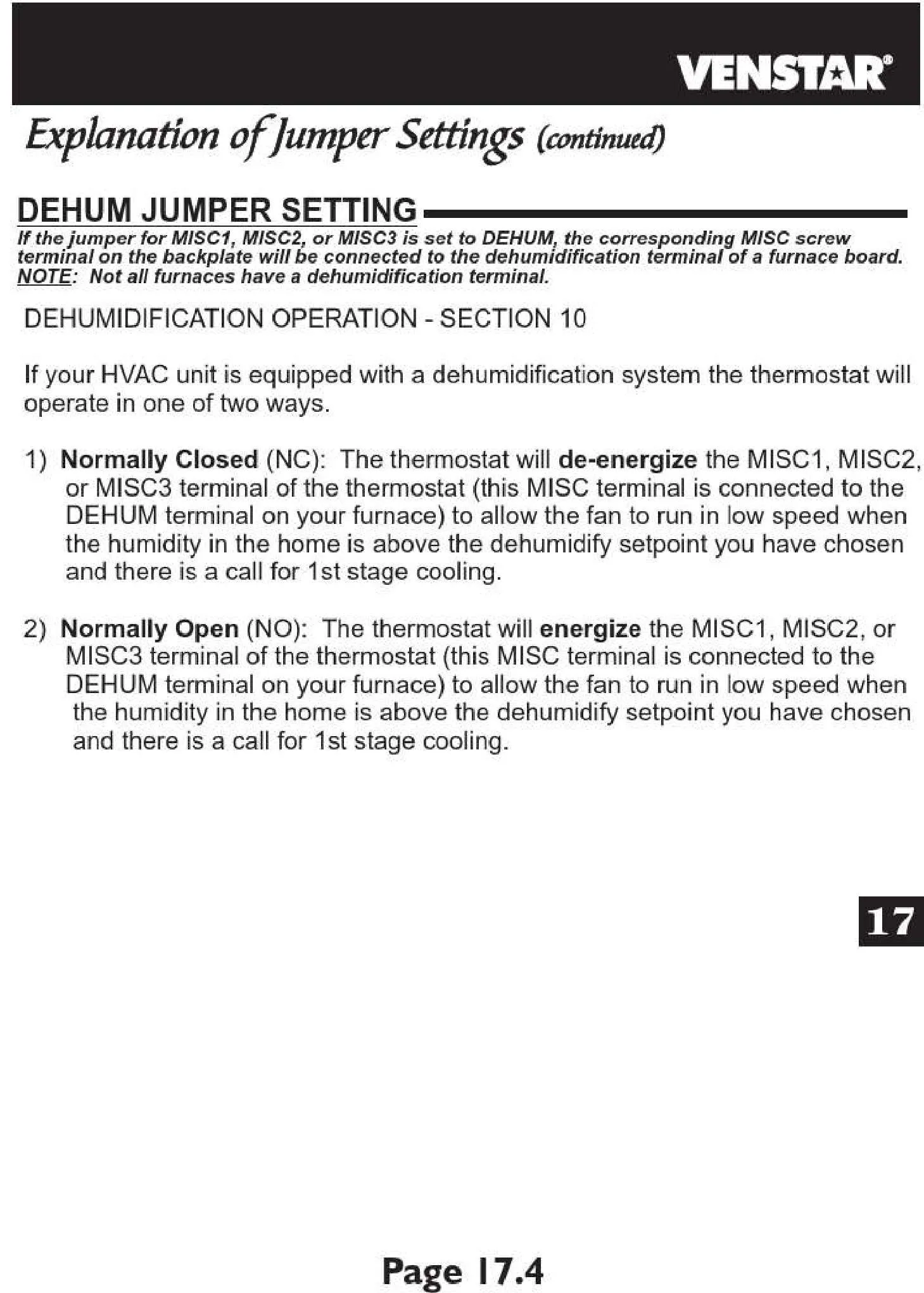
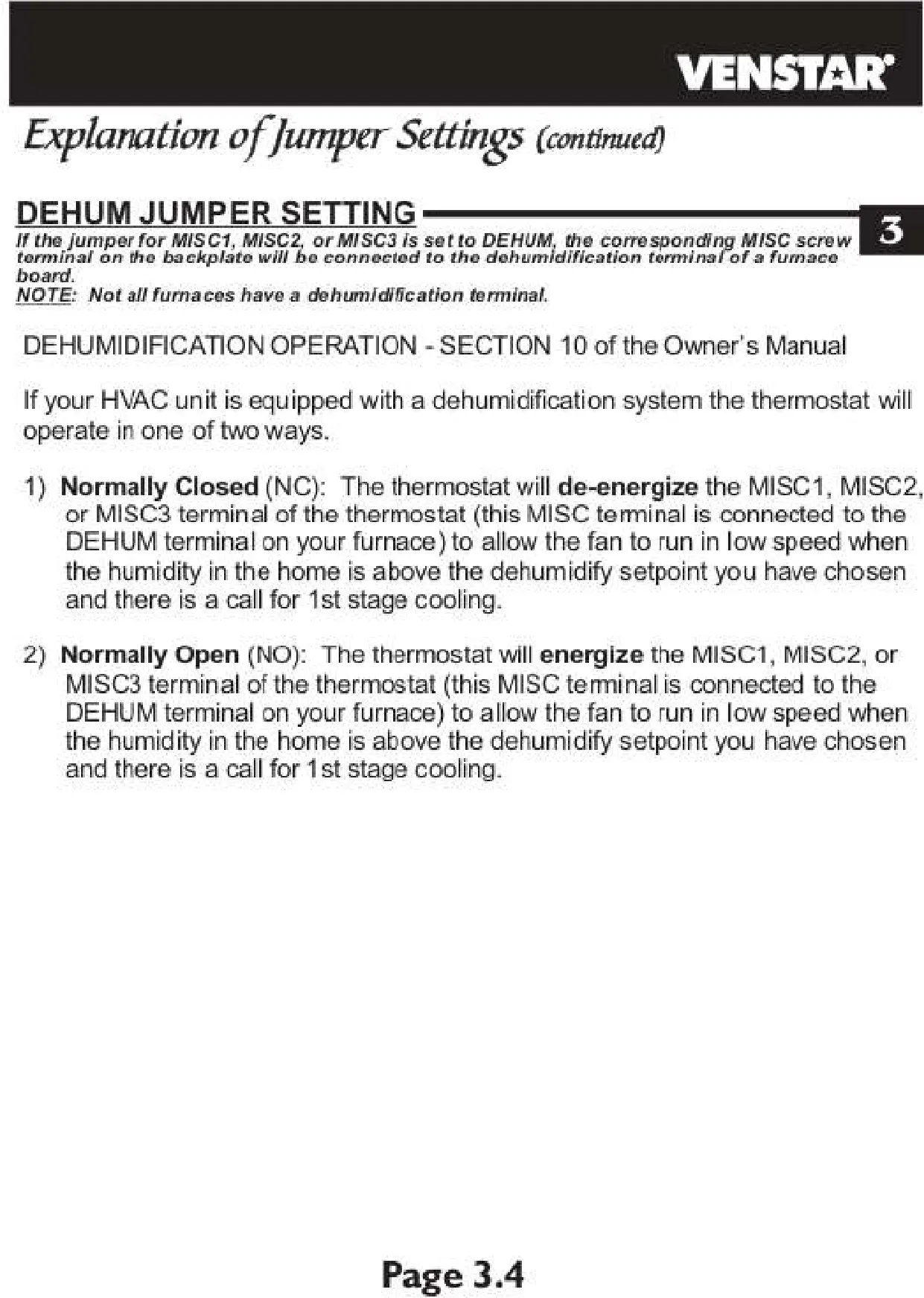
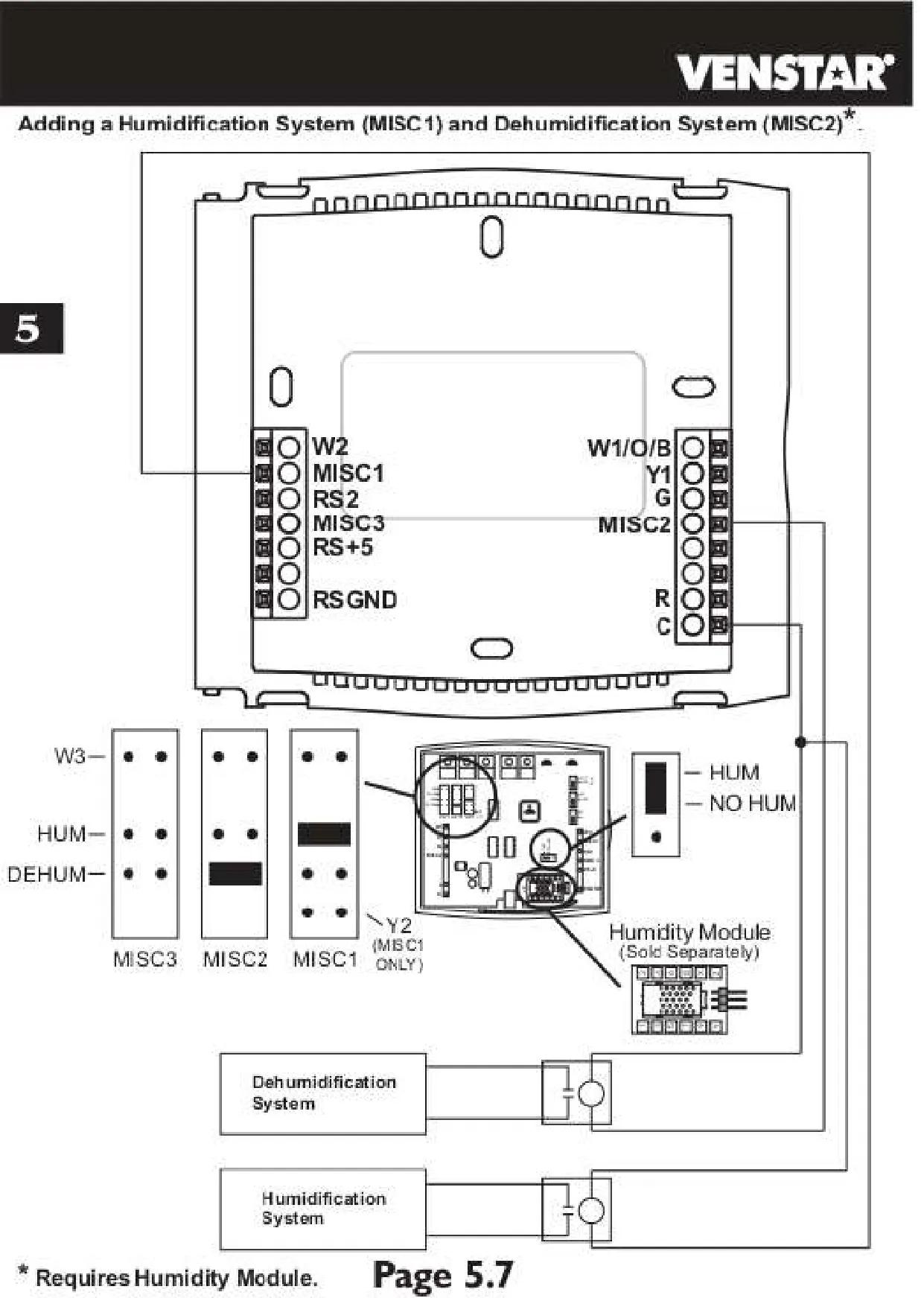
| Dehumidification Control | Cool to Dehumidify with Maximum Dehum Overshoot Adjustment |
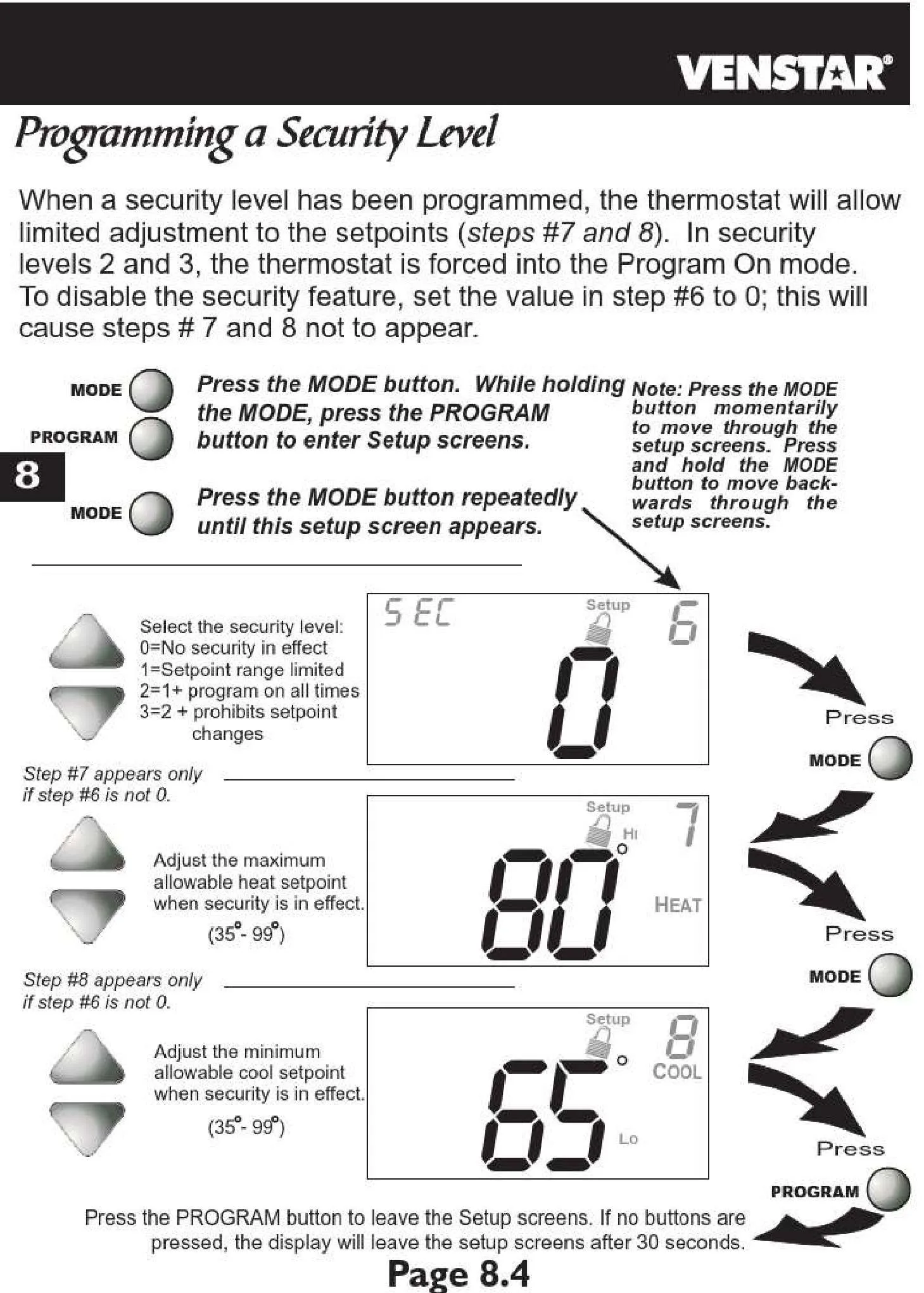
| Security Levels | 4 Levels (0: Unlocked, 1: Temp Only, 2: Temp+Fan, 3: Full Lockout) |
| Service Reminders | Filter, UV Light, Humidify (with run-time settings) |
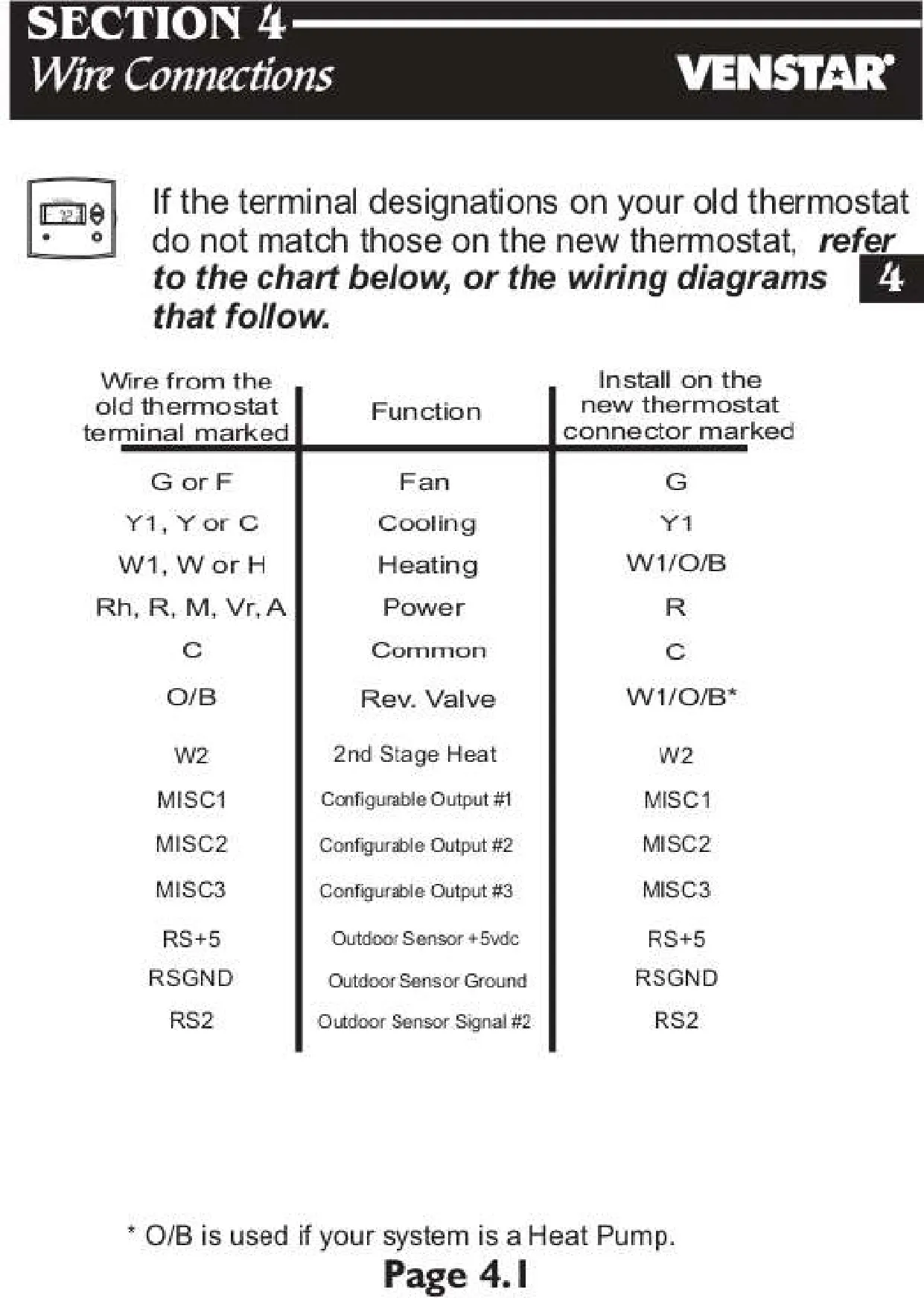
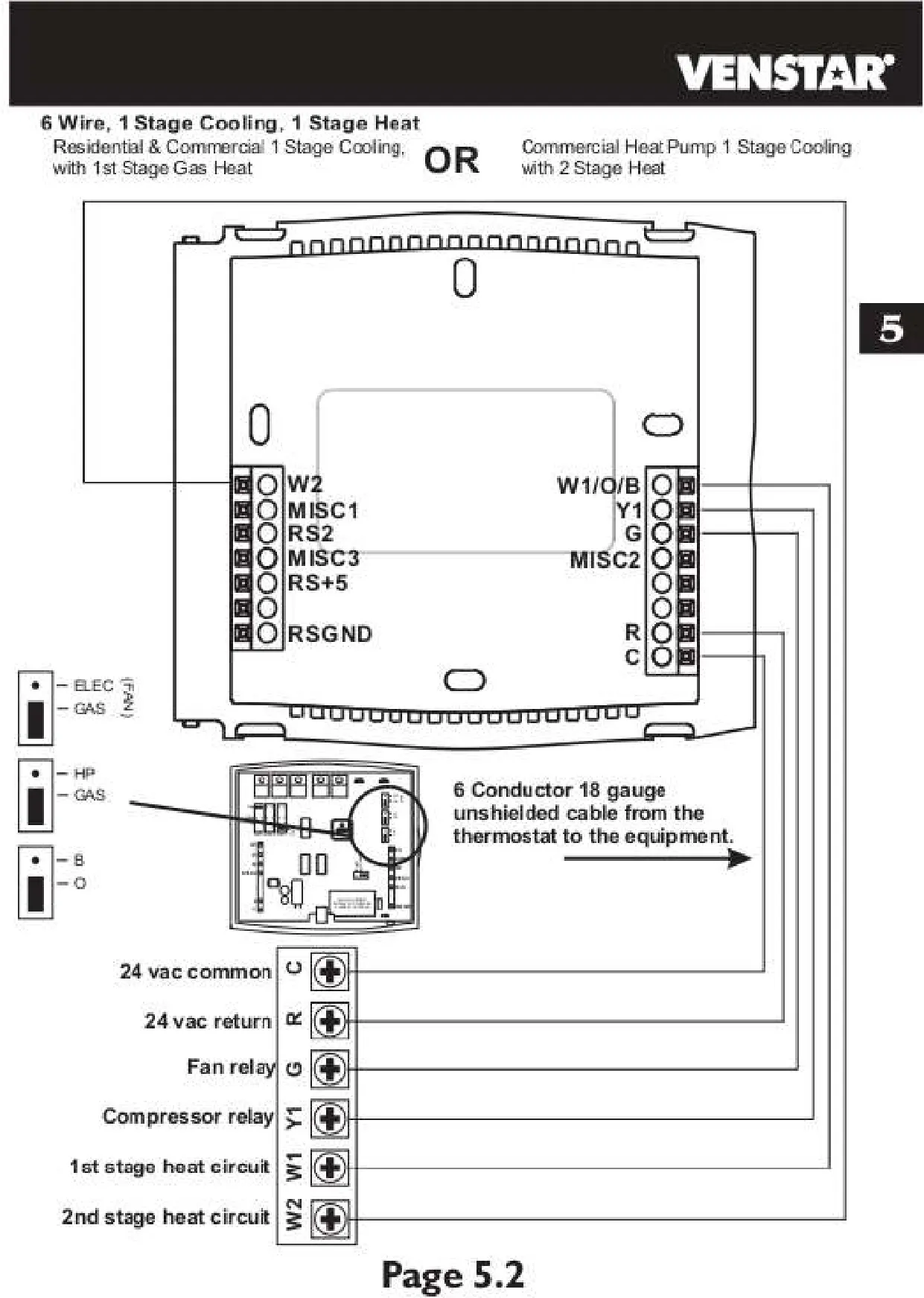
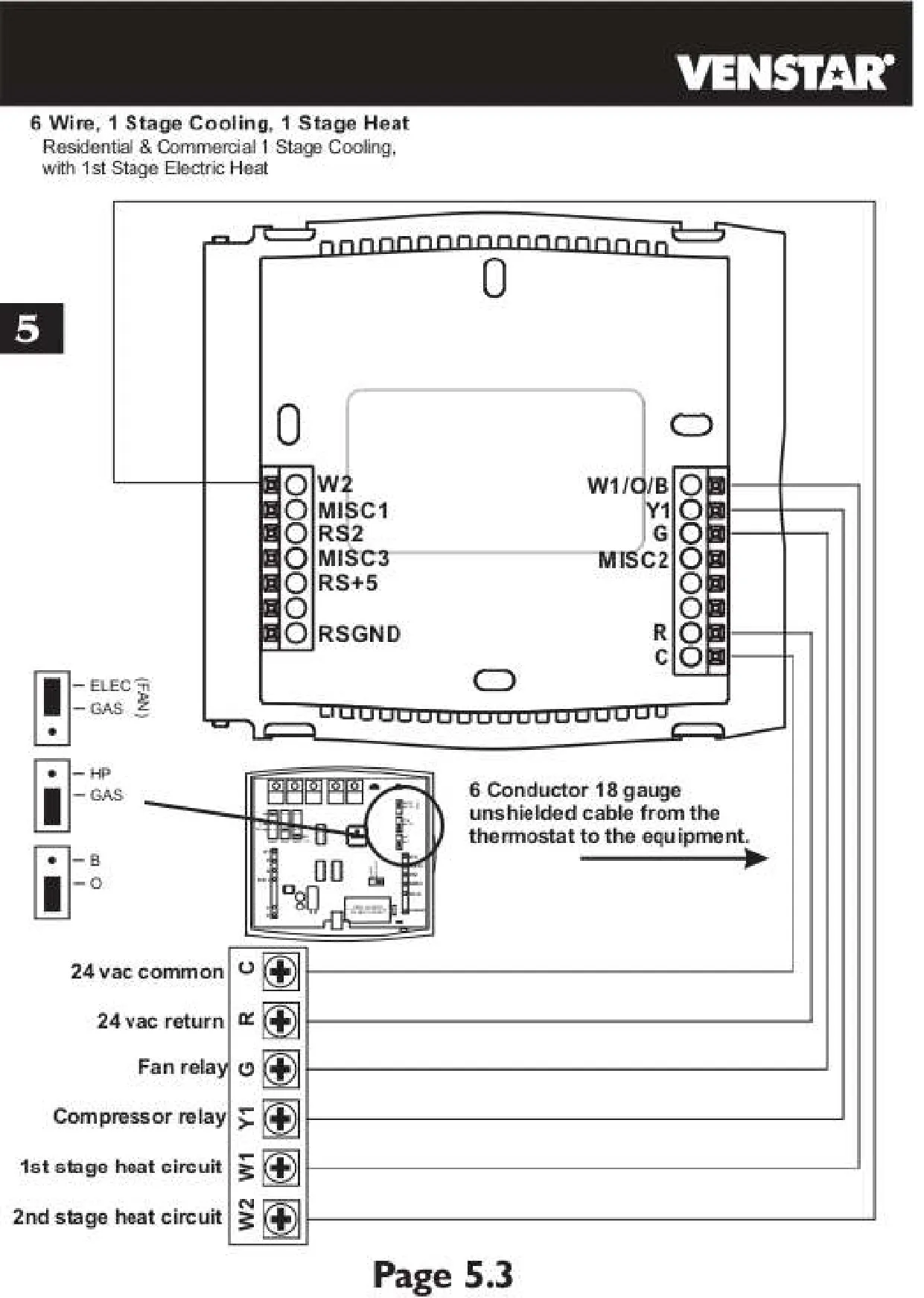
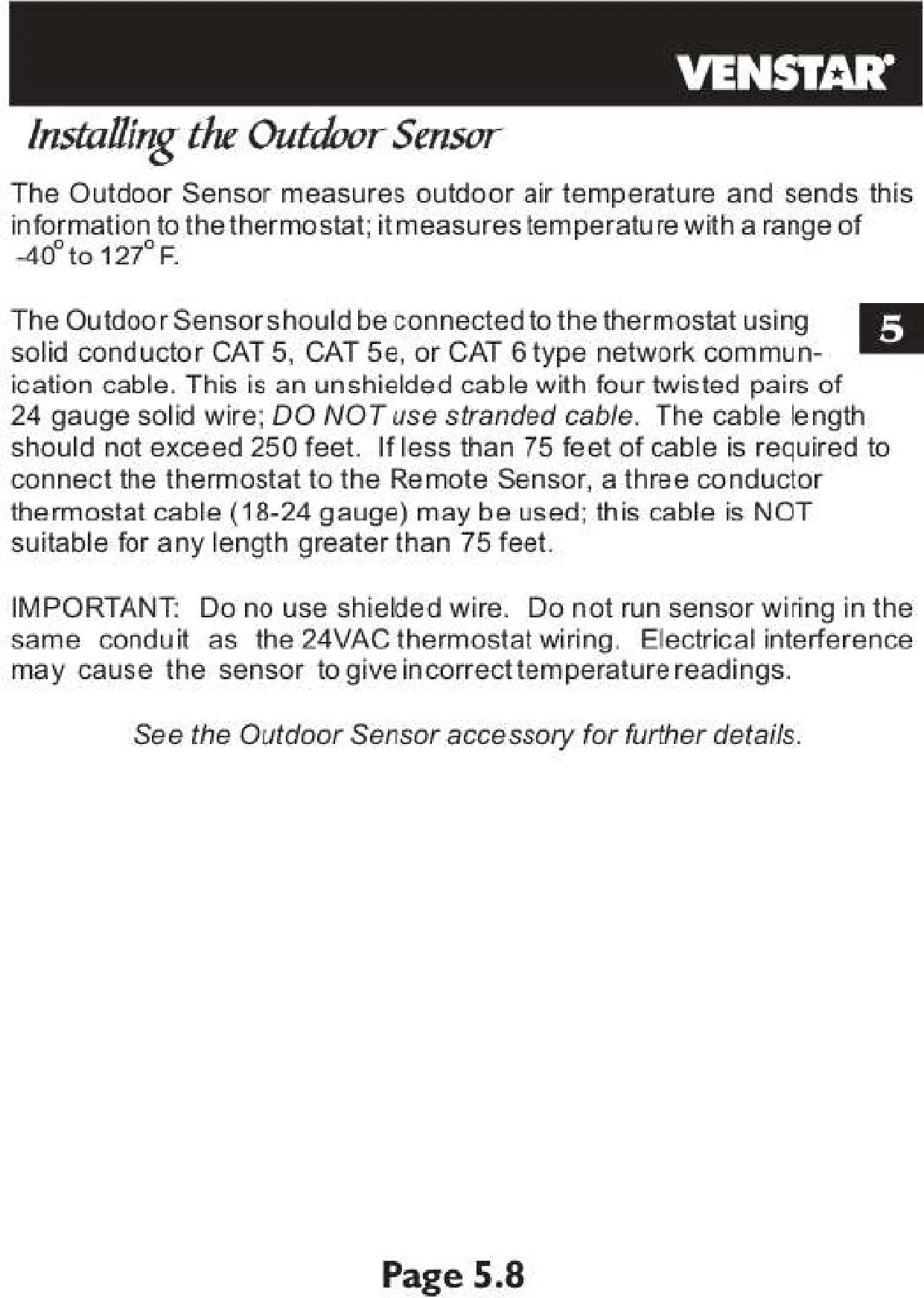
| Sensor Input | Outdoor Sensor (RS+5, RSGND, RS2 terminals) |
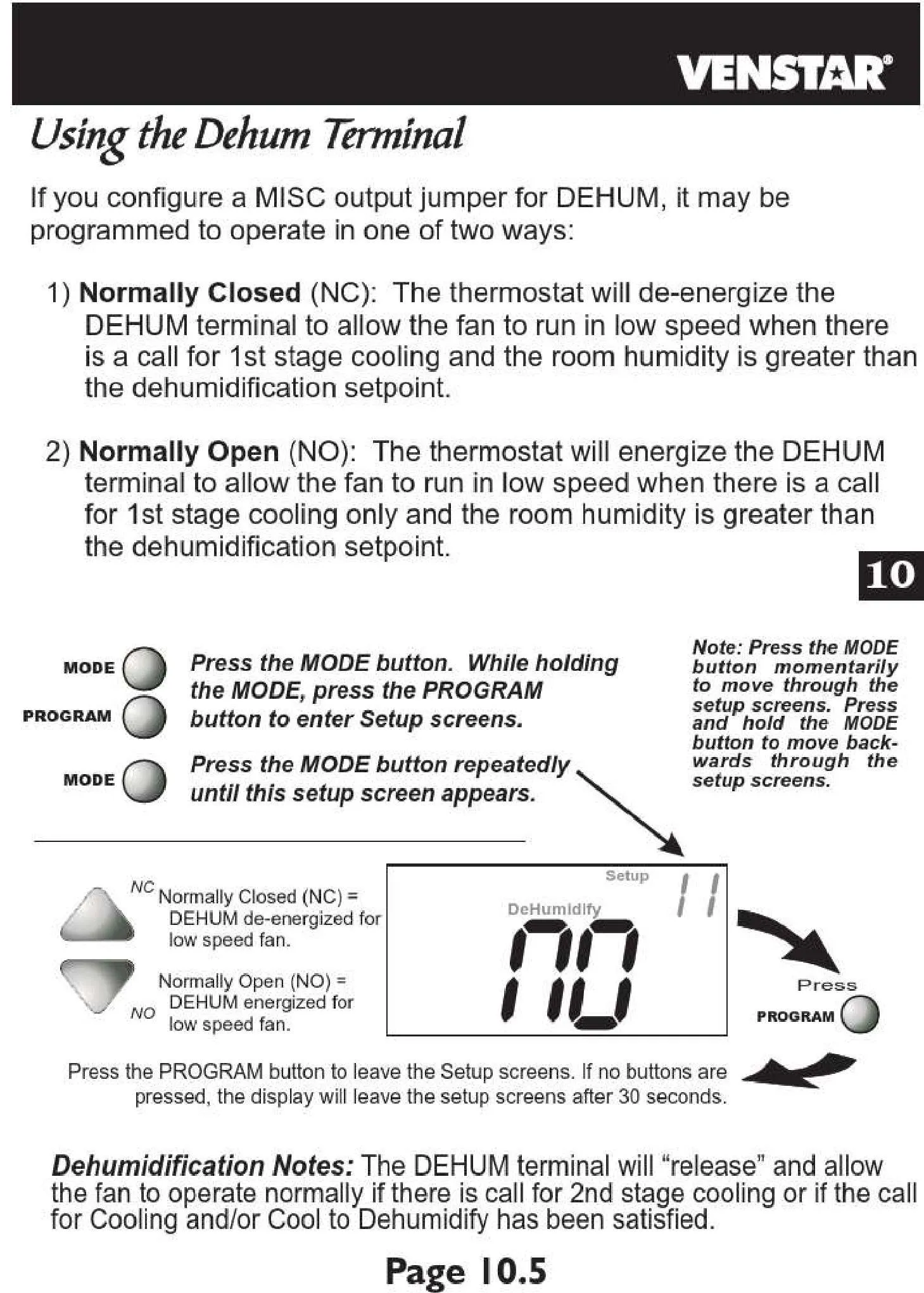
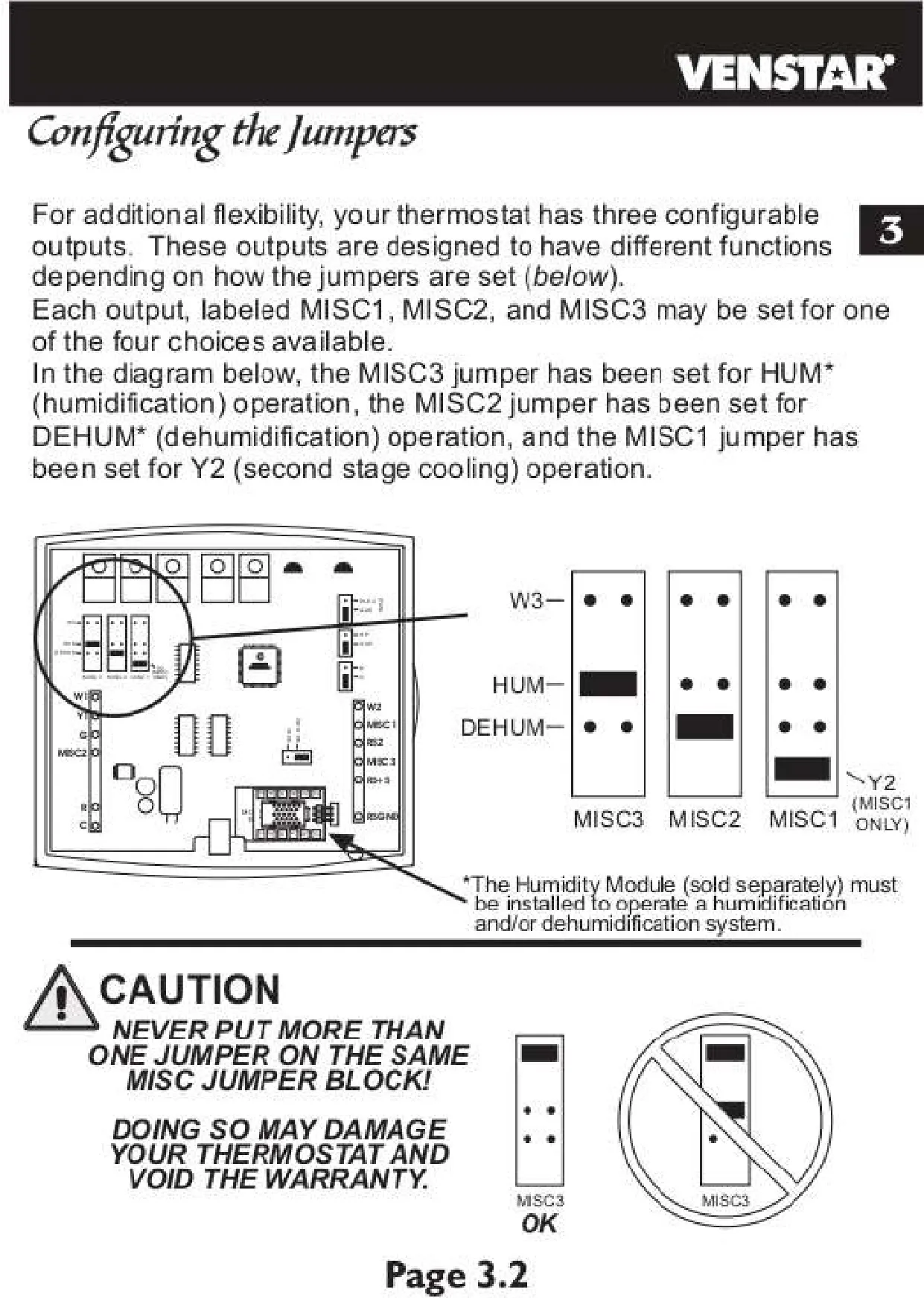
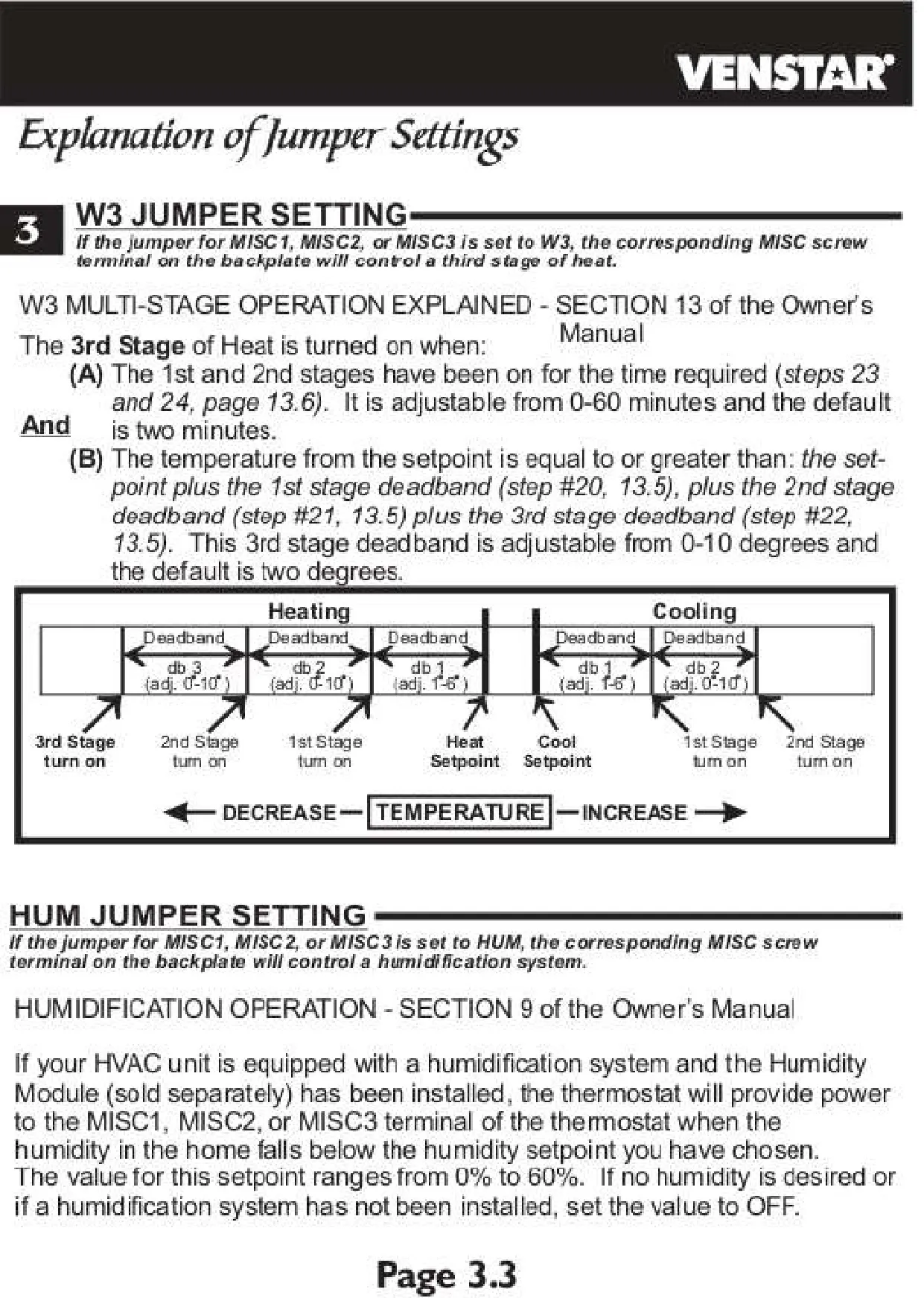
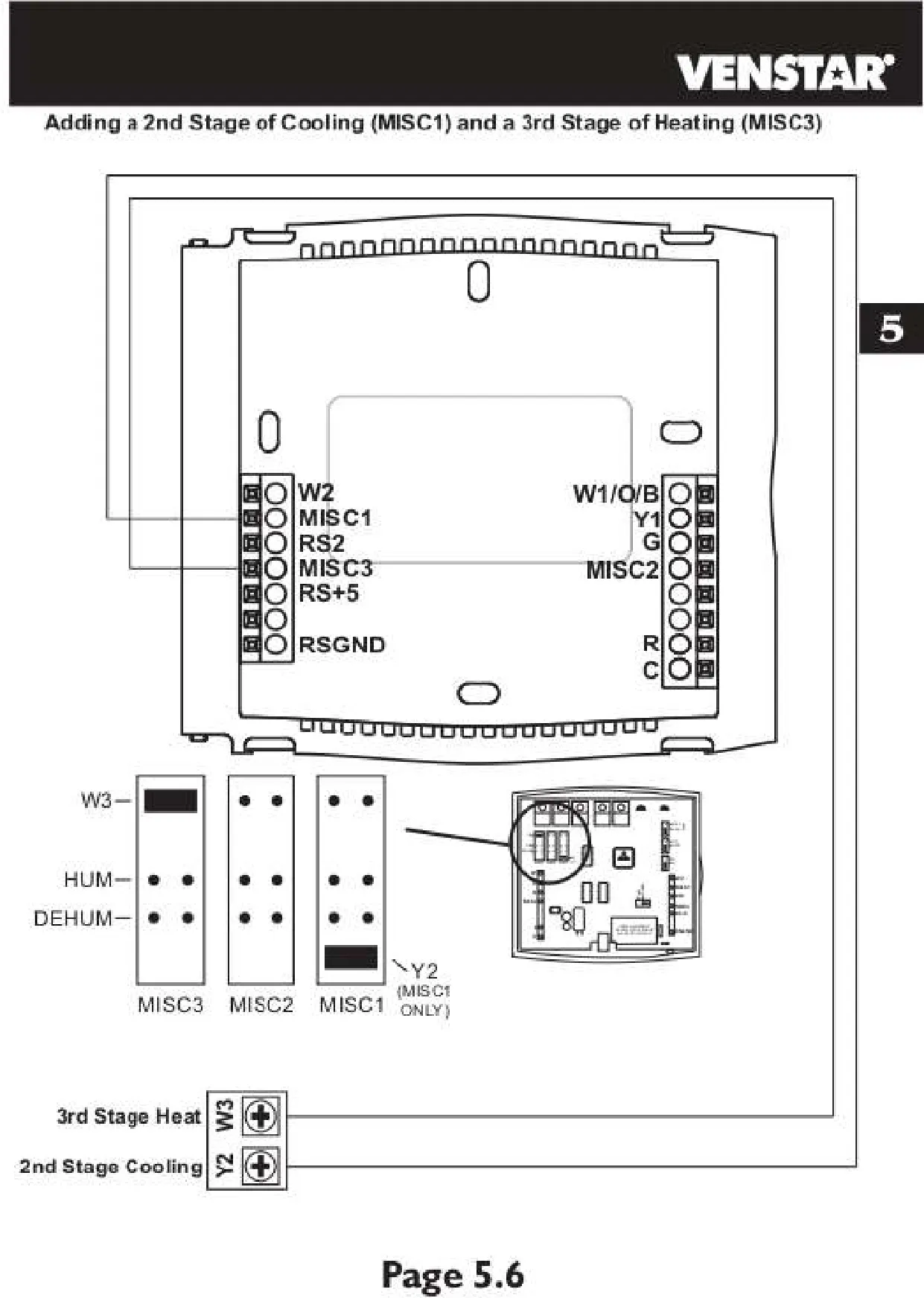
| Configurable Outputs | MISC1, MISC2, MISC3 |
| Reversing Valve Polarity | Selectable (O-active or B-active) |
Venstar Thermostat T2800 Details
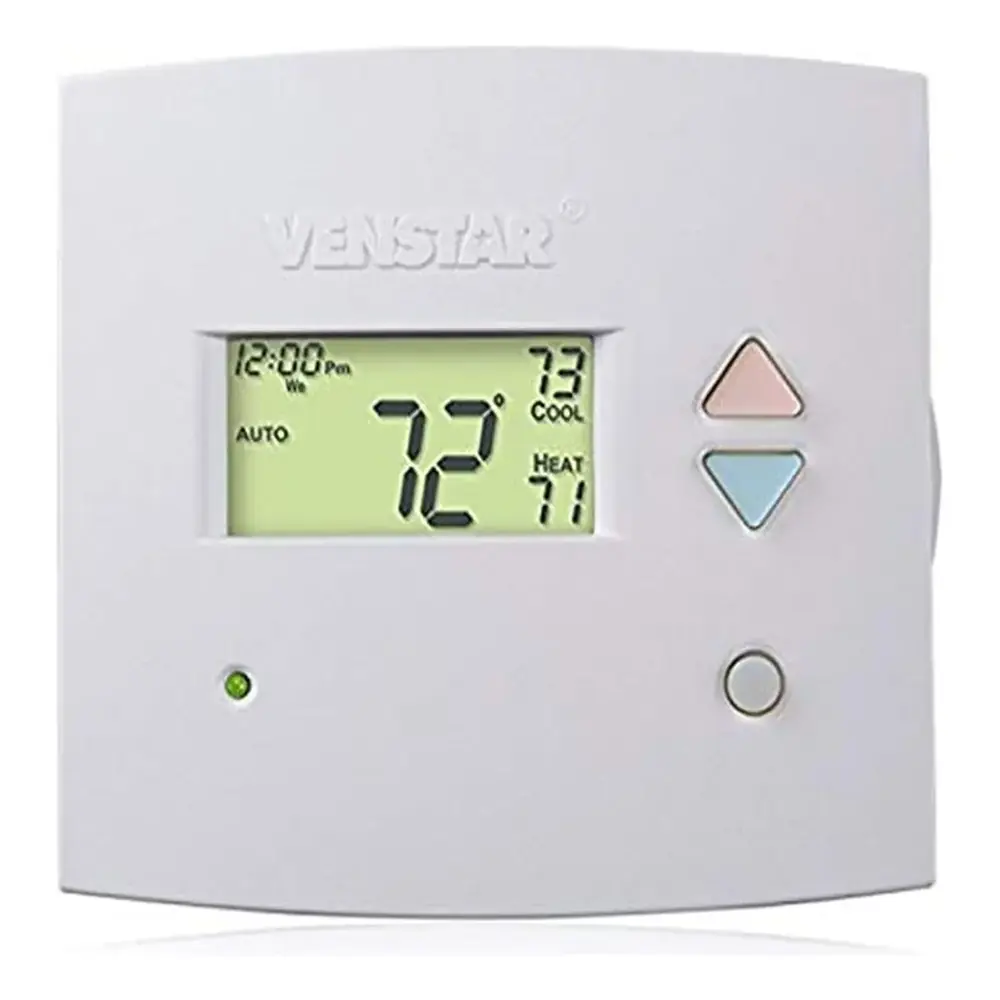
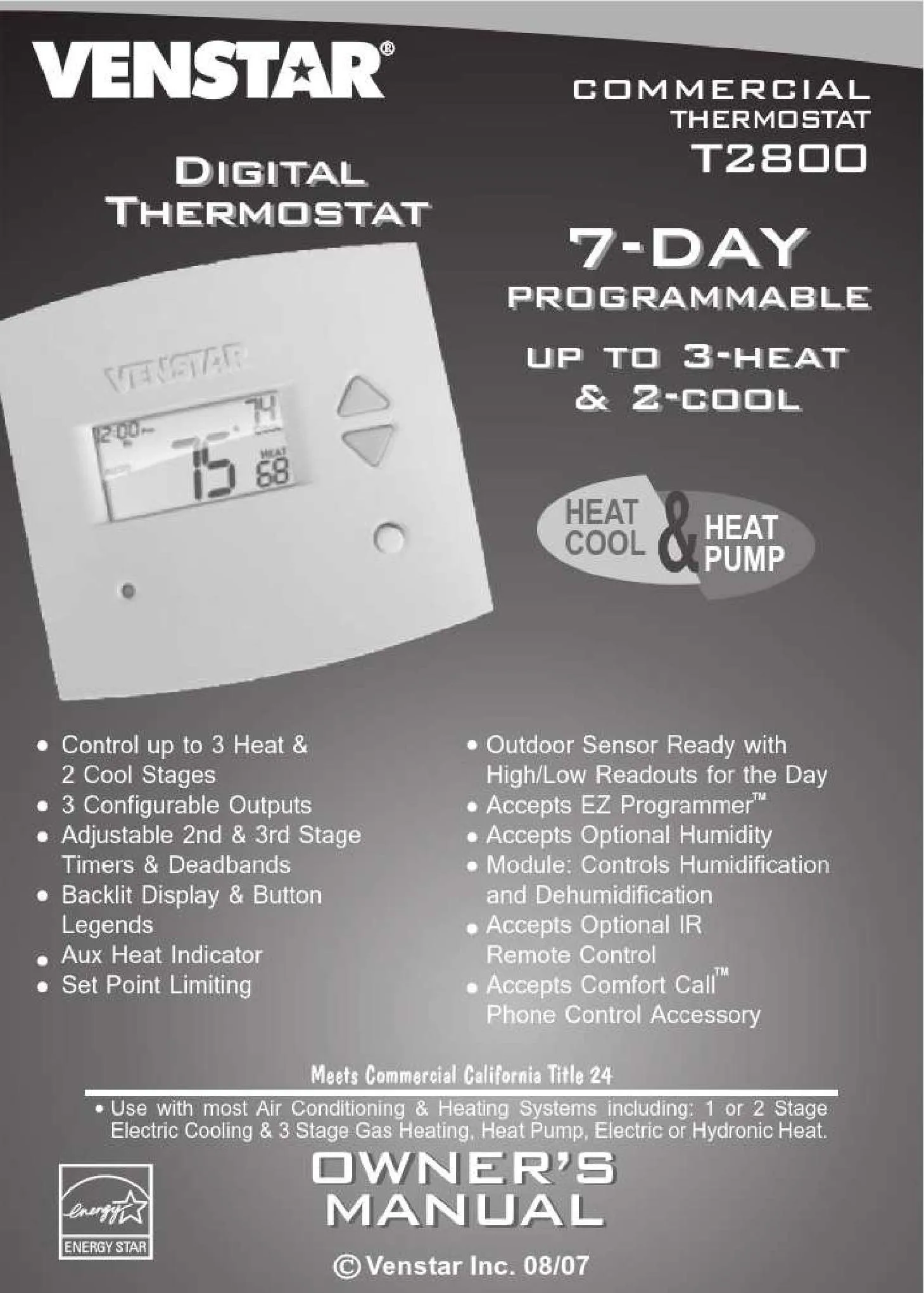
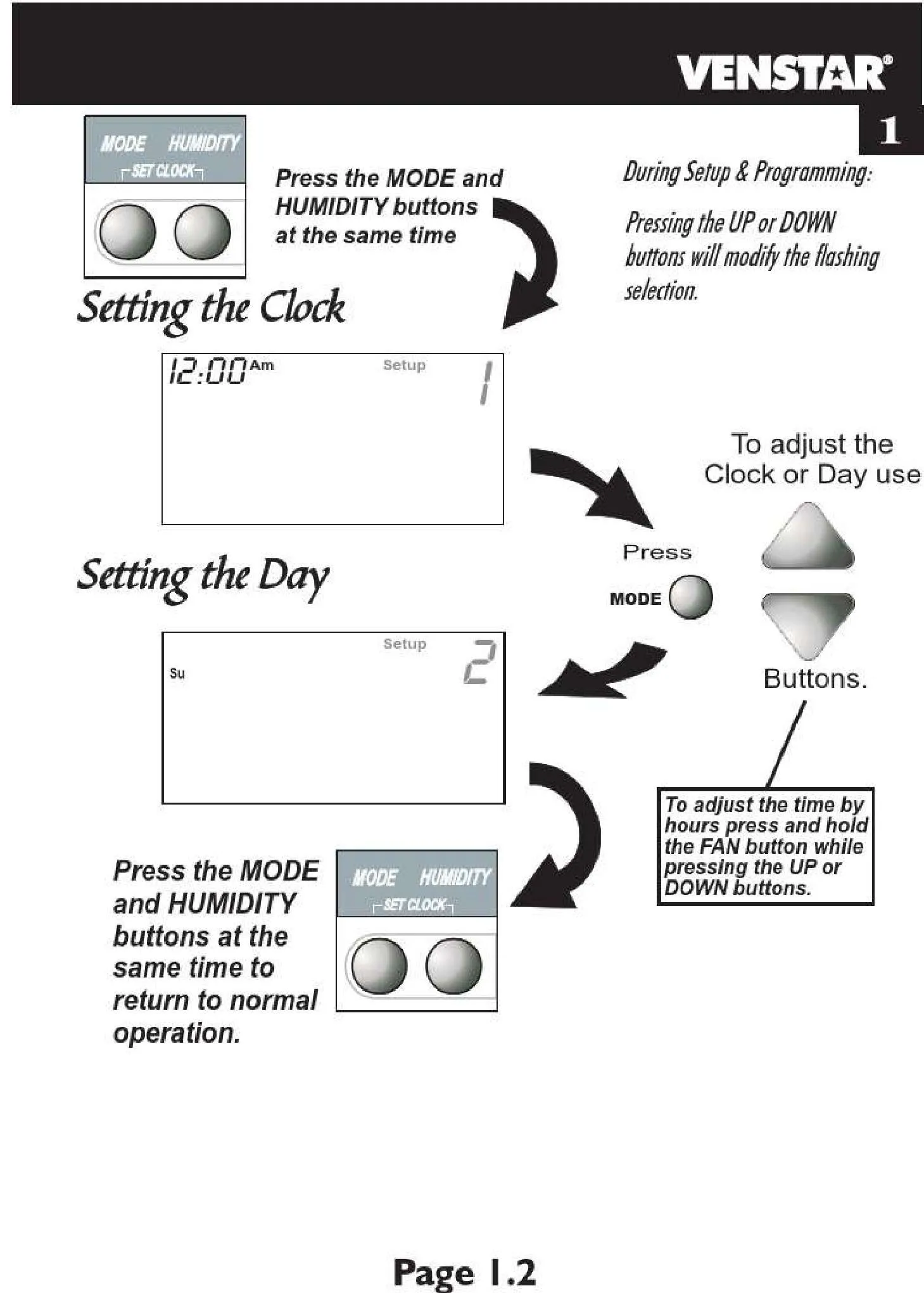
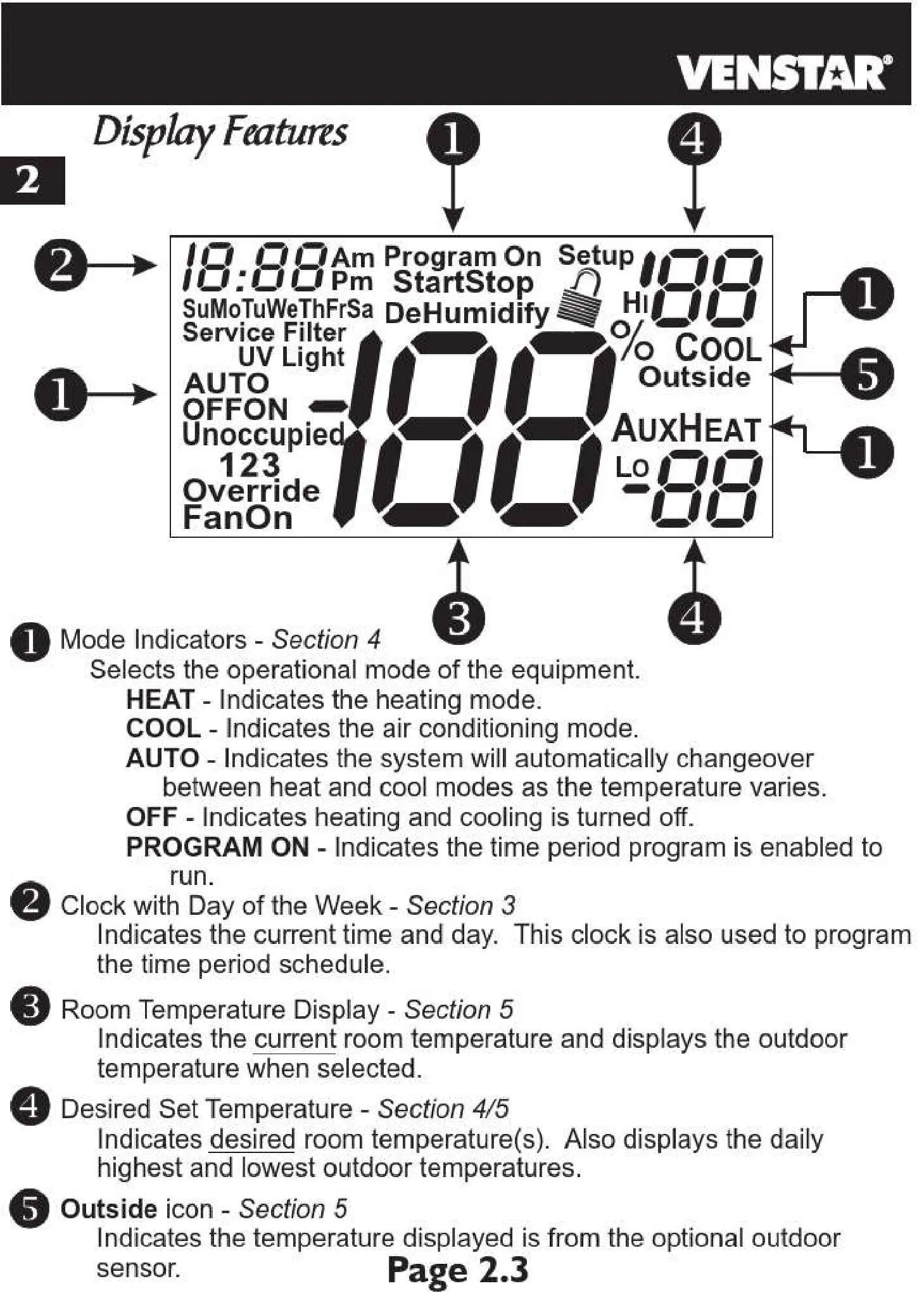
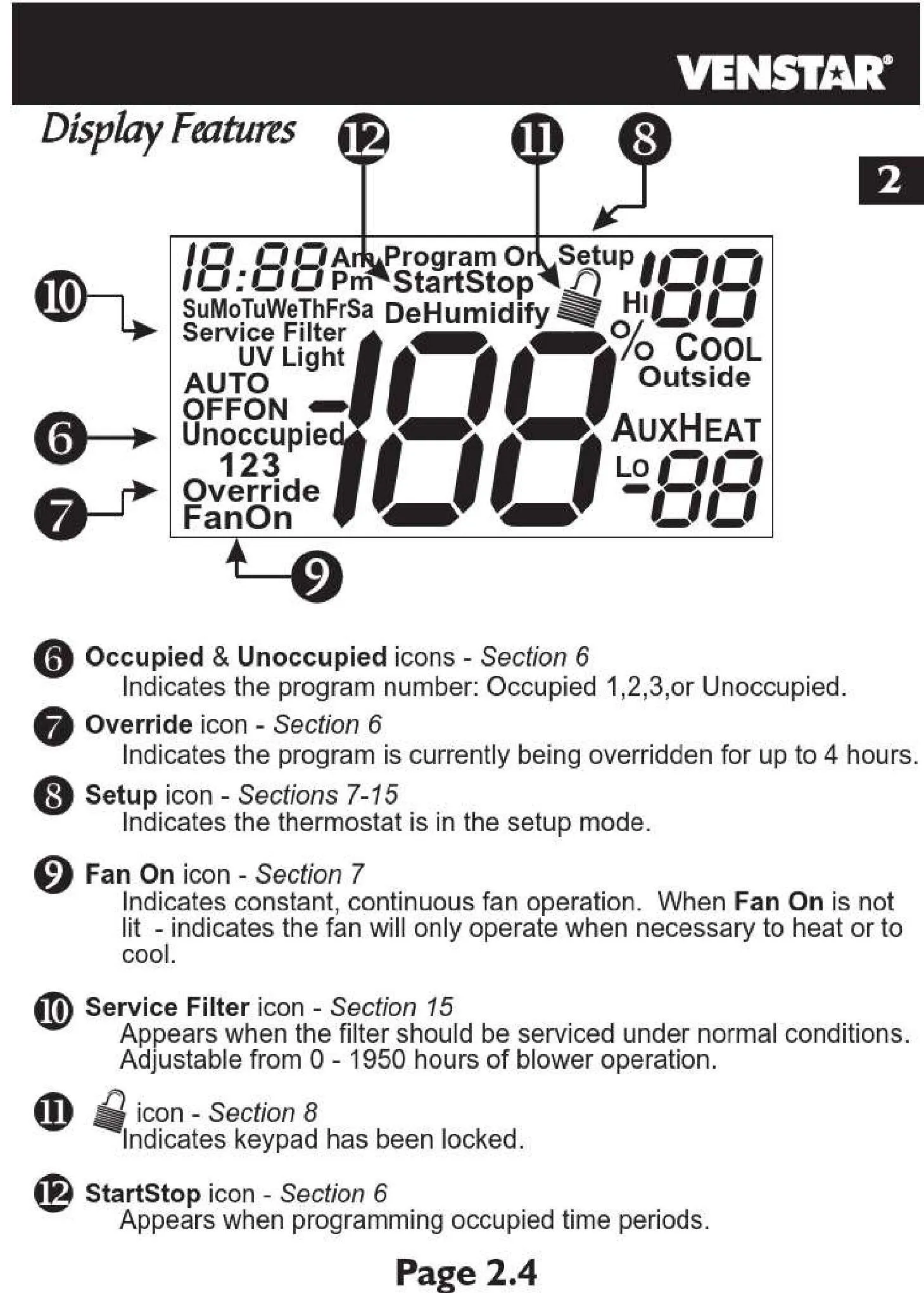
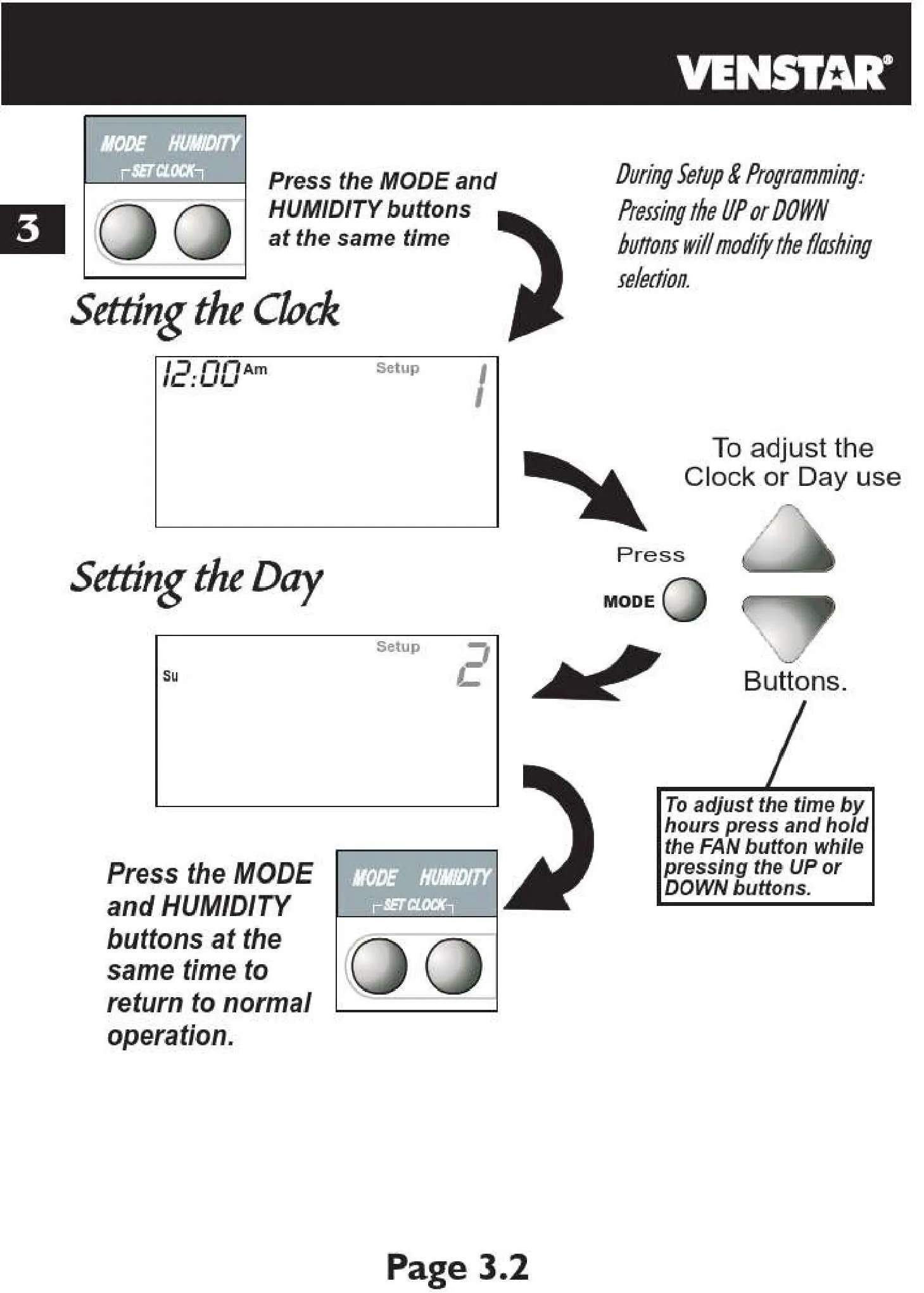
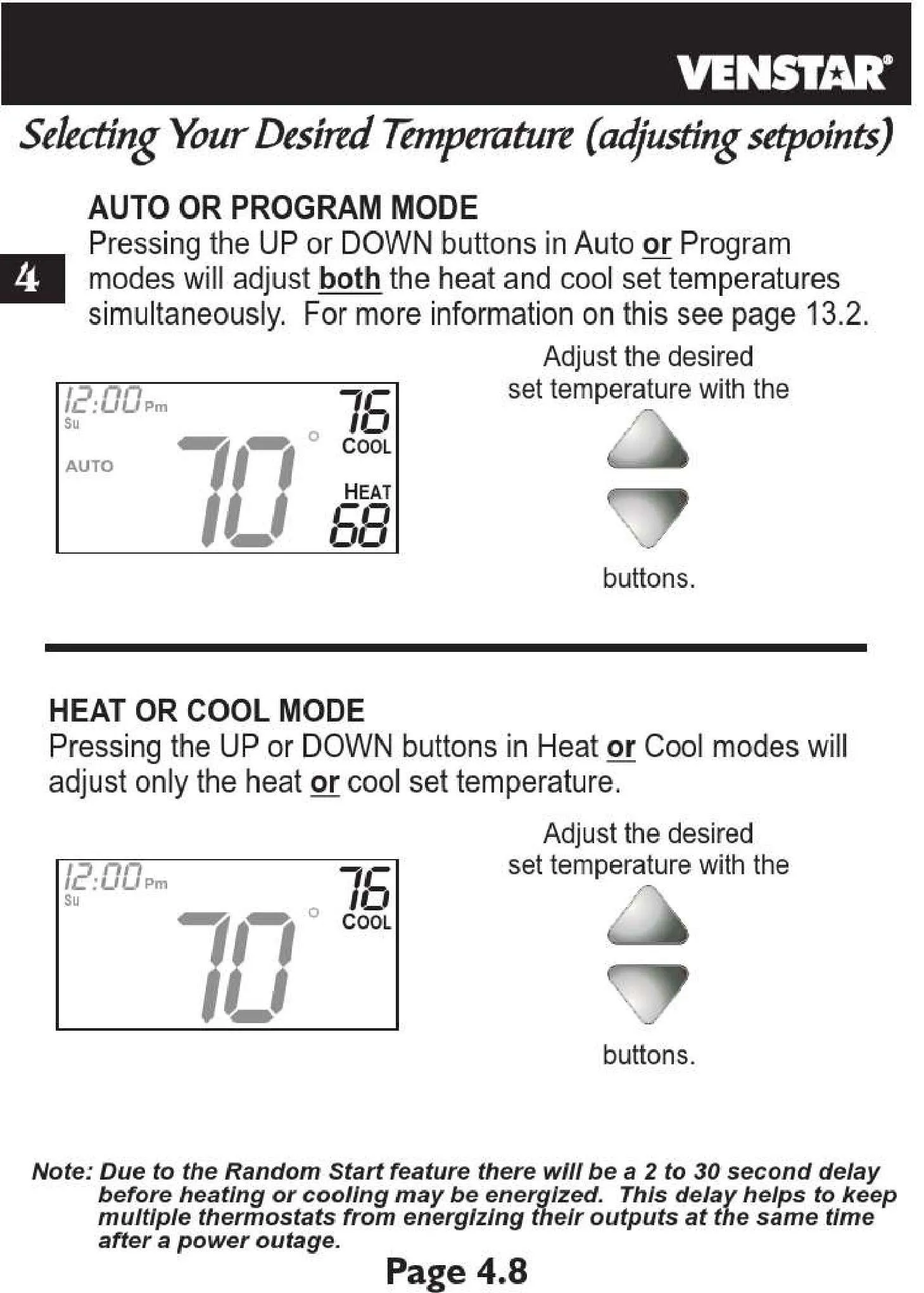
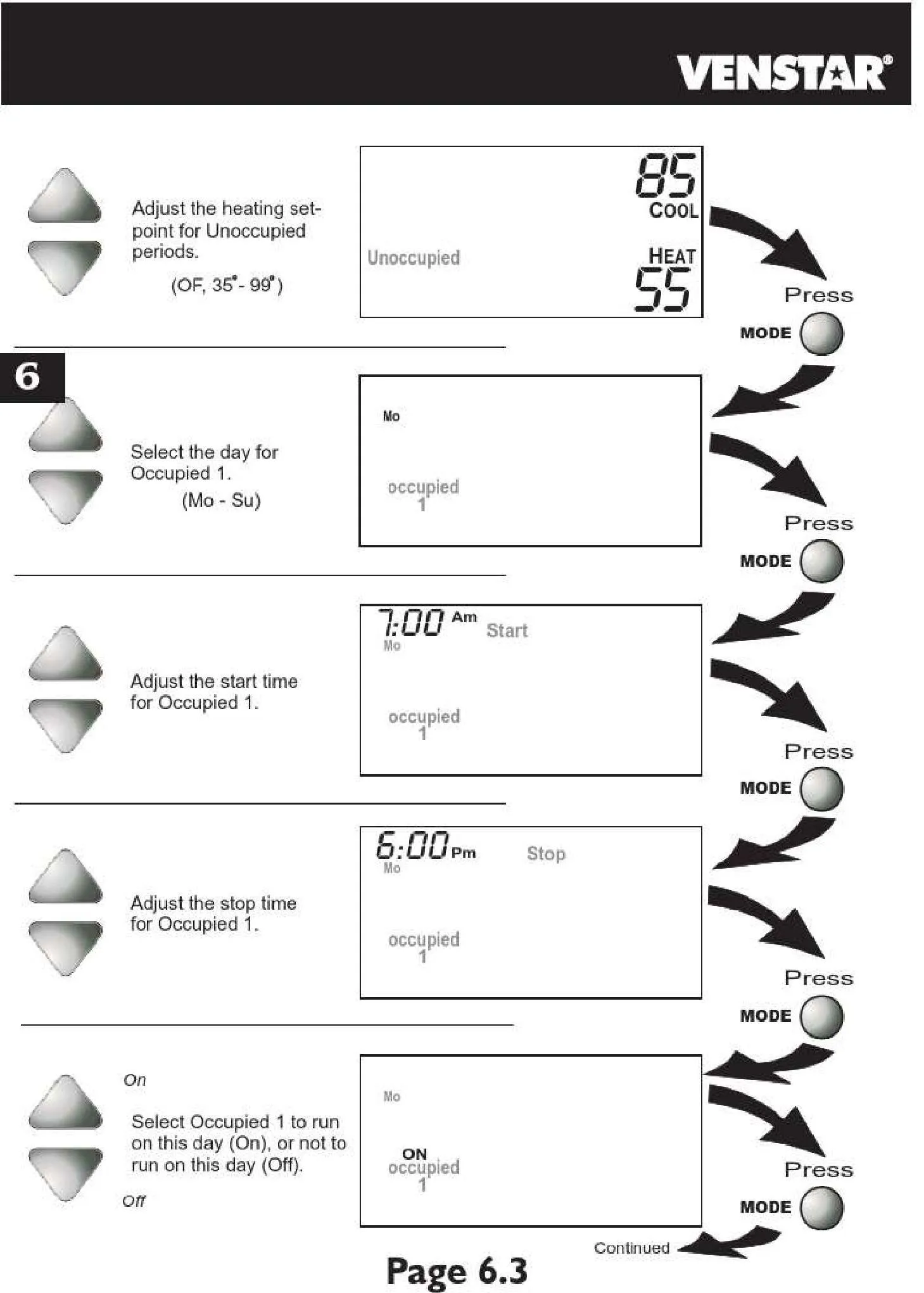
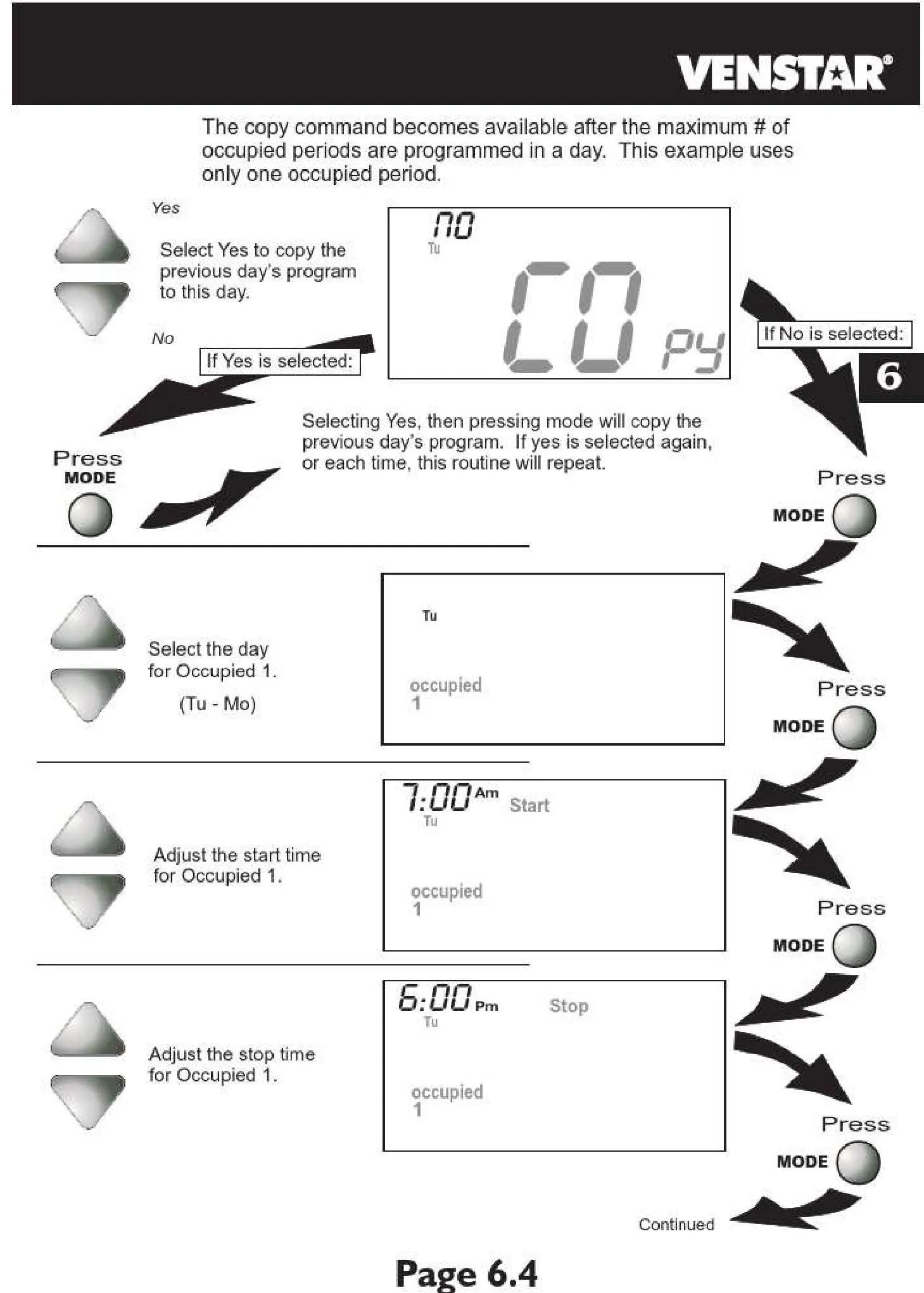
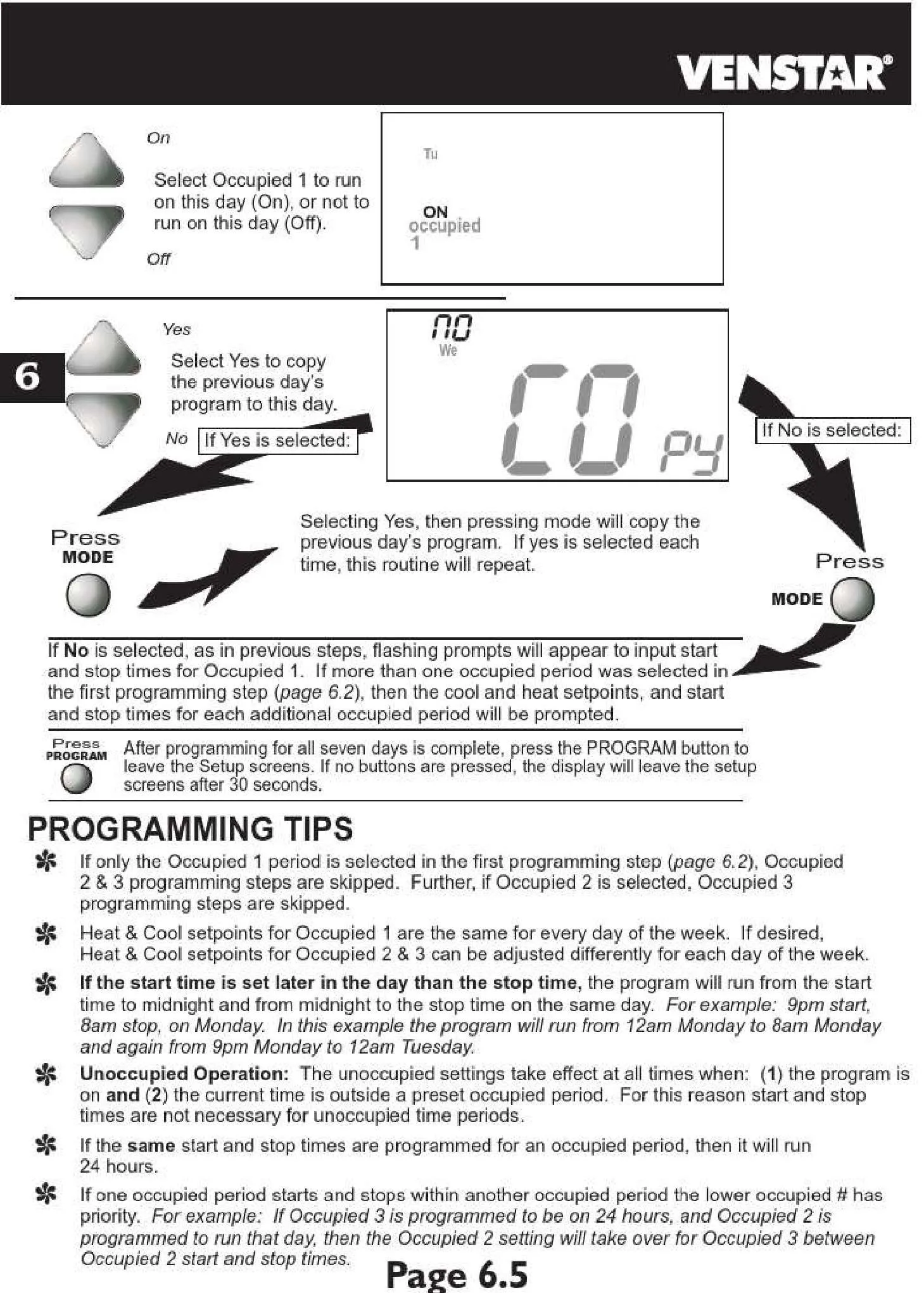
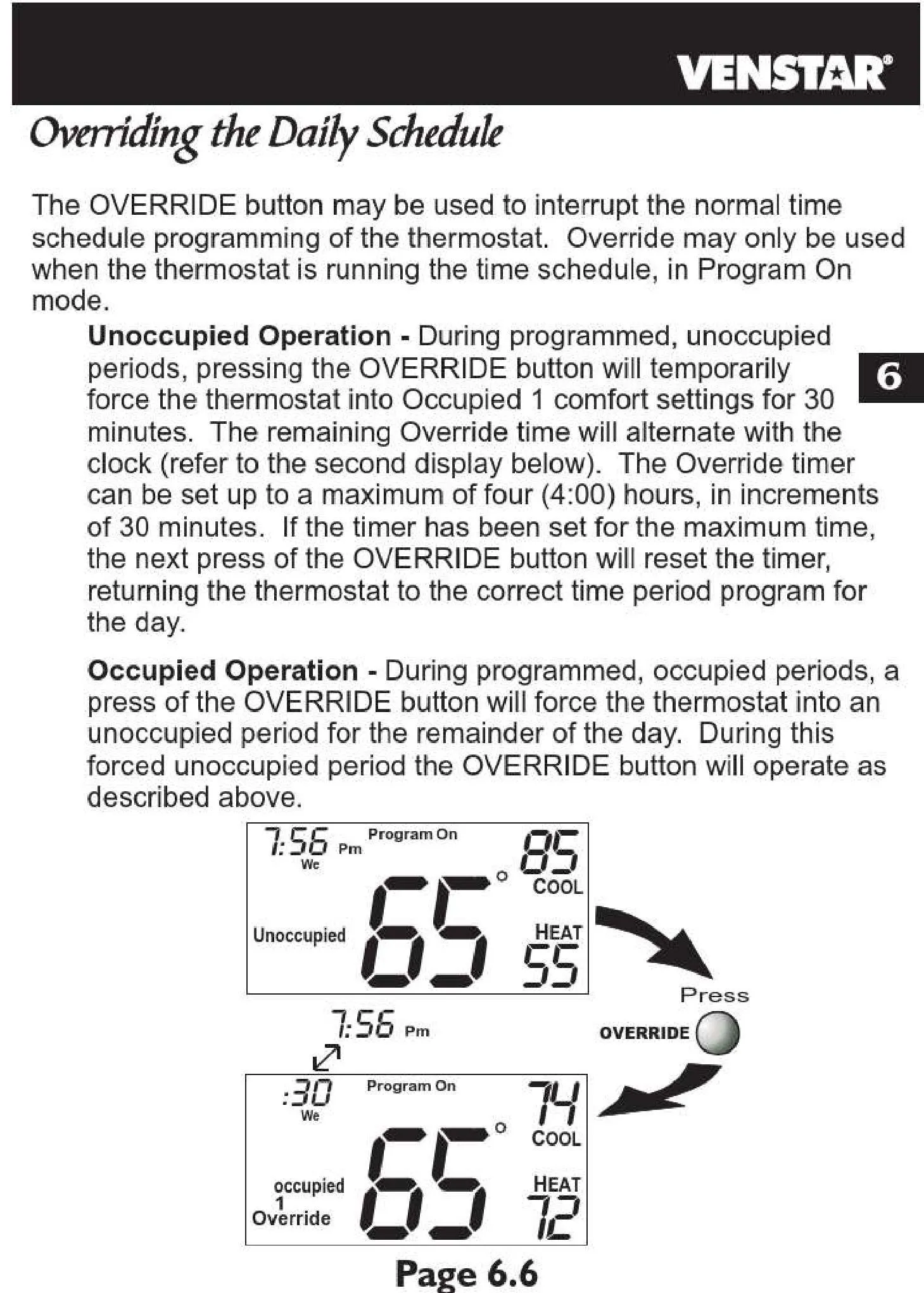
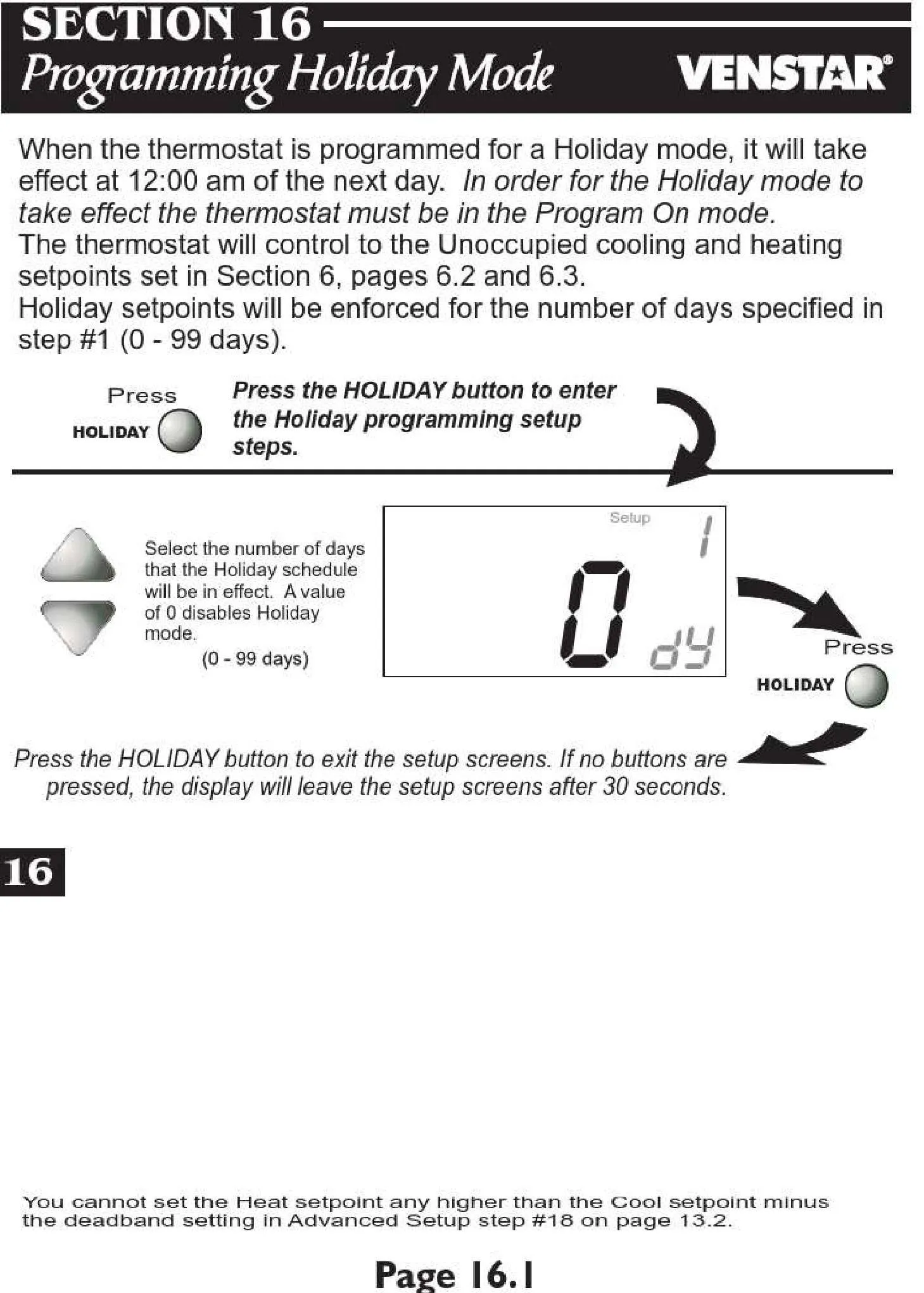
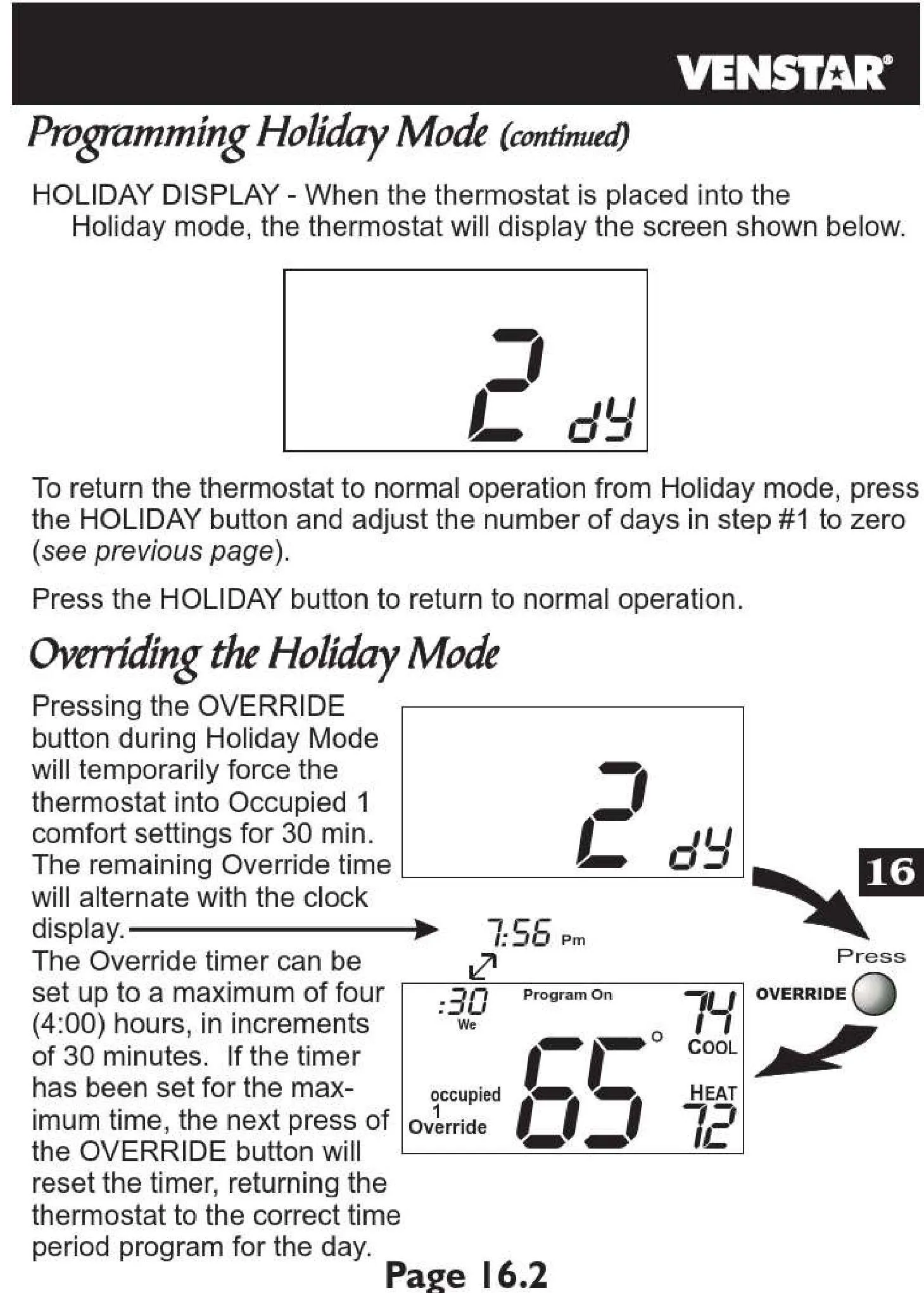
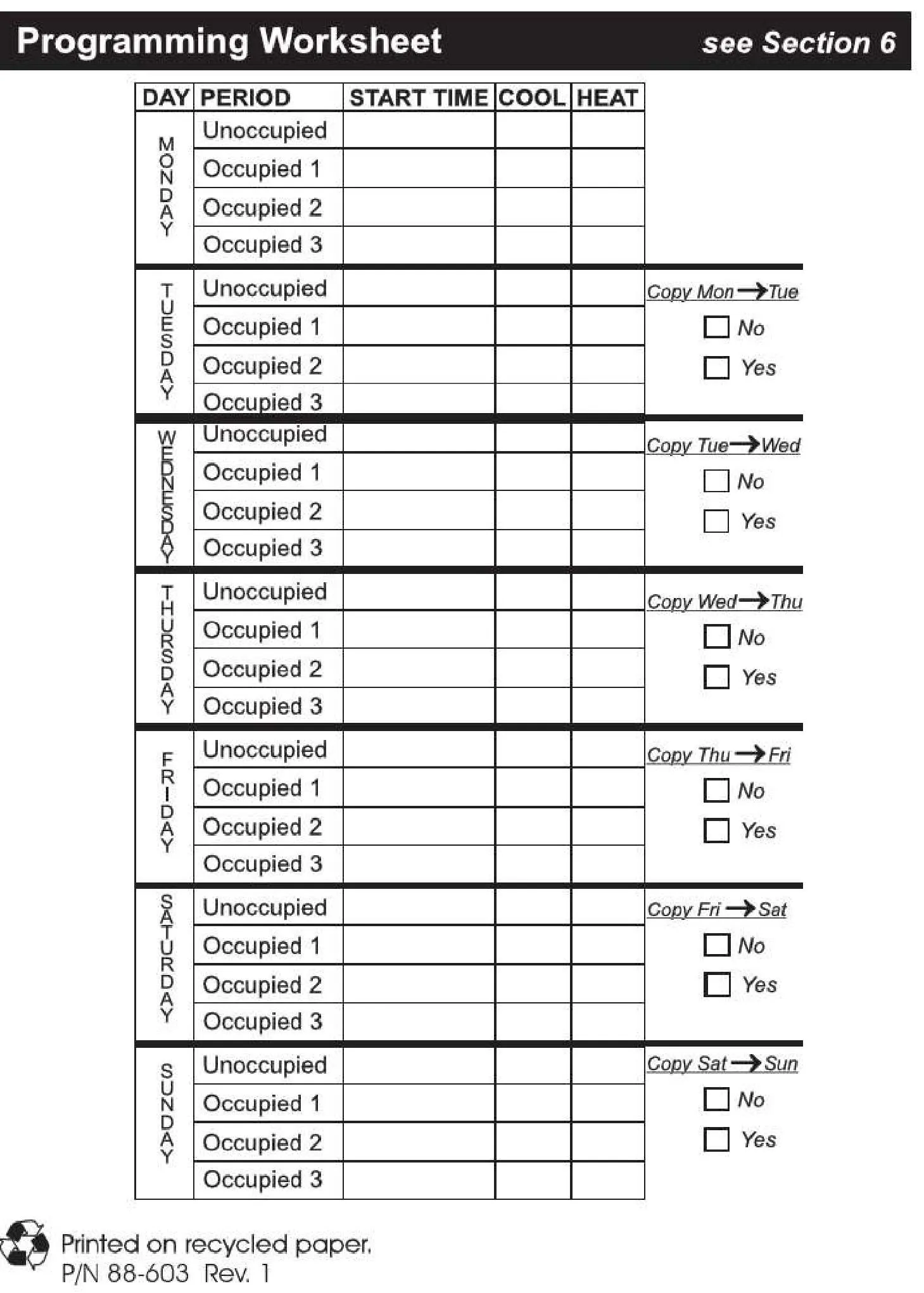
The Venstar Thermostat T2800 offers a highly intuitive and user-friendly experience, beginning with its large, easy-to-read LCD display. Users benefit from flexible 7-day programming, allowing for up to four distinct periods per day such as Occupied1, Occupied2, Occupied3, and Unoccupied. This robust scheduling capability ensures optimal climate control tailored precisely to your daily routine, guaranteeing both comfort and significant energy savings. Furthermore, the convenient "Copy" function streamlines the process of setting up schedules across multiple days.
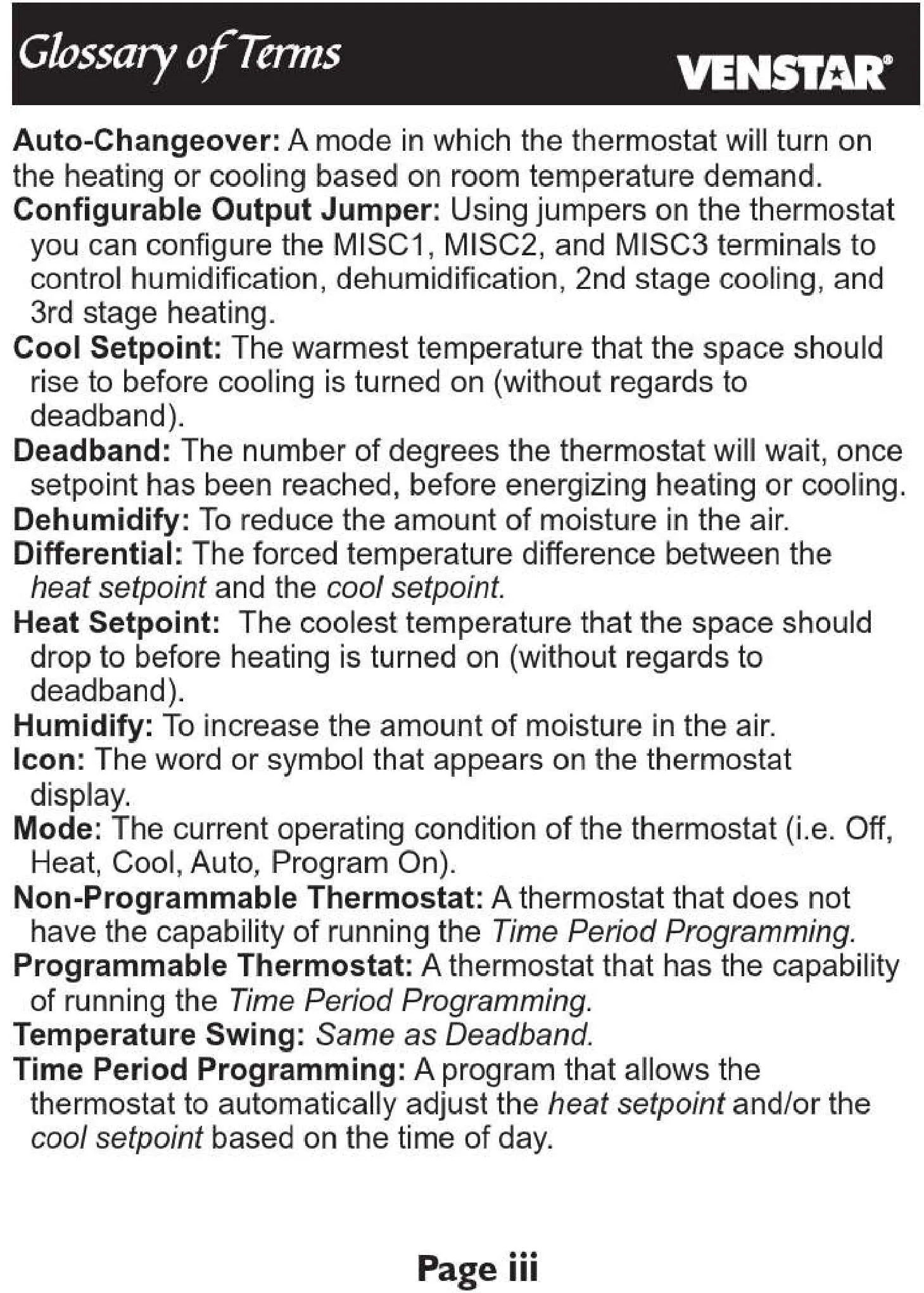
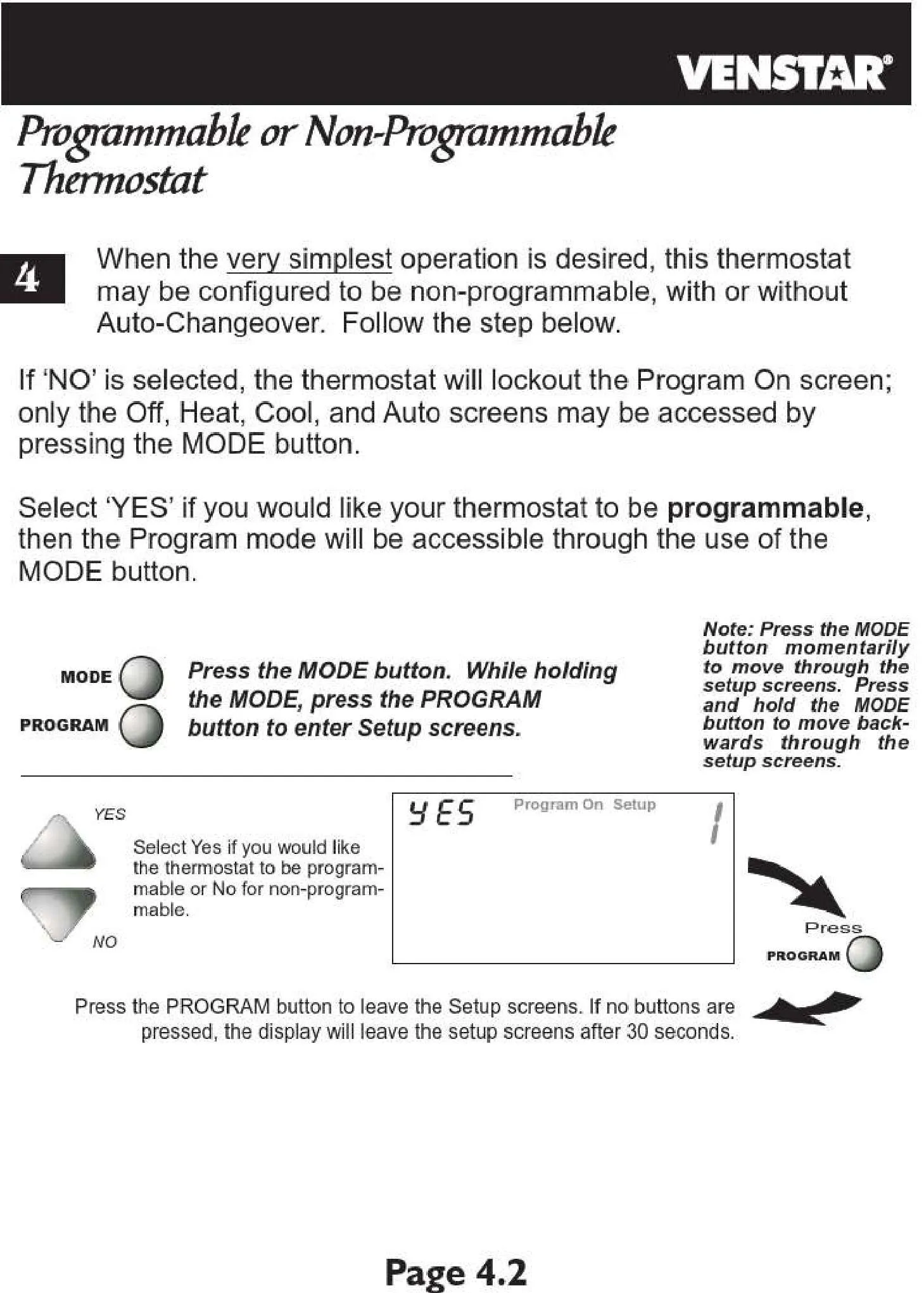
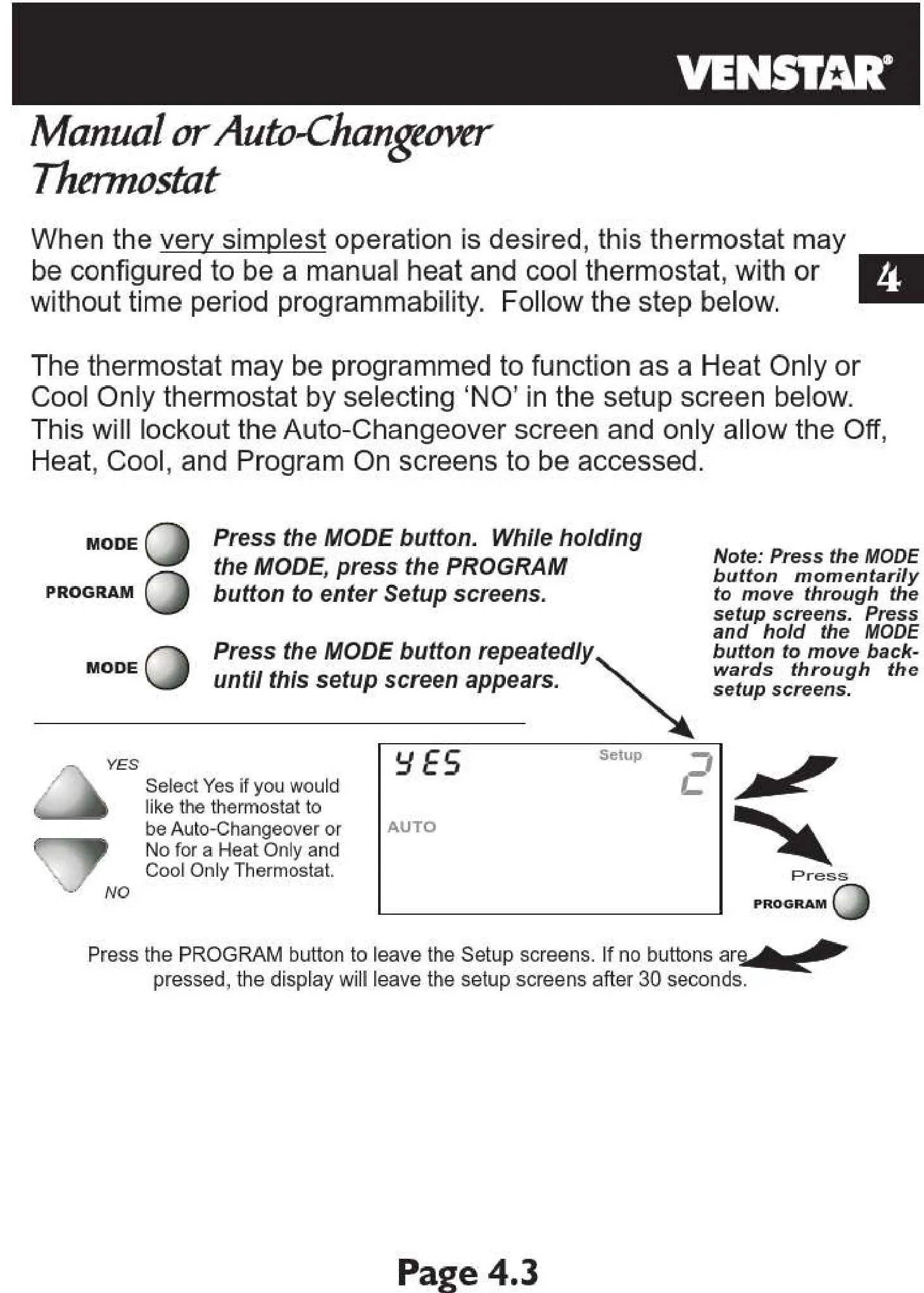
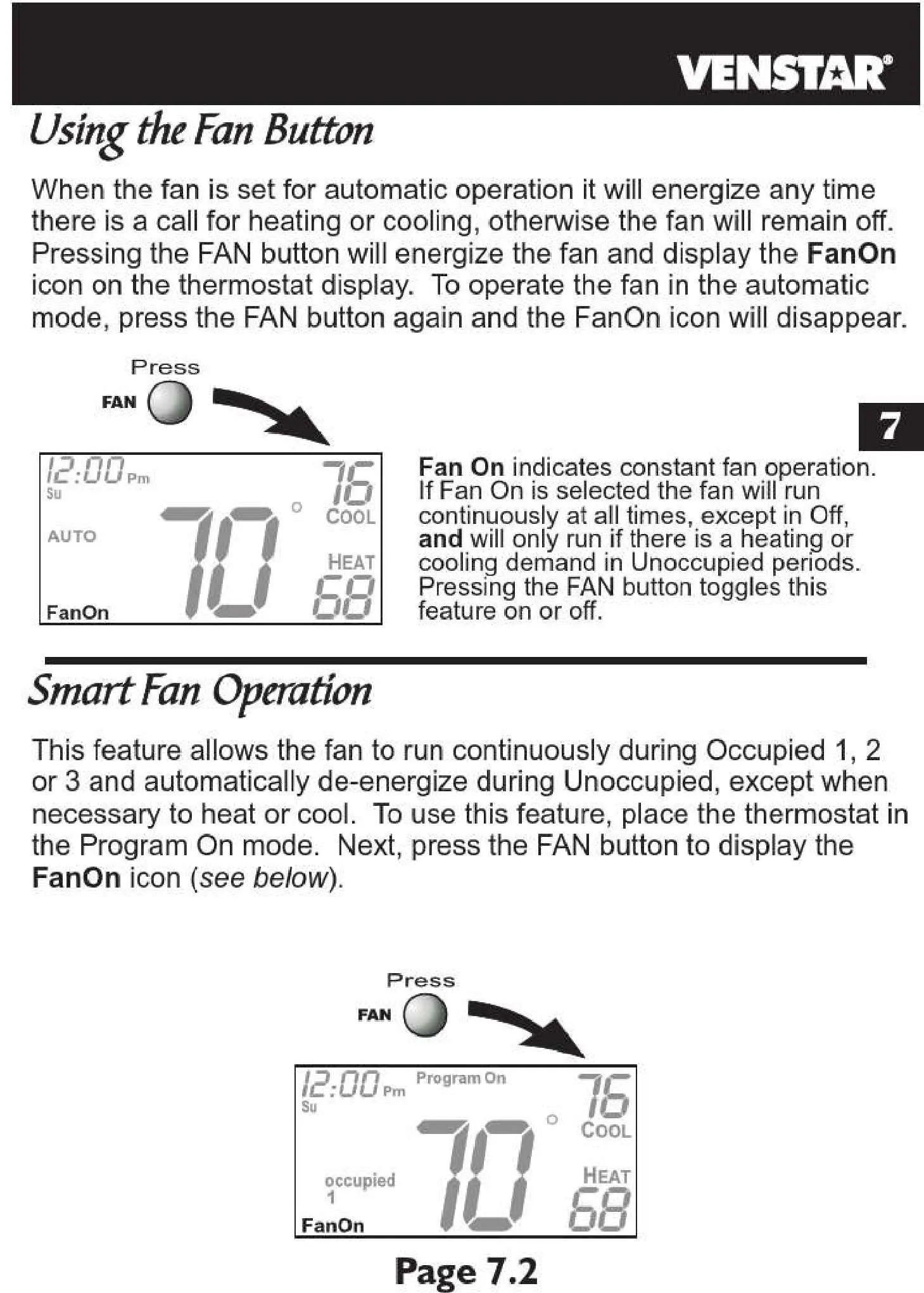
Beyond basic scheduling, the T2800 incorporates advanced adaptive control features designed to maximize system efficiency. An adjustable fan off delay prevents the waste of residual conditioned air by ensuring it circulates throughout the space after a heating or cooling cycle concludes. The integrated "Auto-Changeover" mode automatically transitions between heating and cooling to maintain your desired temperature range, eliminating the need for constant manual adjustments and providing seamless comfort.
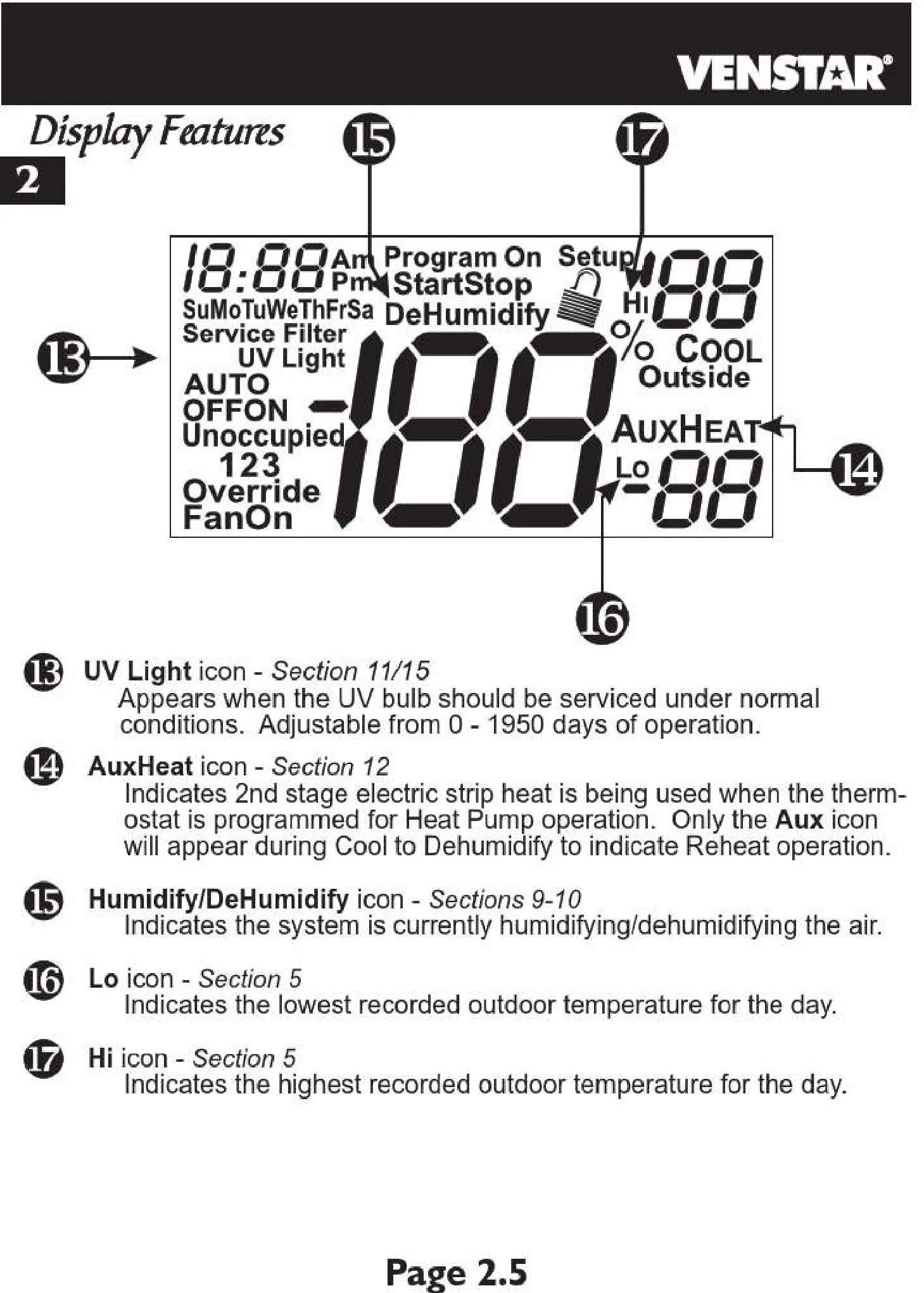
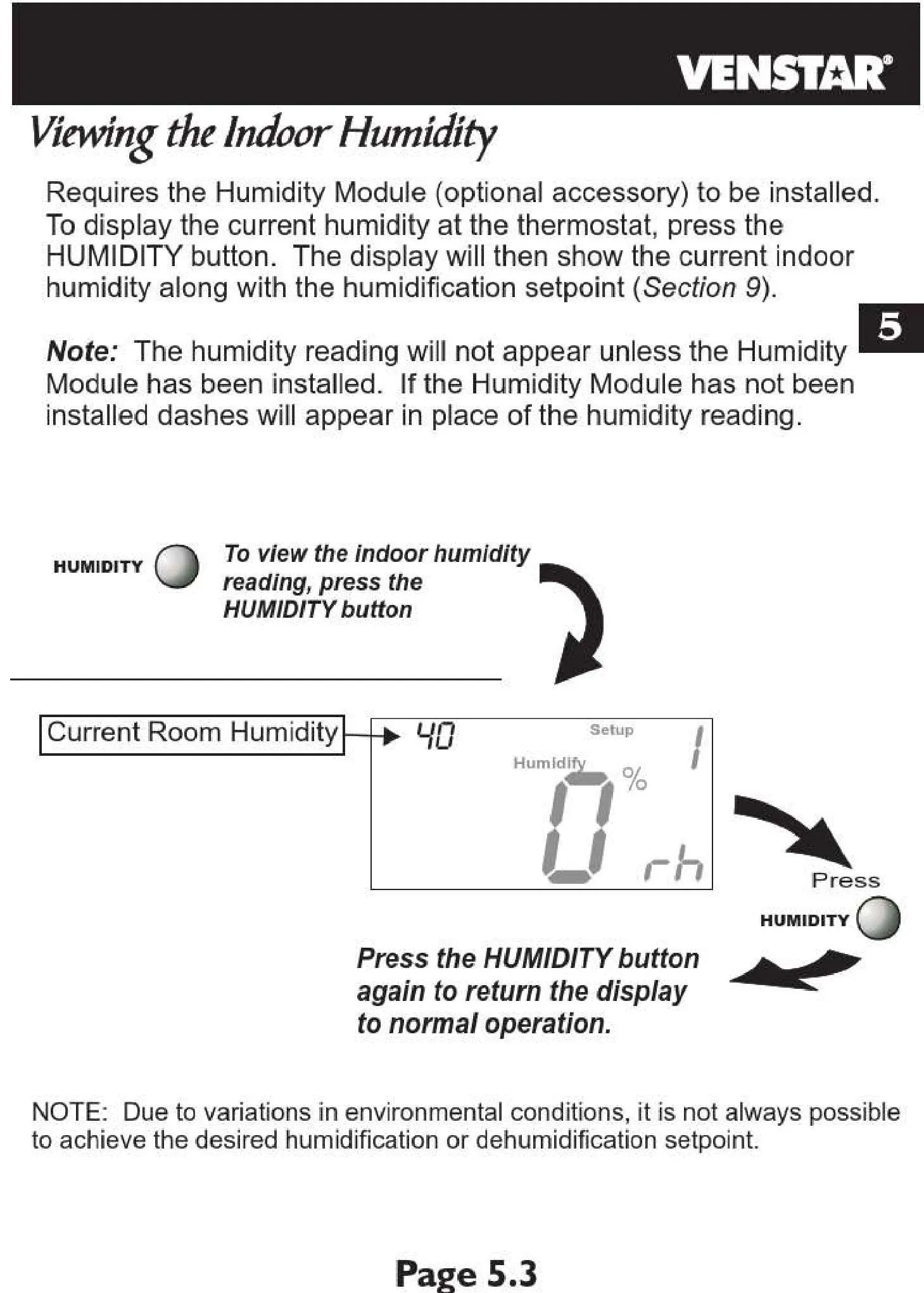
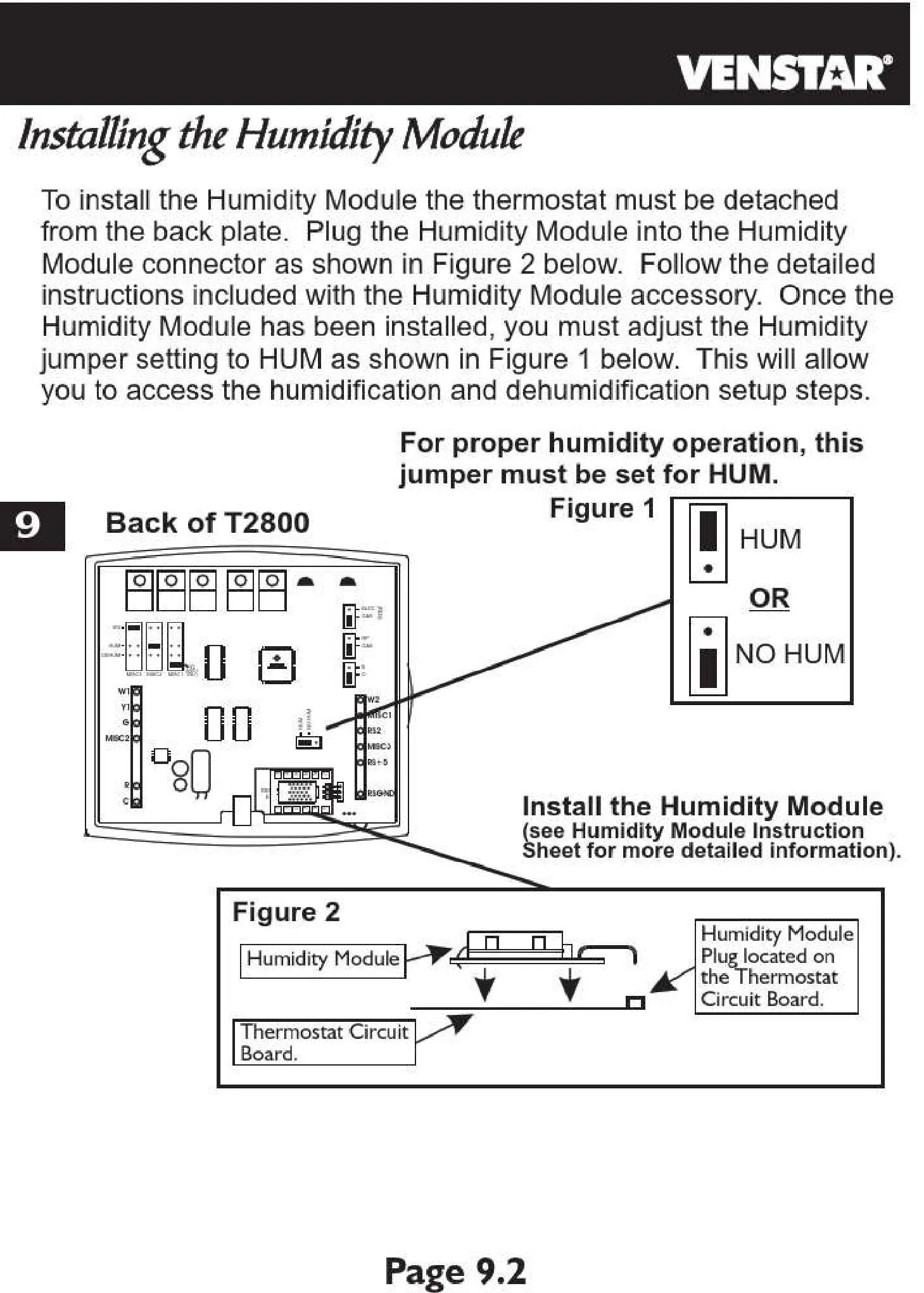
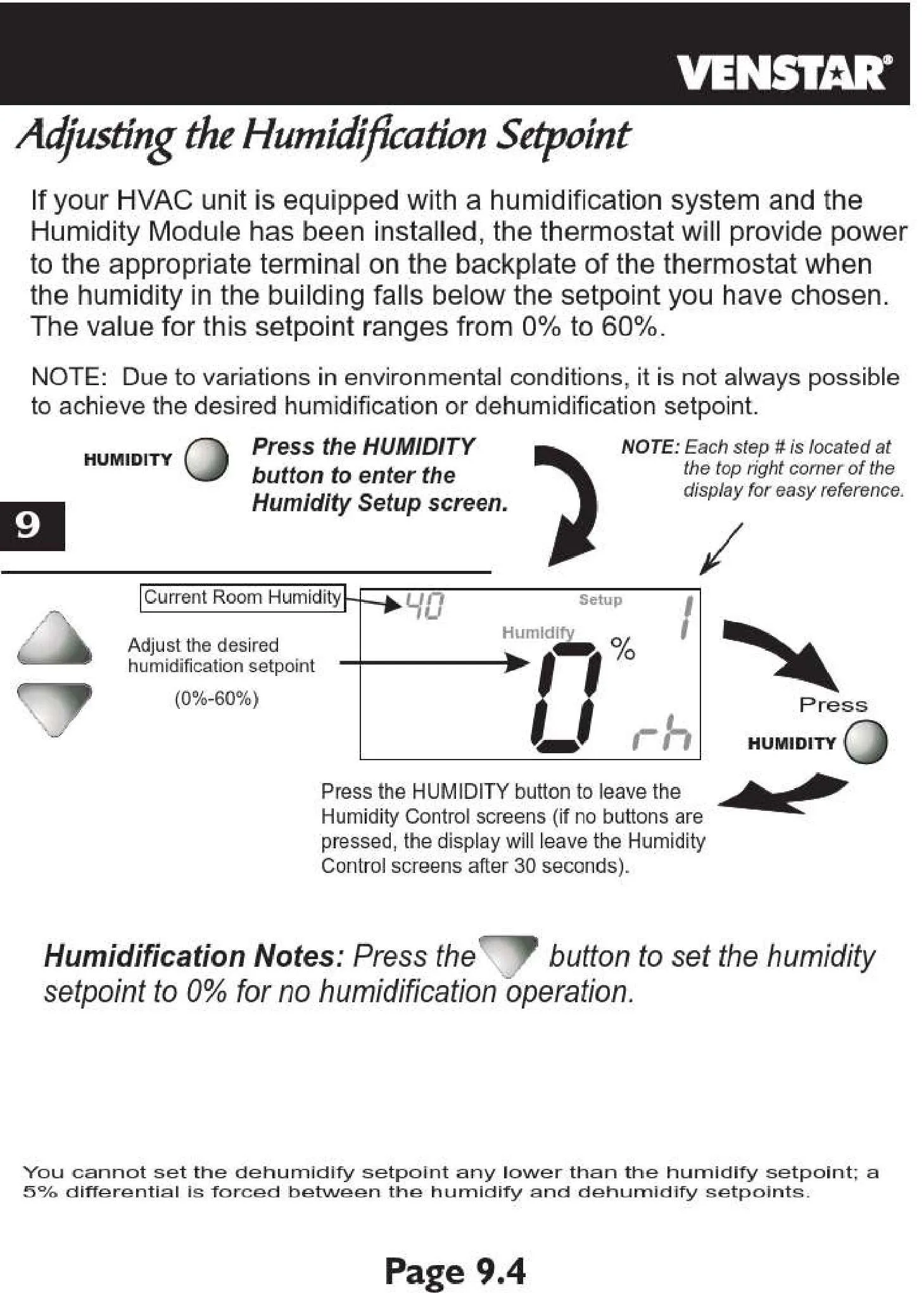
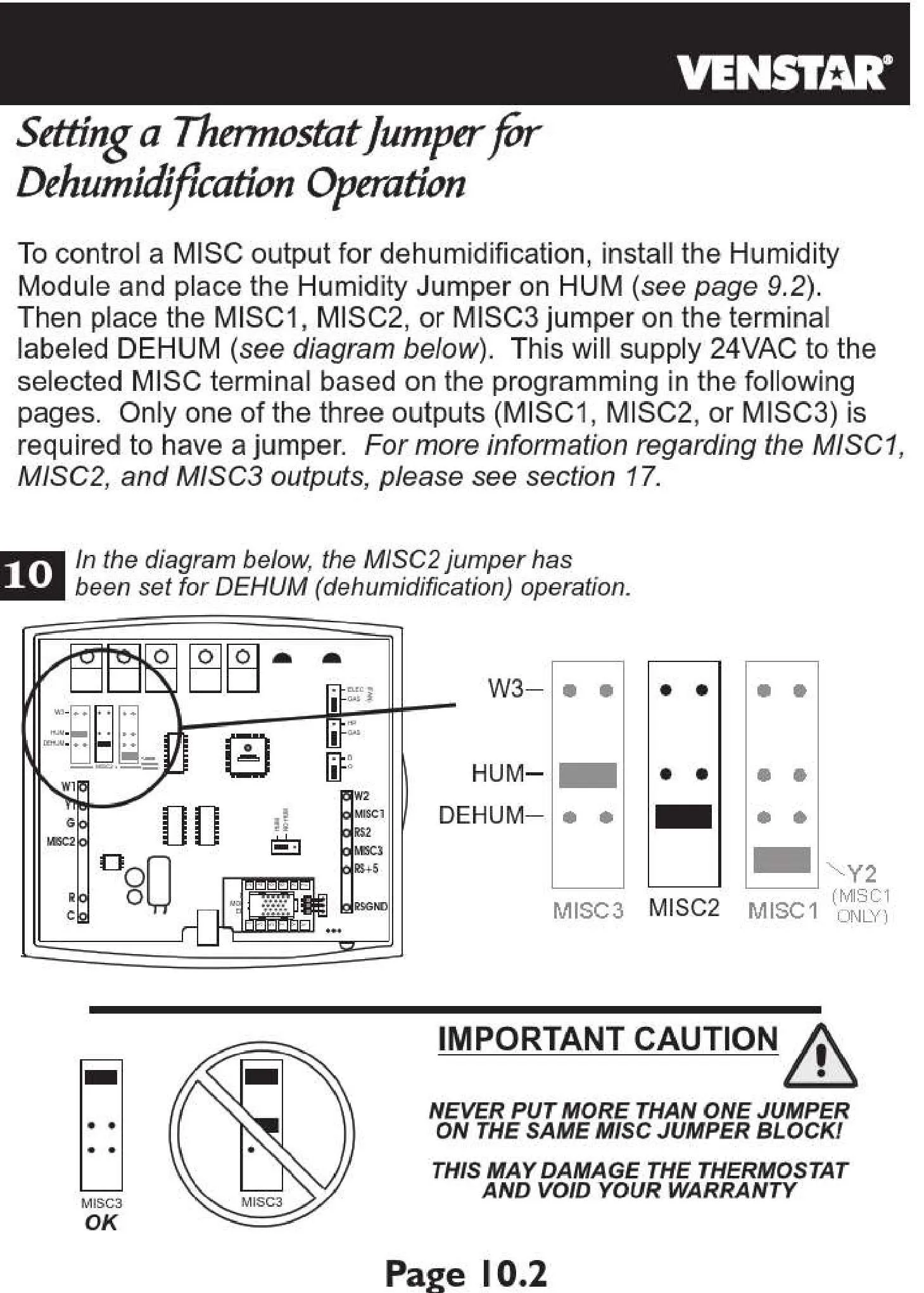
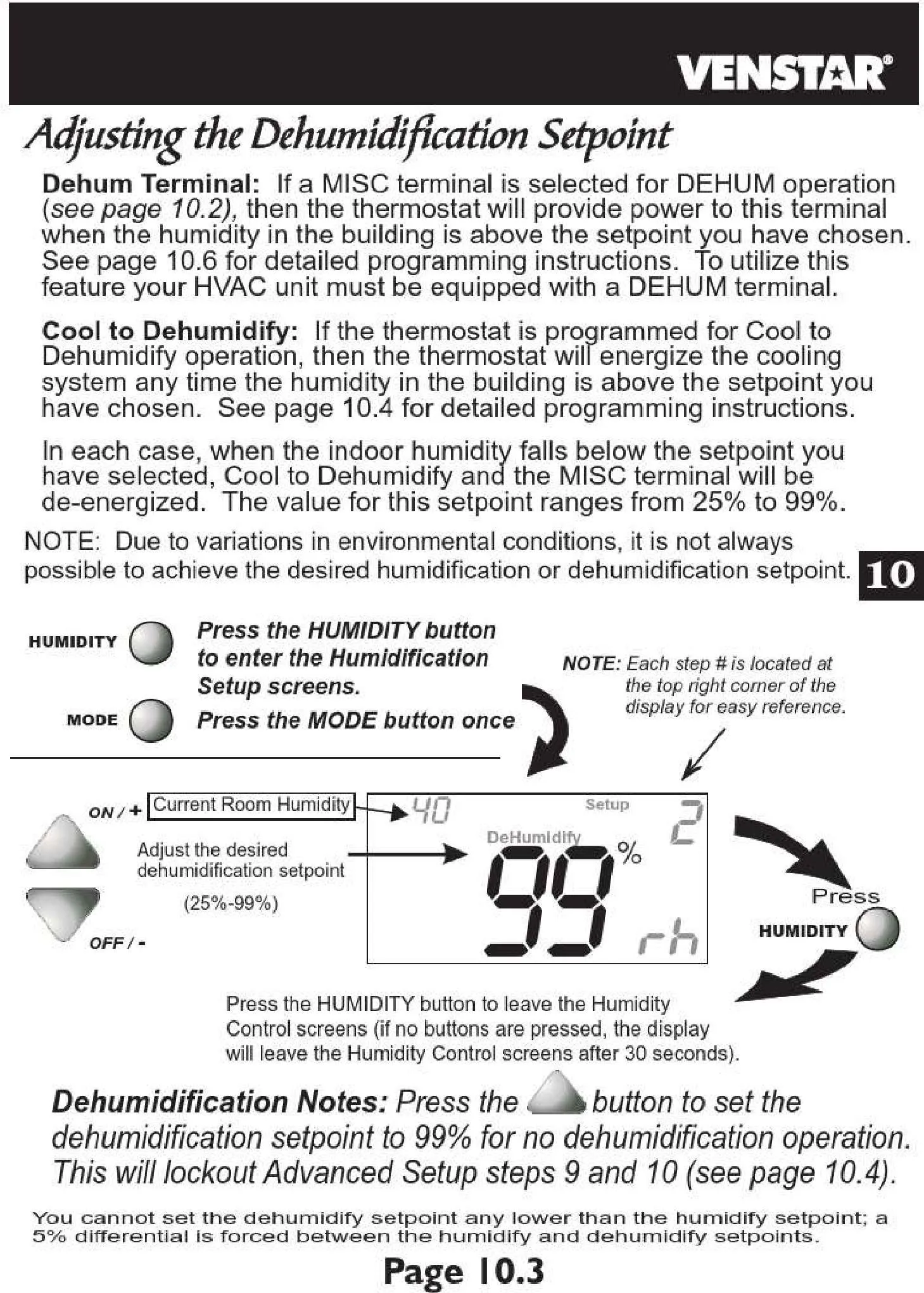
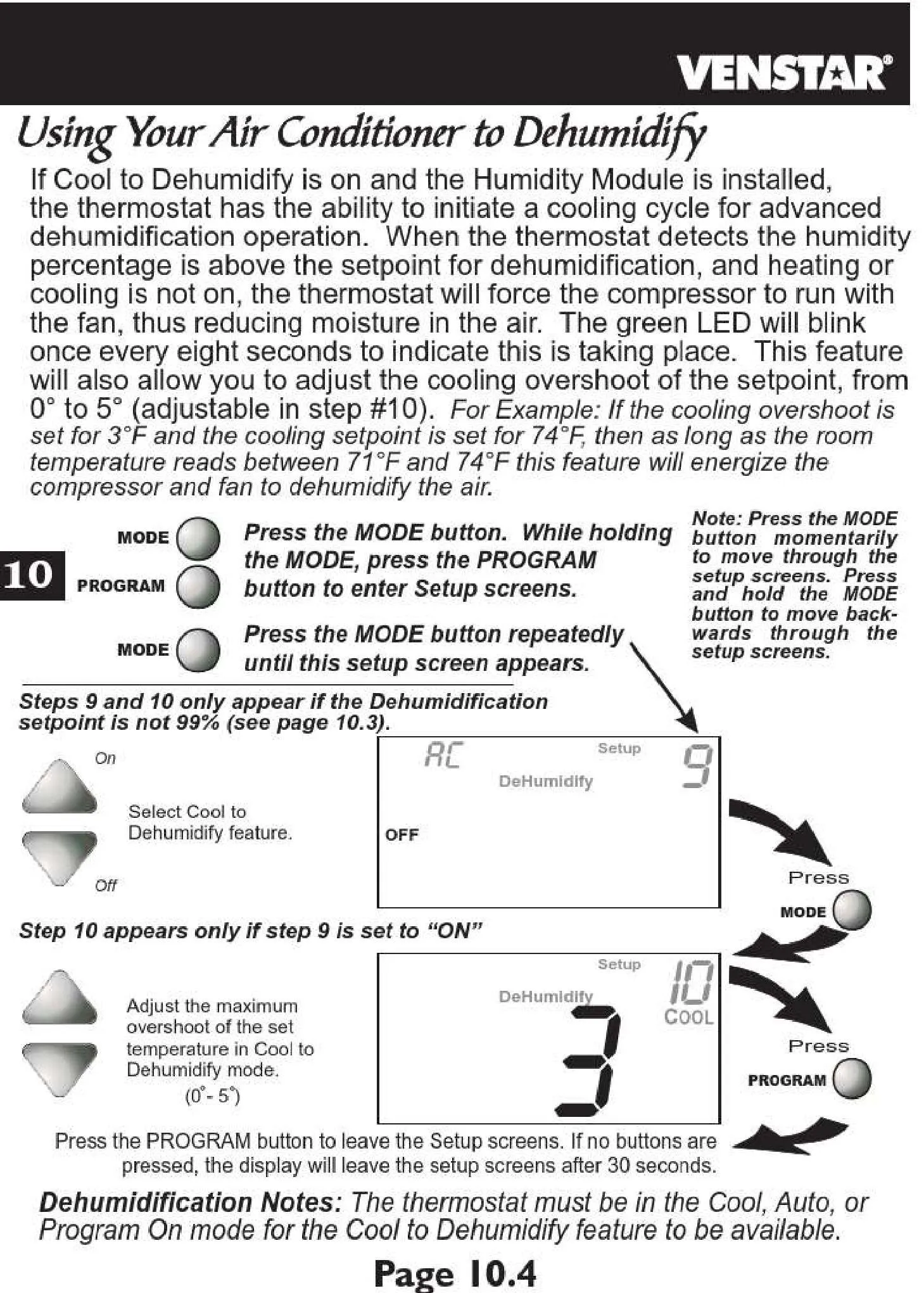
A standout feature of the T2800 is its sophisticated humidity management capabilities. It goes beyond simple temperature regulation with its "Cool to Dehumidify" functionality, actively reducing indoor humidity levels for enhanced comfort and improved air quality. This feature can be finely tuned with a "Maximum Dehum Overshoot" setting, allowing precise control over how aggressively the system works to dehumidify the environment.
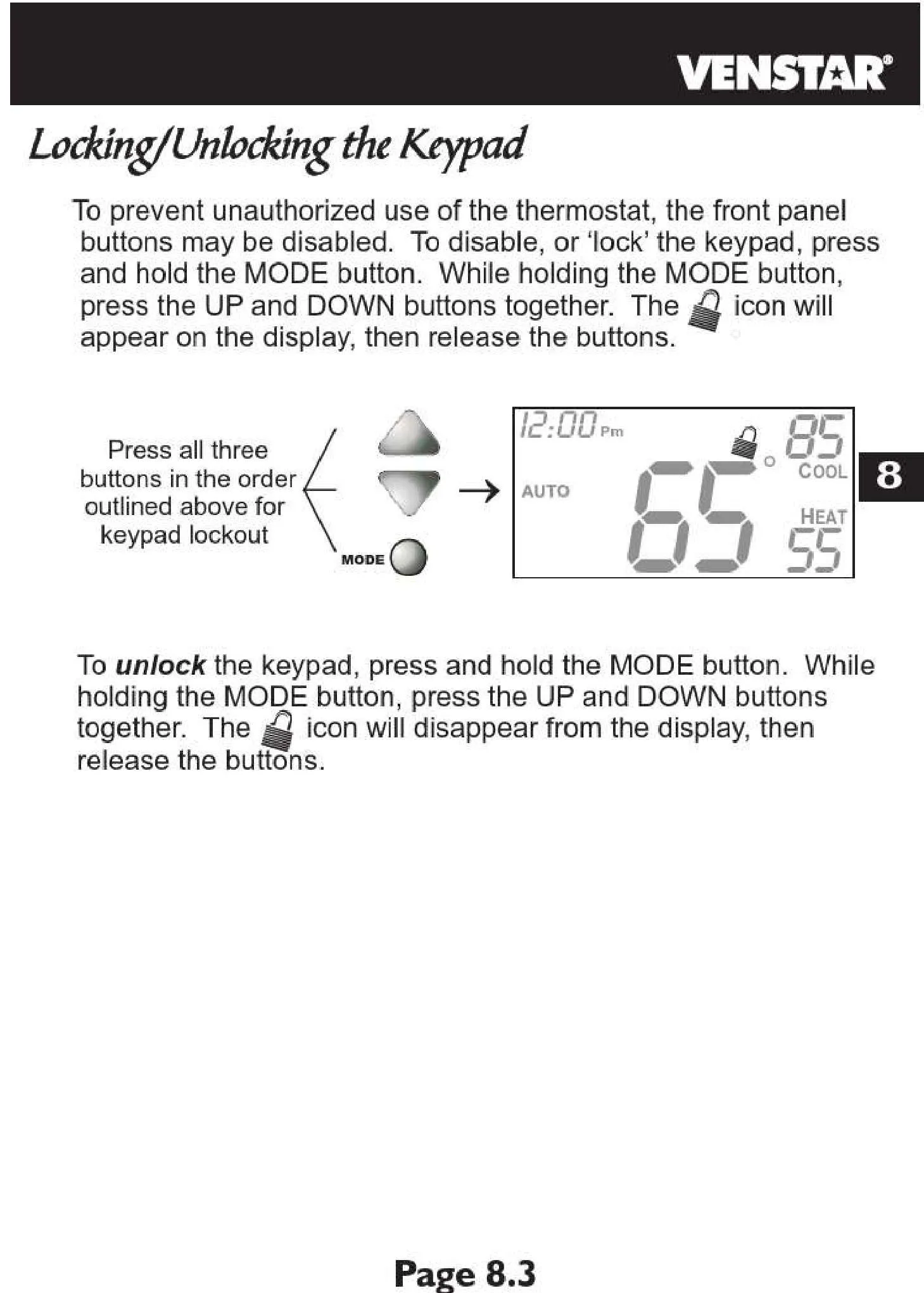
For environments requiring restricted access, the thermostat offers robust security and access control with four distinct security levels (0, 1, 2, 3). Level 0 provides full access, while higher levels can restrict temperature setpoints, fan settings, or even lock out all thermostat adjustments. This is particularly beneficial in commercial settings or homes where unauthorized modifications to critical climate settings need to be prevented, thereby safeguarding energy policies and system integrity.
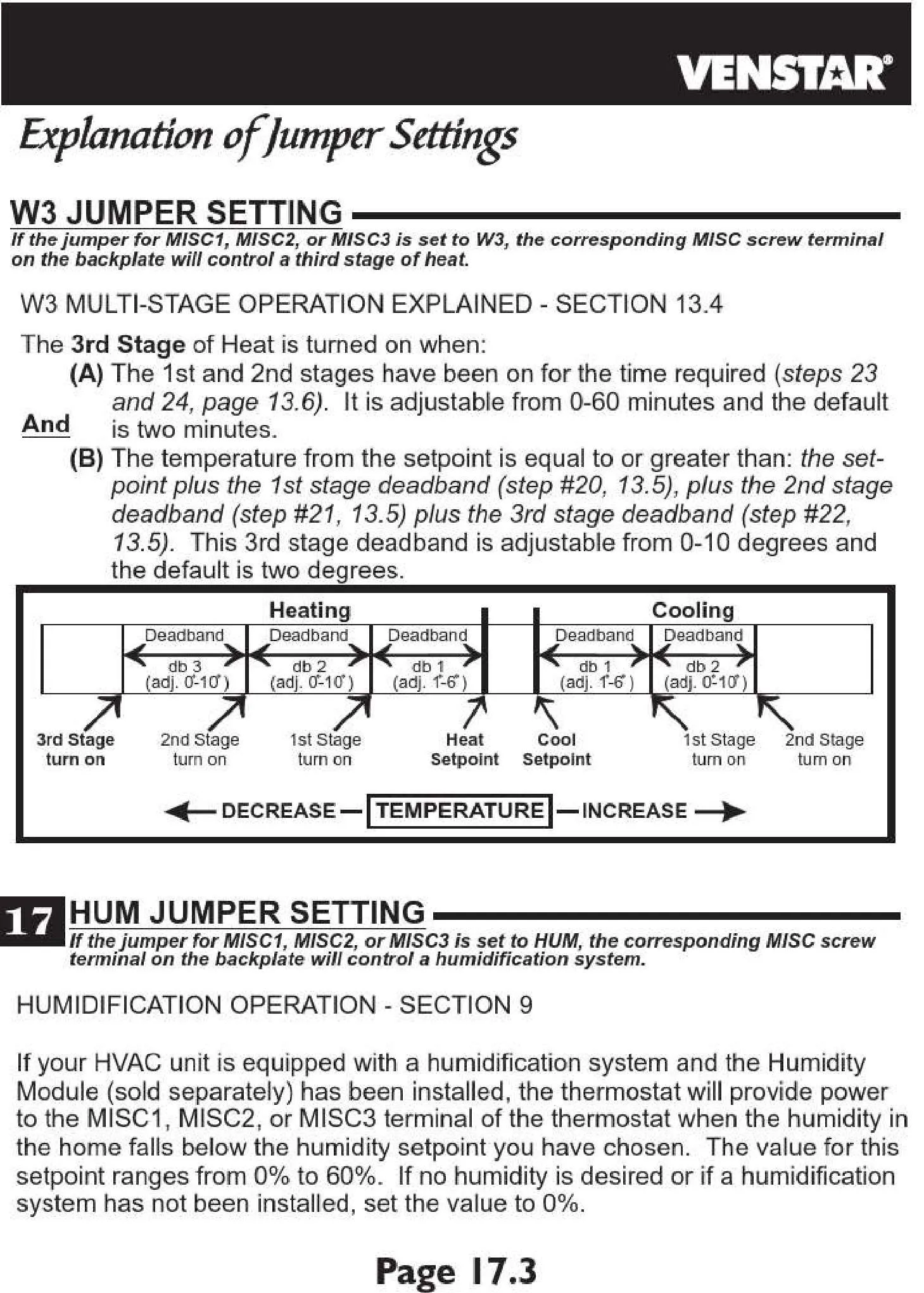
The T2800 is engineered with system protection in mind, featuring configurable "Cycles Per Hour" (CPH) and inter-stage delay settings. These intelligent safeguards prevent short cycling of HVAC equipment, which is crucial for extending its operational lifespan and maintaining peak performance. Additionally, the "Energy Save" option allows users to further optimize power consumption, contributing to reduced utility costs and a smaller carbon footprint.
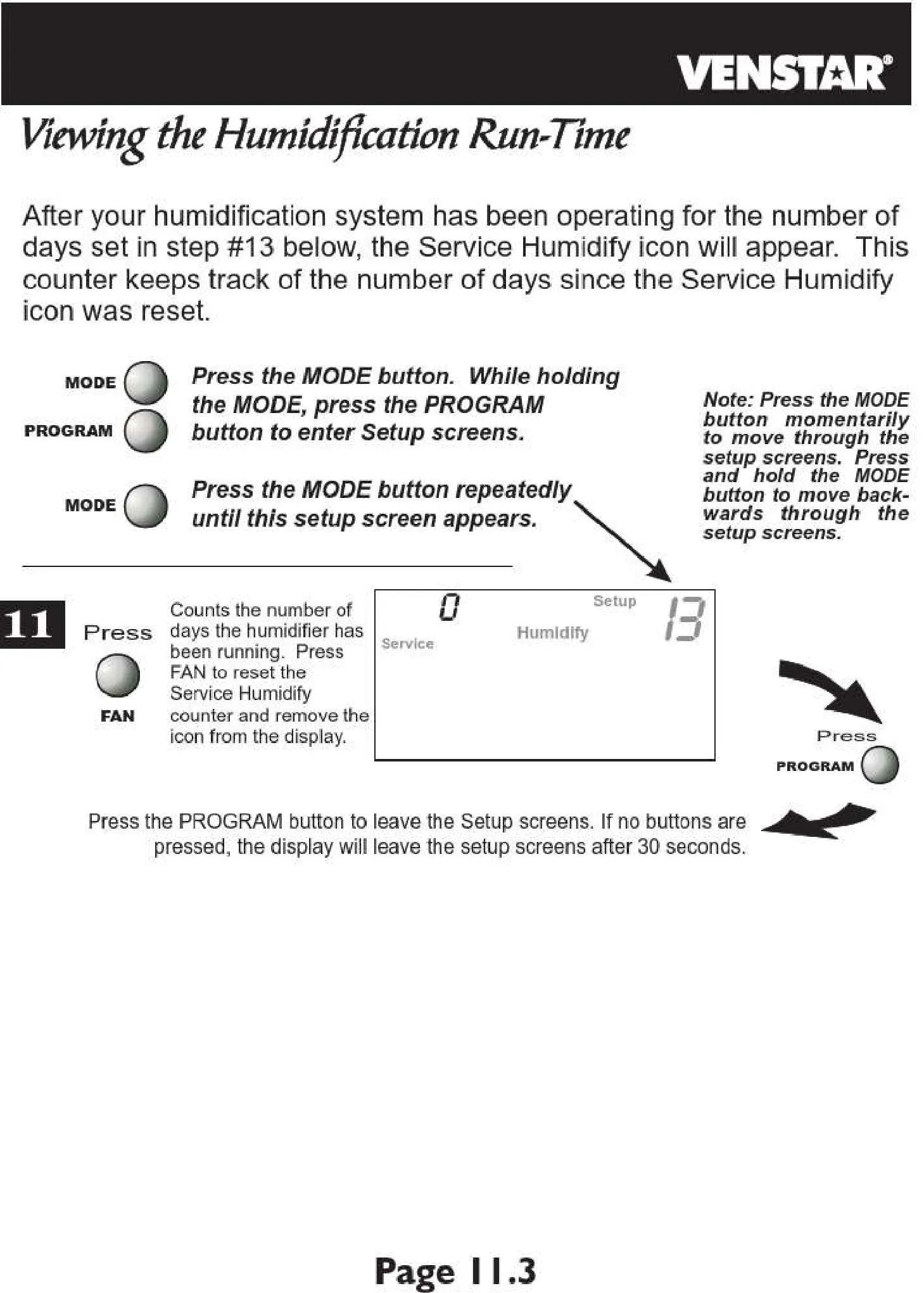
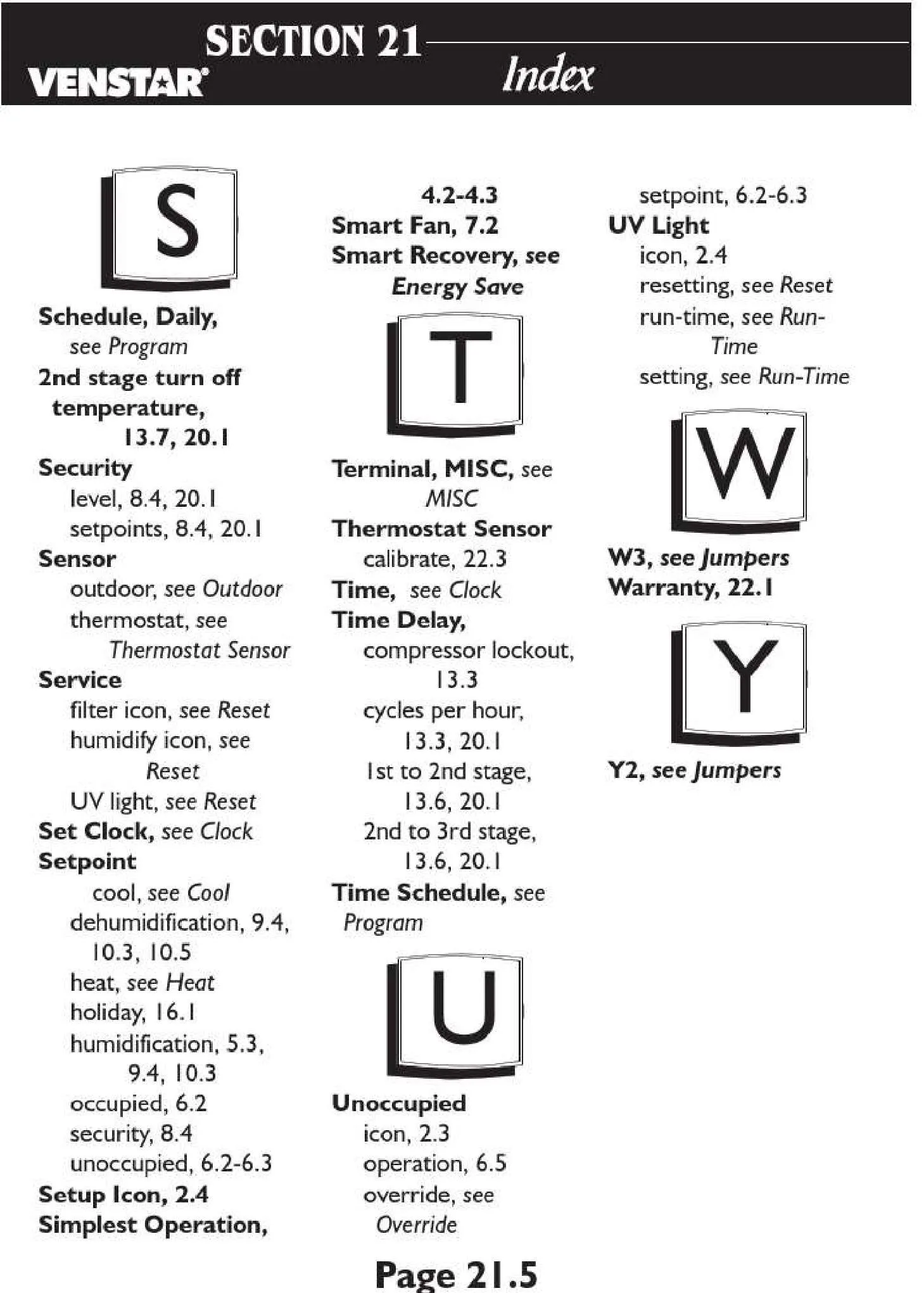
To assist with proactive maintenance, the thermostat includes integrated service reminders for air filters, UV lights, and humidifiers. These vital reminders are configurable with specific run-time intervals, prompting timely upkeep. Adhering to these maintenance schedules is essential for ensuring optimal system performance, maintaining healthy indoor air quality, and preserving the efficiency of your HVAC unit over time.
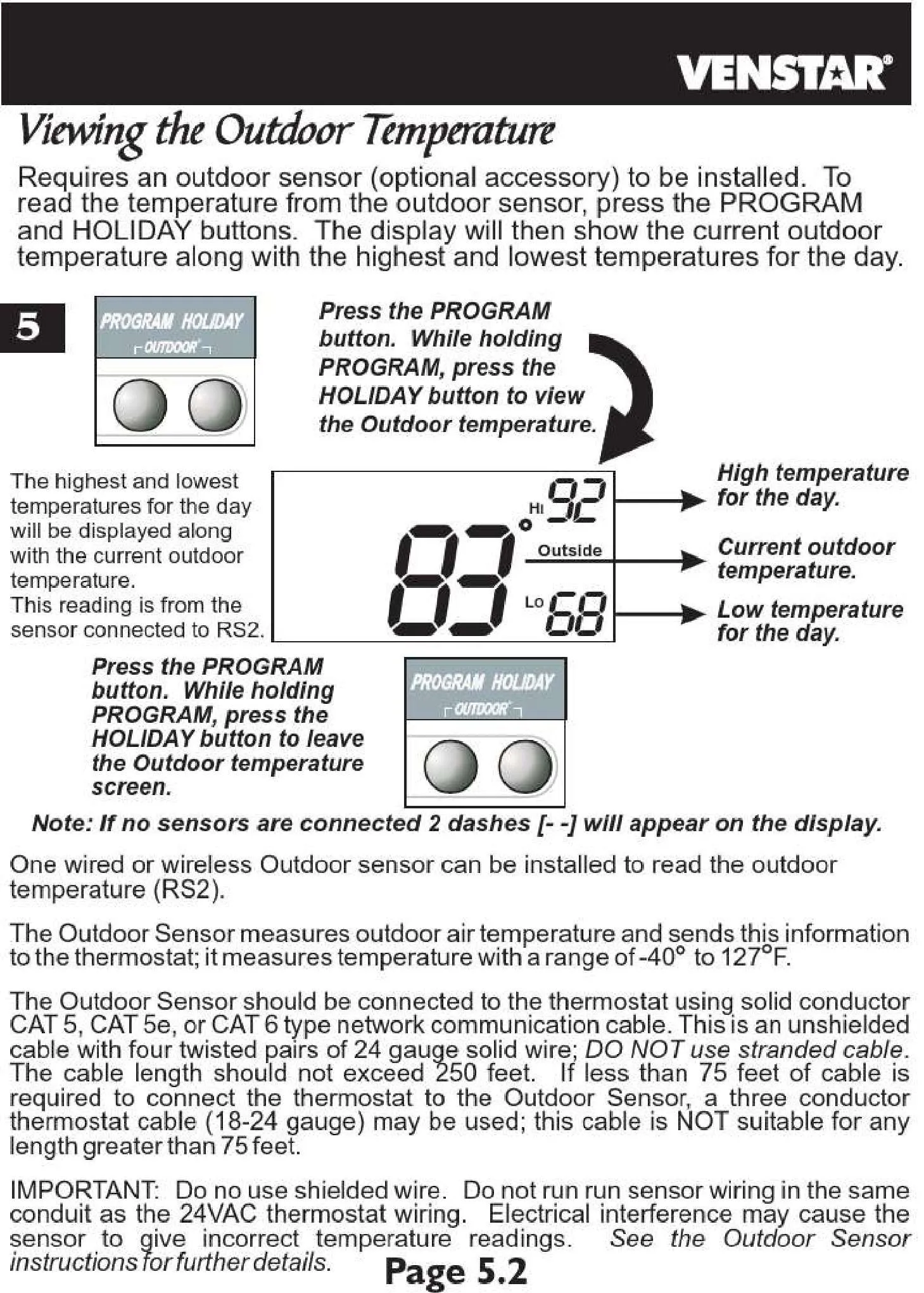
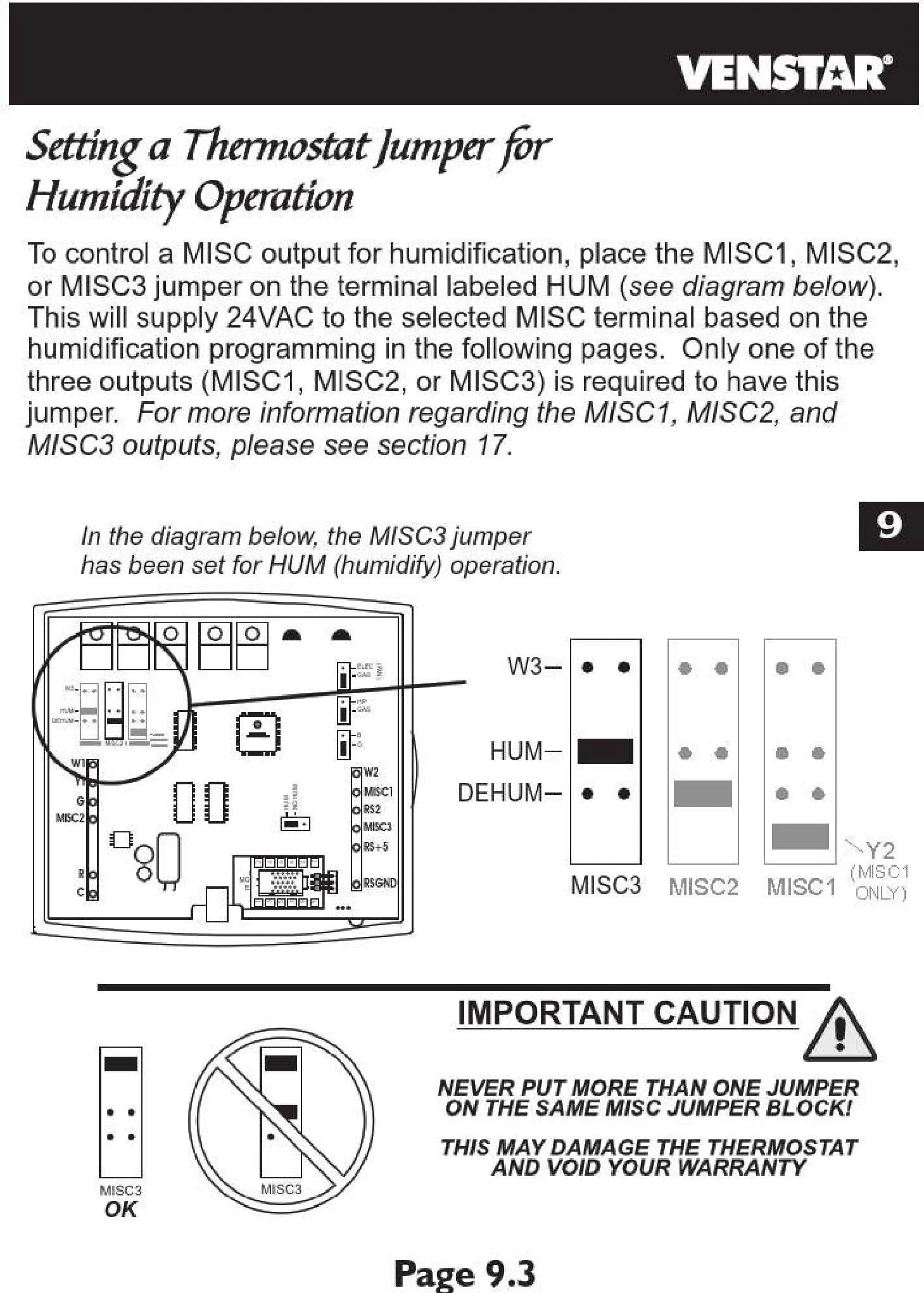
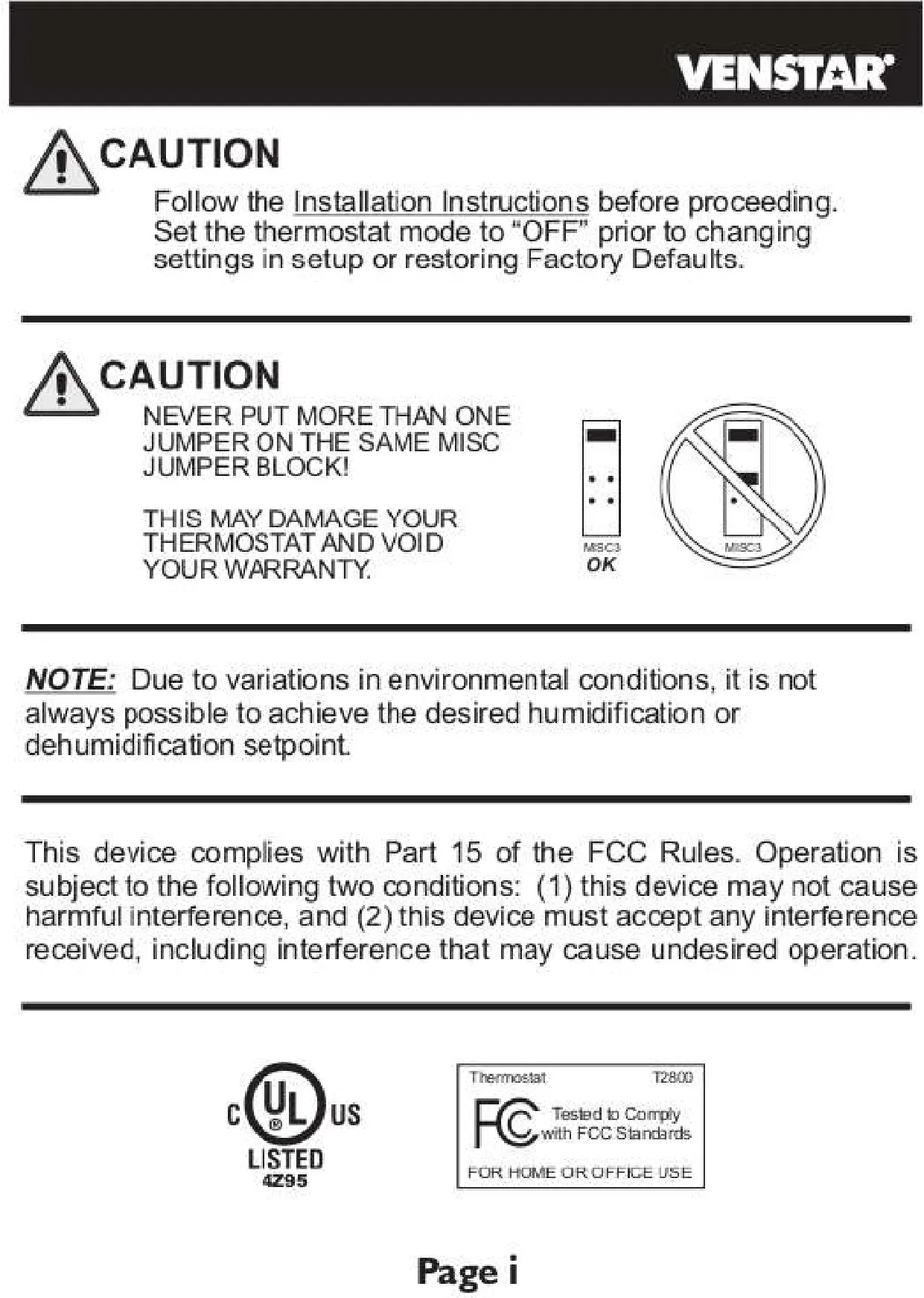
Further enhancing its utility, the T2800 provides built-in diagnostics that display clear error codes (E1, E2, E3, E4) to quickly alert users to potential system issues, streamlining troubleshooting. It also supports an optional outdoor temperature sensor, allowing for more precise operational strategies. Finally, the inclusion of three configurable outputs (MISC1, MISC2, MISC3) offers significant versatility for integrating with other building management systems or external accessories, making the T2800 highly adaptable to diverse installation requirements.
Frequently Asked Questions (FAQs)
Can't find the answer you need? Here are some frequently asked questions about the Venstar Thermostat T2800, and we answer them below.
* E1: Main board failure.
* E2: Sensor failure (internal).
* E3: Communication error.
* E4: Outdoor sensor failure.
Refer to your installation or user manual's troubleshooting section for detailed corrective actions.