Sinamics V20 Variable Frequency Drive Instruction Manual
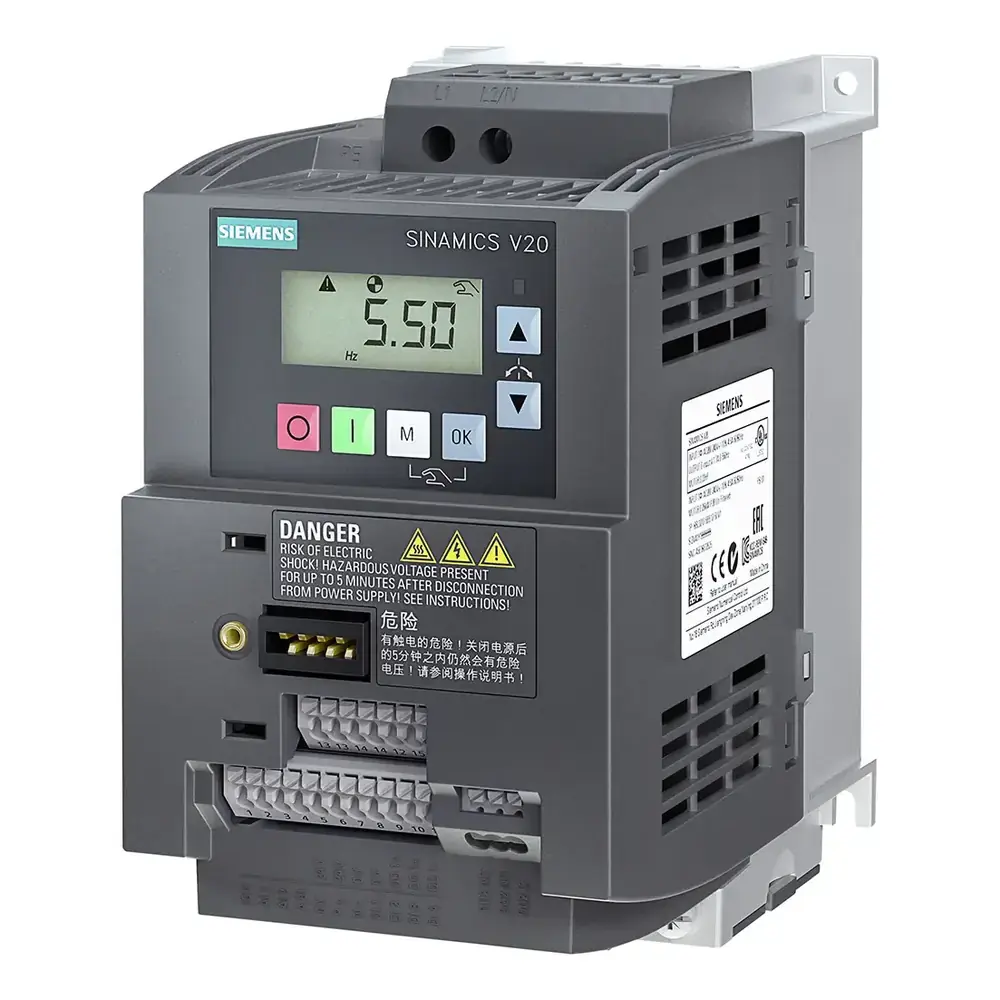
Sinamics V20 Variable Frequency Drive
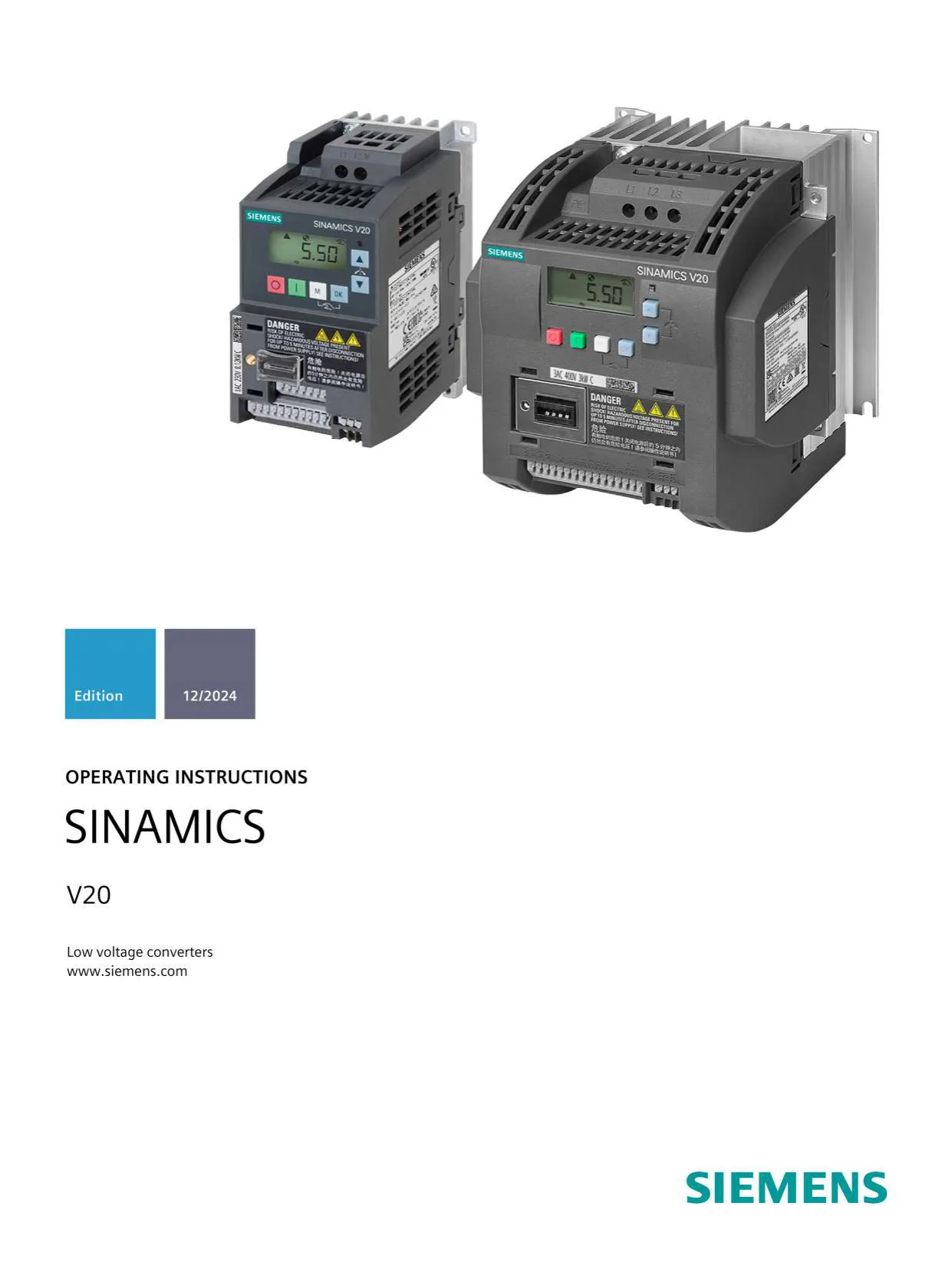

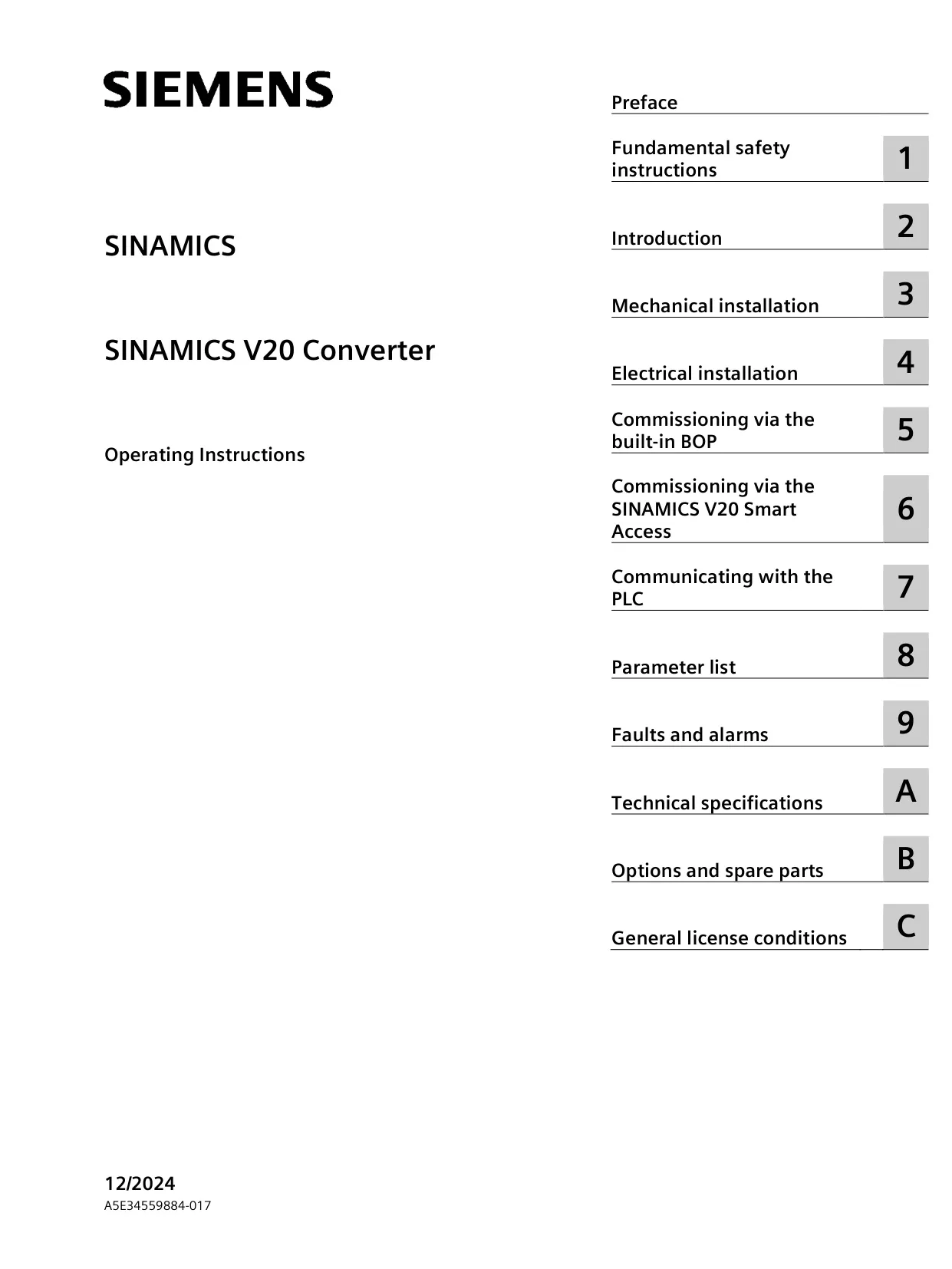







































































































































































Sinamics V20 Variable Frequency Drive
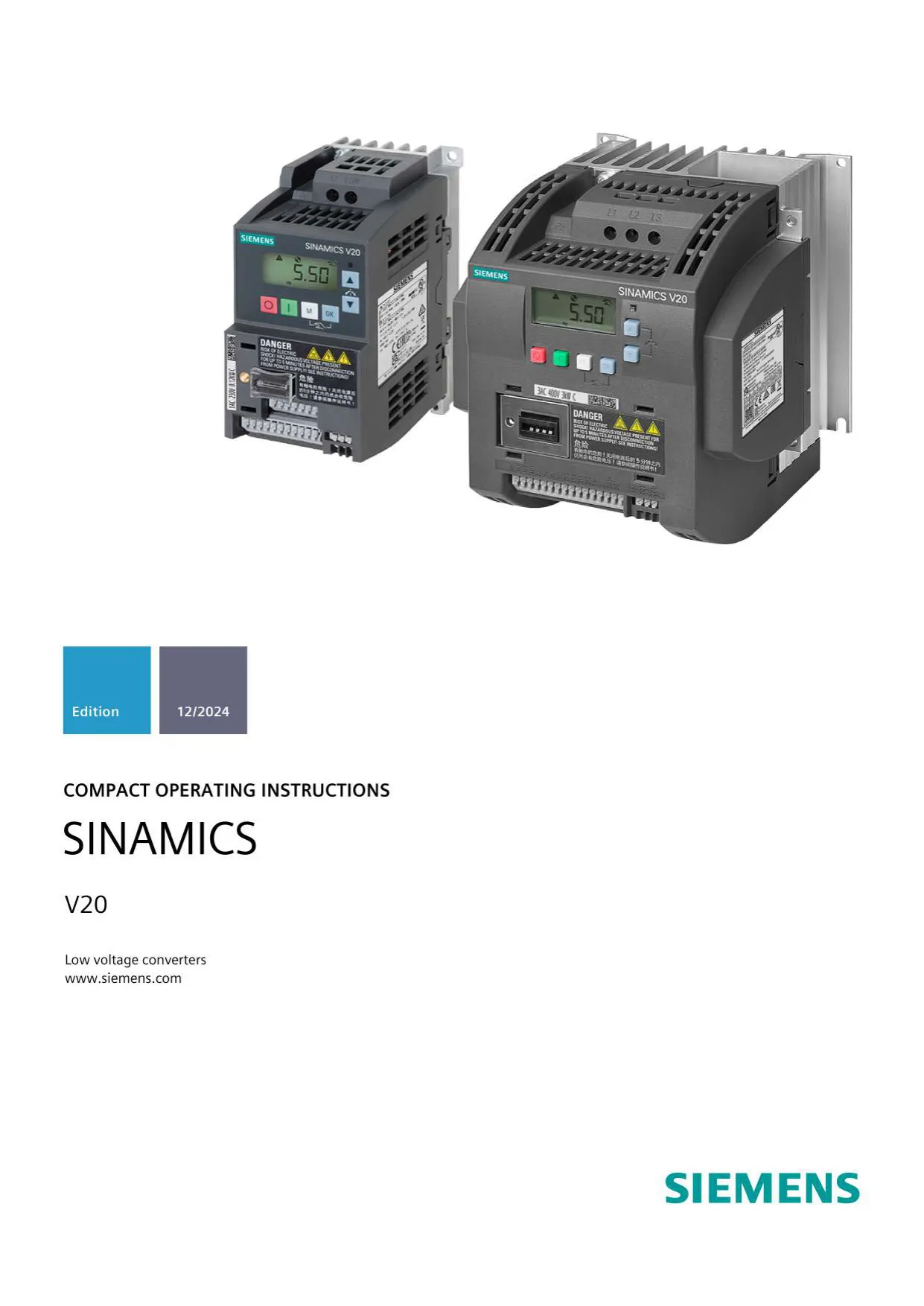

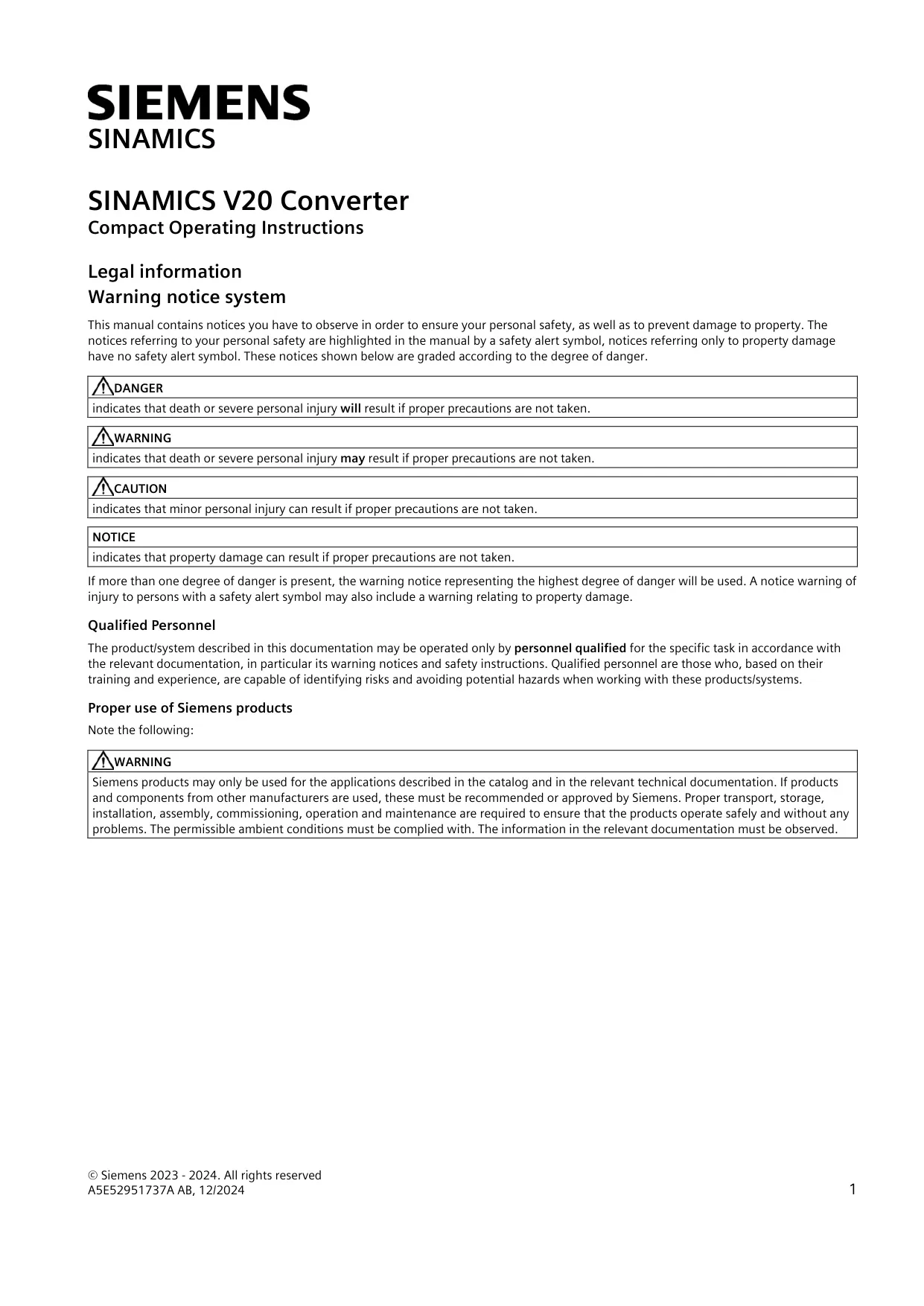

Sinamics V20 Variable Frequency Drive











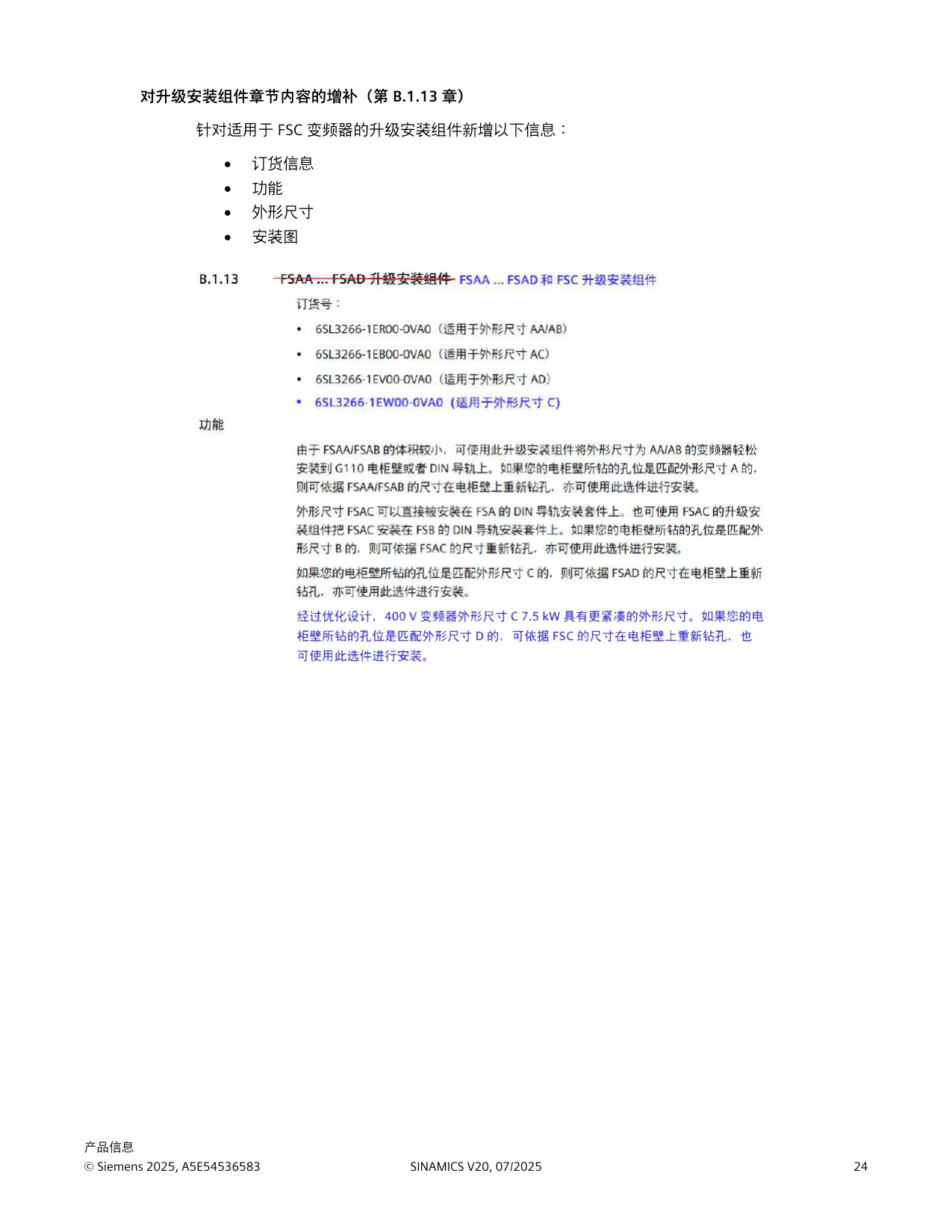


Sinamics V20 Convertor Instructions
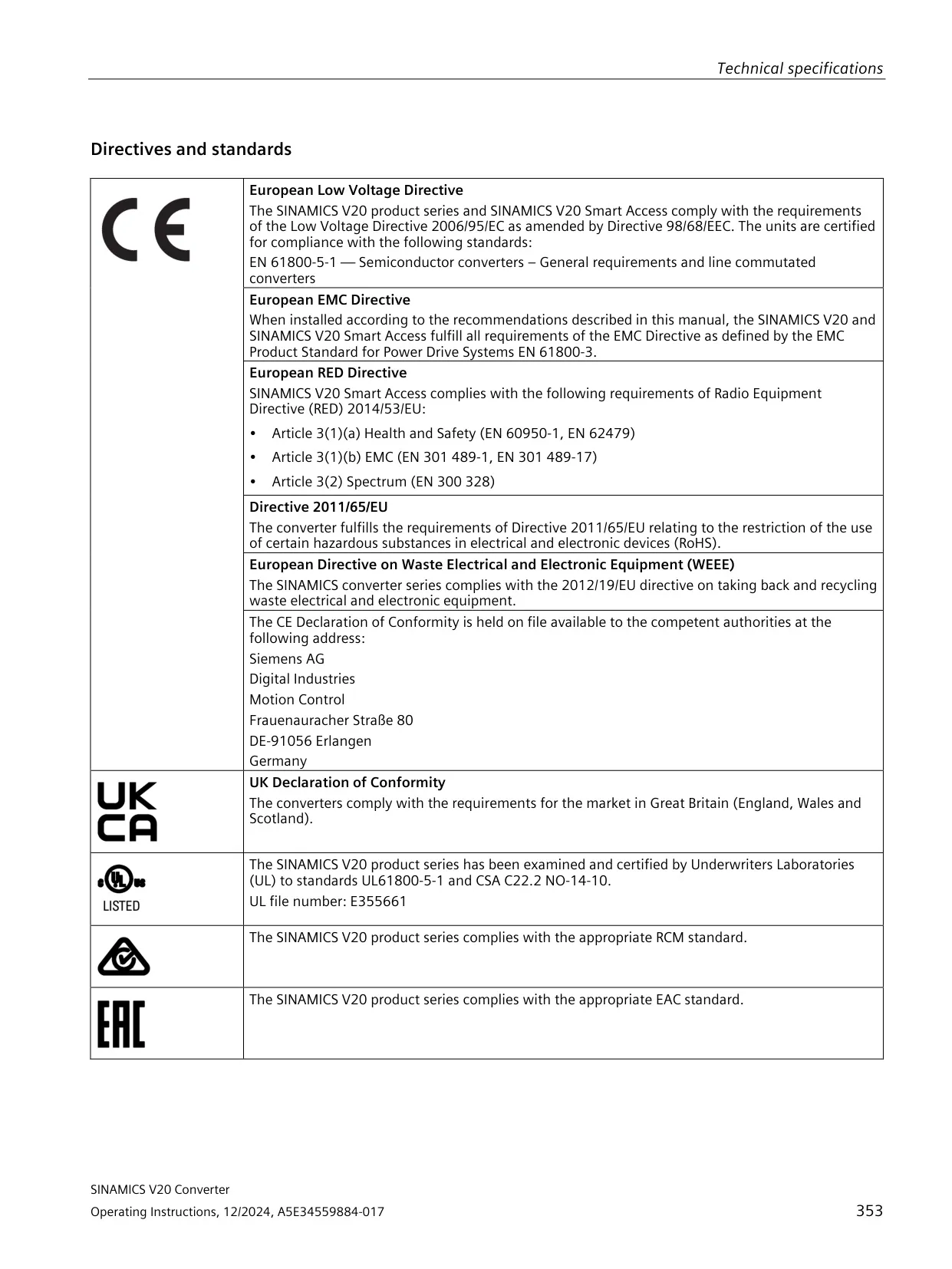
Here we offer the Sinamics V20 Variable Frequency Drive manual completely free and in English. We have cataloged this manual in the Variable Frequency Drives section on Manualverse, and it has been rated by 1 users with an average rating of 5. If you have any specific questions about Sinamics V20 Variable Frequency Drive, we suggest checking the Frequently Asked Questions (FAQs) section of this manual.
Product Images
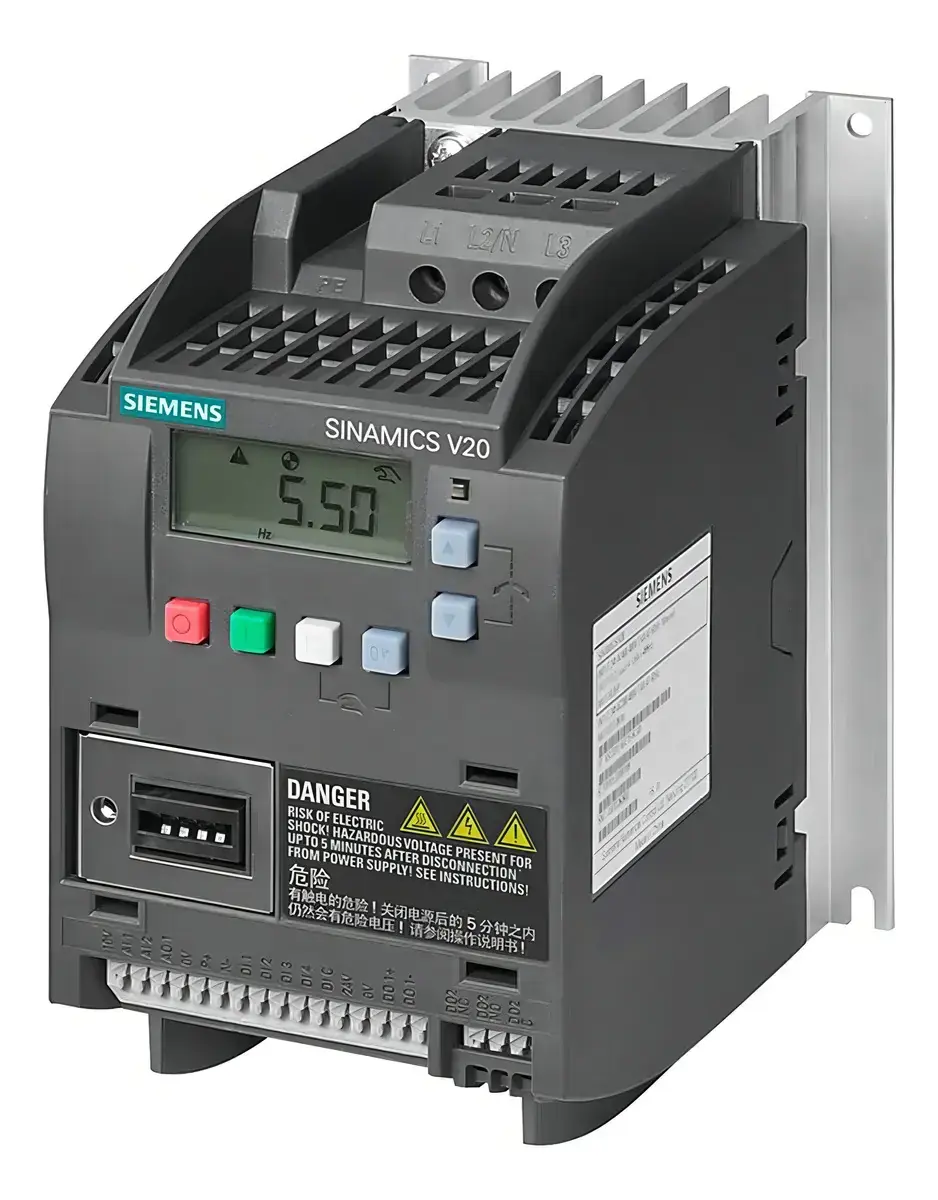
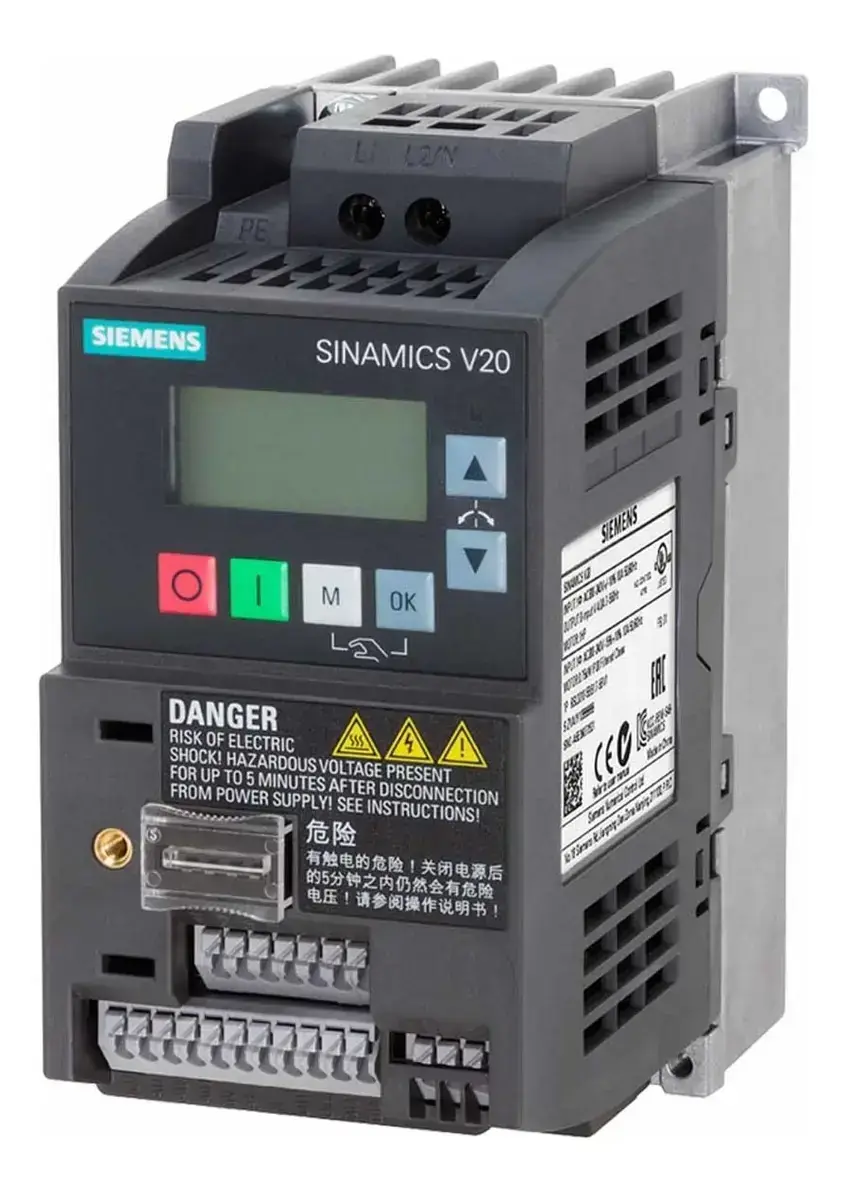
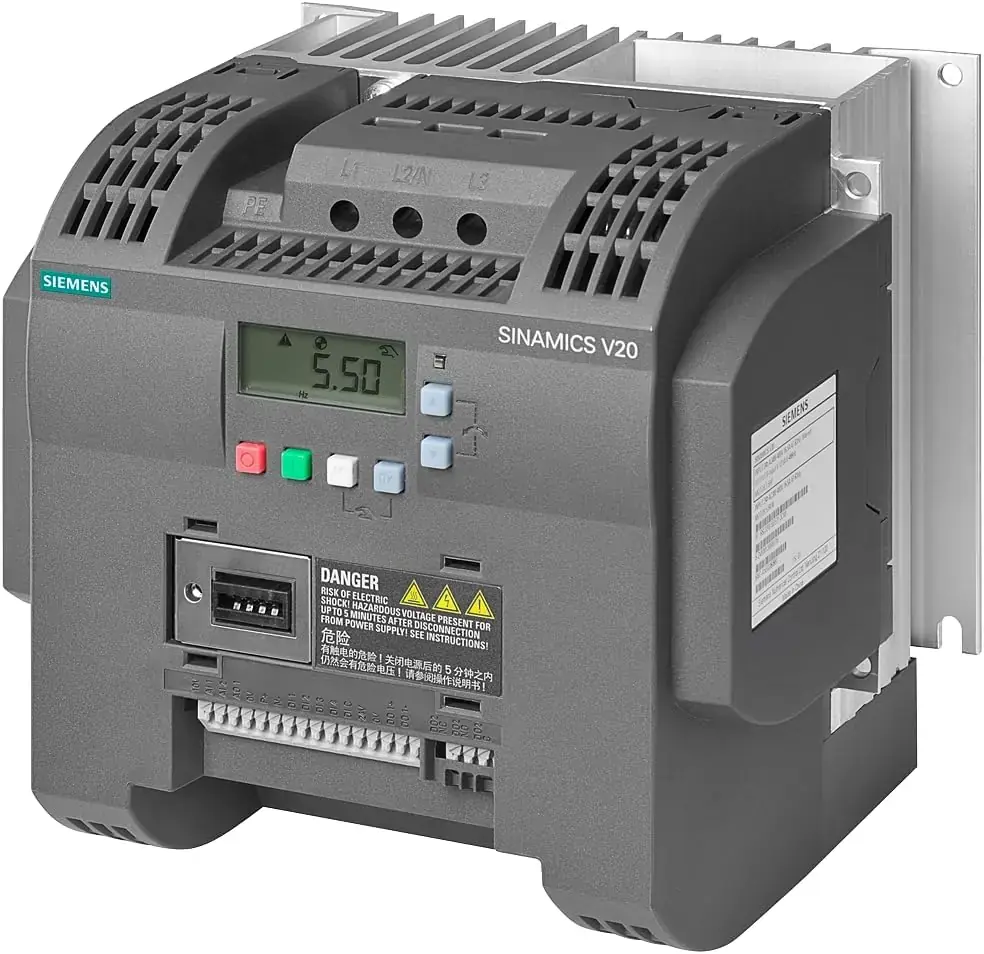
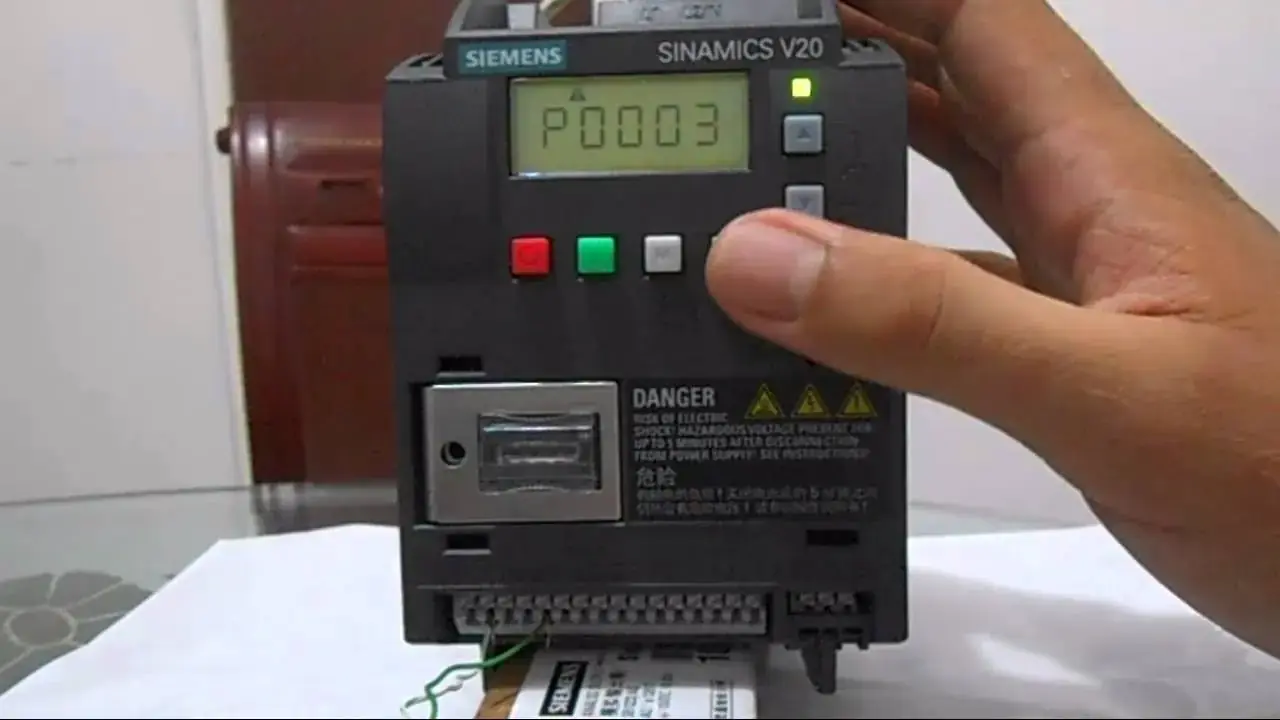
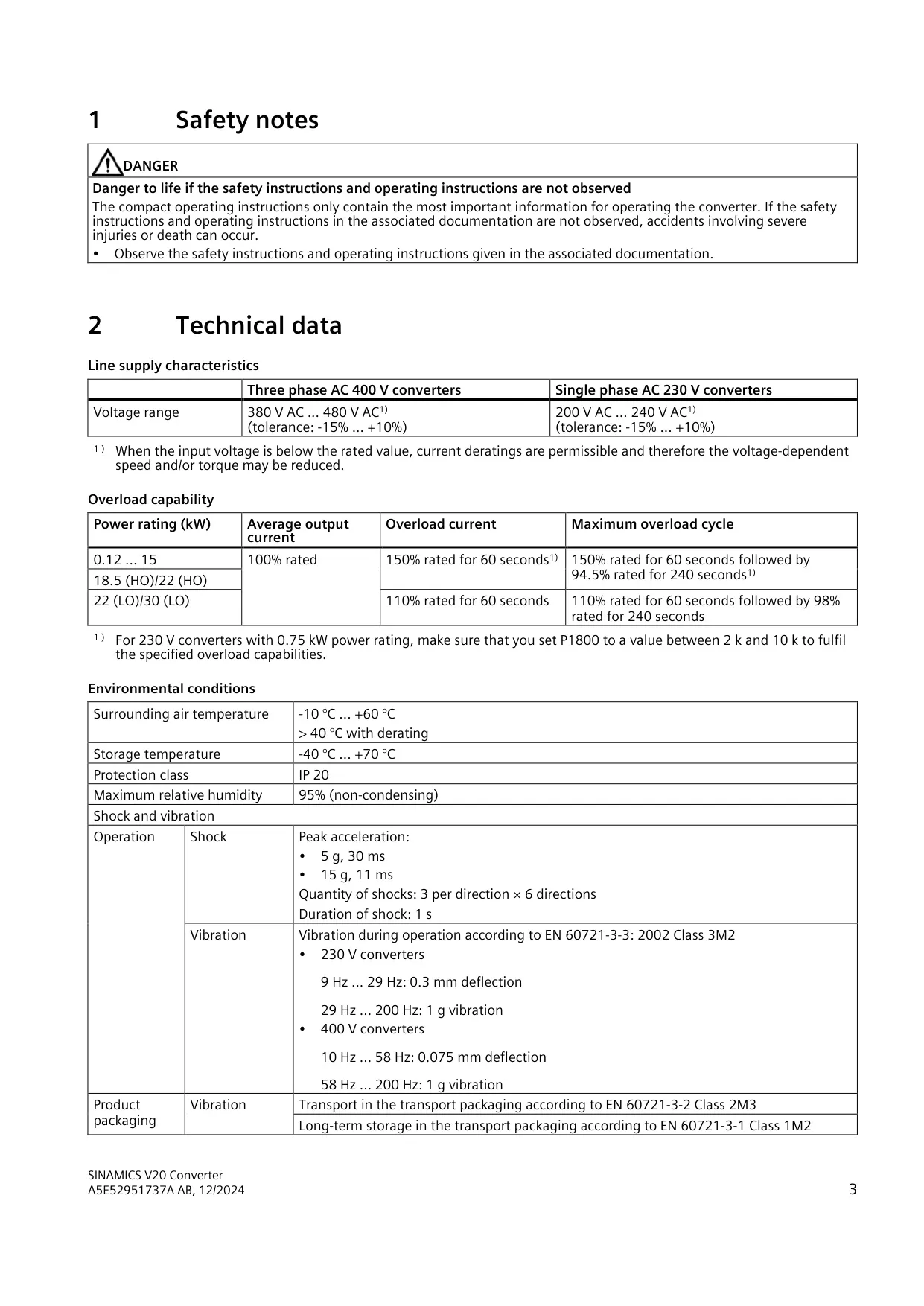
Sinamics V20 Variable Frequency Drive Specifications
| Feature | Specification |
|---|---|
| Product | SINAMICS V20 low voltage converter (variable frequency drive) |
| Document reference | Compact Operating Instructions A5E52951737A AB, 12/2024 |
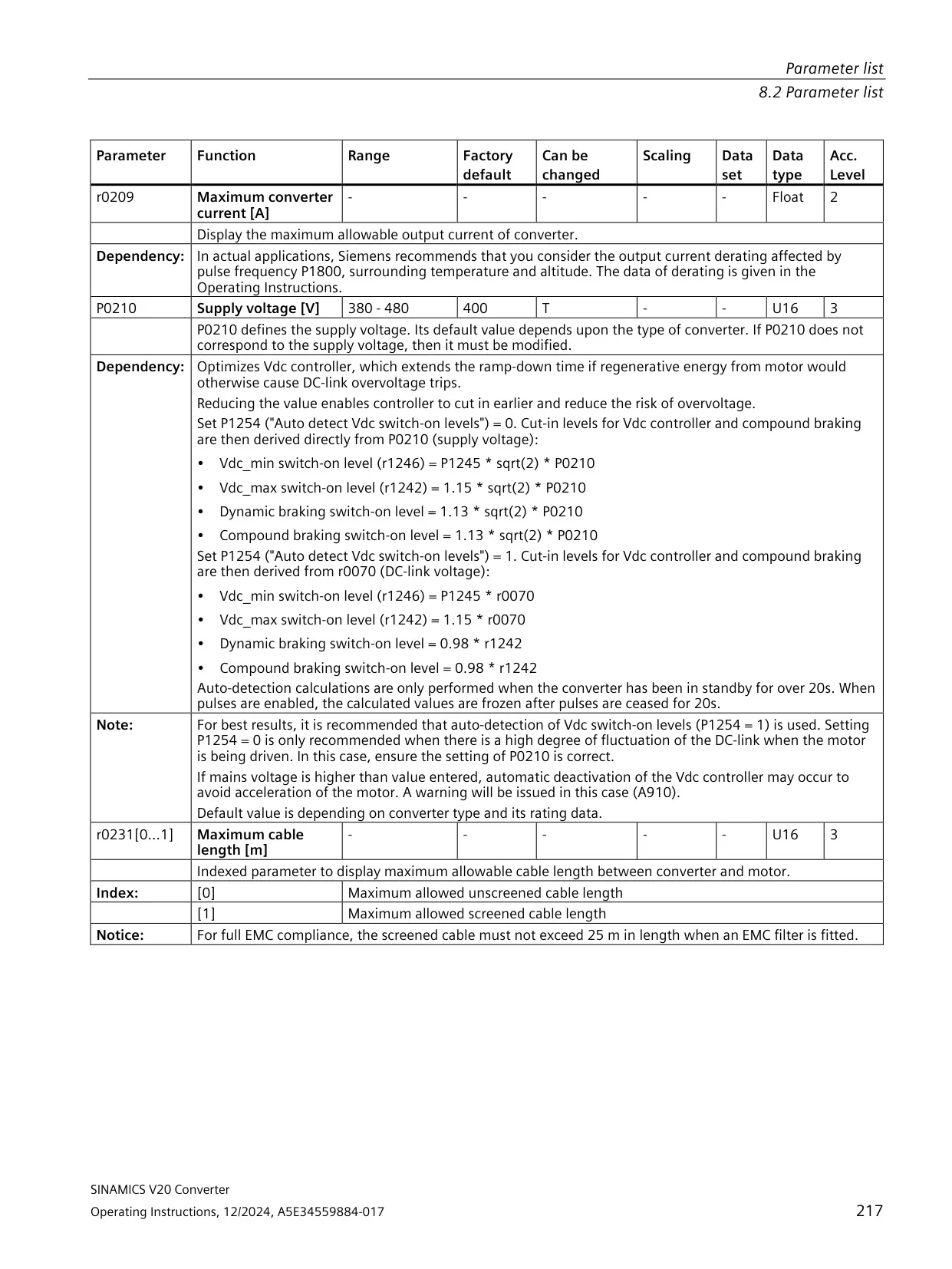
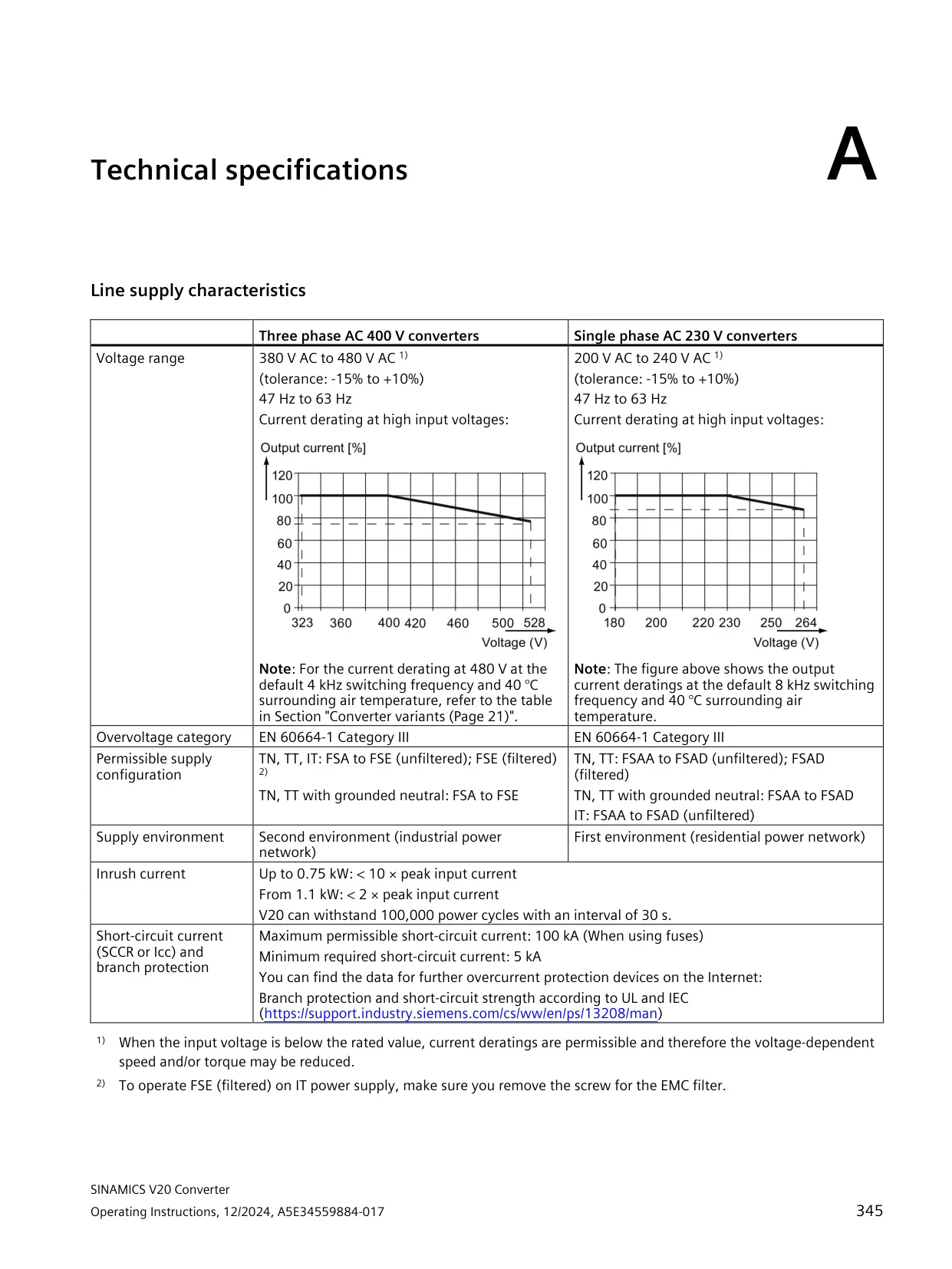
| Three-phase supply voltage | 380 V AC to 480 V AC (tolerance -15% to +10%) |
| Single-phase supply voltage | 200 V AC to 240 V AC (tolerance -15% to +10%) |
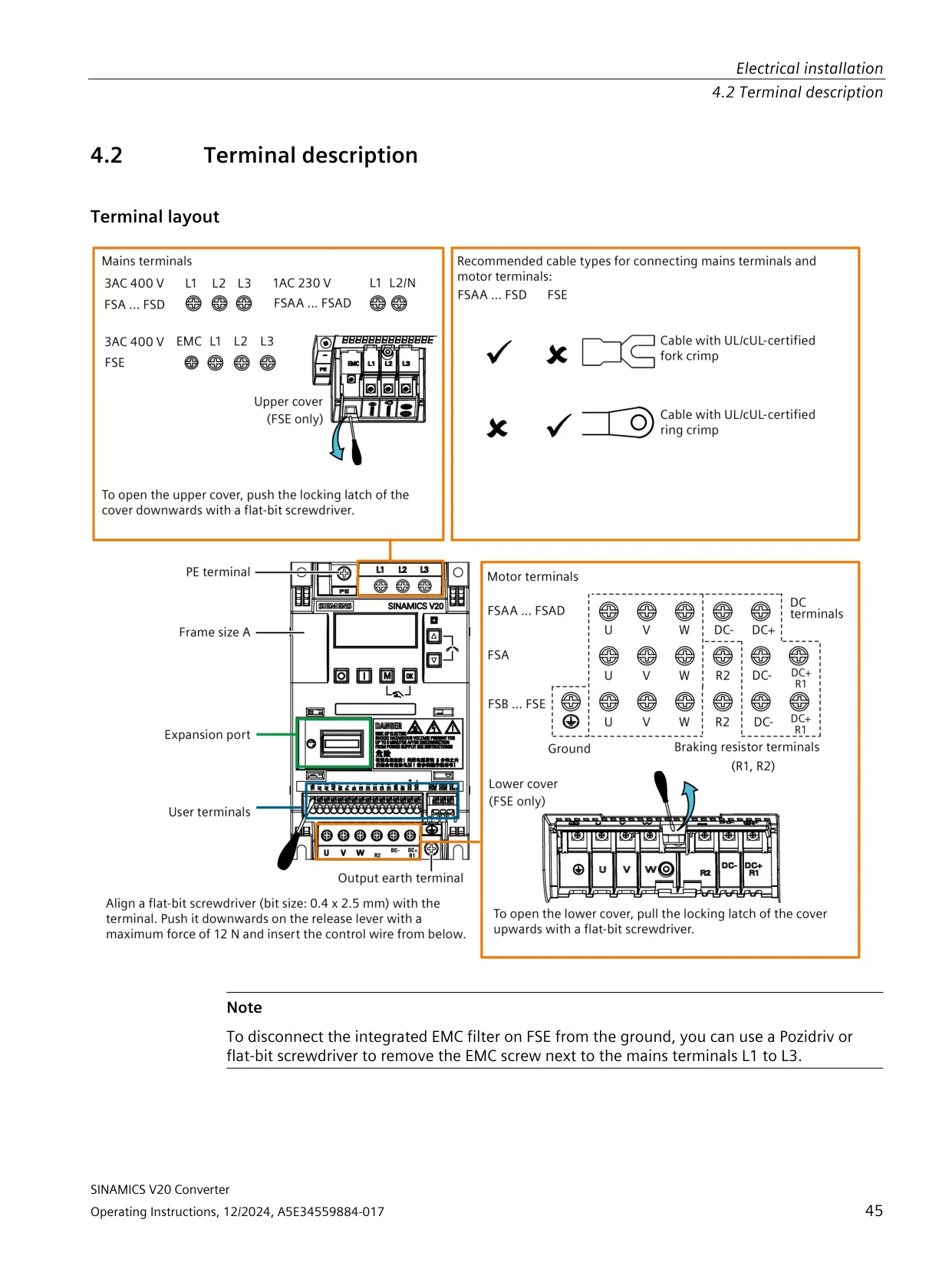
| Power range, 230 V single-phase | 0.12 kW to 3.0 kW (frame sizes FSAA/FSAB, FSAC, FSAD) |
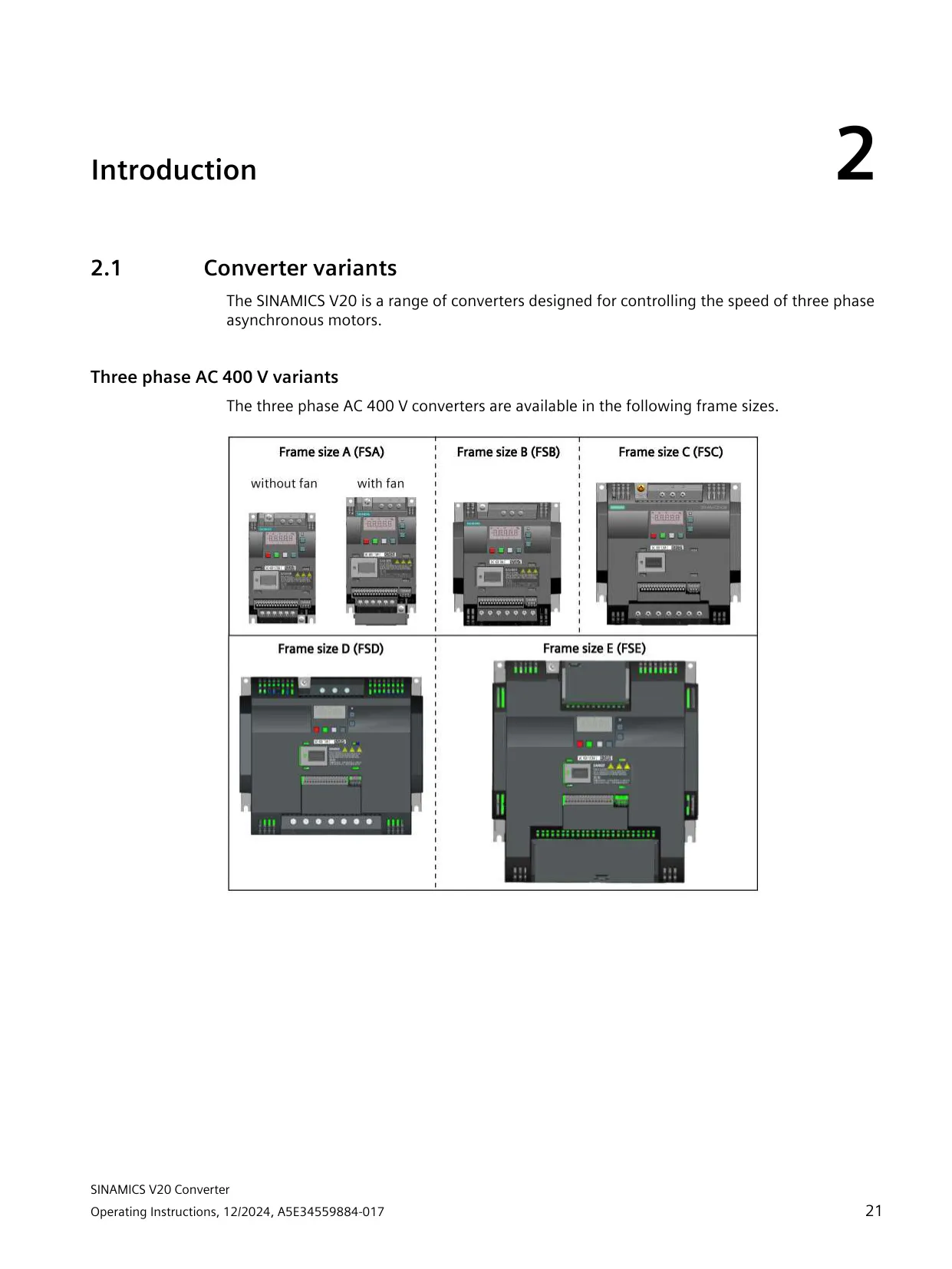
| Power range, 400 V three-phase | 0.37 kW to 30 kW (frame sizes FSA, FSB, FSC, FSD, FSE) |
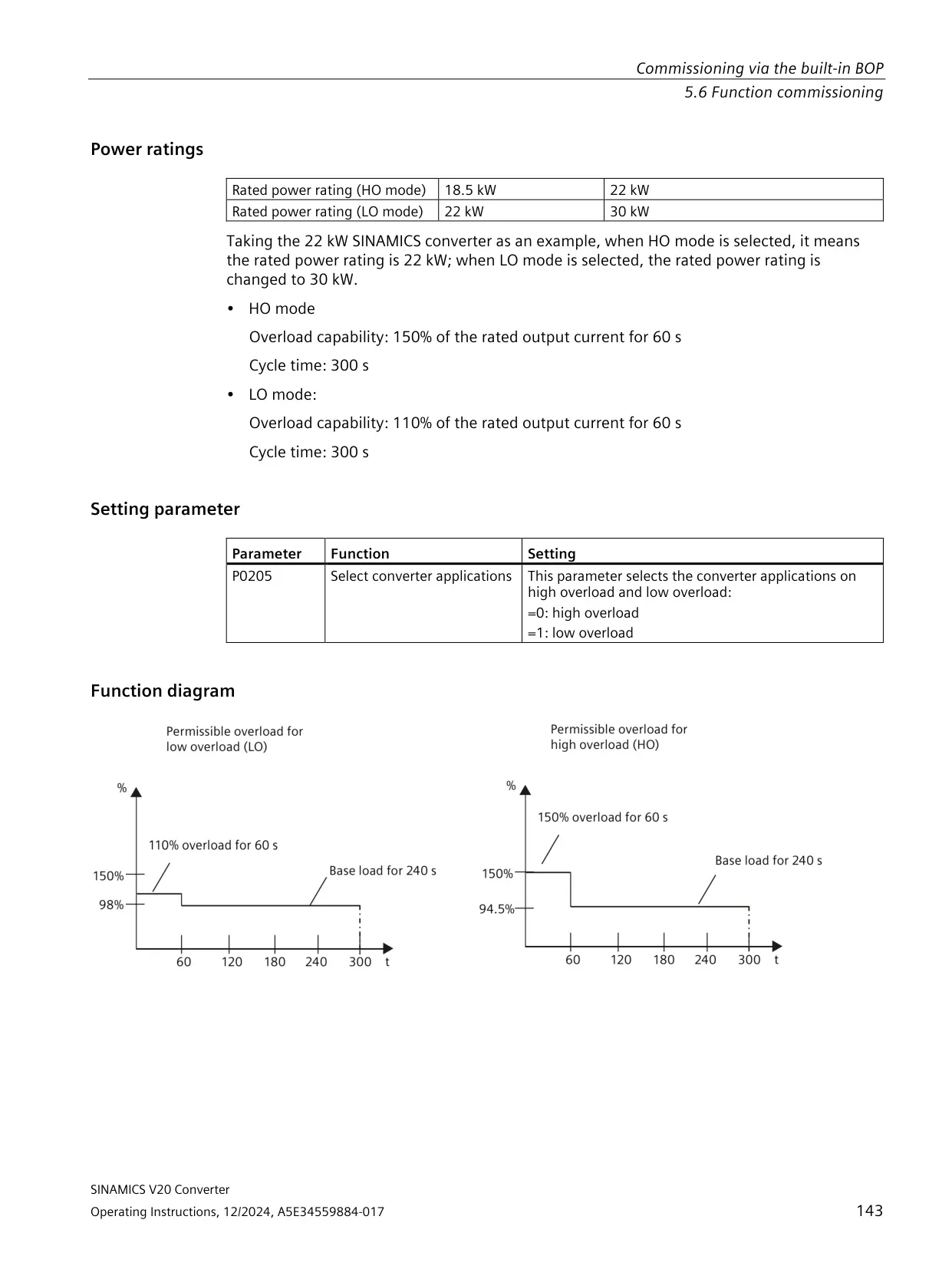
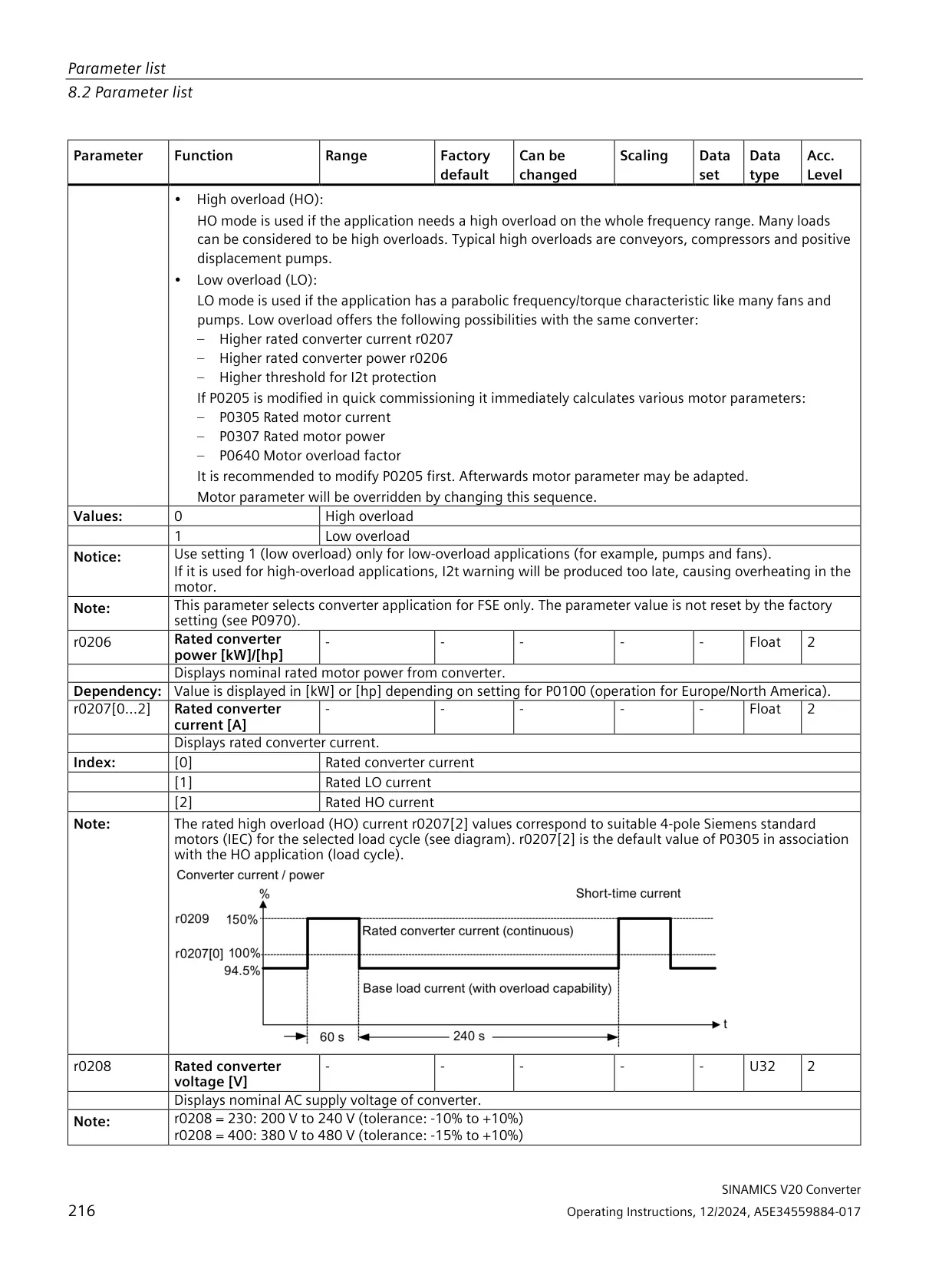
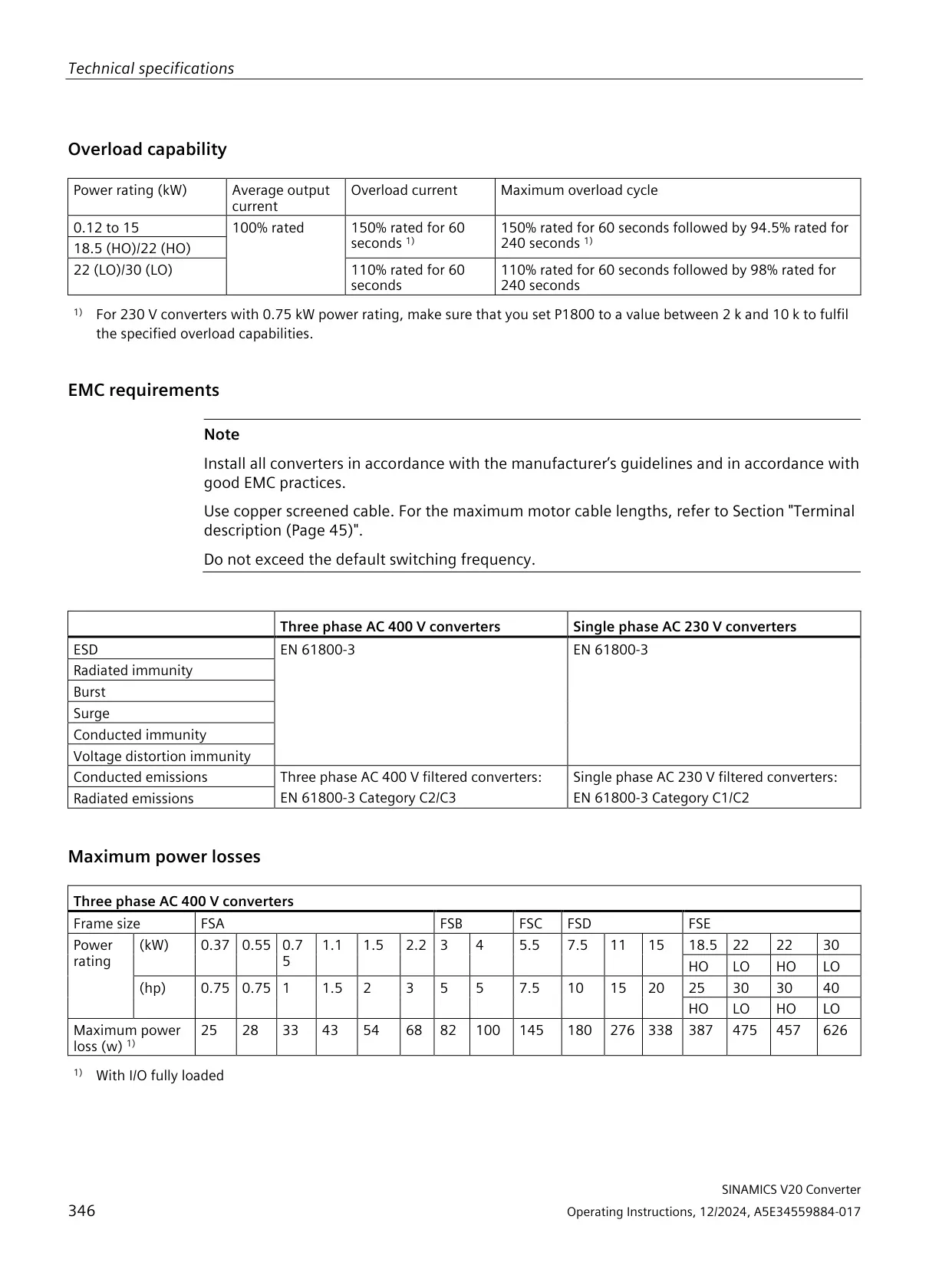
| Overload capability, 0.12 kW to 15 kW and 18.5/22 kW (HO) | 150% of rated current for 60 s, followed by 94.5% for 240 s |
| Overload capability, 22/30 kW (LO) | 110% of rated current for 60 s, followed by 98% for 240 s |
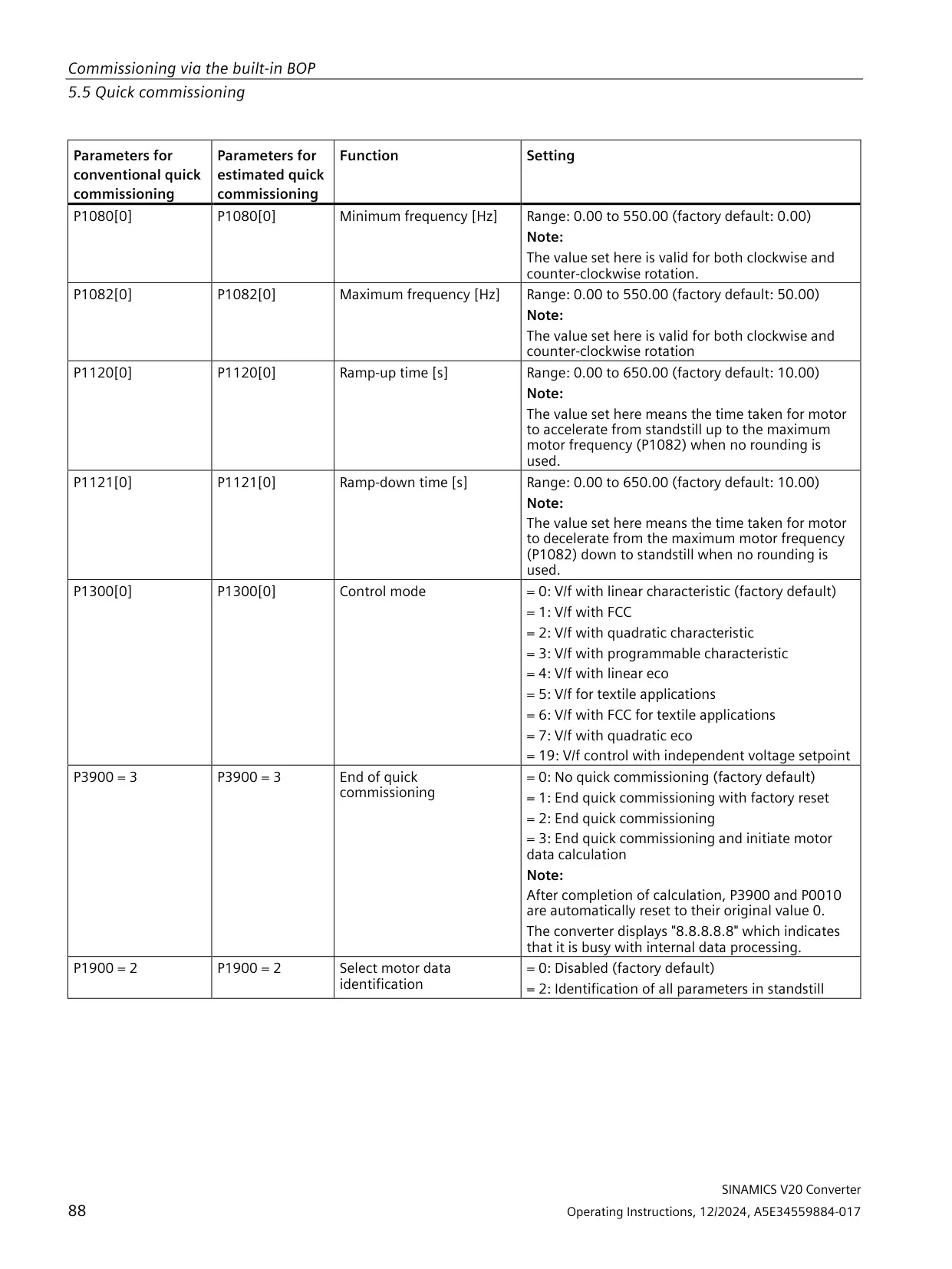
| Output frequency setting range | 0.00 Hz to 550.00 Hz (factory maximum 50.00 Hz) |
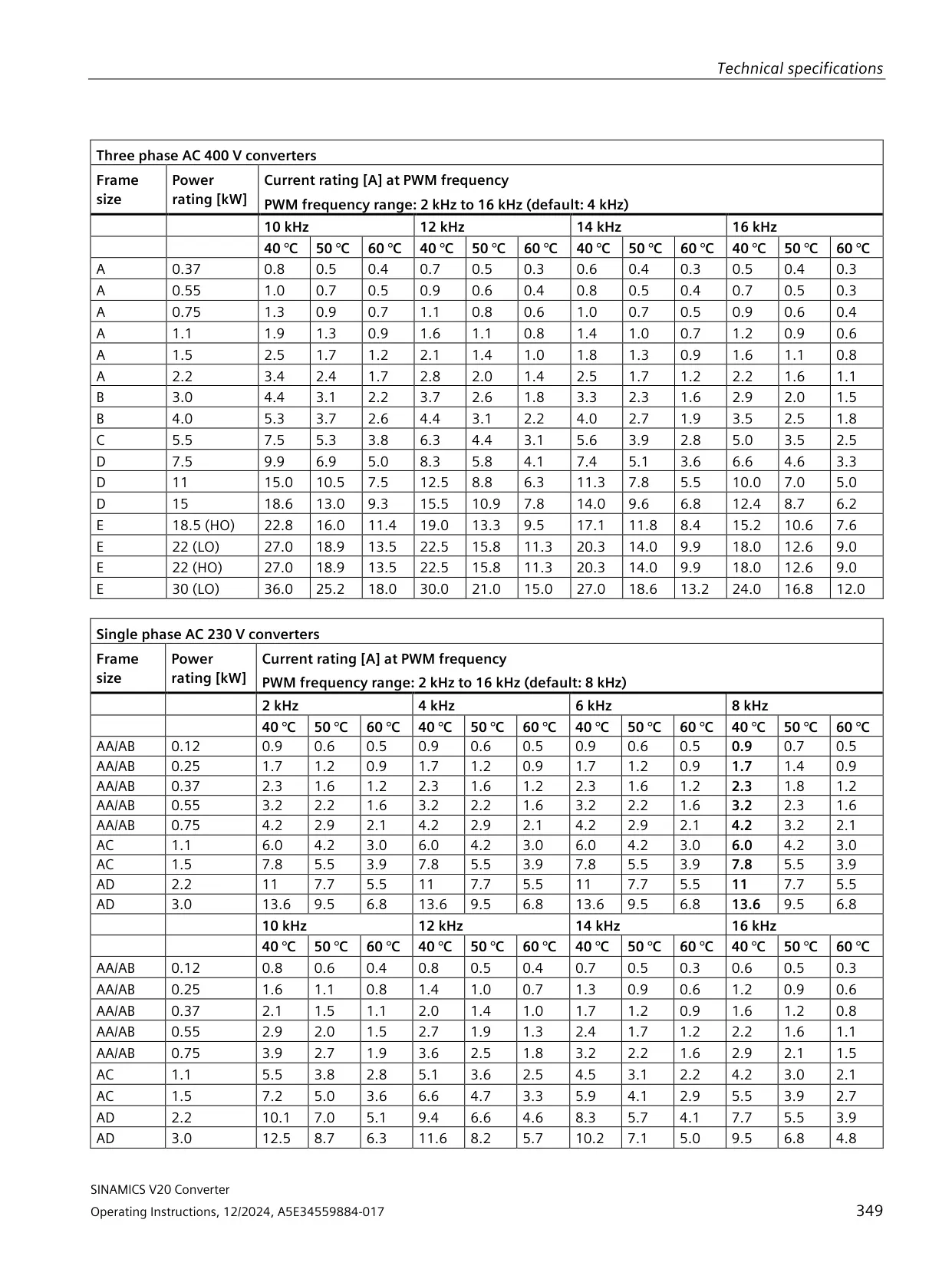
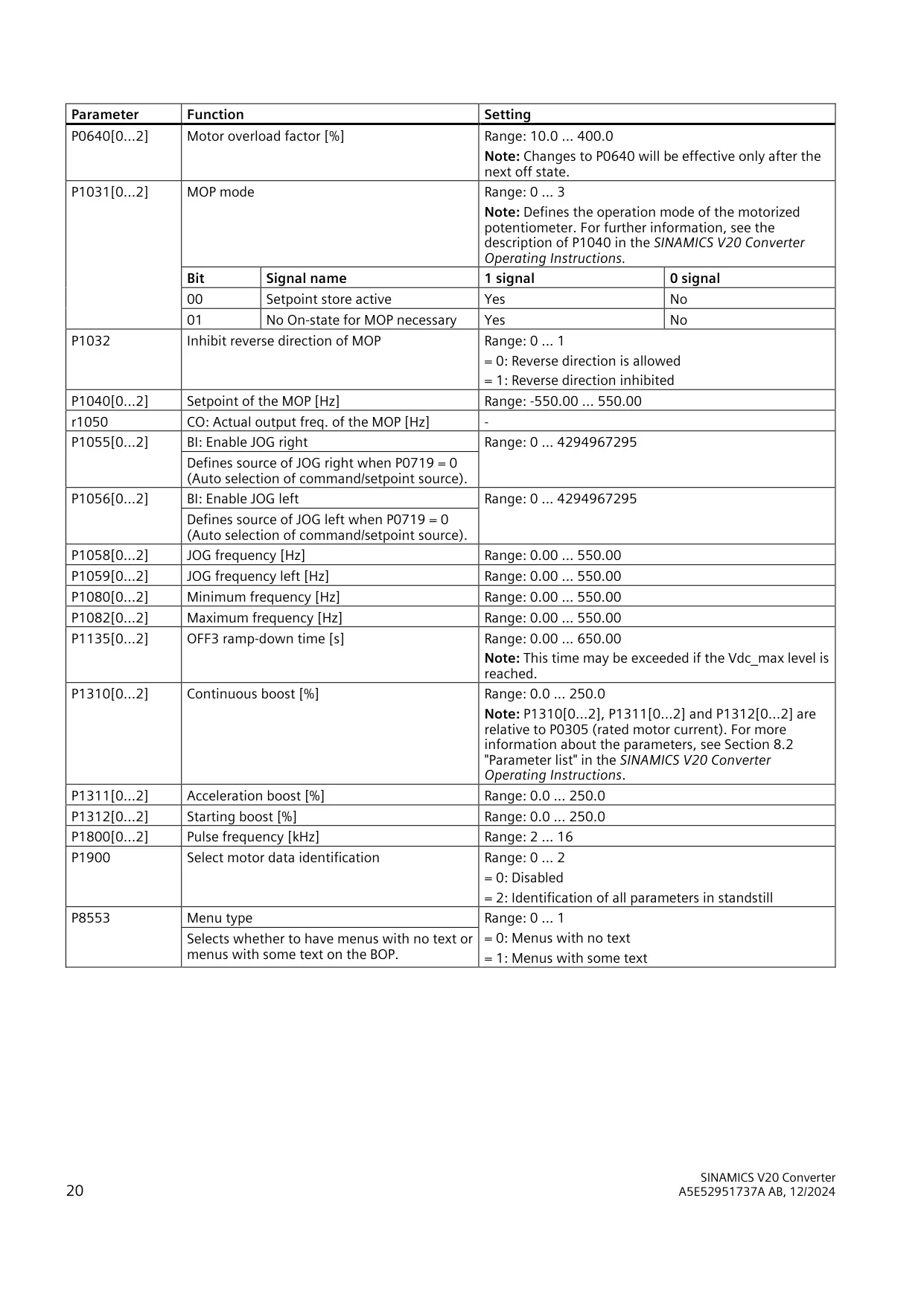
| Pulse frequency | 2 kHz to 16 kHz (P1800) |
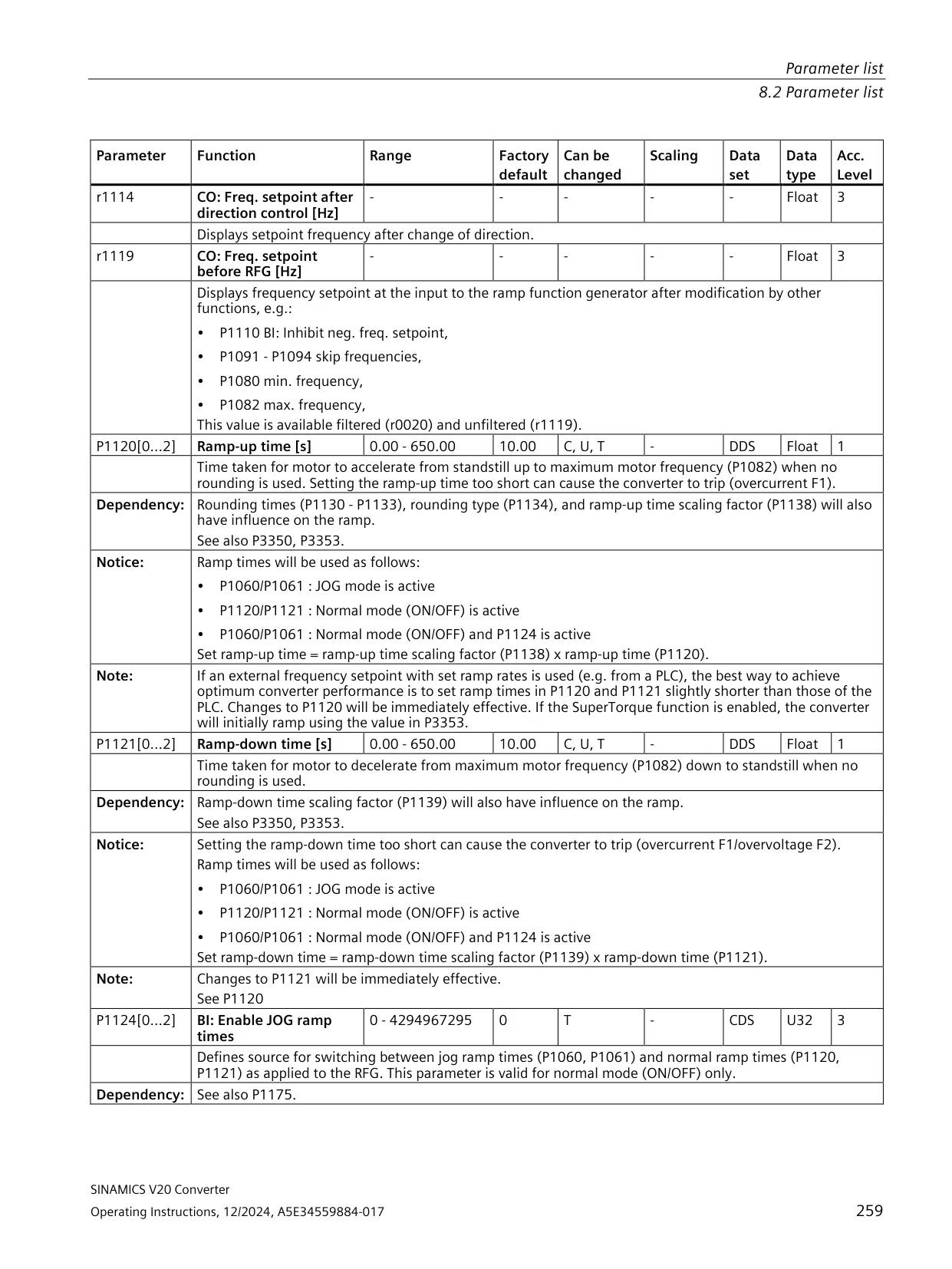
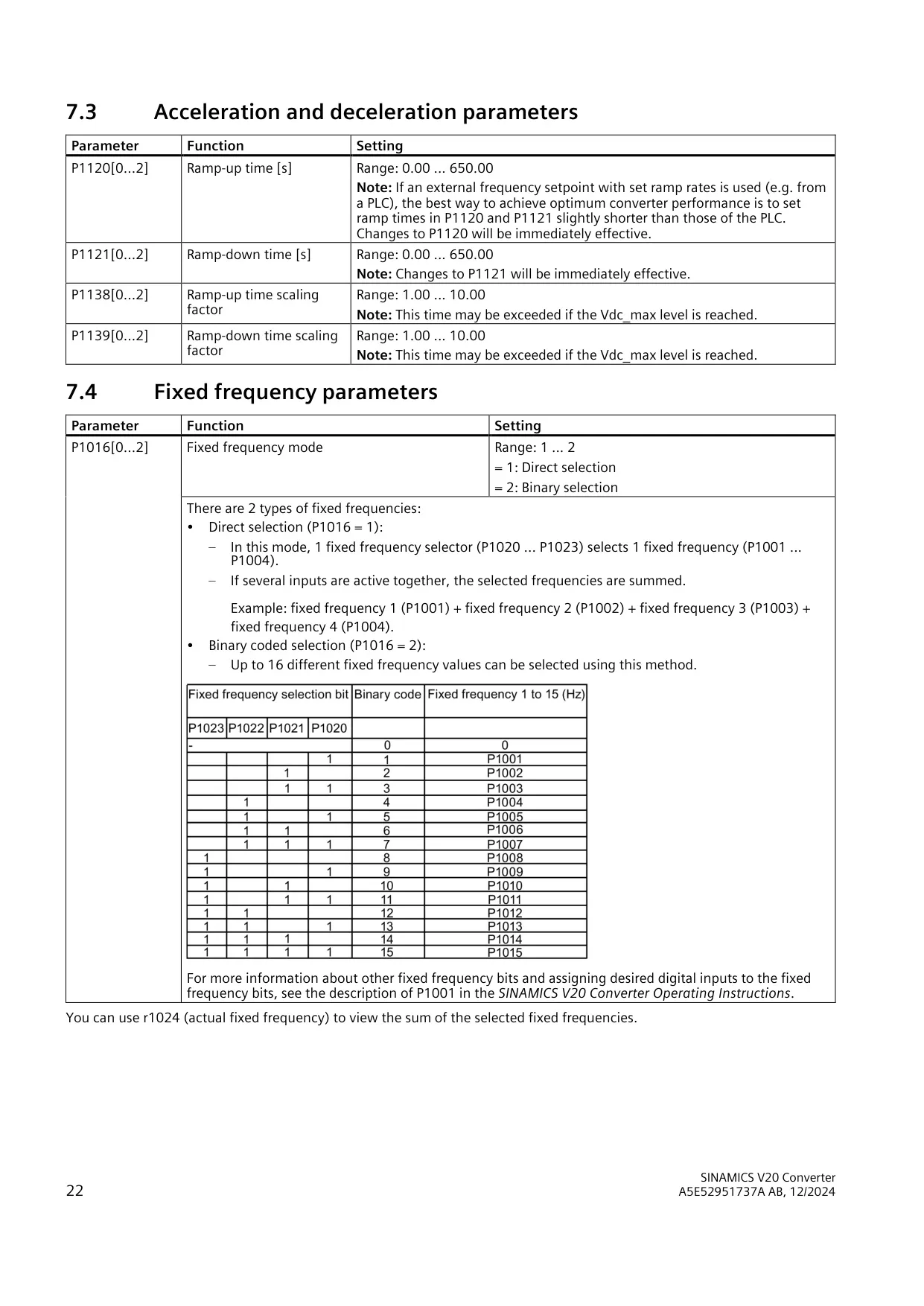
| Ramp-up / ramp-down time | 0.00 s to 650.00 s (factory default 10.00 s) |
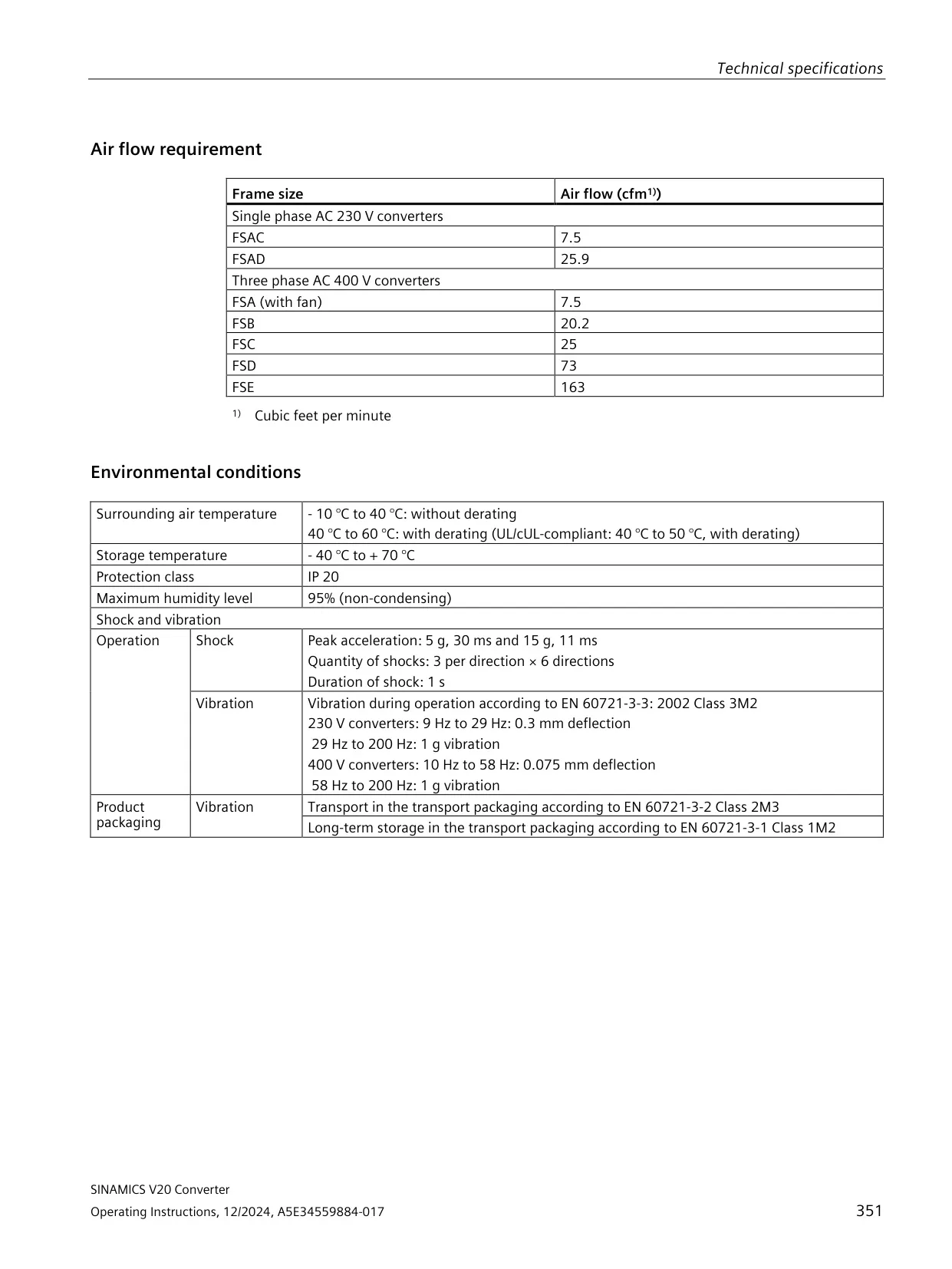
| Surrounding air temperature | -10 °C to +60 °C (derating above 40 °C) |
| Storage temperature | -40 °C to +70 °C |
| Protection class | IP20 |
| Maximum relative humidity | 95% (non-condensing) |
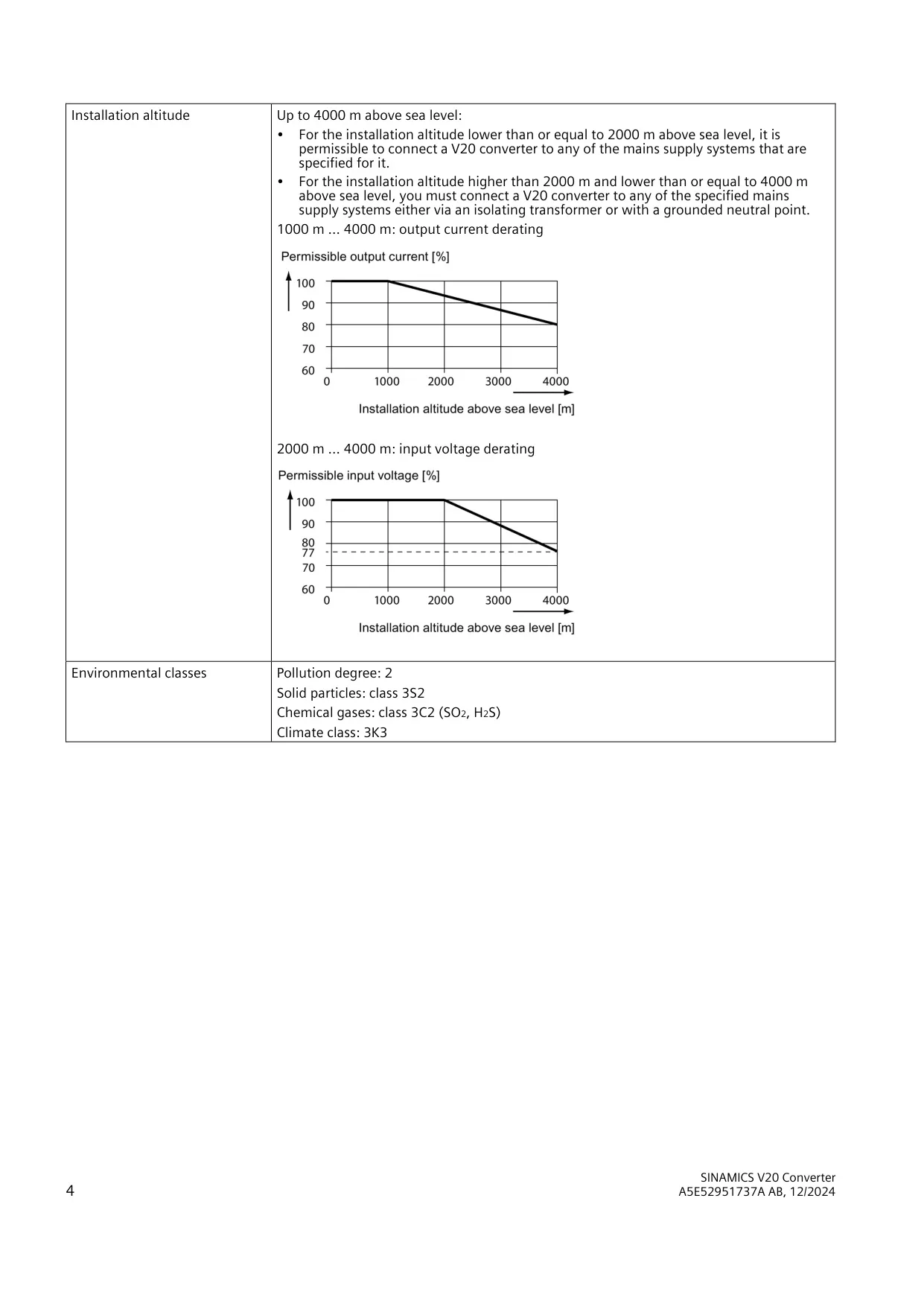
| Installation altitude | Up to 4000 m; output current derating from 1000 m, input voltage derating from 2000 m |
| Shock (operation) | 5 g for 30 ms and 15 g for 11 ms; 3 shocks per direction × 6 directions |
| Vibration, 230 V converters | 9 Hz to 29 Hz: 0.3 mm deflection; 29 Hz to 200 Hz: 1 g (EN 60721-3-3 Class 3M2) |
| Vibration, 400 V converters | 10 Hz to 58 Hz: 0.075 mm deflection; 58 Hz to 200 Hz: 1 g (EN 60721-3-3 Class 3M2) |
| Environmental classes | Pollution degree 2; solid particles 3S2; chemical gases 3C2; climate class 3K3 |
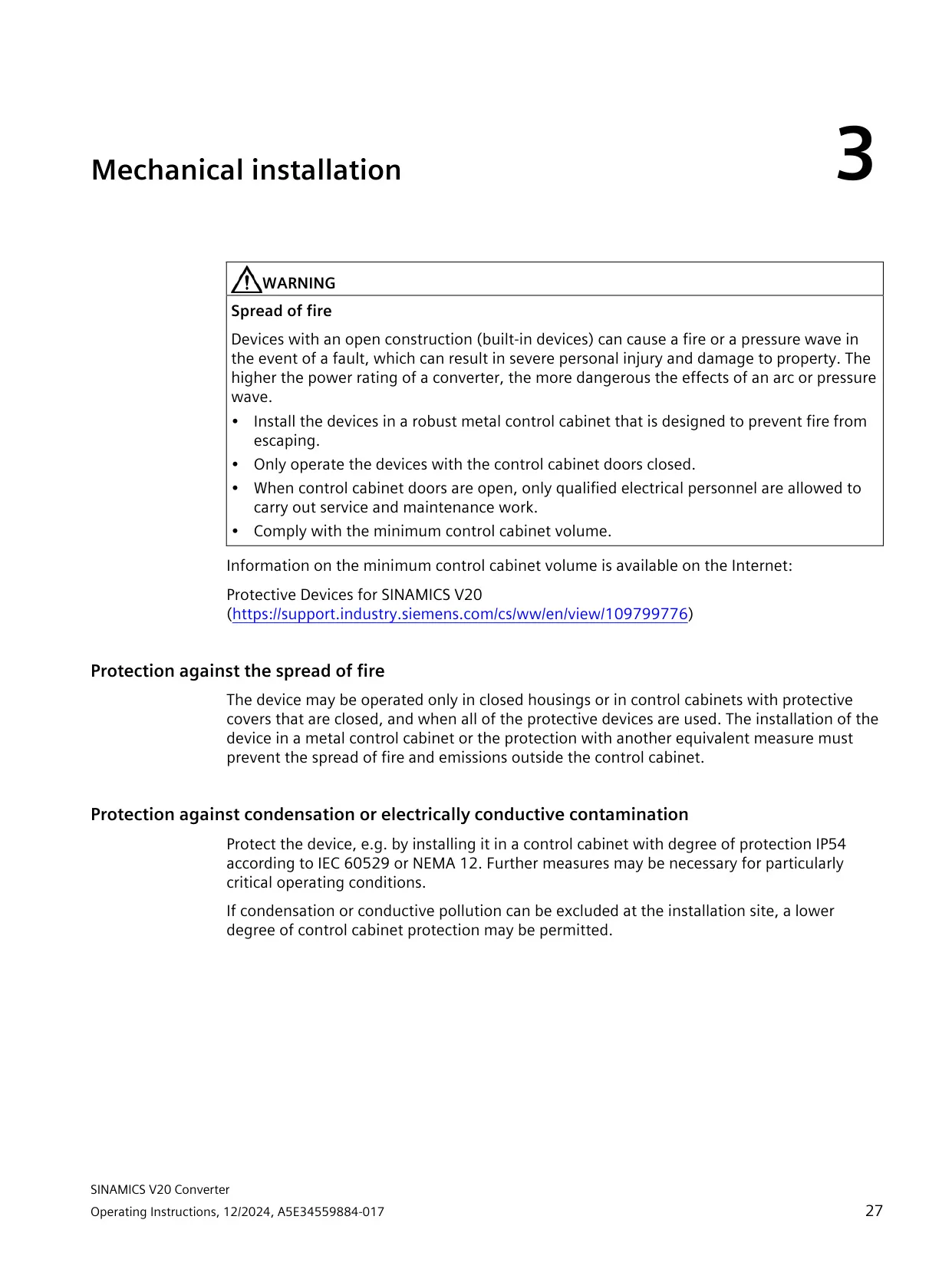
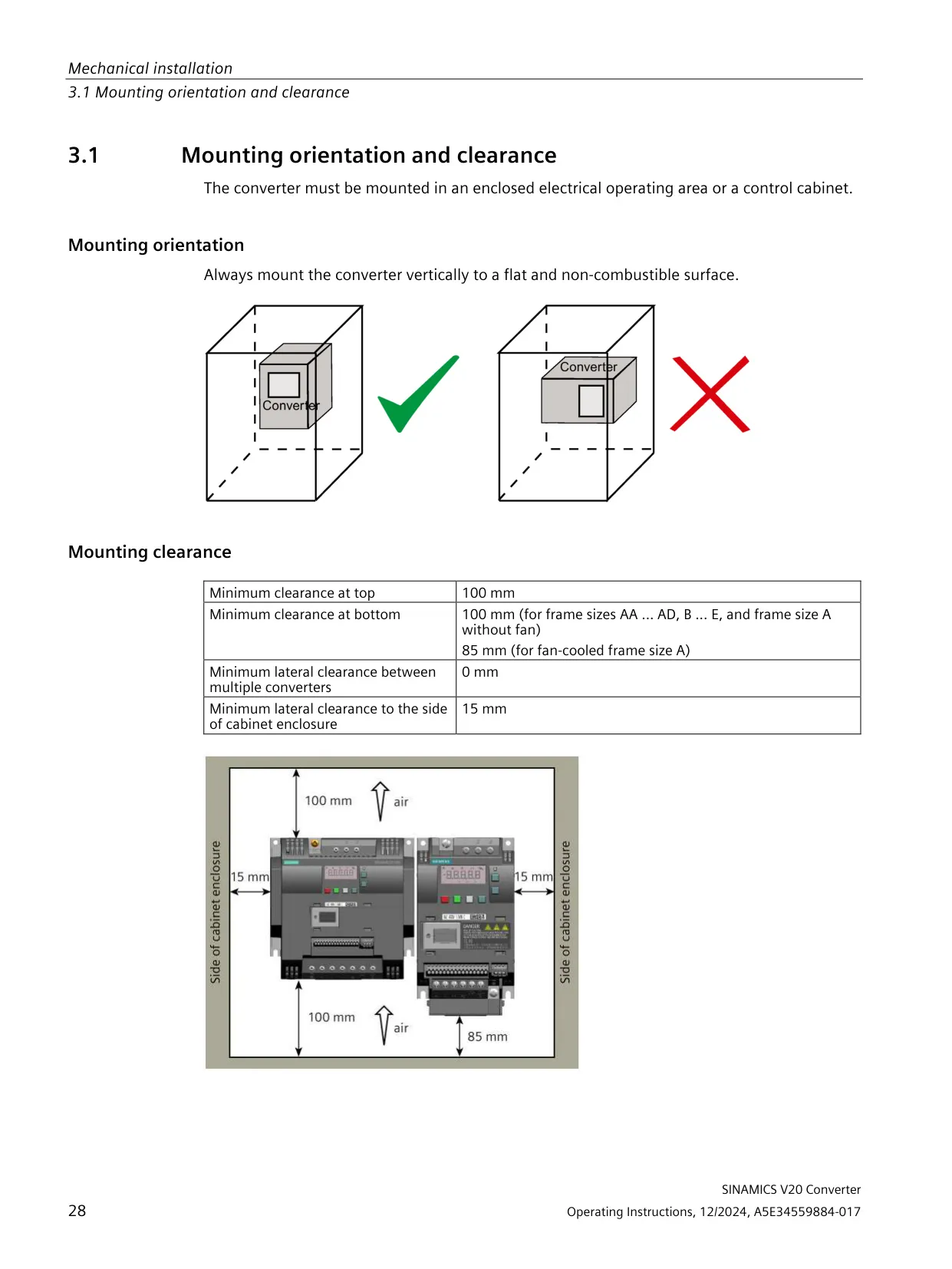
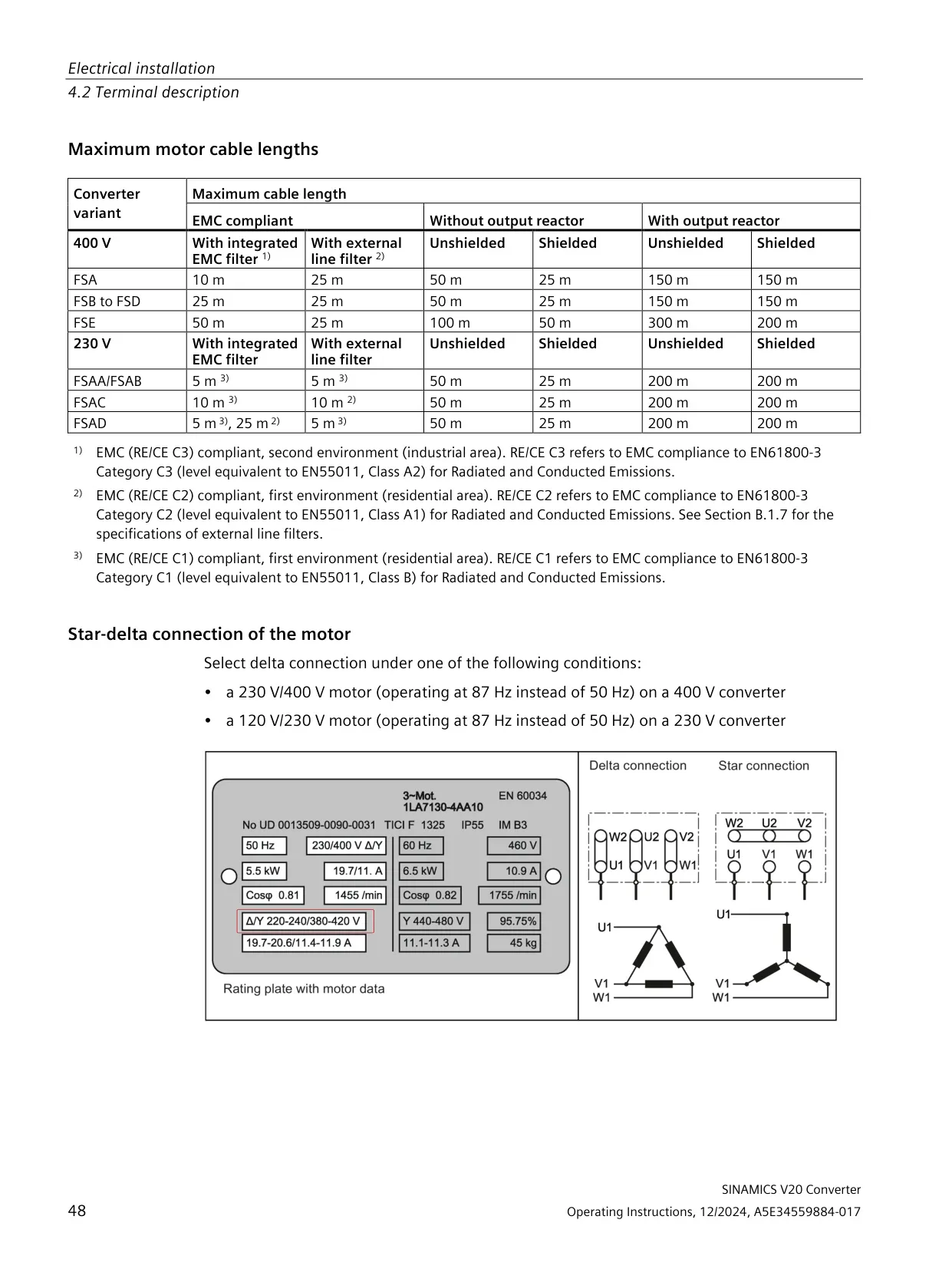
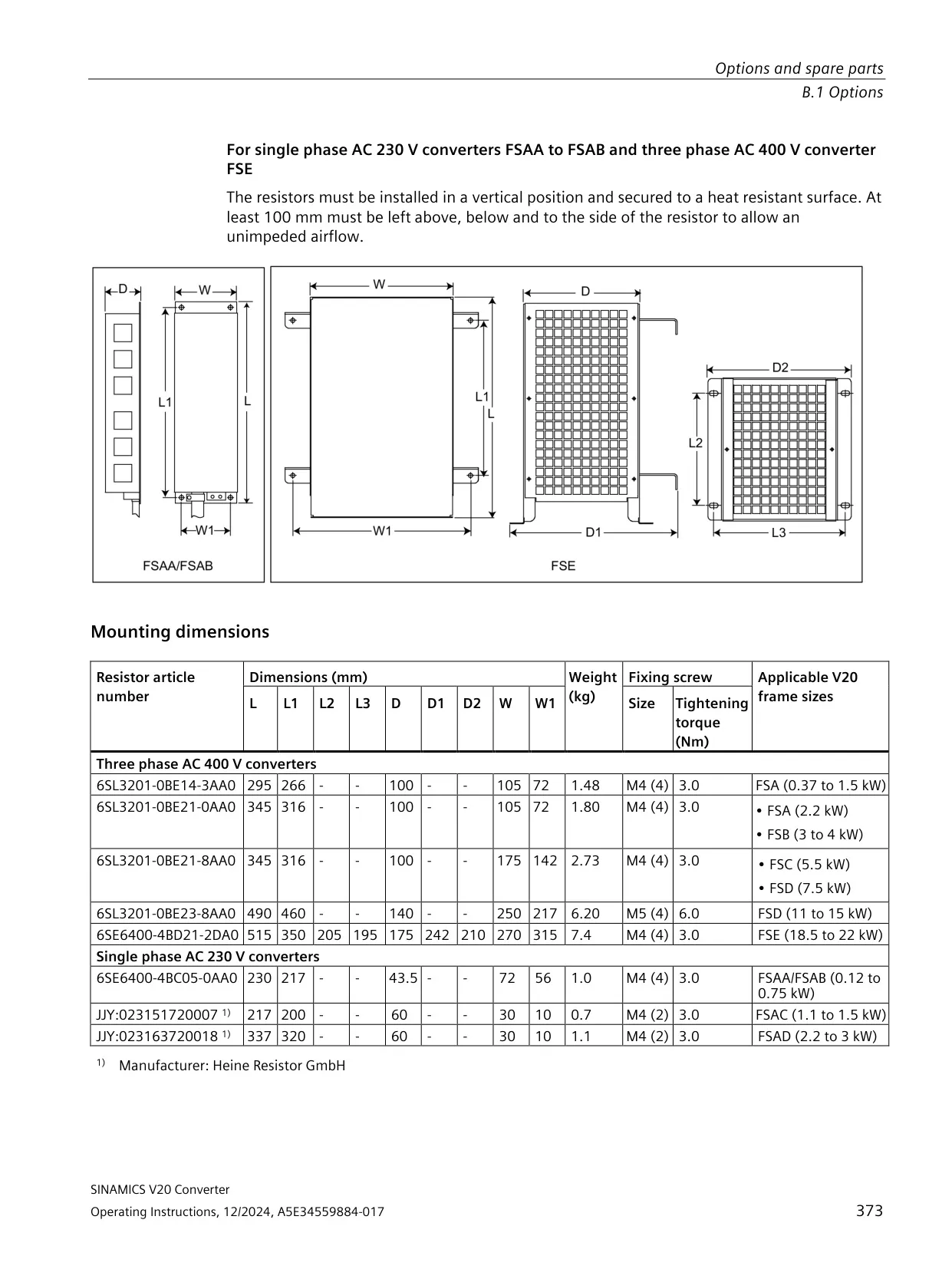
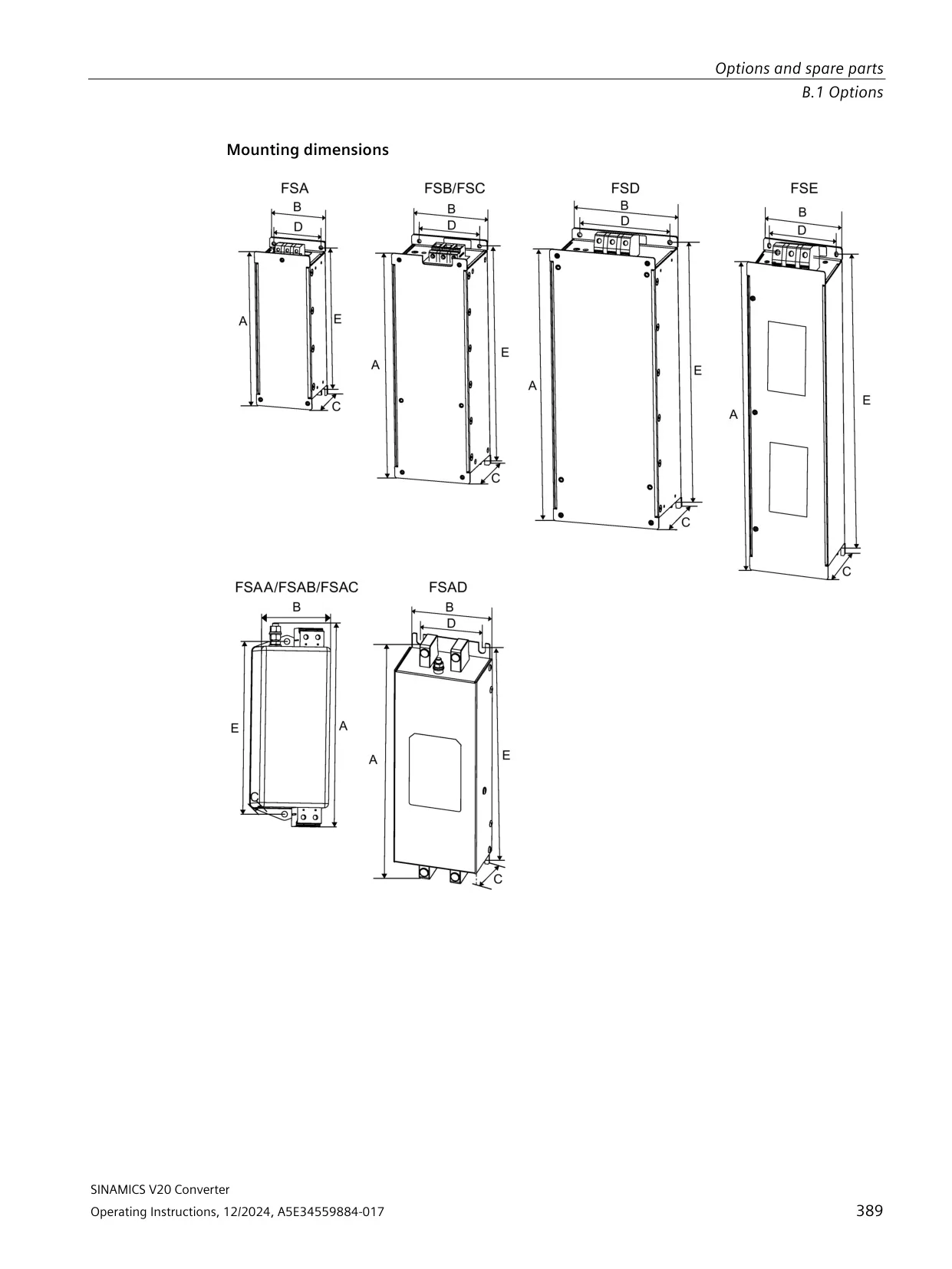
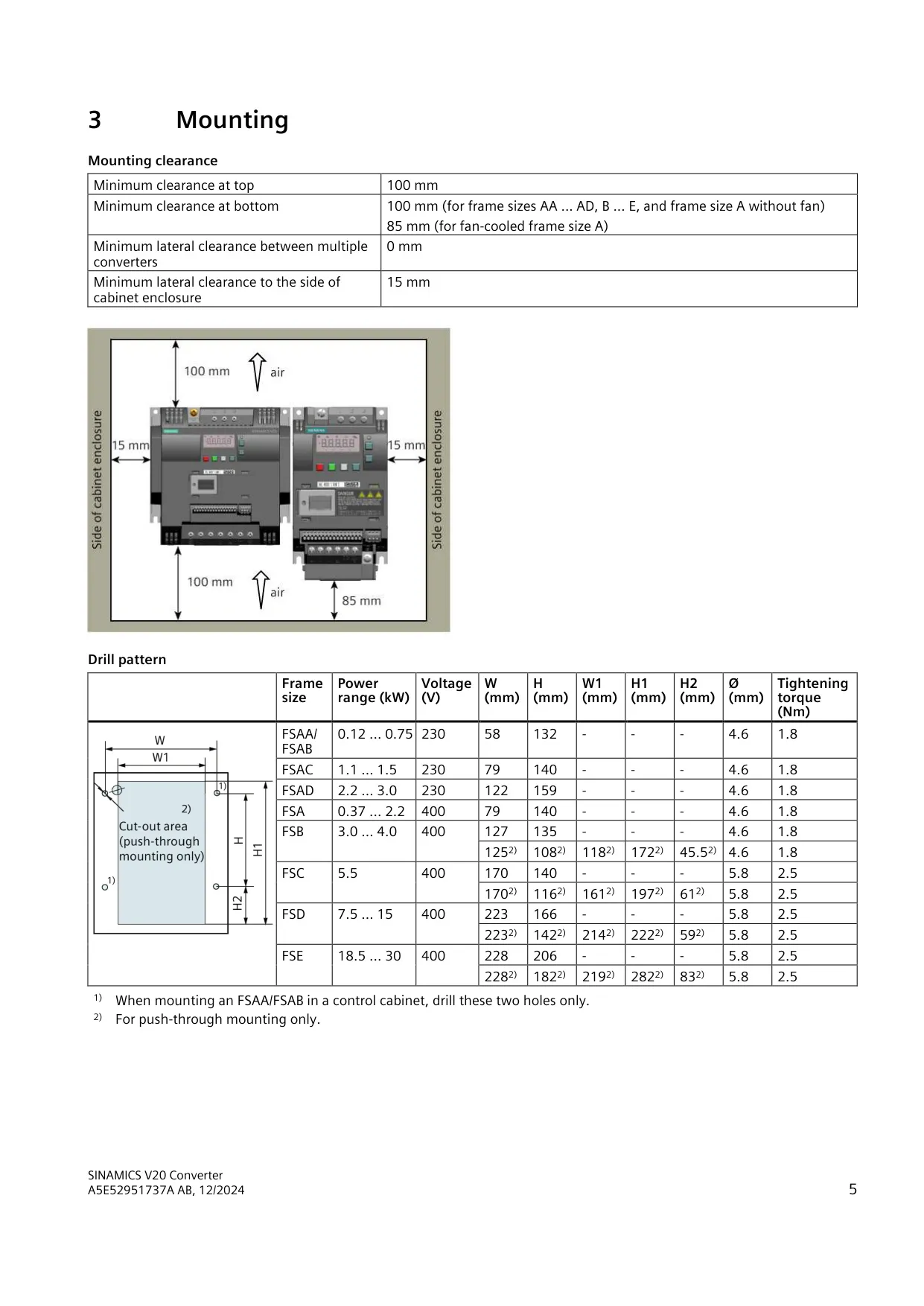
| Mounting clearance | Top 100 mm; bottom 100 mm (85 mm for fan-cooled FSA); 0 mm side-by-side; 15 mm to the cabinet wall |
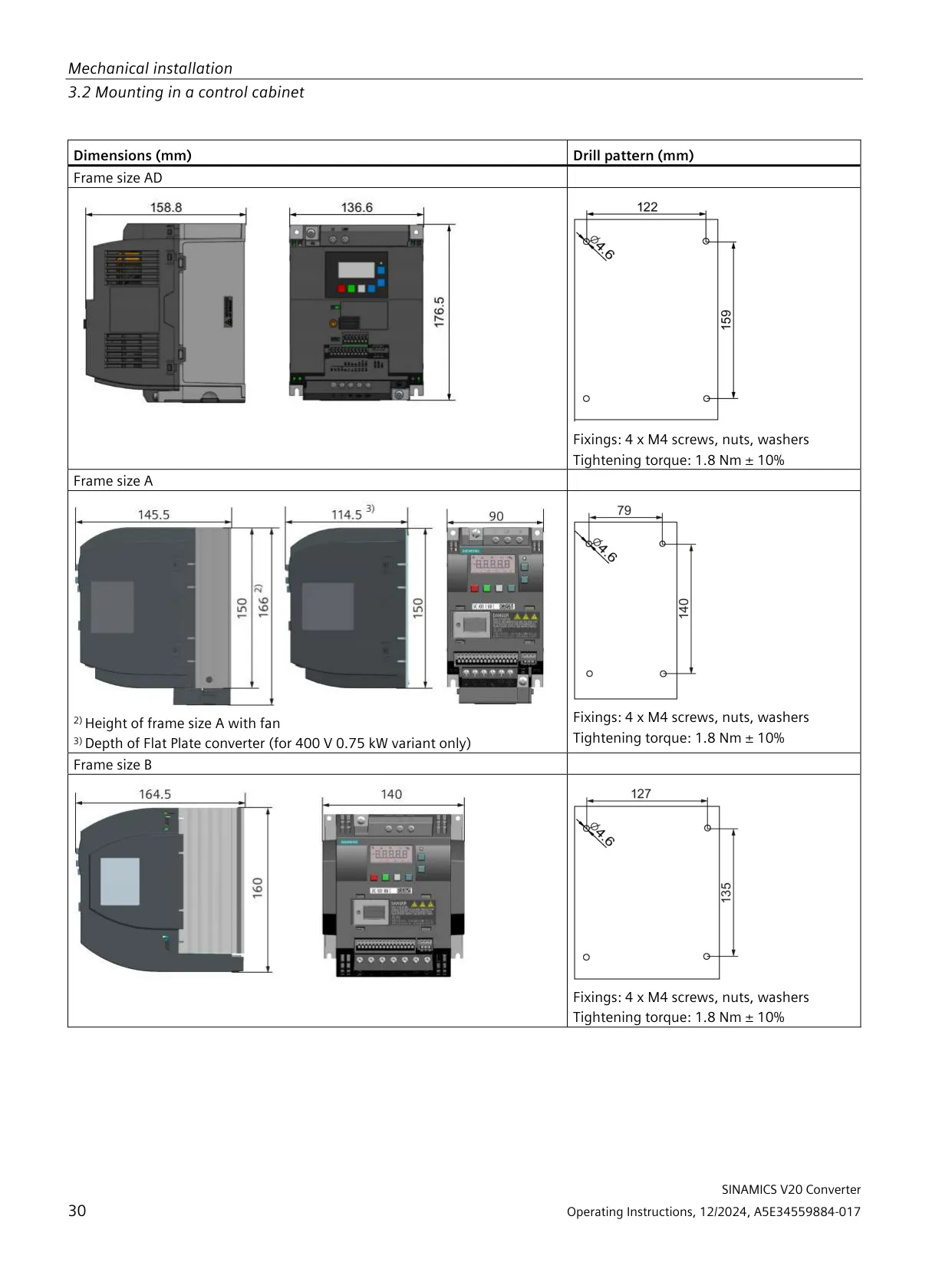
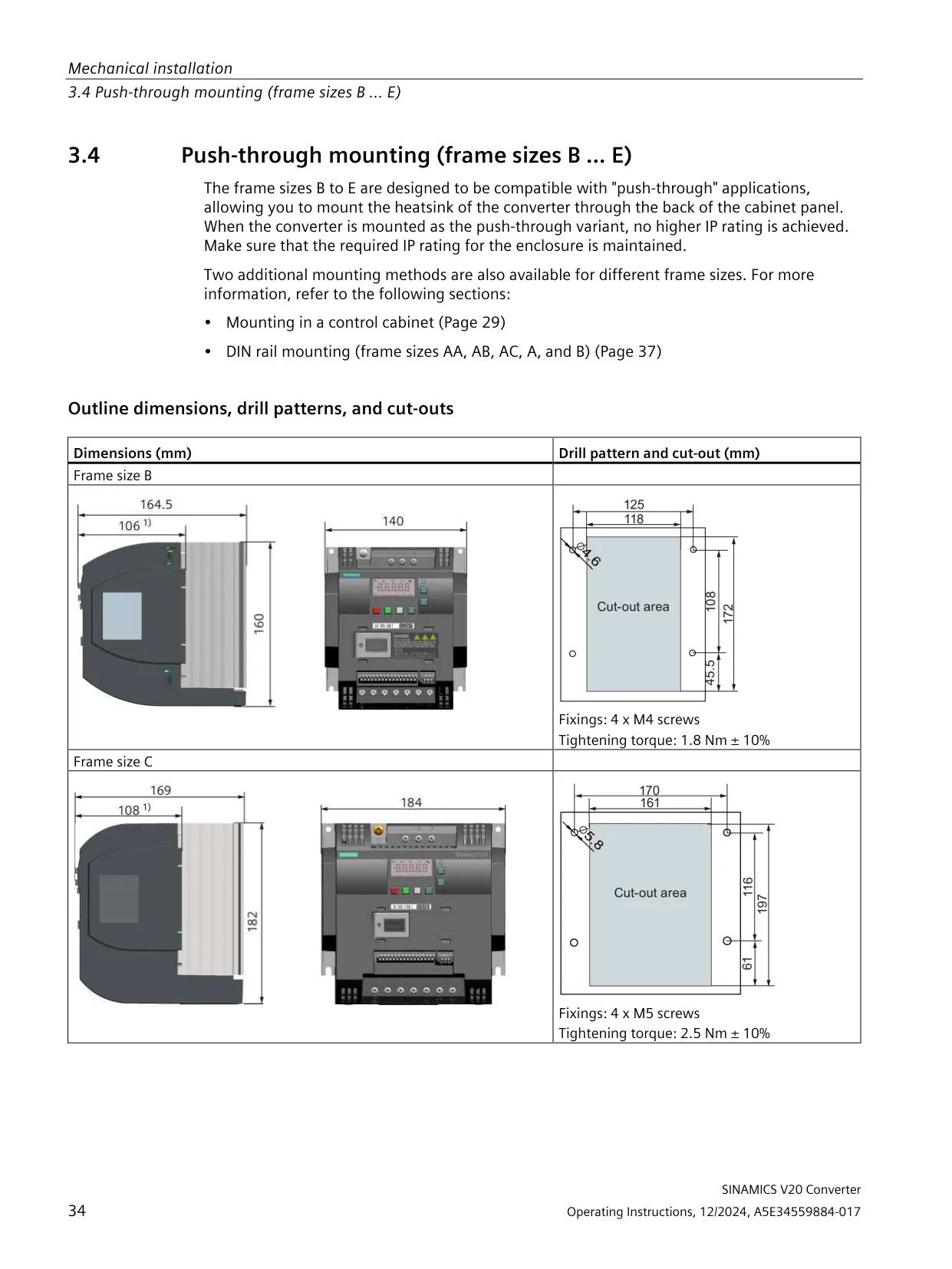
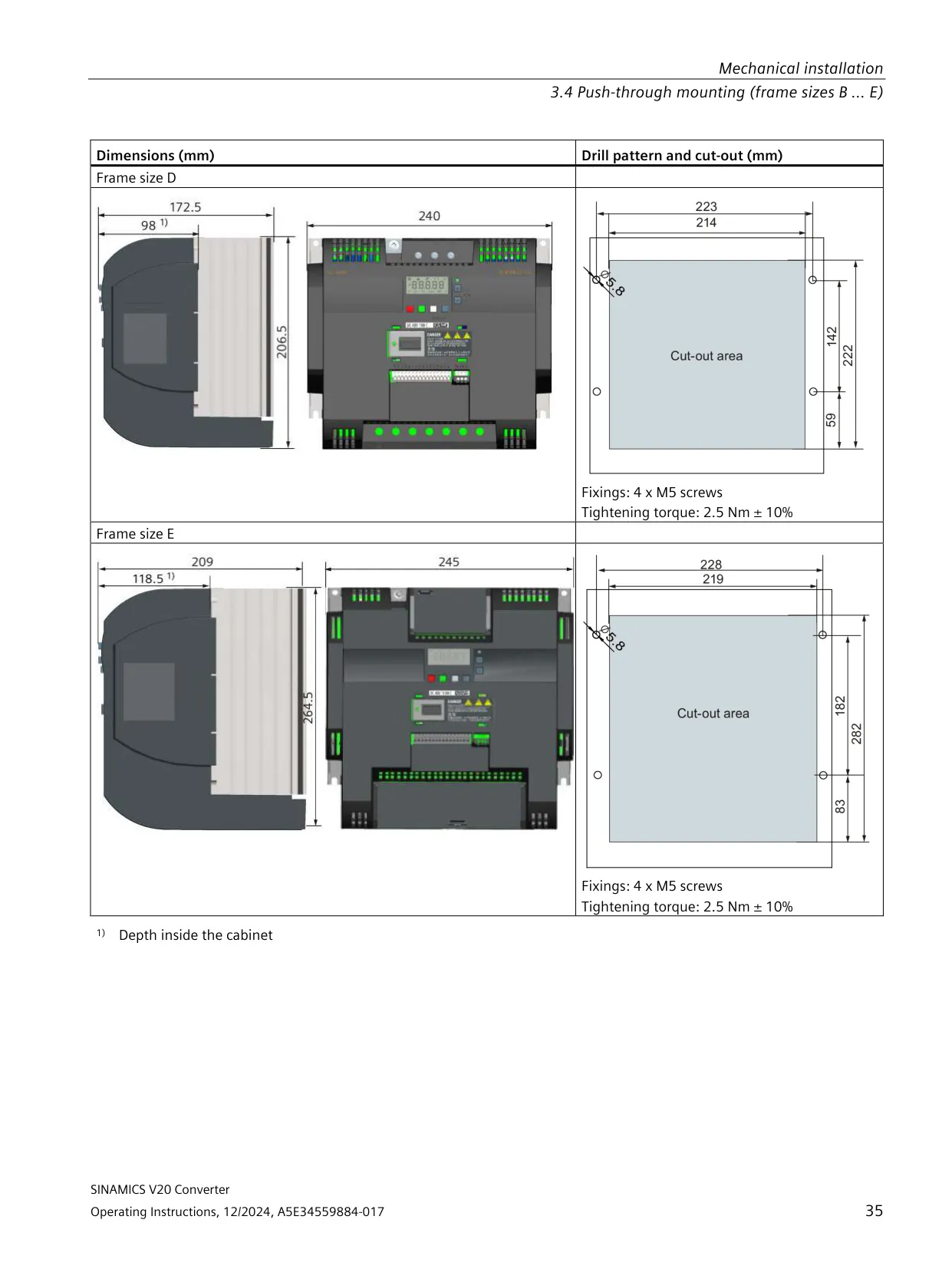
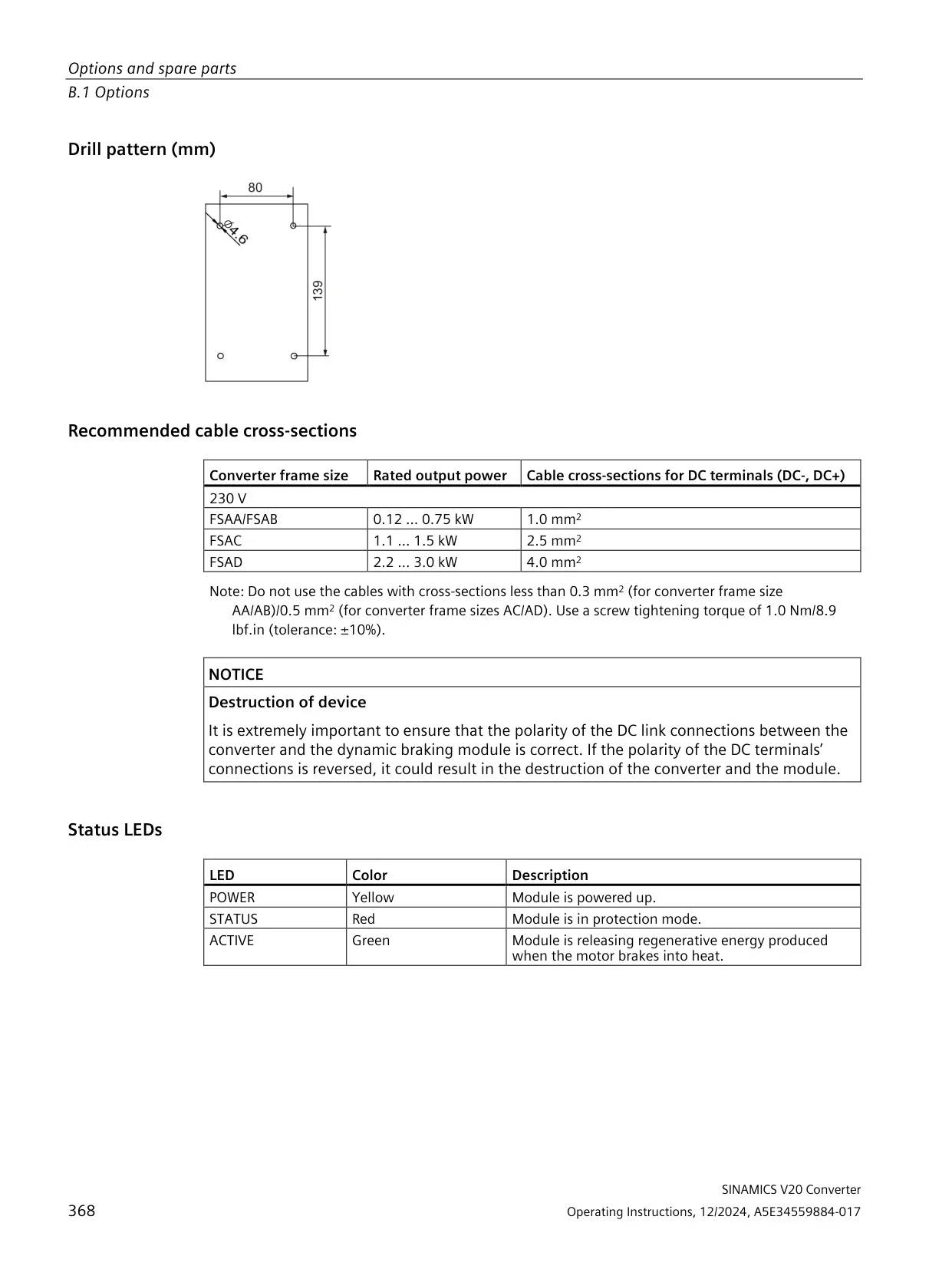
| Drill pattern W × H (wall mounting) | FSAA/FSAB 58 × 132 mm; FSAC 79 × 140 mm; FSAD 122 × 159 mm; FSA 79 × 140 mm; FSB 127 × 135 mm; FSC 170 × 140 mm; FSD 223 × 166 mm; FSE 228 × 206 mm |
| Mounting hole / tightening torque | Ø 4.6 mm, 1.8 Nm (FSAA to FSB); Ø 5.8 mm, 2.5 Nm (FSC to FSE) |
| Push-through mounting | Available for FSB, FSC, FSD and FSE |
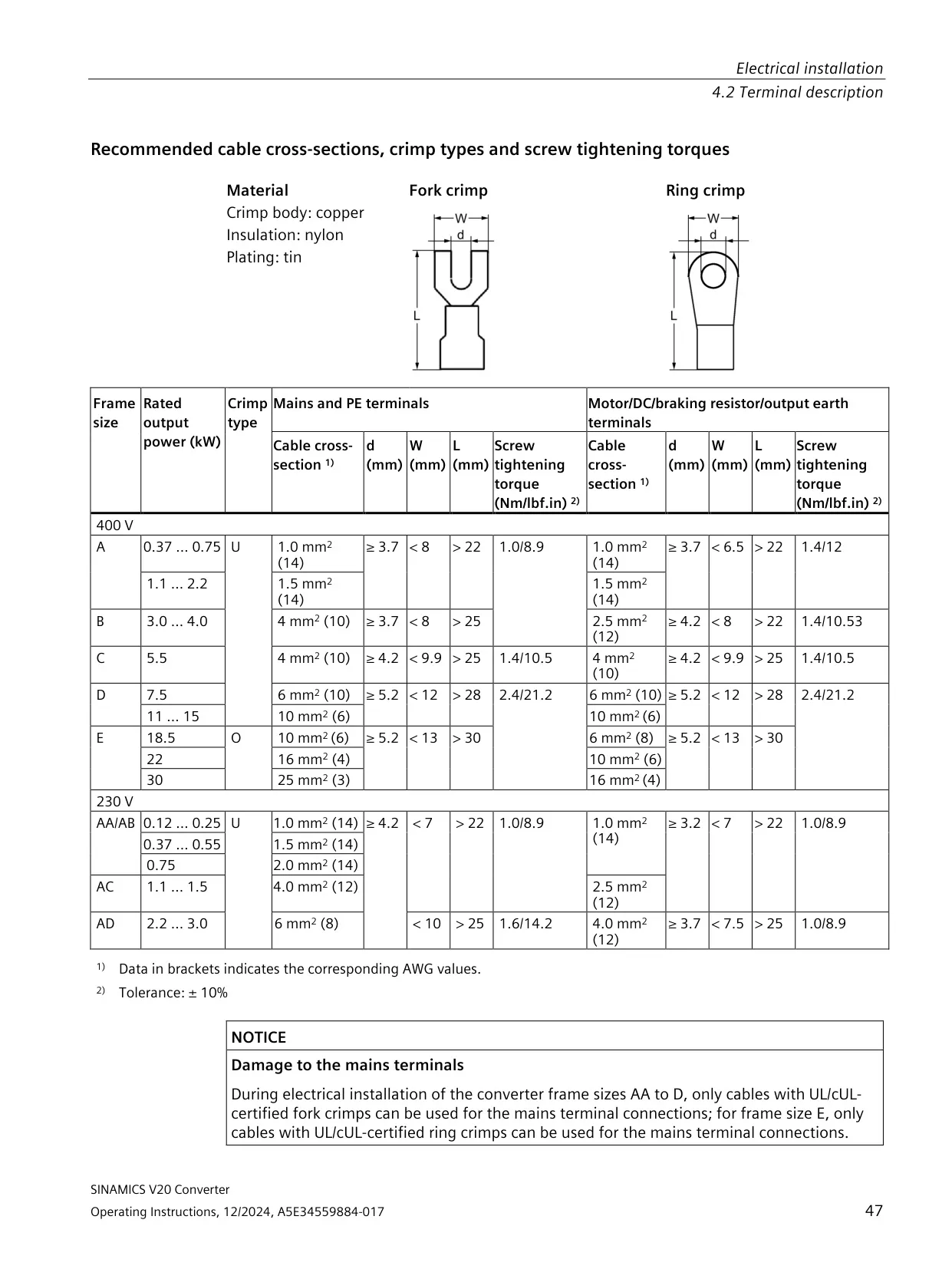
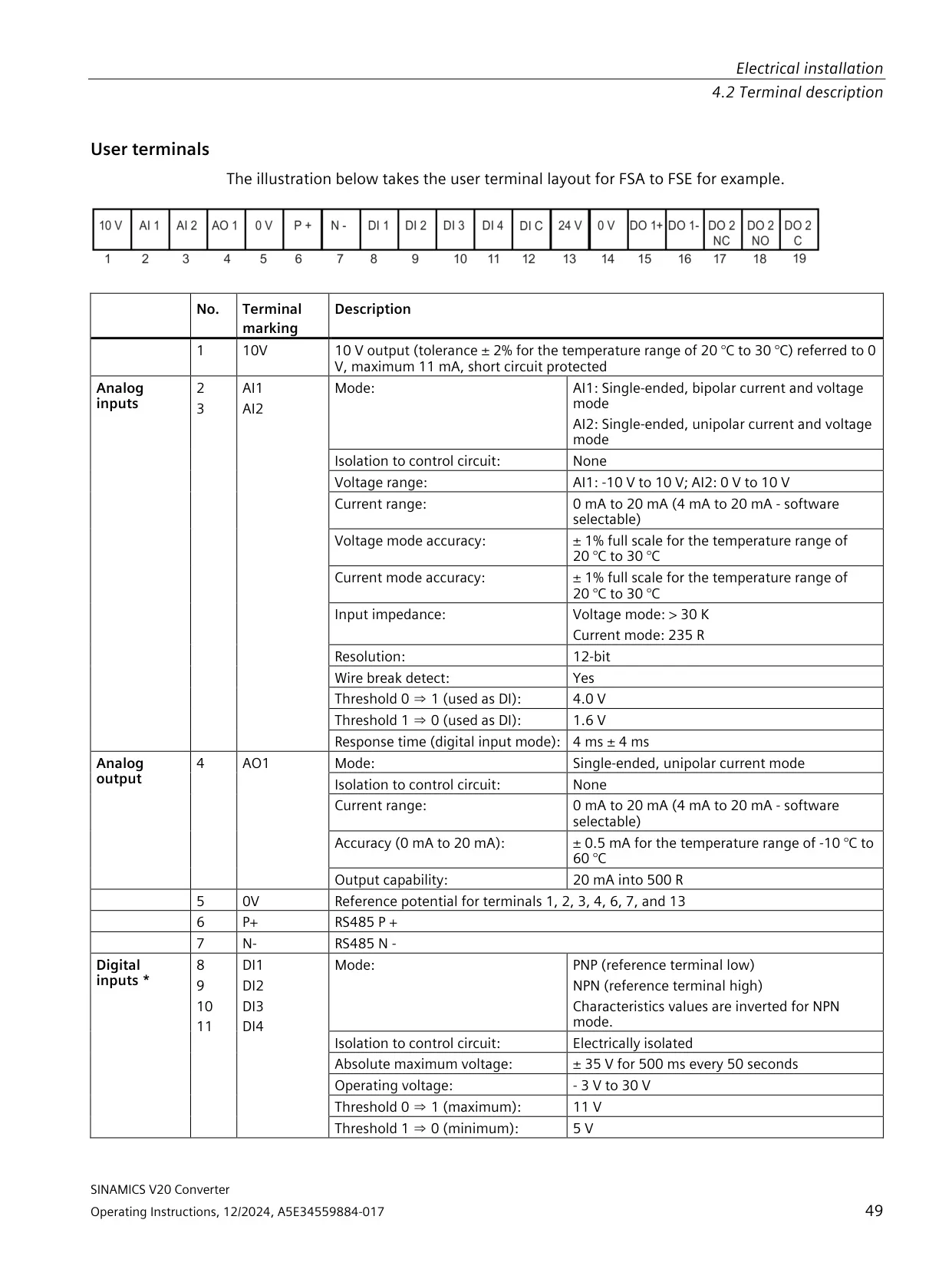
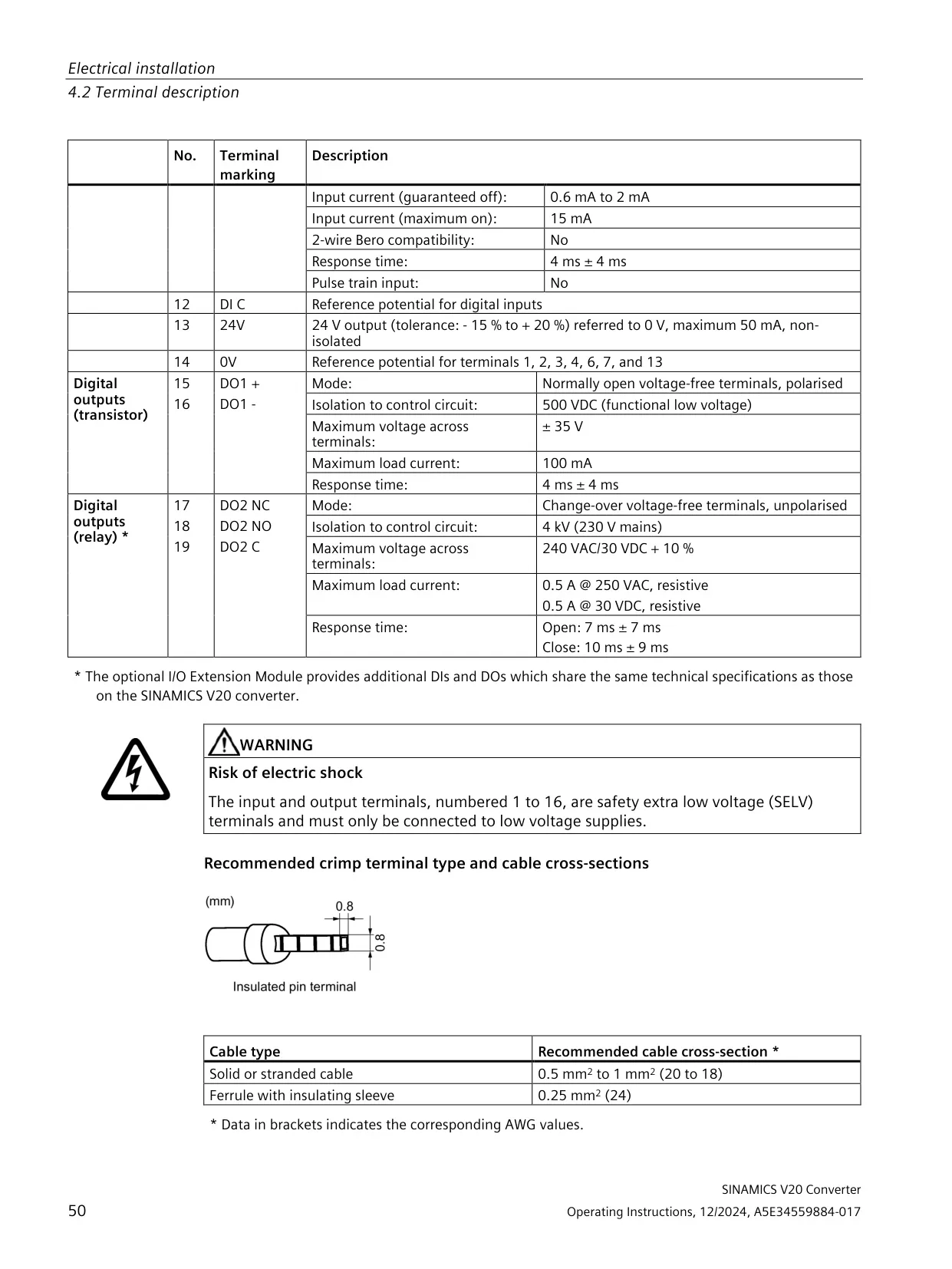
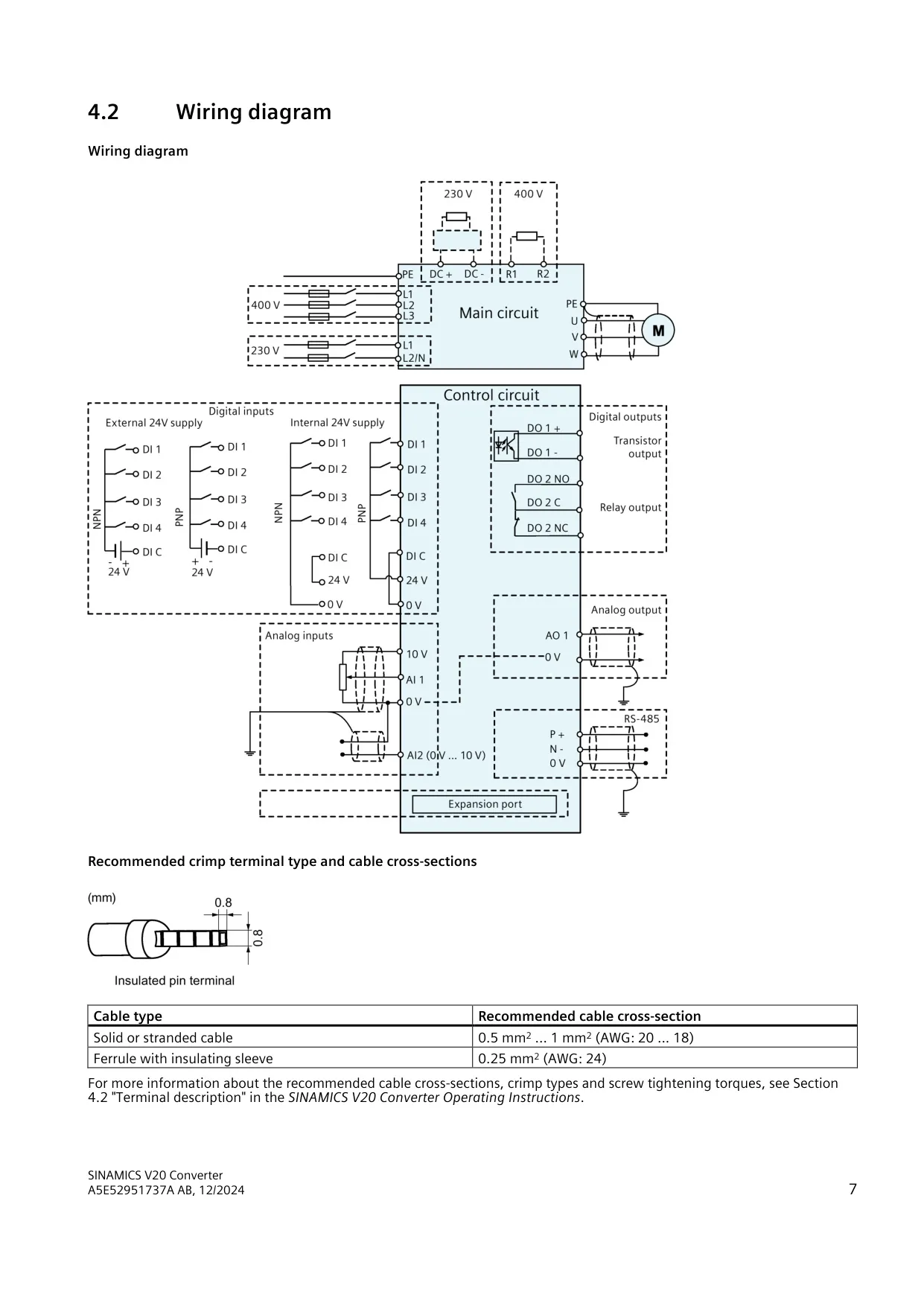
| Control terminal cables | Solid or stranded 0.5 mm² to 1 mm² (AWG 20 to 18); ferrule with insulating sleeve 0.25 mm² (AWG 24) |
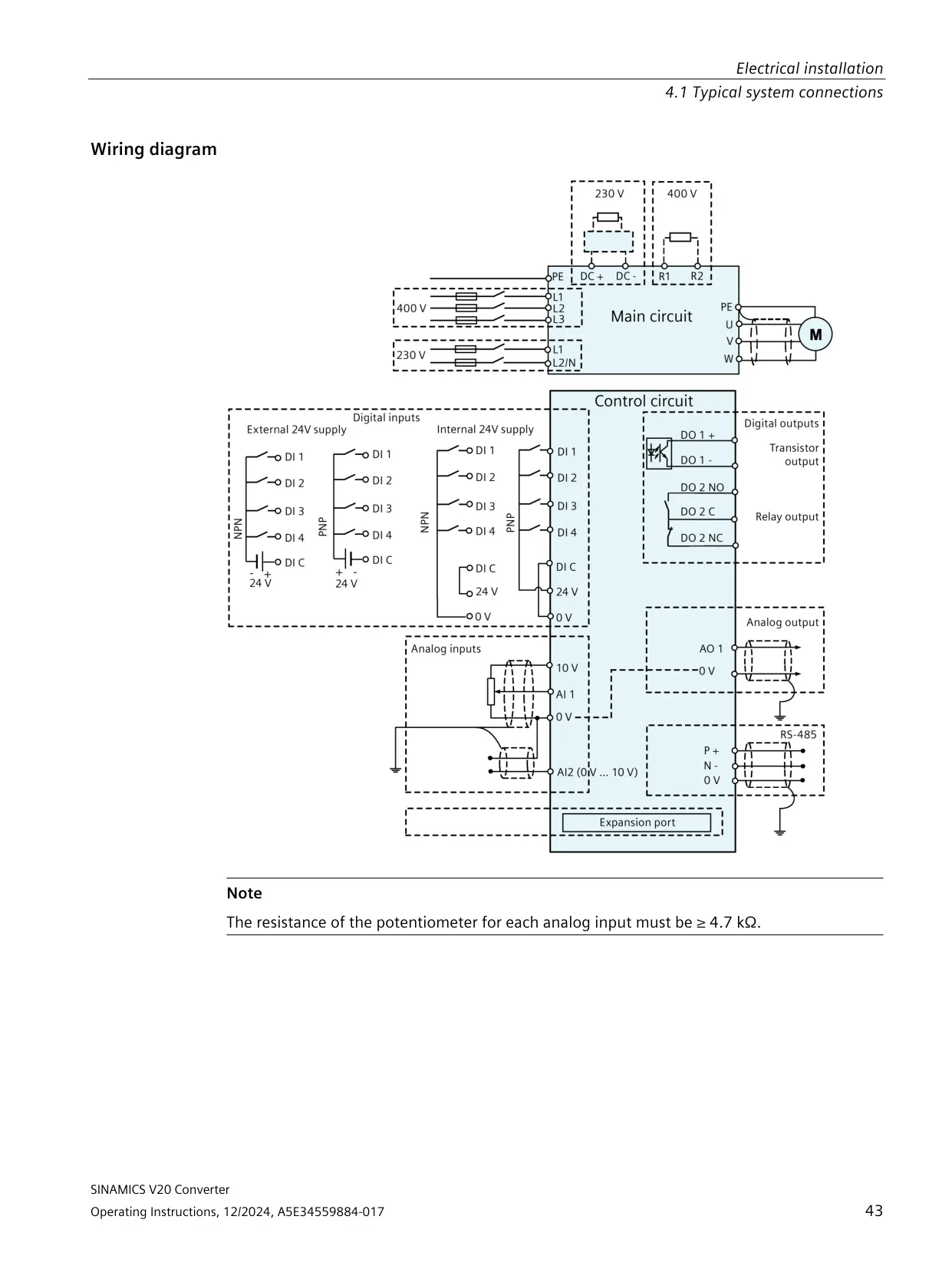
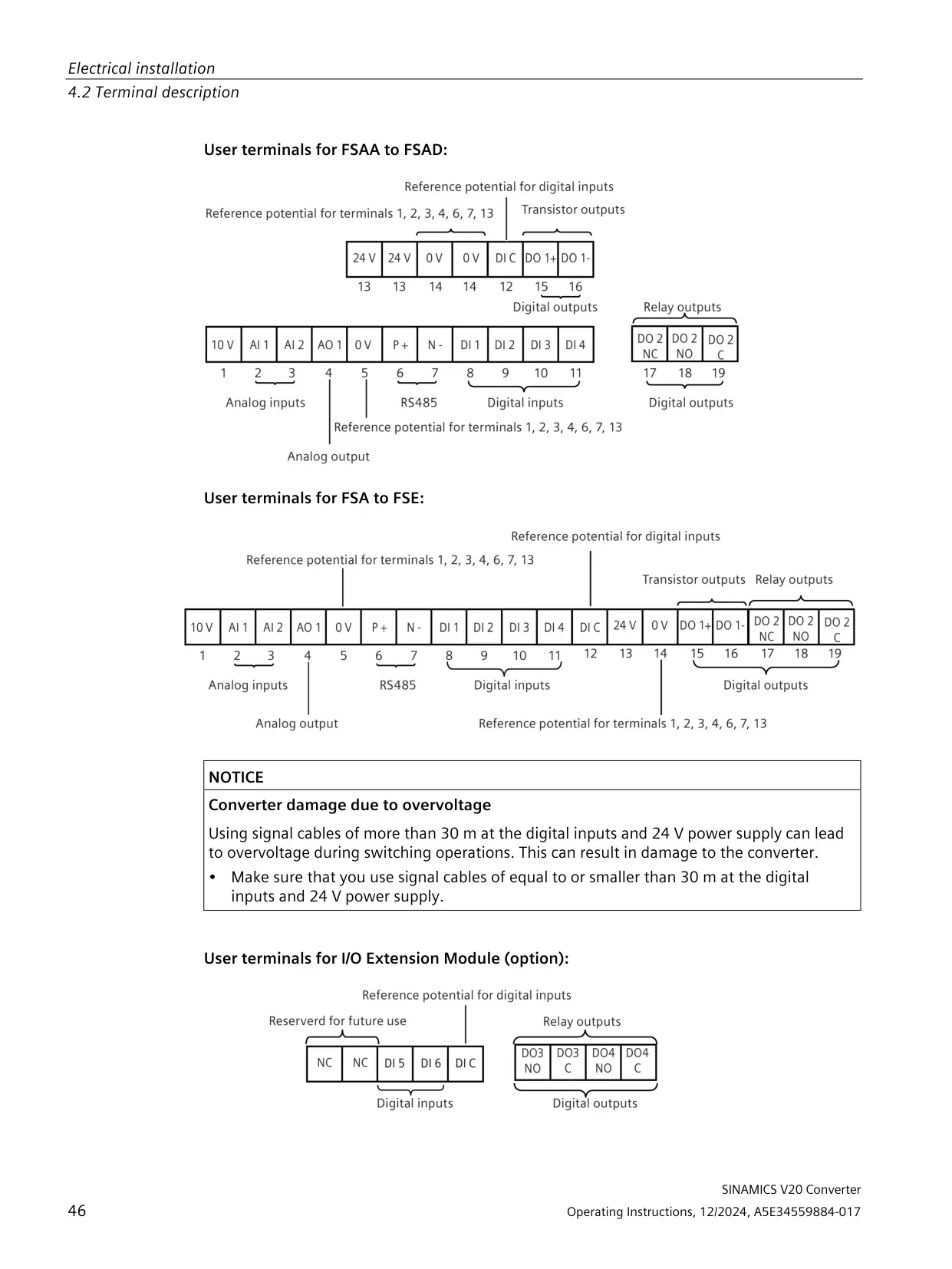
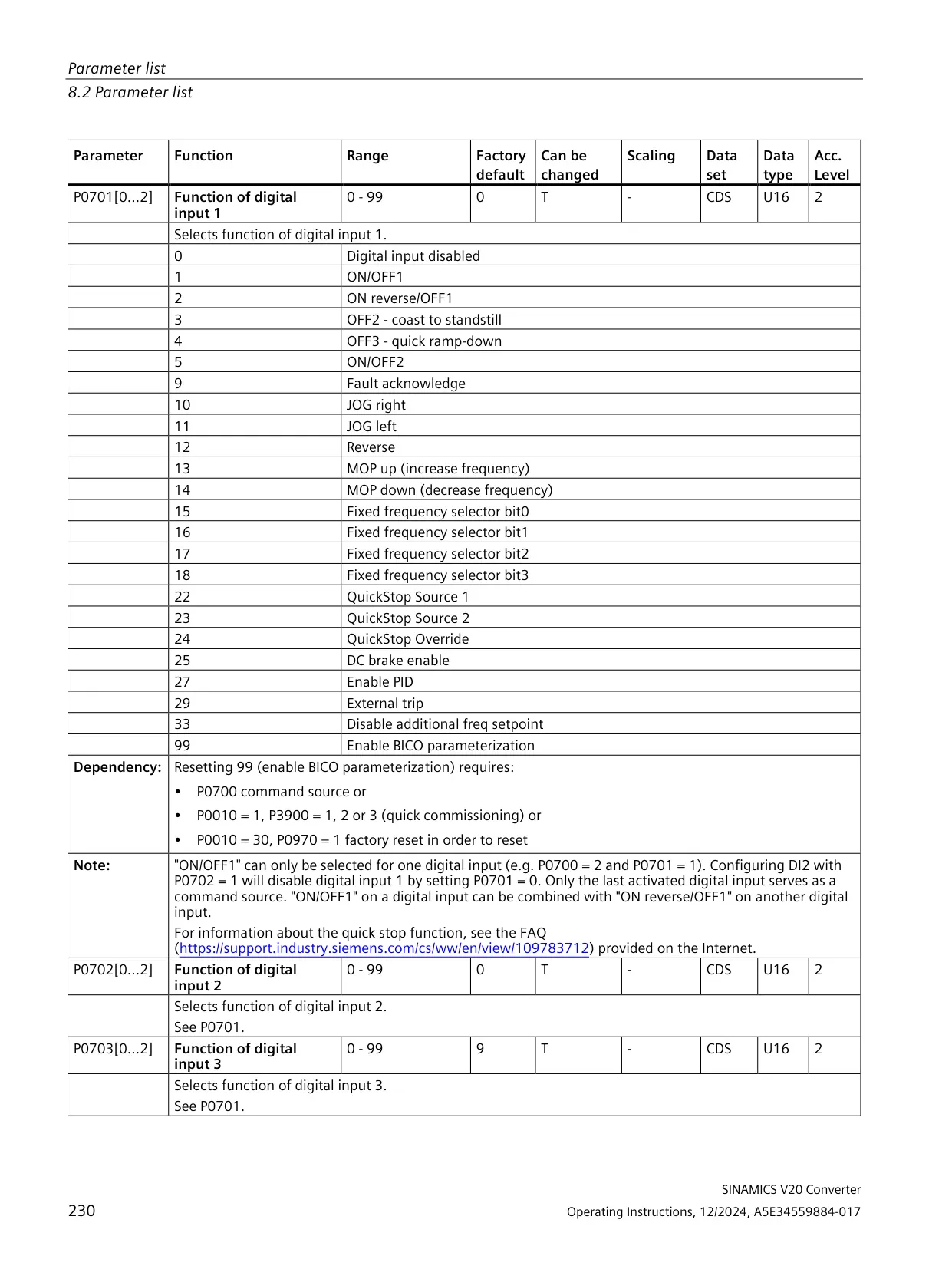
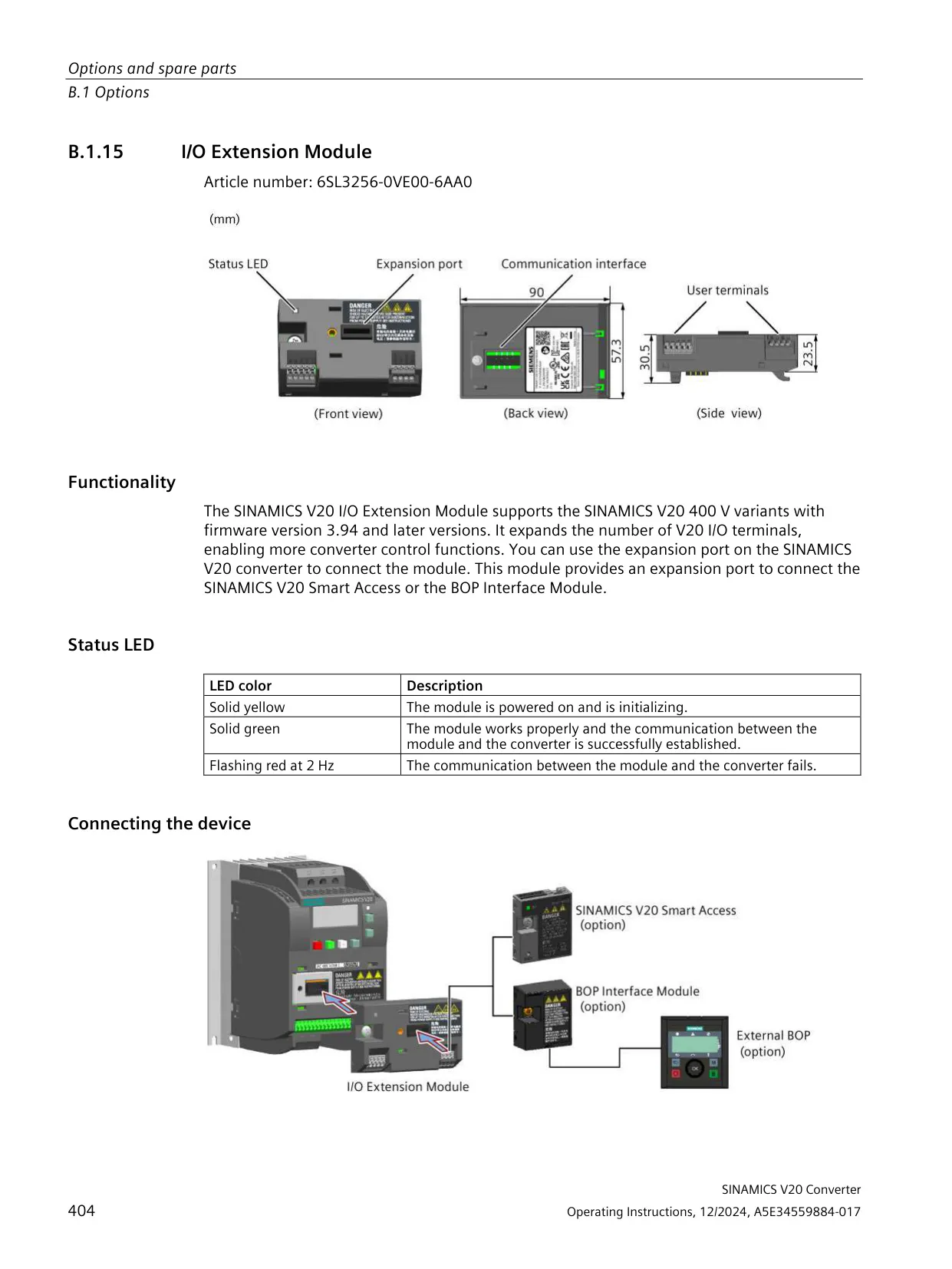
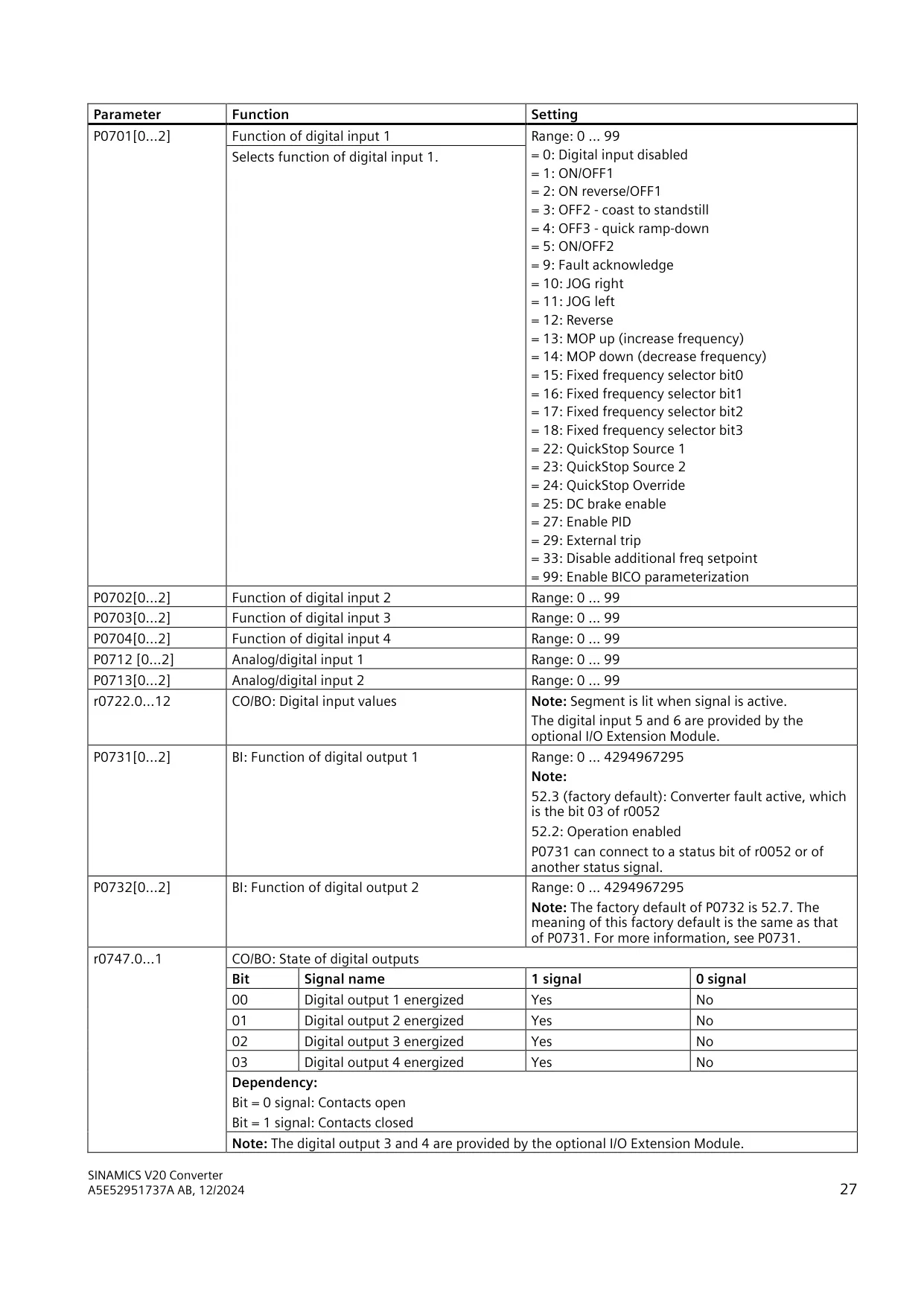
| Digital inputs | 4 (DI1 to DI4), PNP or NPN; DI5 and DI6 with the optional I/O Extension Module |
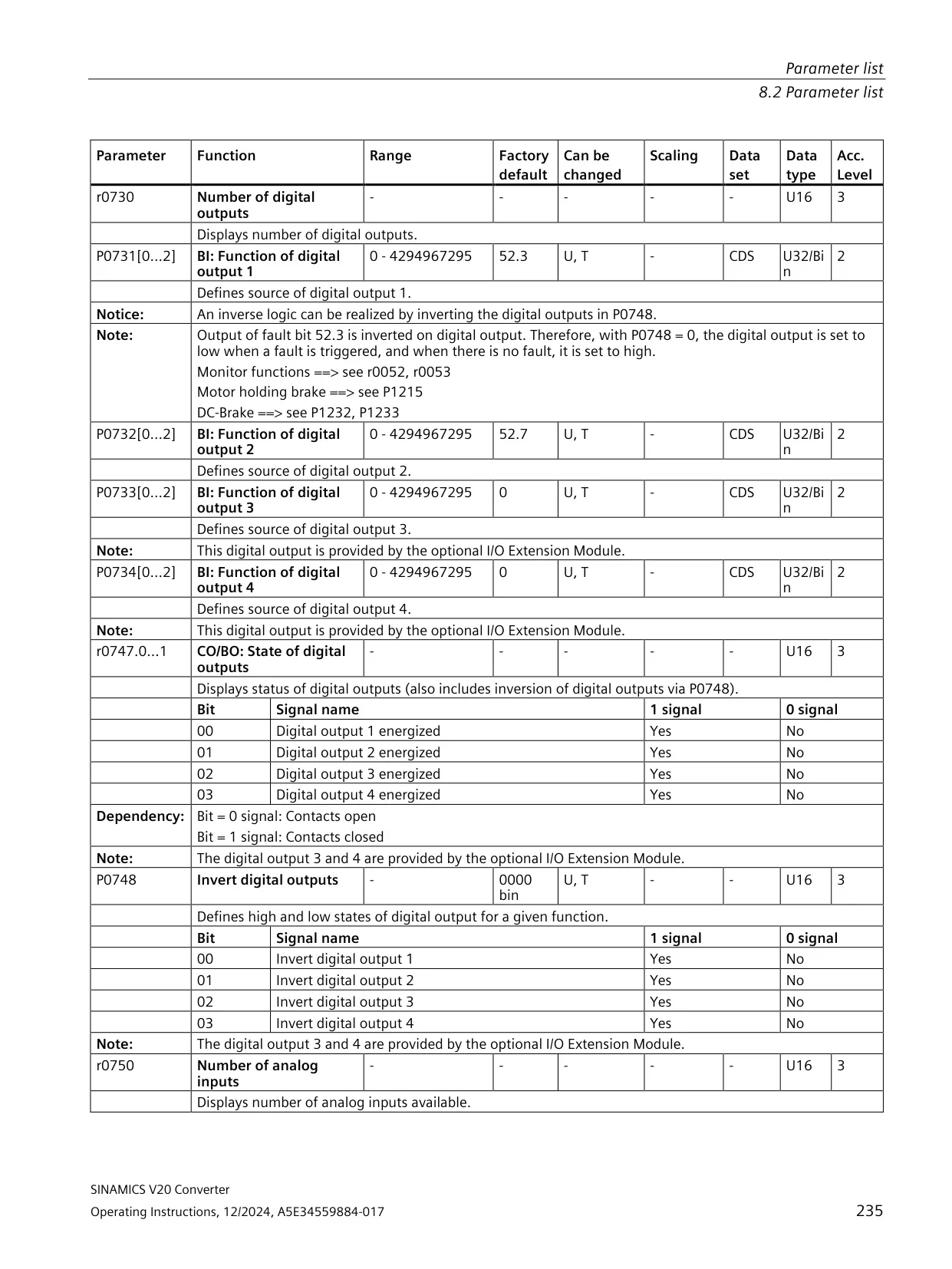
| Digital outputs | 2 (DO1, DO2); DO3 and DO4 with the optional I/O Extension Module |
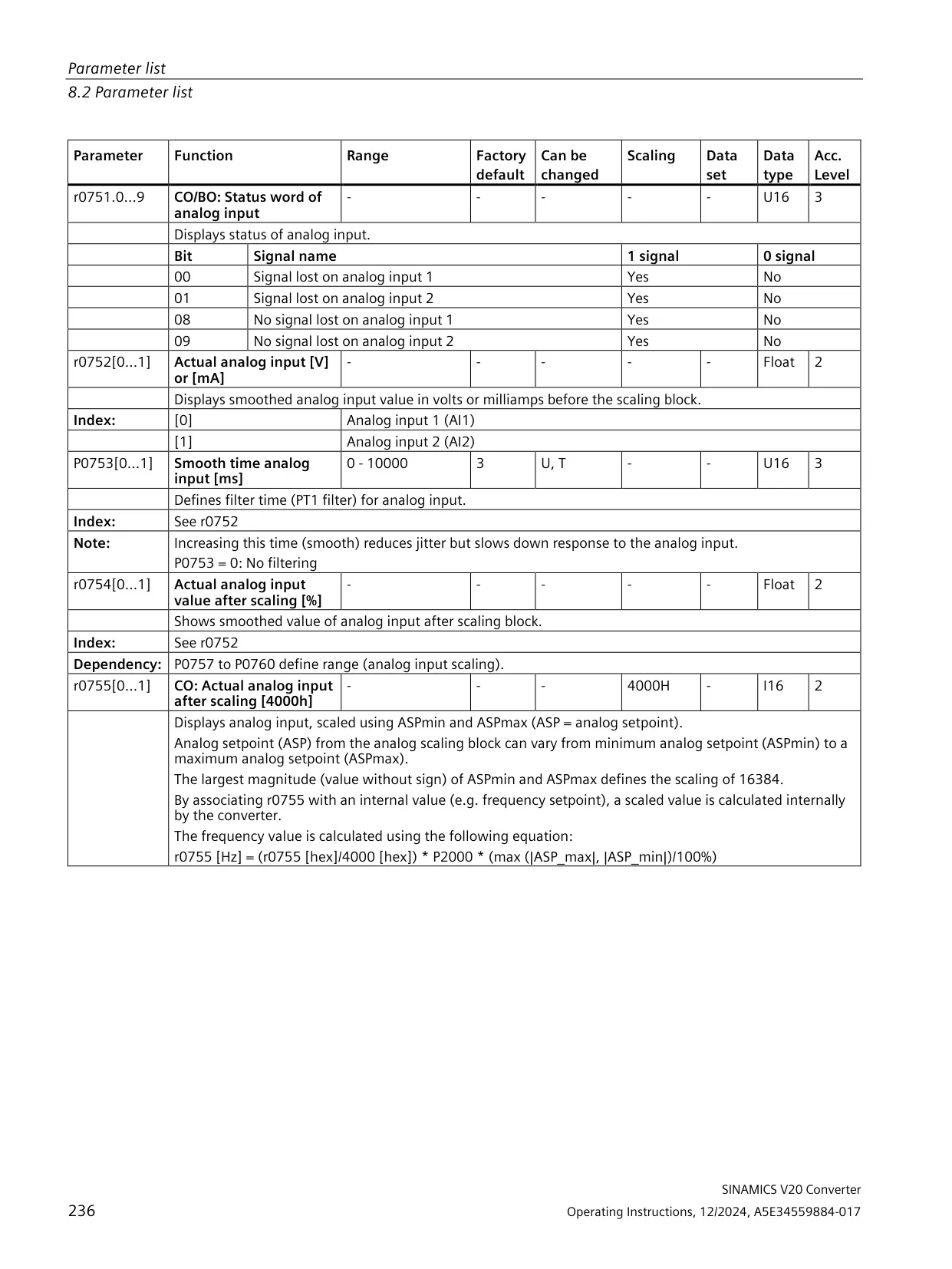
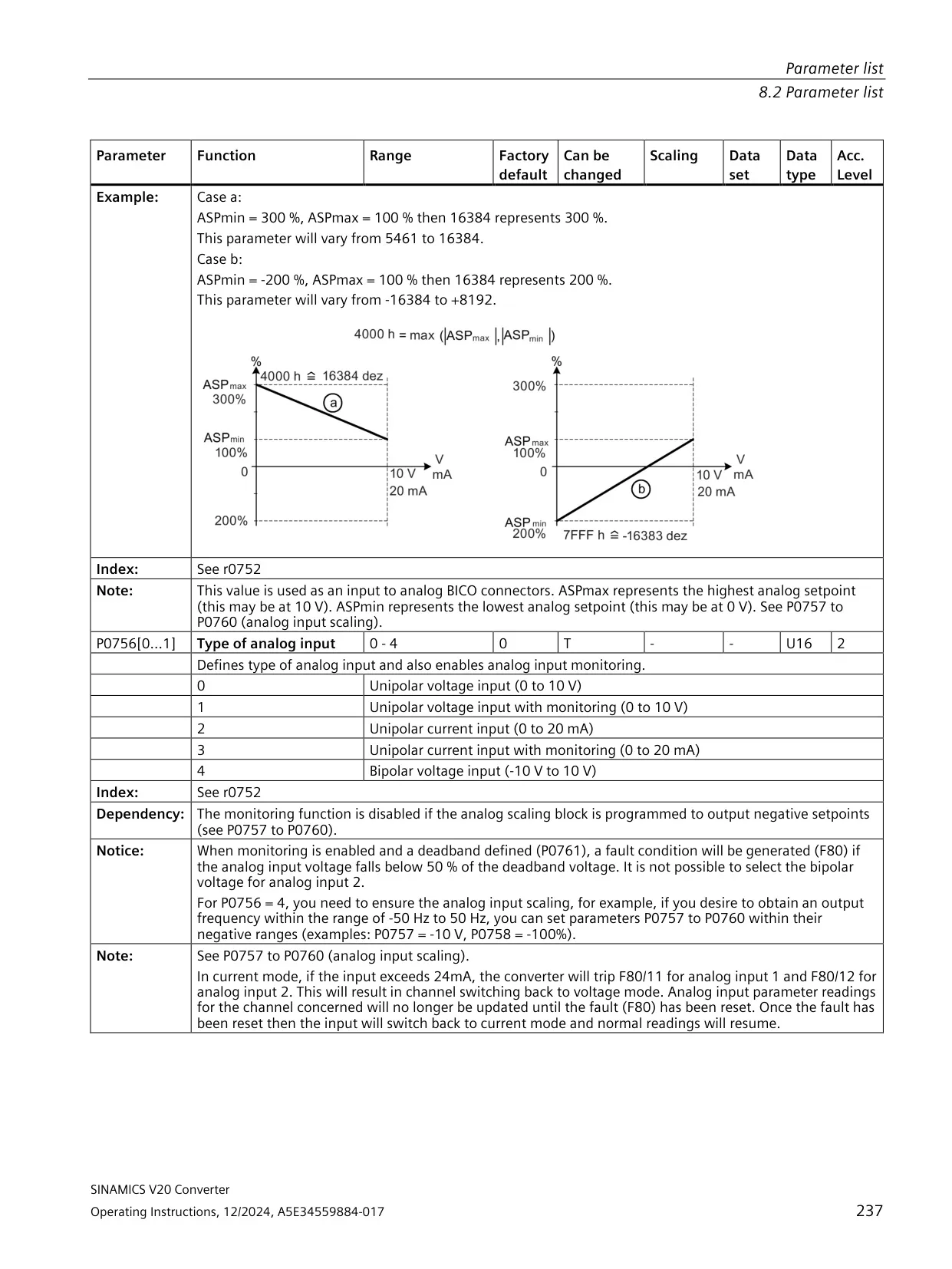
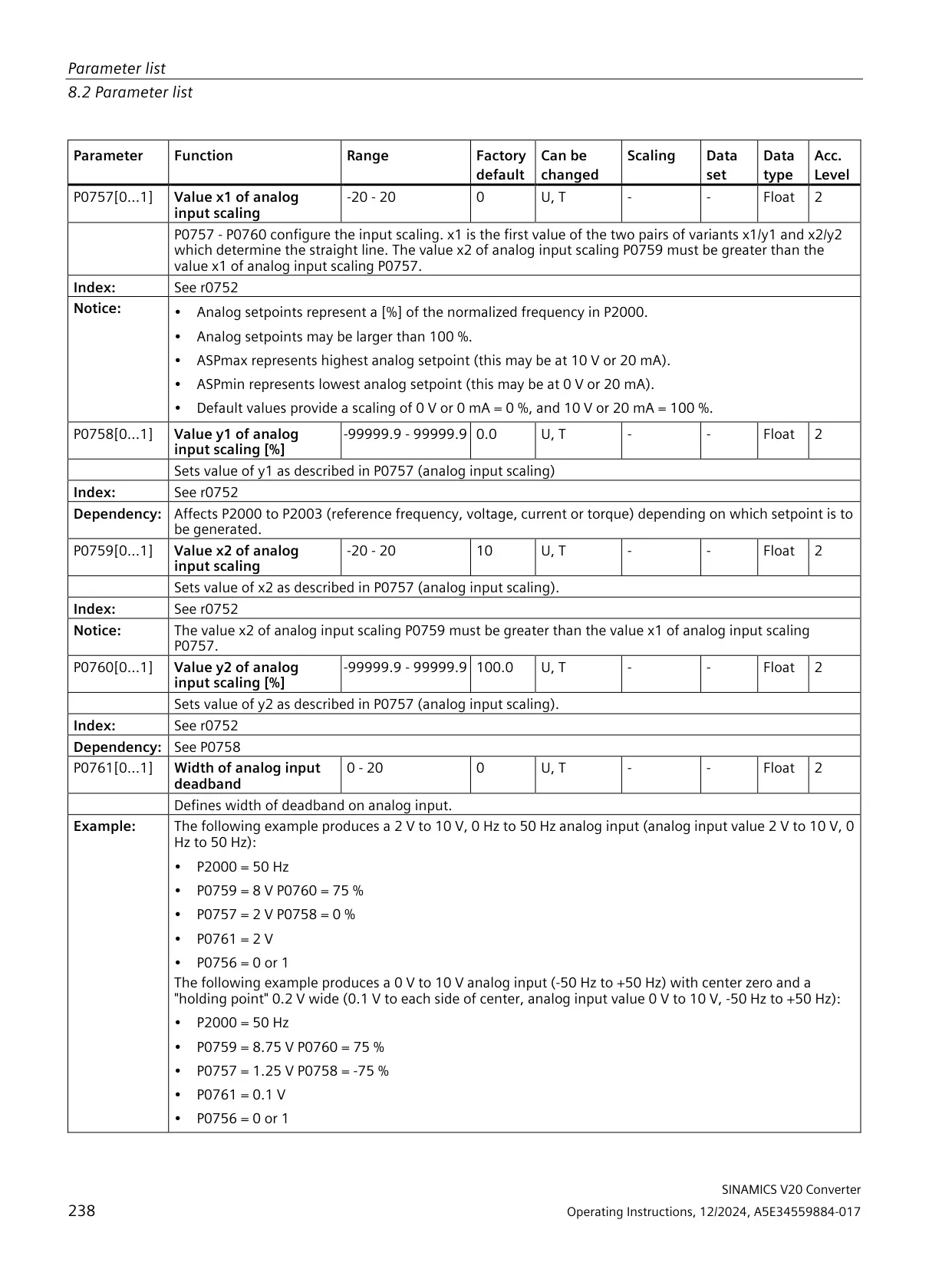
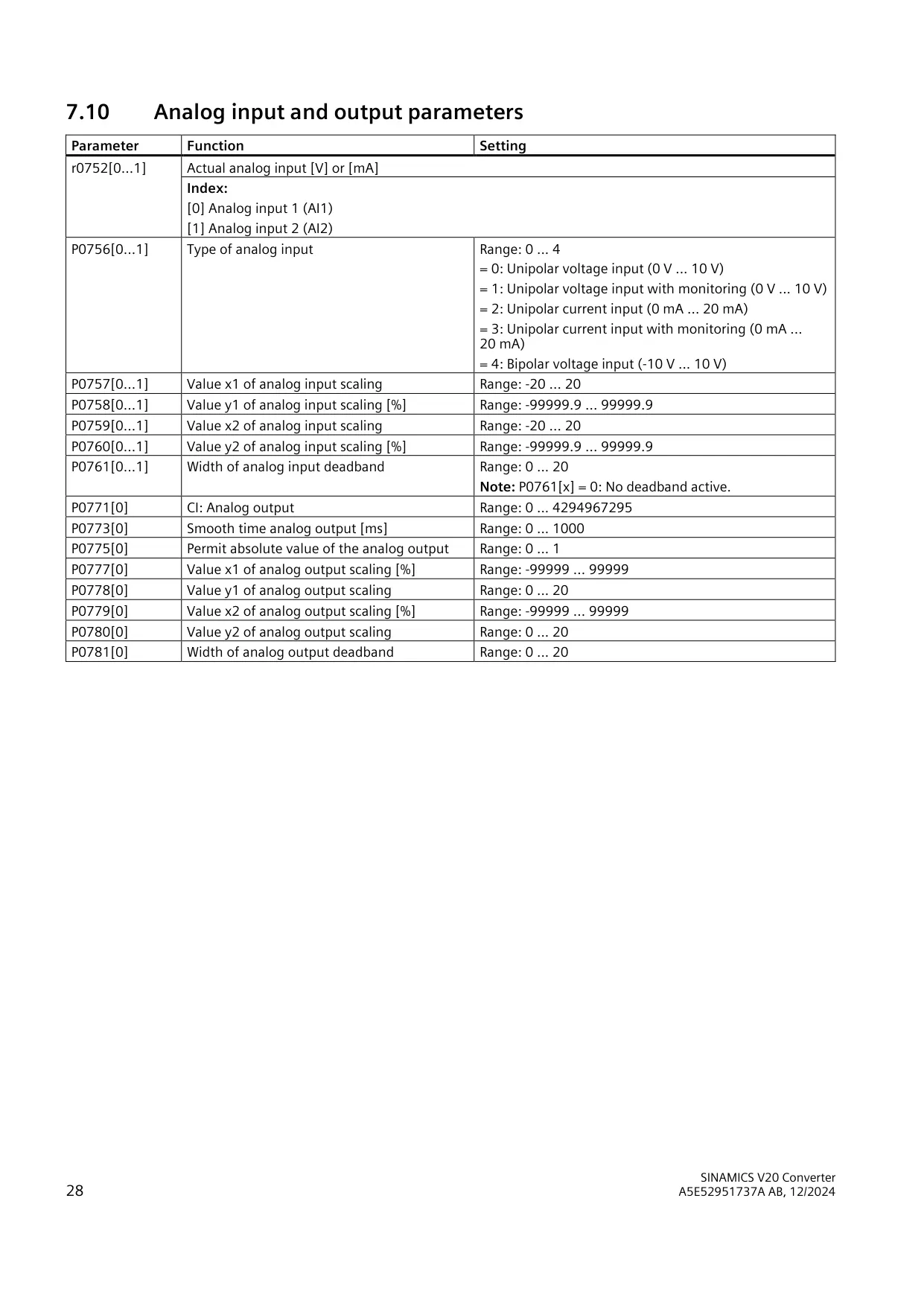
| Analog inputs | 2 (AI1, AI2): 0 V to 10 V, 0 mA to 20 mA, or -10 V to +10 V (bipolar) |
| Analog output | 1 current output (AO1); 0 V to 10 V possible with an external 500 Ω resistor |
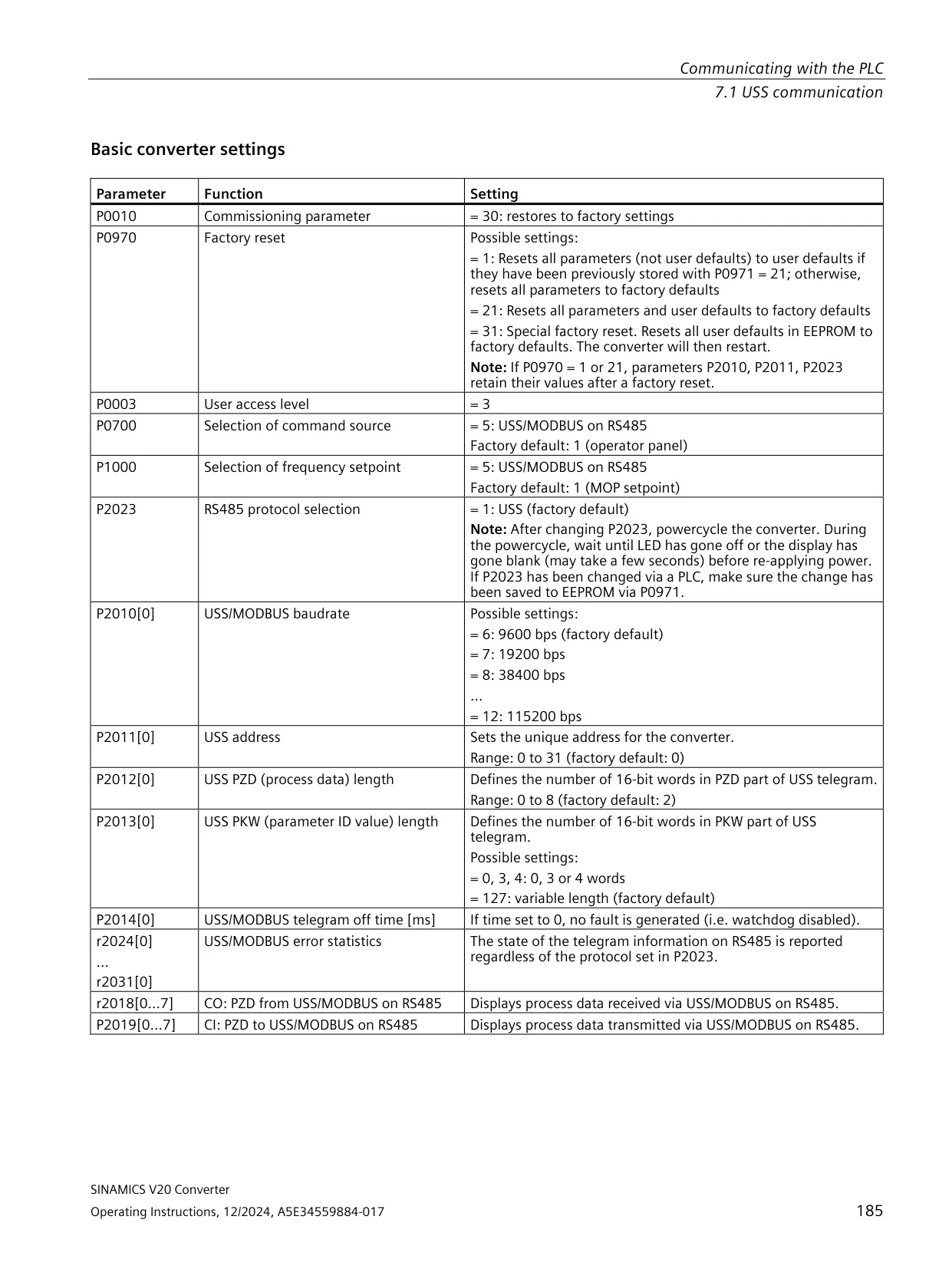
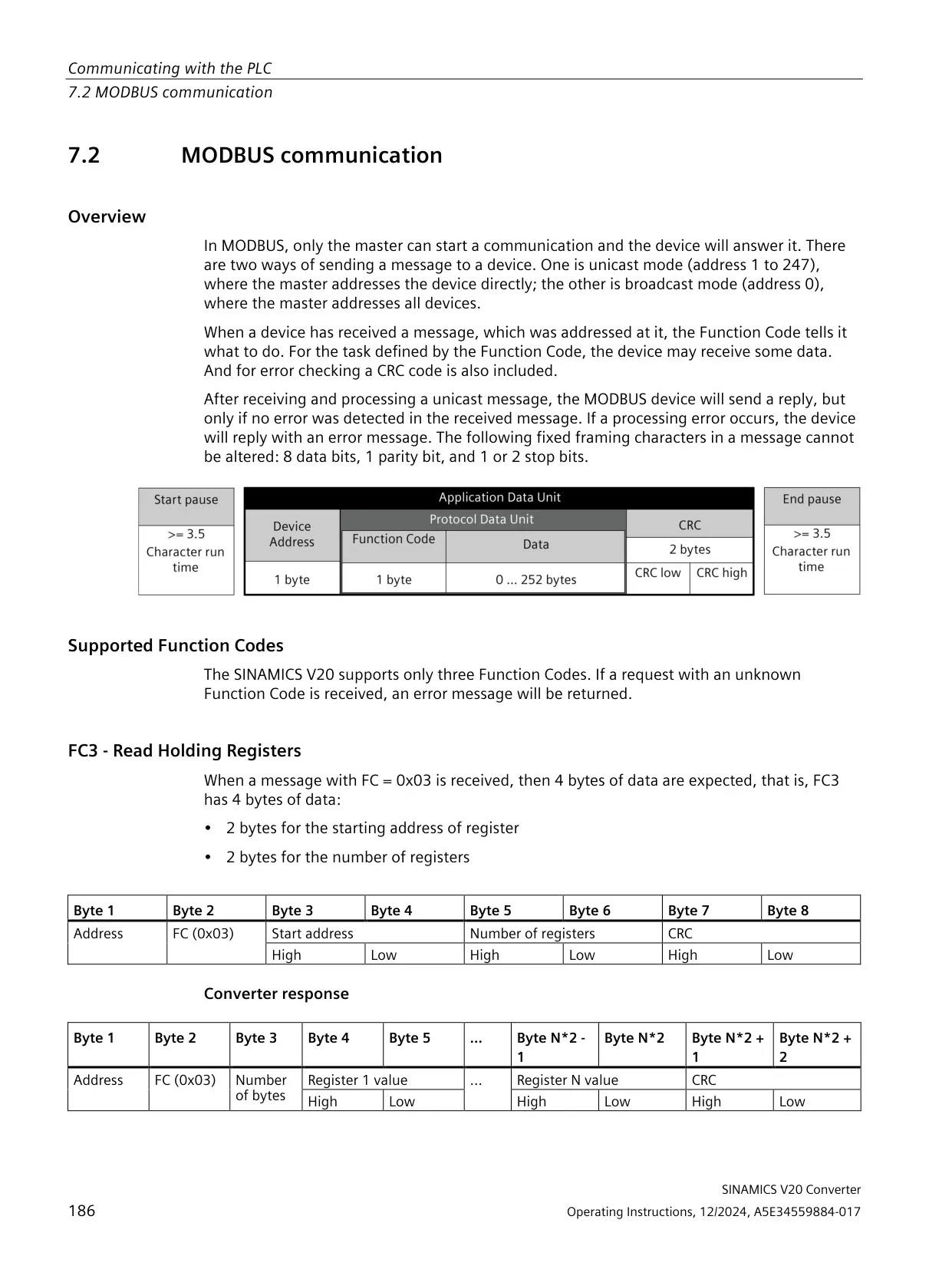
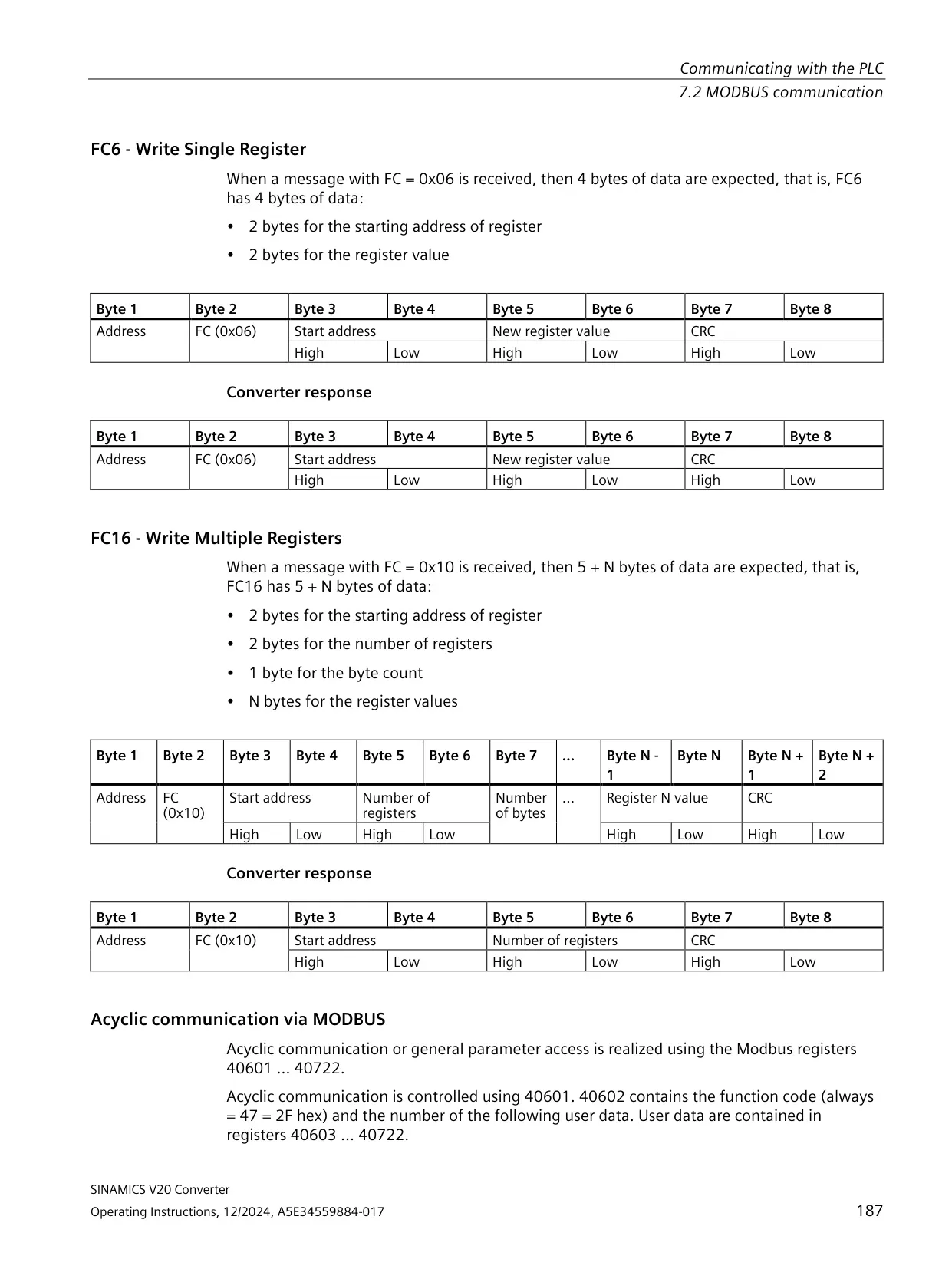
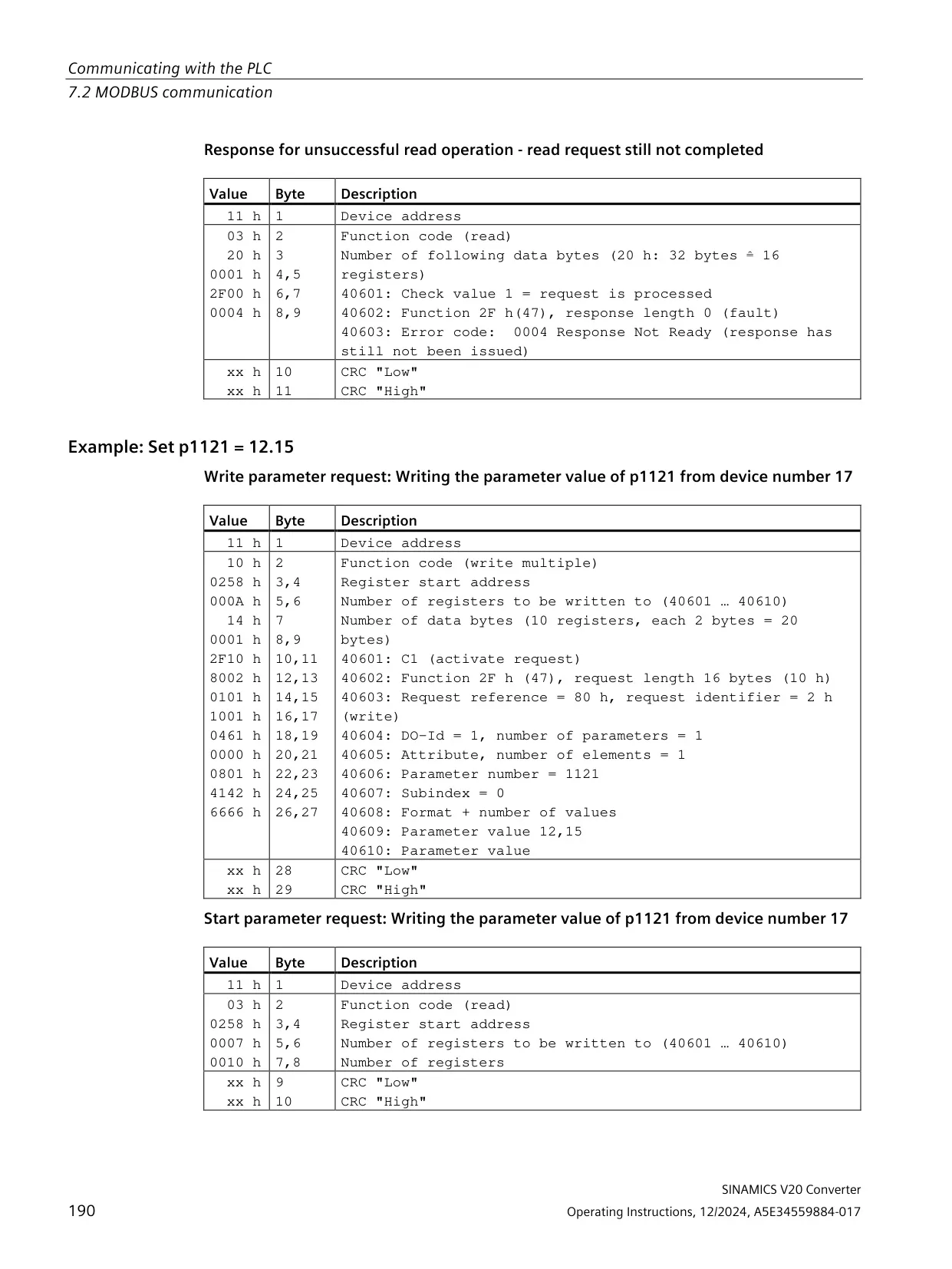
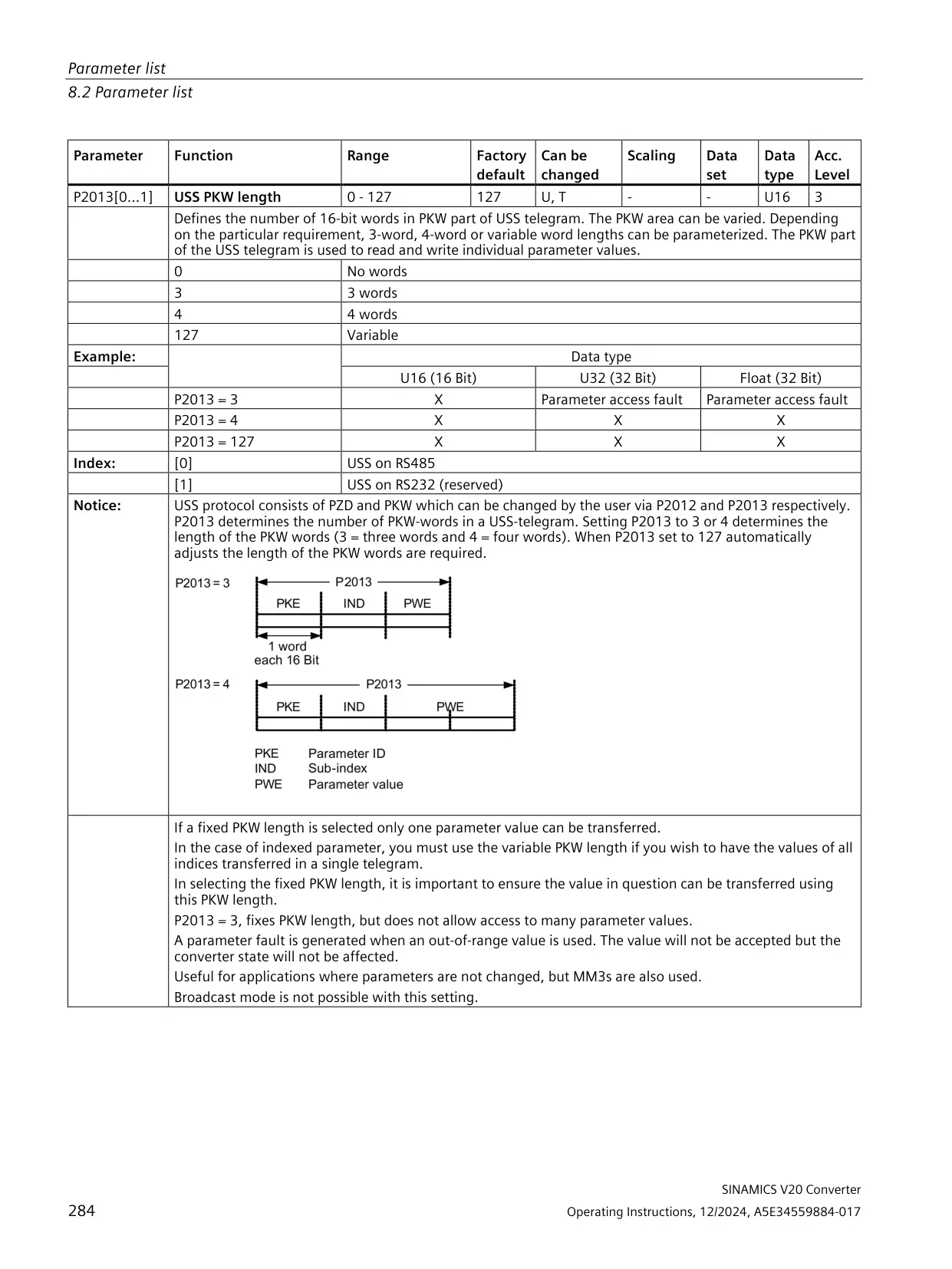
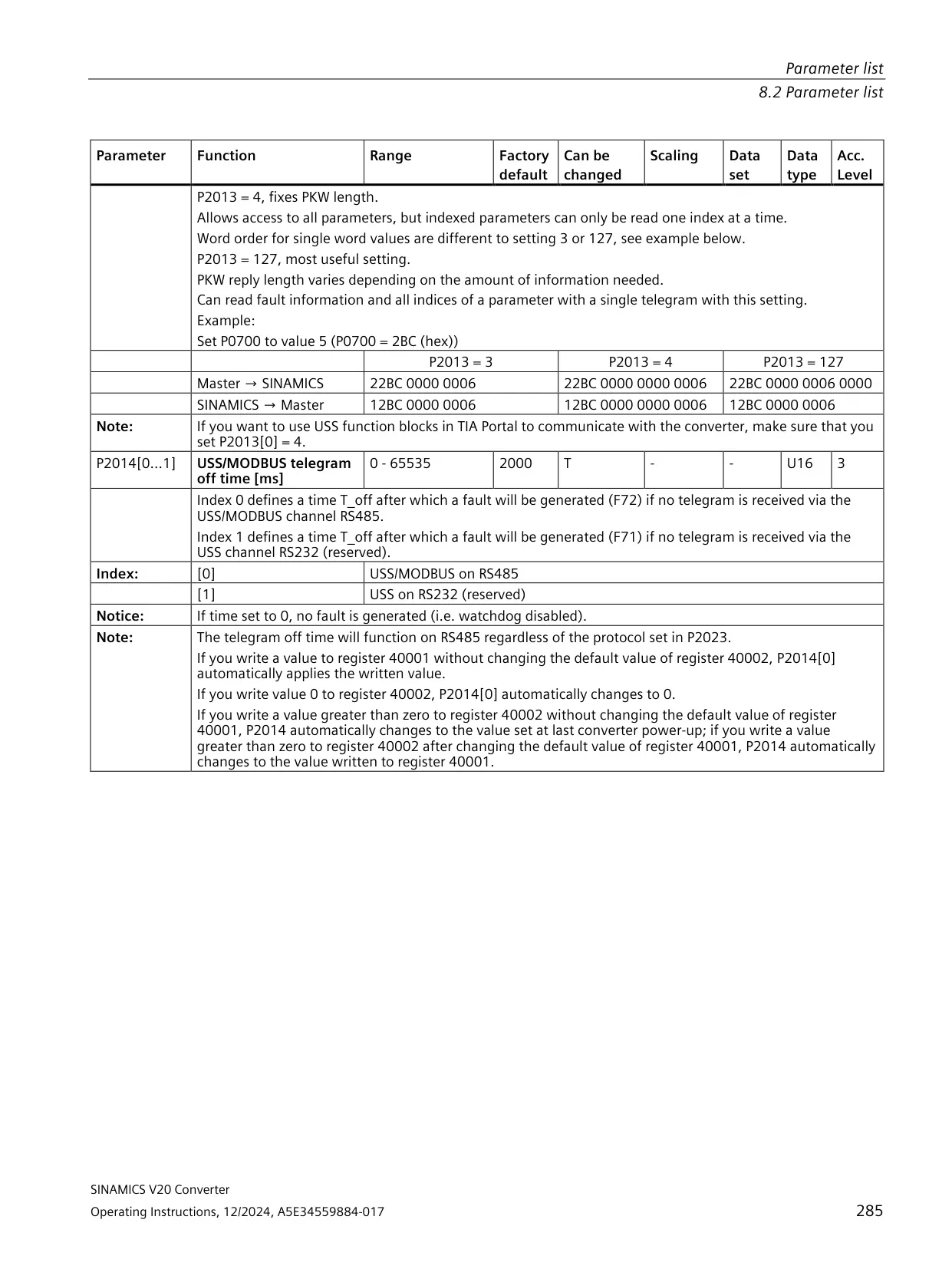
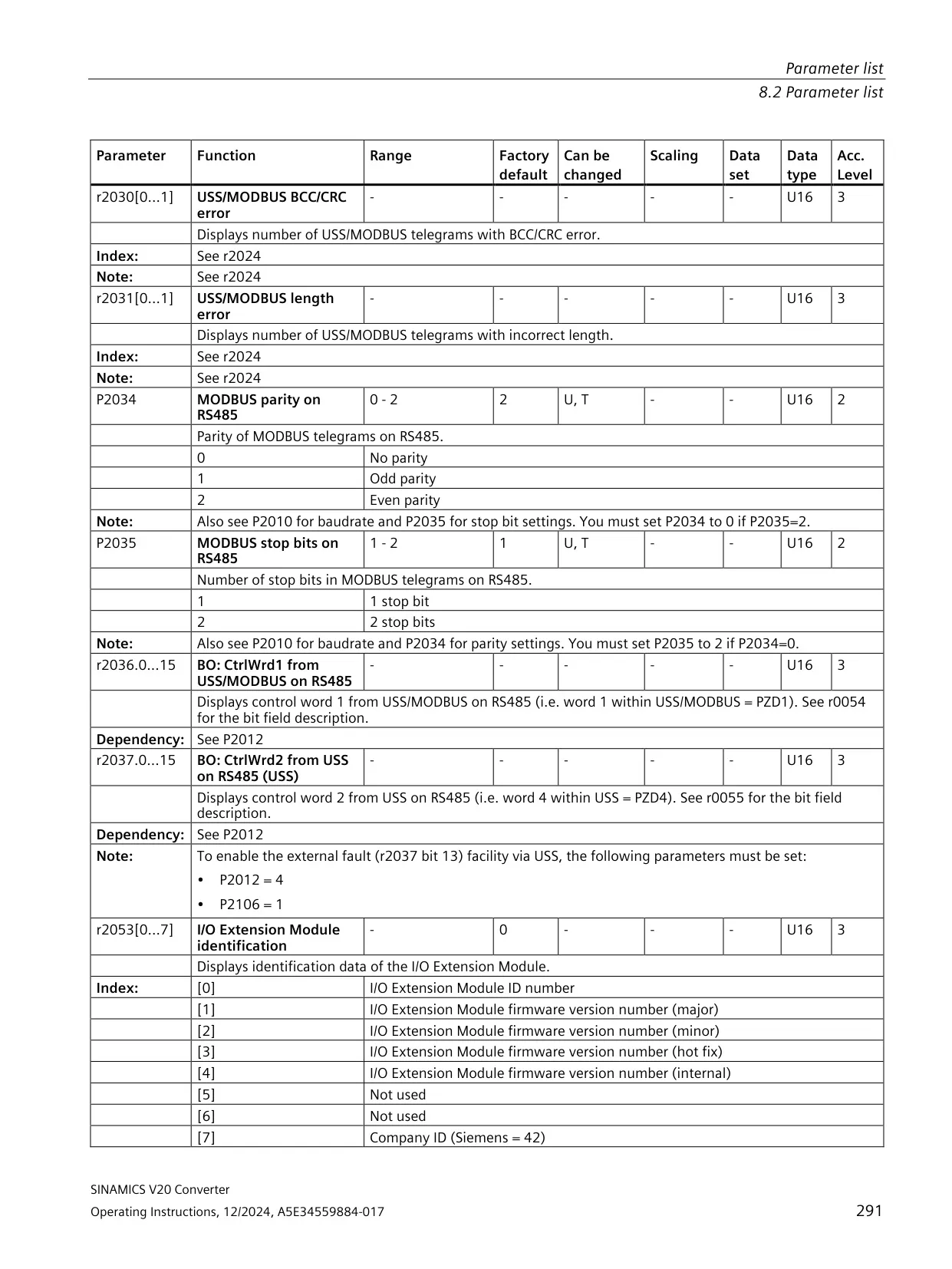
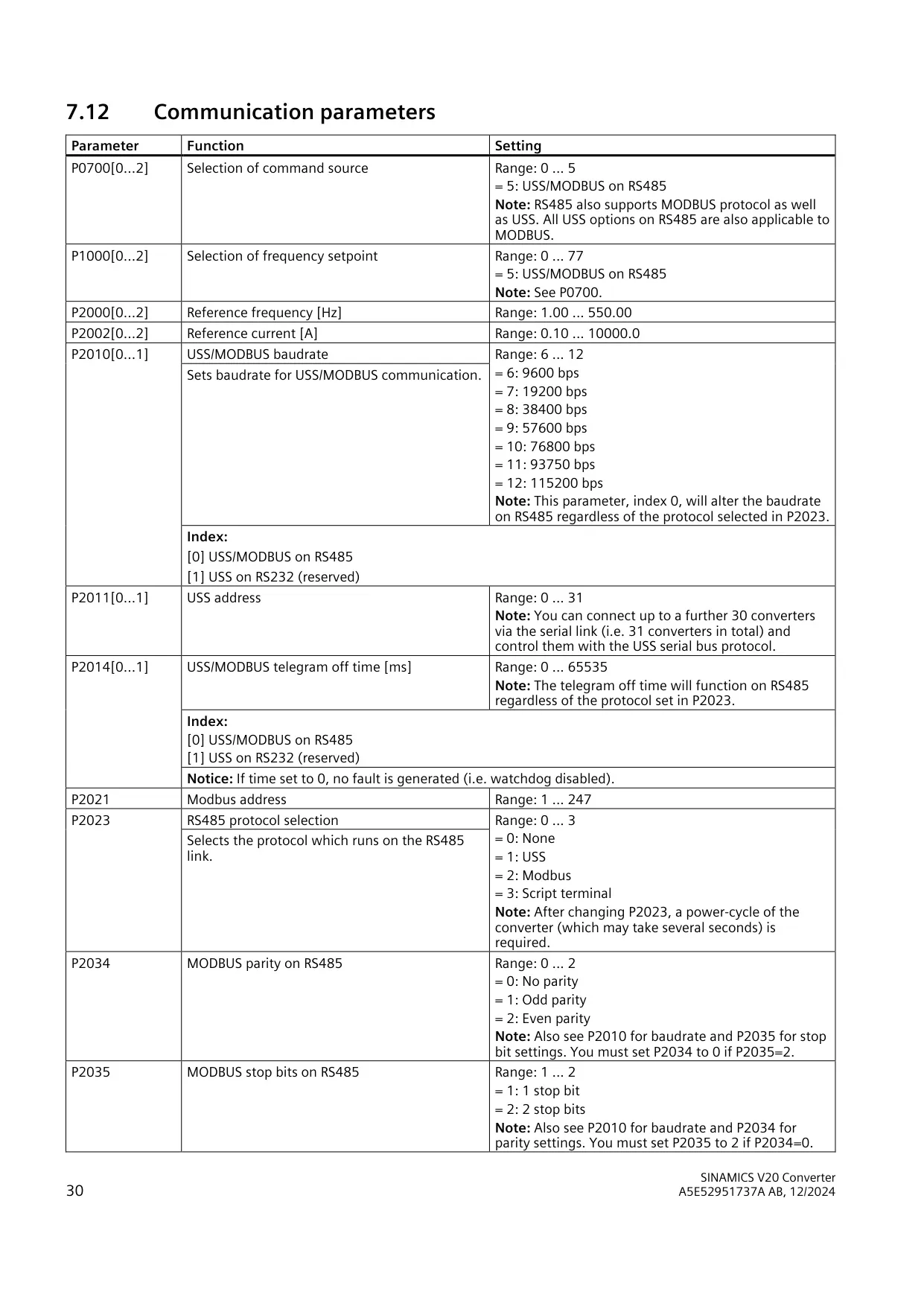
| Serial communication | RS-485 with USS or MODBUS RTU |
| Baud rate | 9600 bps to 115200 bps |
| Bus addressing | USS: 0 to 31 (up to 31 converters); MODBUS: 1 to 247 |
| Connection macros | Cn000 to Cn011 |
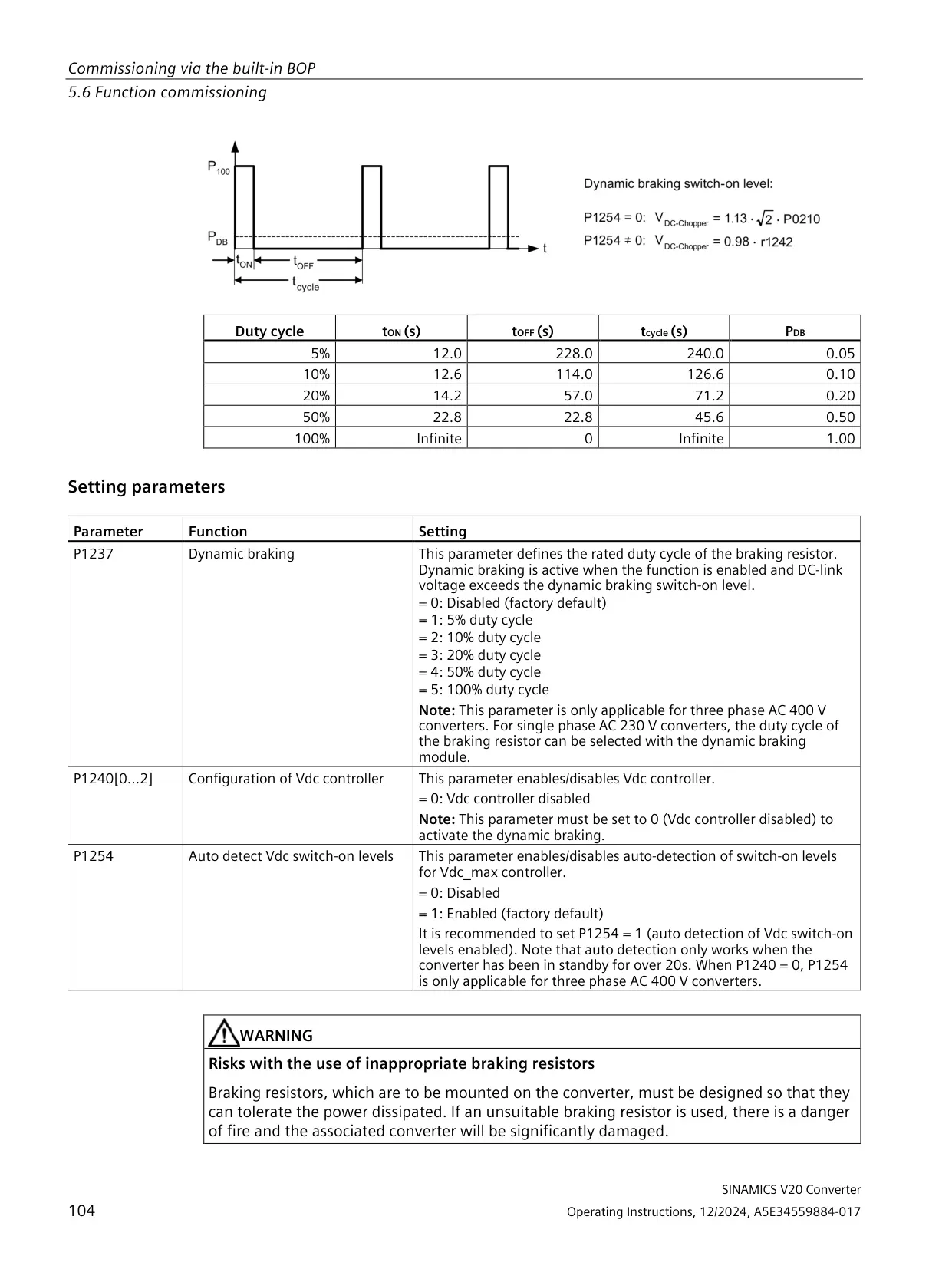
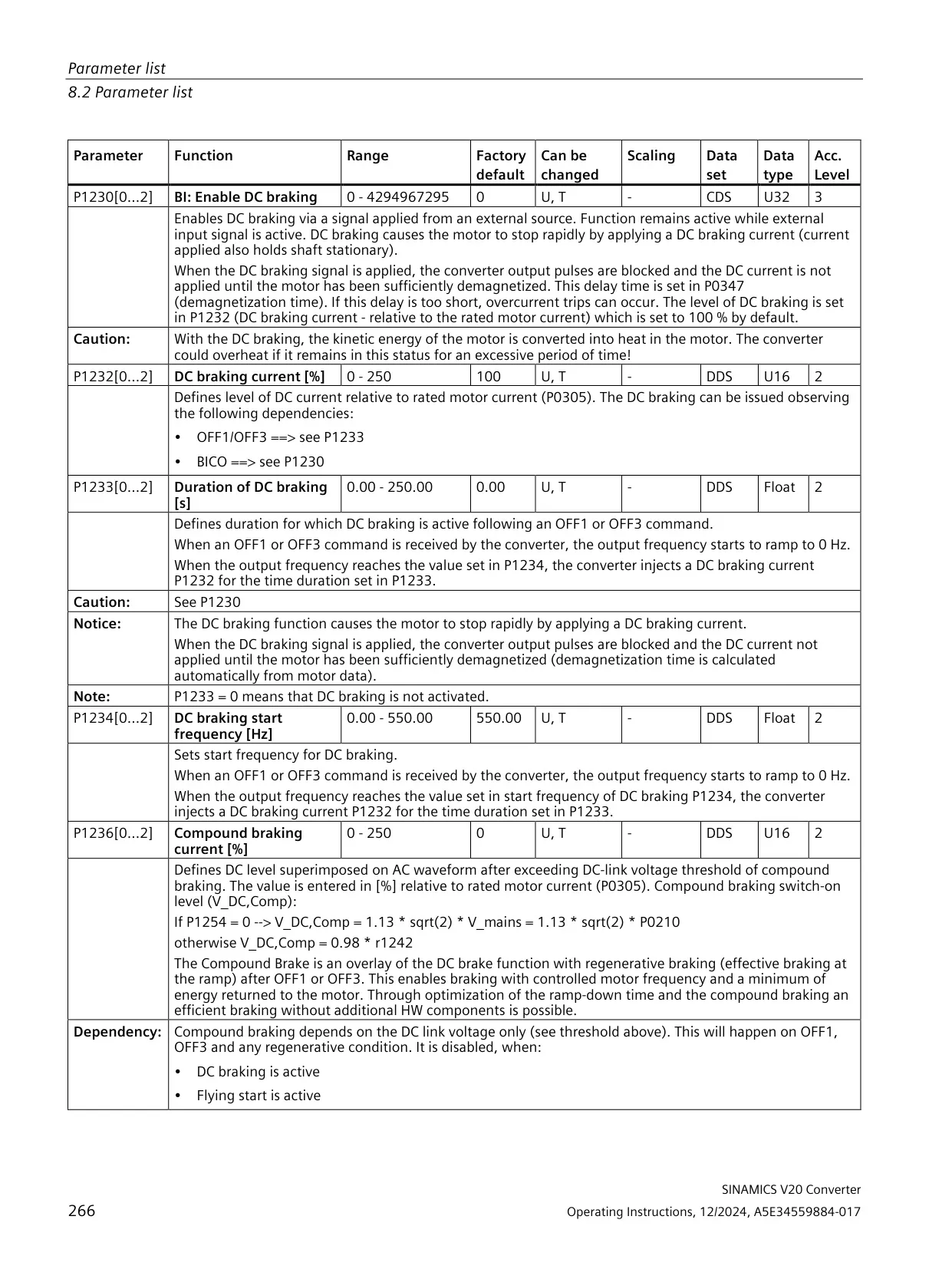
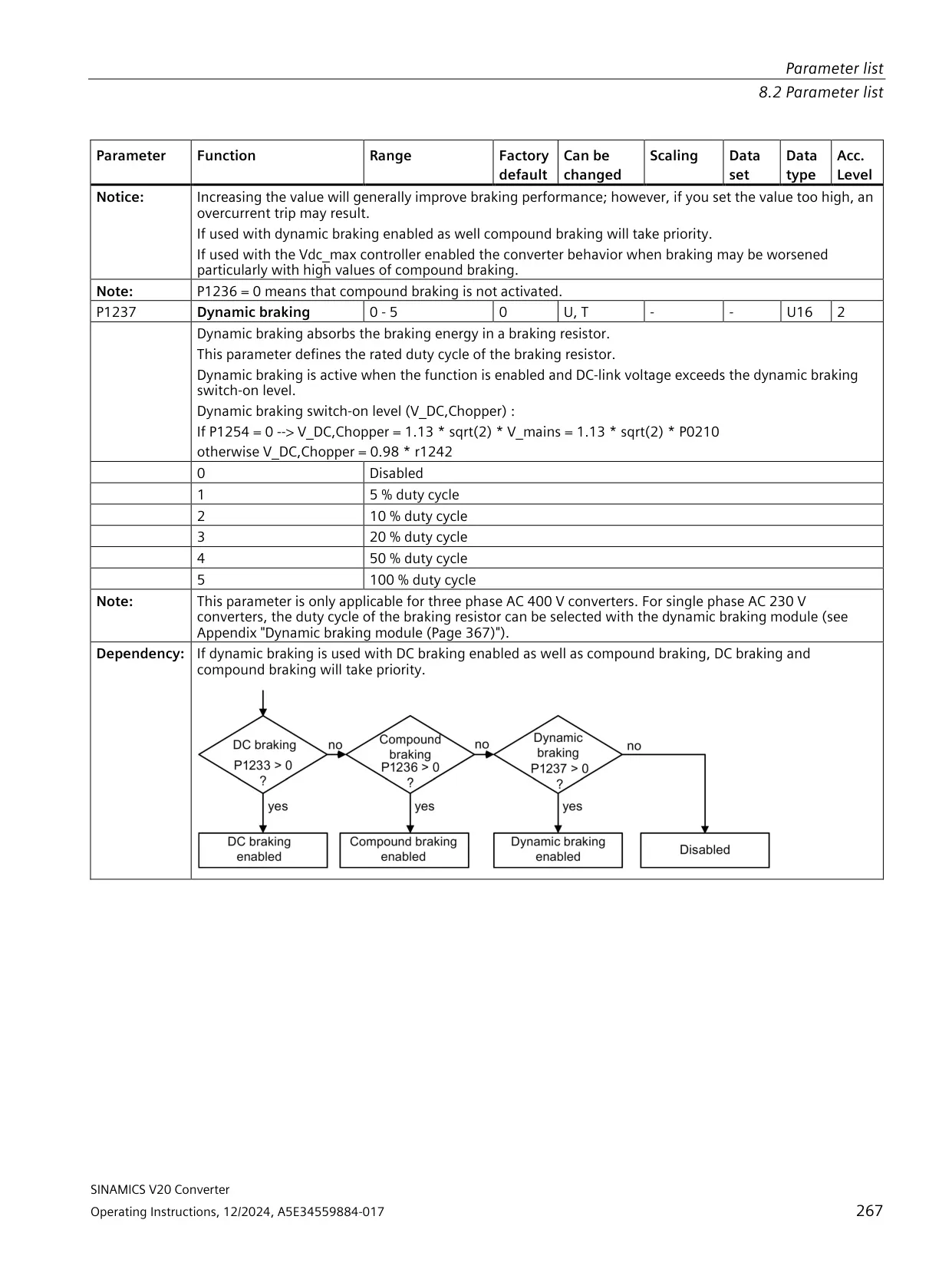
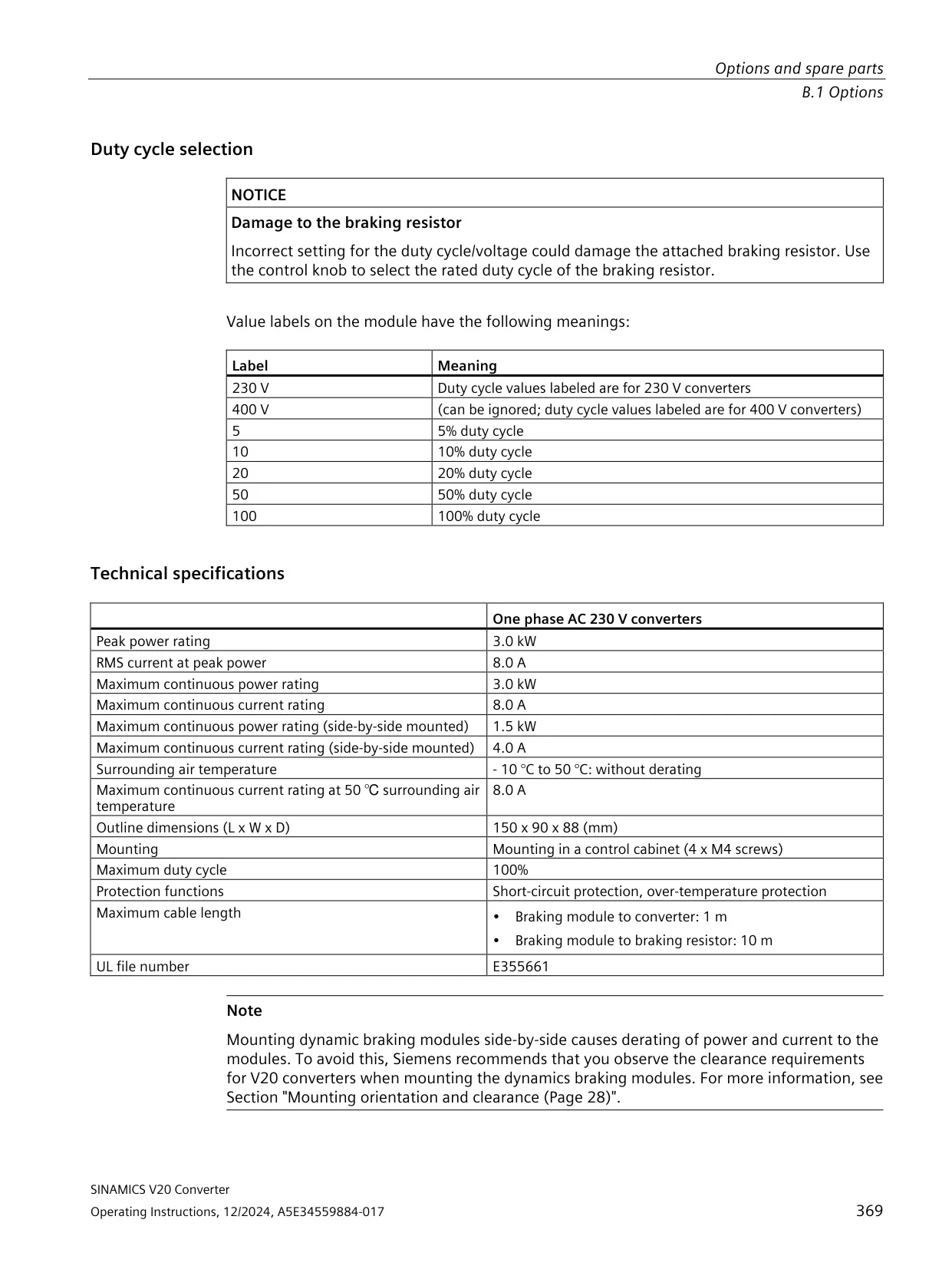
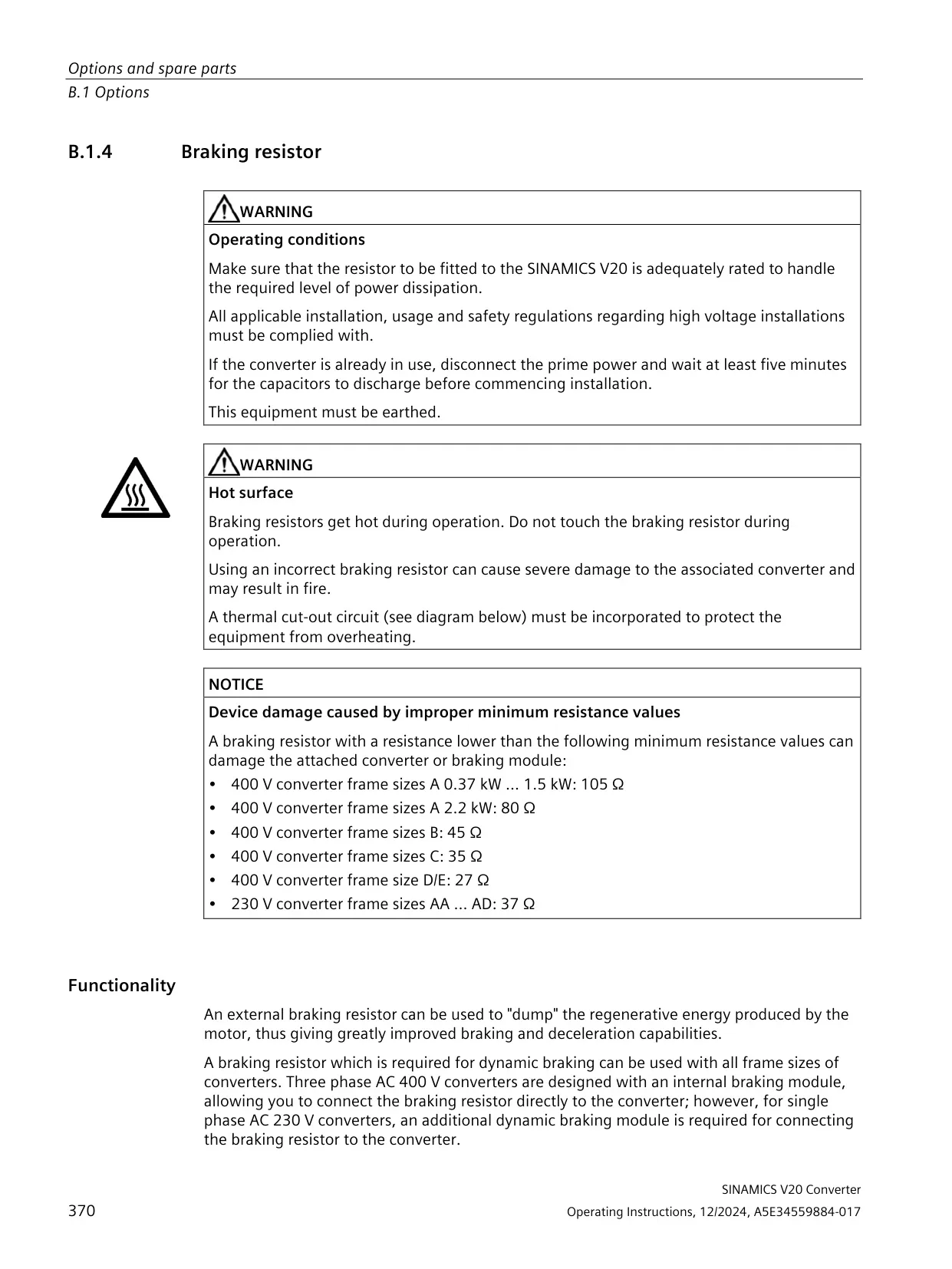
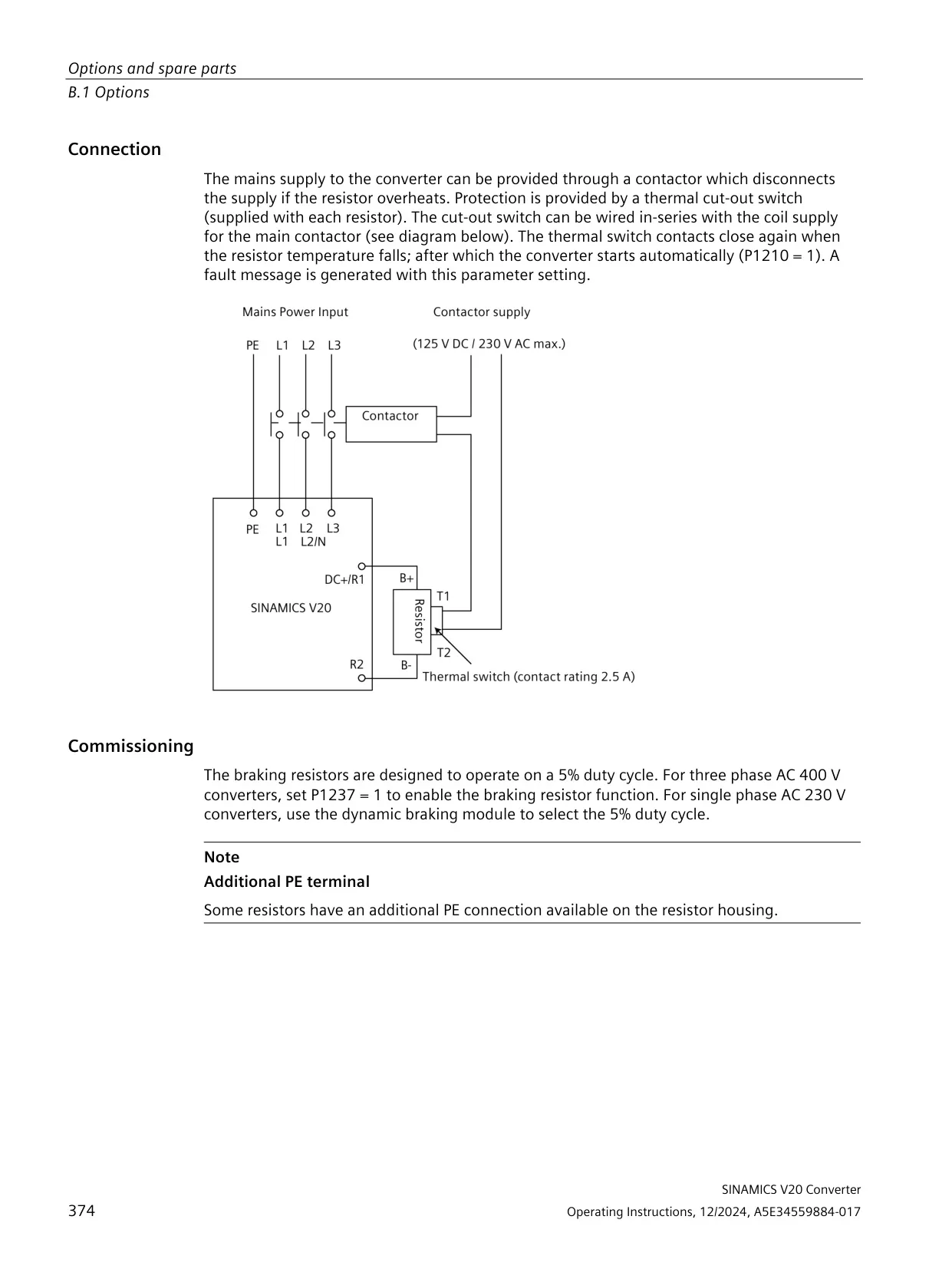
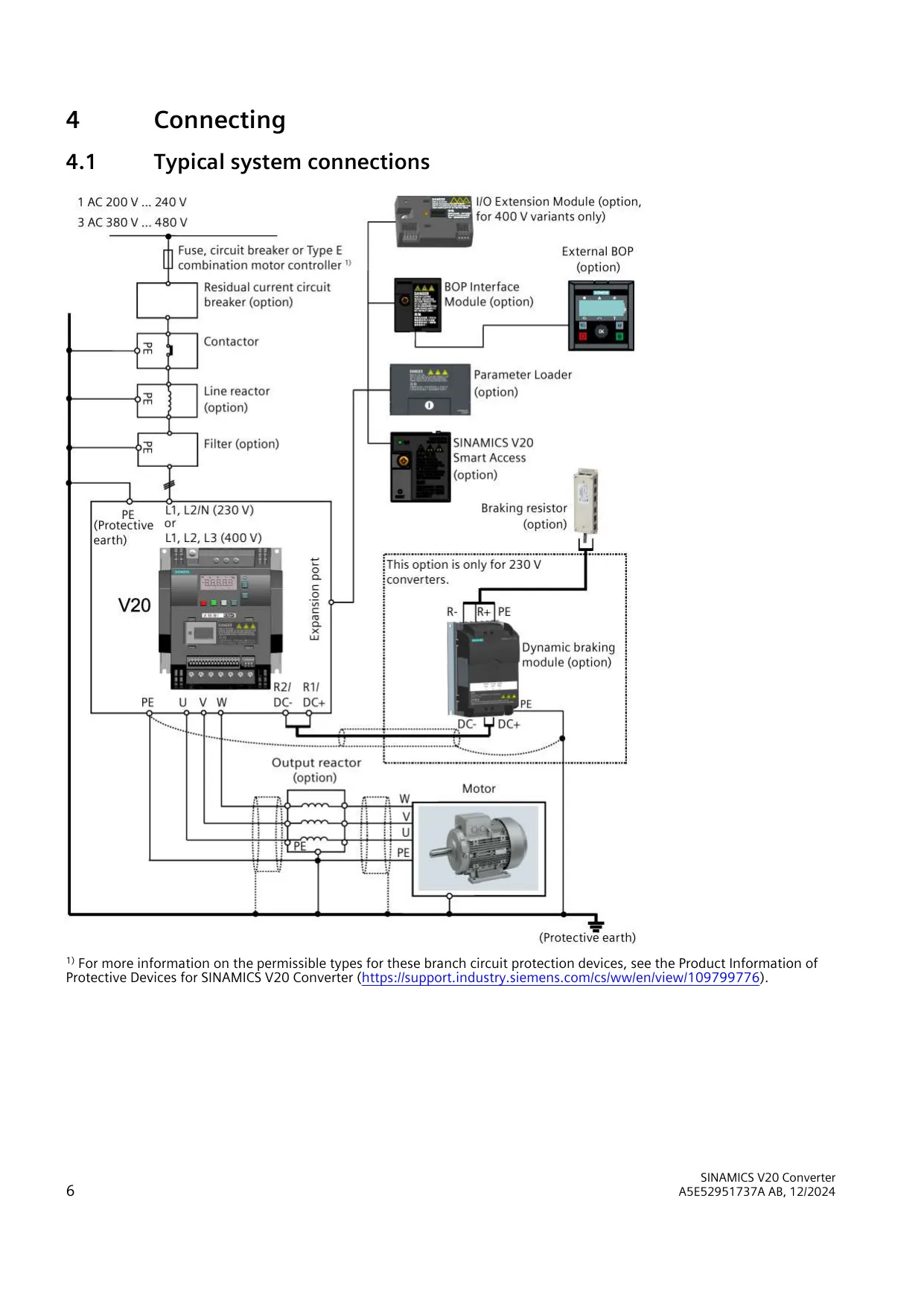
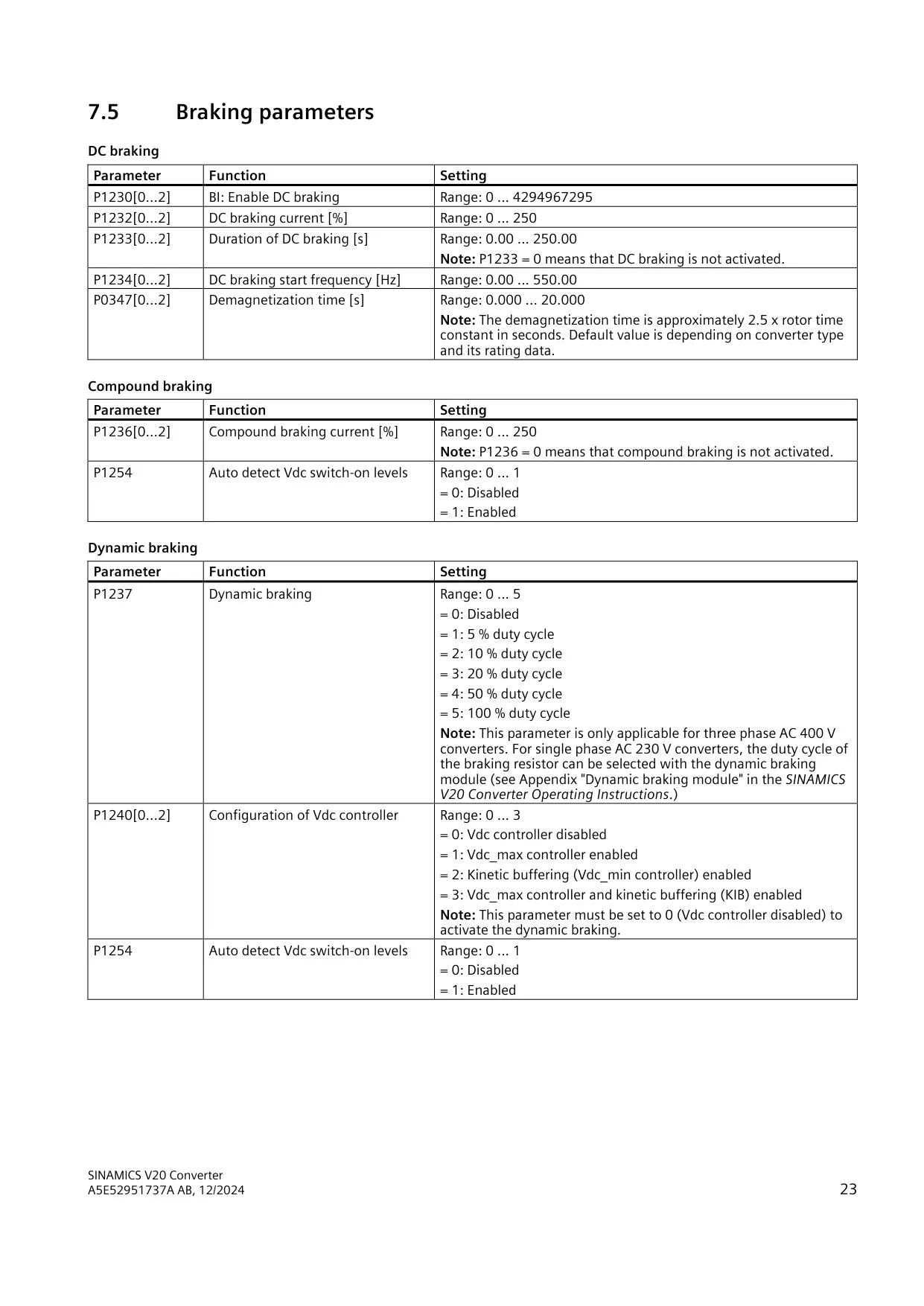
| Dynamic braking duty cycle (400 V) | 5%, 10%, 20%, 50% or 100% |
| DC / compound braking current | 0% to 250% |
| Commissioning accessory | SINAMICS V20 Smart Access (article number 6SL3255-0VA00-5AA0) |
Sinamics V20 Convertor Details
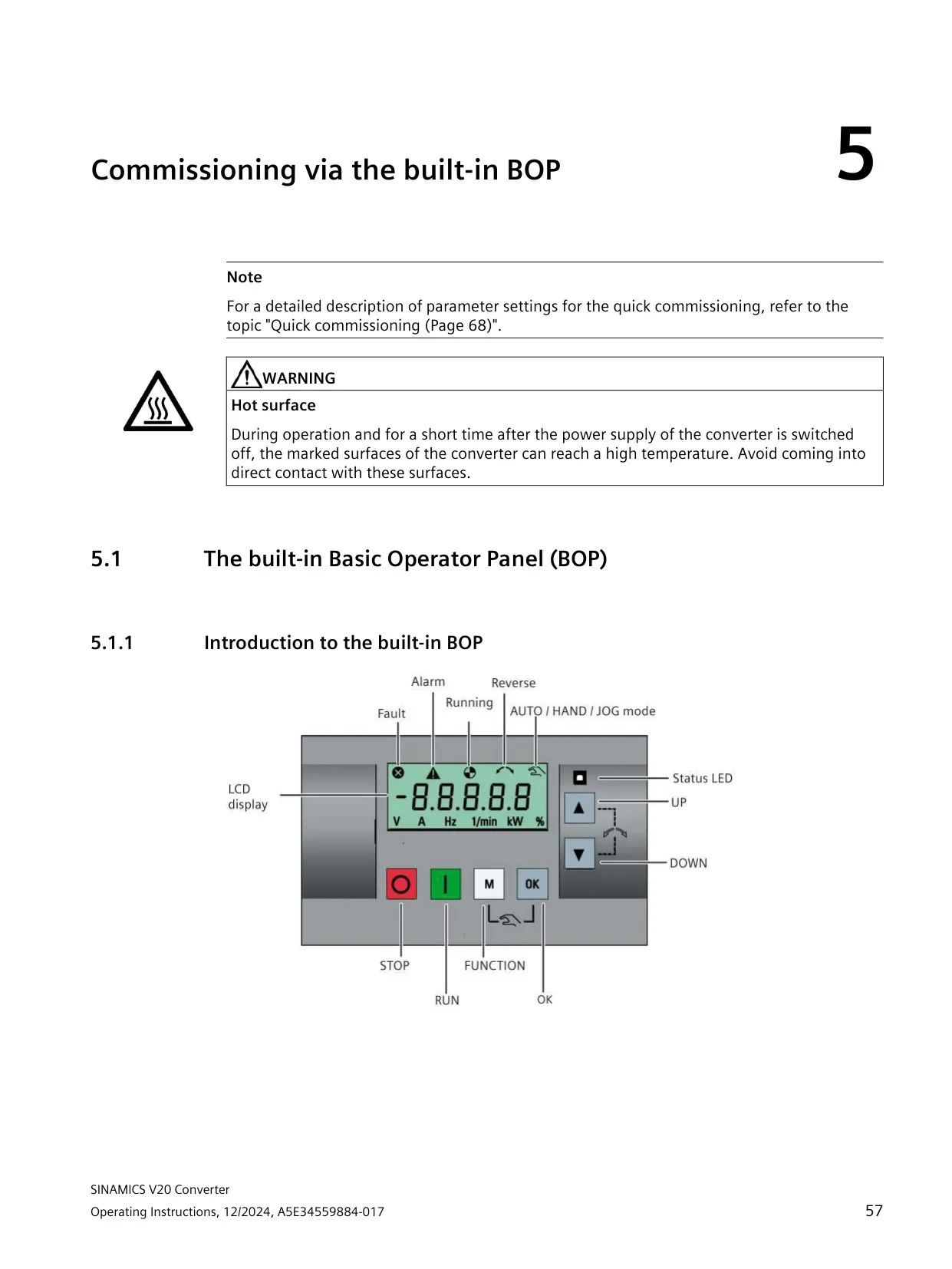
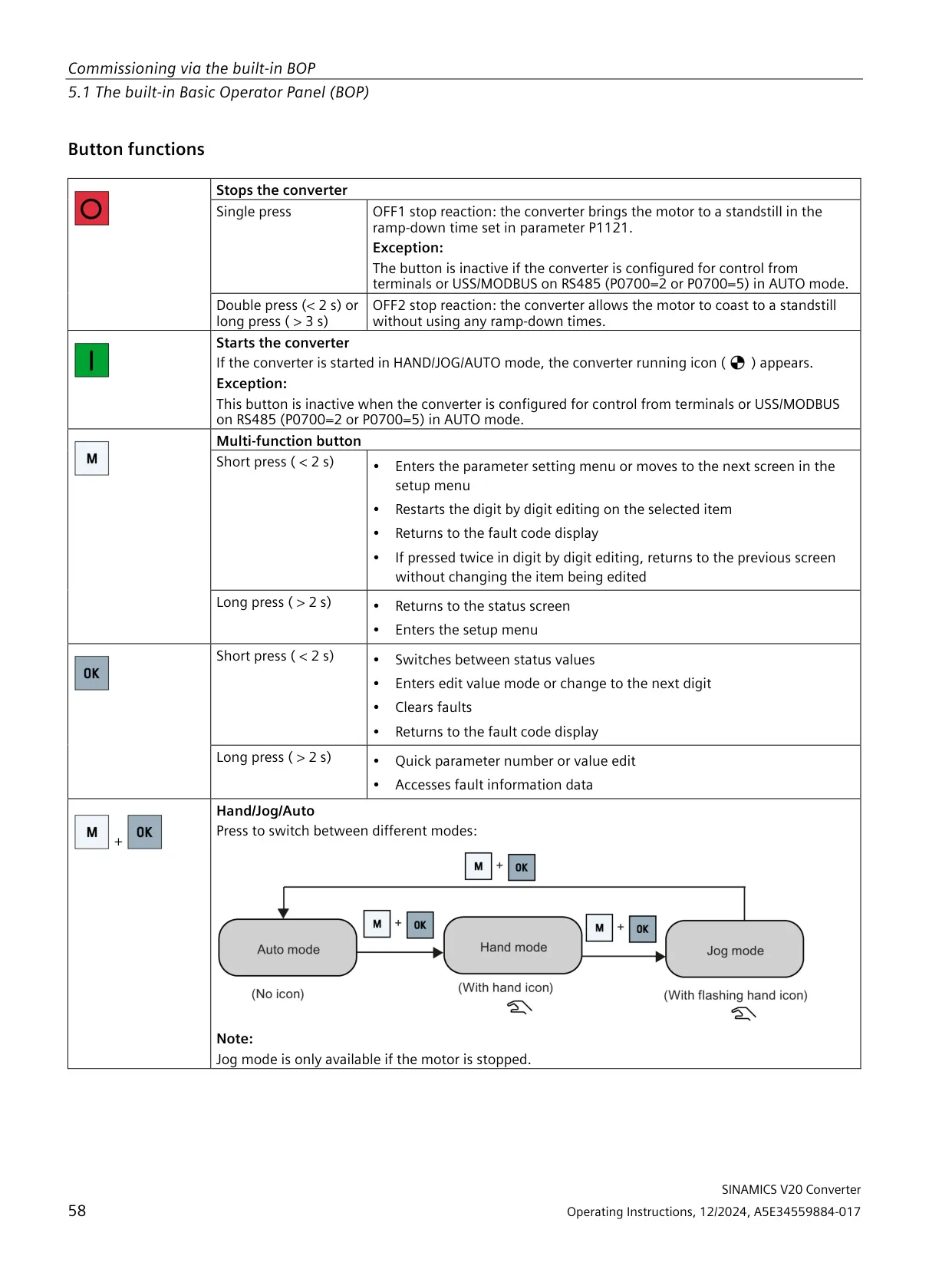
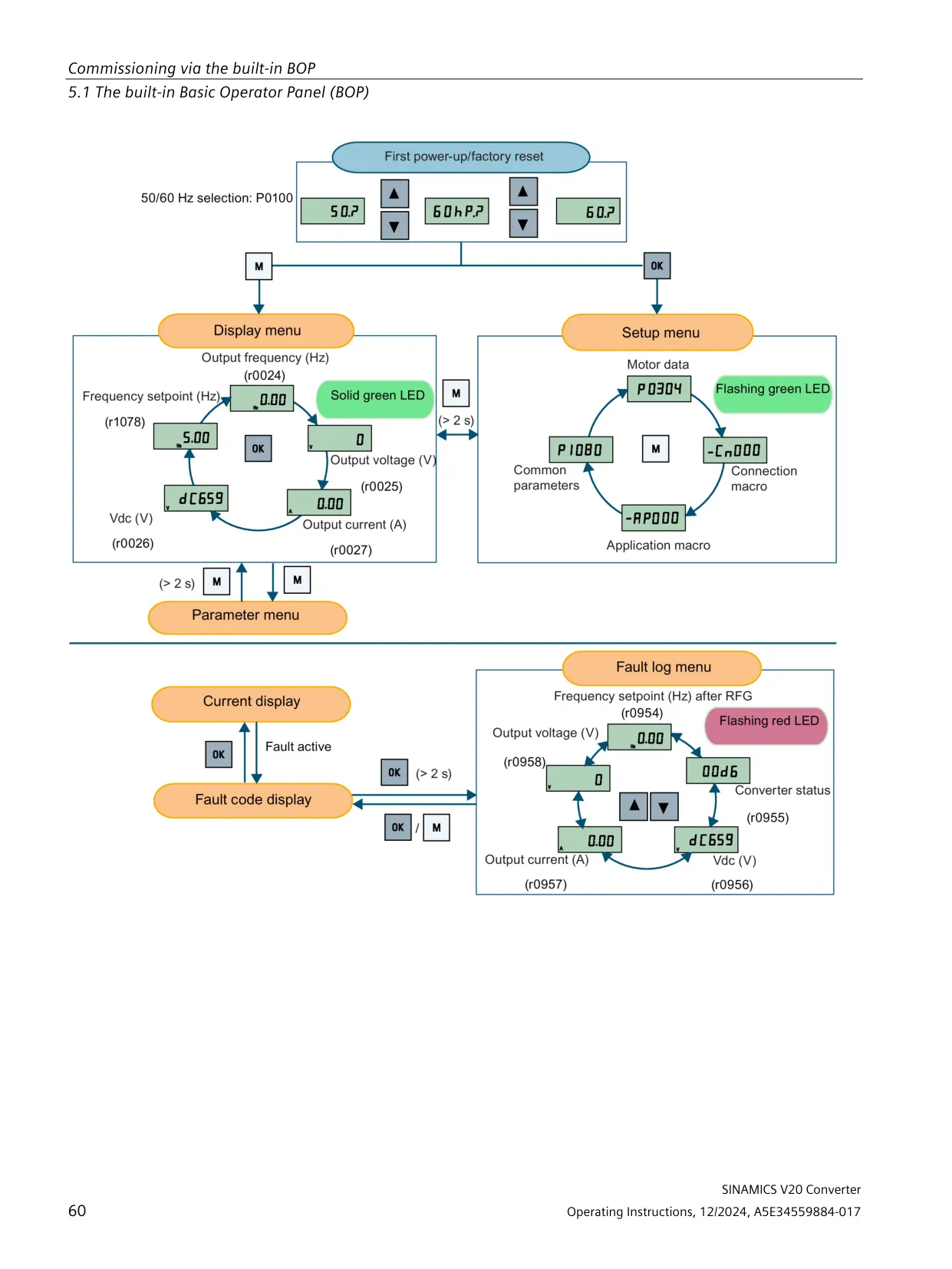
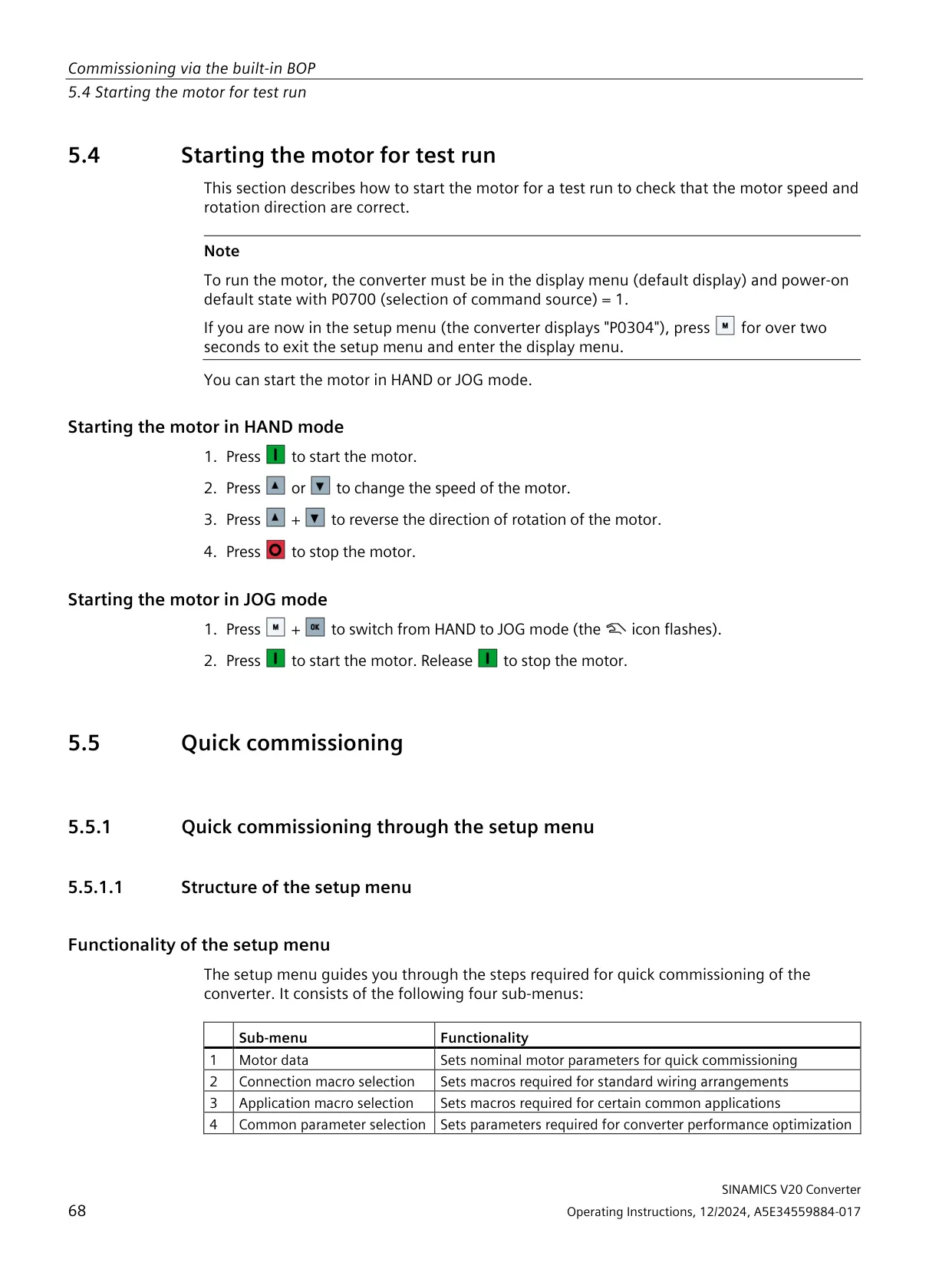
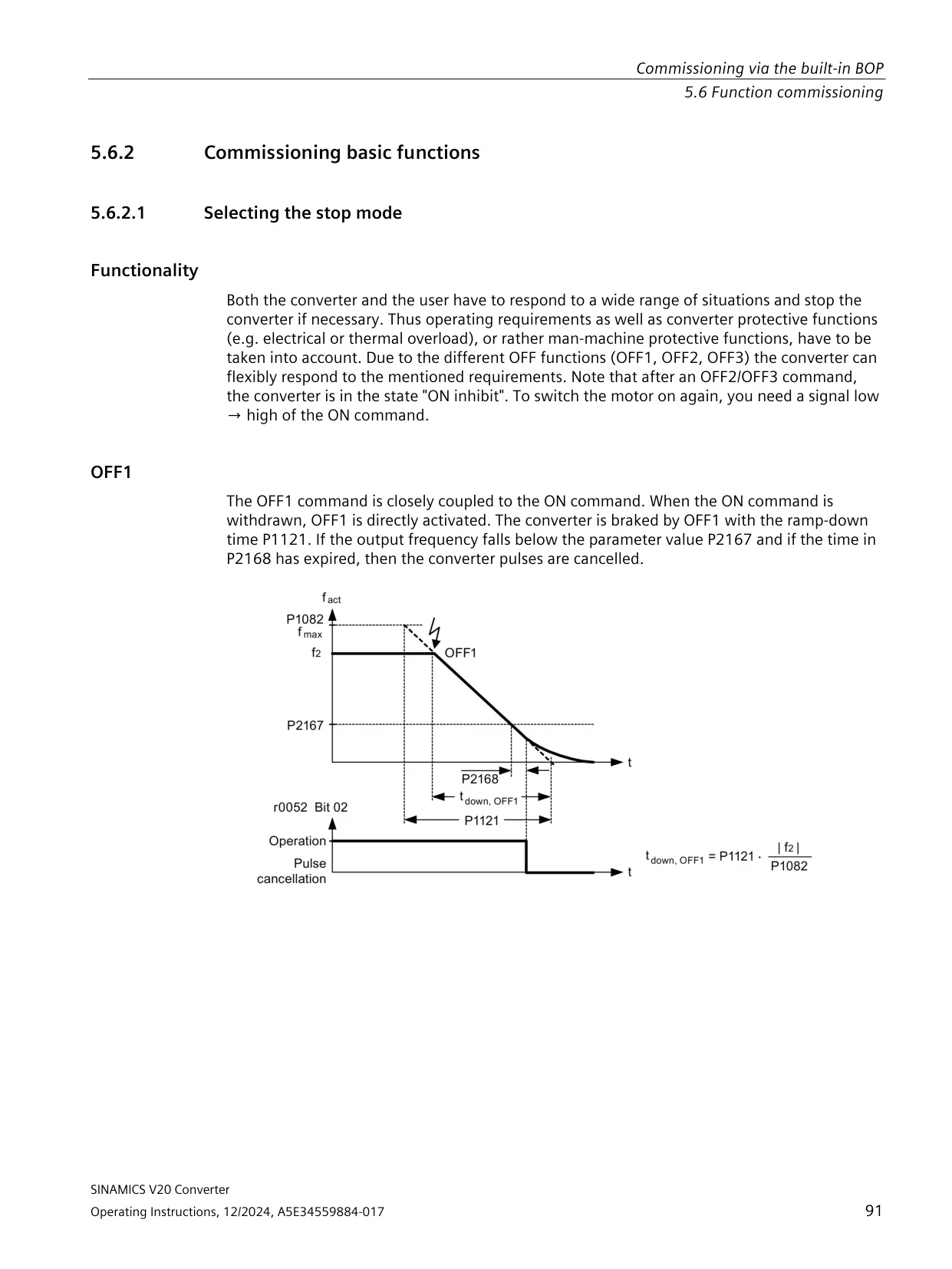
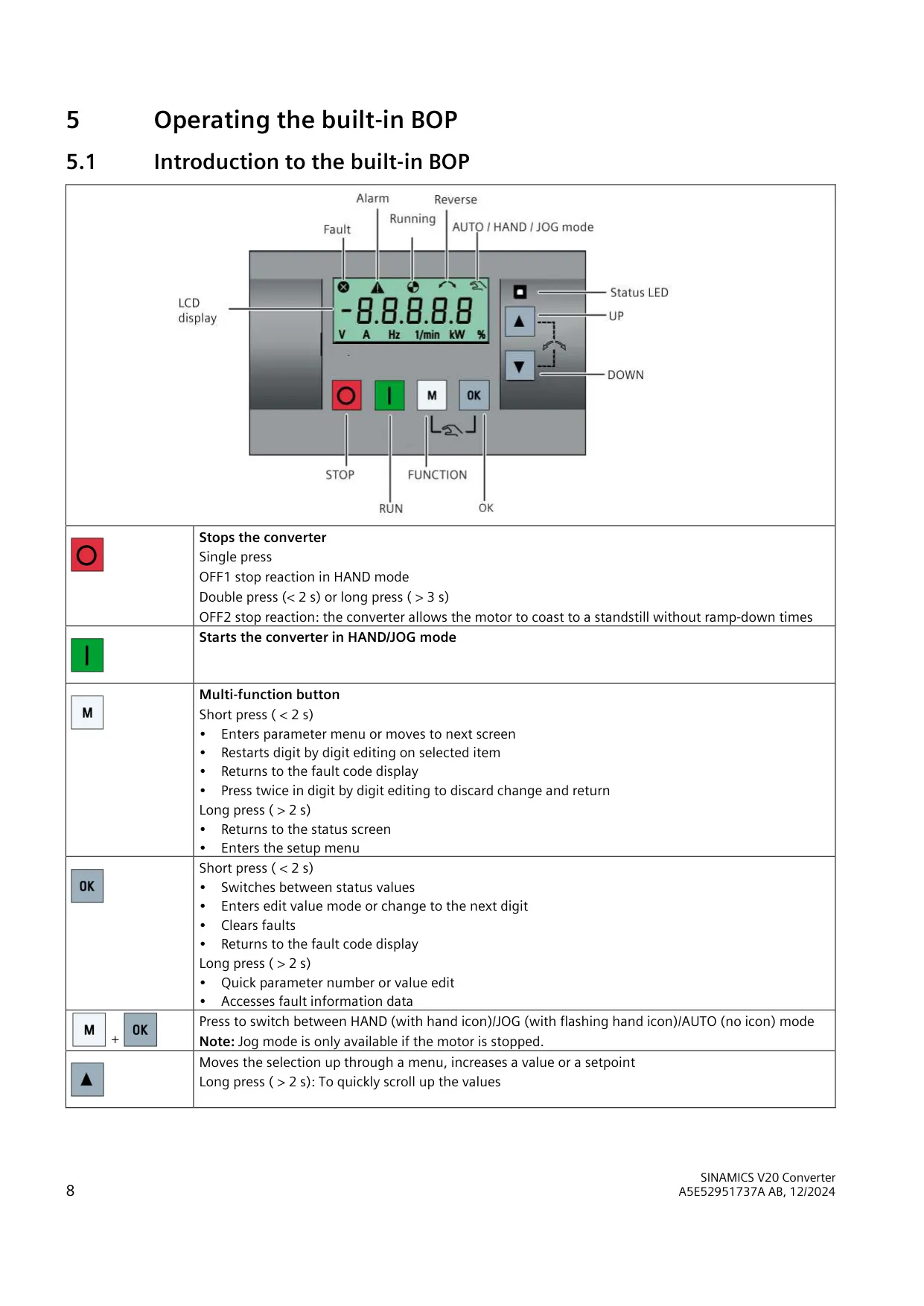
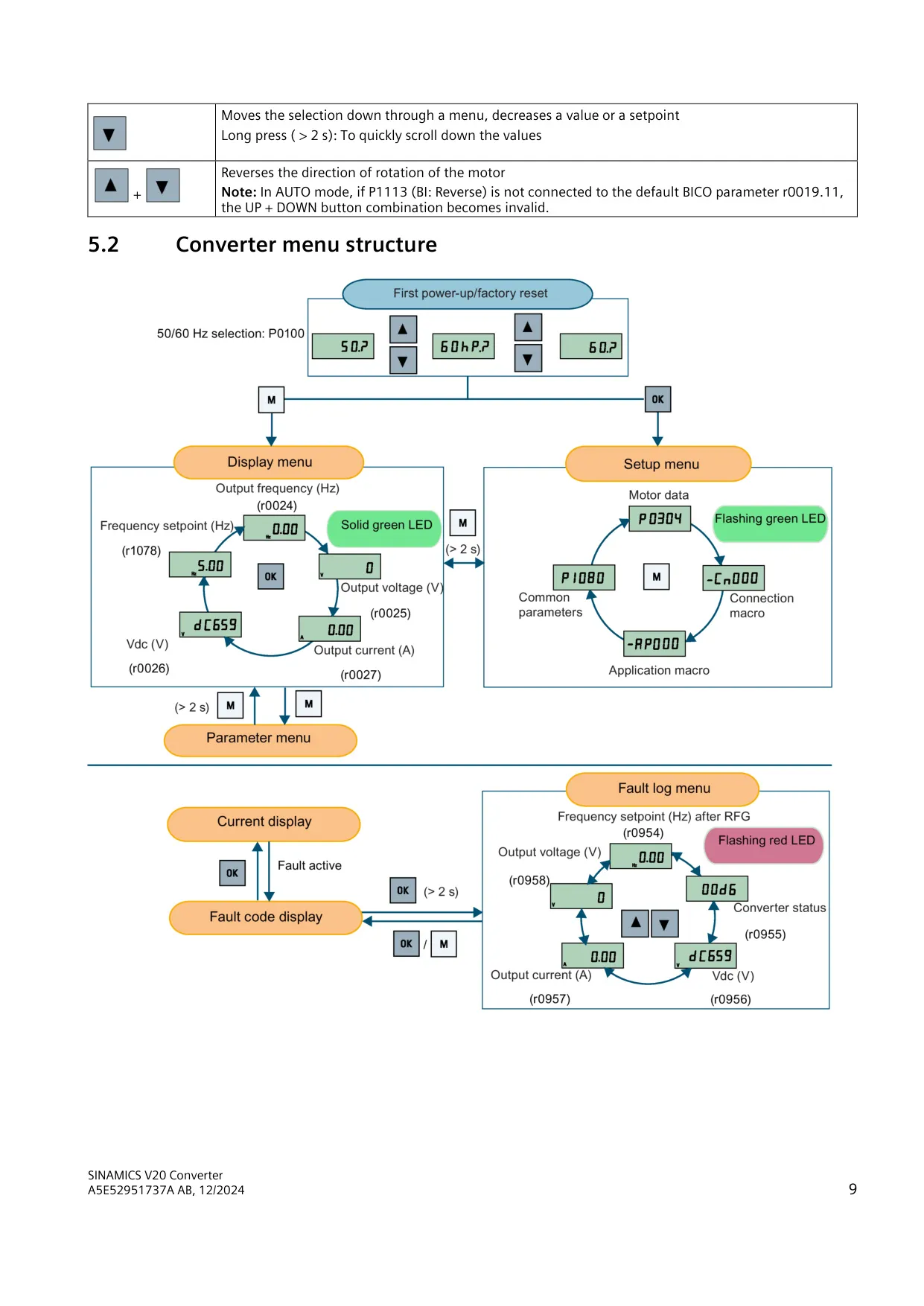
The SINAMICS V20 is operated from a built-in Basic Operator Panel (BOP). A single press of the stop button triggers an OFF1 ramp-down in HAND mode. A double press within 2 seconds, or a press longer than 3 seconds, triggers OFF2, which lets the motor coast to a standstill. The multi-function and OK buttons do different things on short presses (under 2 s) and long presses (over 2 s). For example, a long press opens the setup menu, returns to the status screen or opens fault information.
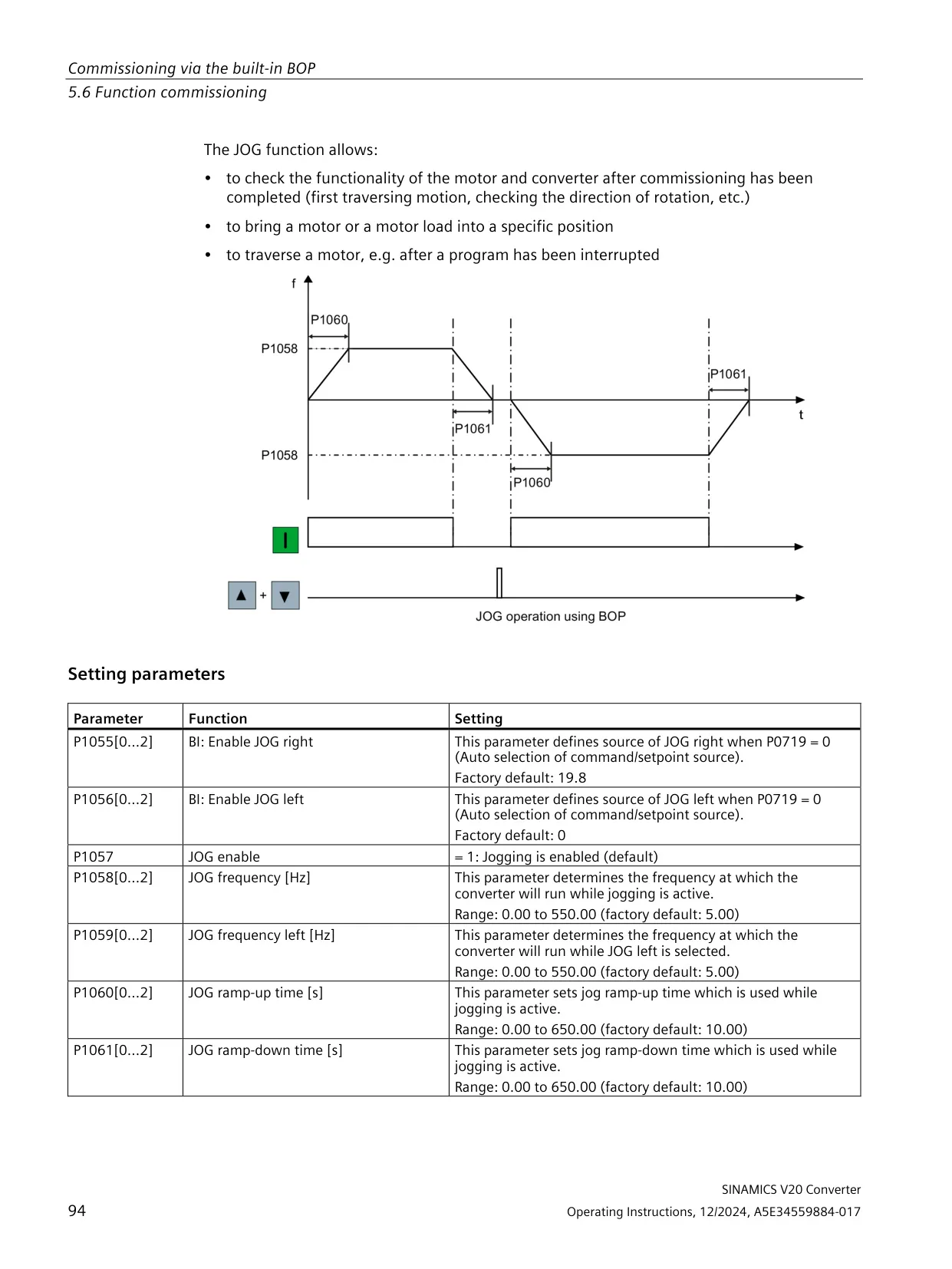
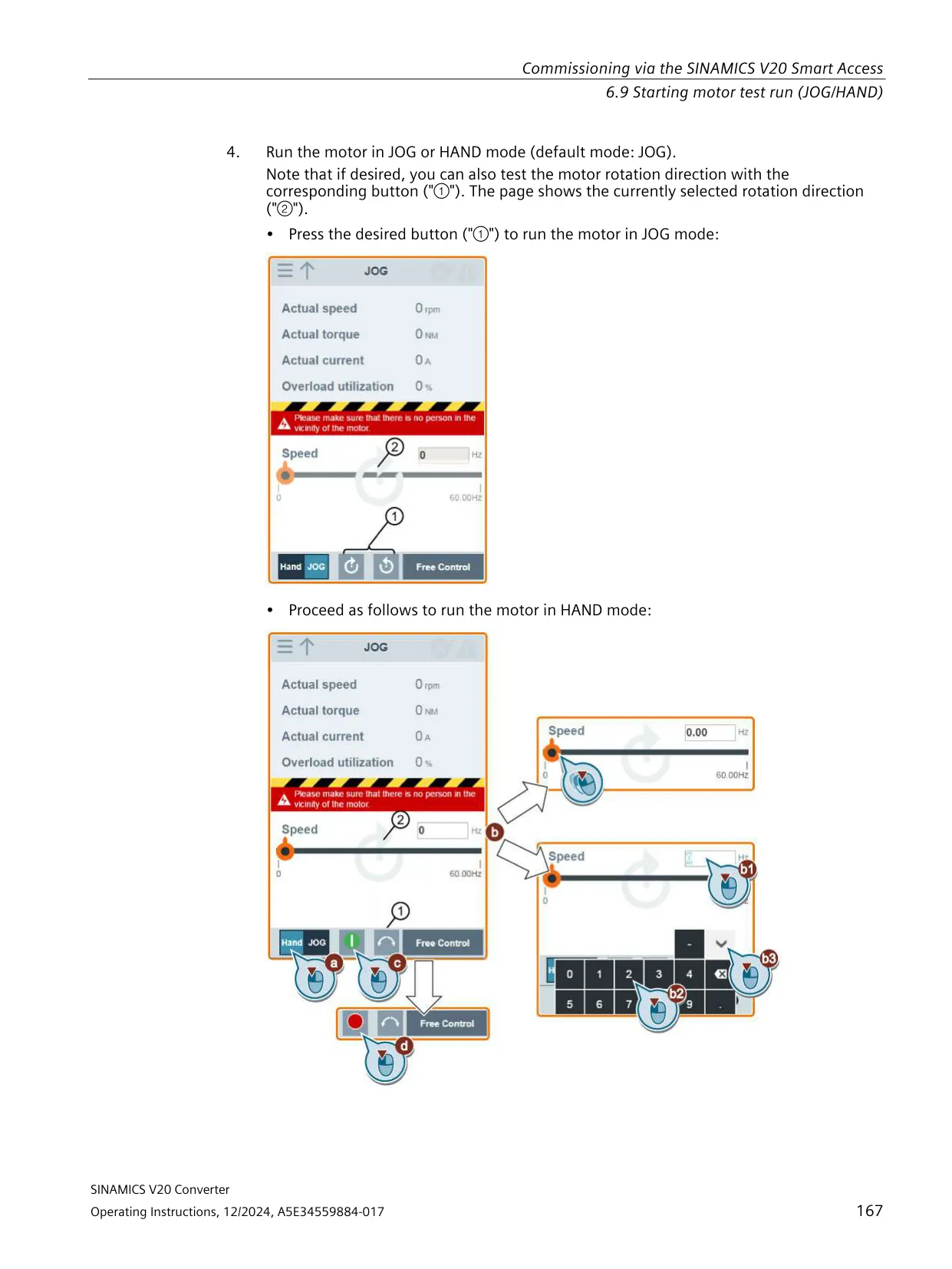
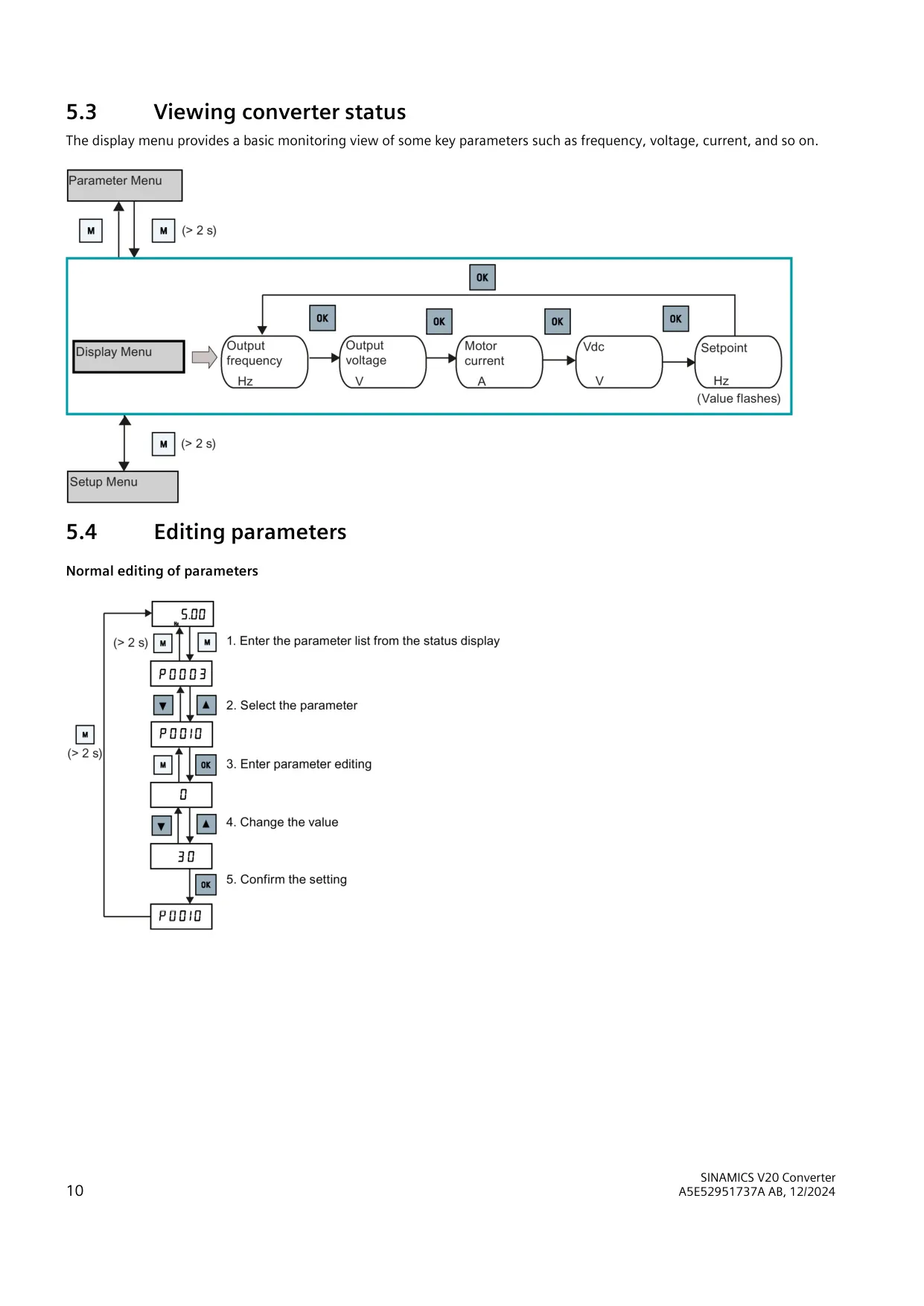
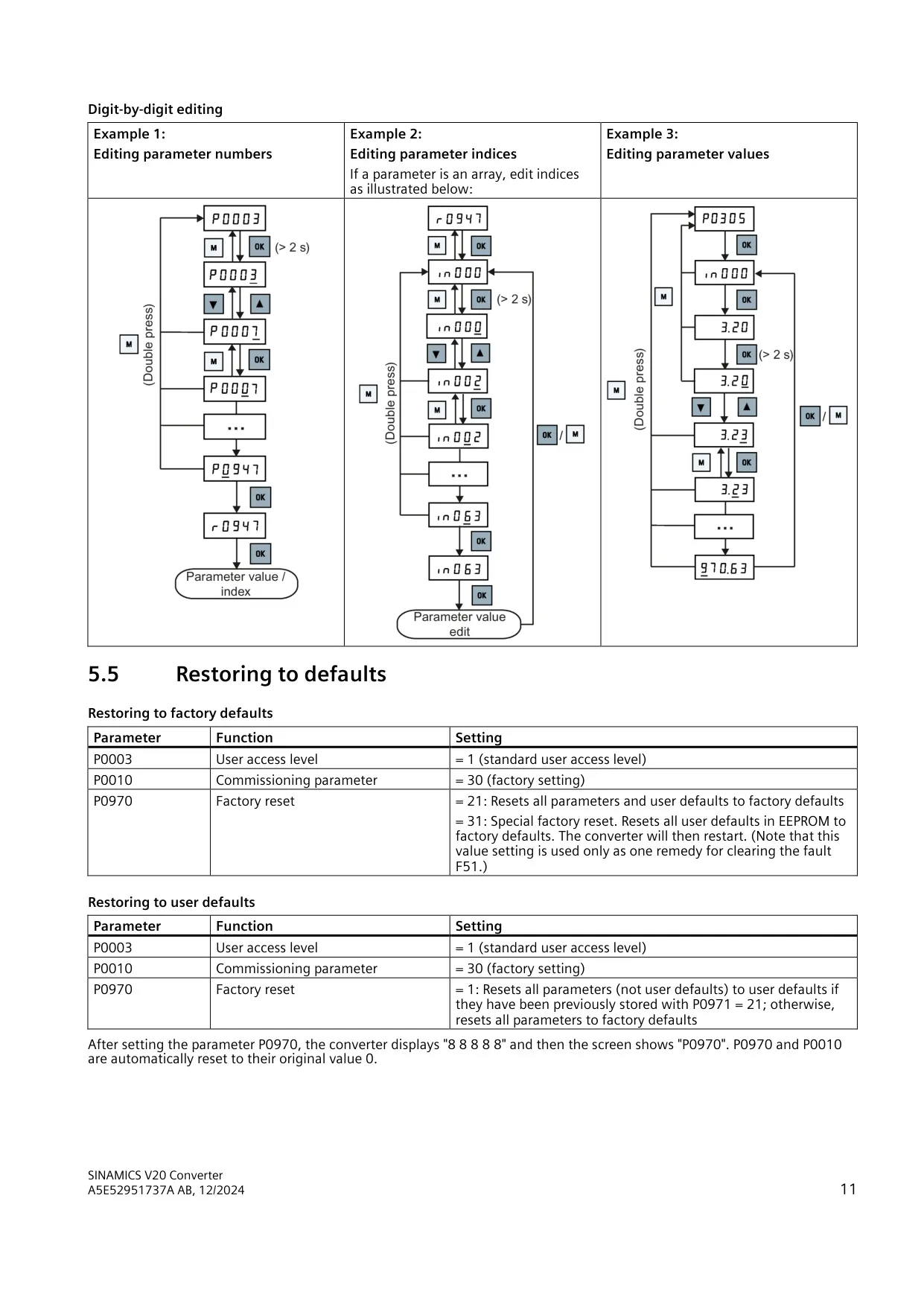
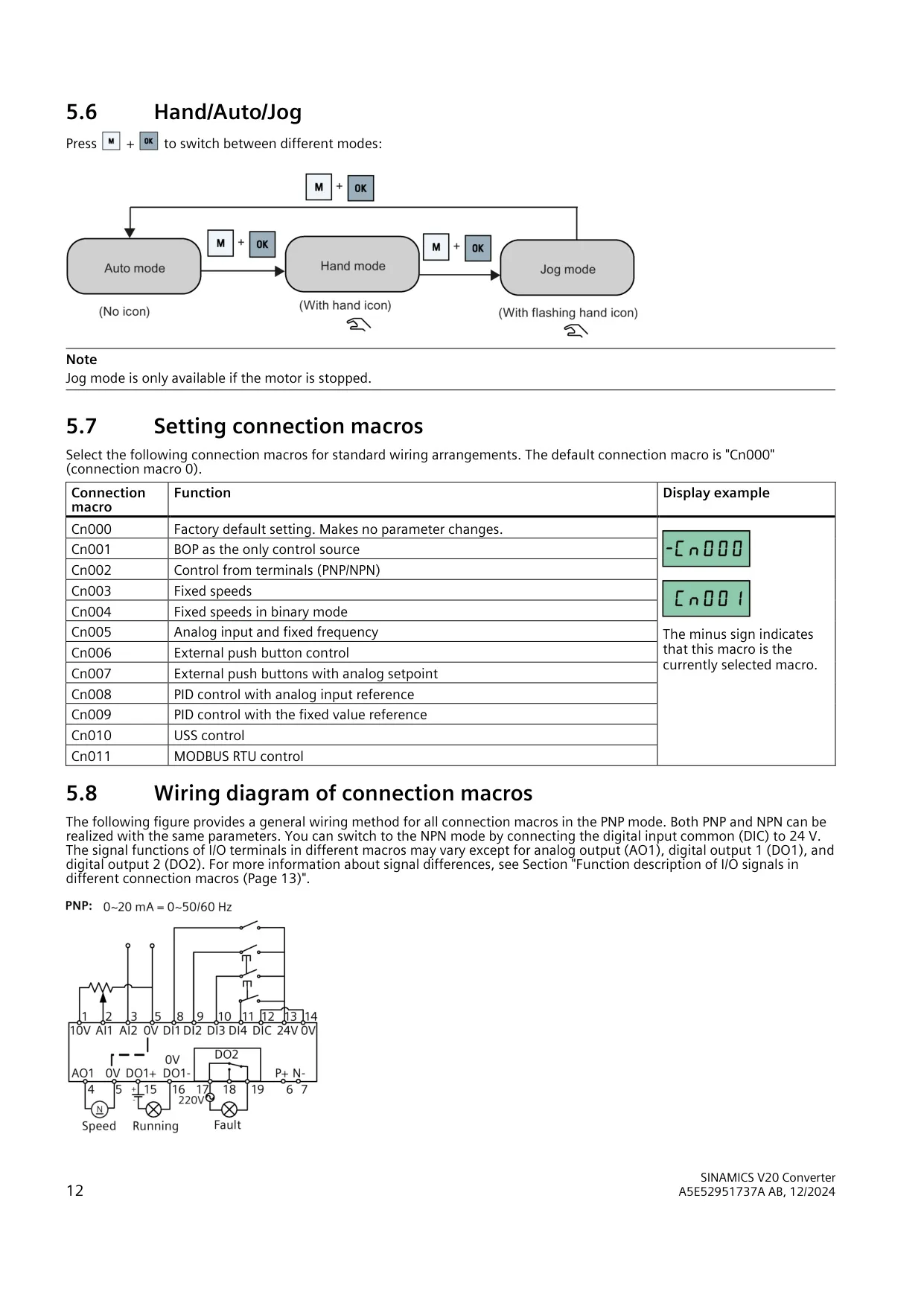
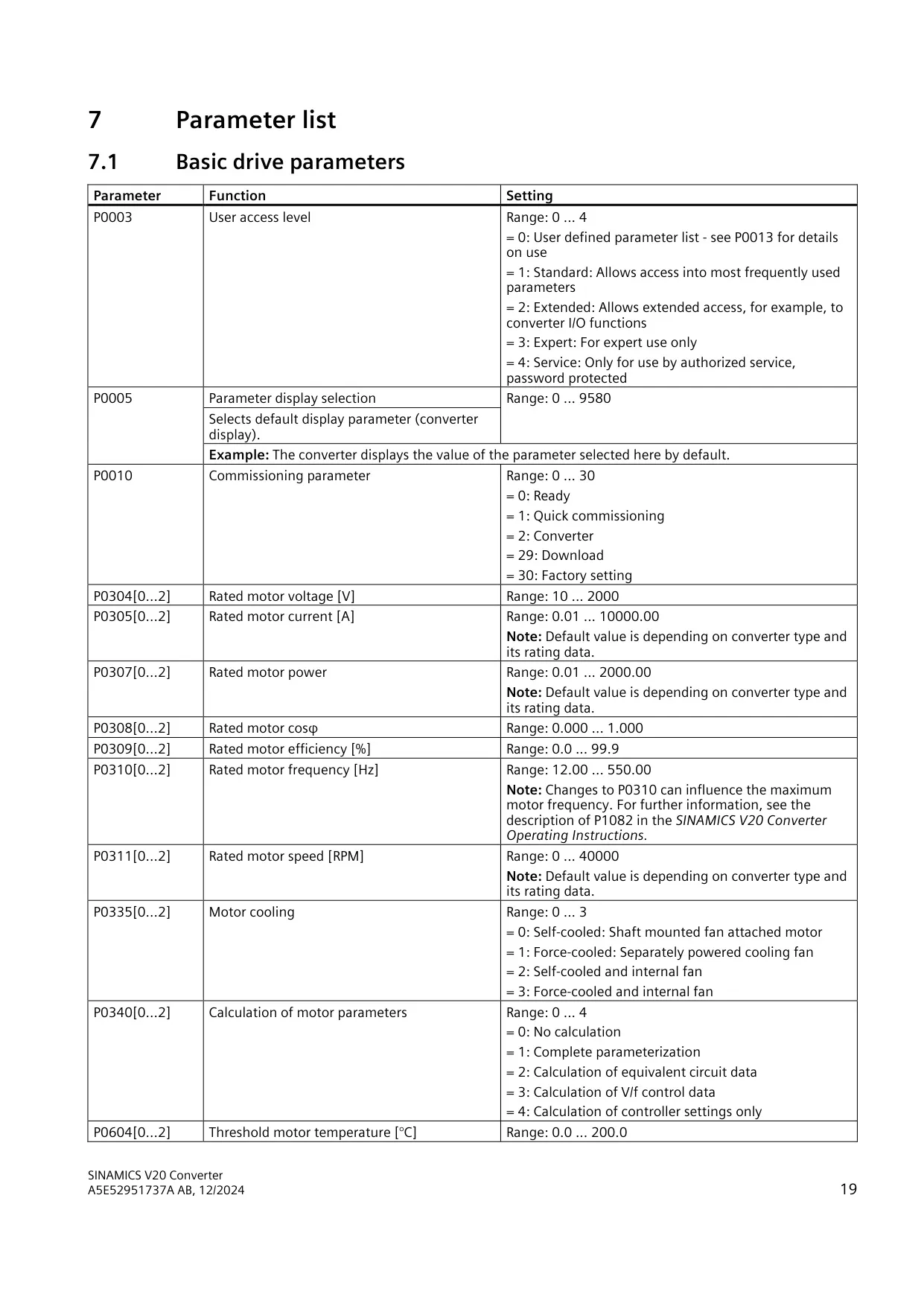
A key combination switches between HAND, JOG and AUTO modes. The hand icon is steady in HAND mode, flashes in JOG mode and is hidden in AUTO mode. JOG is only available while the motor is stopped. Pressing UP and DOWN together reverses the direction of rotation. In AUTO mode, this combination only works if P1113 remains connected to r0019.11. Parameters can be edited normally or digit by digit, and P8553 adds short text labels to the menus.
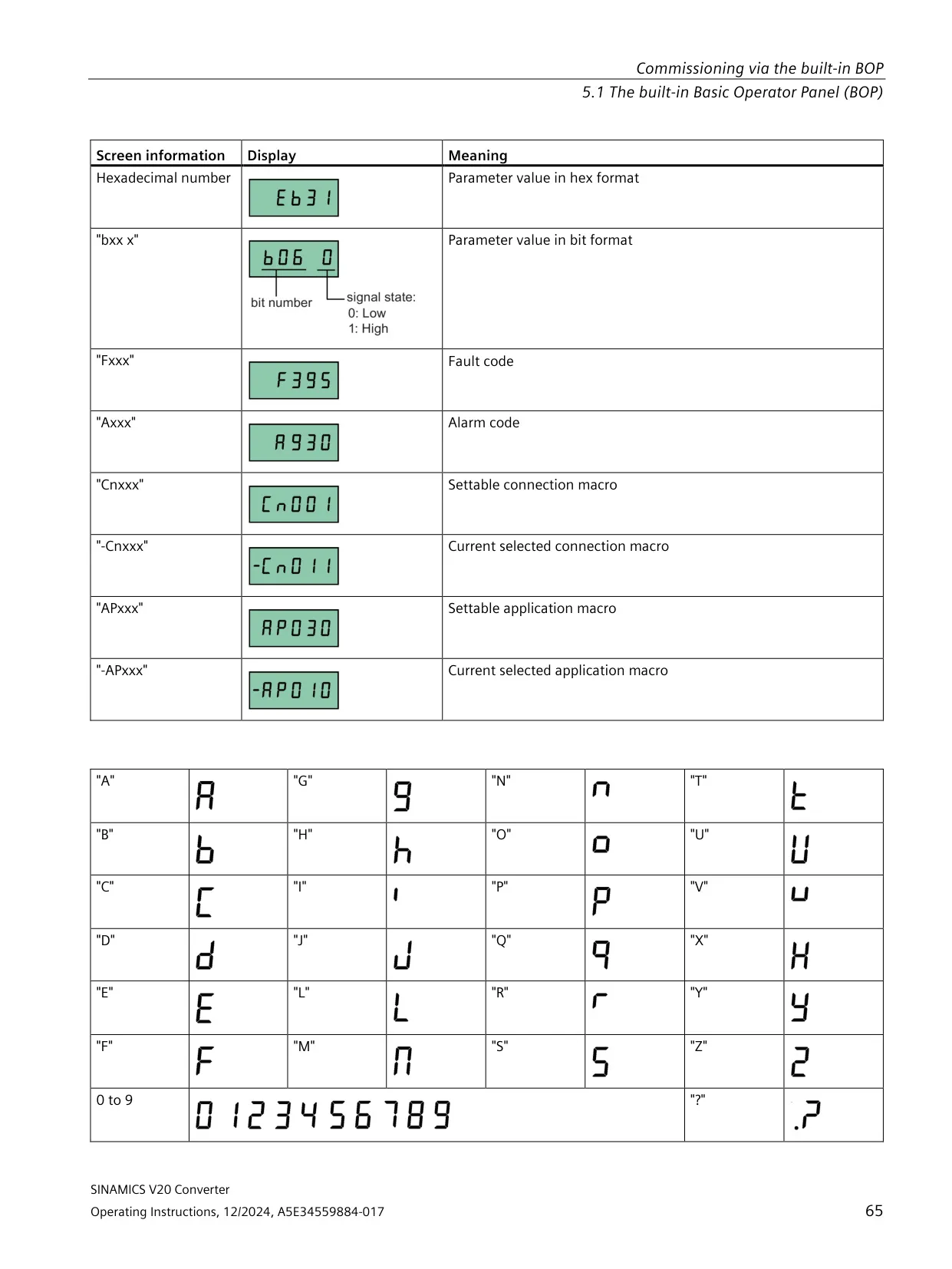
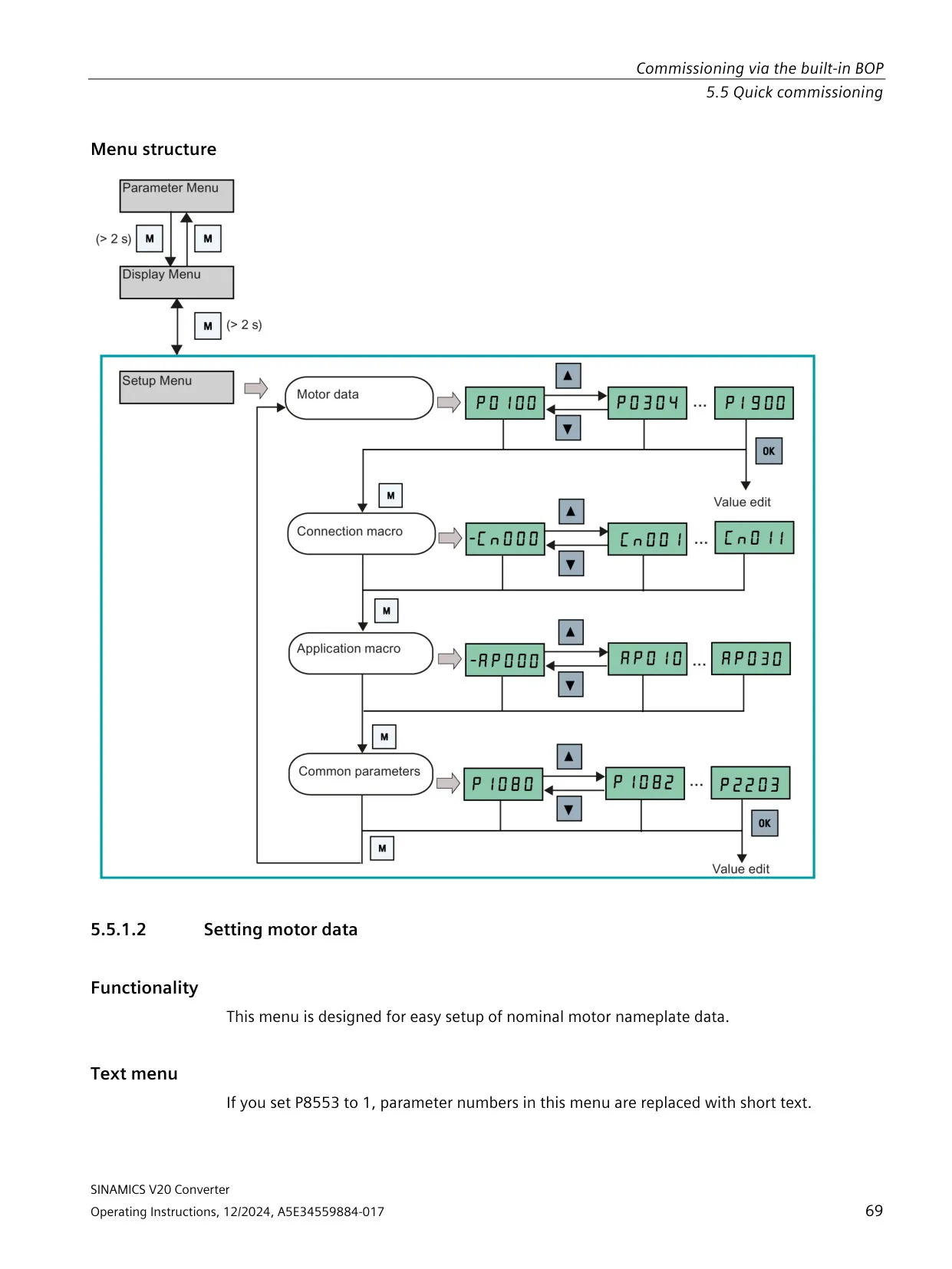
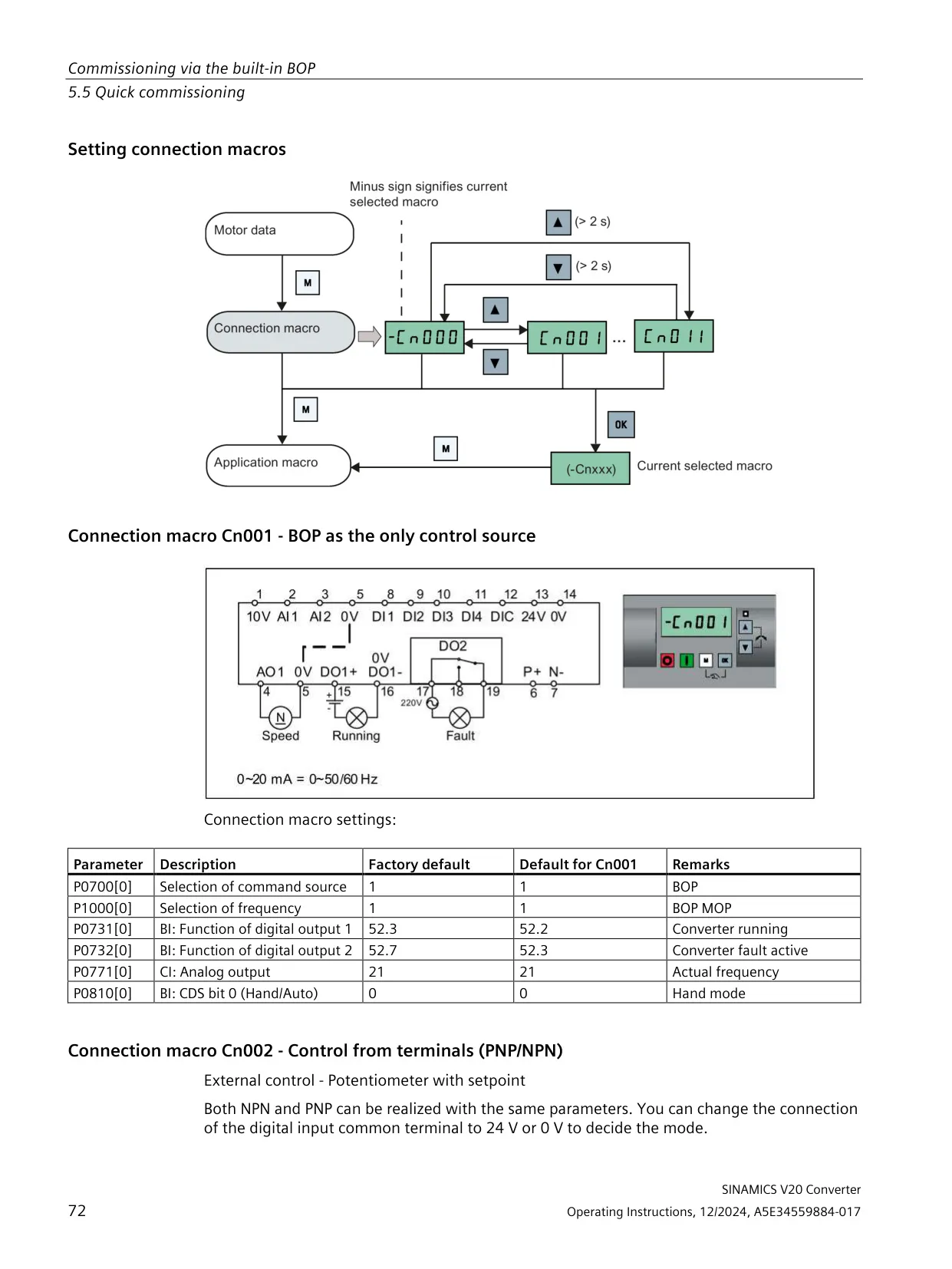
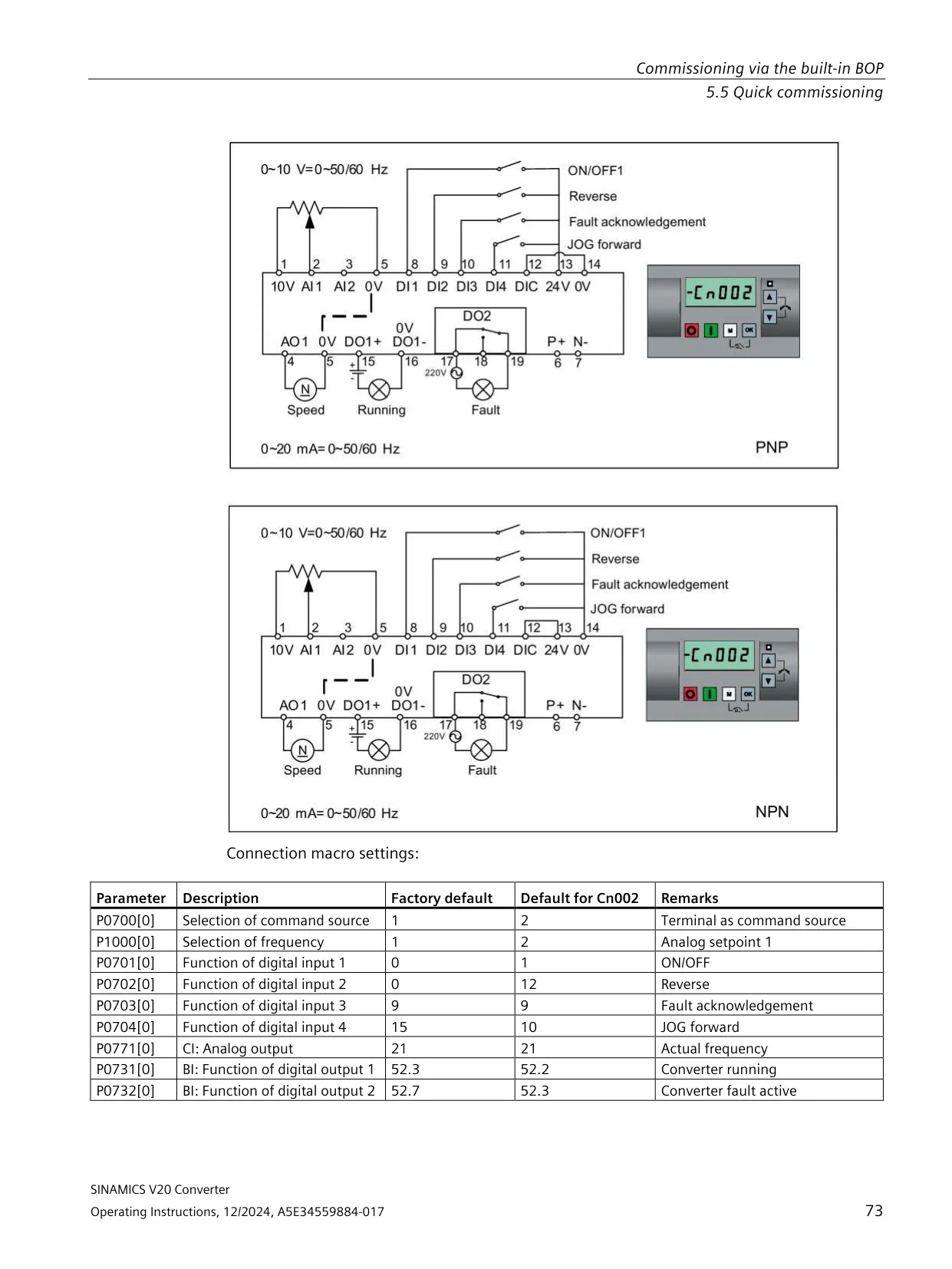
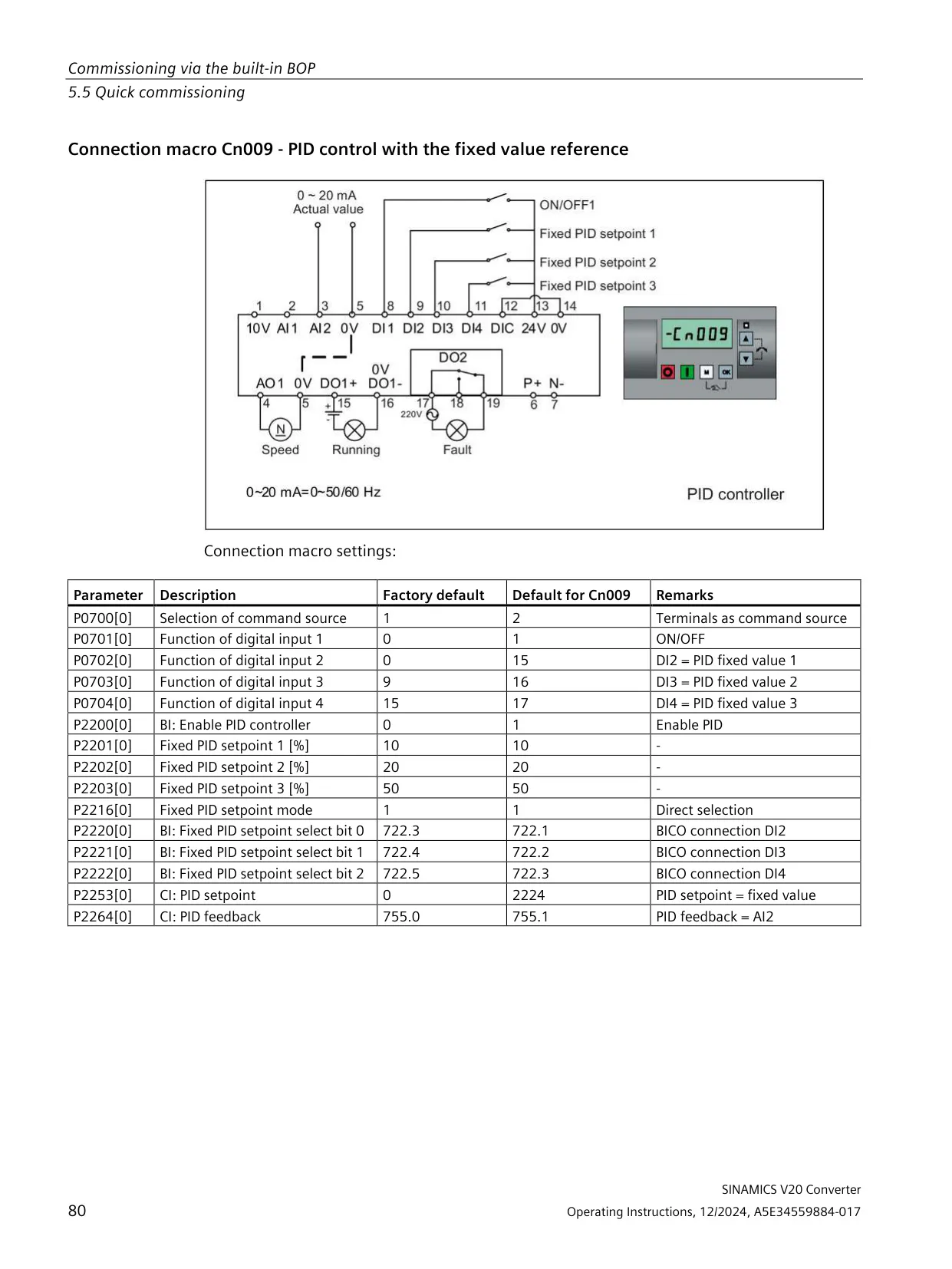
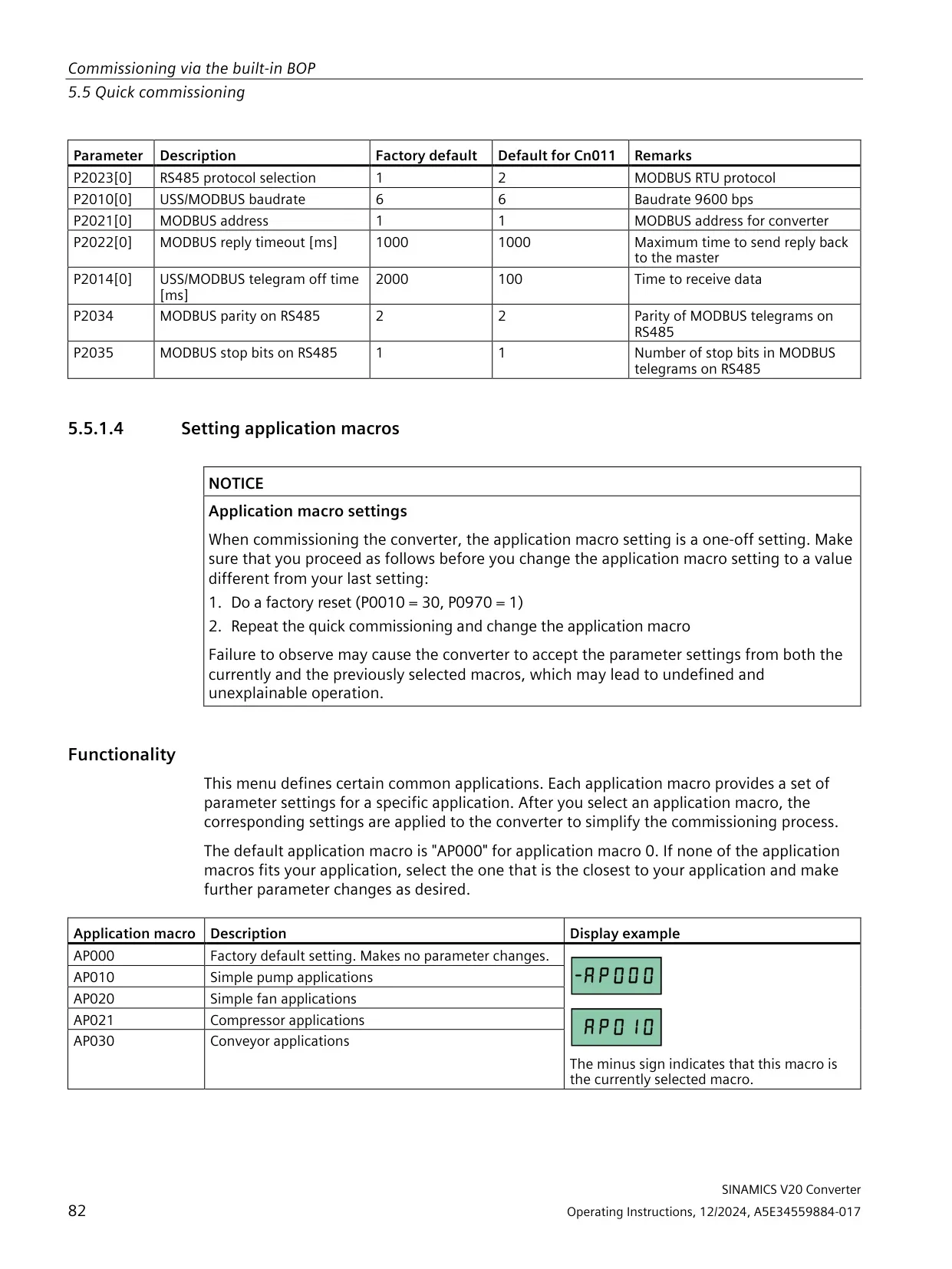
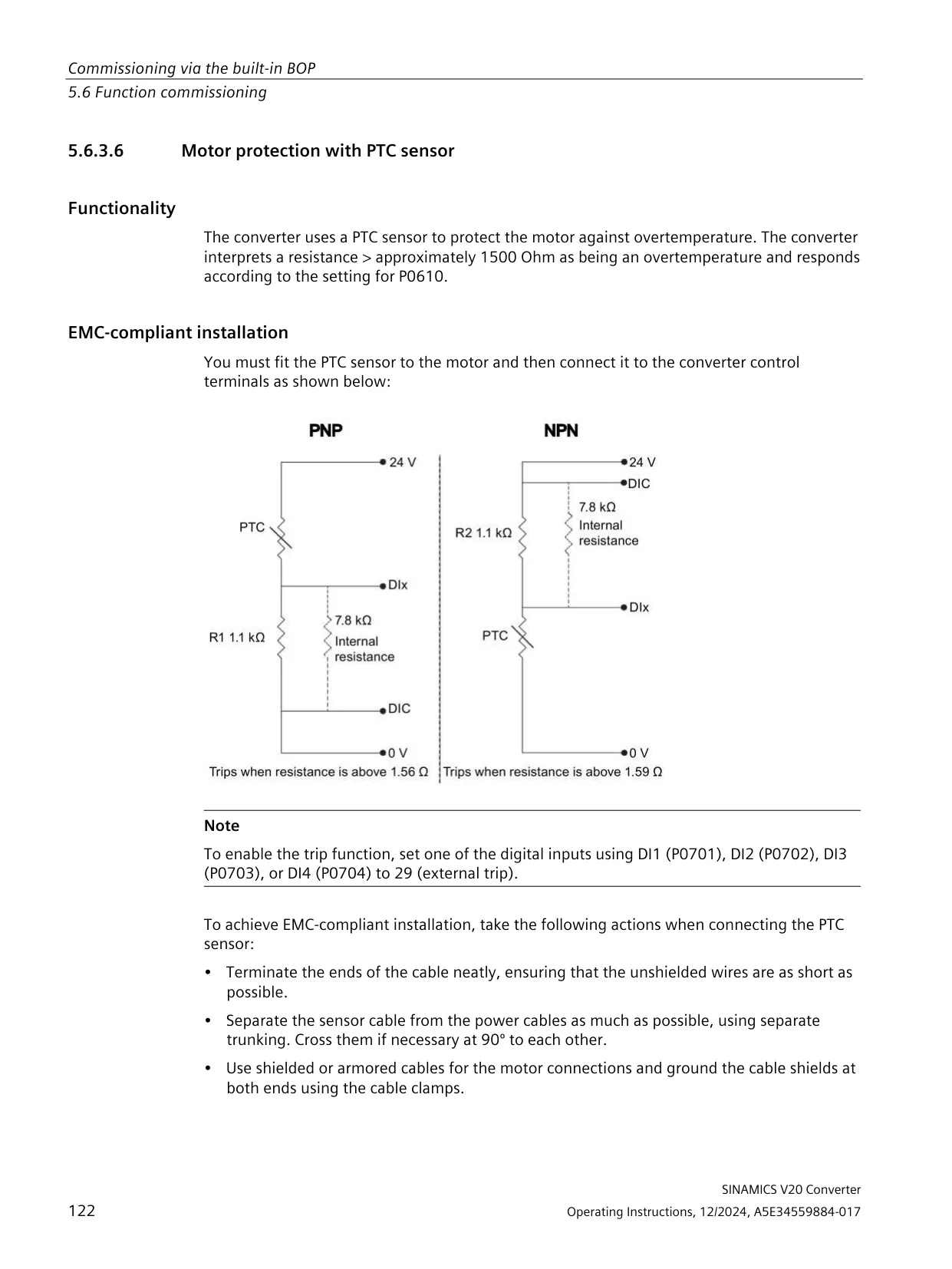
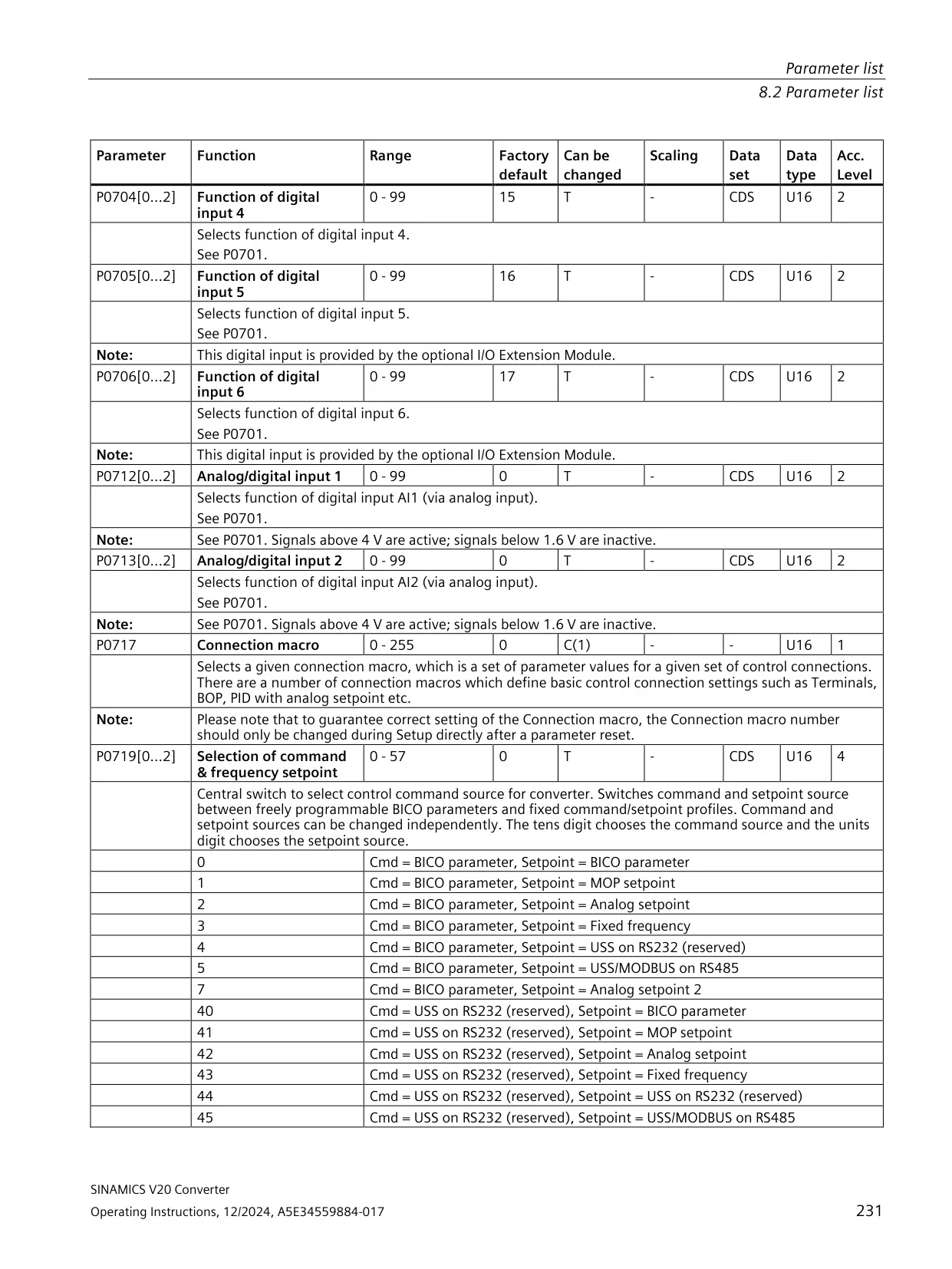
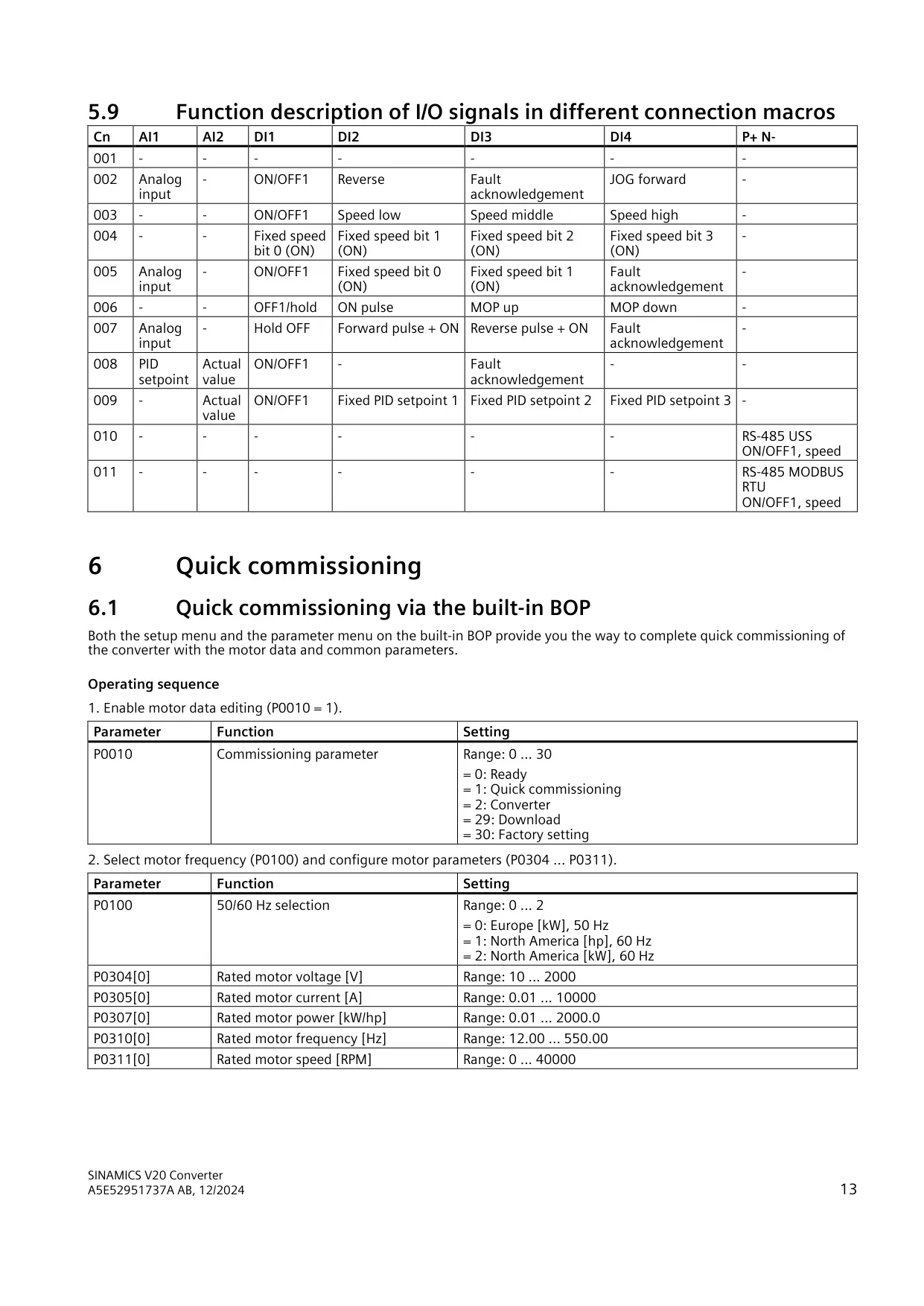
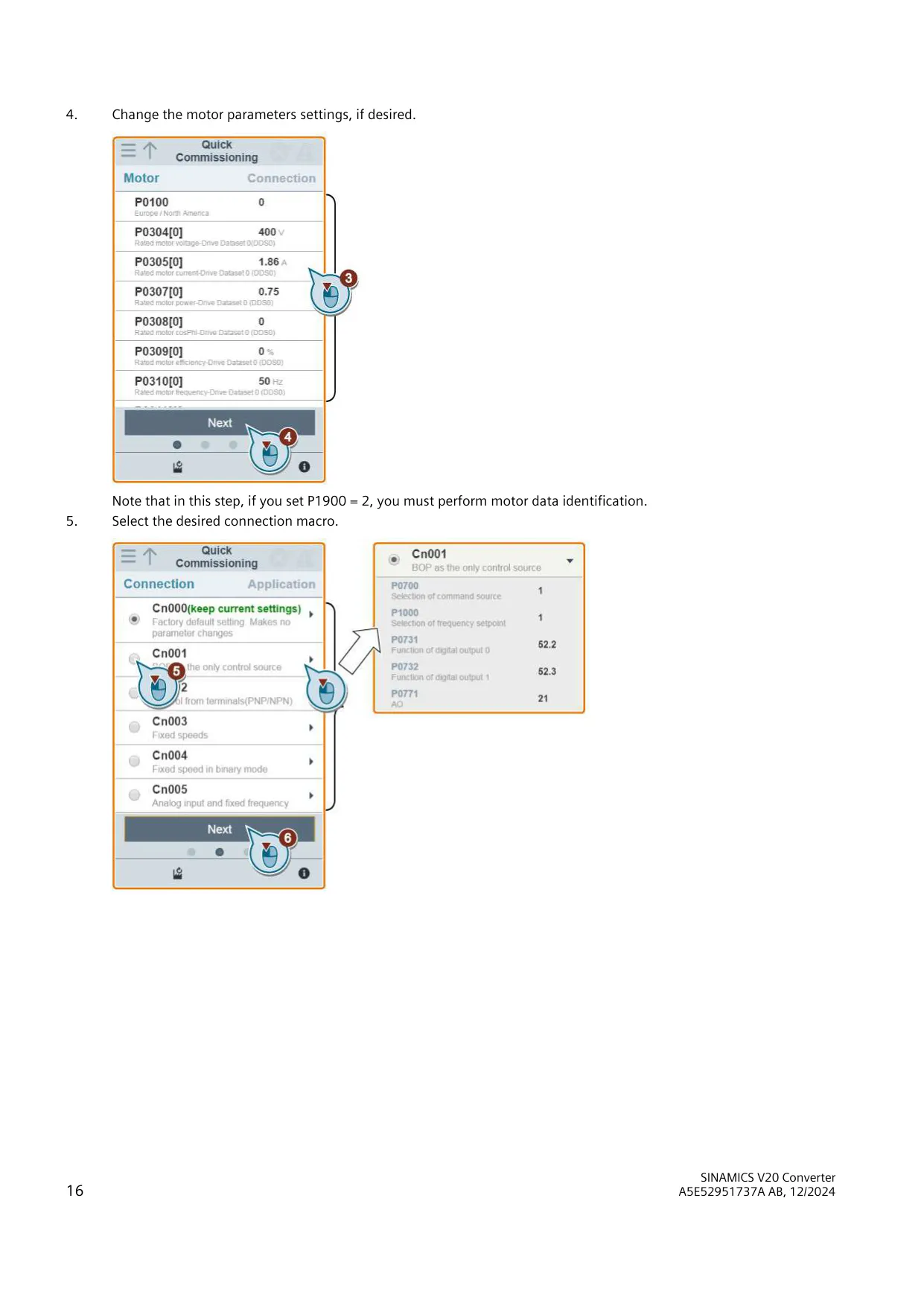
Instead of wiring each function by hand, you can load connection macros. Available macros include BOP-only control, terminal control, fixed speeds, push-button control with or without an analog setpoint, two PID configurations, and USS or MODBUS RTU control. In the setup wizard, a minus sign marks the macro that is currently active. You can switch from PNP to NPN logic by connecting the digital input common (DIC) to 24 V.
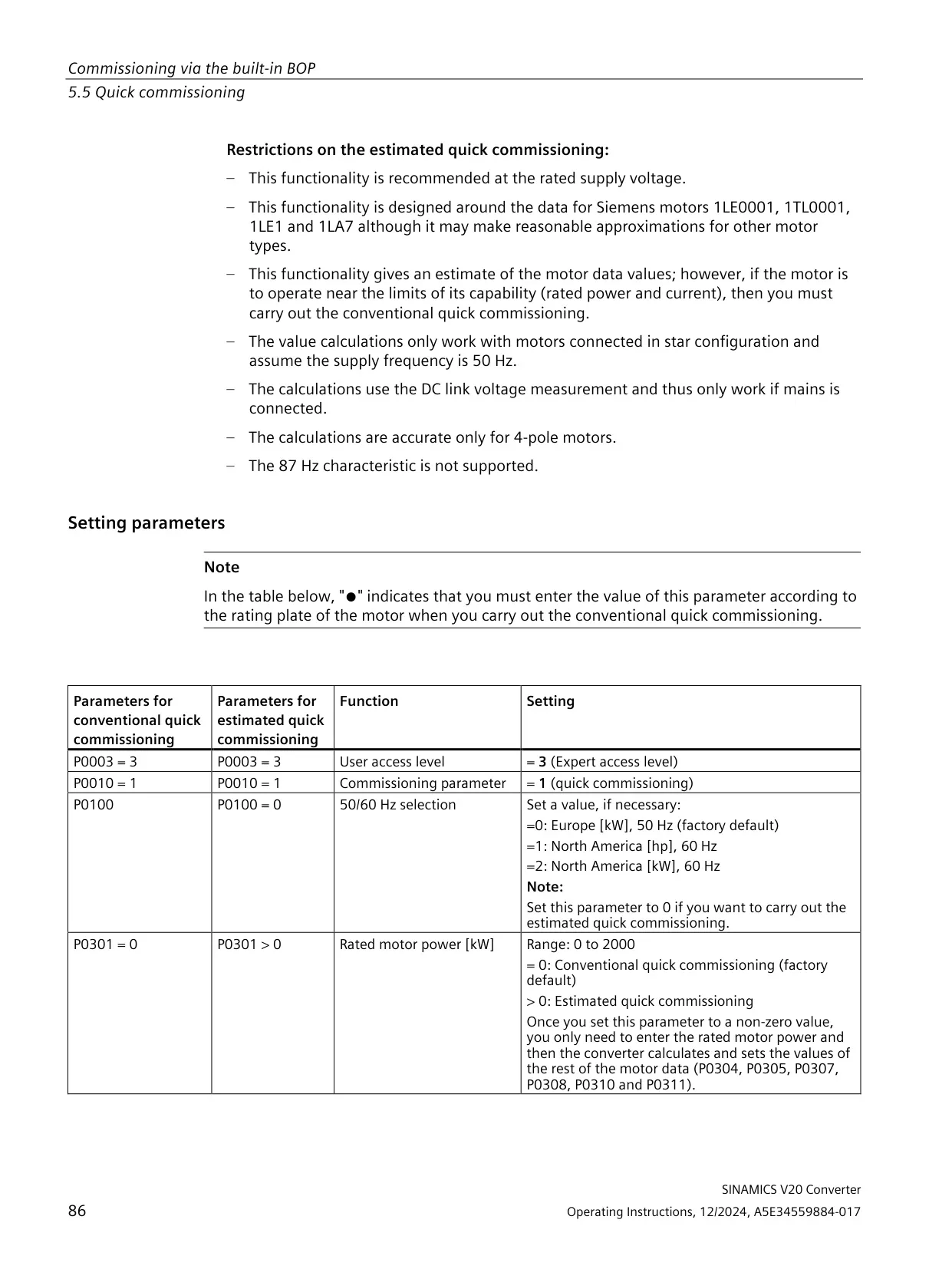
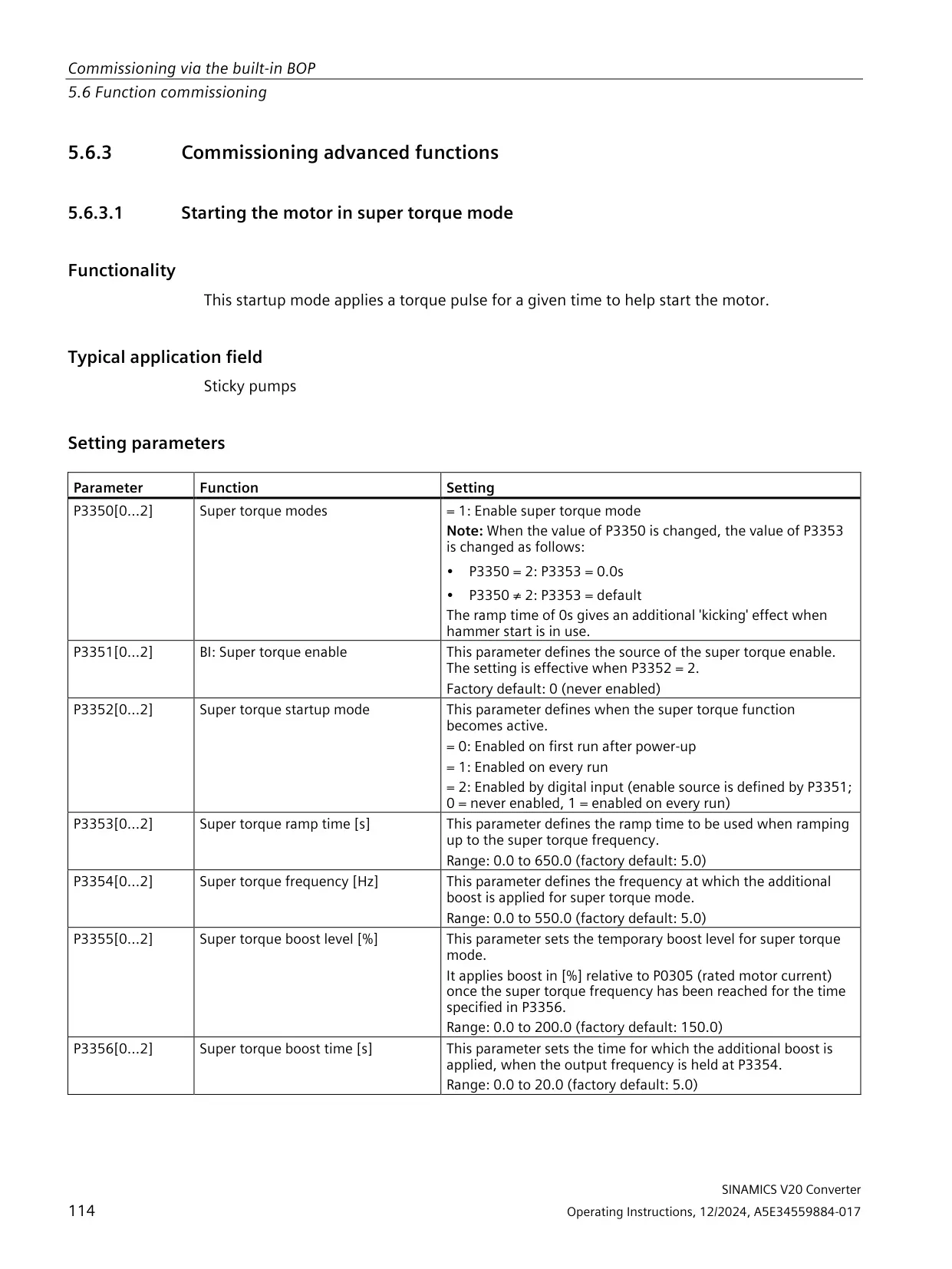
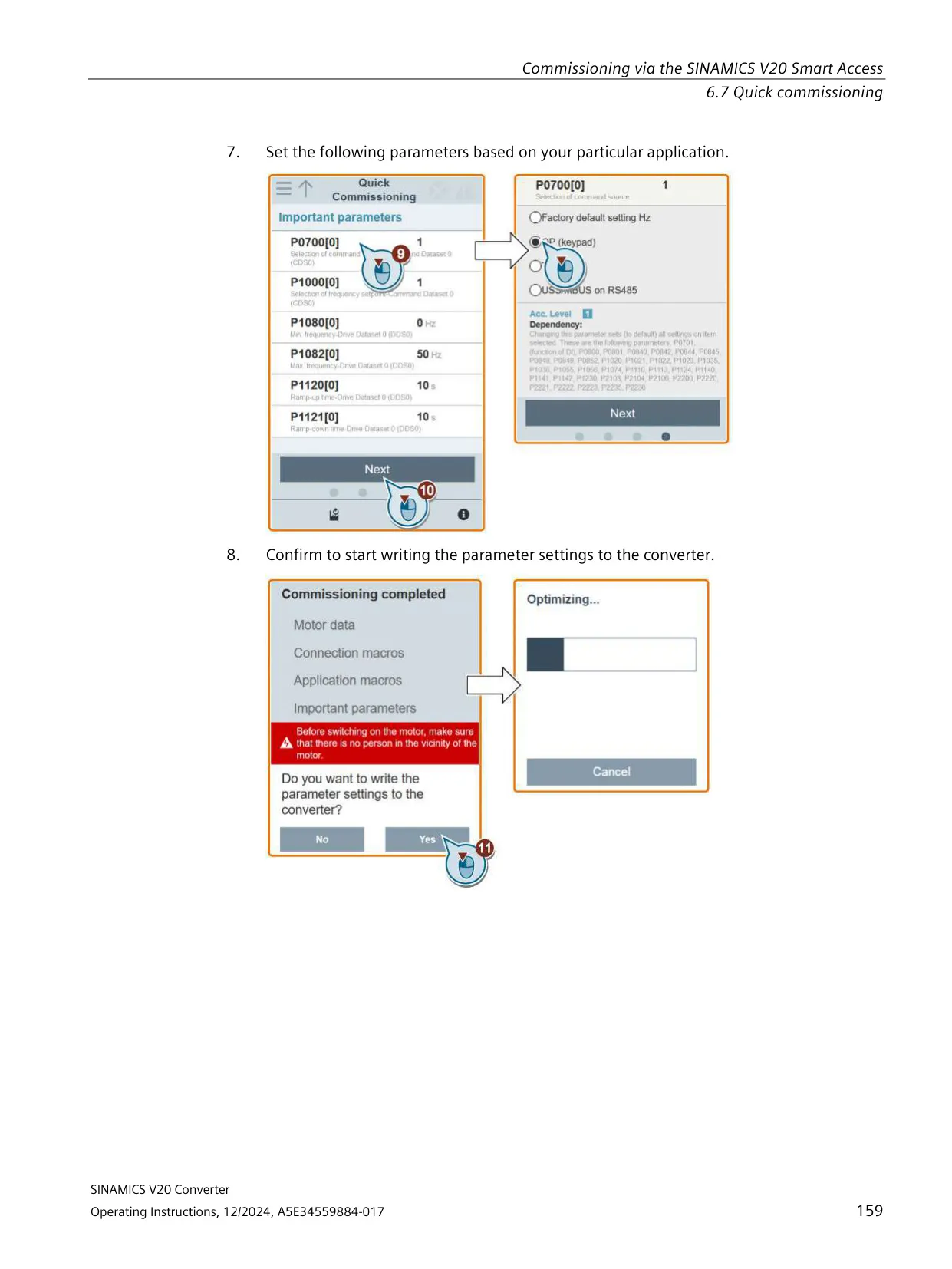
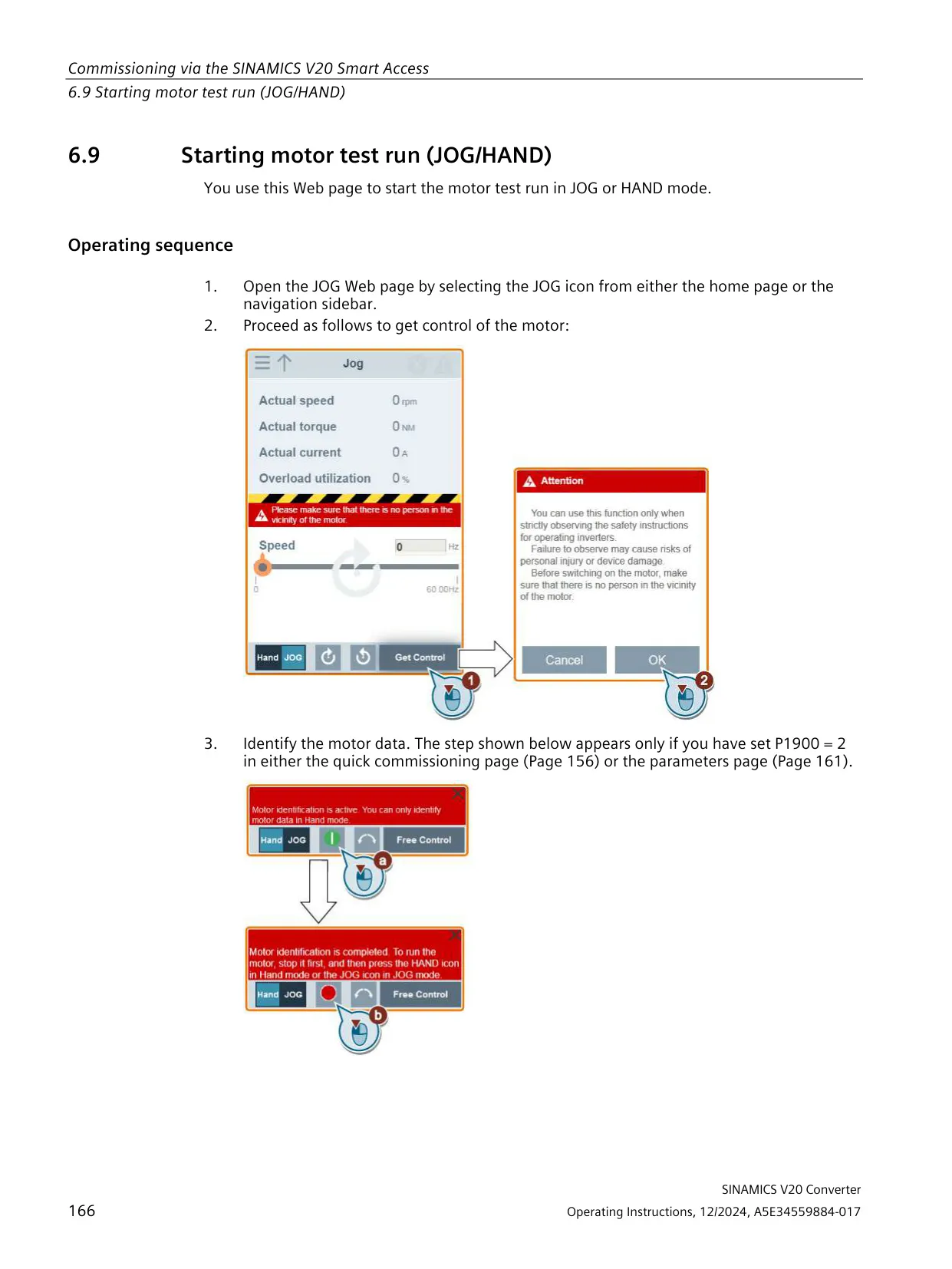
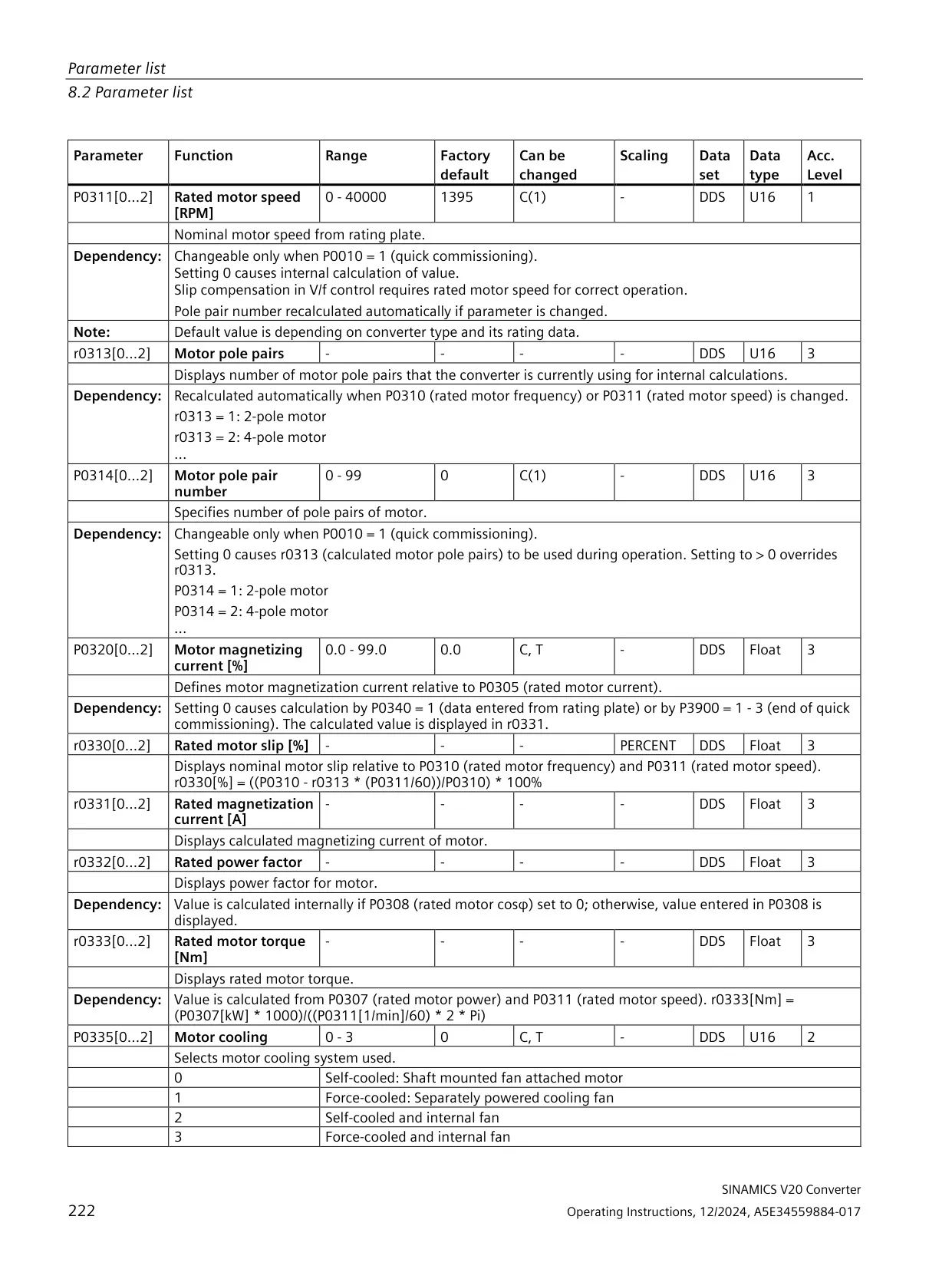
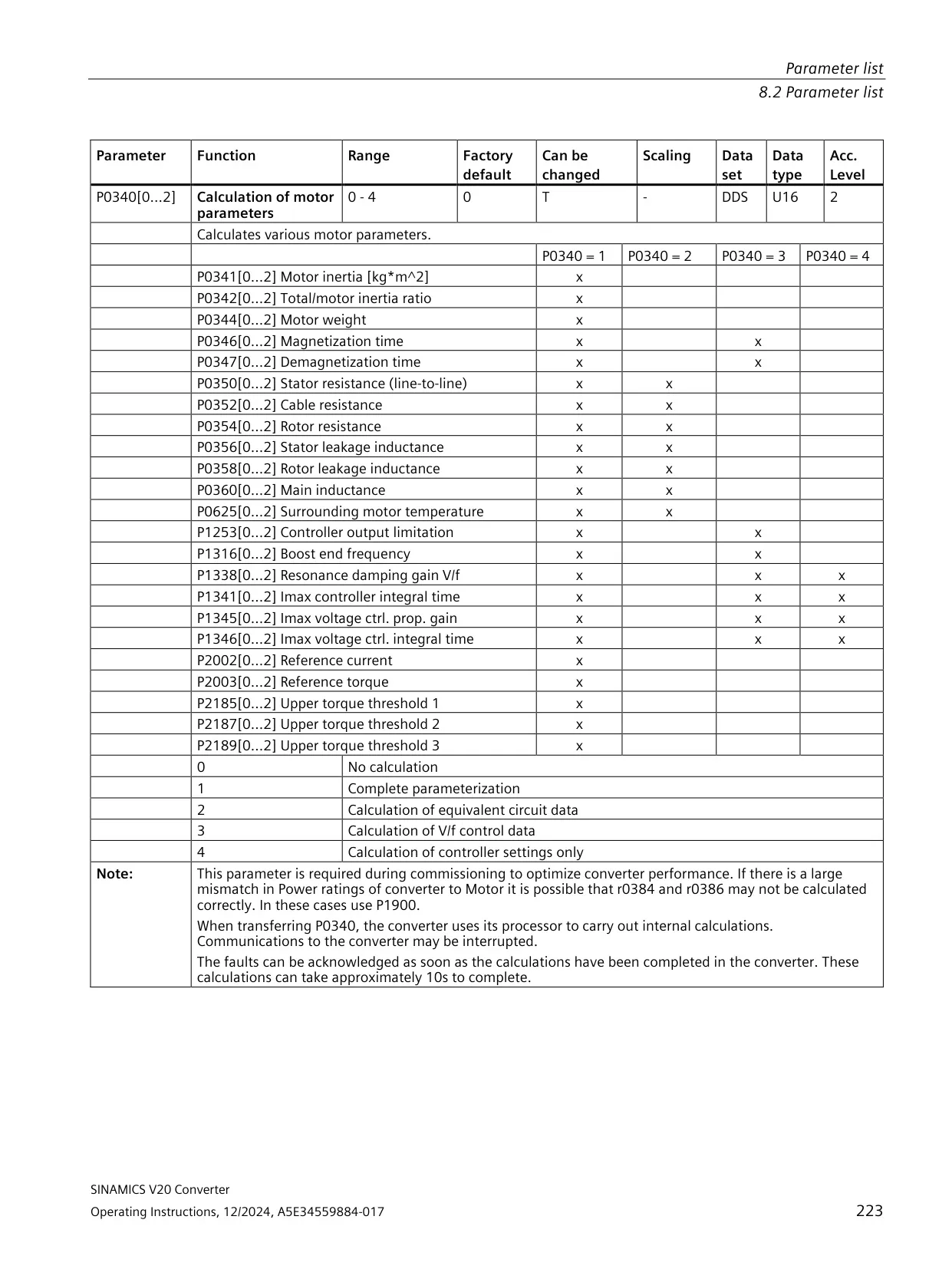
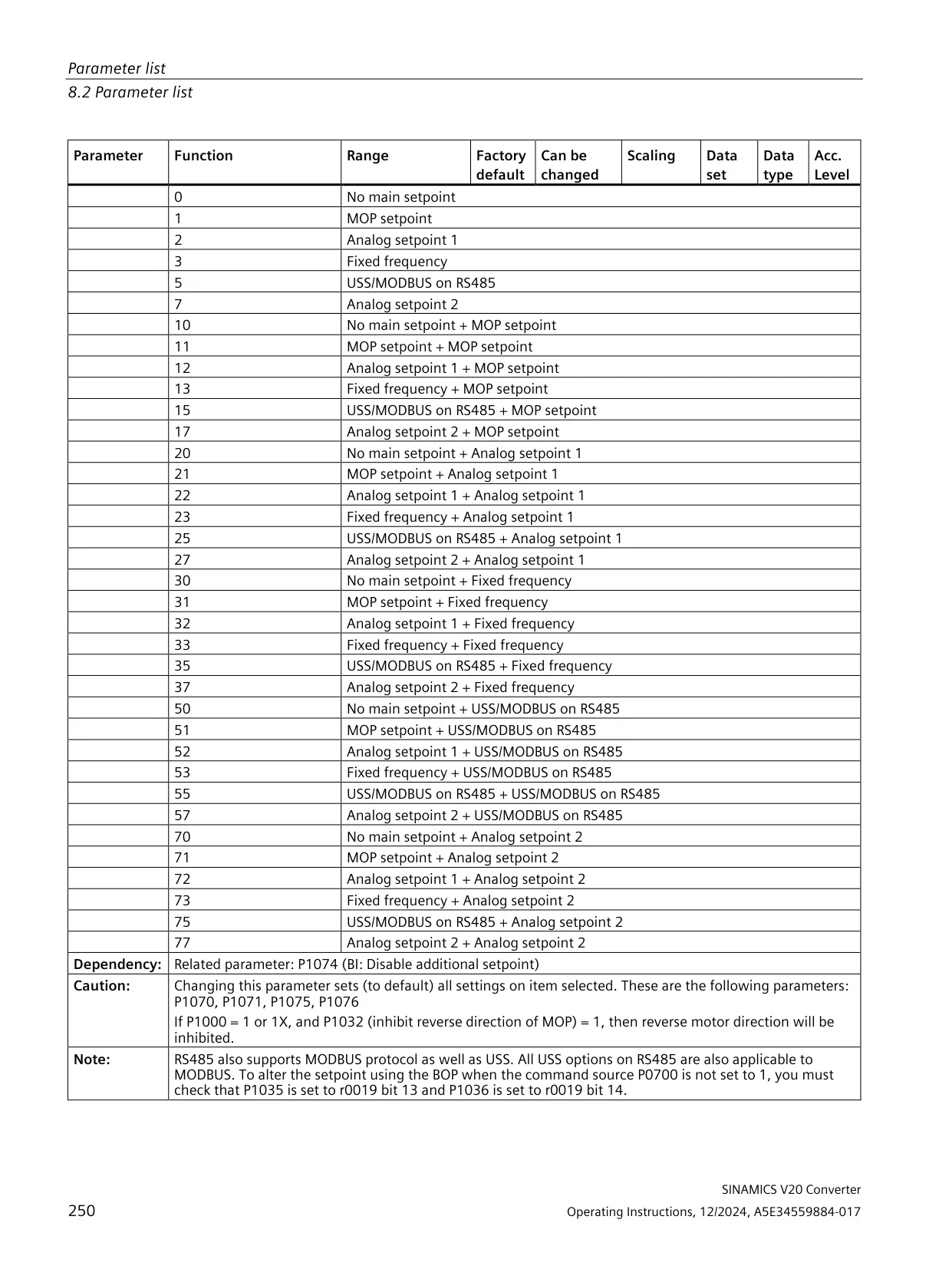
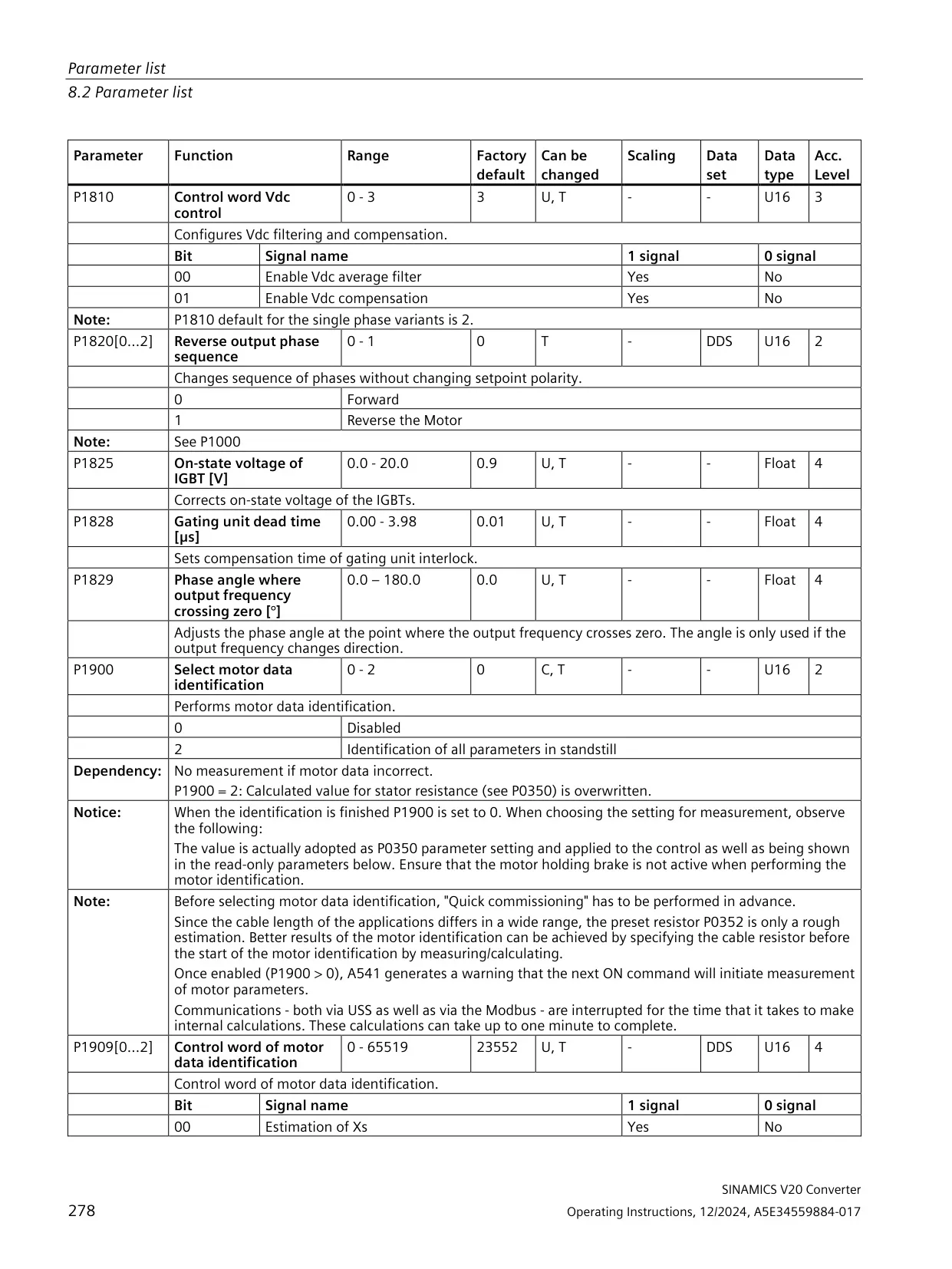
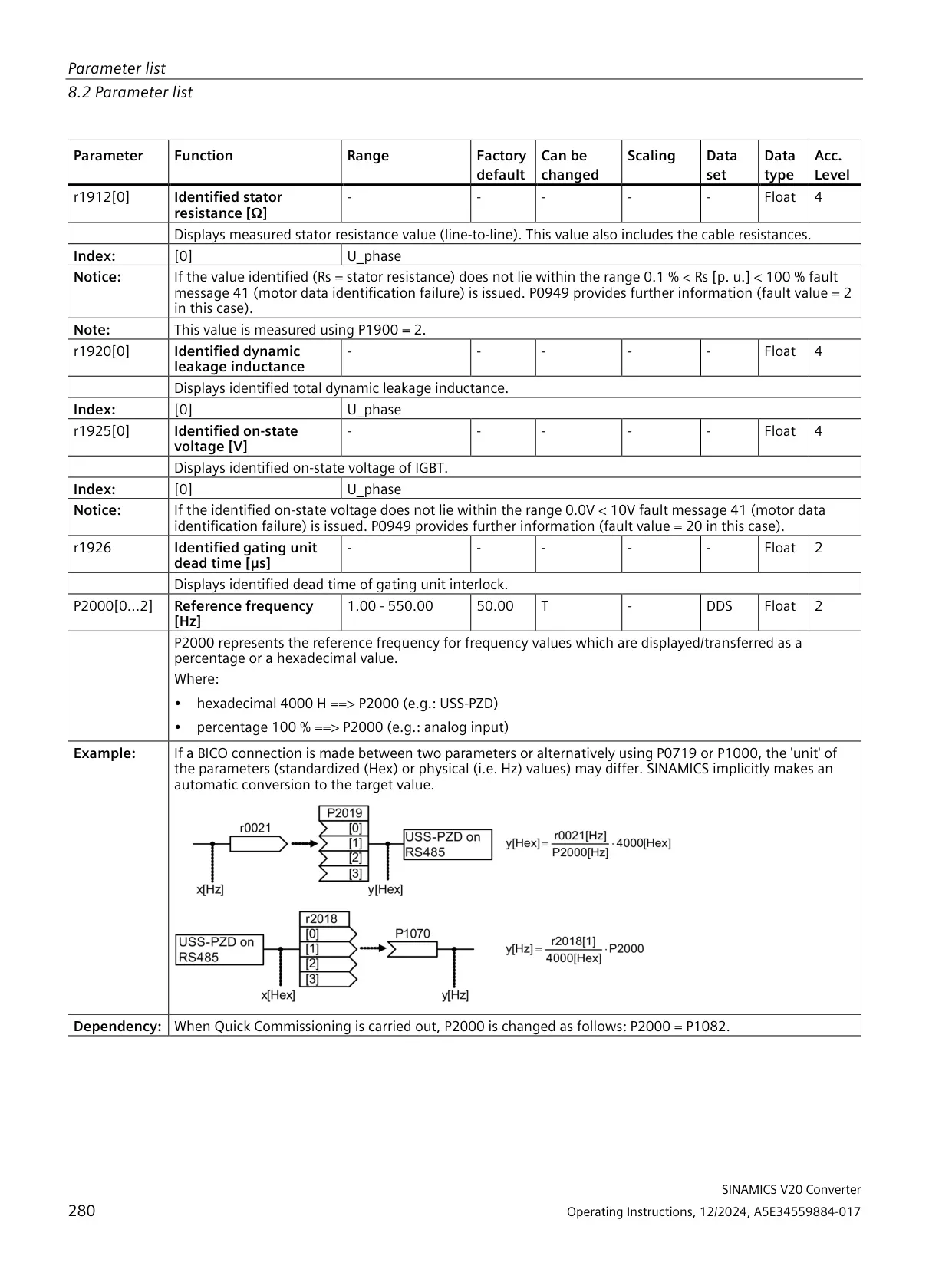
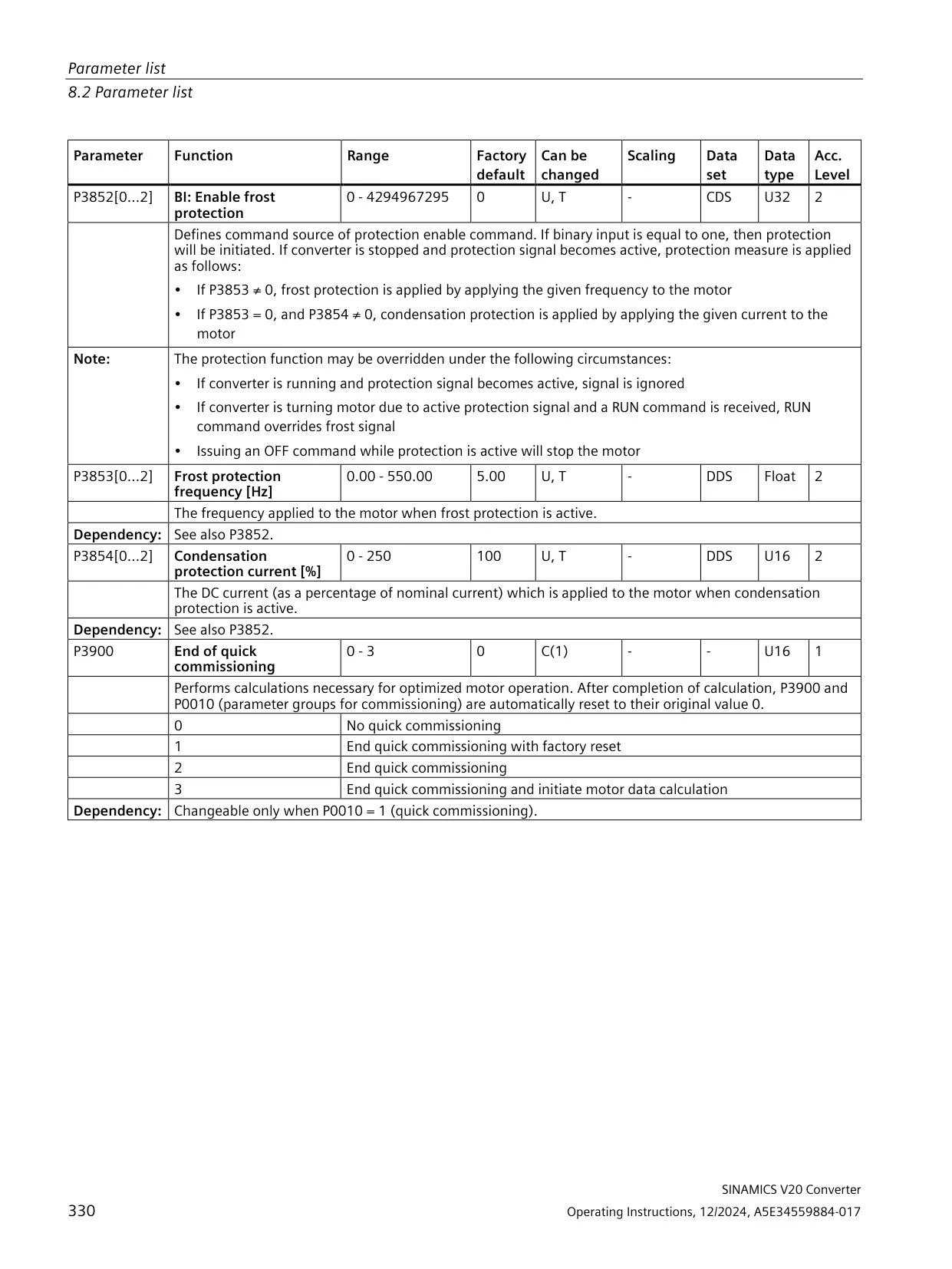
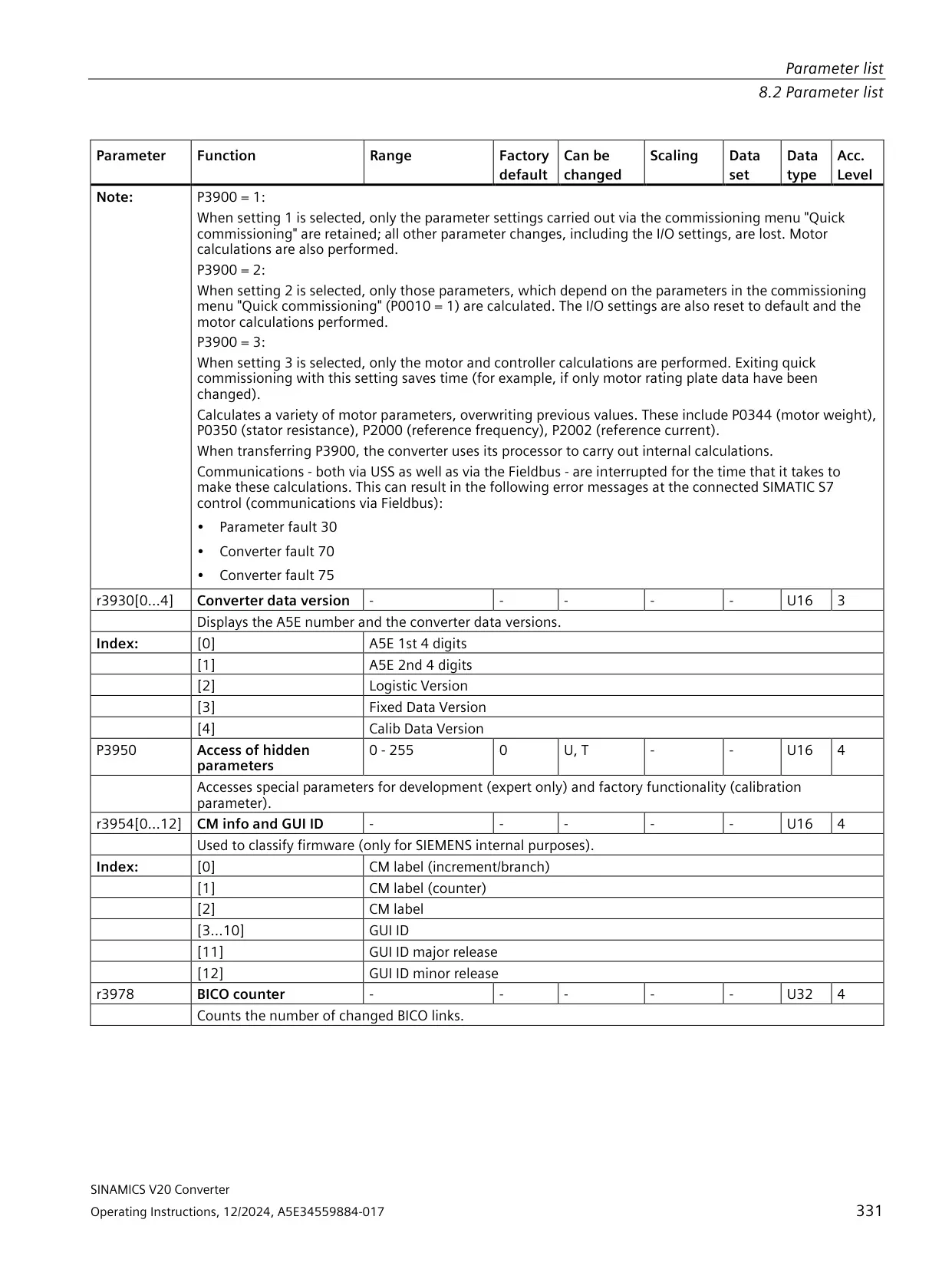
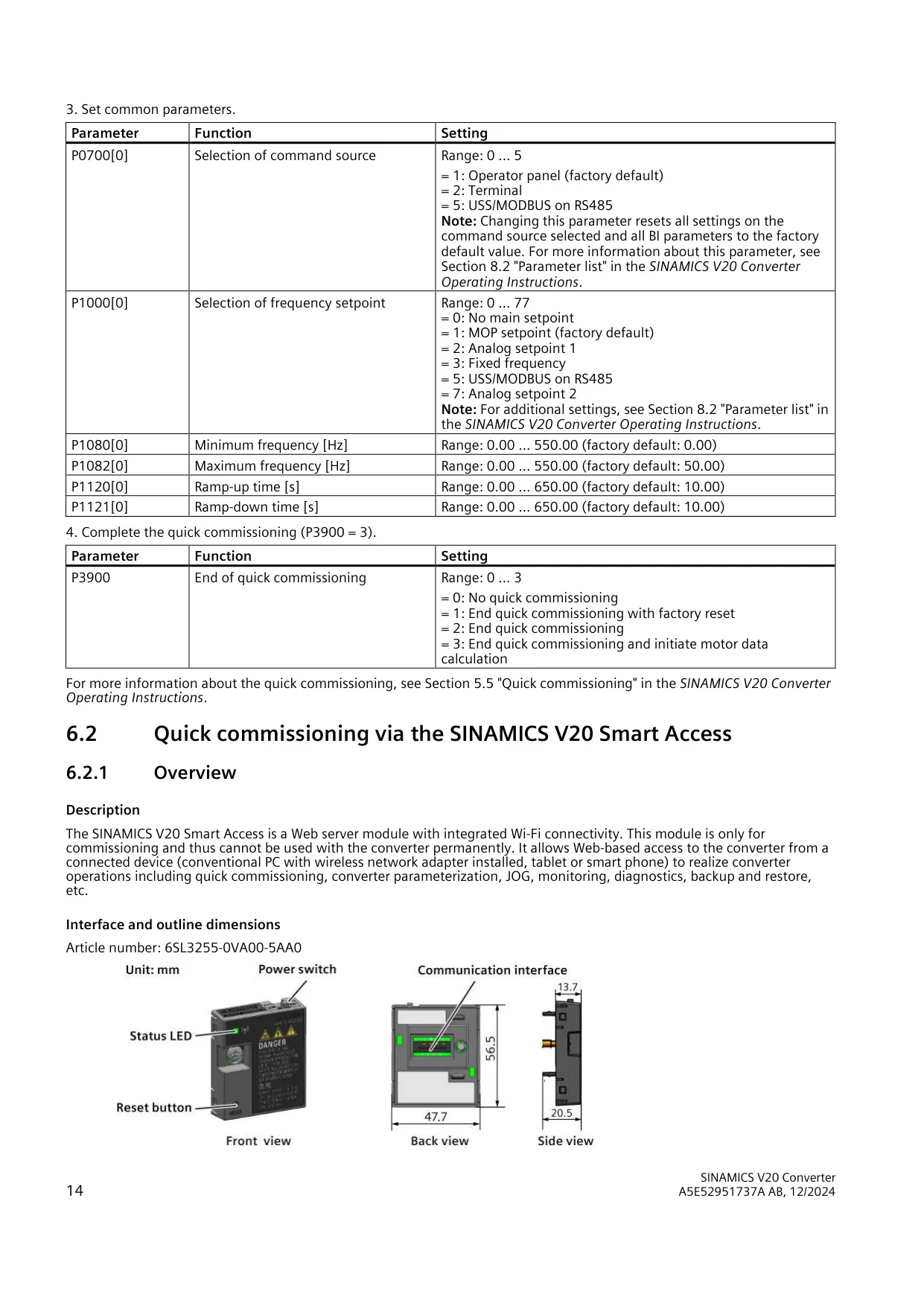
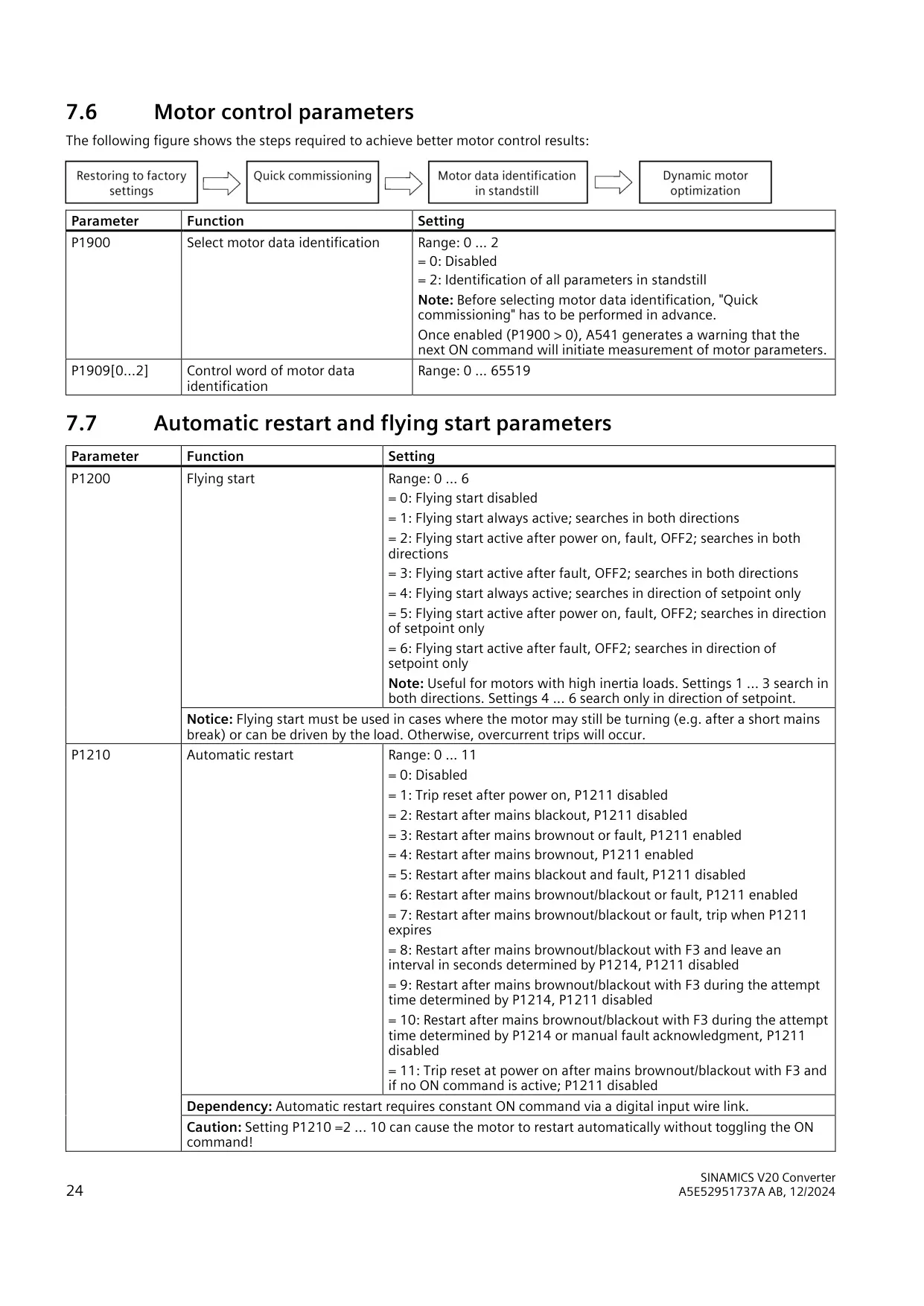
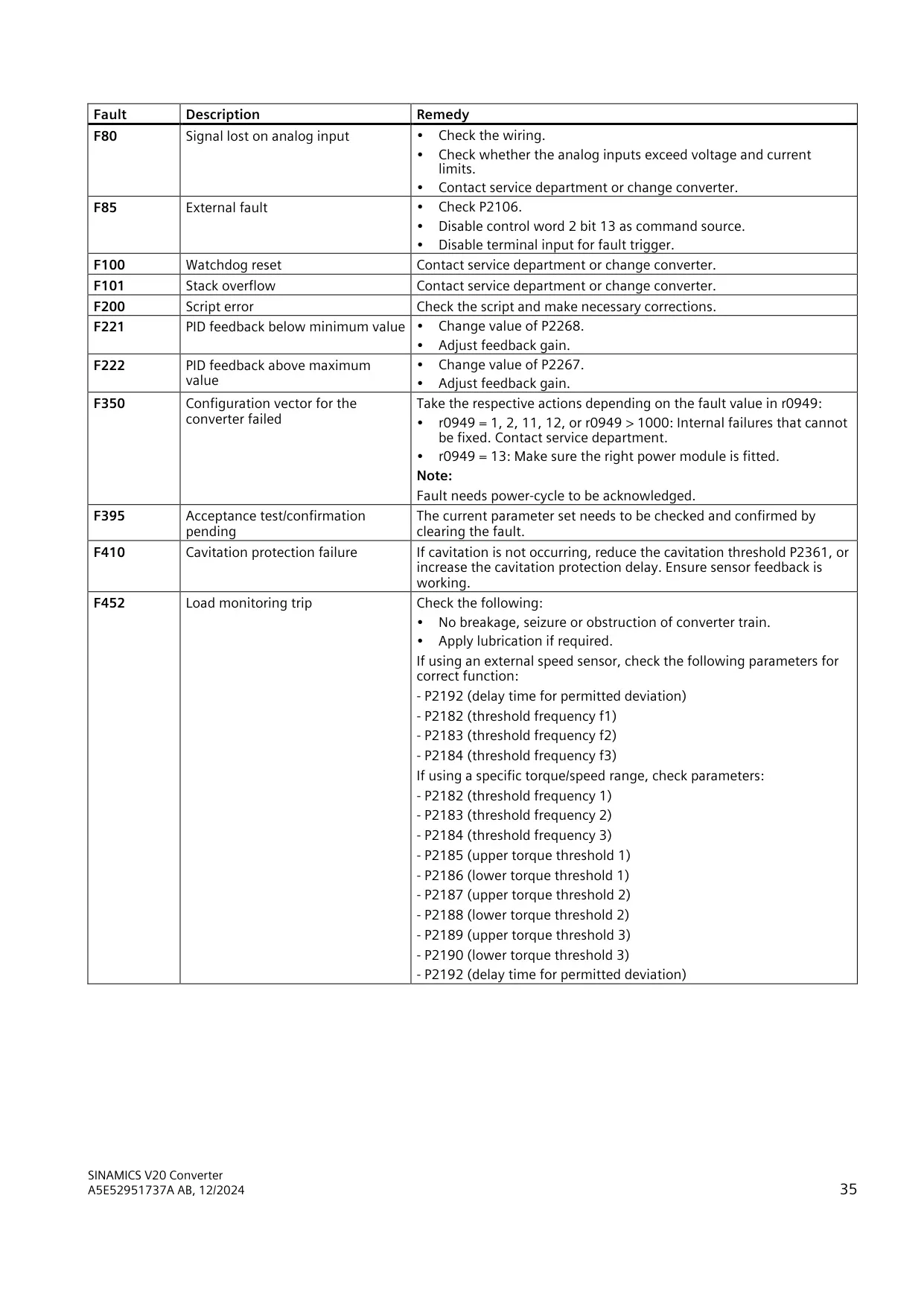
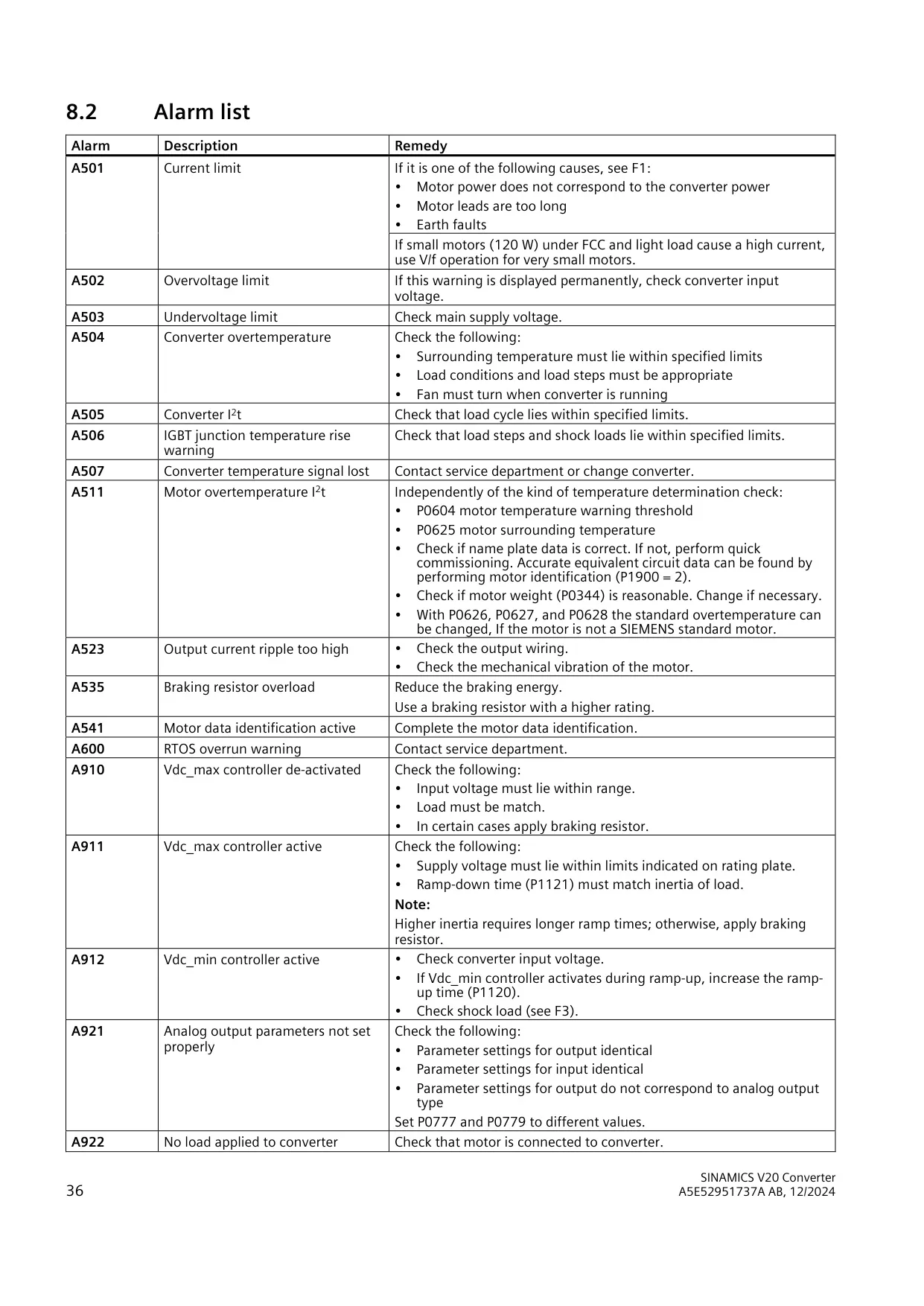
For quick commissioning on the panel, set P0010 = 1, choose the 50/60 Hz region with P0100, and enter the motor nameplate data in P0304 to P0311. Then set the command source, setpoint source, frequency limits and ramp times. Setting P3900 = 3 finishes the process and calculates the motor data. If you set P1900 = 2, the converter identifies all motor parameters at standstill. Alarm A541 warns that this measurement will run on the next ON command.
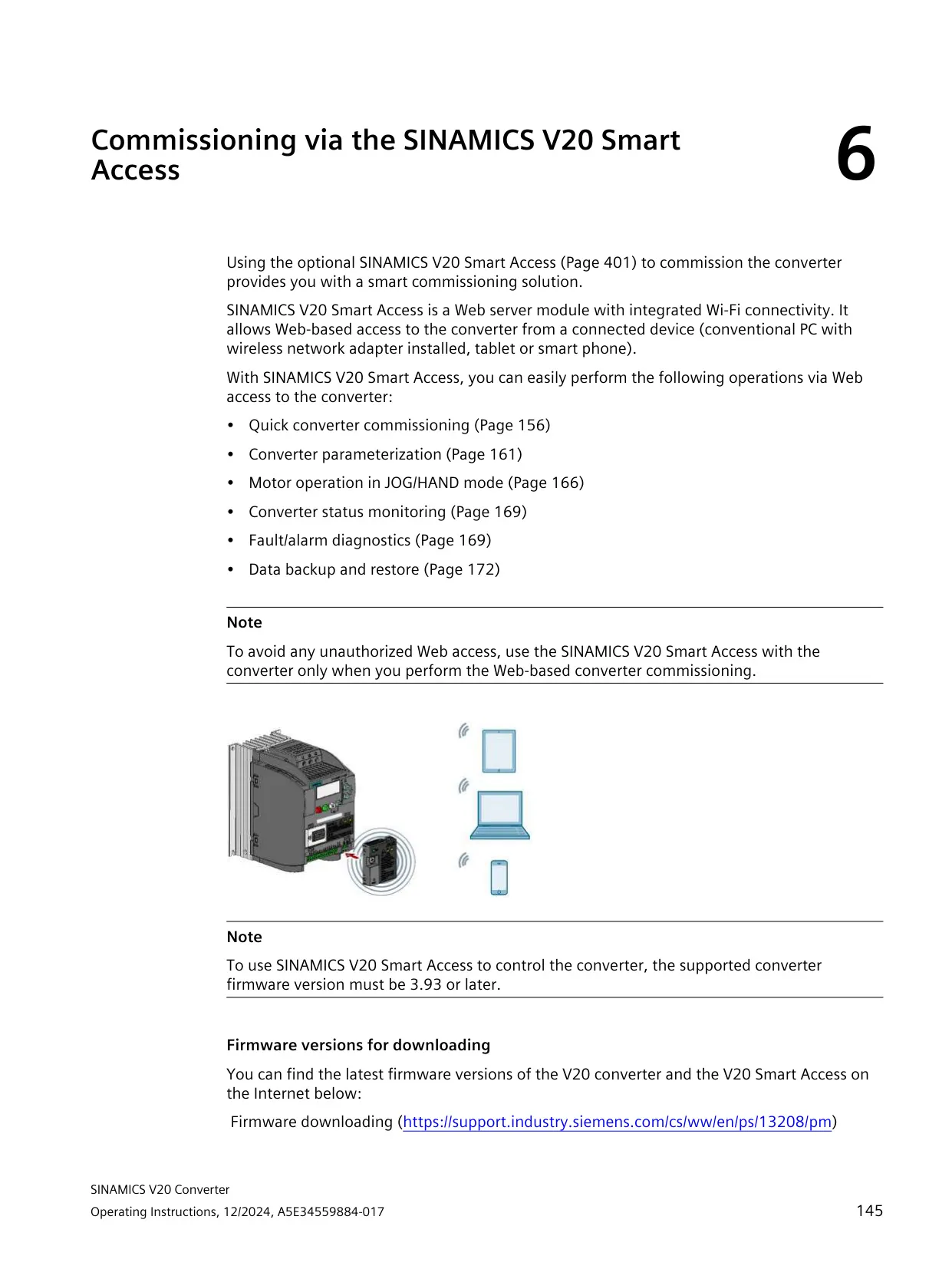
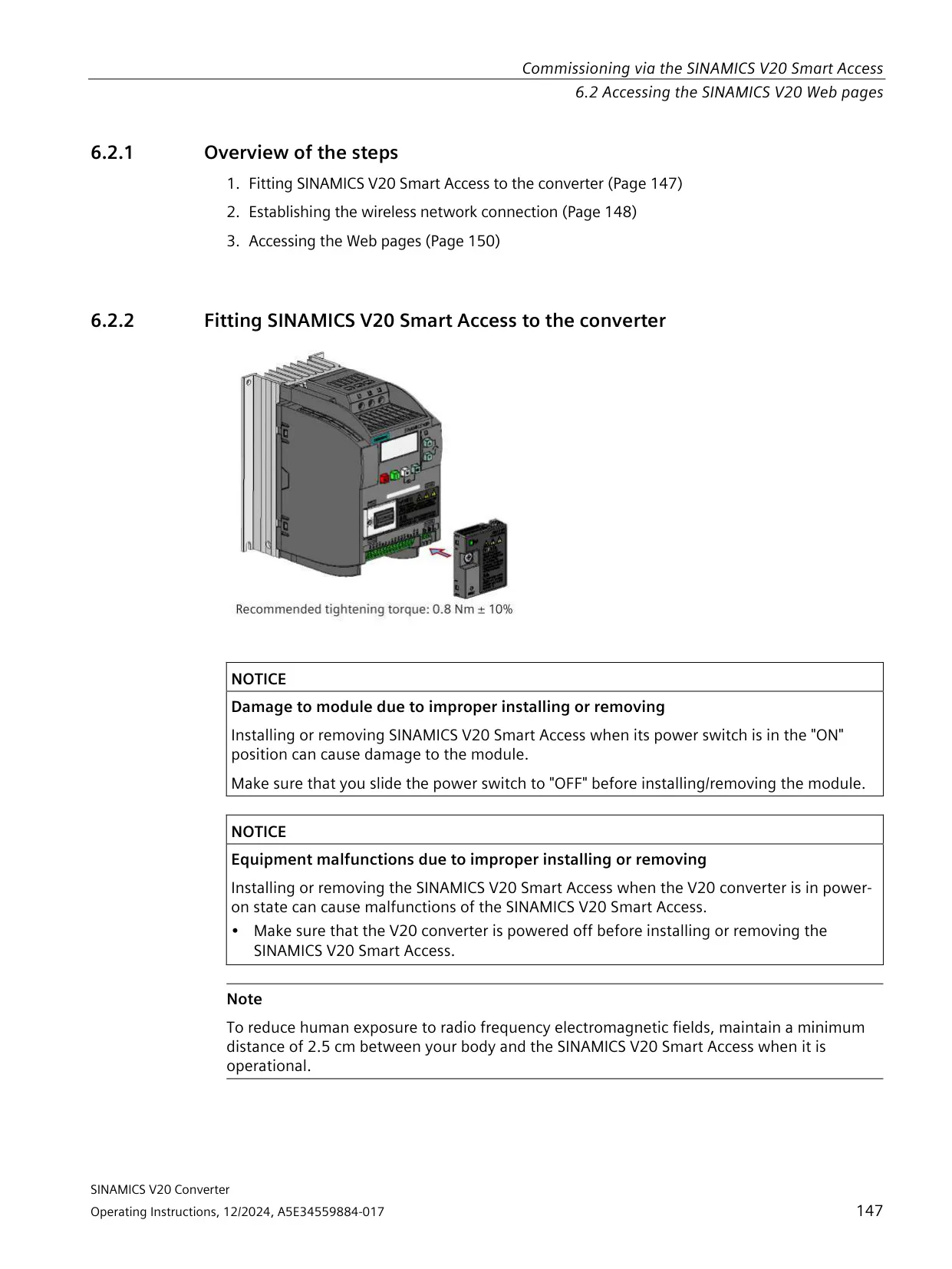
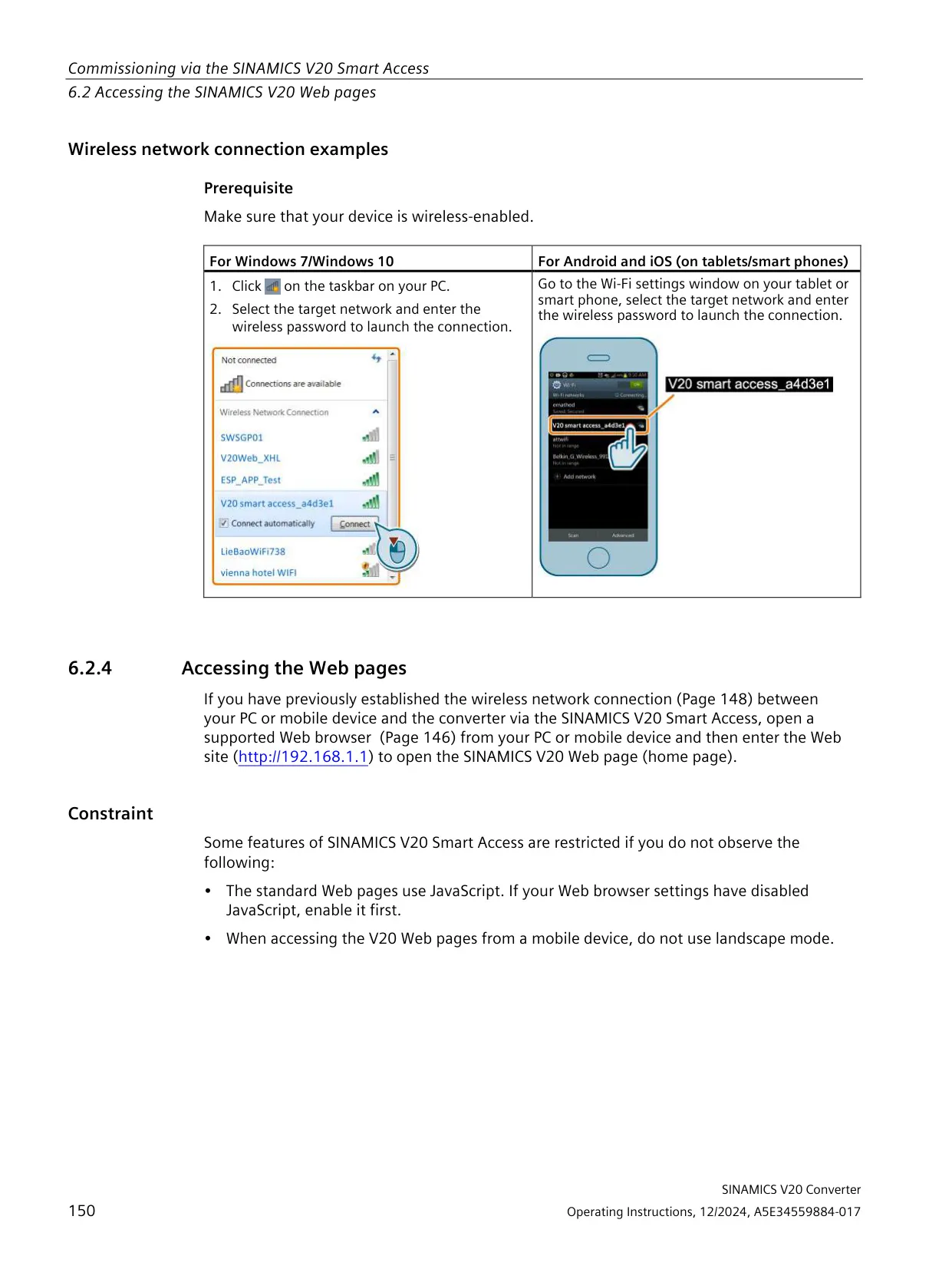
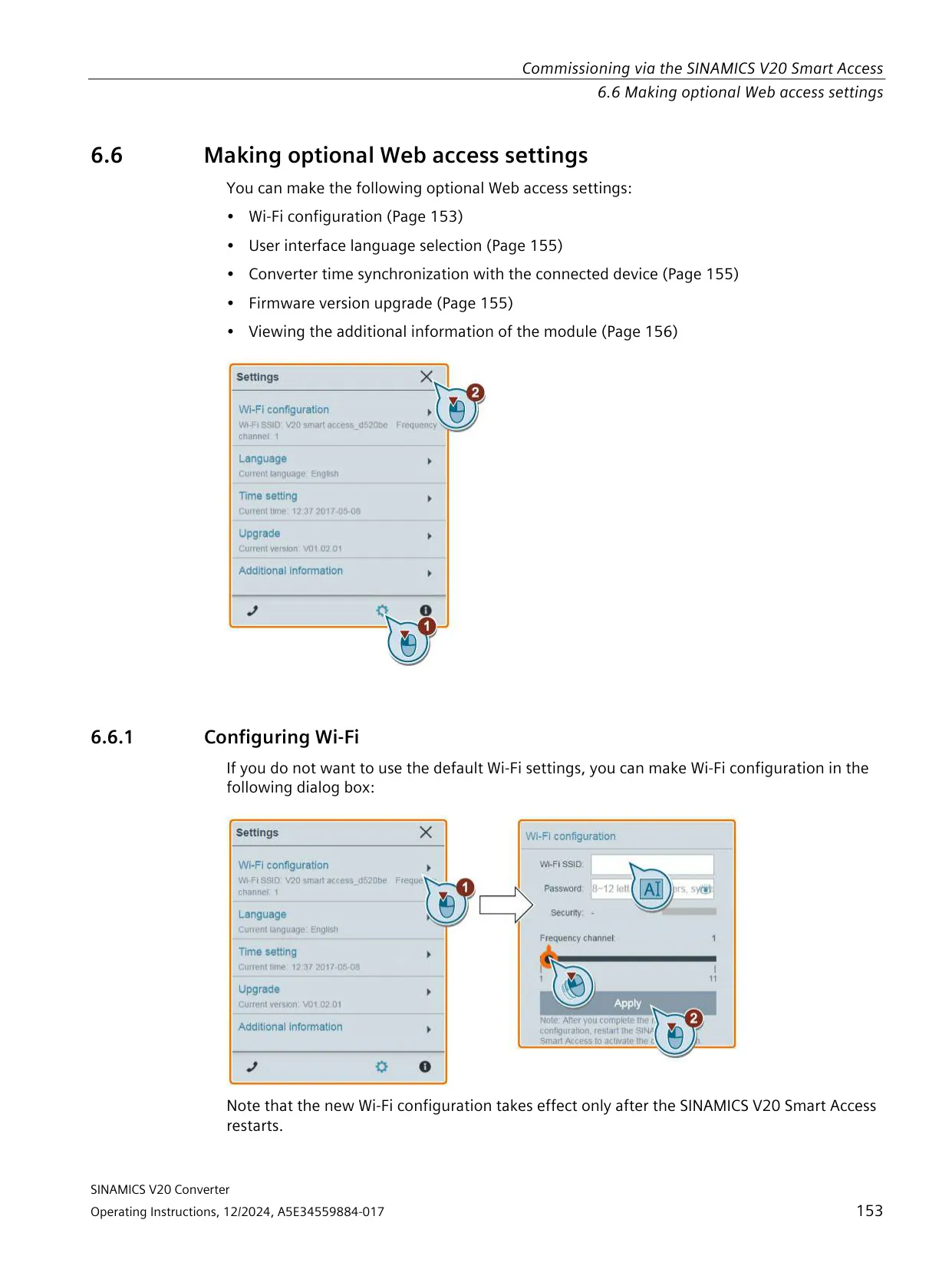
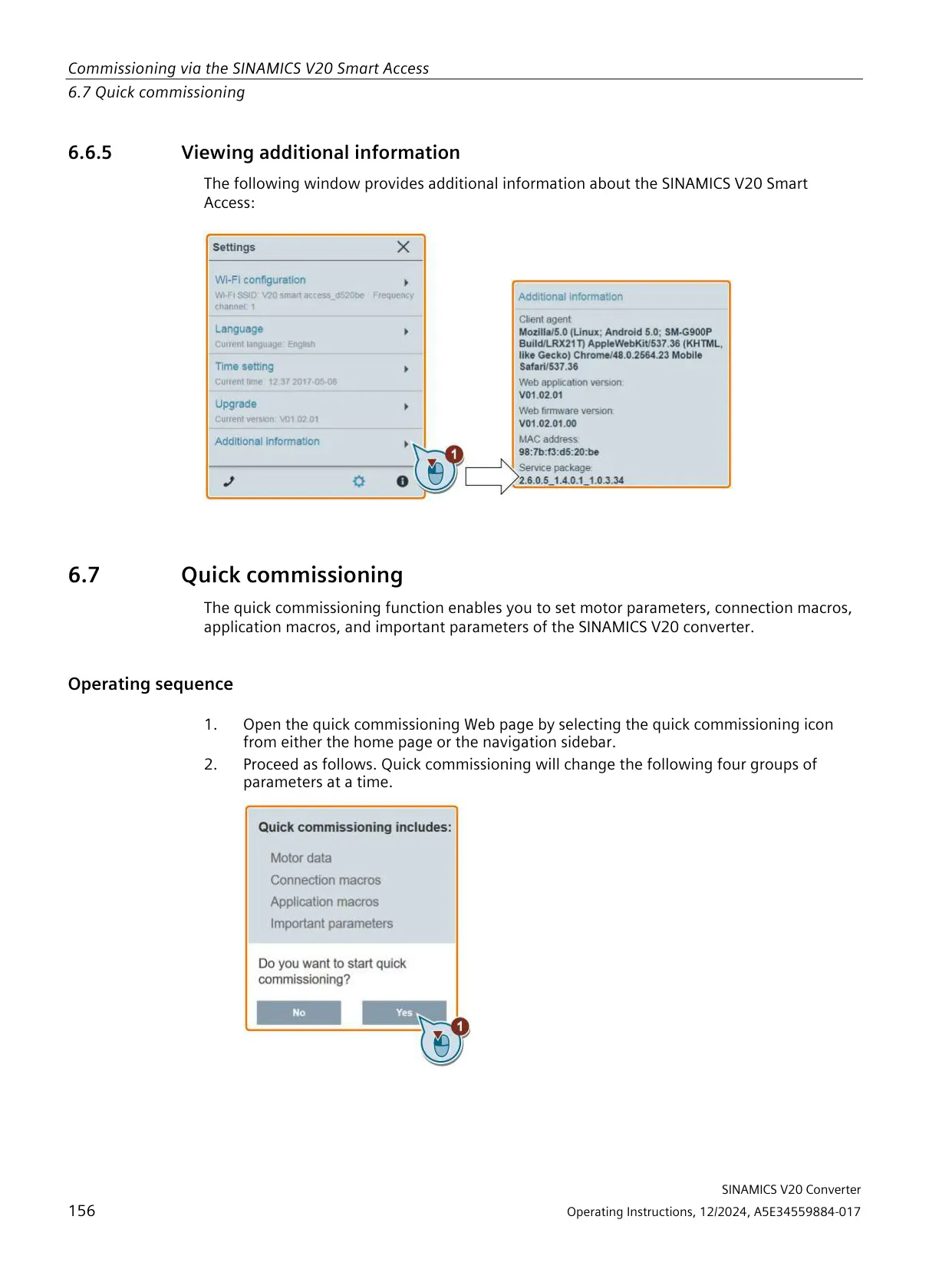
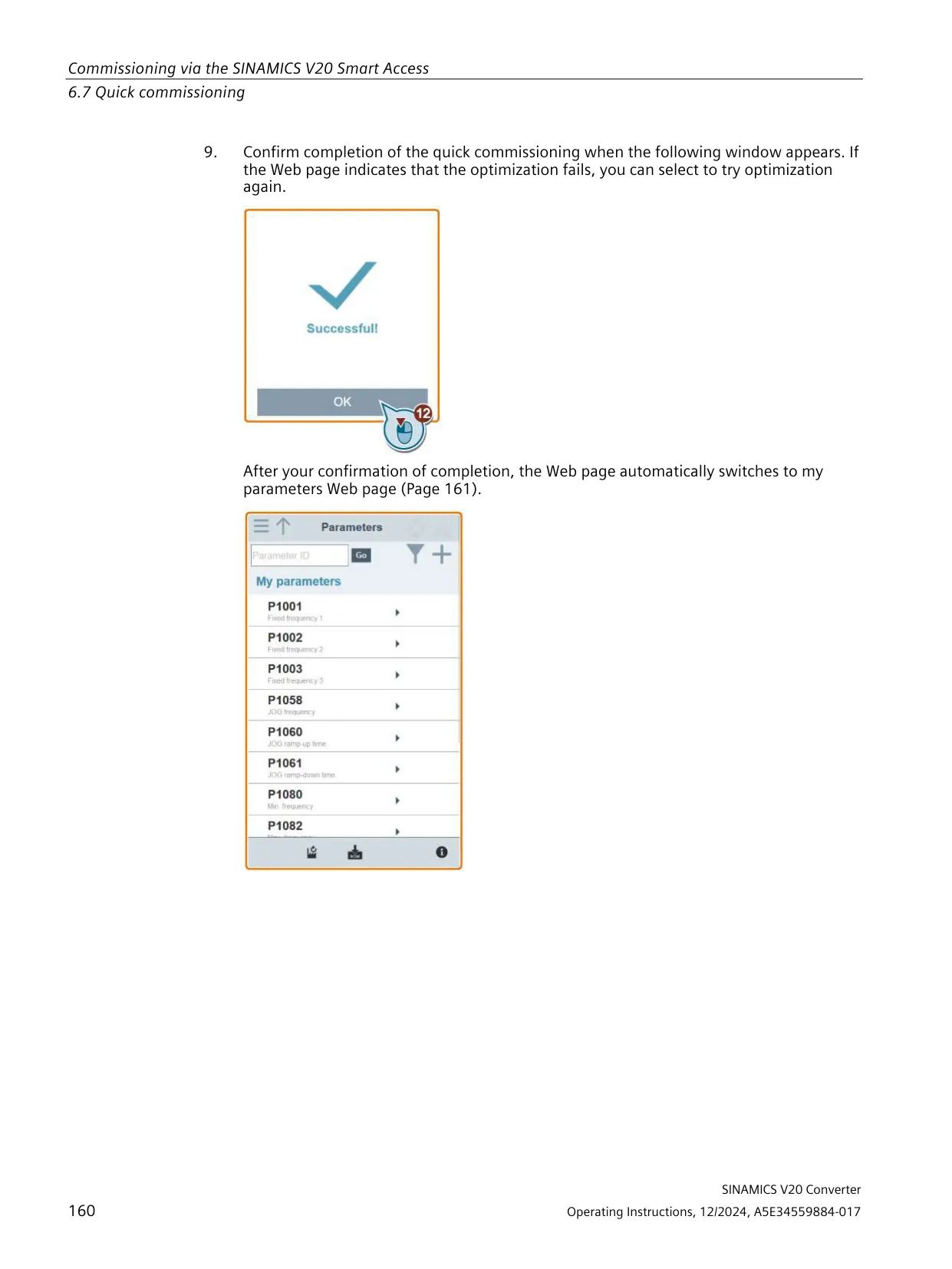
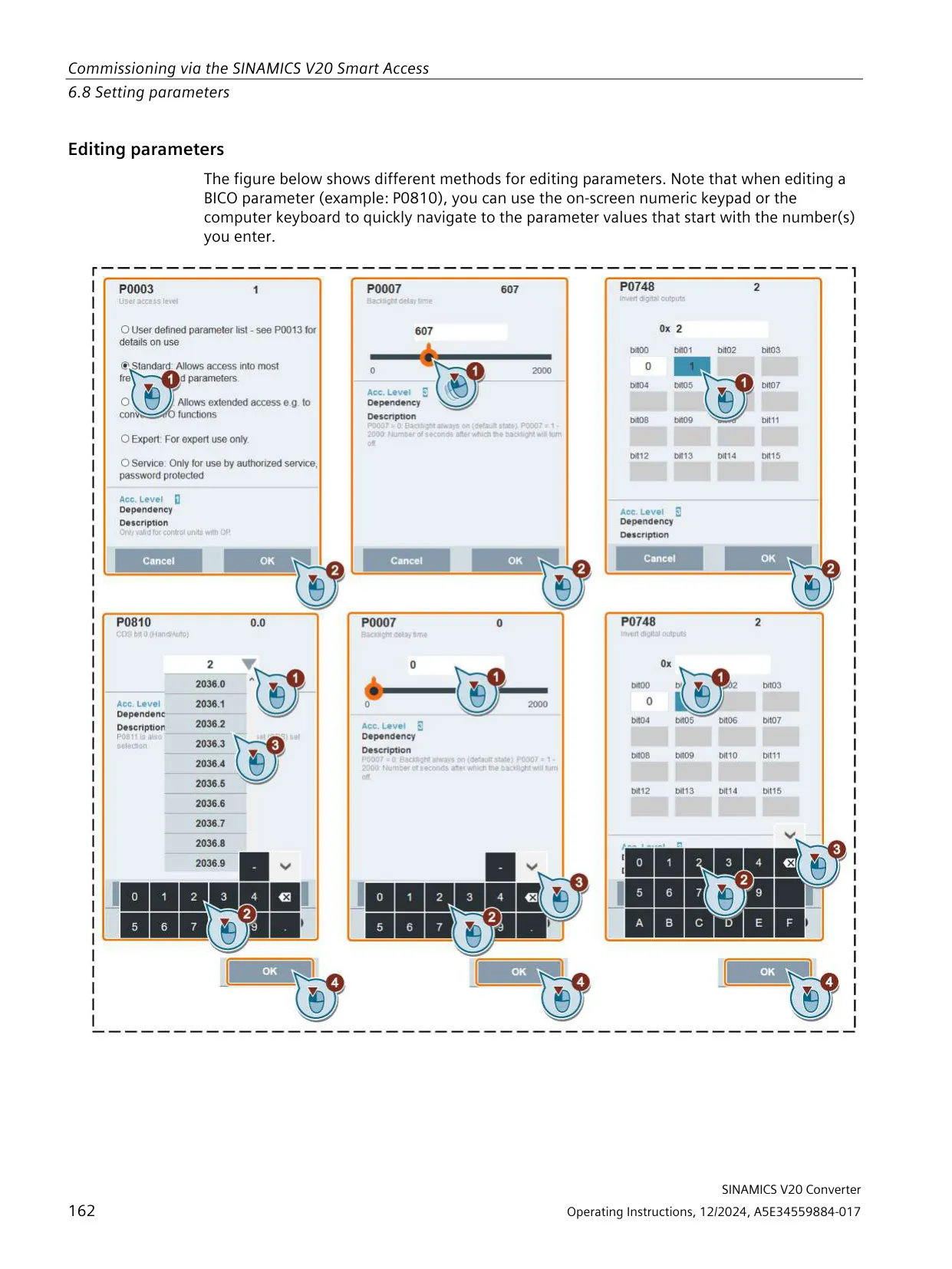
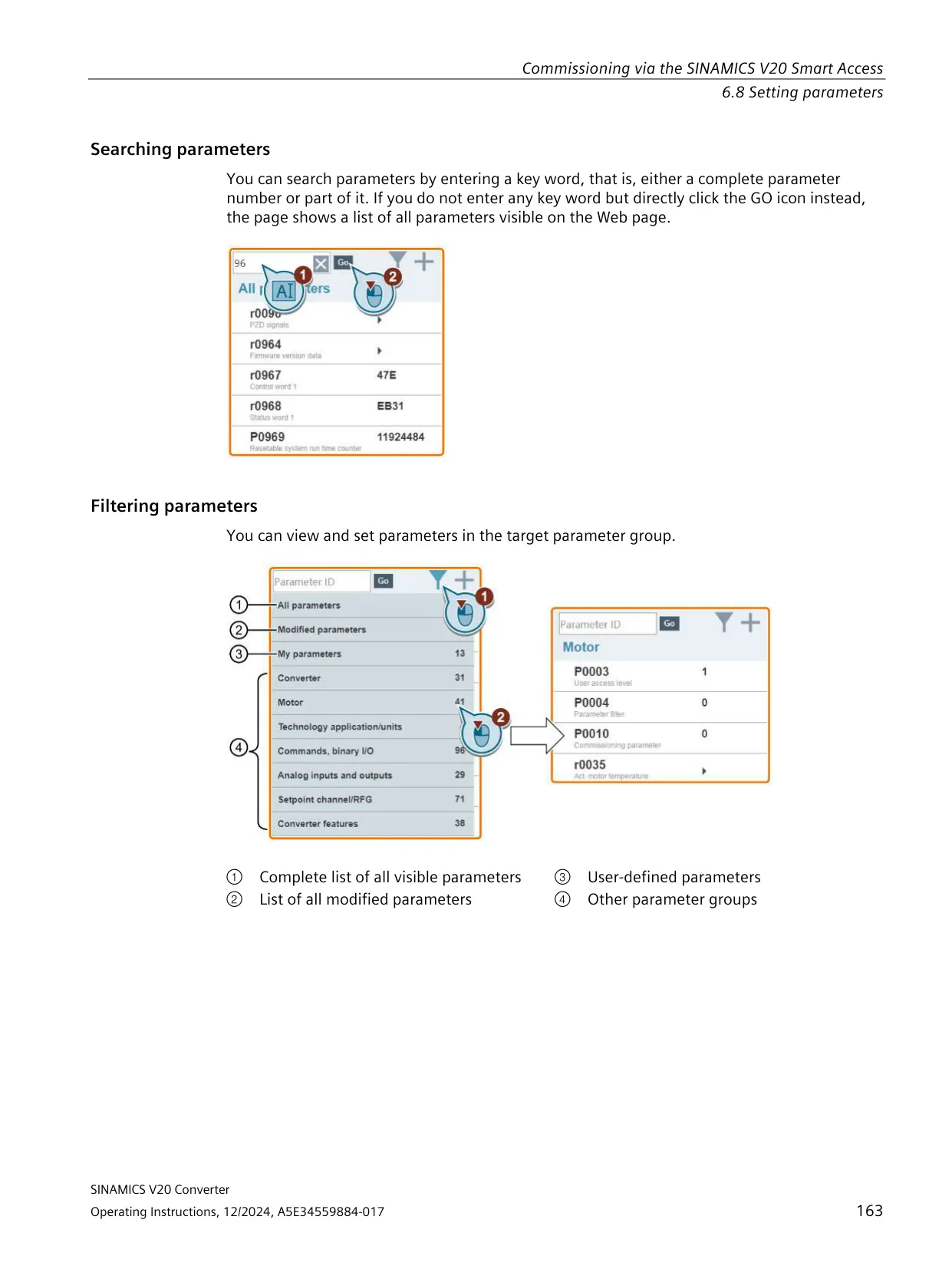
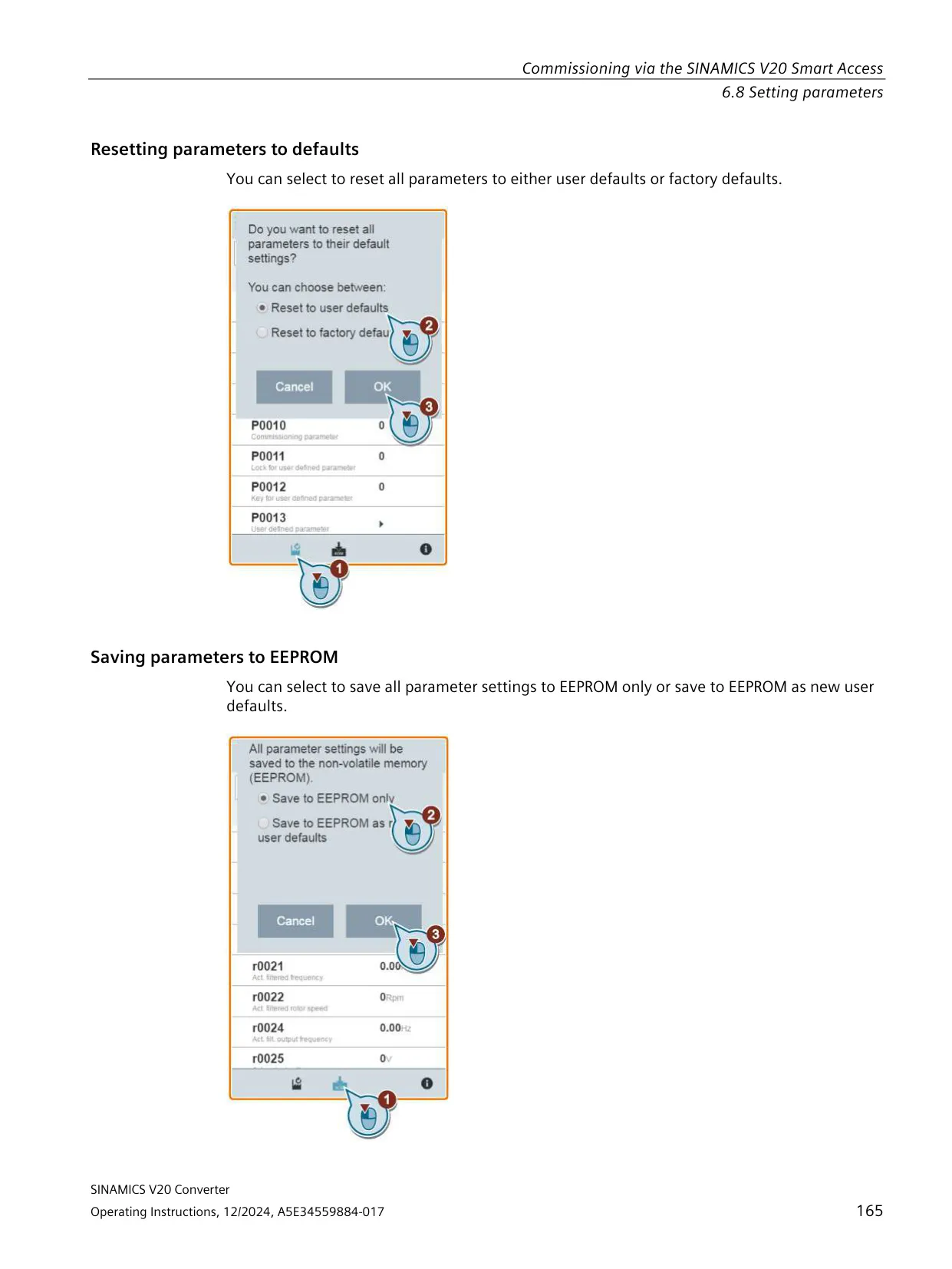
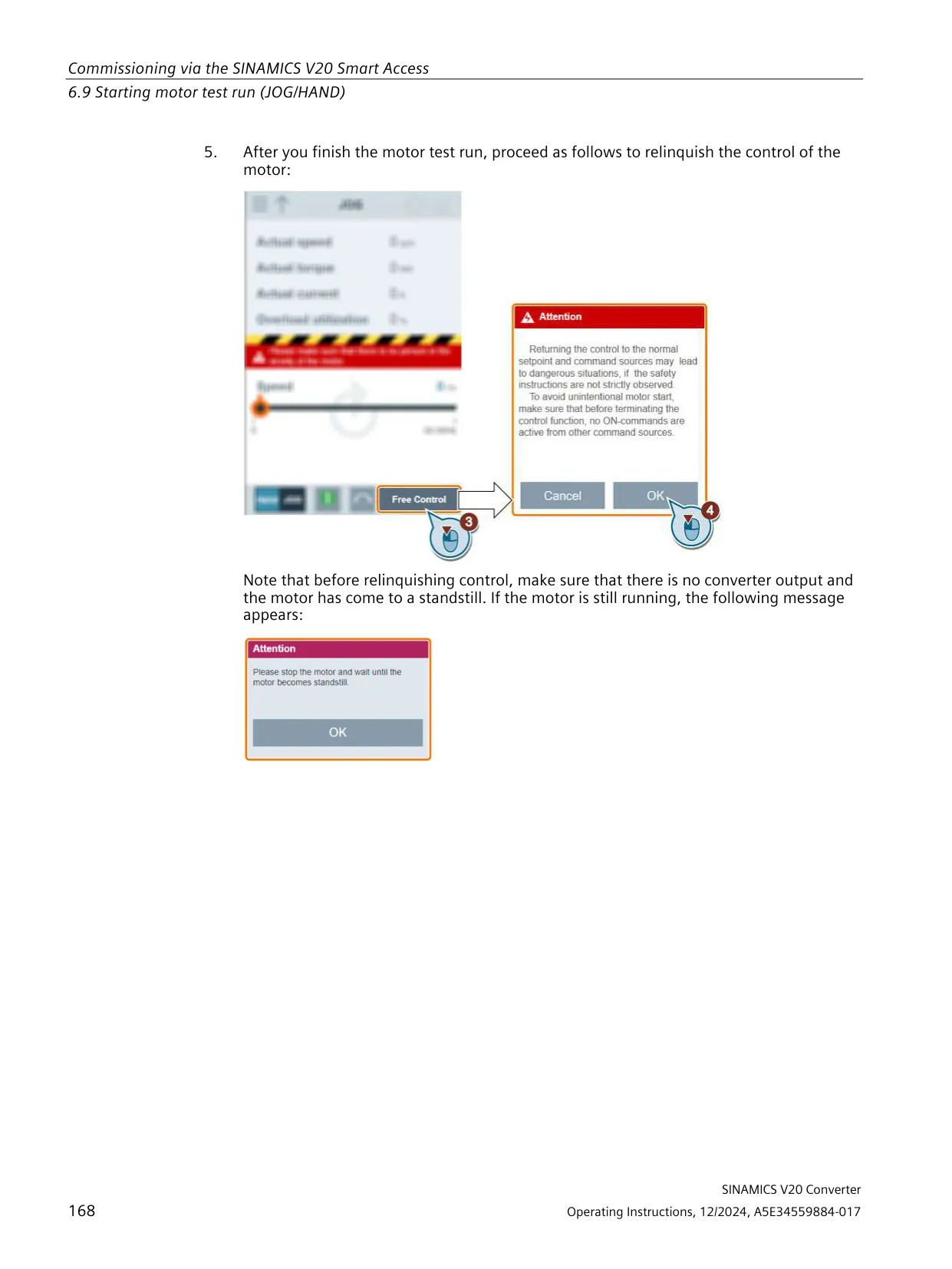
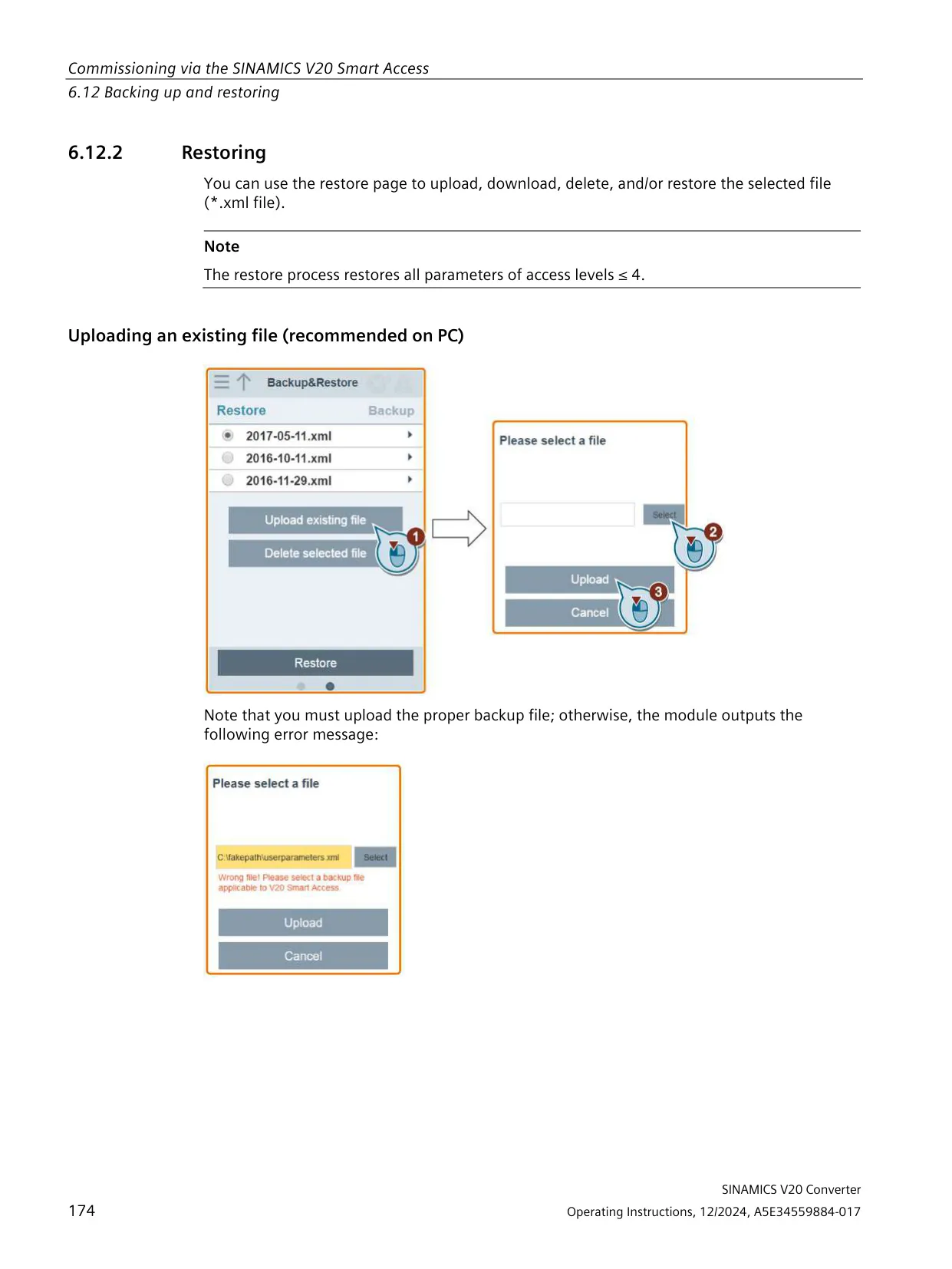
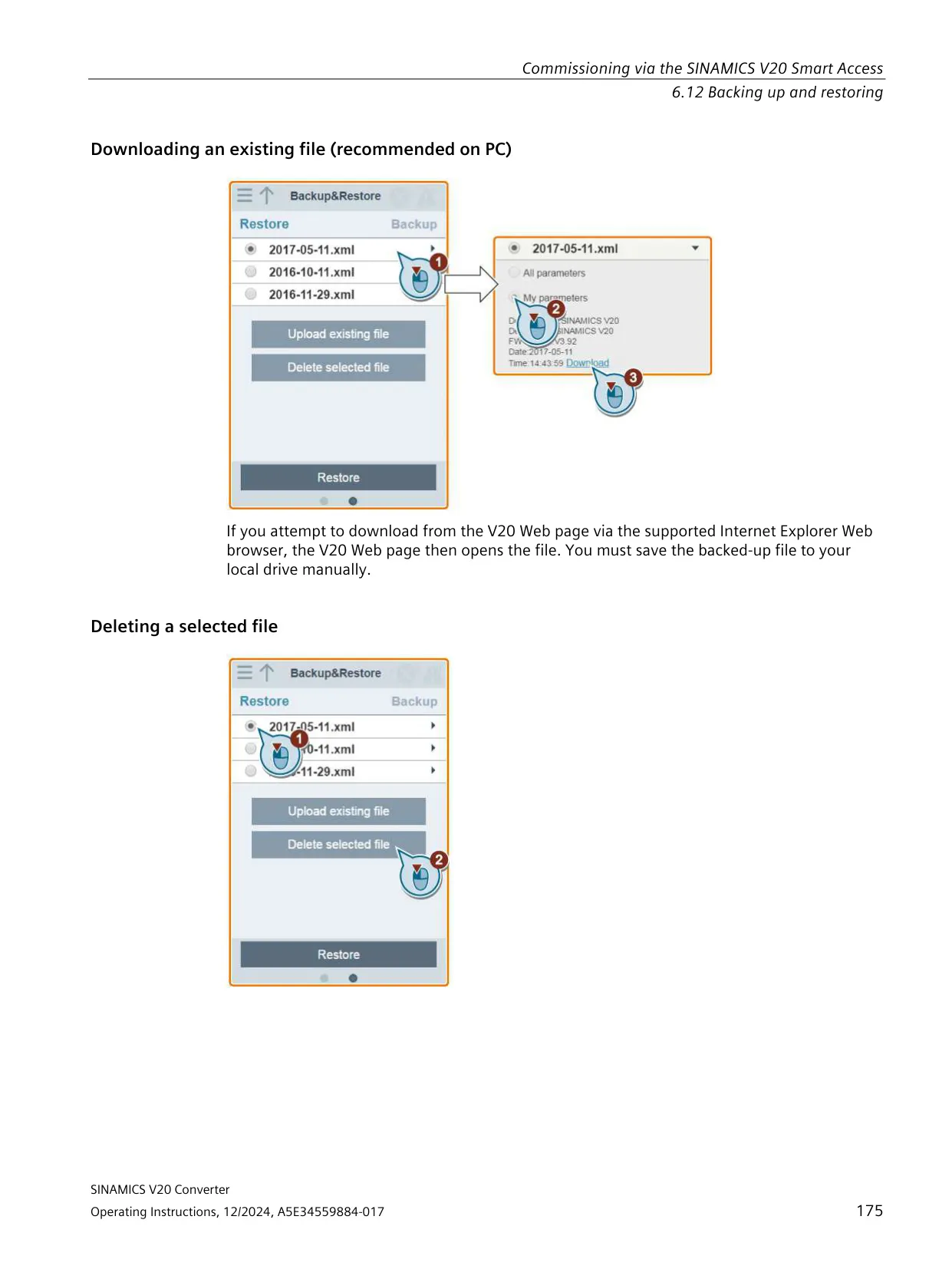
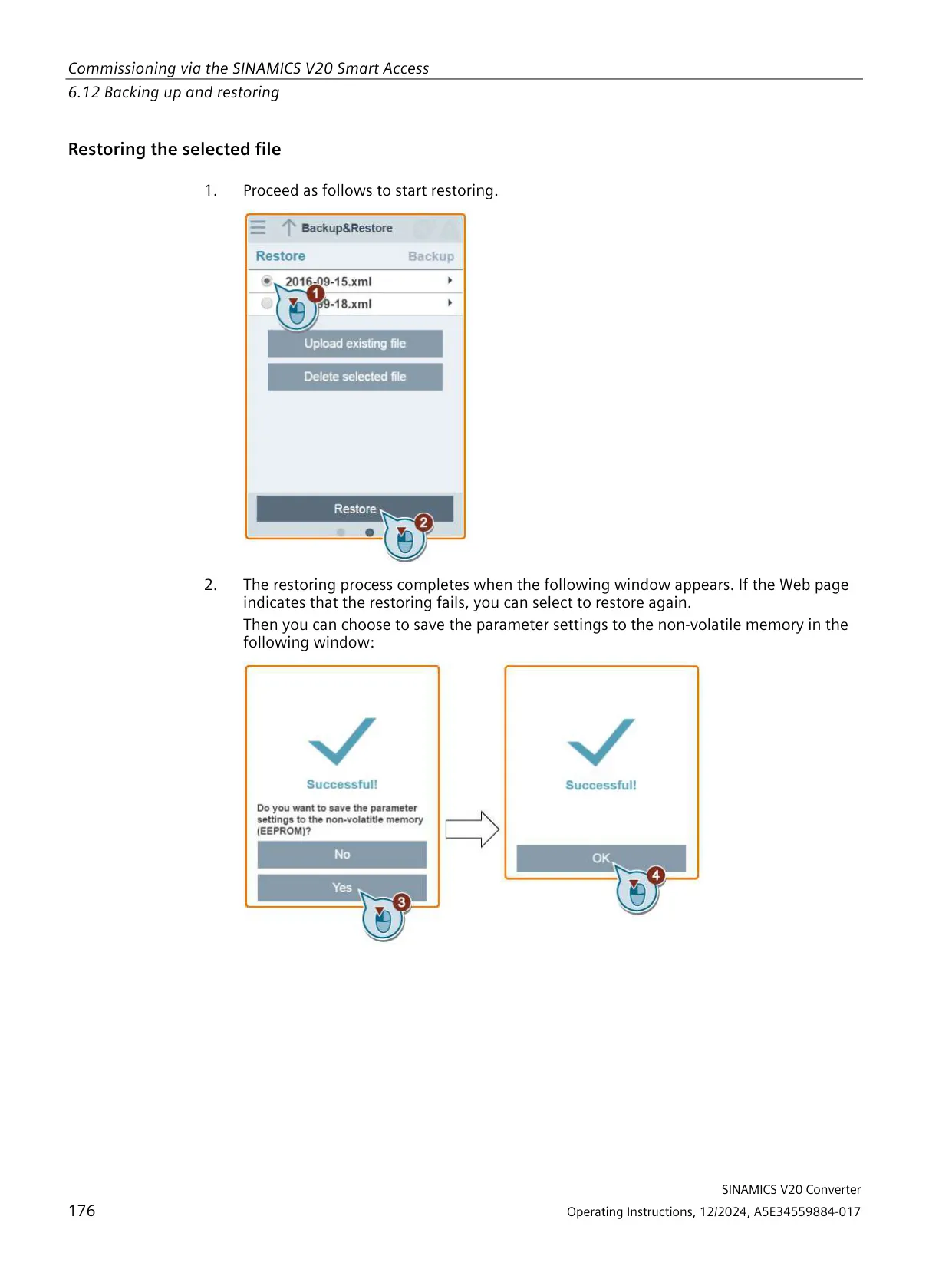
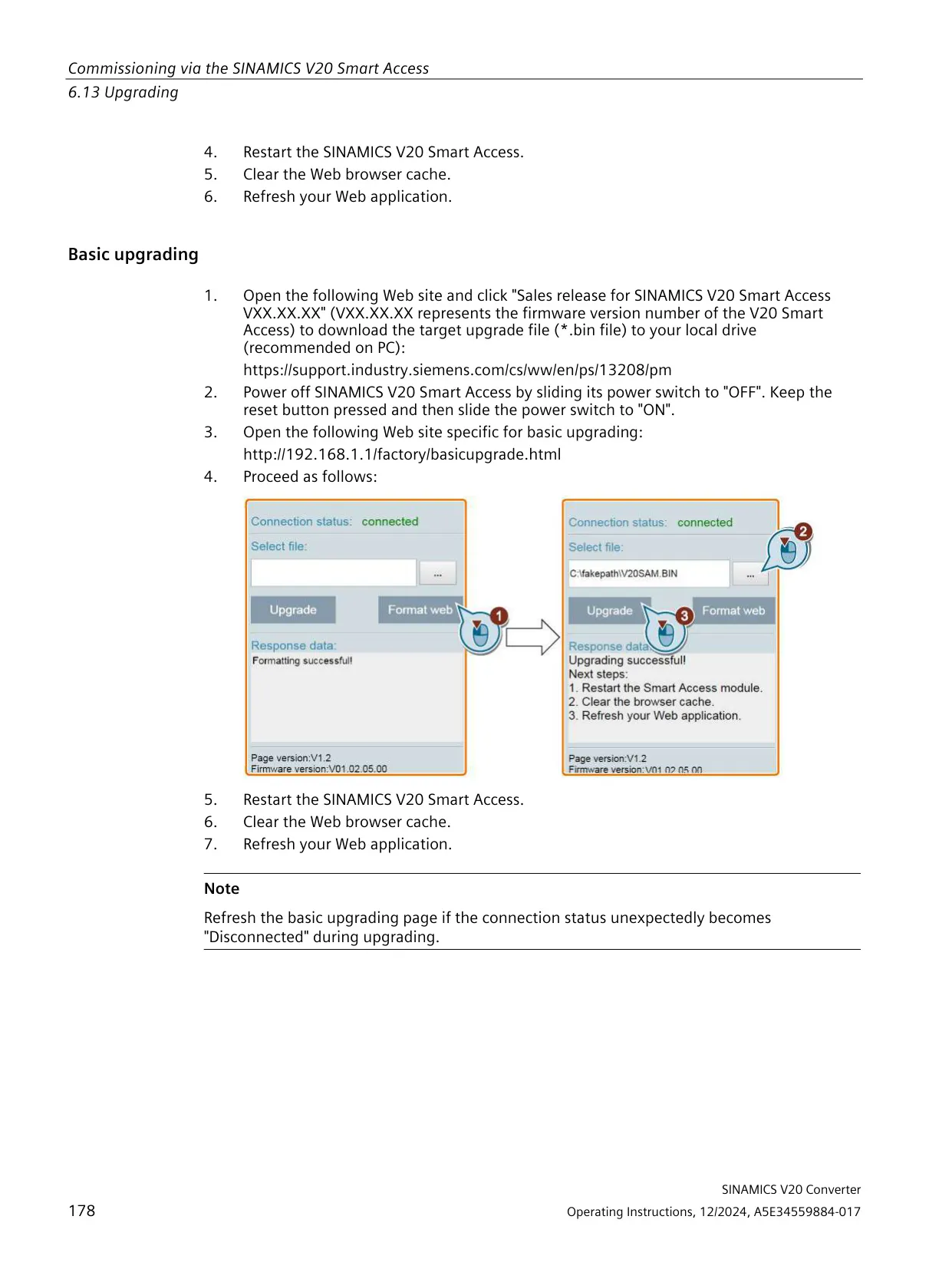
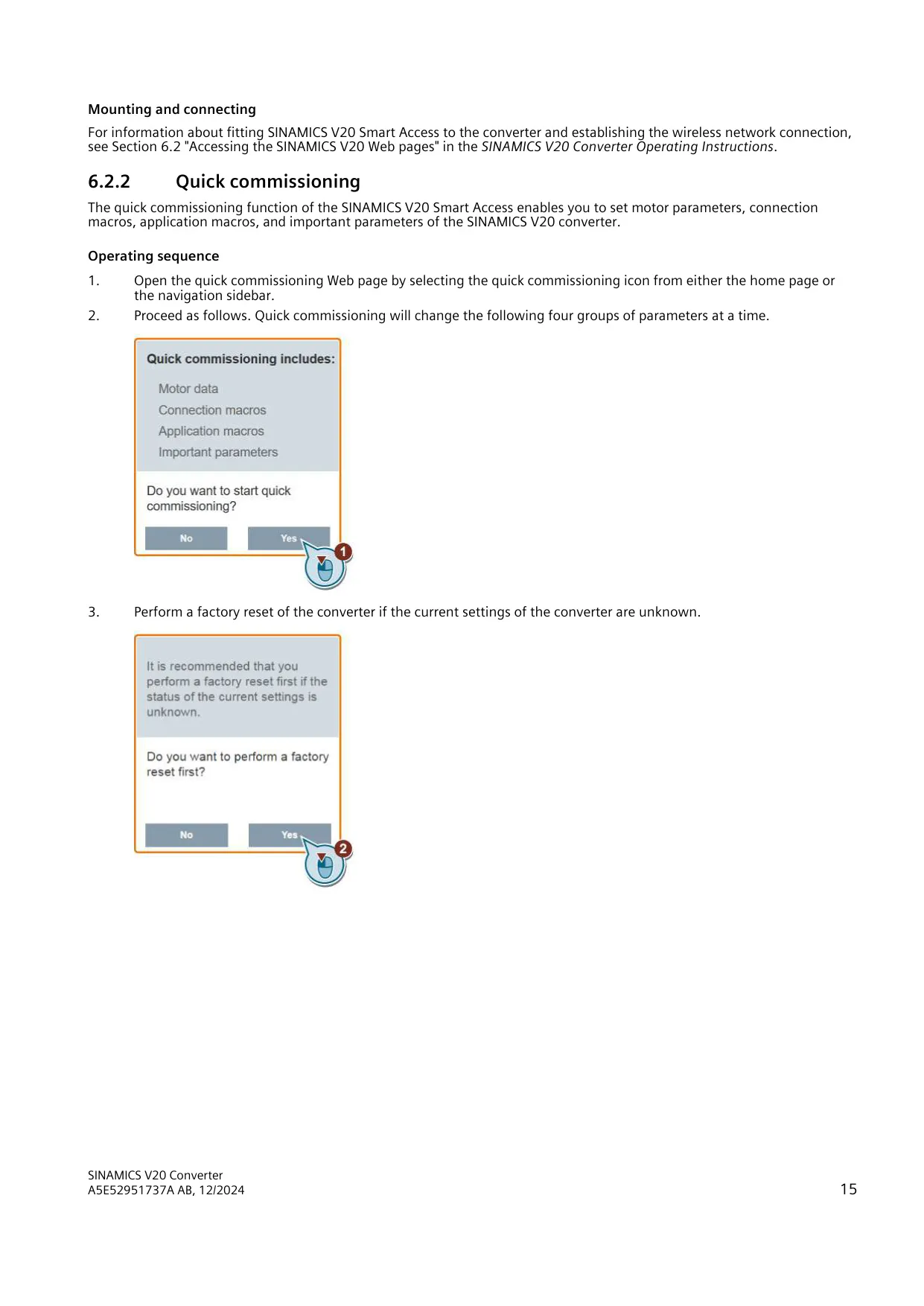
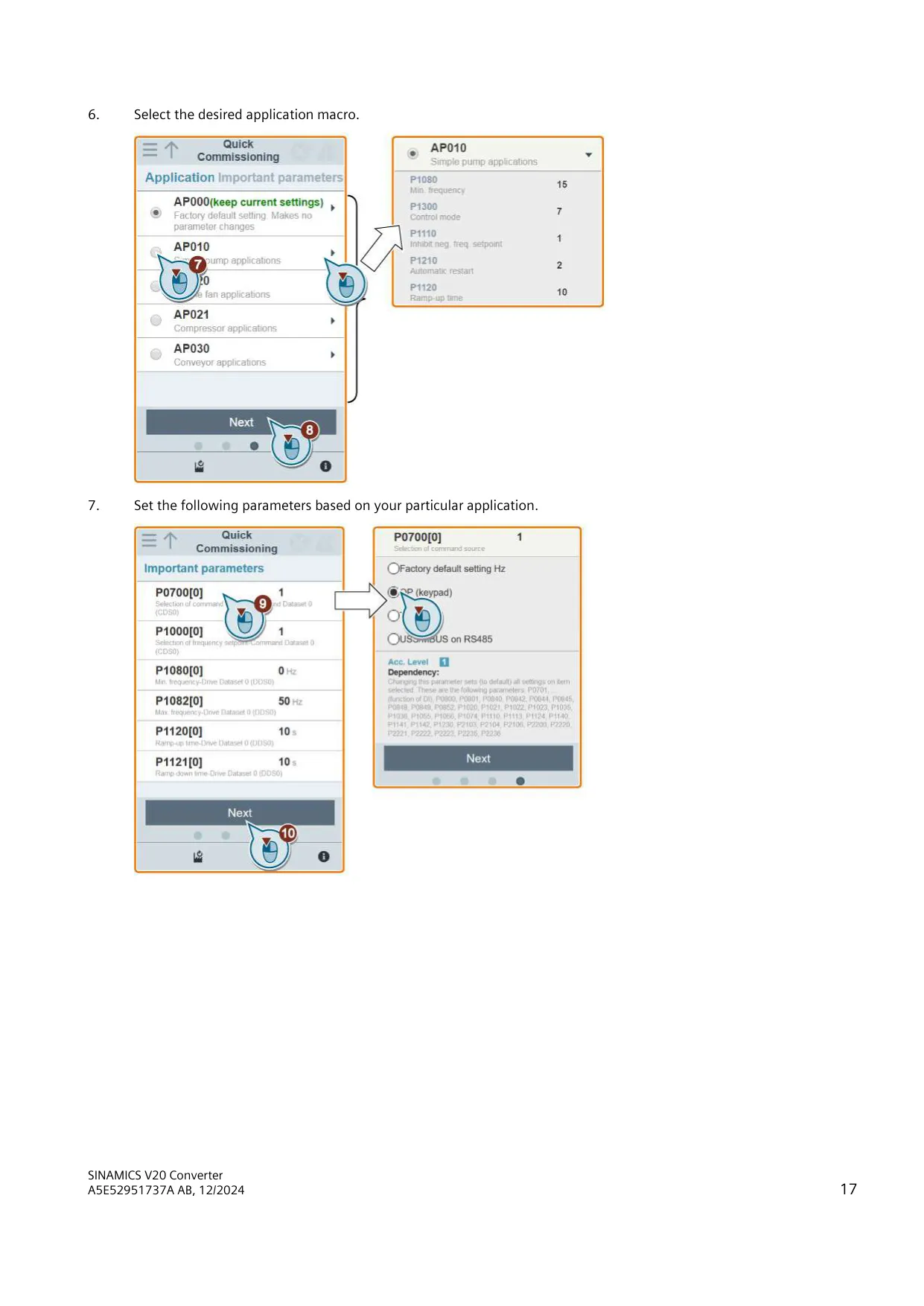
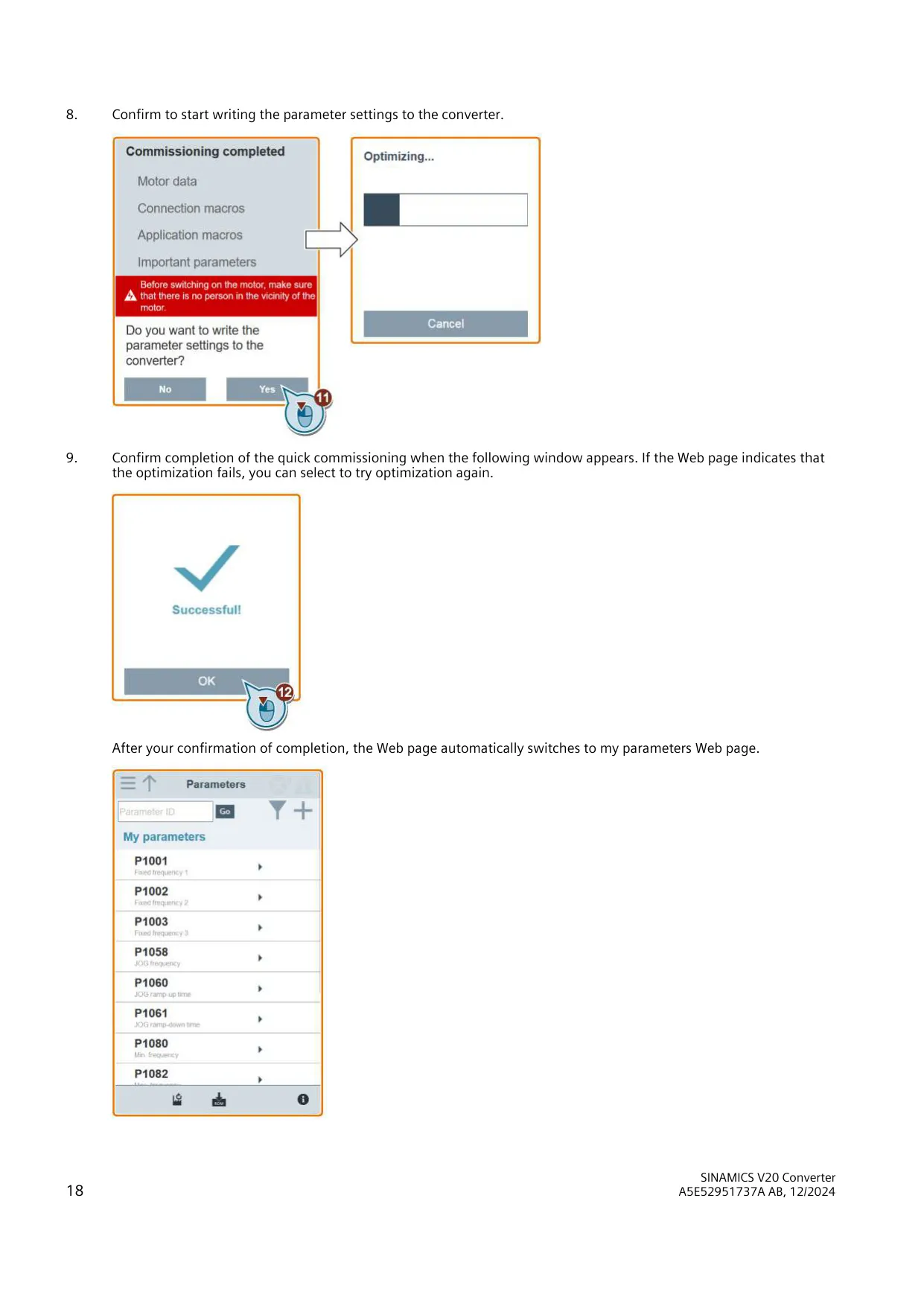
The optional SINAMICS V20 Smart Access is a Wi-Fi web server module. It is meant for commissioning only and cannot stay fitted permanently. From a PC, tablet or smartphone, you can use it for quick commissioning, parameter setting, JOG, monitoring, diagnostics, and backup and restore. The web wizard covers motor data, connection macros, application macros such as pump, compressor and conveyor presets, and key parameters. If optimization fails, the wizard offers to run it again.
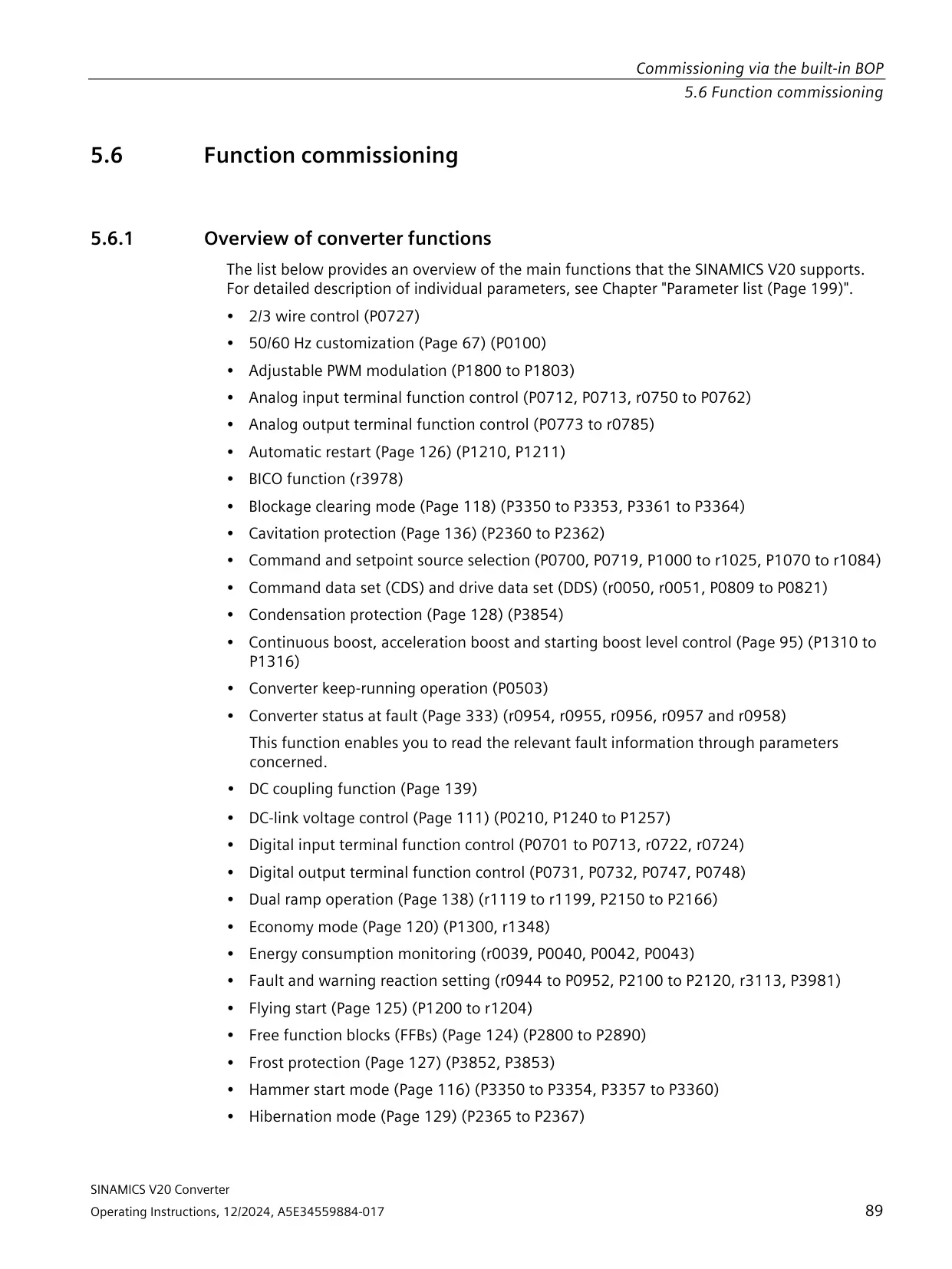
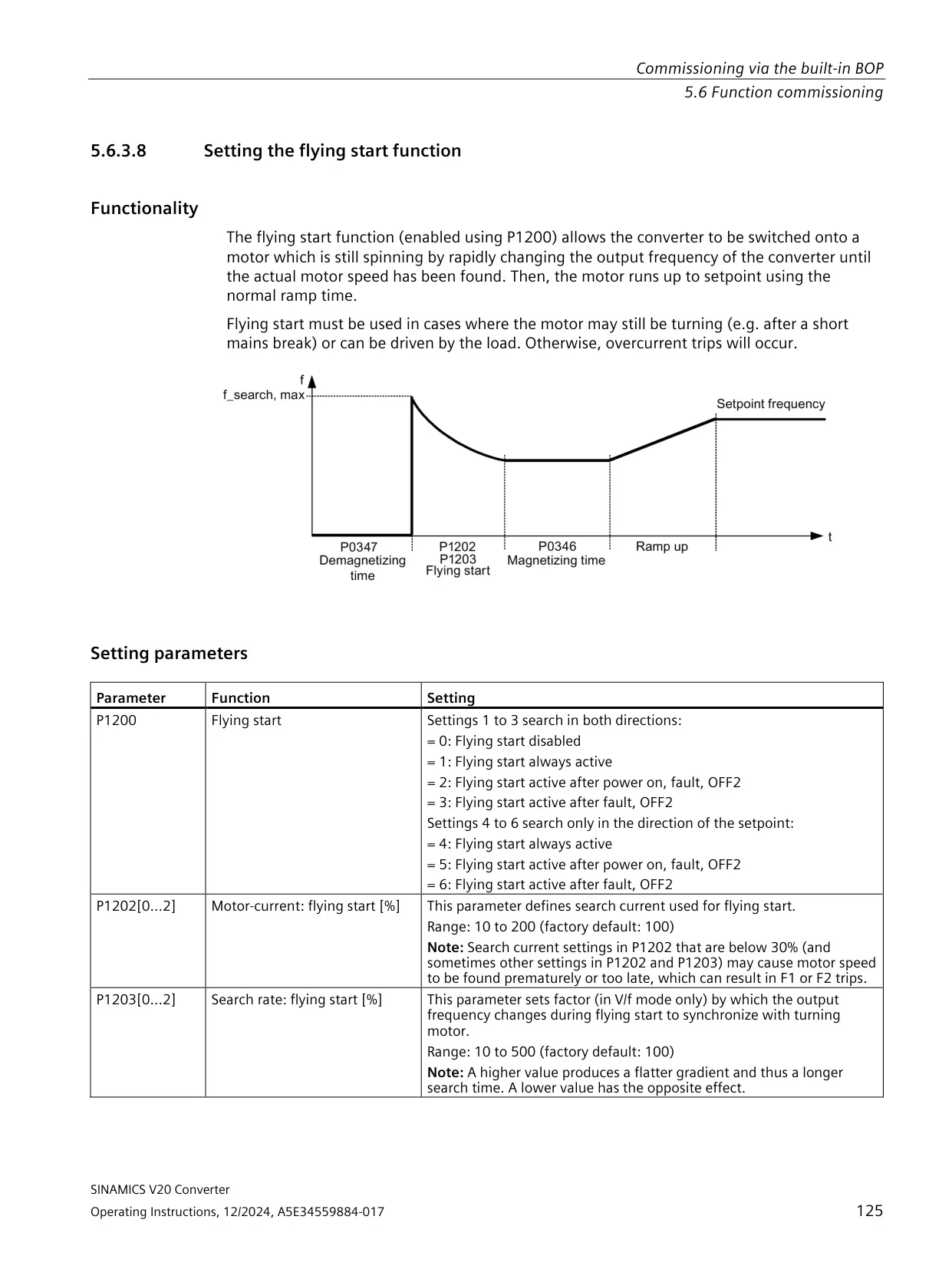
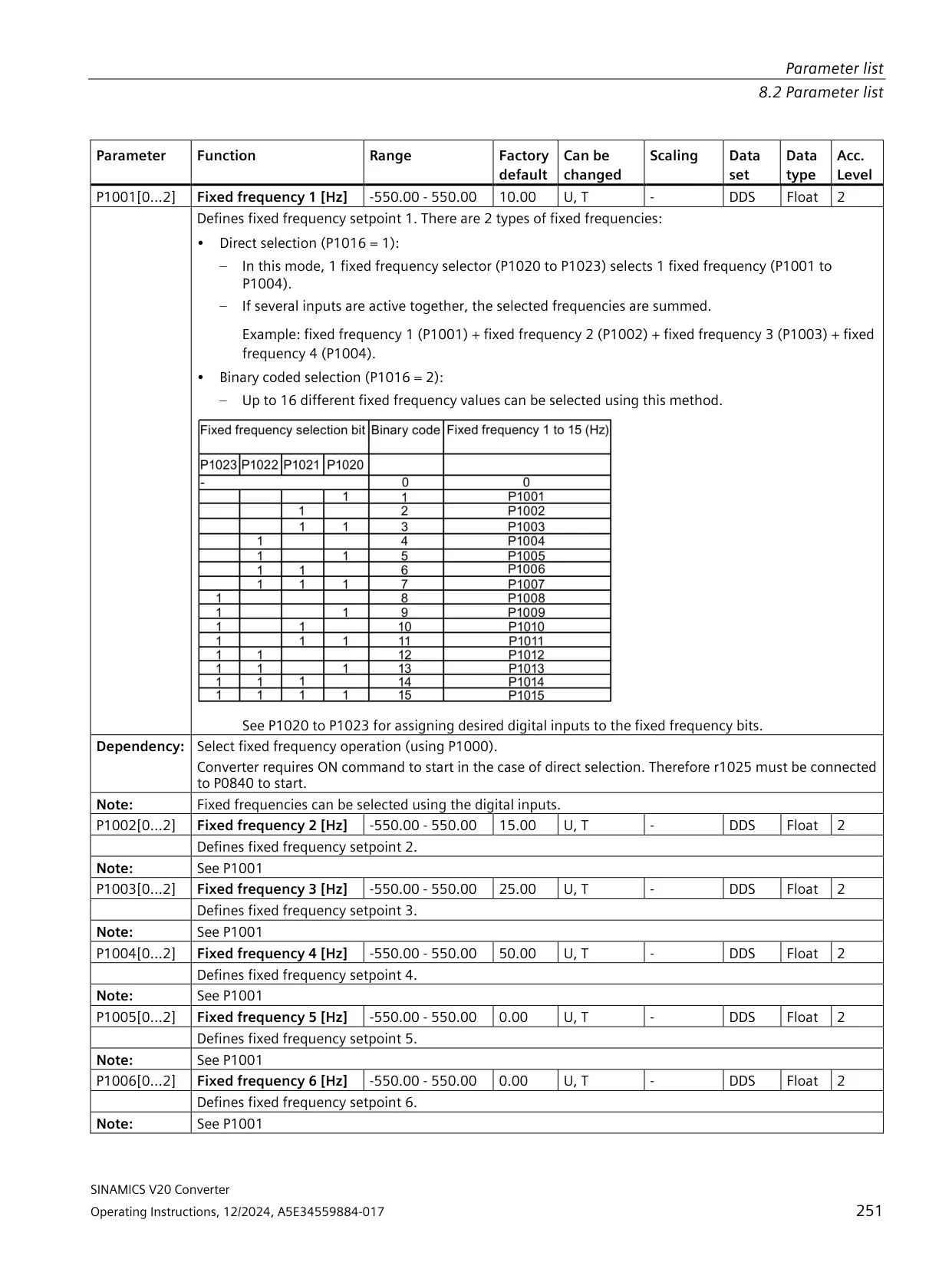
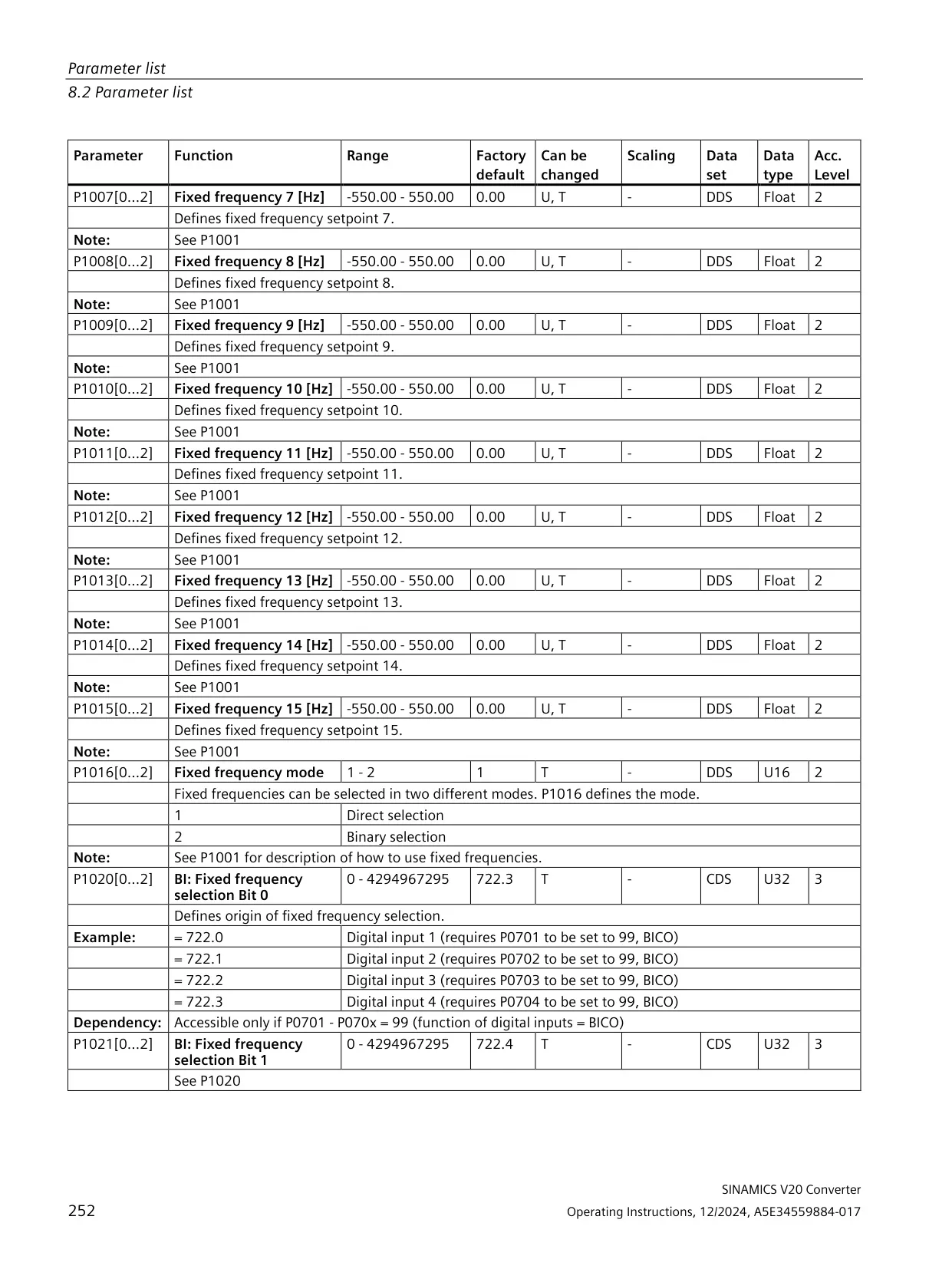
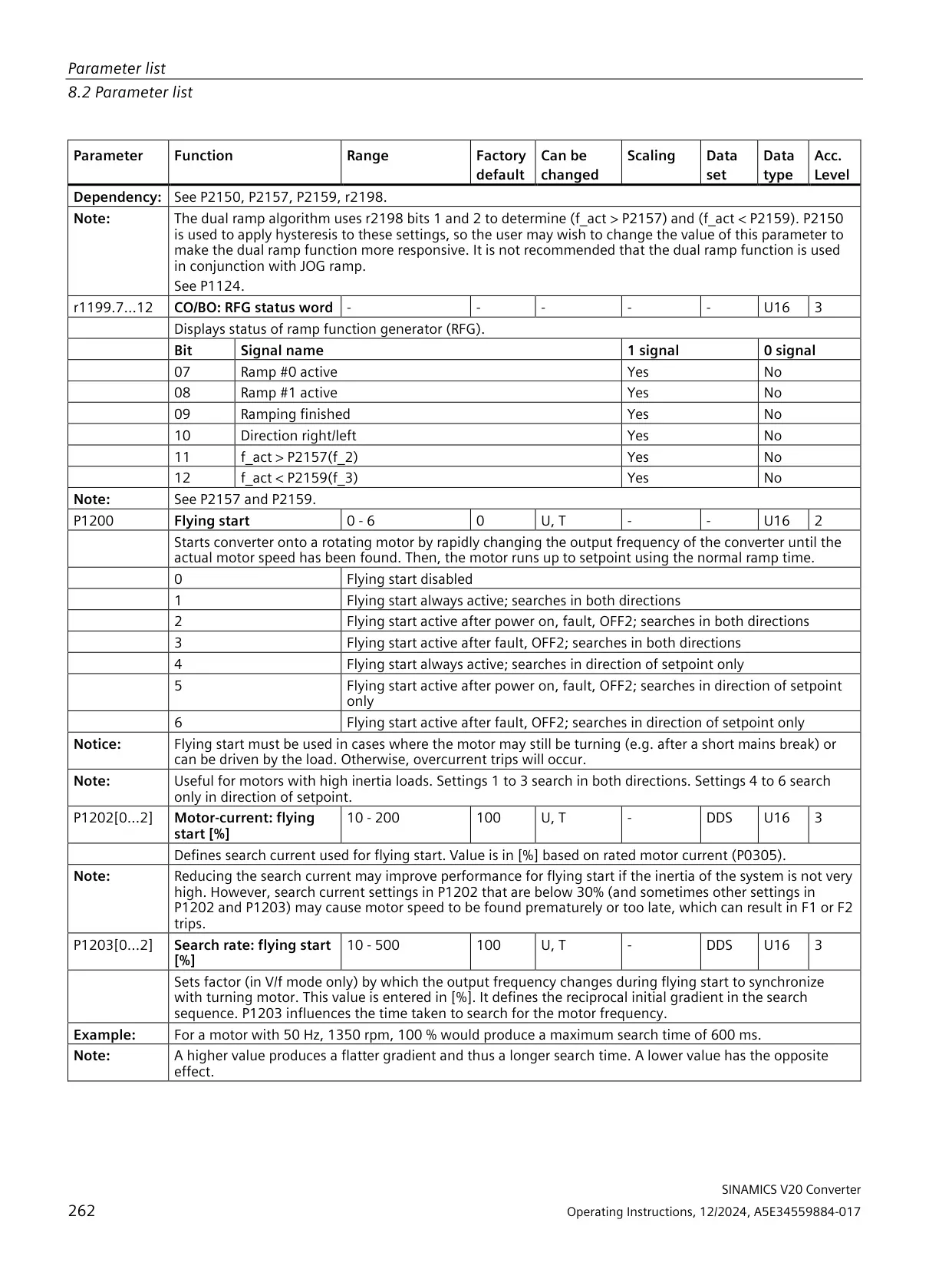
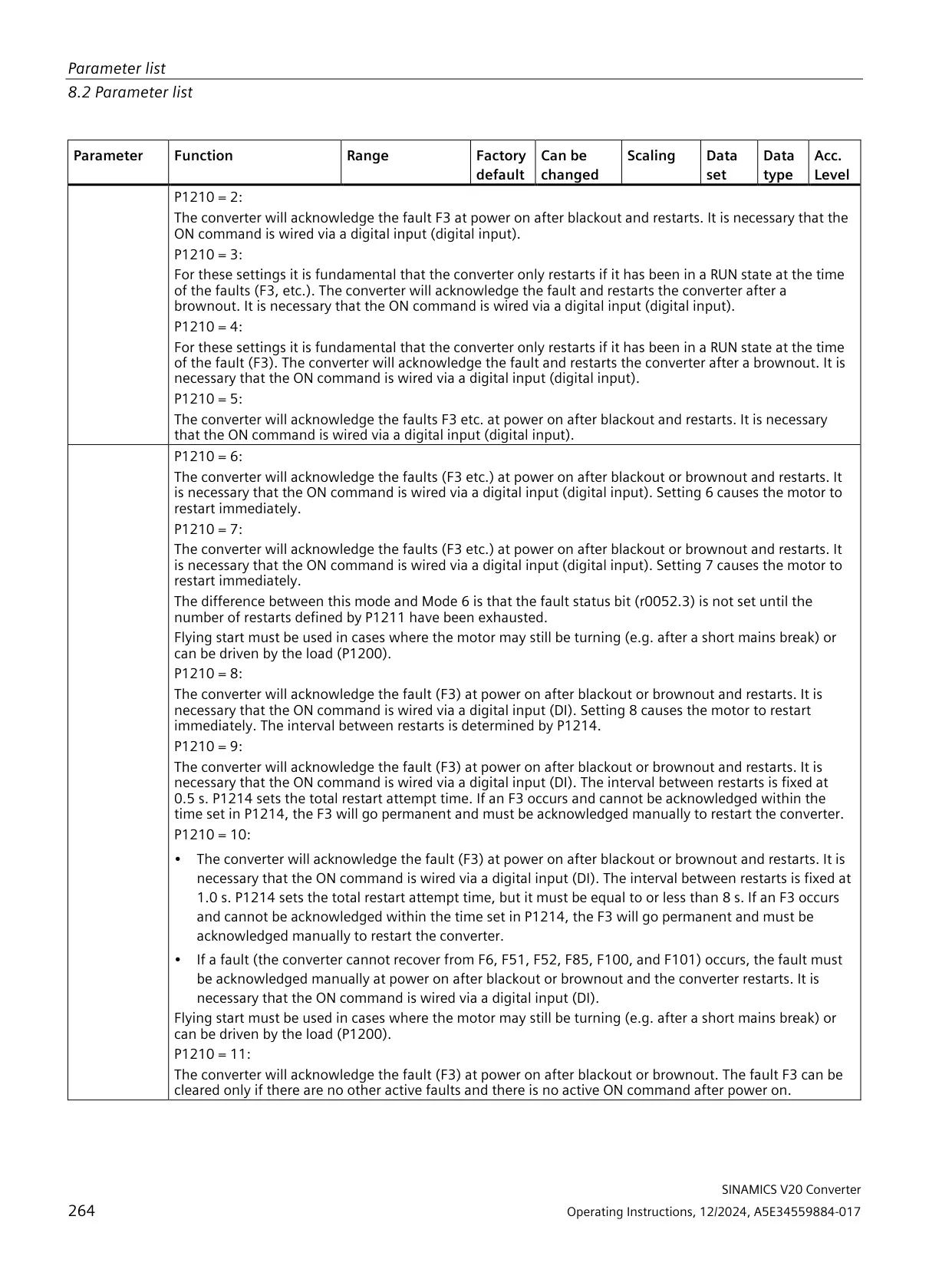
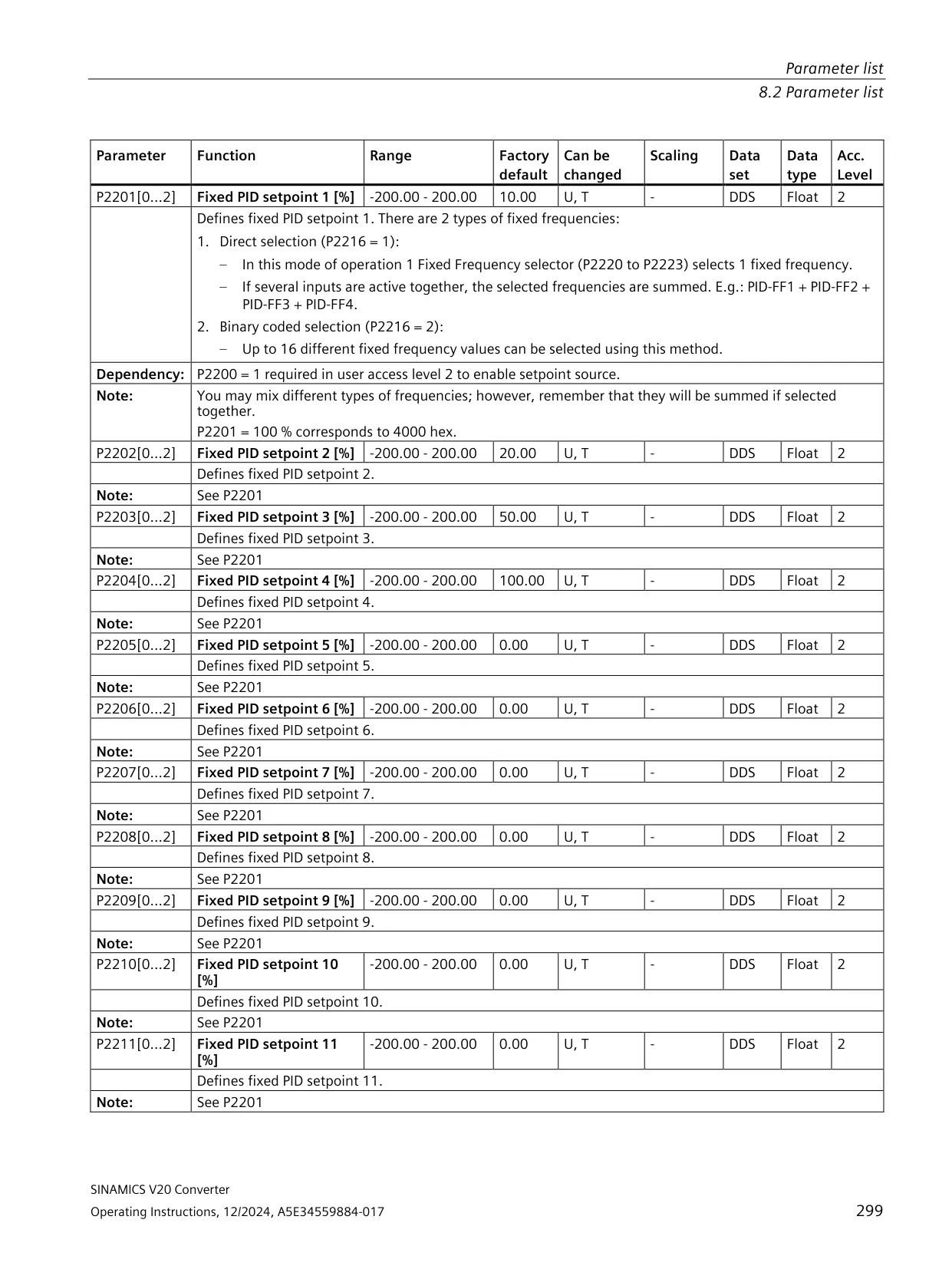
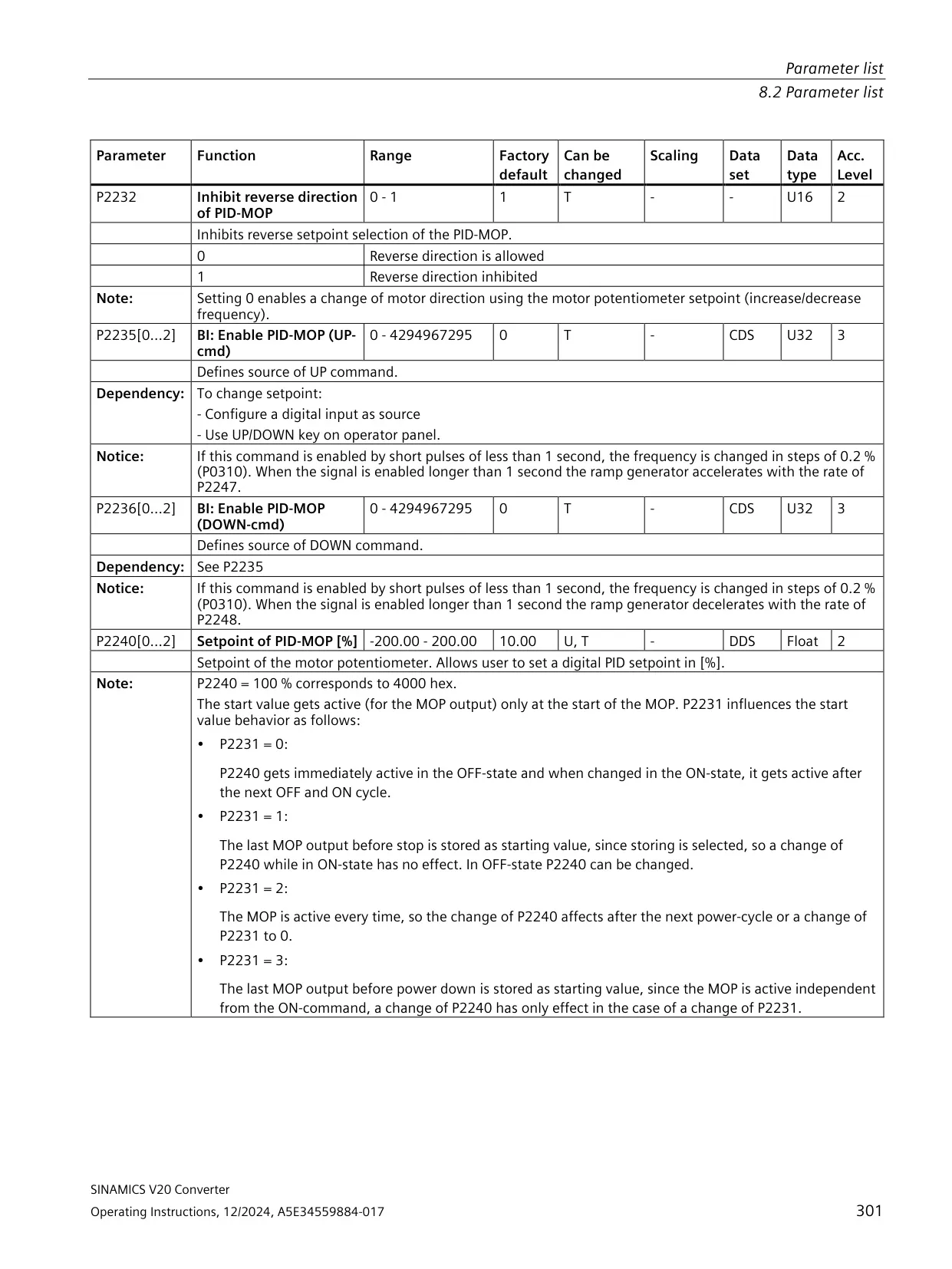
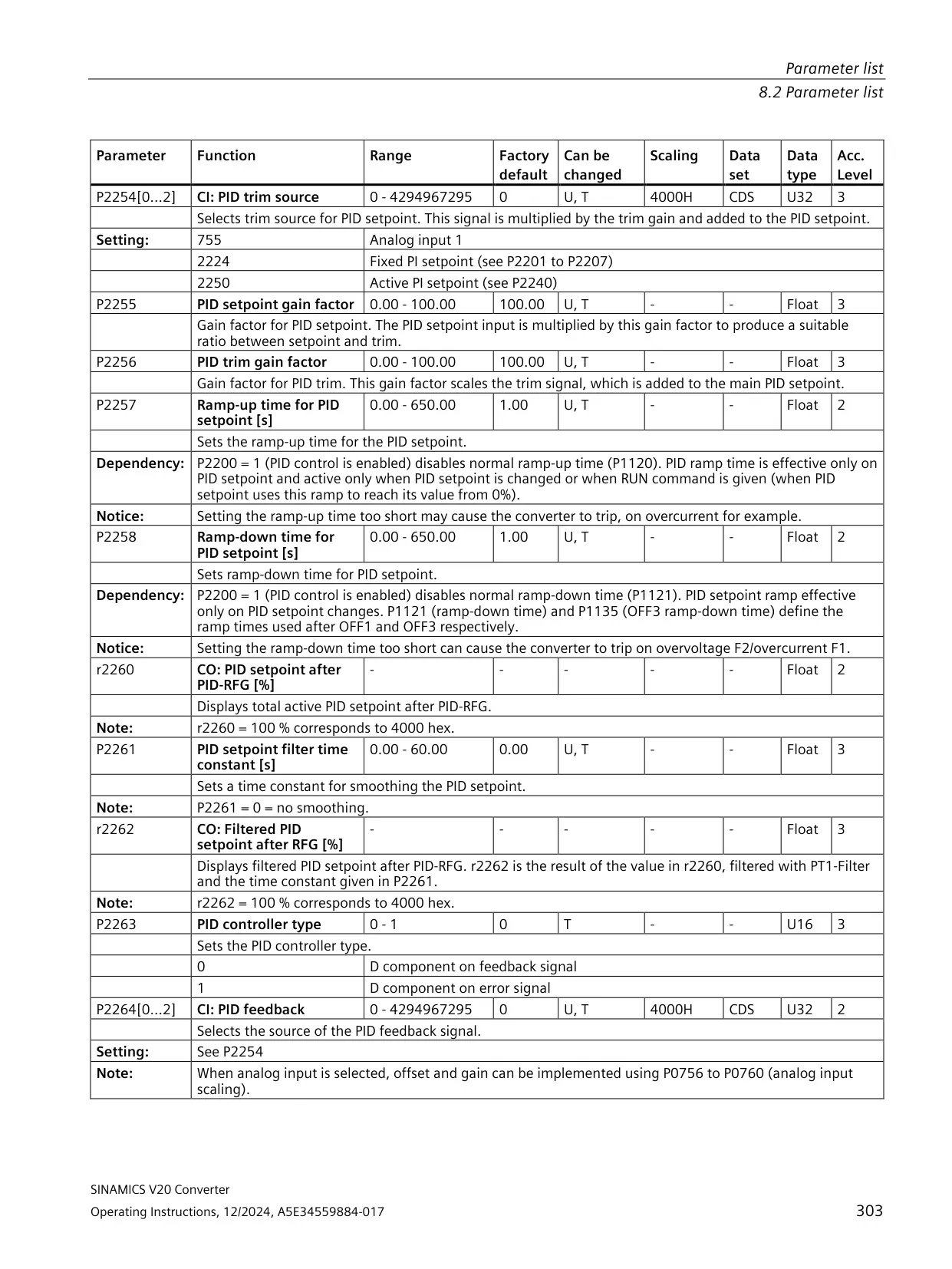
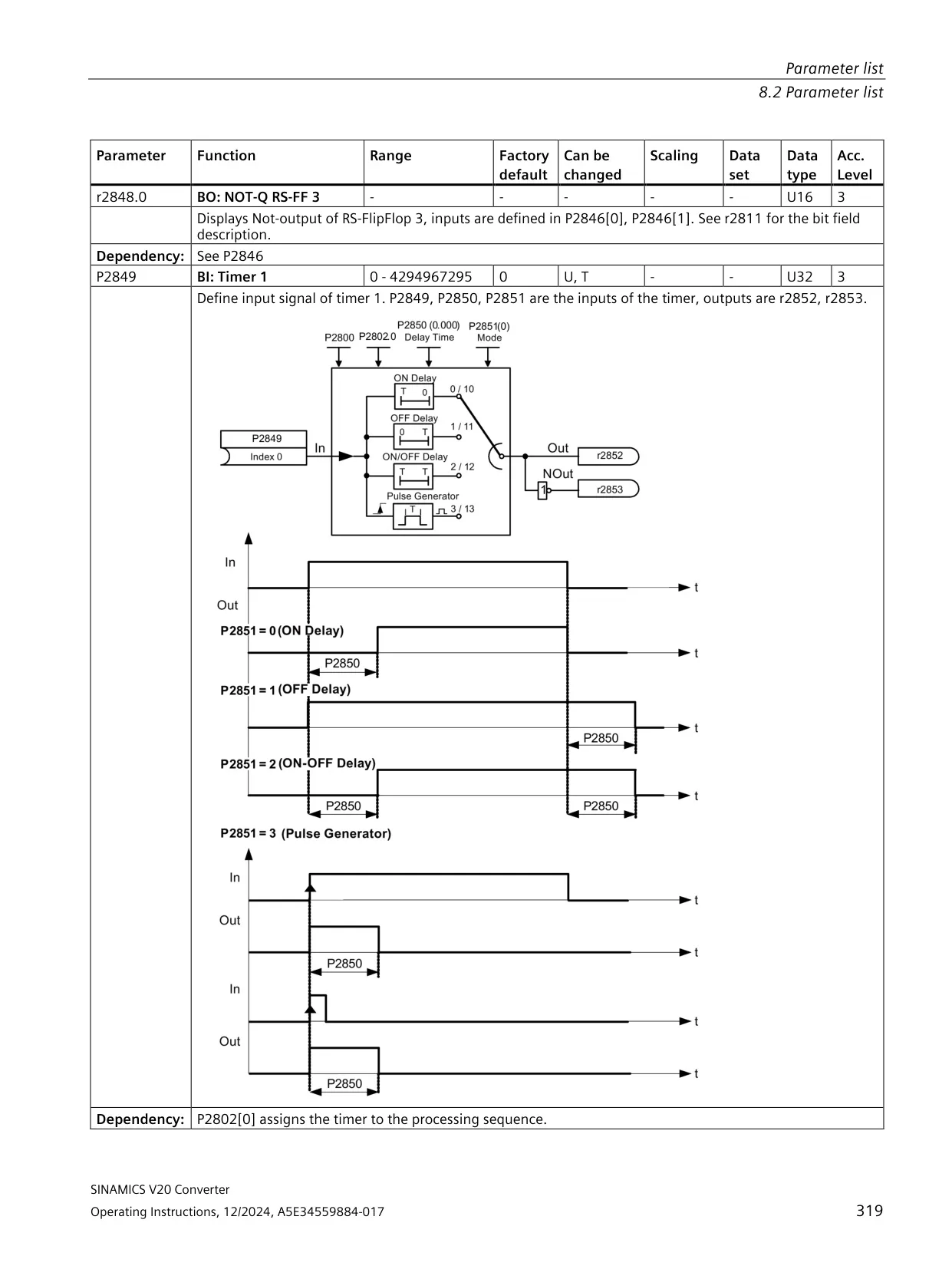
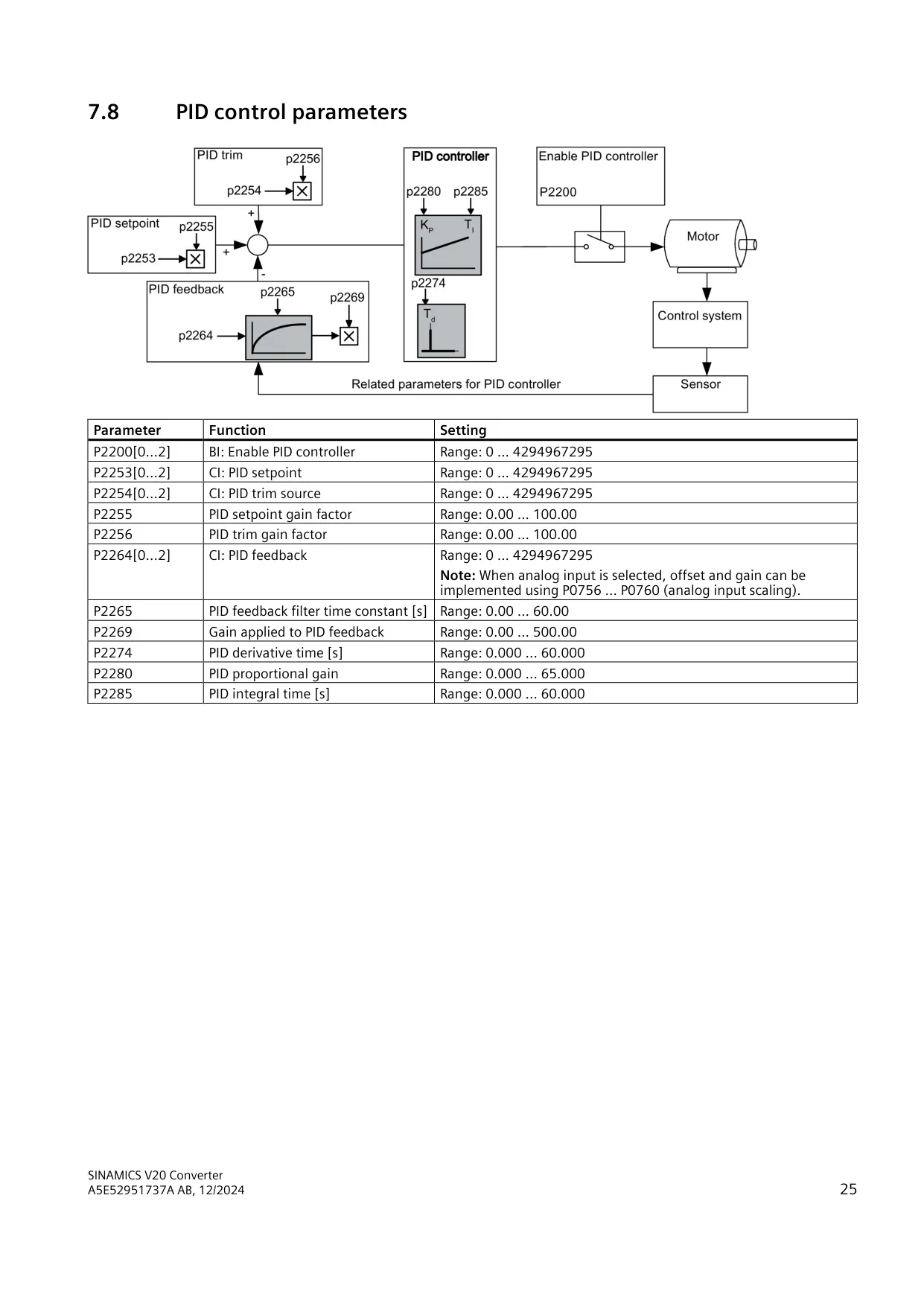
For control functions, the drive has a full PID controller with setpoint, trim and feedback sources, a feedback filter, and proportional, integral and derivative settings. Flying start (P1200) can catch a motor that is still turning, which helps with high-inertia loads. Automatic restart (P1210) has eleven modes for handling mains brownouts, blackouts and faults. Up to 16 fixed frequencies can be selected in binary mode.
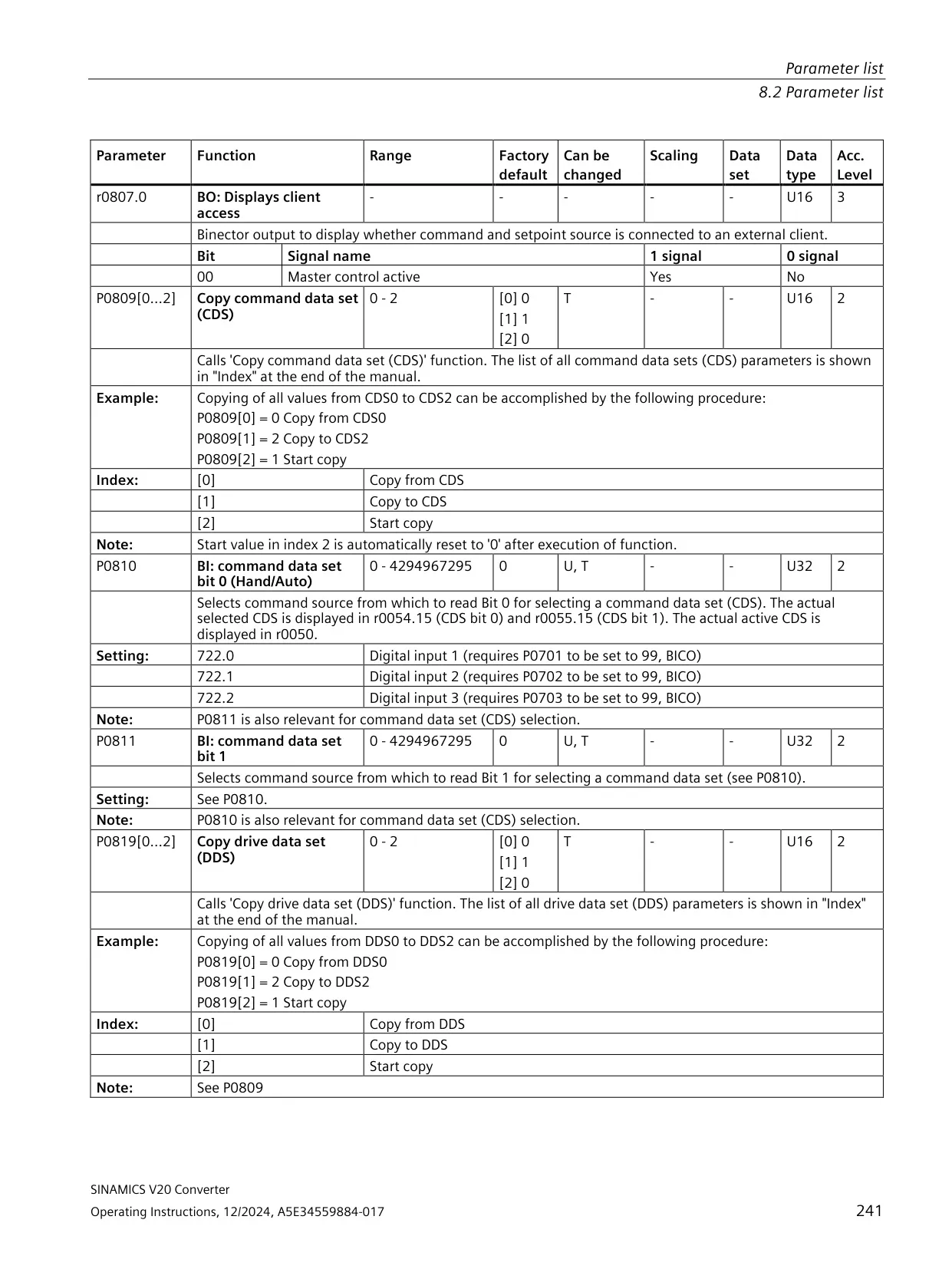
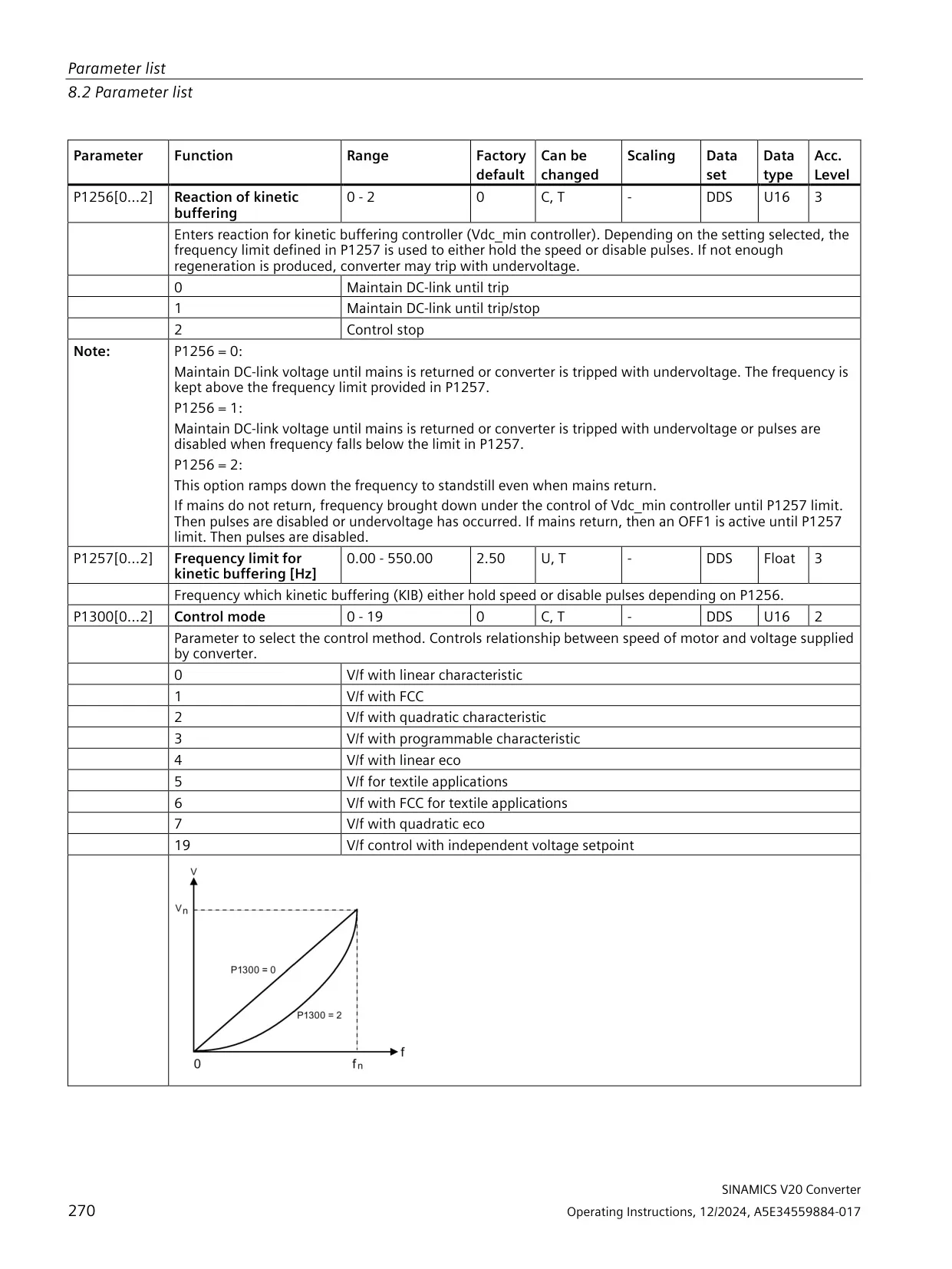
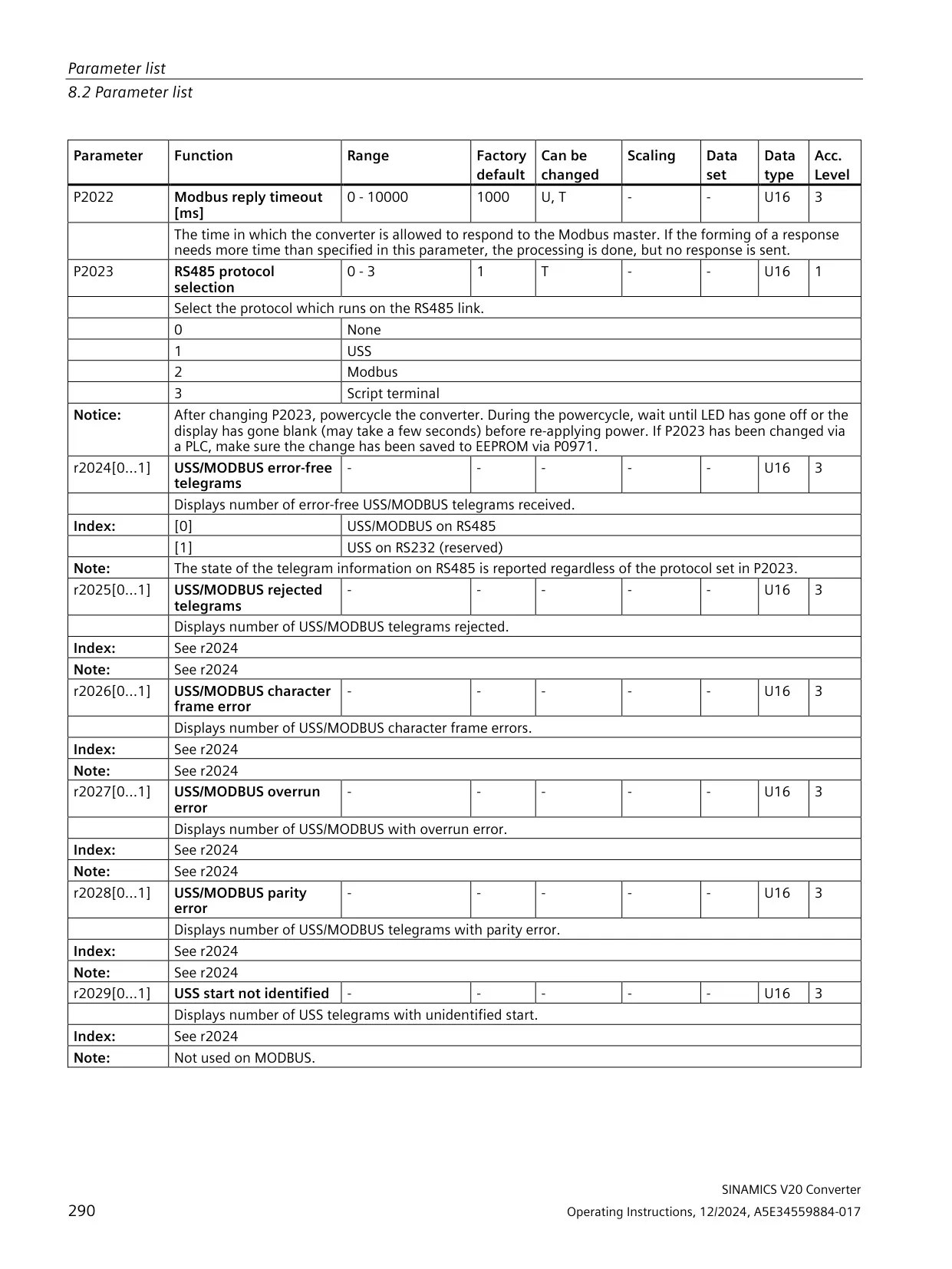
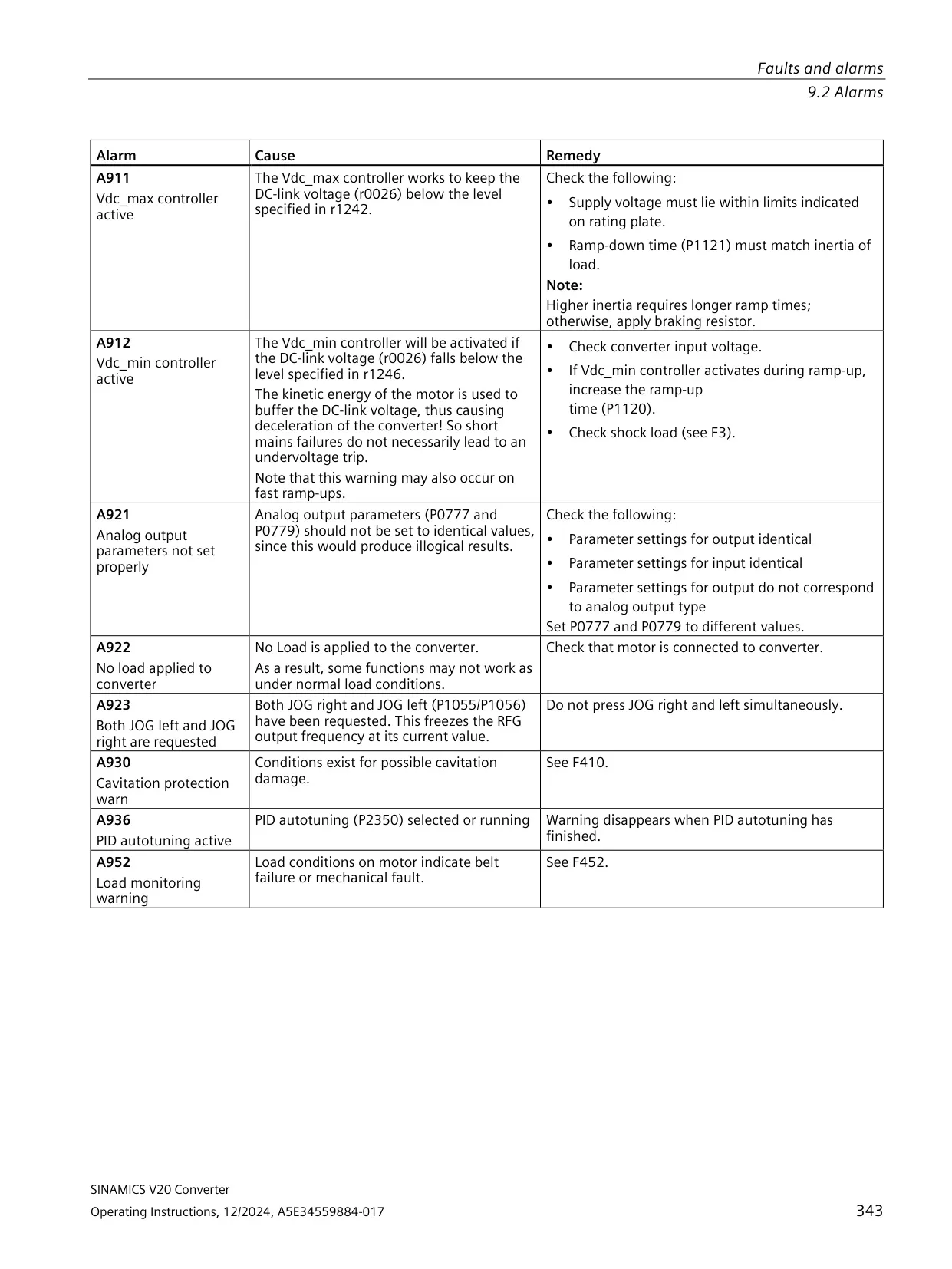
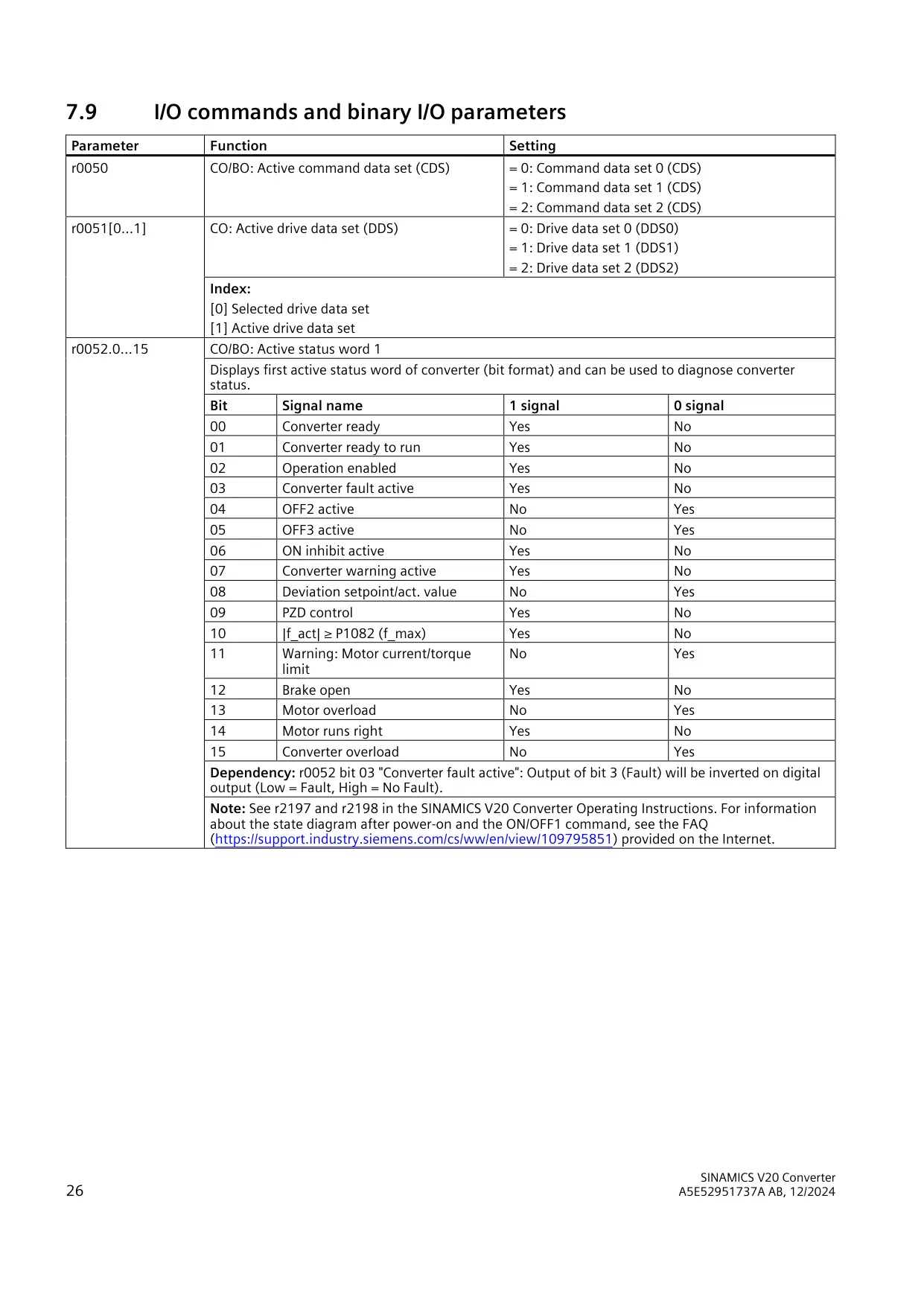
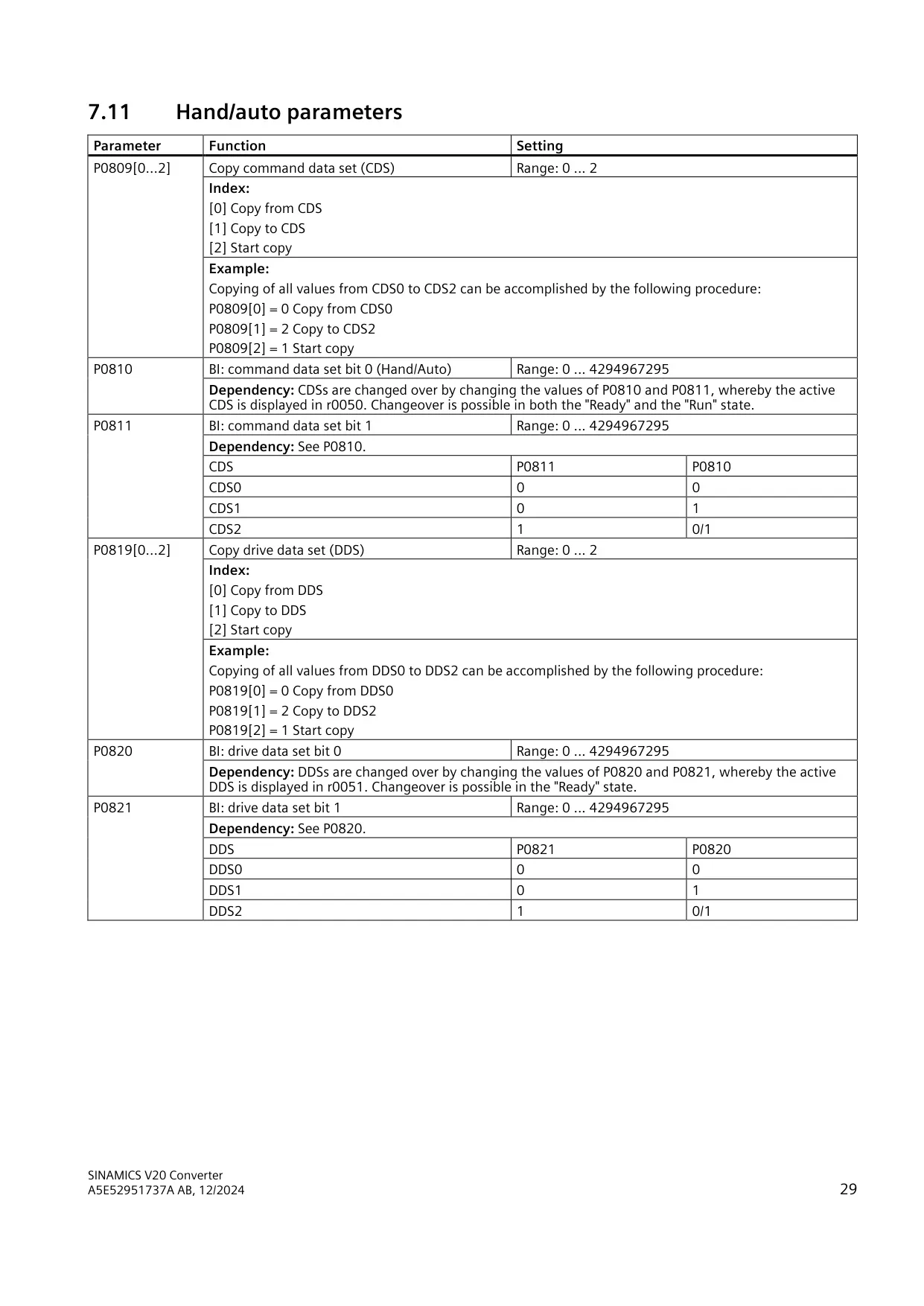
Braking can be set up as DC braking, compound braking or dynamic braking. The Vdc controller has Vdc_max regulation and kinetic buffering. It must be disabled (P1240 = 0) before dynamic braking can work. Three command data sets and three drive data sets can be switched through BICO inputs. Command data sets can be changed in both the Ready and Run states, while drive data sets can only be changed in the Ready state.
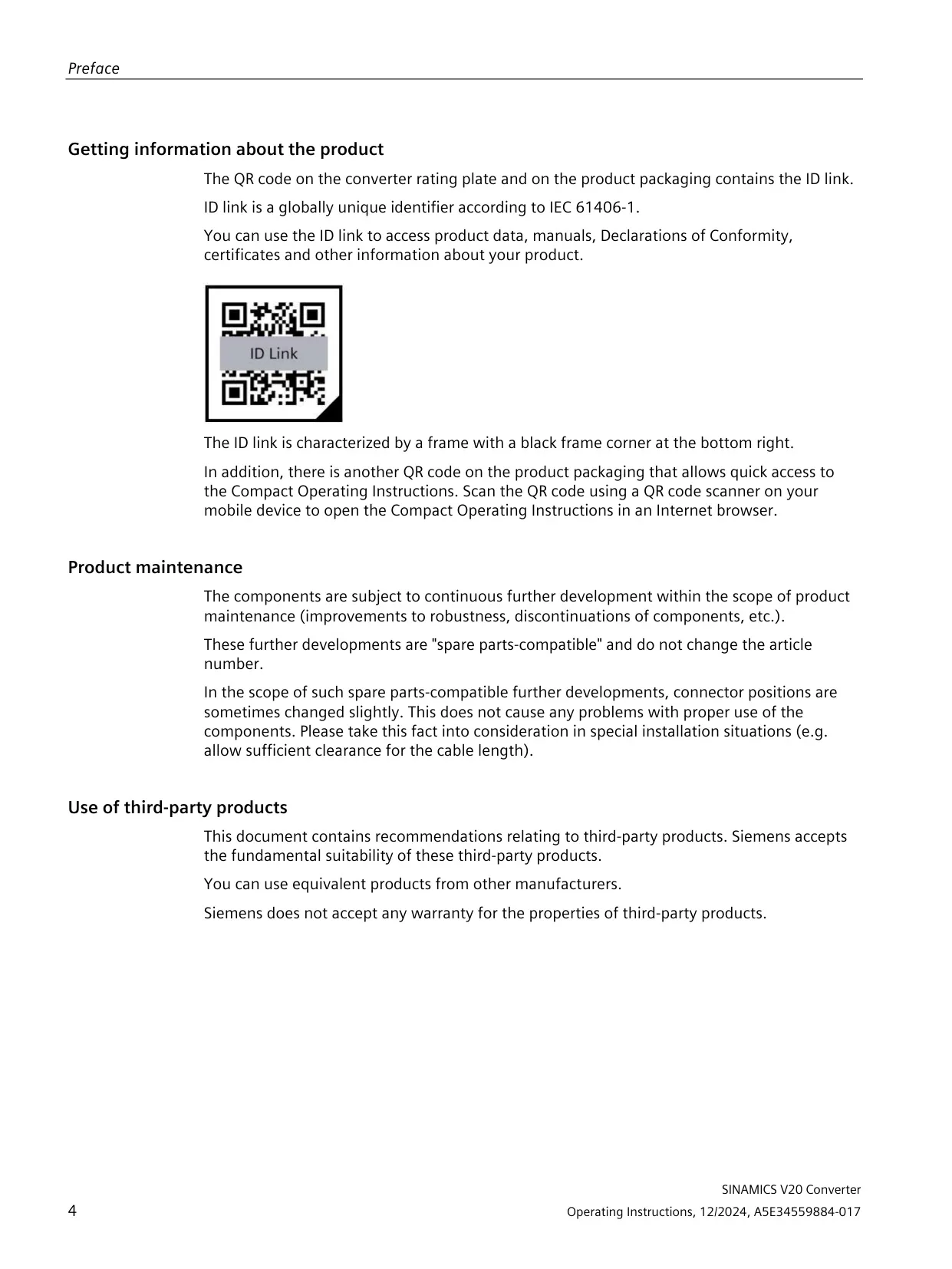
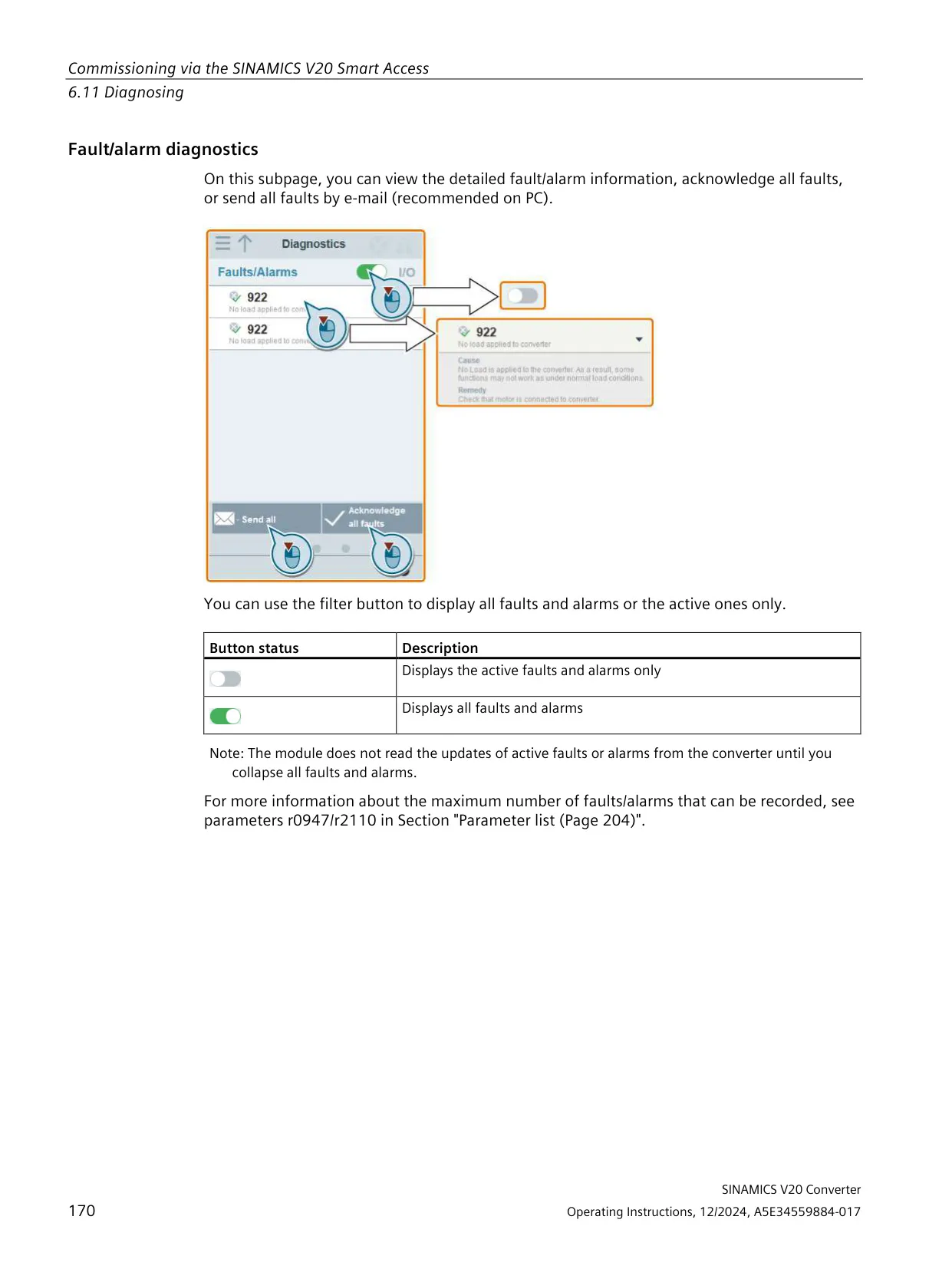
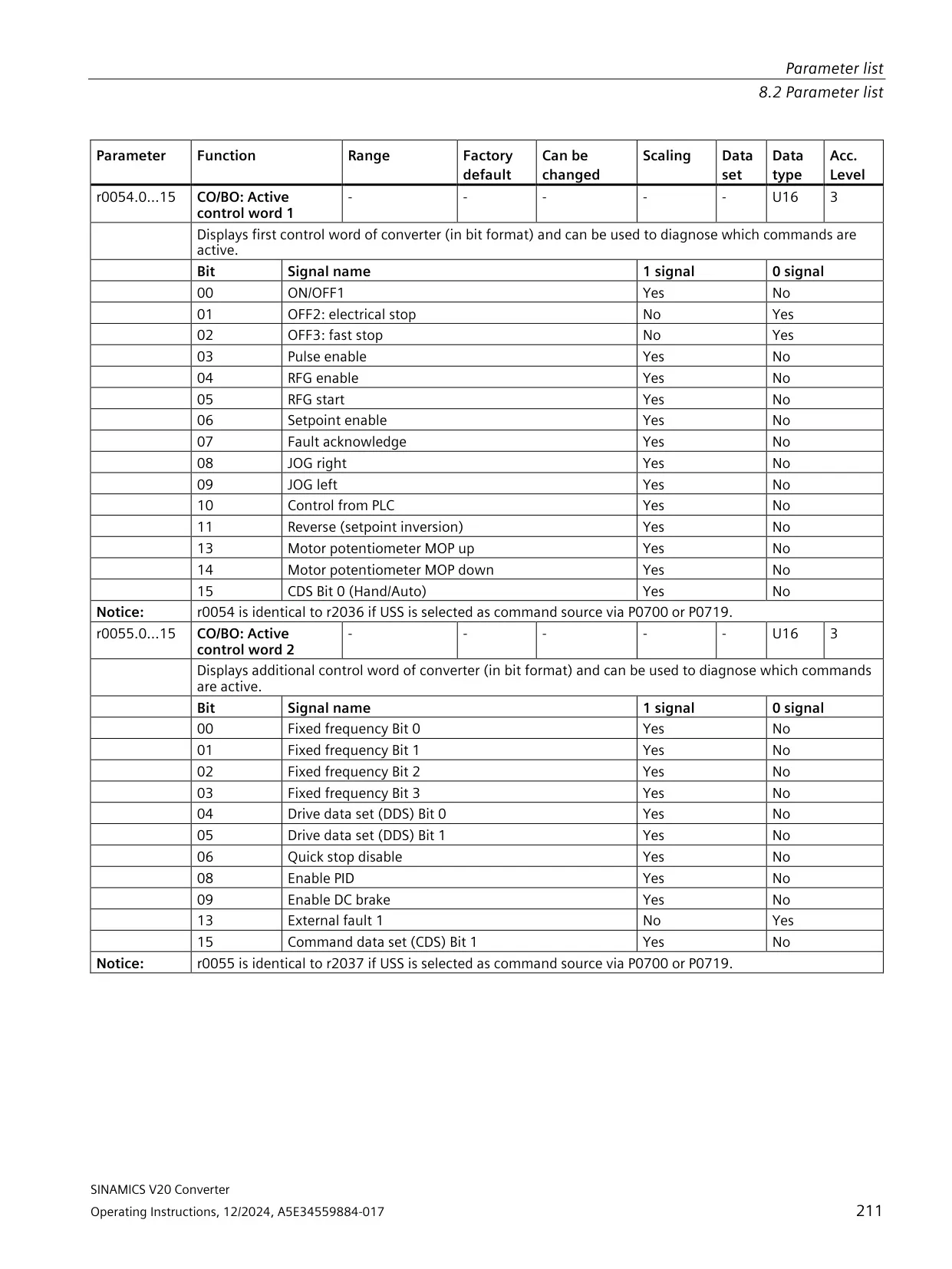
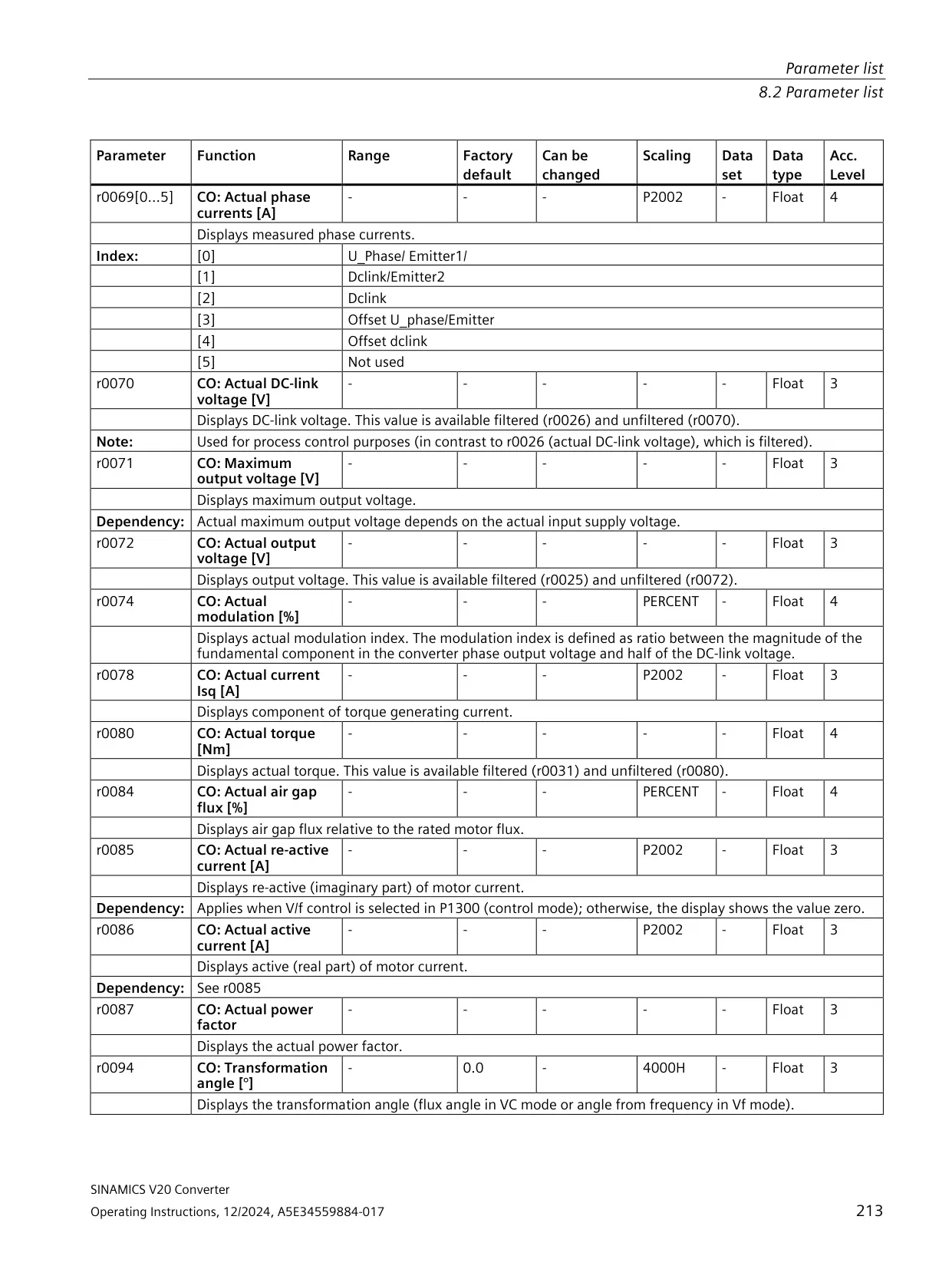
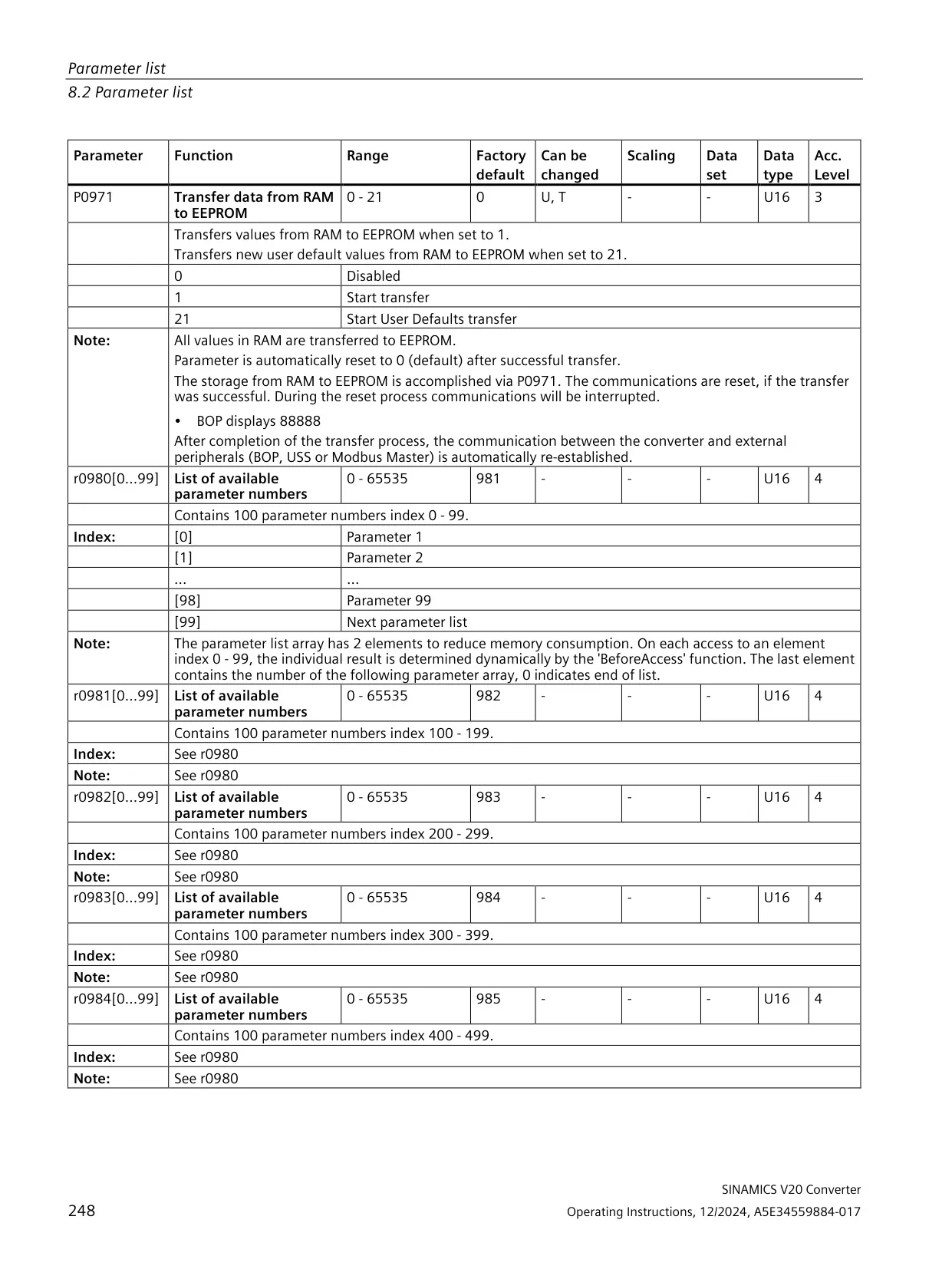
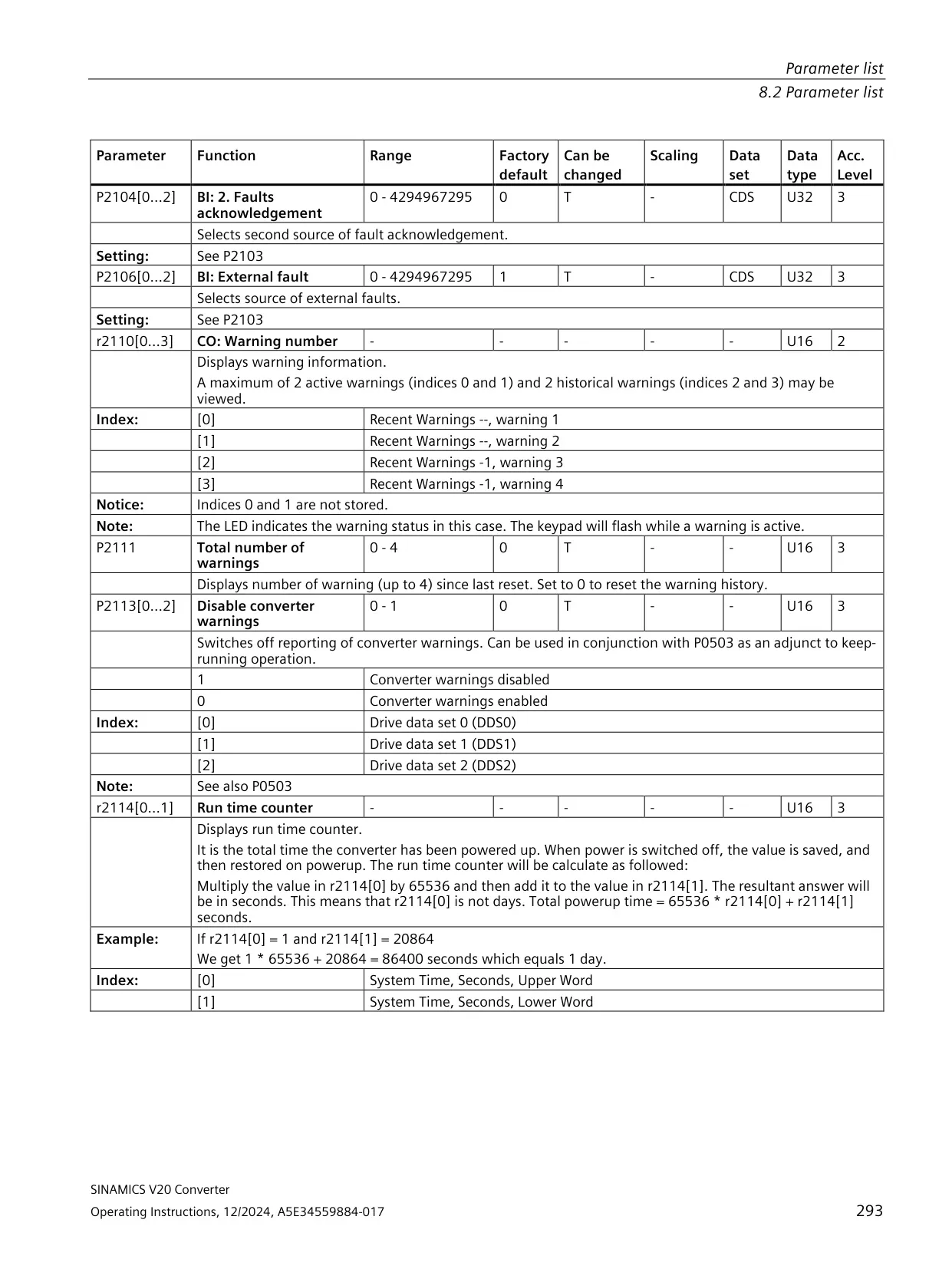
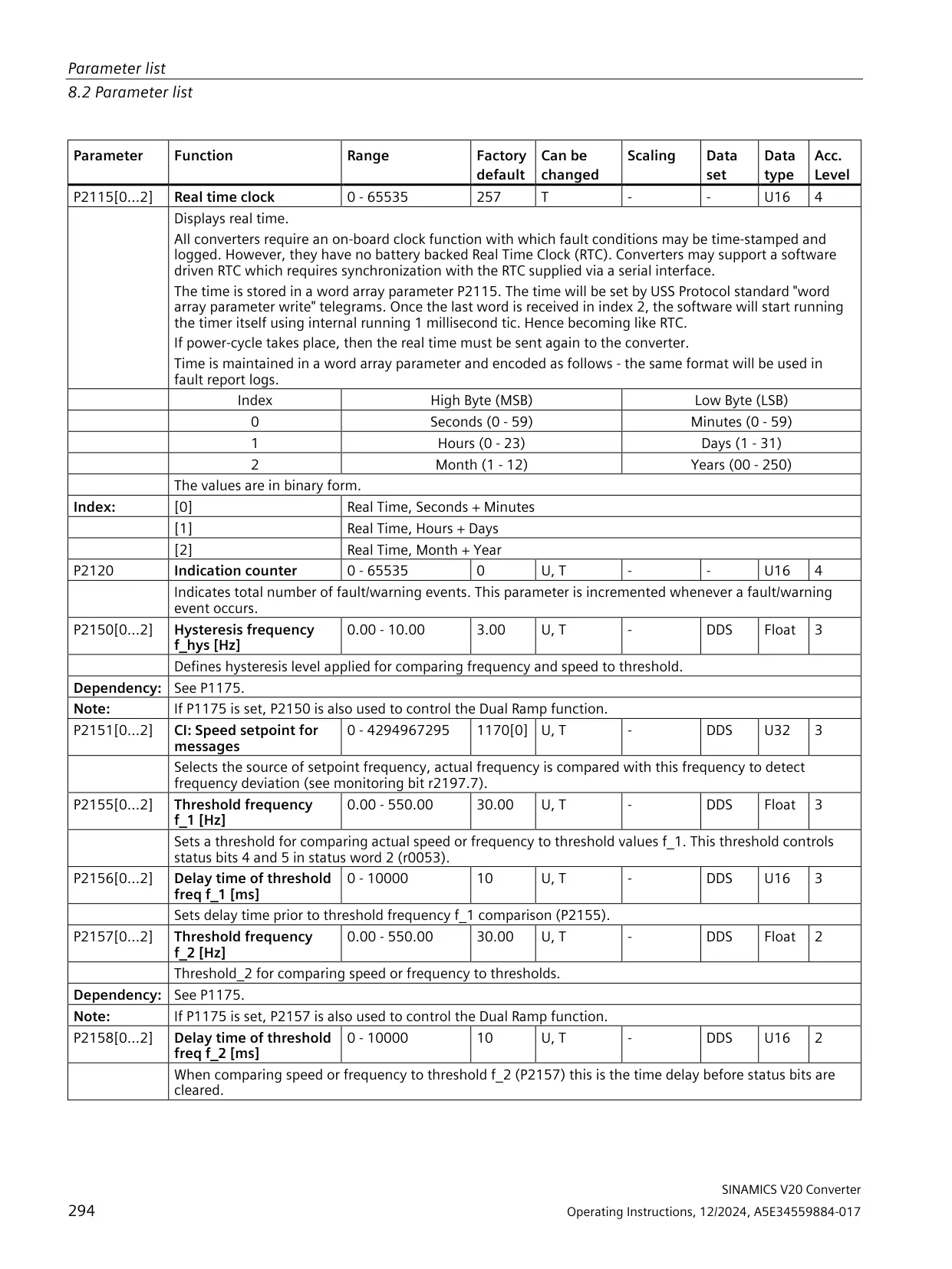
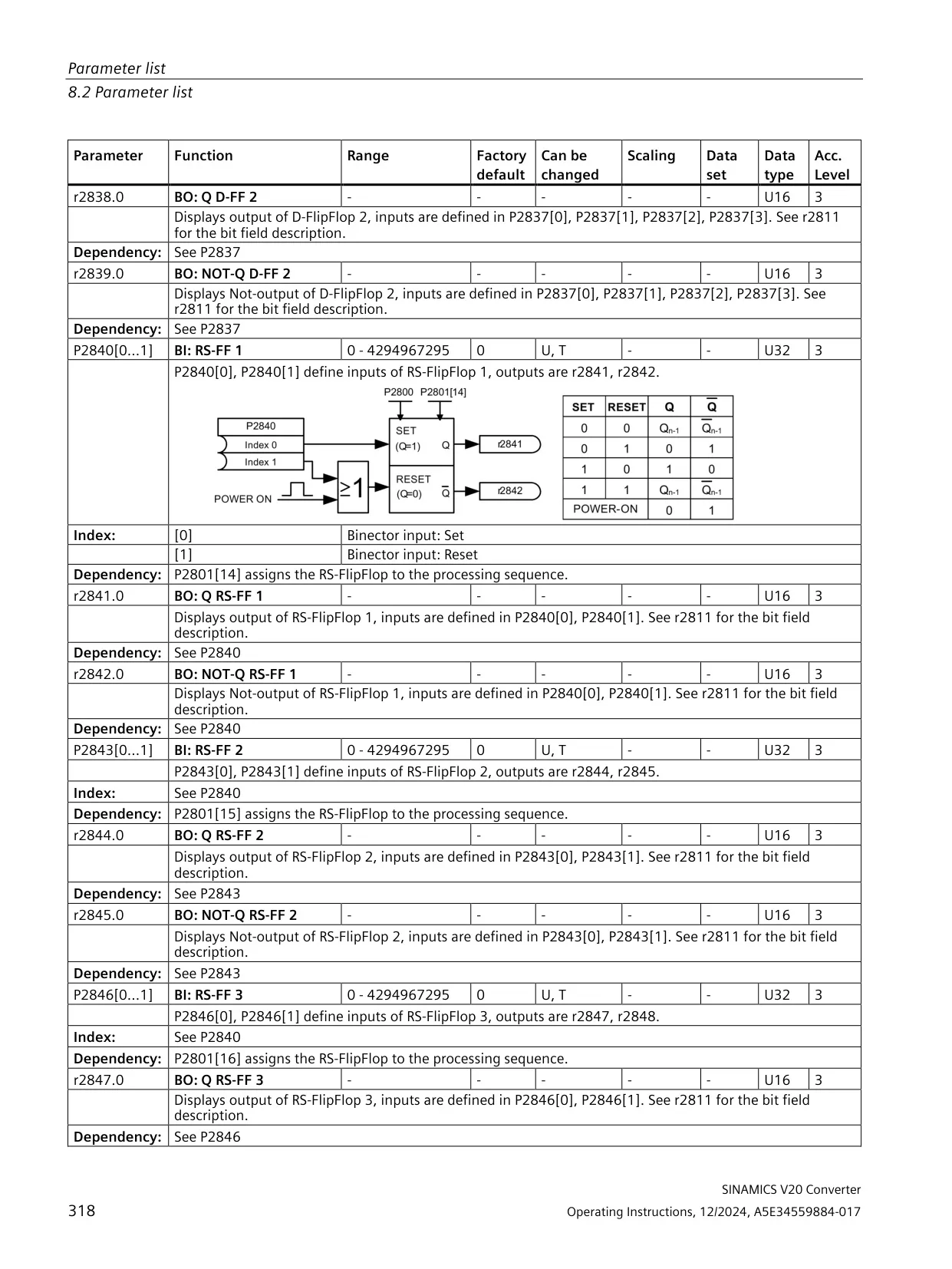
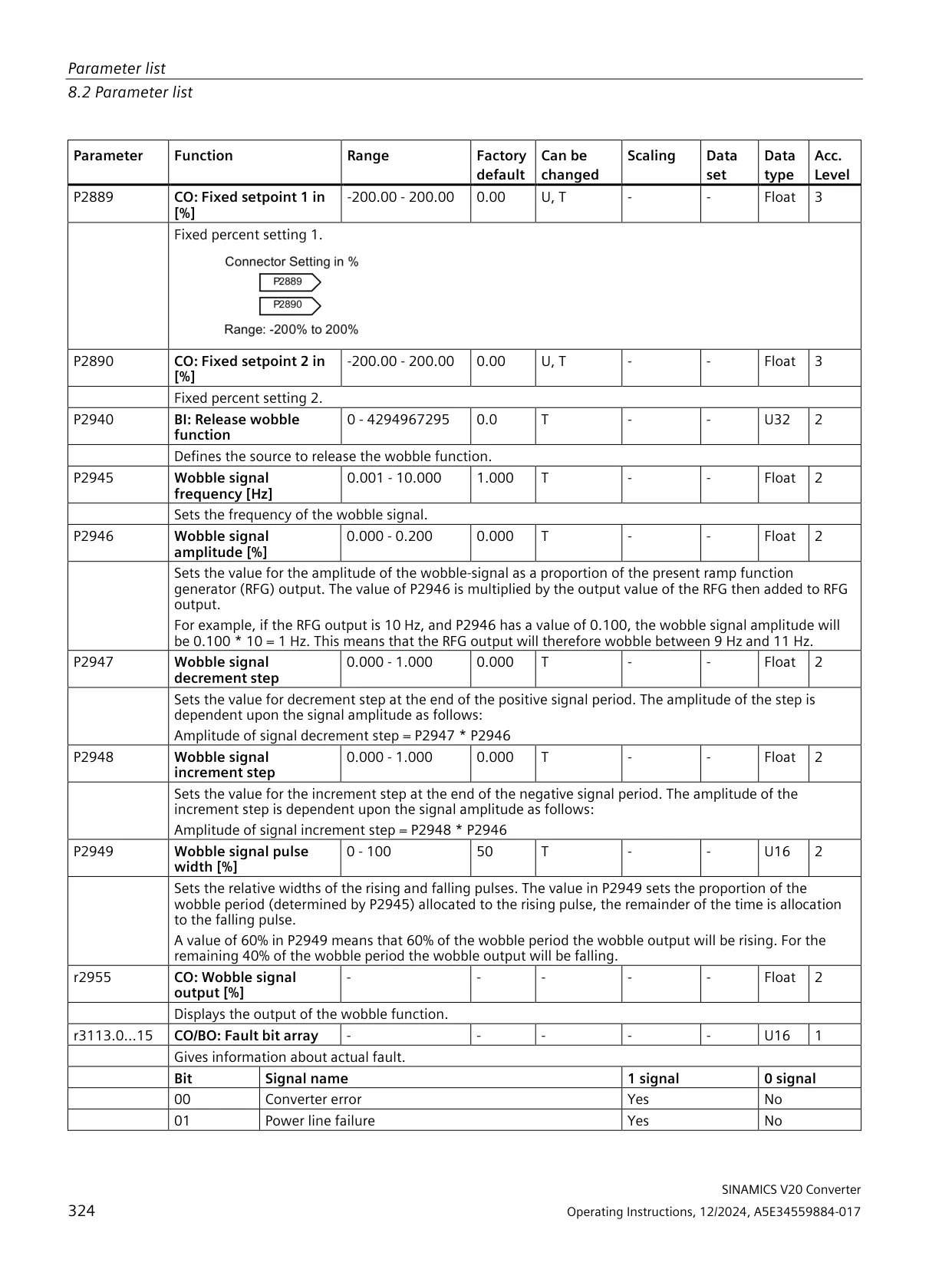
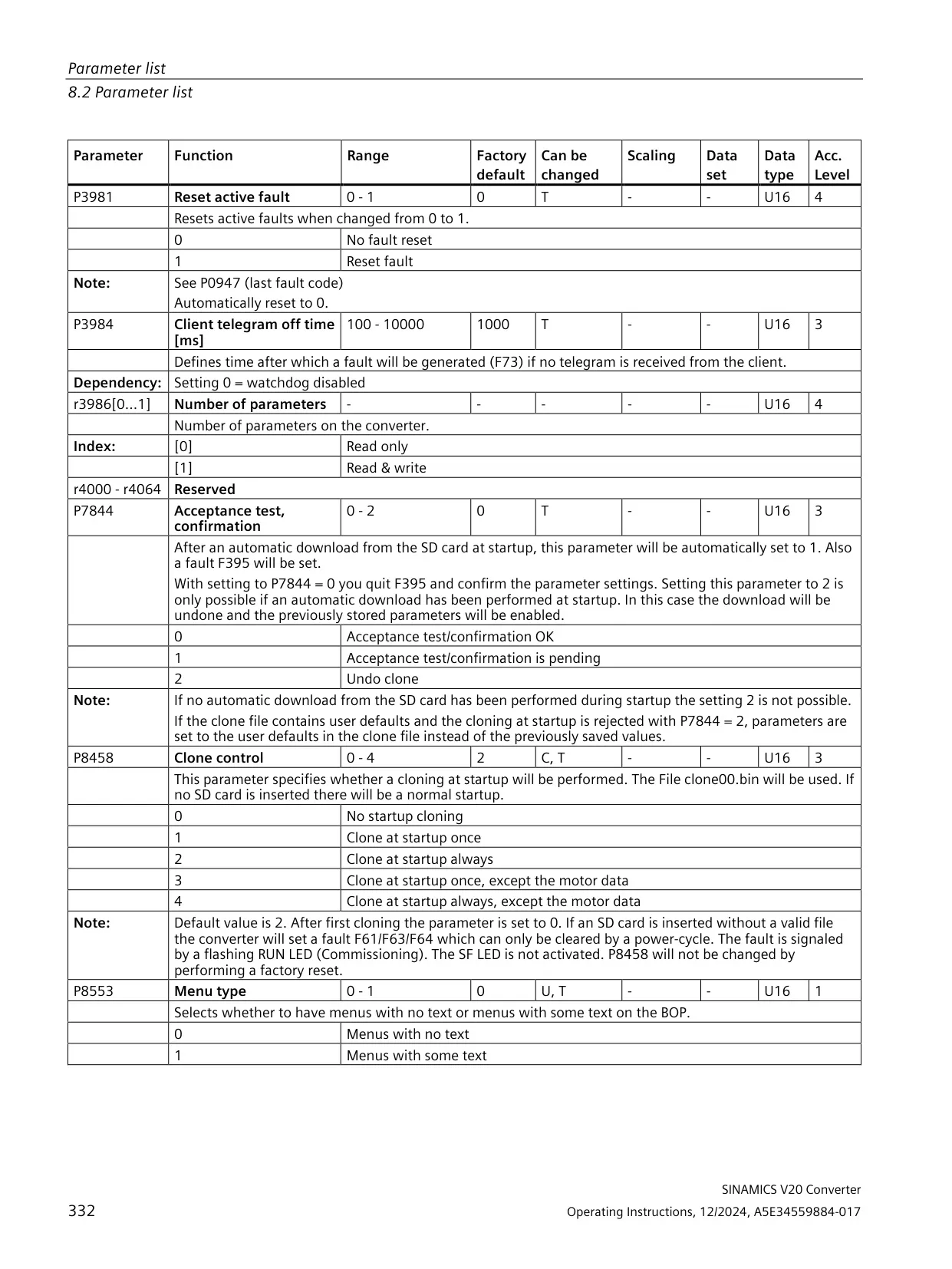
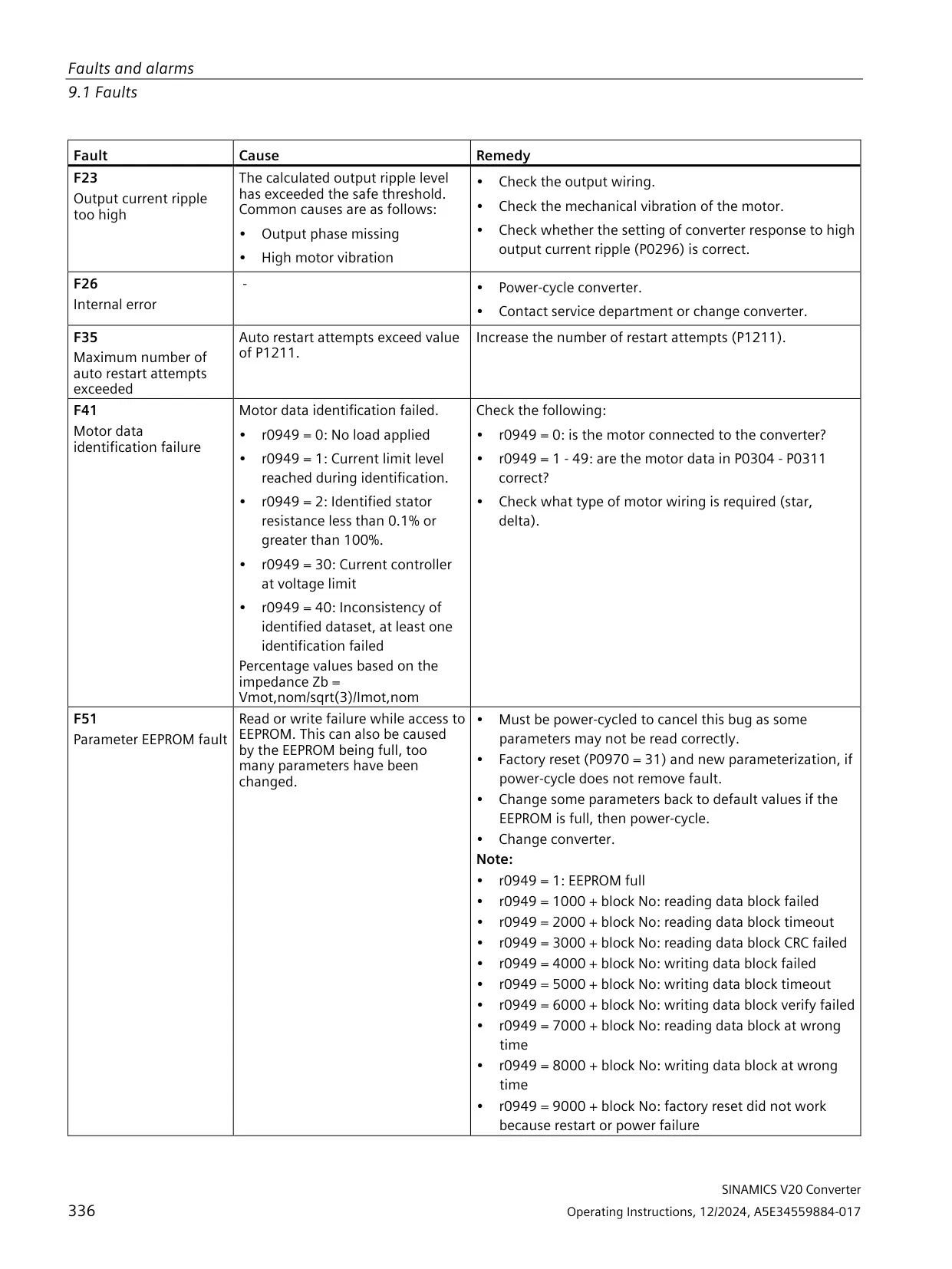
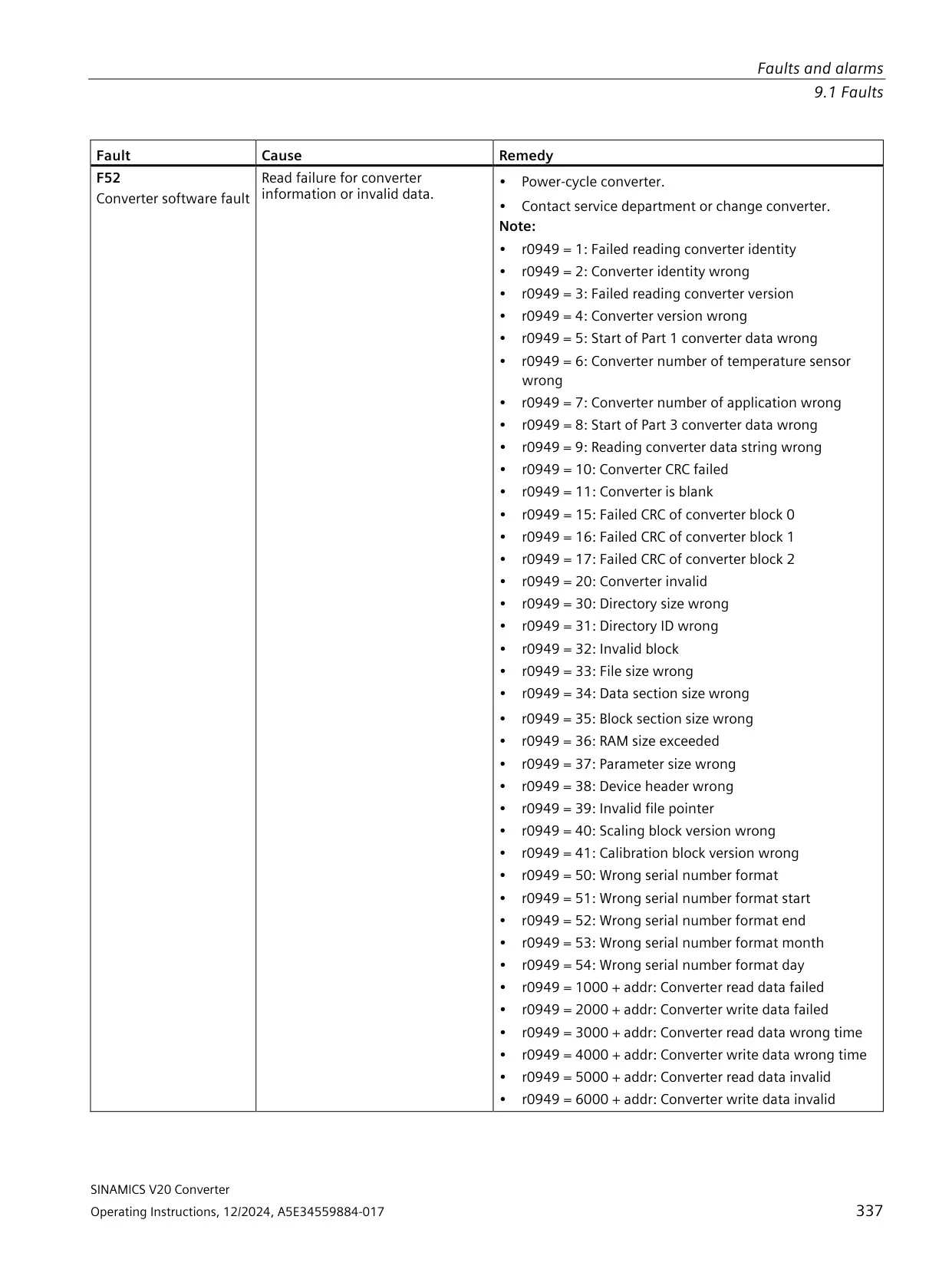
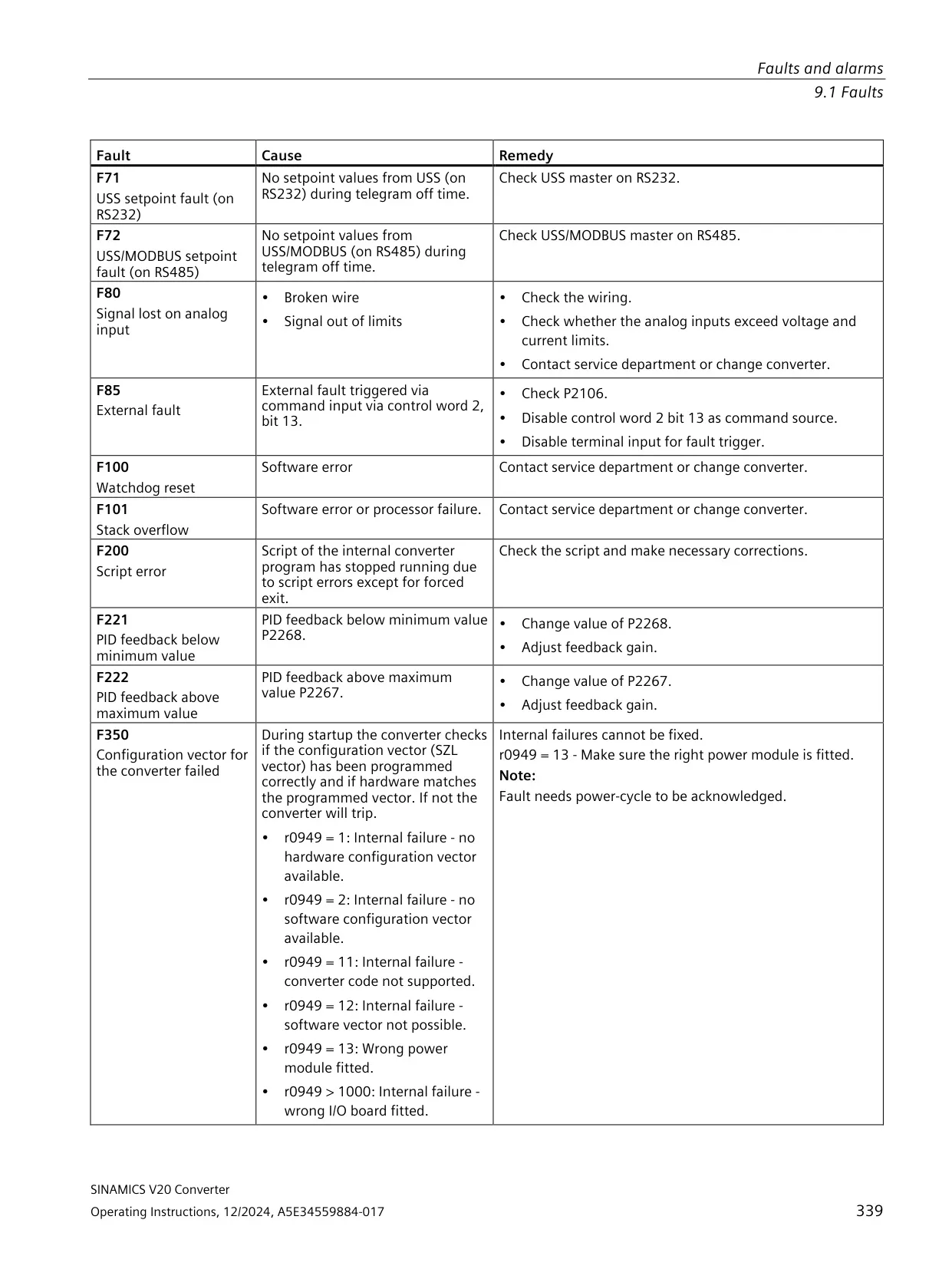
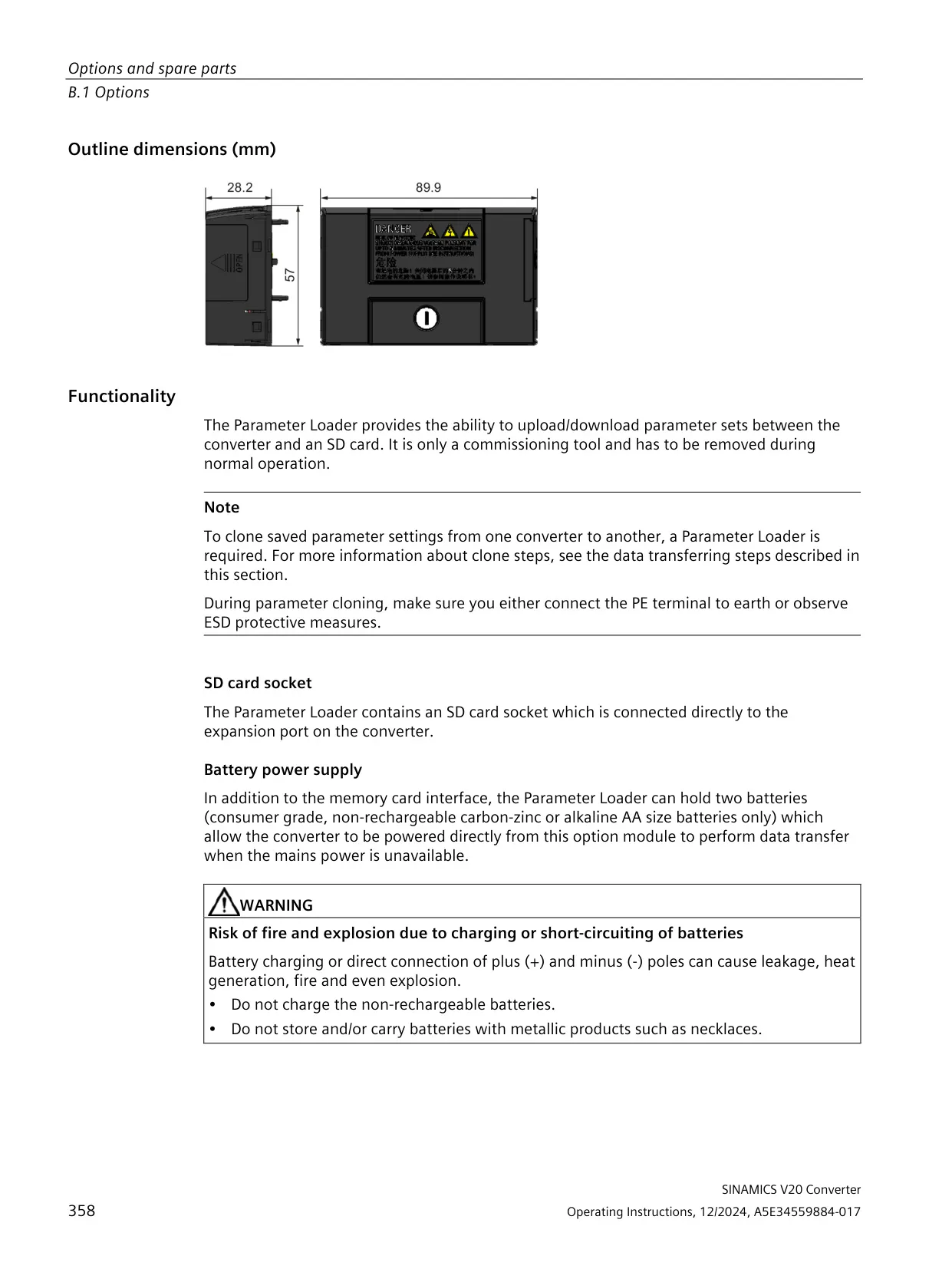
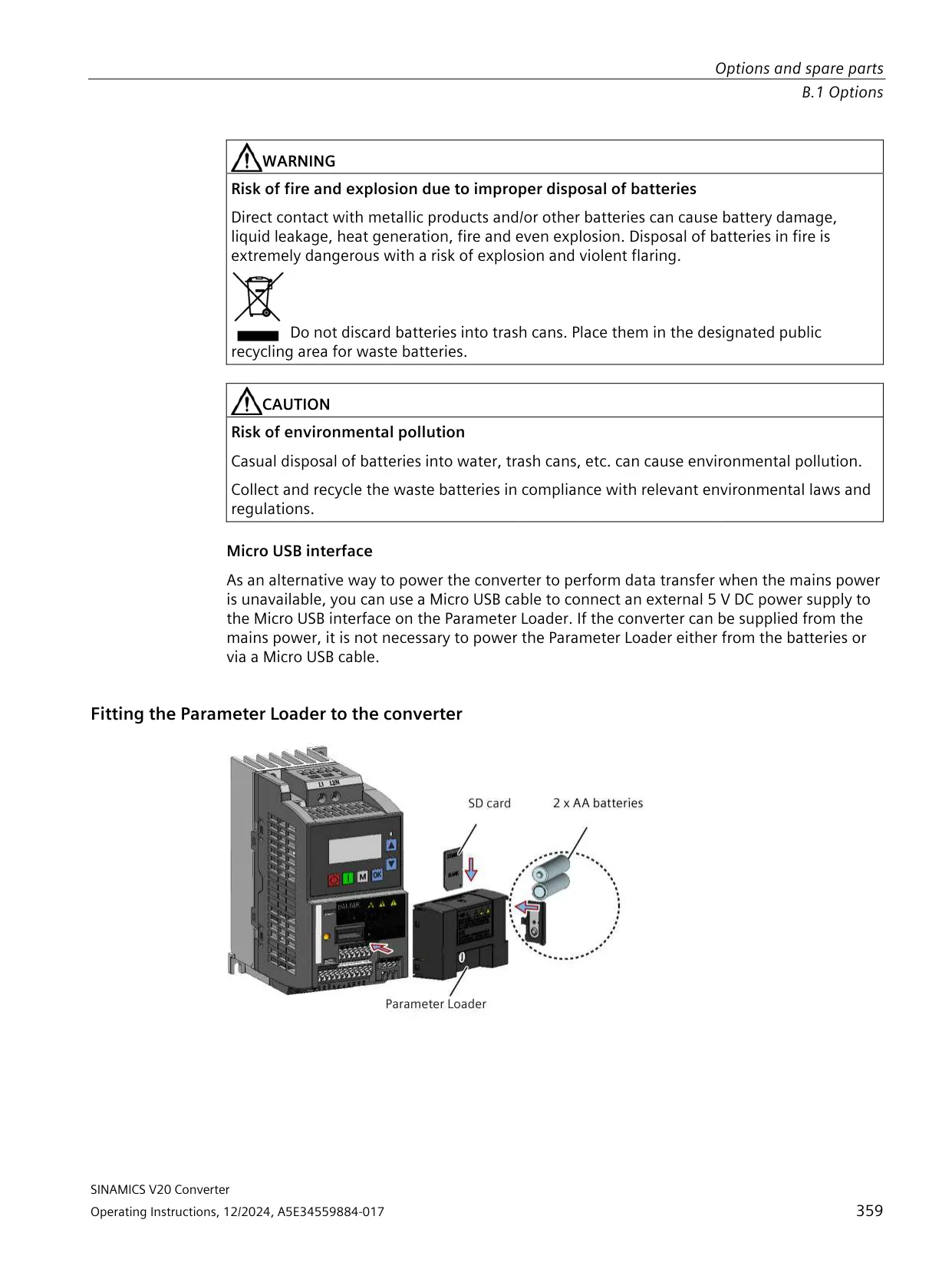
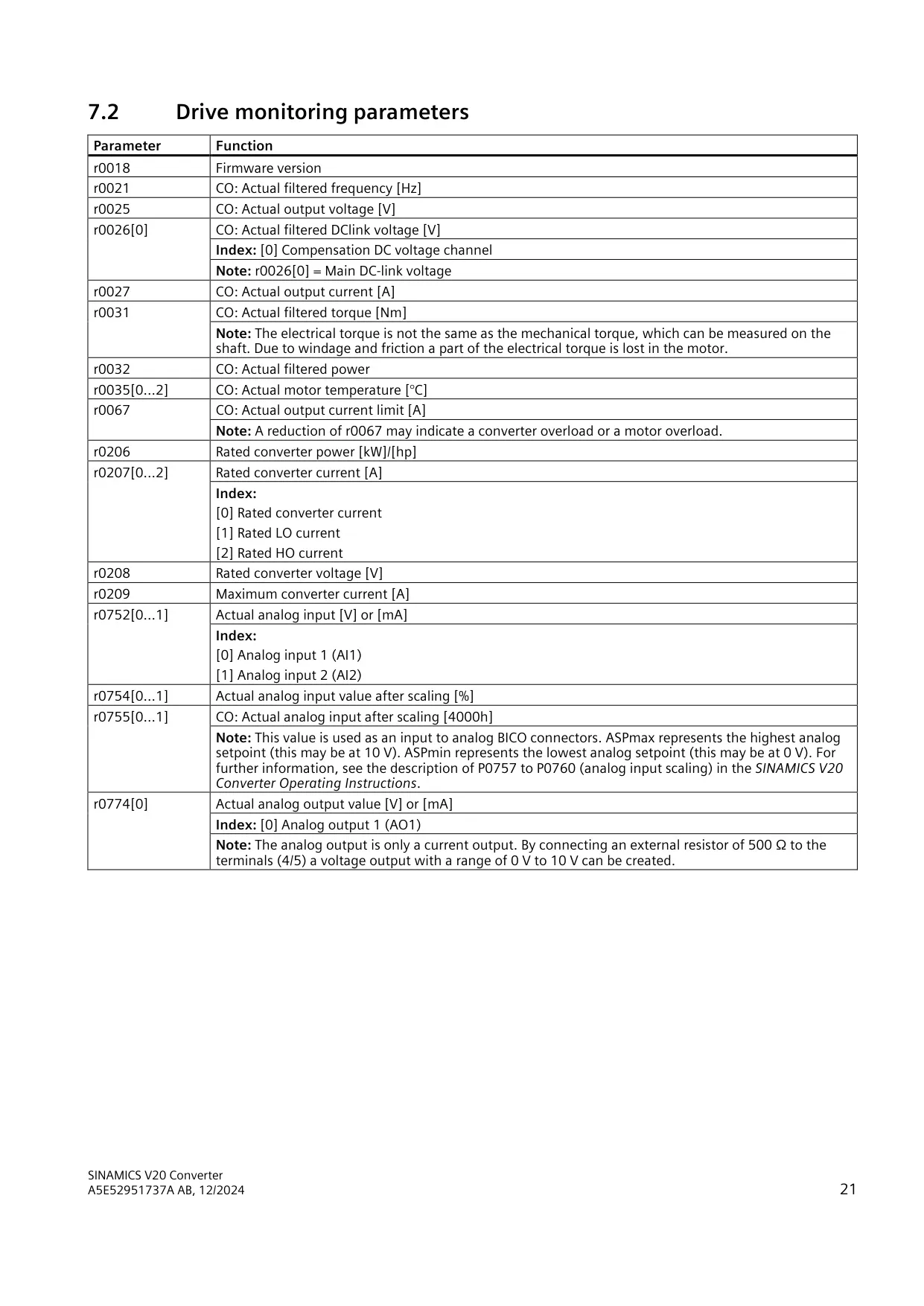
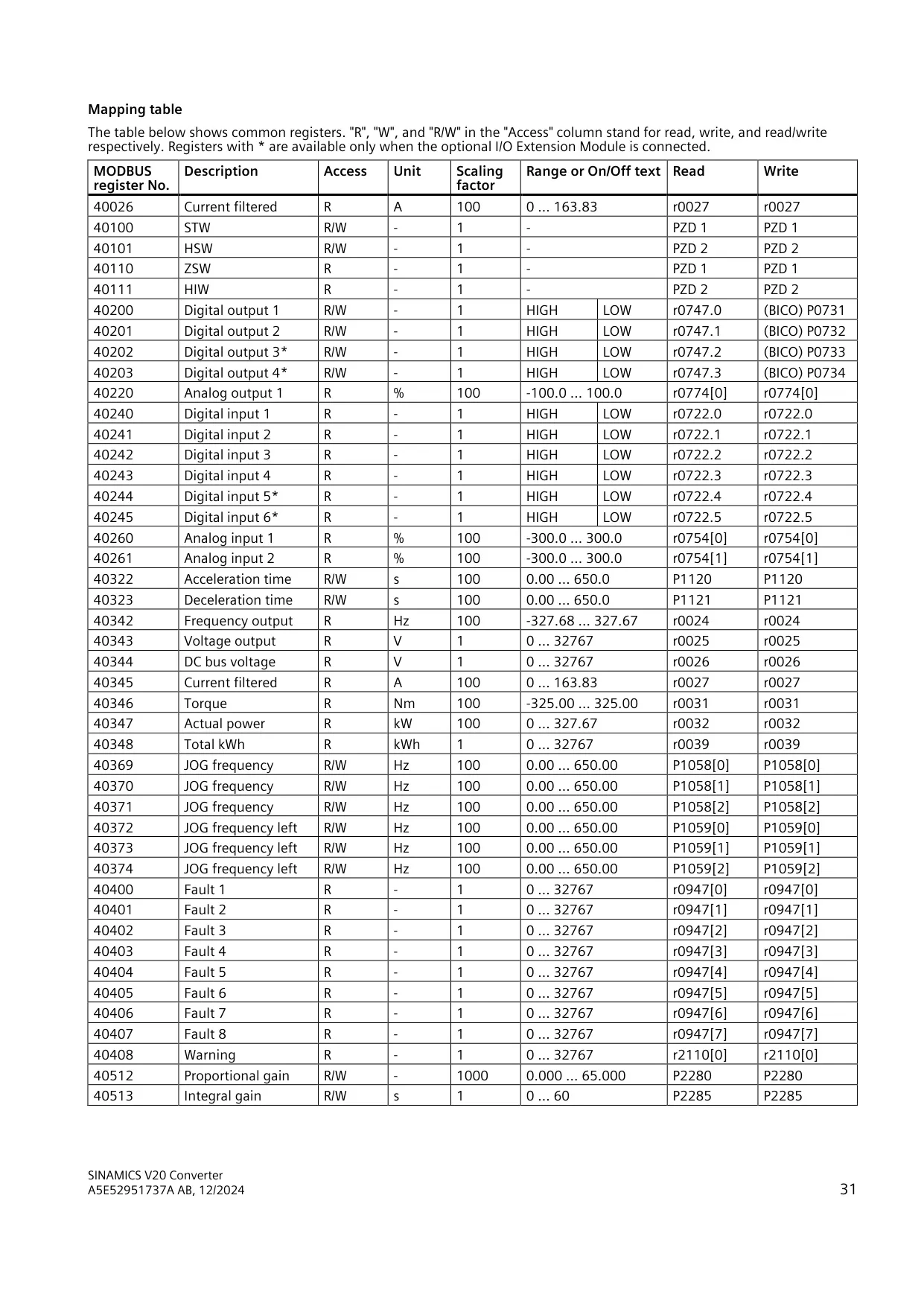
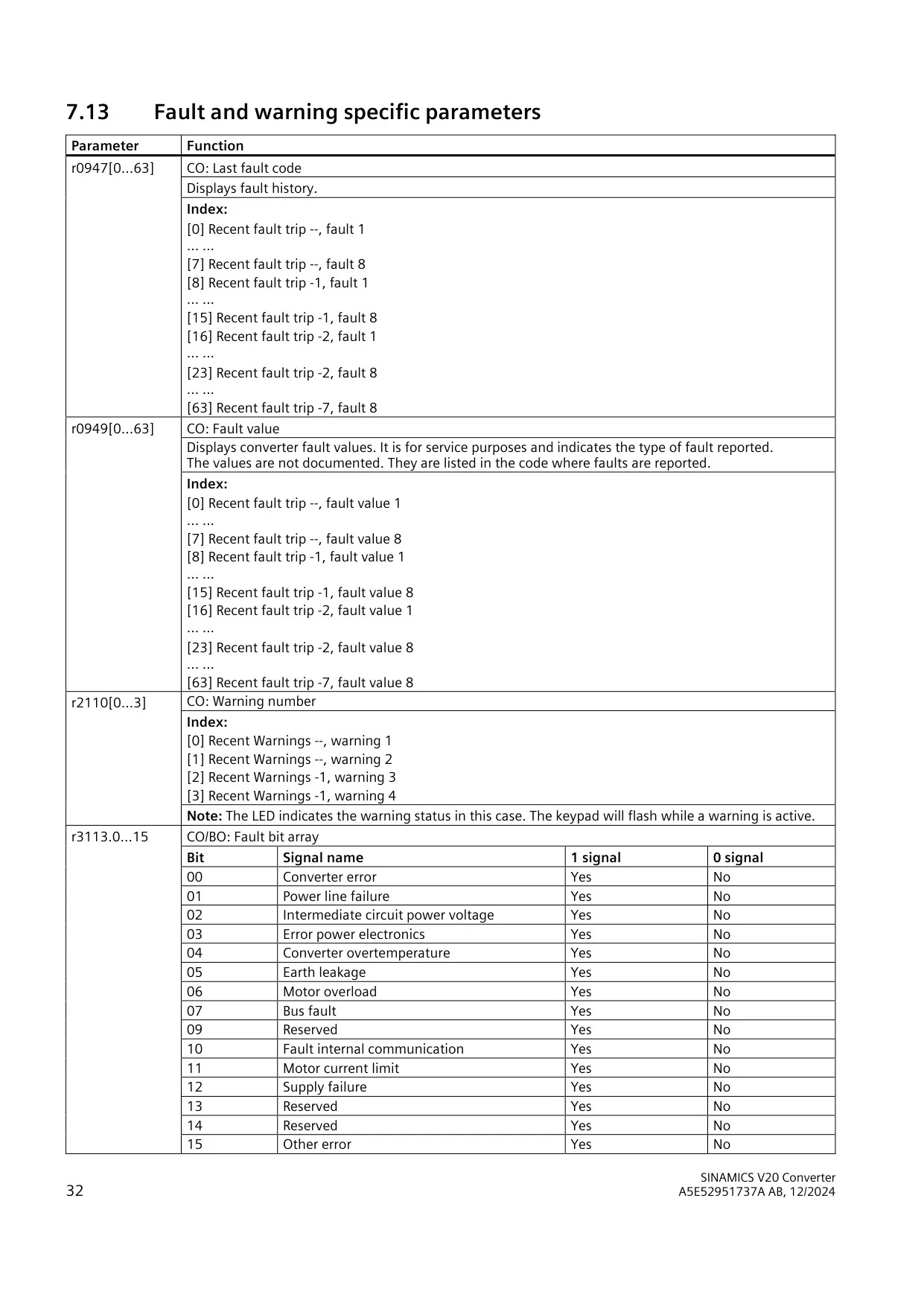
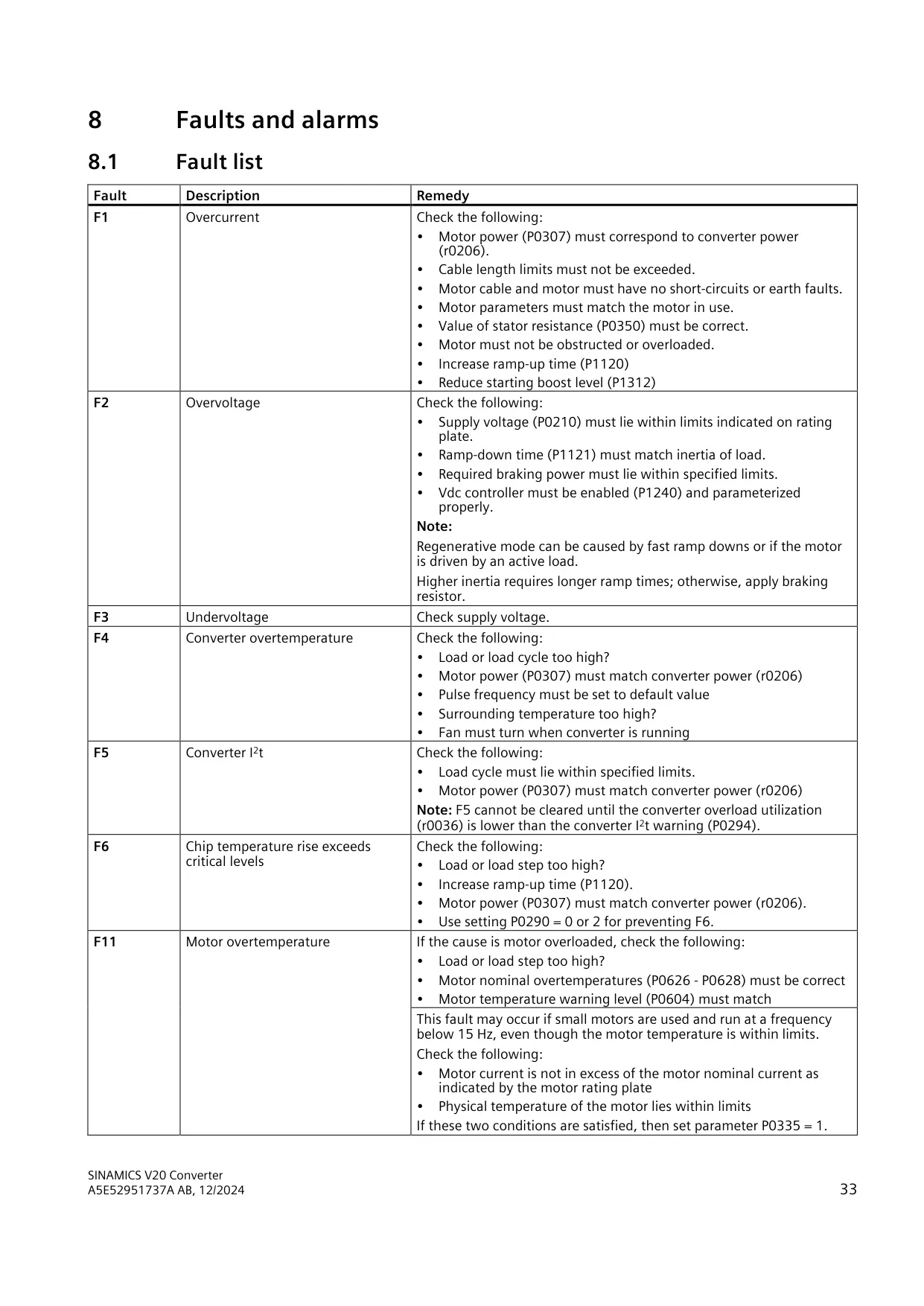
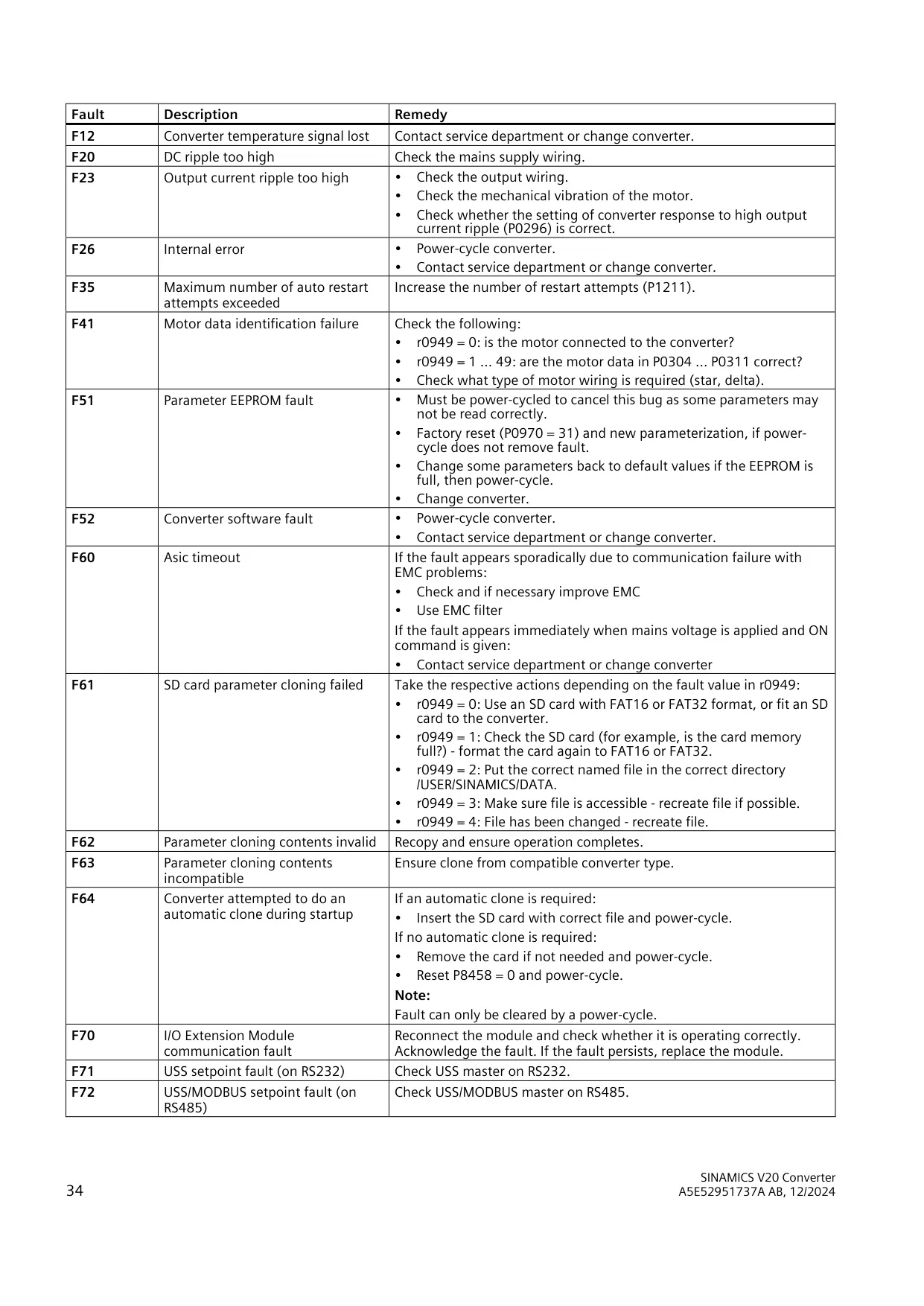
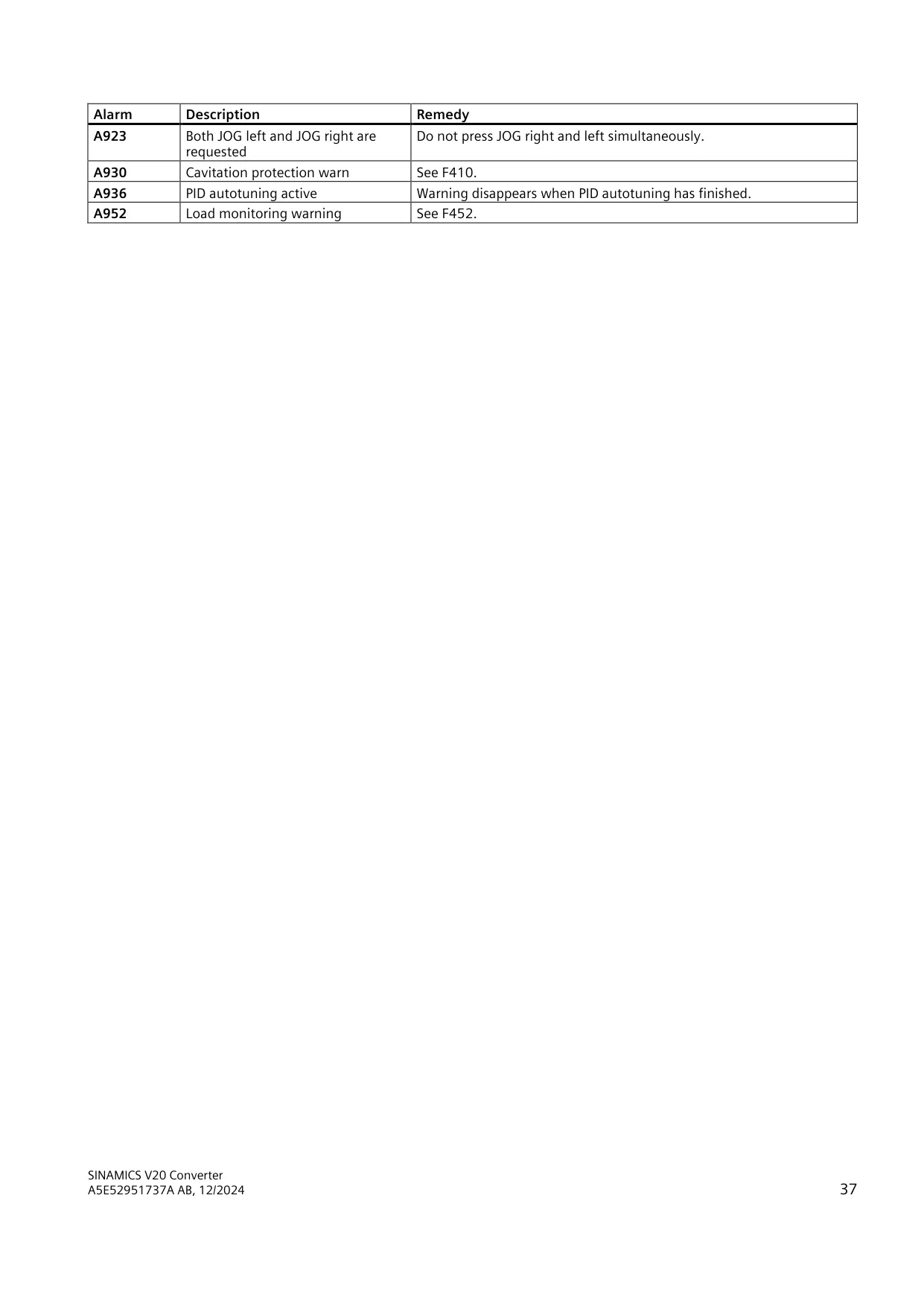
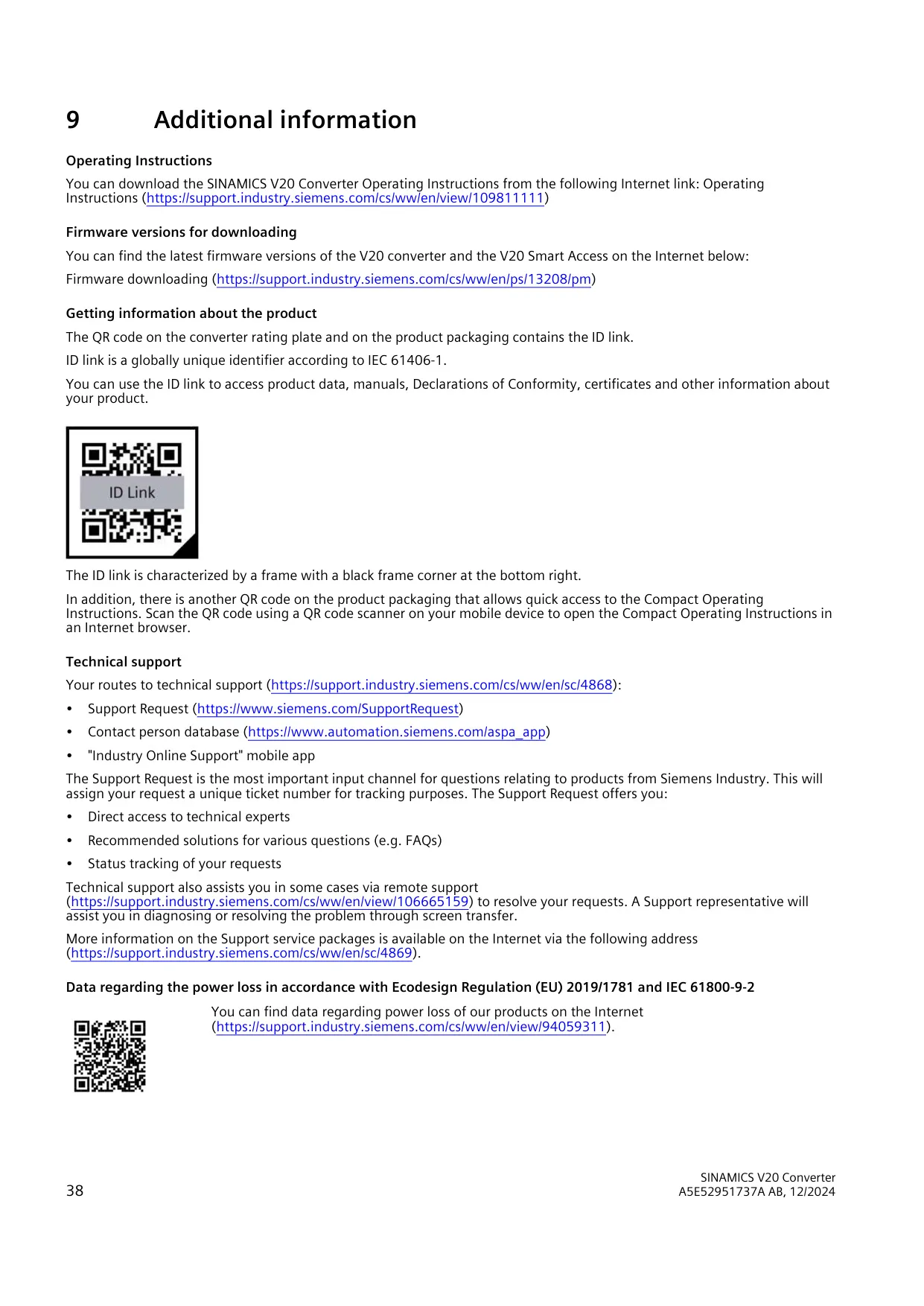
For diagnostics, the drive stores a fault history in r0947 and r0949, a fault bit array in r3113 and a warning log in r2110. A MODBUS register map gives access to current, voltage, DC bus voltage, torque, power, total kWh and fault codes. Parameters can be cloned to an SD card formatted as FAT16 or FAT32. A QR code with an IEC 61406-1 ID link gives access to product data, manuals and certificates.
Frequently Asked Questions (FAQs)
Can't find the answer you need? Here are some frequently asked questions about the Sinamics V20 Variable Frequency Drive, and we answer them below.