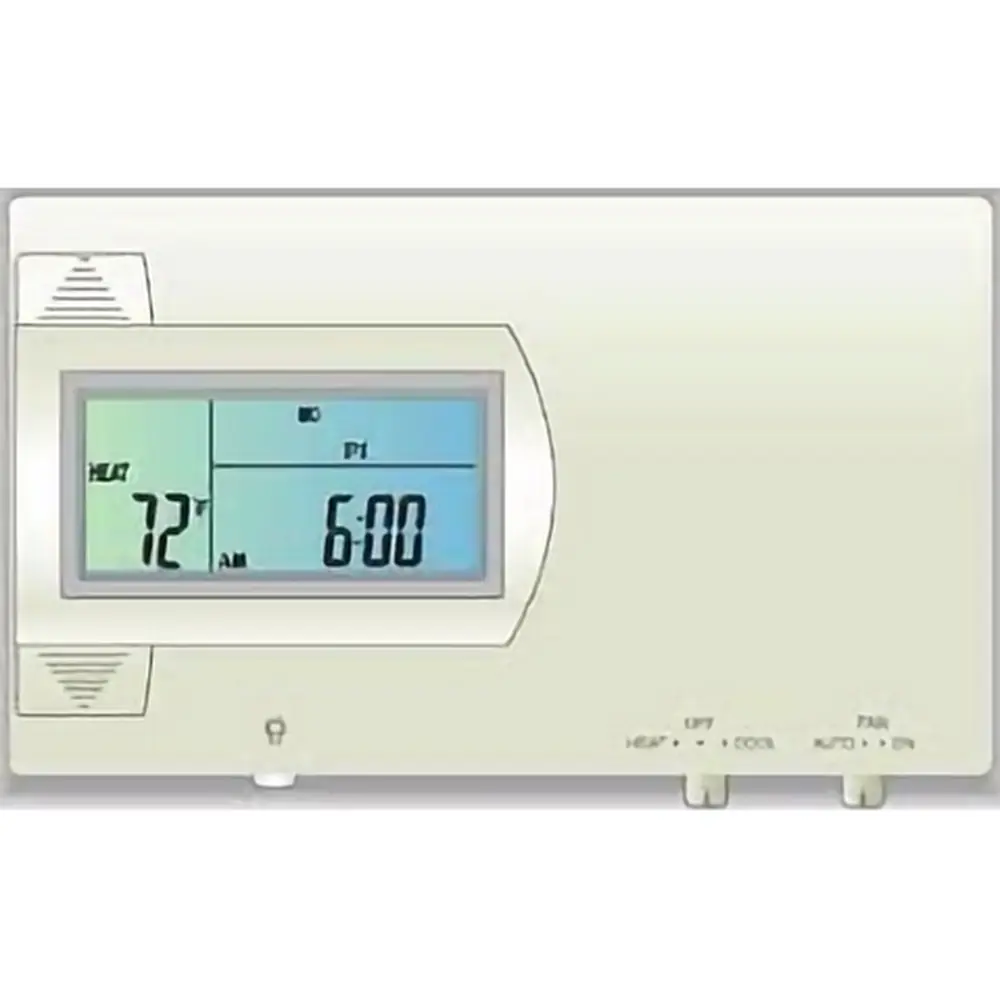
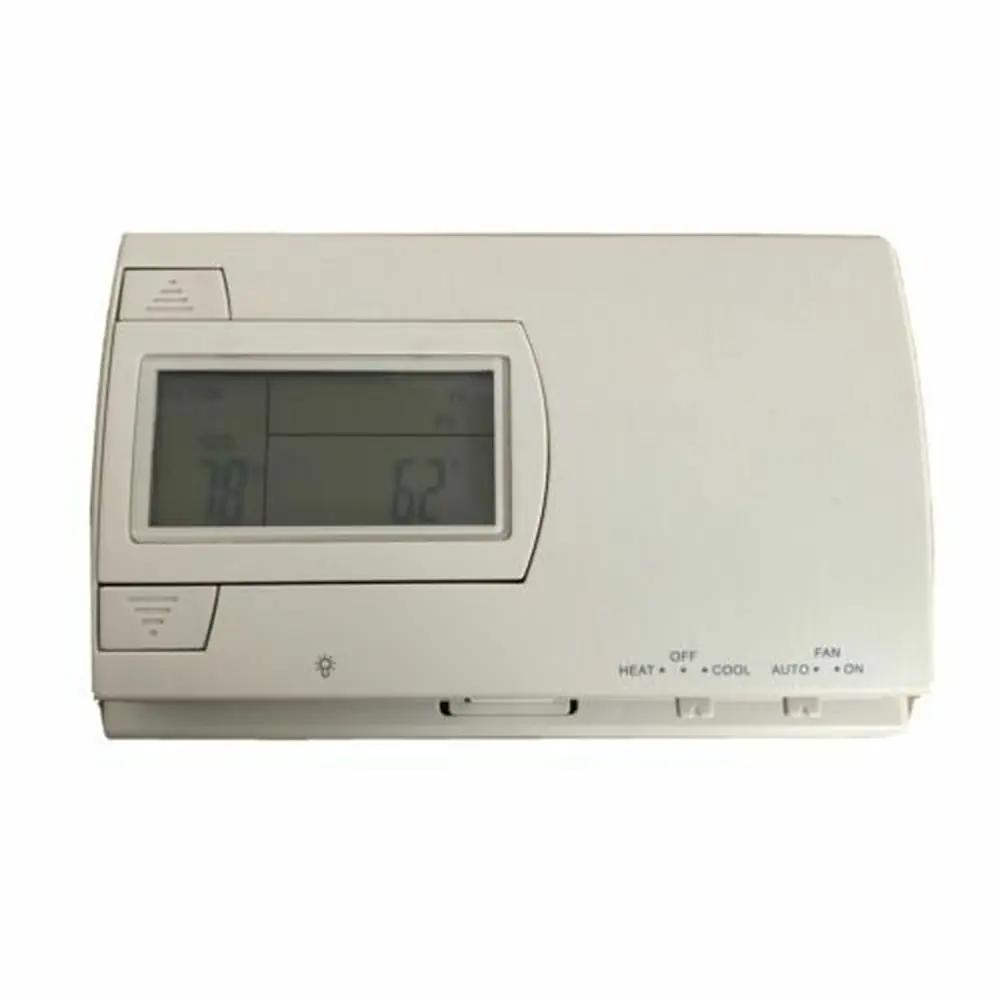
Ritetemp 8050c Thermostat Instruction Manual
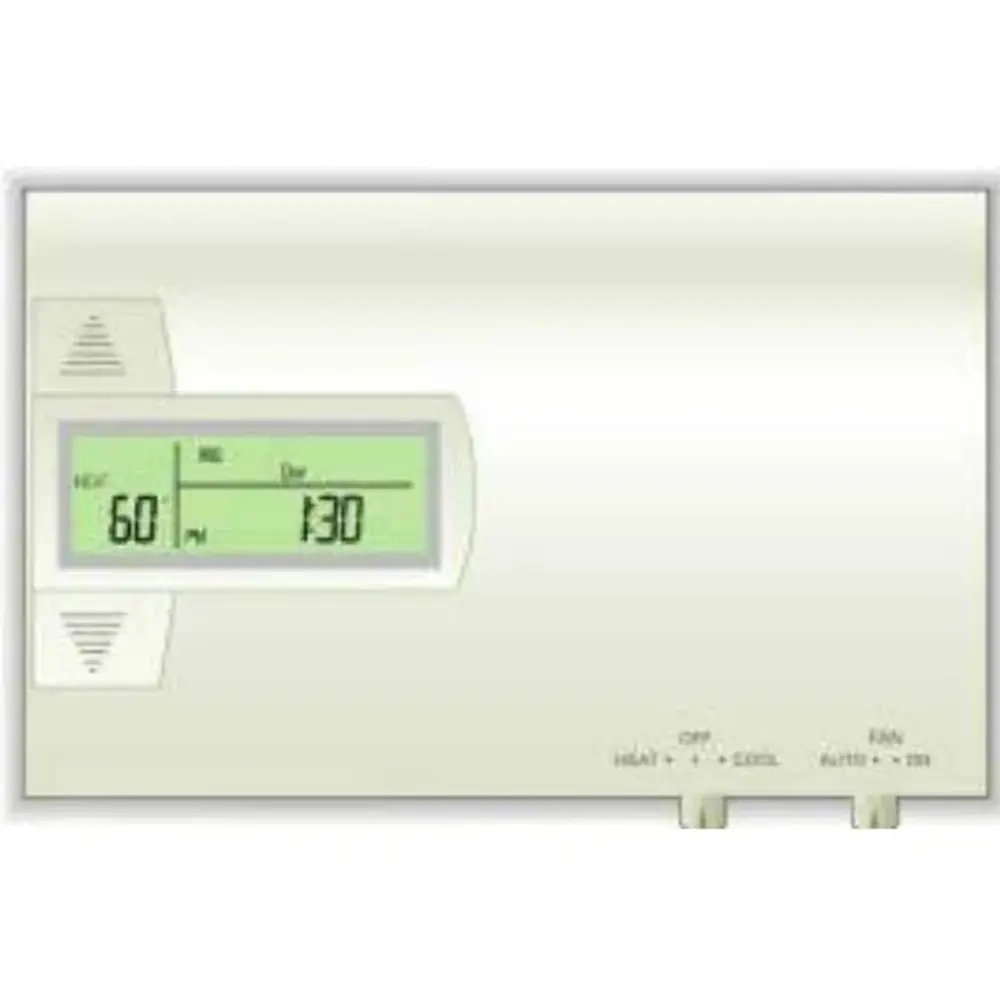
Ritetemp 8050c Thermostat
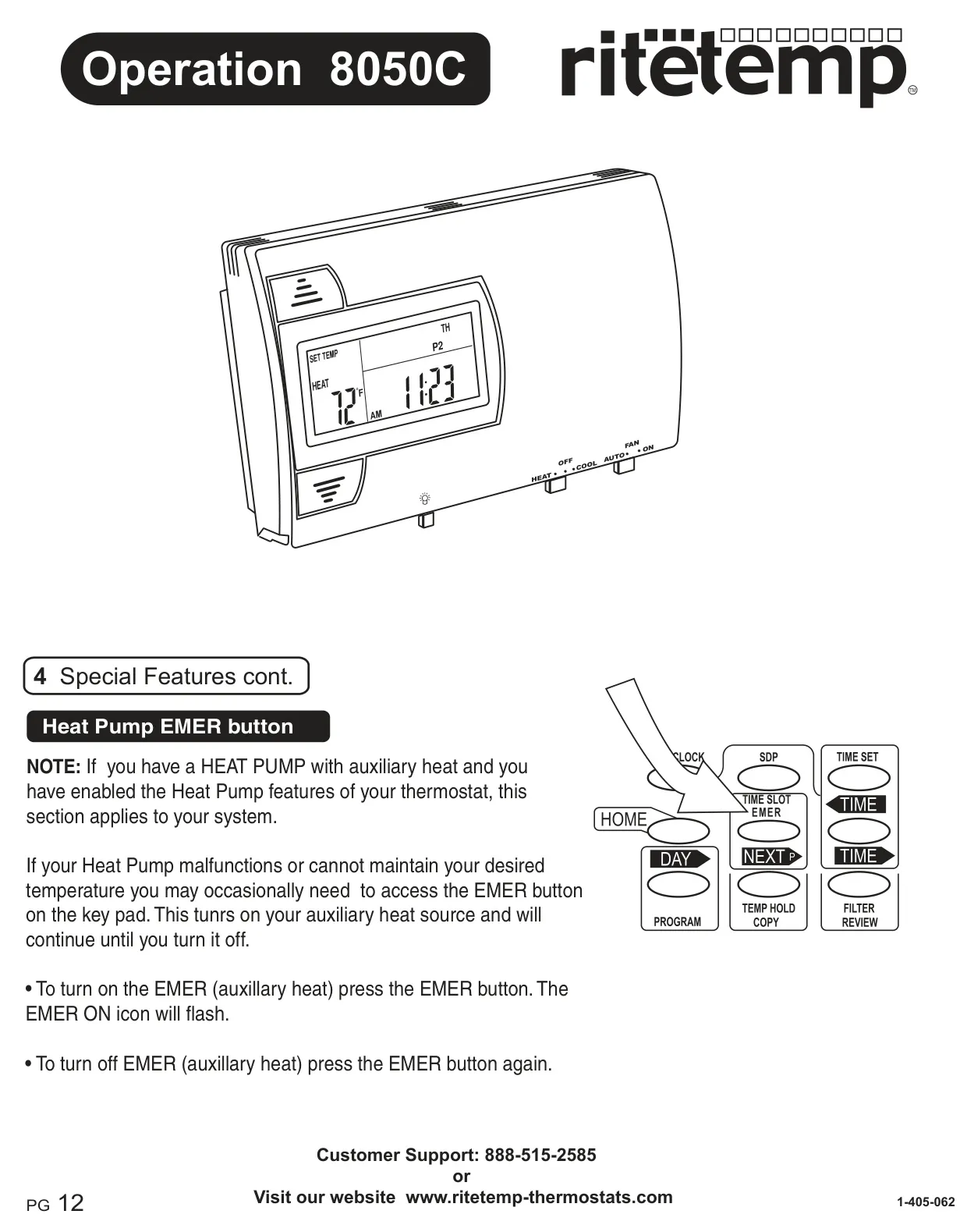

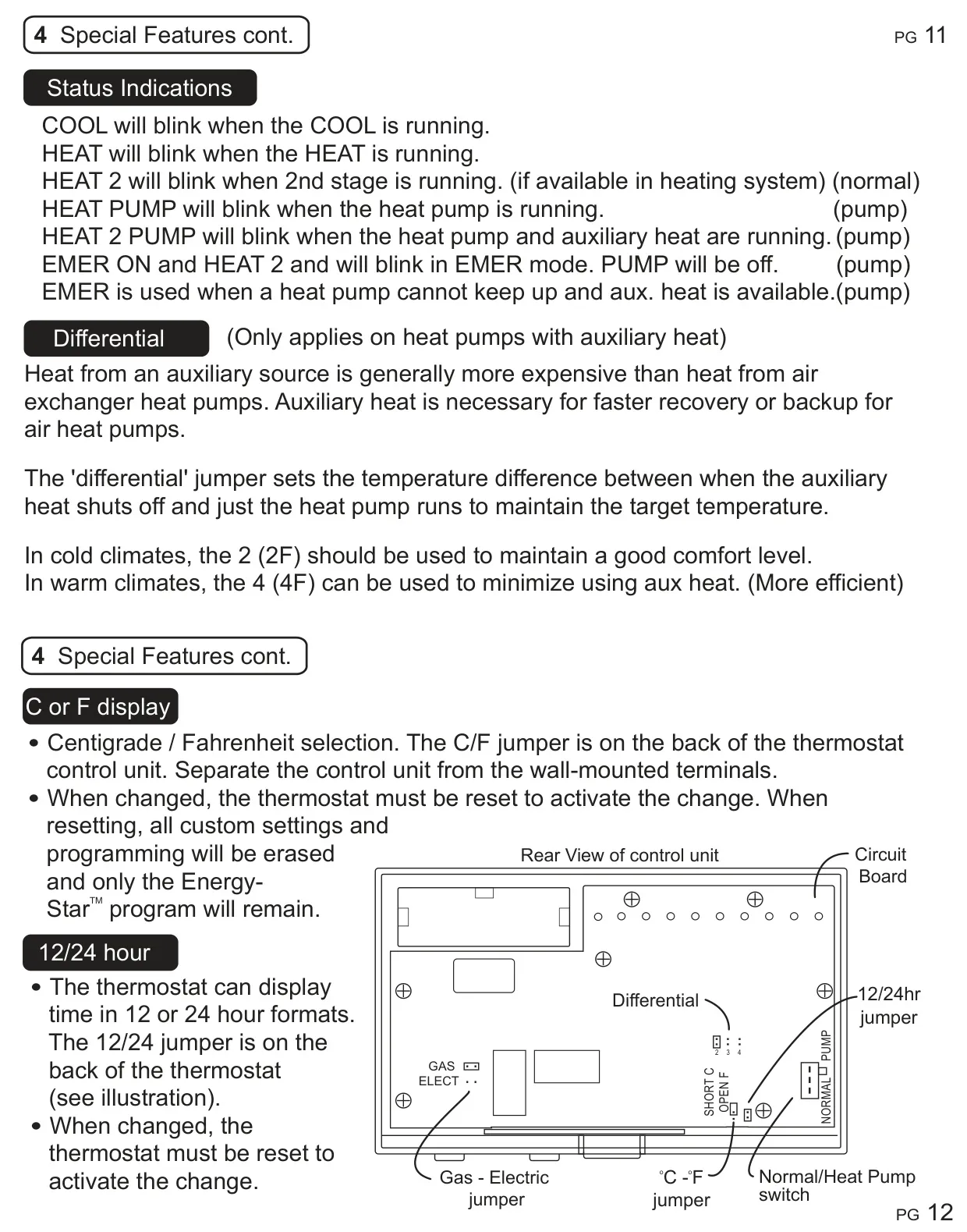


Ritetemp 8050c Thermostat

Ritetemp 8050c Thermostat Instructions
Here we offer the Ritetemp 8050c Thermostat manual completely free and in English. We have cataloged this manual in the Thermostats section on Manualverse, and it has been rated by 1 users with an average rating of 5. If you have any specific questions about Ritetemp 8050c Thermostat, we suggest checking the Frequently Asked Questions (FAQs) section of this manual.
Product Images

Ritetemp 8050c Thermostat Specifications
| Feature | Specification |
|---|---|
| Product Model | Ritetemp 8050c |
| Compatibility | Most 24-volt gas, oil, or electric heating and air conditioning systems; all heat pumps; gas millivolt and zoned heating systems. Not compatible with 120-volt heating systems. |
| Power Source | 2 AA alkaline batteries (primary); 24 VAC (C wire optional, batteries for AC power loss only). |
| Programmability | 4 programming periods per day (P1, P2, P3, P4). Each day of the week programmable separately for heating and cooling. |
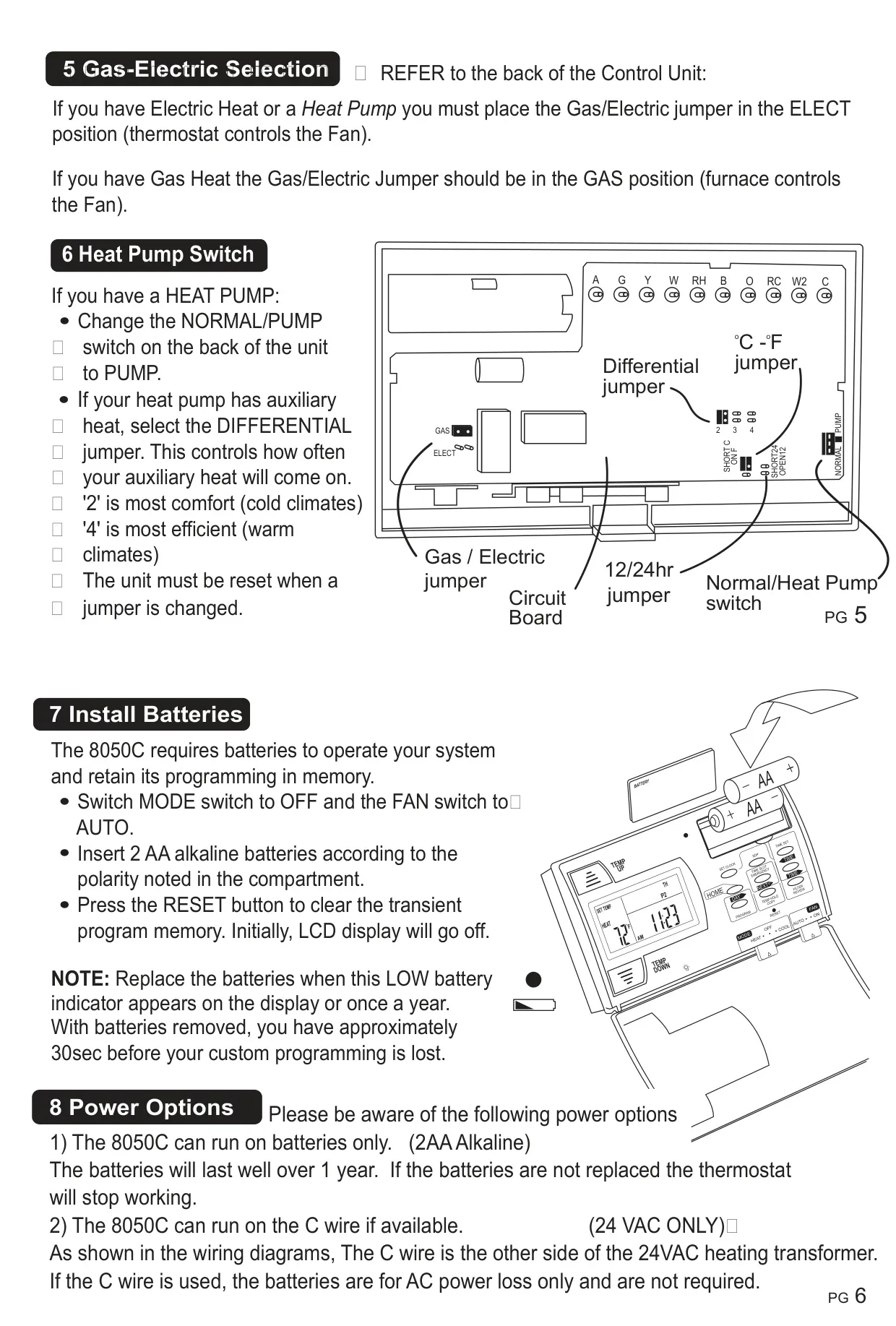
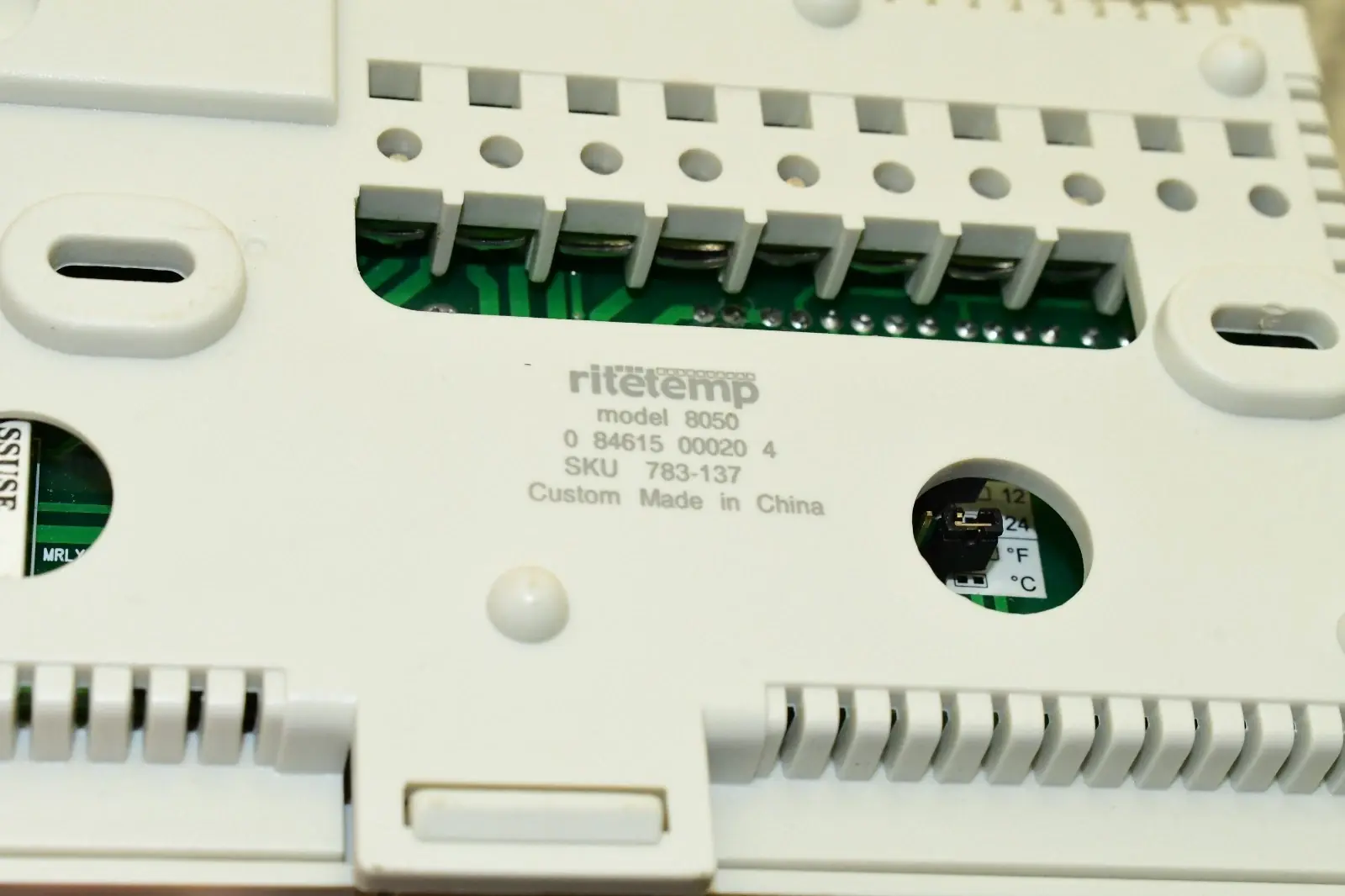
| Temperature Display Units | Selectable Celsius (°C) or Fahrenheit (°F) via internal jumper. |
| Temperature Swing Adjustment | Adjustable (default 3); affects system cycling frequency for comfort/efficiency. |
| Temperature Calibration | Factory calibrated to +/- 0.5°F; user-adjustable. |
| Display Type | Large backlit Liquid Crystal Display (LCD). |
| Display Information | Time, day of the week, room temperature, set temperature, active time slot (P1/P2/P3/P4), program/override status. |
| Compressor Protection | 5-minute minimum off time. |
| Filter Reminder | Tracks furnace run time; user-adjustable filter limit (000-500 hours). |
| Amperage Limit | Maximum 1.0 amps. |
| Time Format | Selectable 12-hour or 24-hour via internal jumper. |
Ritetemp 8050c Thermostat Details
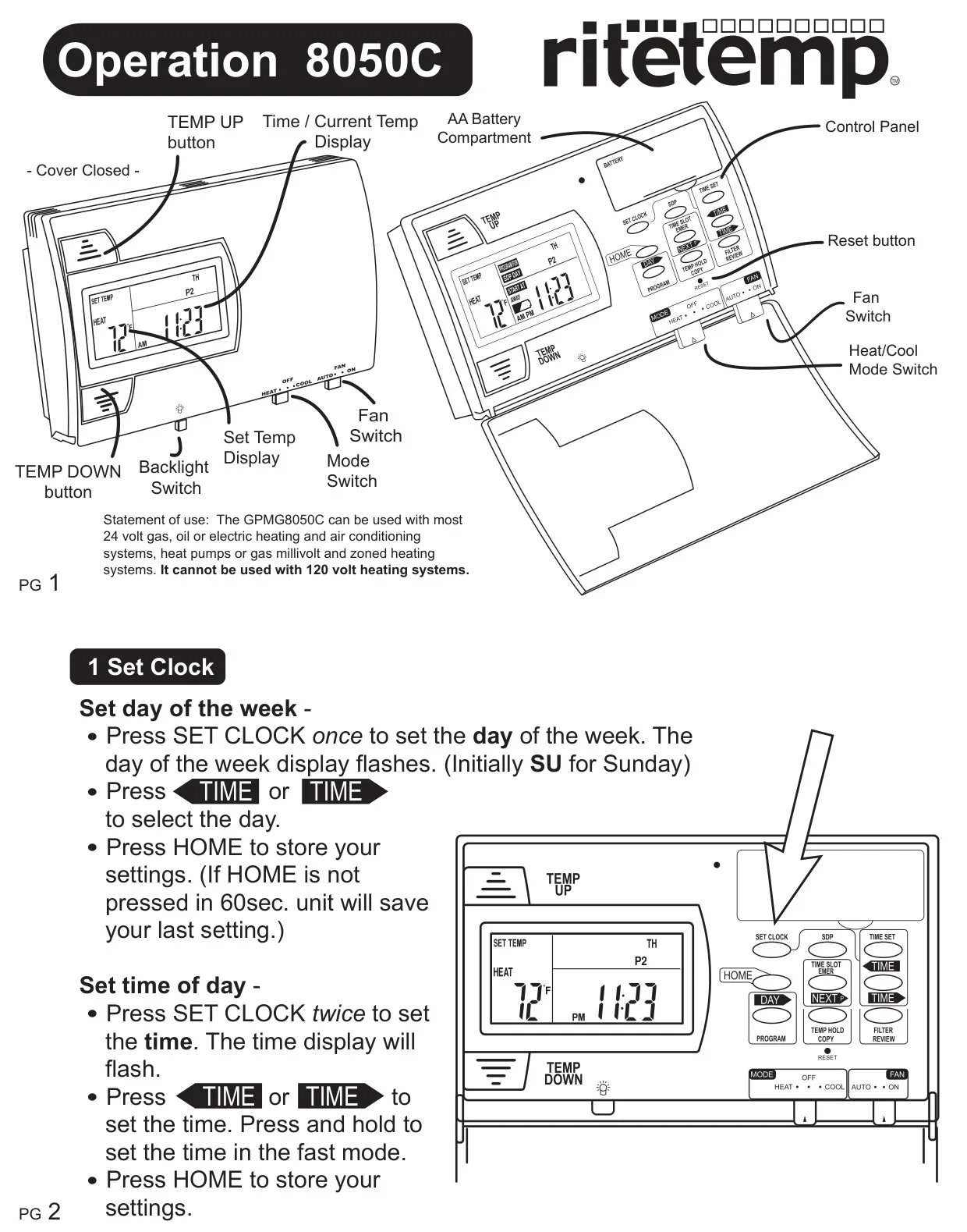
The Ritetemp 8050c thermostat is designed for both ease of use and advanced customization. It comes pre-programmed with an Energy-Star approved program, recommended by the EPA for energy efficiency. Users can choose to auto-run this program for a week to see if it suits their needs before opting for a custom setup. The display conveniently alternates between the current clock time and ambient temperature every two seconds, while also showing the currently active time slot (P1/P2/P3/P4) and the programmed temperature.
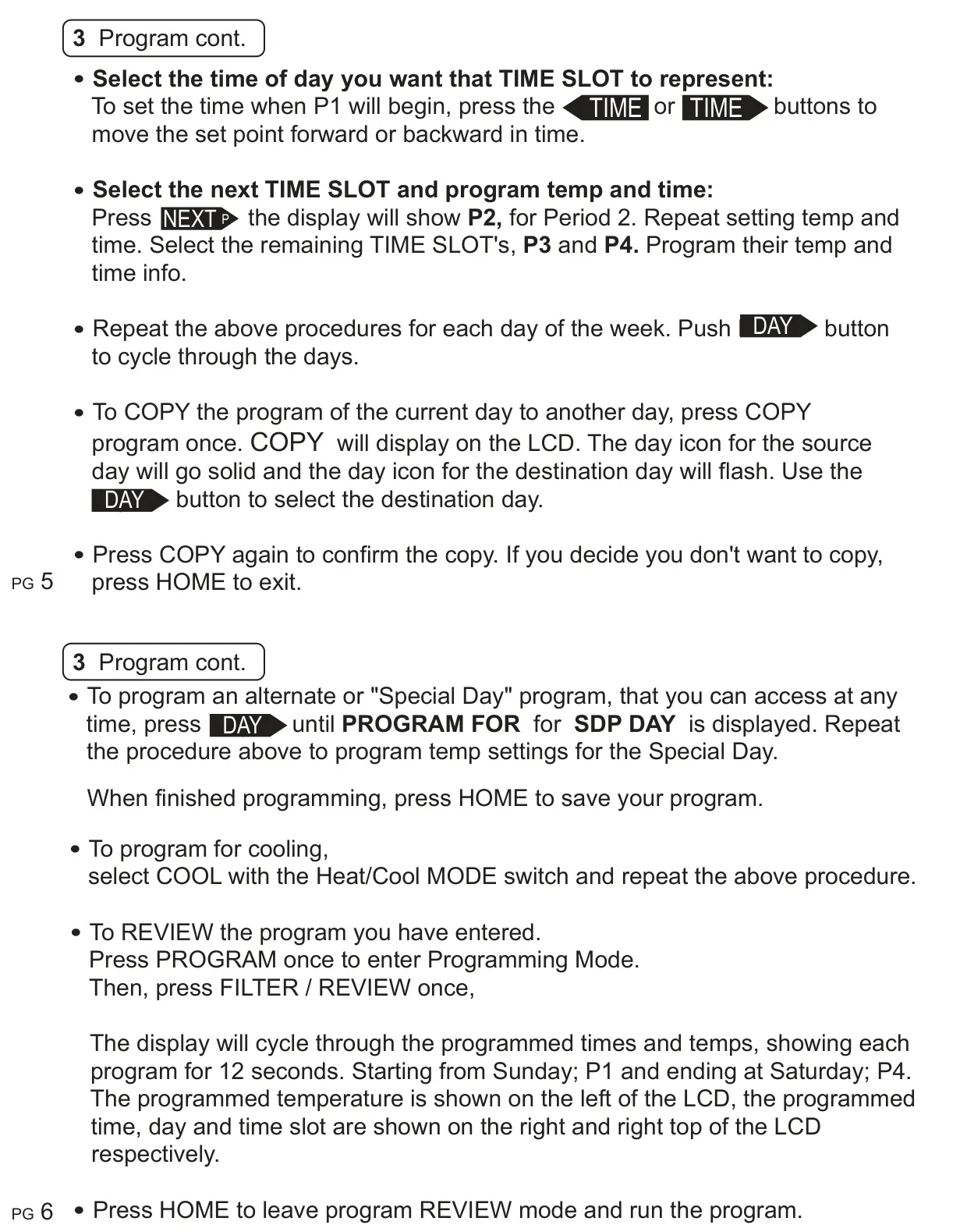
Customizing your schedule is straightforward. To program, simply select HEAT or COOL mode, then press the PROGRAM button. You can then cycle through days and time slots (P1-P4) using the DAY and NEXT buttons, adjusting temperatures with TEMP UP/DOWN and times with the TIME arrows. A handy "60-Second Rule" ensures that any changes you make are automatically saved if no button is pushed within that time, preventing accidental loss of settings. You can also copy a day's program to another, streamlining setup for similar daily schedules.
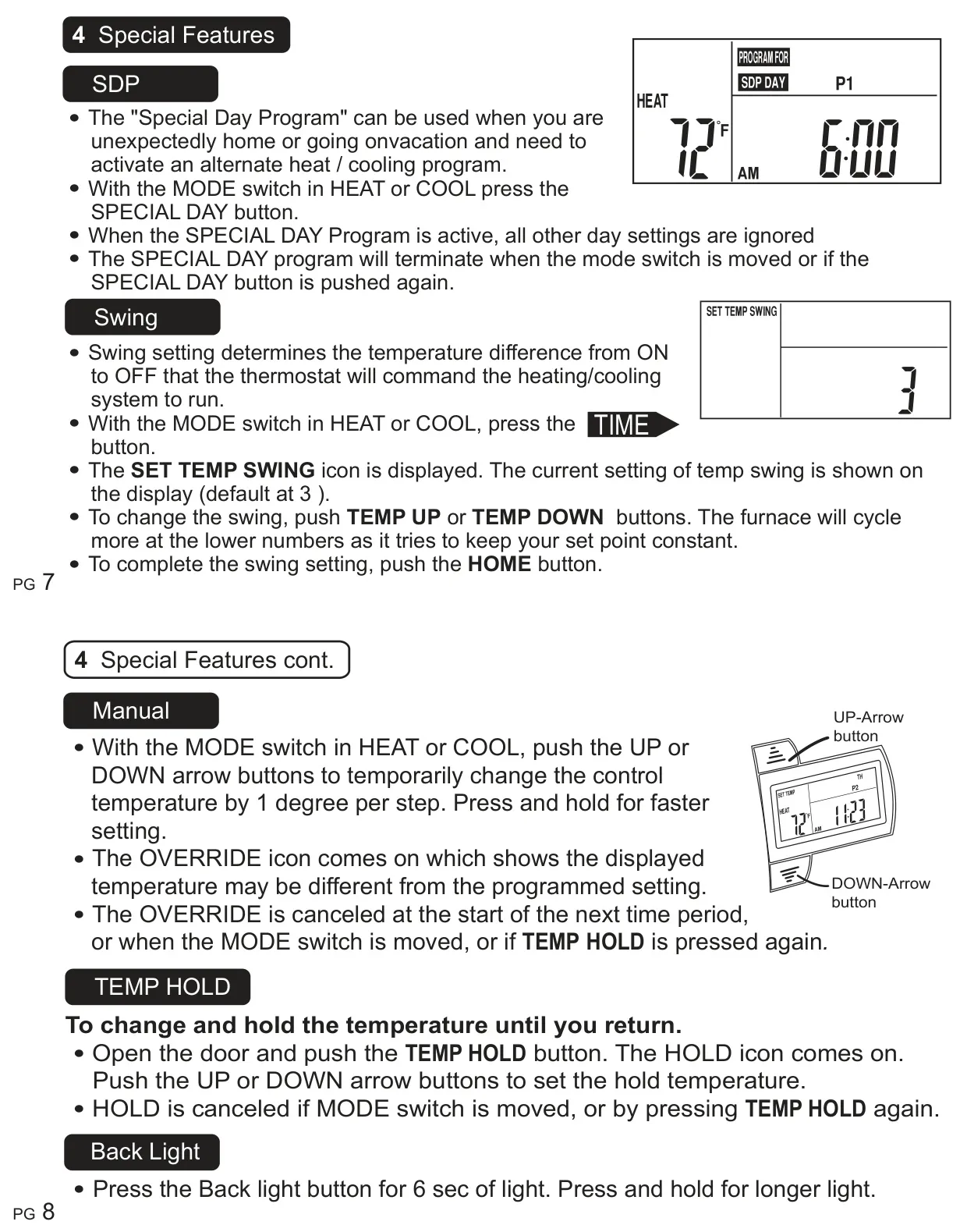
For unexpected changes in routine, the Special Day Program (SDP) offers an alternate heat/cooling schedule, perfect for vacations or days spent at home. Activating the SDP ignores all other daily settings and remains active until the mode switch is moved or the SDP button is pressed again. This flexibility ensures comfort without needing to alter your main programming.
The thermostat also provides fine-tuning options for system performance. The "Swing" setting, accessible via the TIME button, allows you to adjust the temperature difference between ON and OFF cycles. A lower swing setting means the furnace will cycle more frequently, maintaining a tighter temperature range for increased comfort, while a higher setting can improve energy efficiency by reducing cycles.
Temporary adjustments are easily managed. A quick press of the UP or DOWN arrow buttons initiates a manual override, temporarily changing the control temperature. The "OVERRIDE" icon will appear, and this setting will revert to the programmed schedule at the start of the next time period, or if the mode switch is moved. For longer holds, the TEMP HOLD feature allows you to set and maintain a specific temperature indefinitely, ideal for extended periods away or when constant temperatures are desired. It's canceled by moving the mode switch or pressing TEMP HOLD again.
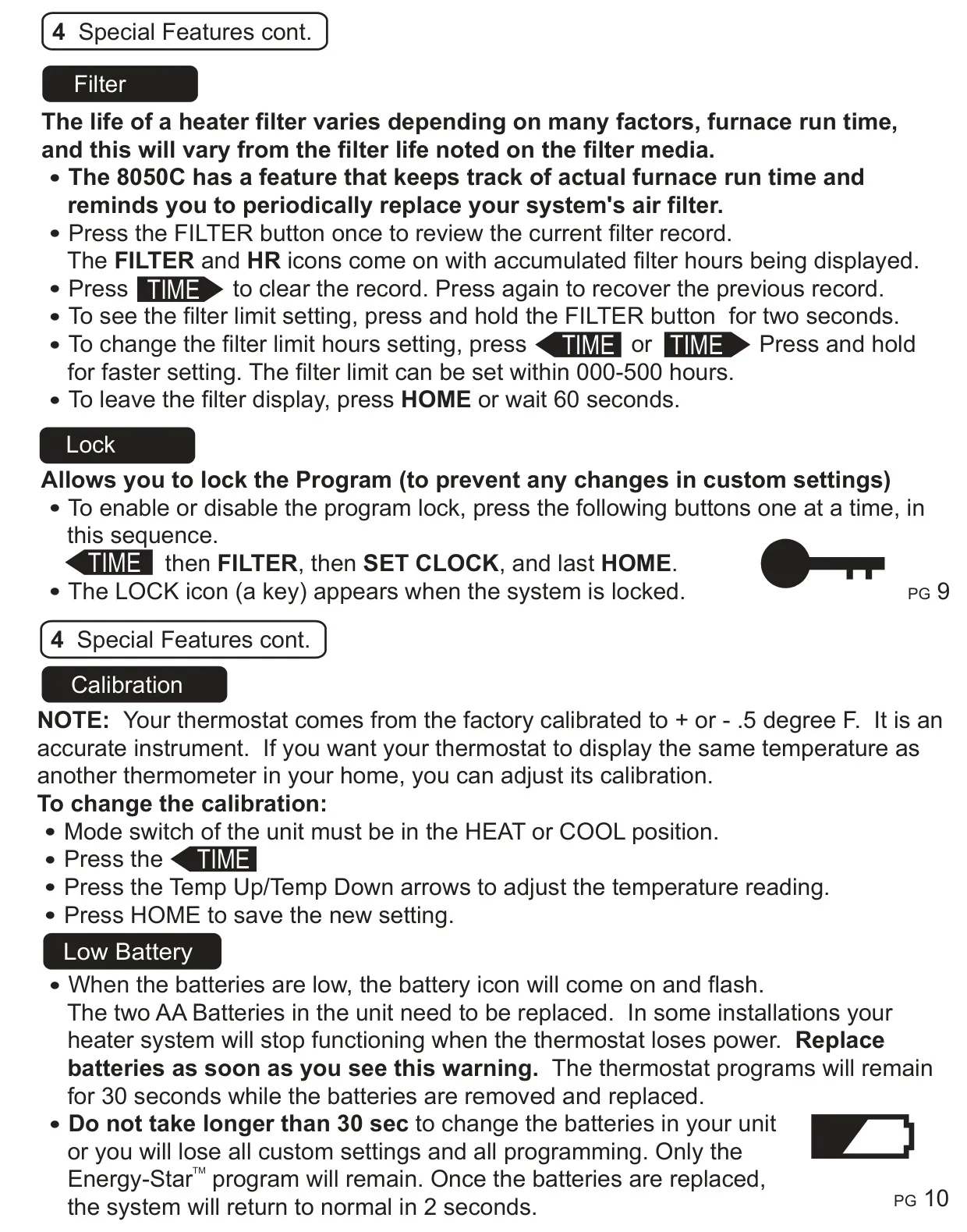
User convenience features include a backlight for visibility in low light, activated with a short press or held for longer illumination. The integrated filter reminder tracks actual furnace run time and prompts you when it's time to replace your air filter, with an adjustable hour limit (0-500 hours). For security, a program lock prevents unauthorized changes to custom settings, activated by a specific button sequence and indicated by a key icon on the display.
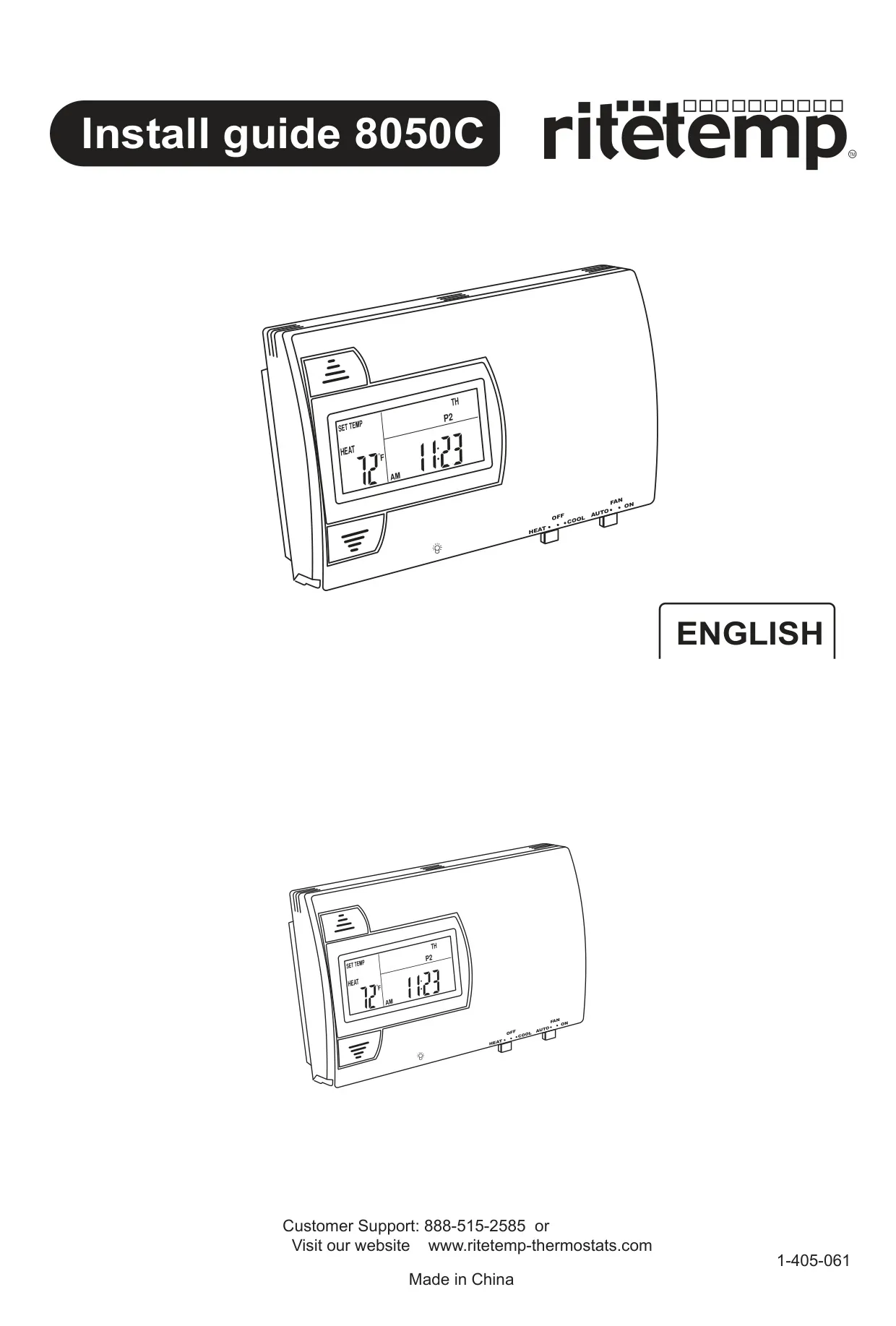
For precision, the Ritetemp 8050c allows for calibration adjustment if you wish its reading to match another thermometer. Low battery warning is clearly indicated by a flashing icon, signaling the need to replace the two AA batteries. It’s crucial to replace them within 30 seconds to avoid losing custom programs. For heat pump systems, the EMER button provides immediate access to auxiliary heat, useful if the heat pump malfunctions. Furthermore, the ‘differential’ jumper on the circuit board fine-tunes auxiliary heat usage, allowing for a balance between comfort (2F for cold climates) and efficiency (4F for warm climates).
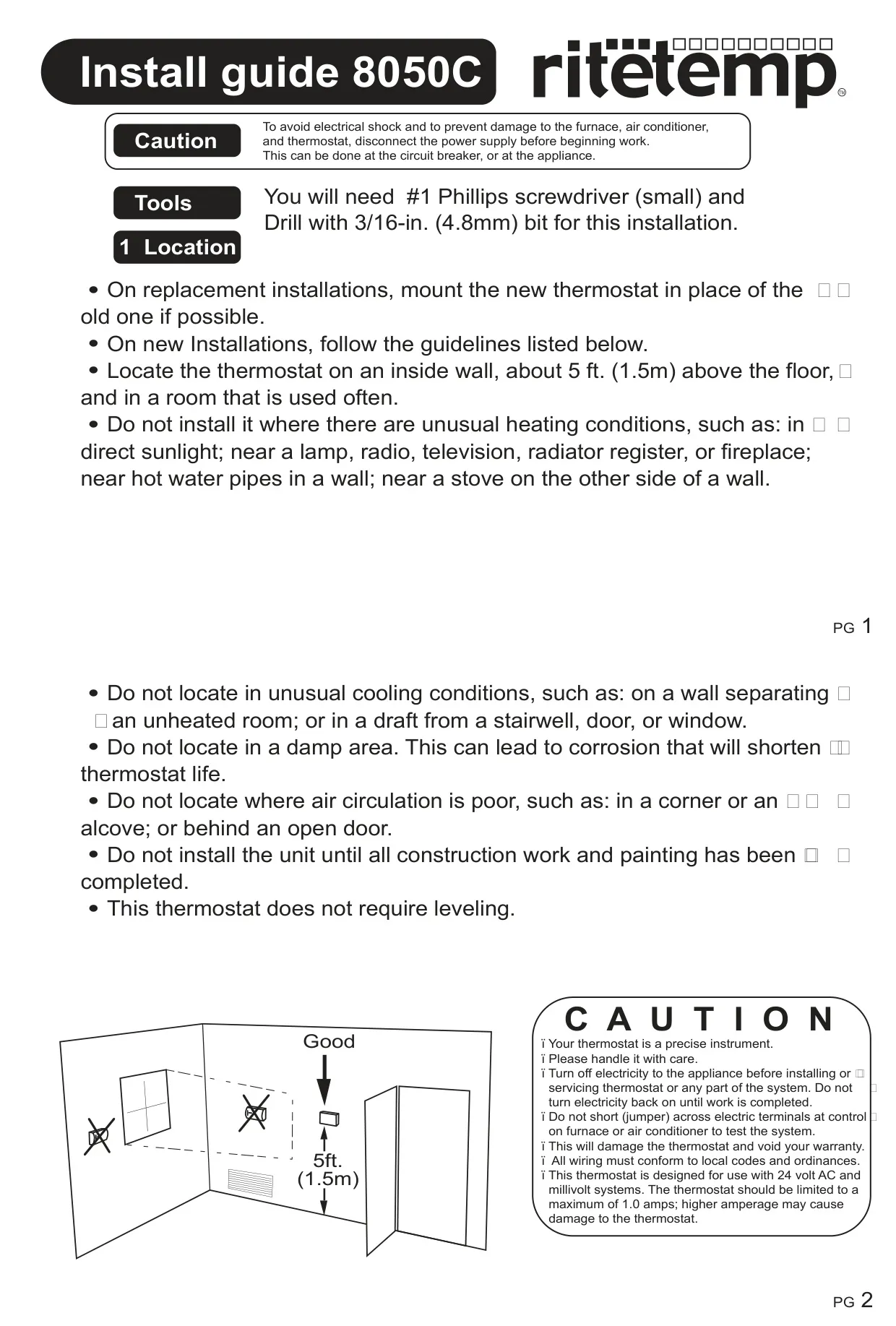
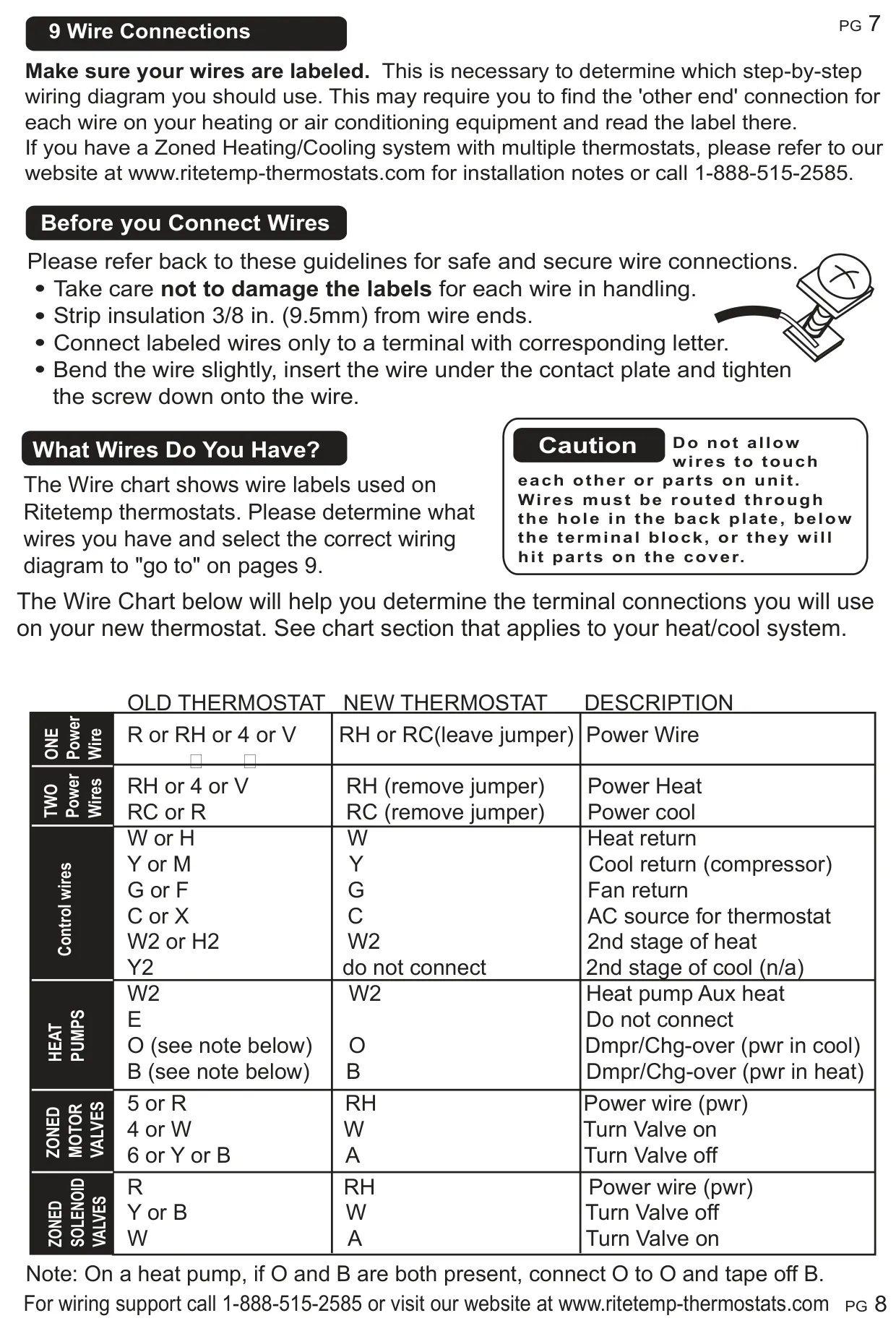
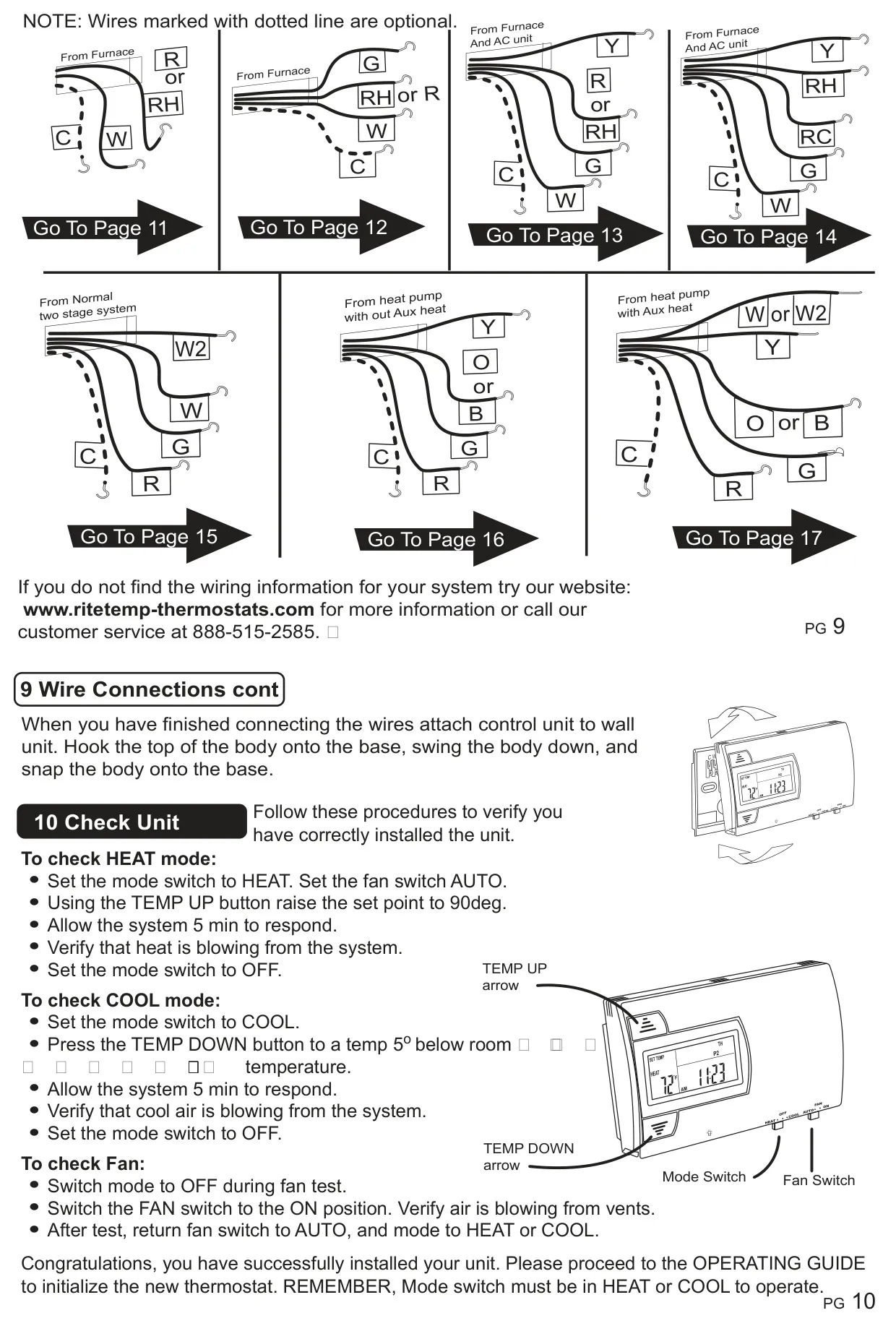
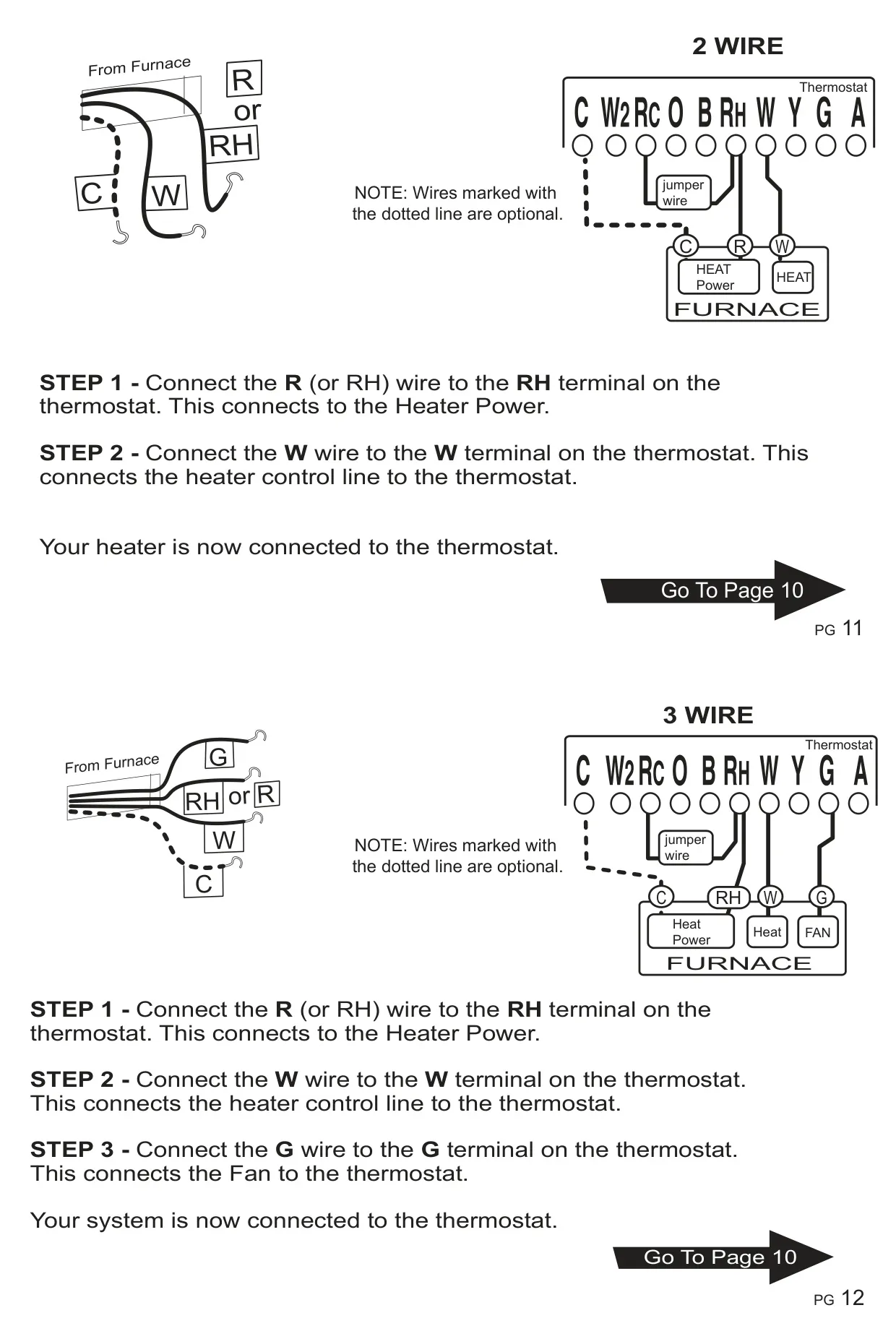
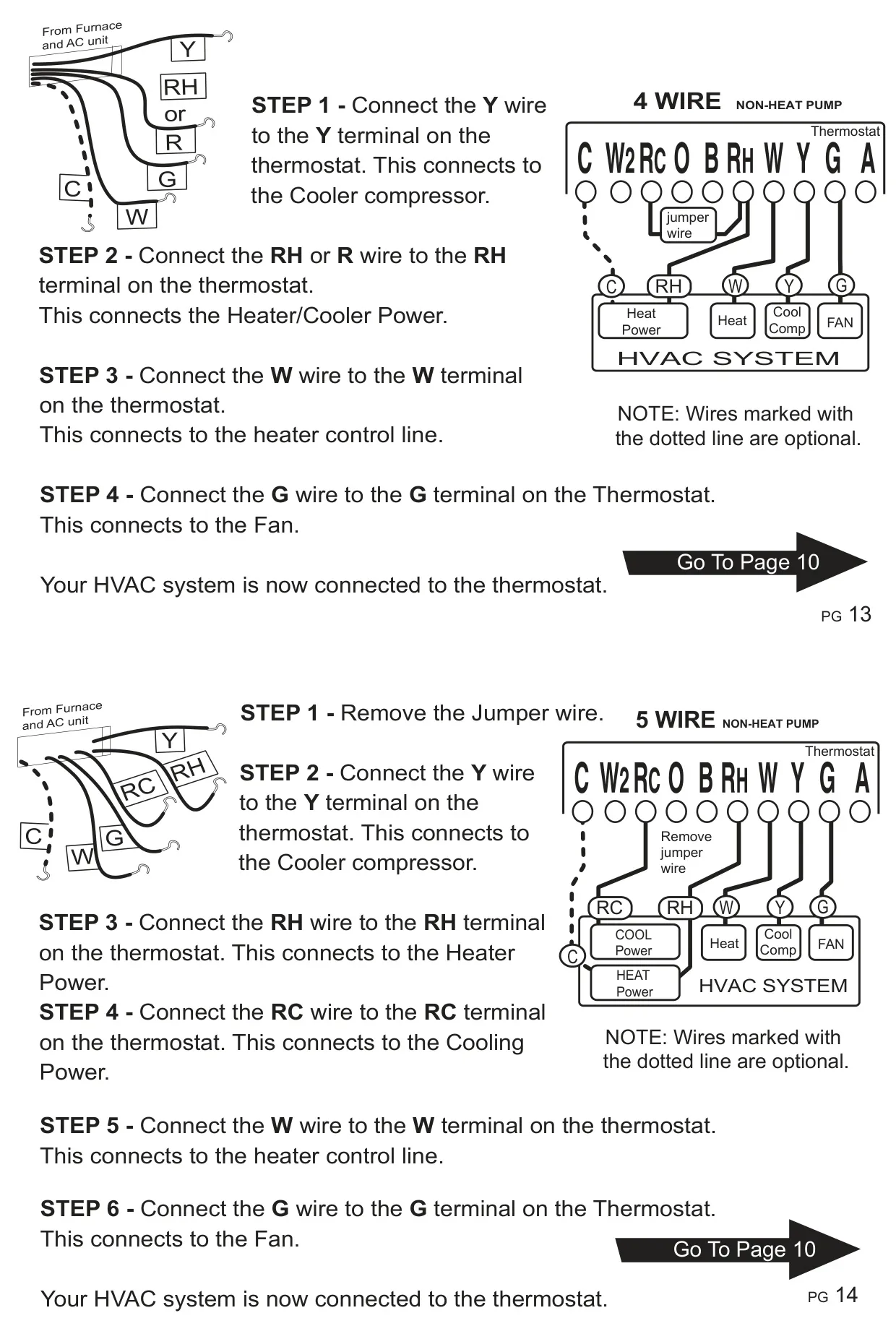
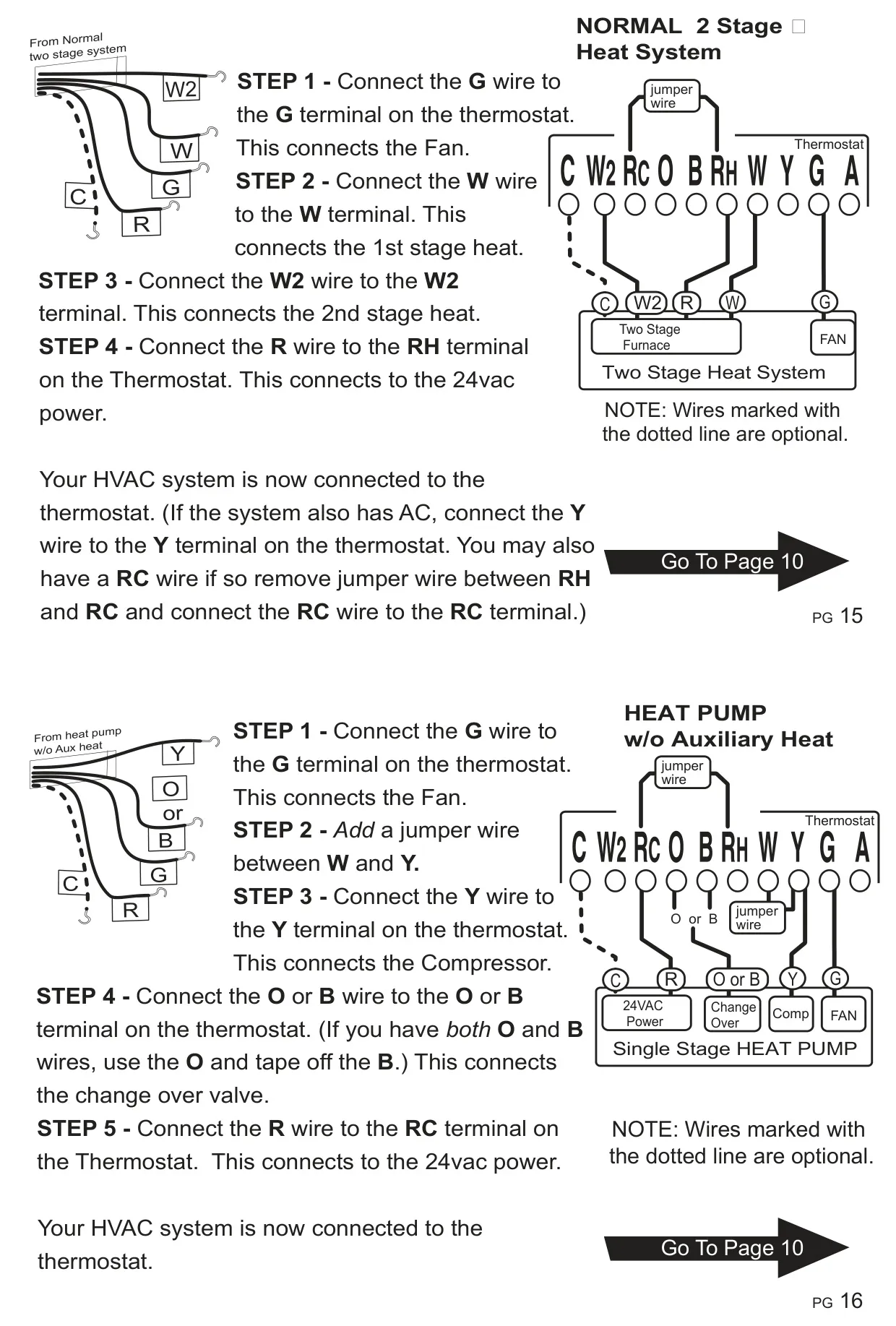
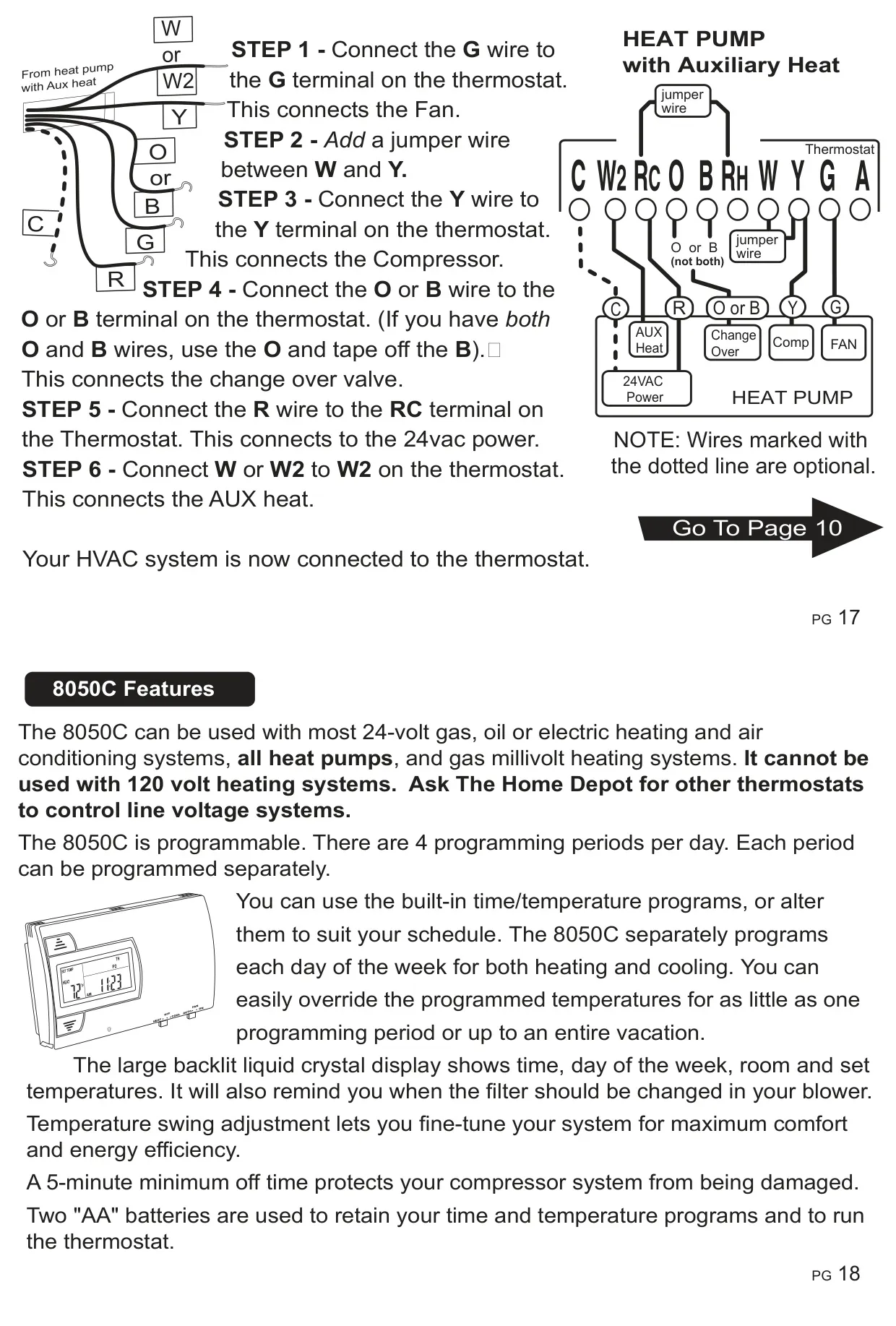
Beyond these operational aspects, the manual provides comprehensive installation guidance. This includes crucial cautions such as disconnecting power, proper location selection to avoid unusual heating/cooling conditions, and detailed instructions for labeling and connecting wires. The Ritetemp 8050c can run on batteries only, or utilize a C-wire if available, with batteries then serving as backup for AC power loss. Detailed wiring diagrams are provided for various system configurations, ensuring a correct and safe setup for all compatible HVAC systems.
Frequently Asked Questions (FAQs)
Can't find the answer you need? Here are some frequently asked questions about the Ritetemp 8050c Thermostat, and we answer them below.