Lexin B4FM Intercom Instruction Manual
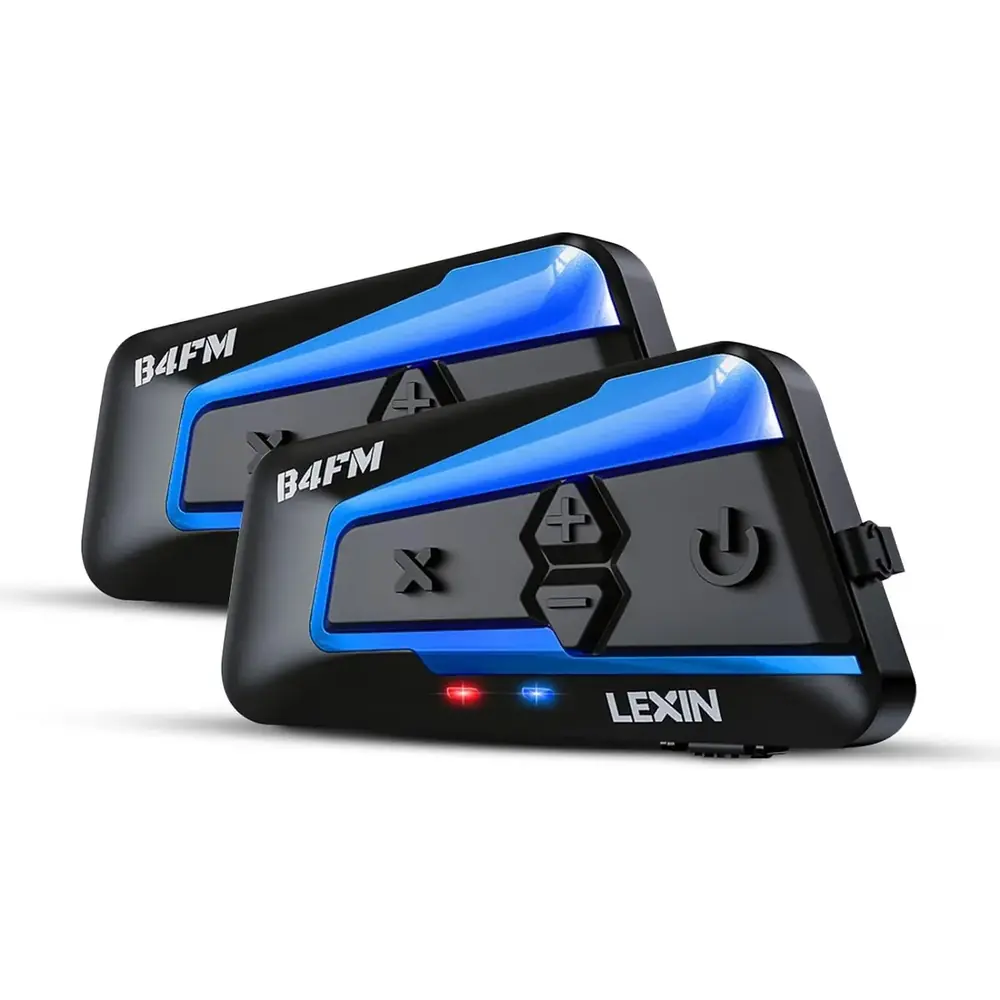
Lexin B4FM Intercom













Lexin B4FM Intercom Instructions
Here we offer the Lexin B4FM Intercom manual completely free and in English. We have cataloged this manual in the Intercoms section on Manualverse, and it has been rated by 1 users with an average rating of 5. If you have any specific questions about Lexin B4FM Intercom, we suggest checking the Frequently Asked Questions (FAQs) section of this manual.
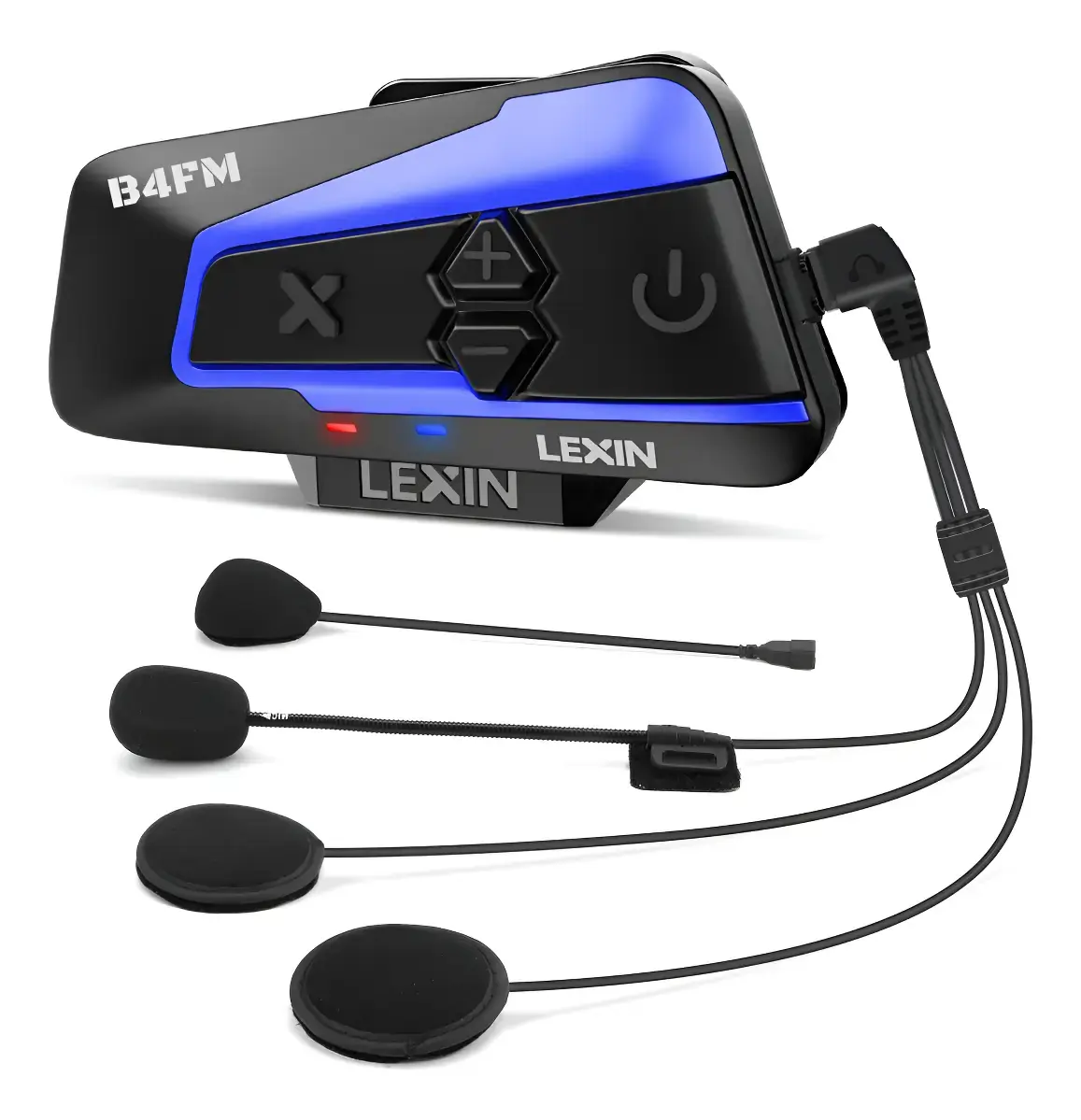
Product Images
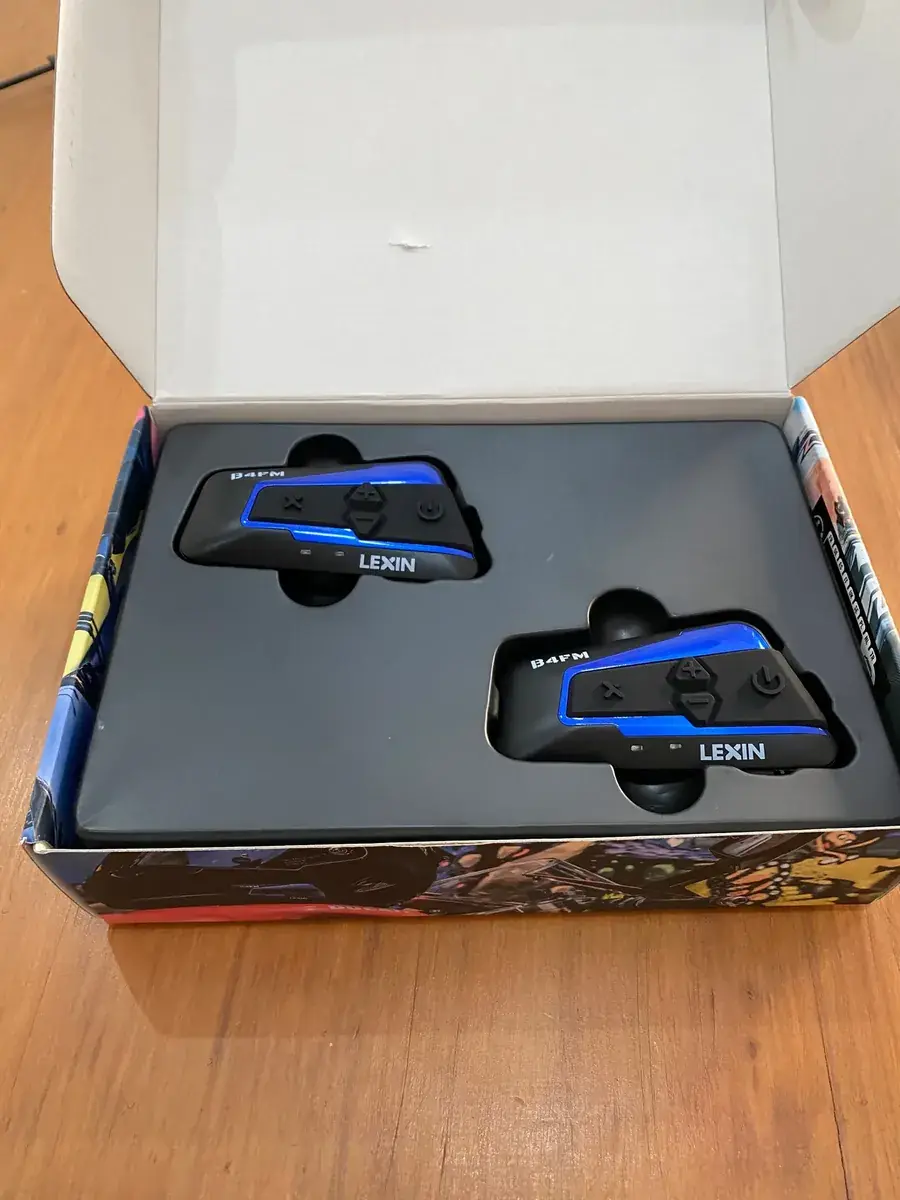

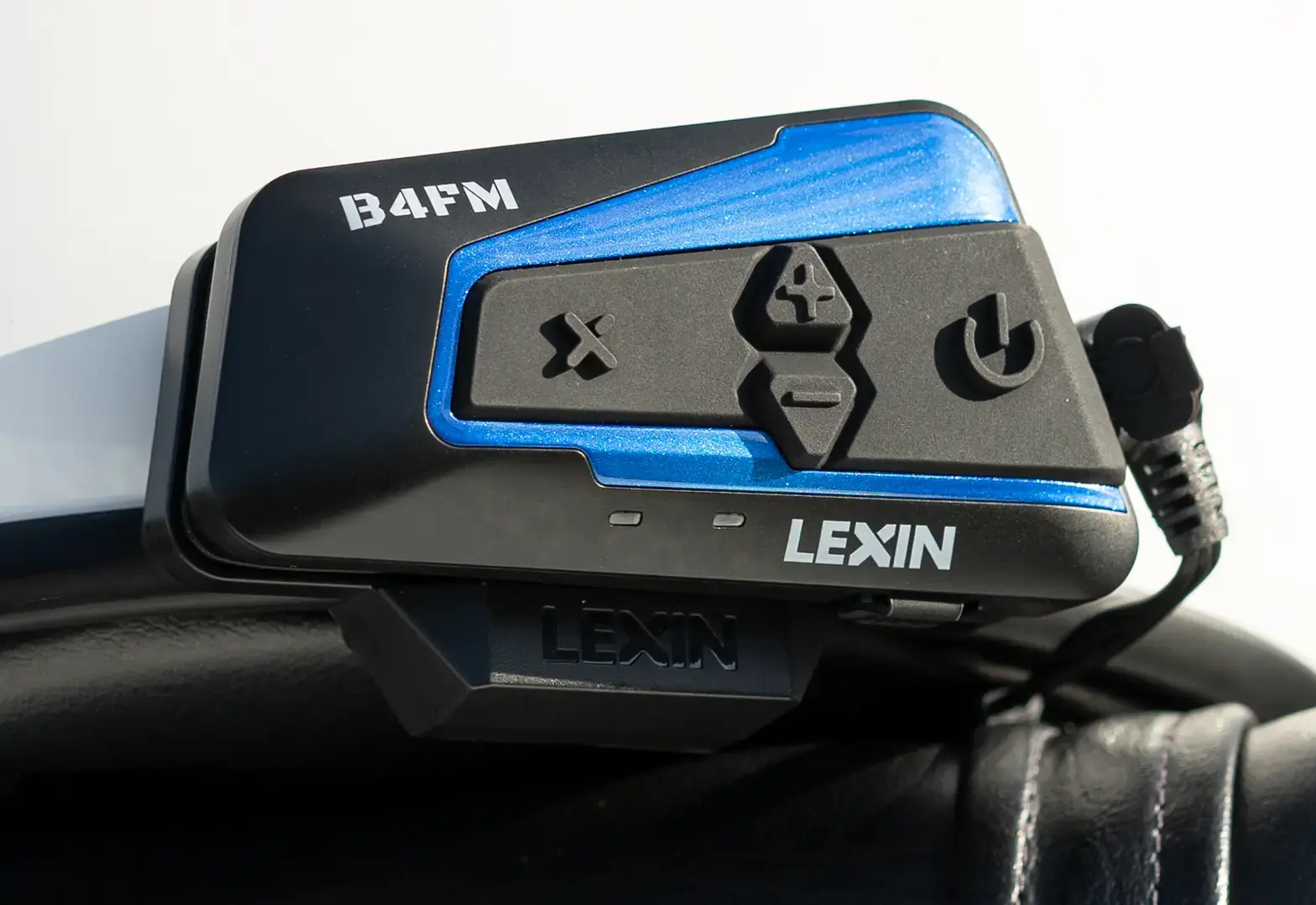
Lexin B4FM Intercom Specifications
| Feature | Specification |
|---|---|
| Product Type | Motorcycle 10-Way Bluetooth Conference Intercom |
| Model / Bluetooth Name | LX-B4FM |
| Bluetooth Version | Bluetooth 5.0 |
| Supported Profiles | HSP (Headset Profile), HFP (Hands-Free Profile), A2DP (Advanced Audio Distribution Profile) |
| Maximum Intercom Range | 2 km / 1.2 miles |
| Maximum Riders | Up to 10 B4FM units (multi-way mode) |
| Default Intercom Mode | 4-way intercom mode |
| Intercom Type | Full-duplex Bluetooth intercom |
| Simultaneous Connections (Group Mode) | 2 B4FM units + 1 mobile phone |
| Noise Reduction | Built-in CVC/DSP noise reduction |
| Battery Capacity | 800 mAh |
| Intercom Talk Time | Up to 15 hours |
| Music Playback Time | Up to 15 hours |
| Standby Time | Over one week |
| Charging Time | About 3 hours |
| Charging Port | USB-C (quick charge) |
| Charging Input | DC 5V power supply |
| Low Battery Alert | Below 30%, voice alert every 5 minutes (about 1 to 1.5 h of use remaining) |
| Automatic Shutdown | Battery below 20% |
| Battery Level Prompts | 100%, 80%, 50%, 30%, LOW |
| Speakers | 36 mm HD Ultra-Slim Speakers |
| Microphones | Boom microphone and button microphone (interchangeable) |
| FM Radio | Built-in, with 6 station presets |
| Auto Answer Delay | 12 seconds |
| Pairing PIN | 0000 |
| Voice Assistant Support | Siri, S-Voice and other voice assistants |
| Headset Connector | USB-C headset port |
| Mounting Options | Clamp plate mounting bracket with screws, or 3M adhesive tape bracket |
| FCC ID | 2ARGO-LXB4FM |
| RF Minimum Separation Distance | 1 cm between the radiator and the body |
| Compliance | FCC, Industry Canada RSS / RSS-102 (SAR tested per IEEE 1528 and IEC 62209) |
| Warranty | 1 year limited warranty (manual text); back cover states 2-Year Warranty |
Lexin B4FM Intercom Details
The Lexin B4FM handles audio sources in a fixed order of priority. Mobile phone calls come first, then intercom talk, then music, FM radio and GPS. A higher-priority function always interrupts a lower one. For example, an intercom call cuts into stereo music, and an incoming phone call cuts into intercom talk. The unit also supports universal pairing with most other Bluetooth intercoms, and it can play voice guidance from a paired GPS navigator.
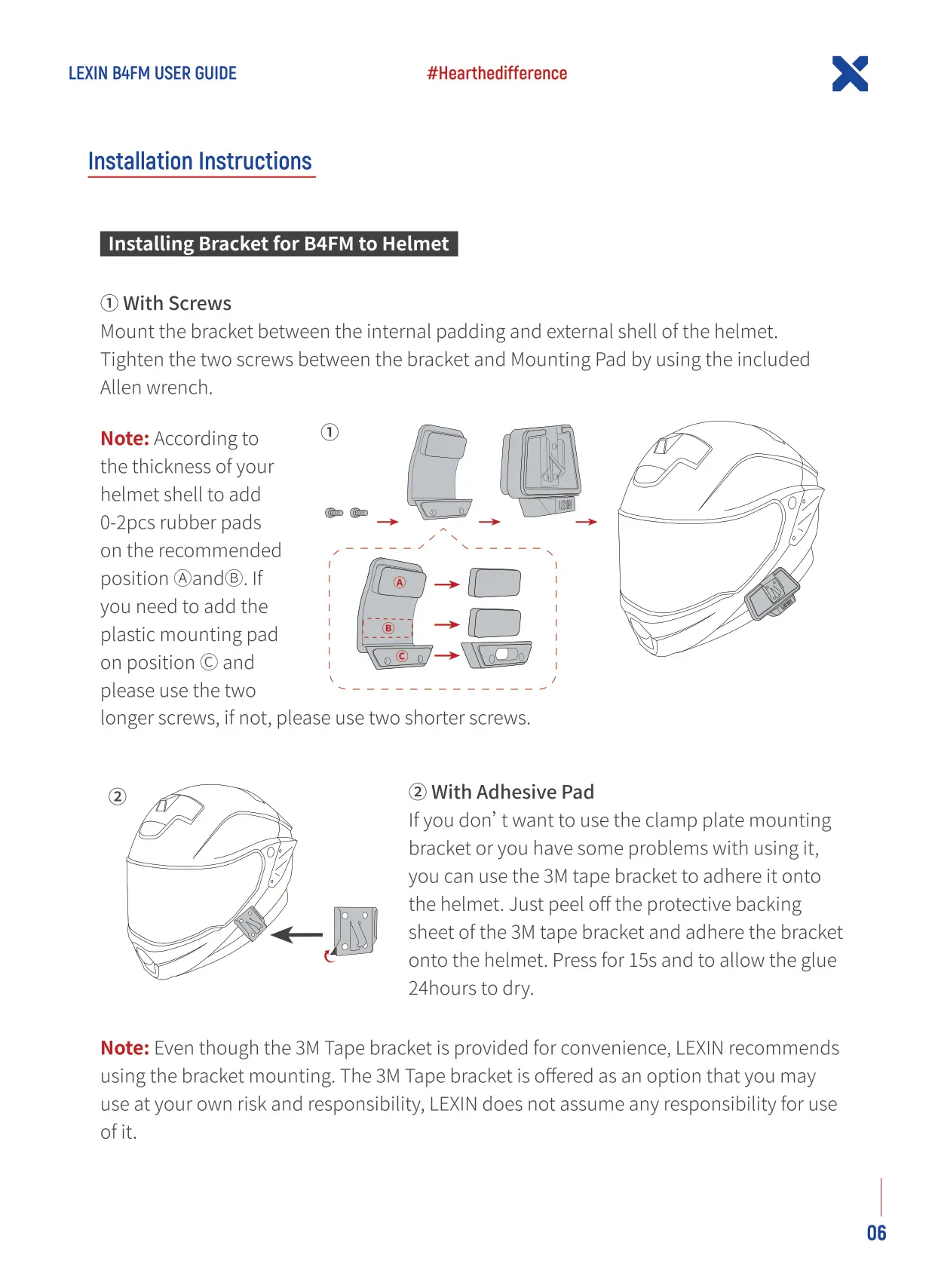
You can install the unit in two ways. The recommended method is the clamp plate bracket, which slides between the helmet's inner padding and outer shell and is tightened with the included Allen wrench. Depending on how thick the shell is, you can add 0 to 2 rubber pads. Use the longer screws if you add the plastic mounting pad. As an alternative, the 3M tape bracket is pressed on for 15 seconds and needs 24 hours for the glue to cure. LEXIN says you use the adhesive option at your own risk.
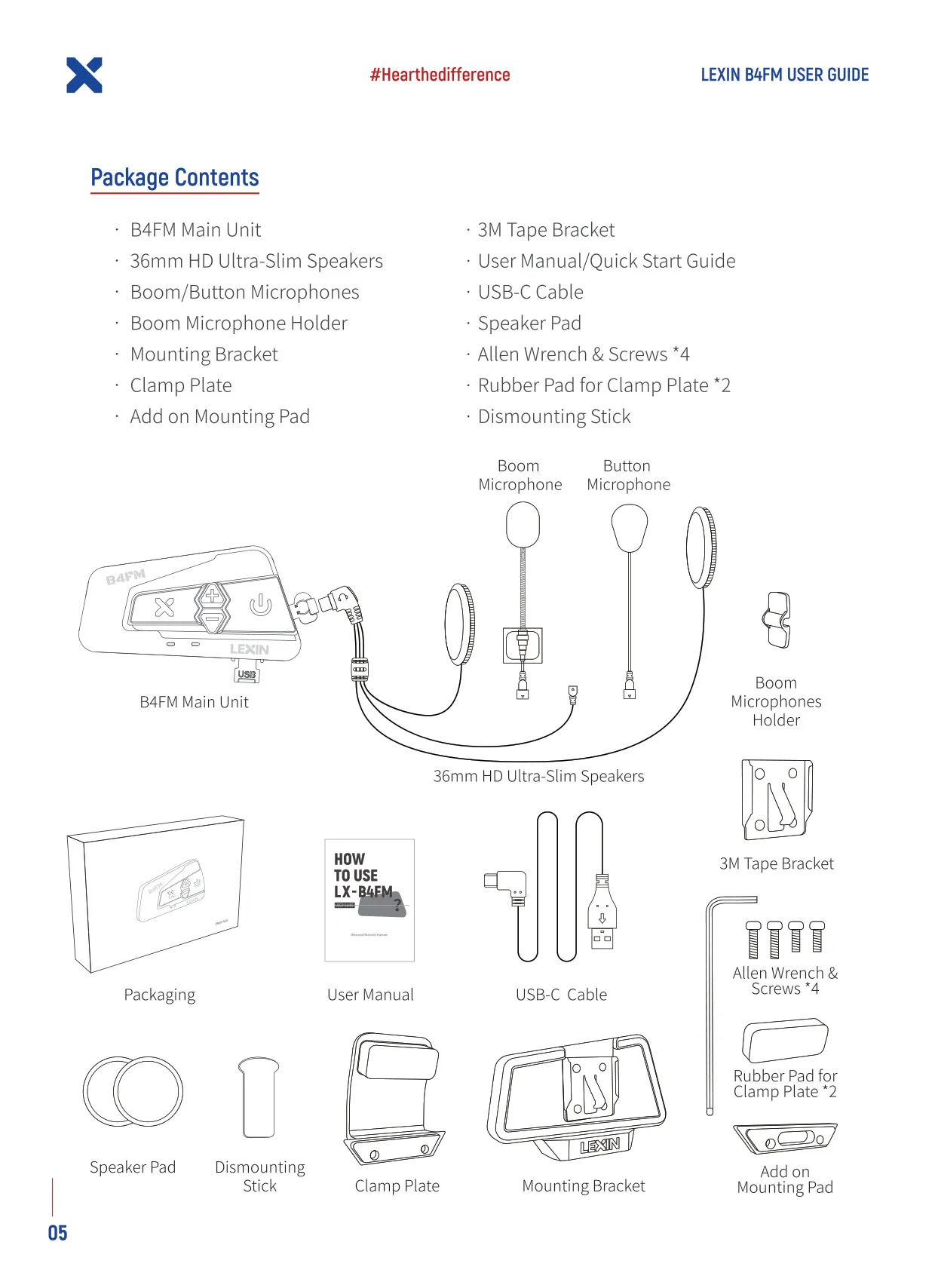
The main unit slides down onto the bracket until it clicks into place. To remove it, insert the included dismounting stick between the unit and the bracket and push the unit up. For the speakers, the shorter-wire speaker goes on the left ear and the longer-wire speaker on the right. Placing them this way also improves FM radio reception. In helmets with deep ear pockets, the speaker pads bring the speakers closer to your ears.
Use the button microphone in full-face helmets. Attach it with velcro in the center of the chin area. Use the boom microphone in open-face helmets, with its triangular mark pointing toward your mouth. The boom holder gives it extra support. Both microphones work in either helmet type, so you can choose whichever fits best. To power the unit on or off, hold the Power and Intercom buttons together for about one second. The unit announces its status and battery level by voice.
Phone controls are simple. Click the Power button to answer or end a call, and double-click it to reject a call. Double-click the Up button to redial the last number, and double-click the Down button to start your voice assistant. To turn auto-answer on or off, hold the Up button for five seconds. Music Sharing lets one B4FM unit stream the song it is playing to another unit. Start it with a double-click on the Power button of each unit, and double-click again on either unit to stop.
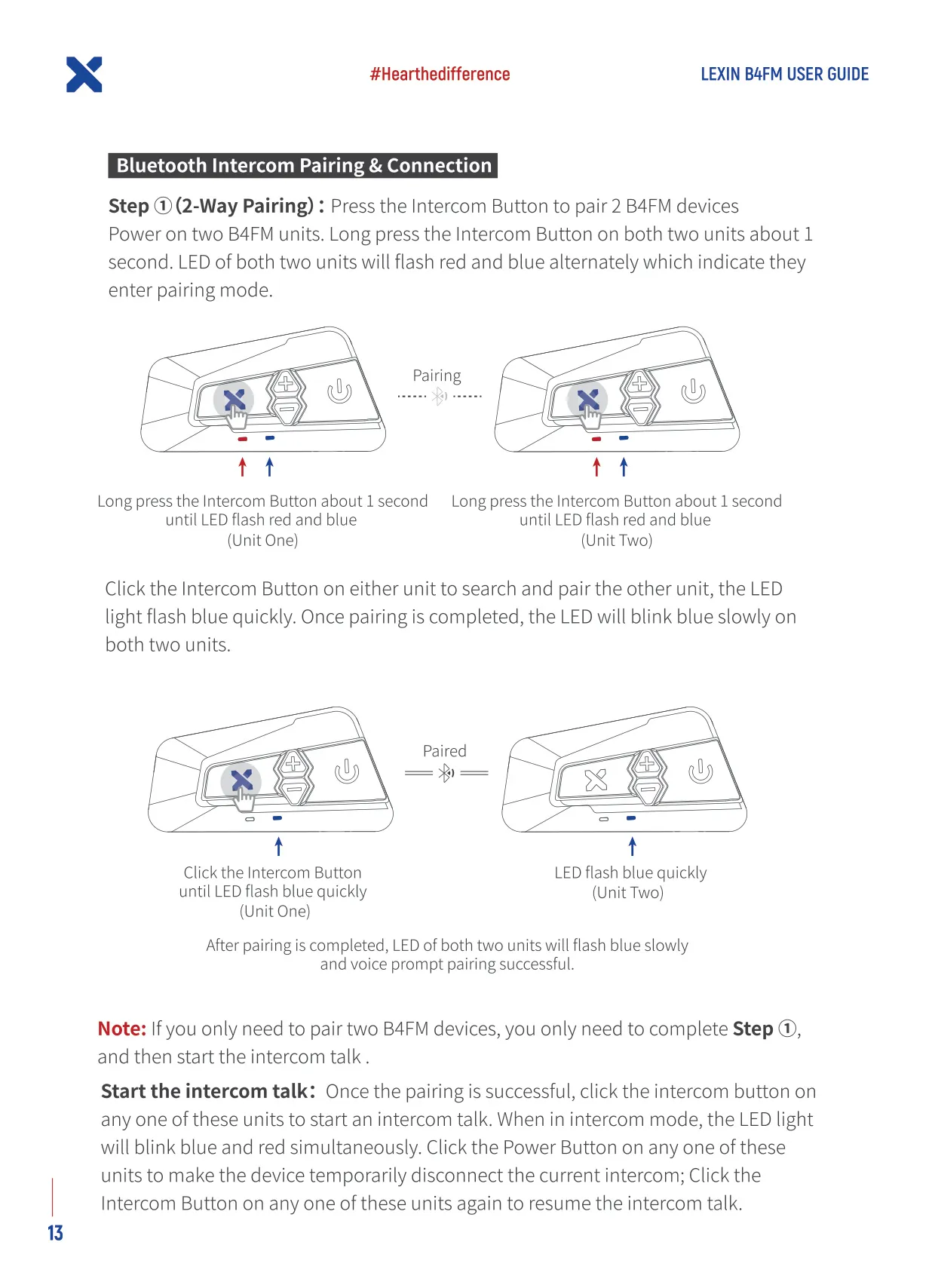
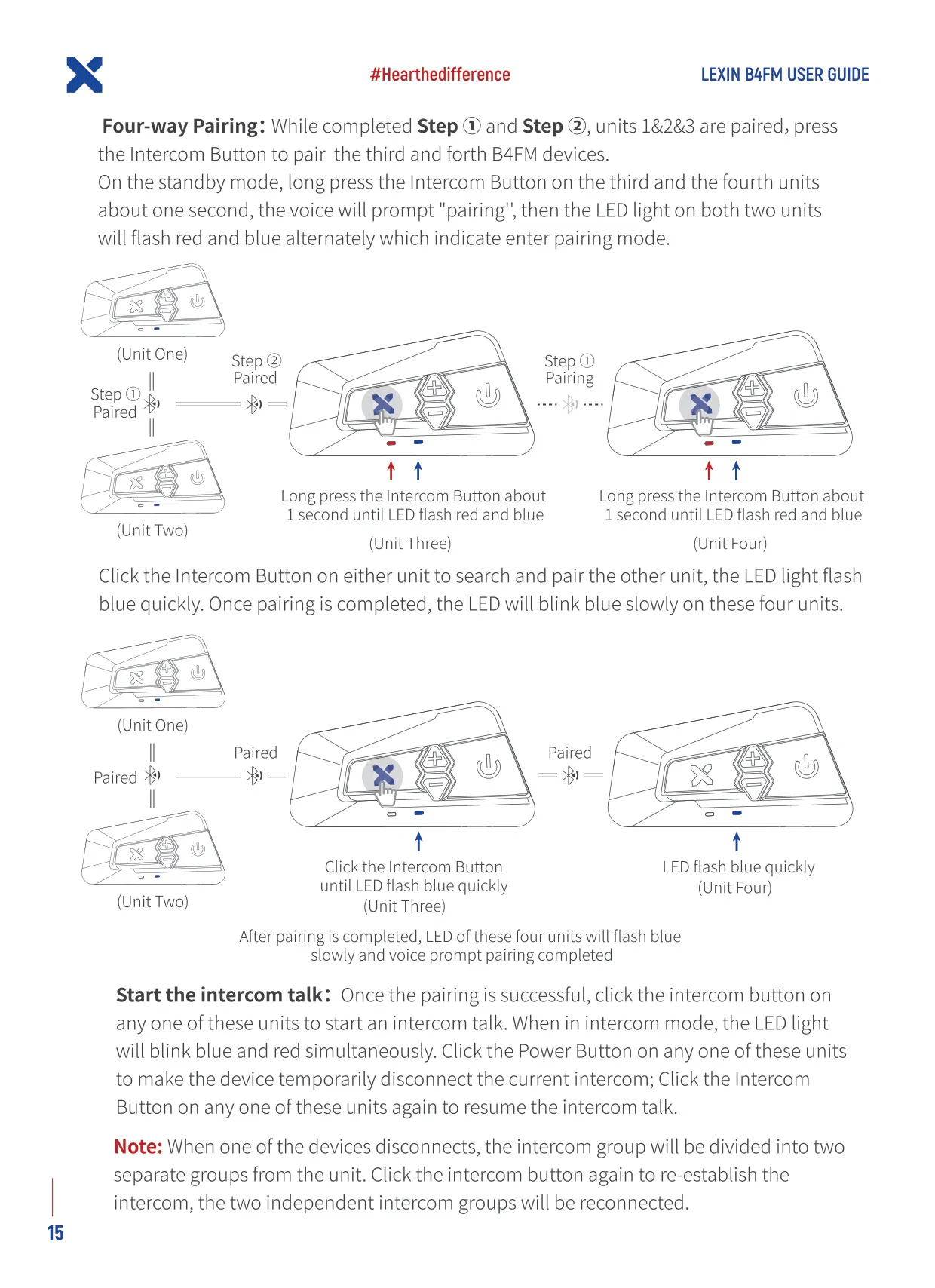
Units are paired one after another in a chain. Each B4FM can connect to only two other B4FM units at a time. Pairing uses the Intercom button, or the Intercom and Down buttons together for the third unit. If a unit in the middle of the chain drops out, the group splits into two. Clicking the Intercom button reconnects them. For groups of five or more riders, hold the Power button for eight seconds on every unit. This setting is not saved and resets to 4-way mode each time the unit is turned on.
To turn the FM radio on or off, hold the Power button for one second. To seek stations, double-click Down to go up the band and Up to go down. Double-click Power to save a station. After six presets, a new station replaces the oldest one. For care, keep the unit away from dust, extreme heat and cold, and harsh chemicals. Do not paint it or open the case.
Frequently Asked Questions (FAQs)
Can't find the answer you need? Here are some frequently asked questions about the Lexin B4FM Intercom, and we answer them below.