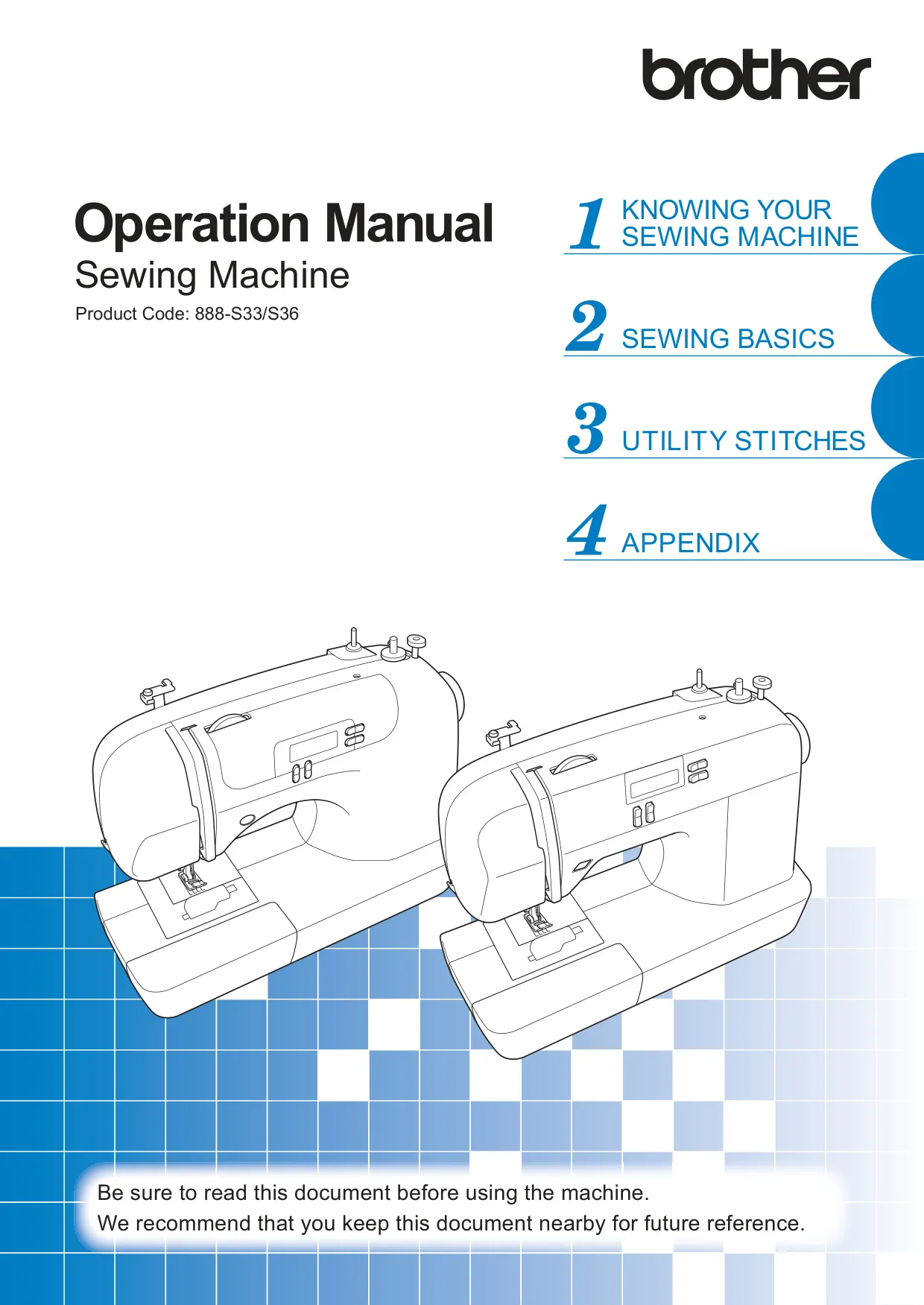
Brother CS-6000i Sewing Machine Instruction Manual

Manual Brother CS-6000i Sewing Machine Instruction Manual

Brother CS-6000i Sewing Machine Instruction Manual
5/5 (1👤)
📕 Manual PDF 📄 60 Pages
★Rate It★

How many stars do you give this manual?

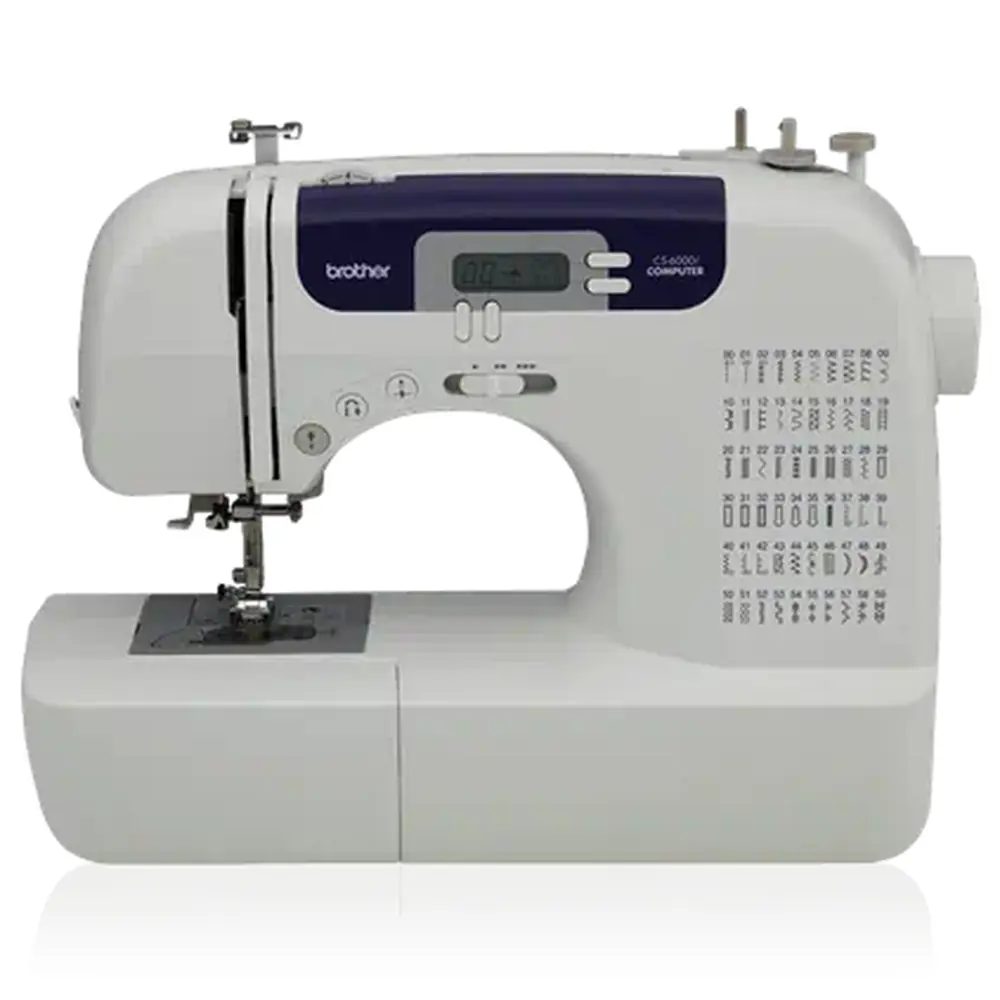
Brother CS-6000i Sewing Machine
Full Screen

Brother CS-6000i Sewing Machine
Full Screen

Brother CS-6000i Instructions

Here we offer the Brother CS-6000i Sewing Machine manual completely free and in English. We have cataloged this manual in the Sewing Machines section on Manualverse, and it has been rated by 1 users with an average rating of 5. If you have any specific questions about Brother CS-6000i Sewing Machine, we suggest checking the Frequently Asked Questions (FAQs) section of this manual.

Product Images

Imagen 1
Imagen 2
Imagen 3
Imagen 4
Imagen 5
Imagen 6
Miniatura 1
Miniatura 2
Miniatura 3
Miniatura 4
Miniatura 5
Miniatura 6

Brother CS-6000i Sewing Machine Specifications
Specification Value
Product Code 888-S33/S36
Power Source AC power (household use only, country-specific)
Needle Type Home Sewing Machine Needles (HA x 1)
Needle Sizes 65/9 to 100/16 (varies by fabric/thread)
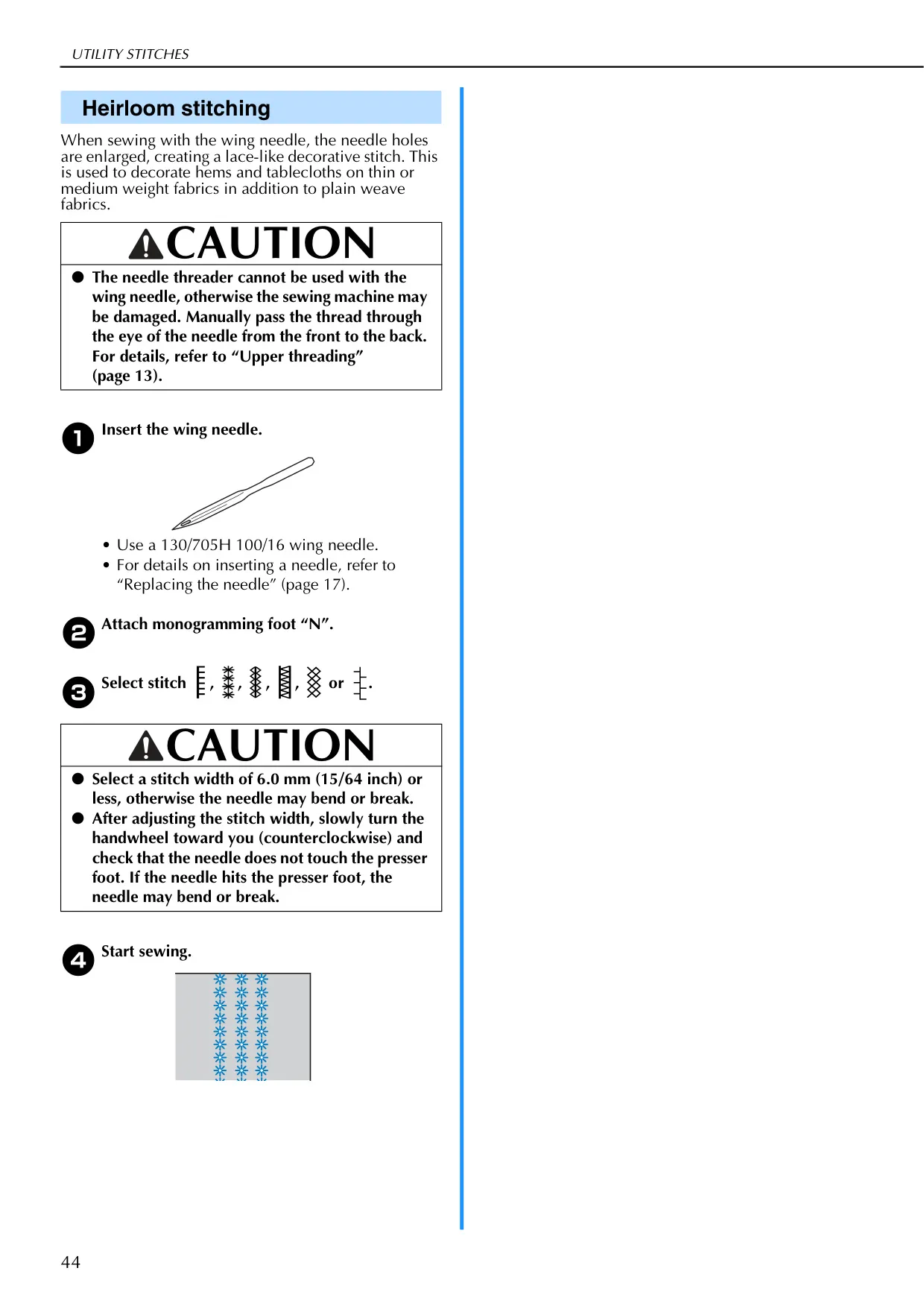
Special Needles Supported Ball Point Needle (75/11–90/14, gold colored), Twin Needle (Part Code: 131096-121), Wing Needle (100/16)
Bobbin Type Specific for this machine (Part Code: SA156, SFB: XA5539-151)
Max. Stitch Width 7.0 mm (1/4 inch)
Max. Stitch Length 5.0 mm (3/16 inch)
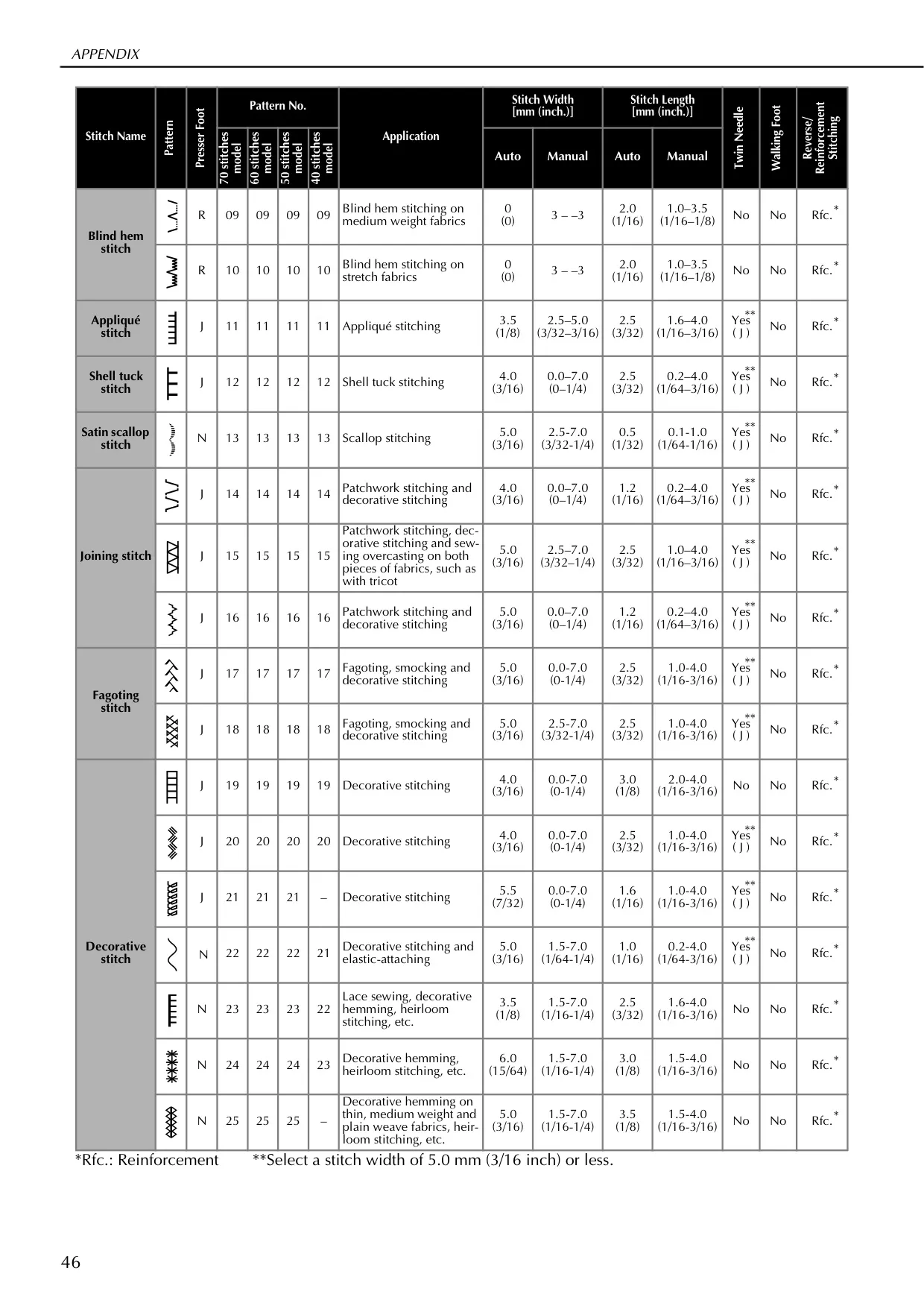
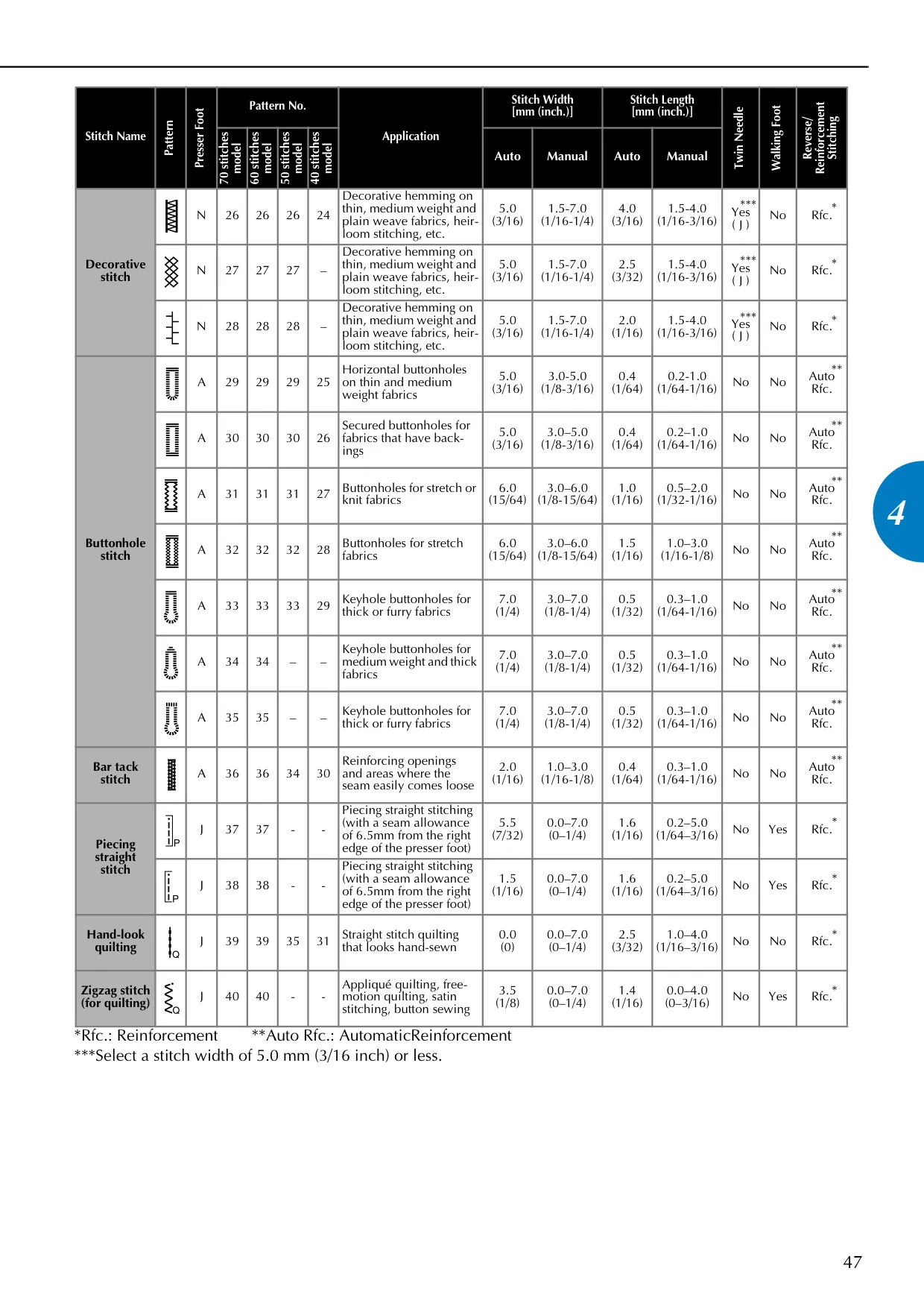
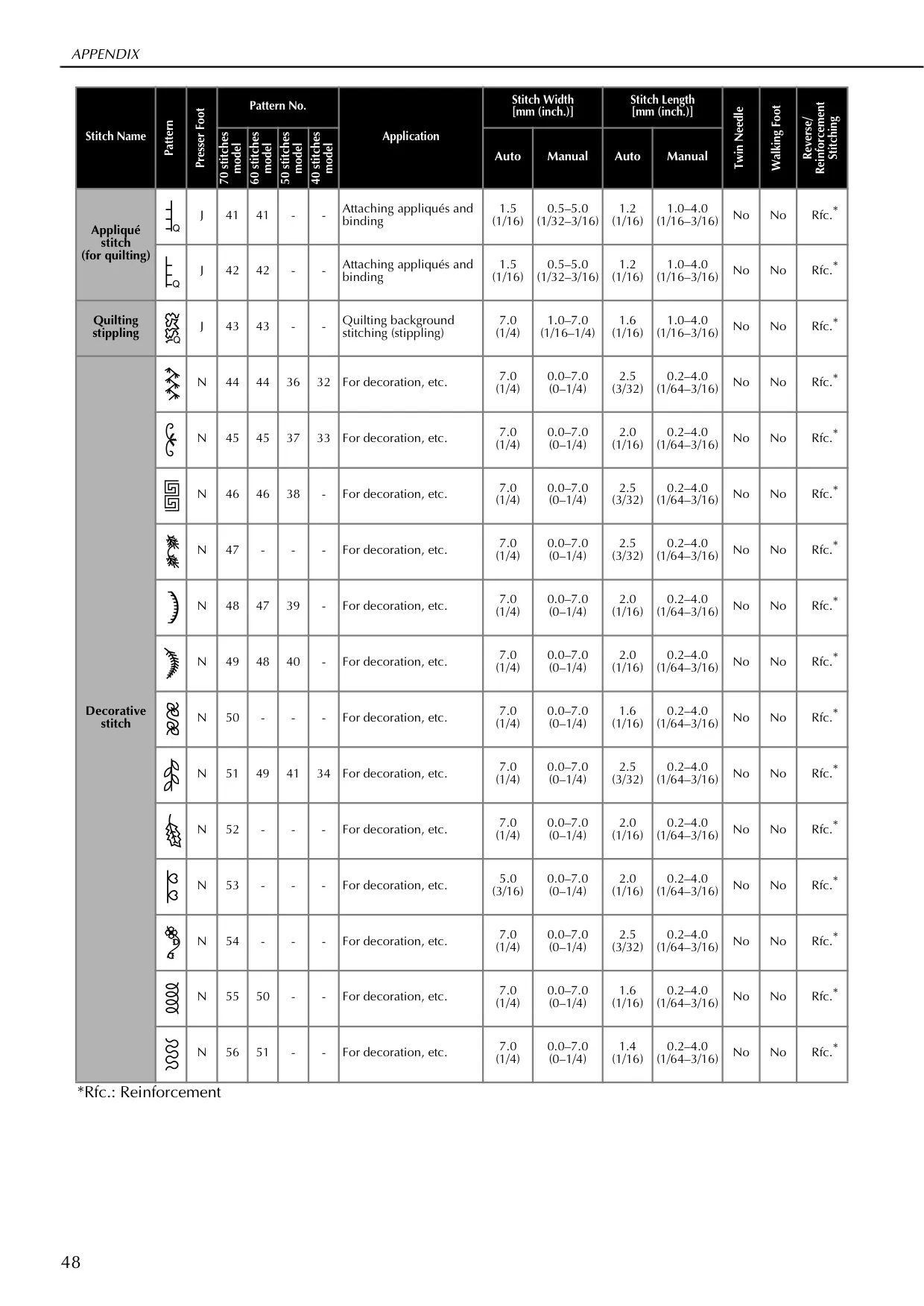
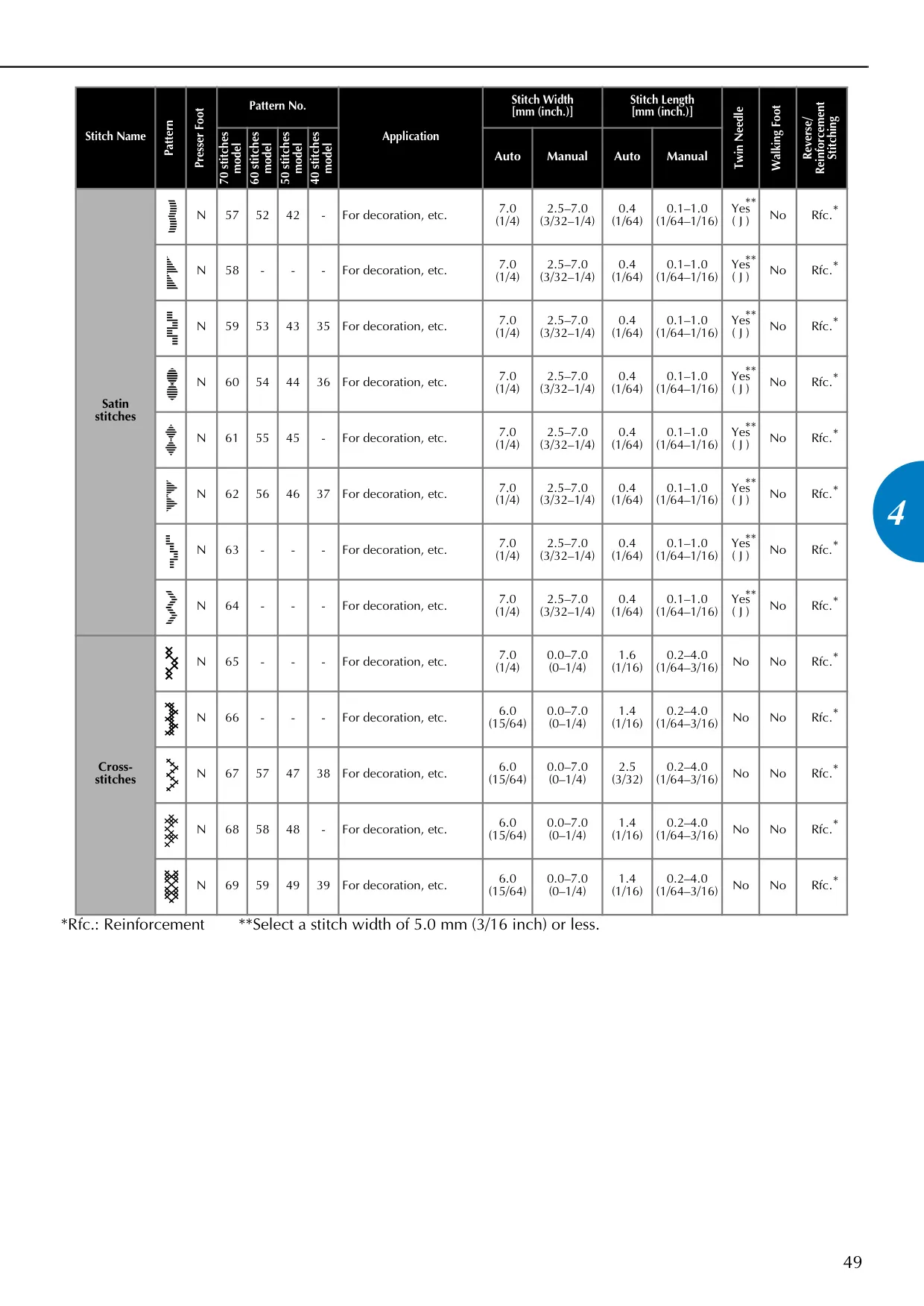
Number of Stitches Up to 70 (models vary; see manual for specifics)
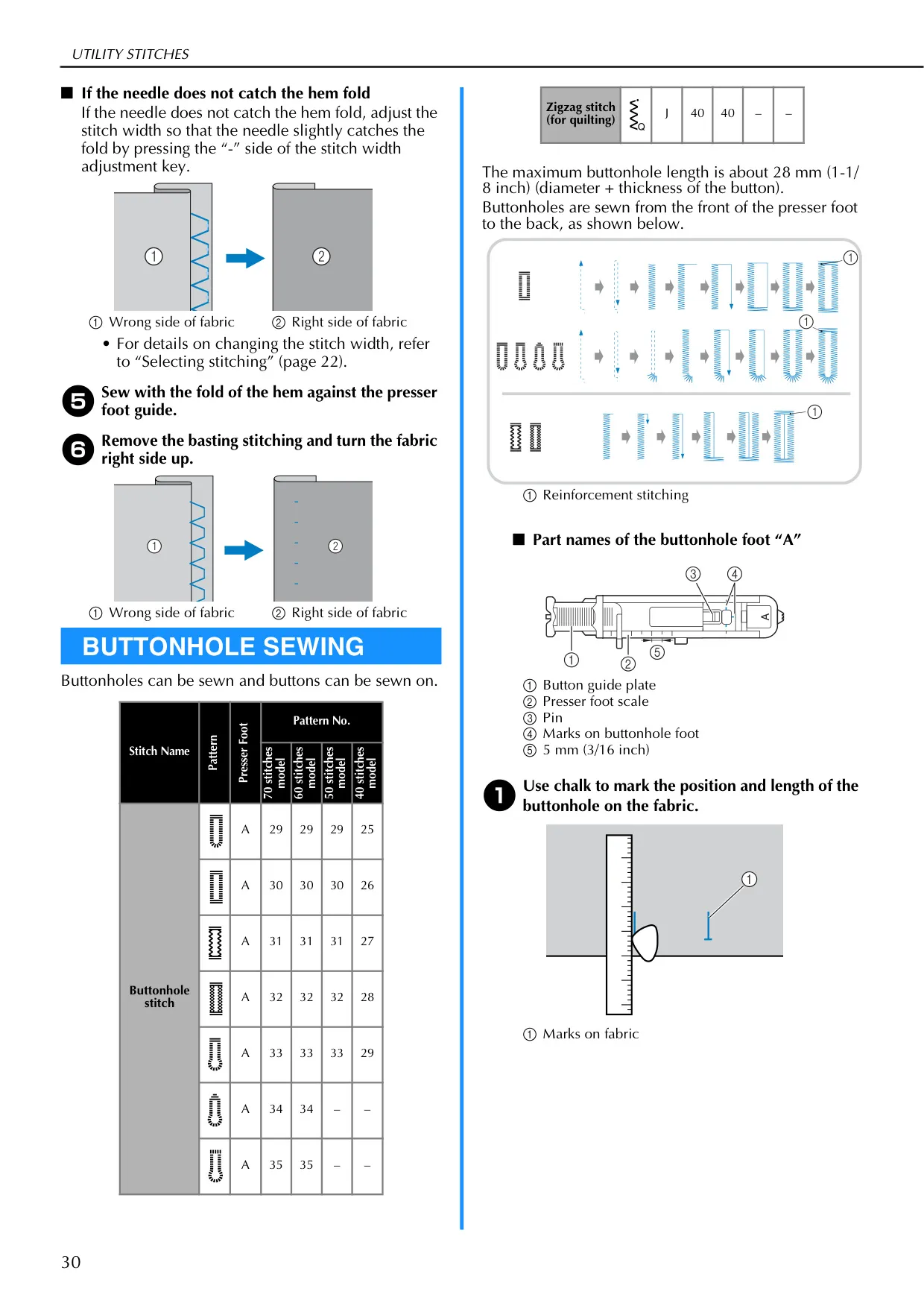
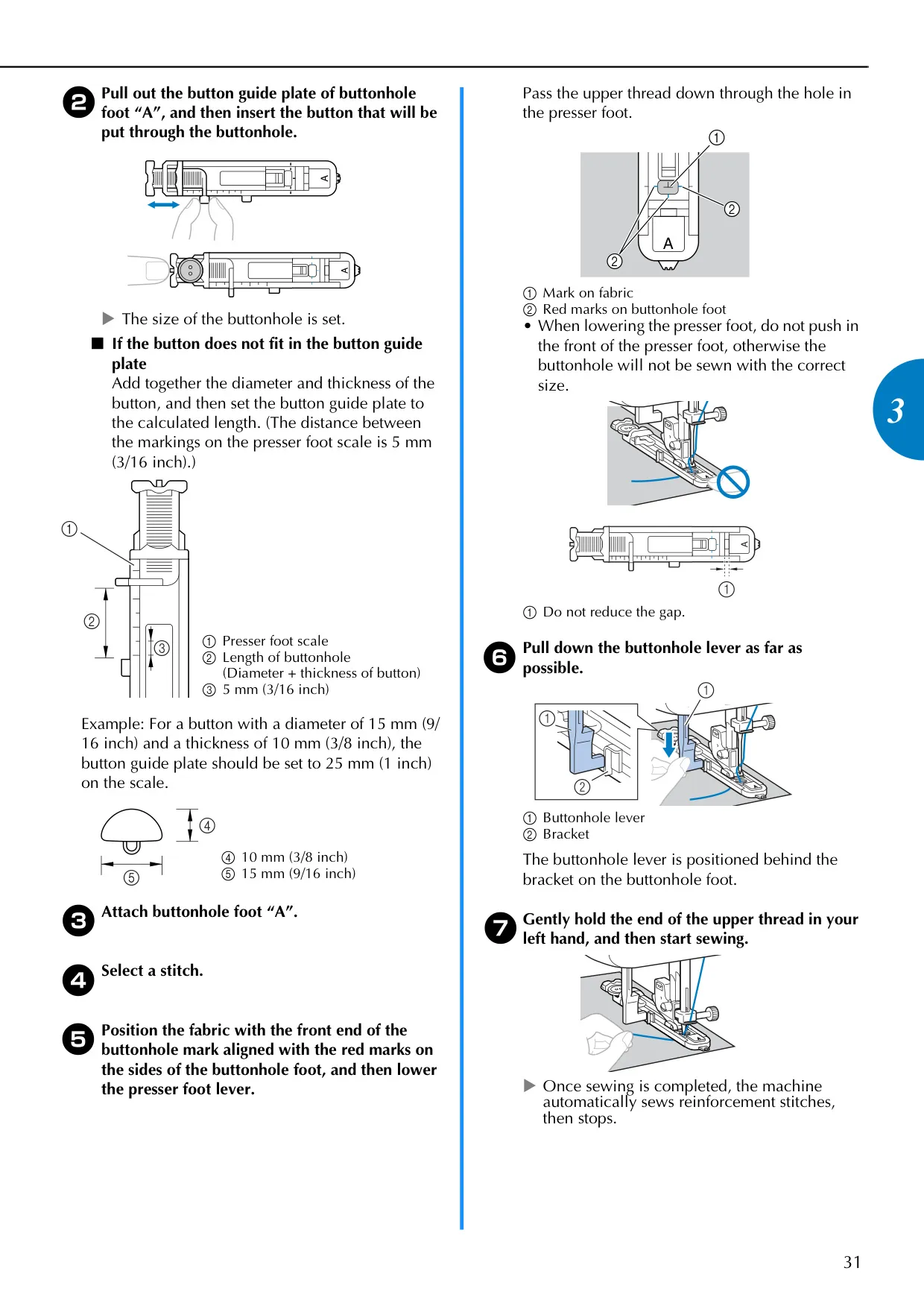
Max. Buttonhole Length Approx. 28 mm (1-1/8 inch)
Max. Bar Tack Length Approx. 28 mm (1-1/8 inch)
Foot Controller Model T (for U.S.A. only)
Sewing Light Unit Light-emitting diode (LED) (user non-replaceable; authorized dealer only)

Brother CS-6000i Sewing Machine Details
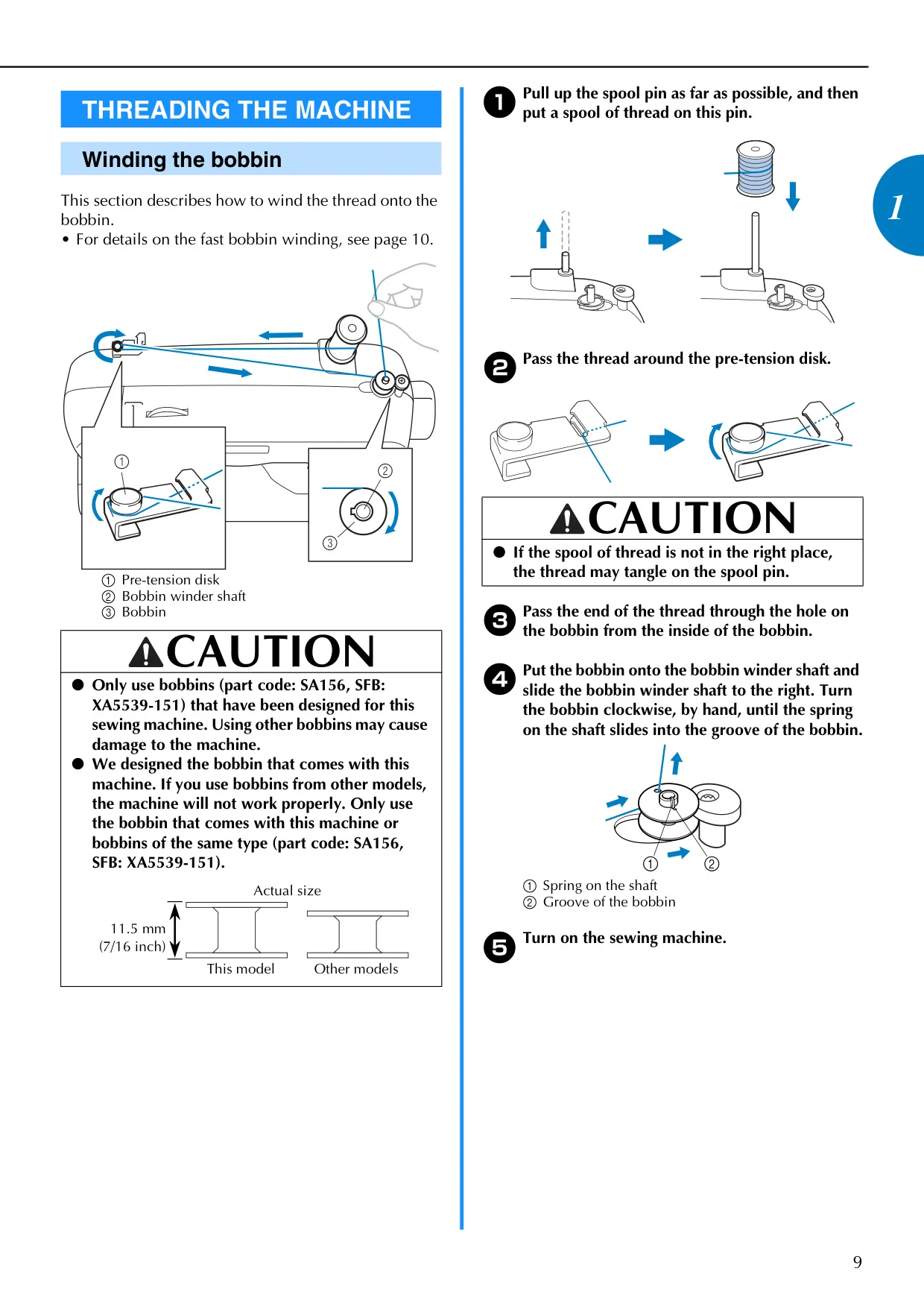
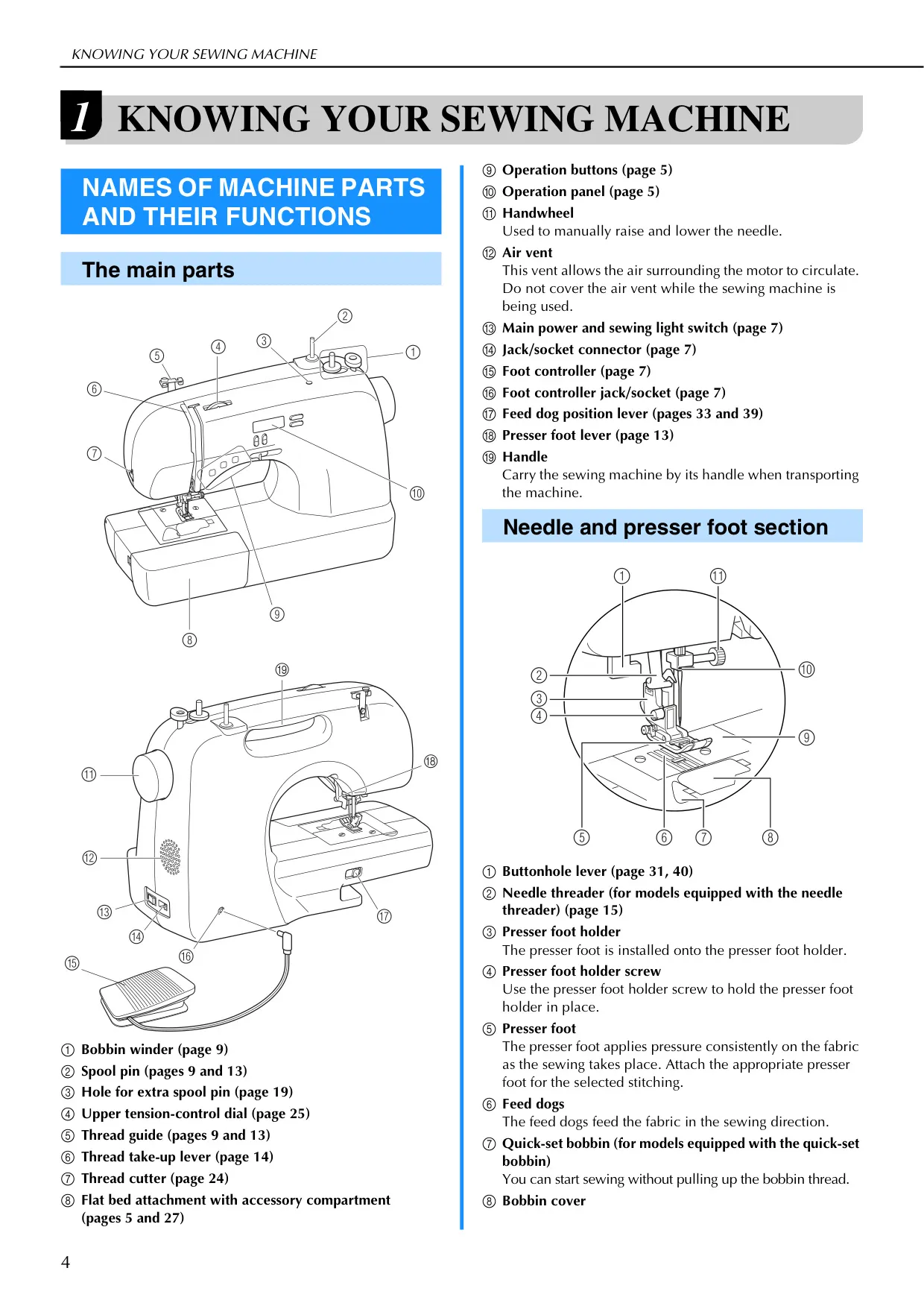
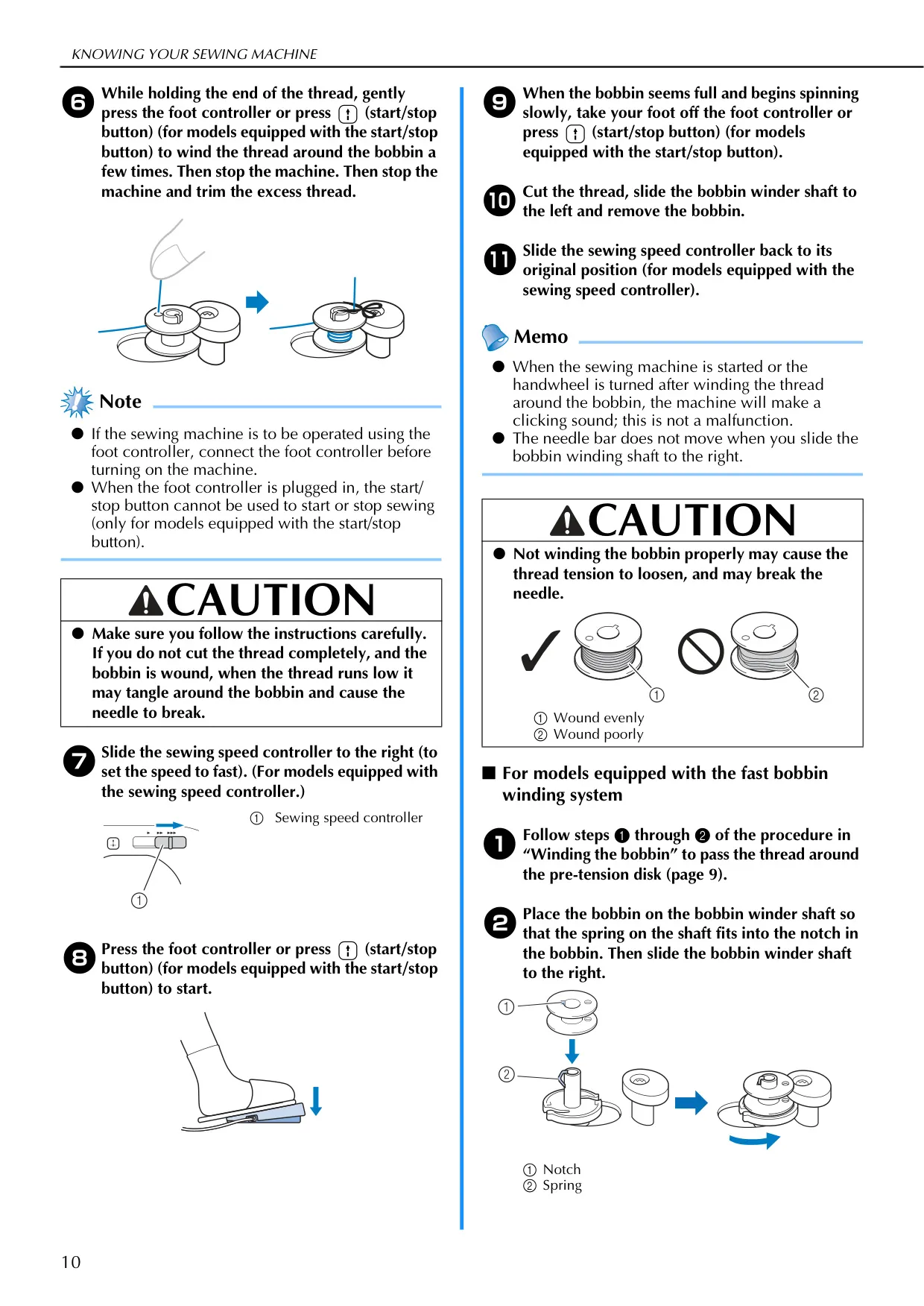
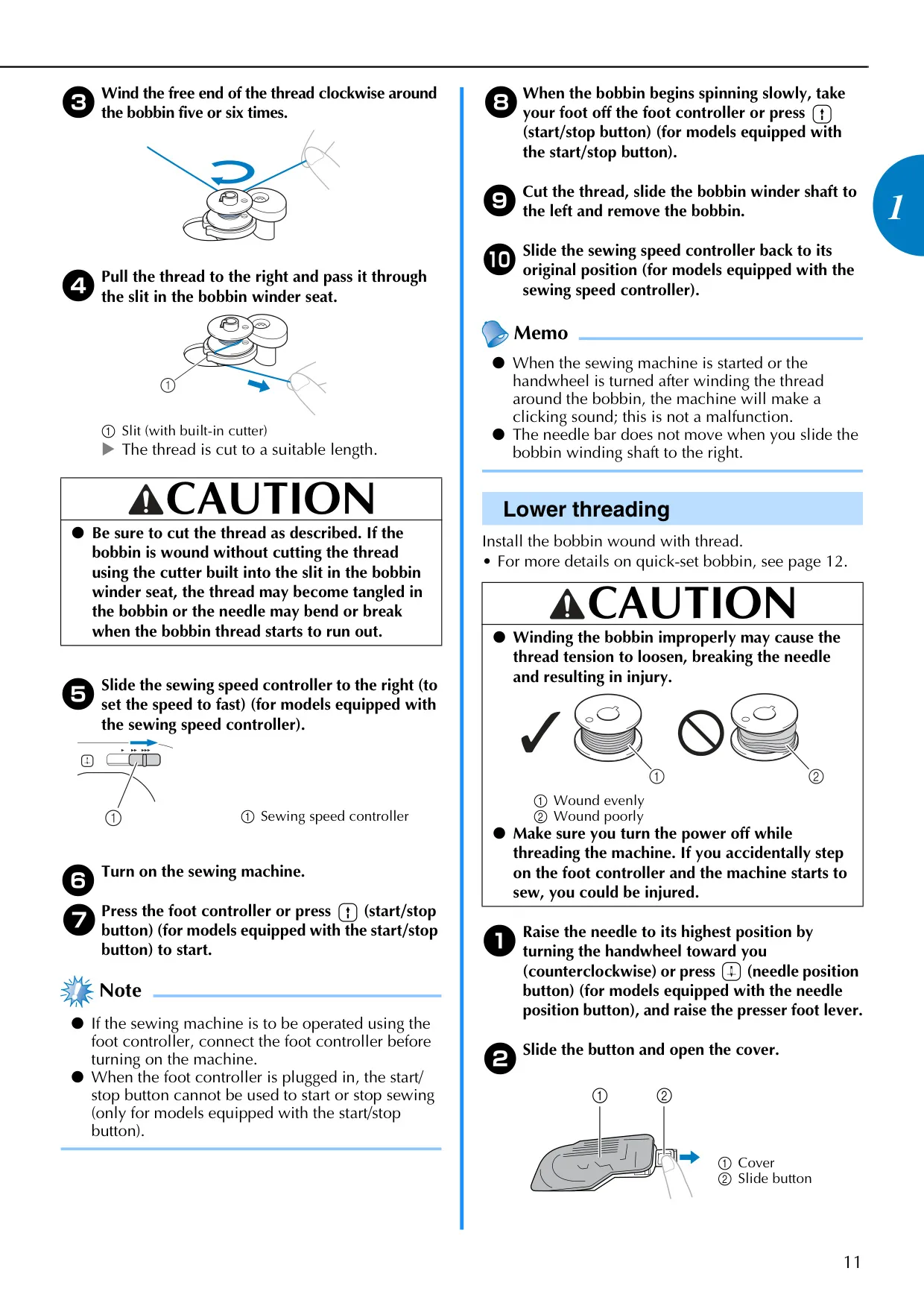
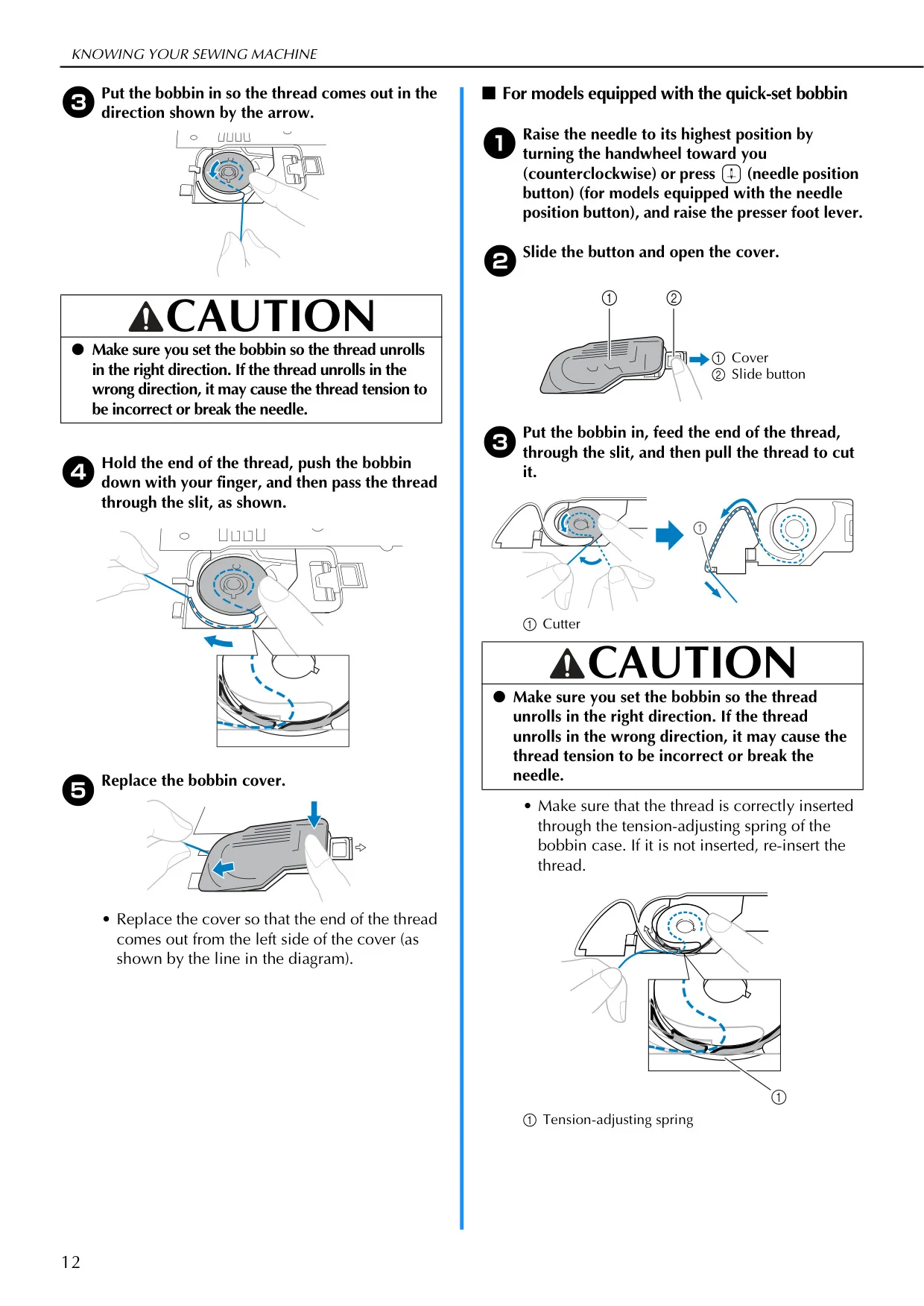
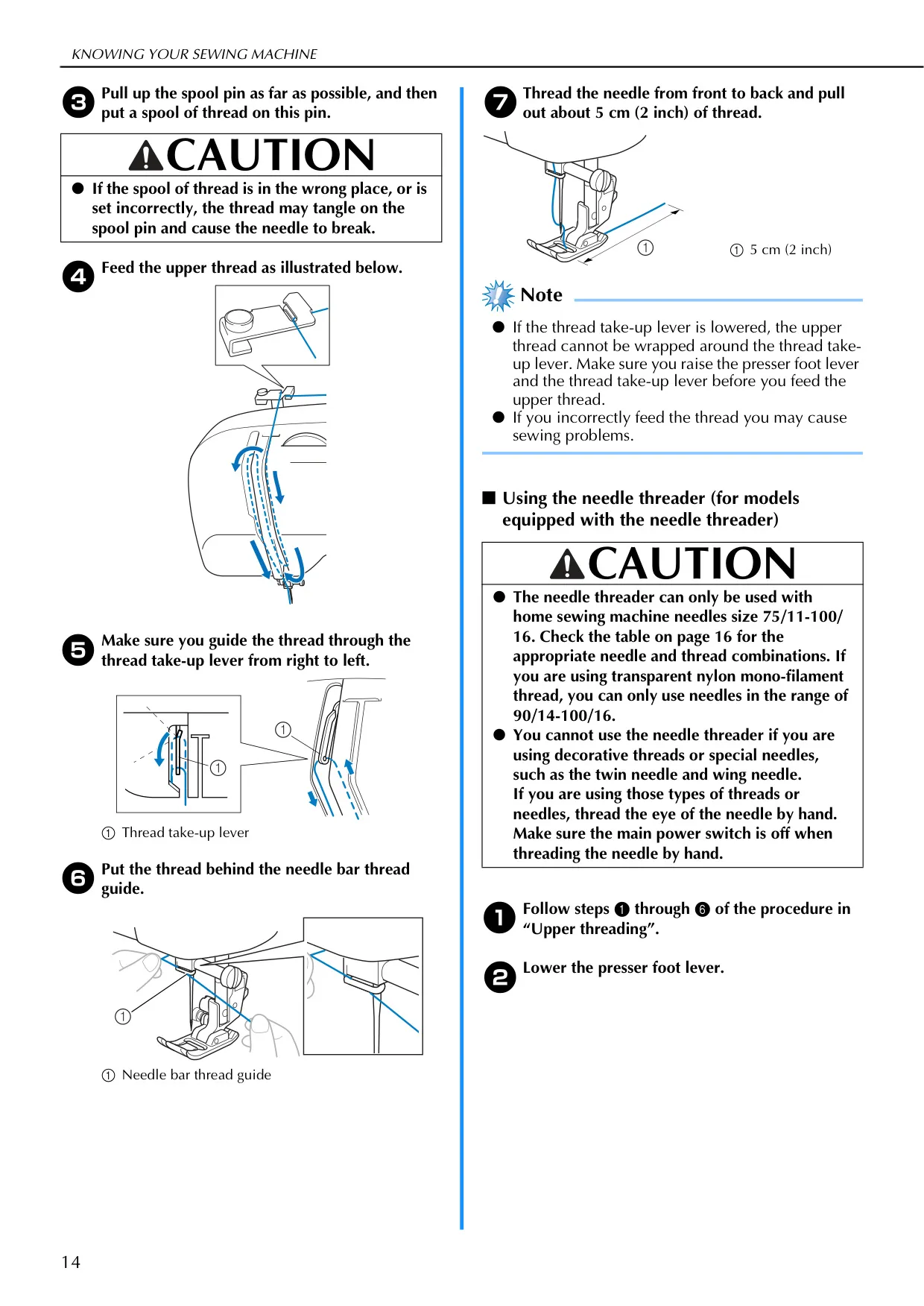
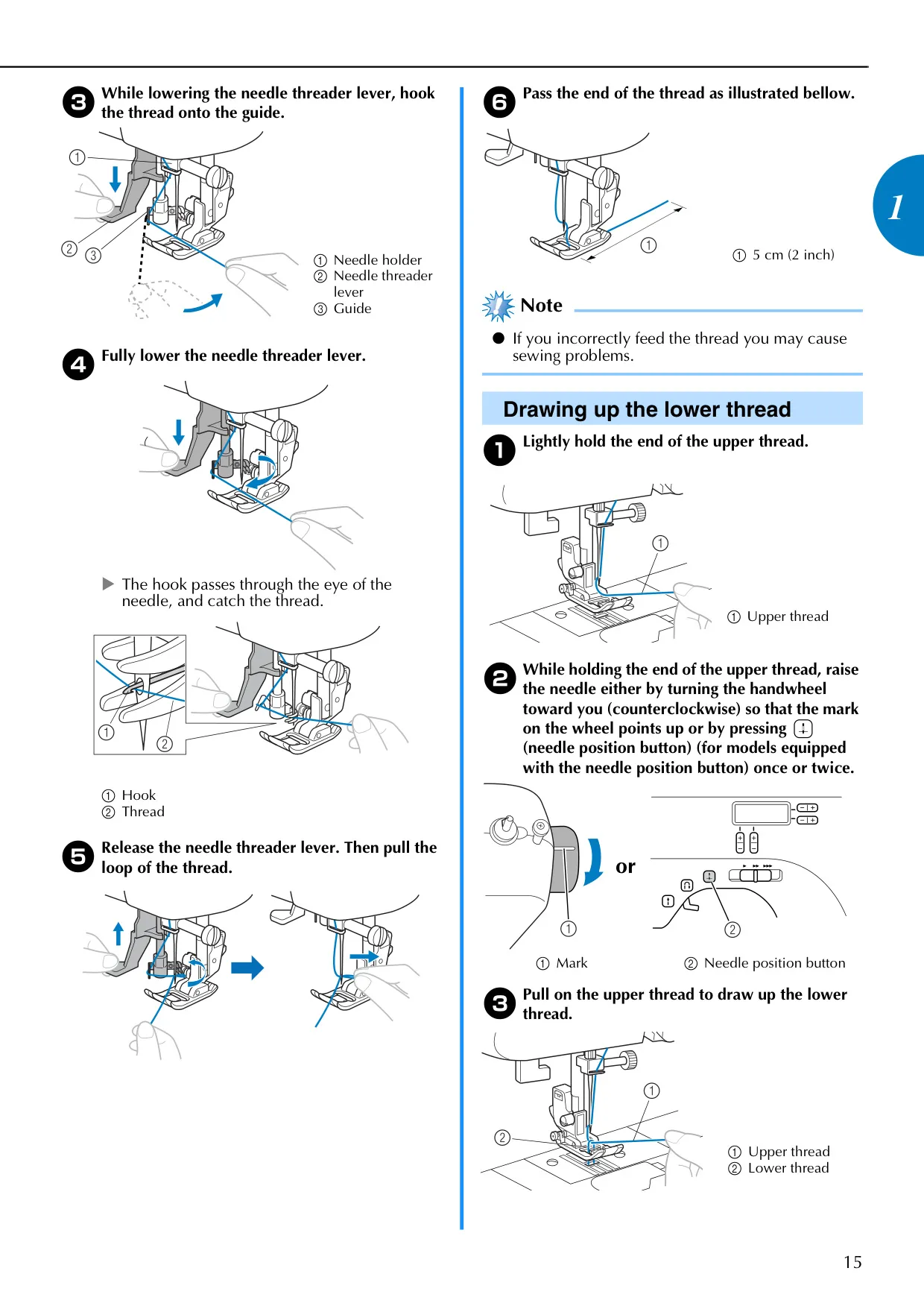
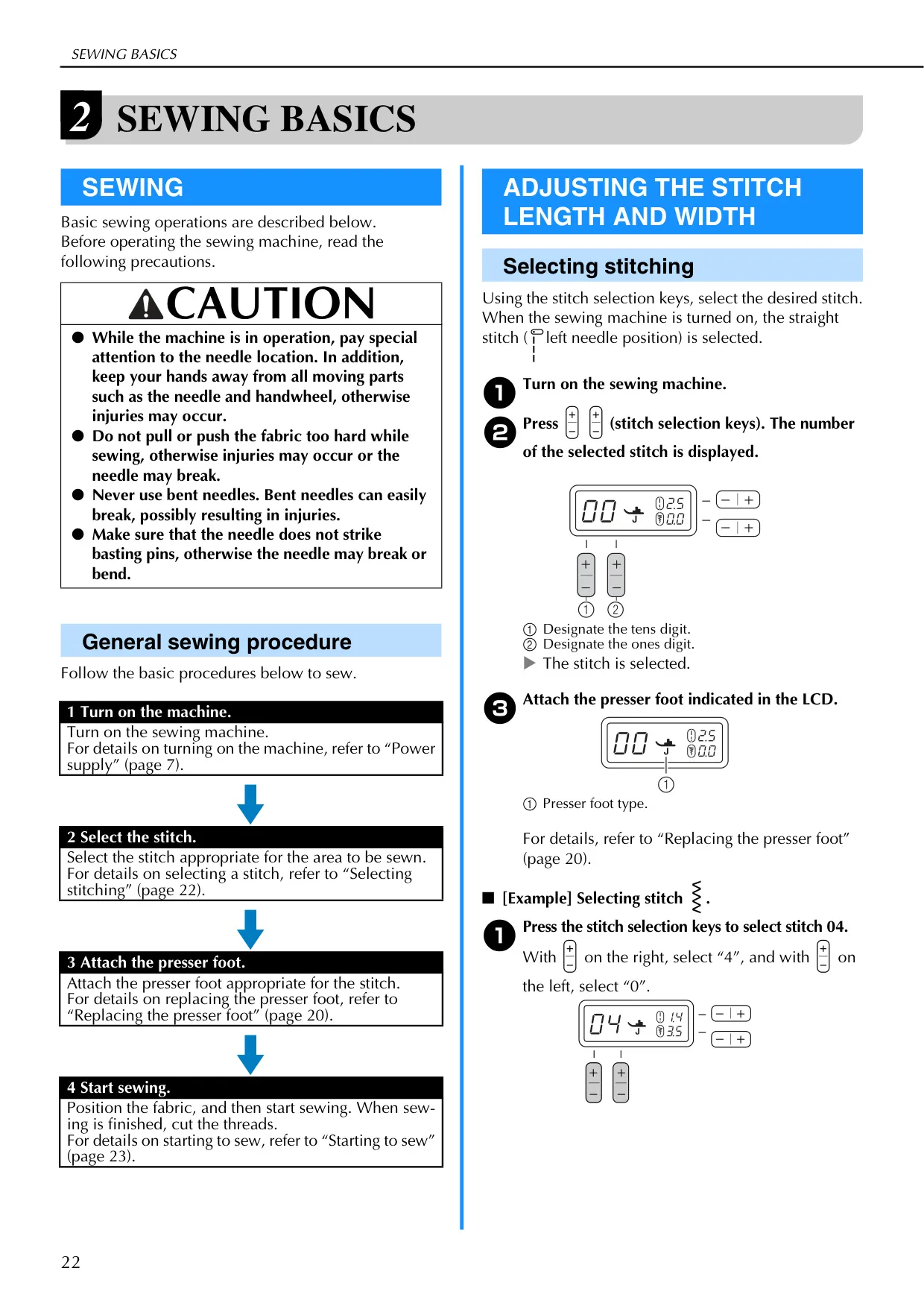
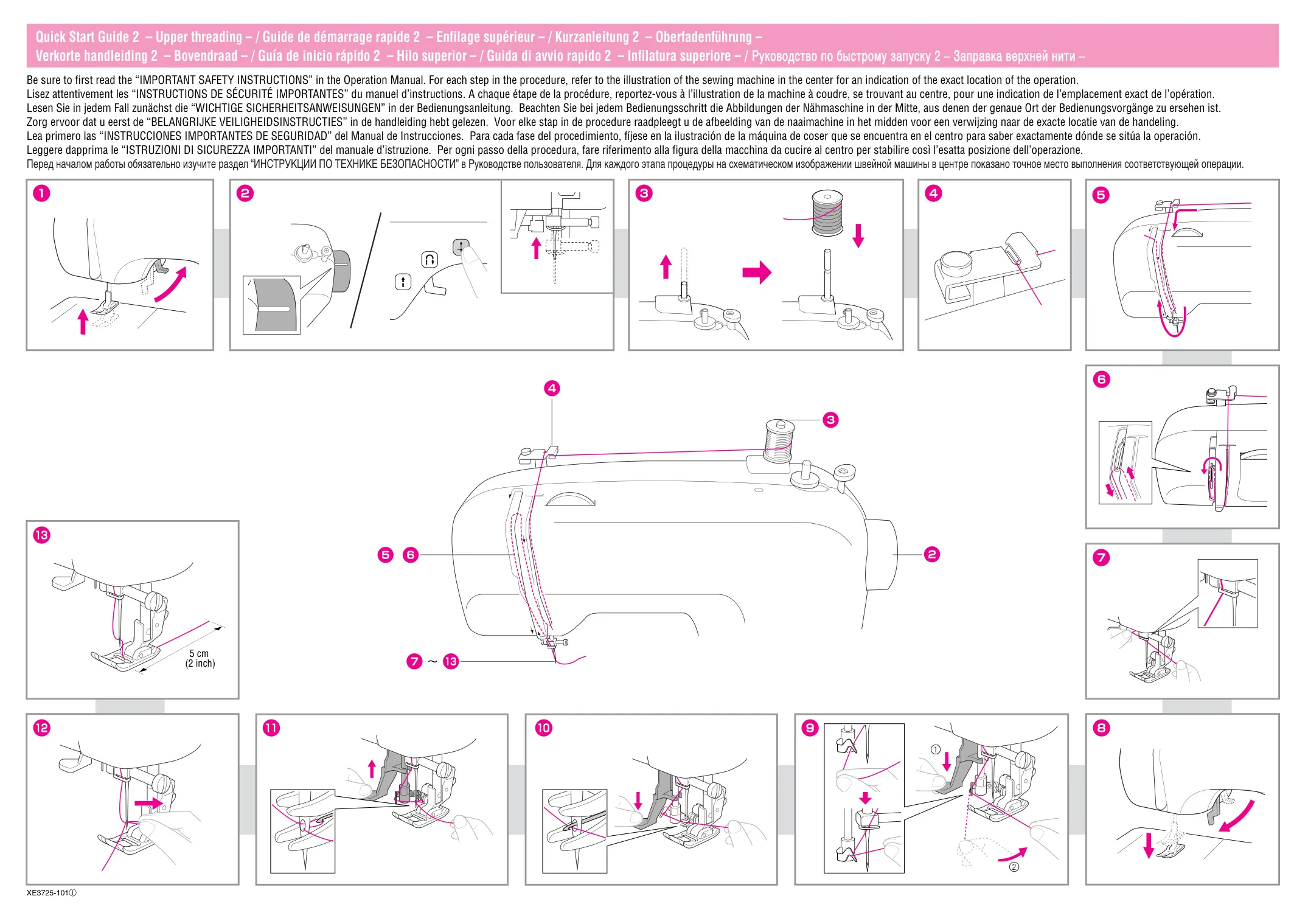
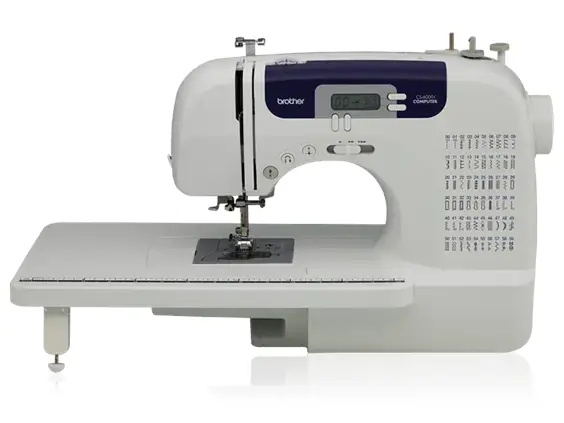
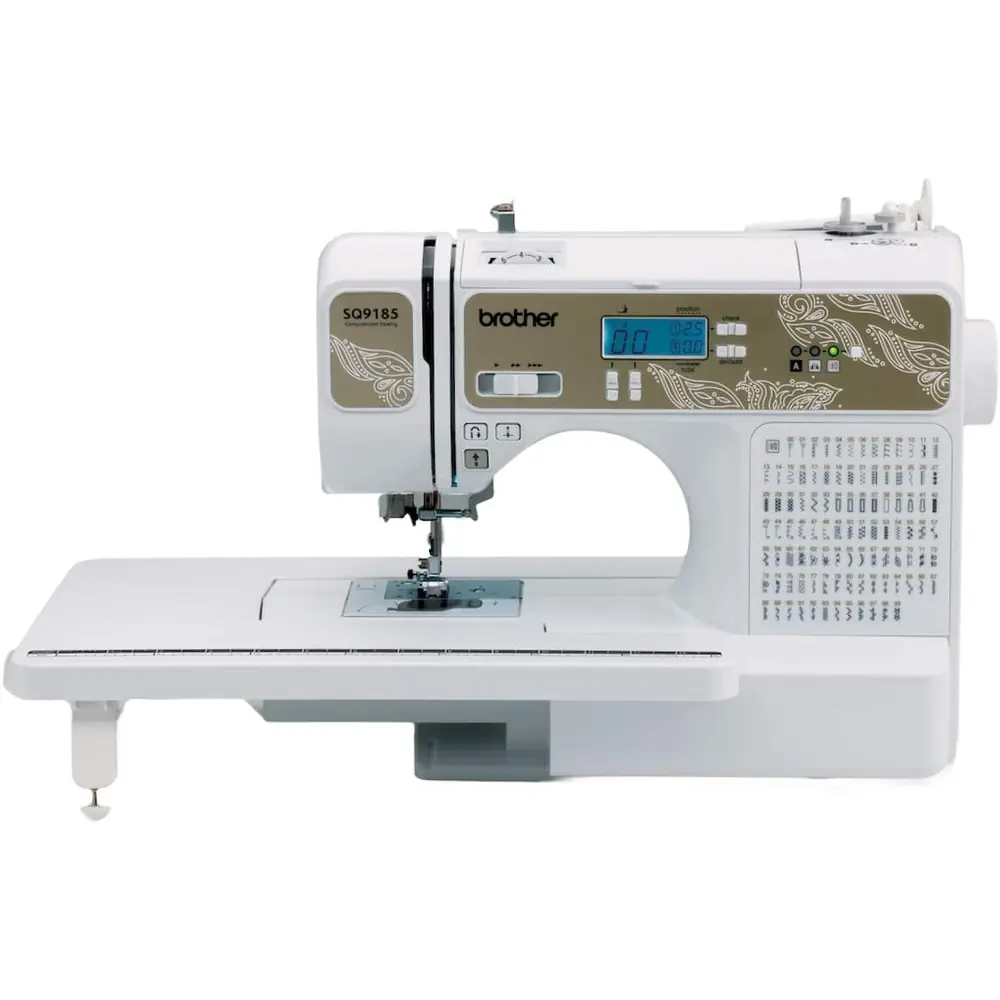
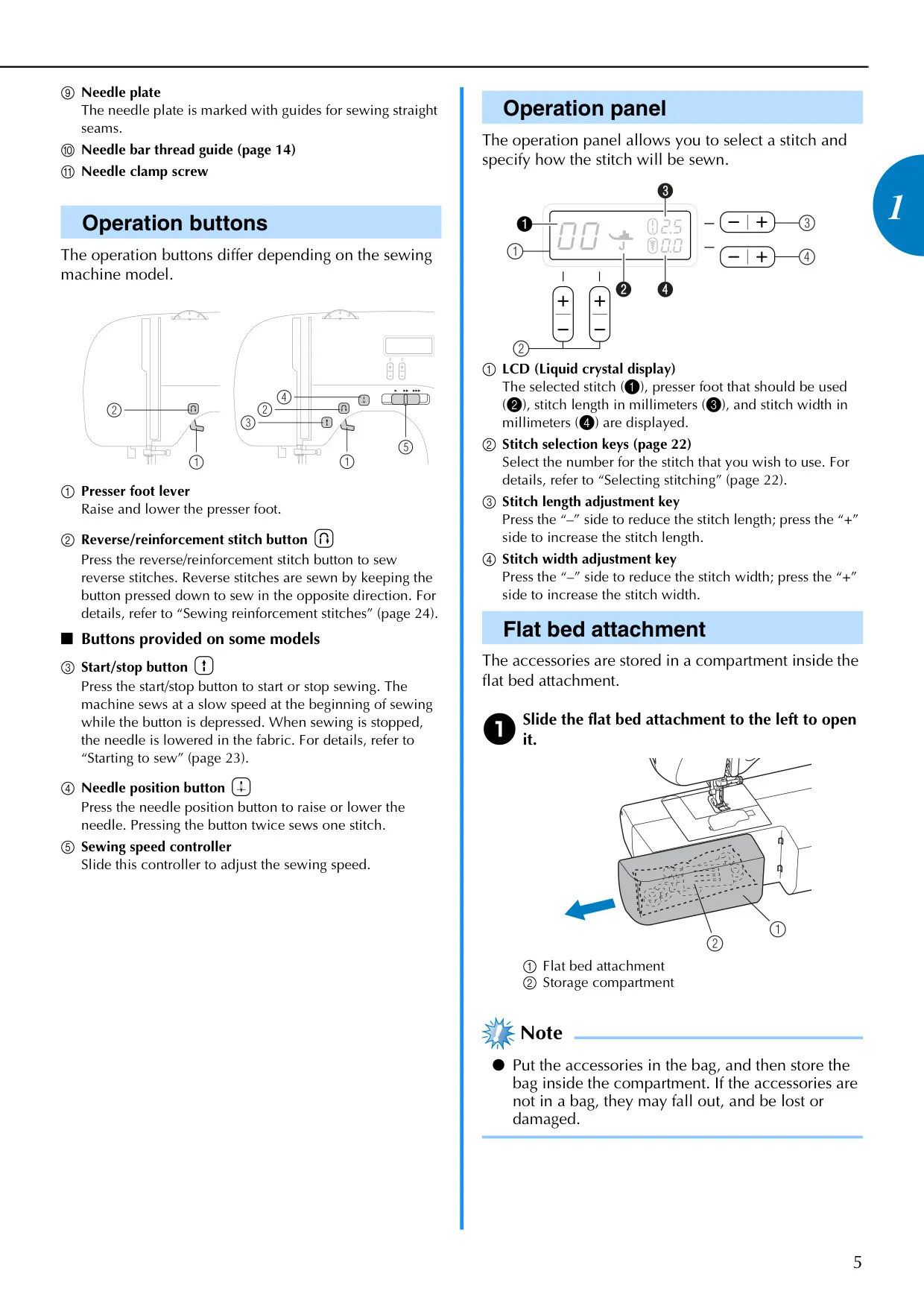
The Brother CS-6000i sewing machine is engineered for user convenience, featuring an intuitive operation panel with an LCD that displays the selected stitch, recommended presser foot, and adjustable stitch length/width. It simplifies threading with a built-in needle threader and a quick-set bobbin system, allowing users to start sewing almost instantly without manually drawing up the lower thread. The machine also includes a fast bobbin winding system, ensuring smooth and consistent thread winding to prevent tension issues and needle breakage. Its design prioritizes ease of setup and operation, making it suitable for both beginners and experienced sewists.
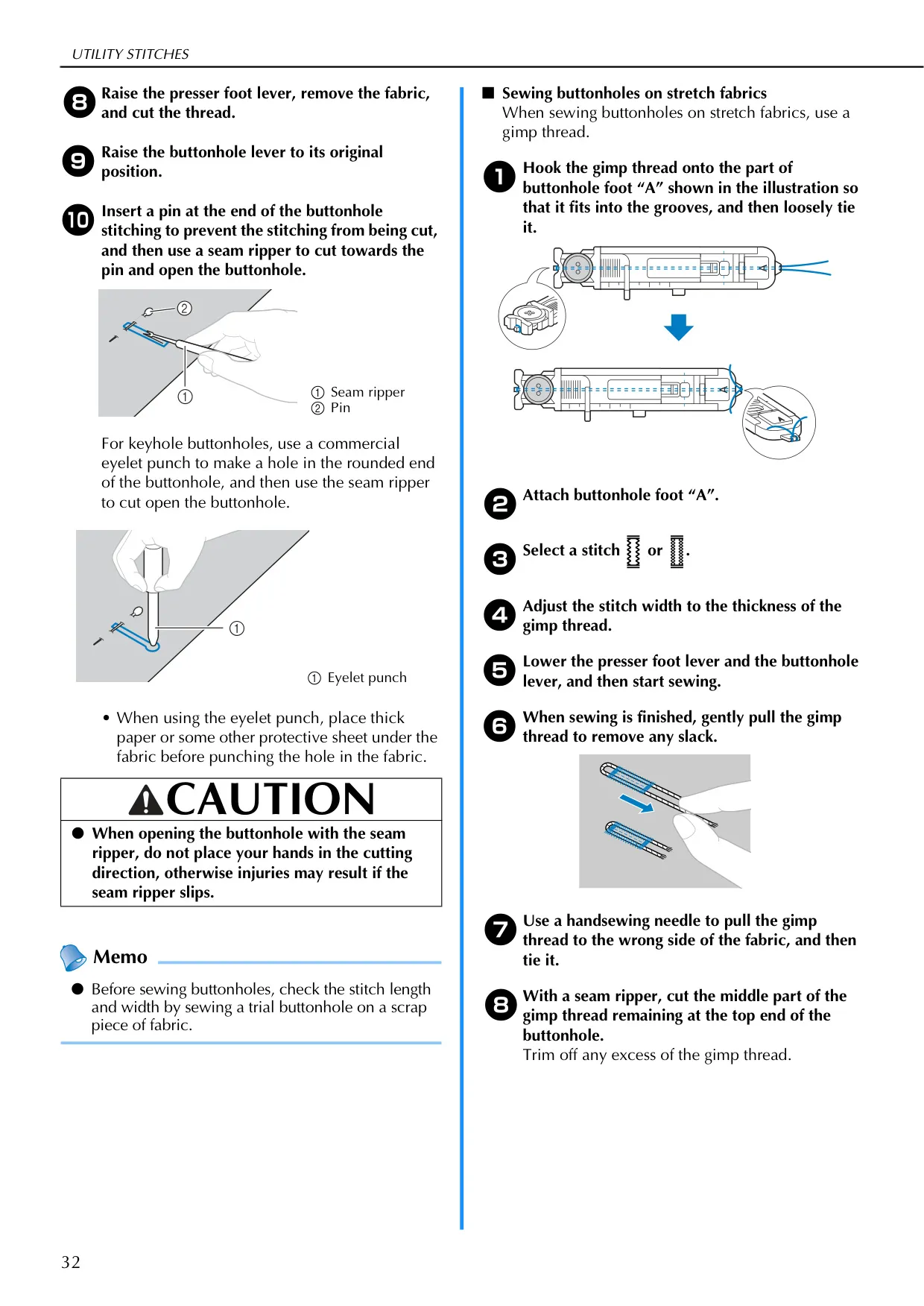
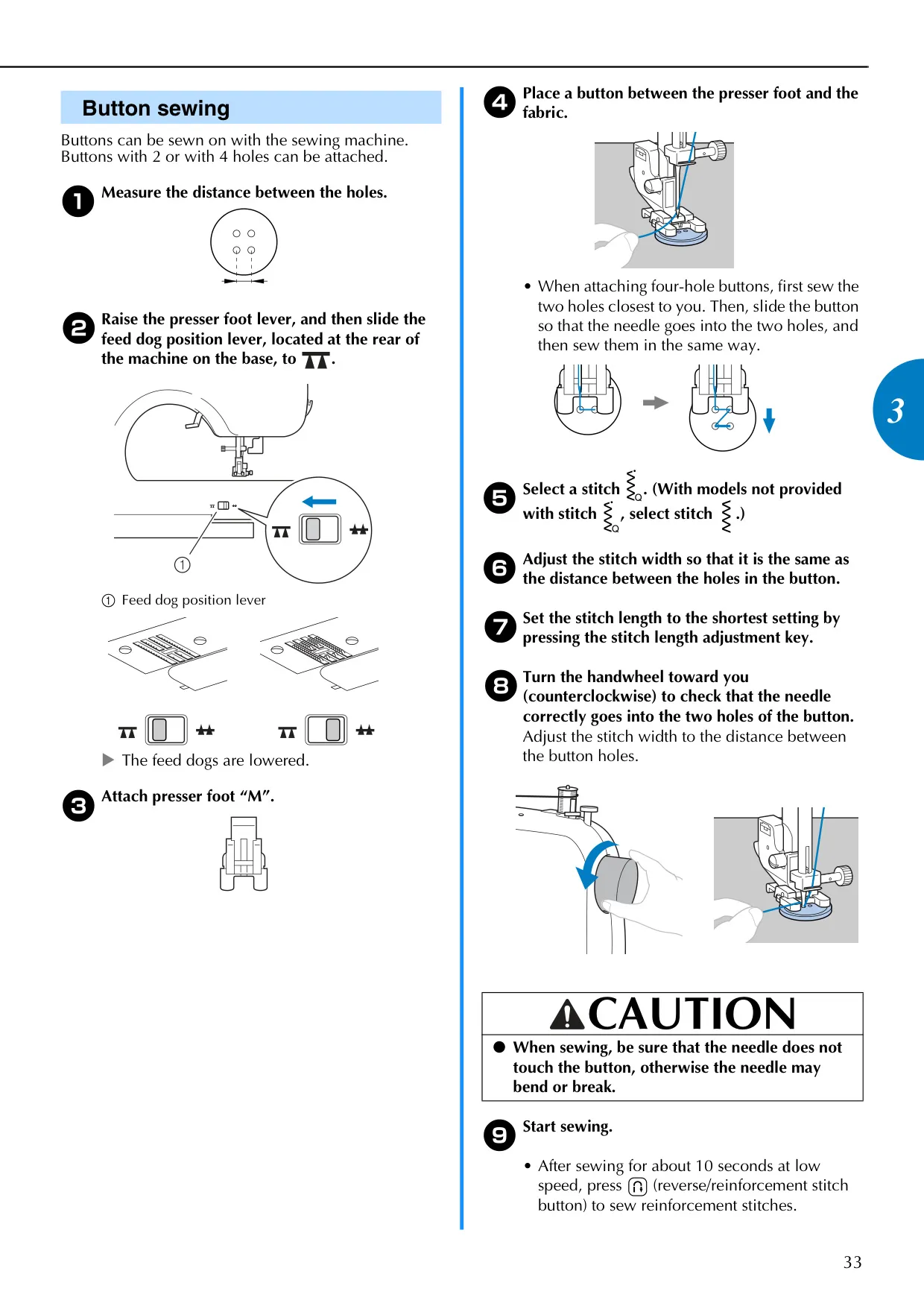
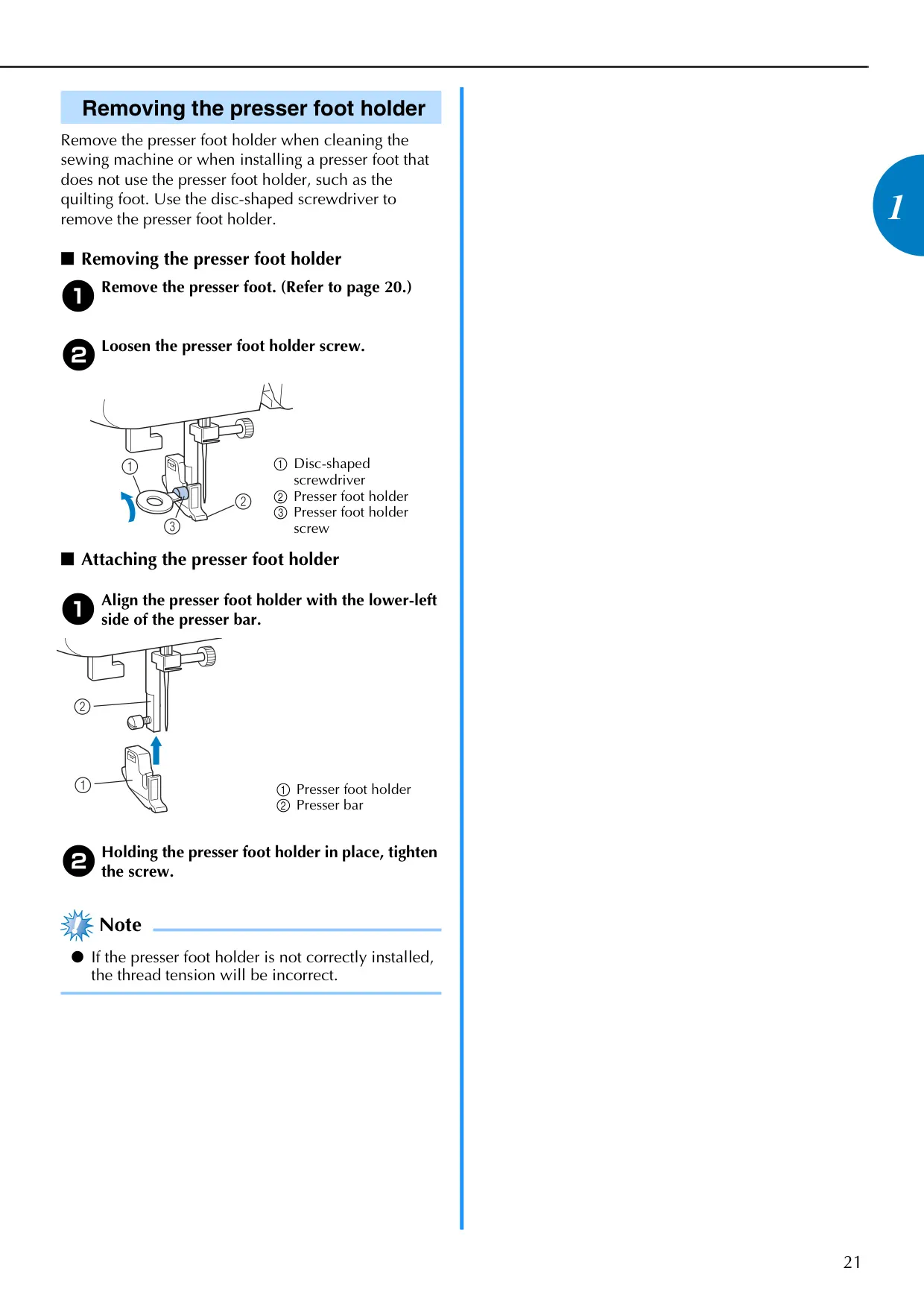
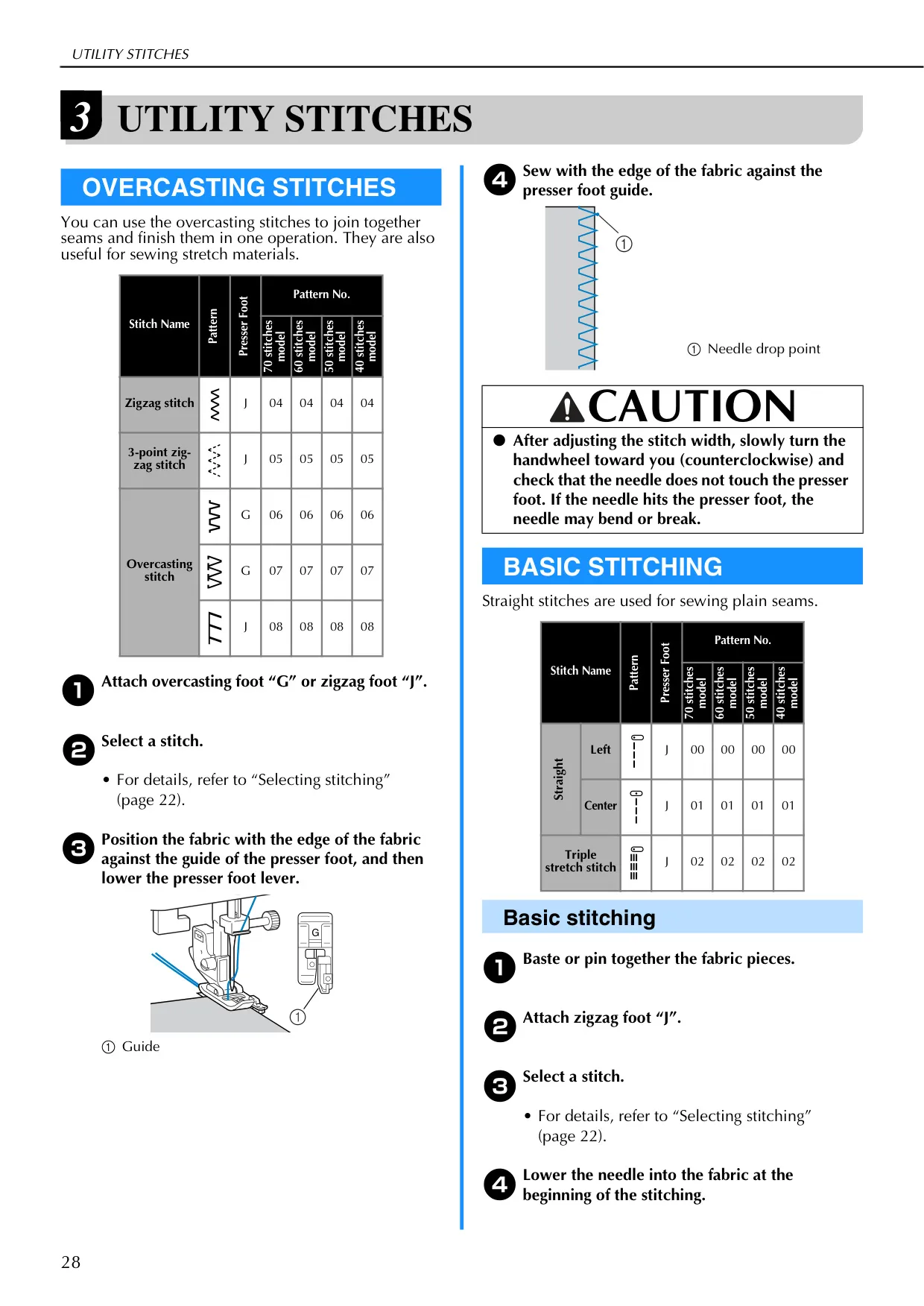
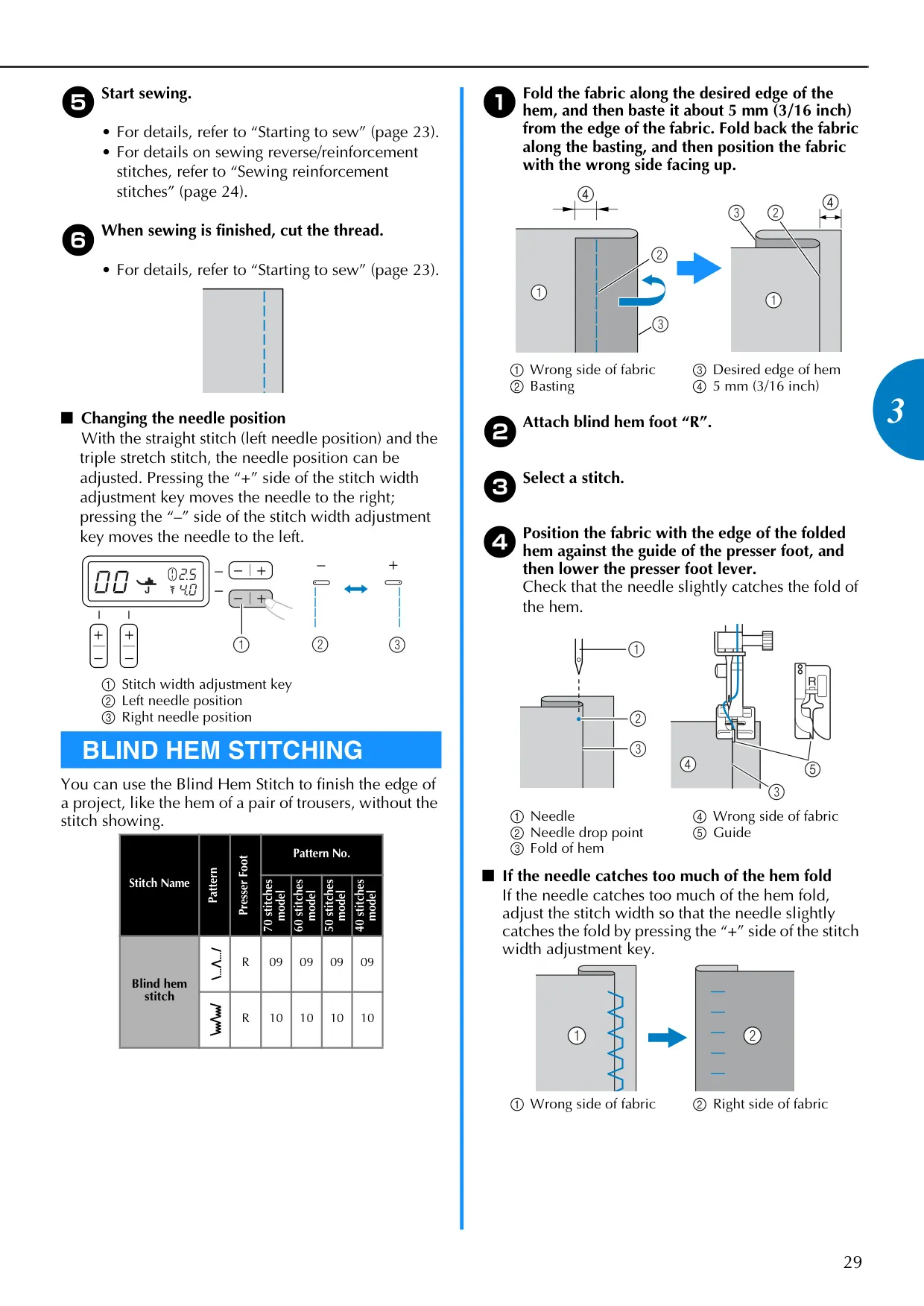
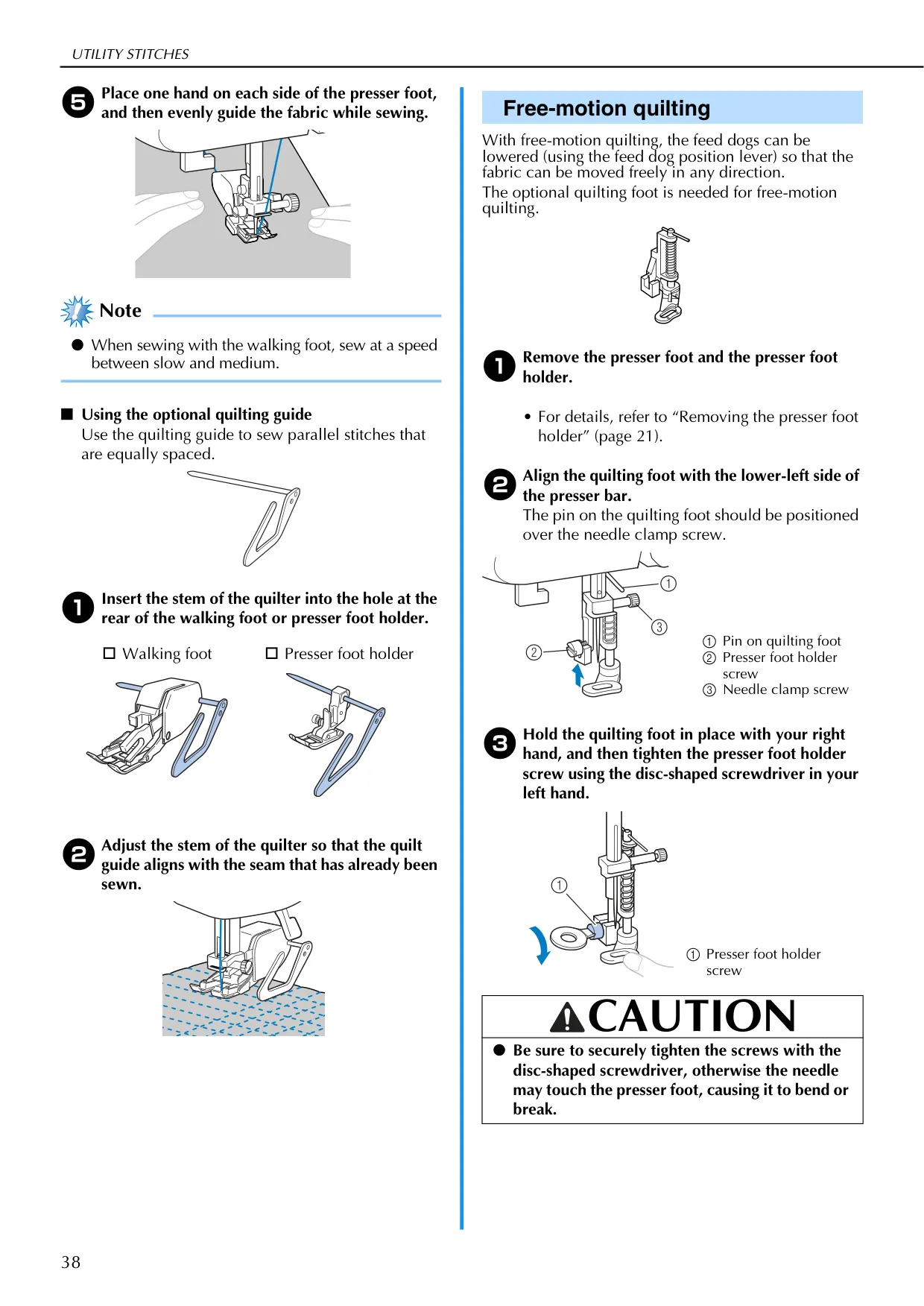
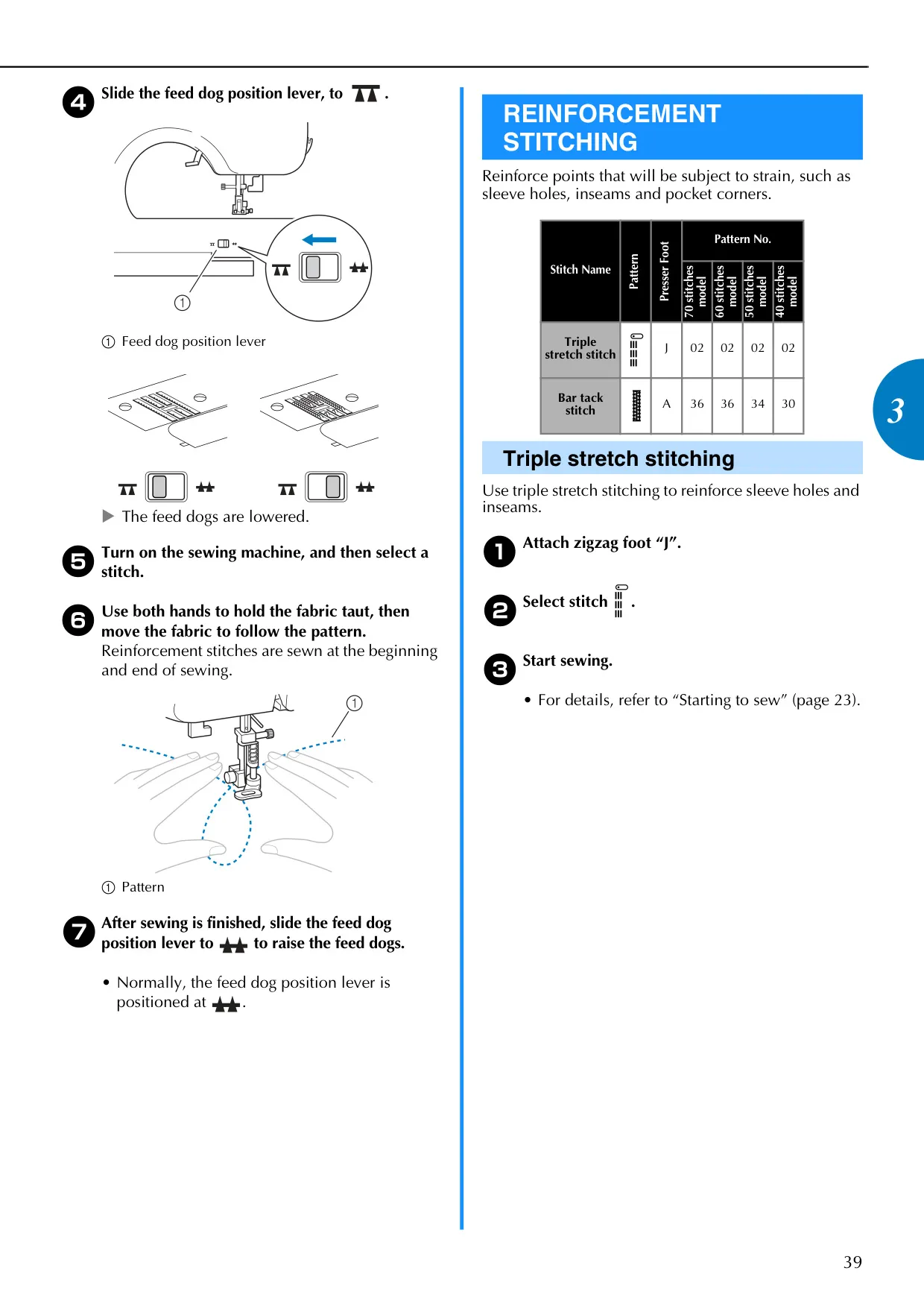
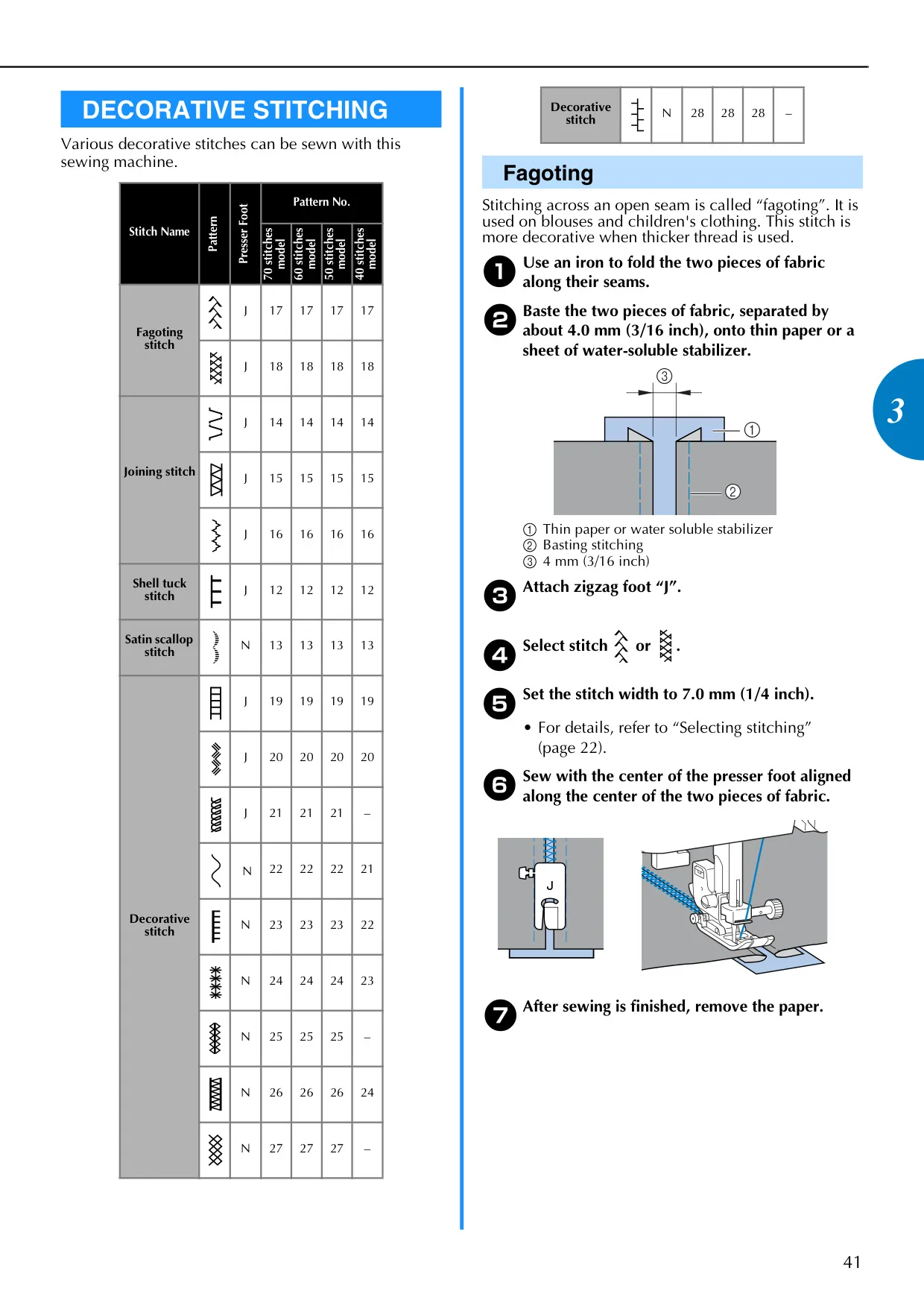
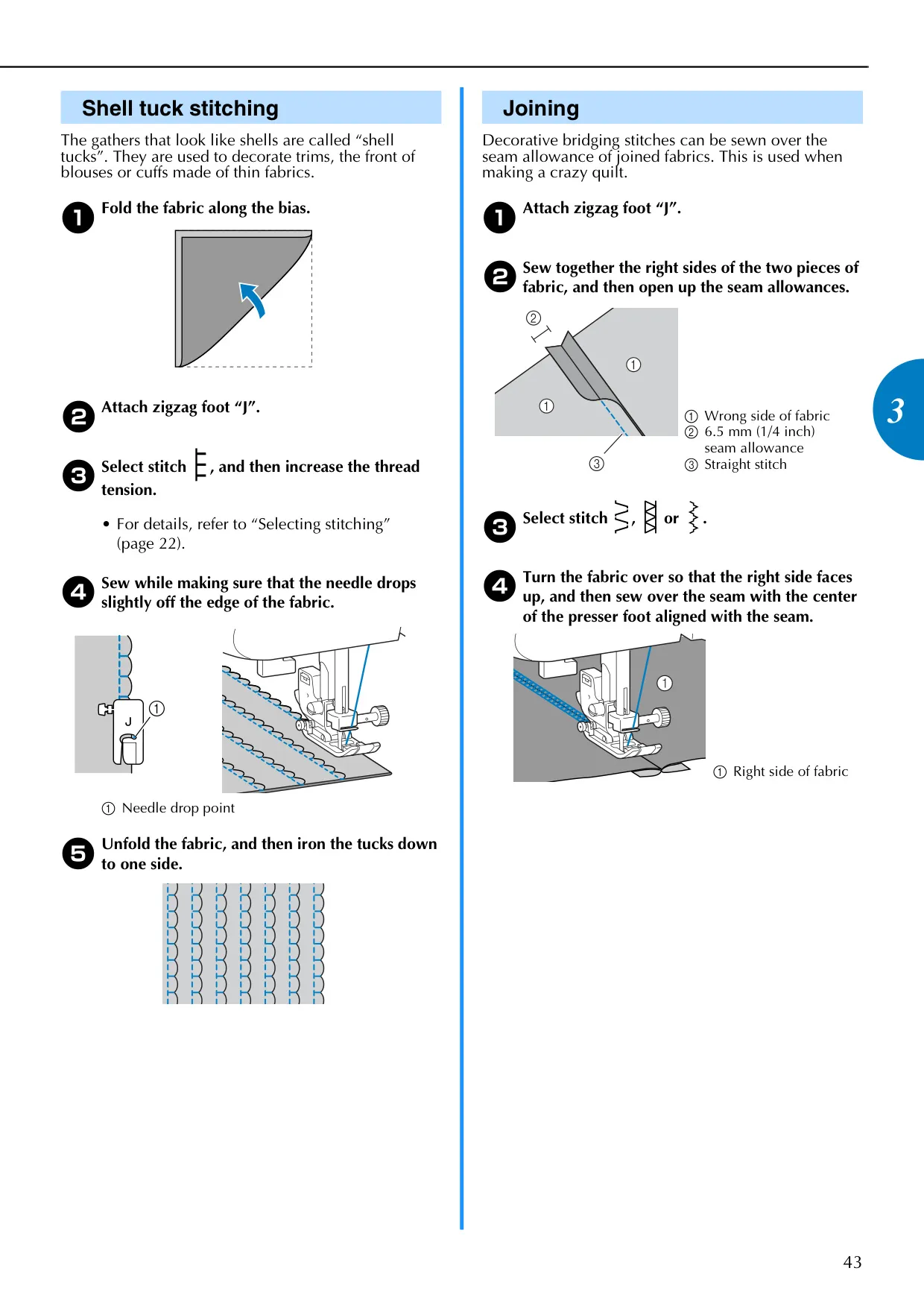
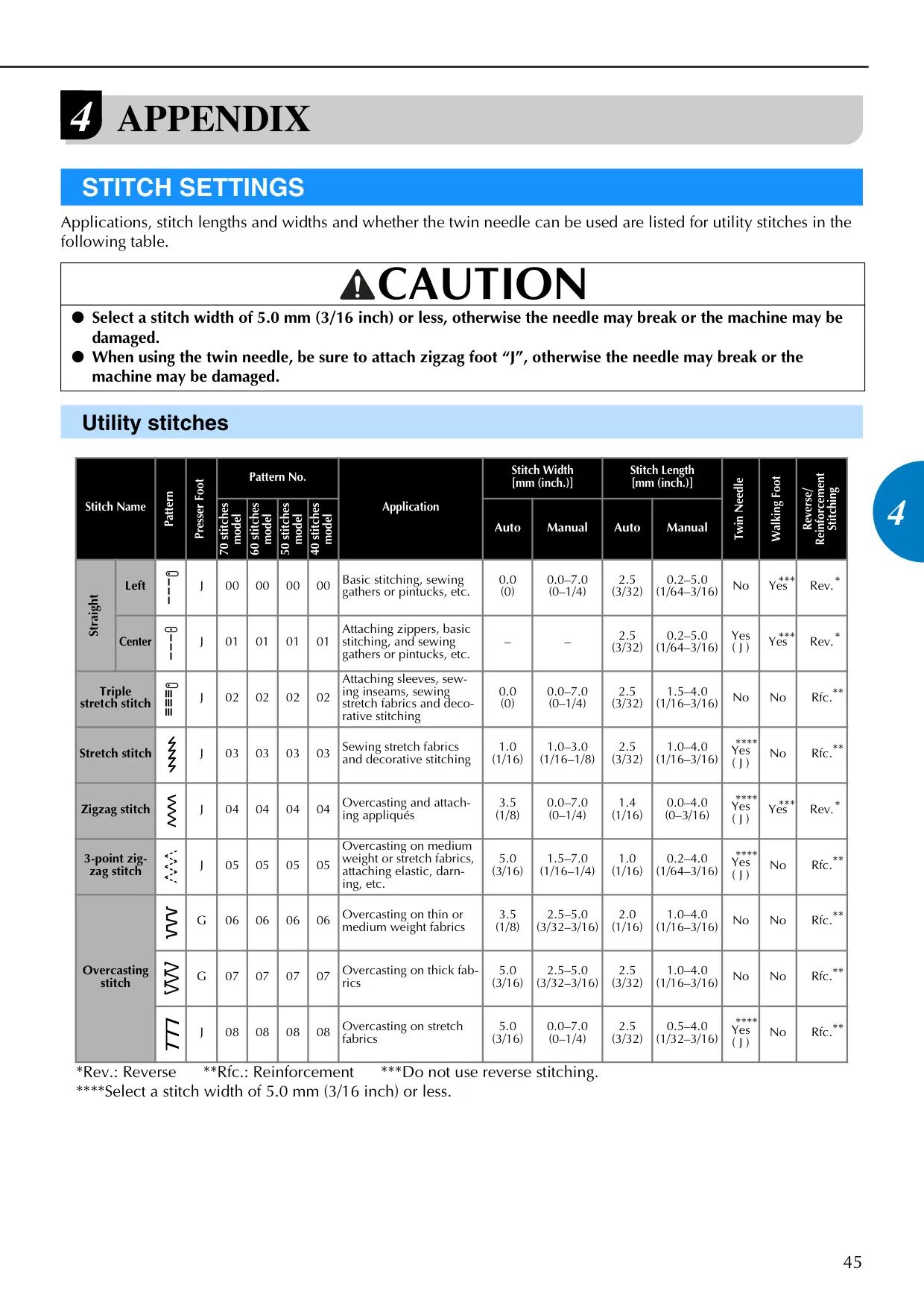
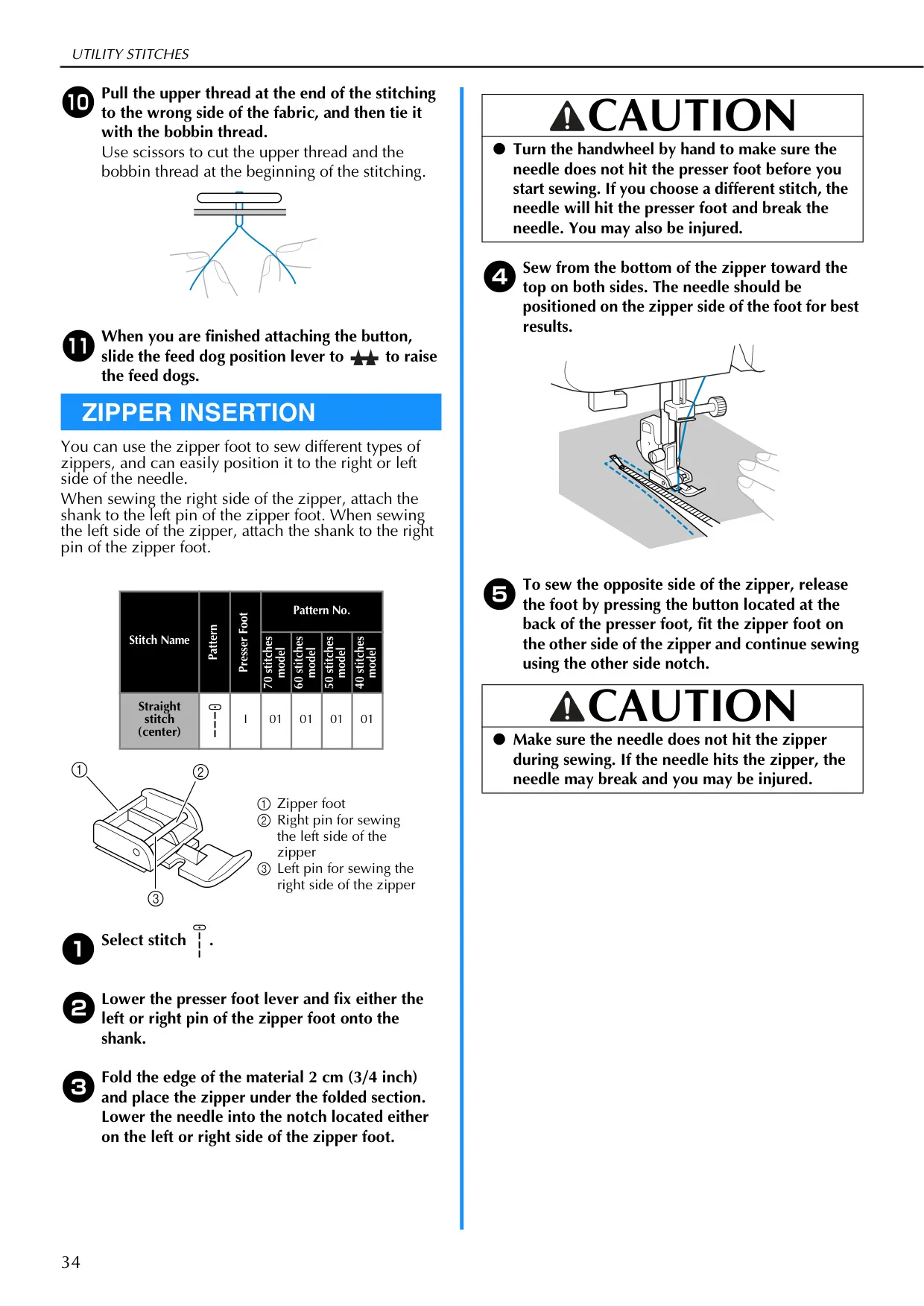
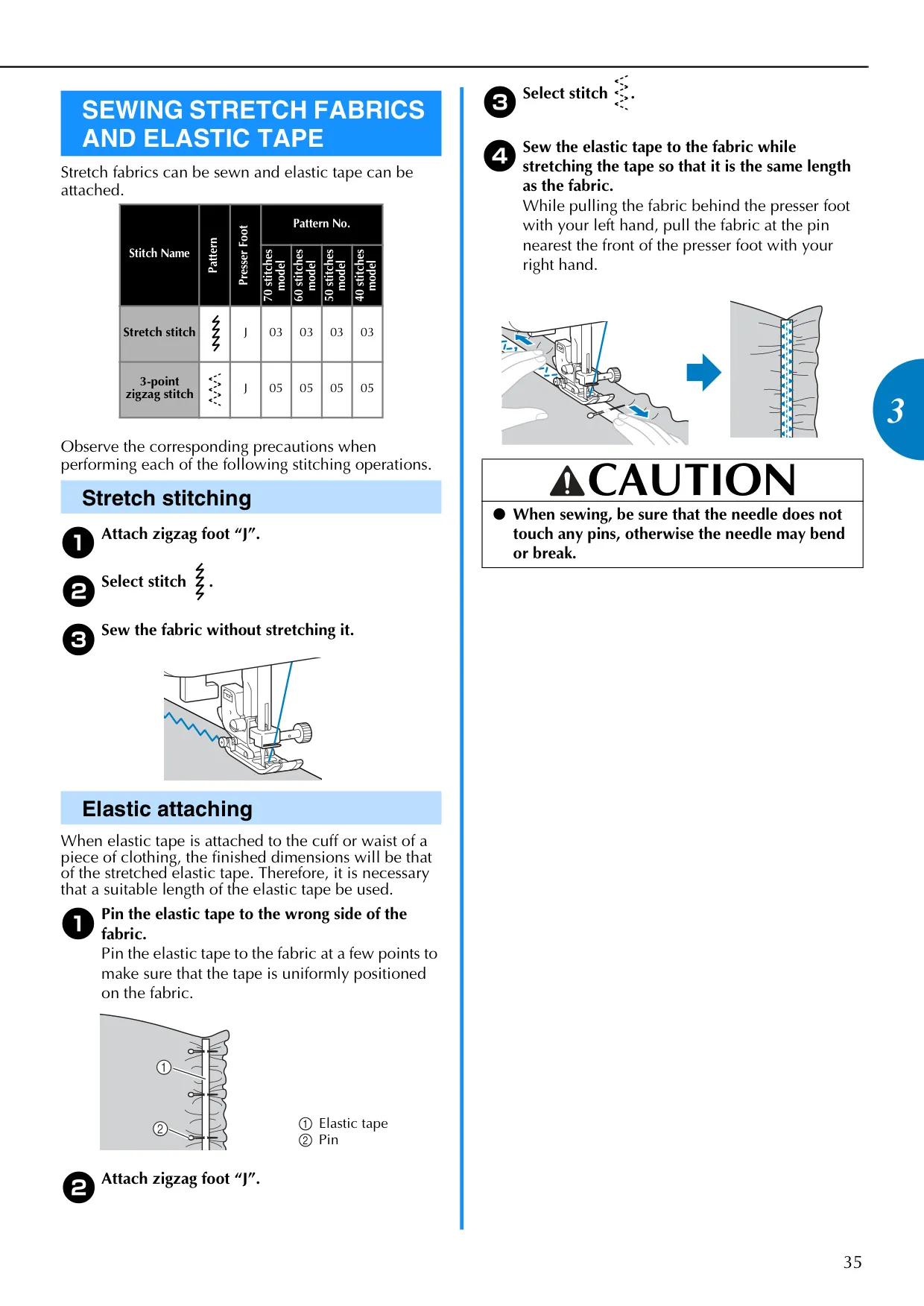
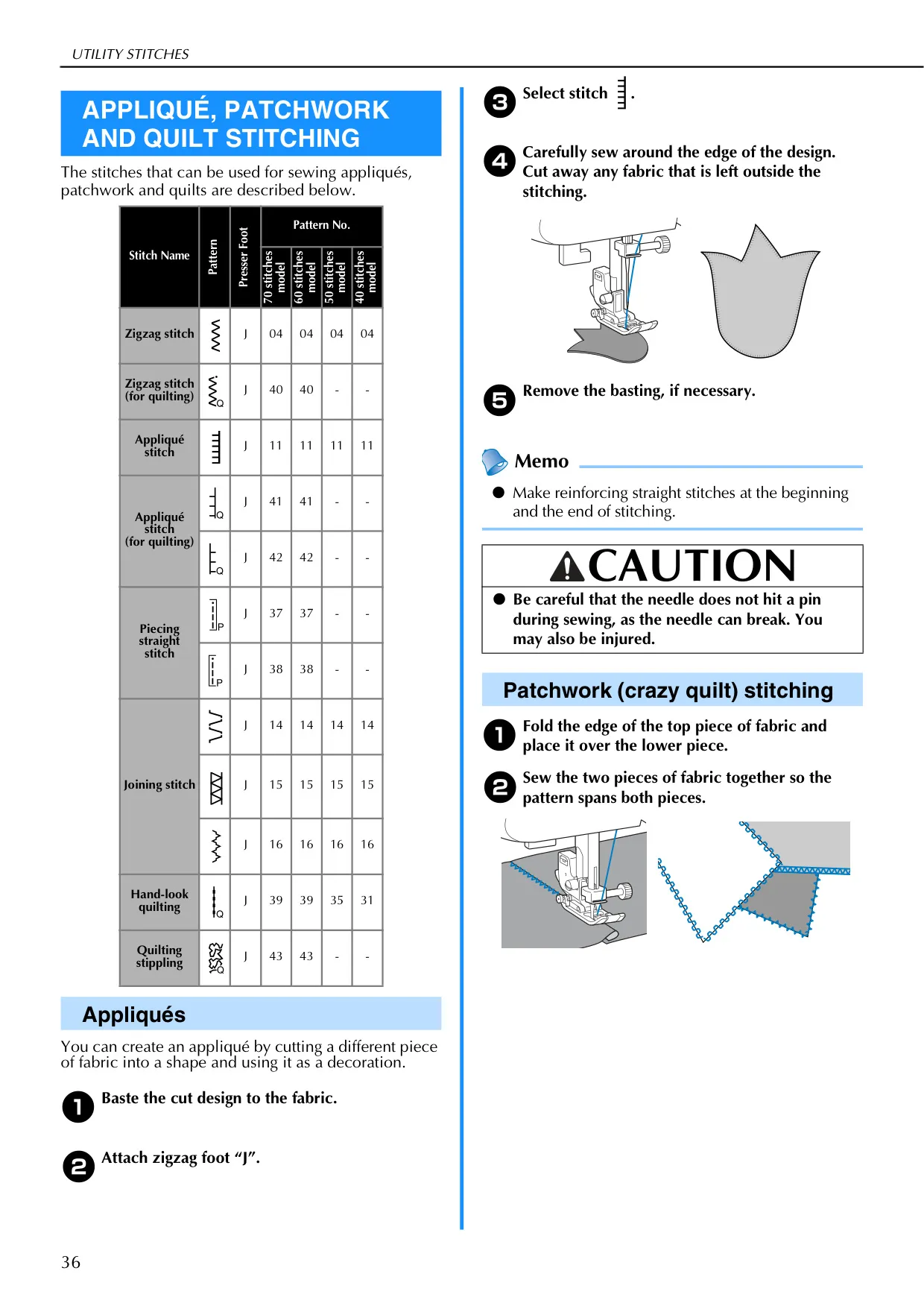
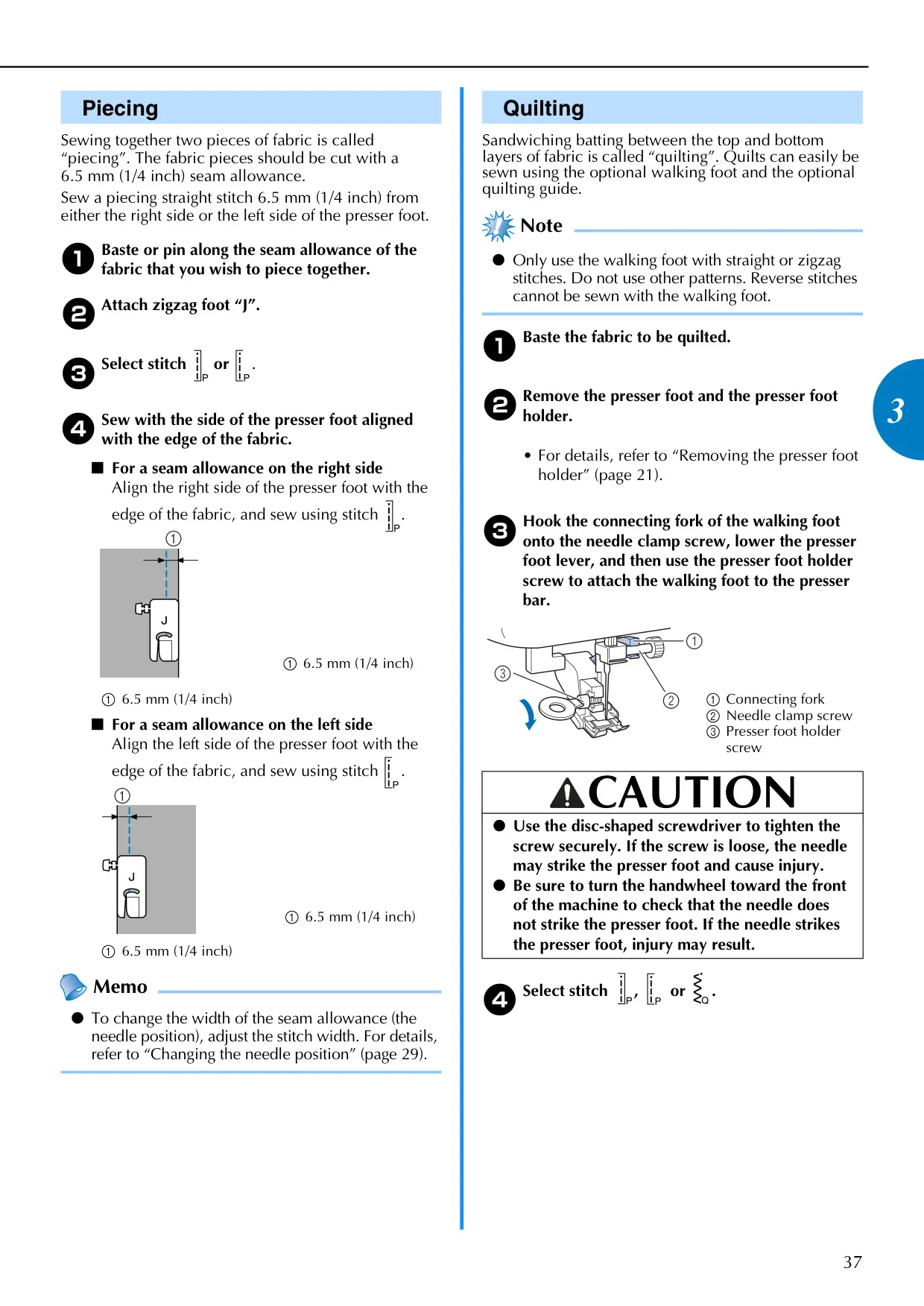
Beyond basic stitching, the CS-6000i offers a wide array of utility and decorative stitches. Users can perform overcasting, blind hem stitching, and precise buttonholes with dedicated presser feet. The machine supports specialized tasks like zipper insertion and sewing stretch fabrics with appropriate stitch patterns. For creative projects, it excels in appliqué, patchwork, and quilting, including free-motion quilting with the option to lower the feed dogs. Reinforcement stitching ensures durability for high-strain areas like pocket corners and sleeve holes.
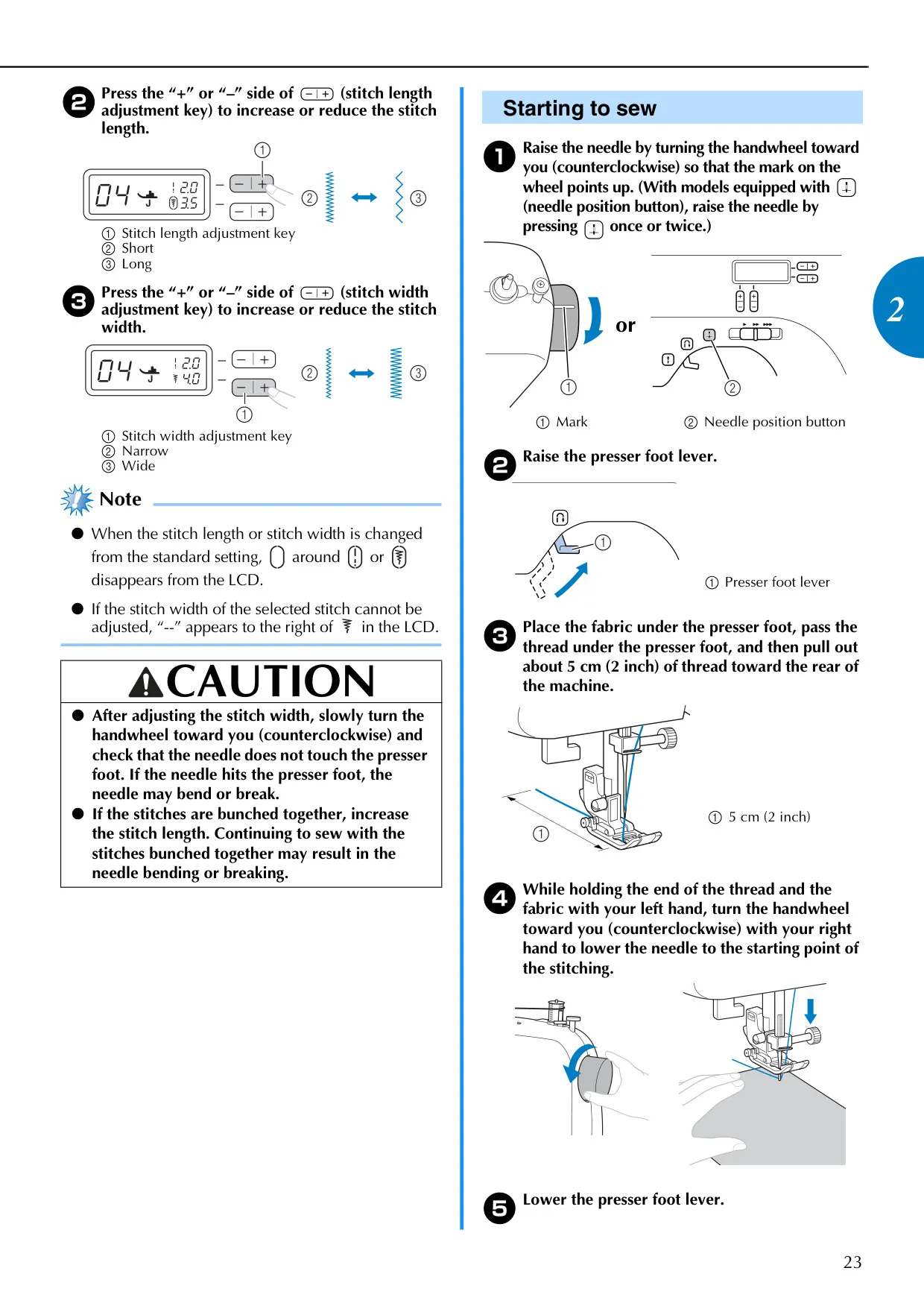
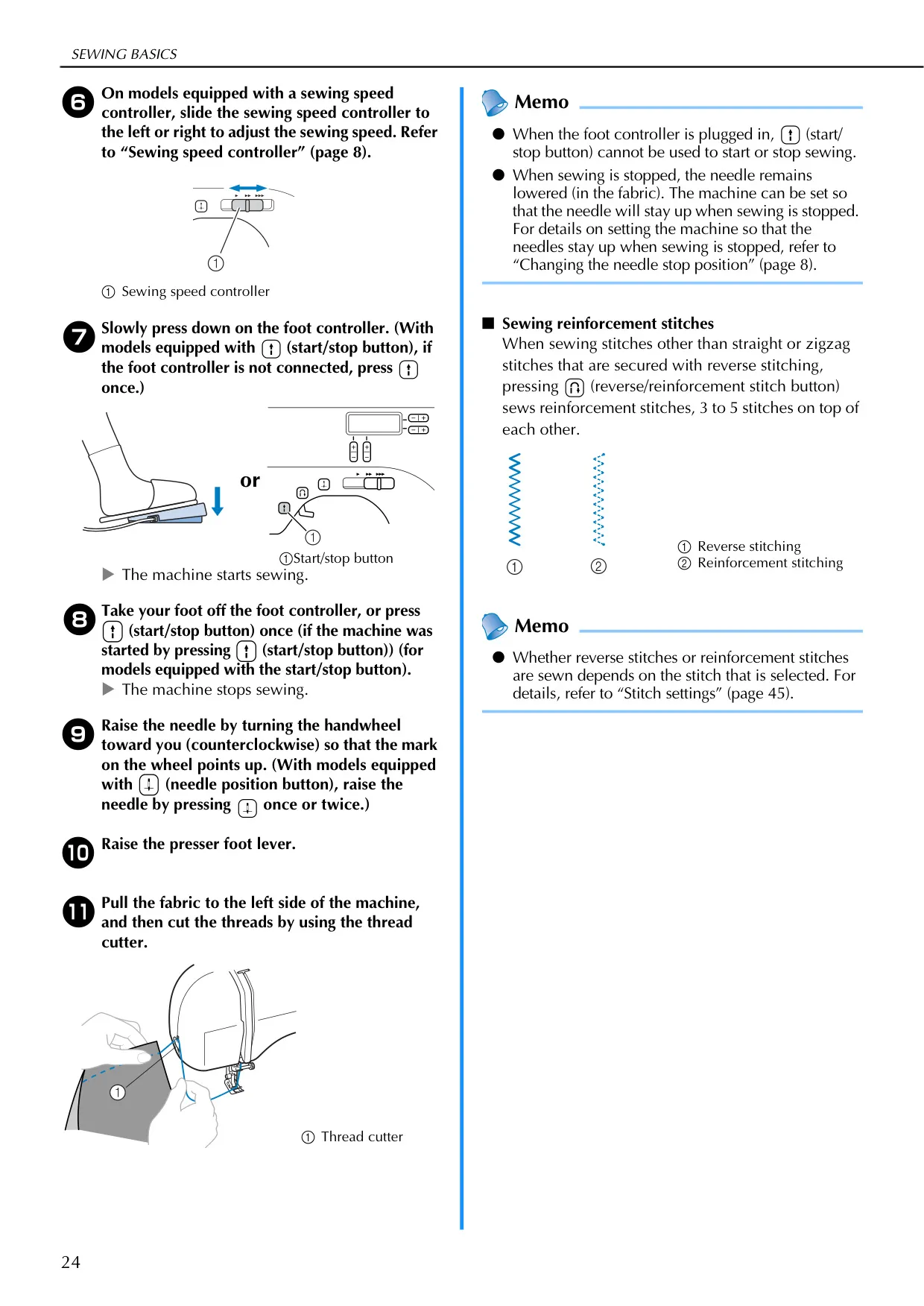
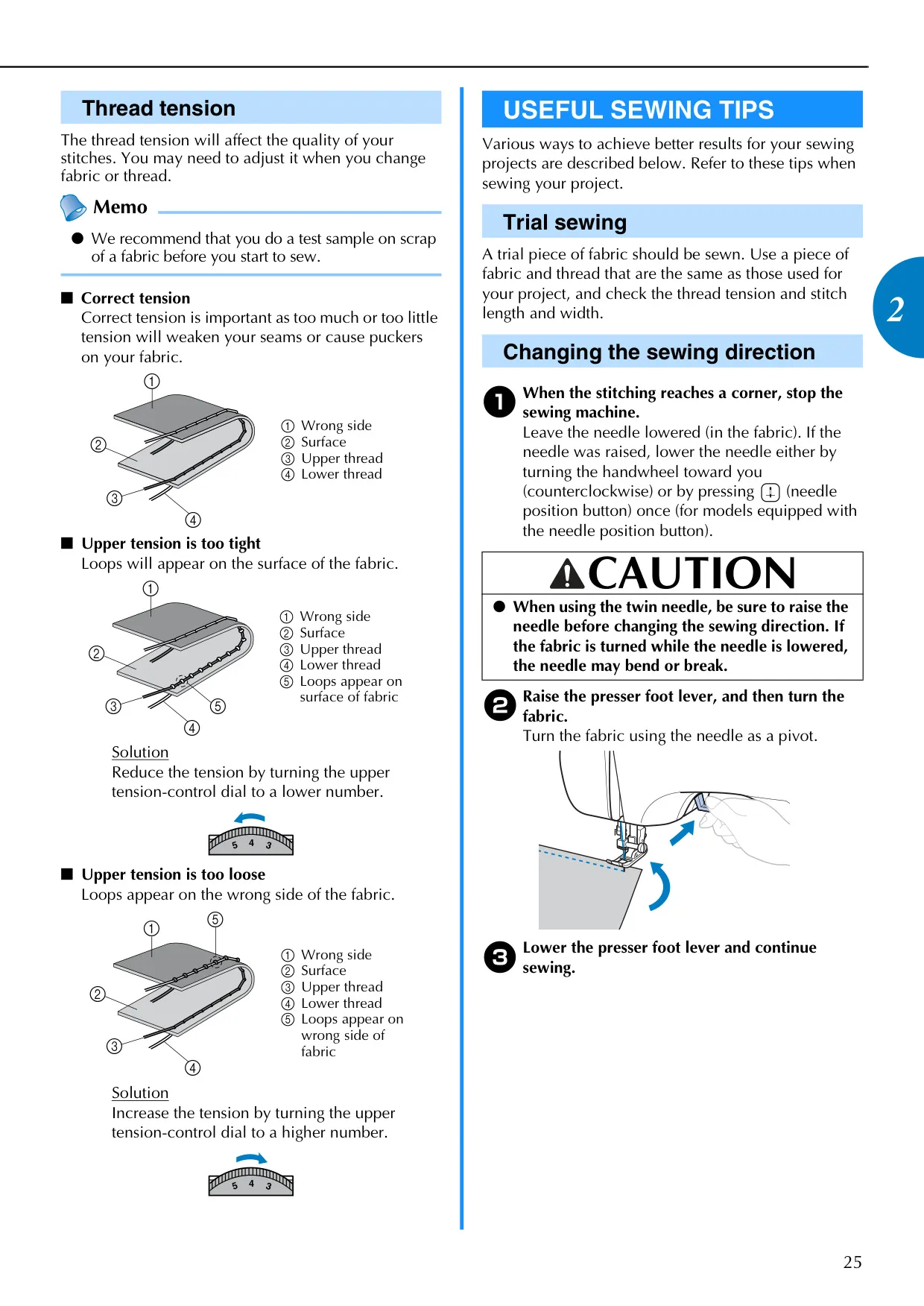
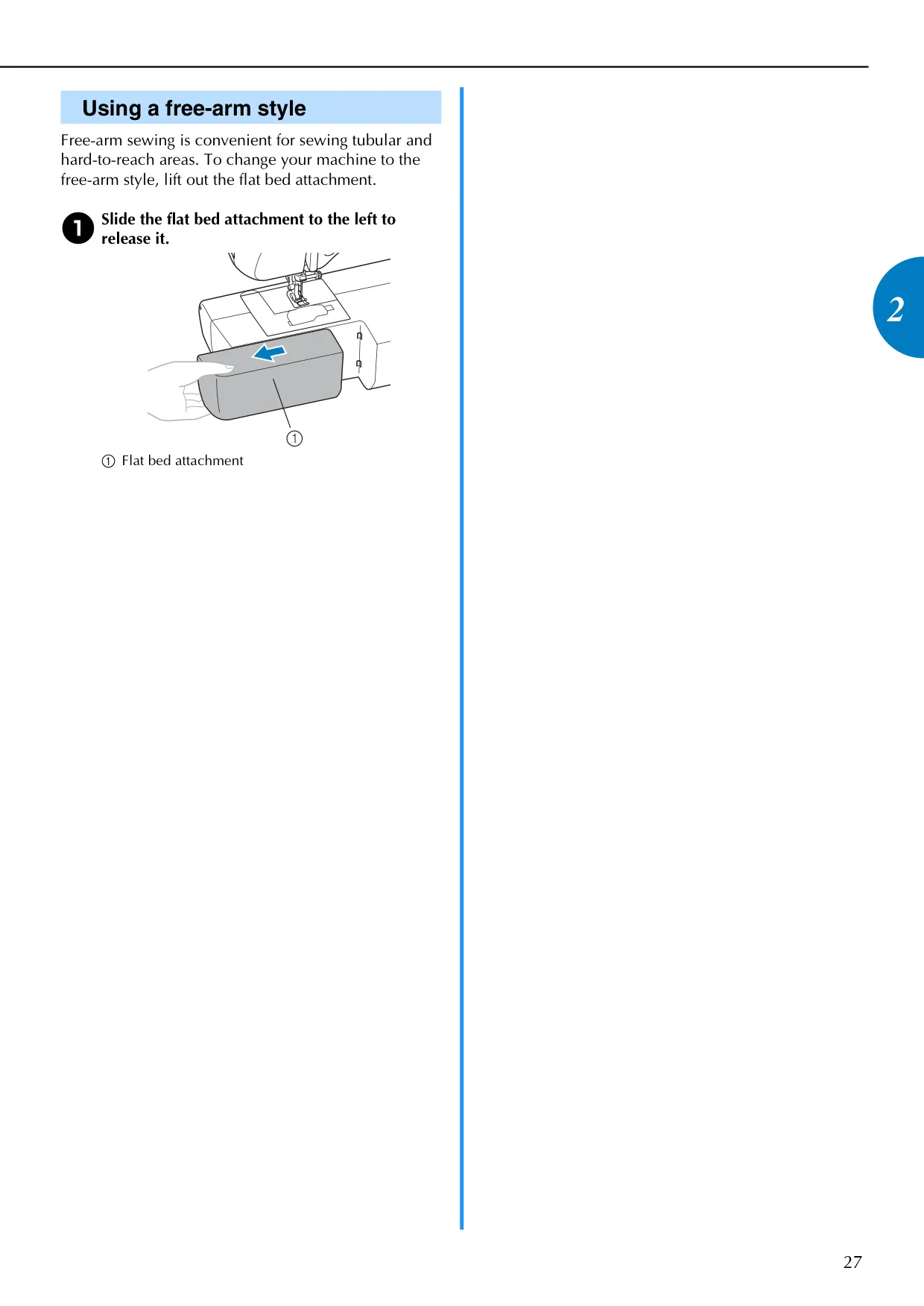
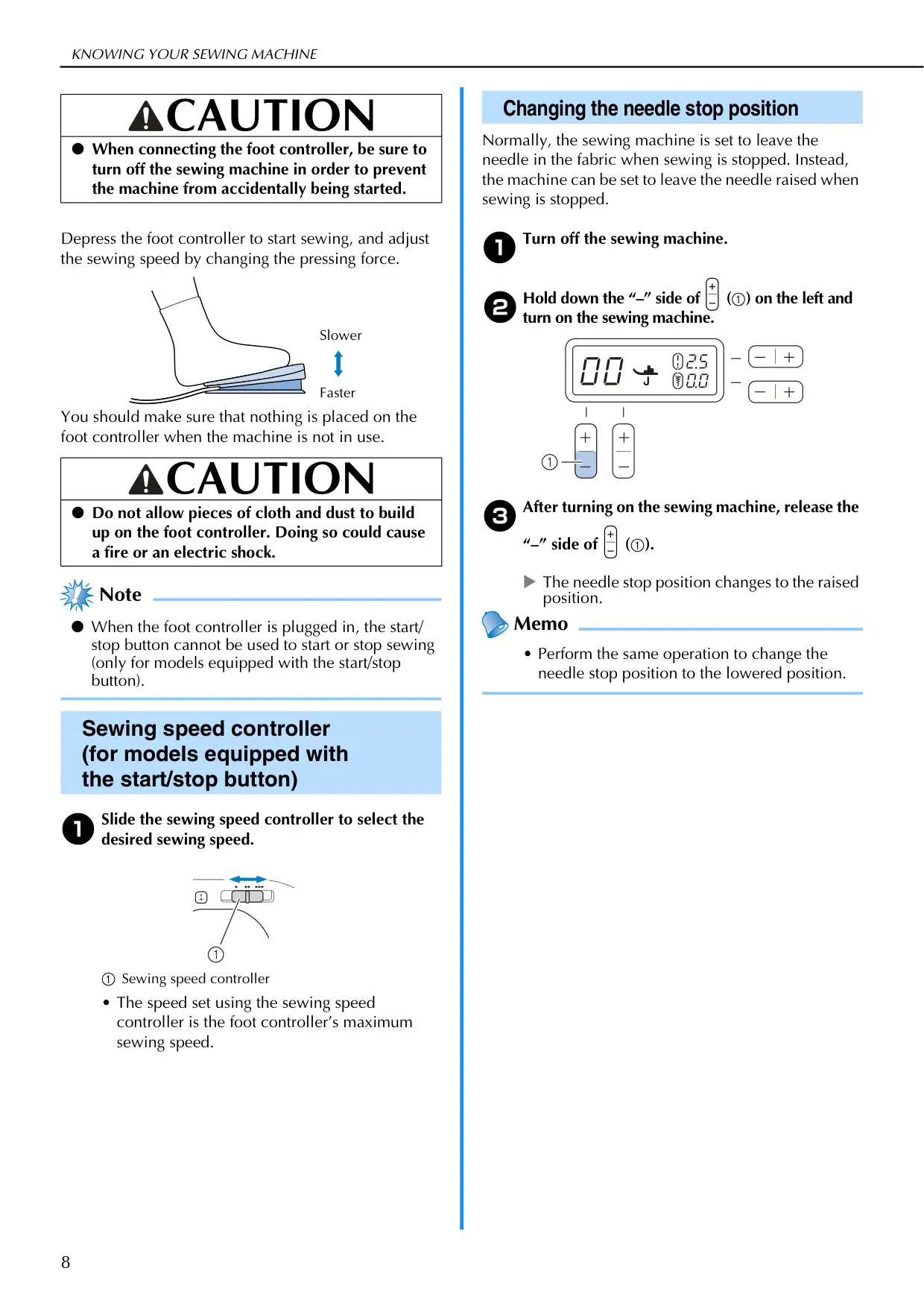
Sewists gain precise control over their projects with features like the sewing speed controller, allowing adjustment from slow to fast speeds. The needle stop position can be toggled between up and down, offering flexibility for turning fabric at corners. Thread tension is easily adjustable via a dedicated dial, crucial for achieving perfect stitches across various fabrics. The free-arm style is highly practical for sewing tubular items such as cuffs and pant hems, enhancing the machine's adaptability for diverse sewing tasks.

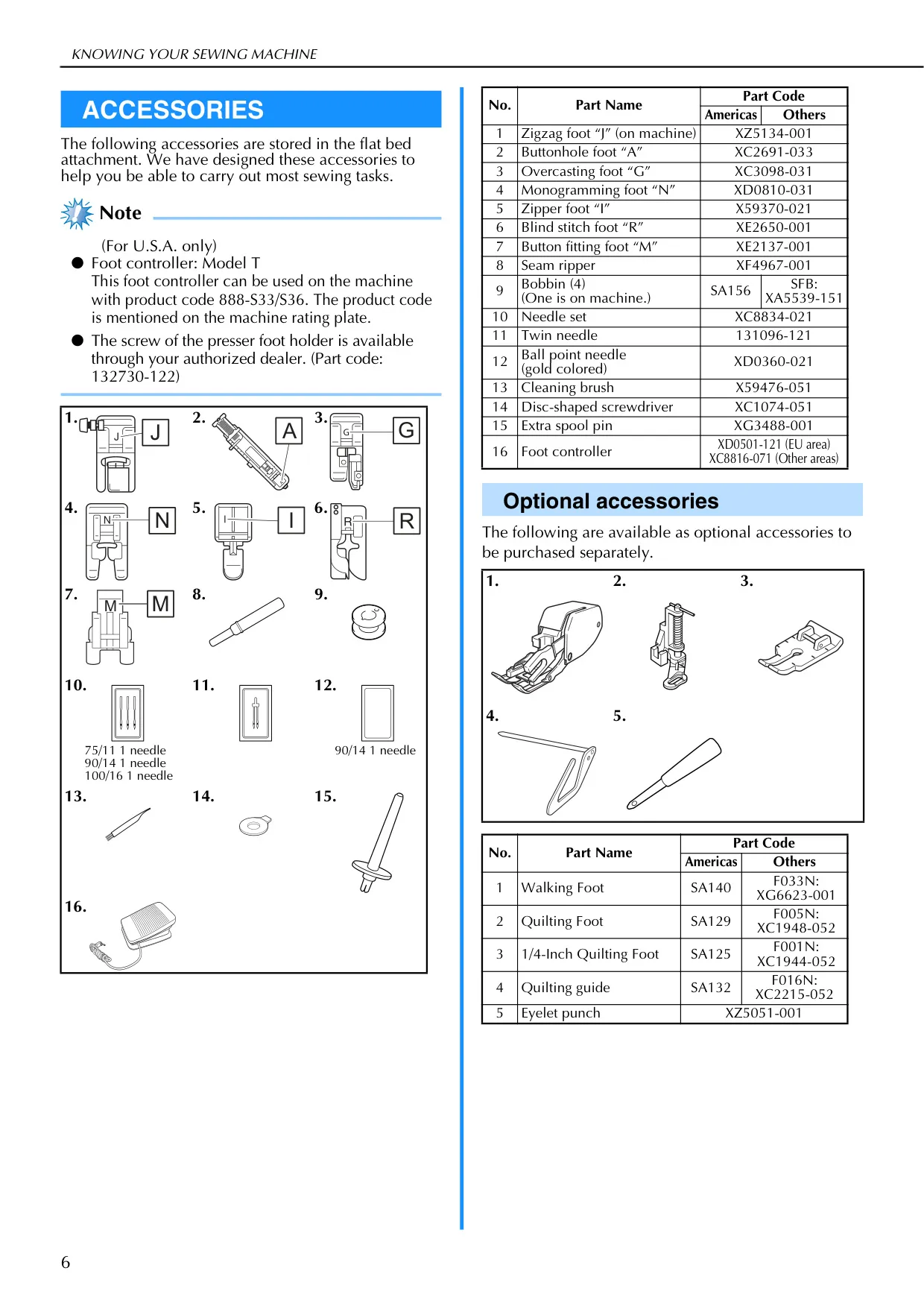
The Brother CS-6000i comes with a robust set of standard accessories, neatly stored within its flat bed attachment. These include multiple presser feet (zigzag, buttonhole, overcasting, monogramming, zipper, blind stitch, button fitting), bobbins, a needle set, a twin needle, a ball point needle, and cleaning tools. For specialized tasks, a range of optional accessories like a walking foot, quilting feet, and a quilting guide are available for separate purchase, significantly expanding the machine's functionality for more complex sewing projects.

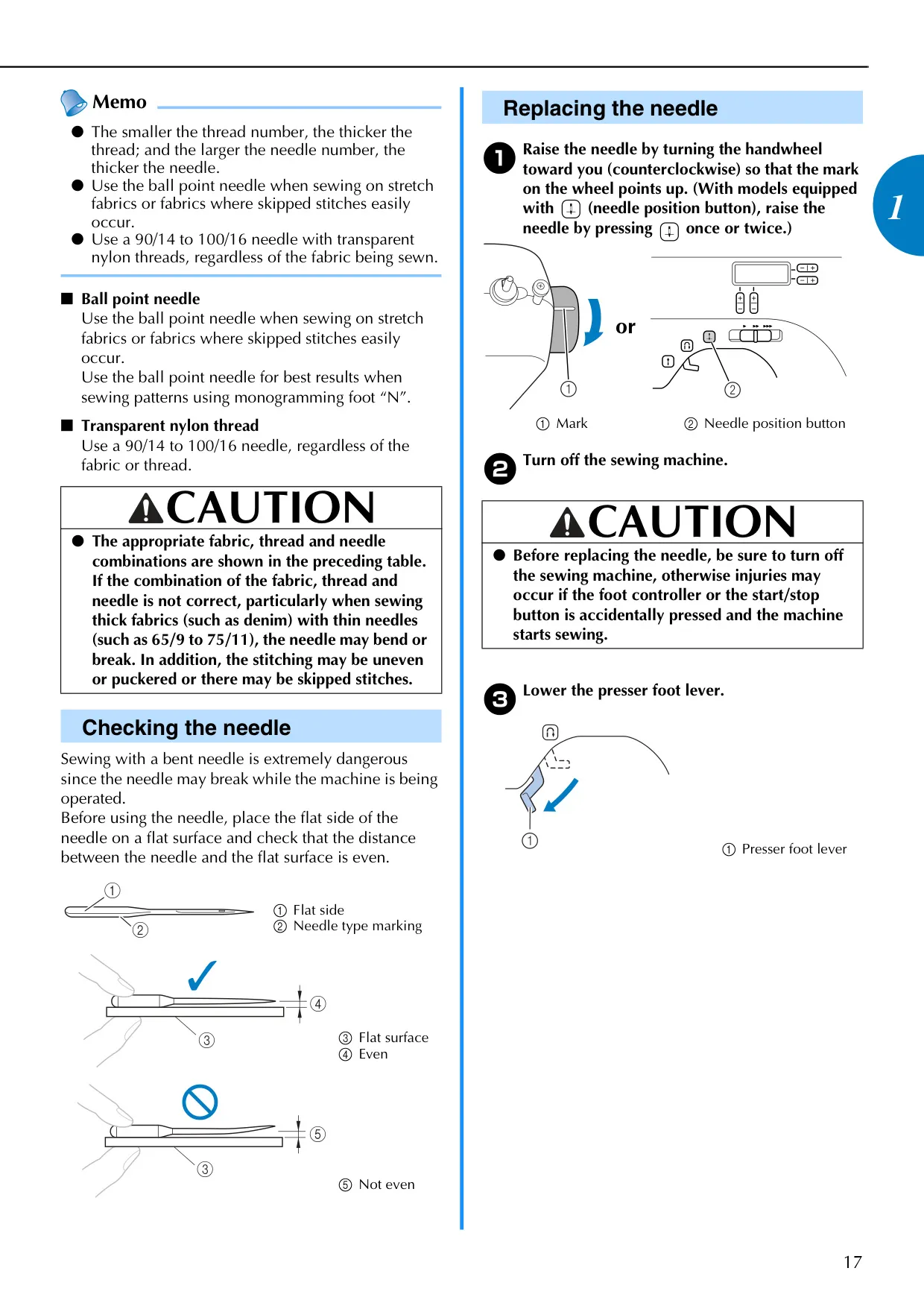
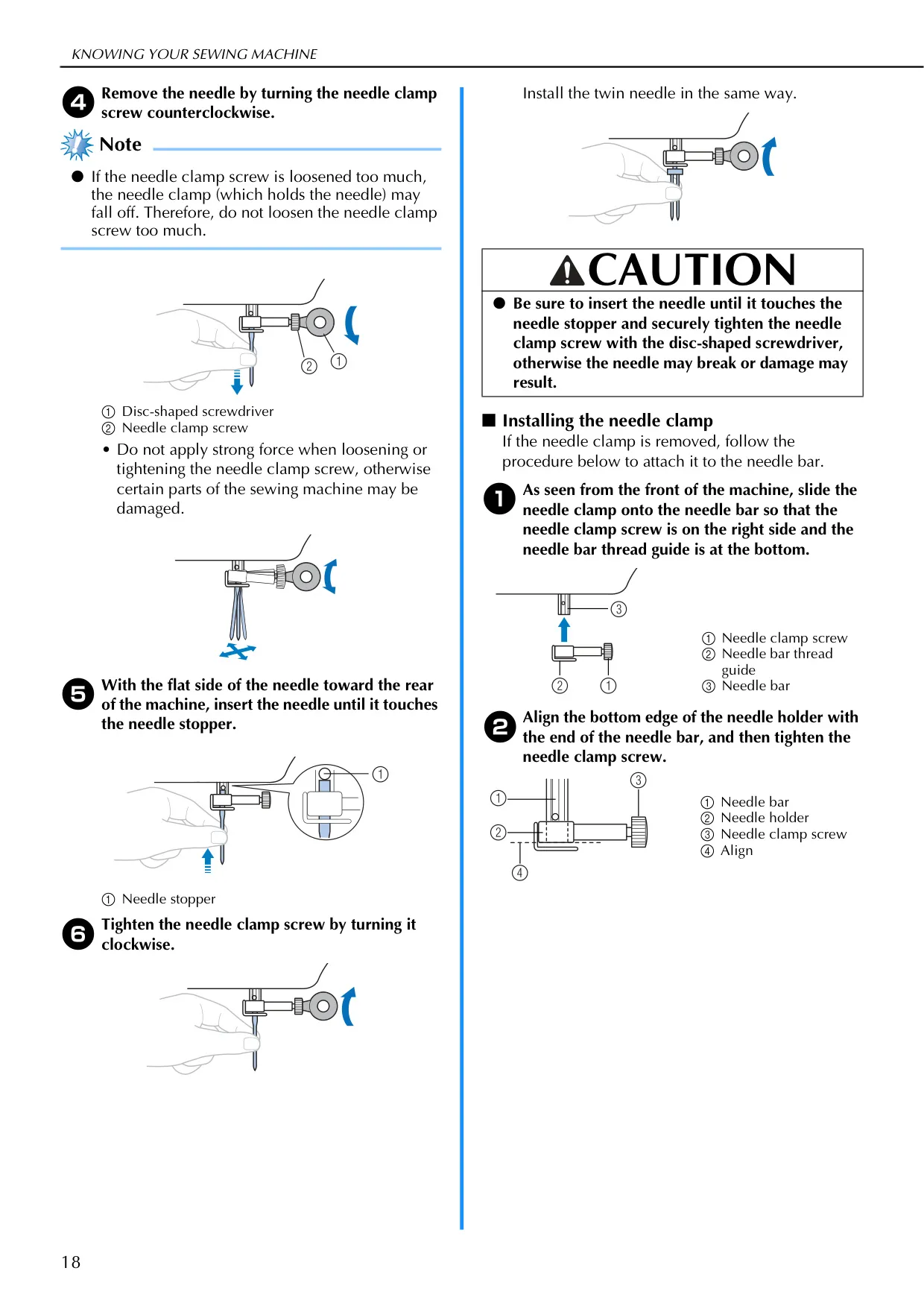
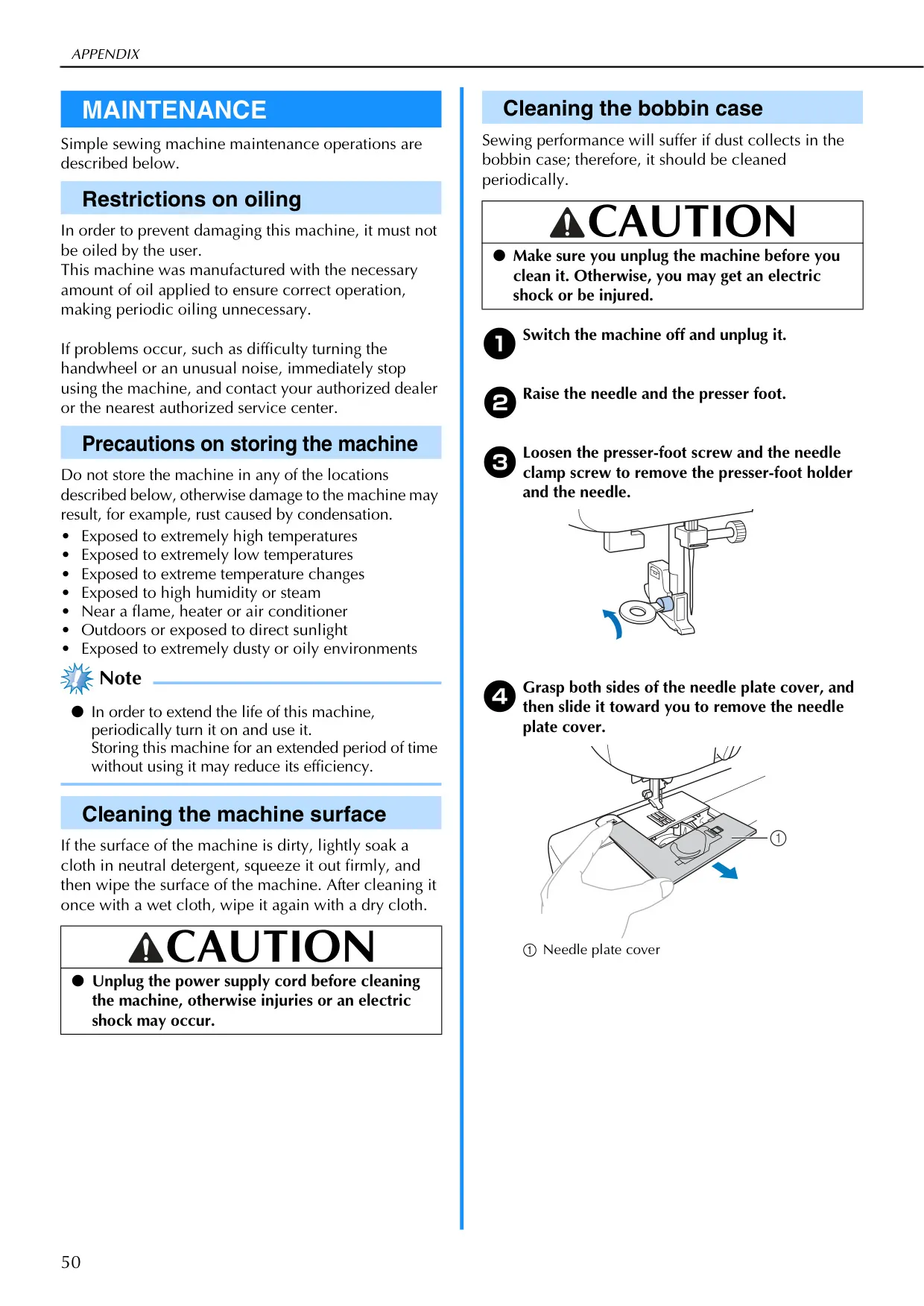
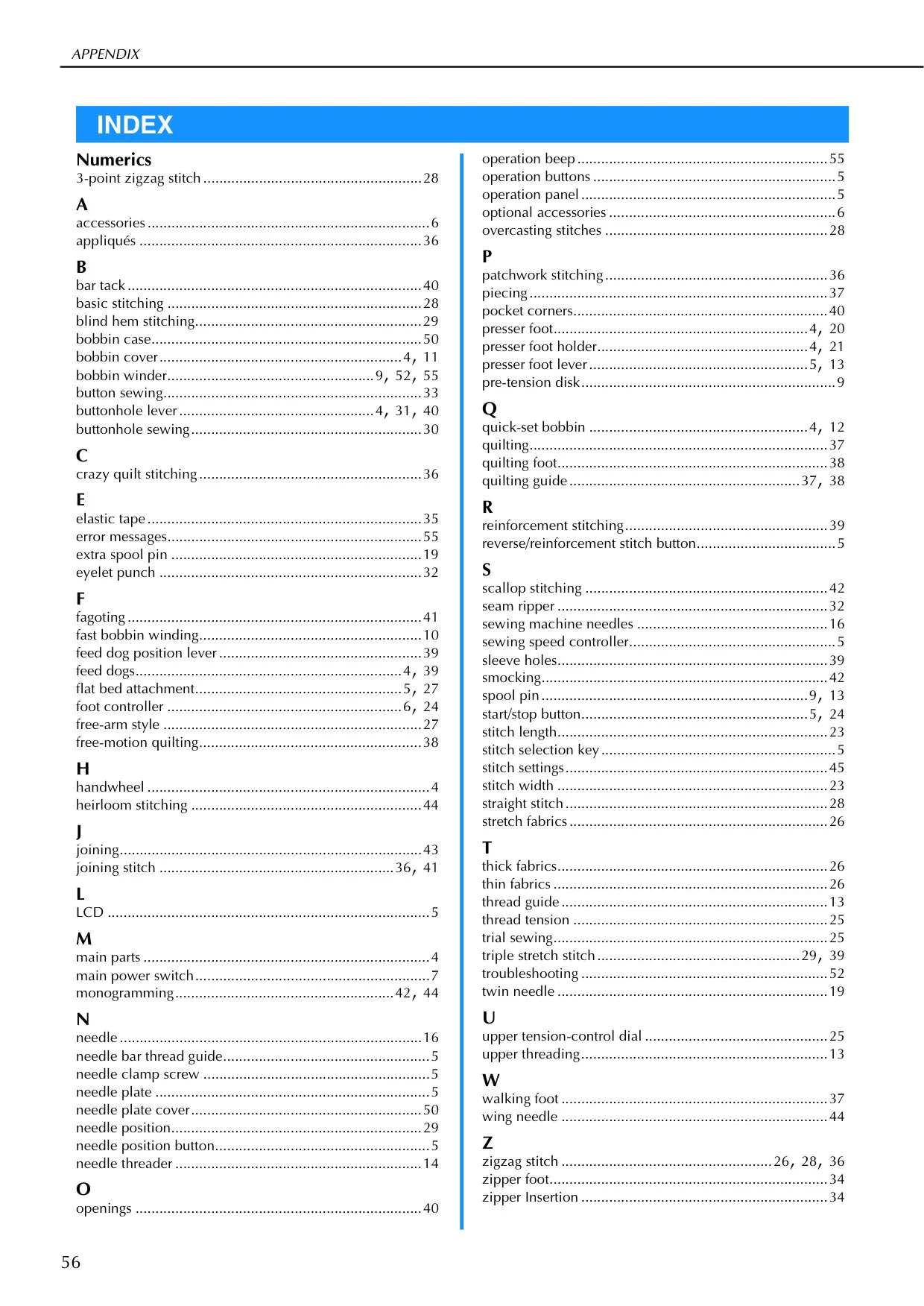
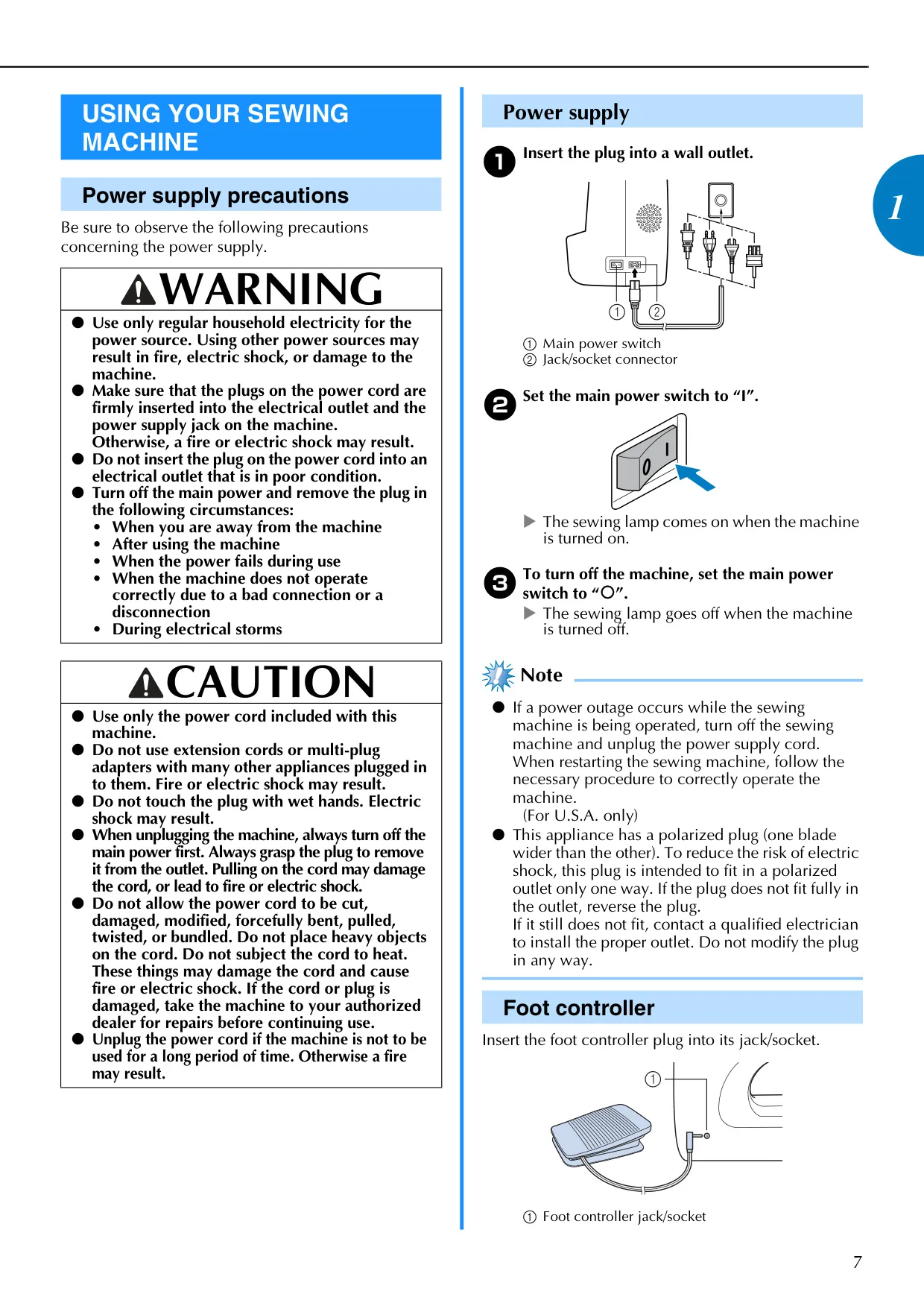
The manual emphasizes important safety instructions, including precautions against electric shock, proper power cord handling, and safe needle usage. It details how to check for bent needles and correctly replace them, preventing injury and machine damage. Routine maintenance, such as cleaning the bobbin case to prevent dust buildup, is straightforward. The manual explicitly states that the machine does not require user oiling, simplifying care and ensuring longevity. Comprehensive troubleshooting tips are also provided to address common operational issues, guiding users to resolve problems efficiently.
Frequently Asked Questions (FAQs)

Can't find the answer you need? Here are some frequently asked questions about the Brother CS-6000i Sewing Machine, and we answer them below.
Why isn't my Brother CS-6000i turning on?
Ensure the machine is properly plugged into a functional electrical outlet, and the main power switch is turned on to the "I" position. Also, check that the bobbin winder shaft is pushed to the left, as it prevents operation when engaged.

My needle keeps breaking. What could be the issue?
Verify the needle is inserted correctly and the needle clamp screw is firmly tightened. Replace any bent or blunt needles immediately. Ensure you're using the appropriate needle and thread combination for your fabric type and the correct presser foot for the selected stitch. Avoid pulling the fabric too forcefully while sewing.

Why is the upper thread breaking during sewing?
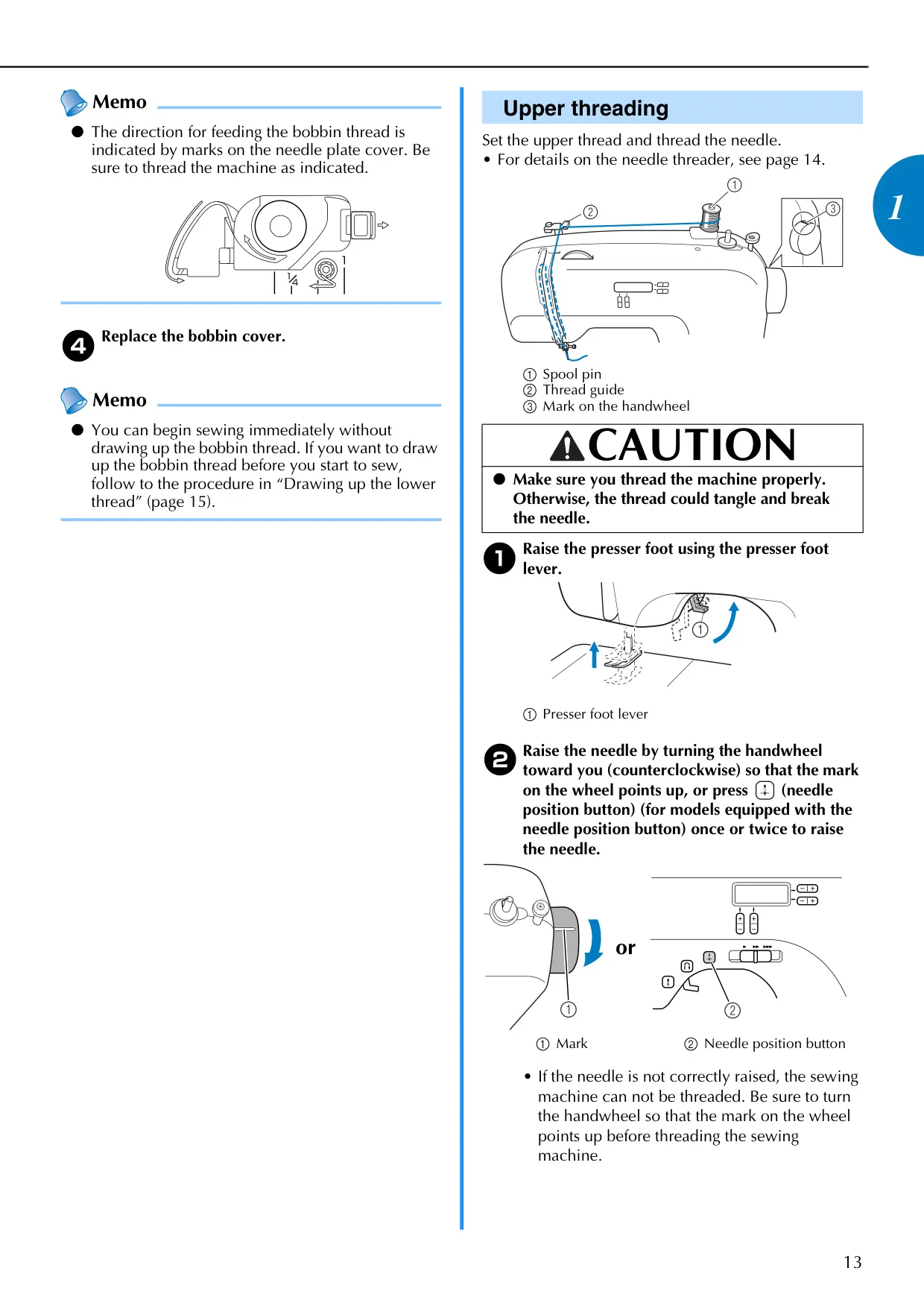
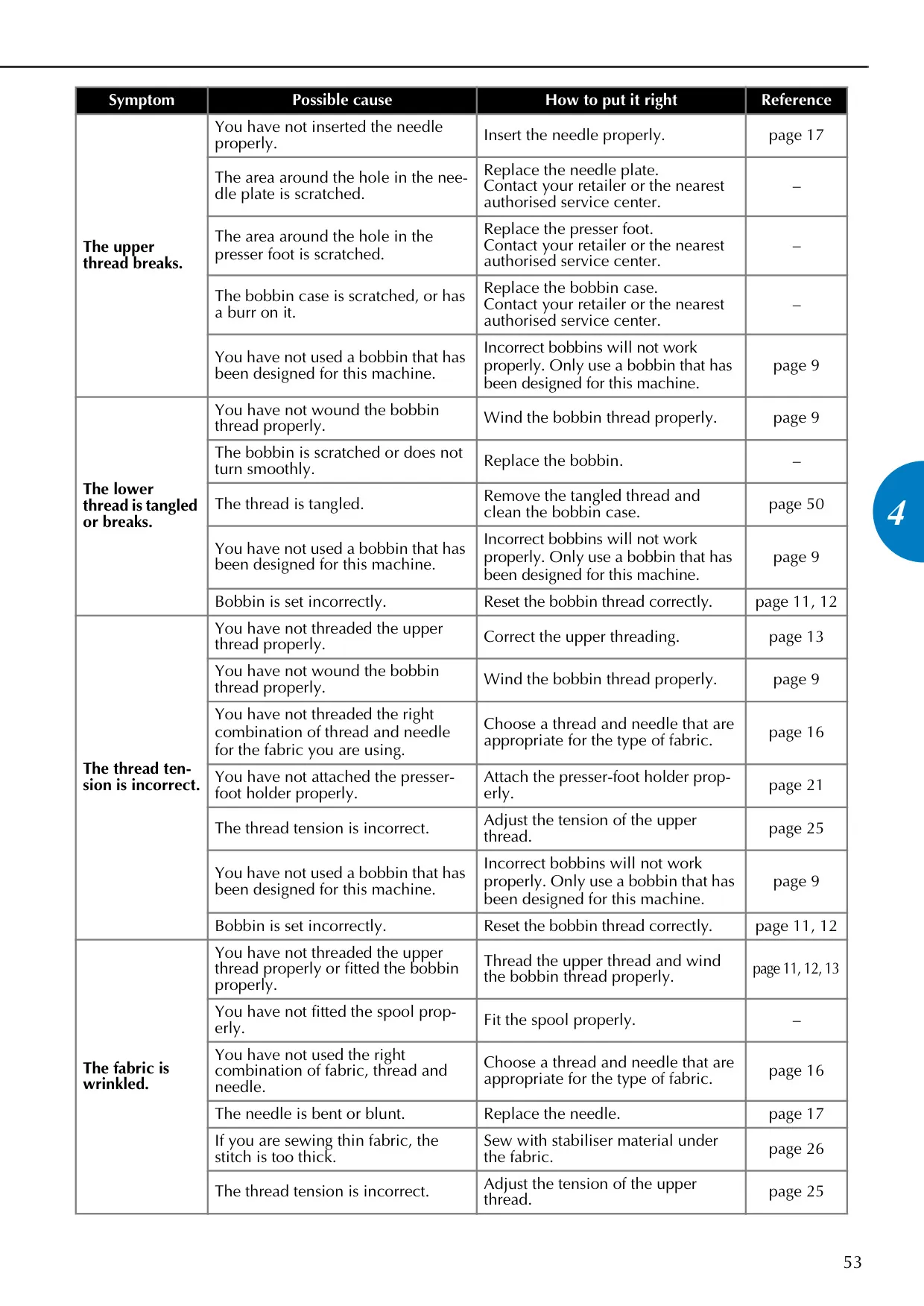
Check if the upper thread is correctly threaded through all guides, including the pre-tension disk and thread take-up lever. Look for knots or tangles in the thread. Ensure the needle is the correct size for the thread being used, and the upper thread tension isn't set too tight. Clean any tangled thread from the bobbin case area if necessary.

My stitches are skipping. How can I fix this?
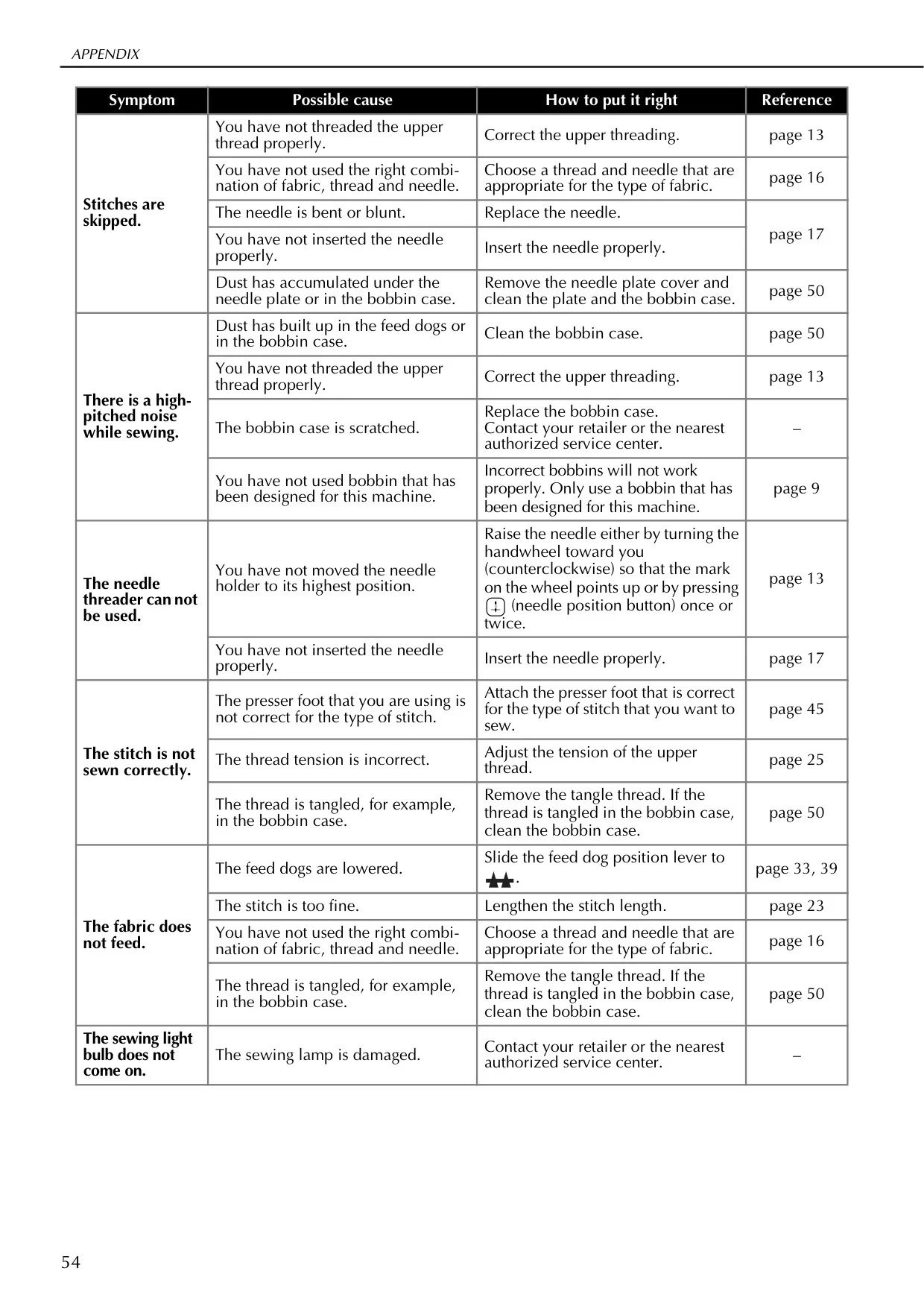
Re-thread the upper thread correctly and ensure the needle is inserted properly. Use the right combination of fabric, thread, and needle. If the needle is bent or blunt, replace it. Accumulation of dust under the needle plate or in the bobbin case can also cause skipped stitches, so clean these areas periodically.

The fabric isn't feeding smoothly. What should I do?
Check the feed dog position lever; it should be set to the up position (not lowered for free-motion quilting). If the stitch is too fine, lengthen the stitch. Ensure the correct fabric, thread, and needle combination is used, and clean the bobbin case if thread is tangled, as this can impede fabric movement.

How do I adjust the sewing speed on my machine?
If your model is equipped with a start/stop button, slide the sewing speed controller to the left for slower speeds or to the right for faster speeds. If using the foot controller, the pressing force dictates the speed, and the sewing speed controller sets the maximum speed for the foot controller.

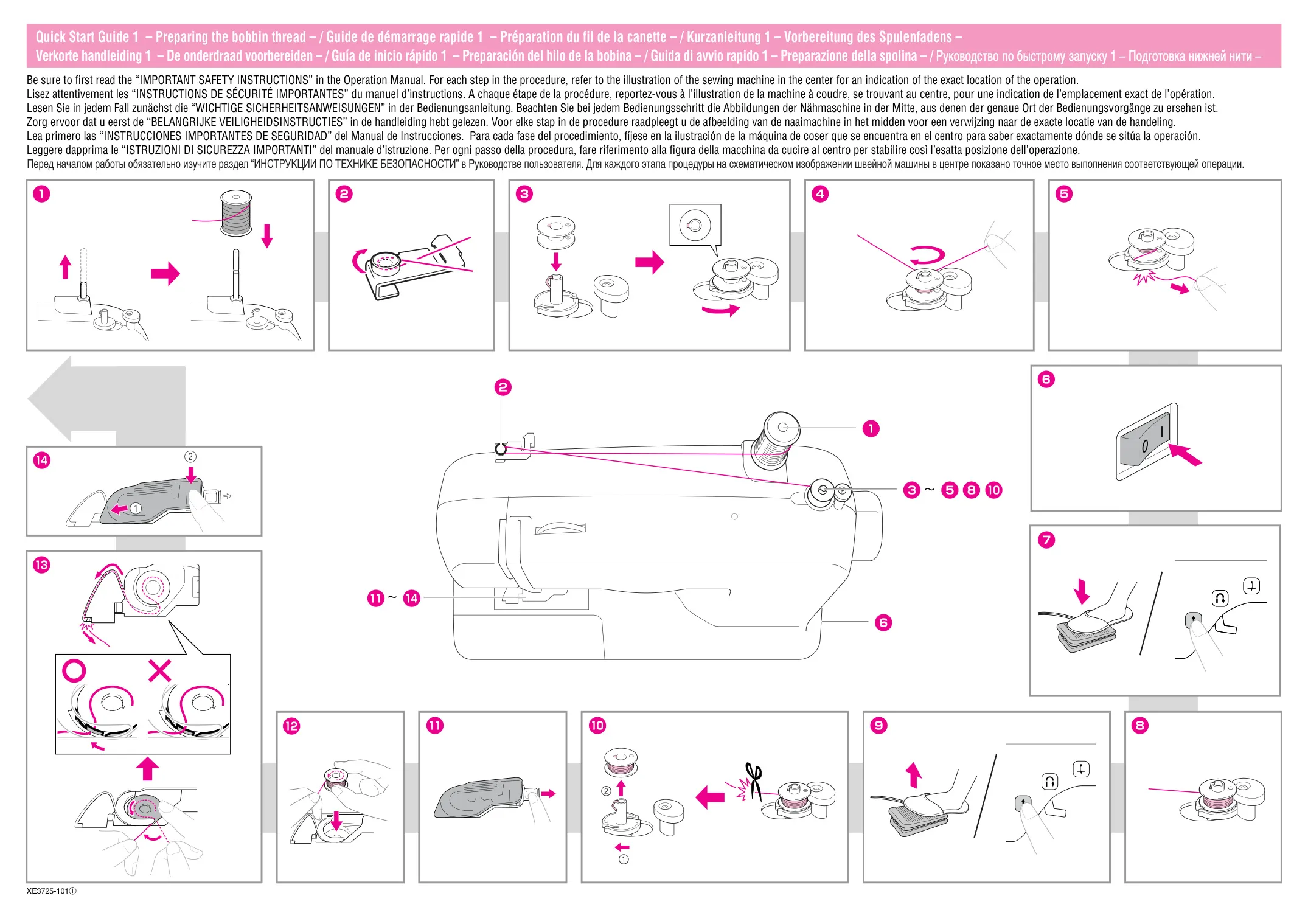
Can I use any bobbin with the Brother CS-6000i?
No, only use bobbins specifically designed for this machine (Part Code: SA156, SFB: XA5539-151). Using incorrect bobbins can lead to tension issues, thread tangling, and potential damage to the machine or needle breakage, so always use the specified type.

What is the purpose of the quick-set bobbin feature?
The quick-set bobbin allows you to start sewing immediately after inserting the bobbin, without needing to manually draw up the lower thread. This streamlines the setup process and saves time, making the machine more efficient for various projects.

How do I clean my Brother CS-6000i sewing machine?
Always unplug the machine before cleaning. Use a soft cloth lightly soaked in neutral detergent and squeezed firmly to wipe the machine's surface, then wipe with a dry cloth. Periodically clean the bobbin case and race with a cleaning brush or vacuum cleaner to remove lint and dust buildup.

Does the Brother CS-6000i require oiling?
No, this machine does not require user oiling. It is factory-lubricated for its lifespan. If you encounter issues like difficulty turning the handwheel or unusual noises, contact an authorized dealer or service center for professional assistance, as user oiling can cause damage.

How many stitches does the Brother CS-6000i offer?
The Brother CS-6000i manual references different models with varying stitch counts, ranging from 40 up to 70 stitches. These include a variety of utility, decorative, and buttonhole stitches, providing versatility for numerous sewing applications. The specific number depends on your particular model variant.

What is free-motion quilting and how do I do it?
Free-motion quilting allows you to move the fabric freely in any direction to create custom designs and patterns. To enable this, slide the feed dog position lever to lower the feed dogs. An optional quilting foot is highly recommended for best results and ease of maneuverability.

What does an error message on my LCD mean?
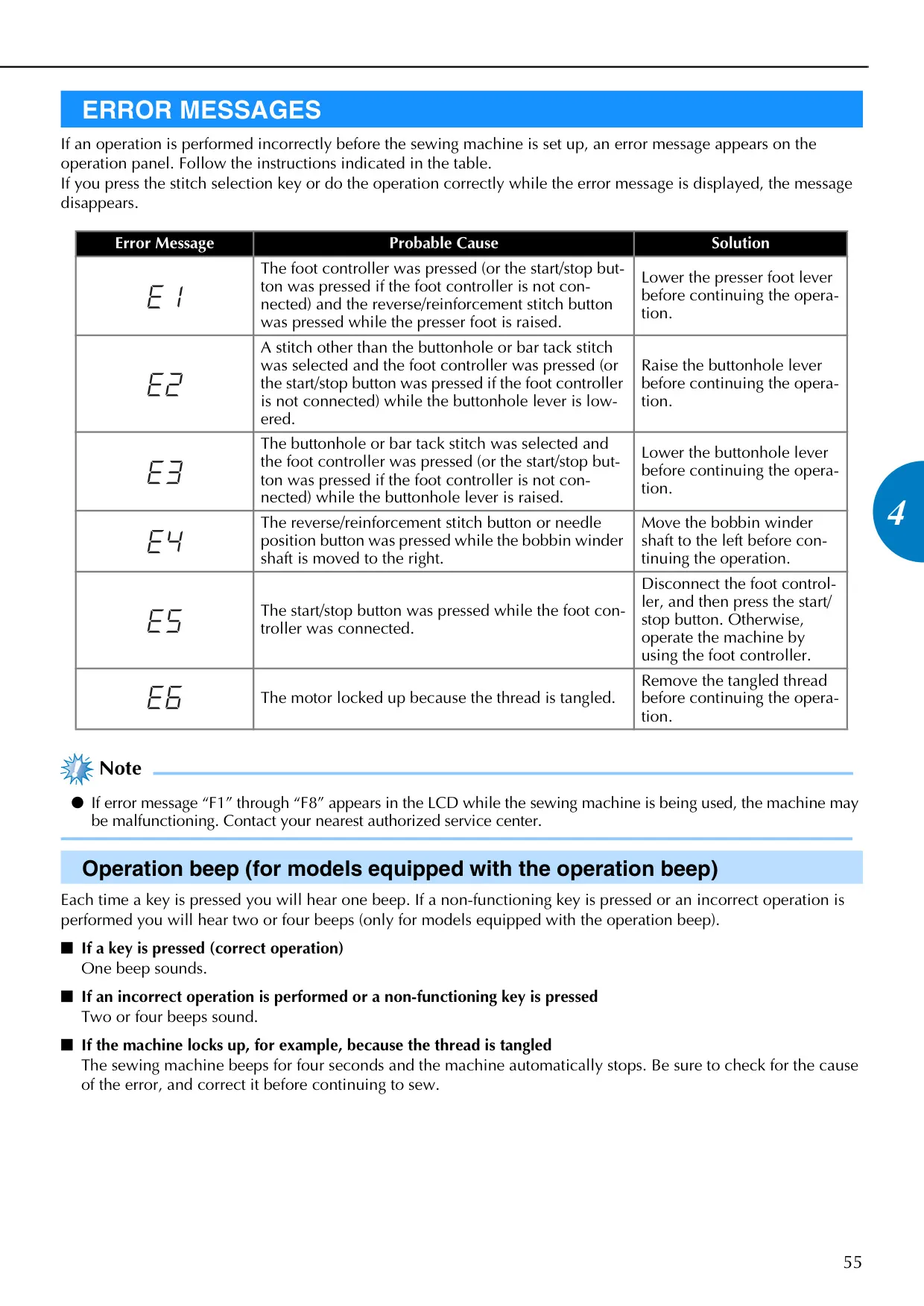
Error messages usually indicate an incorrect operation or a safety precaution. For example, a message might appear if the presser foot is raised while attempting to sew, or if the buttonhole lever is in the wrong position. The manual's "Error Messages" section provides specific solutions for each displayed error code. If "F1" through "F8" appear, contact an authorized service center immediately.

Related product manuals

Go up