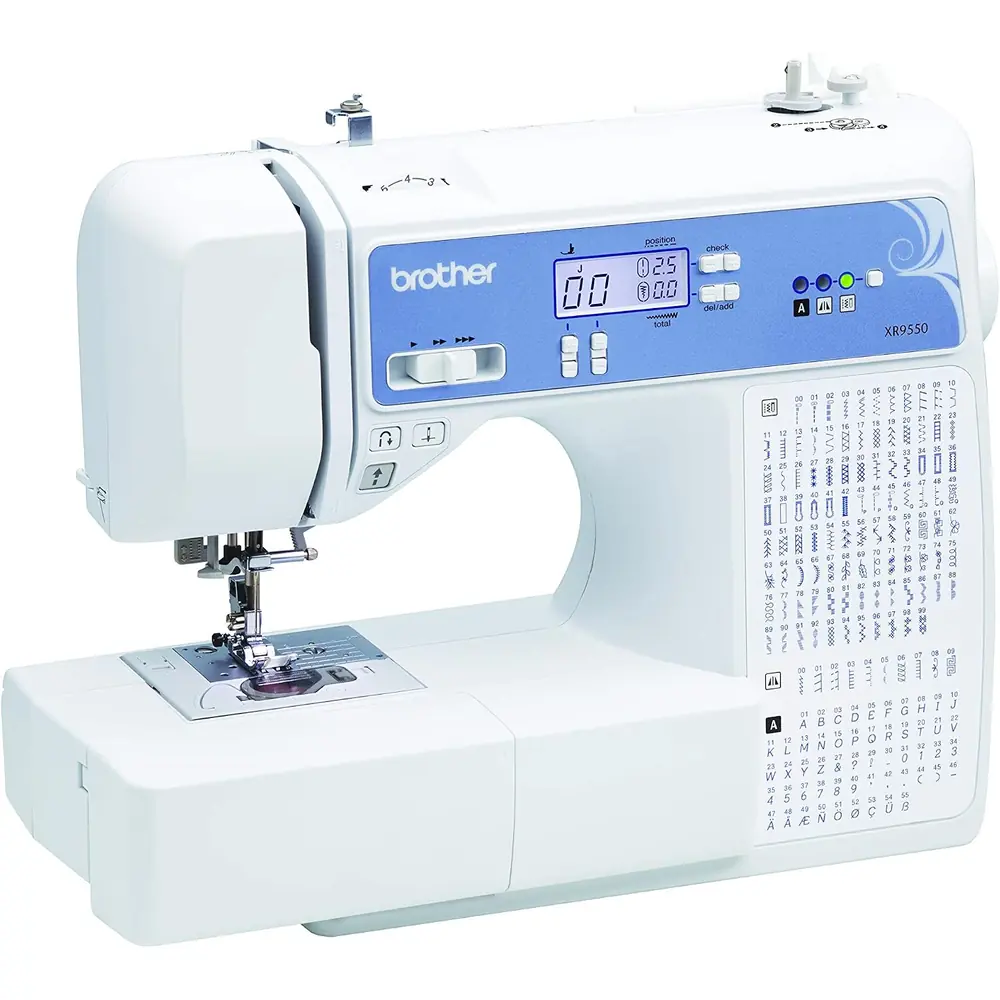
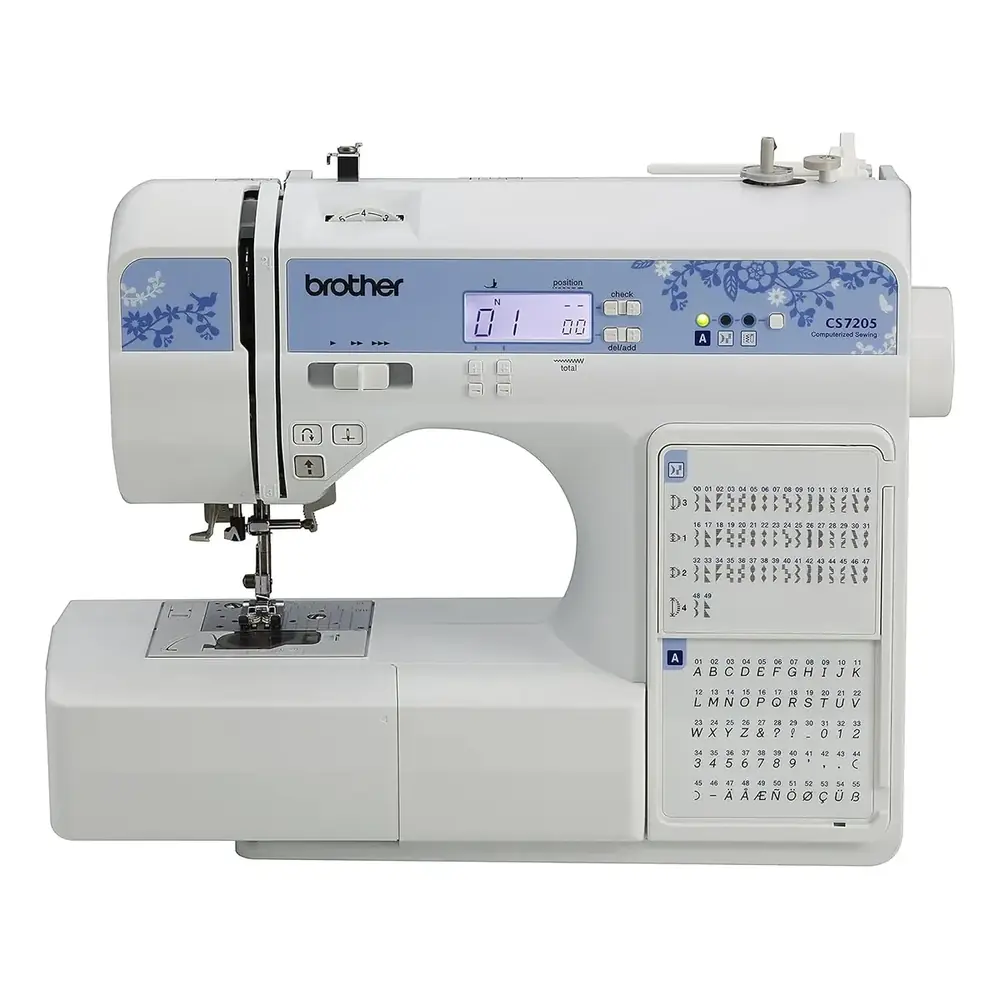
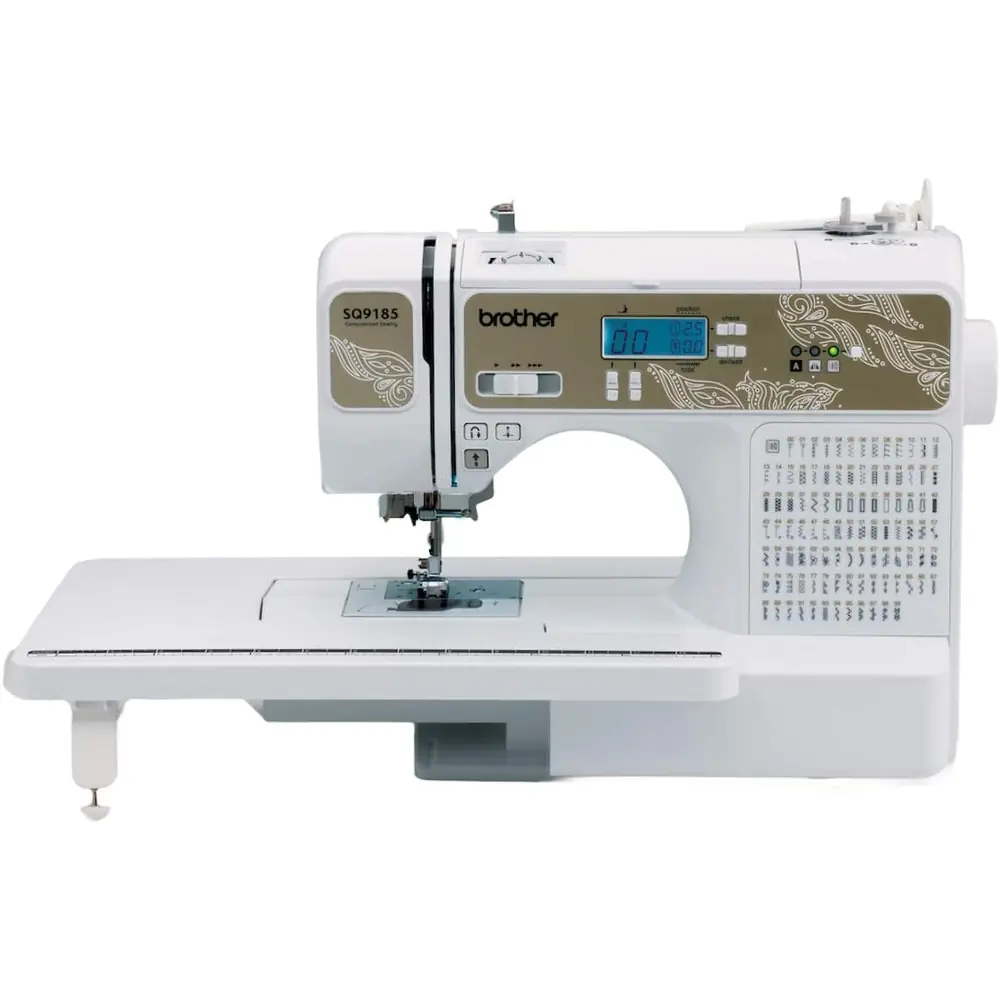
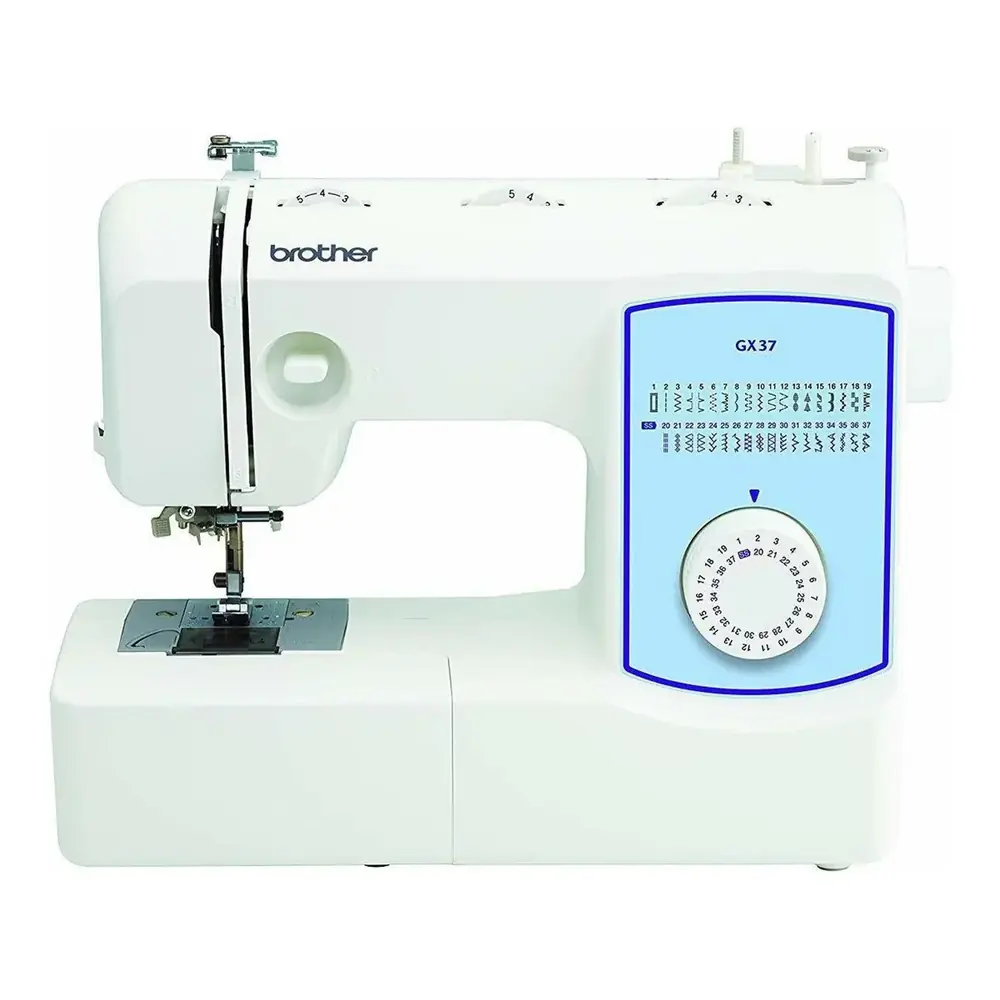
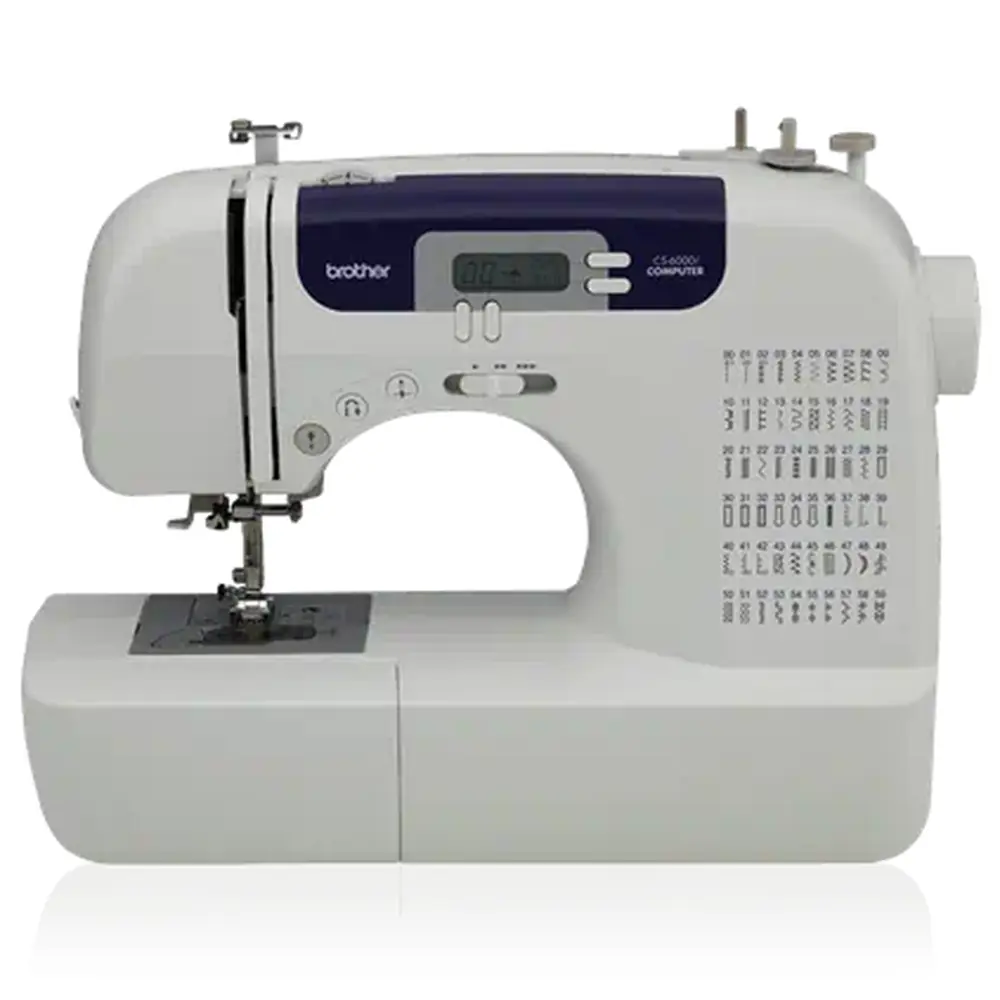
Here we offer the Brother XR9550 Sewing Machine manual completely free and in English. We have cataloged this manual in the Sewing Machines section on Manualverse, and it has been rated by 1 users with an average rating of 5. If you have any specific questions about Brother XR9550 Sewing Machine, we suggest checking the Frequently Asked Questions (FAQs) section of this manual.
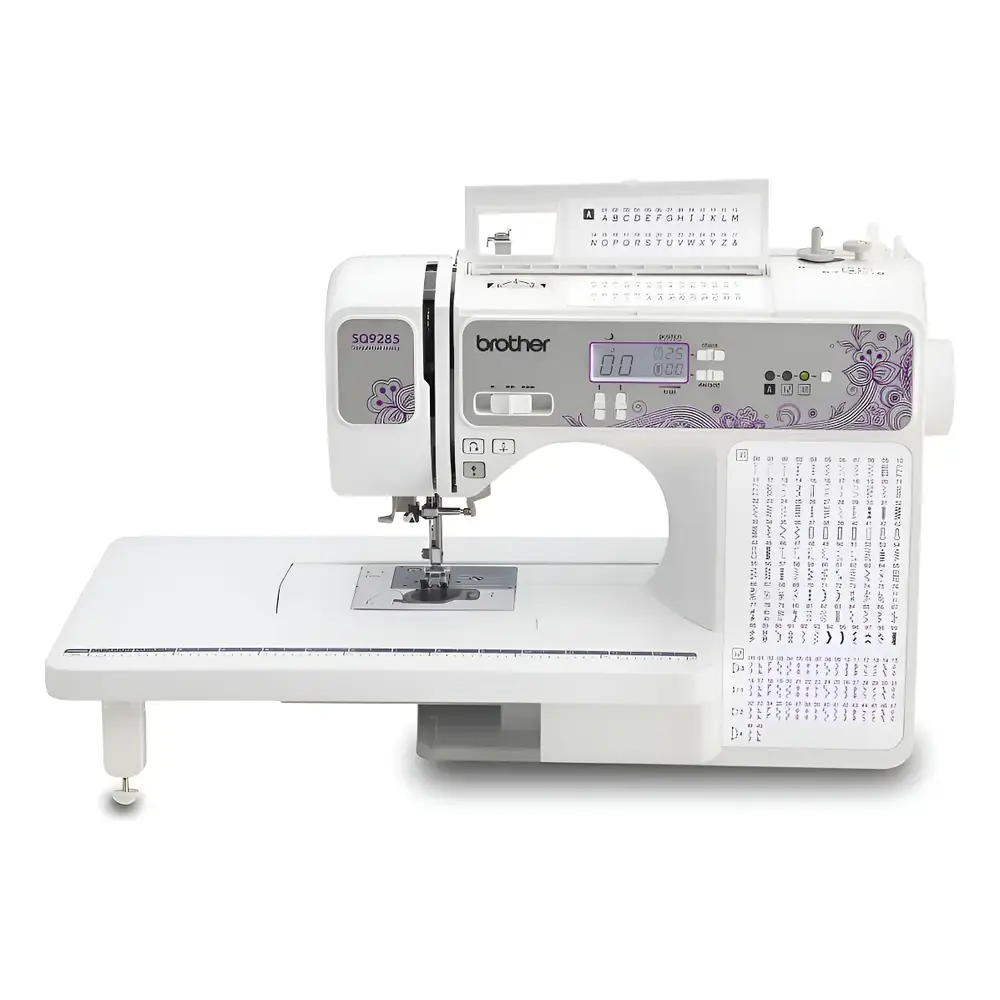
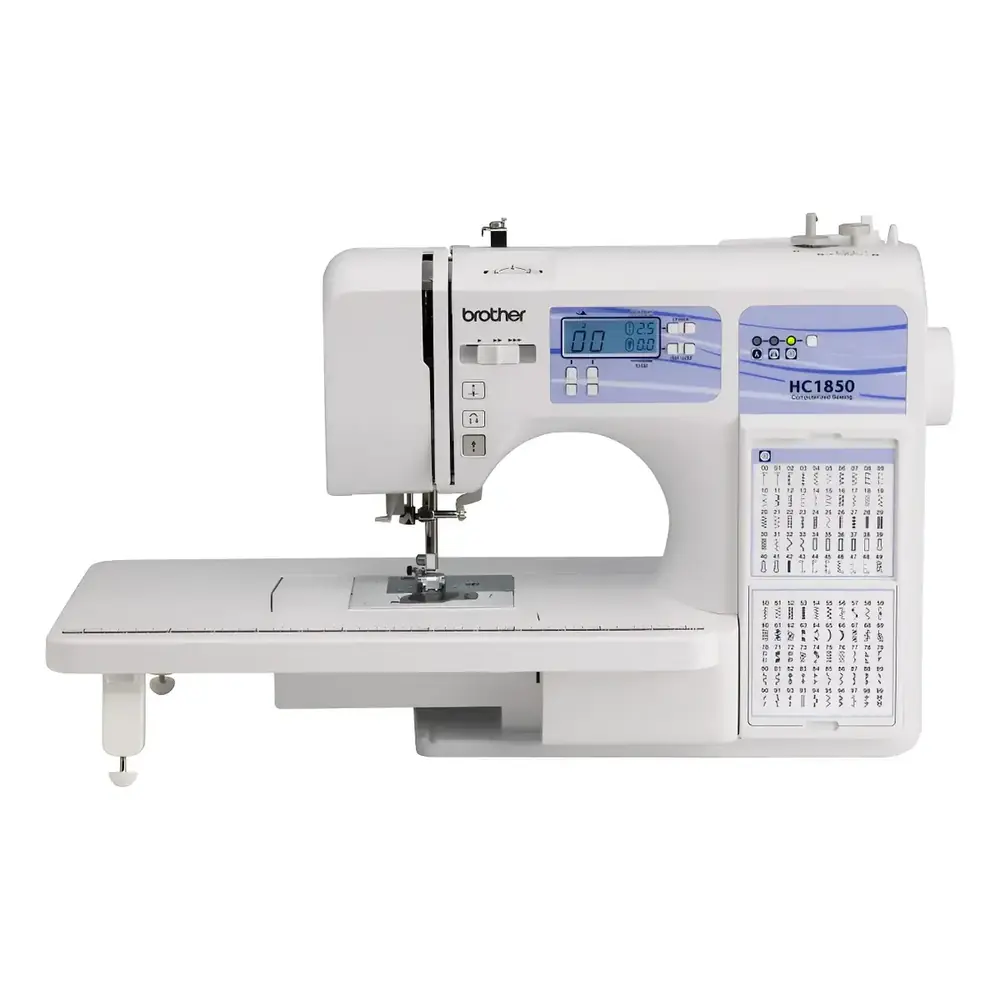
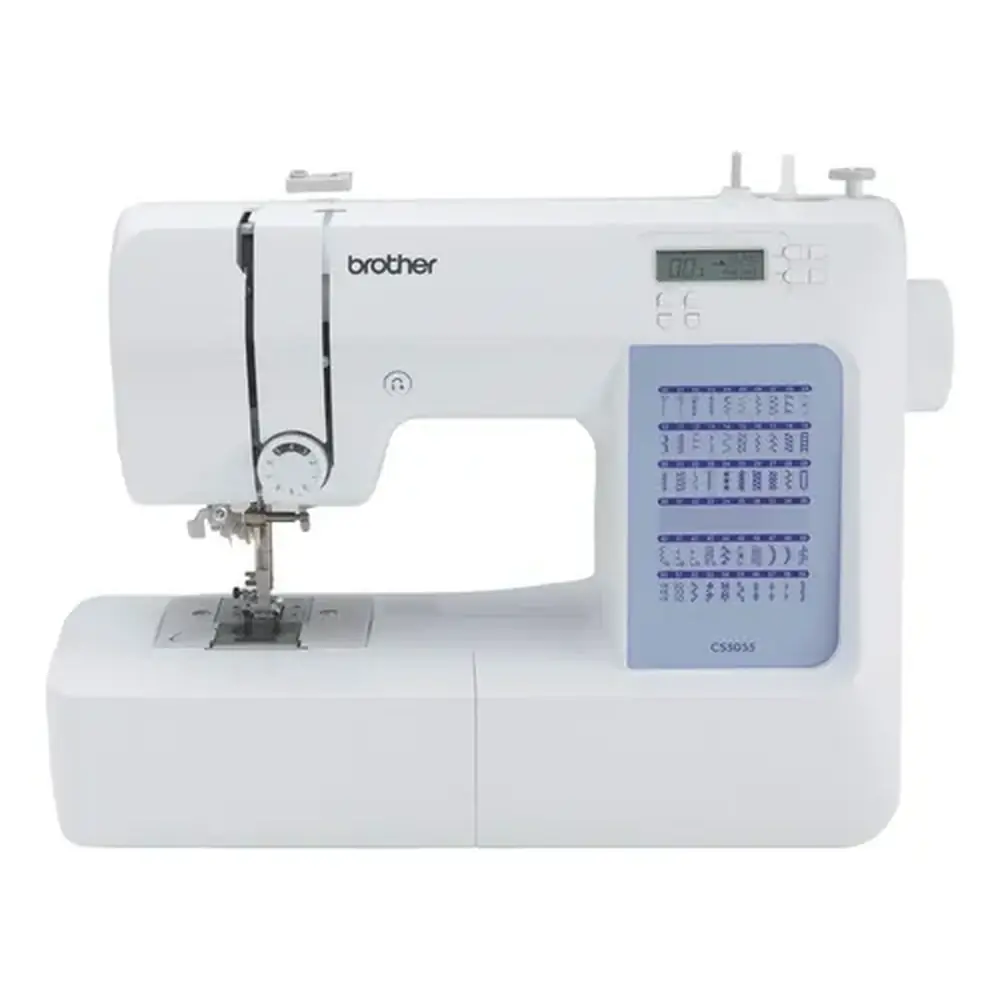
Product Images
Brother XR9550 Sewing Machine Specifications
Feature
Specification
Model Name
Brother XR9550 Sewing Machine
Product Code
888-E33/E34/E36/E37
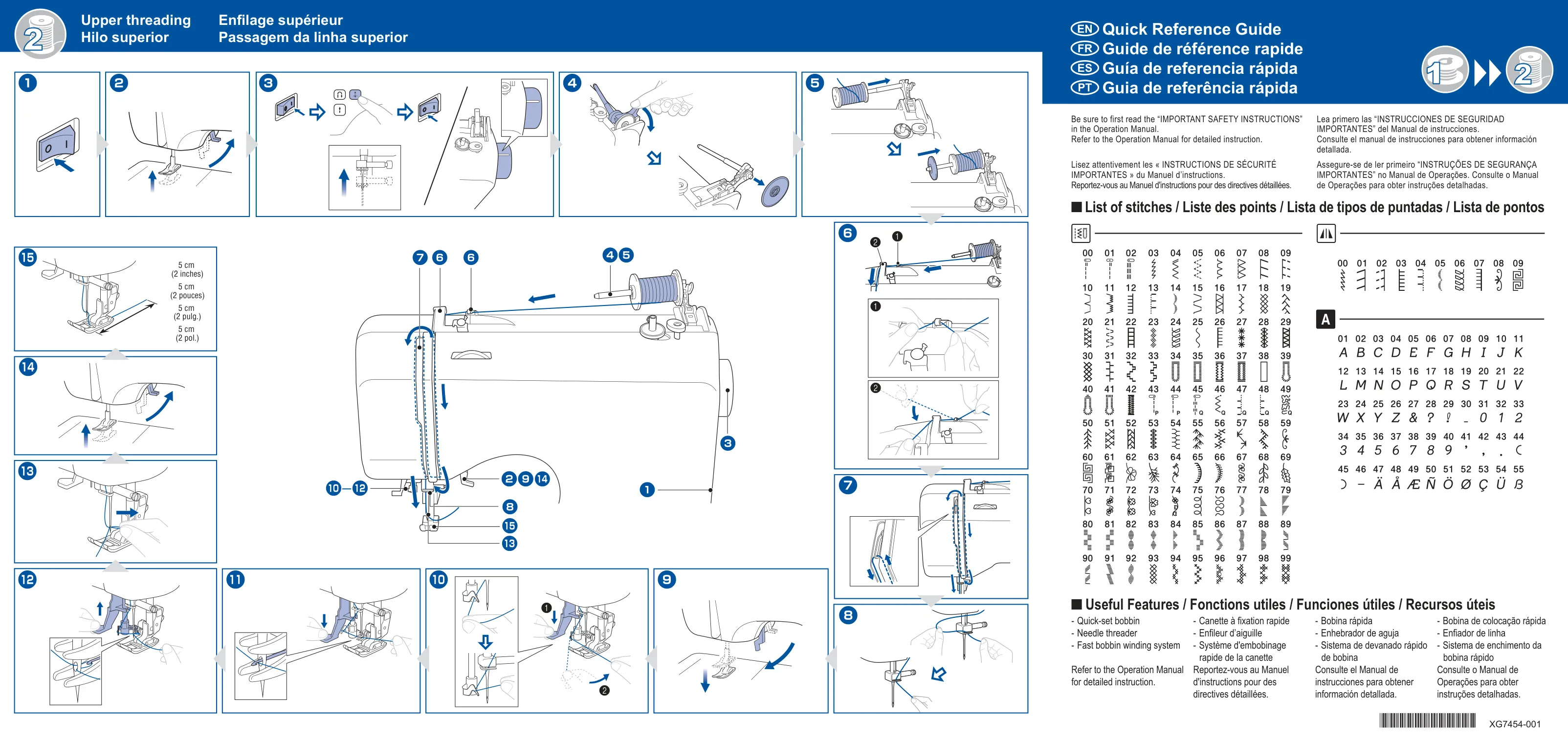
Total Stitch Patterns
185 (100 Utility, 30 Mirror Image*, 55 Character*) (*for models equipped with these features)
Needle System
Home sewing machine needles (sizes 65/9 to 100/16), Ball point, Twin needle, Wing needle (130/705H 100/16)
Bobbin Type
Class 15 (Part Code: SA156 / XA5539-151)
Maximum Stitch Width
7.0 mm (1/4 inch)
Maximum Stitch Length
5.0 mm (3/16 inch)
Power Supply
AC Power (Country-specific, as indicated on rating label)
Included (Model T, XD0501-121 EU, XC8816-071 Other)
Brother XR9550 Sewing Machine Details
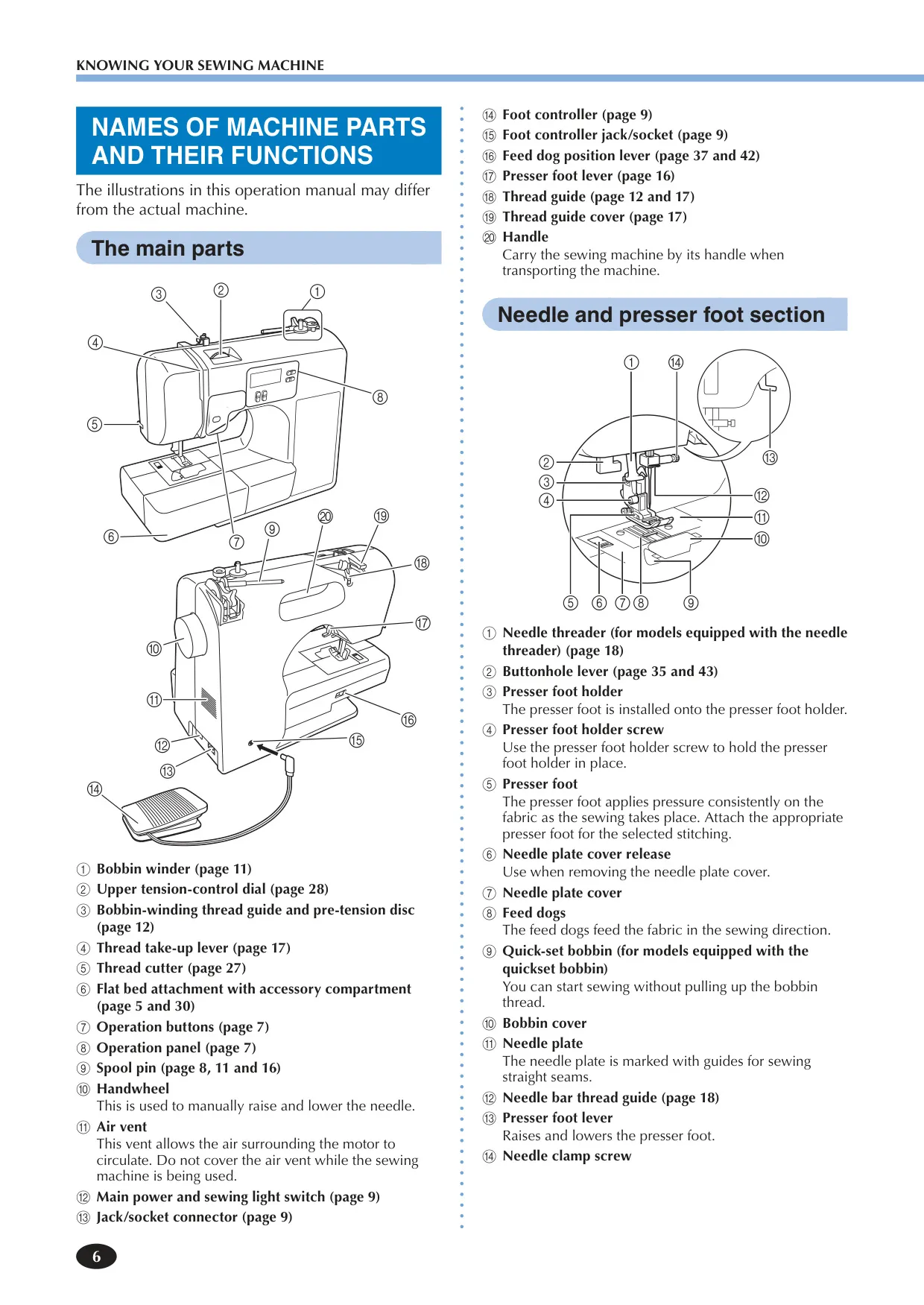
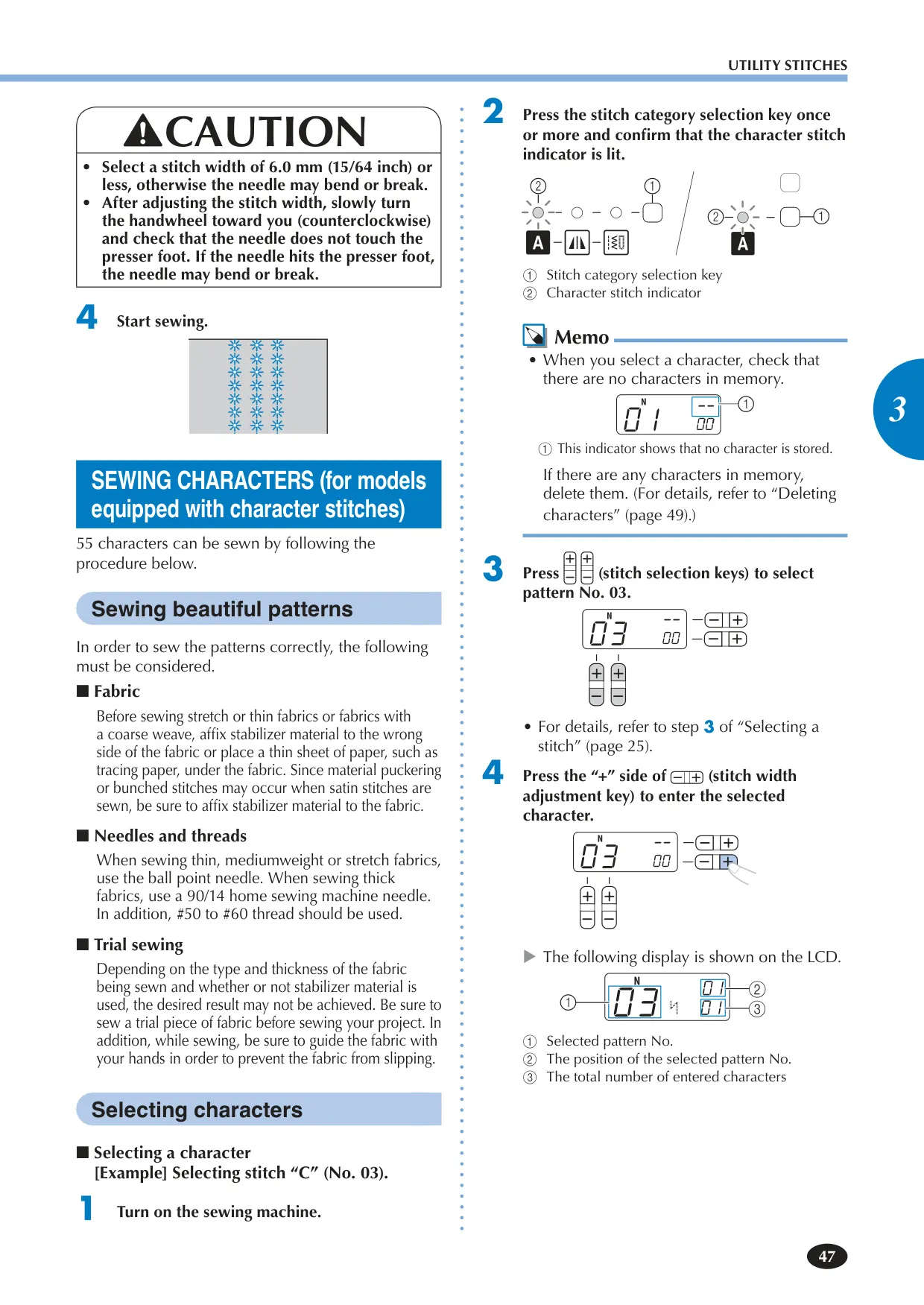
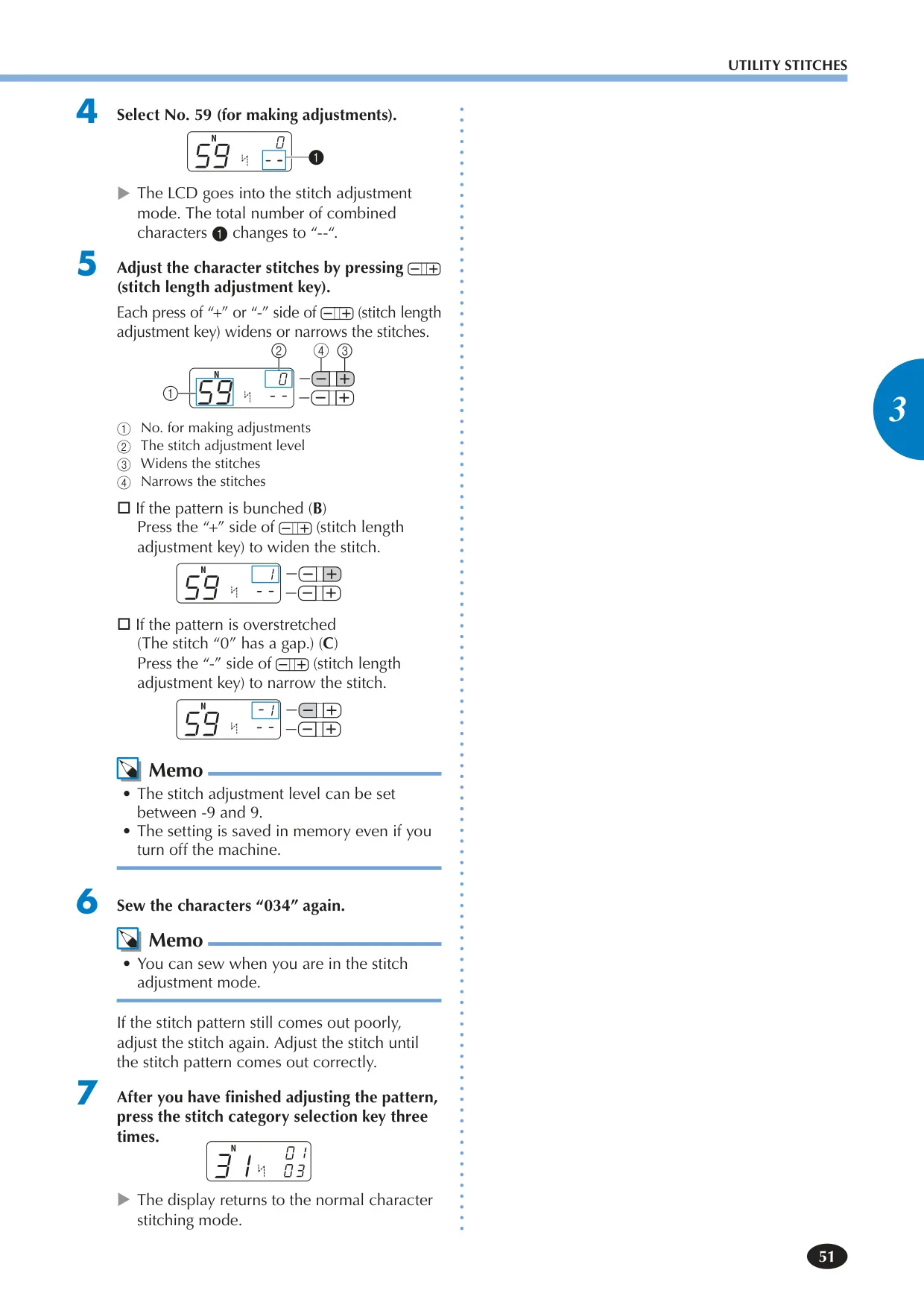
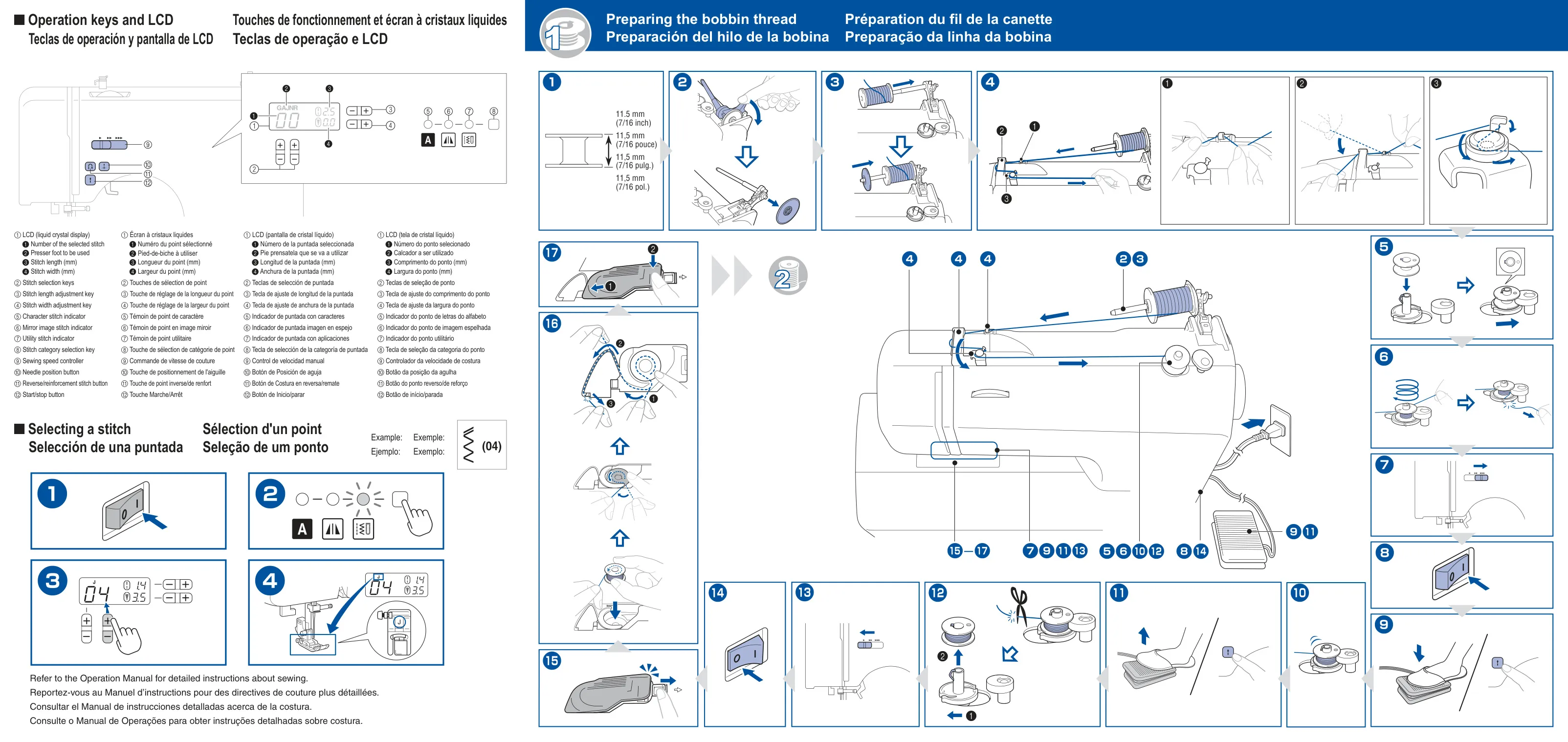
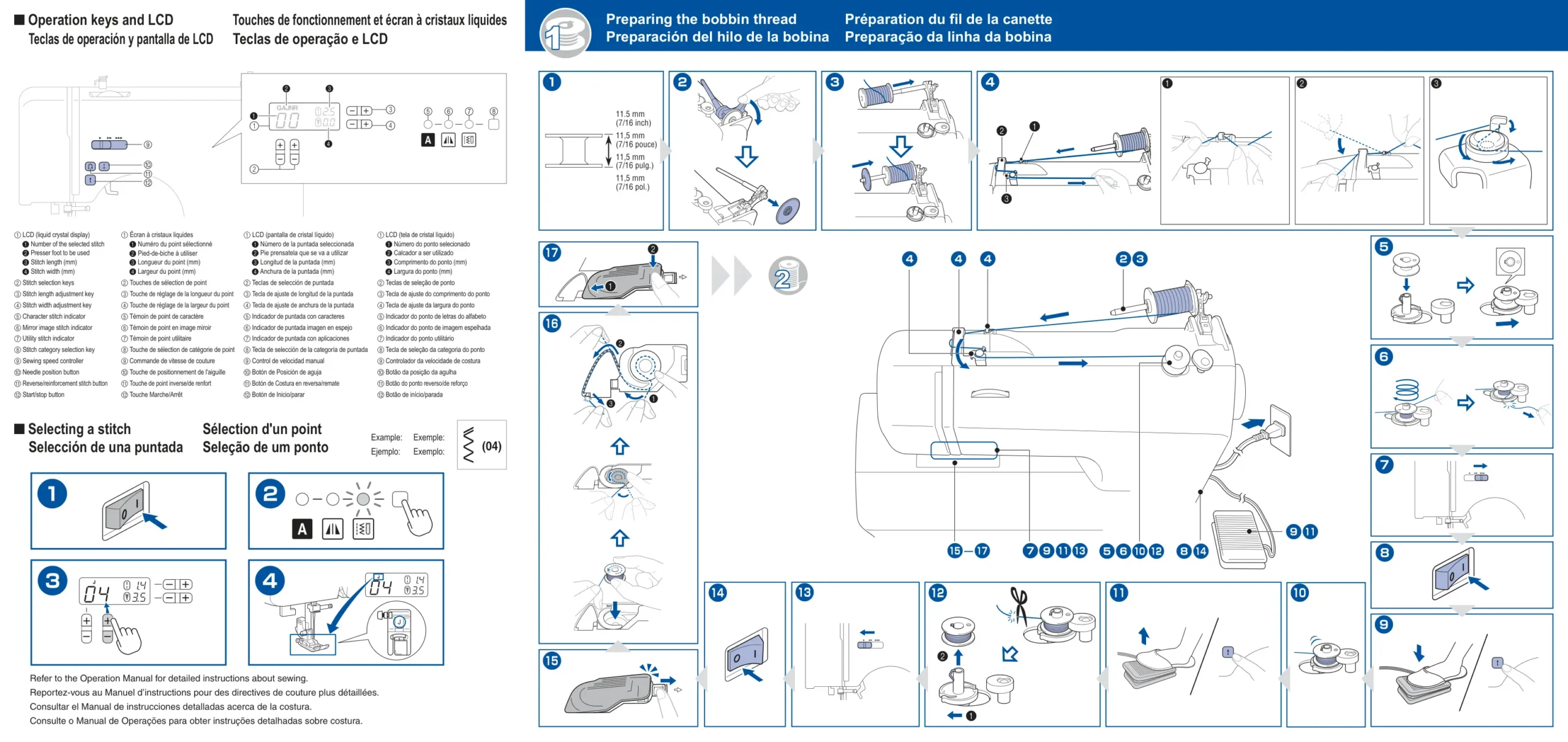
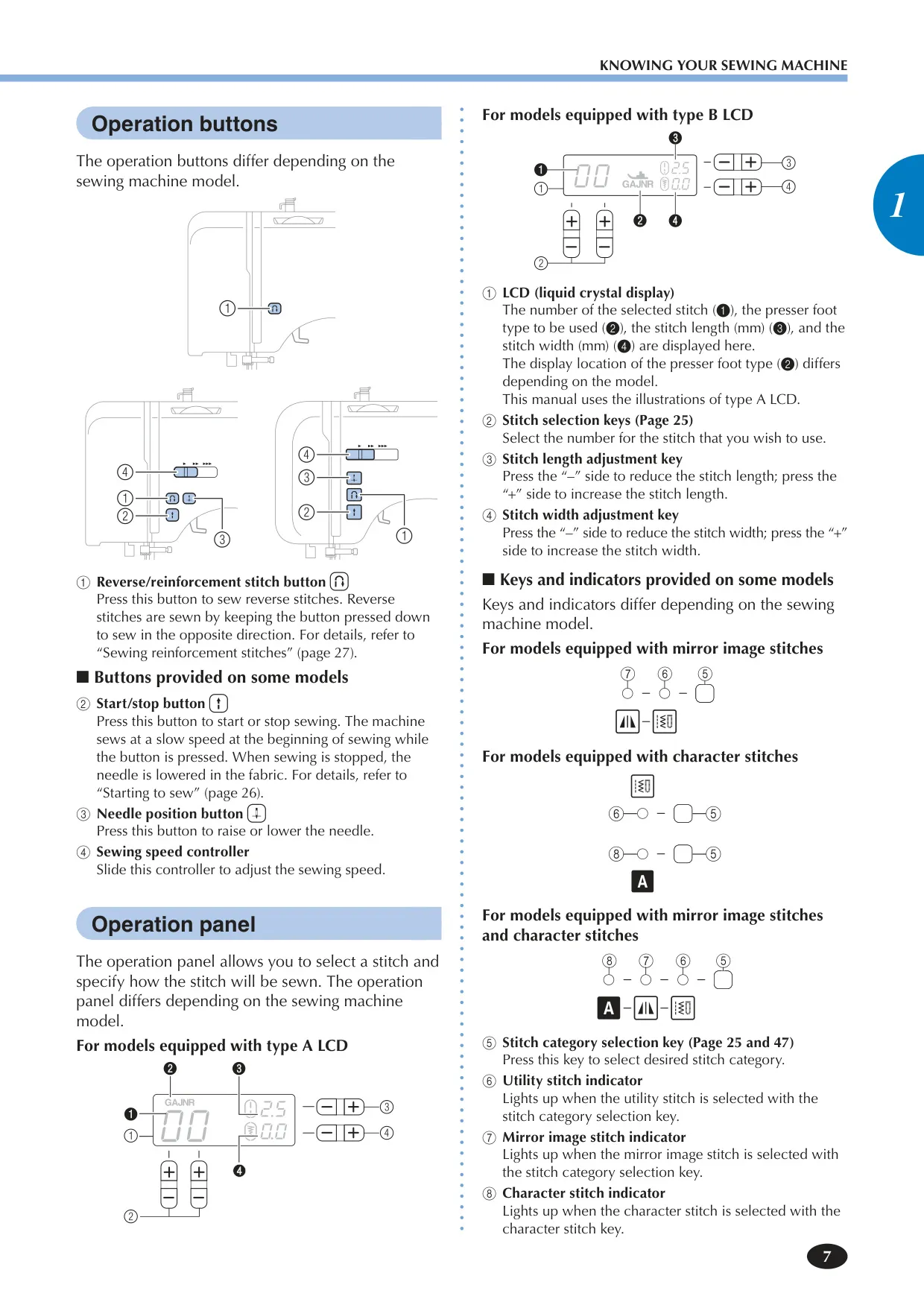
The Brother XR9550 sewing machine is engineered for a seamless and intuitive user experience. Its clear LCD display provides crucial information at a glance, showing the selected stitch number, the recommended presser foot type, and current stitch length and width settings. This immediate feedback helps users ensure correct setup before starting any project. Dedicated stitch selection keys allow for quick navigation through its extensive library of patterns, making it easy to find the perfect stitch for any task, ensuring consistent and beautiful results.
Operation is further streamlined by convenient controls. Users can effortlessly adjust sewing speed using the slide controller, ensuring precision for intricate work or efficiency for longer seams. A handy needle position button allows for instant raising or lowering of the needle, simplifying fabric pivoting and turning corners. For added convenience, the machine's initial needle stop position can be configured to remain up or down in the fabric, and the default straight stitch can be set to either left or center. The distinct operation beep can also be toggled off for quieter use, catering to various sewing environments.
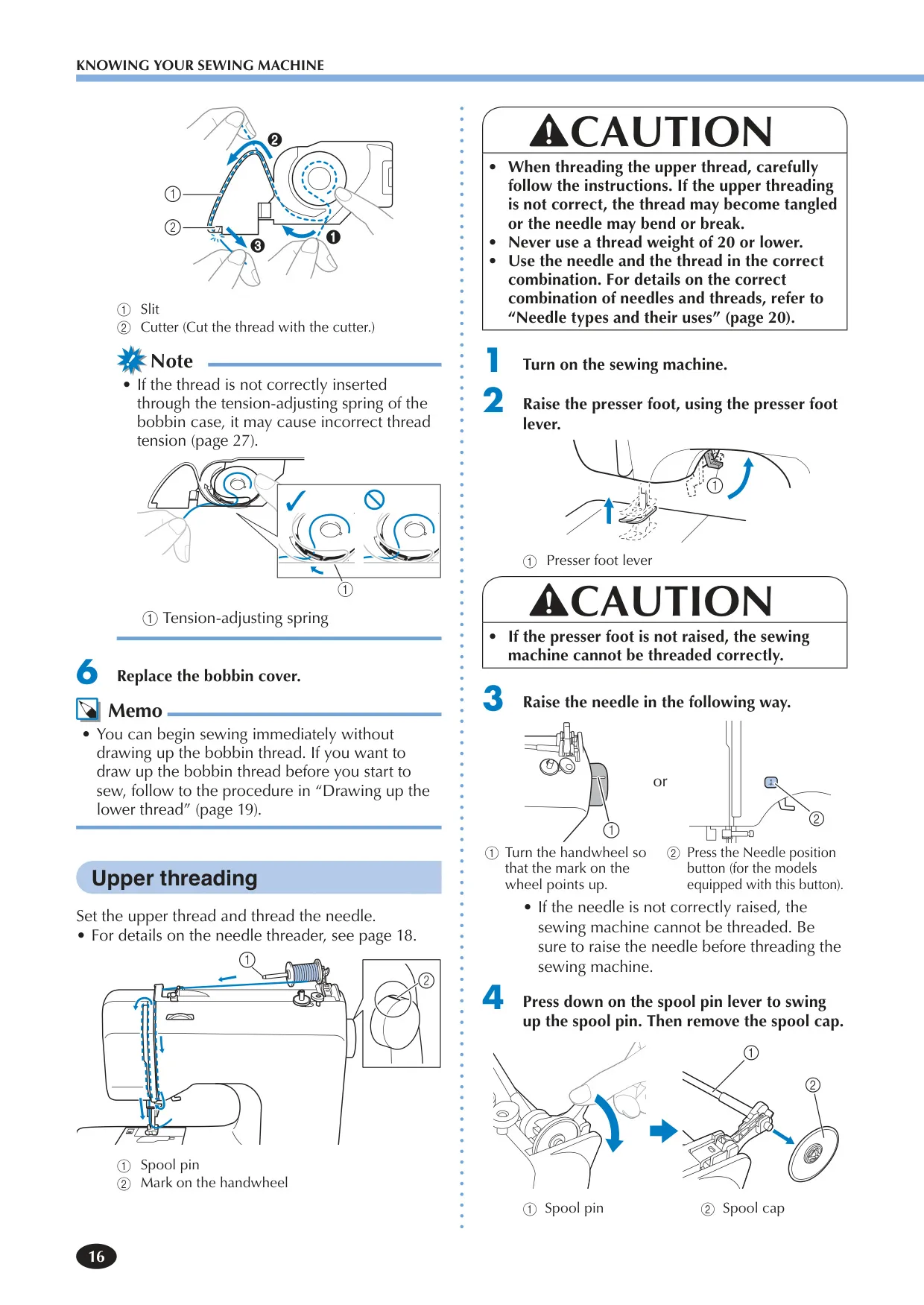
Threading the XR9550 is designed to be straightforward, reducing common frustrations. The machine features an efficient fast bobbin winding system, ensuring bobbins are prepared quickly and evenly with minimal effort. Its innovative quick-set bobbin system allows users to start sewing almost immediately without the need to manually draw up the lower thread, significantly speeding up project initiation. Furthermore, the integrated needle threader, available on equipped models, simplifies the often-fussy process of threading the eye of the needle, minimizing eye strain and saving valuable time for more creative endeavors.
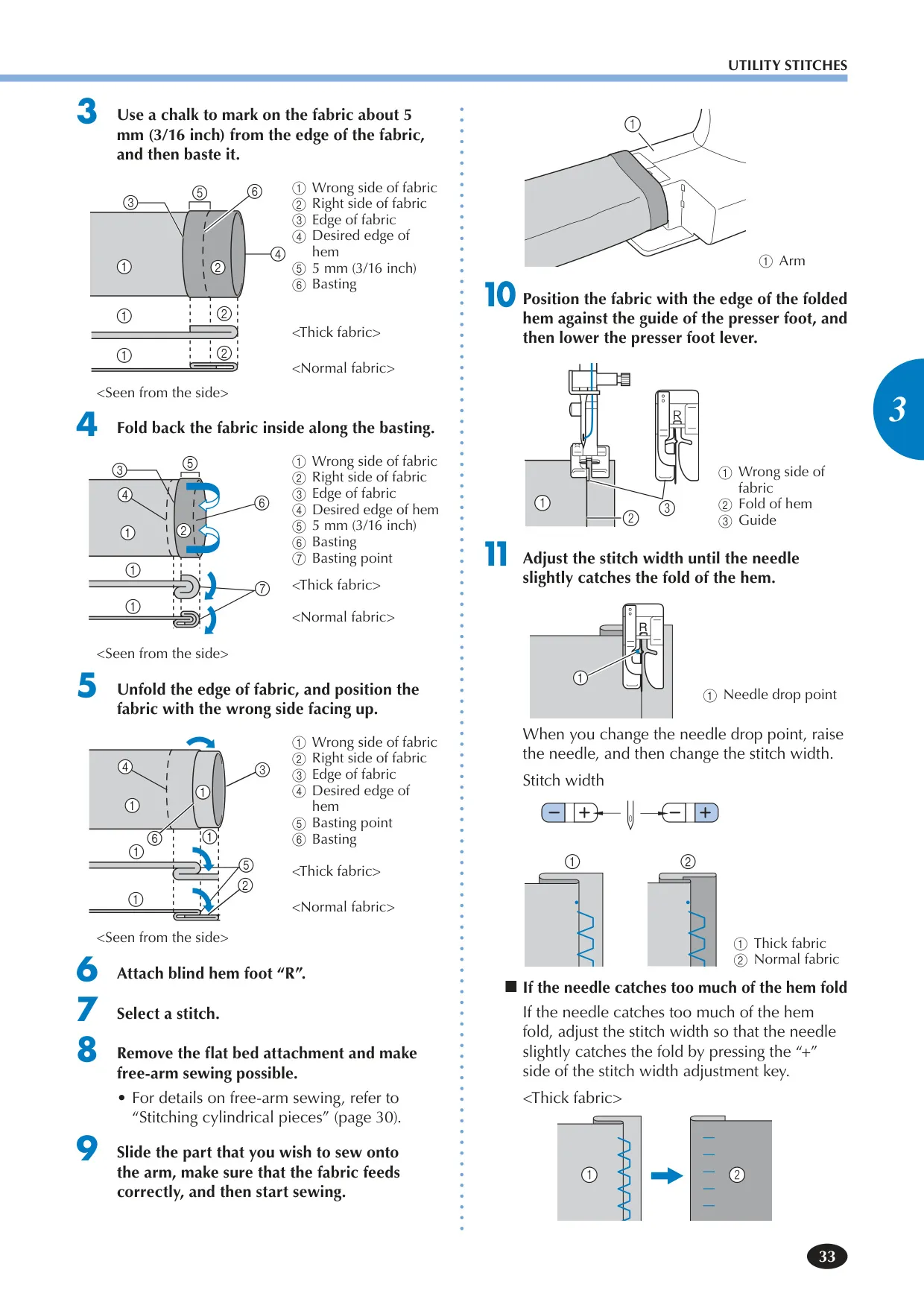
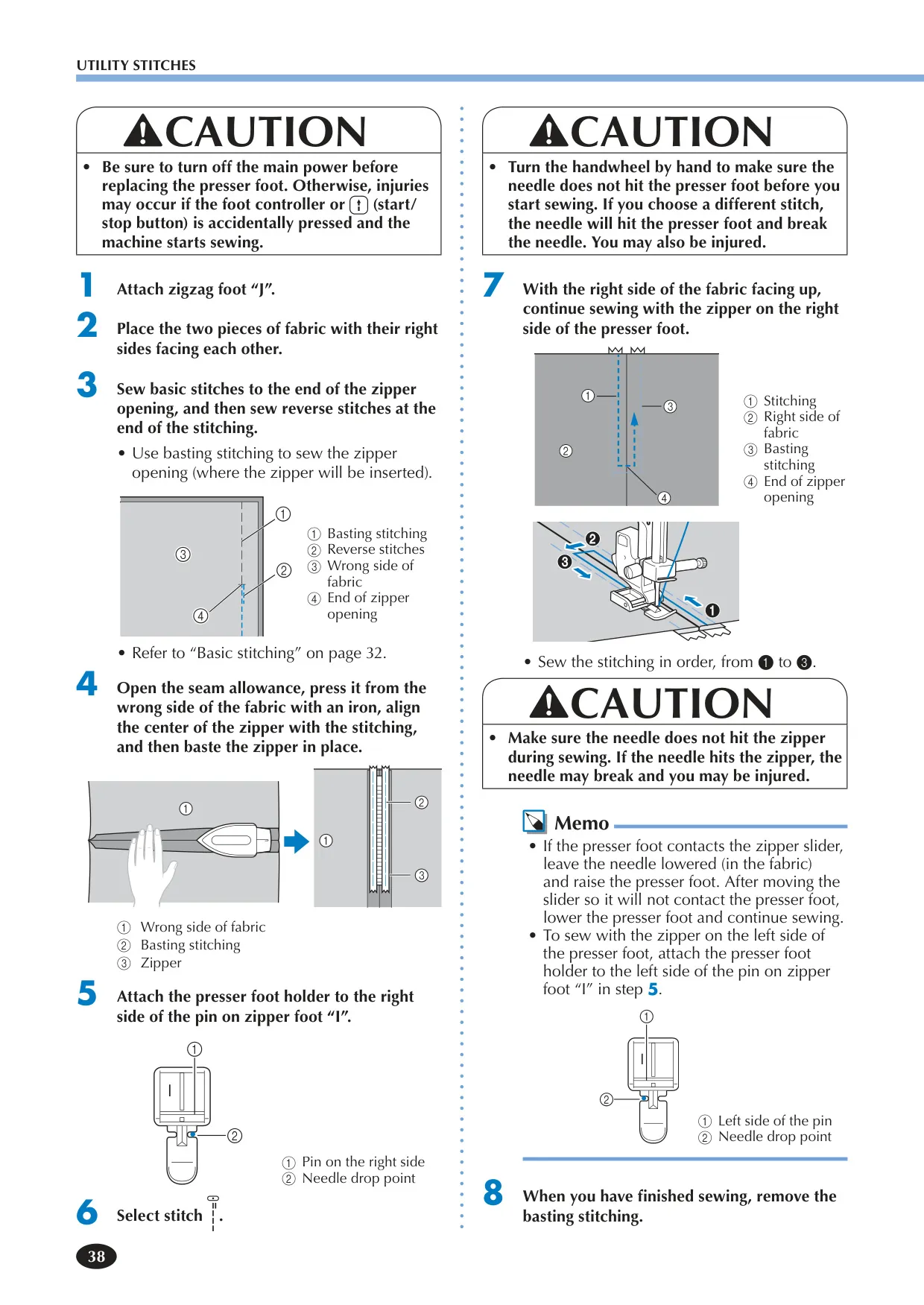
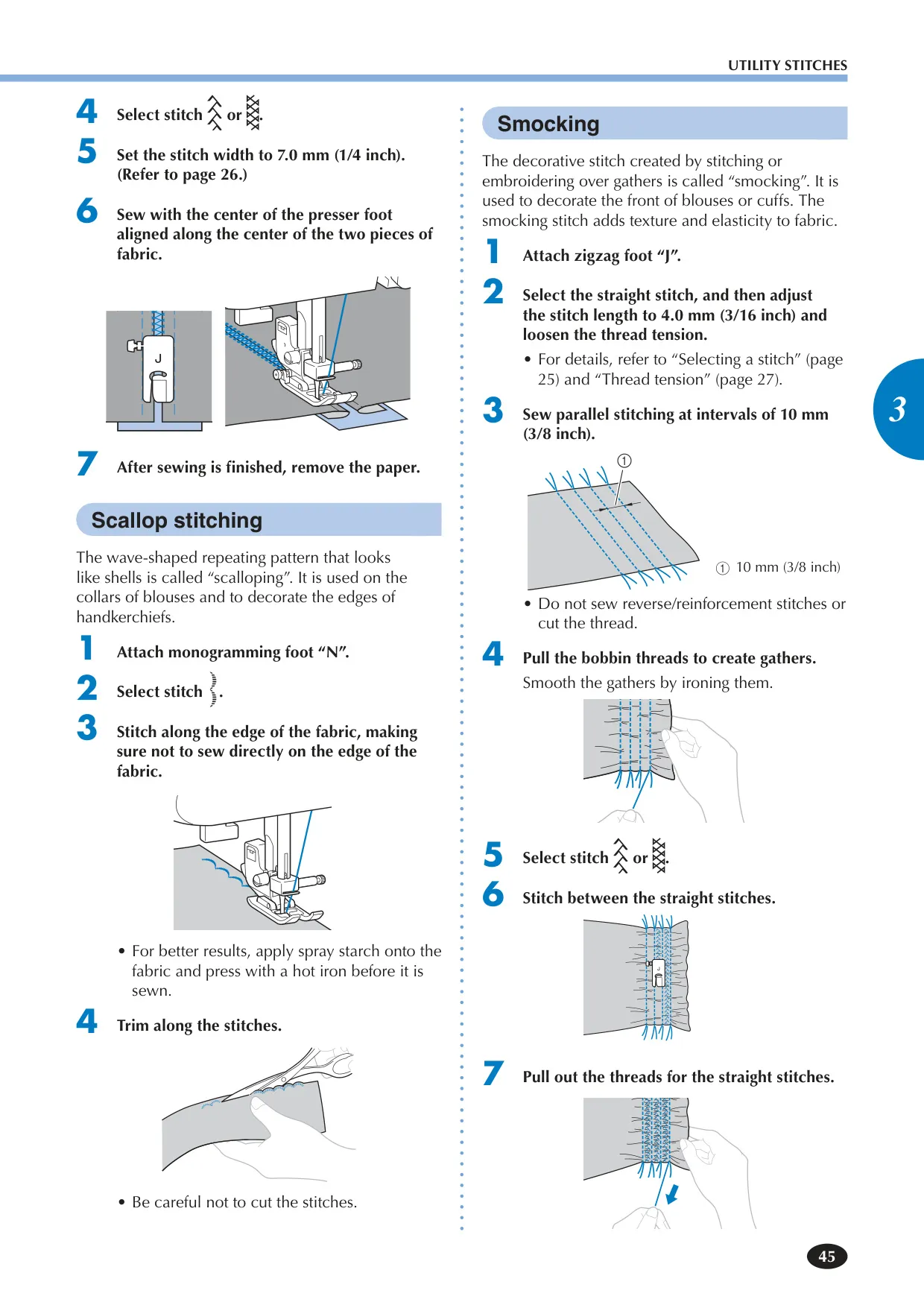
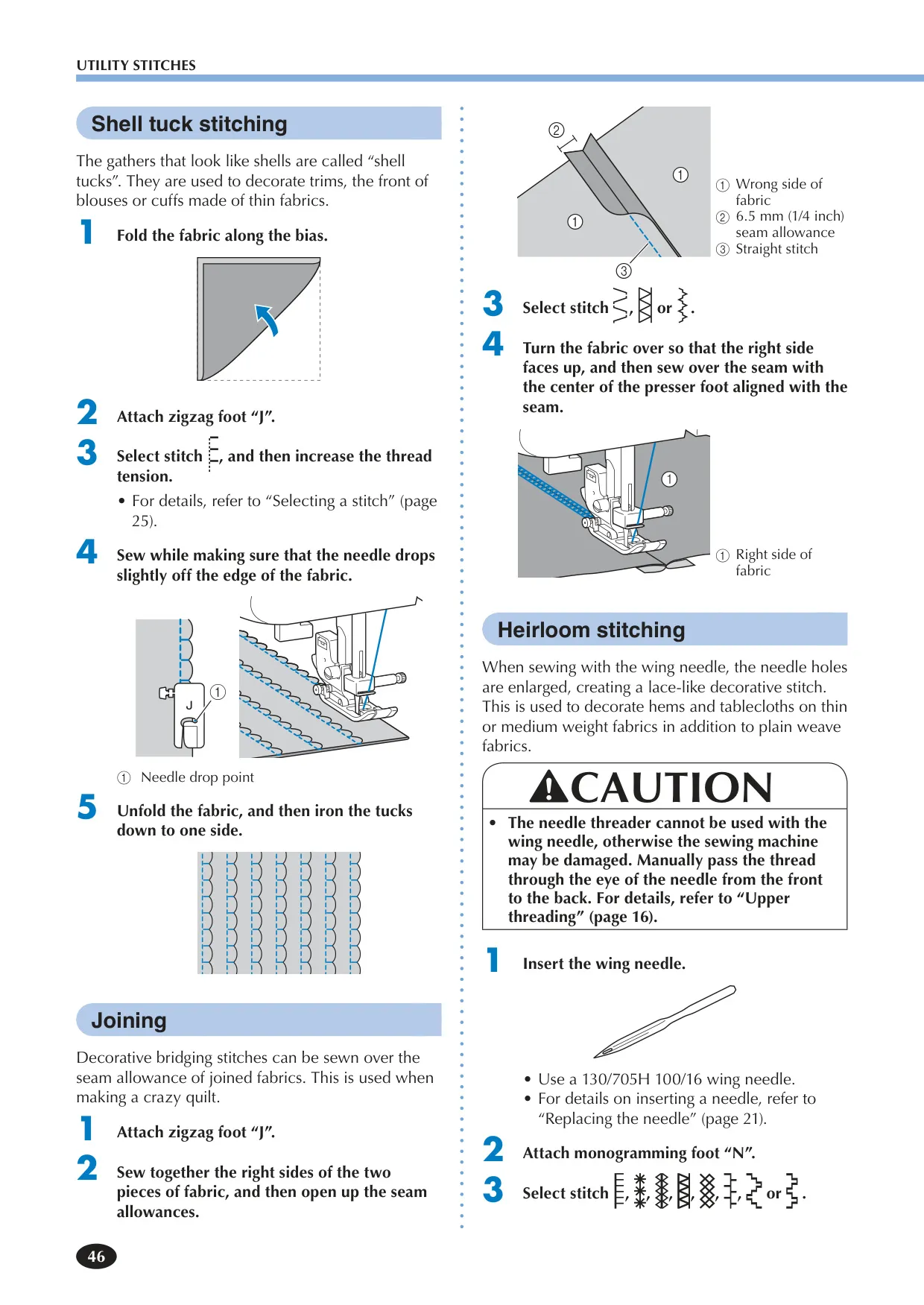
Beyond its diverse stitch count, the XR9550 offers exceptional versatility for various fabric types and advanced sewing techniques. It supports specialized applications like blind hem stitching for invisible finishes, precise buttonhole sewing with auto-sizing and gimp thread options for enhanced durability, and easy zipper insertion facilitated by its adjustable zipper foot. The machine excels in handling different materials, from delicate thin fabrics—where stabilizer material can be used to prevent misalignment—to thick seams, which benefit from the presser foot locking pin on the zigzag foot to ensure even fabric feeding from the start.
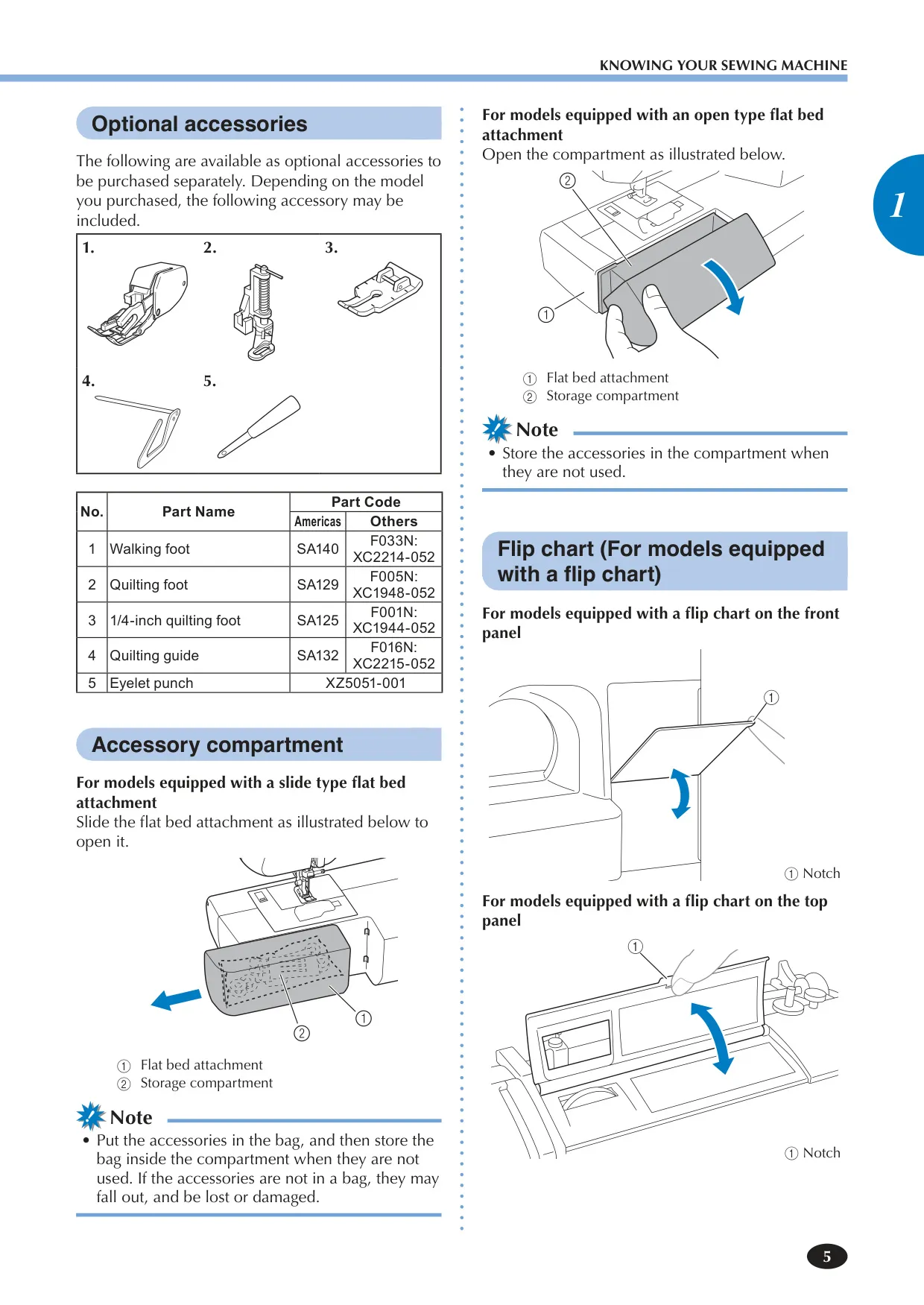
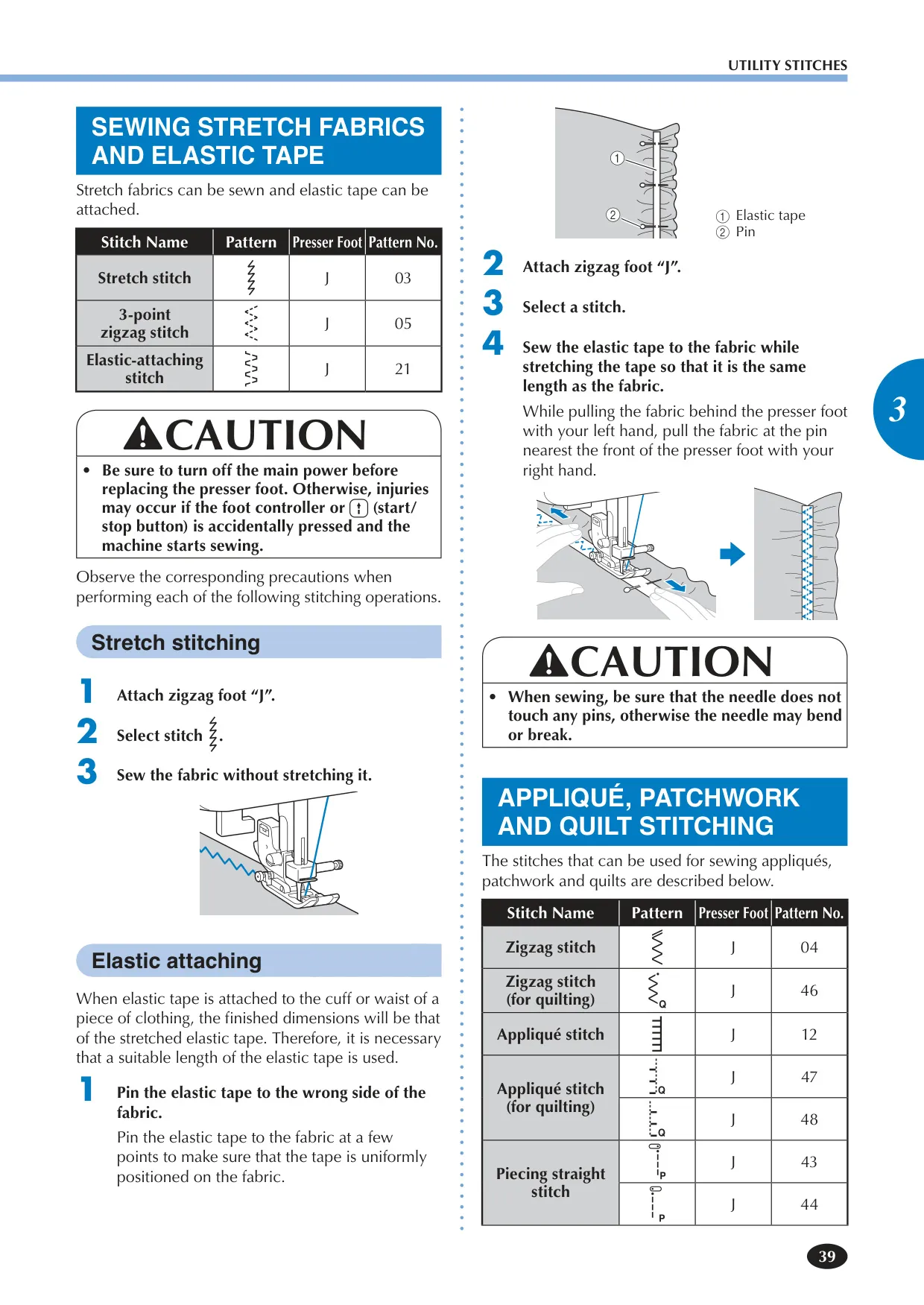
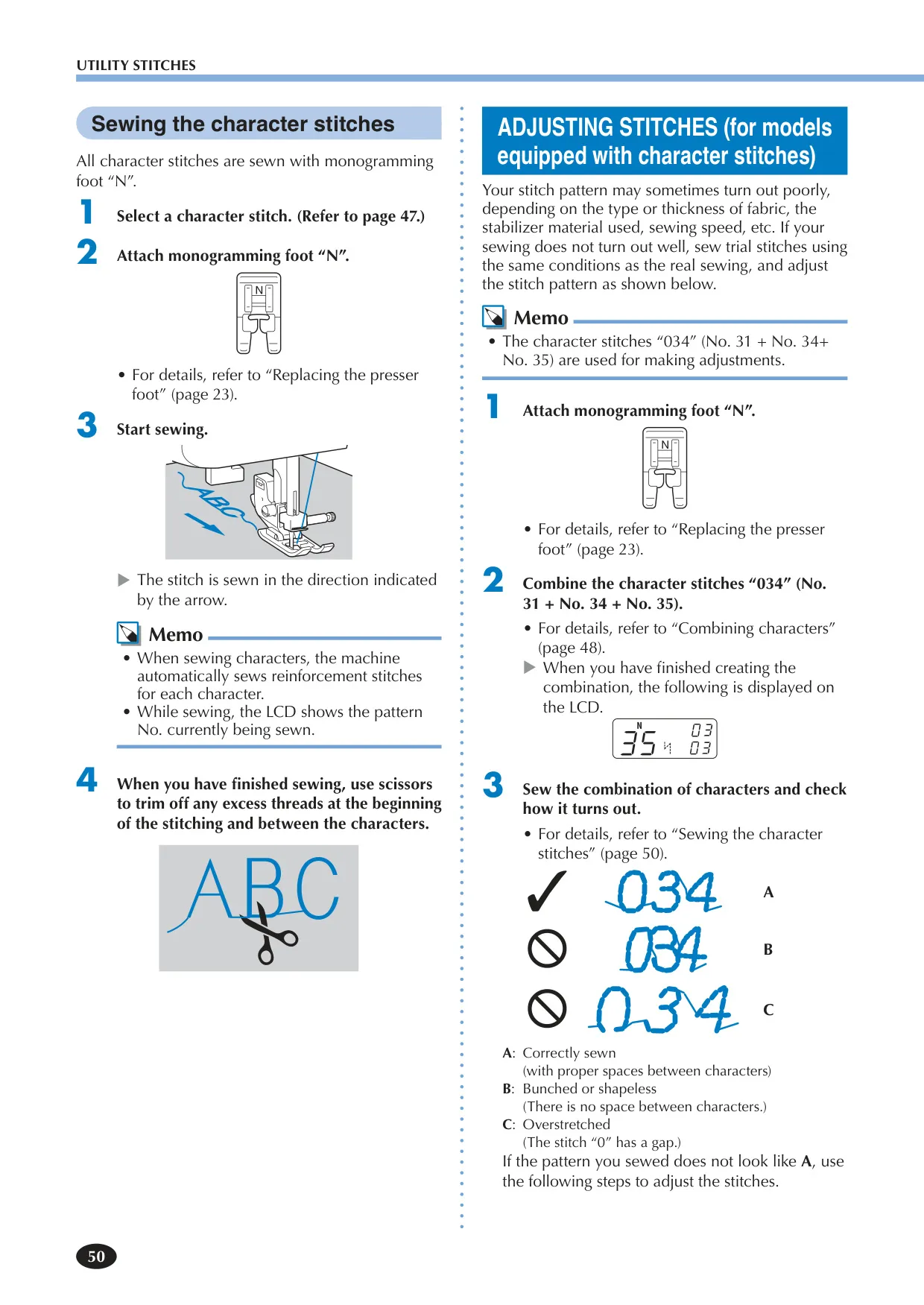
Quilters will particularly appreciate dedicated features such as appliqué and patchwork stitching, along with robust support for optional accessories like a walking foot and quilting guide, ensuring even feeding across multiple fabric layers. For creative freedom, the machine facilitates free-motion quilting by allowing the feed dogs to be effortlessly lowered. Its extensive range of decorative and alphanumeric character stitches can be combined to personalize projects with names or messages, while special heirloom patterns add elegant finishing touches, making the Brother XR9550 a comprehensive and adaptable tool for both utility and creative sewing endeavors.
Frequently Asked Questions (FAQs)
Can't find the answer you need? Here are some frequently asked questions about the Brother XR9550 Sewing Machine, and we answer them below.
How do I wind the bobbin on the Brother XR9550?
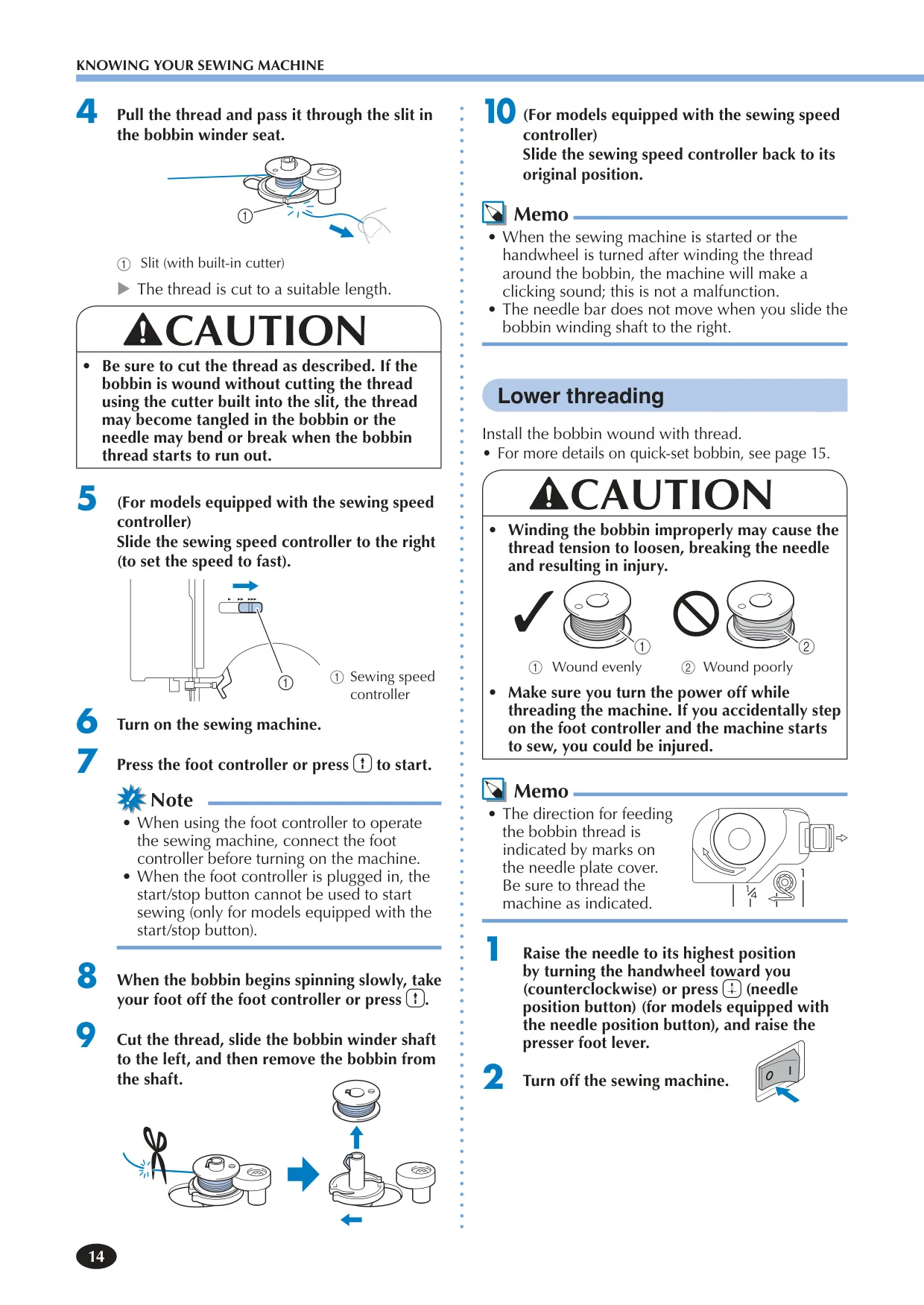
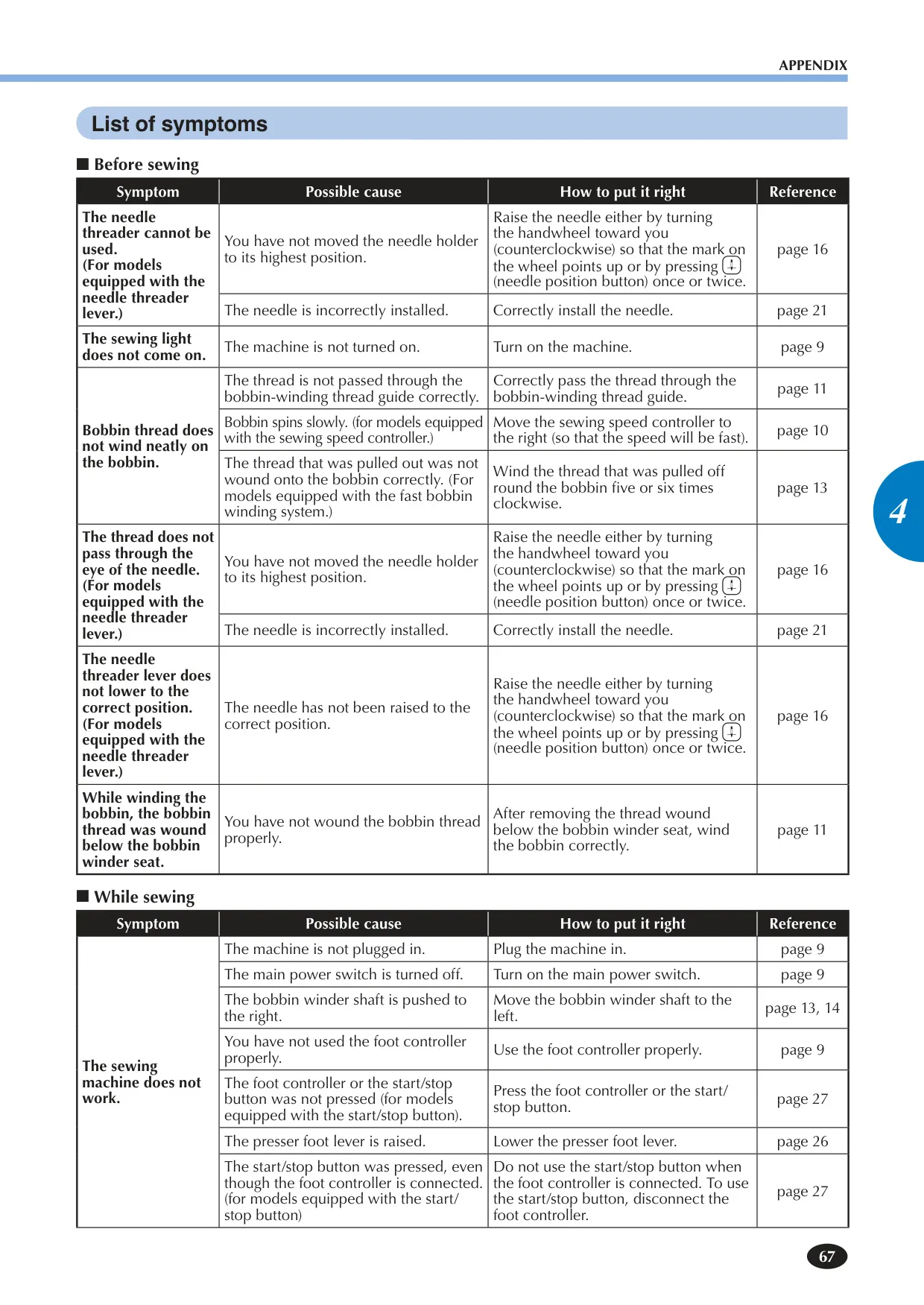
To wind the bobbin, first press down the spool pin lever to raise the spool pin and remove the spool cap. Fully insert the thread spool onto the spool pin, then slide the appropriate spool cap on. Pass the thread through the bobbin-winding thread guide and under the pre-tension disk. Place the bobbin onto the bobbin winder shaft, slide it right, and turn it clockwise until the spring fits the notch. Hold the thread end, gently press the foot controller or Start/Stop button to wind a few times, then stop and trim the excess thread. Press again to fill the bobbin, stopping when full.
What should I do if the upper thread keeps breaking during sewing?
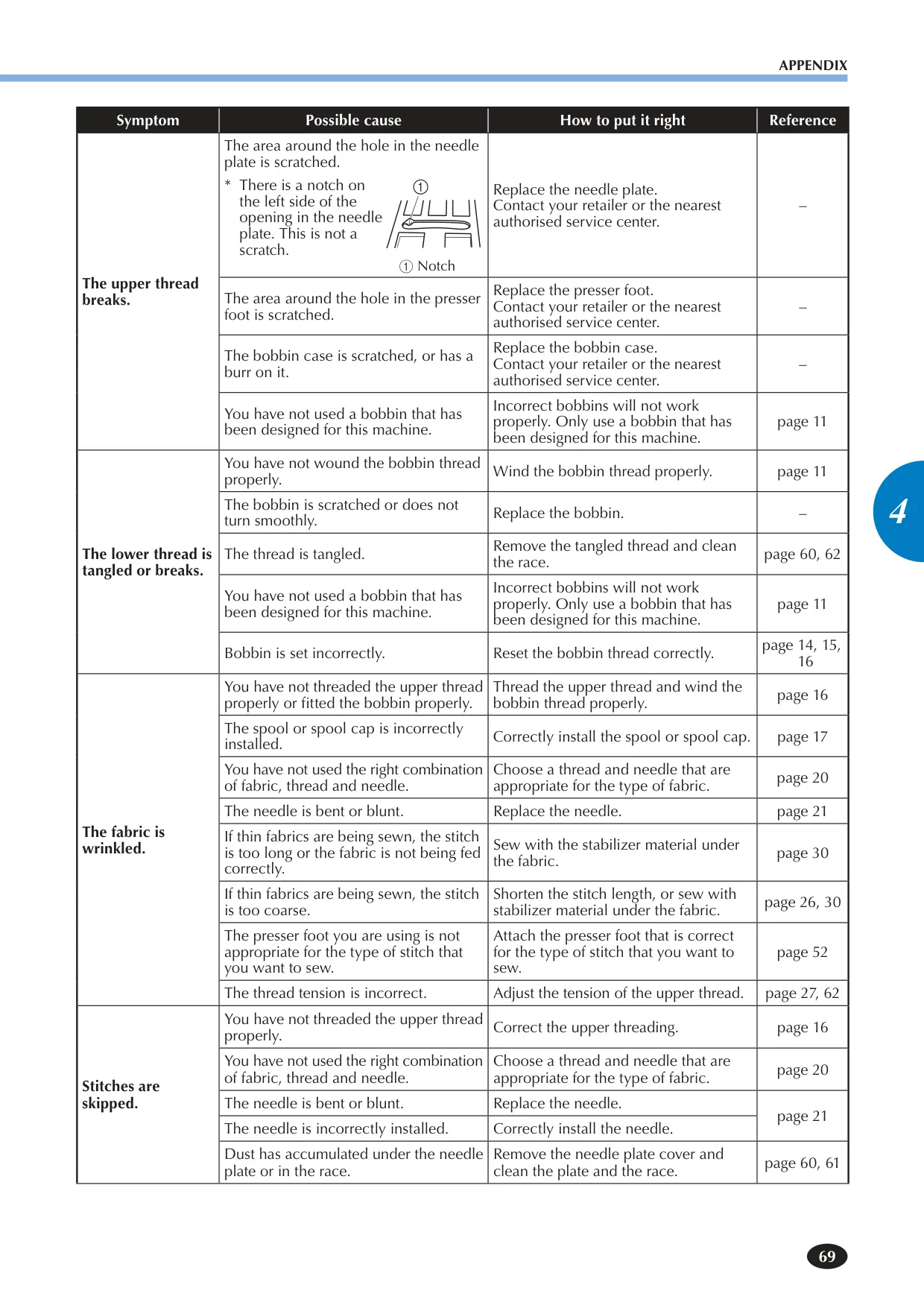
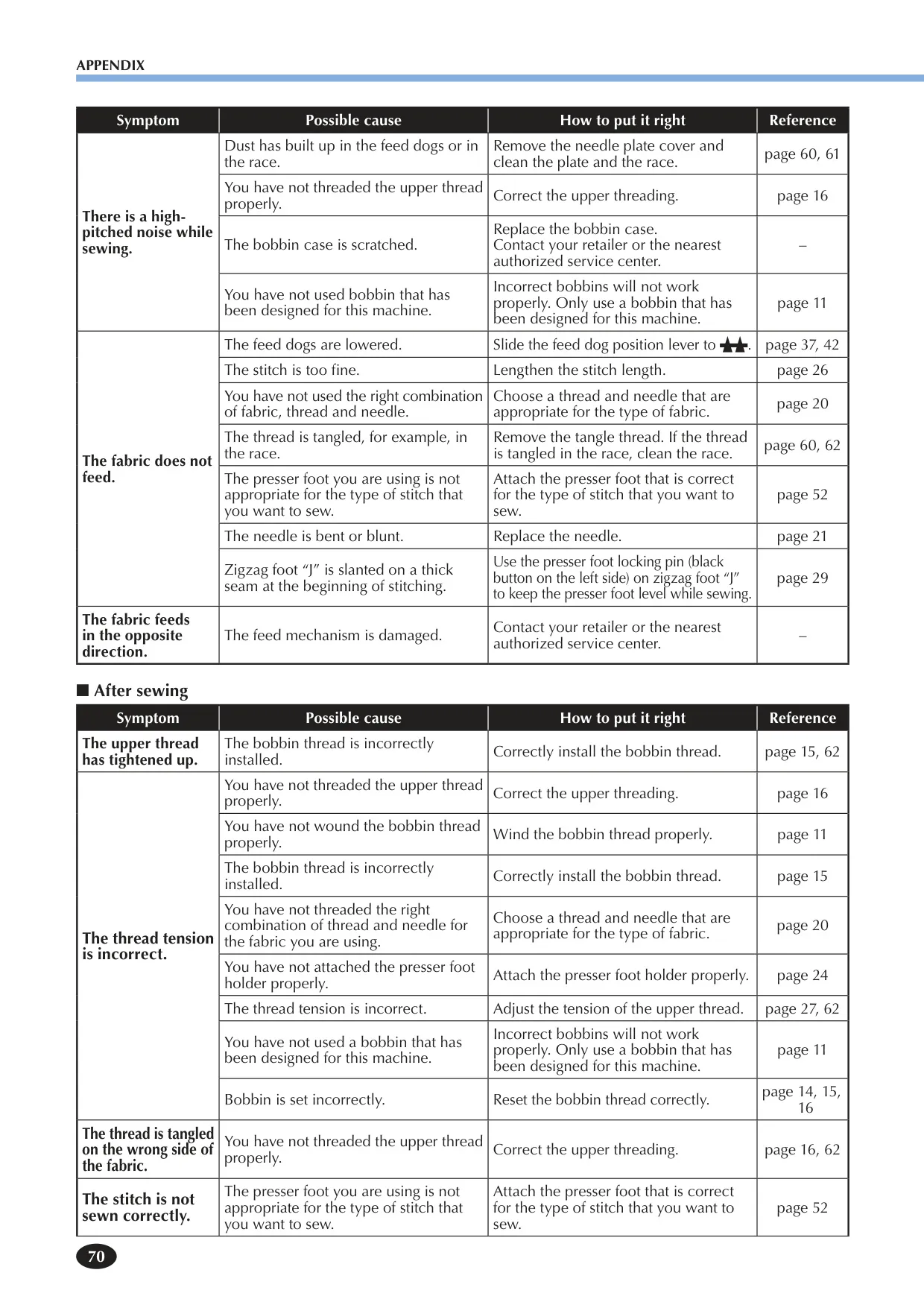
Several issues can cause the upper thread to break. First, ensure the upper thread is correctly threaded through all guides and the needle, including the thread take-up lever. Check for knots or tangles in the thread. Verify that the needle is the correct type and size for your fabric and thread, and that it's not bent or blunt. Also, ensure the upper thread tension isn't too tight and that the bobbin case or presser foot isn't scratched.
How do I change the needle on the Brother XR9550?
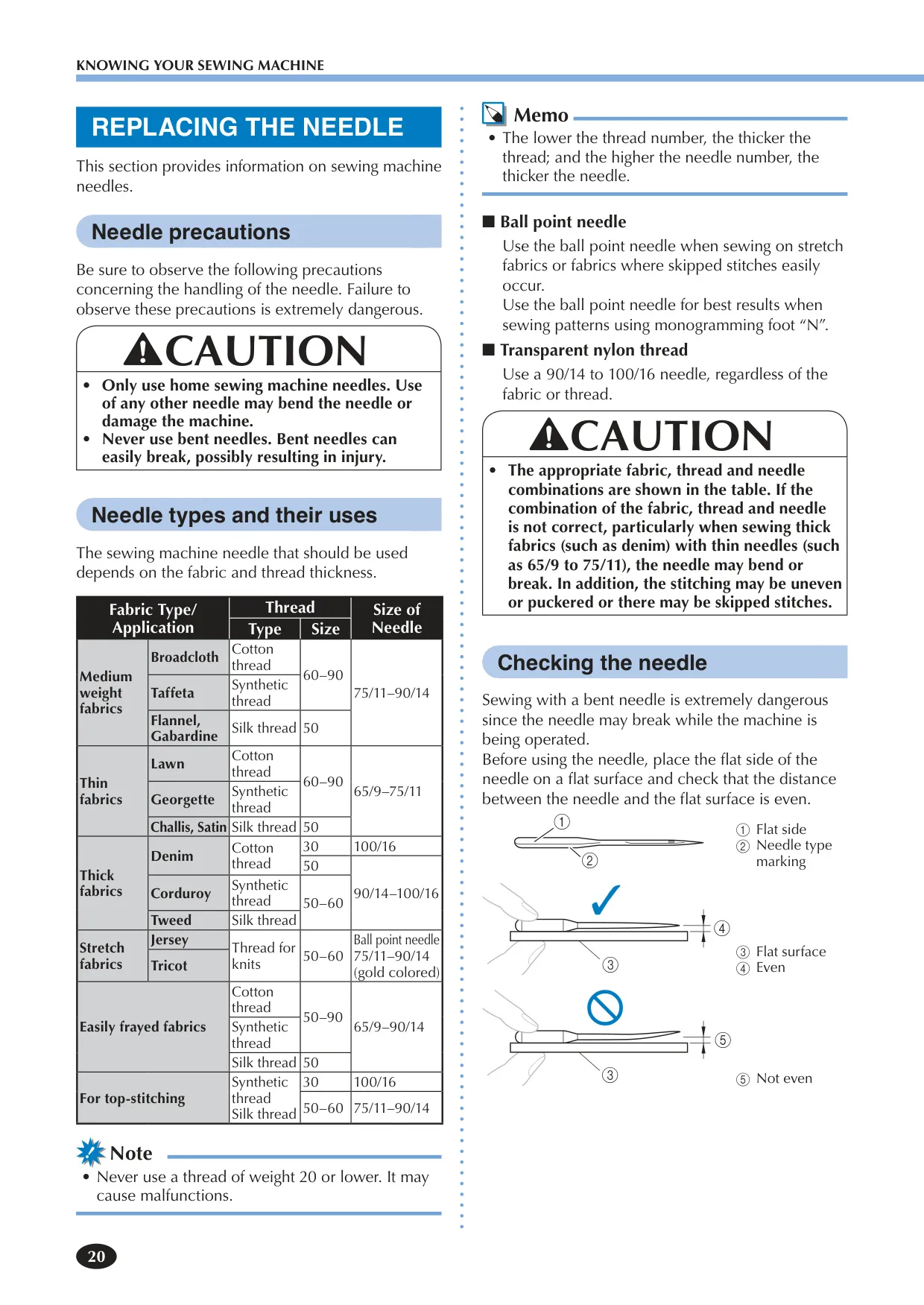
Always turn off the machine before changing the needle. Raise the needle to its highest position using the handwheel or needle position button, then lower the presser foot lever. Use the disc-shaped screwdriver to loosen the needle clamp screw and remove the old needle. Insert the new needle with its flat side towards the rear of the machine, pushing it up until it touches the needle stopper. Finally, securely tighten the needle clamp screw.
What if my fabric is getting caught in the machine and cannot be removed?
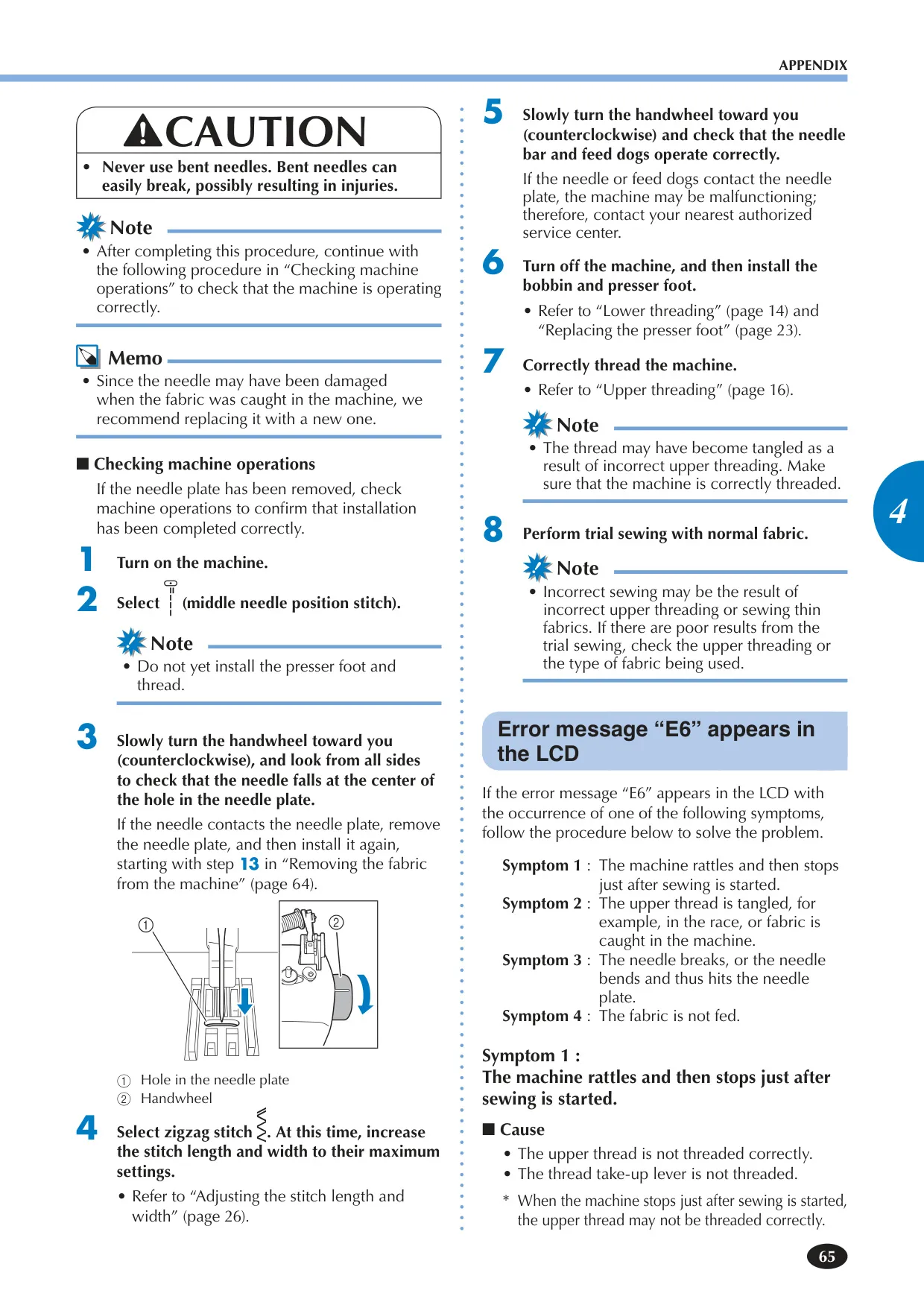
If fabric is caught, immediately stop and turn off the machine. Remove the needle, presser foot, and presser foot holder. Lift the fabric slightly and cut any visible tangled threads. Then, remove the needle plate cover, bobbin, and bobbin case. Carefully remove any tangled threads from the race and around the feed dogs using the cleaning brush or a vacuum cleaner. If the fabric still cannot be removed, contact an authorized service center.
How do I adjust the thread tension on the Brother XR9550?
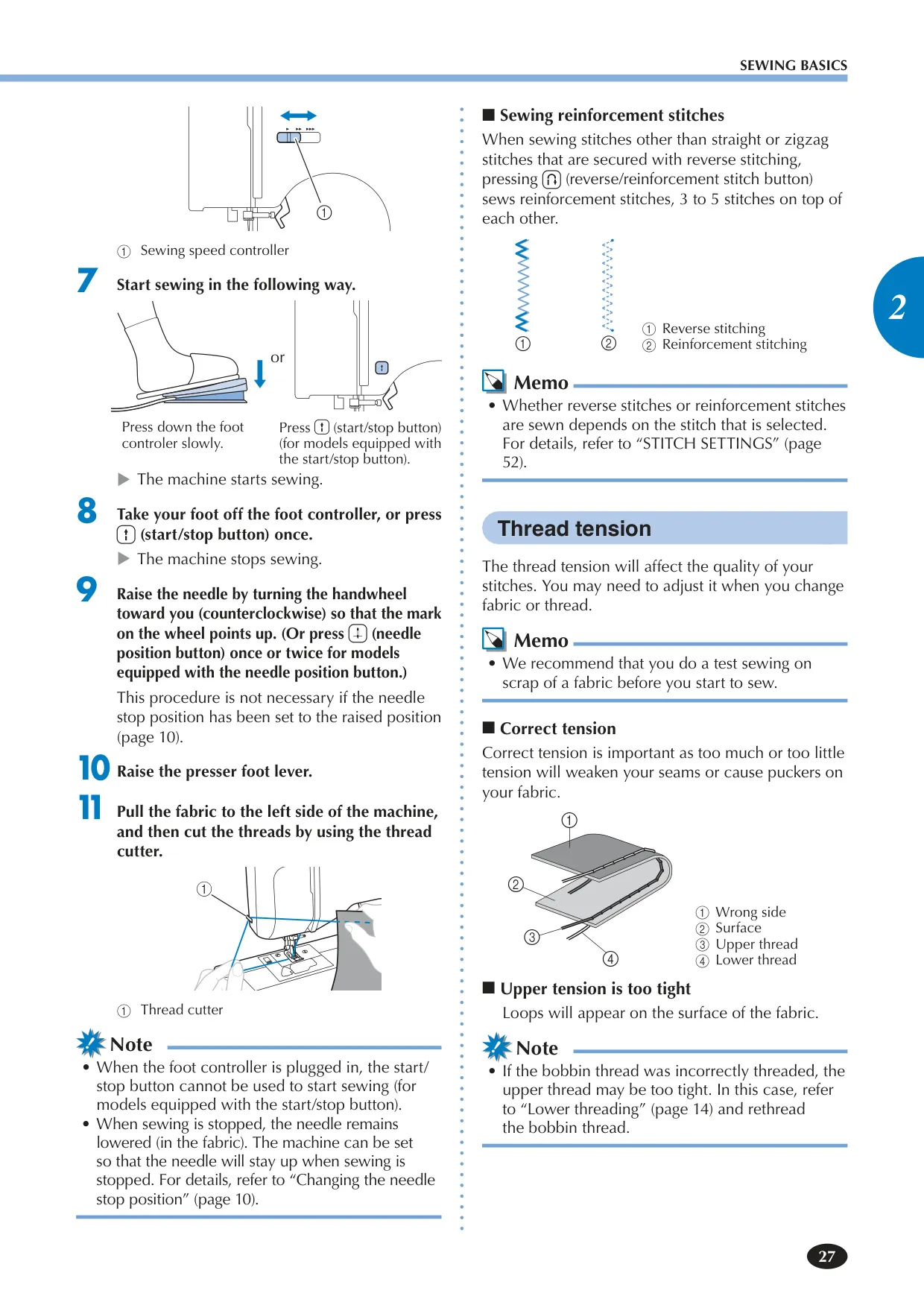
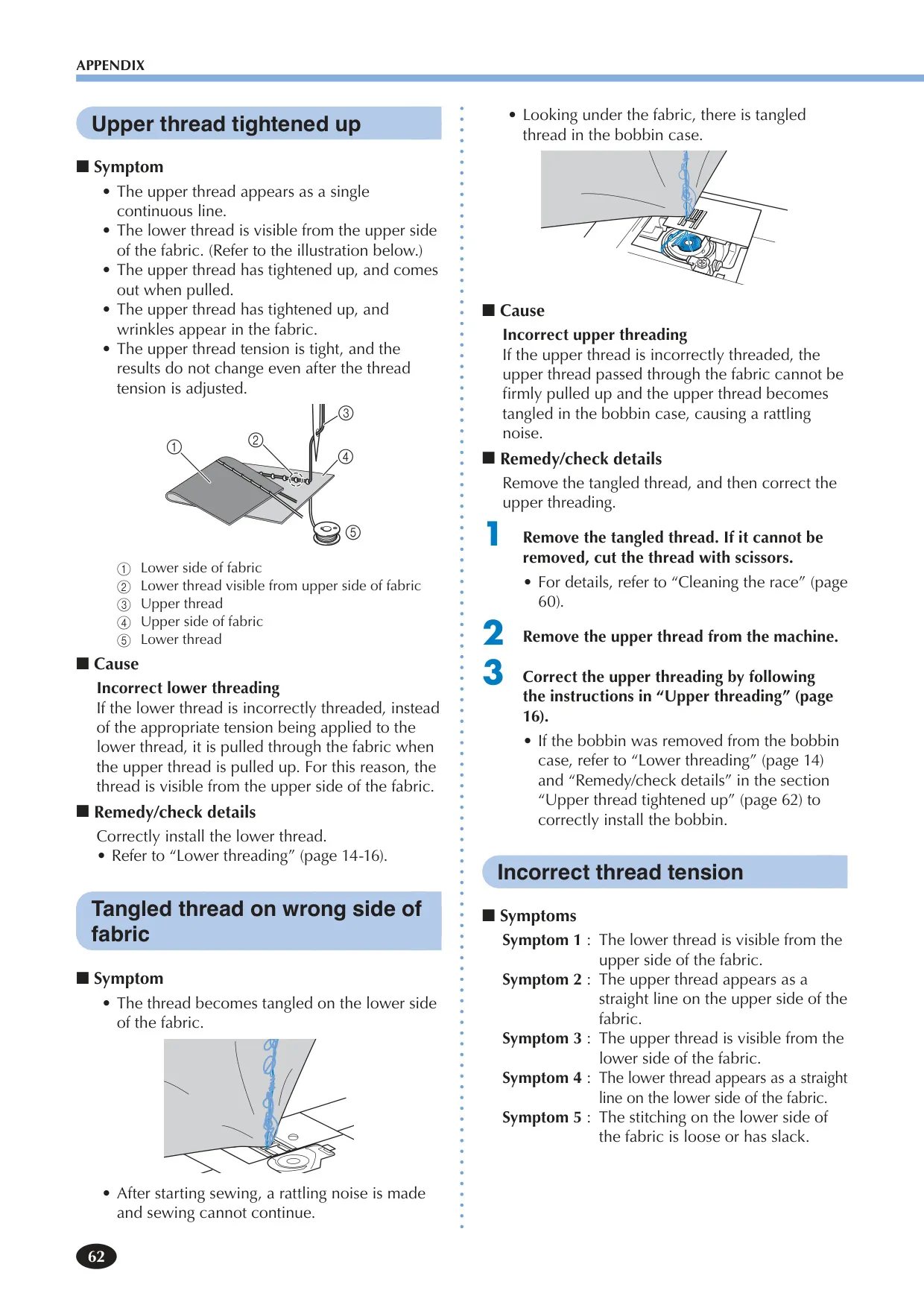
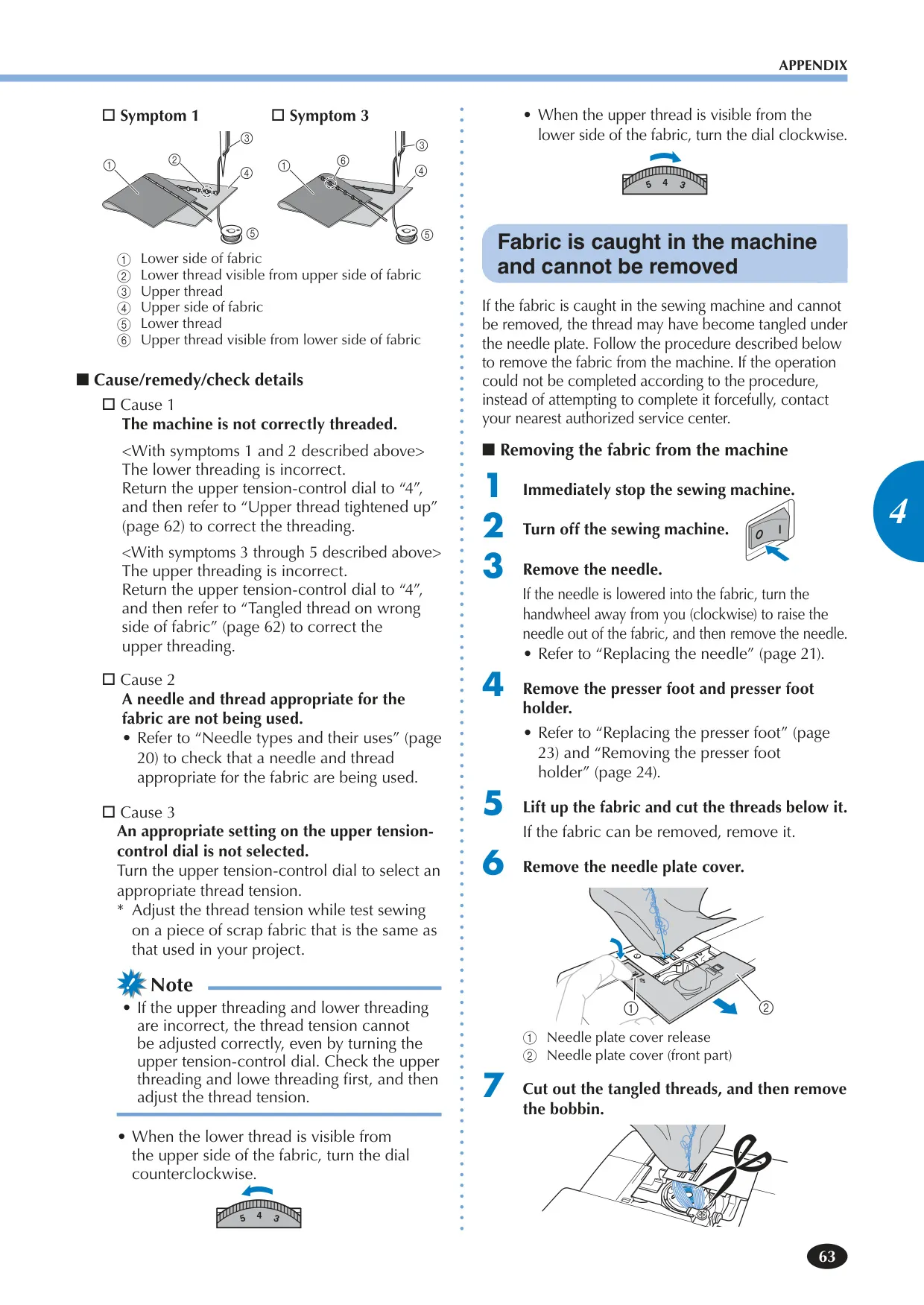
Correct thread tension is crucial for quality stitches. If the lower thread is visible on the fabric's upper side, the upper tension is too tight; reduce tension by turning the upper tension-control dial to a lower number. If the upper thread forms loops on the fabric's underside, the upper tension is too loose; increase tension by turning the dial to a higher number. Always perform a test sew on scrap fabric matching your project to fine-tune the tension.
Can I use a twin needle with the Brother XR9550?
Yes, the Brother XR9550 supports twin needle sewing. You must use twin needles specifically made for this machine (part code: 131096-121). When using a twin needle, select a stitch width of 5.0 mm (3/16 inch) or less and always attach zigzag foot 'J'. Remember, the needle threader cannot be used with a twin needle; thread it manually from front to back.
How do I sew a buttonhole with the Brother XR9550?
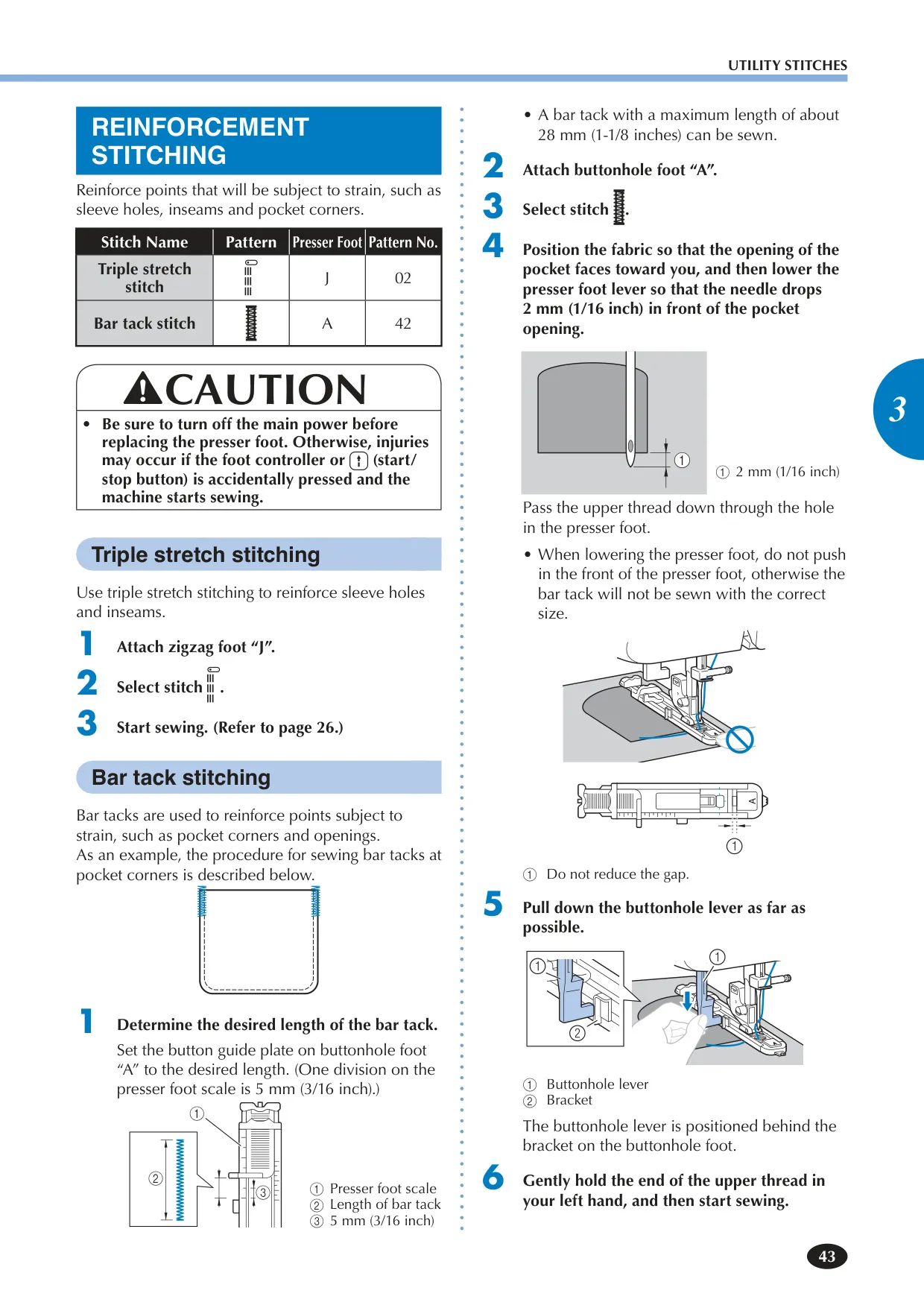
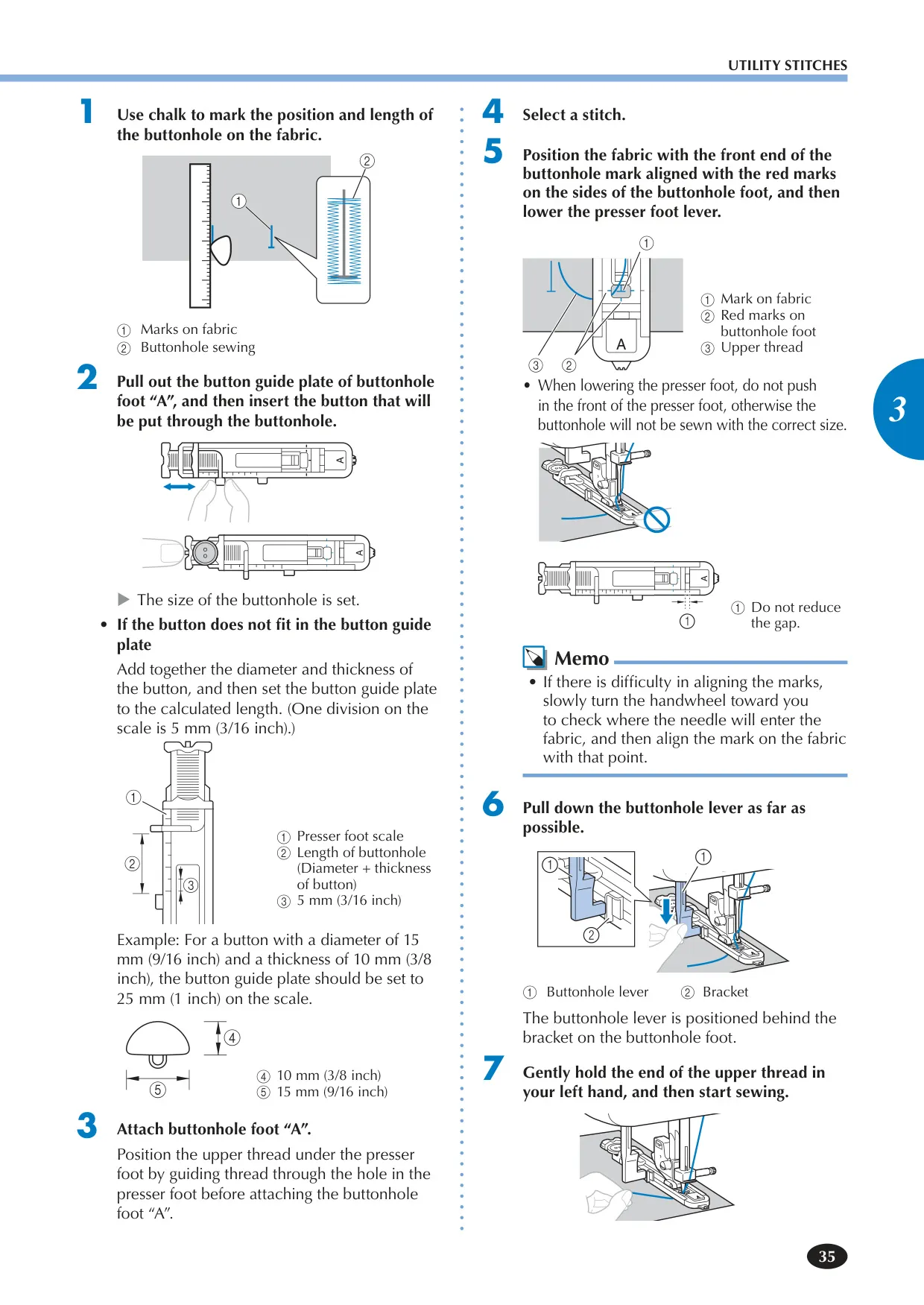
First, mark the buttonhole position and length on your fabric. Pull out the button guide plate on buttonhole foot 'A' and insert the button to set the size. Attach buttonhole foot 'A', position the fabric aligning the buttonhole mark with the red marks on the foot, then lower the presser foot lever. Pull down the buttonhole lever. Gently hold the upper thread and start sewing; the machine will automatically complete the buttonhole. After sewing, use a seam ripper to carefully open it.
What does the 'E6' error message mean on the LCD?
An 'E6' error typically indicates that the motor has locked up due to tangled thread (e.g., in the race), a bent or broken needle hitting the needle plate, or incorrect upper threading causing the machine to stop just after starting. The solution involves turning off the machine, removing any tangled threads, replacing bent/broken needles, and re-threading the upper thread correctly. If the issue persists, refer to the troubleshooting section of your manual or contact service.
How do I clean the bobbin area (race) of my Brother XR9550?
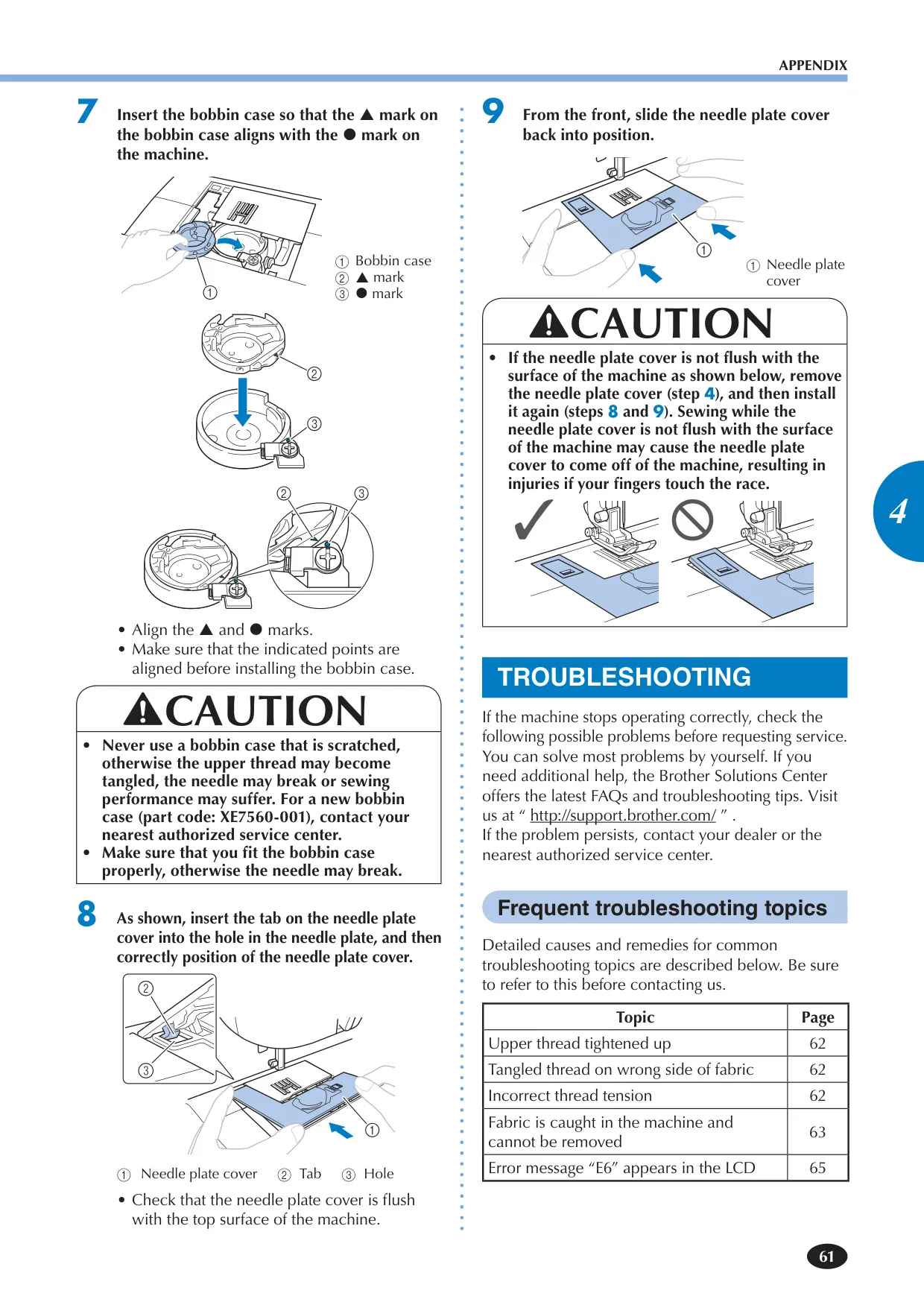
Regular cleaning of the race prevents sewing performance issues. Turn off and unplug the machine. Raise the needle and presser foot. Remove the needle, presser foot holder, needle plate cover, and bobbin case. Use the included cleaning brush or a vacuum cleaner to remove any lint and dust from the race and its surrounding area. Do not oil the race. Reassemble all parts carefully, ensuring the bobbin case and needle plate cover are correctly seated.
Is user oiling required for the Brother XR9550?
No, the Brother XR9550 sewing machine does not require user oiling. It has been manufactured with the necessary amount of oil applied for correct operation, making periodic oiling by the user unnecessary. If you encounter problems like difficulty turning the handwheel or unusual noises, stop using the machine immediately and contact an authorized dealer or service center. Do not attempt to oil it yourself.
How can I perform free-motion quilting with this machine?
To perform free-motion quilting, you'll need the optional quilting foot. First, remove the standard presser foot and holder. Attach the quilting foot, ensuring its pin is over the needle clamp screw. Crucially, slide the feed dog position lever to lower the feed dogs, allowing you to move the fabric freely in any direction. Hold the fabric taut with both hands and guide it to follow your desired pattern while sewing.
Can I adjust the sewing speed on the Brother XR9550?
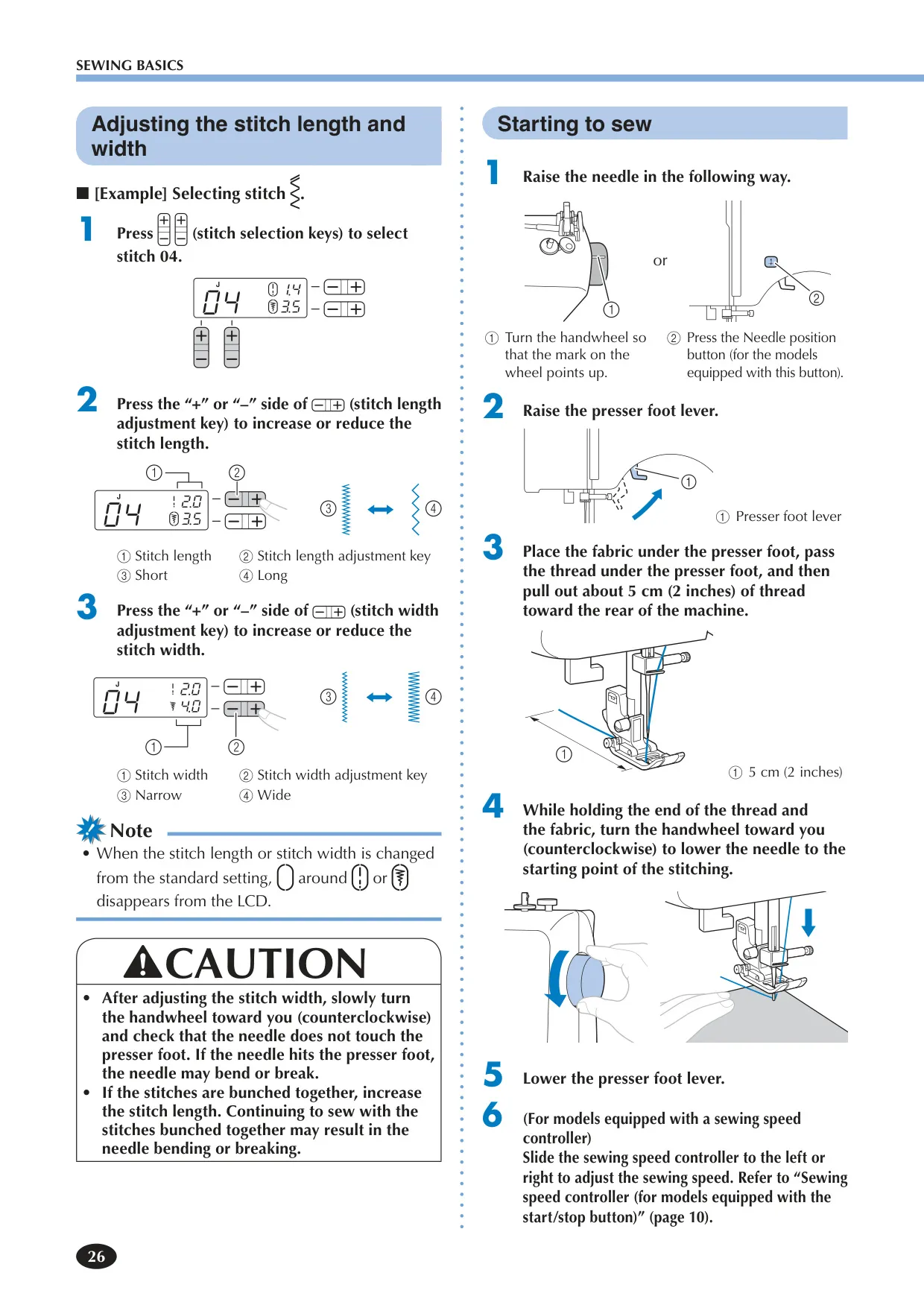
Yes, the Brother XR9550 features a convenient sewing speed controller, typically a slide control. You can adjust this controller to select your desired sewing speed, ranging from slow for detailed work to fast for longer, simpler seams. This allows you to match the sewing speed to your comfort level and the complexity of your project, providing greater control over your stitching.
What types of needles are recommended for the Brother XR9550?
The recommended needle types depend on the fabric and thread thickness. Generally, use home sewing machine needles in sizes ranging from 65/9 to 100/16. Ball point needles are suggested for stretch fabrics or those prone to skipped stitches. For special applications, twin needles and wing needles (specifically 130/705H 100/16 for heirloom stitching) can also be used, but always ensure the correct combination to prevent needle breakage or poor stitching.
How many stitch patterns does the Brother XR9550 offer?
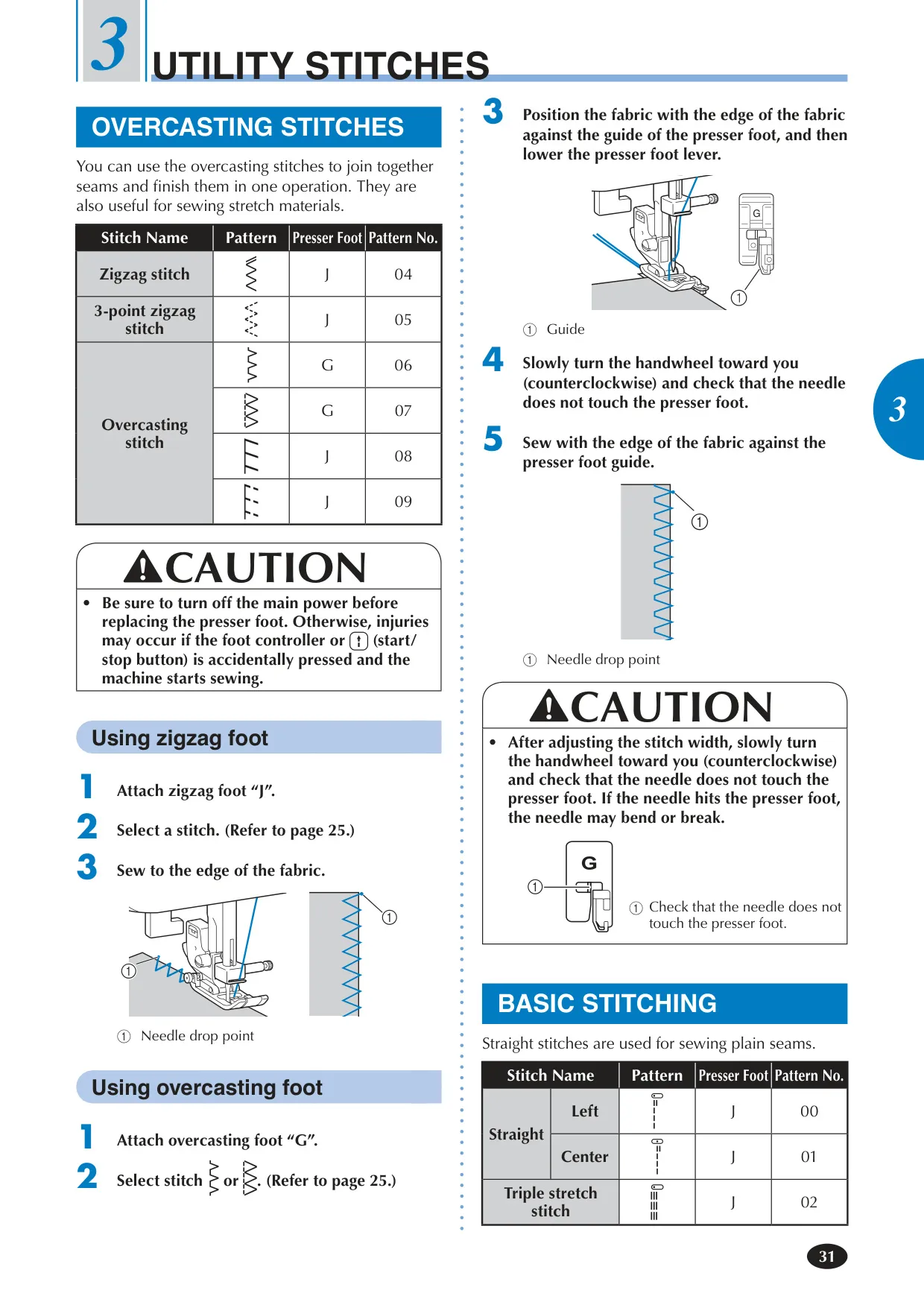
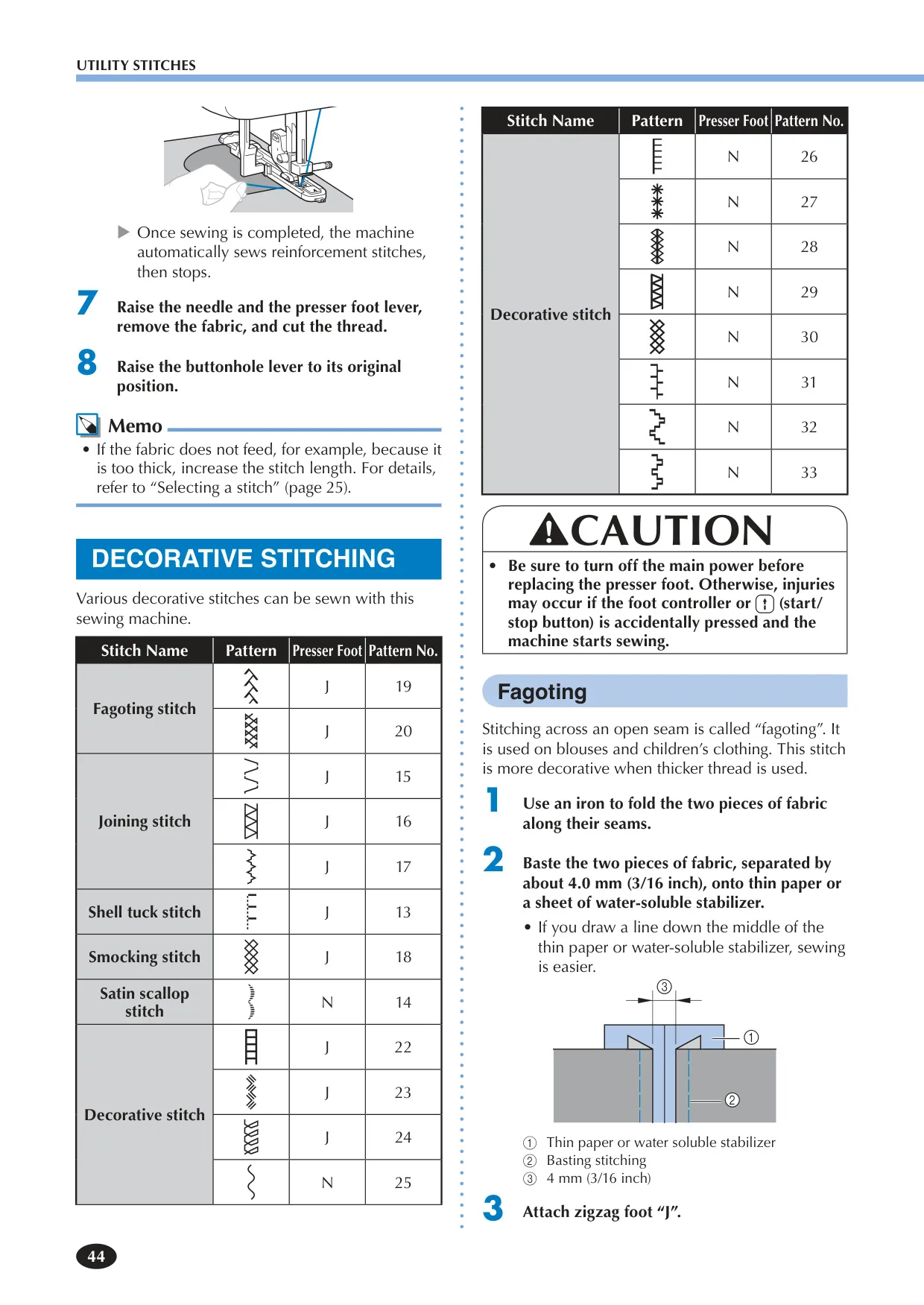
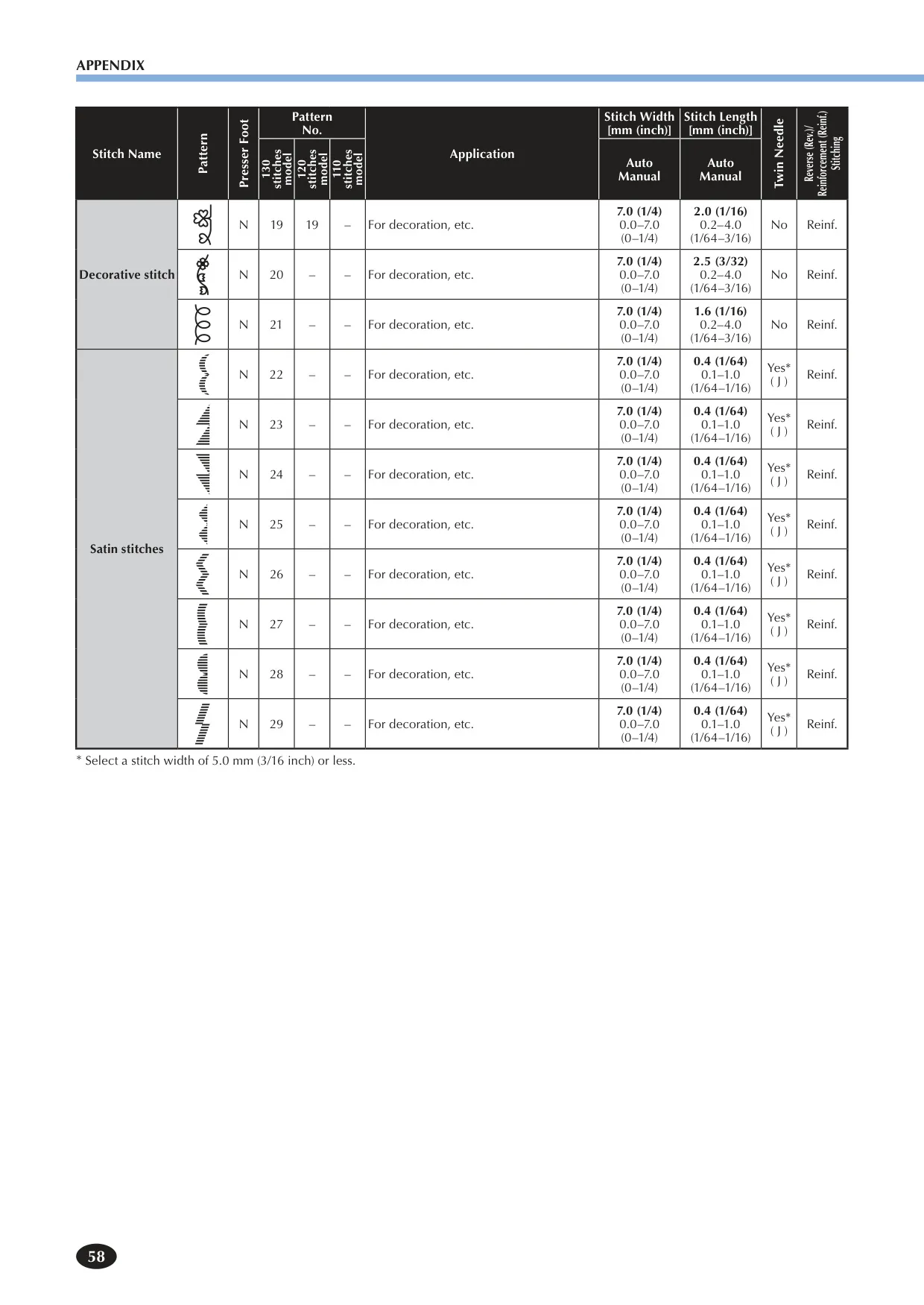
The Brother XR9550 offers a comprehensive selection of stitch patterns. It includes 100 utility stitches for functional sewing, 30 mirror image stitches (for models equipped with this feature) for decorative effects, and 55 character stitches (for models equipped) for personalizing projects with alphanumeric characters. This provides a total of 185 unique stitch patterns to cater to a wide range of sewing and creative needs.
How can I sew cylindrical pieces, like cuffs or pant legs?
The Brother XR9550 is designed for easy sewing of cylindrical pieces. Simply pull the flat bed attachment to the left to remove it. This converts the machine into a free-arm configuration. Slide the cylindrical piece onto the remaining arm, allowing you to sew around it with greater ease and maneuverability. Remember to reattach the flat bed attachment when finished with free-arm sewing.