
Morphy Richards 48281 Fastbake Breadmaker Instruction Manual

Morphy Richards 48281 Fastbake Breadmaker












Morphy Richards 48281 Instructions
Here we offer the Morphy Richards 48281 Fastbake Breadmaker manual completely free and in English. We have cataloged this manual in the Breadmakers section on Manualverse, and it has been rated by 1 users with an average rating of 5. If you have any specific questions about Morphy Richards 48281 Fastbake Breadmaker, we suggest checking the Frequently Asked Questions (FAQs) section of this manual.
Product Images

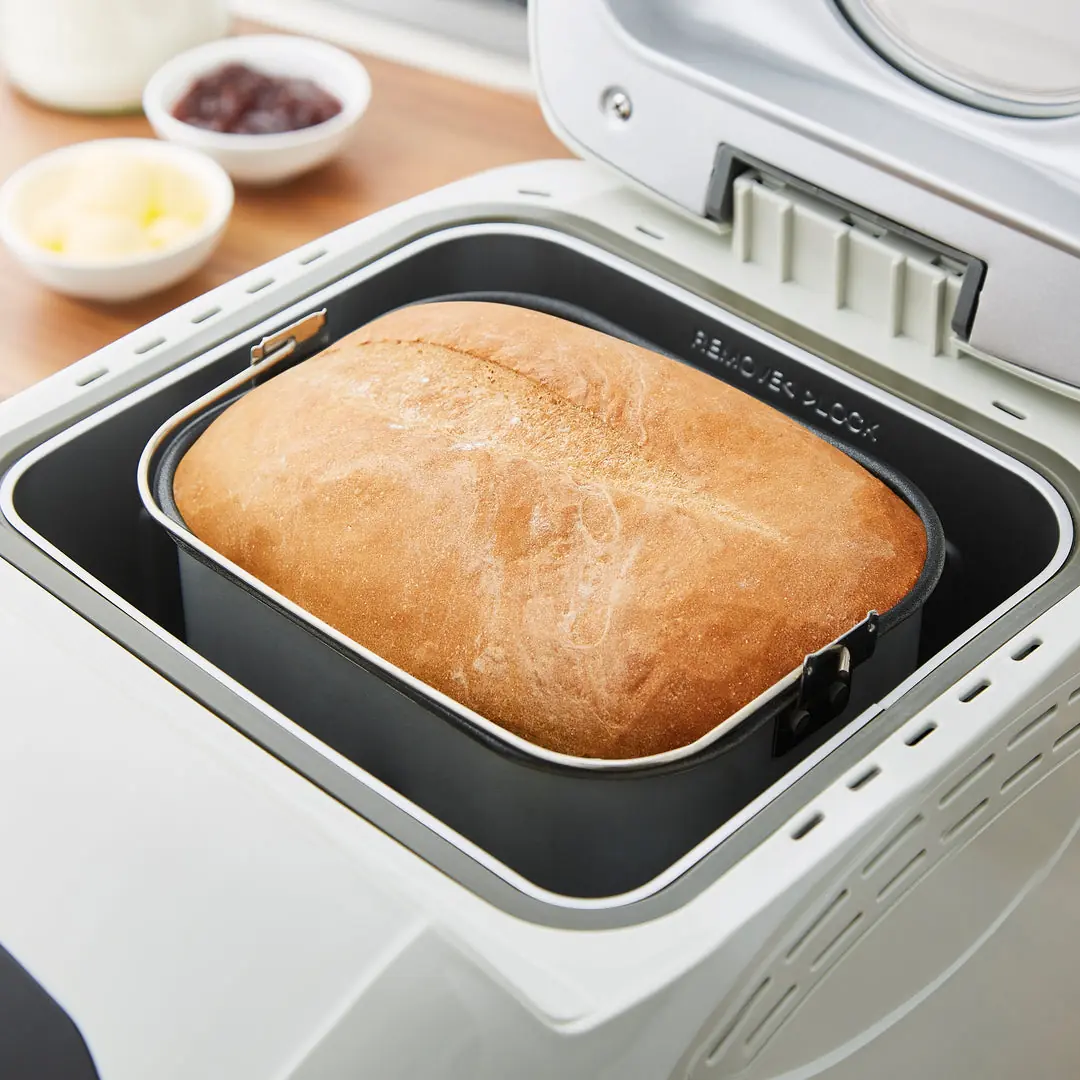
Morphy Richards 48281 Specifications
| Feature | Specification |
|---|---|
| Model Number | 48281 |
| Product Type | Fastbake Breadmaker |
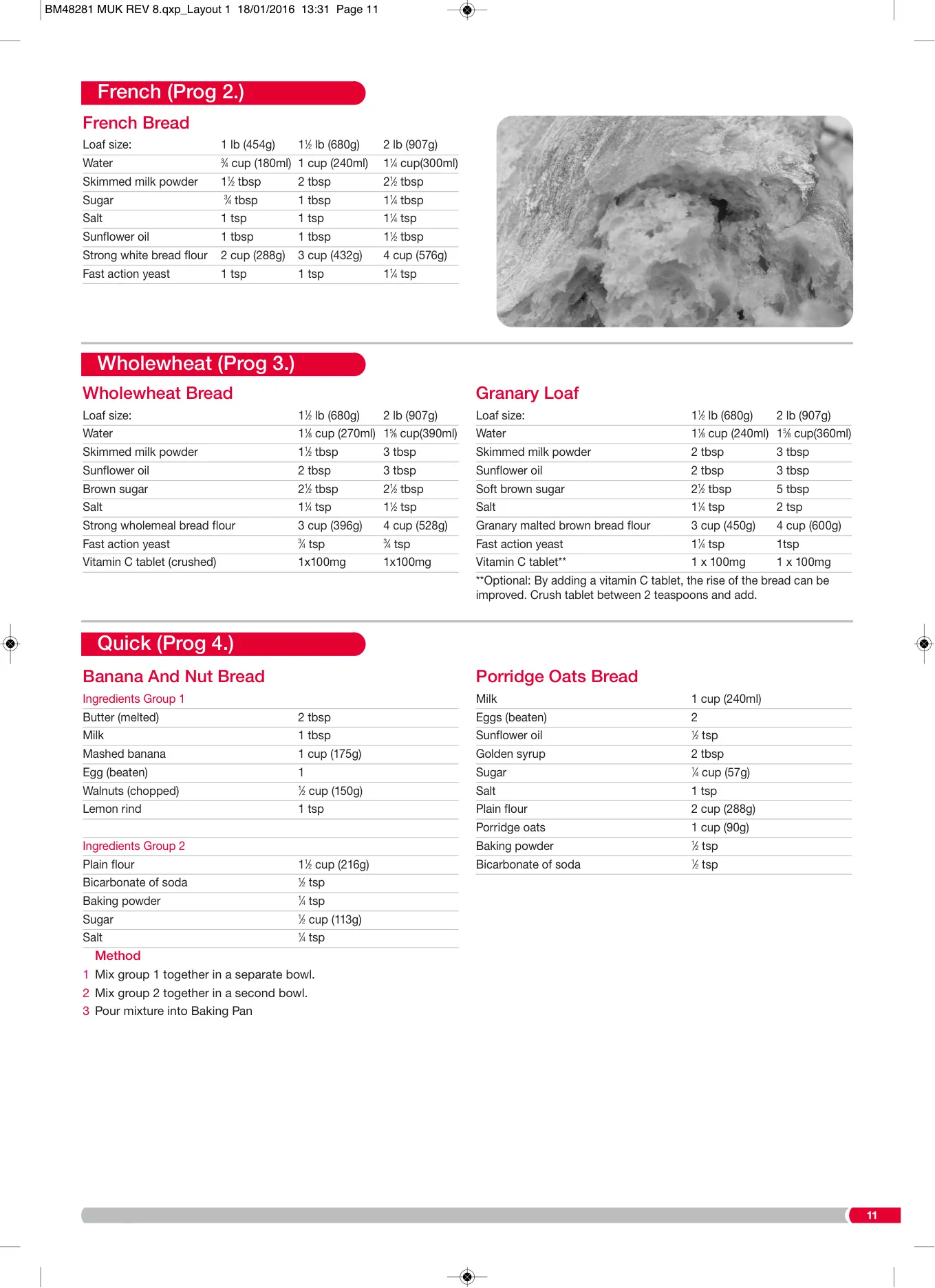
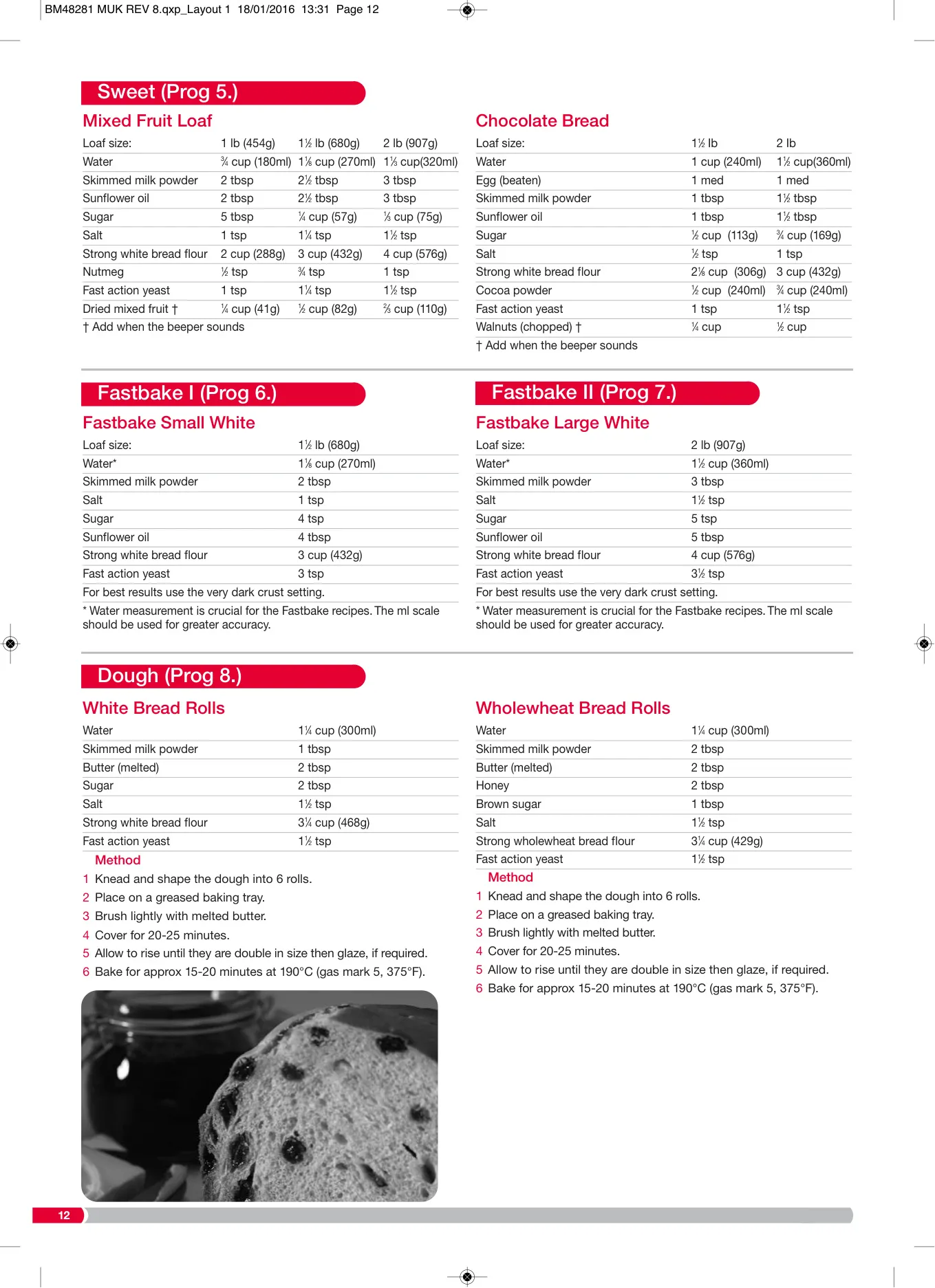
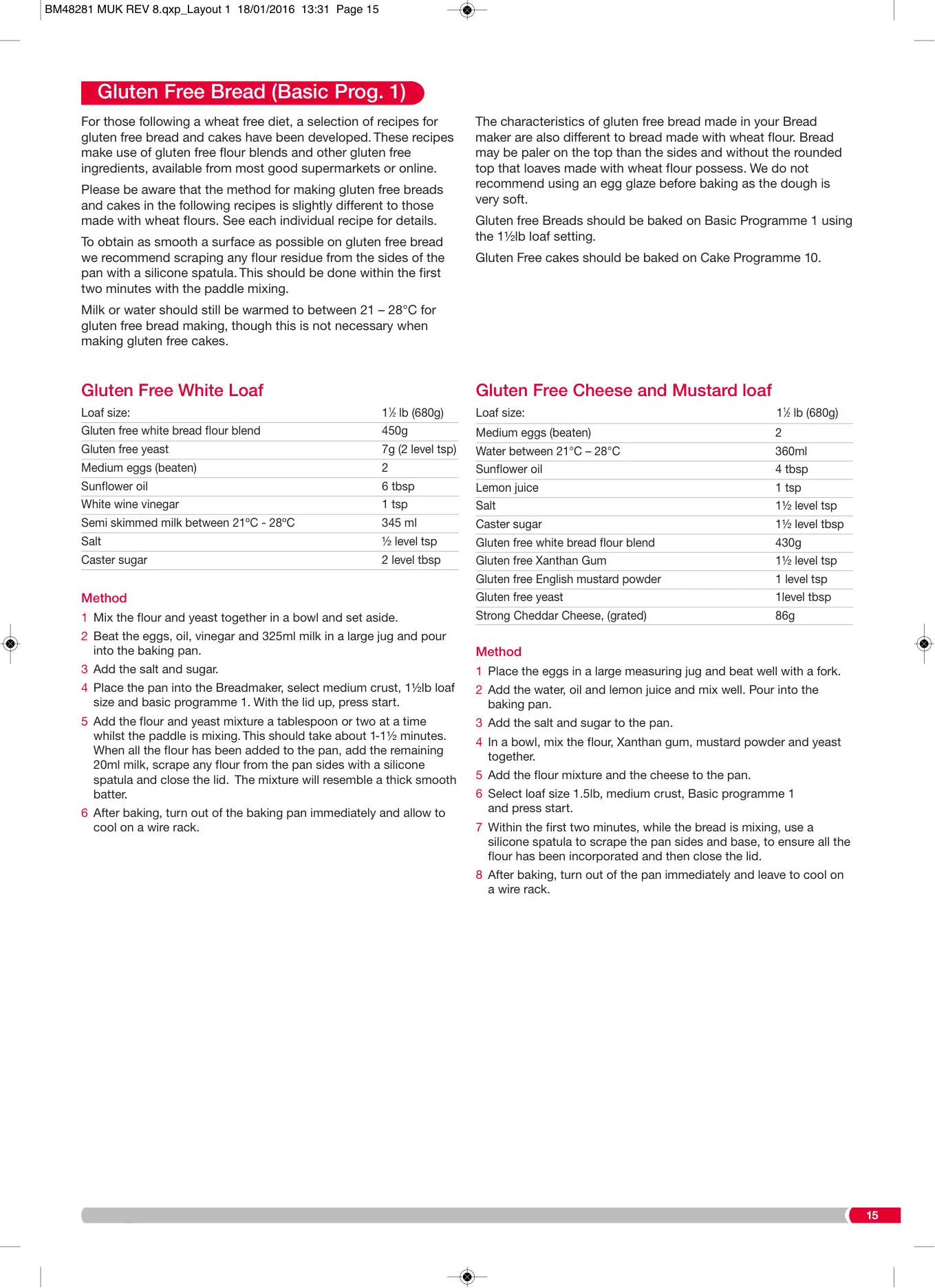
| Loaf Sizes | 1.5 lb (680g), 2 lb (907g) |
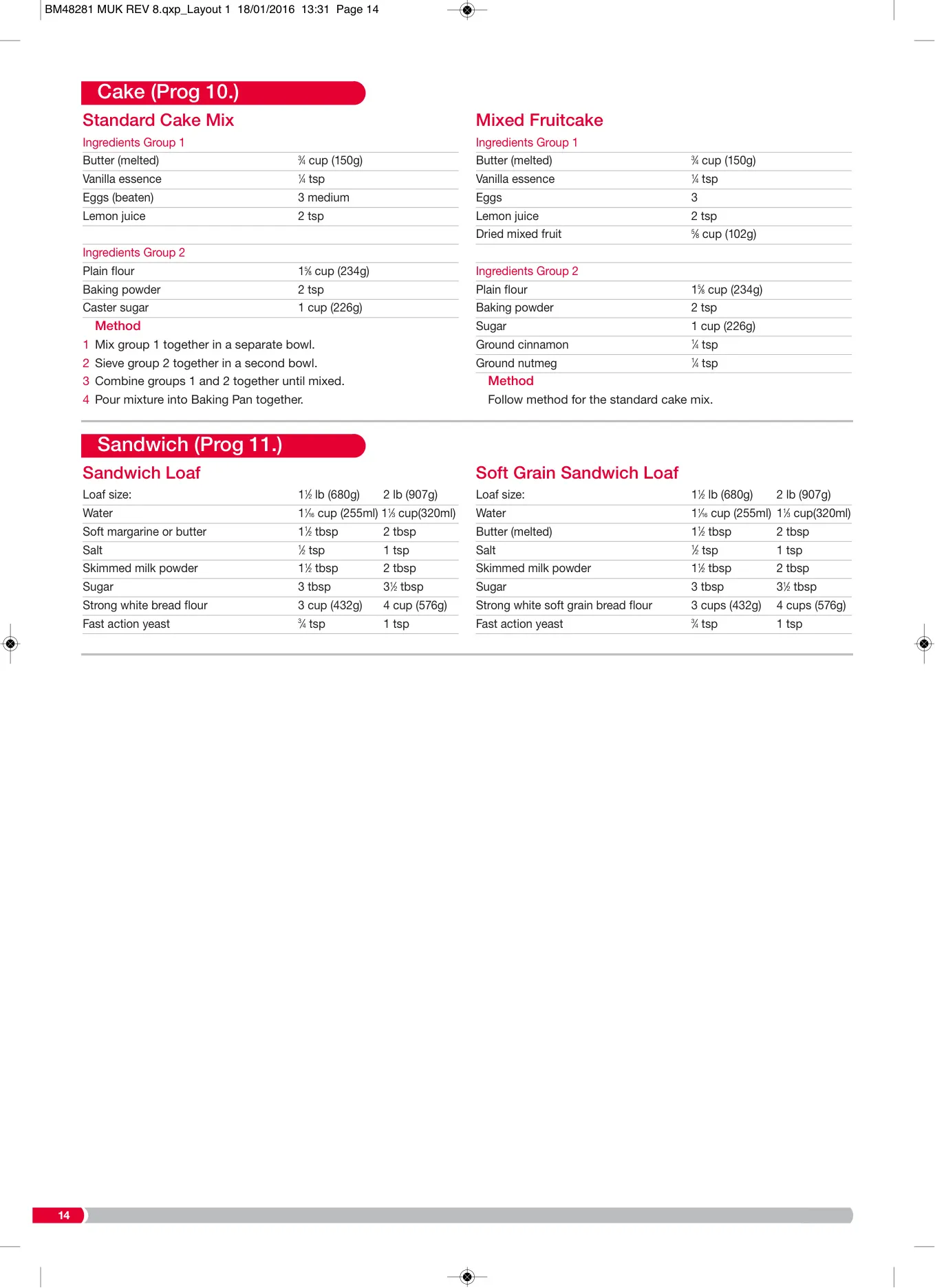
| Programs | 12 (Basic, French, Wholewheat, Quick, Sweet, Fastbake I, Fastbake II, Dough, Jam, Cake, Sandwich, Extra Bake) |
| Crust Settings | Light, Medium, Dark |
| Delay Timer | Up to 13 hours (not available on Fastbake and Jam programs) |
| Keep Warm Function | 60 minutes (after baking completion) |
| Included Accessories | Baking Pan, Kneading Blade, Measuring Cup, Measuring Spoons |
| Display | LCD Screen with countdown timer |
| Controls | Time Increase/Decrease, Loaf Size, Start/Stop, Crust, Menu buttons |
| Voltage | A.C. (Alternating Current) - specific voltage not detailed but assumes standard household supply |
| Fuse Type | 13 amp BS1362 (UK/Ireland) |
| Earthing | Appliance must be earthed |
Morphy Richards 48281 Breadmaker Details
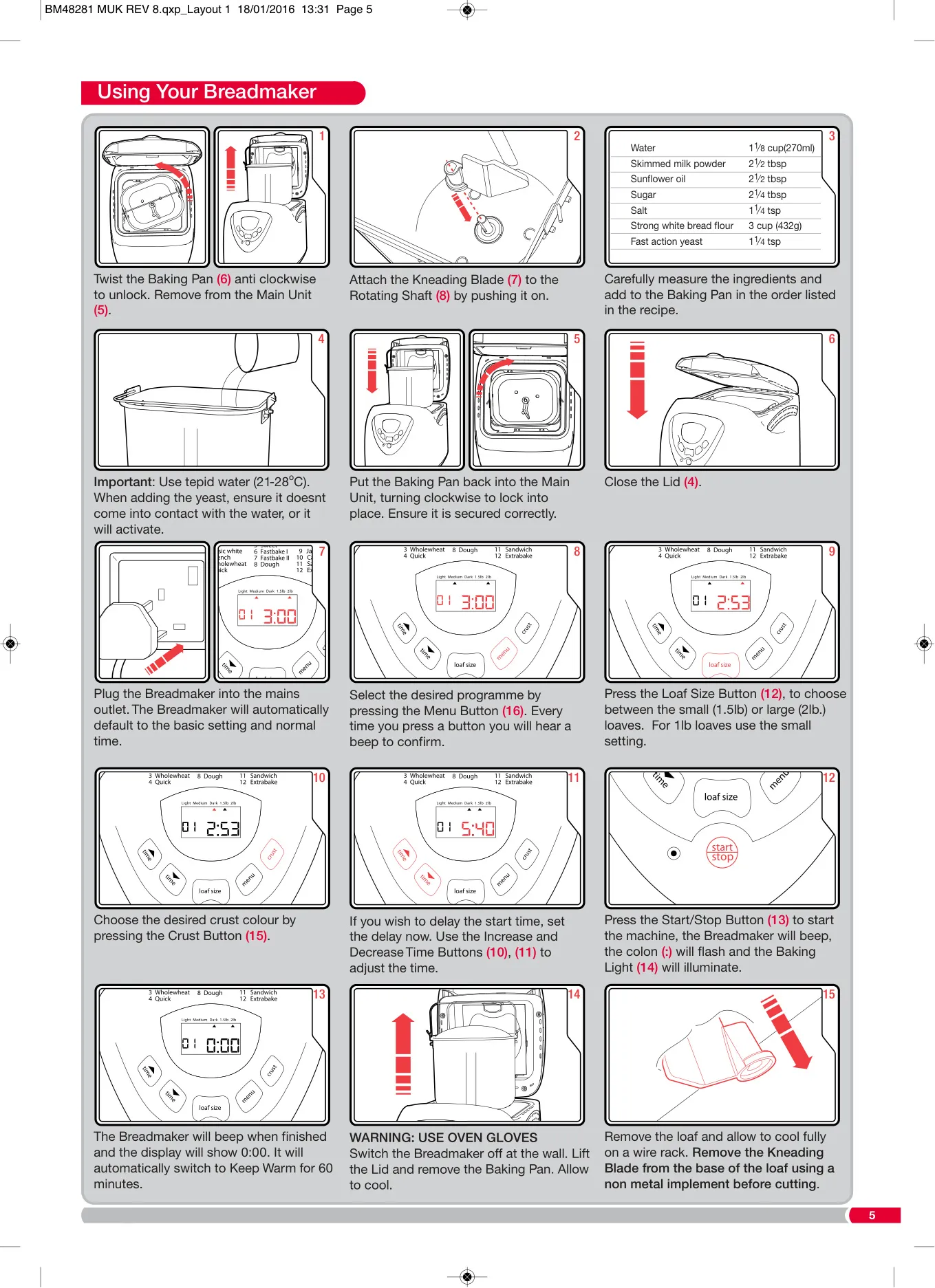
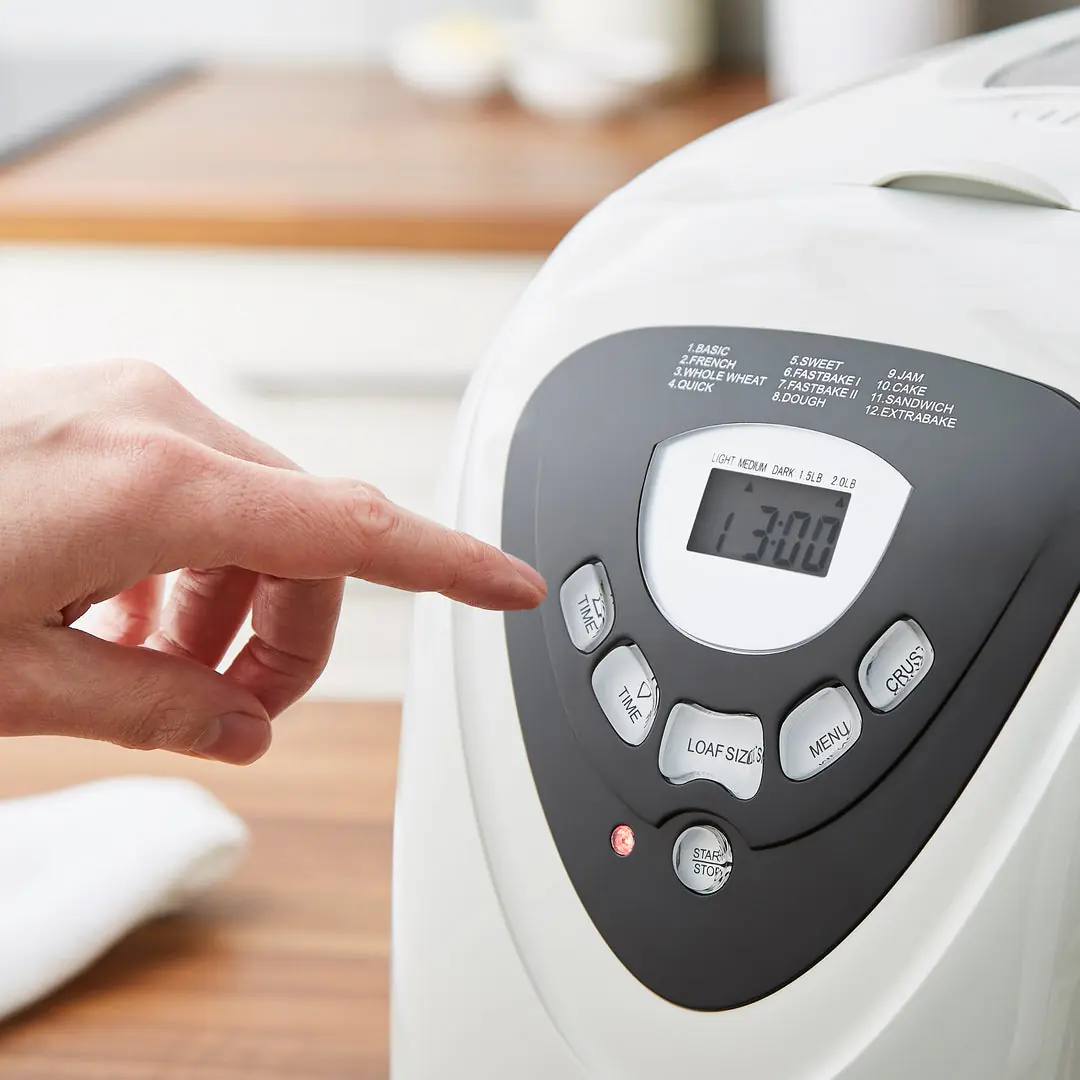
The Morphy Richards 48281 Fastbake Breadmaker offers an intuitive user experience with several key functionalities. Its LCD Screen (9) provides crucial information at a glance, allowing you to monitor the selected program, browning level, loaf weight, and a precise countdown timer, such as "3:20" for hours and minutes remaining. This clear display ensures you are always informed about the baking progress. For convenience, the appliance features dedicated Time Increase and Decrease Buttons (10, 11), enabling precise adjustment of the delay timer in 10-minute increments, perfect for waking up to fresh bread.
Further enhancing its versatility, the Loaf Size Button (12) allows selection between 1.5lb or 2lb loaves, with the 1.5lb setting also accommodating 1lb recipes. Operating the breadmaker is straightforward; the Start/Stop Button (13) initiates the process with a 1-second press and a confirming beep, while a 2-second press stops it. The Crust Button (15) offers customization for your preferred crust from light, medium, or dark, available on specific programs. All program selections are made easily via the Menu Button (16), ensuring quick access to the desired baking cycle.
A thoughtful addition is the fruit and nut beep, which sounds during the second kneading cycle on certain programs. This signal indicates the optimal time to add extra ingredients like fruits or nuts, preventing them from being chopped too finely by the kneading blade. The breadmaker's program descriptions range from everyday baking to specialized tasks. The Jam program (9), for instance, is designed specifically for making jams and marmalades, with a crucial warning not to overfill to prevent boiling over. The Cake program (10), on the other hand, requires pre-mixing two groups of ingredients before adding them to the baking pan.
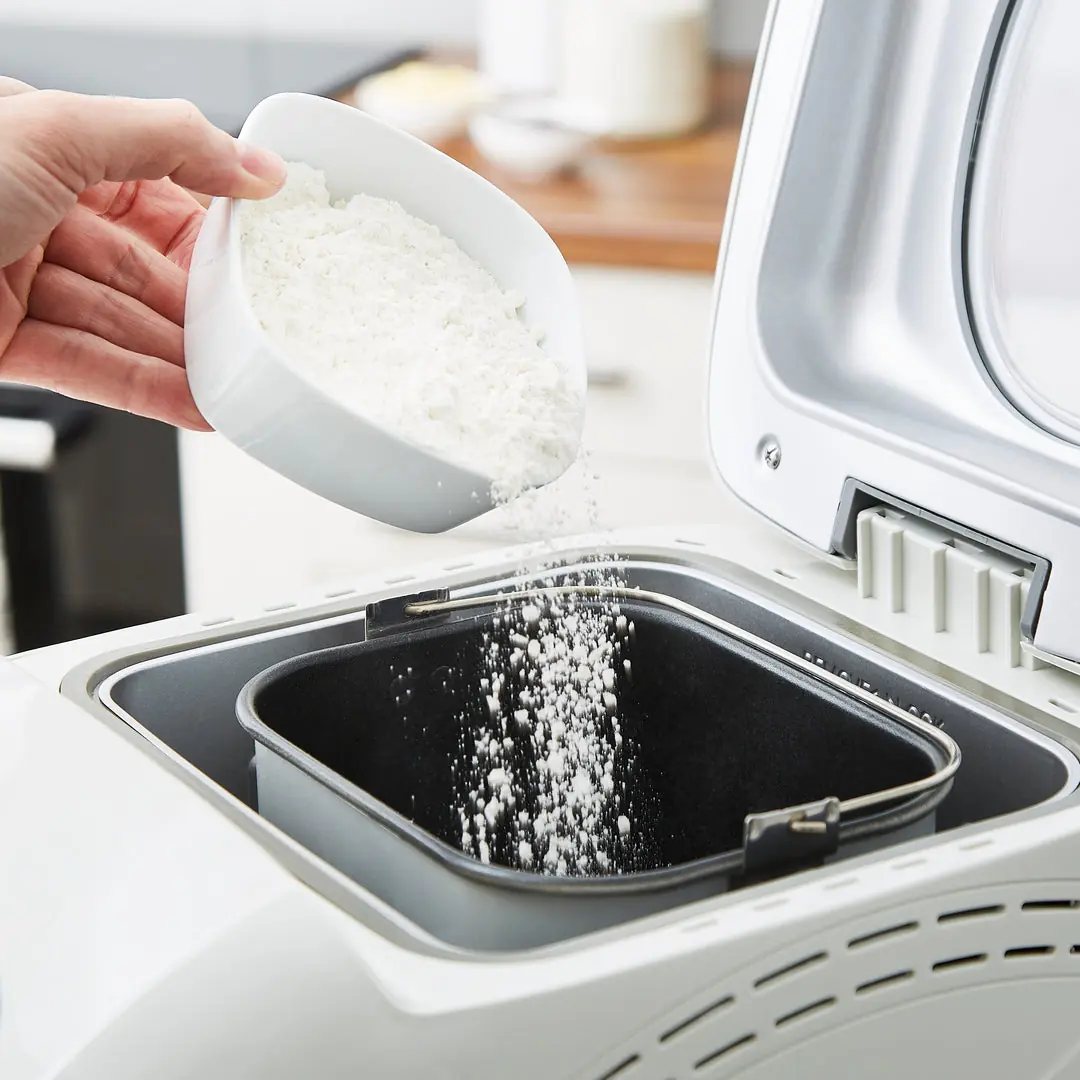
Achieving perfect results with the Morphy Richards 48281 hinges on accurate ingredient measurement and proper temperatures. The manual stresses the importance of using the provided Measuring Cup (17) and Measuring Spoons (18) to ensure precise quantities of both liquid and dry ingredients. All ingredients, including liquids, should be at room temperature, ideally between 21°C and 28°C, as colder or hotter liquids can adversely affect yeast activation. Always add ingredients in the order specified in the recipe to ensure the most efficient mixing and proper yeast activation, especially when using the delay timer.
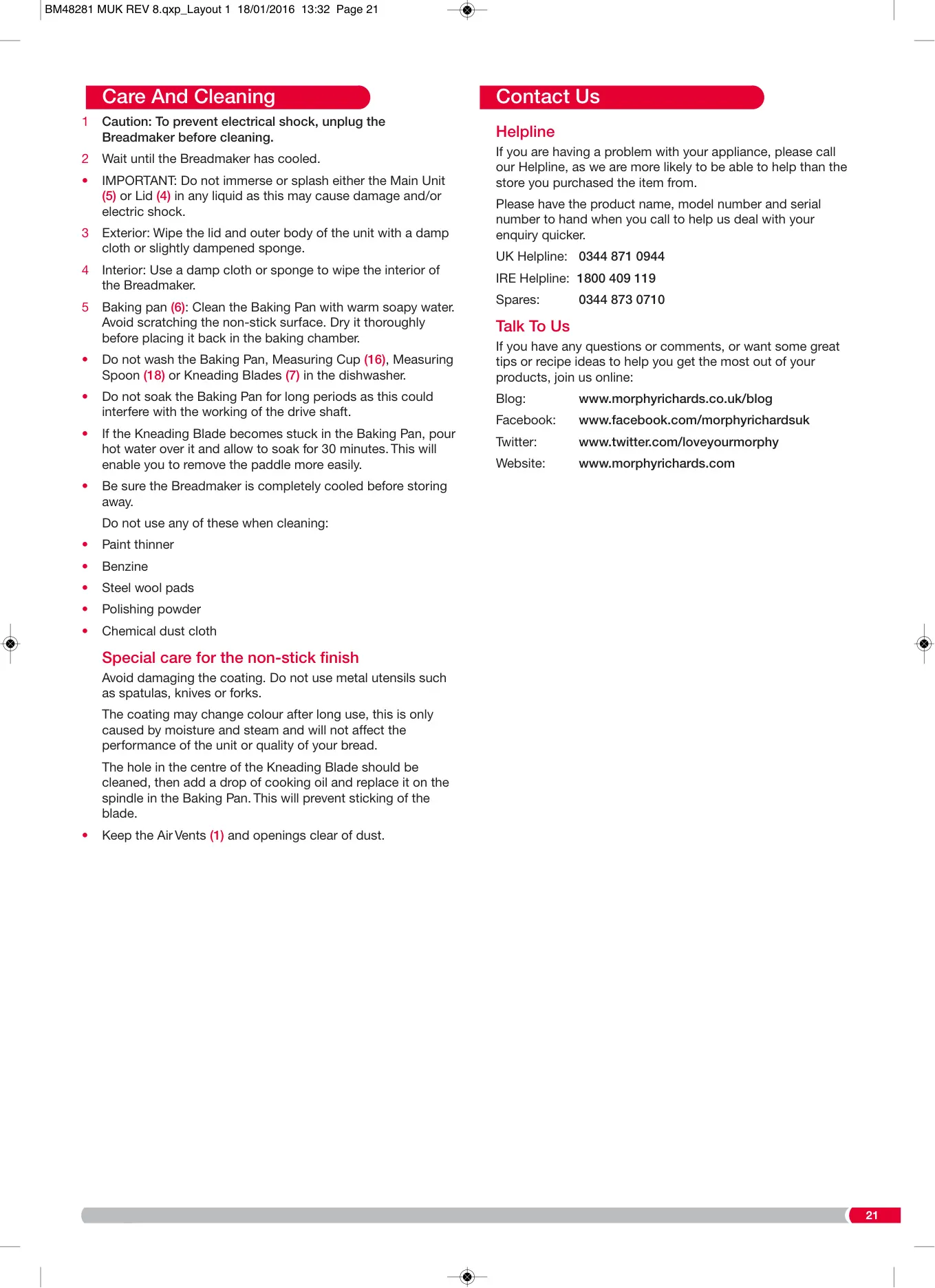
Maintaining the breadmaker's condition is straightforward with its simple care and cleaning guidelines. The Baking Pan (6) and Kneading Blade (7) require hand washing with warm soapy water, strictly prohibiting dishwasher use or scouring pads to protect the non-stick surface. The main unit and lid can be wiped with a damp cloth. Safety is paramount; users are warned to use oven mitts when handling hot surfaces and to never cover the steam vents. The appliance must also be earthed, and it includes safety features like automatic repeat function for brief power outages before the first rise cycle.
Understanding the science of baking is also encouraged. The manual explains the role of different flours, such as strong white flour for bread and all-purpose flour for cakes, along with the function of yeast, sugar, and salt. It advises against using self-raising flour due to its included leavening agents. The breadmaker is designed to manage various flour types, producing excellent results consistently, provided the instructions for ingredient ratios and types are carefully followed. This emphasis on precision elevates baking from an art to a more predictable science.
Frequently Asked Questions (FAQs)
Can't find the answer you need? Here are some frequently asked questions about the Morphy Richards 48281 Fastbake Breadmaker, and we answer them below.