
Fender Mustang LT25 Amplifier Instruction Manual
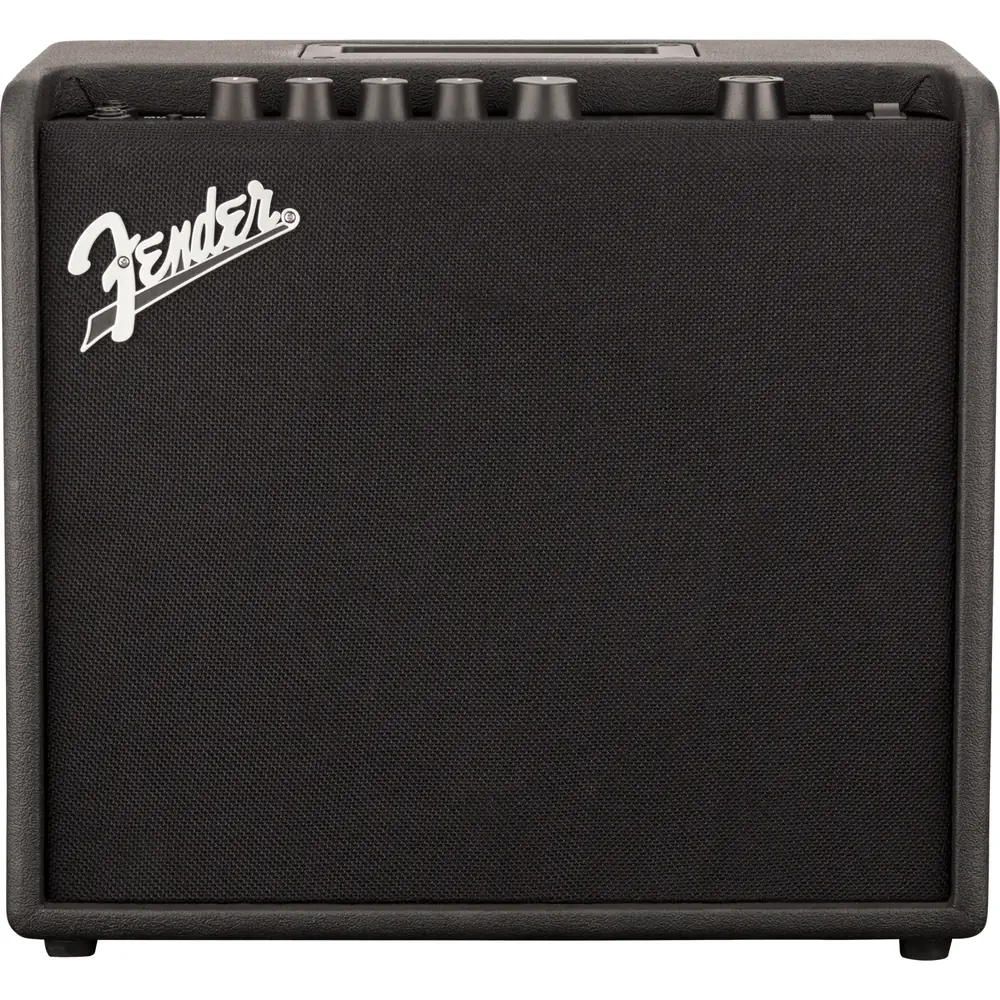
Fender Mustang LT25 Amplifier


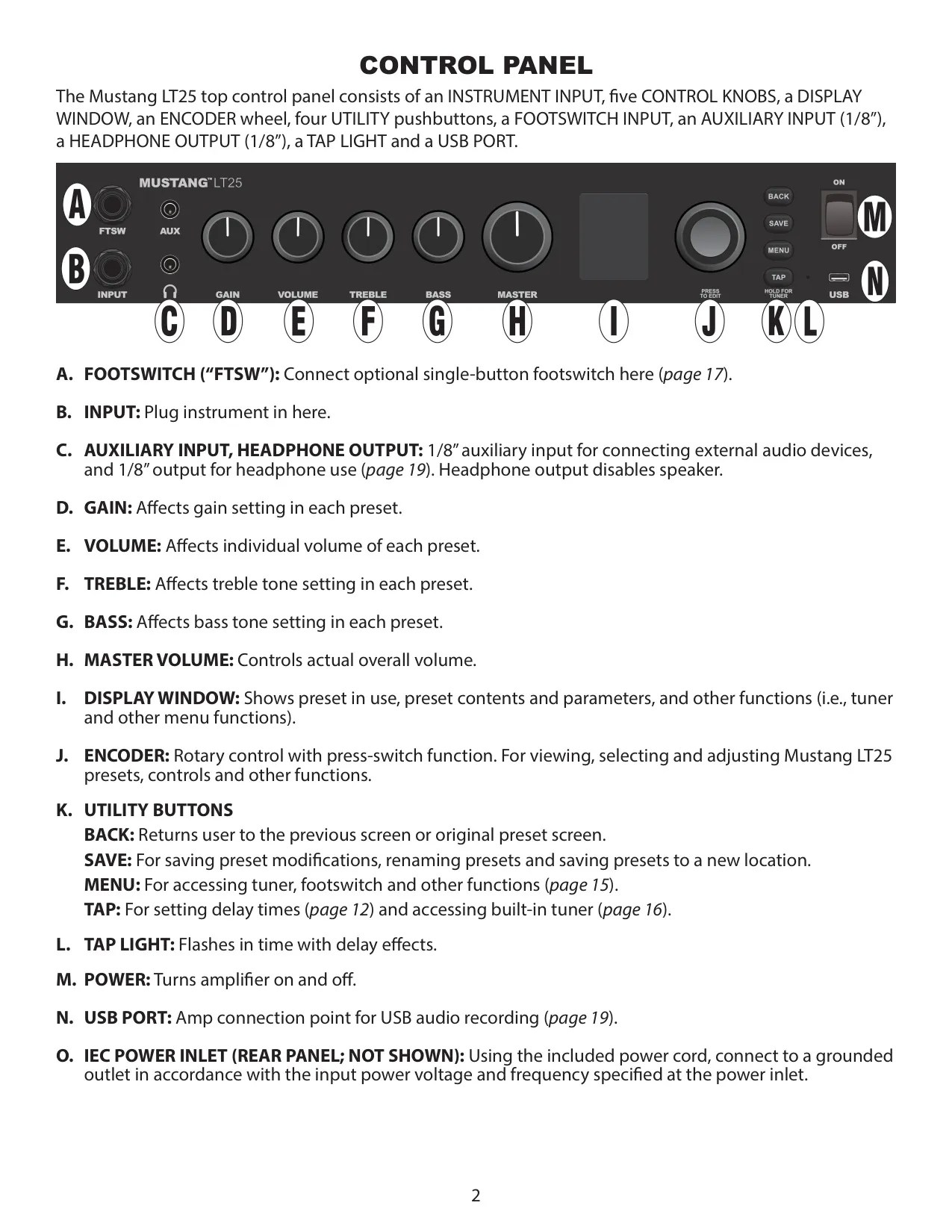








Fender Mustang LT25 Amplifier Instructions
Here we offer the Fender Mustang LT25 Amplifier manual completely free and in English. We have cataloged this manual in the Audio Amplifiers section on Manualverse, and it has been rated by 1 users with an average rating of 5. If you have any specific questions about Fender Mustang LT25 Amplifier, we suggest checking the Frequently Asked Questions (FAQs) section of this manual.
Product Images


Fender Mustang LT25 Amplifier Specifications
| Feature | Specification |
|---|---|
| Product | Fender Mustang LT25 Guitar Amplifier |
| Type | PR 5250 |
| Power Requirements | 84 watts |
| Power Output | 25 watts into 8Ω |
| Input Impedance (Instrument) | 1MΩ |
| Input Impedance (Aux) | 15kΩ |
| Speaker | One 8" Fender Special Design speaker (8Ω) |
| Footswitch | Fender 1-Button Economy On-Off Footswitch (optional, PN 0994049000) |
| Width | 14.5" (36.8 cm) |
| Height | 13.1" (33.2 cm) |
| Depth | 8.3" (21.1 cm) |
| Weight | 12.8 lbs. (5.8 kg) |
| Factory Presets | 30 (plus 30 empty presets available via REPLACE) |
| Amplifier Models | 20 |
| Effect Models | 26 (11 Stompbox, 7 Modulation, 3 Delay, 5 Reverb) |
| Control Knobs | Gain, Volume, Treble, Bass, Master Volume |
| Utility Buttons | Back, Save, Menu, Tap |
| Auxiliary Input | 1/8" stereo jack |
| Headphone Output | 1/8" jack (mutes speaker) |
| USB Port | Micro USB, audio recording (cable not included) |
| Tuner | Built-in chromatic tuner |
| Power Inlet | IEC power inlet (rear panel), power cord included |
| Part Numbers | 2311100000 (120V, 60Hz NA); 2311101000 (110V, 60Hz TW); 2311103000 (240V, 50Hz AU); 2311104000 (230V, 50Hz UK); 2311105000 (220V, 50Hz ARG); 2311106000 (230V, 50Hz EU); 2311107000 (100V, 50/60Hz JP); 2311108000 (220V, 50Hz CN); 2311109000 (220V, 60Hz ROK); 2311113000 (240V, 50Hz MA) |
Fender Mustang LT25 Amplifier Details
The Fender Mustang LT25 is a modeling amp built around presets. Each preset holds one amplifier model and up to four effects, one in each of four category boxes: STOMP, MOD, DELAY and REV. The signal path is fixed: Instrument, Stompbox, Modulation, Amplifier, Delay, Reverb, Speaker. When you power the amp on, it always starts on factory preset 01, FENDER CLEAN. Turning the encoder scrolls through the presets, and whichever preset is on screen becomes active right away.
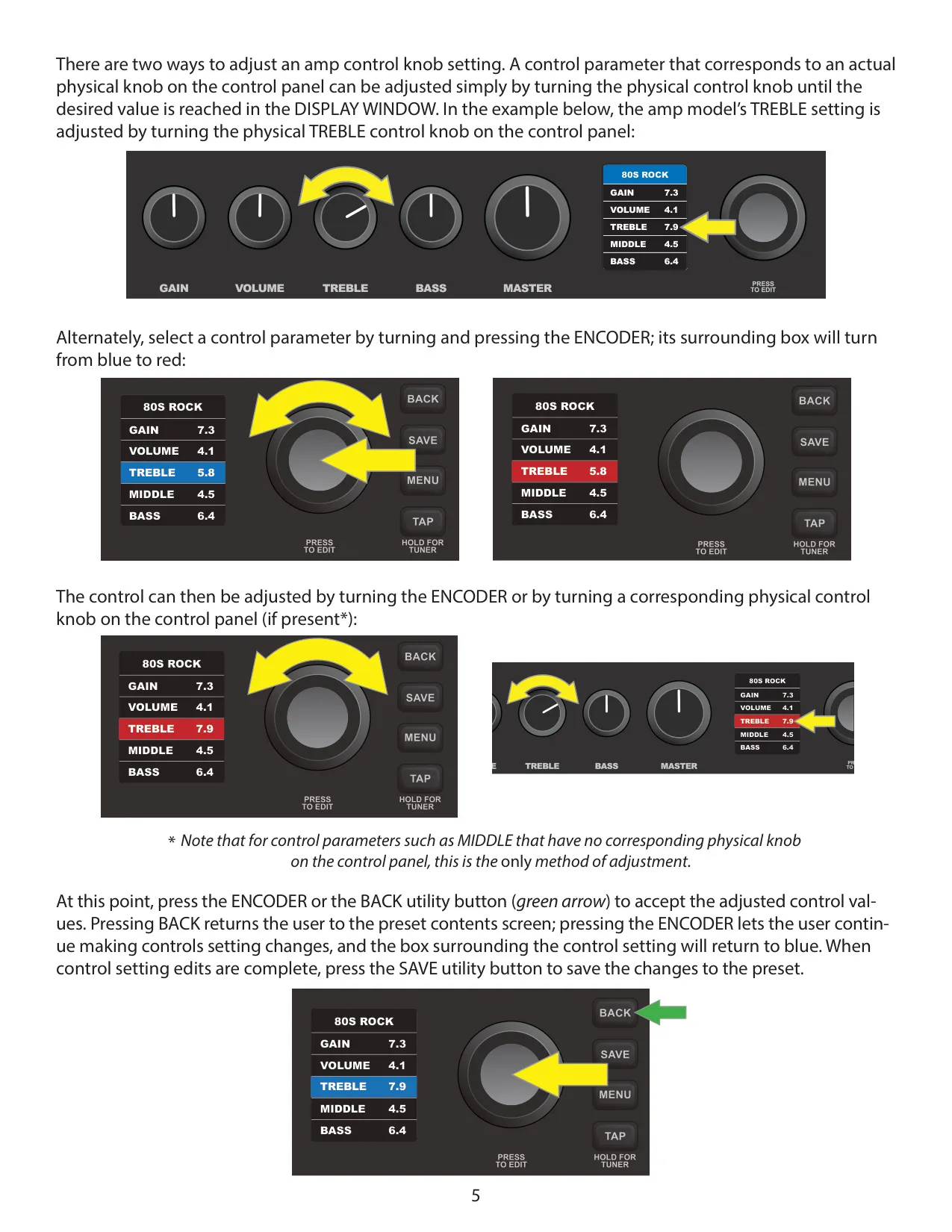
The display uses color to show the editing state. A blue preset number box means the preset hasn't been changed. After any edit, the box turns red and the title screen reads "UNSAVED". On the preset contents screen, a category box with a solid outline holds an effect and a dotted outline means the slot is empty. Parameters with a matching physical knob can be changed with that knob or with the encoder. Parameters without a knob, such as MIDDLE, can only be changed with the encoder.
Edits are not stored automatically. If you leave the preset or switch the amp off, any unsaved changes are lost. The SAVE button gives you three options. SAVE keeps the preset in the same slot with the same name. SAVE AS moves it to a new slot, and you can rename it with the encoder. This overwrites whatever was in the target slot. REPLACE lets you preview any of 60 presets by ear before loading it into the current slot.
To swap or remove effects, select a category box and press the encoder until white arrows appear around the effect name. Turning clockwise scrolls through the effects in that category. Turning counterclockwise to "NONE" deletes the effect. You can set delay times by tapping the TAP button two or more times at the tempo you want, from any screen. The TAP LIGHT flashes in time with the delay. TAP works only with effects in the DELAY category.
To open the chromatic tuner, hold the TAP button or select TUNER from the MENU. When a note is sharp or flat, red bars light up to the right or left of center. When the note is in tune, the center bar and the bars on either side turn green. The speaker is muted while the tuner is on, and the volume on your guitar must be turned up high enough for the tuner to read the note.
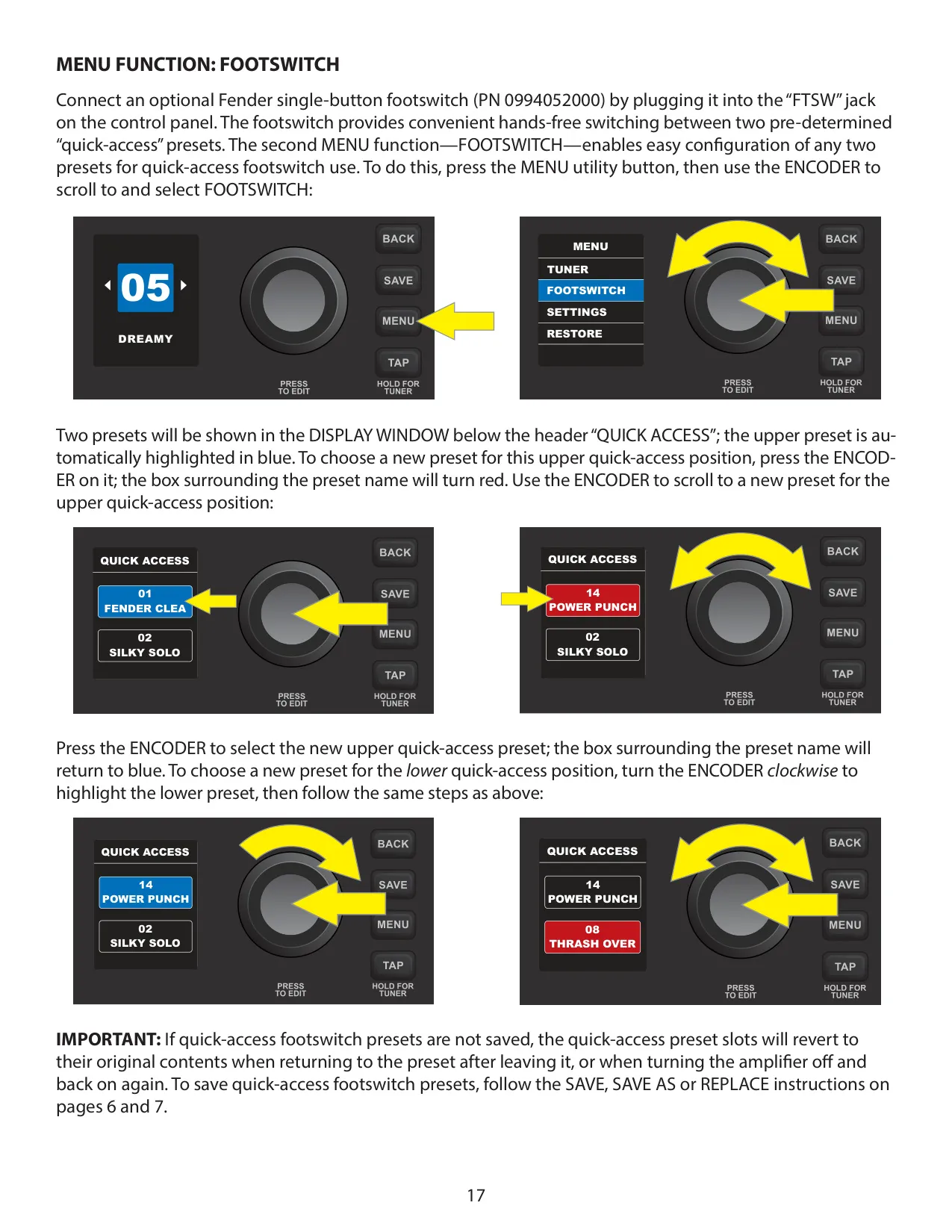
The FOOTSWITCH menu assigns any two presets to "QUICK ACCESS" slots, so you can switch between them hands-free. SETTINGS shows the firmware version and holds a dedicated USB GAIN control. This is the only control that affects USB recording level. The physical GAIN knob does not. RESTORE resets all factory presets and amp settings after you confirm with "YES RESTORE".
Mac computers record over USB without a driver. Windows computers need Fender's universal ASIO driver. You can use the USB port and the aux input at the same time, but the aux signal is not sent over USB. Volume from aux devices is set on the device itself. The free Fender Tone desktop app adds firmware updates, extra presets, an undo function, effect bypass, and preset backup and restore.
Frequently Asked Questions (FAQs)
Can't find the answer you need? Here are some frequently asked questions about the Fender Mustang LT25 Amplifier, and we answer them below.