
Ecobee4 Thermostat Instruction Manual
Ecobee4 Thermostat






























Ecobee4 Thermostat Instructions
Here we offer the Ecobee4 Thermostat manual completely free and in English. We have cataloged this manual in the Thermostats section on Manualverse, and it has been rated by 1 users with an average rating of 5. If you have any specific questions about Ecobee4 Thermostat, we suggest checking the Frequently Asked Questions (FAQs) section of this manual.
Product Images


Ecobee4 Thermostat Specifications
| Feature | Specification |
|---|---|
| Product | ecobee4 smart thermostat with room sensor |
| Supply Voltage | 24 VAC |
| Maximum Current | 2 A |
| Incompatible Systems | Line (high) voltage systems (110/120/240 VAC, L1/L2) and millivolt systems |
| Thermostat Terminals | Rc, Rh, G, C, Y1, Y2, W1, W2, O/B, PEK, ACC+, ACC- |
| Conventional Systems | Heating and cooling, up to 2 stages each |
| Heat Pump Systems | Air or geothermal heat pump with auxiliary heat (up to 2 compressor stages) |
| Hydronic Systems | Boiler or radiant system with air handler and conventional cooling or heat pump |
| Accessory Support | Humidifier, dehumidifier, ventilator (ERV/HRV) |
| Accessory Wiring Modes | 1-wire (ACC+) or 2-wire (ACC+, ACC-) |
| Power Without C Wire | Power Extender Kit (PEK), included |
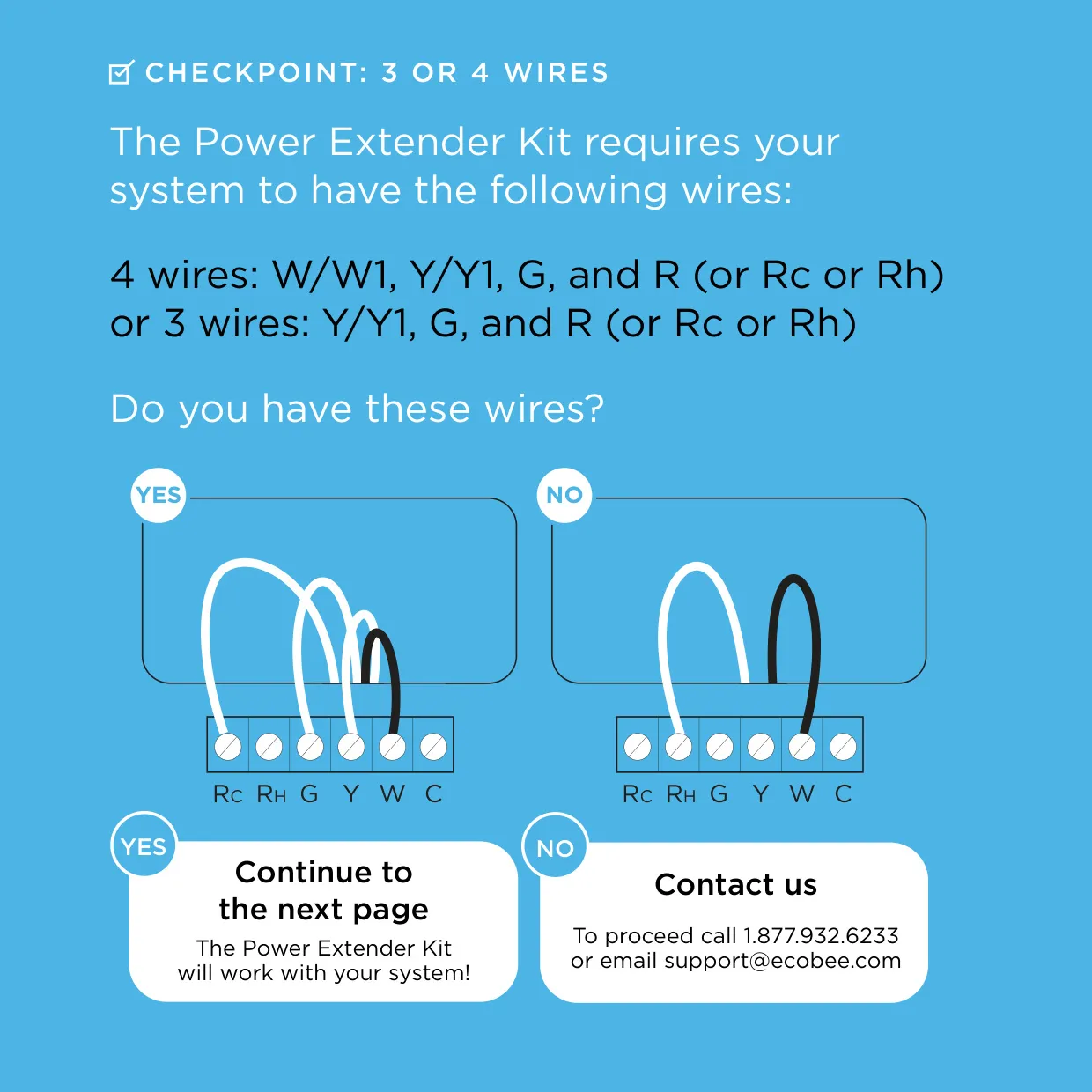
| PEK Wiring Requirement | 4 wires (W/W1, Y/Y1, G, R) or 3 wires (Y/Y1, G, R) |
| PEK Control Board Connections | 5 white wires: R, C, G, W, Y |
| Rc/Rh Jumper | Internal and automatic; single R wire goes to Rc terminal |
| Comfort Settings | Home, Away, Sleep, plus up to 5 custom settings |
| System Modes | Heat, Cool, Auto, Off |
| Voice Features | Built-in microphone, volume control, microphone off, push to talk |
| Smart Home Compatibility | Apple HomeKit |
| Wall Anchor Drill Bit | 3/16 in |
| Box Contents | Thermostat, room sensor and stand, backplate, Power Extender Kit, trim plate, screws, drywall plugs, install guide, room sensor manual, wire labels, voice card |
| Minimum RF Separation Distance | 8 in from all persons |
| FCC Classification | Class B digital device, Part 15 |
| FCC ID | WR911615121215 |
| IC ID | 7981A-11615121215 |
| Canadian Compliance | CAN ICES-3 (B)/NMB-3(B), IC RSS-102 |
| Environmental Compliance | RoHS Directive 2002/95/EC |
| Warranty | 3-year limited warranty |
| Repaired/Replacement Unit Warranty | Remainder of original warranty or 90 days, whichever is longer |
| Country of Assembly | China |
| Document Reference | EB-STATE4-01 / 770-00034 |
Ecobee4 Thermostat Details
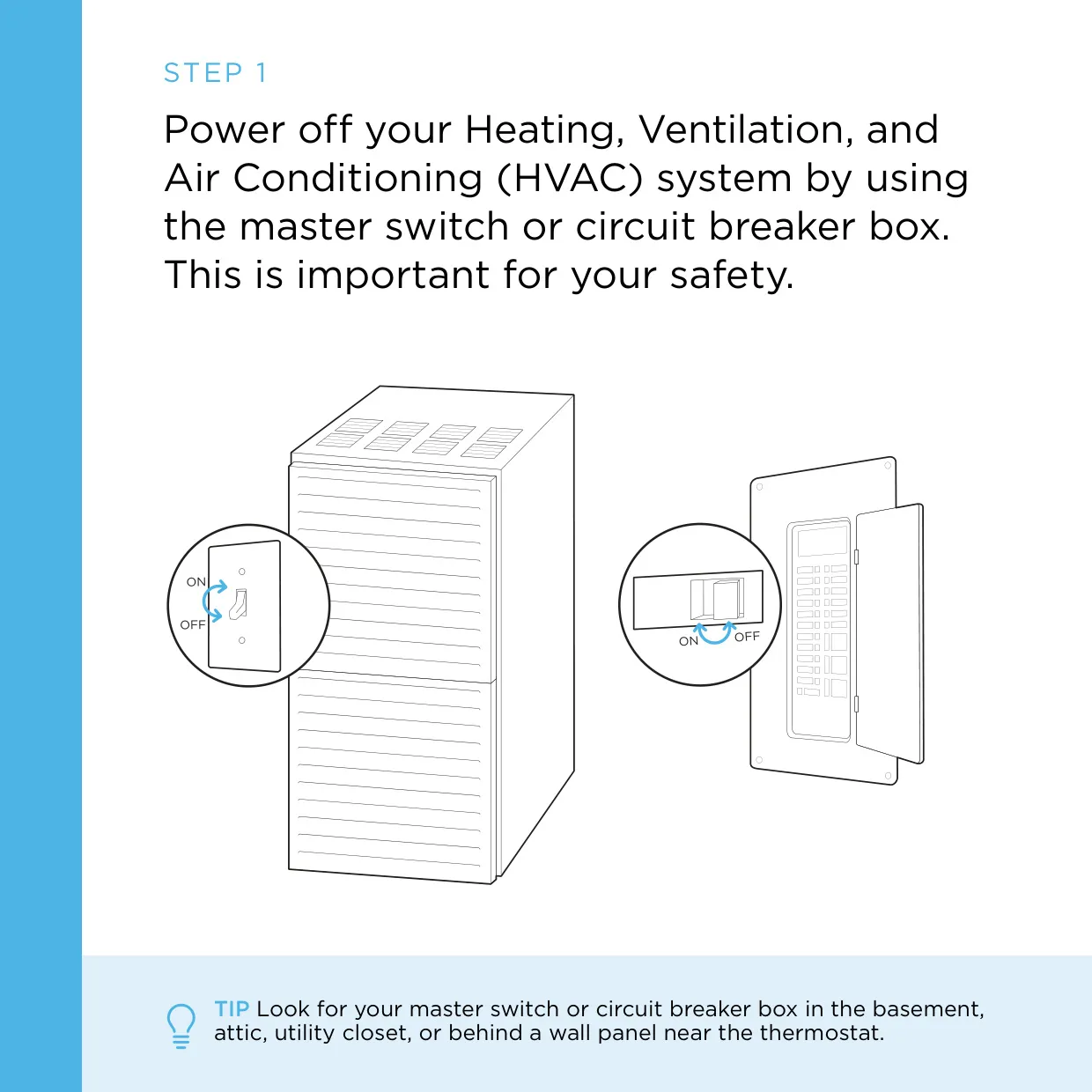
The ecobee4 installation manual splits the process into two paths. Before choosing one, the user cuts power to the HVAC system at the master switch or circuit breaker box. They then confirm the system is off by calling for heat or cooling and checking that no air comes from the vents. With a boiler, they should check that the main flame is out. Next, they photograph the existing wiring and look for a C wire. If there is one, they follow Guide 1. If not, they follow Guide 2.
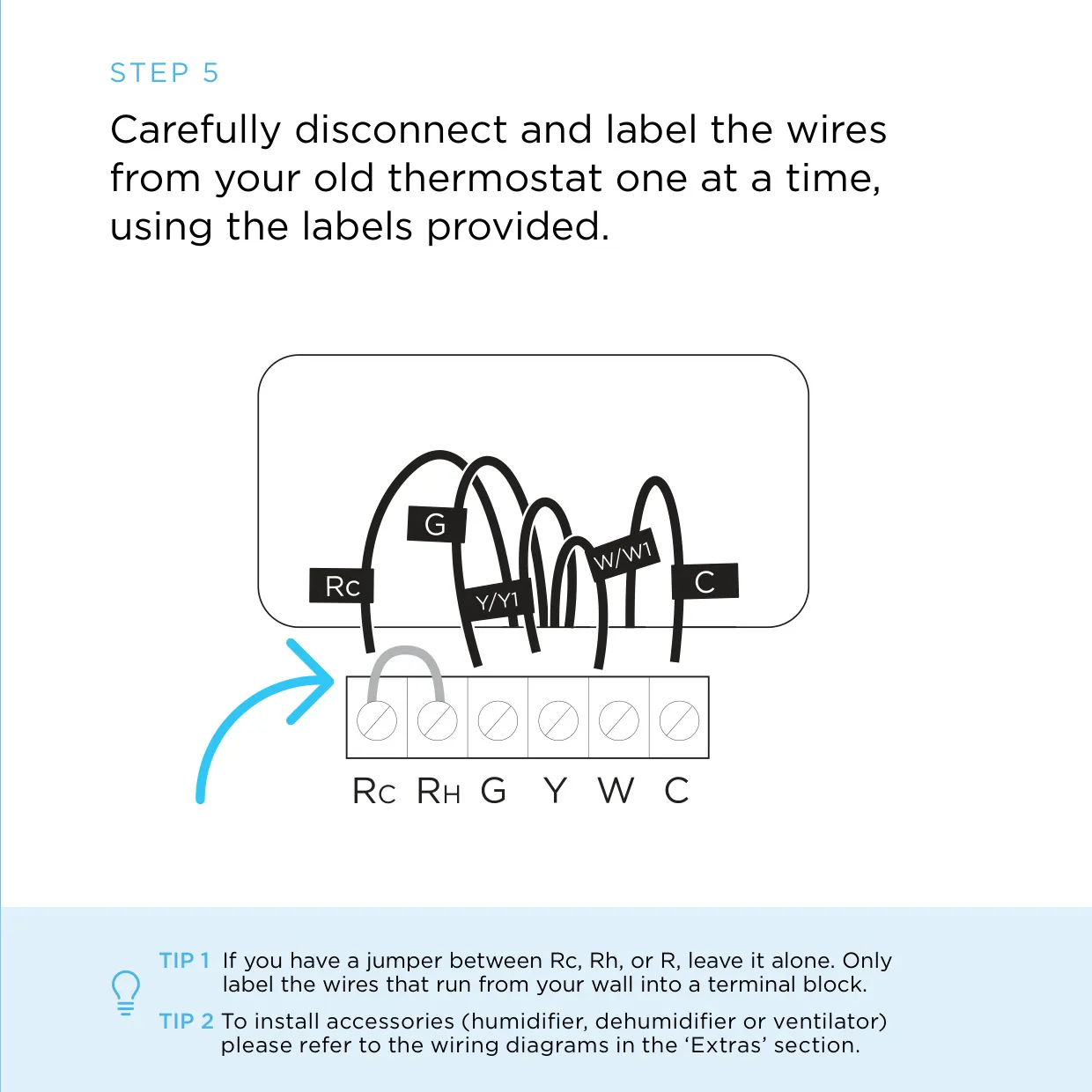
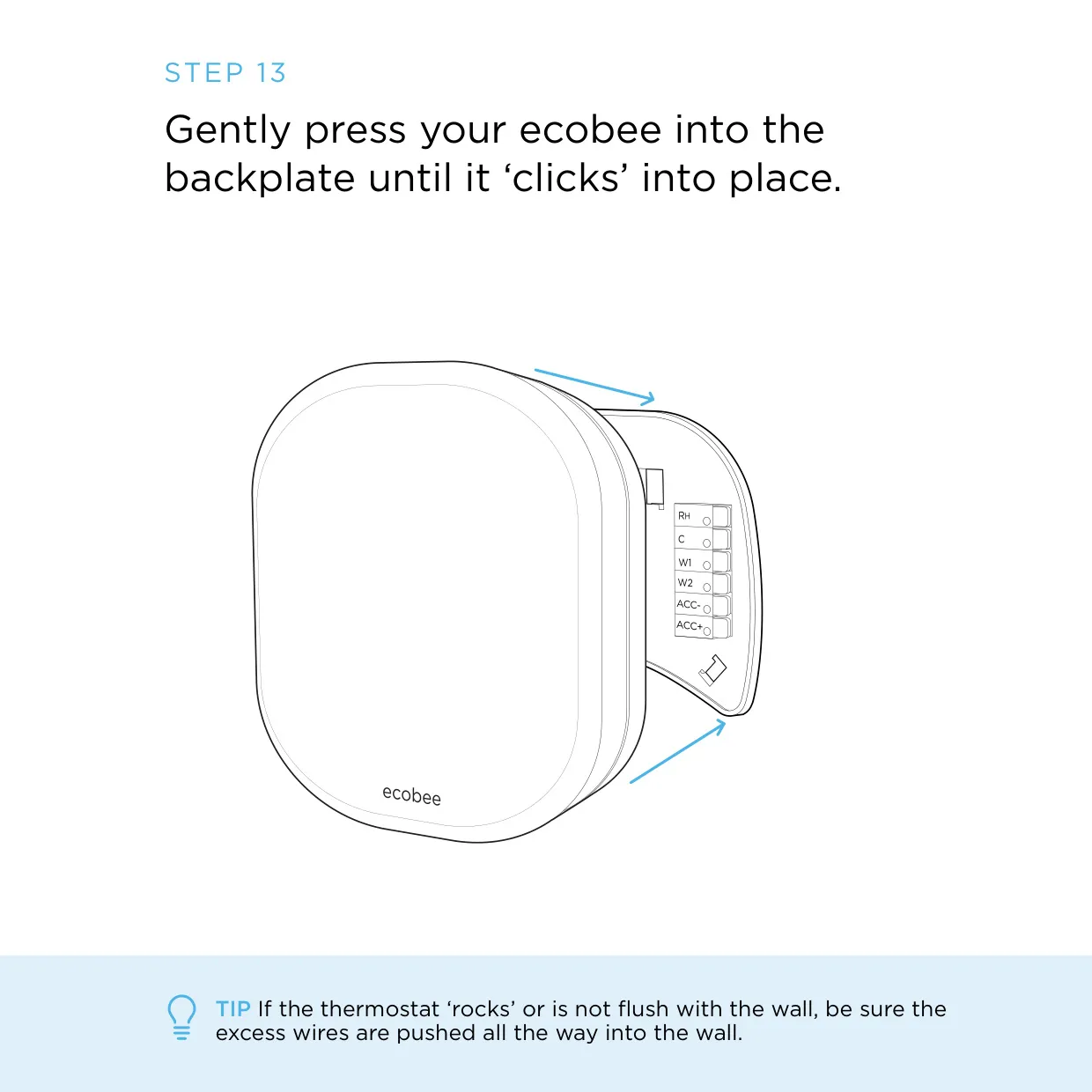
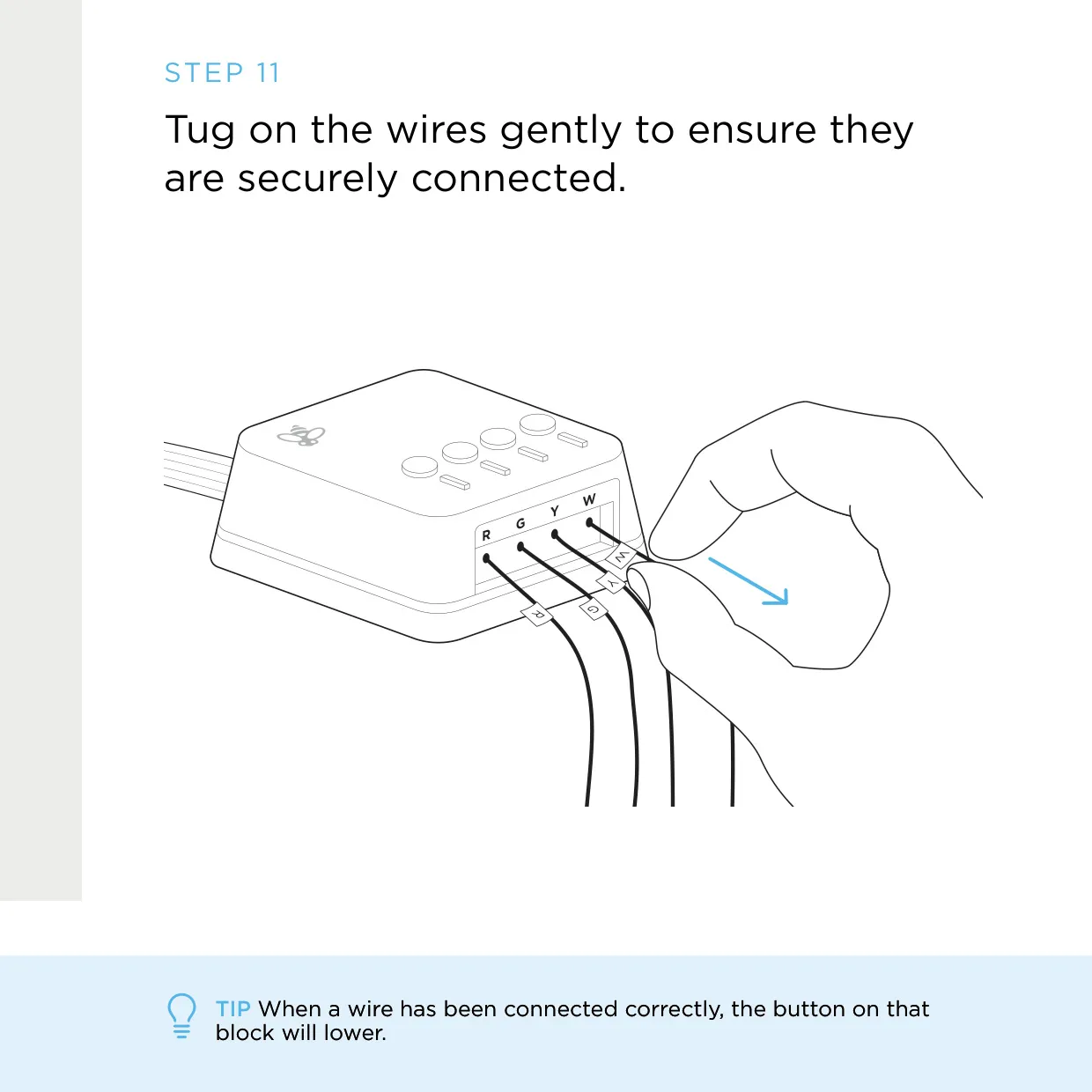
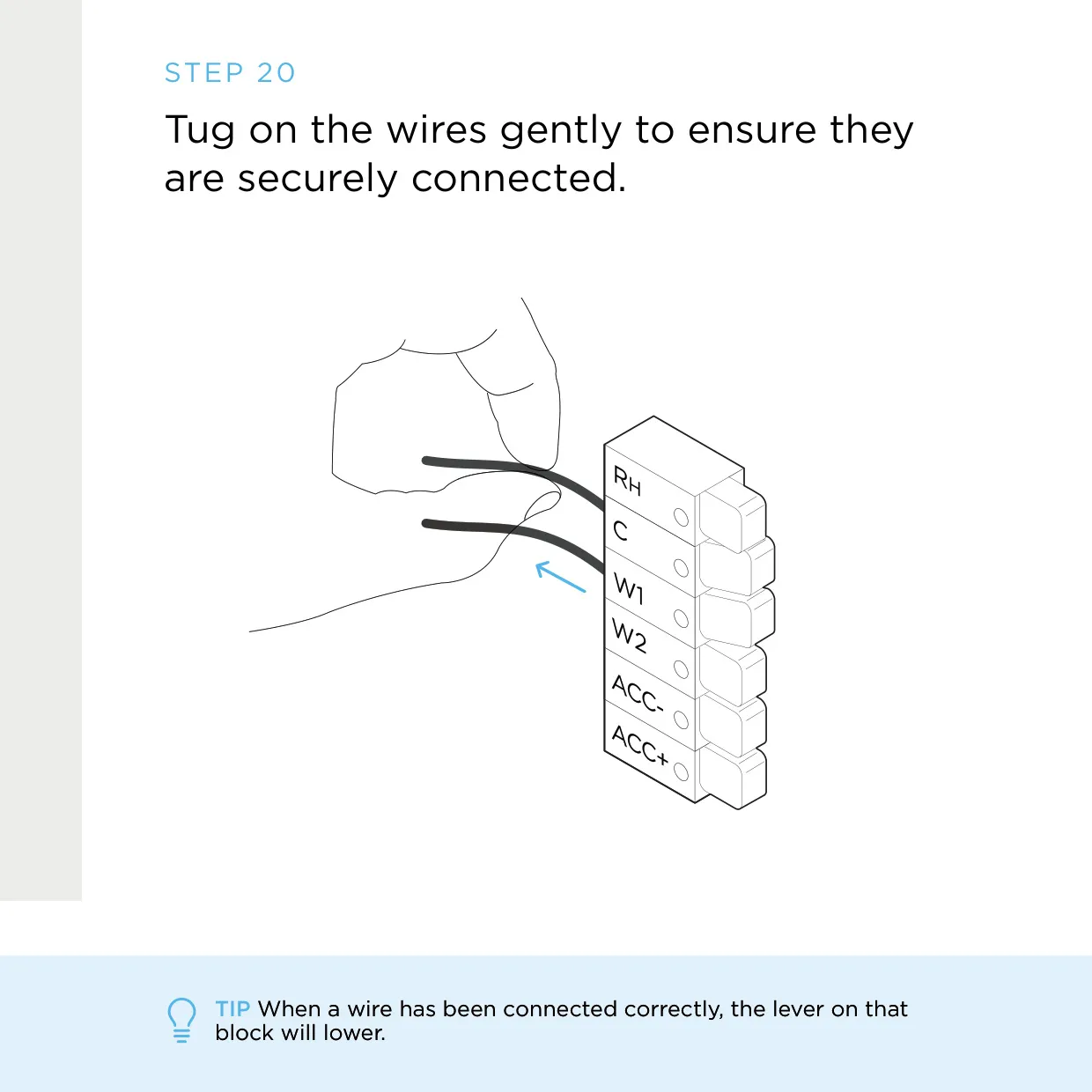
In Guide 1, the C wire powers the thermostat directly, so the Power Extender Kit is not needed. Each wire is labeled and disconnected one at a time. Any existing jumper between R terminals is left alone. Wires go into the side of the terminal blocks, not the front, and pressing the levers makes insertion easier. A correctly seated wire makes its lever drop. After the wires are tested with a gentle tug, the thermostat clicks onto the backplate.
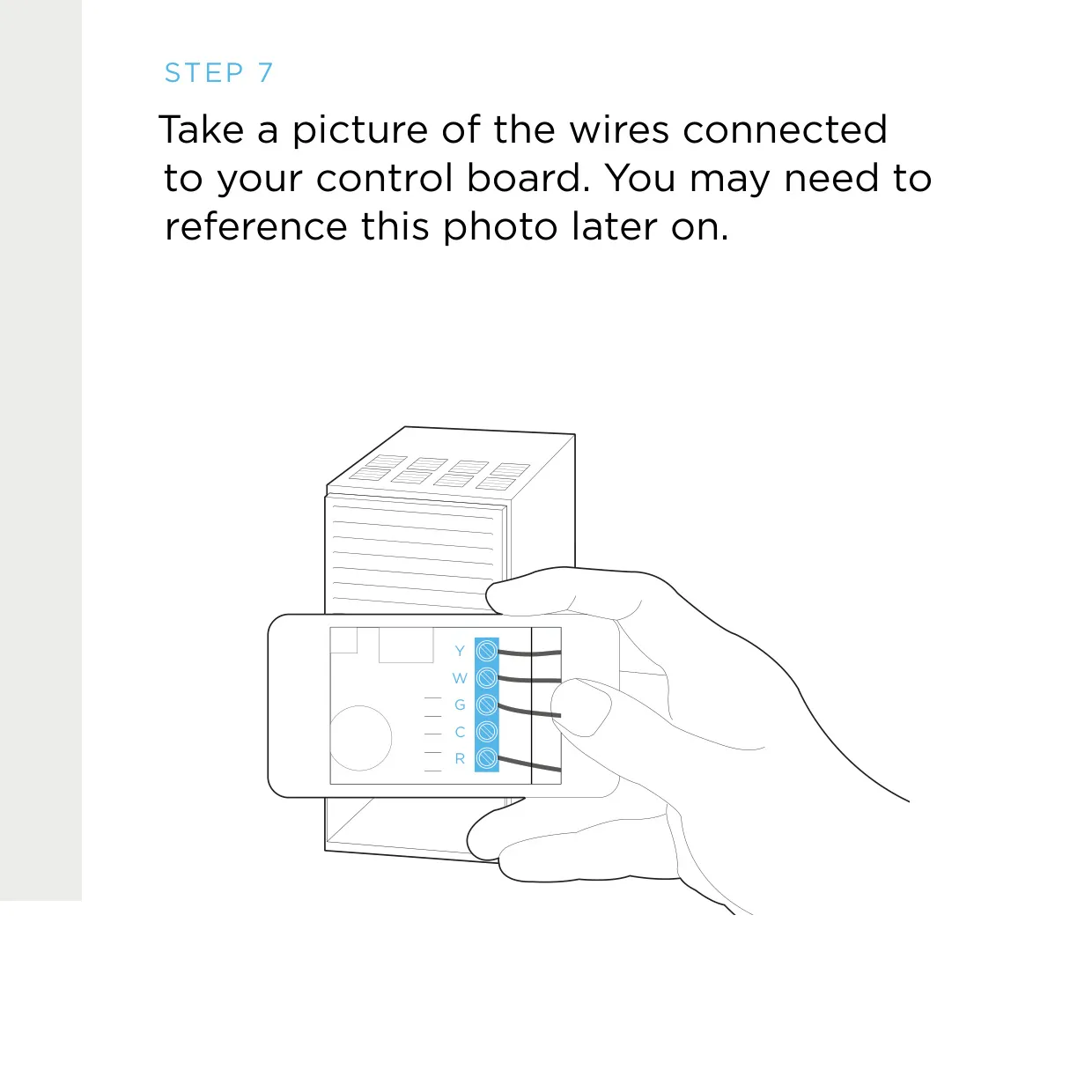
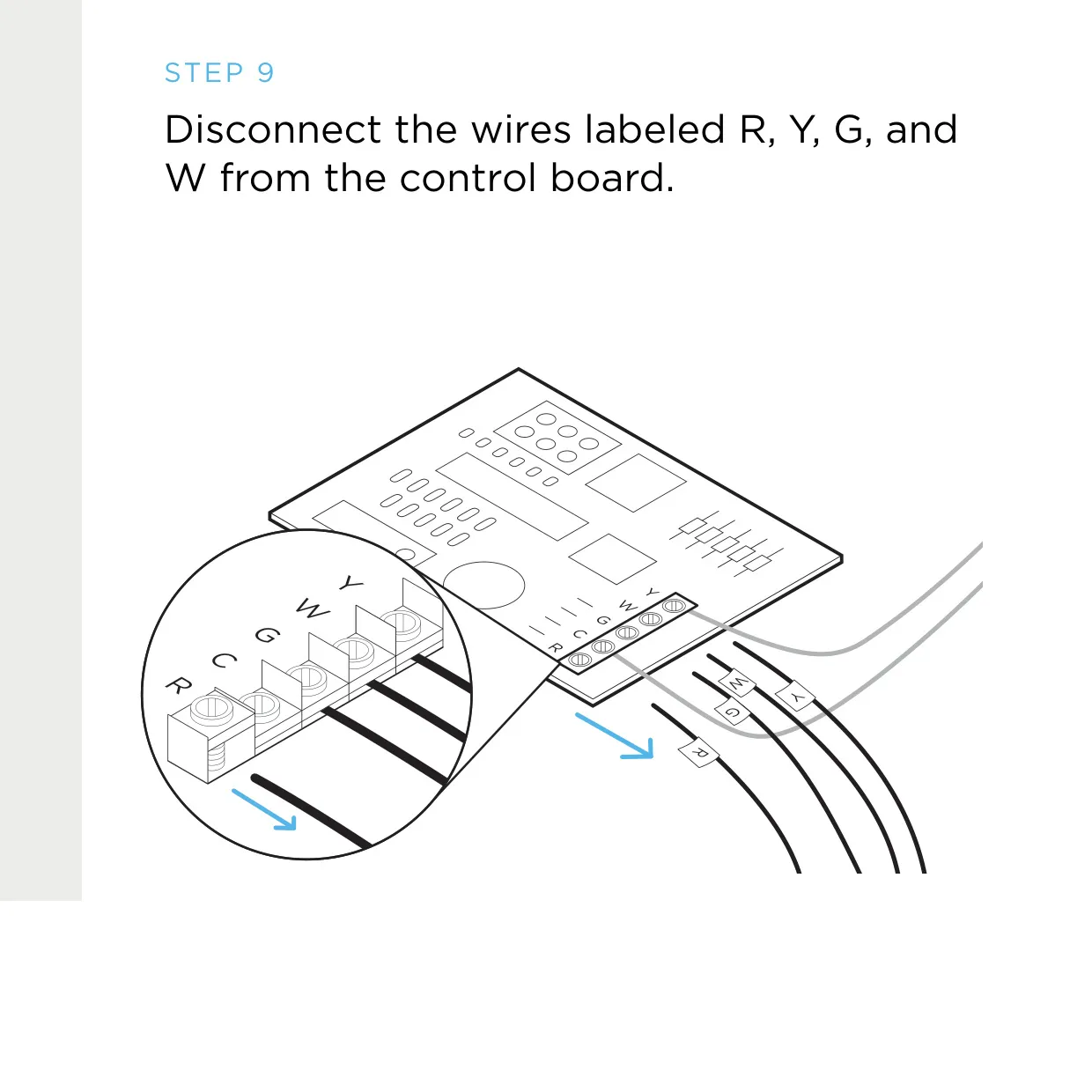
Guide 2 starts at the HVAC equipment. The user opens the cover and photographs the control board. They label only the R, Y, G and W wires that run to the thermostat, then move them onto the gray terminal blocks of the Power Extender Kit. The kit's white leads then connect back to the control board. If wires are connected to both Rc and Rh on the board, the system may have two transformers, and ecobee support should be contacted.
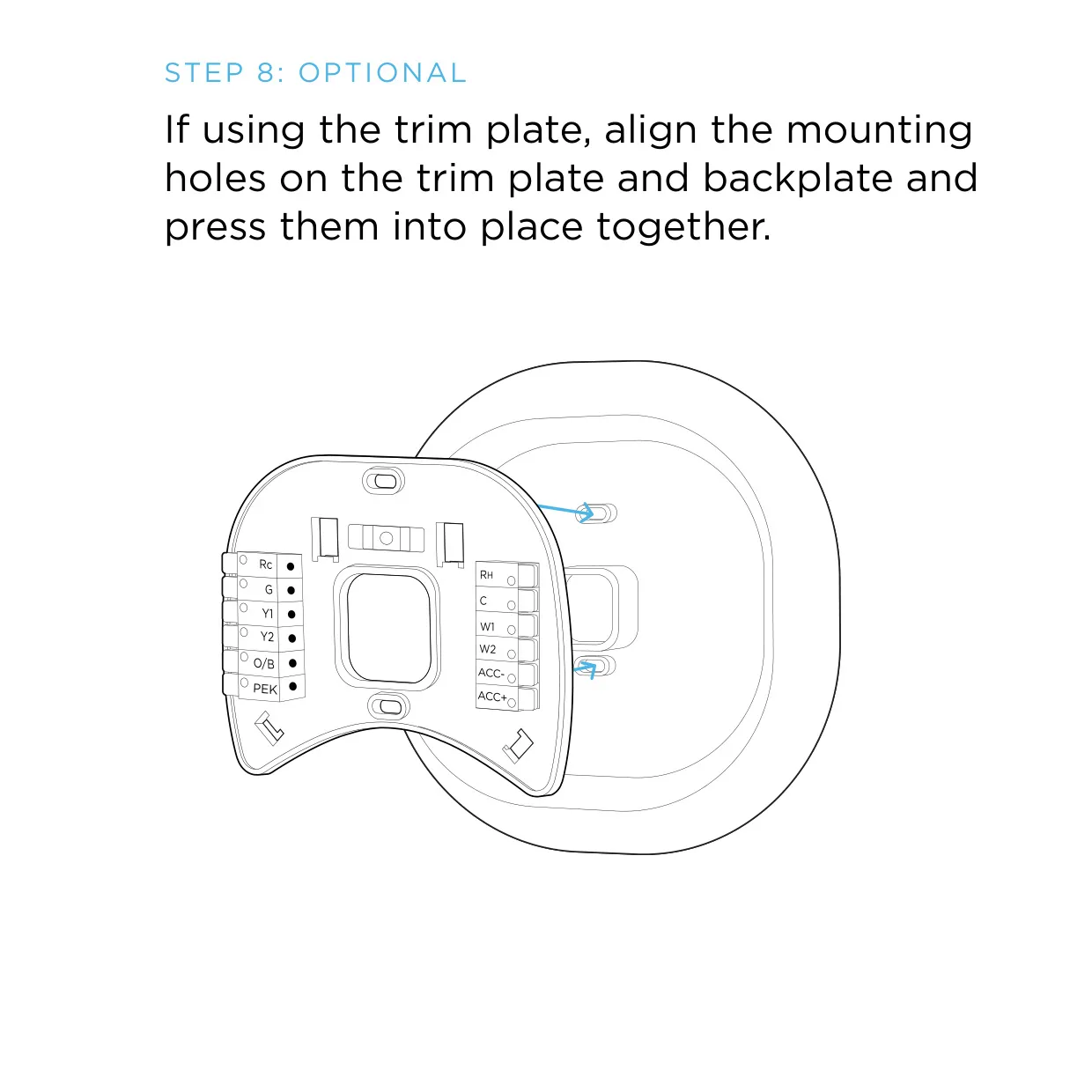
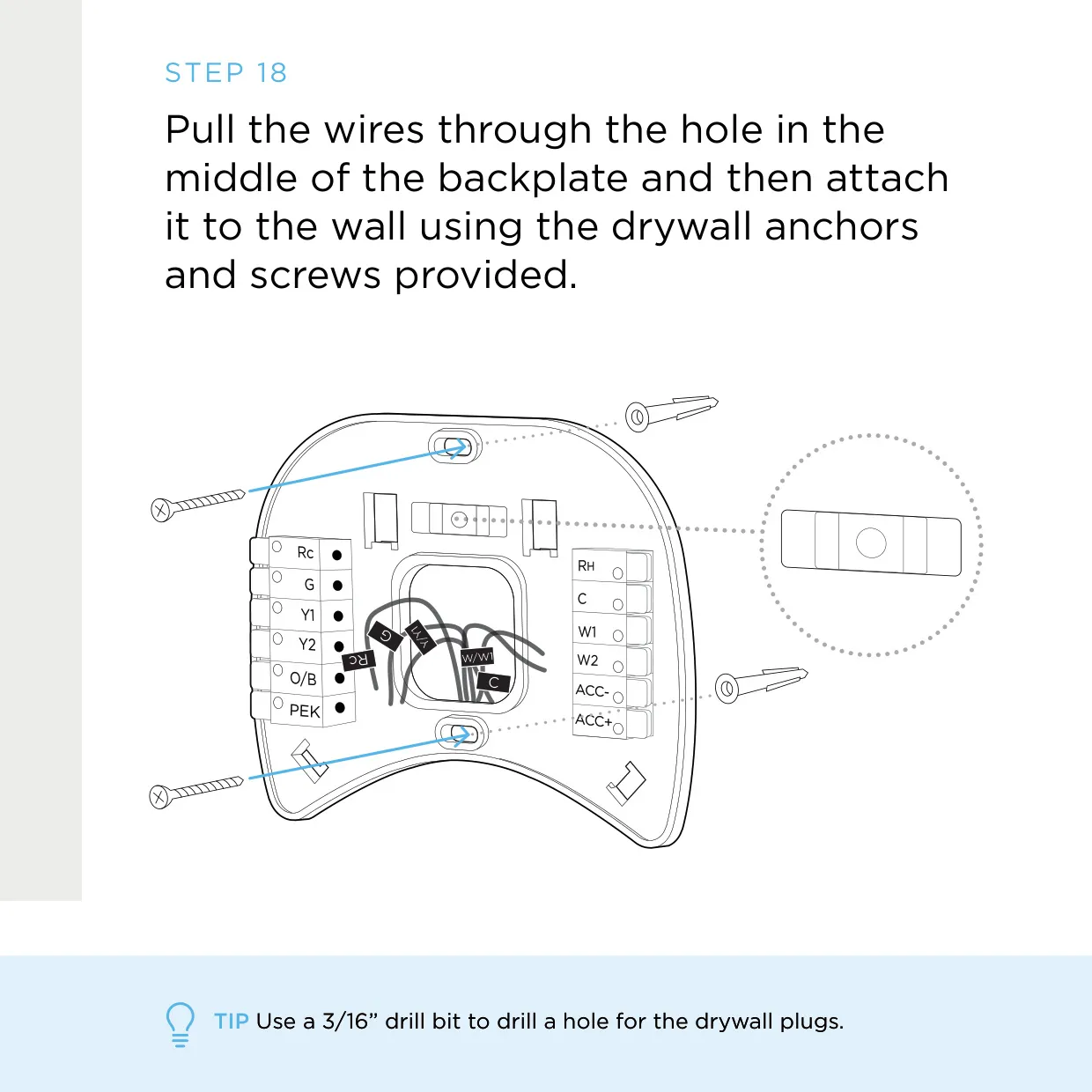
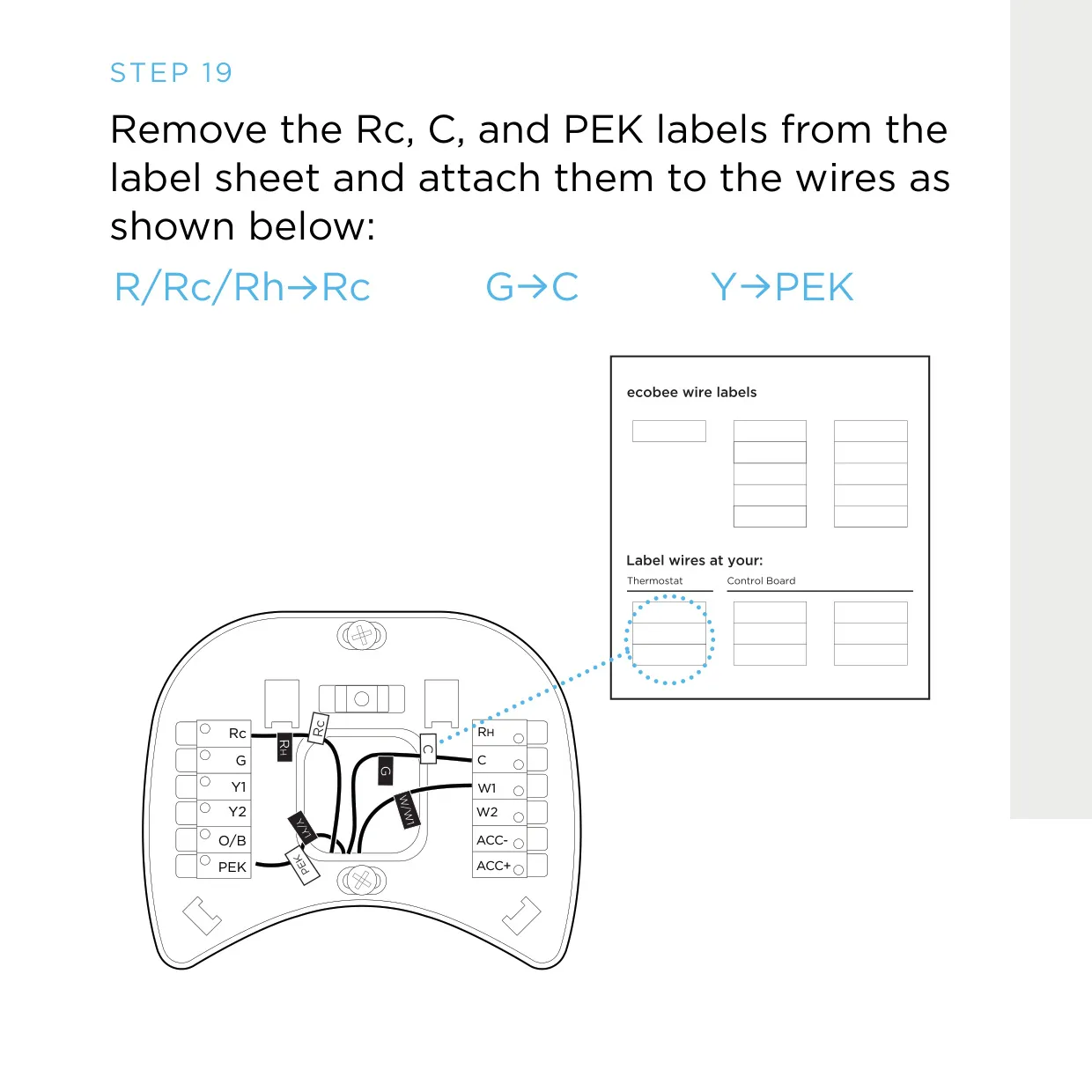
At the wall in Guide 2, the Rc, C and PEK wires are connected first, and the remaining wires go to their matching terminals. The optional trim plate can hide marks or holes left by the old thermostat. Excess wire should be pushed back into the wall, and any large openings should be sealed. Drafts from these holes distort temperature readings and can stop the unit from sitting flush against the wall.
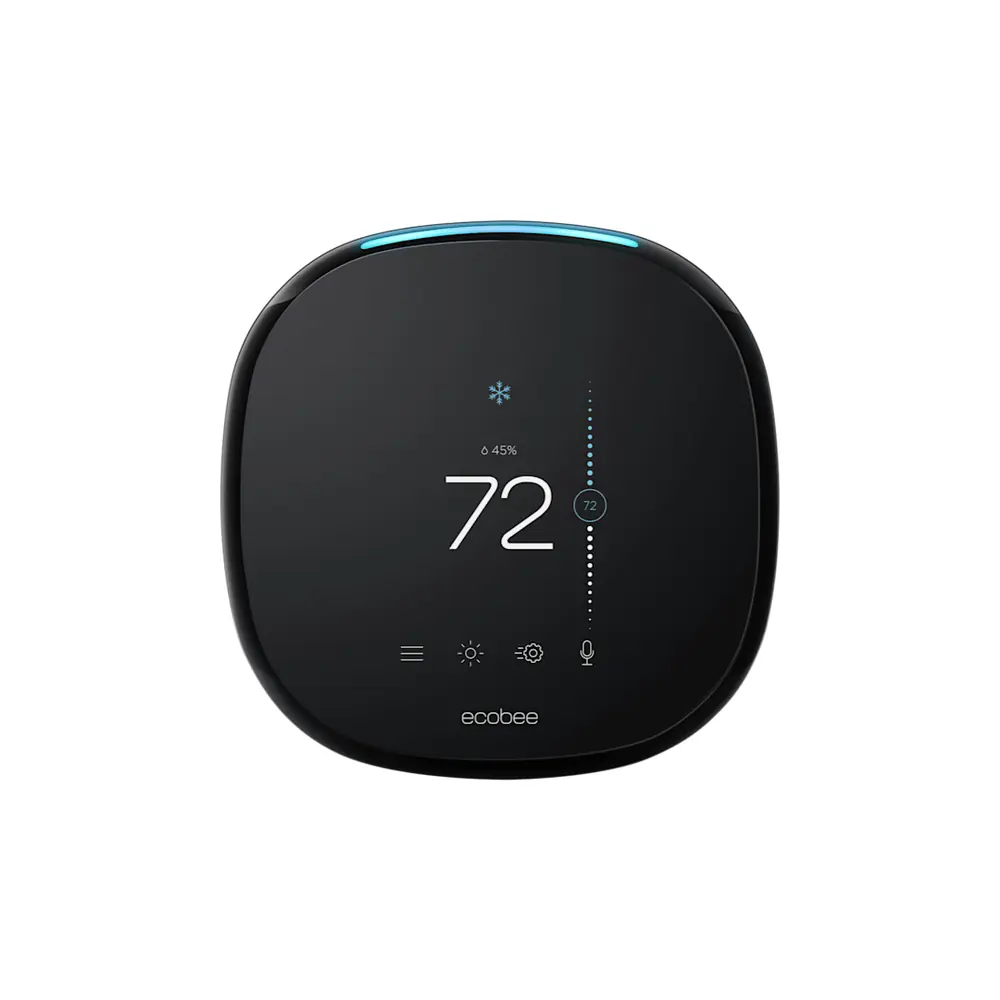
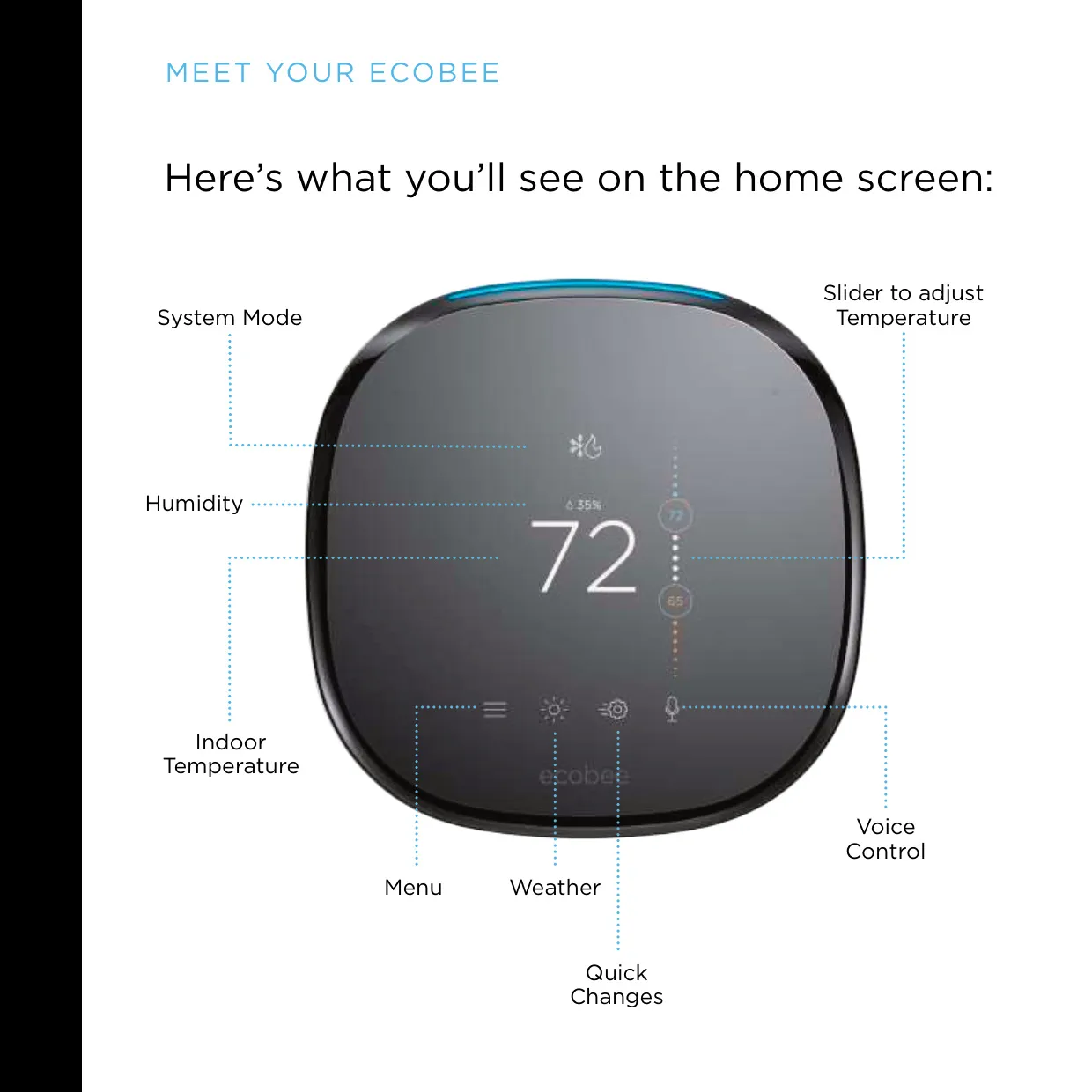
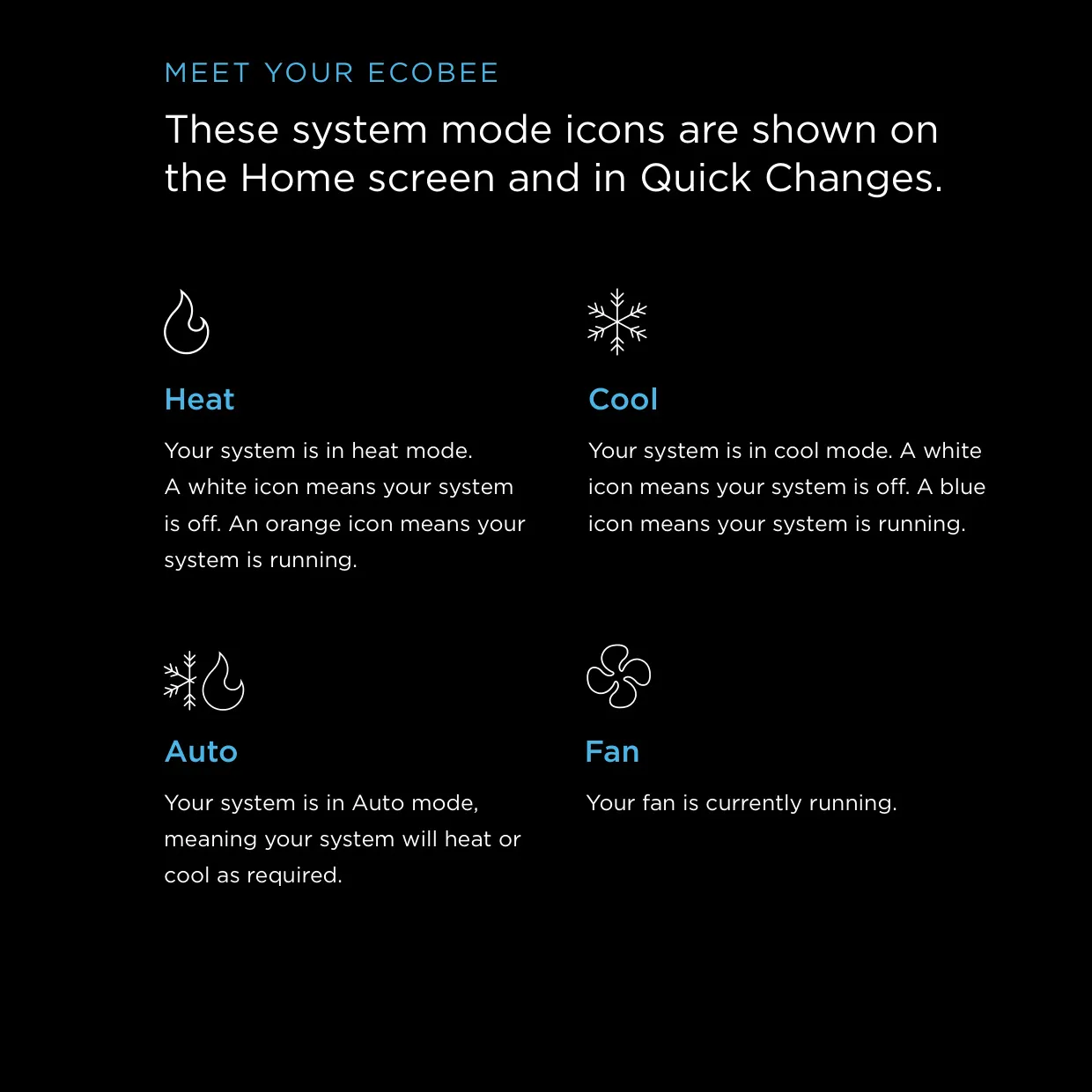
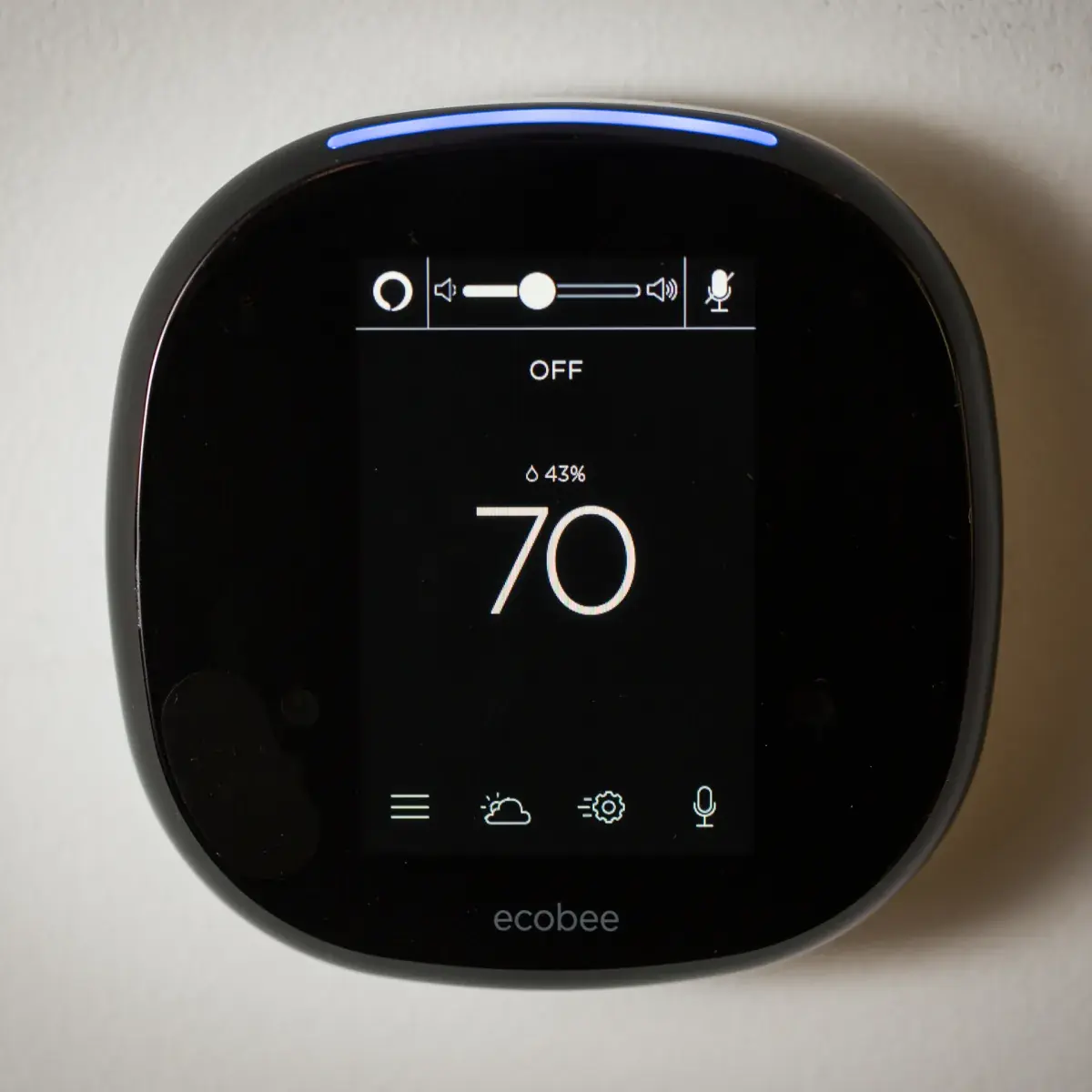
The home screen shows the system mode, indoor temperature, indoor humidity, a menu, the local weather with a weekly forecast, voice control, and a Quick Changes button for switching between Home and Away. The user sets the temperature by sliding a bubble up or down. The Heat icon turns orange while heating runs, the Cool icon turns blue while cooling runs, and both stay white while the system is idle.
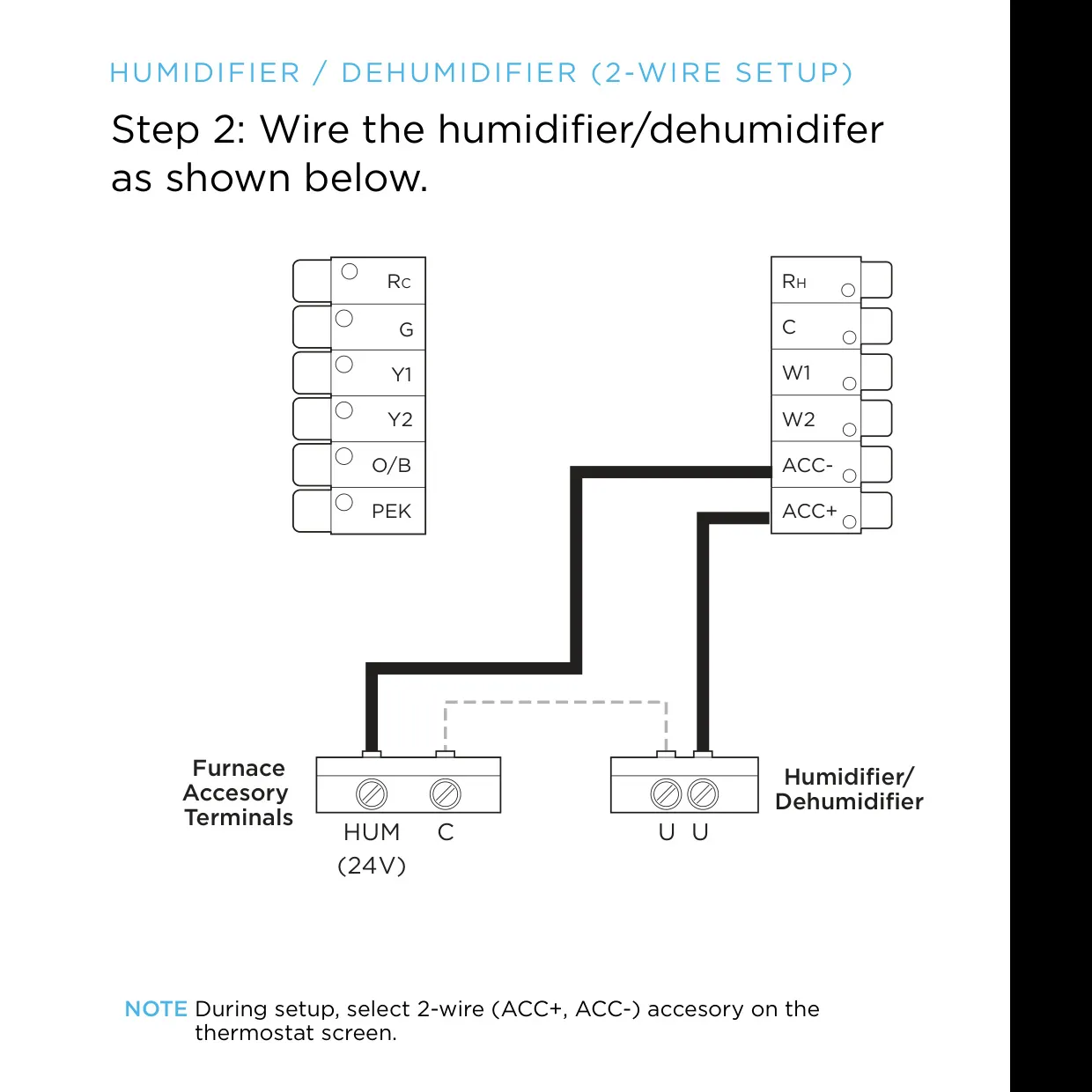
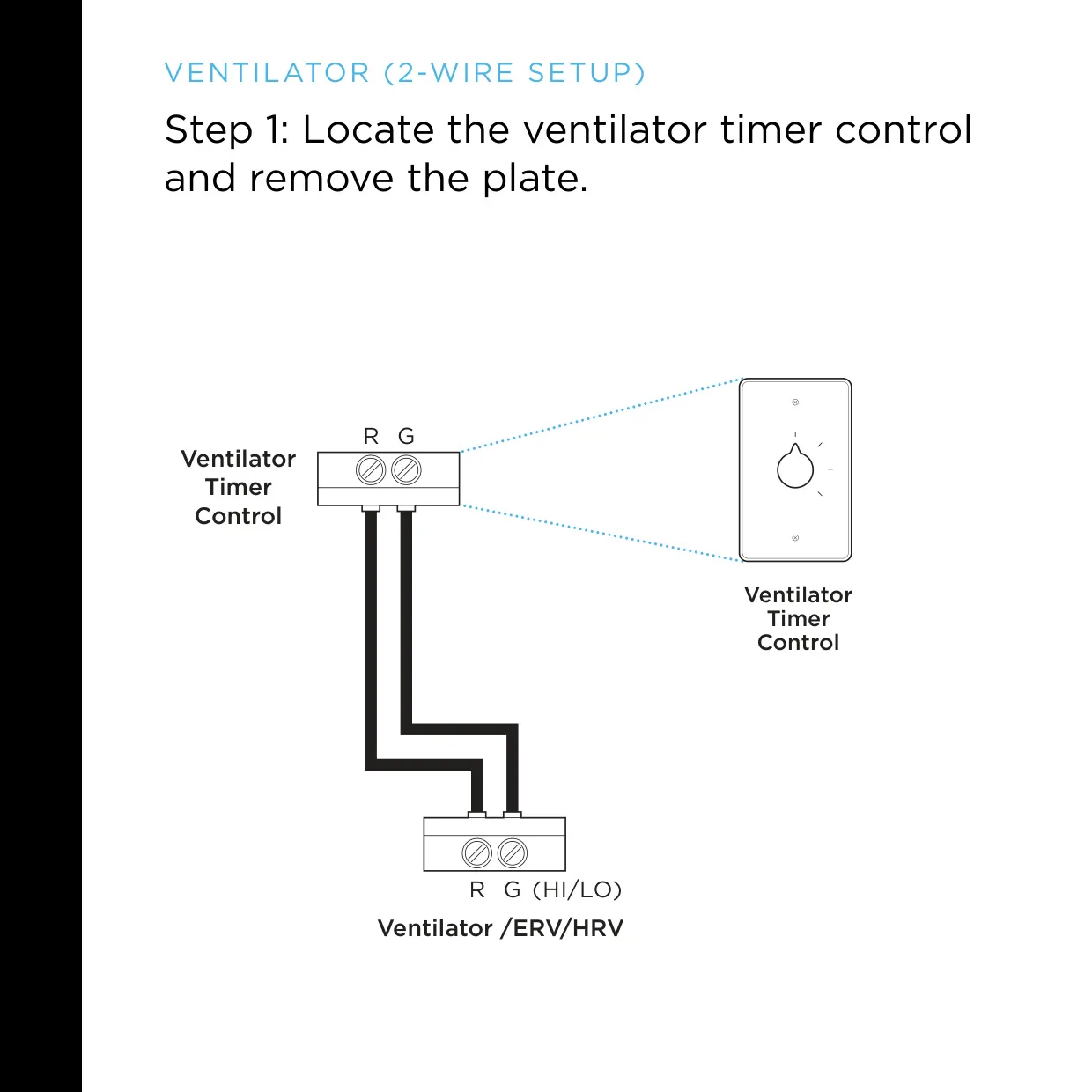
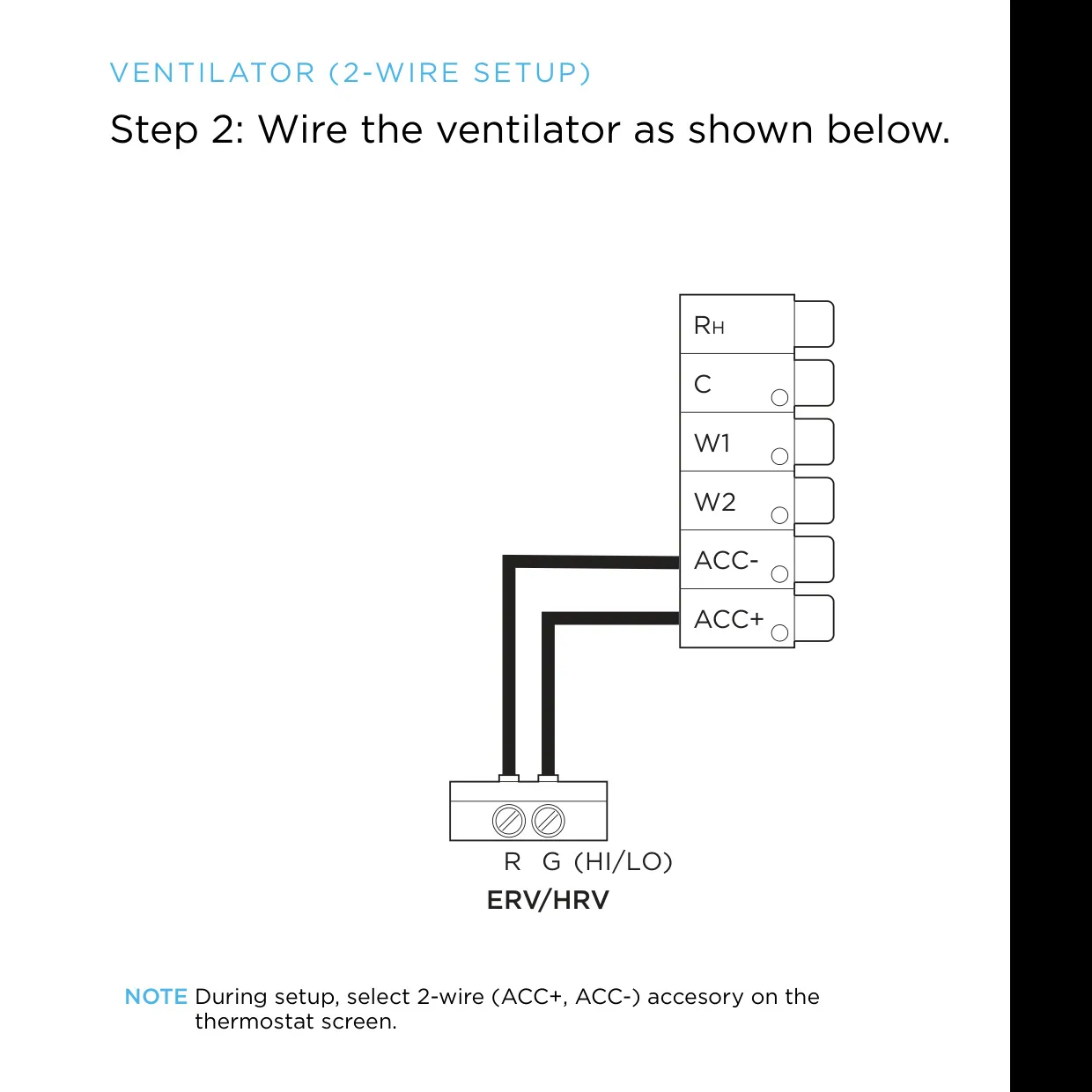
The menu includes Registration, Vacation, System, Alerts and Reminders, Settings, Comfort Settings, Schedule and About. A badge on the menu icon signals a pending notification. For humidifiers, dehumidifiers and ventilators, the user chooses the matching 1-wire or 2-wire accessory option on screen during setup. This tells the thermostat how the ACC terminals are wired.
If the thermostat does not power on, the manual suggests three checks. First, make sure every wire is fully seated. Second, make sure the HVAC cover panel is properly closed, because some systems will not run with it open. Third, confirm that a single R wire is in the Rc terminal and that any Power Extender Kit wires are in the correct terminals. Old thermostats can contain mercury and should go to a hazardous waste facility for recycling.
Frequently Asked Questions (FAQs)
Can't find the answer you need? Here are some frequently asked questions about the Ecobee4 Thermostat, and we answer them below.