Braeburn Thermostat 5020 Instruction Manual
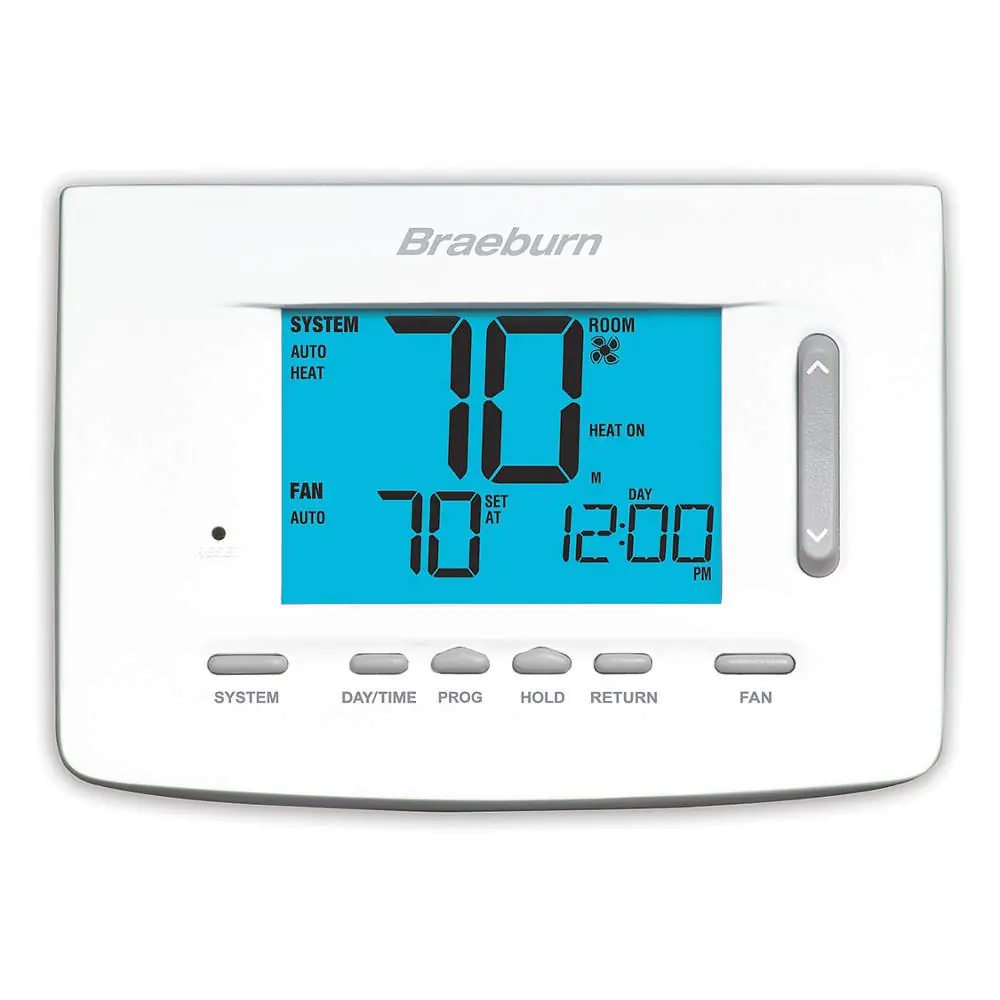
Braeburn Thermostat 5020



Braeburn Thermostat 5020


Braeburn Thermostat 5020 Instructions
Here we offer the Braeburn Thermostat 5020 manual completely free and in English. We have cataloged this manual in the Thermostats section on Manualverse, and it has been rated by 1 users with an average rating of 5. If you have any specific questions about Braeburn Thermostat 5020, we suggest checking the Frequently Asked Questions (FAQs) section of this manual.
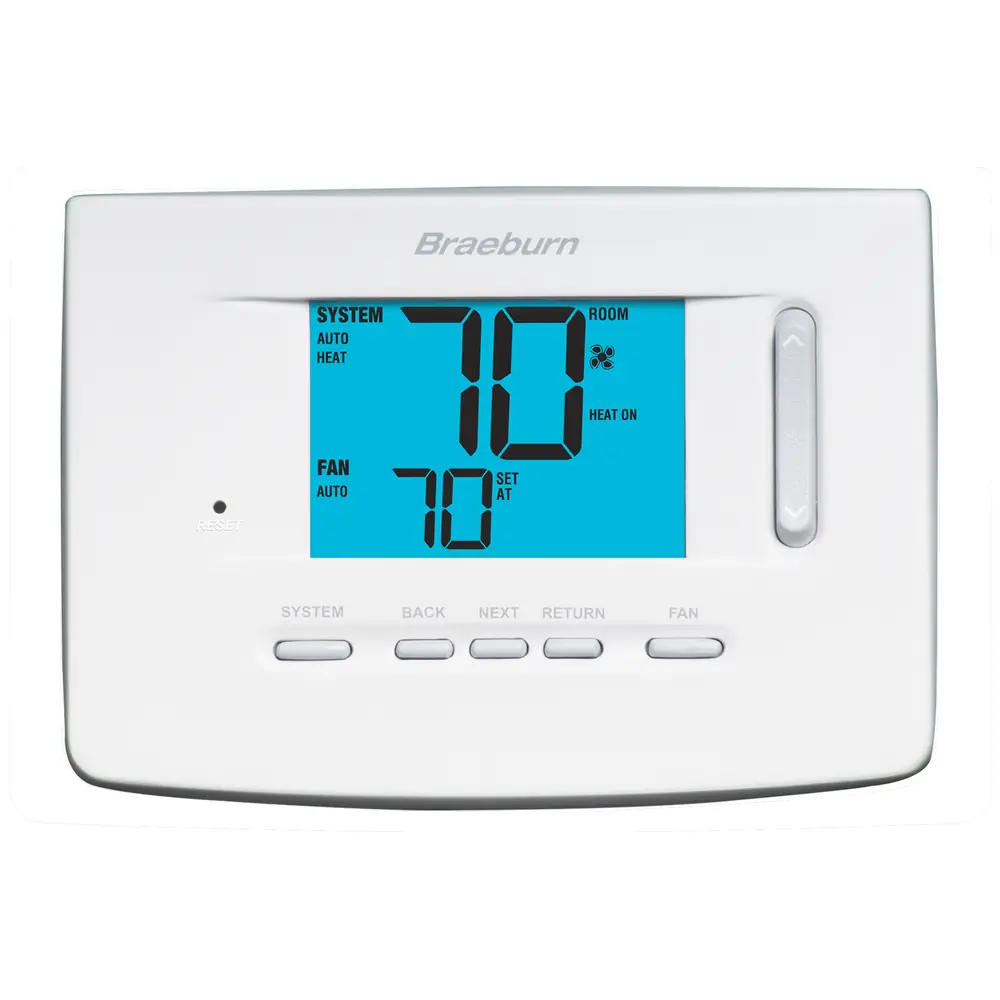
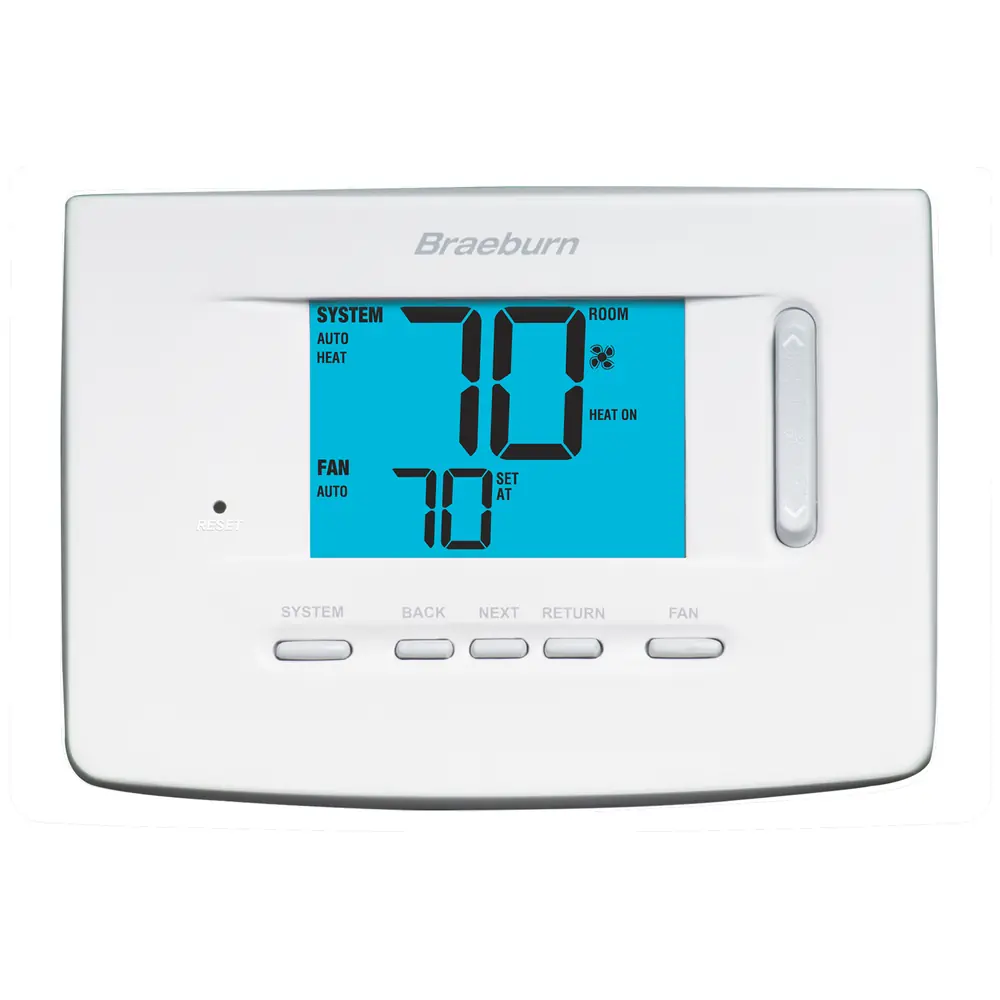
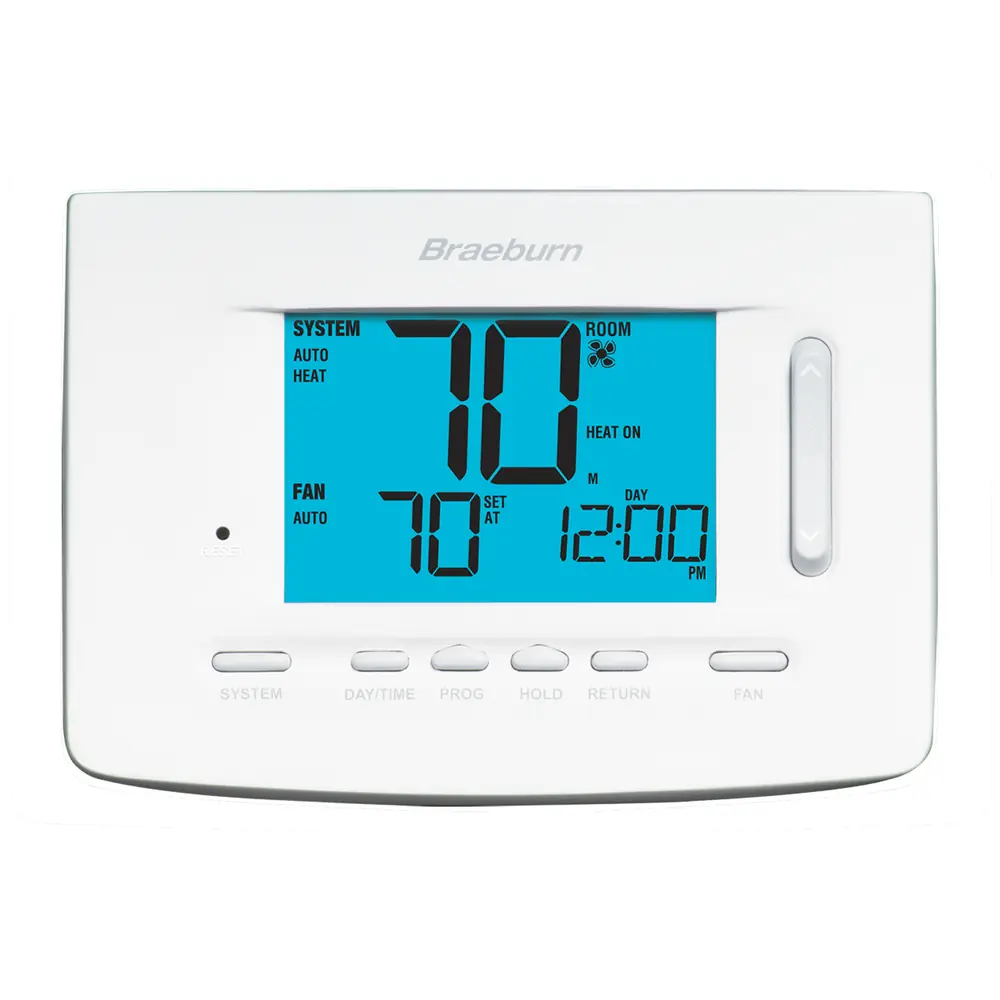
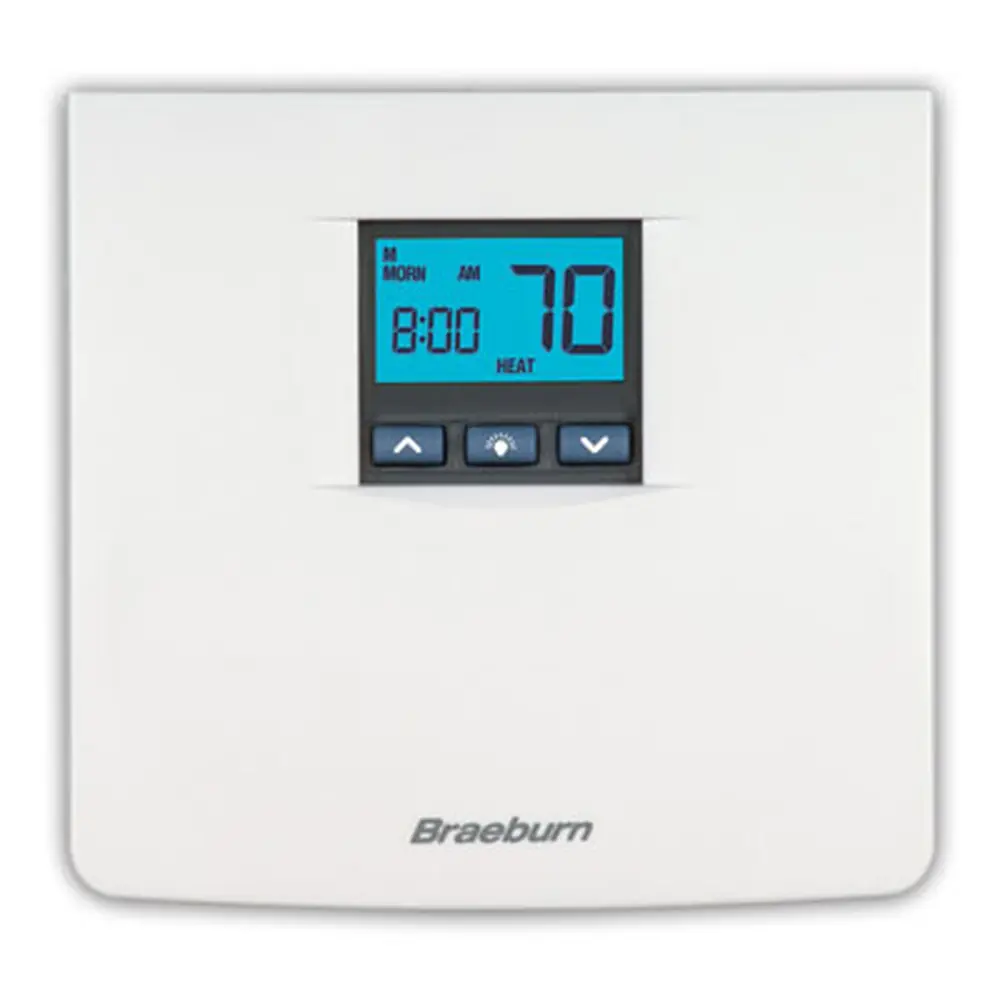
Product Images
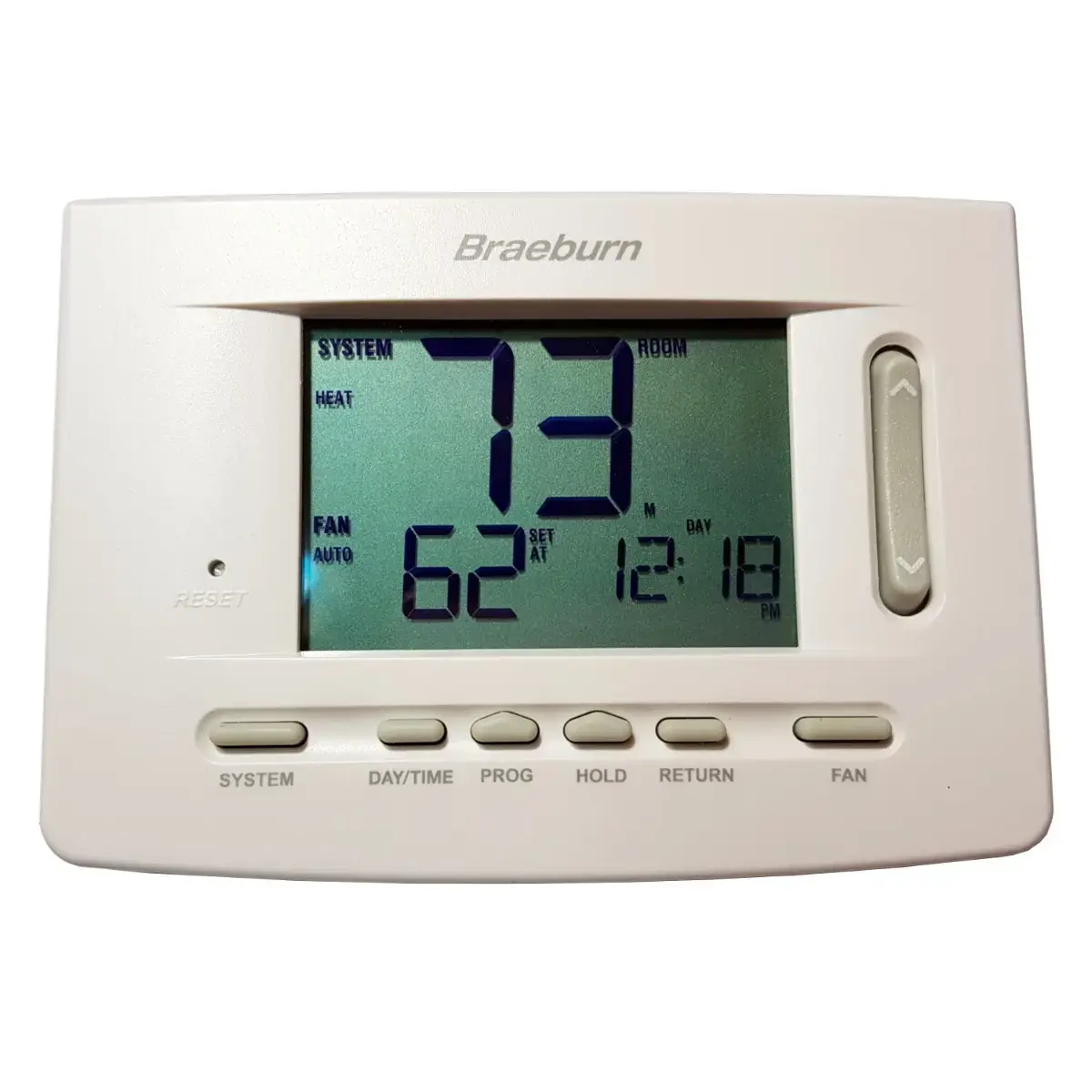
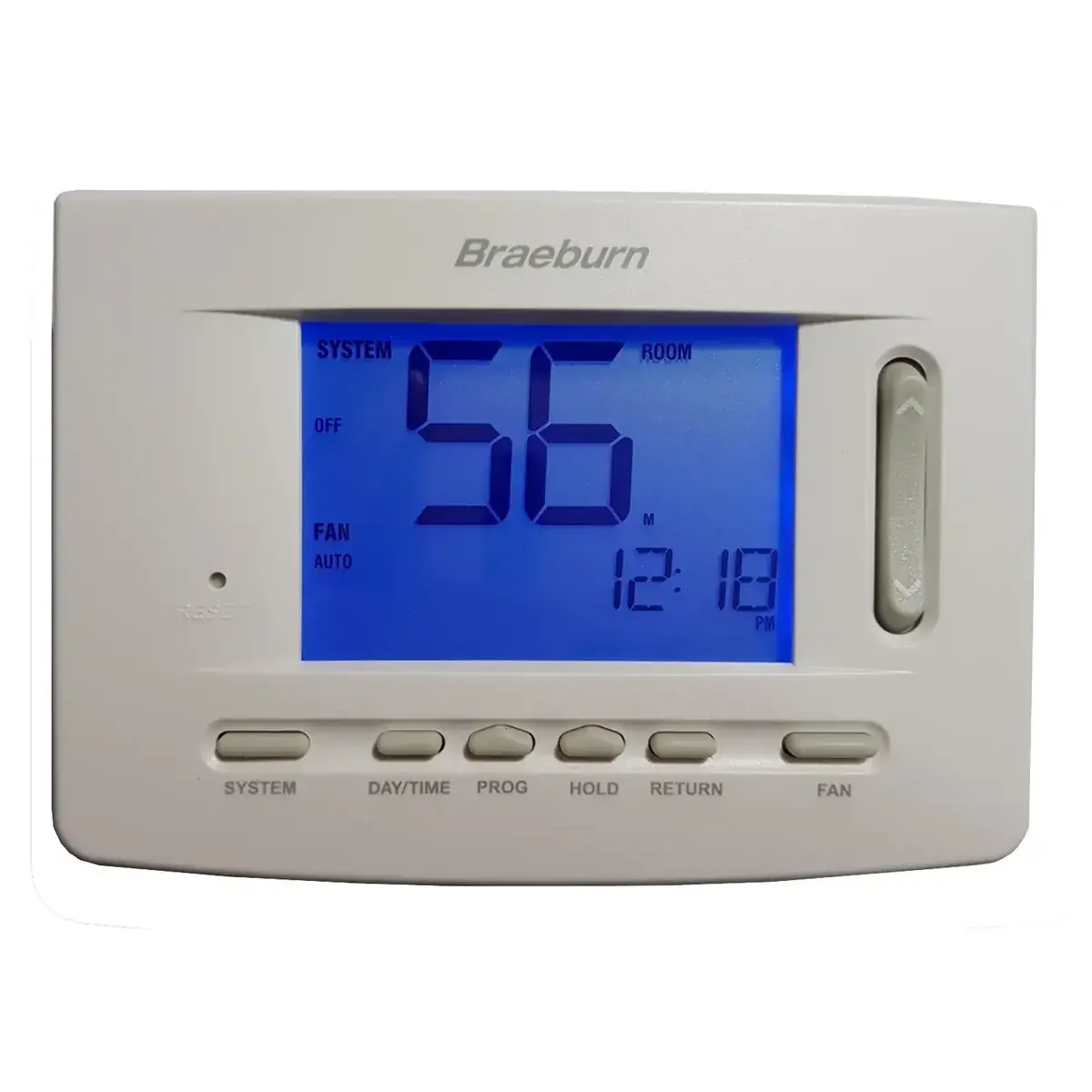
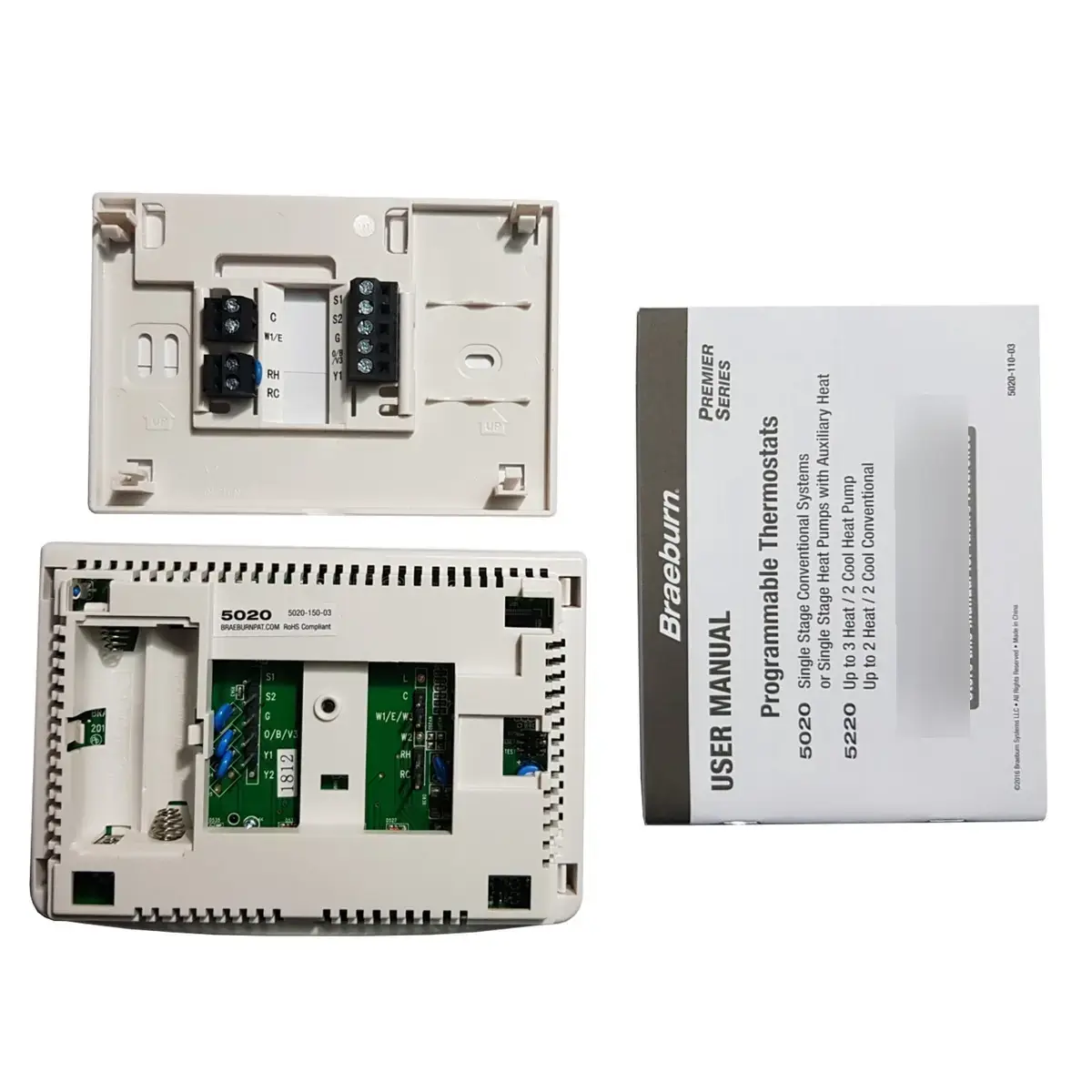
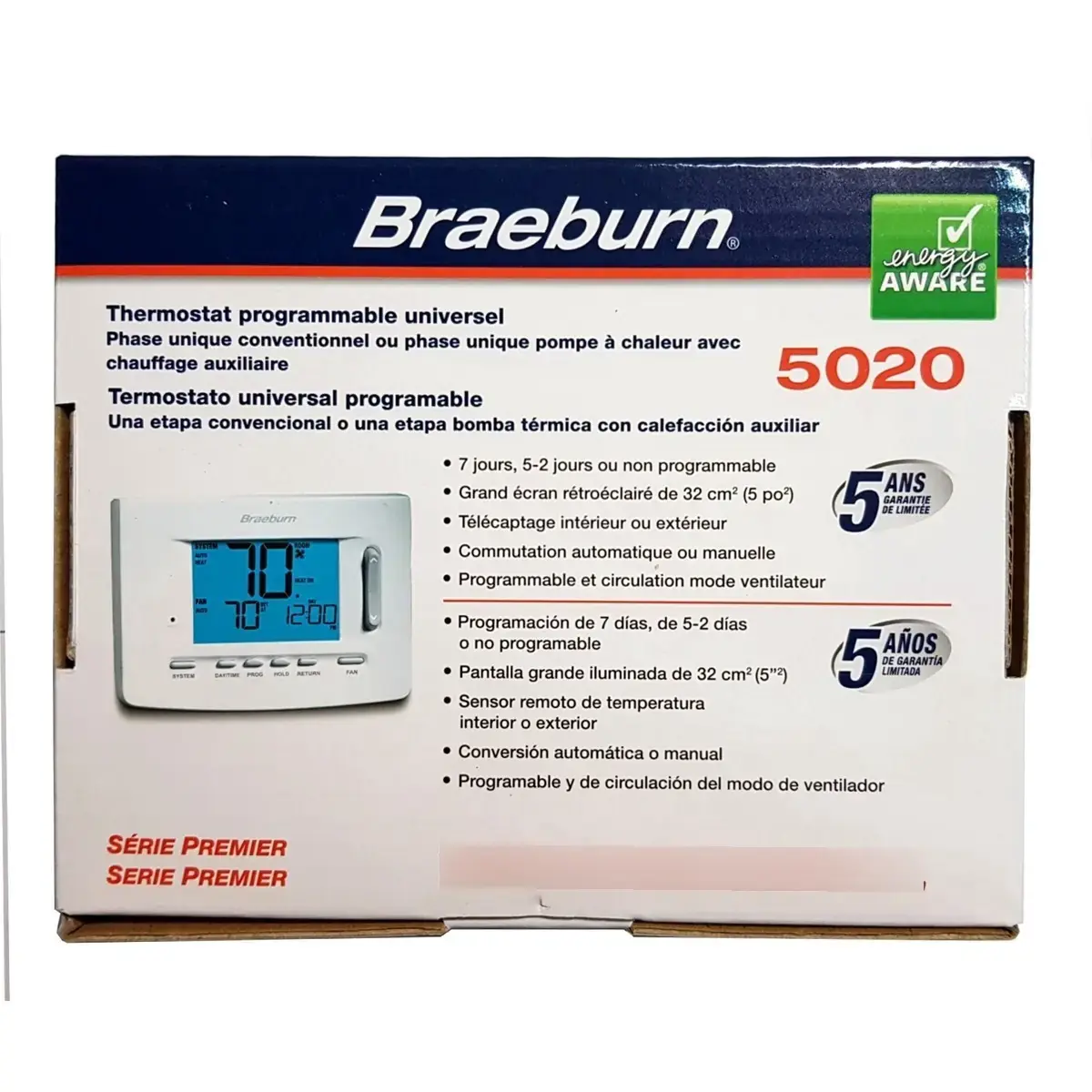
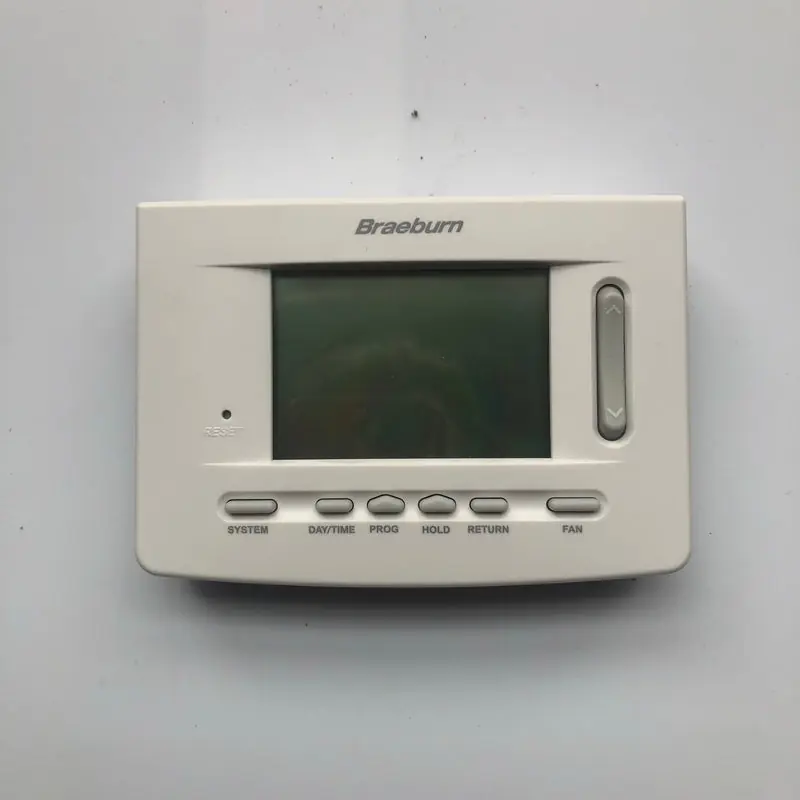
Braeburn Thermostat 5020 Specifications
| Feature | Specification |
|---|---|
| Model | Braeburn Thermostat 5020 |
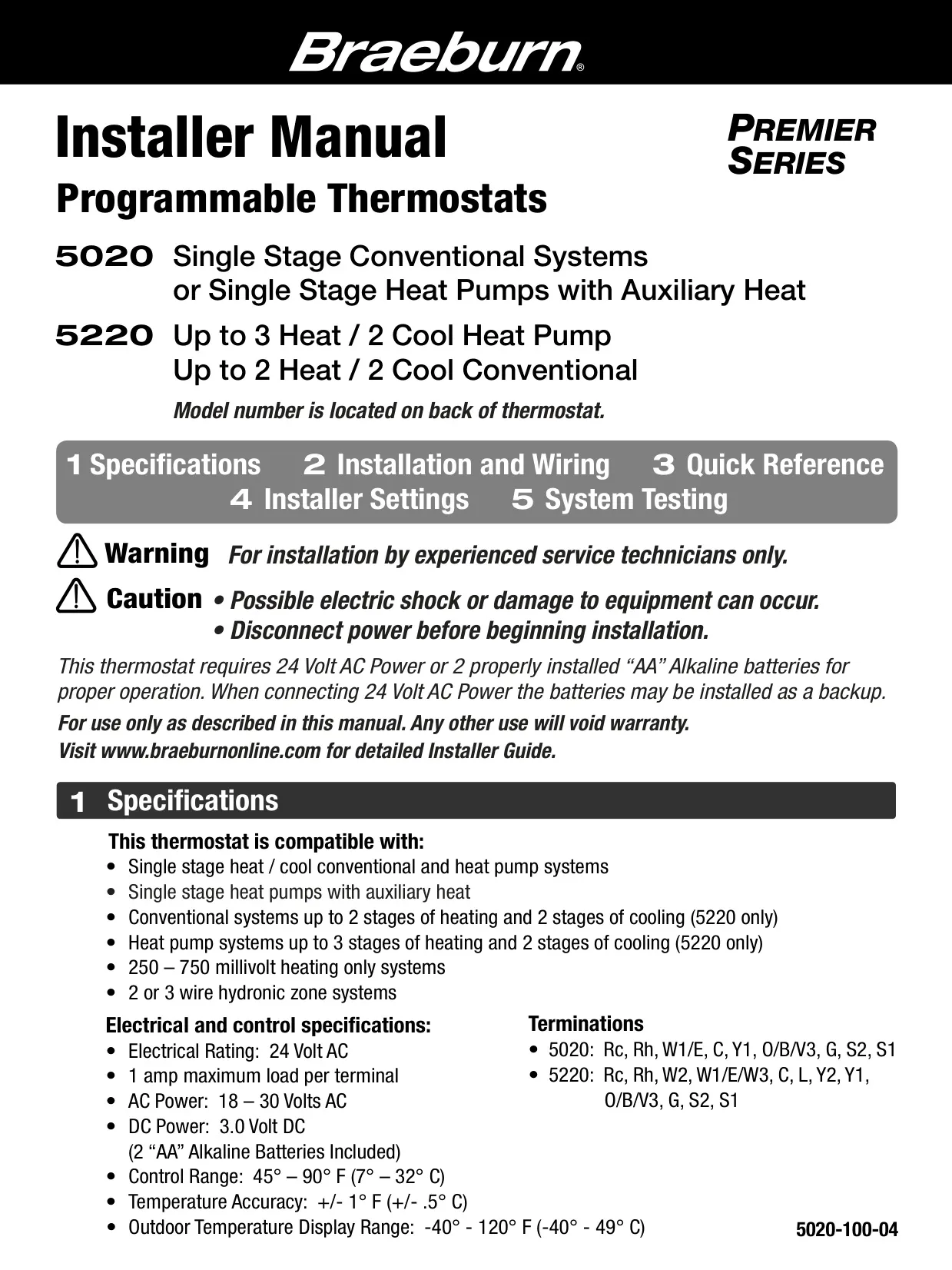
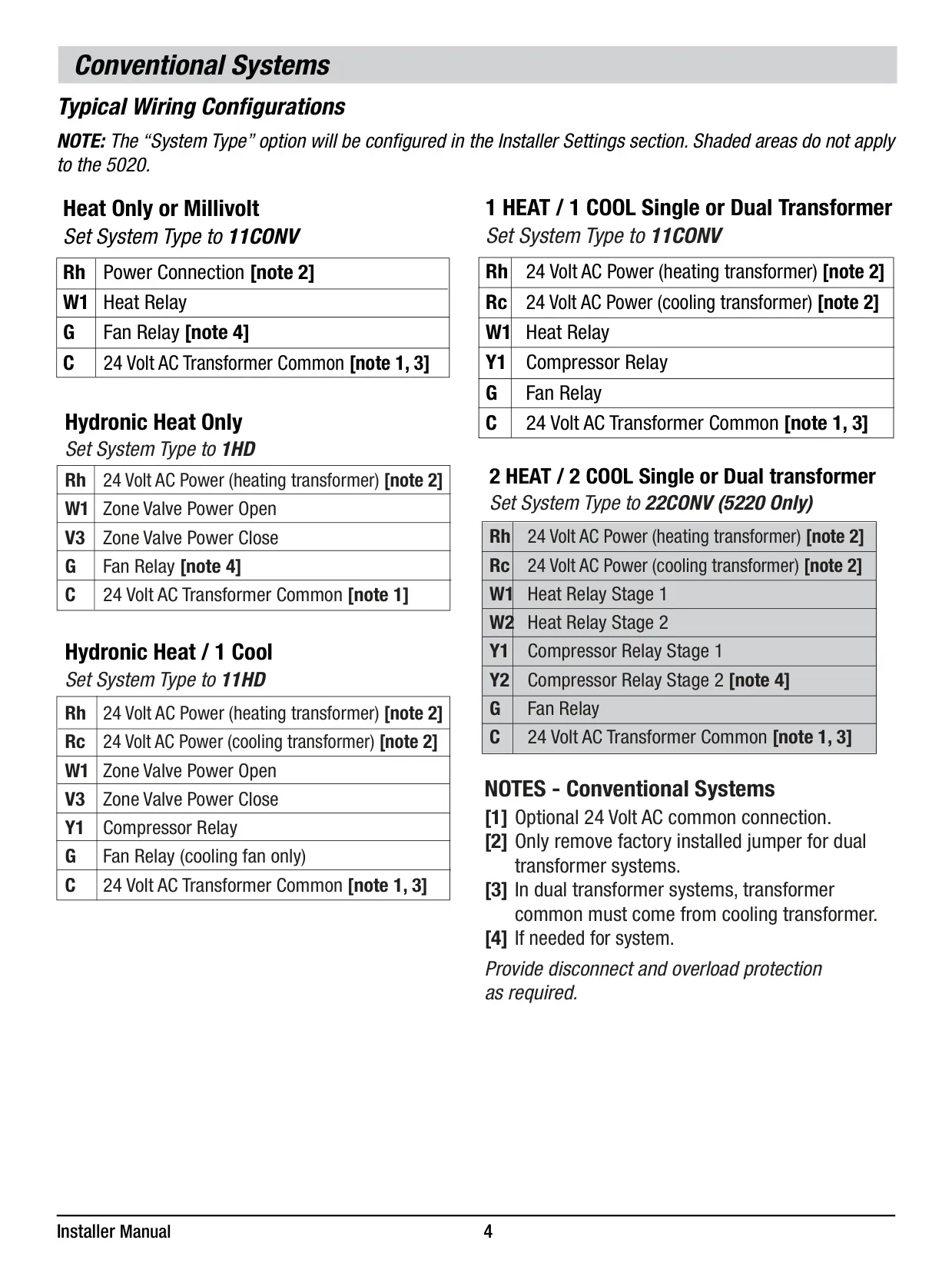
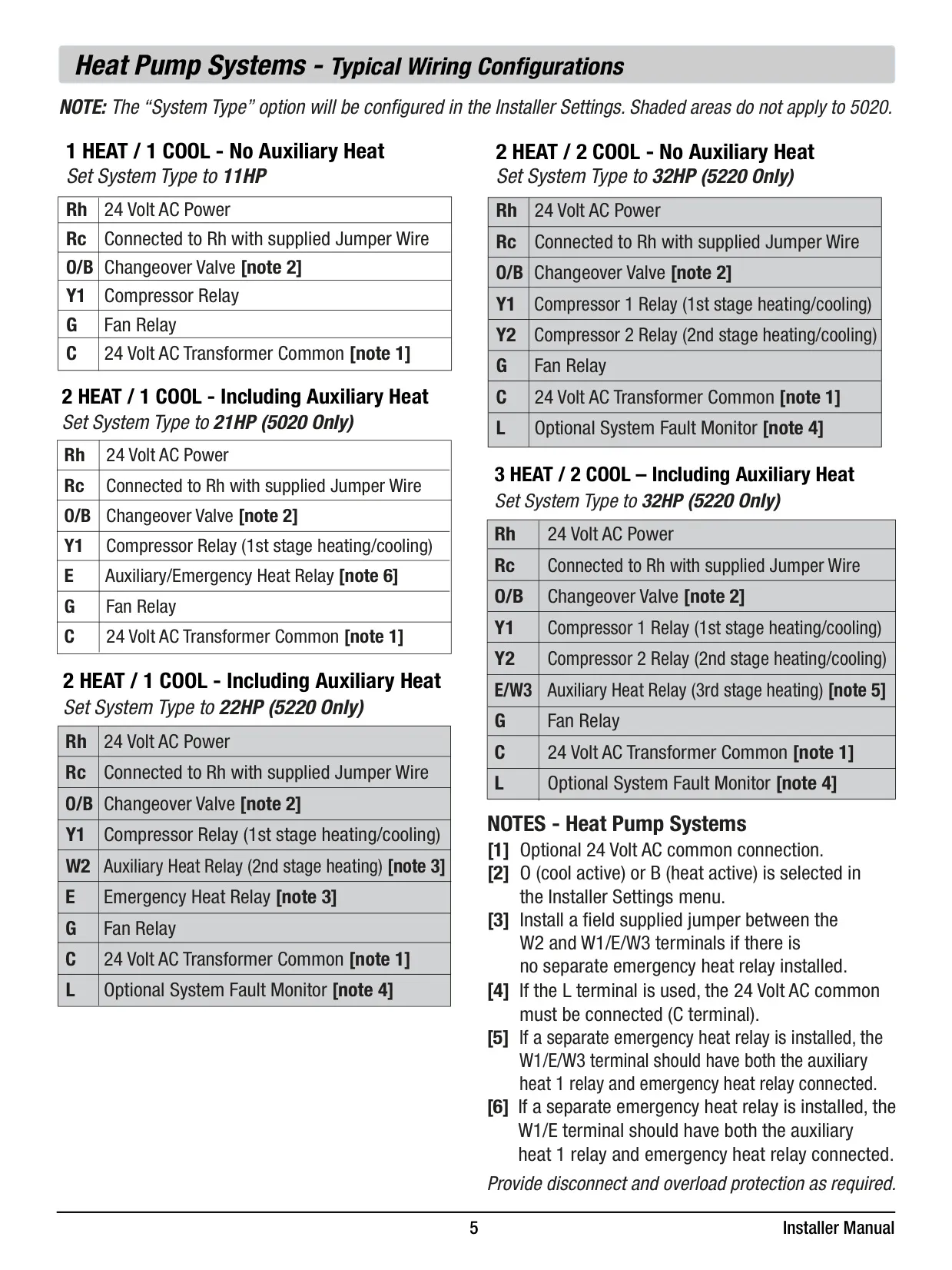
| System Compatibility | Single Stage Conventional Heat / Cool Systems Single Stage Heat Pumps with Auxiliary Heat 250 – 750 Millivolt Heating Only Systems 2 or 3 Wire Hydronic Zone Systems |
| Electrical Rating | 24 Volt AC |
| Maximum Load Per Terminal | 1 Ampere |
| AC Power | 18 – 30 Volts AC |
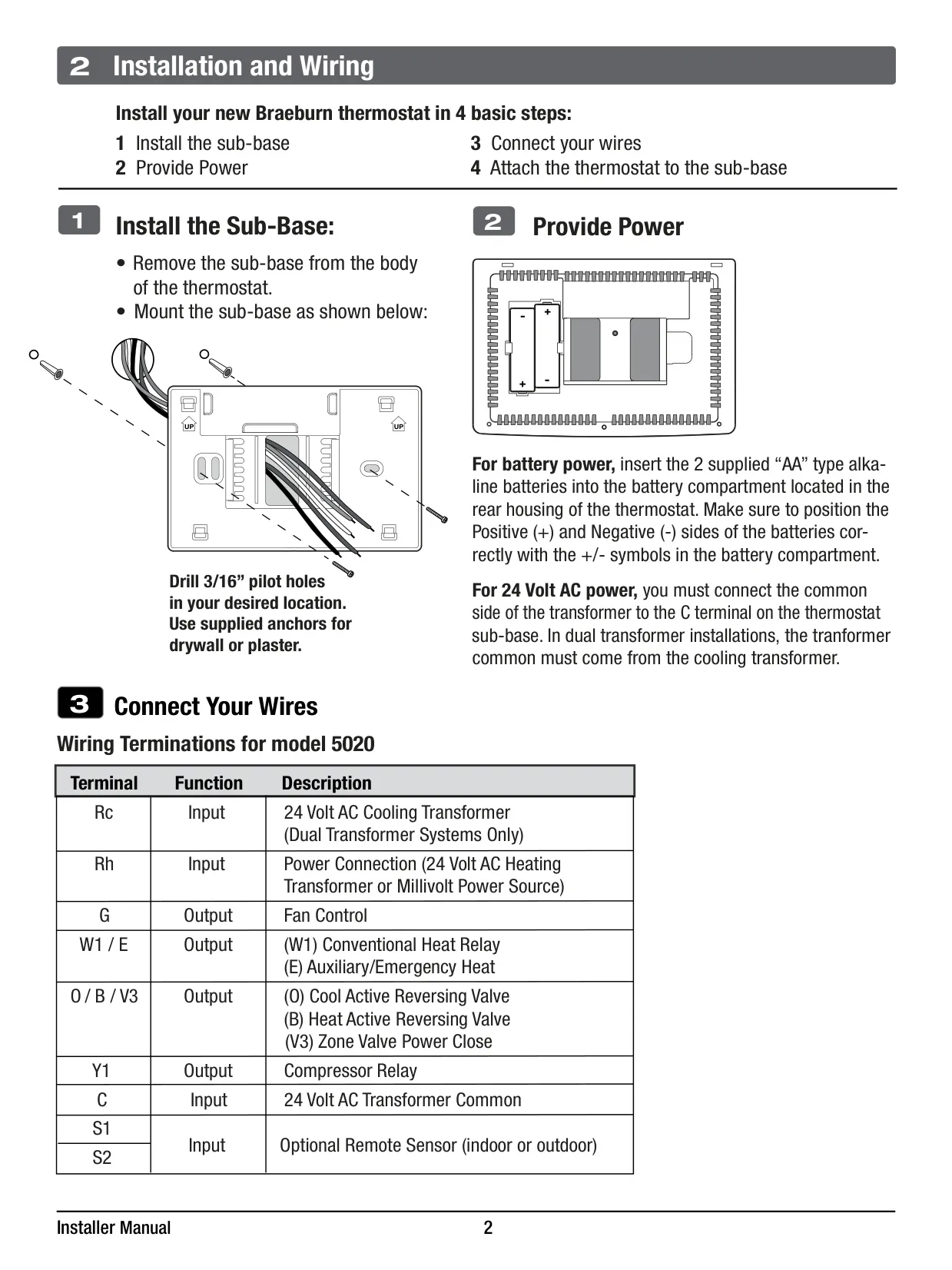
| DC Power | 3.0 Volt DC (2 "AA" Alkaline Batteries) |
| Control Range | 45° – 90° F (7° – 32° C) |
| Temperature Accuracy | +/- 1° F (+/- 0.5° C) |
| Outdoor Temperature Display Range | -40° – 120° F (-40° – 49° C) |
| Terminations (5020) | Rc, Rh, W1/E, C, Y1, O/B/V3, G, S2, S1 |
| Display Size | Large 5 sq. in. |
| Display Features | Bright Blue Backlit, Extra Large Characters |
| Warranty | 5-Year Limited (when installed by a professional contractor) |
| Manufacturing Location | Made in China |
Braeburn Thermostat 5020 Details
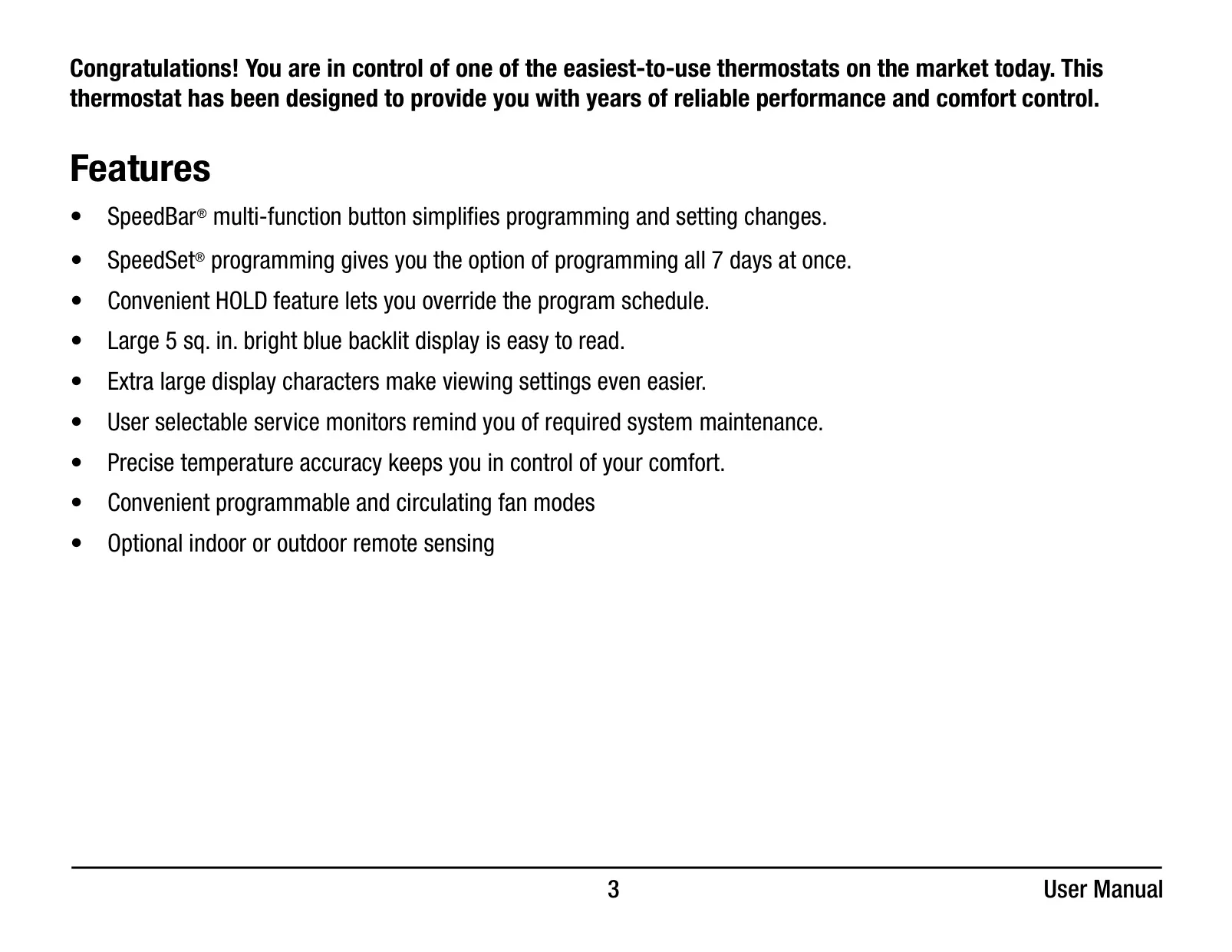
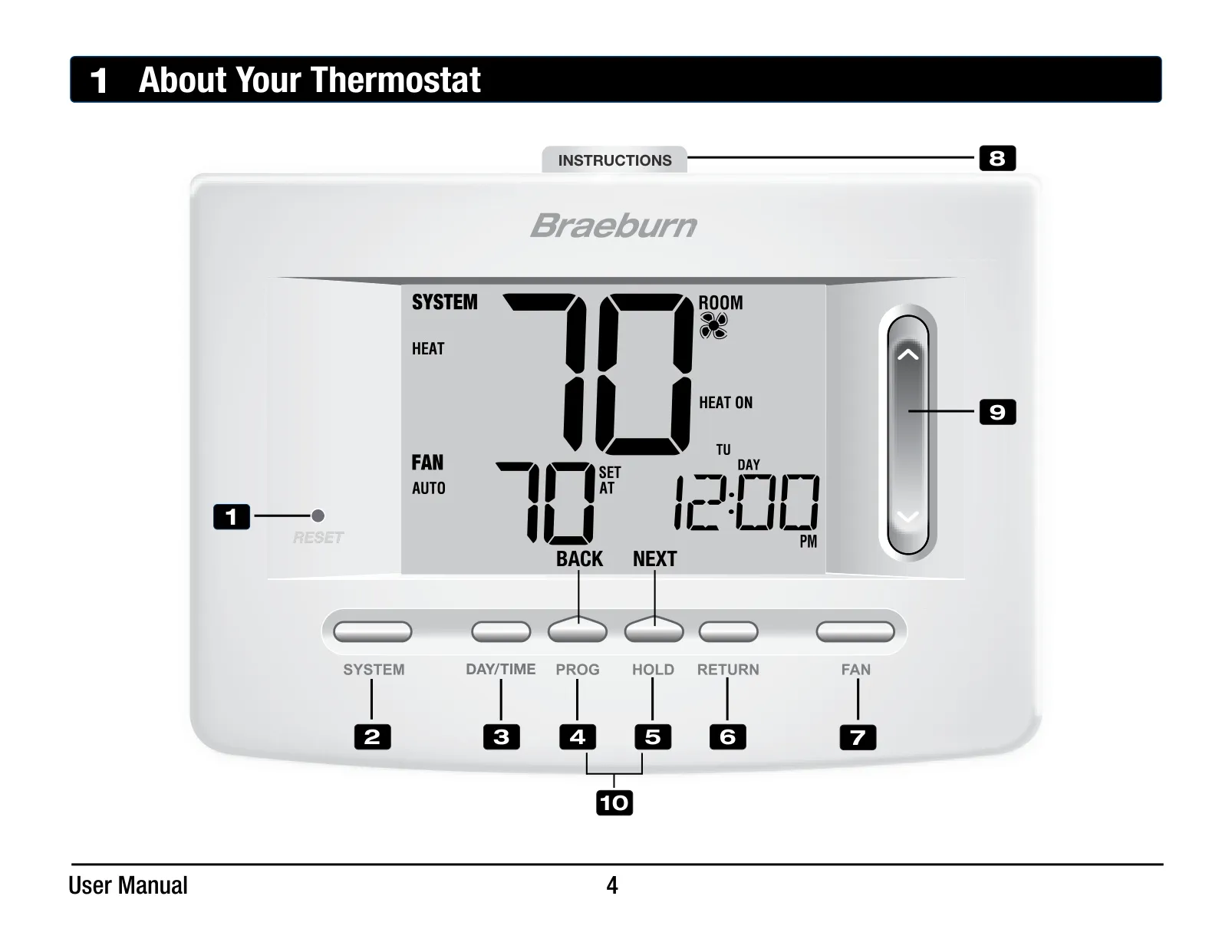
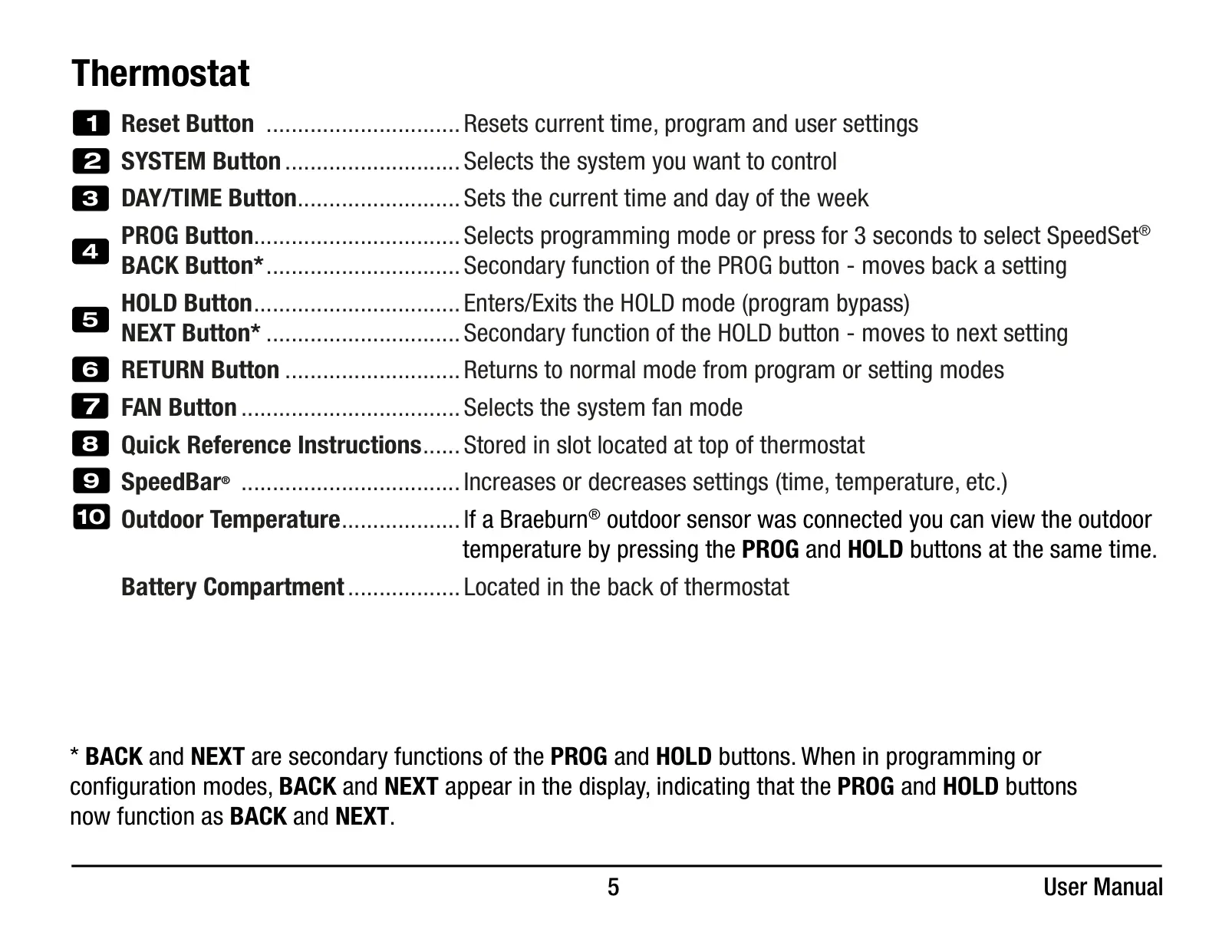
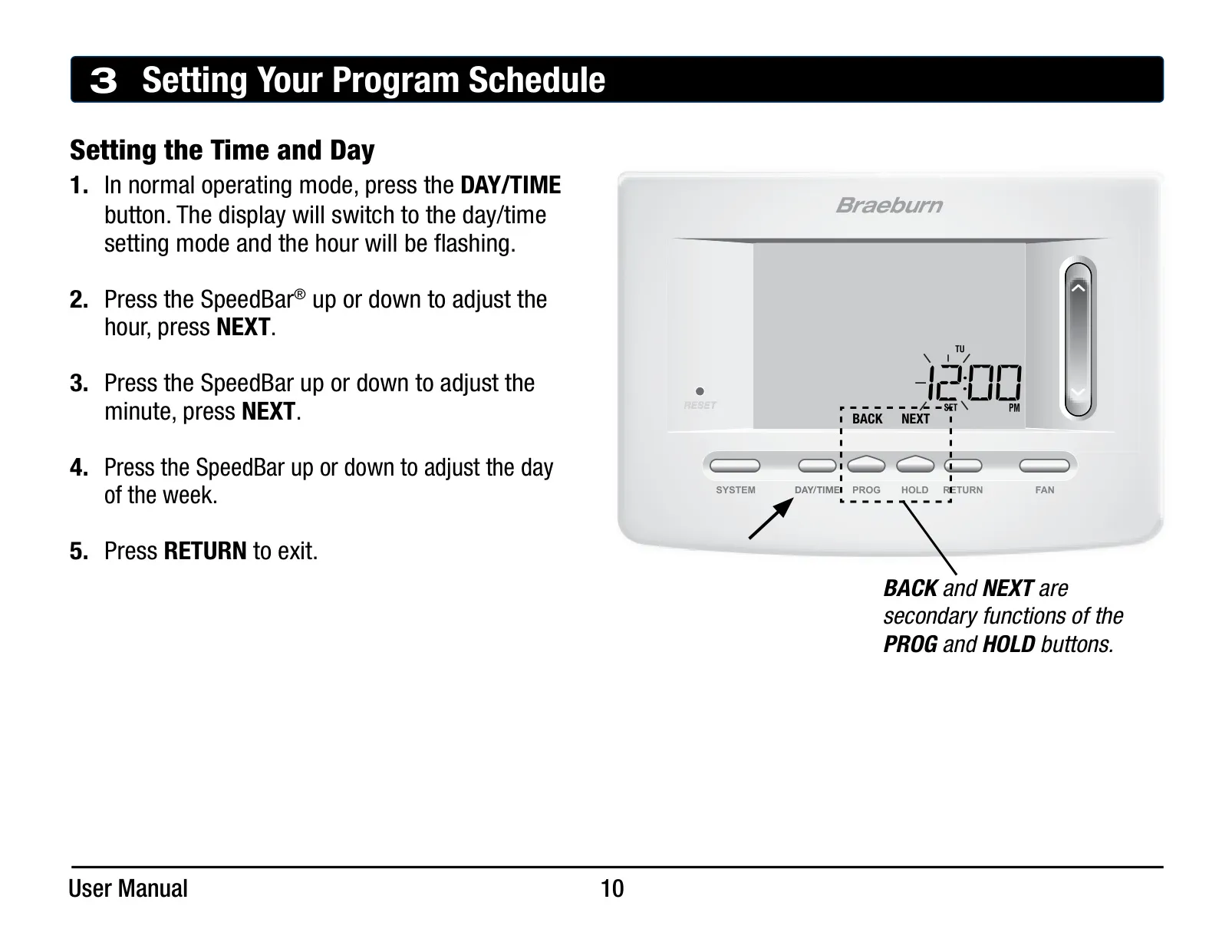
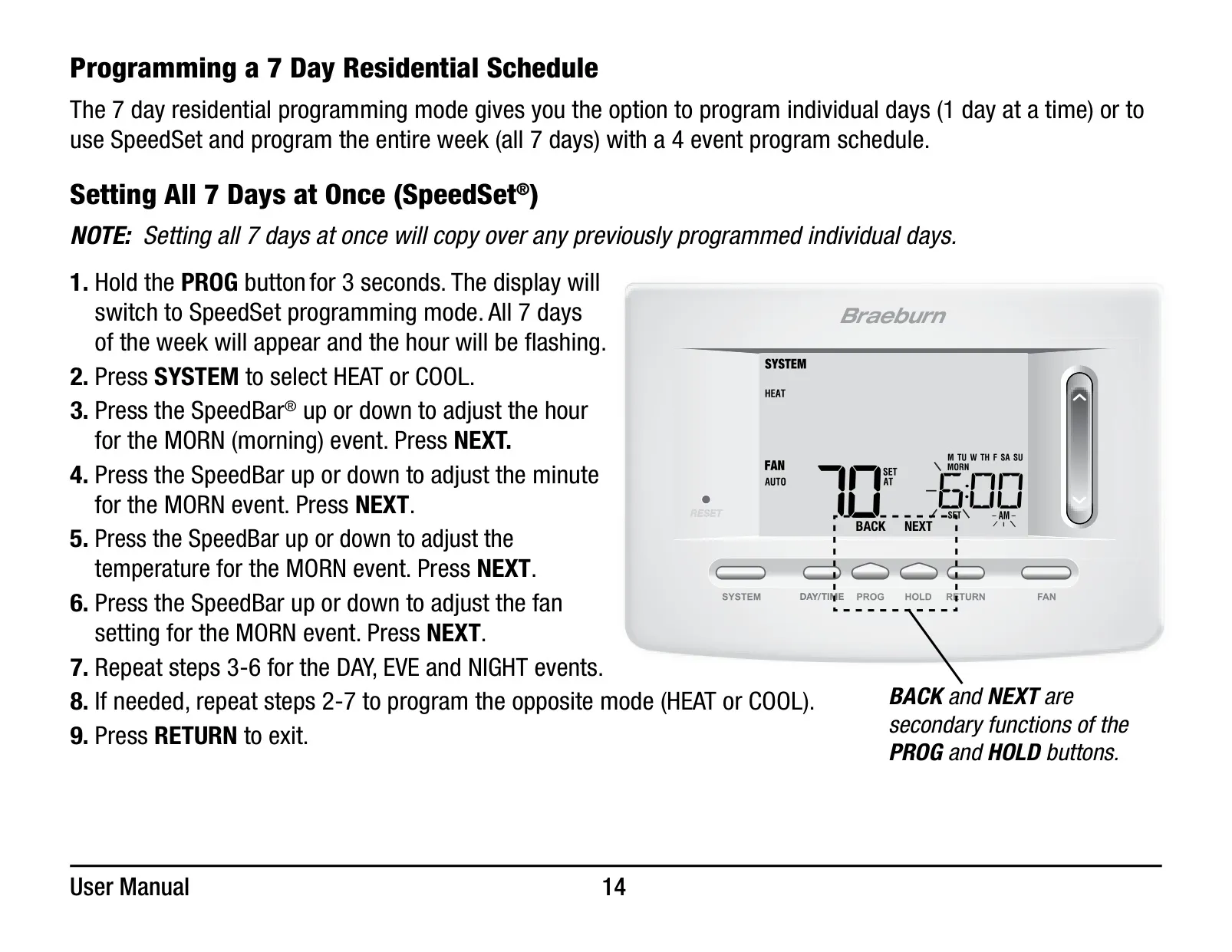
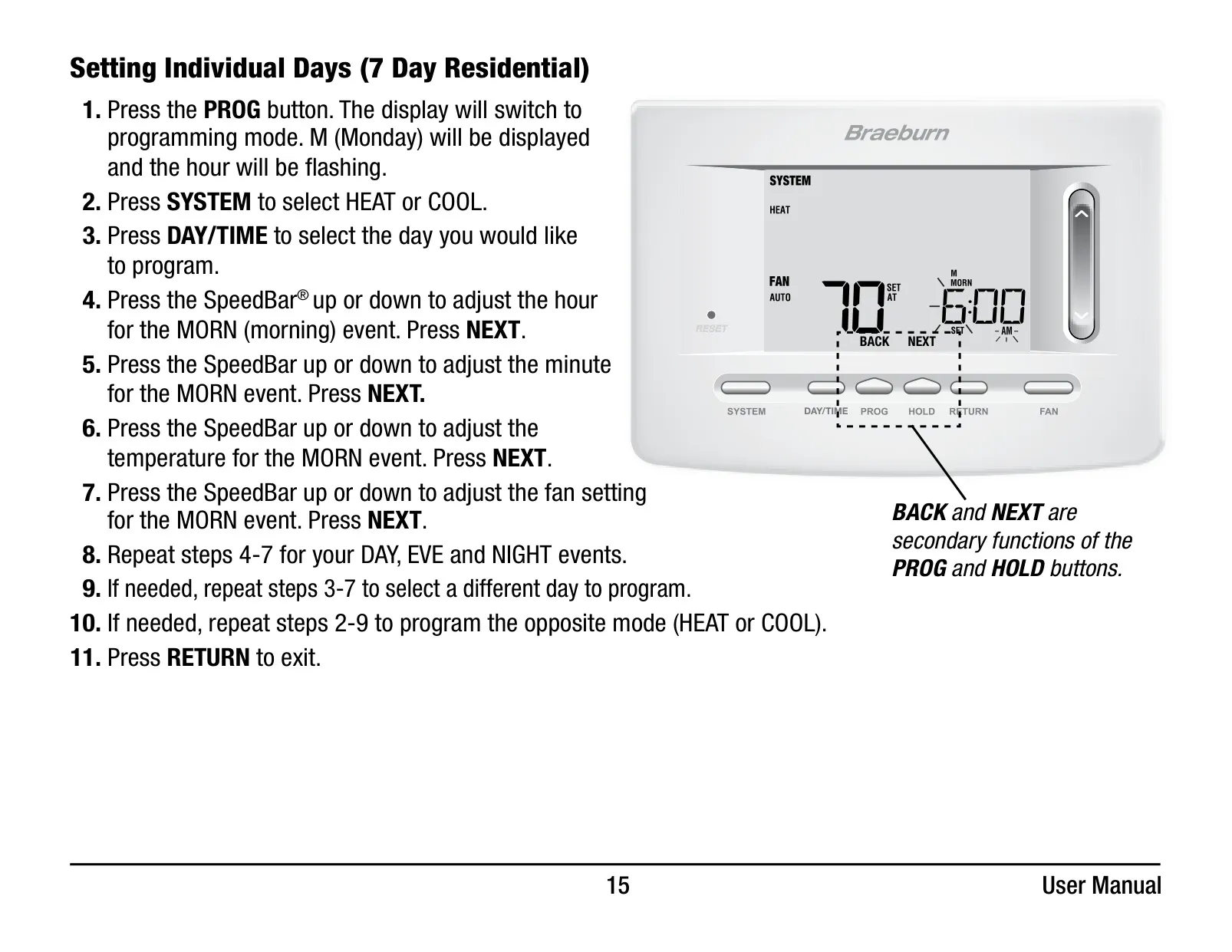
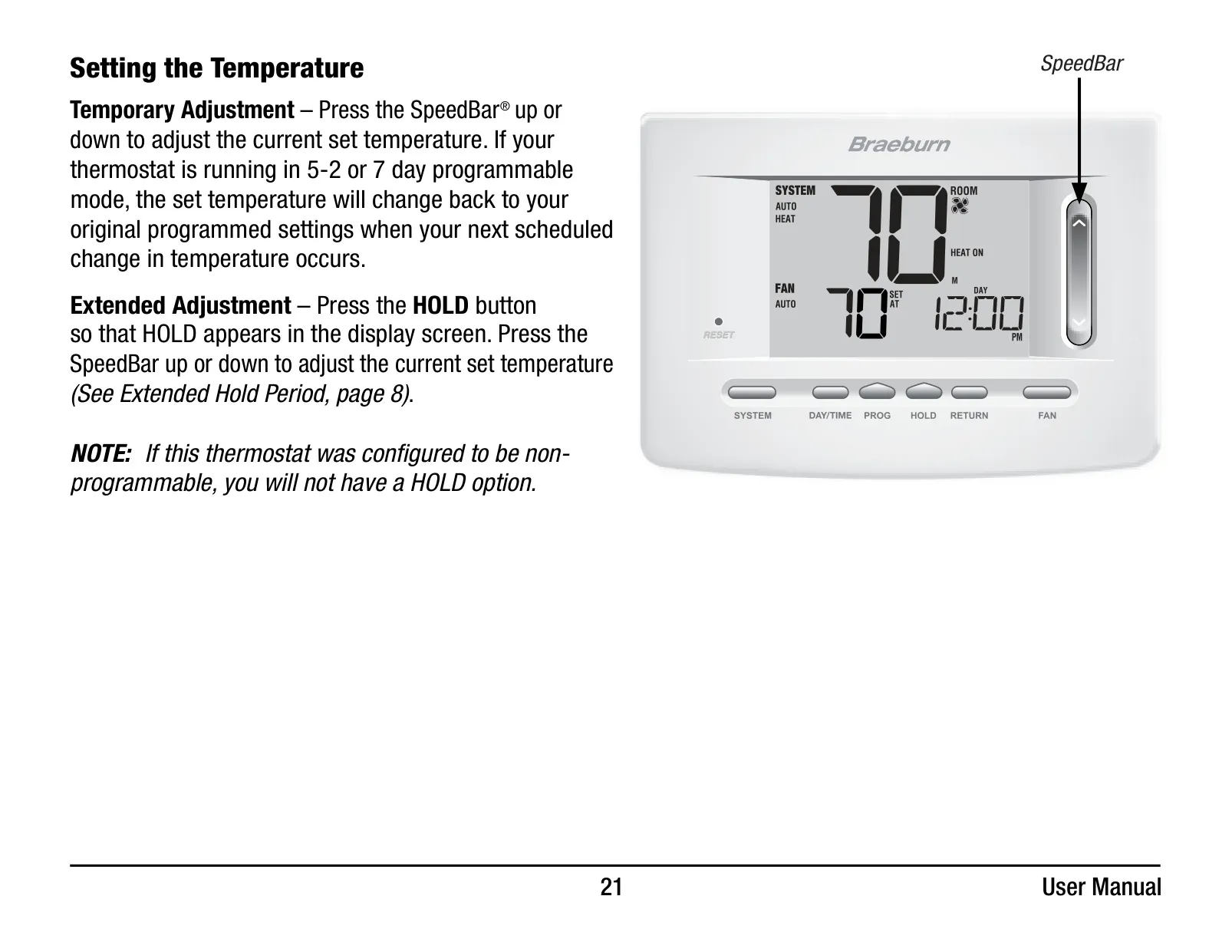
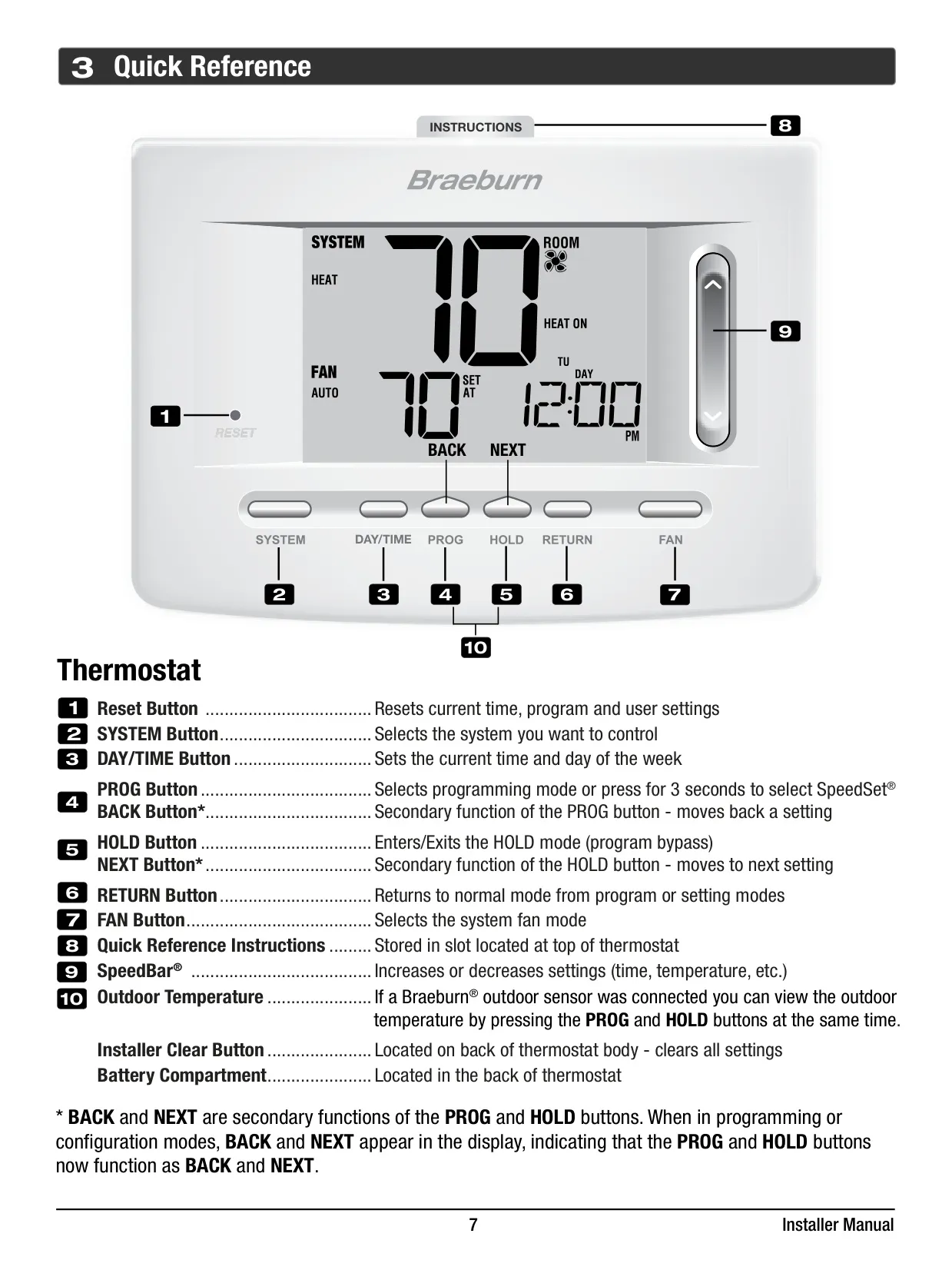
The Braeburn Thermostat 5020 is designed for user-friendly operation, featuring the exclusive SpeedBar® multi-function button to simplify programming and setting changes. This innovative control allows for quick adjustments, making it easier to manage your home's climate preferences throughout the day or week without complex navigation.
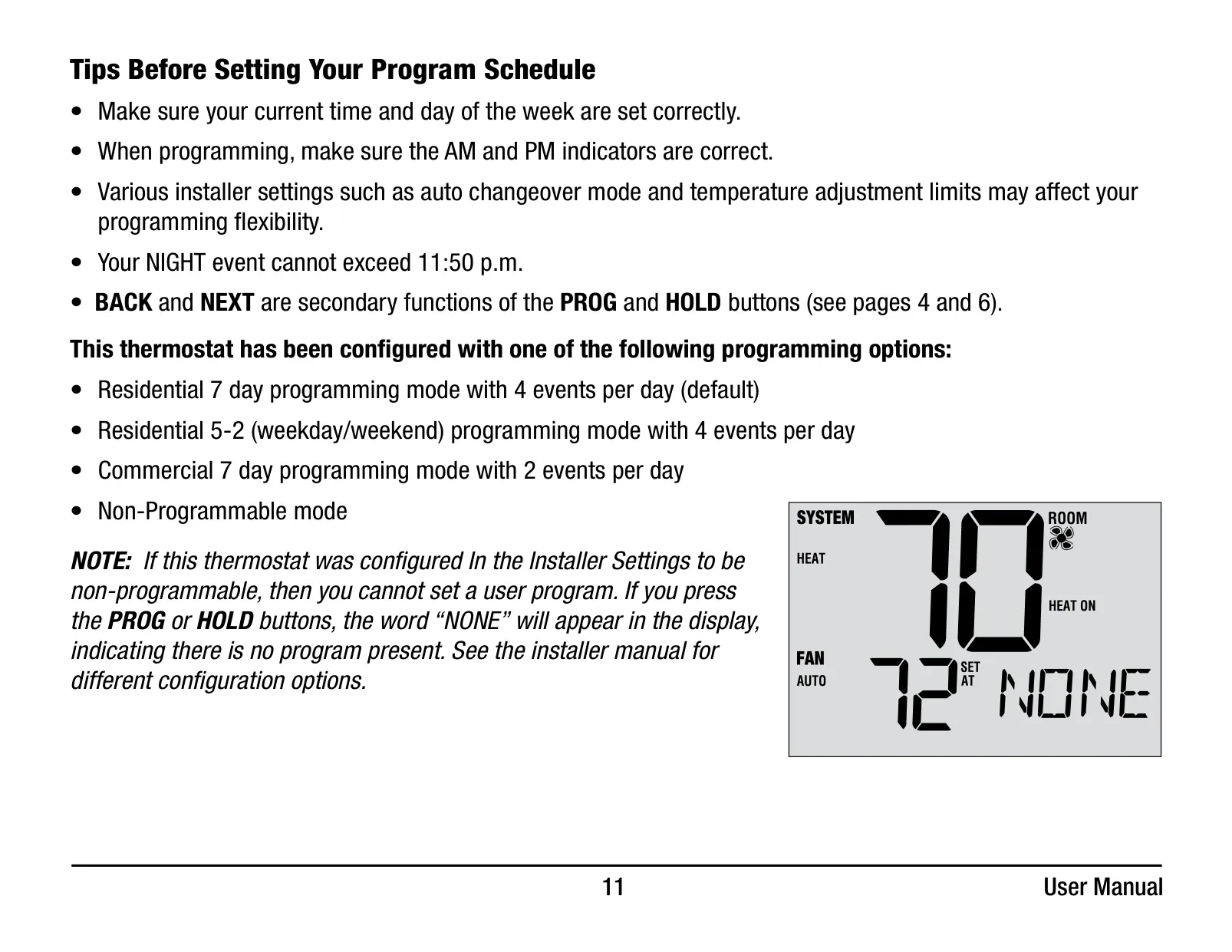
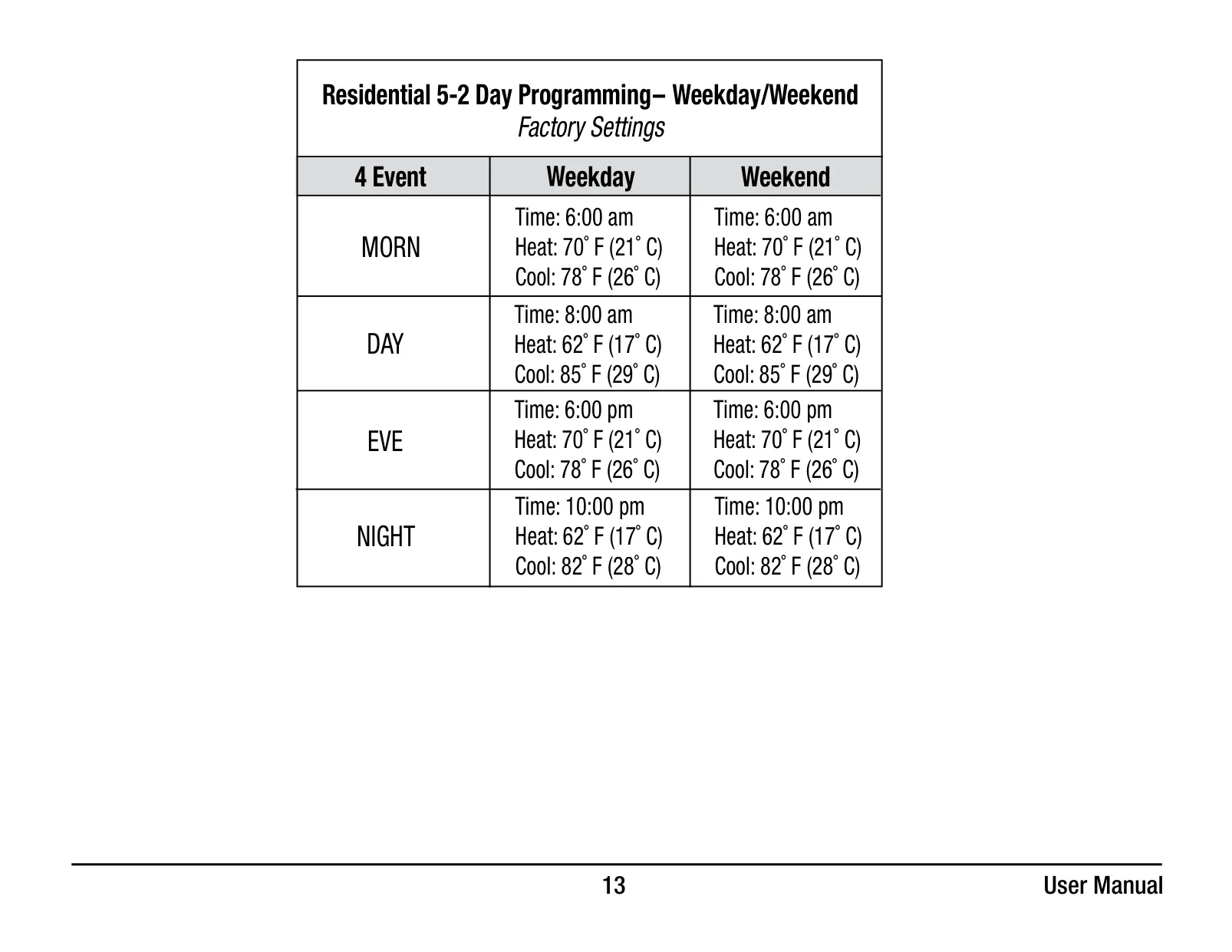
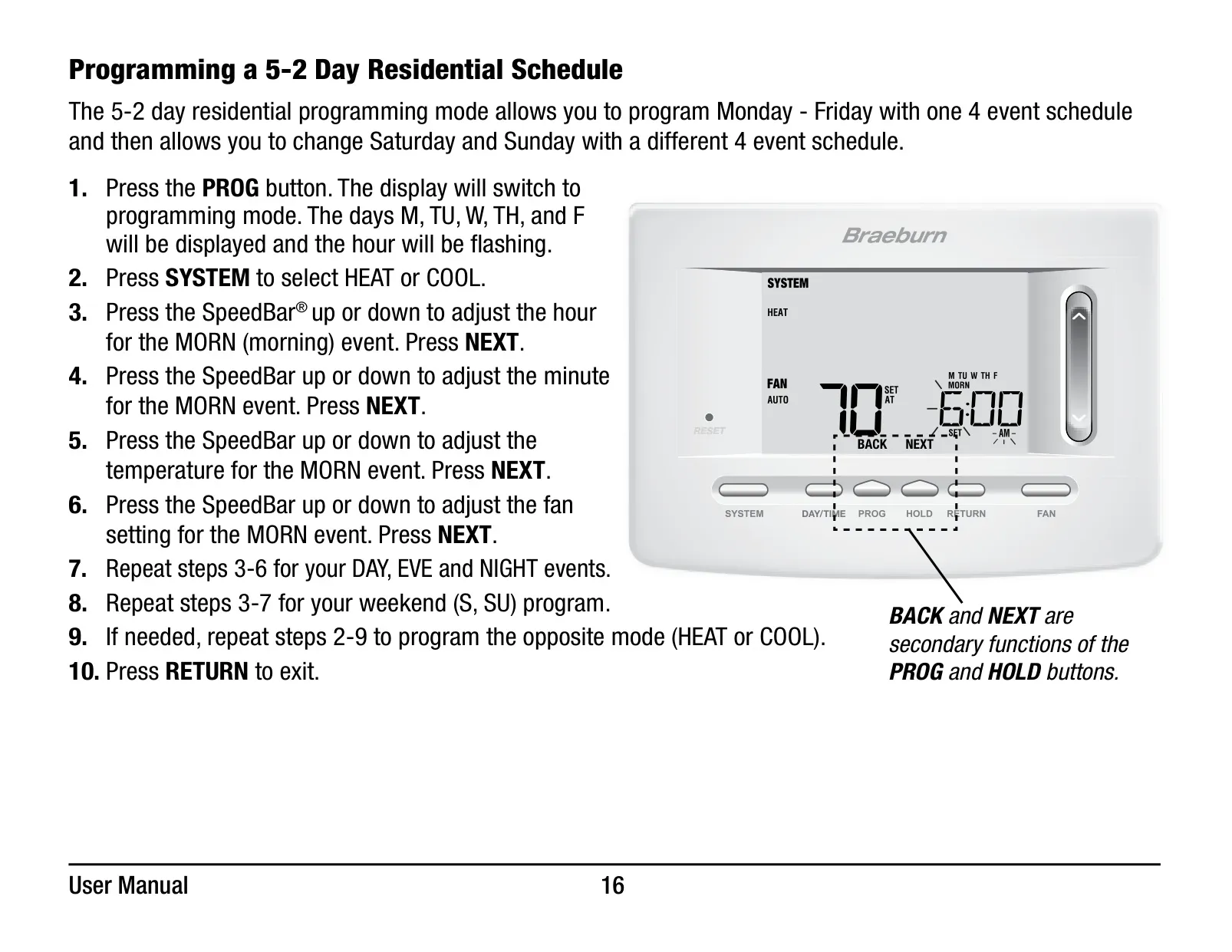
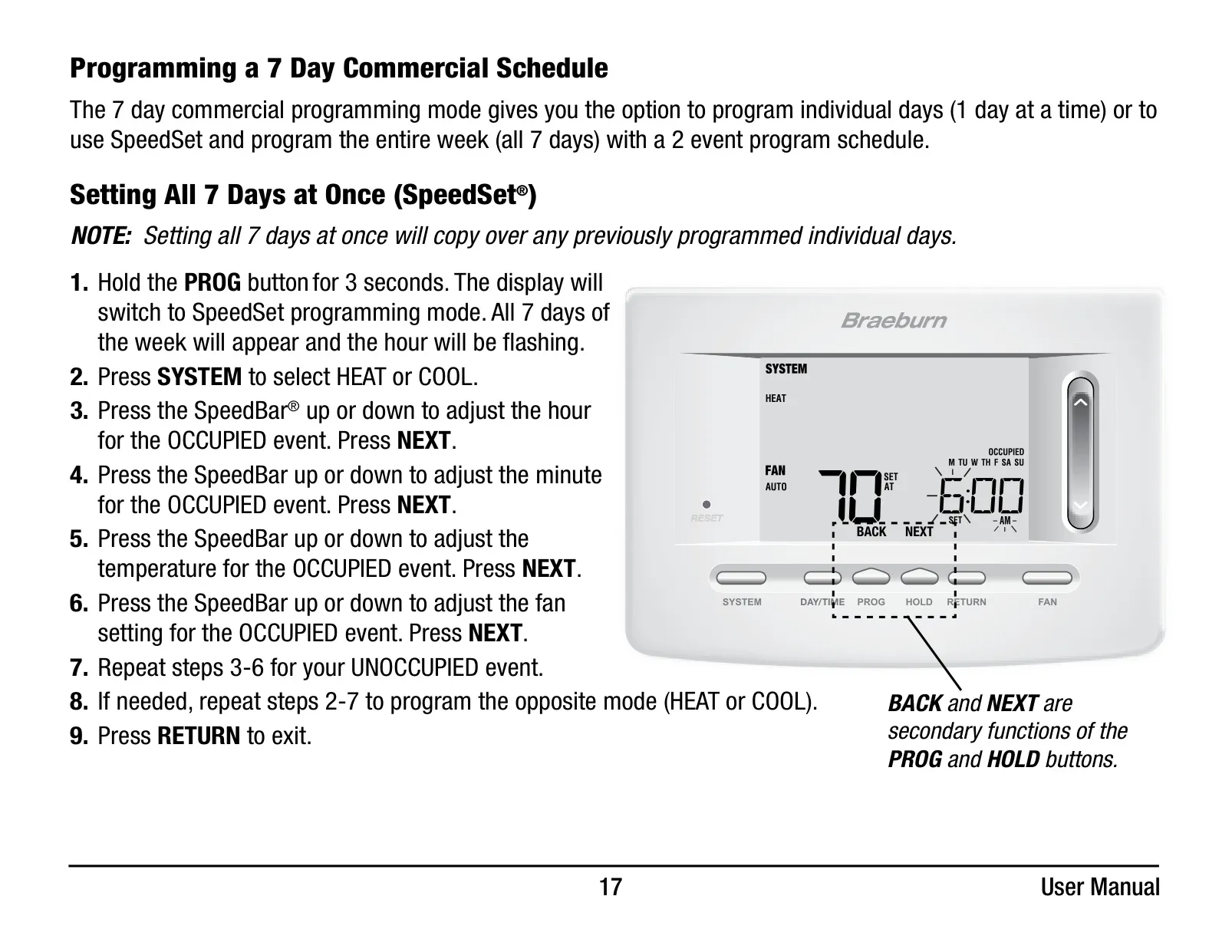
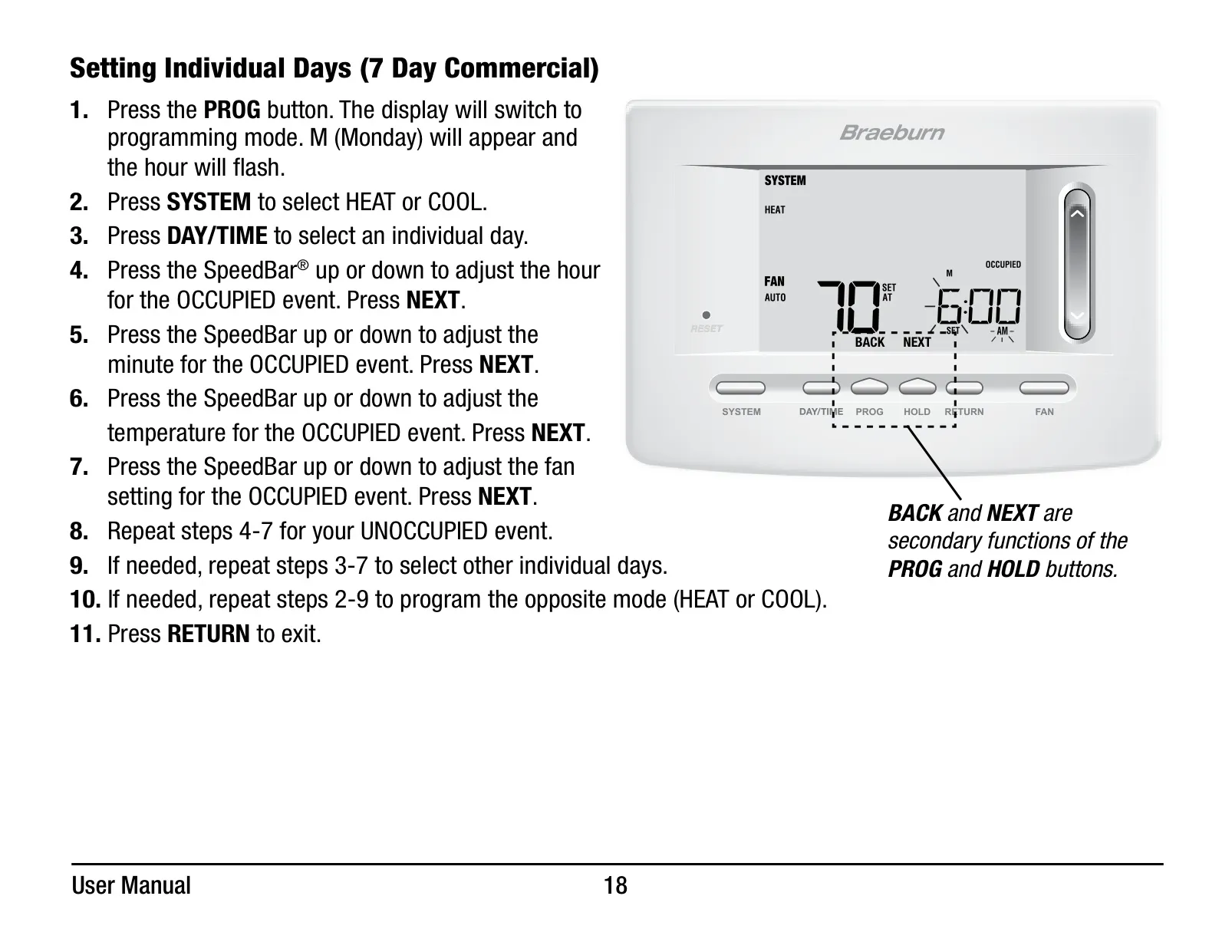
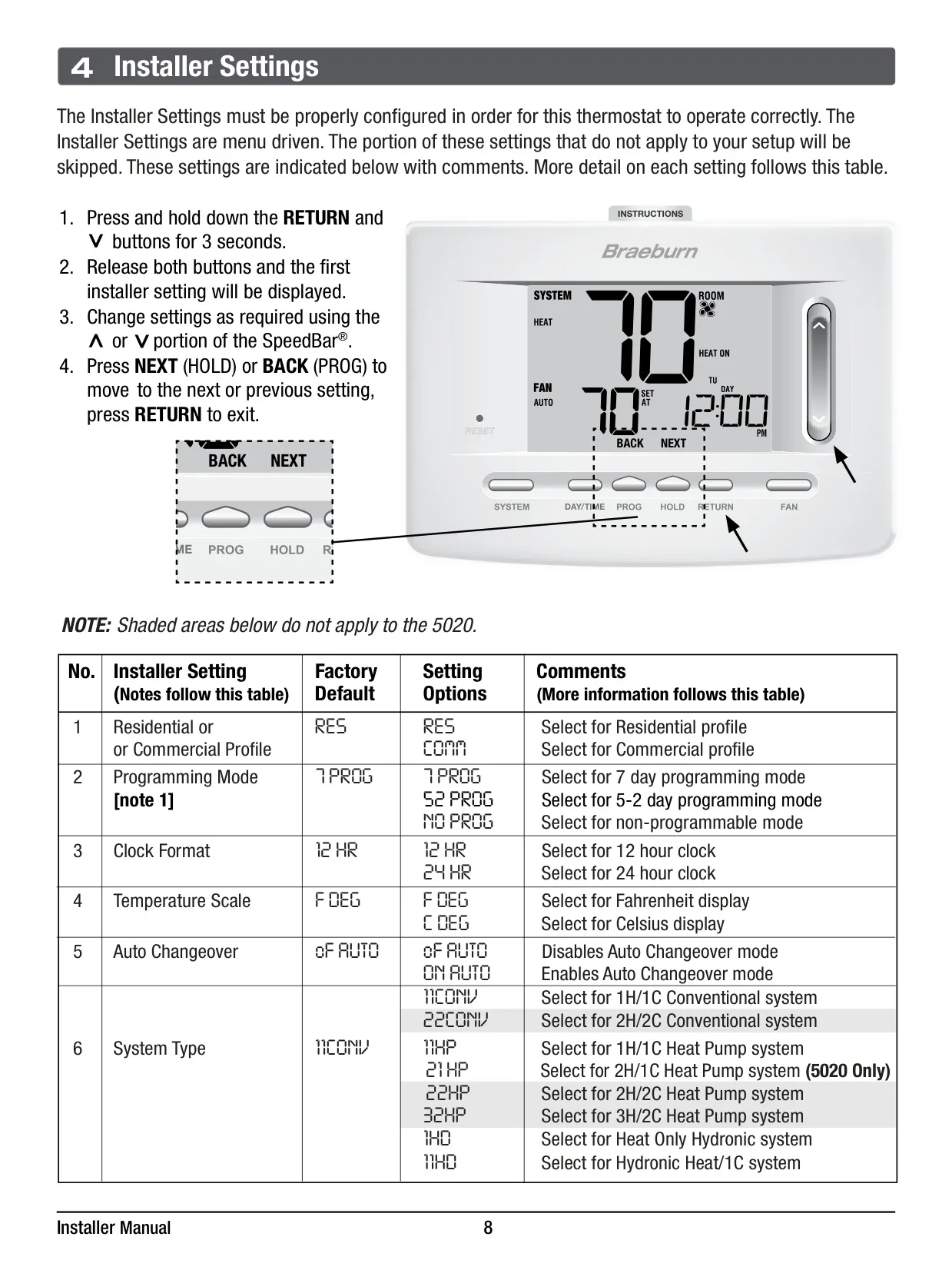
For efficient scheduling, the 5020 offers SpeedSet® programming, giving users the flexibility to program all seven days of the week simultaneously. Additionally, it supports standard 7-day residential programming with four events per day, 5-2 day residential programming, and a 7-day commercial mode with two events daily. A non-programmable mode is also available for those who prefer manual control.
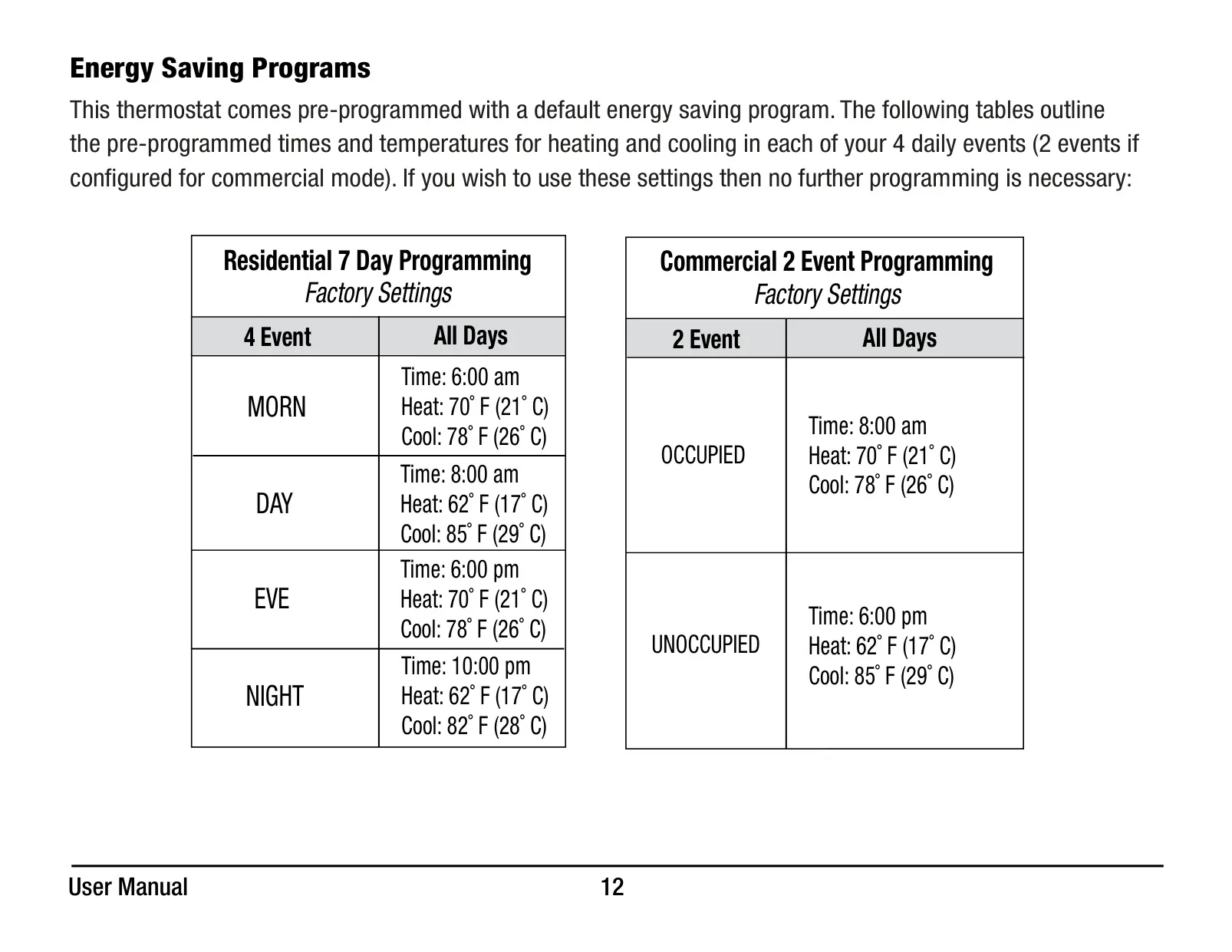
Comfort control is enhanced with the convenient HOLD feature, allowing users to temporarily or permanently override the program schedule. This is ideal for unexpected schedule changes or extended absences. The thermostat also comes with pre-programmed energy-saving schedules, providing an immediate benefit upon installation if no custom programming is desired.
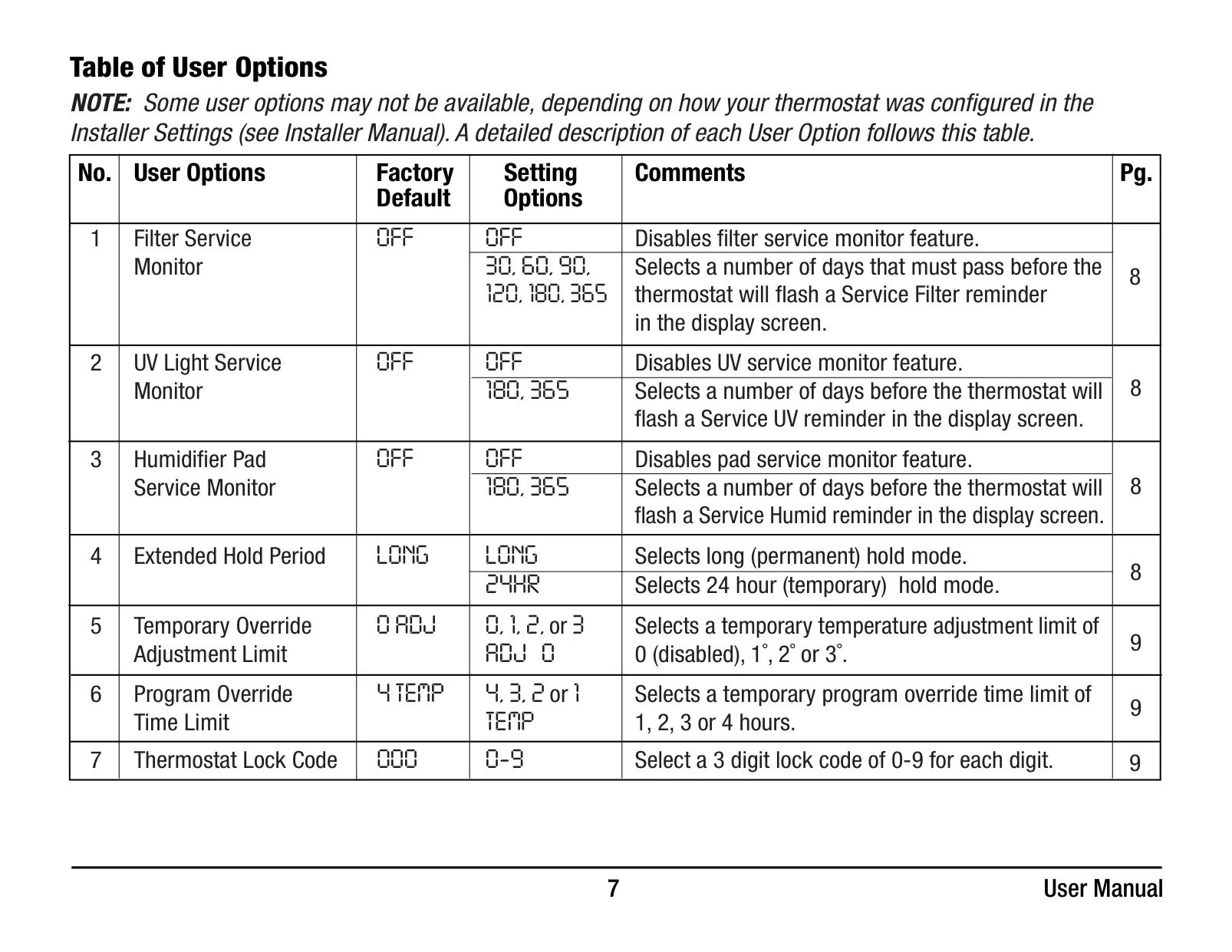
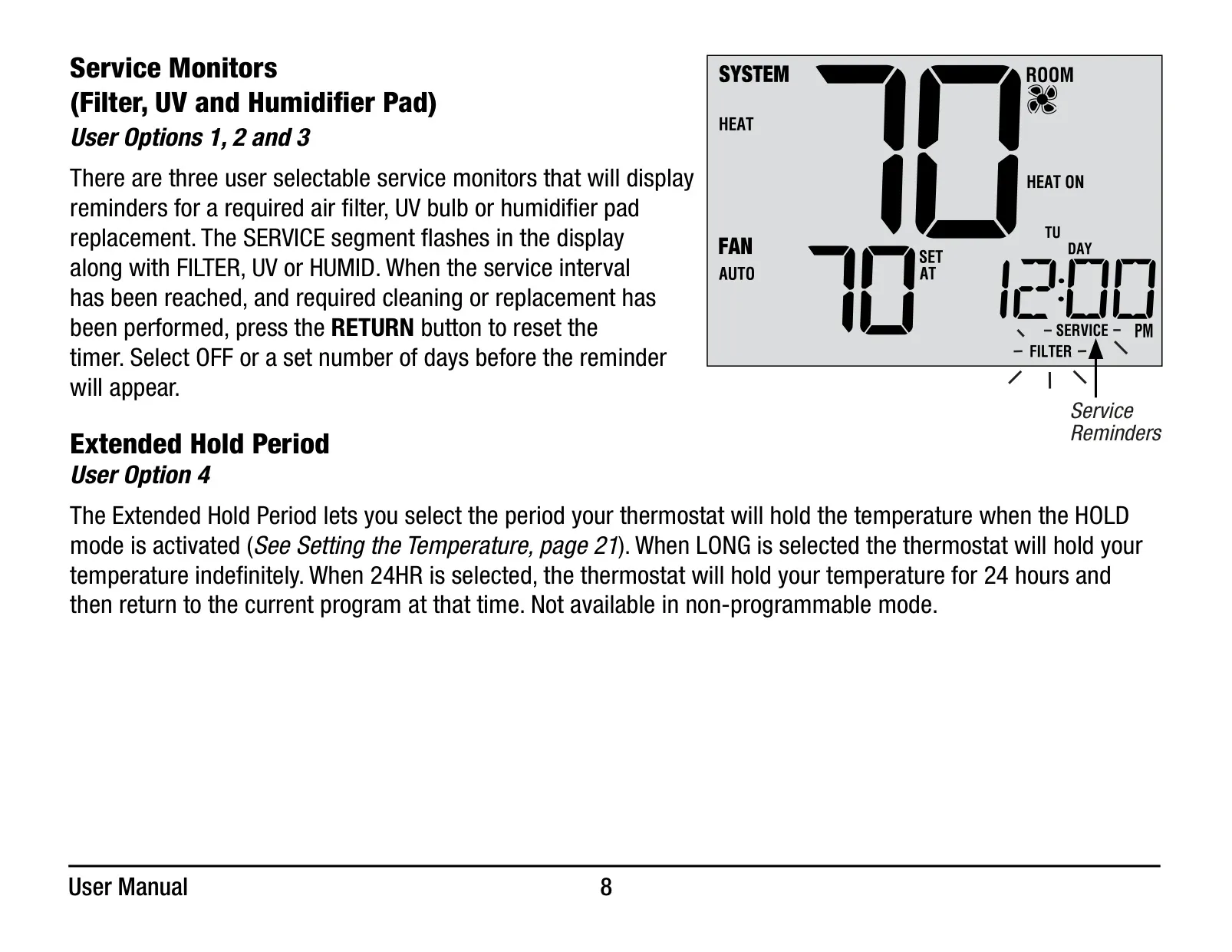
The Braeburn 5020 includes practical maintenance reminders through its user-selectable service monitors. These monitors will flash reminders for required air filter, UV bulb, or humidifier pad replacements, ensuring optimal system performance and indoor air quality. Resetting the reminder is as simple as pressing the RETURN button after service.
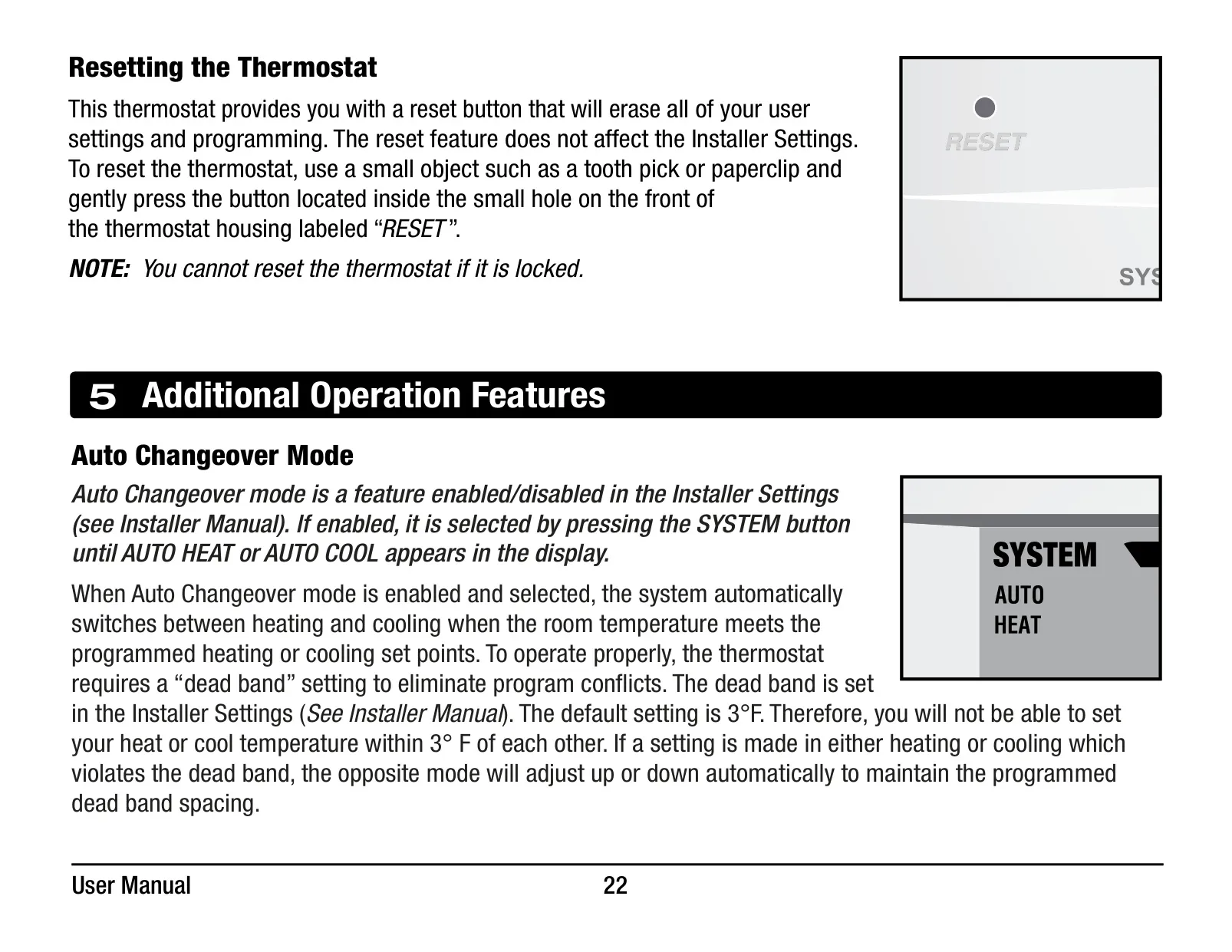
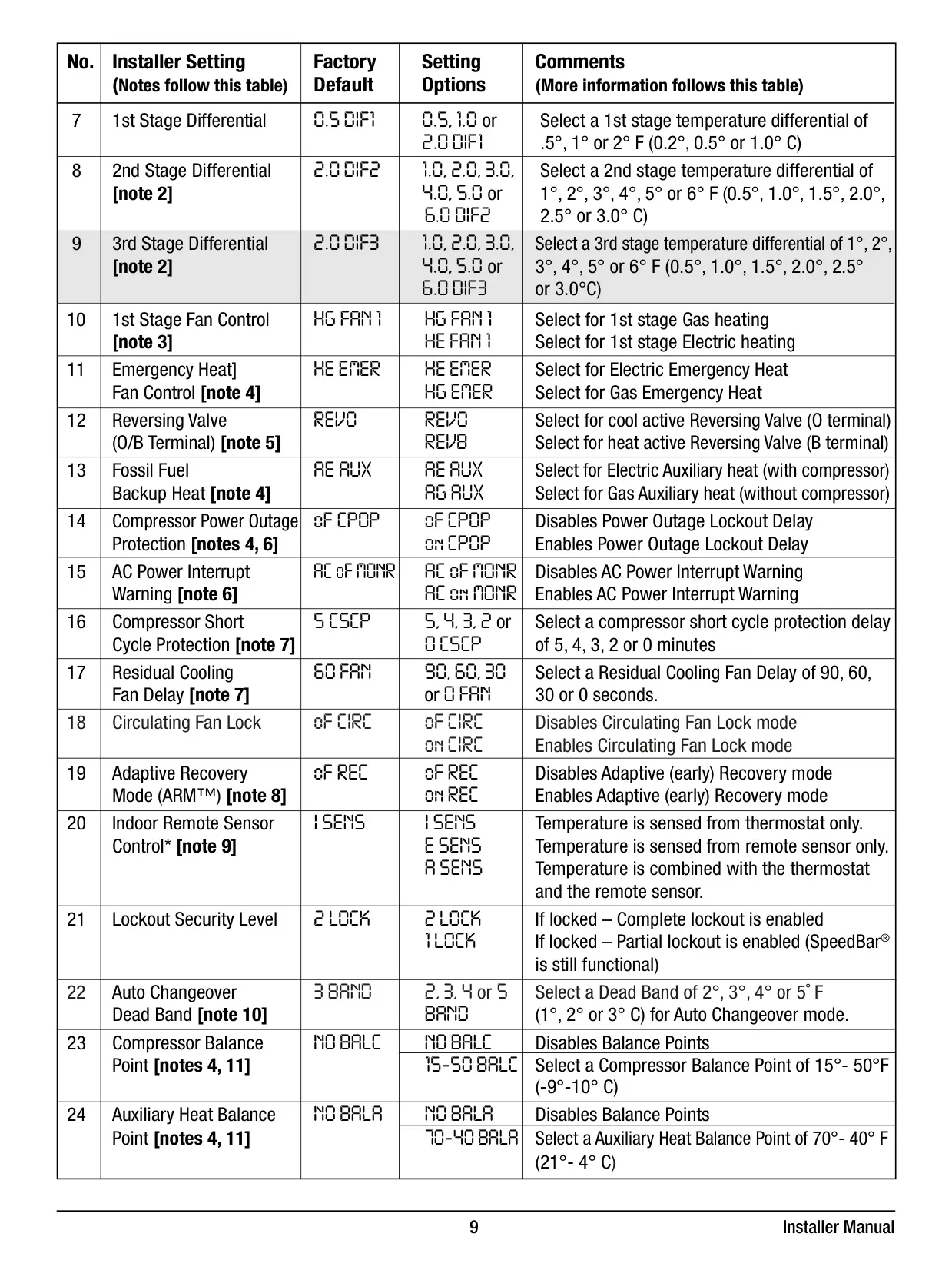
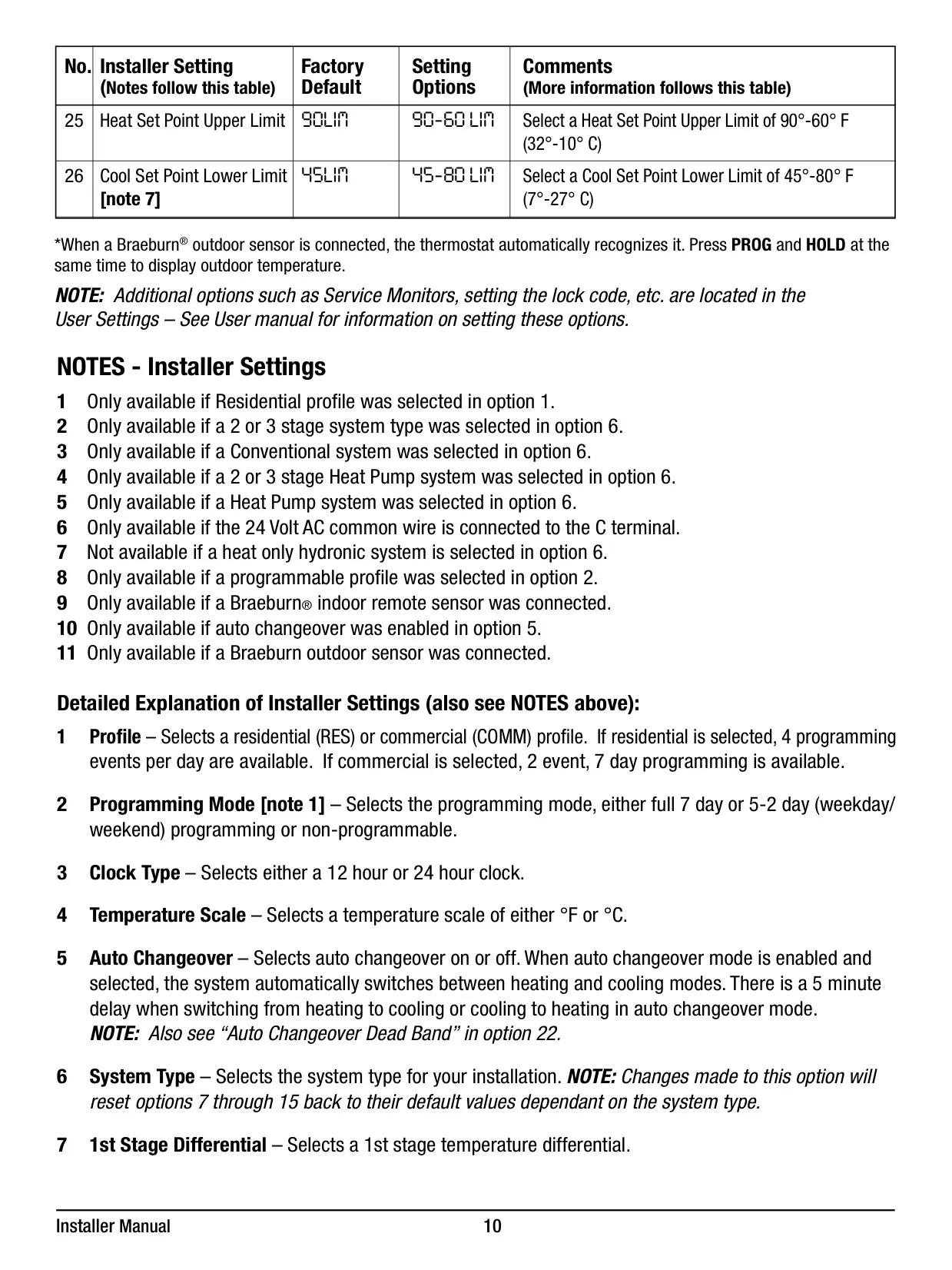
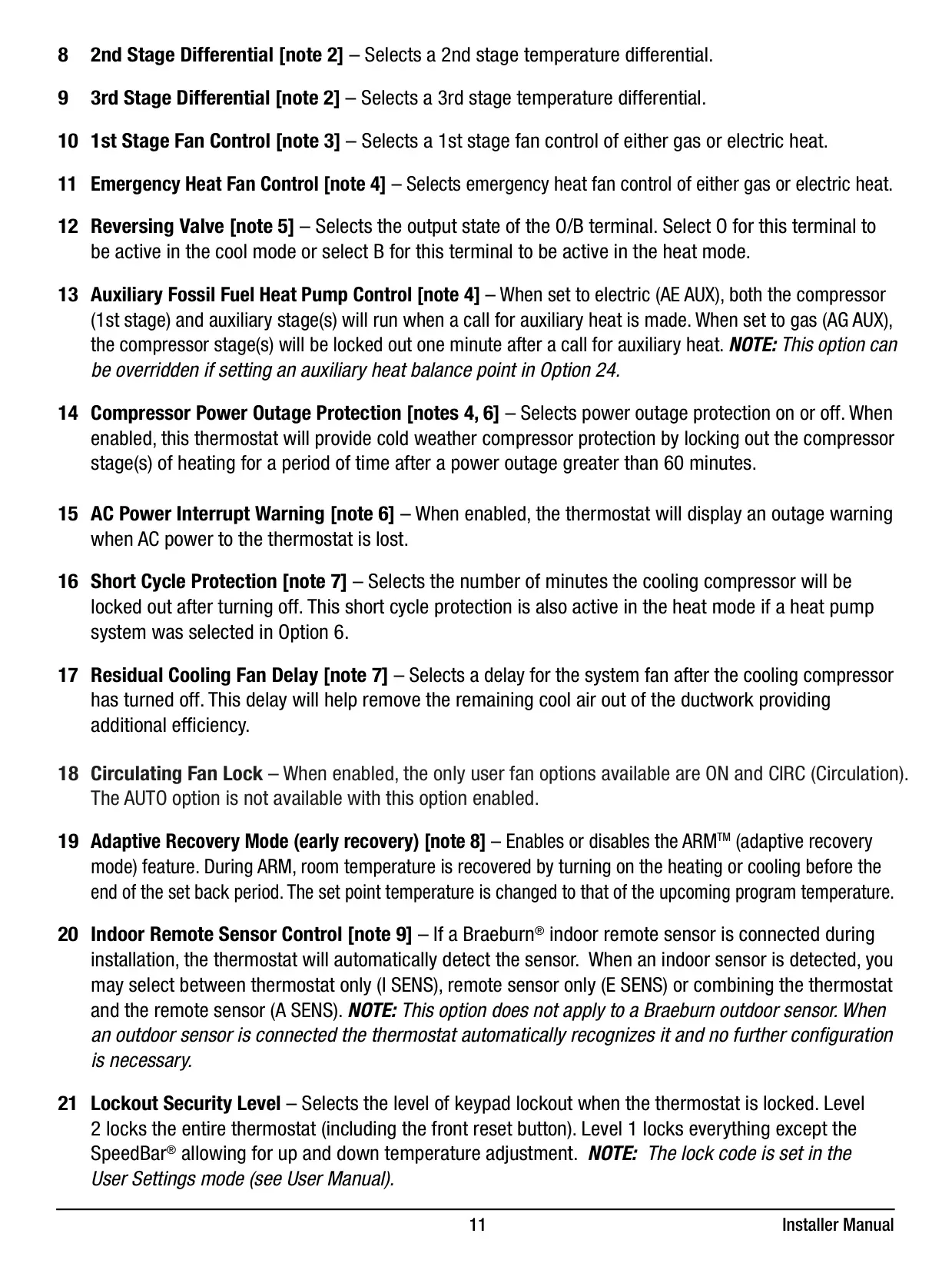
Advanced operational features like Auto Changeover Mode automatically switch between heating and cooling based on set points, maintaining a comfortable environment without manual intervention. The Adaptive Recovery Mode (ARM™) intelligently anticipates when to turn on your system to reach the desired temperature by your scheduled program time, maximizing energy efficiency while ensuring comfort.
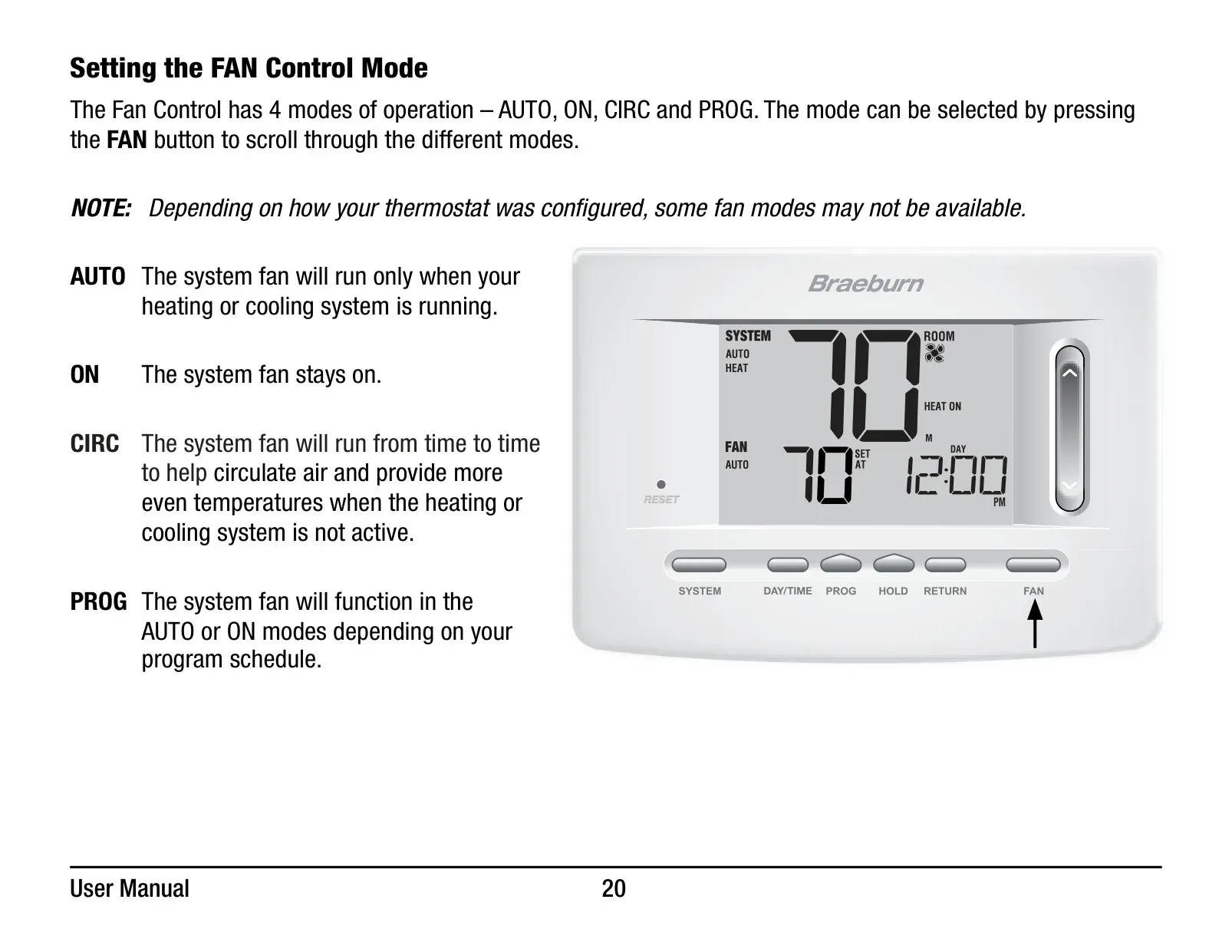
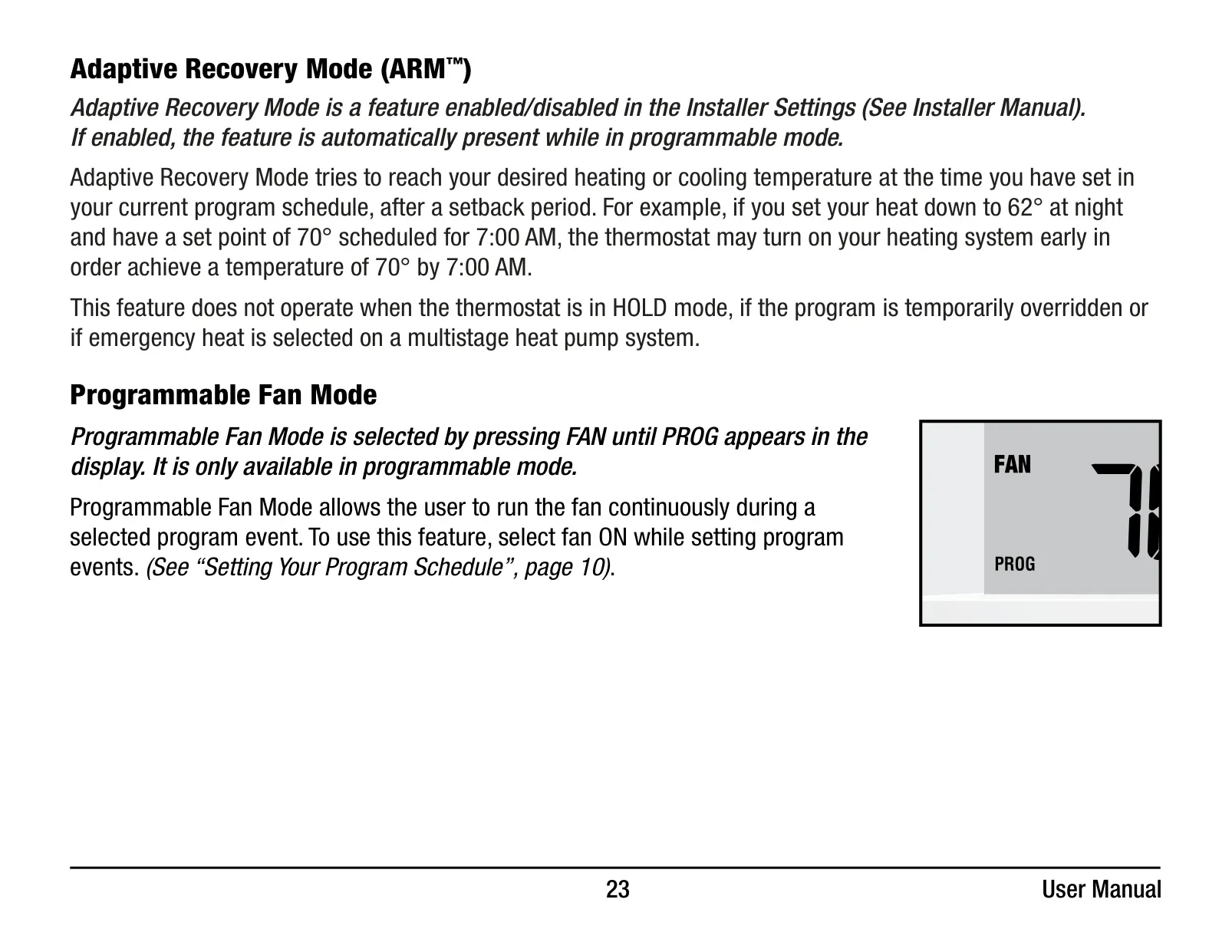
For fan control, the thermostat offers convenient programmable and circulating fan modes, allowing users to customize fan operation to help circulate air and provide more even temperatures. The Programmable Fan Mode lets you run the fan continuously during specific program events, further enhancing air distribution.
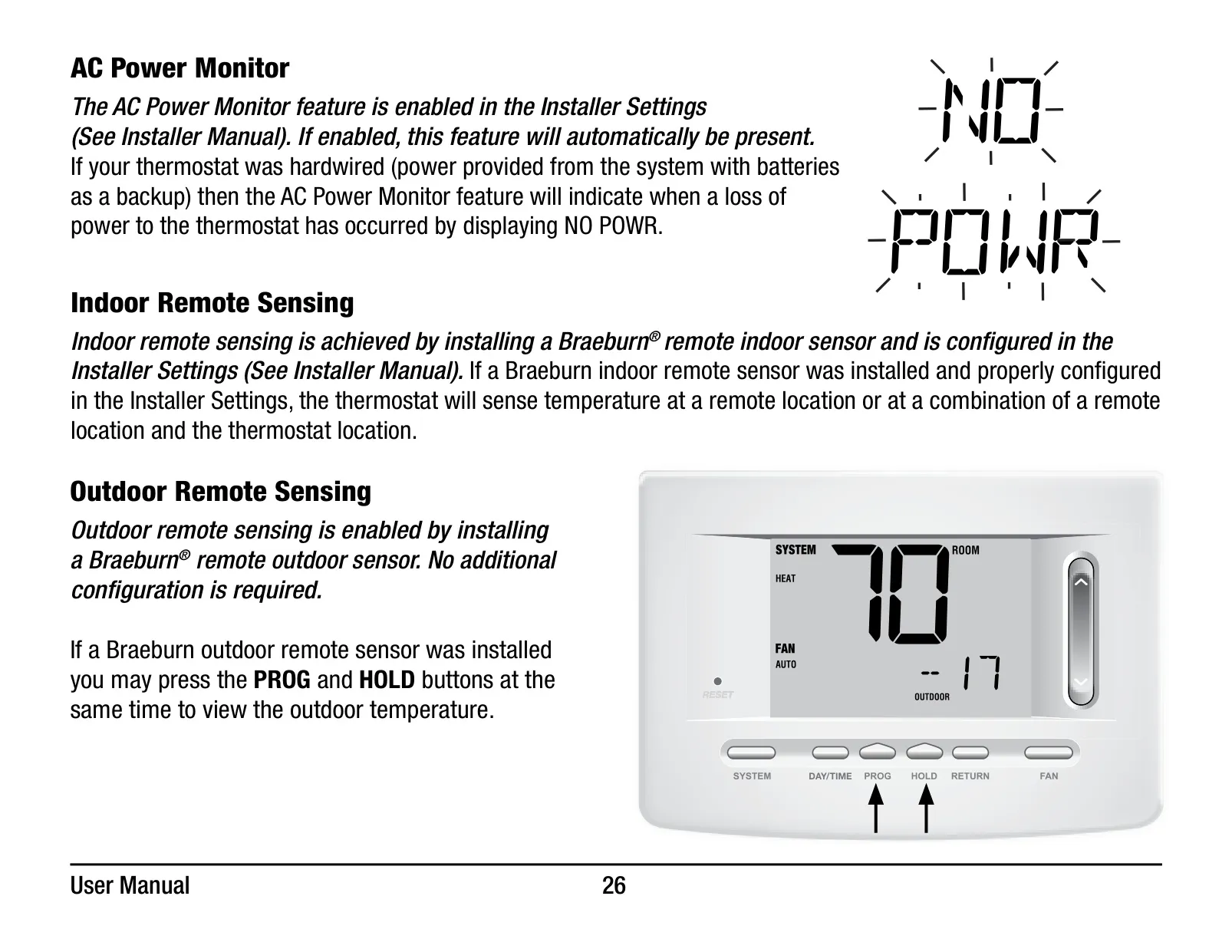
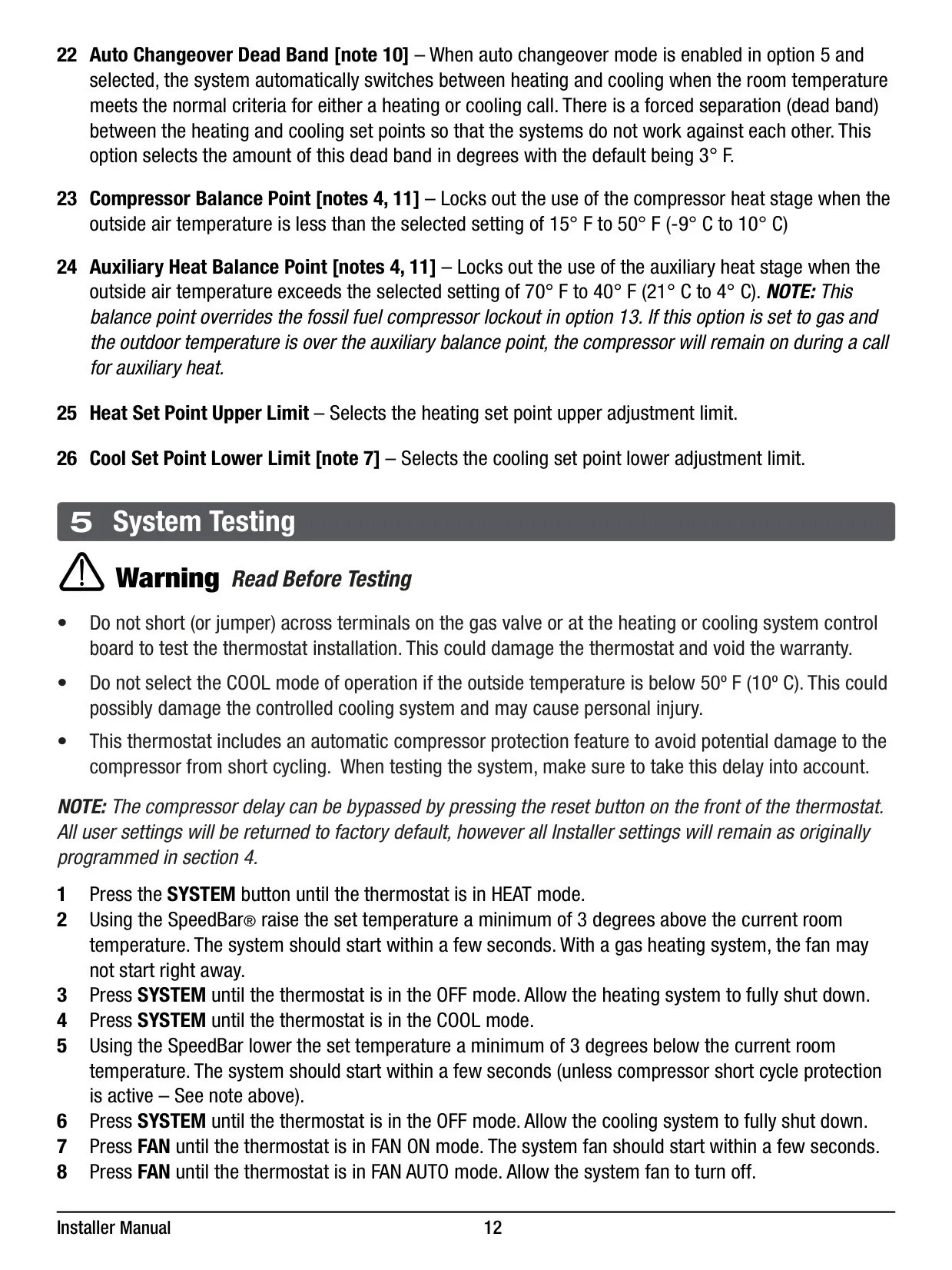
The 5020 model provides robust system protection, including Compressor Protection with a delay to prevent damage from short cycling. For heat pump systems, it offers cold weather compressor protection by locking out stages after extended power outages, which can be manually overridden for immediate heating needs. An AC Power Monitor also alerts users ("NO POWR") if hardwired power is lost.
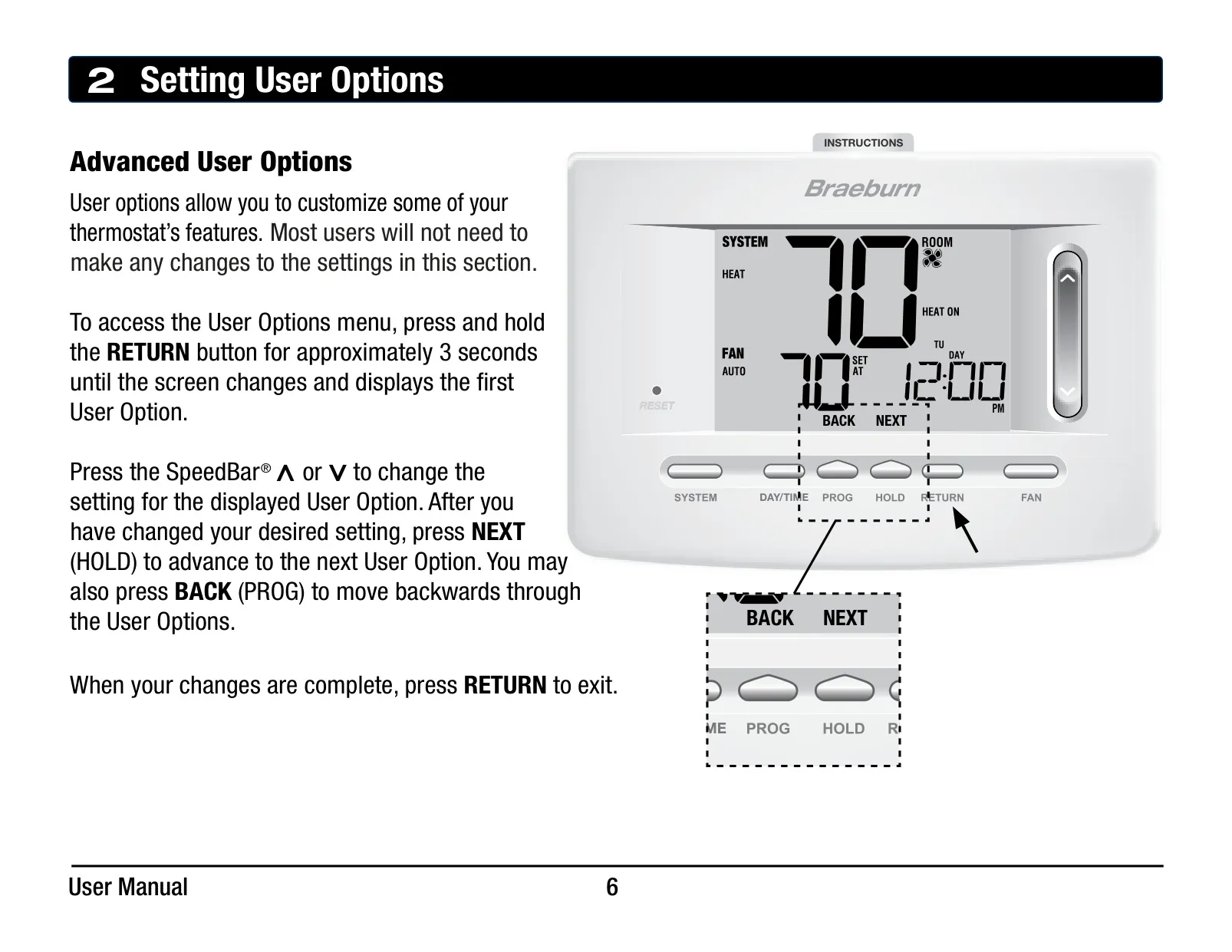
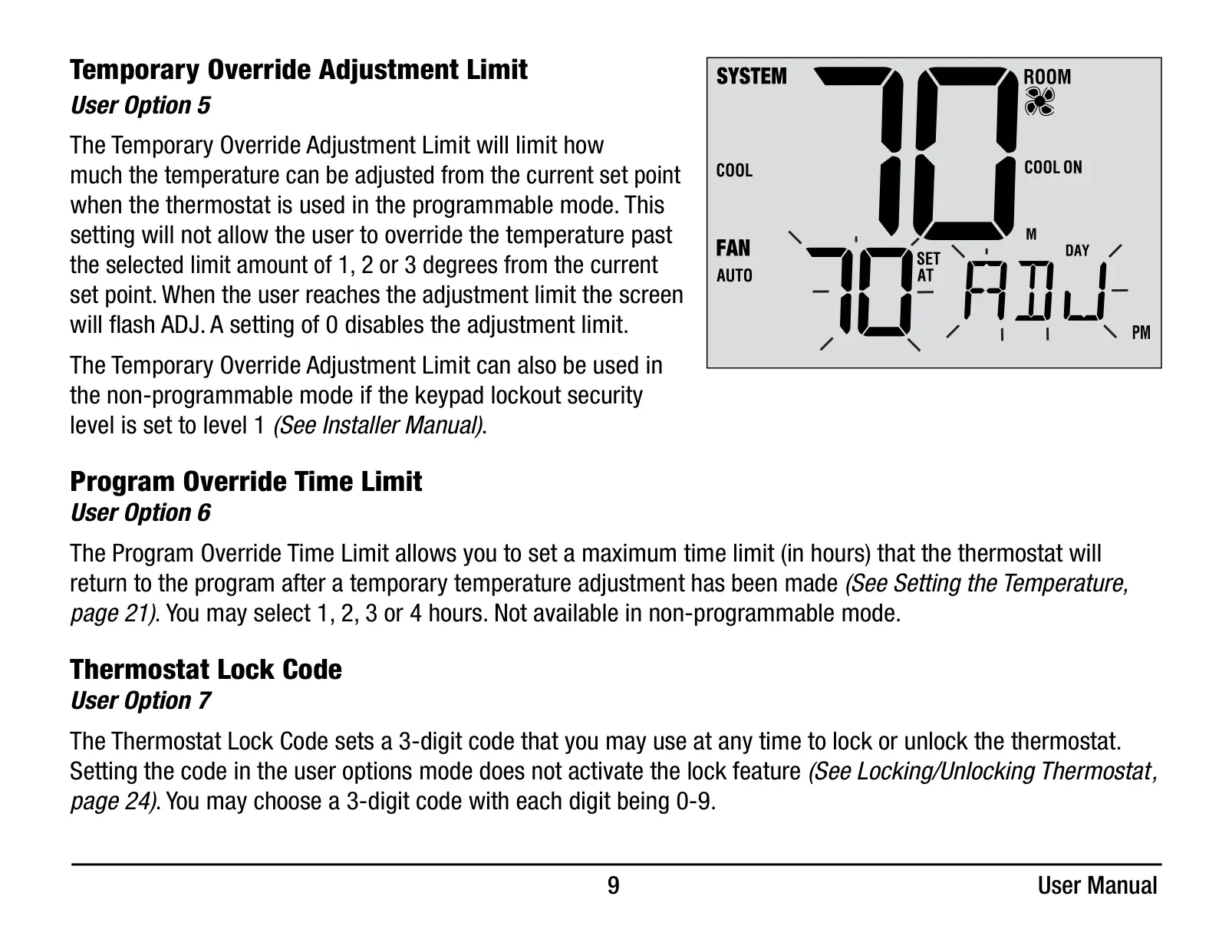
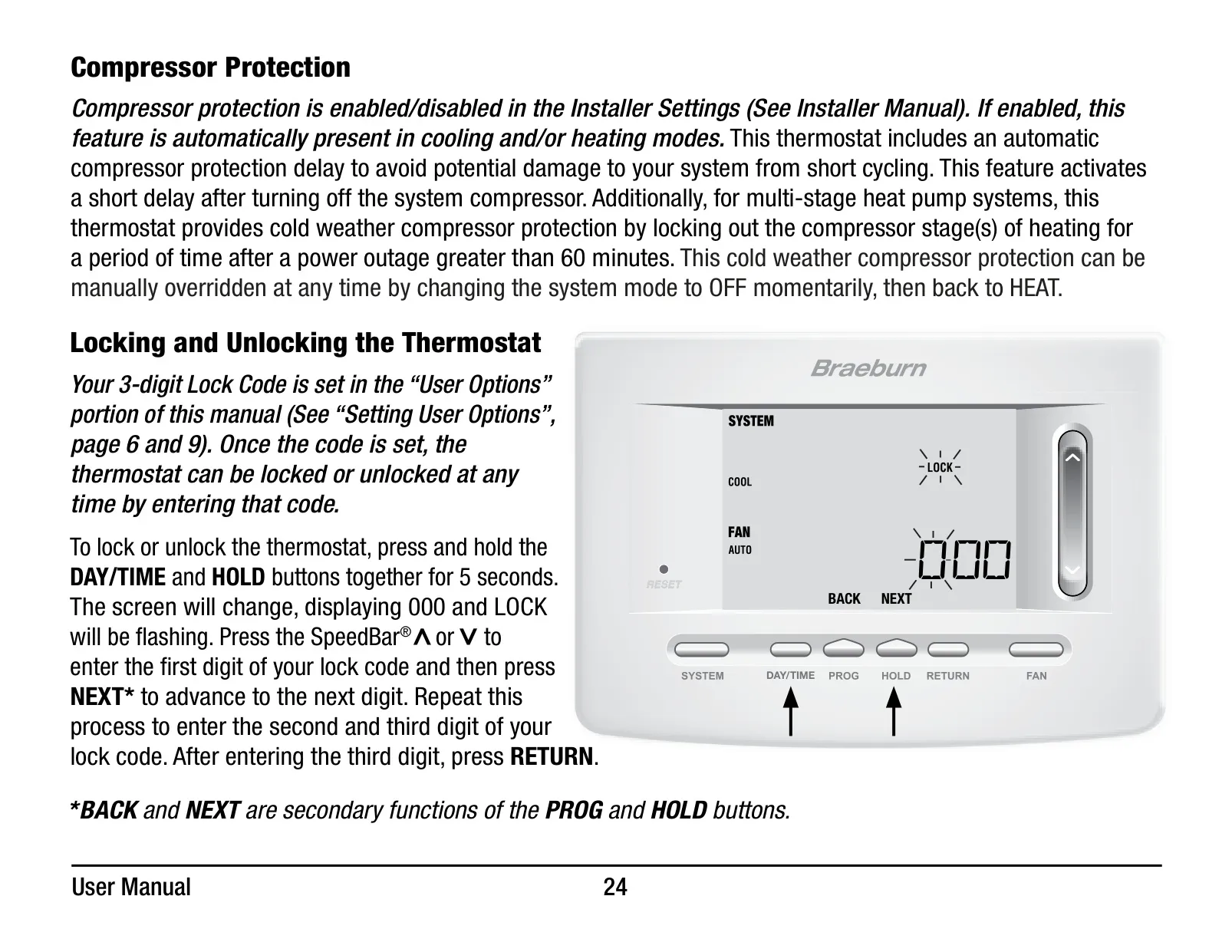
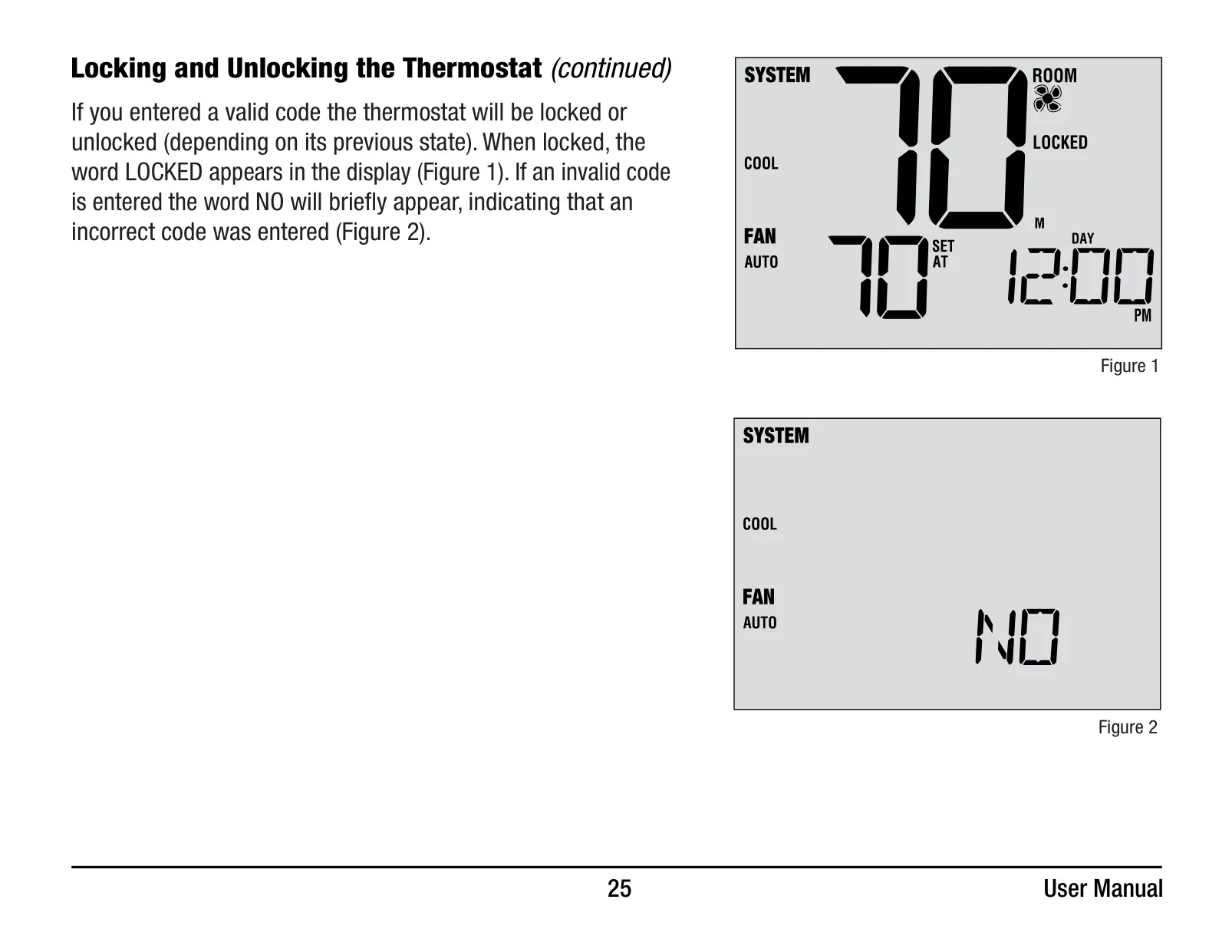
Security and customization are also key aspects, with a Thermostat Lock Code feature that allows users to set a 3-digit code to lock or unlock the device, preventing unauthorized changes. Users can also set a Temporary Override Adjustment Limit and a Program Override Time Limit, providing granular control over temperature adjustments and program adherence.
Finally, for enhanced sensing capabilities, the Braeburn 5020 supports optional indoor or outdoor remote sensing. When compatible Braeburn sensors are installed, the thermostat can read temperatures from remote locations, or even combine readings with the thermostat's internal sensor, offering more precise environmental control across your space.
Frequently Asked Questions (FAQs)
Can't find the answer you need? Here are some frequently asked questions about the Braeburn Thermostat 5020, and we answer them below.