
AudioControl LC2i Line Output Converter Instruction Manual
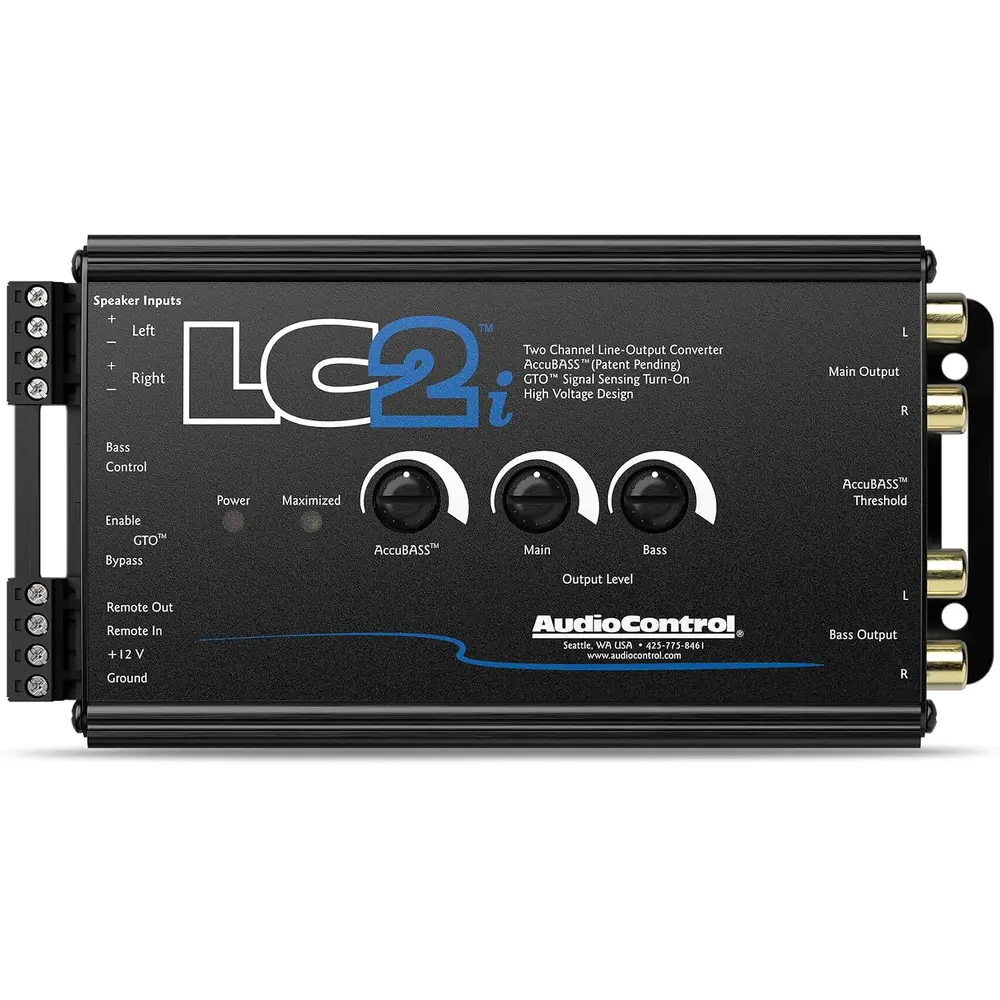
AudioControl LC2i Line Output Converter


AudioControl LC2i Instructions
Here we offer the AudioControl LC2i Line Output Converter manual completely free and in English. We have cataloged this manual in the Line Output Converters section on Manualverse, and it has been rated by 1 users with an average rating of 5. If you have any specific questions about AudioControl LC2i Line Output Converter, we suggest checking the Frequently Asked Questions (FAQs) section of this manual.
Product Images
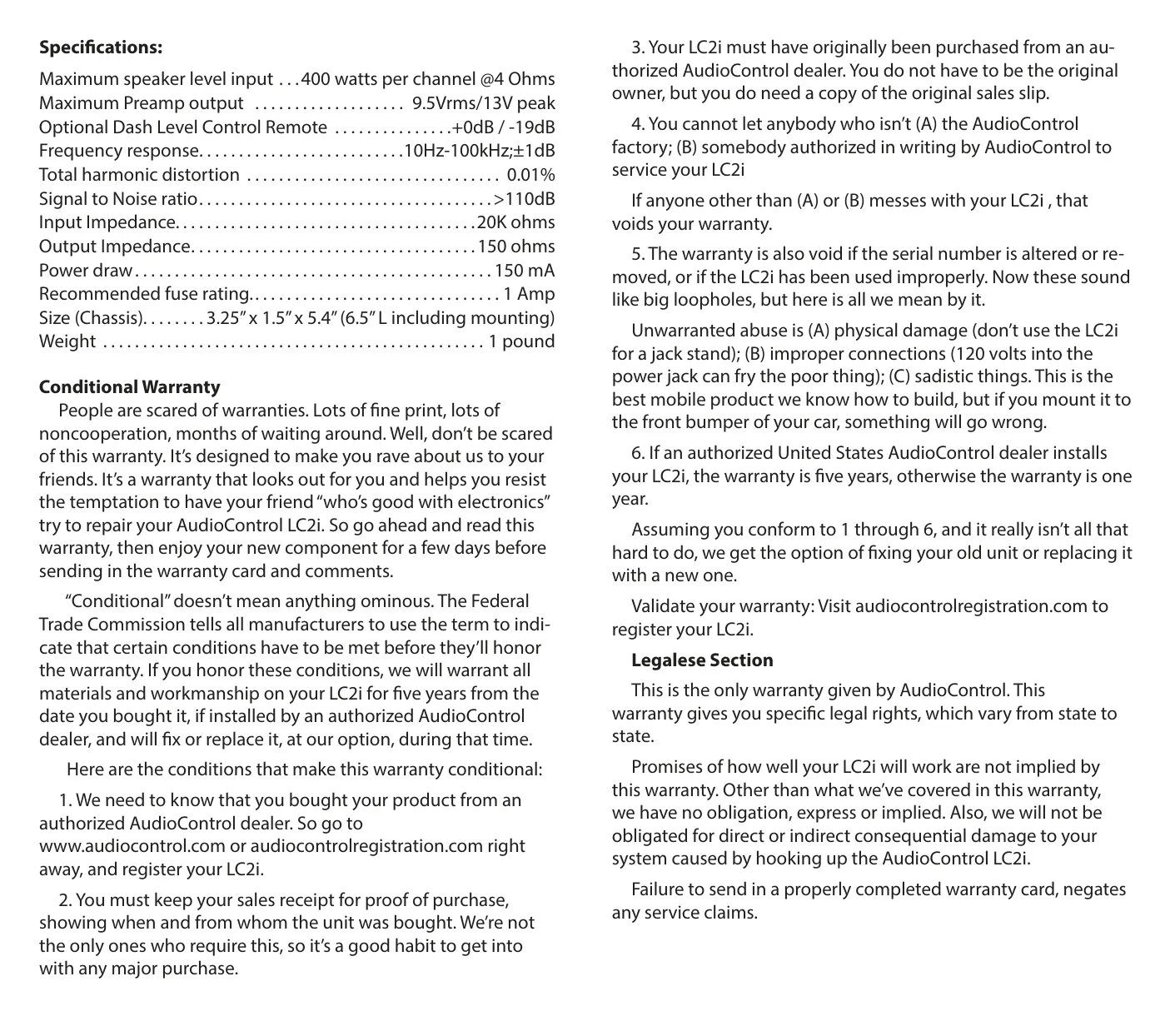
AudioControl LC2i Line Output Converter Specifications
| Feature | Specification |
|---|---|
| Product Type | Two channel line output converter with AccuBASS® |
| Maximum Speaker Level Input | 400 watts per channel @ 4 Ohms |
| Maximum Preamp Output | 9.5 Vrms / 13 V peak |
| Optional Dash Level Control Remote Range | +0 dB / -19 dB |
| Frequency Response | 10 Hz - 100 kHz, ±1 dB |
| Total Harmonic Distortion | 0.01% |
| Signal to Noise Ratio | >110 dB |
| Input Impedance | 20K ohms |
| Output Impedance | 150 ohms |
| Power Draw | 150 mA |
| Recommended Fuse Rating | 1 Amp |
| Trigger Output | 12 volt (amplifier turn-on) |
| Outputs | Fixed preamp output and bass output (dual amplifier outputs) |
| Turn-On Mode | GTO™ signal sensing, selectable via jumper (factory default ON) |
| Chassis Size | 3.25" x 1.5" x 5.4" (6.5" L including mounting) |
| Weight | 1 pound |
| Warranty | 5 years (authorized US dealer installation) / 1 year otherwise |
AudioControl LC2i (LOC) Details
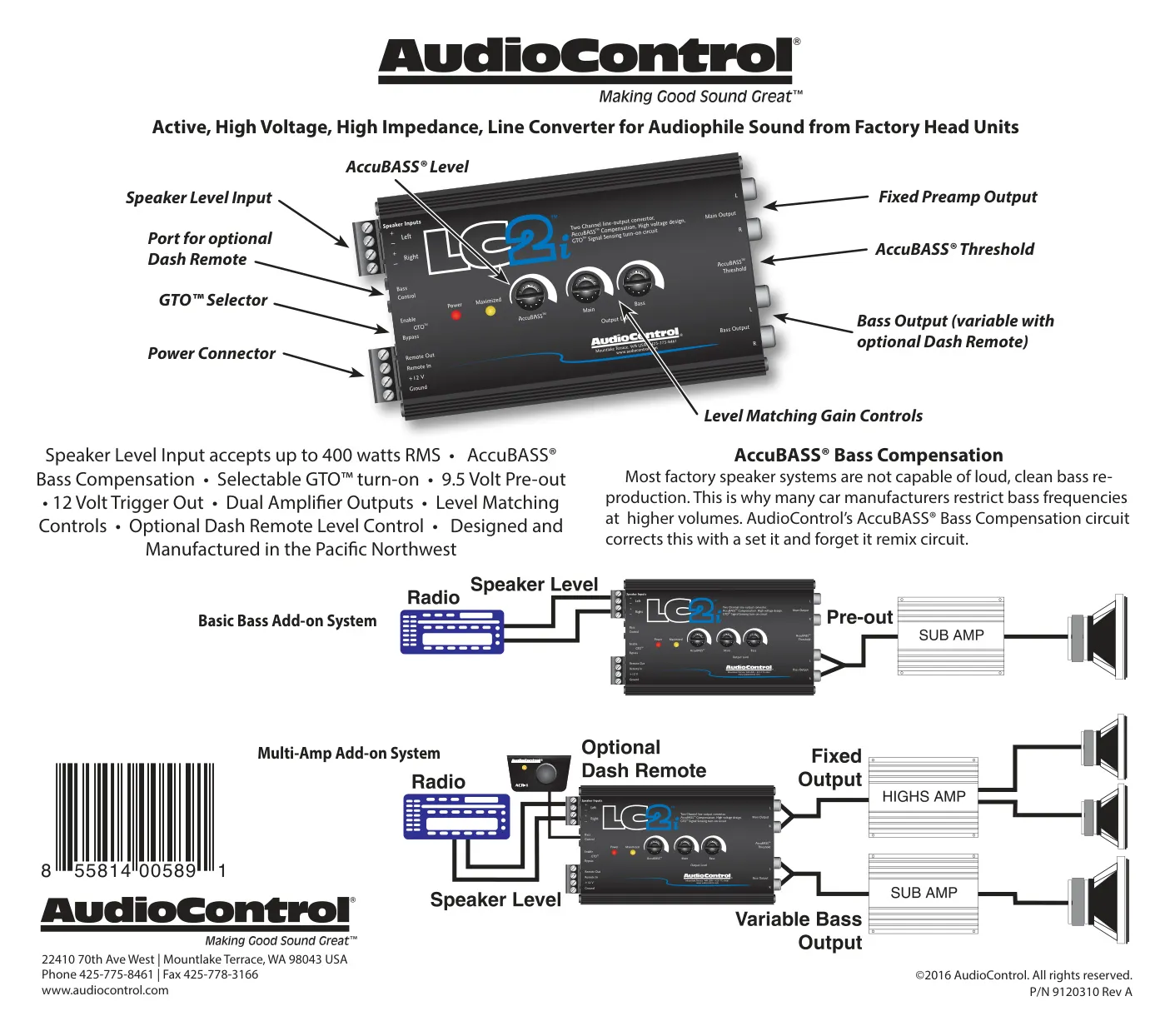
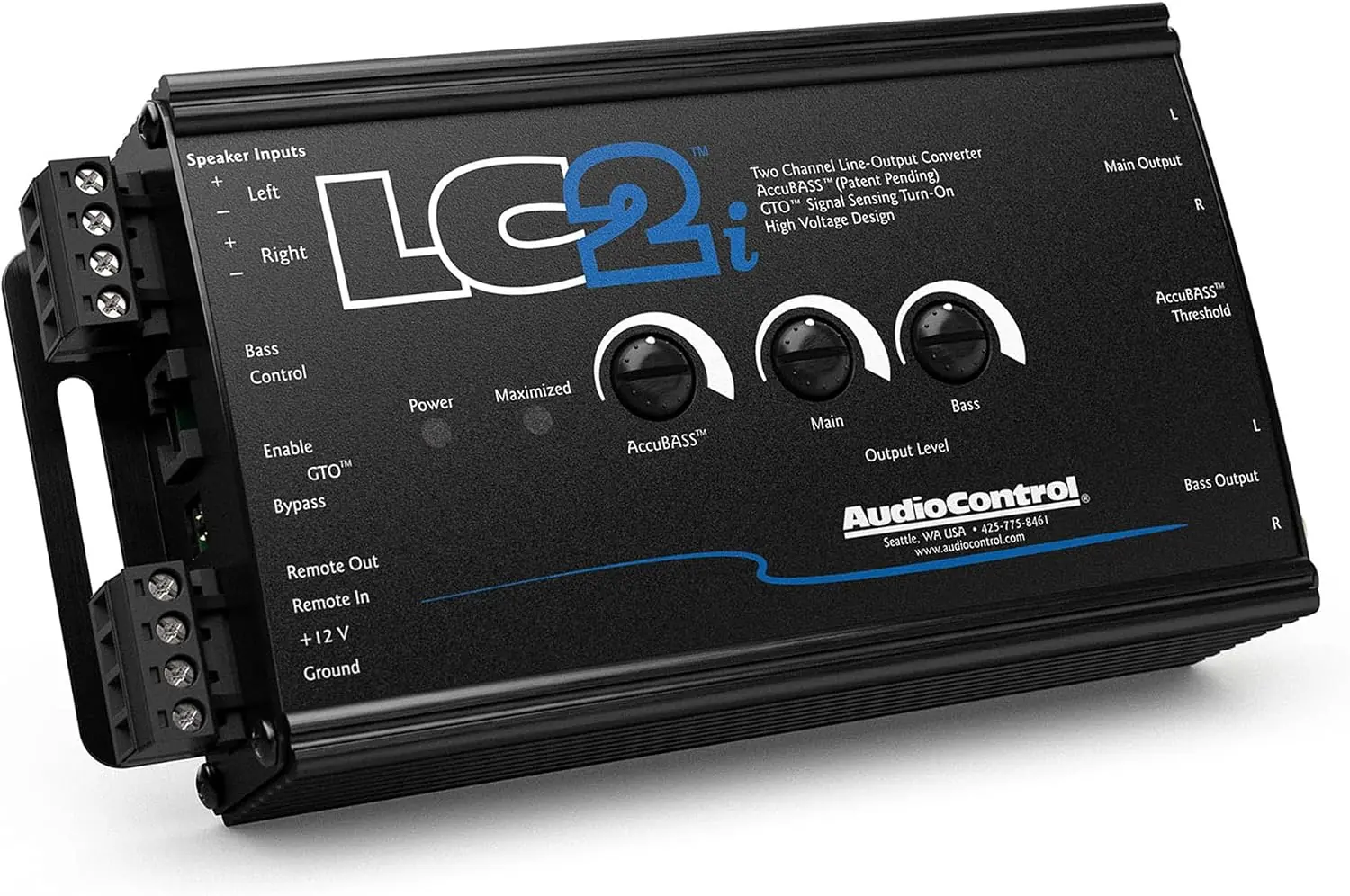
AudioControl describes the LC2i as an active, high voltage, high impedance line converter built to get audiophile sound from factory head units. It takes the speaker-level signal from the original radio and turns it into a clean preamp signal that aftermarket amplifiers can use. Owners keep the factory dashboard and its built-in features while adding amplifiers, subwoofers or complete systems. The manual shows two typical layouts: a Basic Bass Add-on System and a Multi-Amp Add-on System.
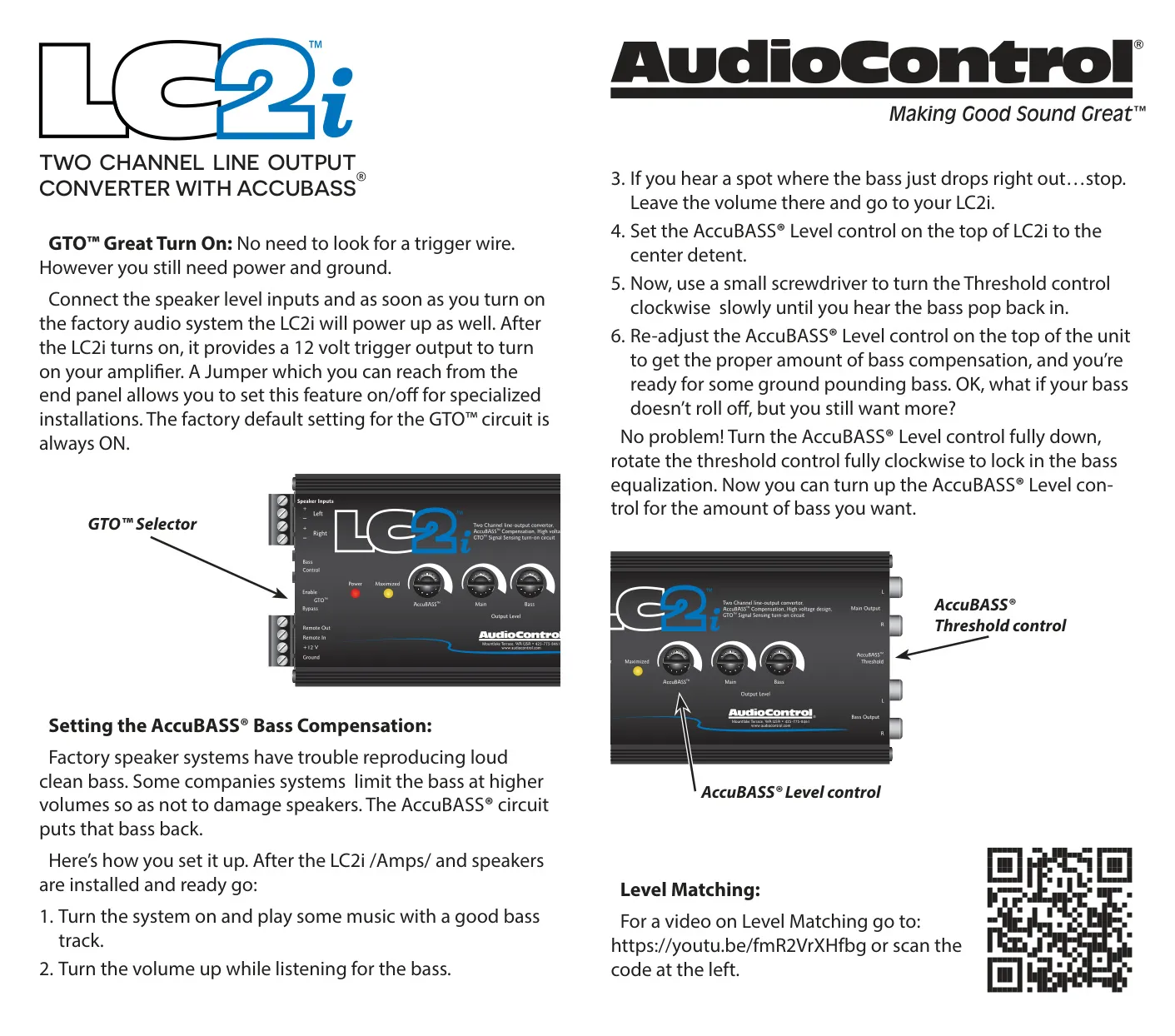
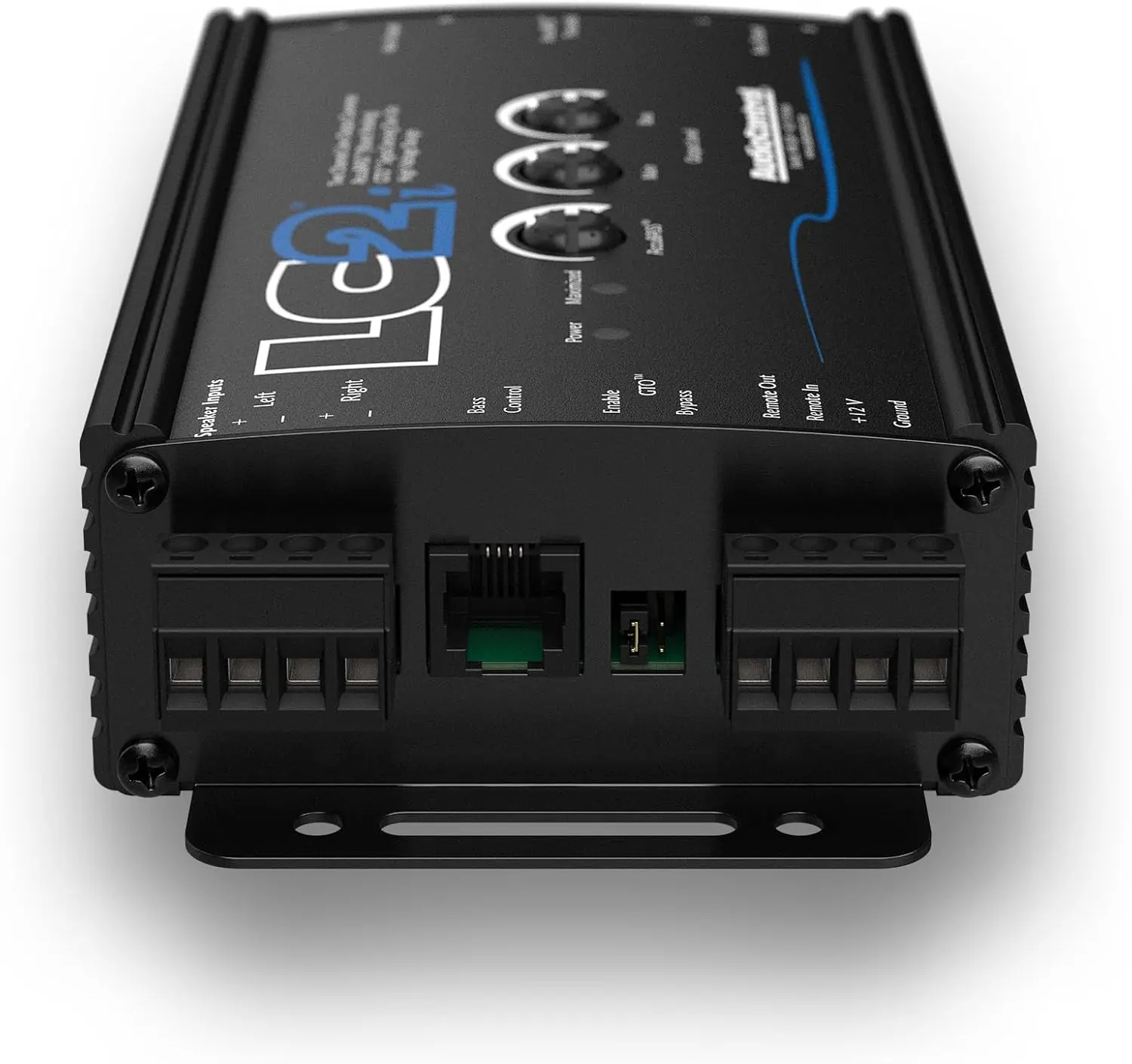
One of the most practical features is GTO™ (Great Turn On). The unit senses signal on its speaker-level inputs, so you don't need to find a remote trigger wire behind the dash. It still needs power and ground. When the factory audio system turns on, the LC2i powers up and sends a 12 volt trigger to turn on the connected amplifiers. A jumper you can reach from the end panel lets installers turn this function off for specialized installations. It ships set to ON.
The AccuBASS® Bass Compensation circuit fixes a common weakness of factory systems. Many car manufacturers cut low frequencies as the volume rises to protect small speakers. AccuBASS puts that missing bass back with a "set it and forget it" remix circuit. It uses two controls: a Level knob on top of the unit and a Threshold control that you adjust with a small screwdriver. Together they set where compensation starts and how much bass is added back.
Setup follows a clear procedure. With the converter, amplifiers and speakers installed, play music with a strong bass track and slowly raise the volume. If the bass suddenly drops out, stop at that volume. Set the AccuBASS Level control to its center detent. Then turn the Threshold control clockwise slowly until the bass comes back. Finally, readjust Level for the amount of compensation you want.
If the factory radio never cuts the bass but you still want more low end, the manual has an alternative method. Turn the Level control fully down and rotate the Threshold control fully clockwise to lock in the bass equalization. Then raise the Level control until you get the amount of bass you want.
For gain structure, the LC2i includes Level Matching Gain Controls that match the factory radio's output to the amplifier's input sensitivity. AudioControl provides an online video on level matching, linked through a URL and a QR code in the manual. The end panel has the speaker level input, fixed preamp output, bass output, power connector, GTO selector and a port for the optional Dash Remote. With the remote connected, the bass output becomes variable, so the driver can adjust subwoofer level from the front seat.
The manual also explains the Conditional Warranty. To qualify, owners must register the unit at audiocontrol.com or audiocontrolregistration.com, keep the original sales receipt and buy from an authorized AudioControl dealer. You don't have to be the original owner, but you need a copy of the original sales slip. Only the AudioControl factory or someone it has authorized in writing may service the unit. Any other repair voids the warranty.
The warranty is also void if the serial number is altered or removed, or if the unit is abused. Examples include physical damage, improper connections such as 120 volts into the power jack, or mounting it somewhere unsuitable. AudioControl can choose to repair or replace the unit. It is not liable for consequential damage caused by connecting the device. If you don't send in a completed warranty card, you cannot make service claims. The LC2i is designed and manufactured in the Pacific Northwest, in Mountlake Terrace, Washington.
Frequently Asked Questions (FAQs)
Can't find the answer you need? Here are some frequently asked questions about the AudioControl LC2i Line Output Converter, and we answer them below.