
Dyson V15 Detect Vacuum Instruction Manual
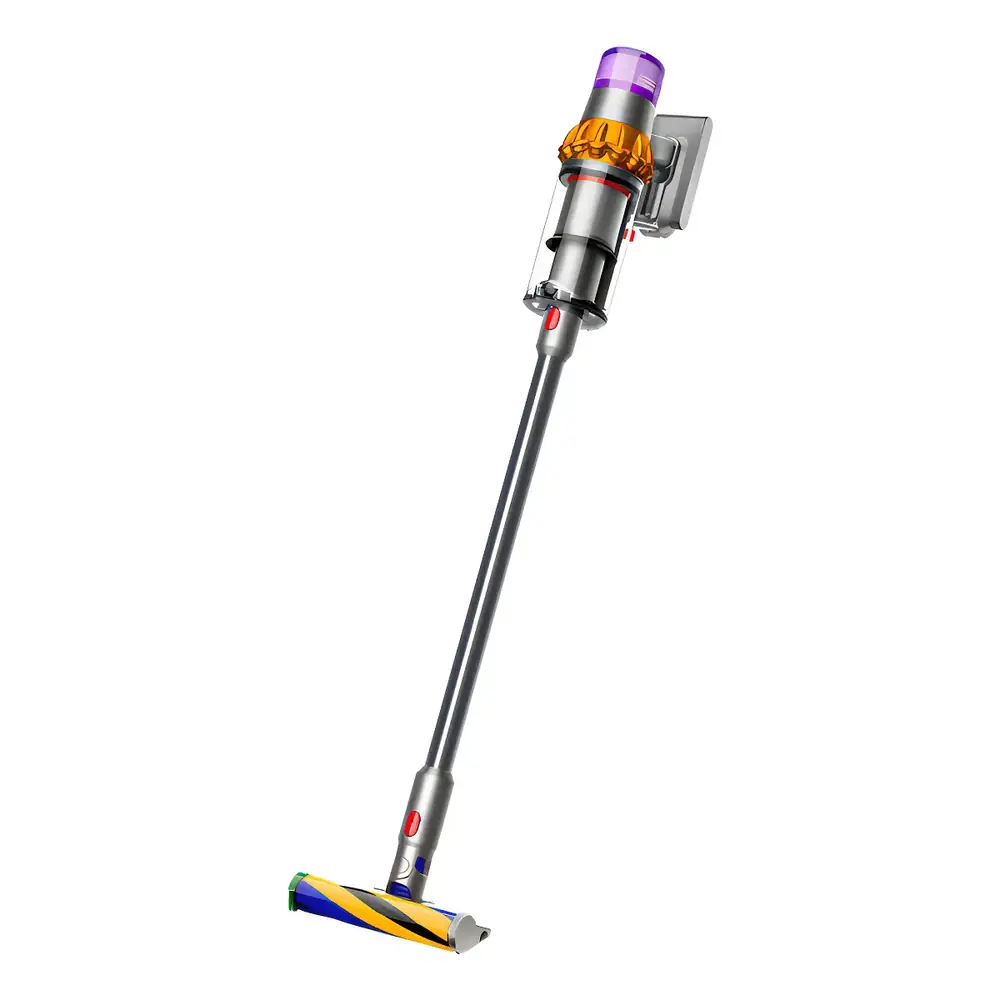
Dyson V15 Detect Vacuum




Dyson V15 Detect Vacuum Instructions
Here we offer the Dyson V15 Detect Vacuum manual completely free and in English. We have cataloged this manual in the Vacuums section on Manualverse, and it has been rated by 1 users with an average rating of 5. If you have any specific questions about Dyson V15 Detect Vacuum, we suggest checking the Frequently Asked Questions (FAQs) section of this manual.
Product Images


Dyson V15 Detect Vacuum Specifications
| Feature | Specification |
|---|---|
| Model Name | Dyson V15 Detect |
| Core Detection Technology | Piezo sensor for continuous dust sizing and counting |
| Main Cleaner Head (Hard Floors) | Fluffy Optic™ cleaner head (makes invisible dust visible) |
| Main Cleaner Head (All Floor Types) | Digital Motorbar™ cleaner head (Dyson DLS™ technology, de-tangling vanes) |
| Display Type | LCD screen (shows particle count, run time, cleaning mode, alerts) |
| Power Modes | Eco, Auto/Med, Boost |
| Battery Type | Click-in battery (removable and replaceable) |
| Charging Options | Direct charger, Wall dock compatible |
| Included Tools (May vary) | Hair screw tool, Combination tool, Crevice tool, Wand, Charger |
| Advanced Tools (May vary) | Light pipe crevice tool, Low-reach adaptor, Soft dusting brush, Stubborn dirt brush, Up-top adaptor, Fabric and mattress tool, Extension hose, Wand clip |
Dyson V15 Detect Vacuum Details
The Dyson V15 Detect revolutionizes cleaning with its sophisticated piezo sensor, which continuously sizes and counts microscopic dust particles at the inlet. This data is displayed on the integrated LCD screen, providing scientific proof of a deep clean. When used with a cleaner head in Auto mode, this technology allows the machine to intelligently increase suction power when higher concentrations of dust are detected, ensuring efficient and thorough cleaning without manual intervention.
The machine offers three distinct power modes to suit various cleaning needs. Eco mode provides the maximum run time, ideal for longer cleaning sessions throughout your home. Auto/Med mode strikes an optimum balance between power and run time, adapting suction automatically to dust levels and floor types. For stubborn dirt and intensive spot cleaning, the Boost mode delivers maximum suction power, tackling ground-in debris effectively.
Two primary cleaner heads highlight the V15 Detect's versatility. The Fluffy Optic™ cleaner head is specifically engineered for hard floors, using precisely angled light to illuminate otherwise invisible dust, ensuring no speck is missed. The Digital Motorbar™ cleaner head, on the other hand, utilizes Dyson DLS™ technology to monitor brush bar resistance and adapt power across different floor types, while de-tangling vanes automatically clear wrapped hair from the brush bar, making it ideal for carpets and mixed surfaces.
The intuitive LCD screen is the command center for your V15 Detect. Beyond displaying particle counts, it shows the selected cleaning mode, remaining run time, and critical alerts for filter maintenance or blockages. Users can access a settings menu to customize options such as turning particle measurement on/off, adjusting reactive suction sensitivity, changing the language, or modifying alert settings, though blockage alerts cannot be disabled for machine protection.
Maintaining the Dyson V15 Detect is straightforward, designed for optimal performance and longevity. The click-in battery system allows for easy removal and replacement, ideal for extending cleaning sessions with an additional battery. Bin emptying is hygienic, with a mechanism that slides the bin down to clean the shroud and an option to cover it in a dust-proof bag to minimize dust contact. Regular filter washing is crucial for sustained suction, and detailed instructions are provided for cleaning both the filter and the washable Fluffy Optic™ brush bar, ensuring peak performance.
Frequently Asked Questions (FAQs)
Can't find the answer you need? Here are some frequently asked questions about the Dyson V15 Detect Vacuum, and we answer them below.