Brother CS7000X Sewing Machine Instruction Manual
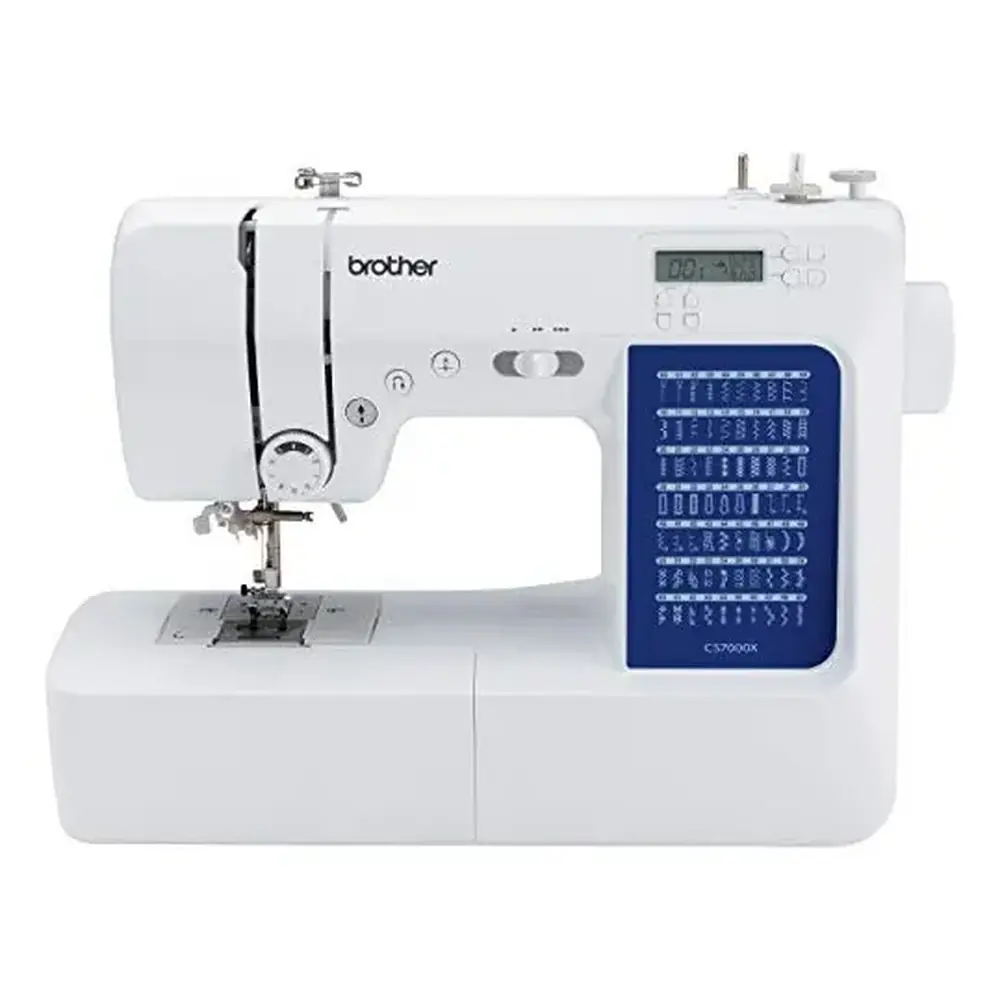
Brother CS7000X Sewing Machine
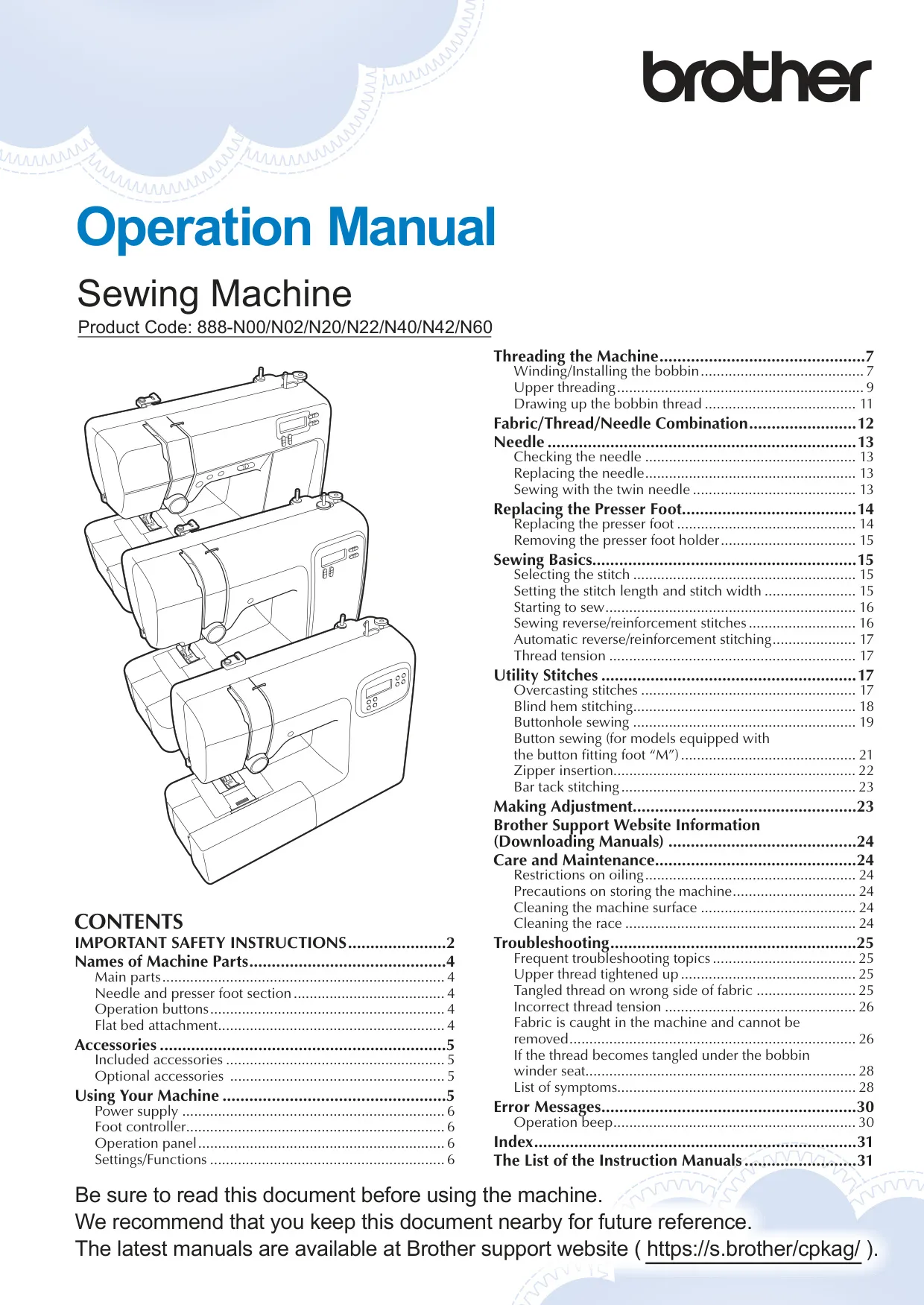
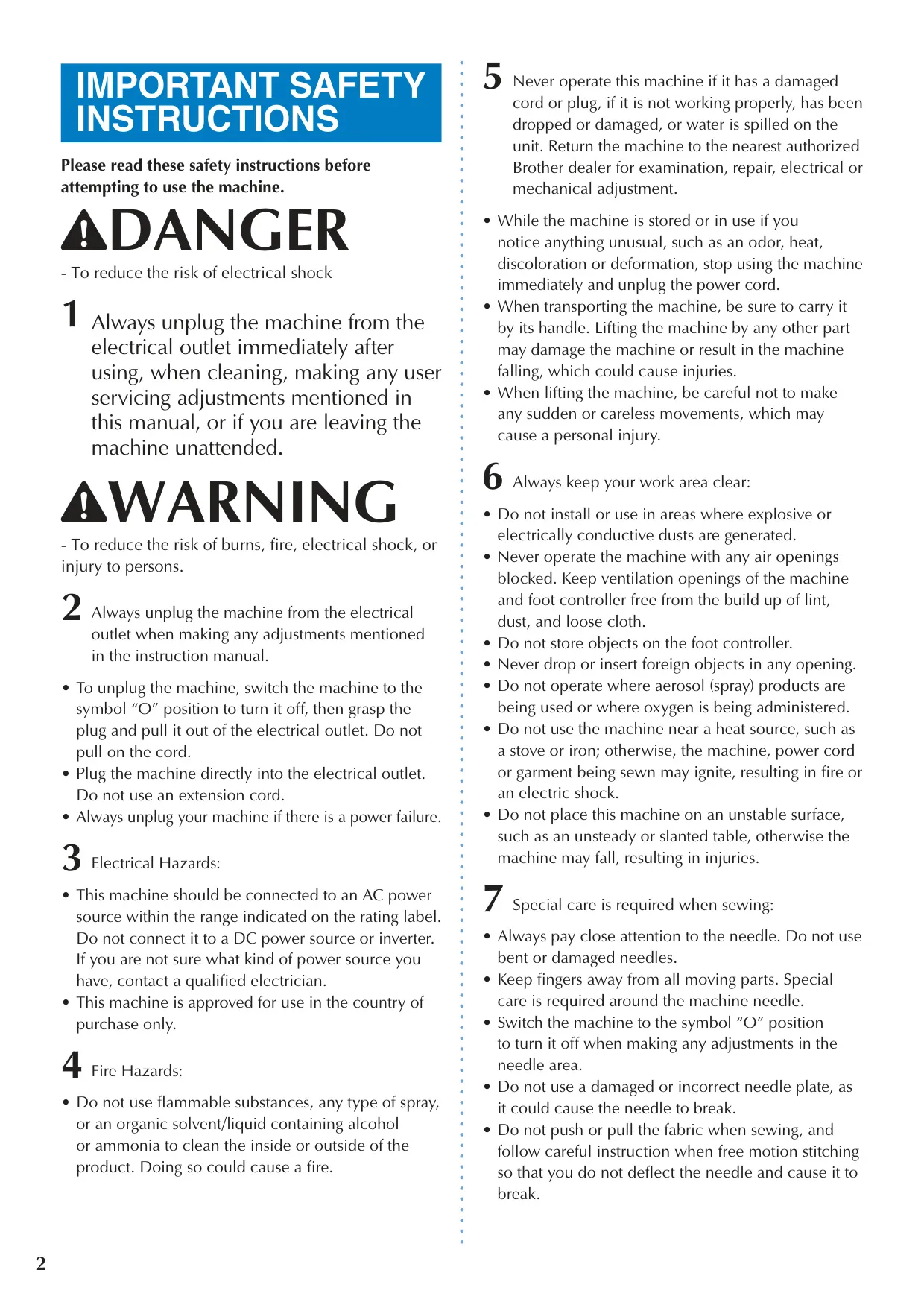
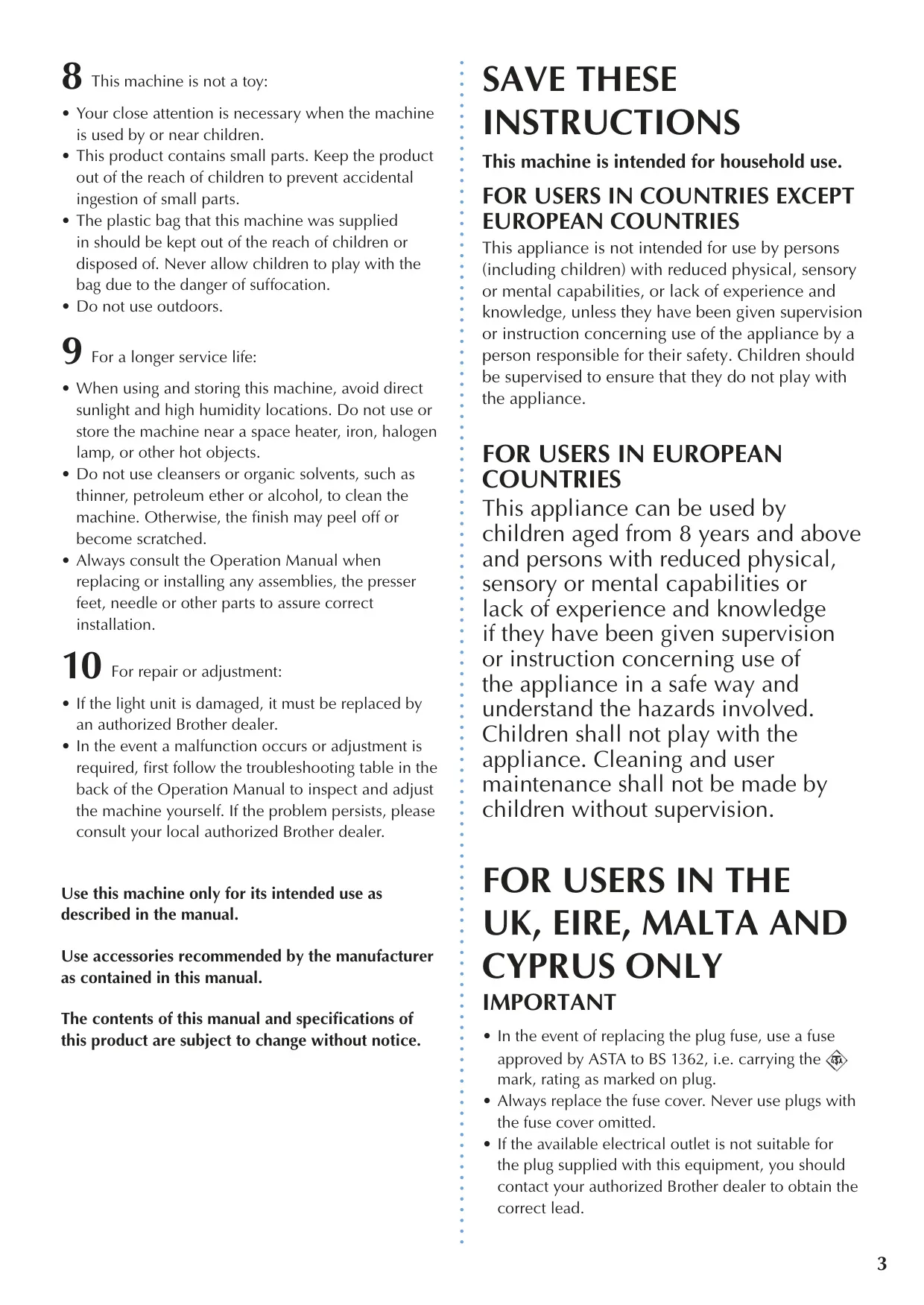







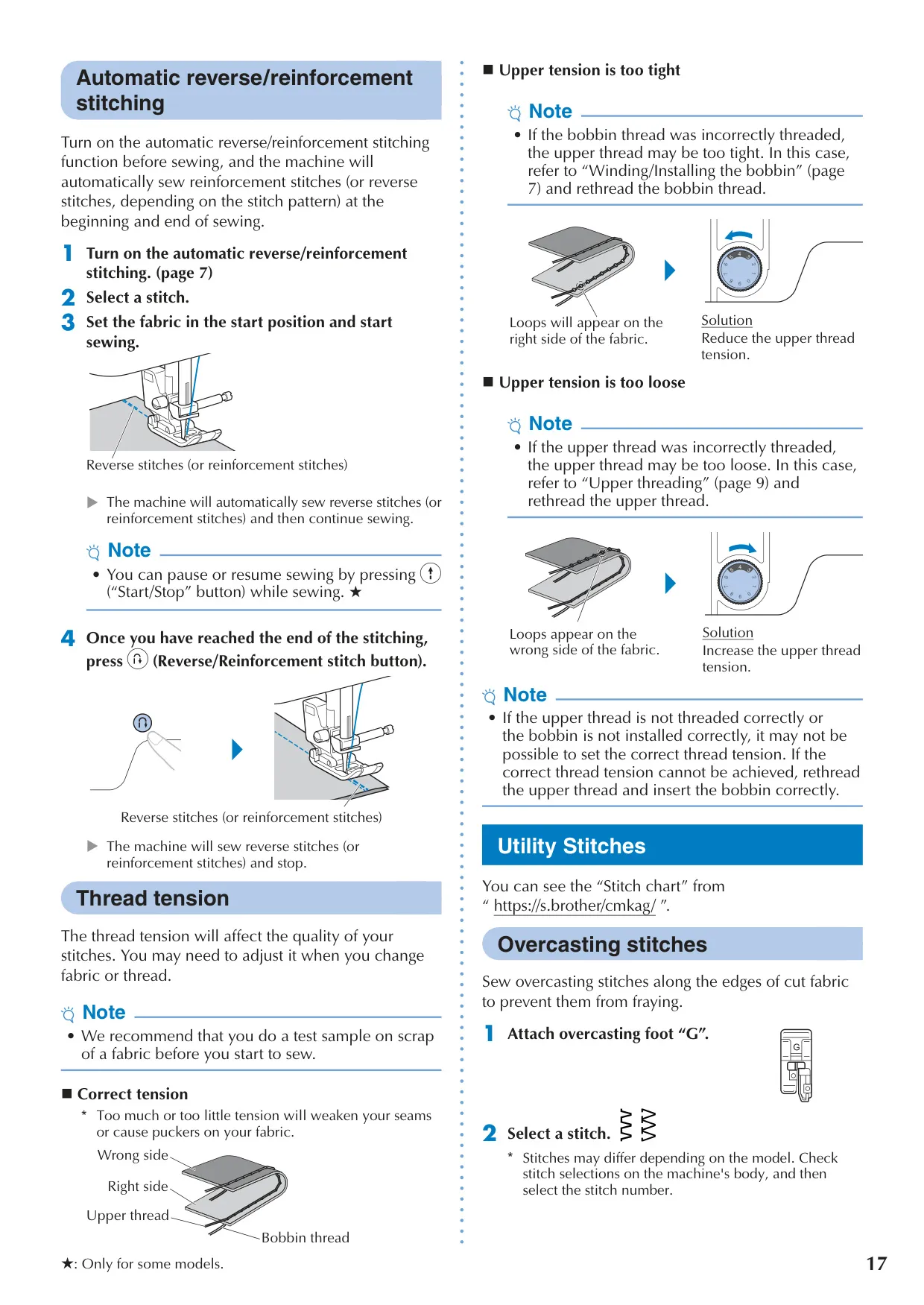


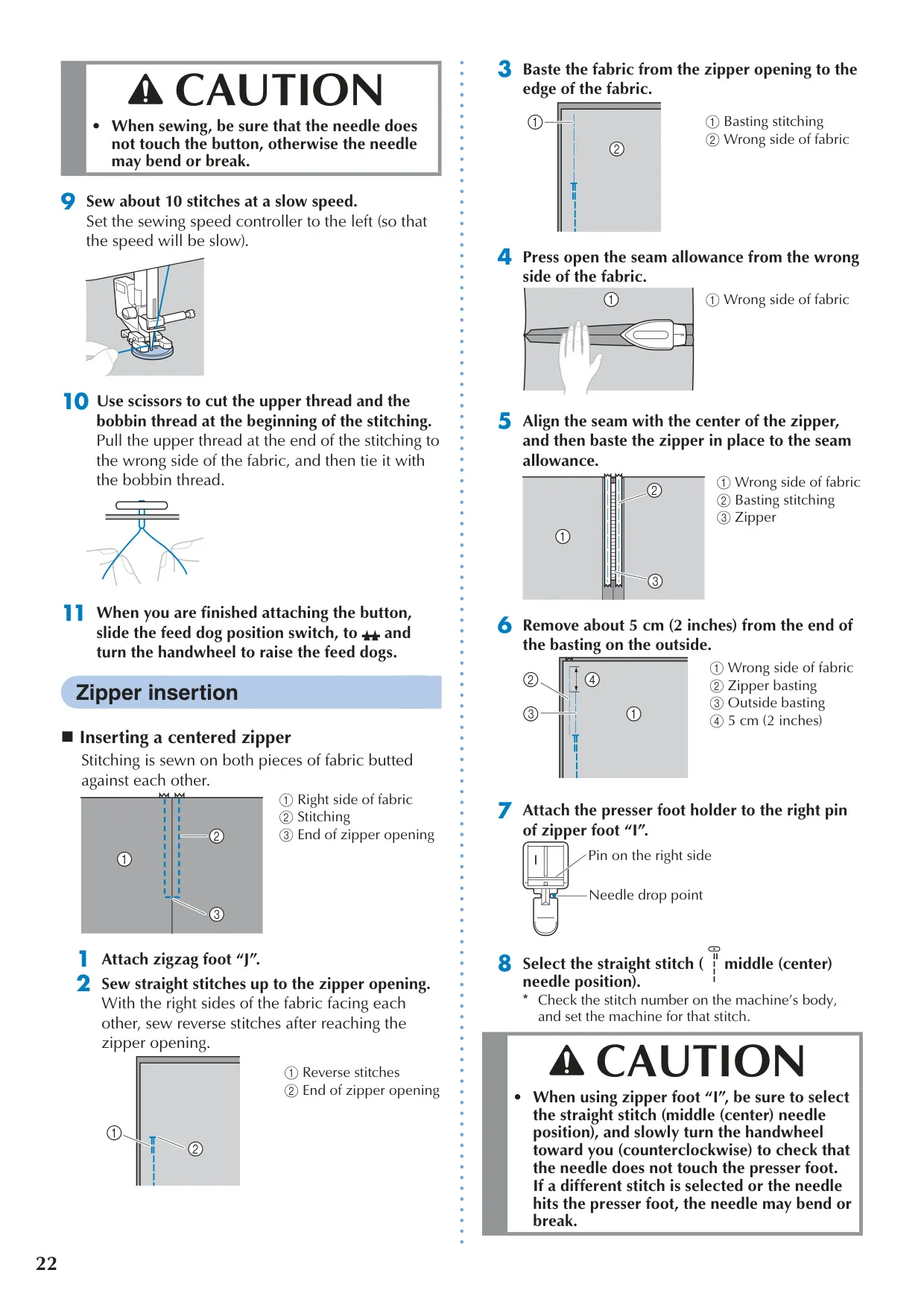
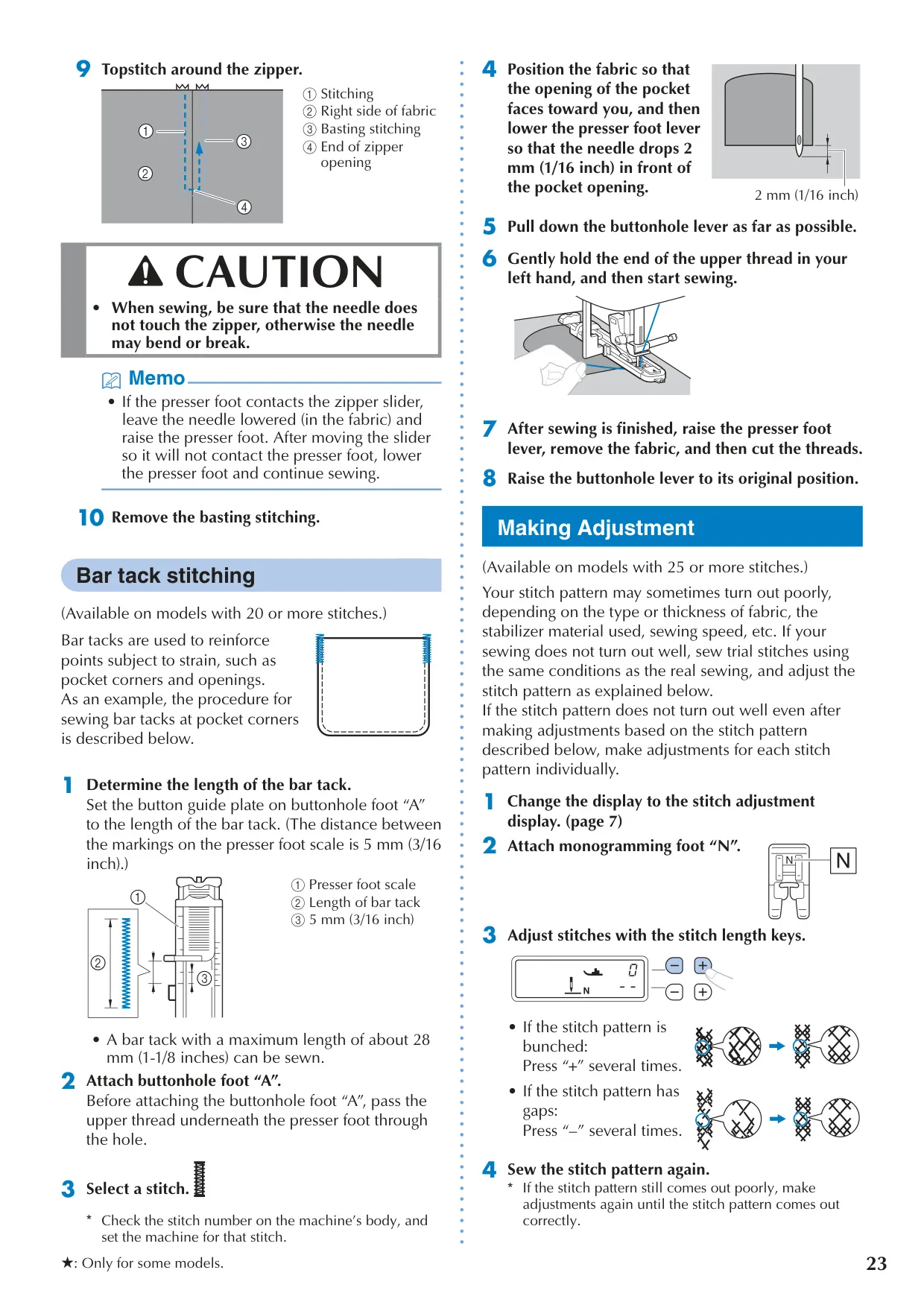


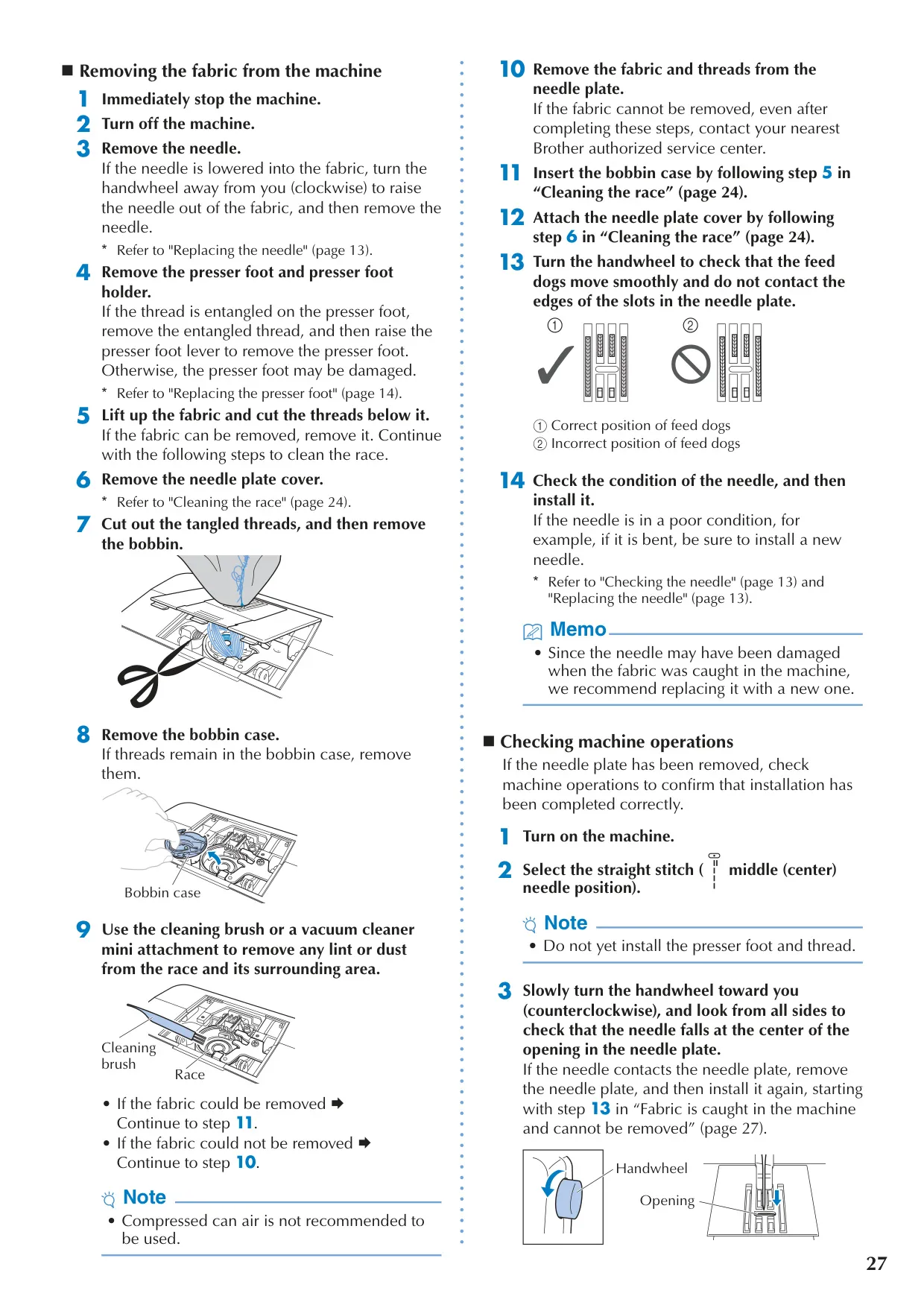
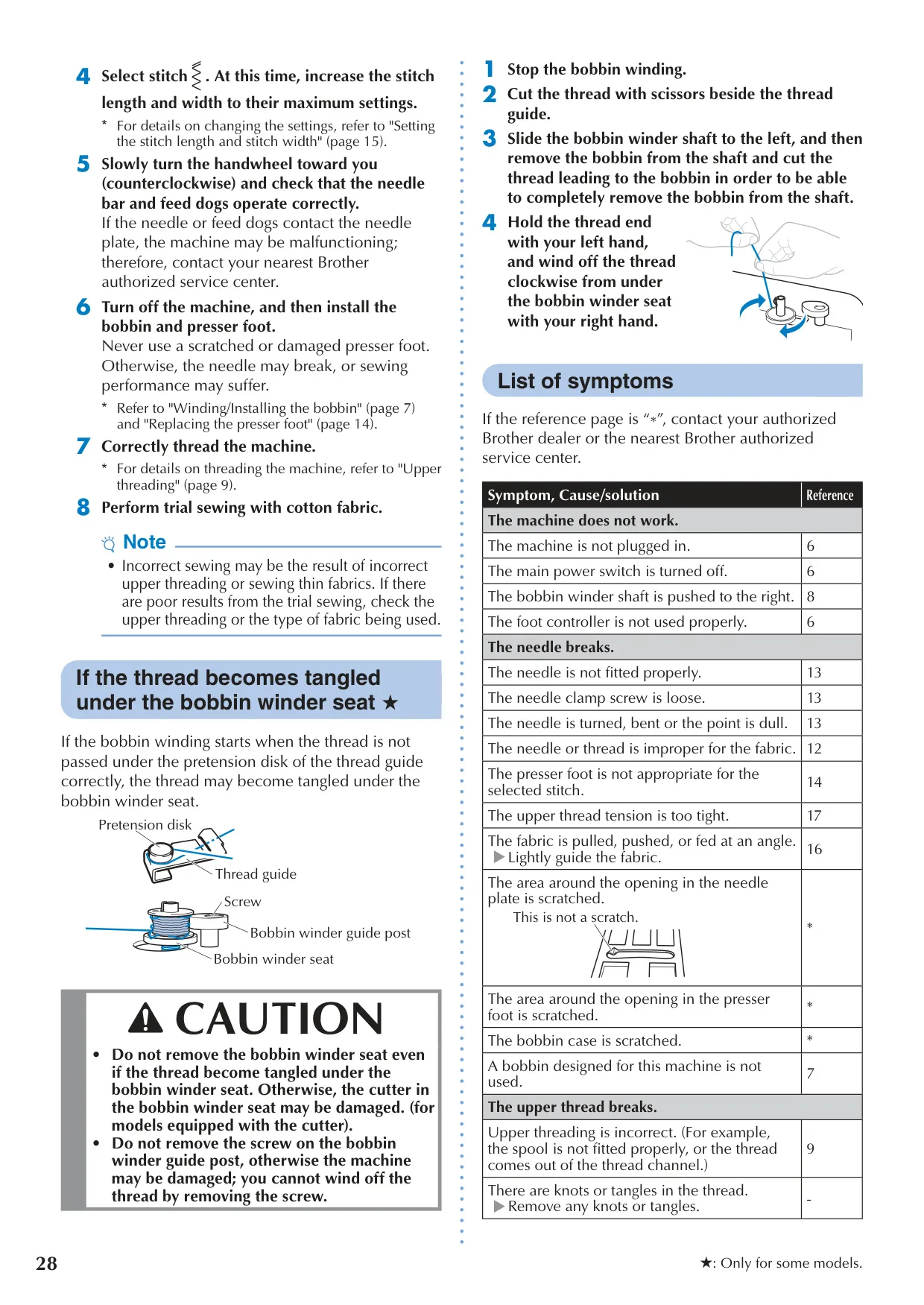

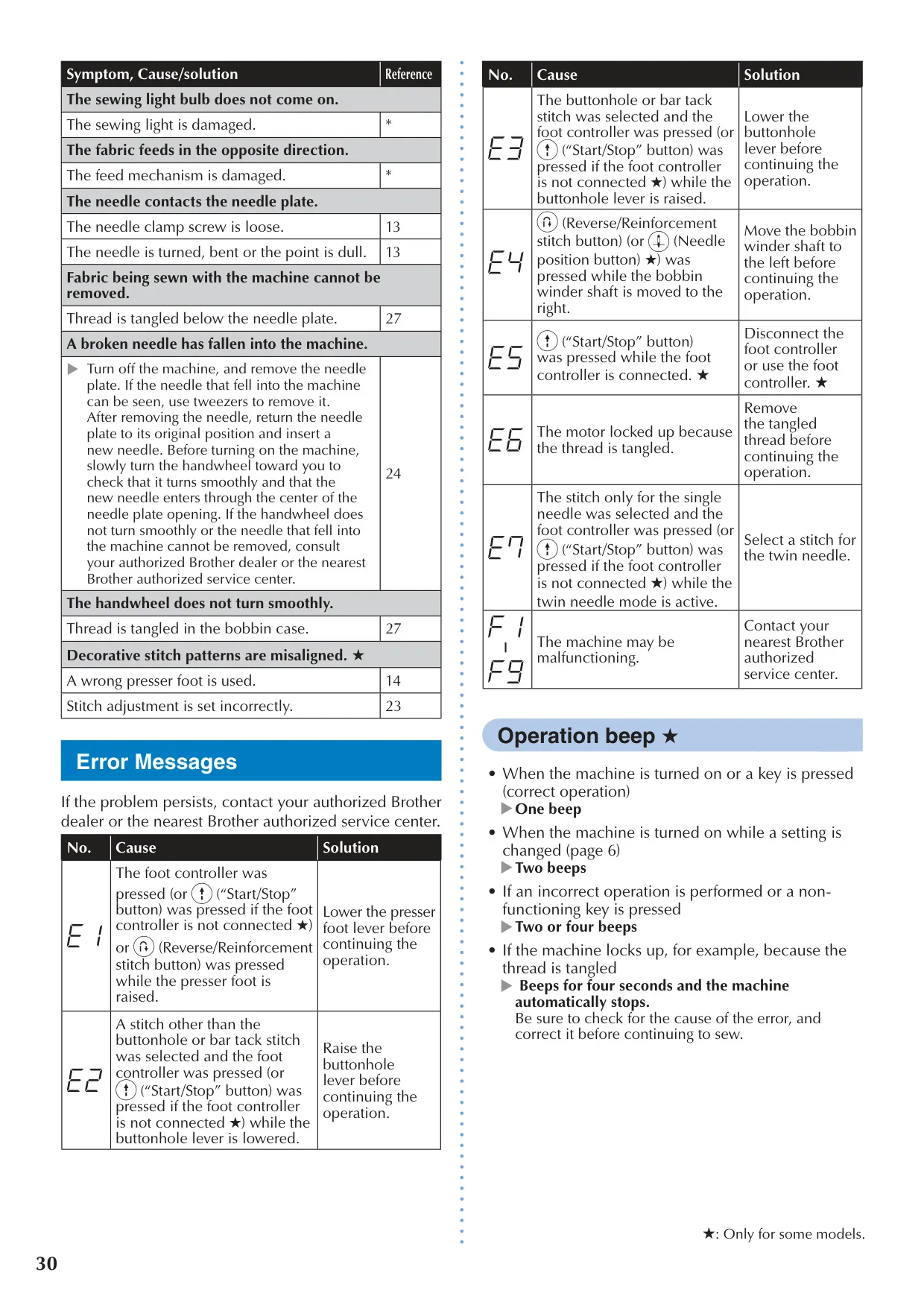




Brother CS7000X Sewing Machine
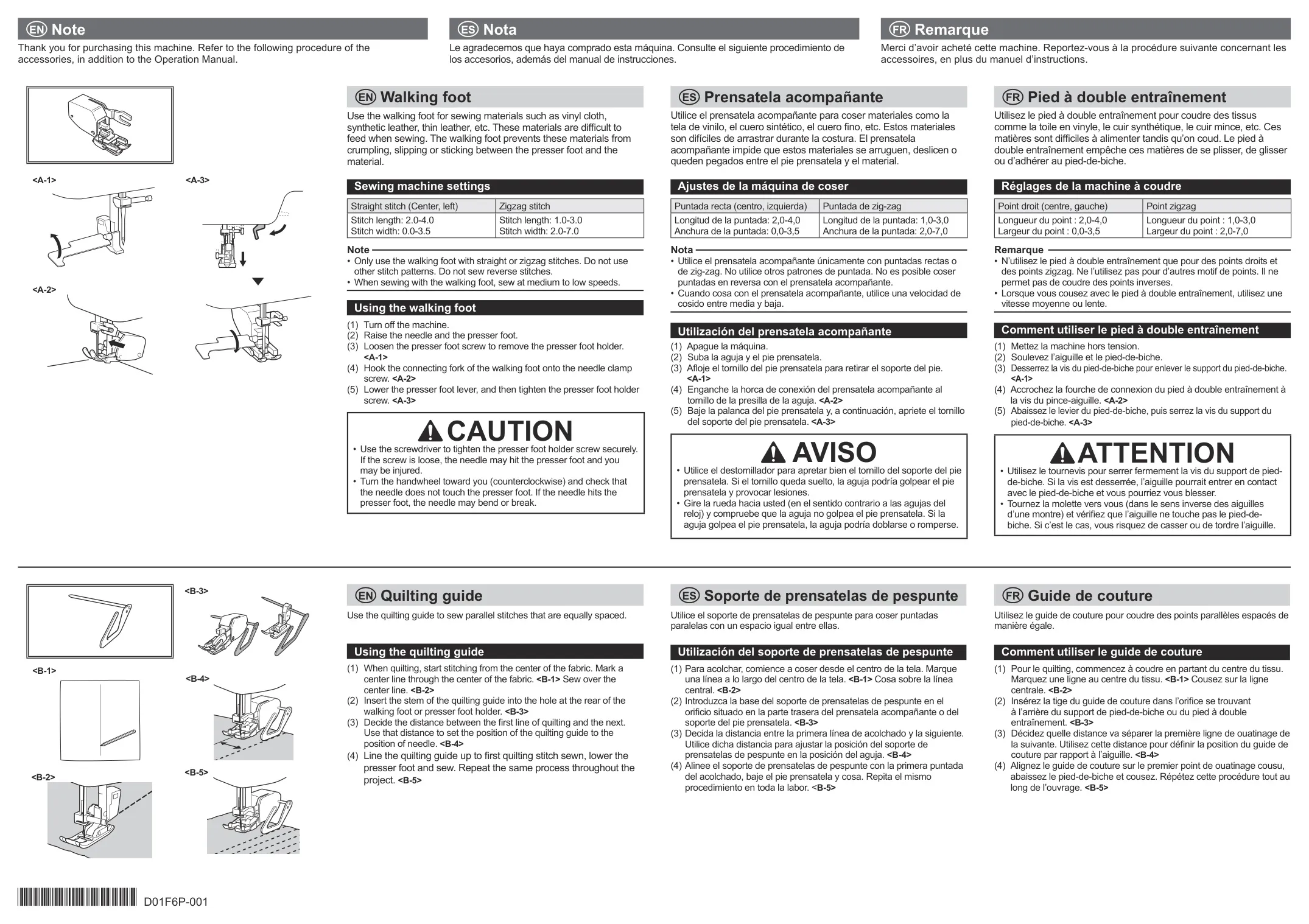
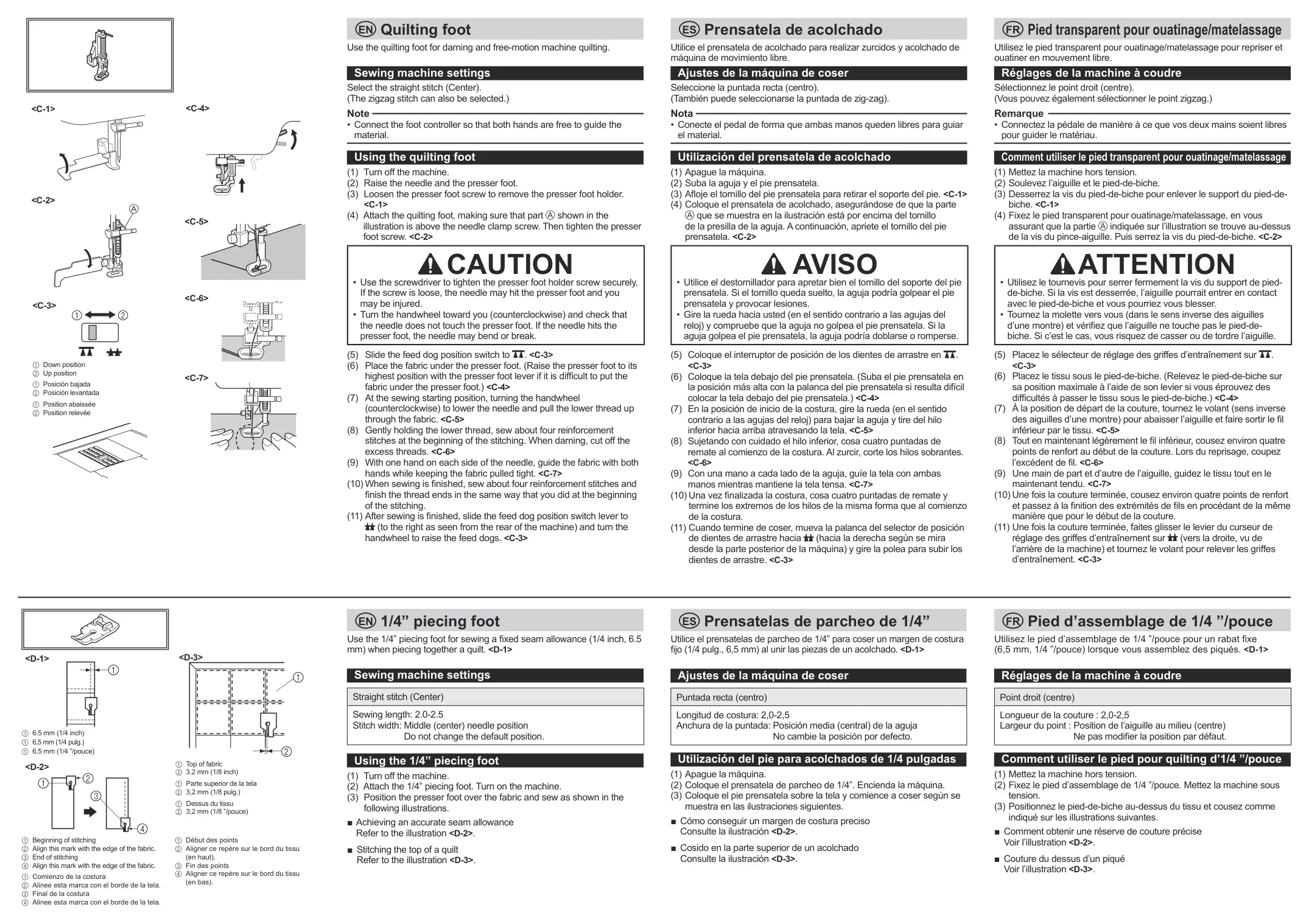
Brother CS7000X Sewing Machine


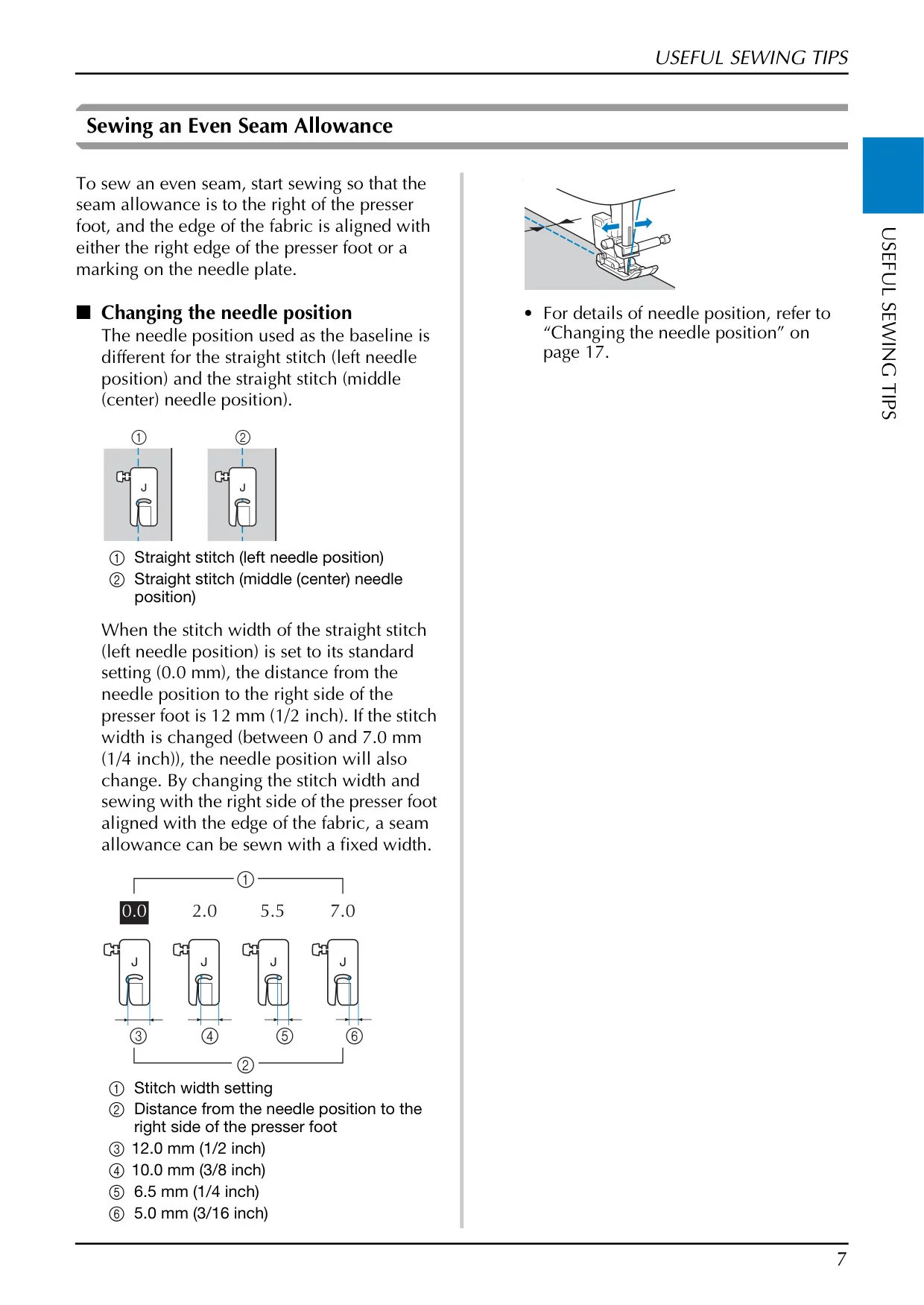
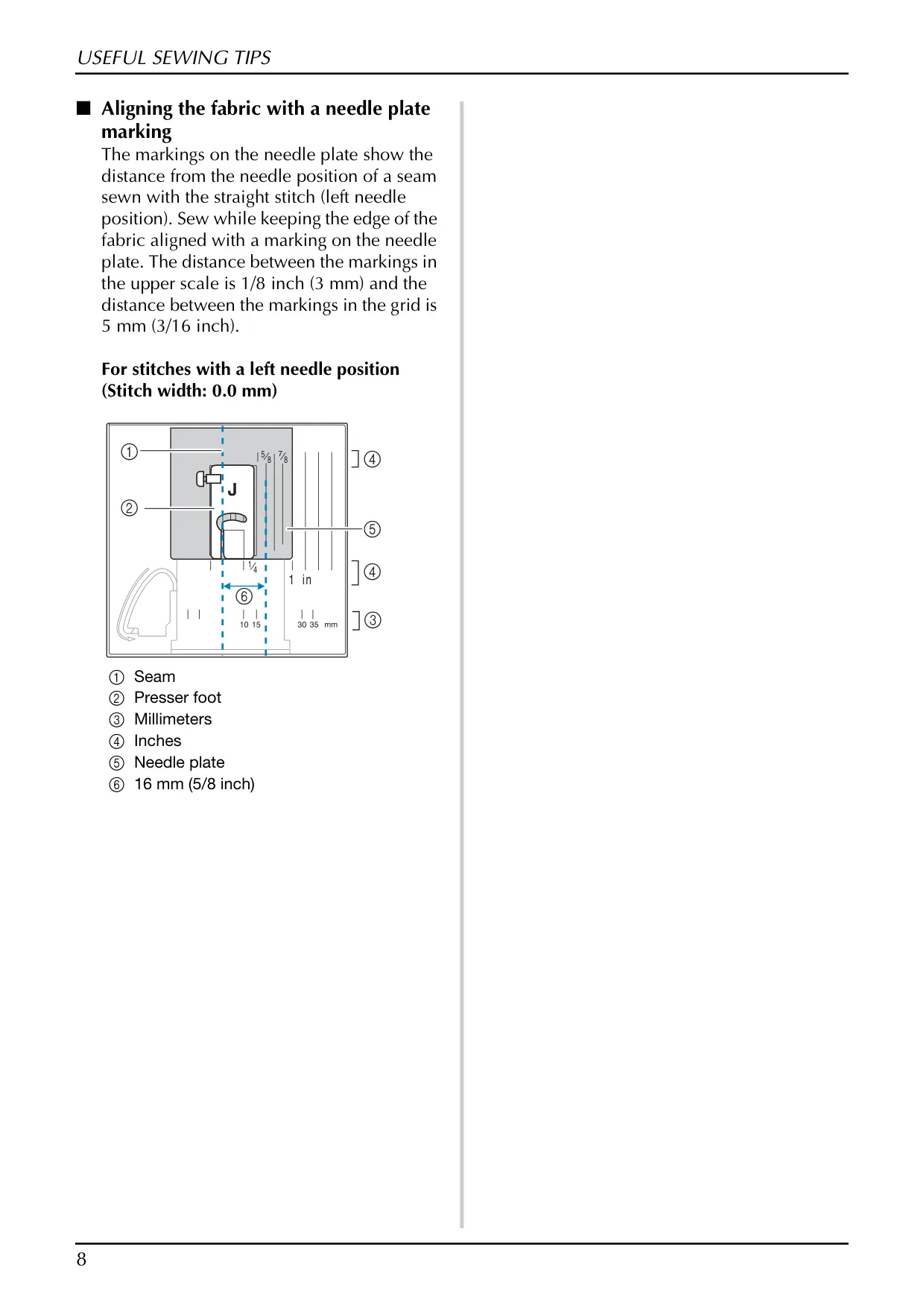
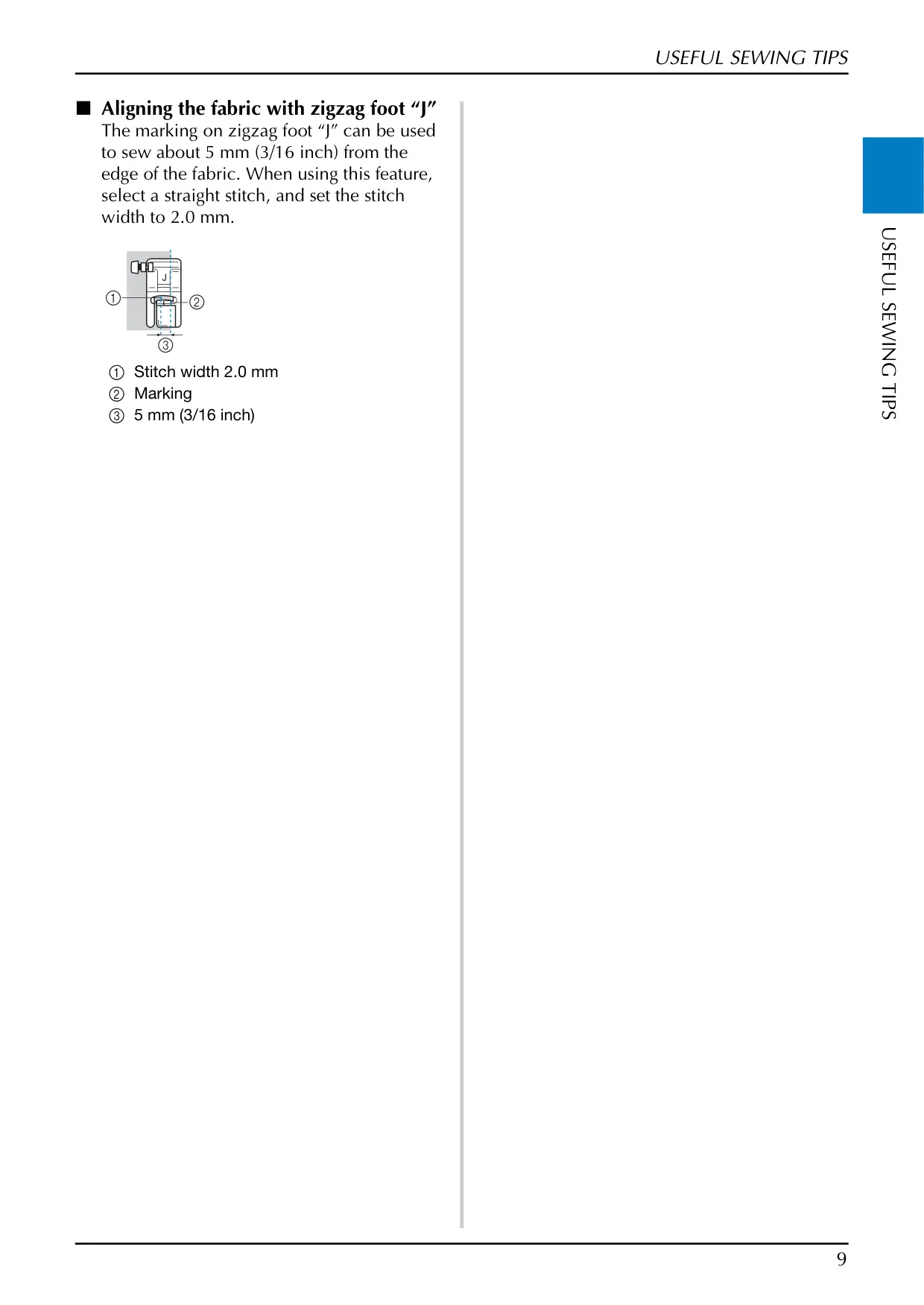
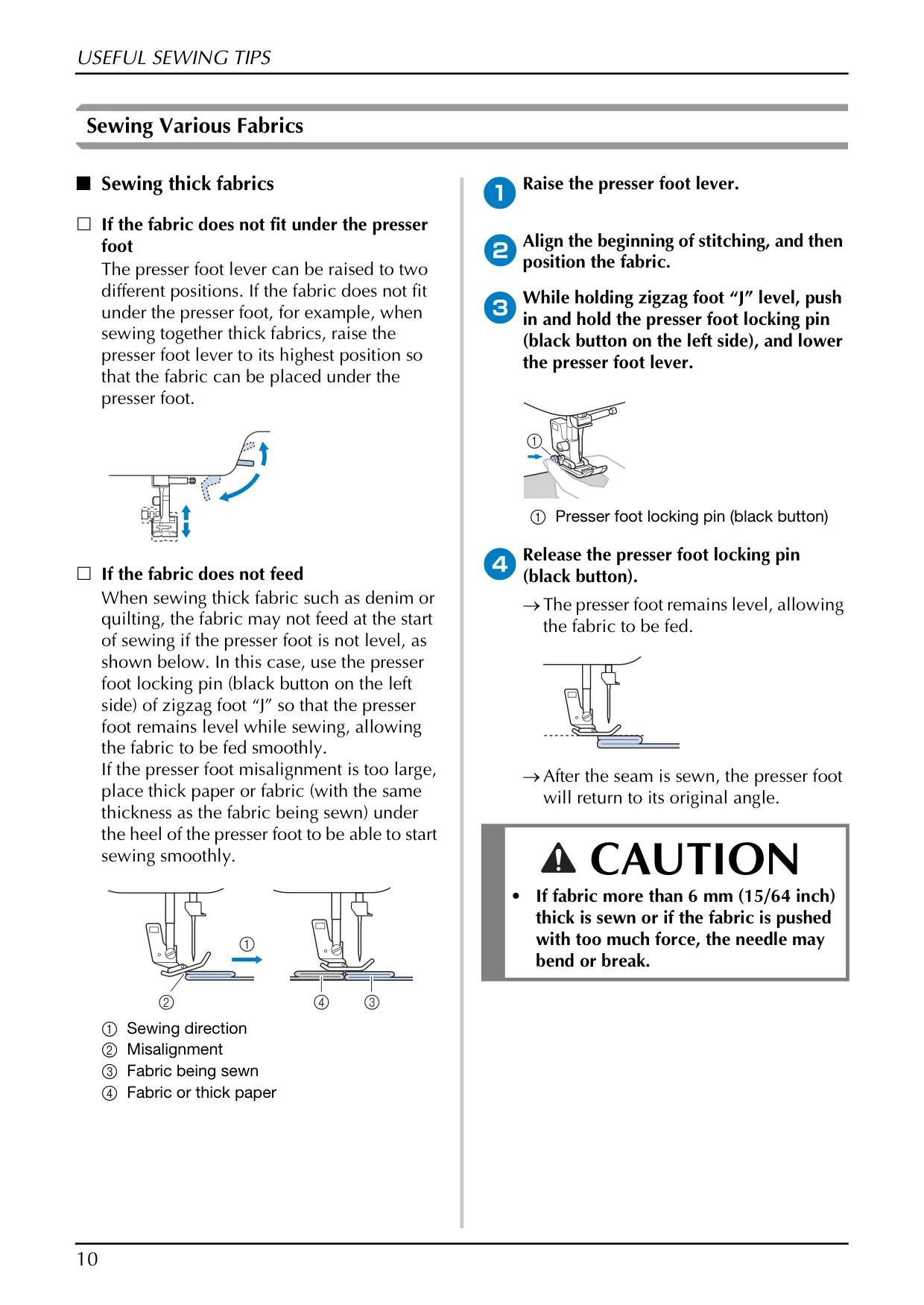
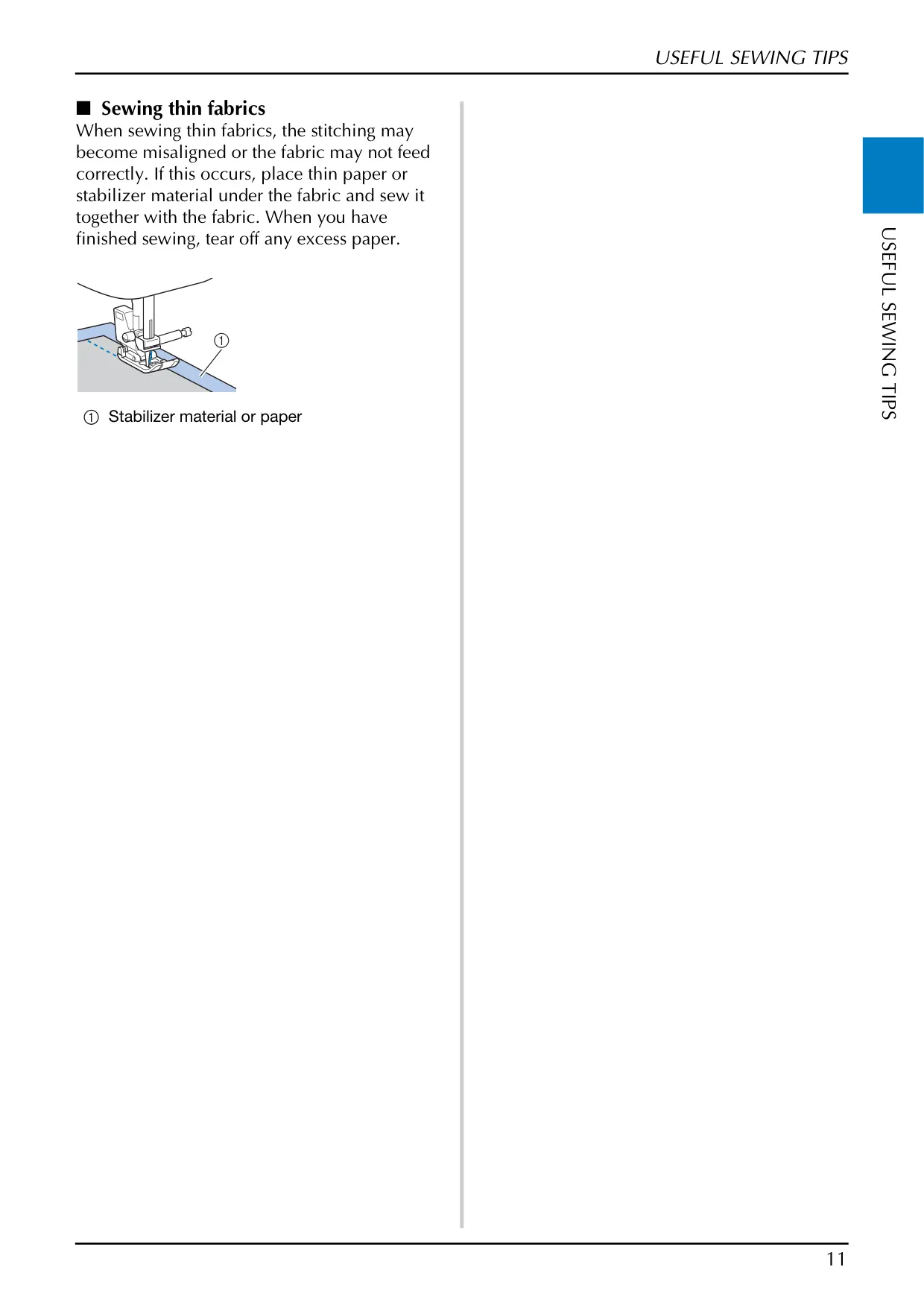
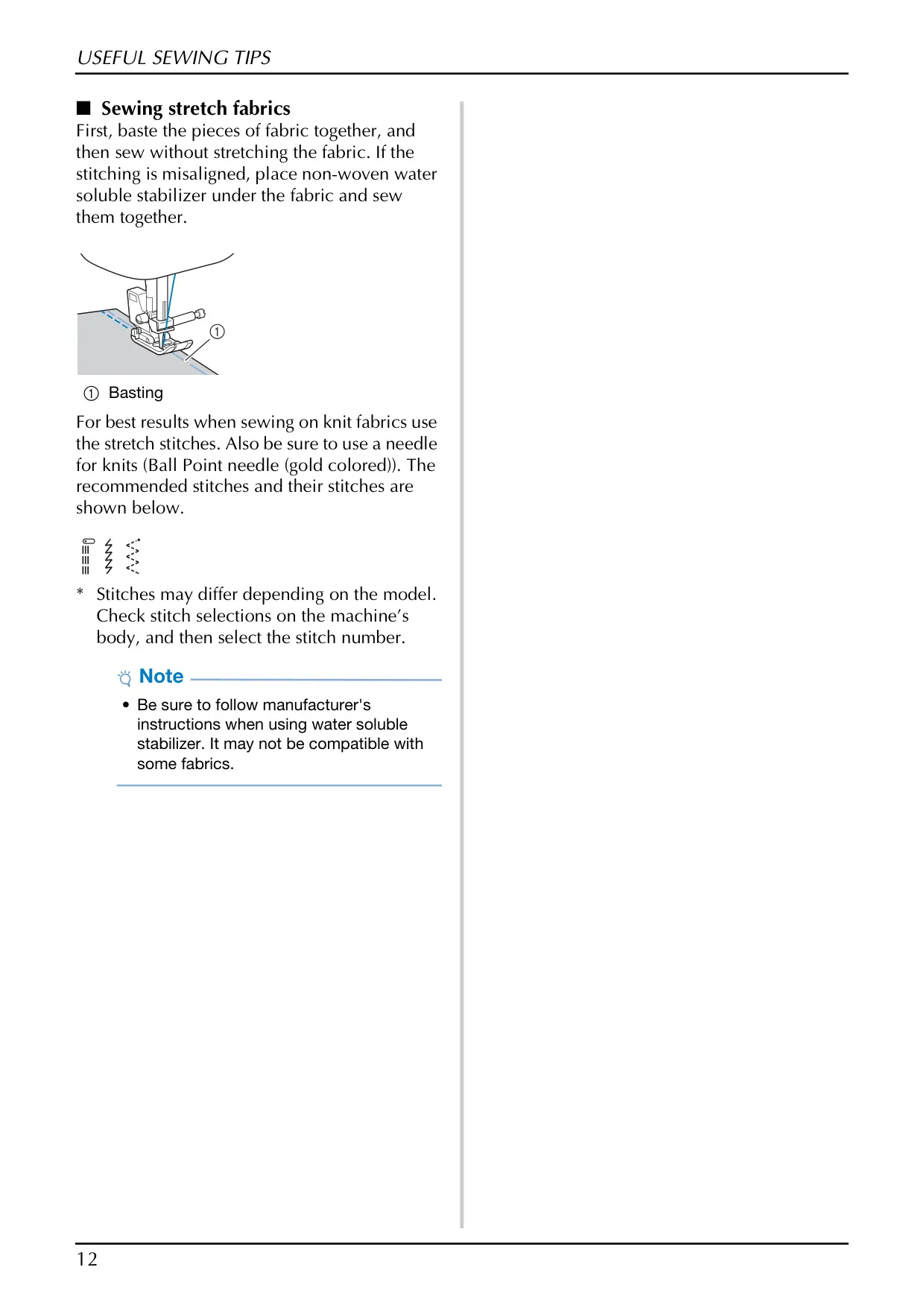

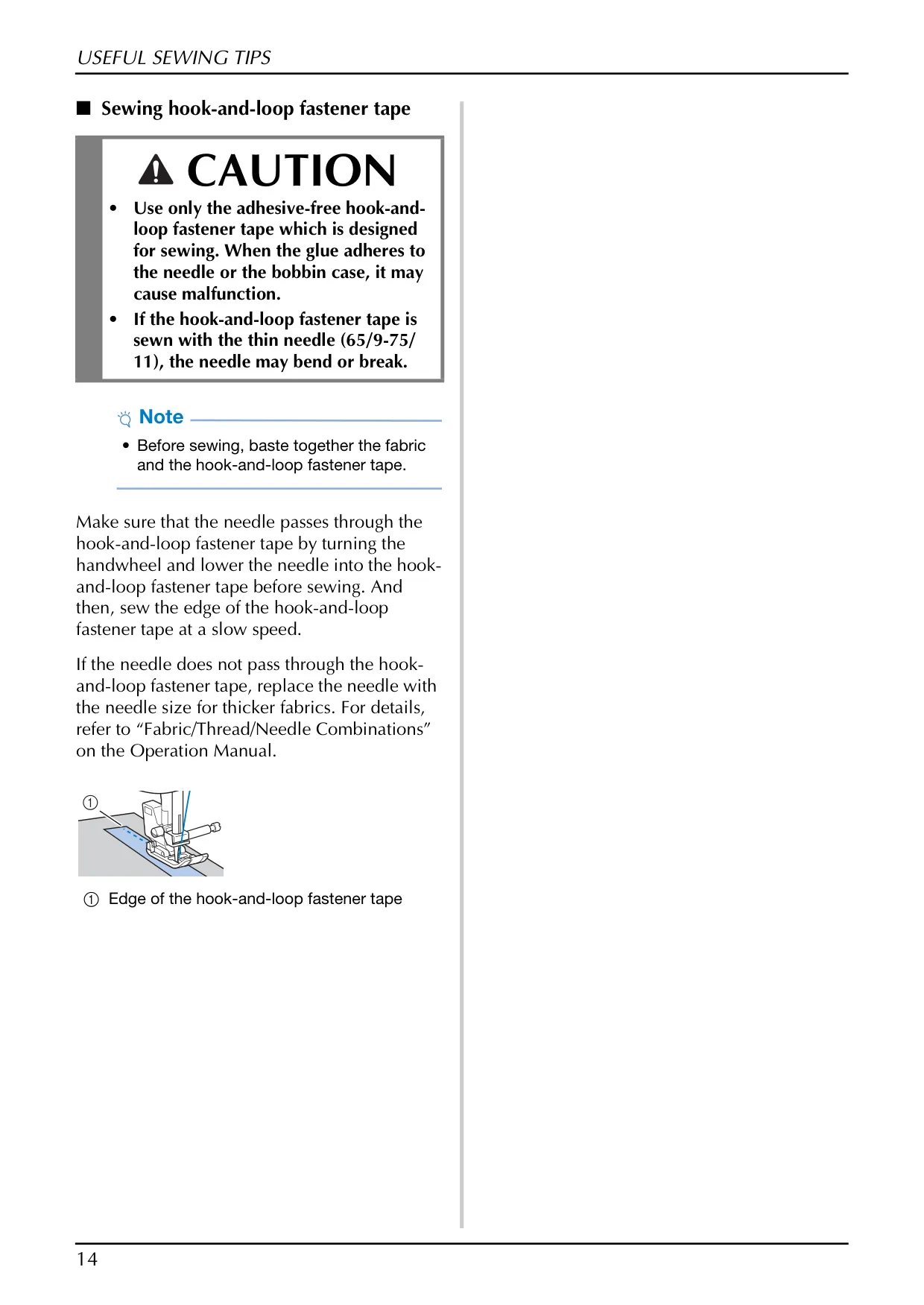


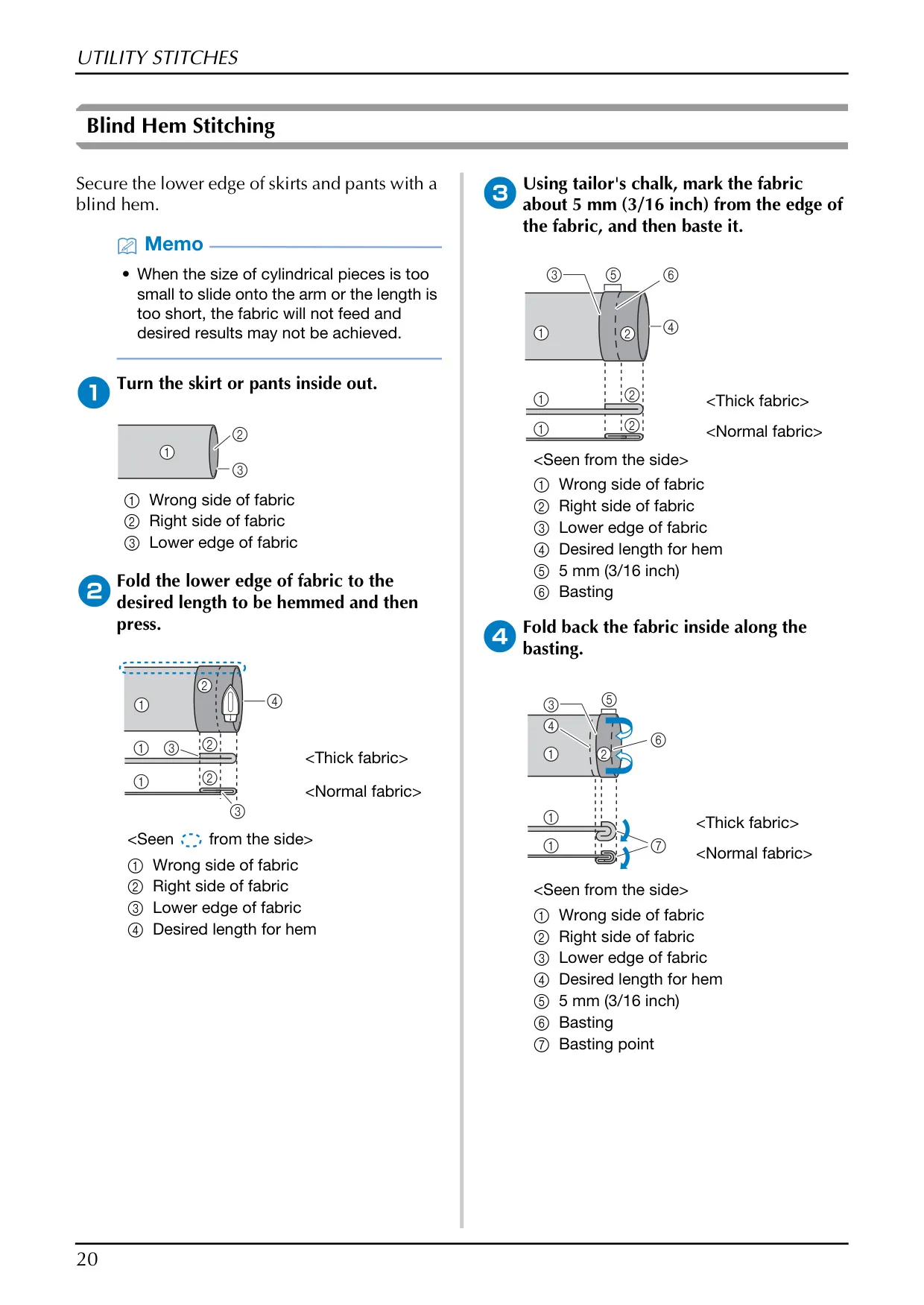







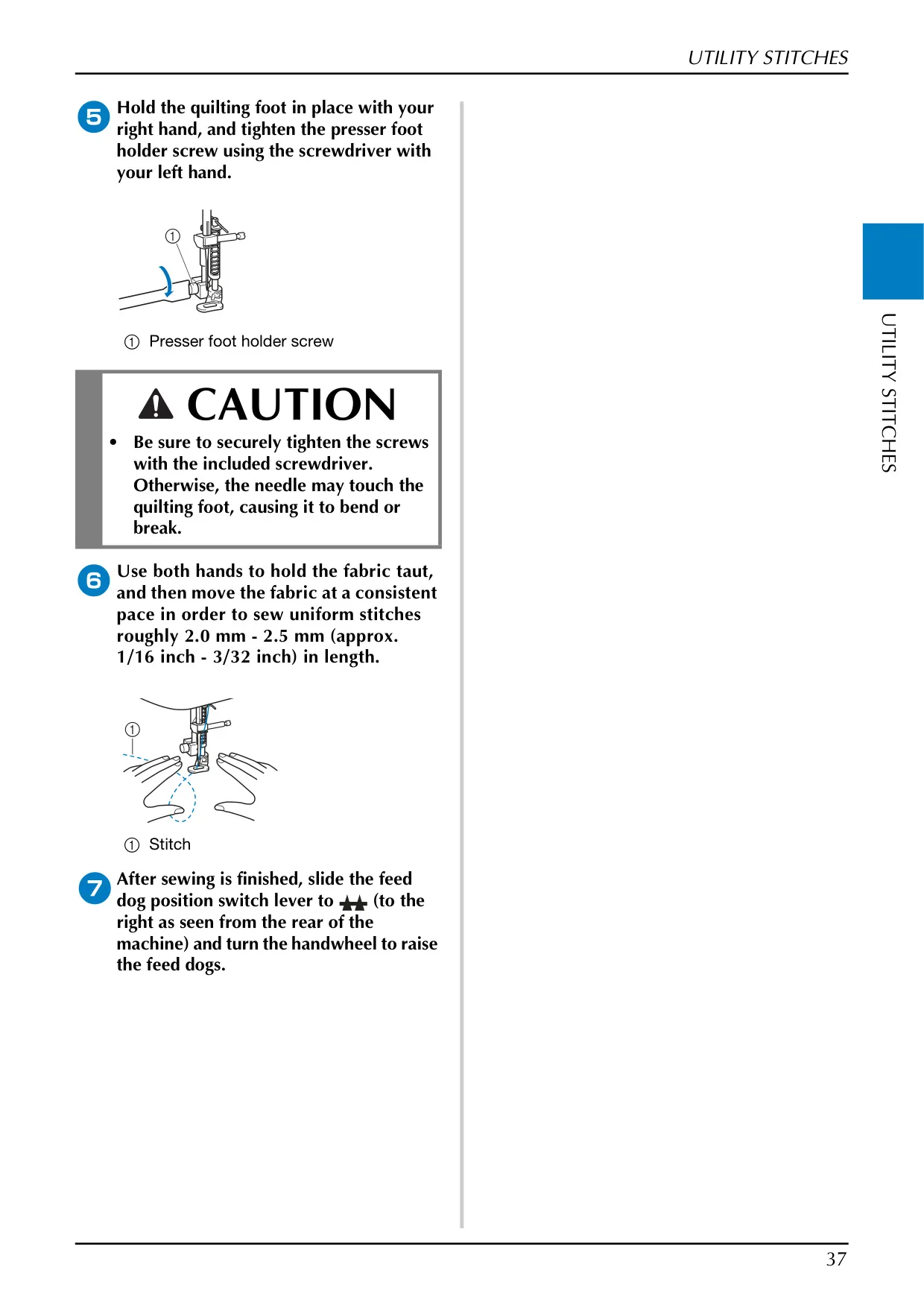

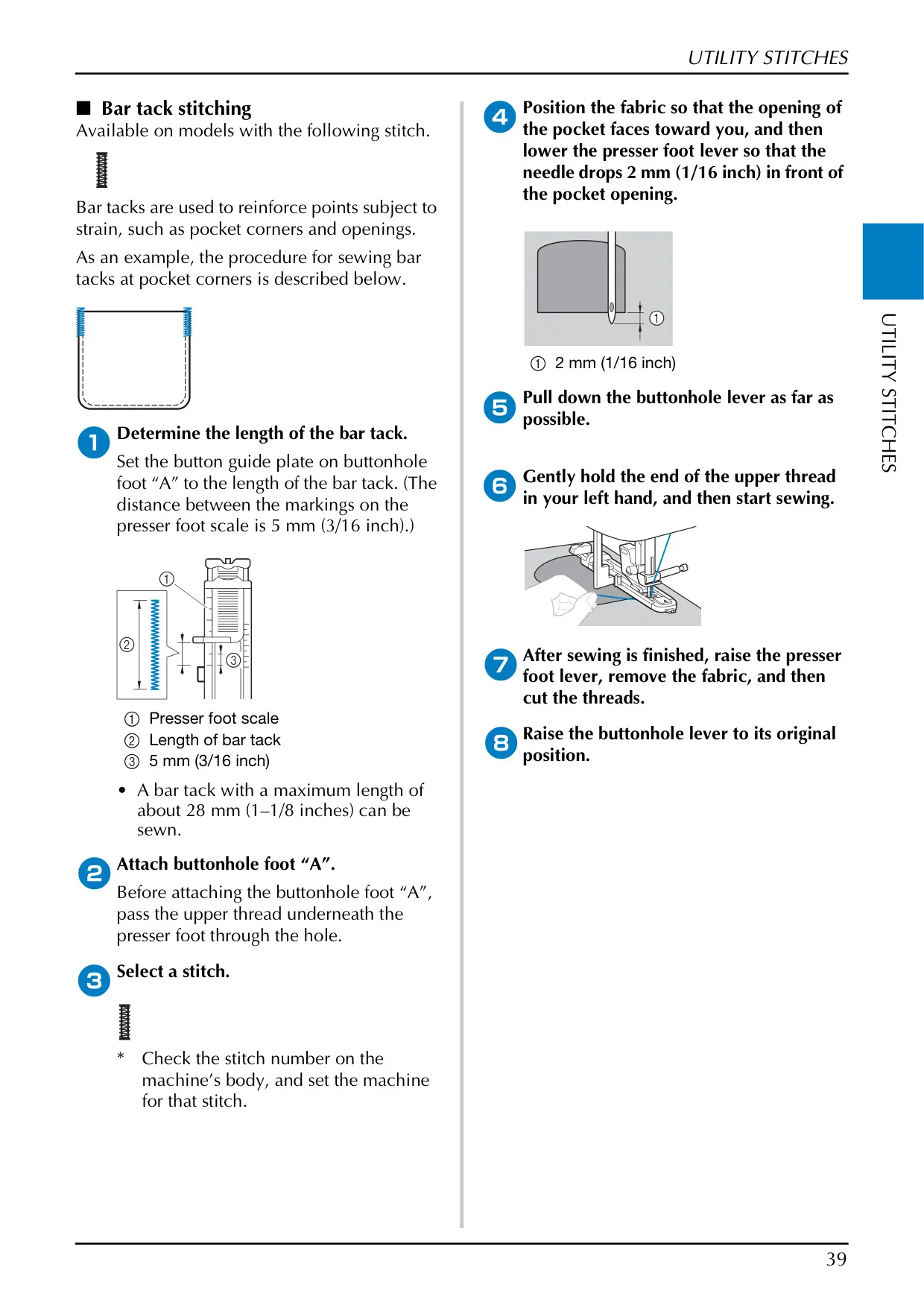
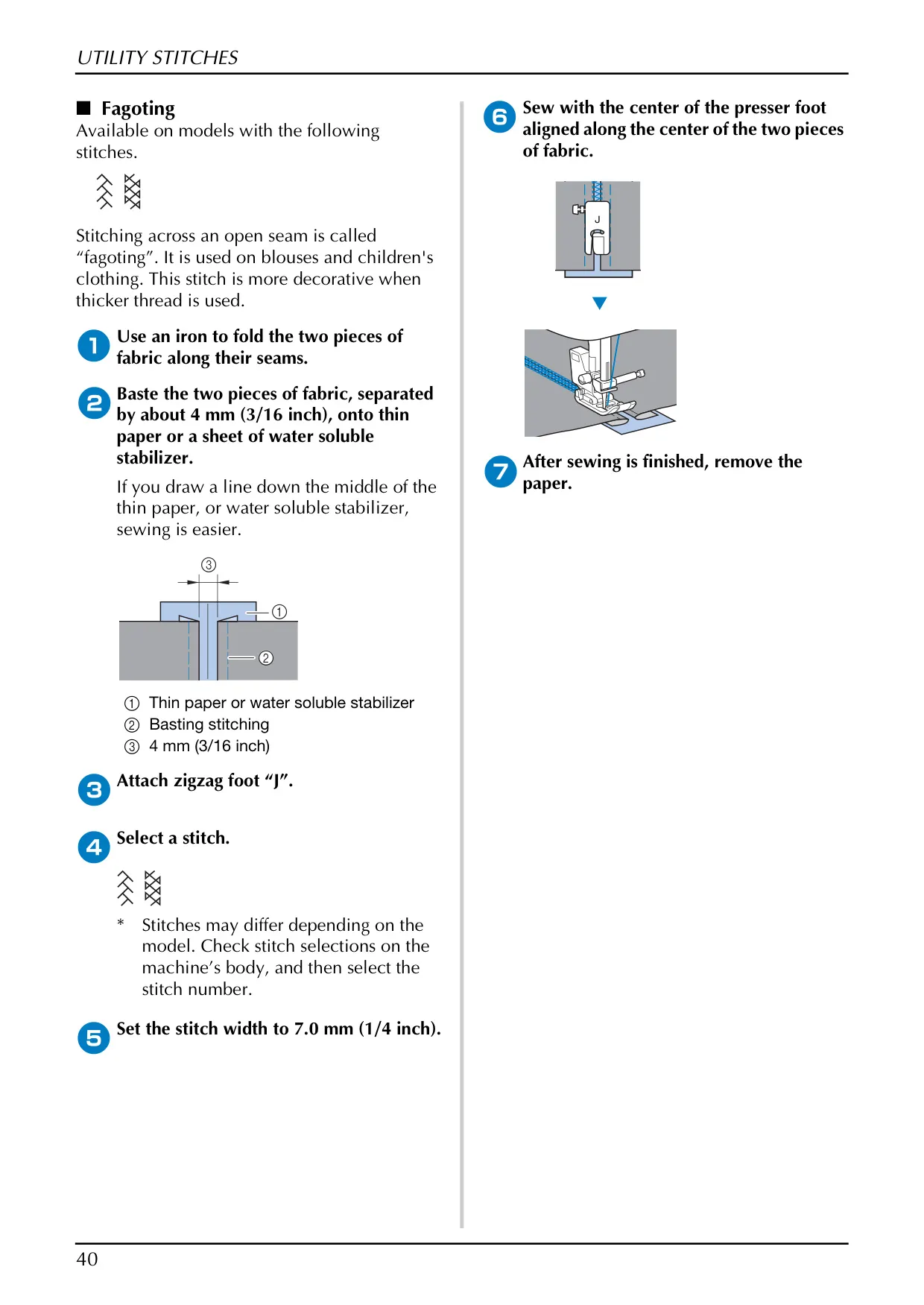
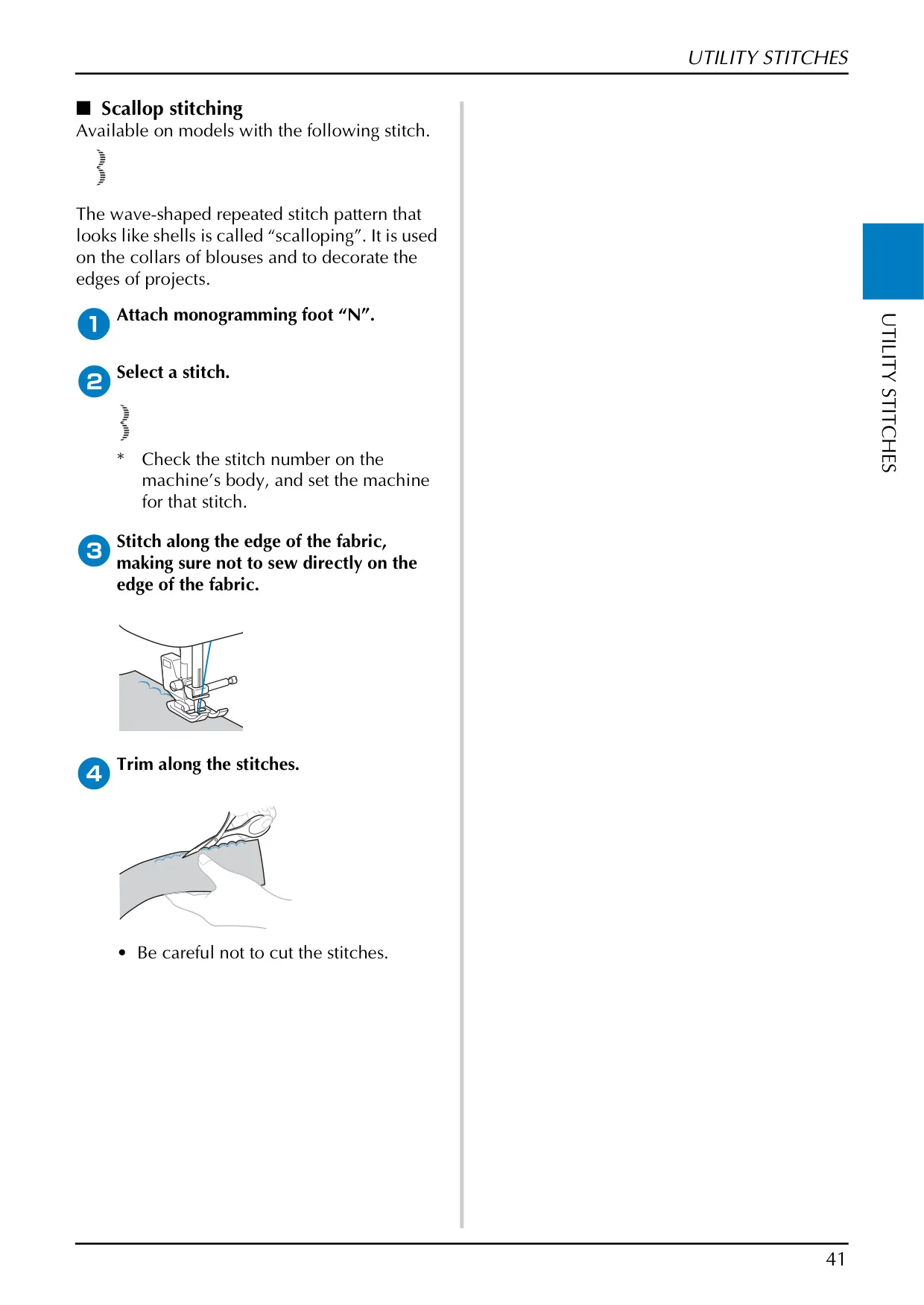


Brother CS7000X Sewing Machine
Brother CS7000X Instructions
Here we offer the Brother CS7000X Sewing Machine manual completely free and in English. We have cataloged this manual in the Sewing Machines section on Manualverse, and it has been rated by 1 users with an average rating of 5. If you have any specific questions about Brother CS7000X Sewing Machine, we suggest checking the Frequently Asked Questions (FAQs) section of this manual.
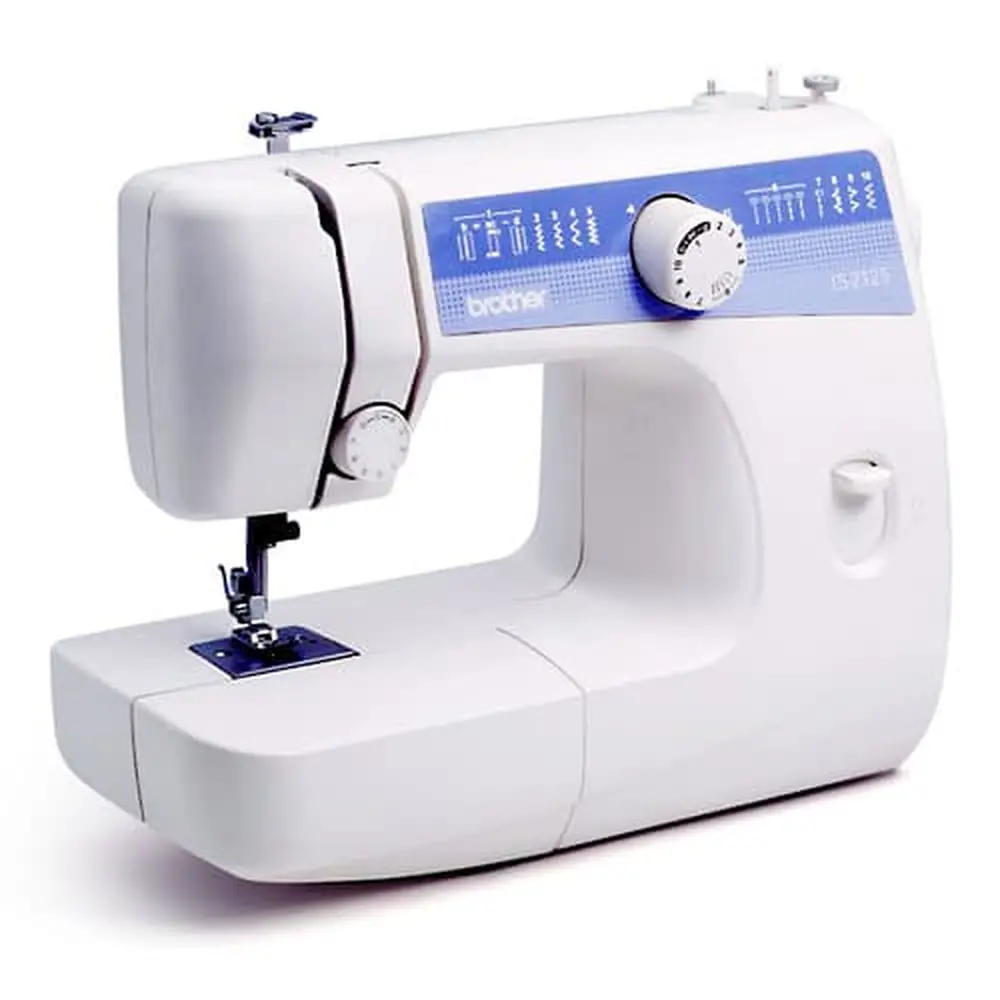
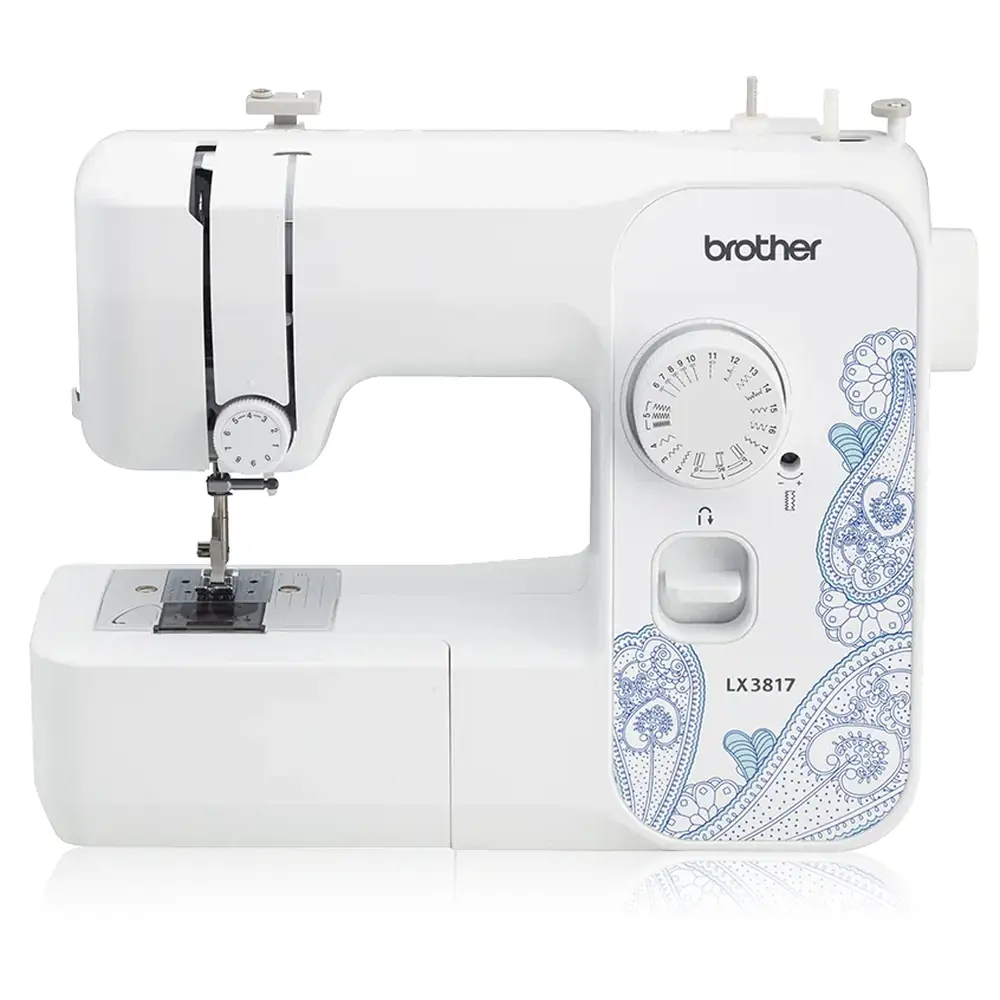
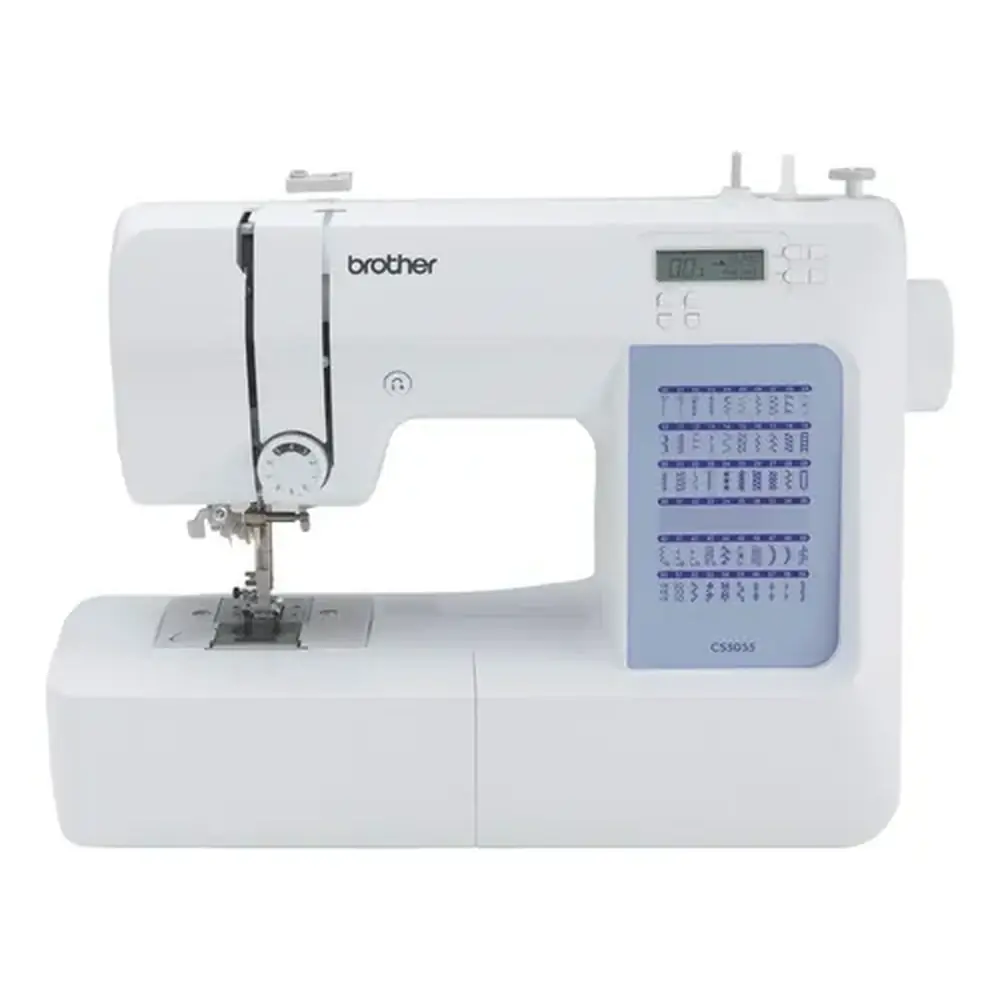
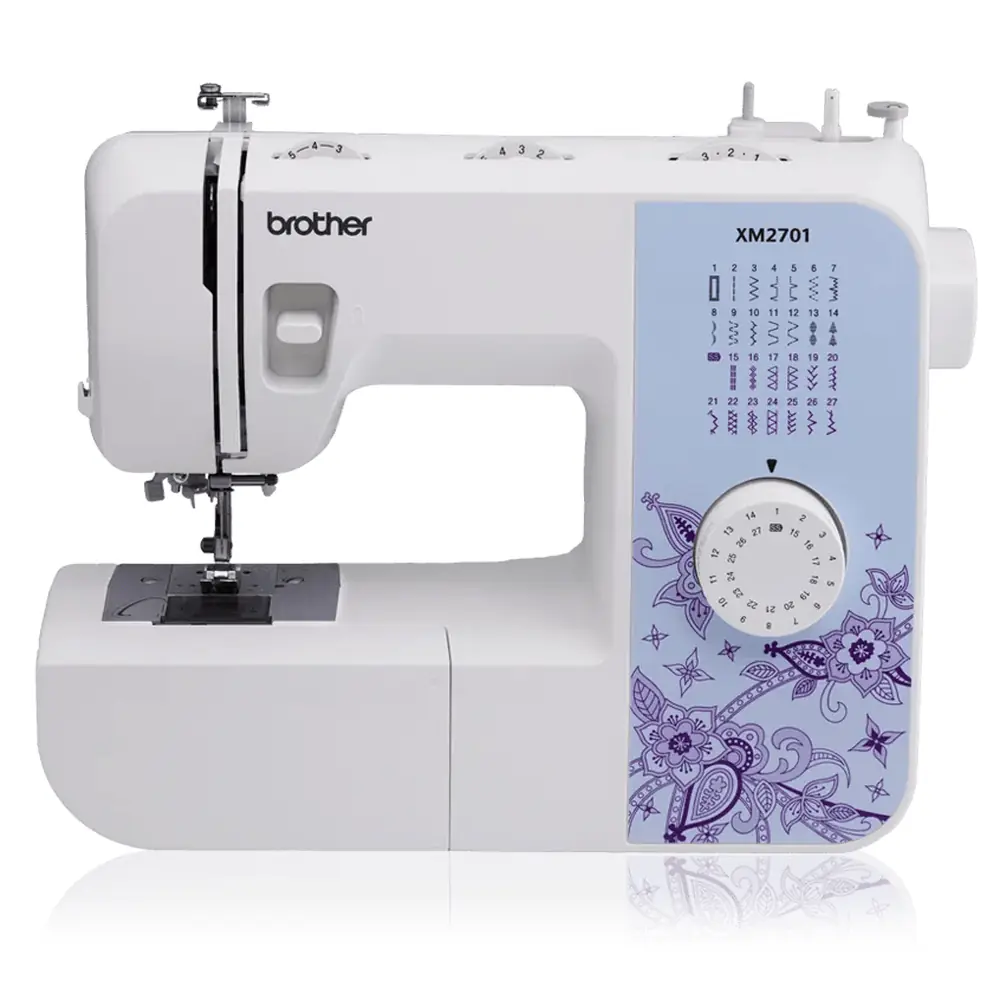
Product Images
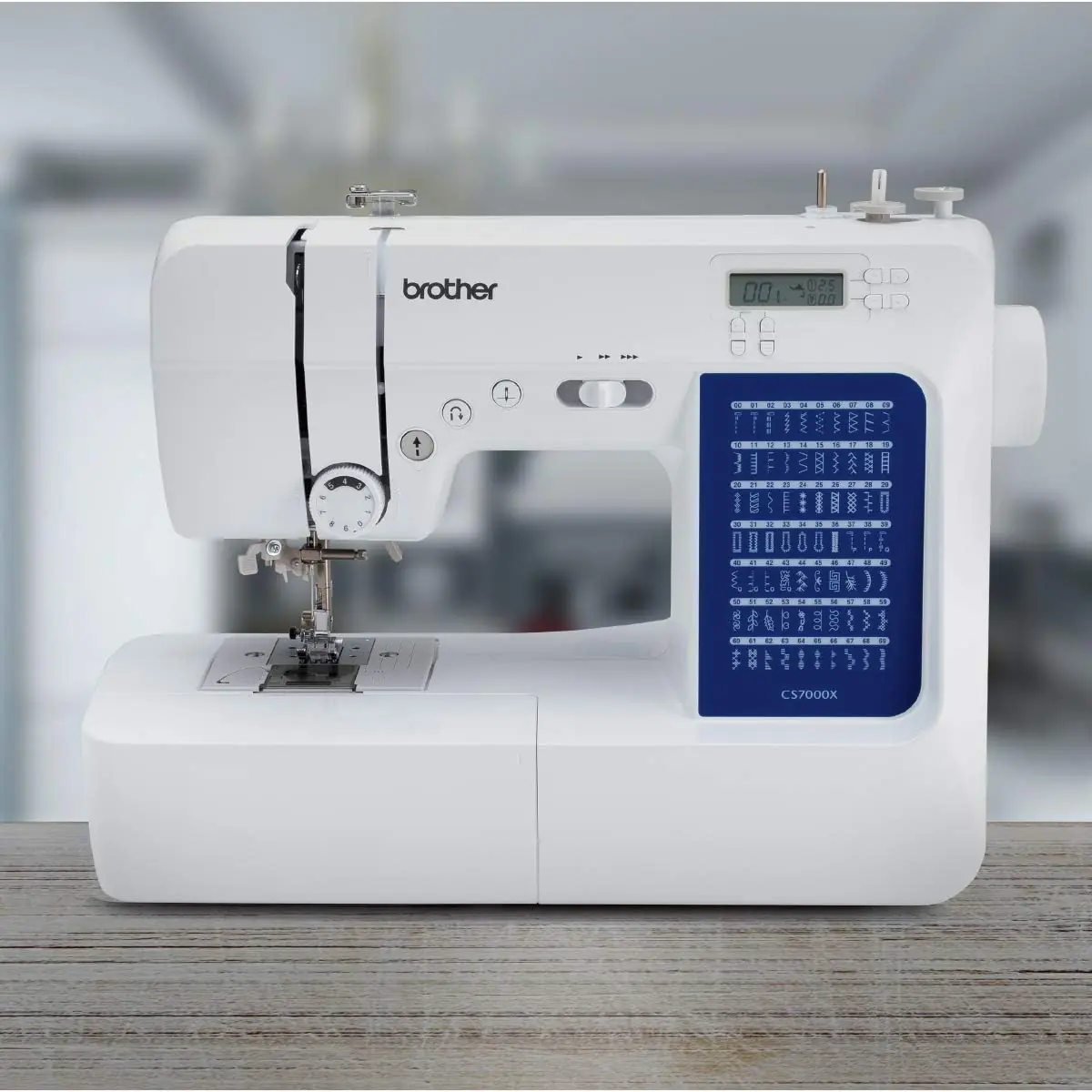
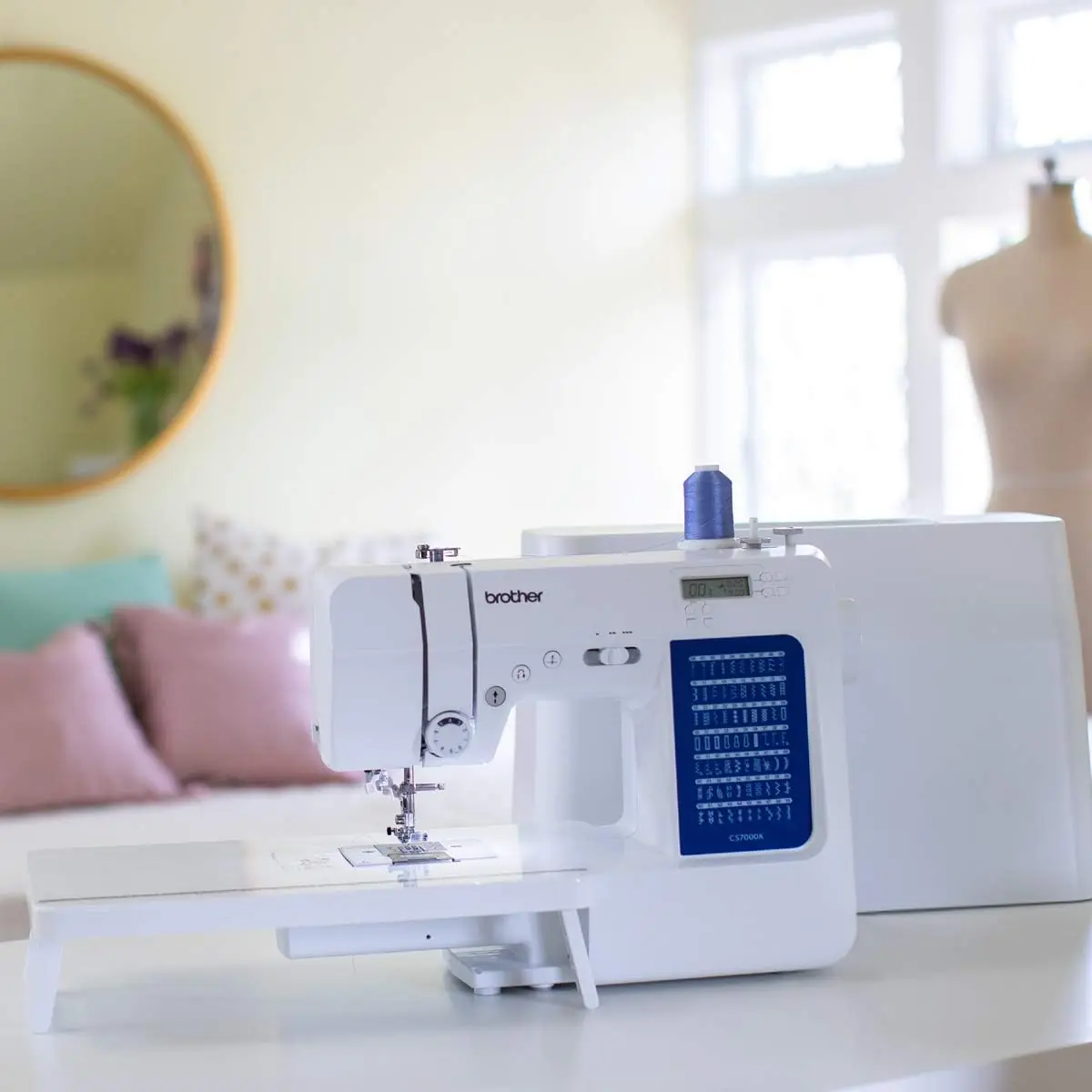
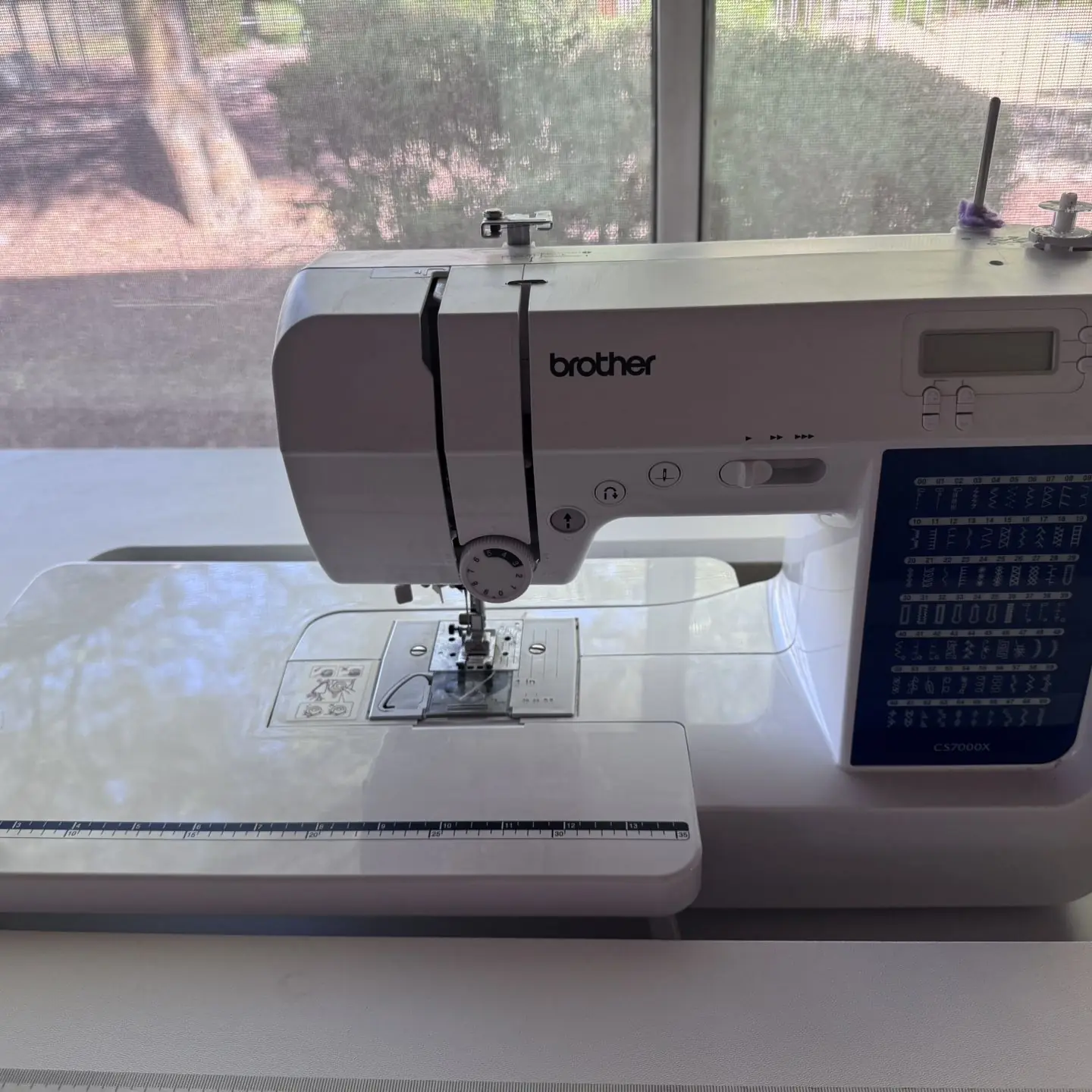

Brother CS7000X Sewing Machine Specifications
| Feature | Specification |
|---|---|
| Model Name | Brother CS7000X |
| Product Code Range | 888-N00/N02/N20/N22/N40/N42/N60 |
| Needle Type | Home sewing machine needles |
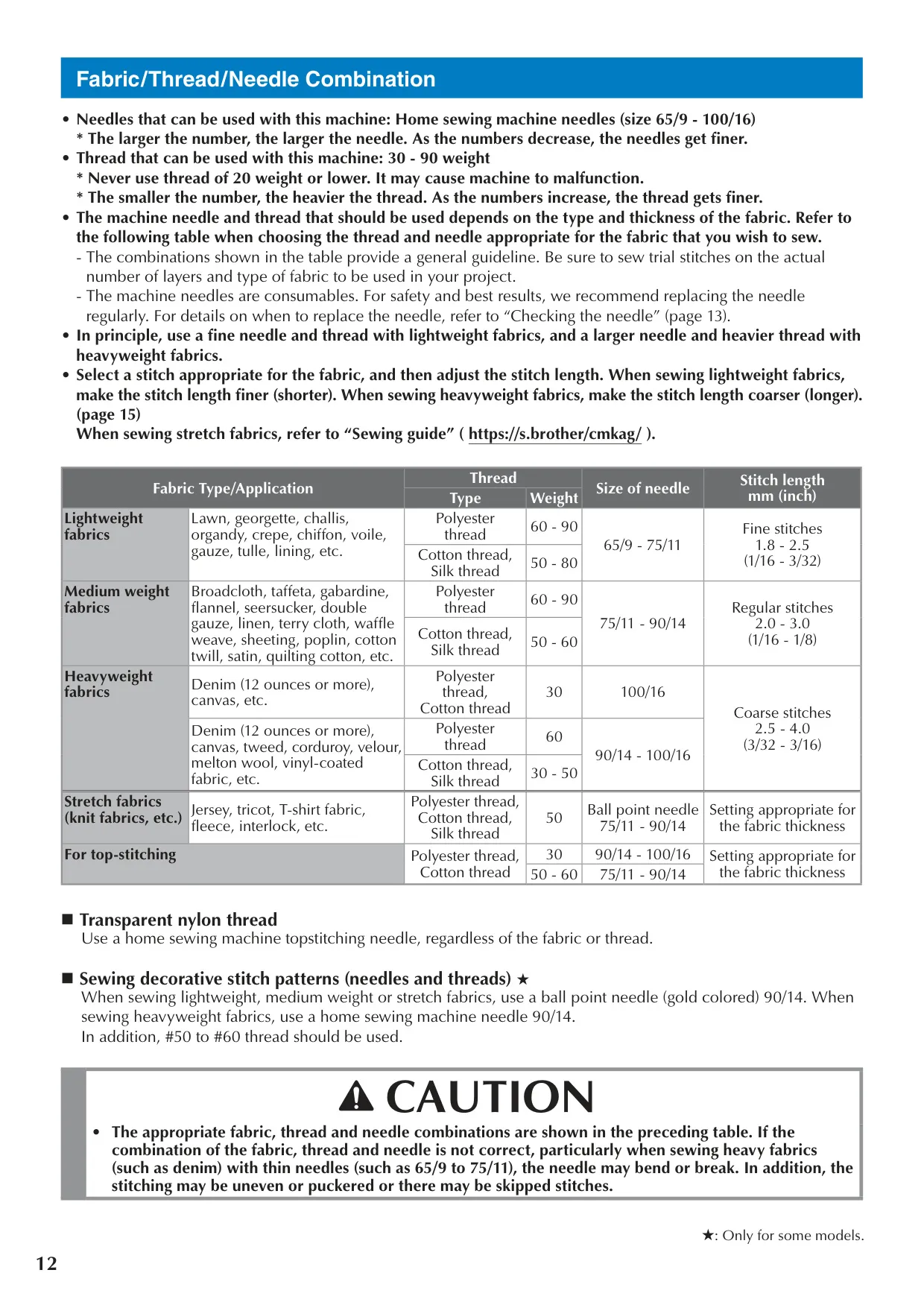
| Needle Sizes | 65/9 - 100/16 |
| Thread Weight Compatibility | 30 - 90 weight (Avoid 20 weight or lower) |
| Bobbin Type | Class 15 (Brother part code SA156, SFB: XA5539-151) |
| Maximum Buttonhole Length | Approximately 28 mm (1-1/8 inches) |
| Stitch Capabilities | Wide range of utility, decorative, satin, and cross stitches; features for models with 35+ stitch patterns |
| Display | LCD (Liquid Crystal Display) for stitch, presser foot, length, width, needle stop, and needle mode |
| Controls | Start/Stop button, Needle Position button, Sewing Speed Controller, Reverse/Reinforcement Stitch button, Stitch Selection keys, Stitch Length keys, Stitch Width keys |
| Special Features | Quick-set bobbin, Needle threader, Automatic reverse/reinforcement stitching, Twin needle mode, Adjustable needle stop position, Adjustable initial needle position, Operation beep on/off, Maximum sewing speed adjustment, Stitch adjustment mode, Feed dog position switch |
| Power Source | AC power (specifics on rating label, approved for country of purchase only) |
| Foot Controller | Model T (for U.S.A. only, compatible with product code range) |
| Maintenance | No user oiling required |
Brother CS7000X Sewing Machine Details
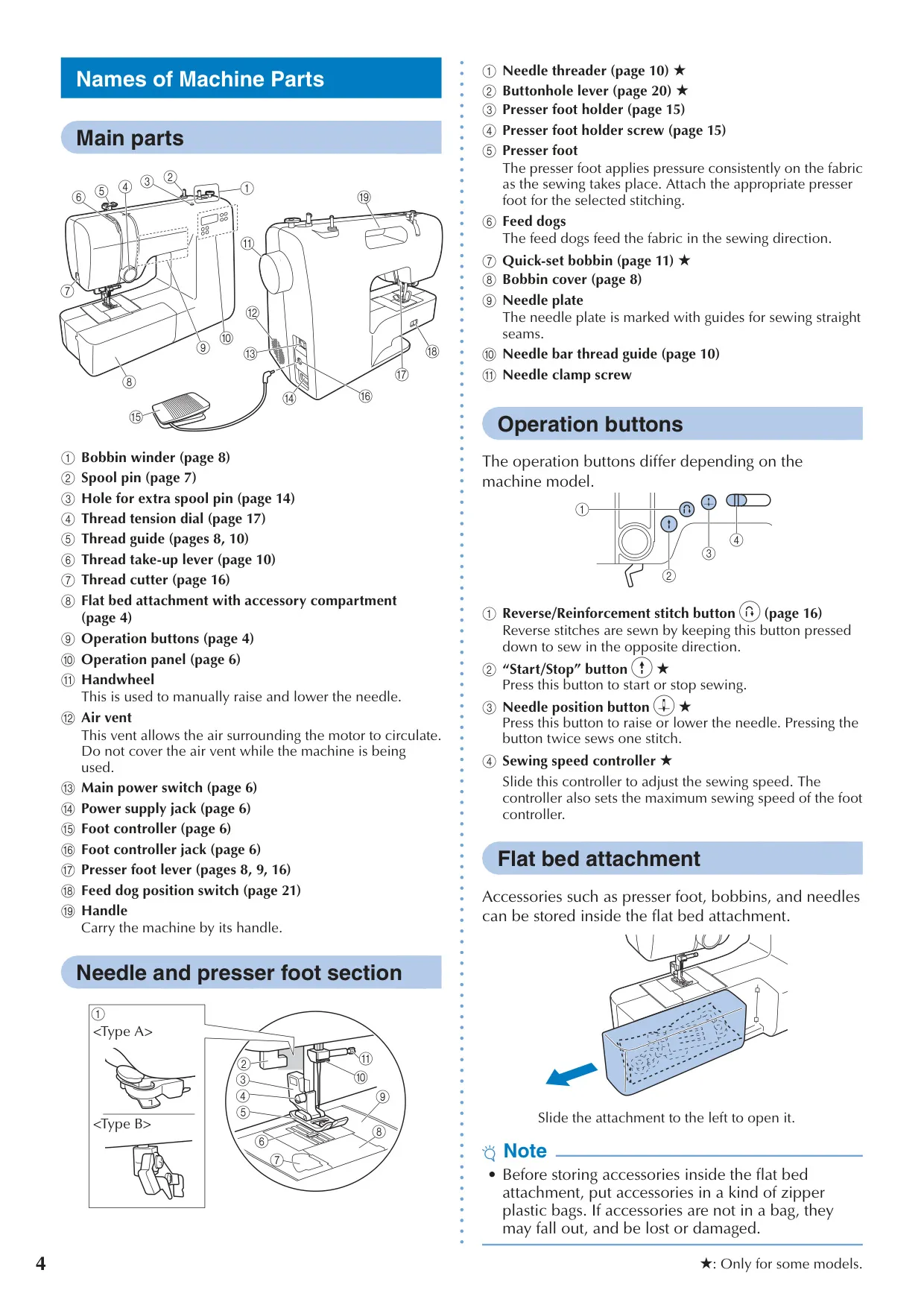
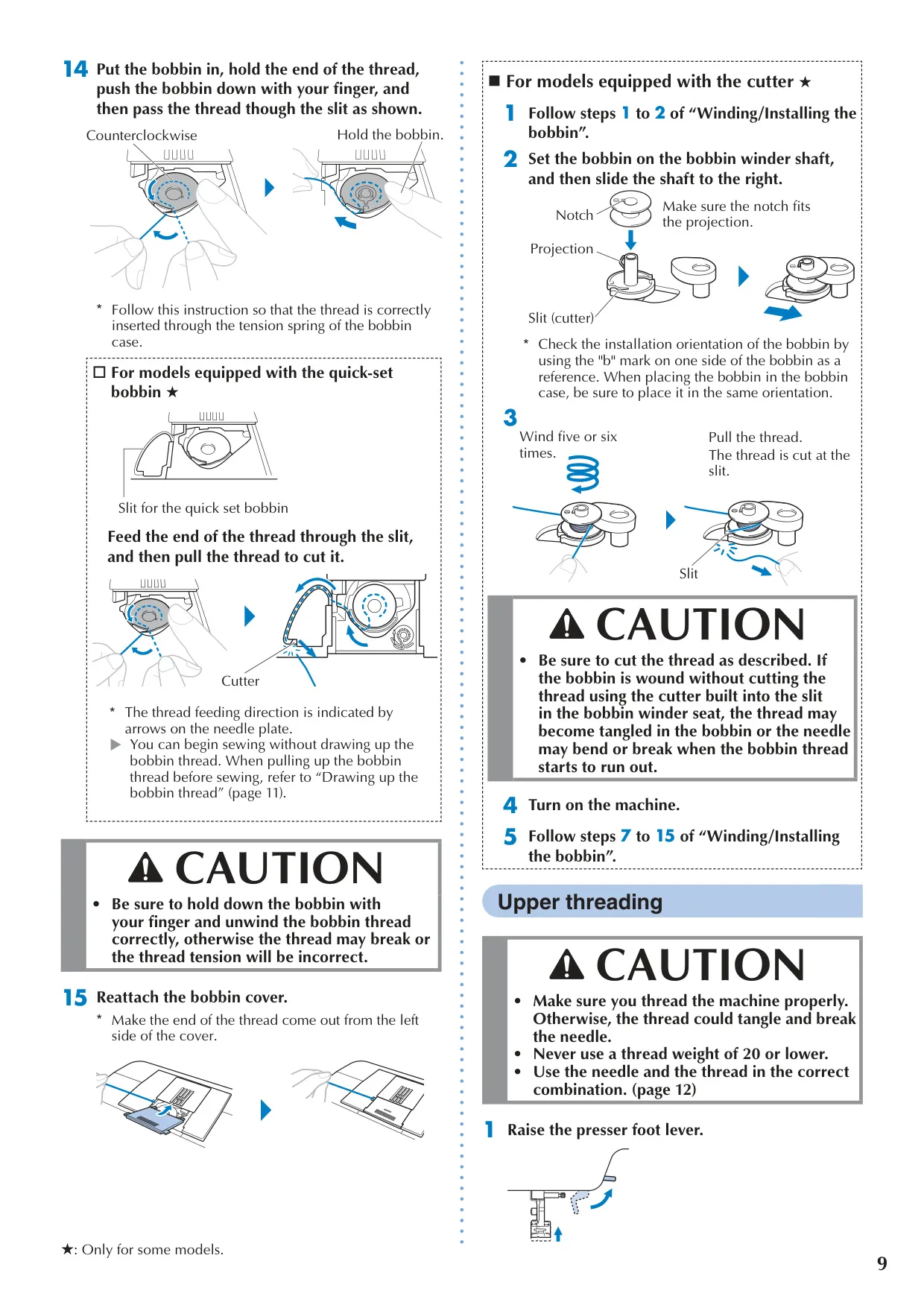
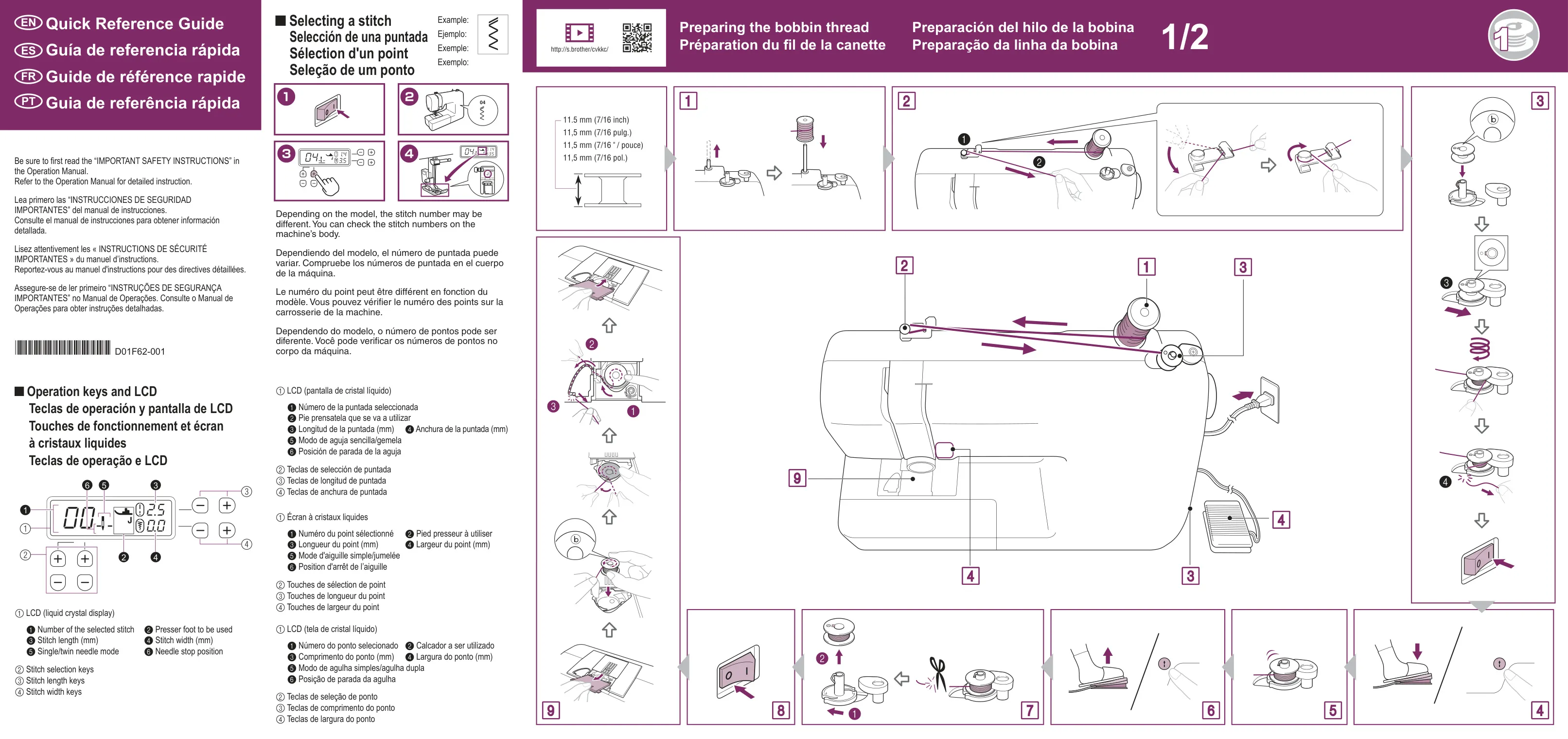
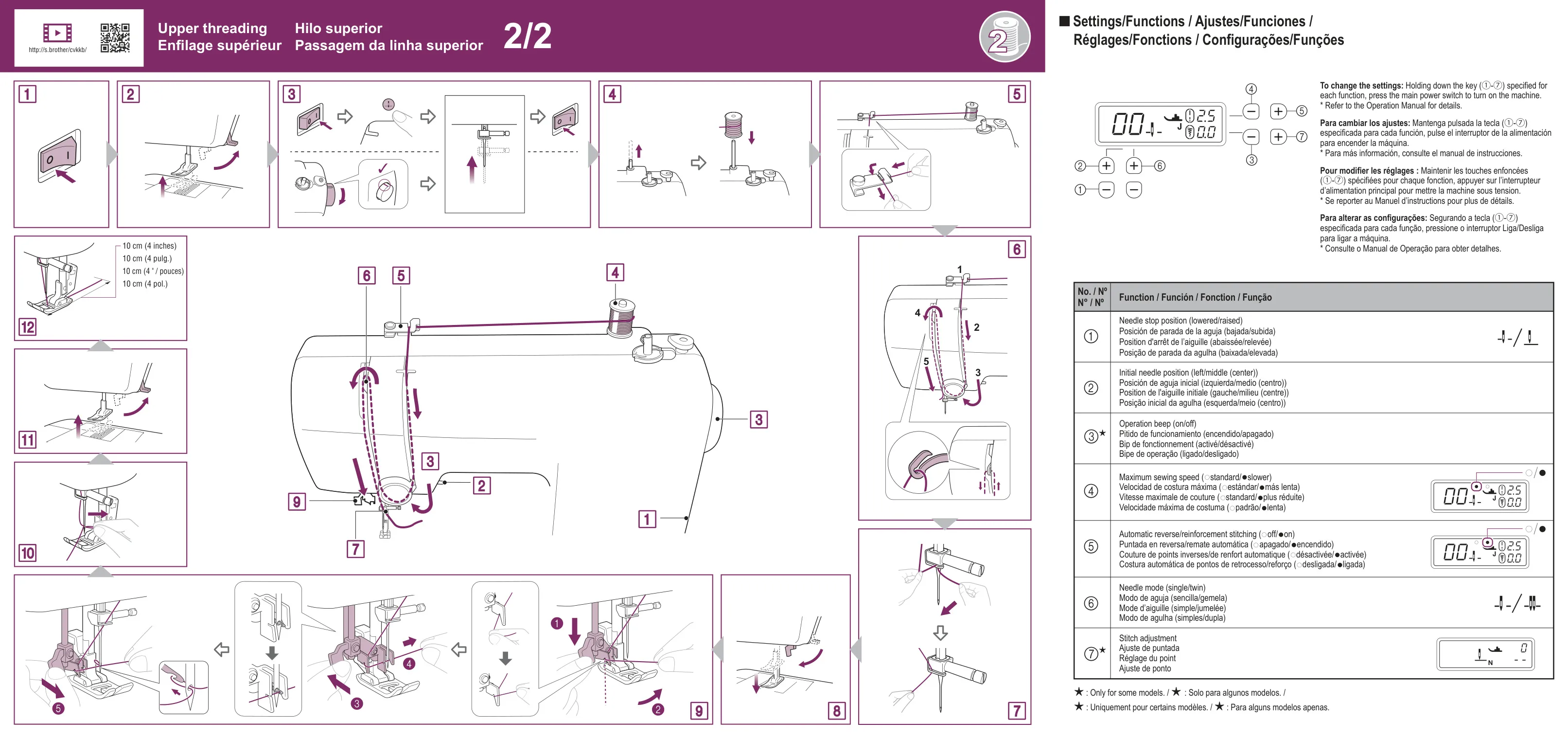
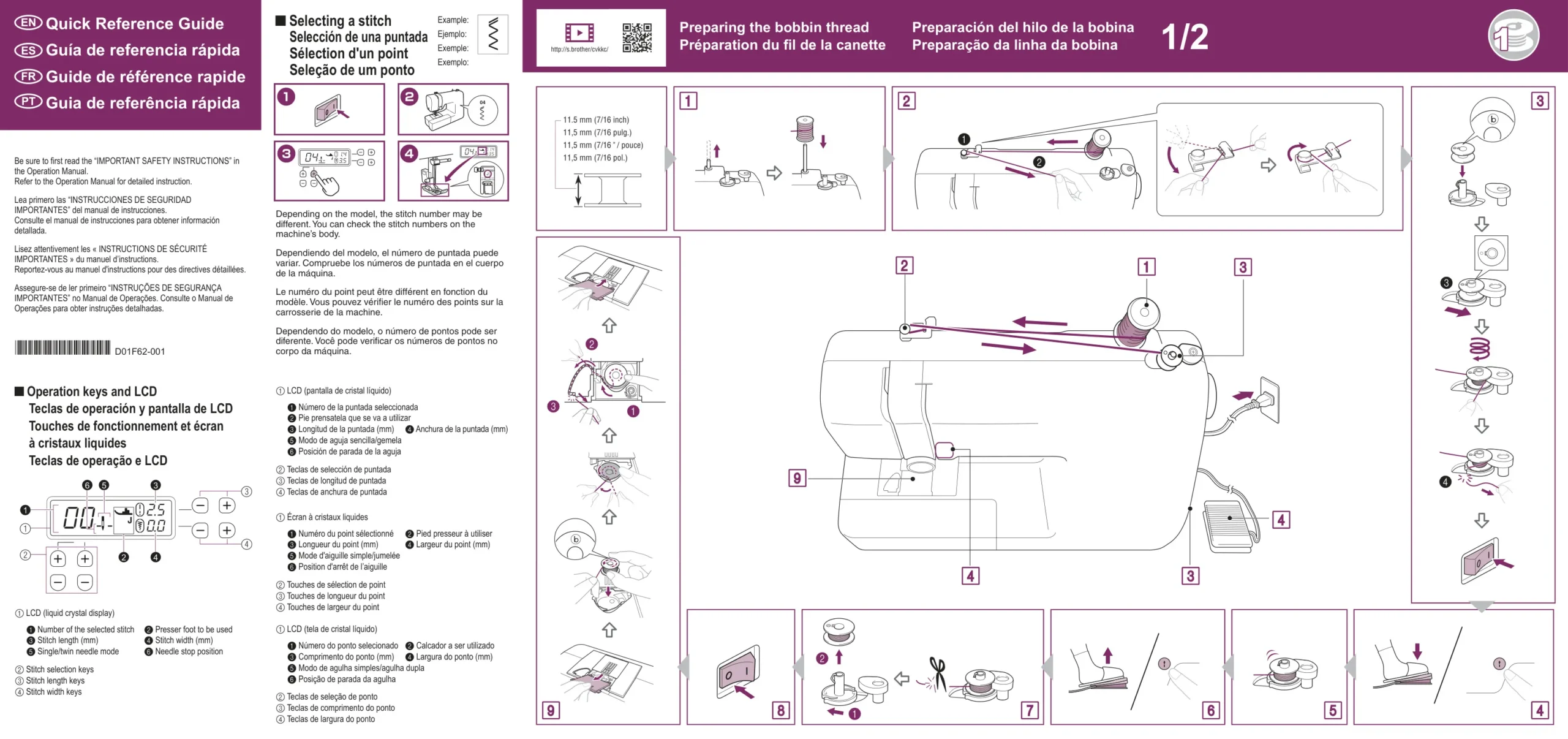
The Brother CS7000X is engineered for seamless operation, prioritizing user convenience throughout the sewing process. Its efficient threading system includes a straightforward bobbin winding and installation procedure, often featuring a quick-set bobbin for rapid setup. Upper threading is guided by clear, numbered paths on the machine, complemented by an automatic needle threader on many models, significantly reducing manual effort and potential eye strain during preparation.
Achieving optimal stitch quality with the CS7000X is dependent on precise material selection. The manual provides detailed guidance on matching fabric types (from delicate chiffon to heavy denim) with appropriate needle sizes and thread weights. Regular inspection and replacement of needles are crucial; bent or dull needles can compromise stitch formation, lead to skipped stitches, or even cause thread breakage, underscoring the importance of this safety and performance practice.
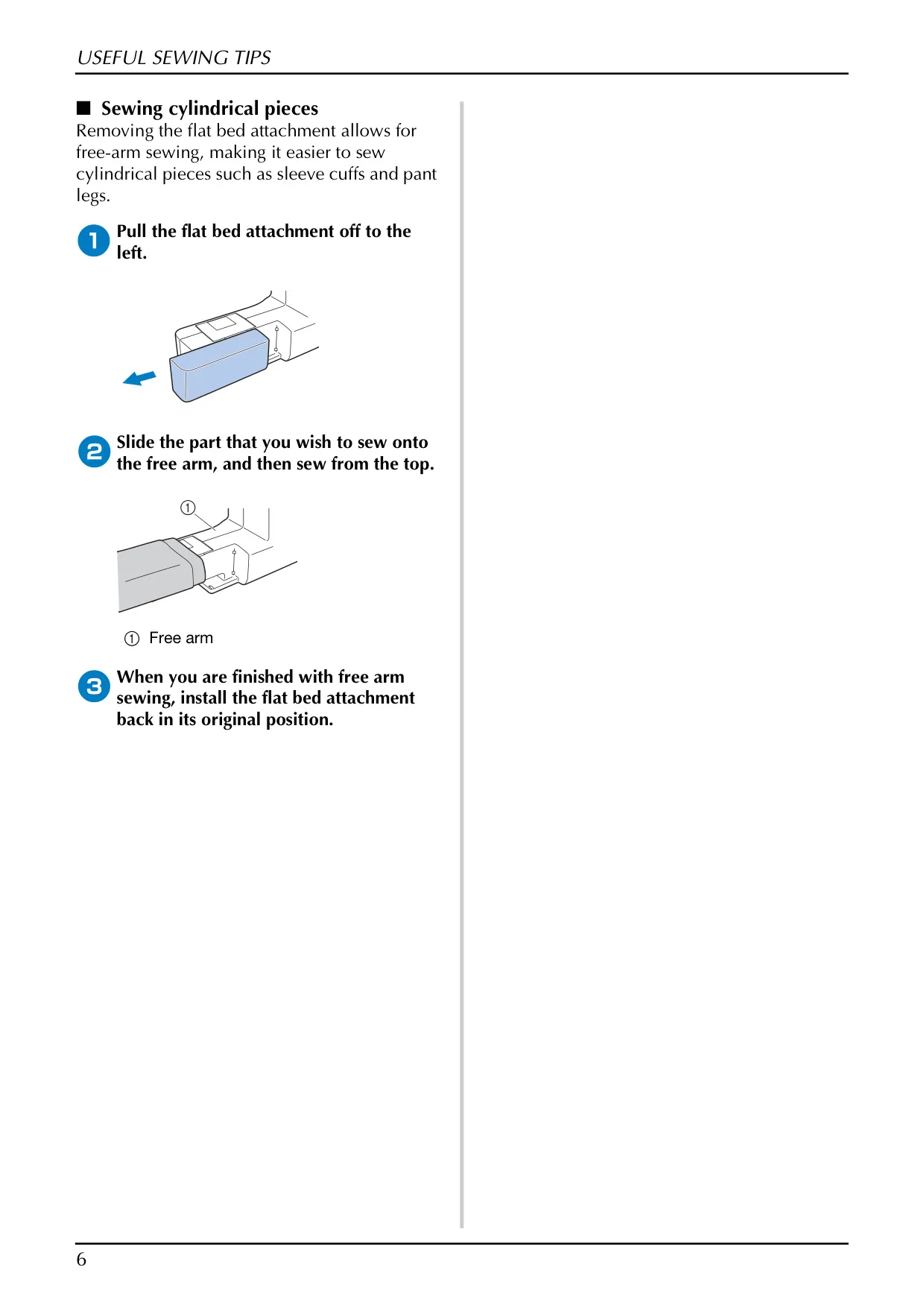
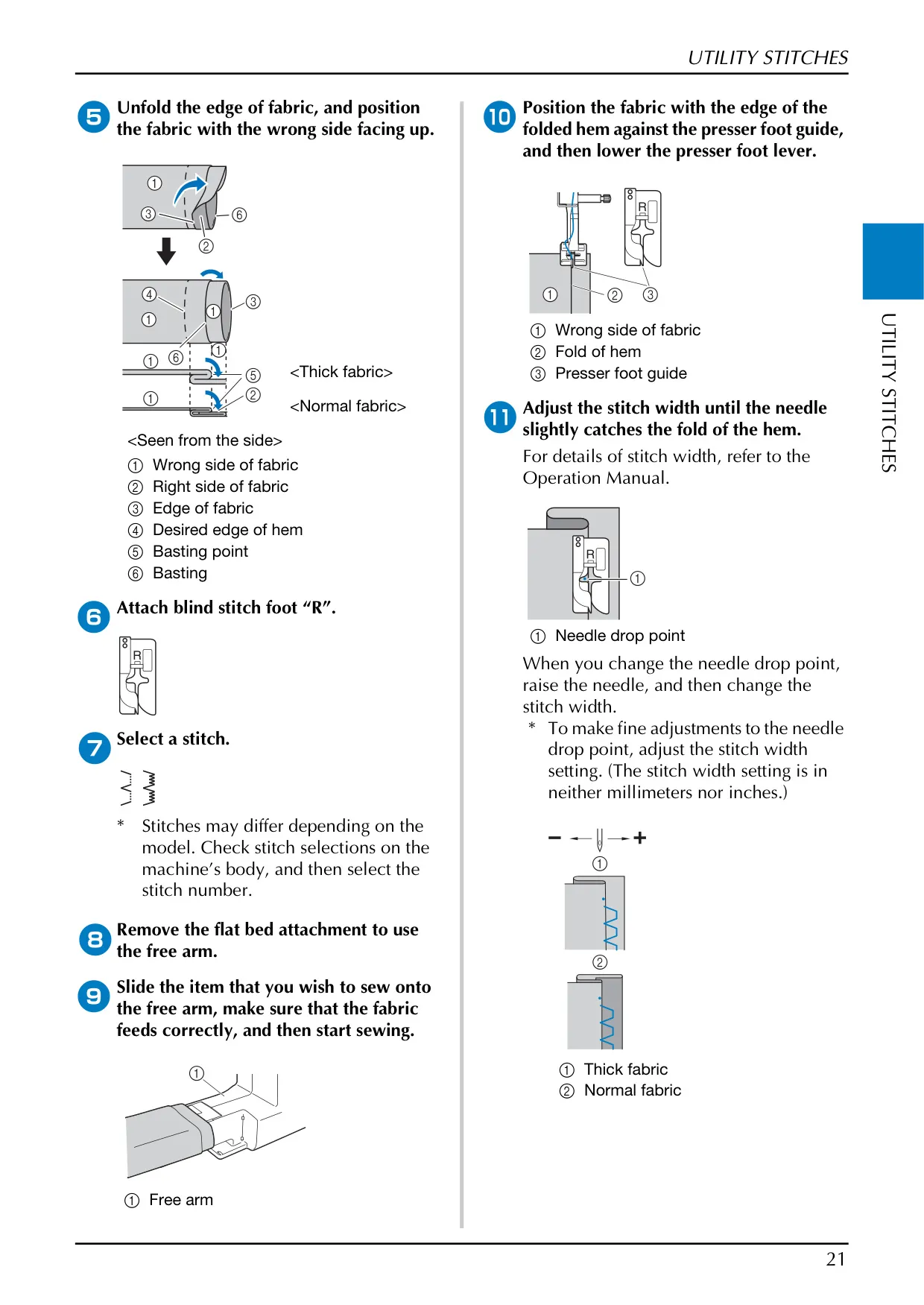
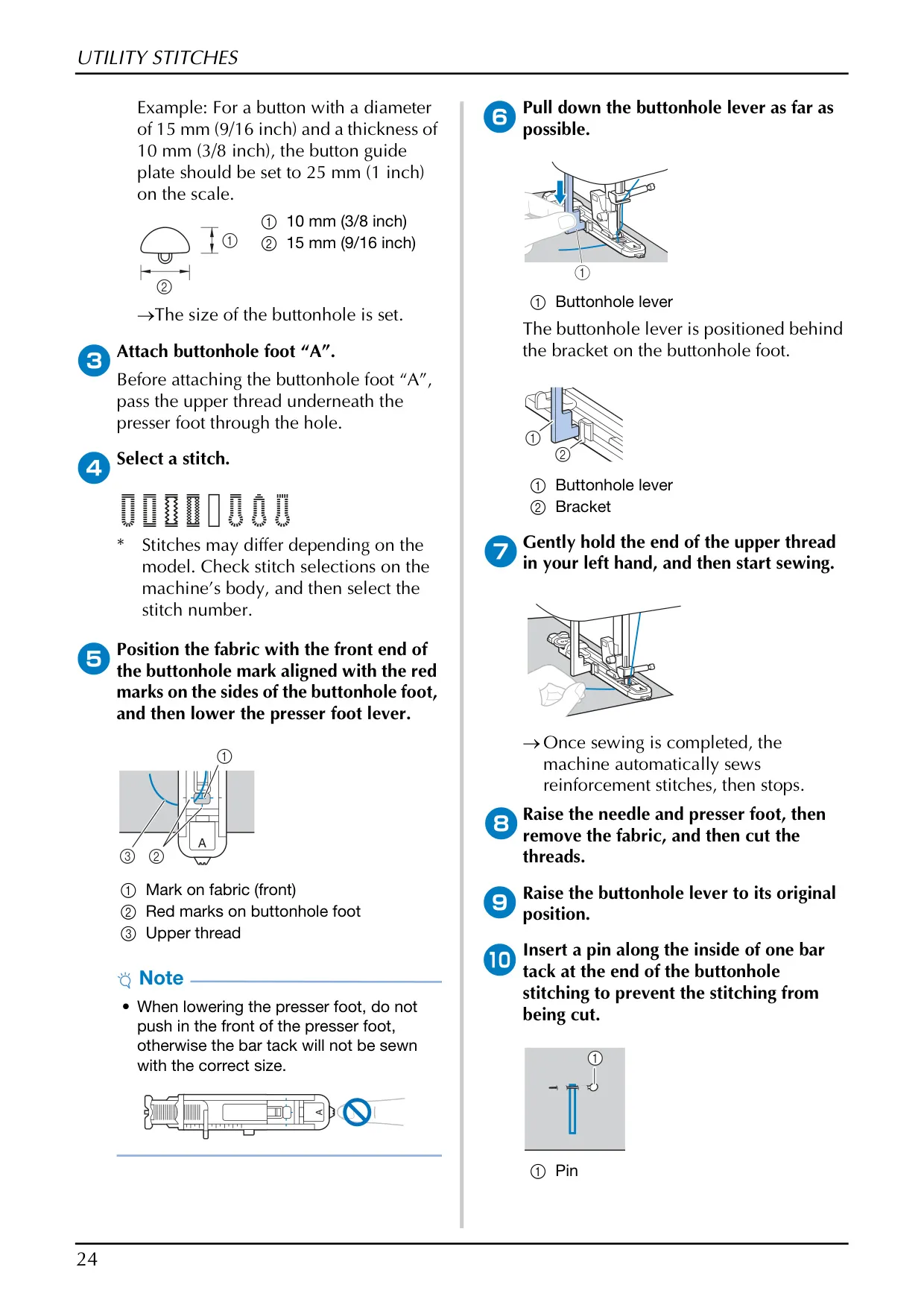
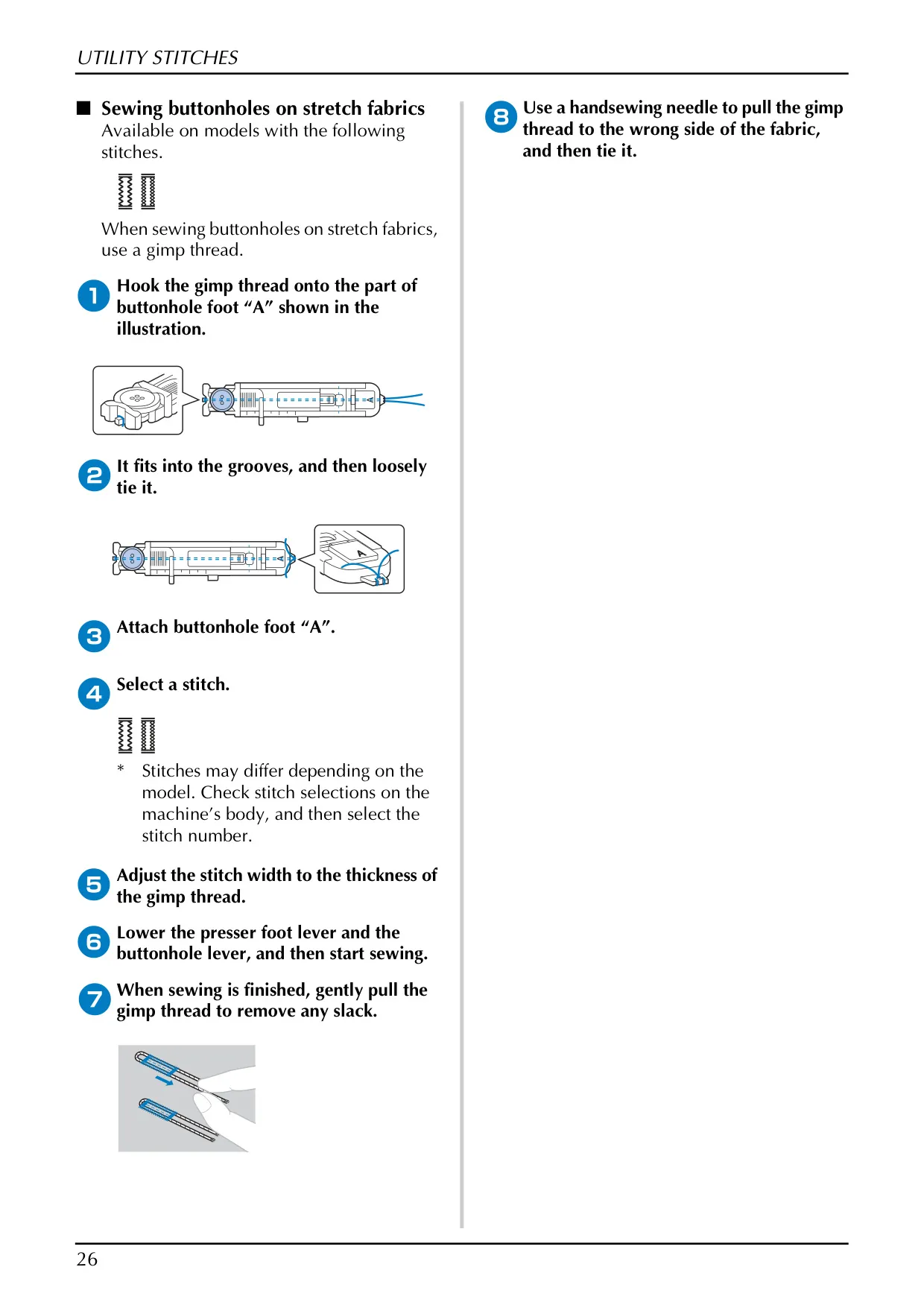
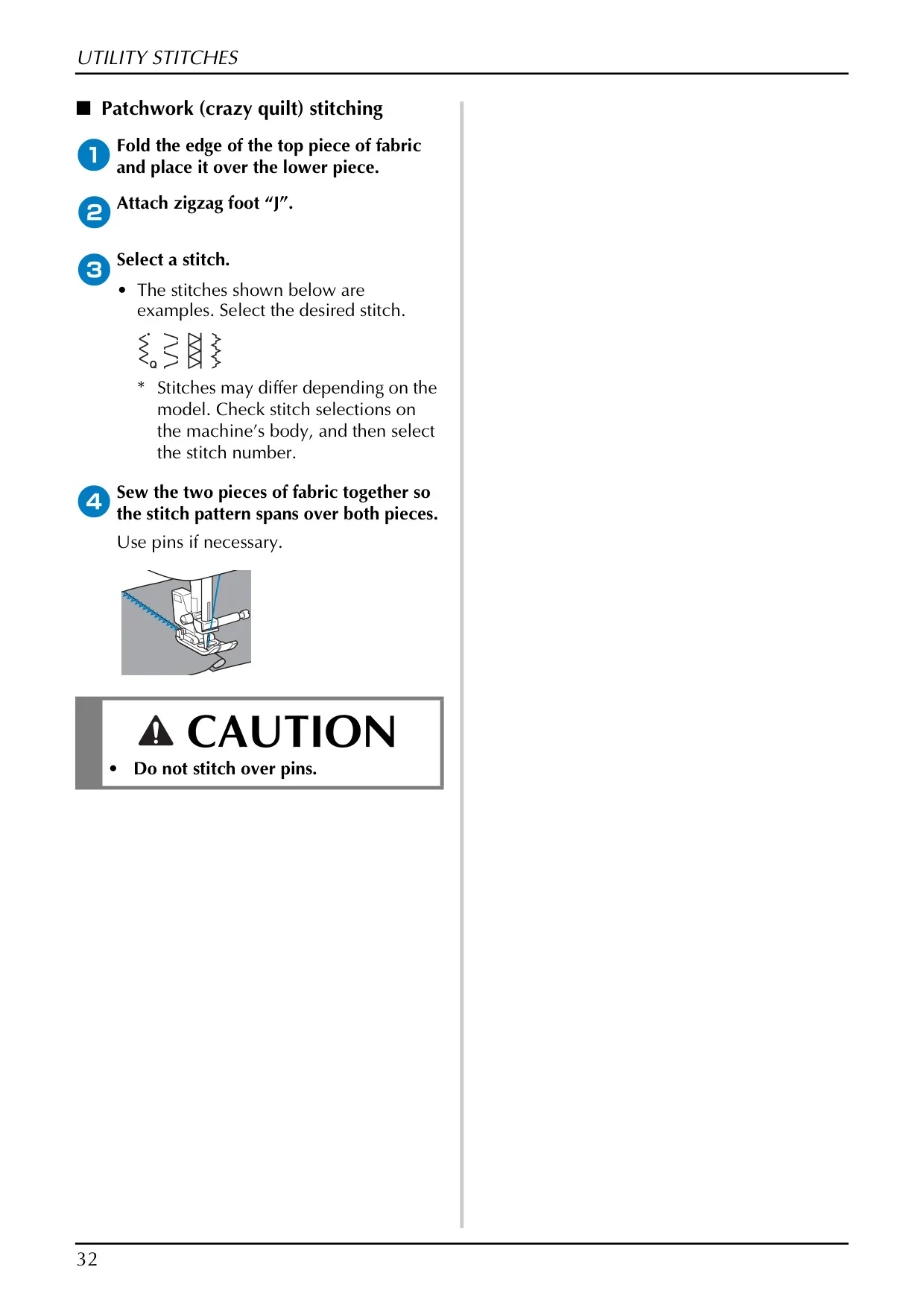
The CS7000X offers a versatile array of utility stitches, enhancing its functionality for various projects. These include overcasting stitches to prevent fabric edges from fraying and blind hem stitching for discreet finishes on garments like skirts and pants. The integrated free arm facilitates sewing cylindrical items, providing necessary maneuverability. Furthermore, the machine supports precise buttonhole creation up to 28 mm, with specific techniques for stretch fabrics using gimp thread.
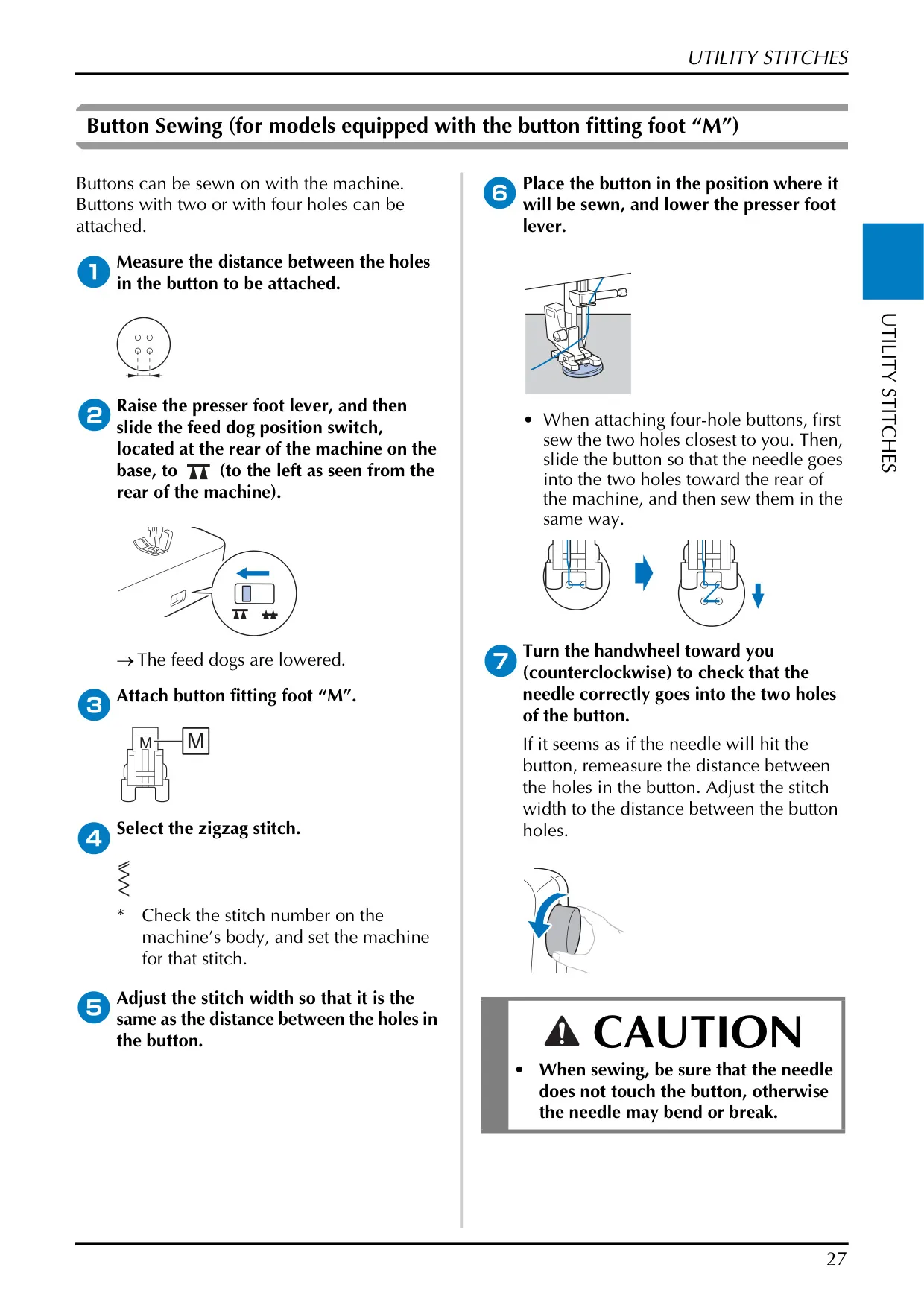
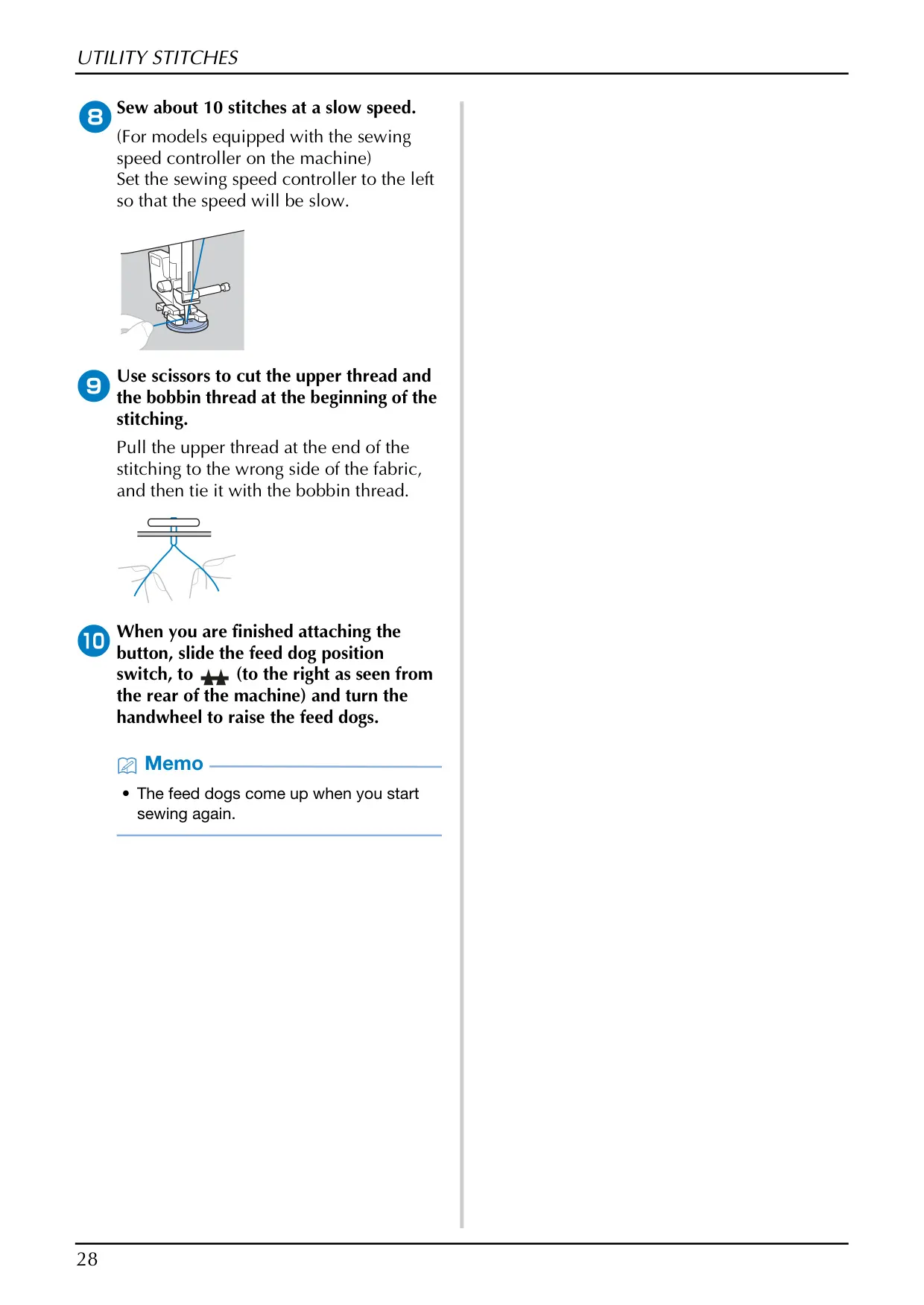
Specialized sewing tasks are capably handled by the CS7000X. It includes dedicated functions for attaching both two- and four-hole buttons, often utilizing a specialized button fitting foot that allows for the temporary lowering of the feed dogs for stability. Zipper insertion is also simplified through clear, step-by-step instructions for achieving centered zippers, ensuring a neat and professional appearance on finished items, thereby expanding the machine's utility for garment construction.
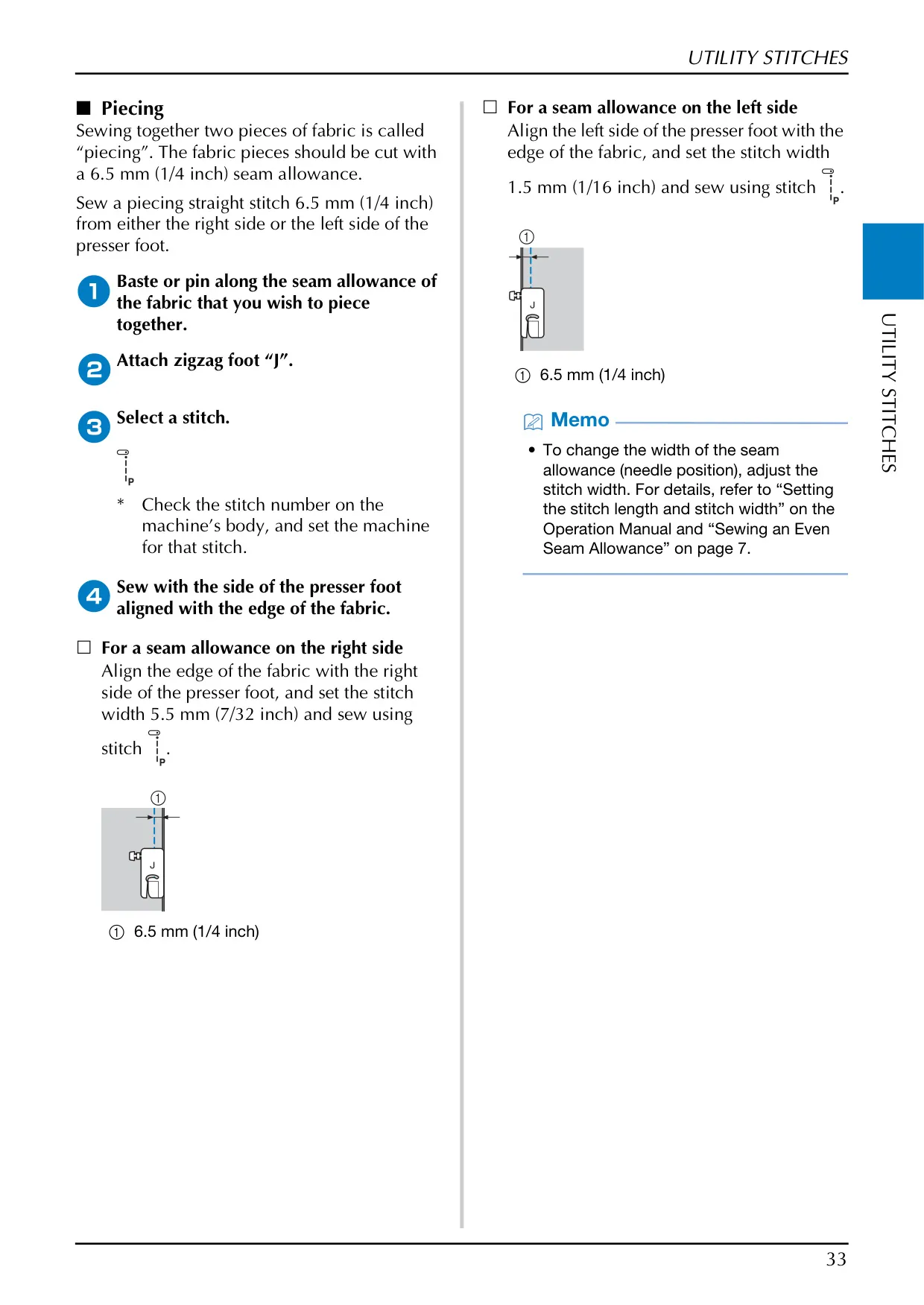
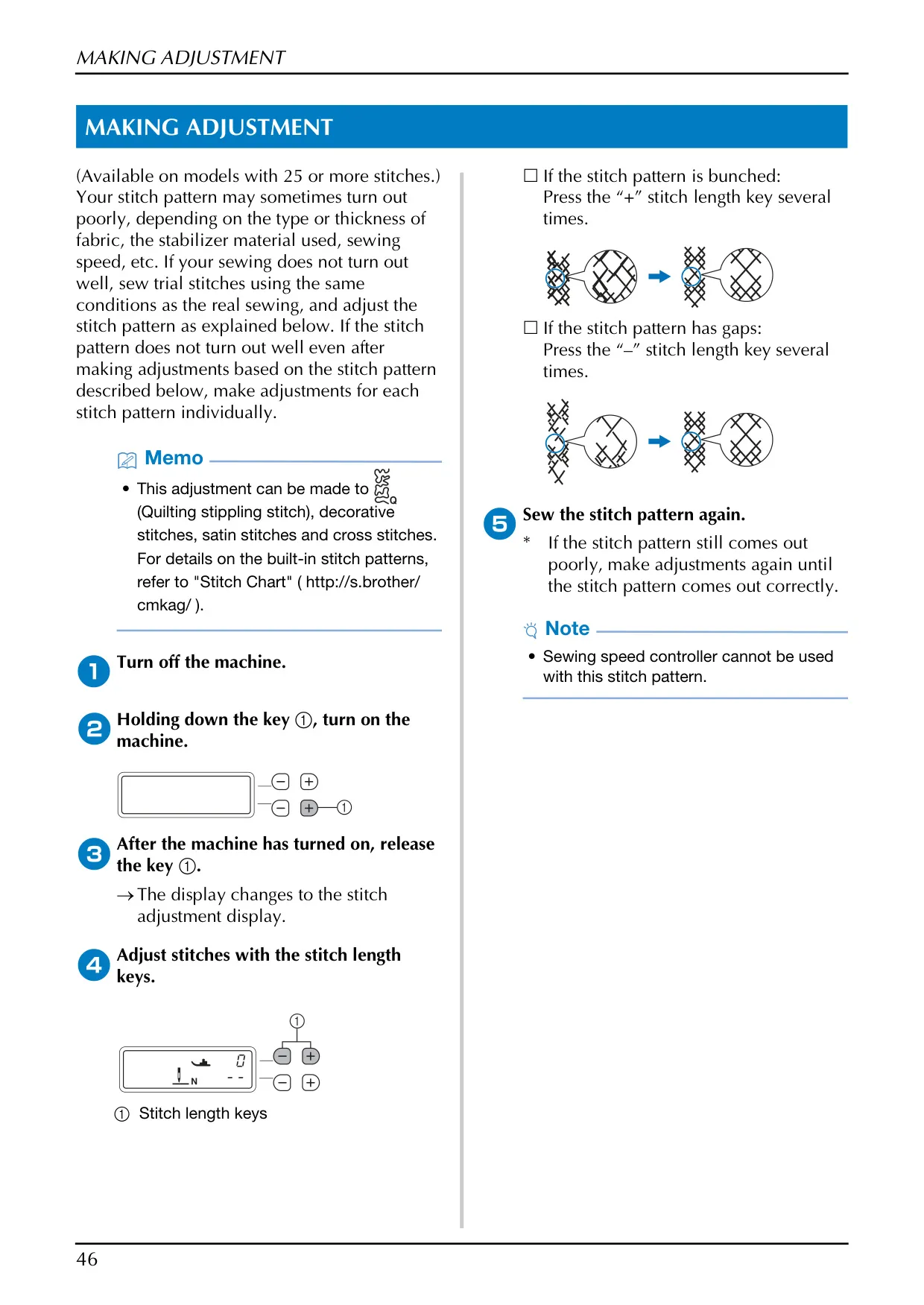
User experience with the CS7000X is further enhanced by its customization and troubleshooting capabilities. Stitch adjustment mode allows users to fine-tune patterns like quilting stippling, decorative, satin, and cross stitches to correct issues such as bunching or gapping, ensuring superior results on diverse fabrics. Maintenance is user-friendly, covering routine cleaning of the machine surface and the critical bobbin race, with the explicit instruction that no user oiling is required, simplifying long-term care.
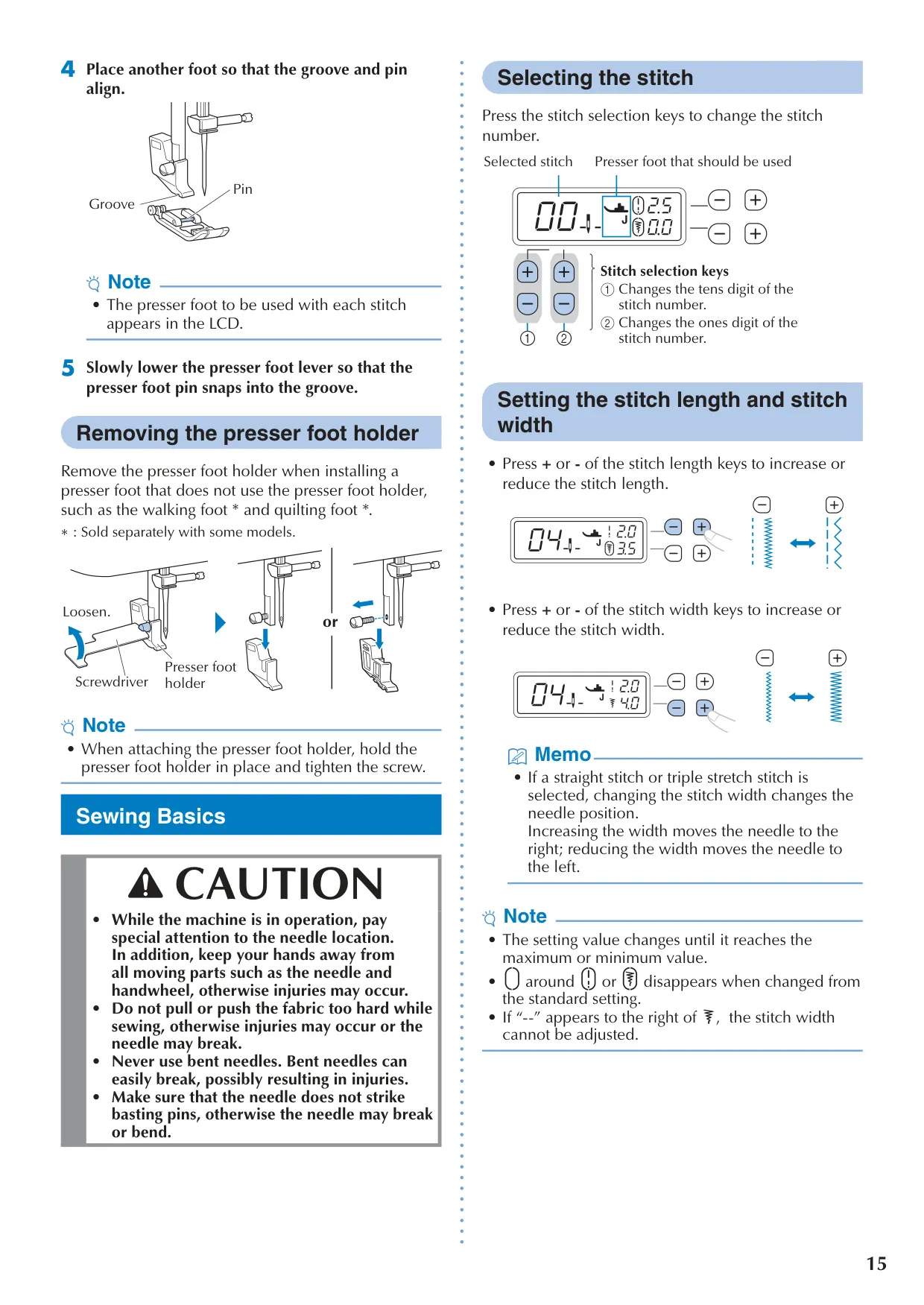
The machine's LCD provides essential visual feedback, displaying the selected stitch, recommended presser foot, stitch length, and width. Operational control is intuitive, featuring a "Start/Stop" button, needle position adjustment, and a sewing speed controller for precise handling. Auditory cues, such as single or multiple beeps, alert users to correct operations, setting changes, or potential errors, acting as an important feedback mechanism for smooth and safe use.
For common operational issues, the comprehensive troubleshooting guide in the manual is an invaluable resource. It addresses problems like tangled threads, incorrect tension, or fabric becoming lodged, offering clear steps for self-resolution. For more complex issues or additional support, Brother directs users to its online support website, which provides an extensive collection of sewing guides, stitch charts, and video tutorials, ensuring comprehensive assistance for all skill levels.
Frequently Asked Questions (FAQs)
Can't find the answer you need? Here are some frequently asked questions about the Brother CS7000X Sewing Machine, and we answer them below.