Brother CE1100PRW Sewing Machine Instruction Manual
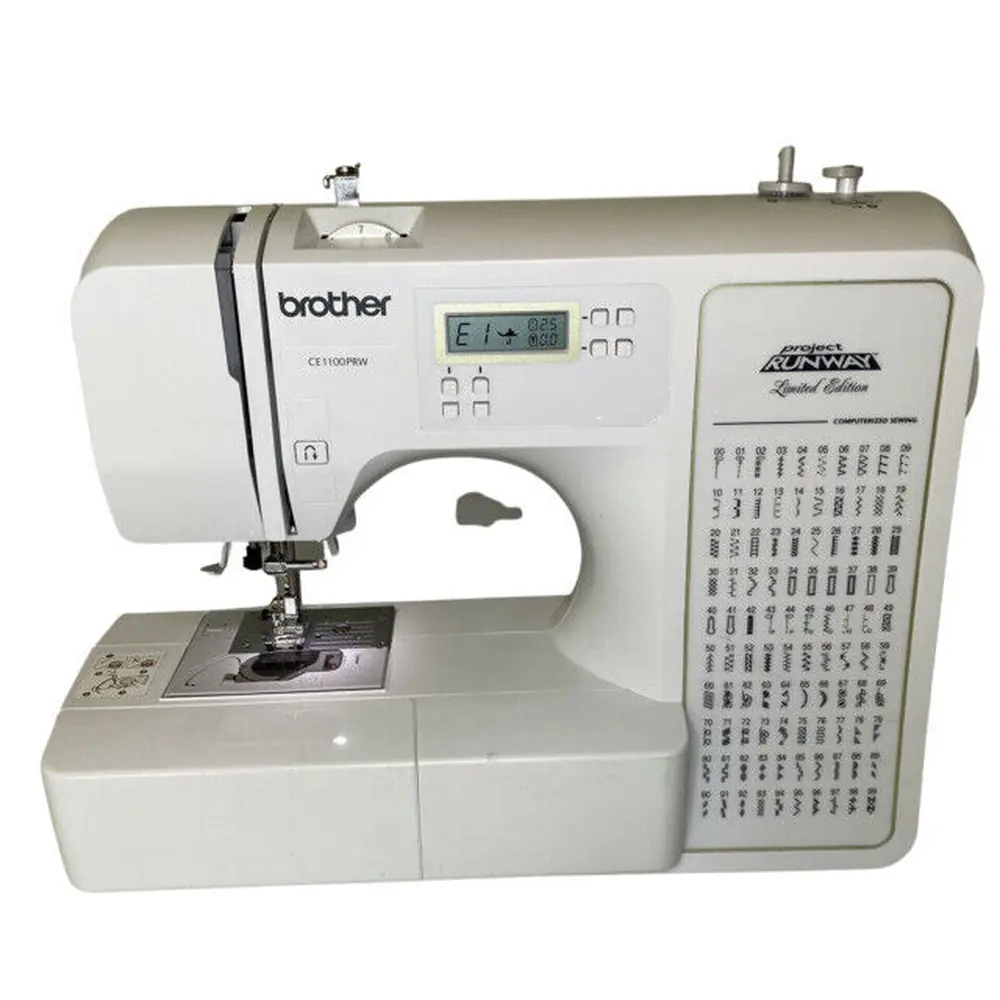
Brother CE1100PRW Sewing Machine
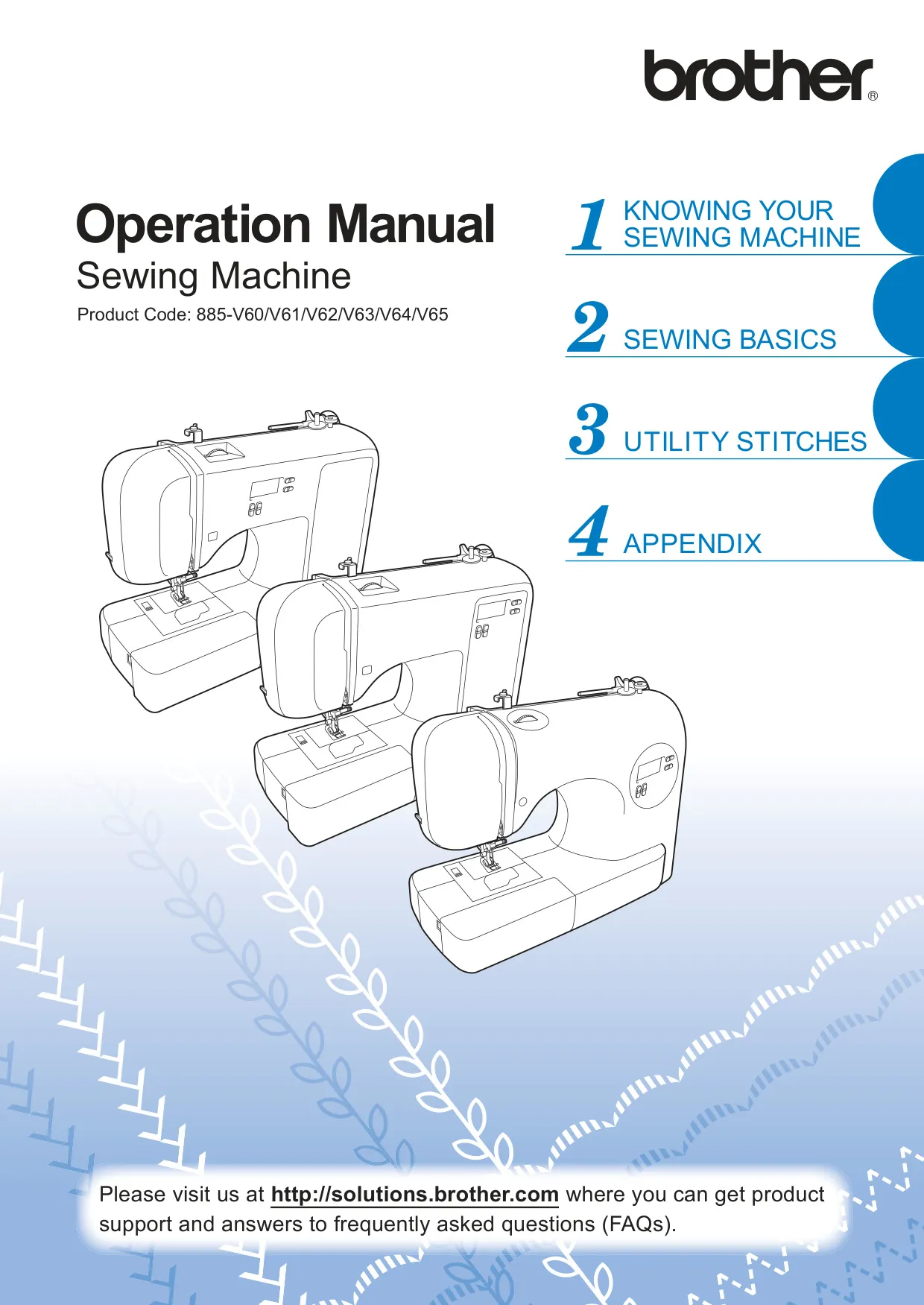

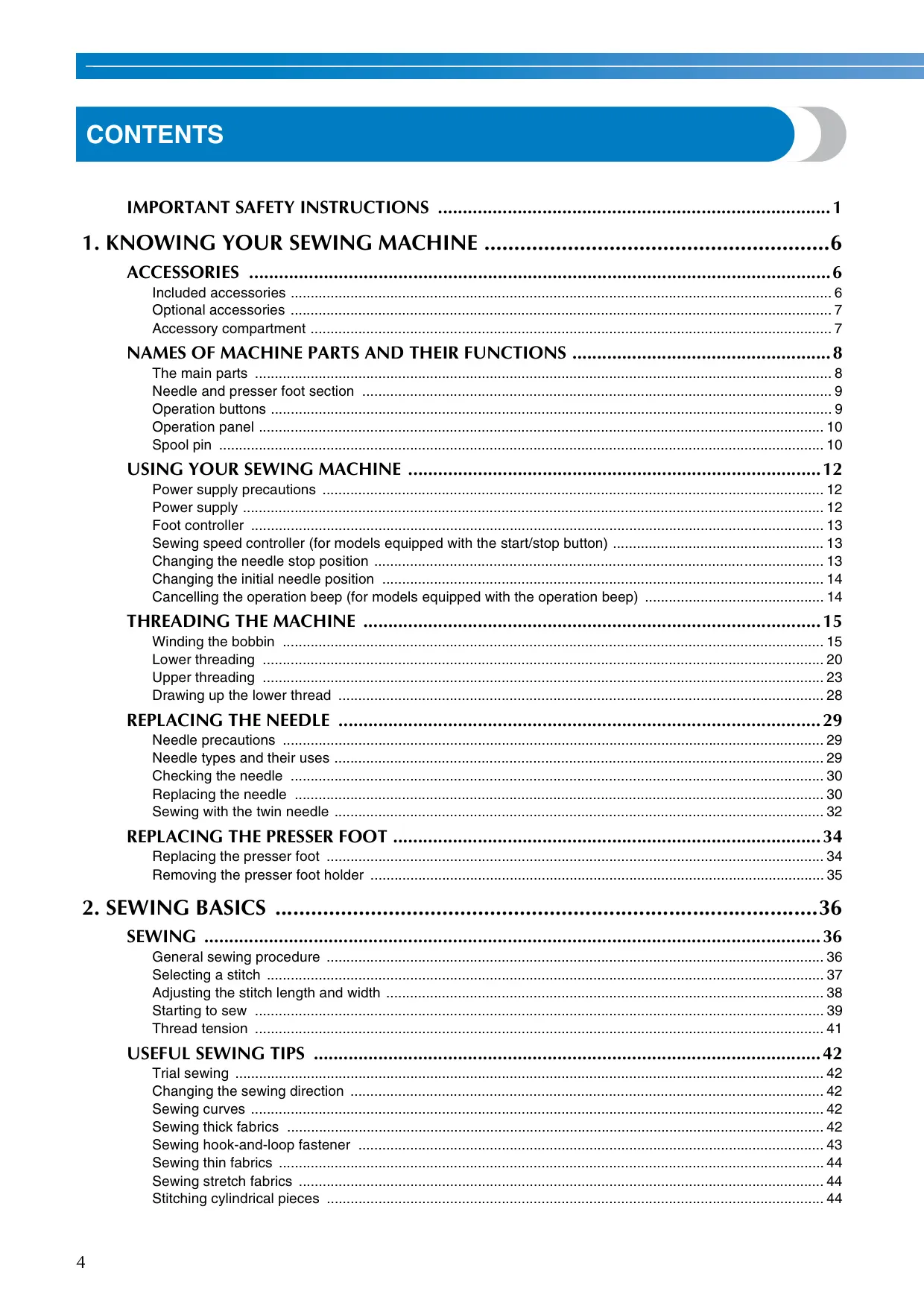
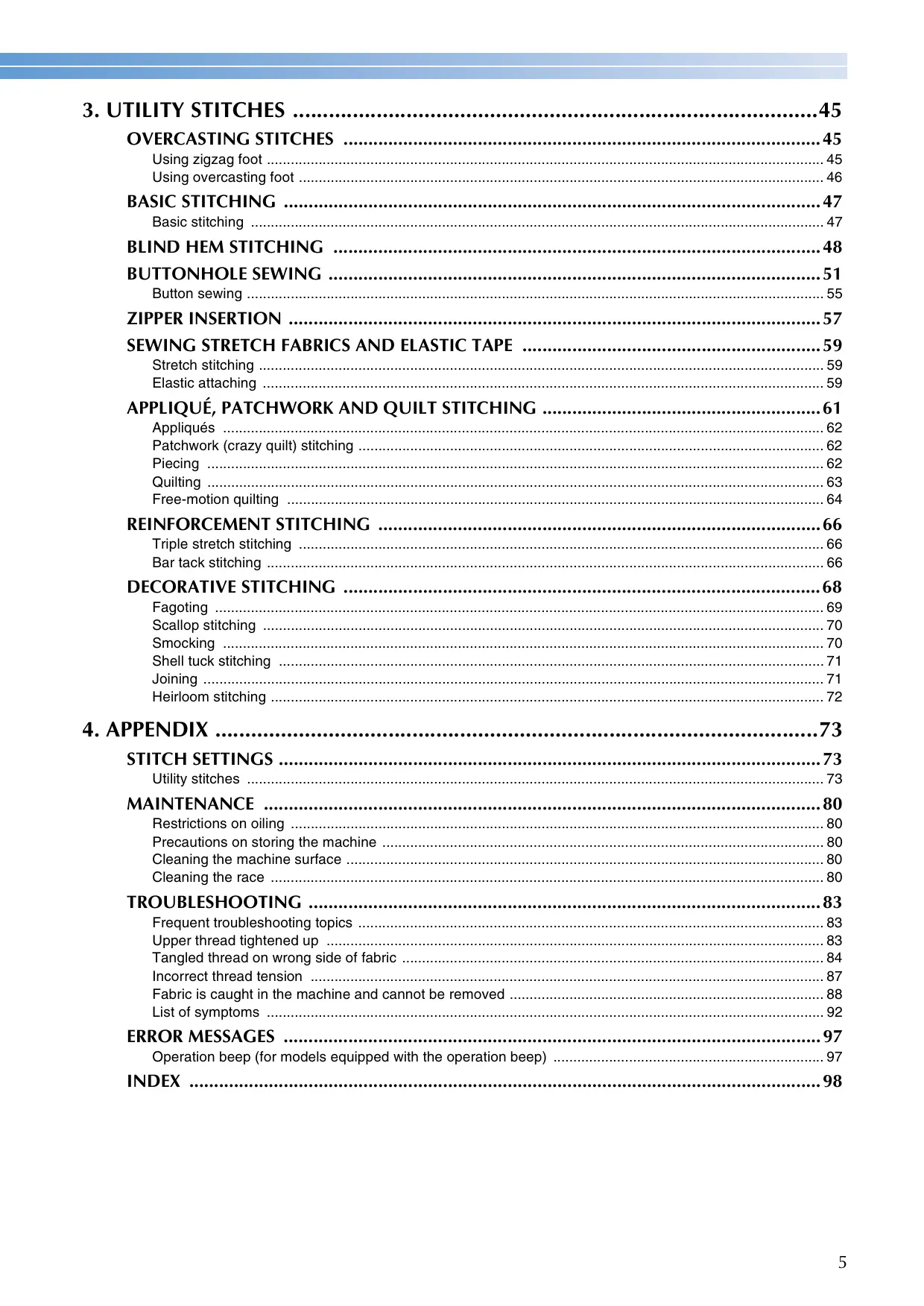








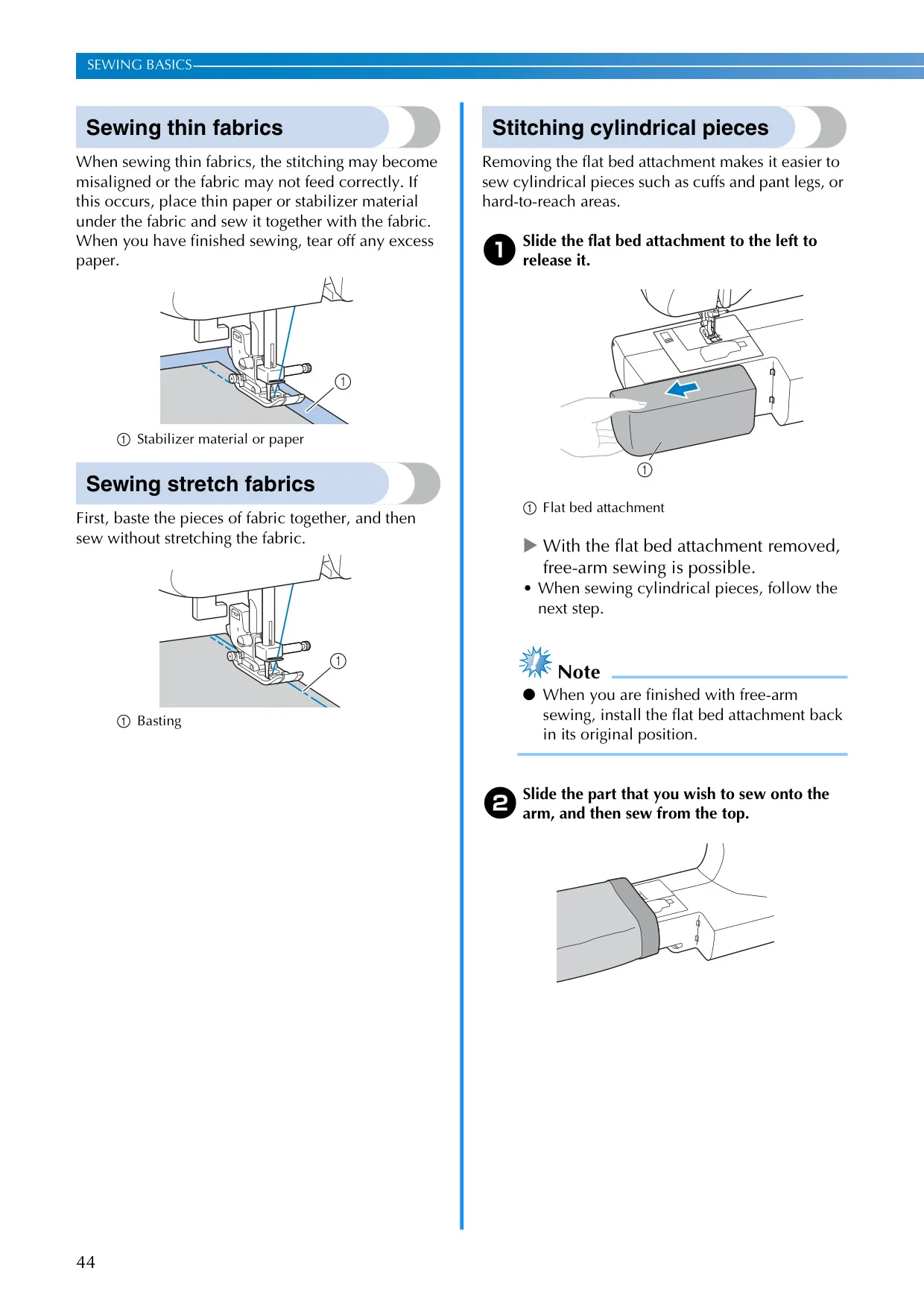
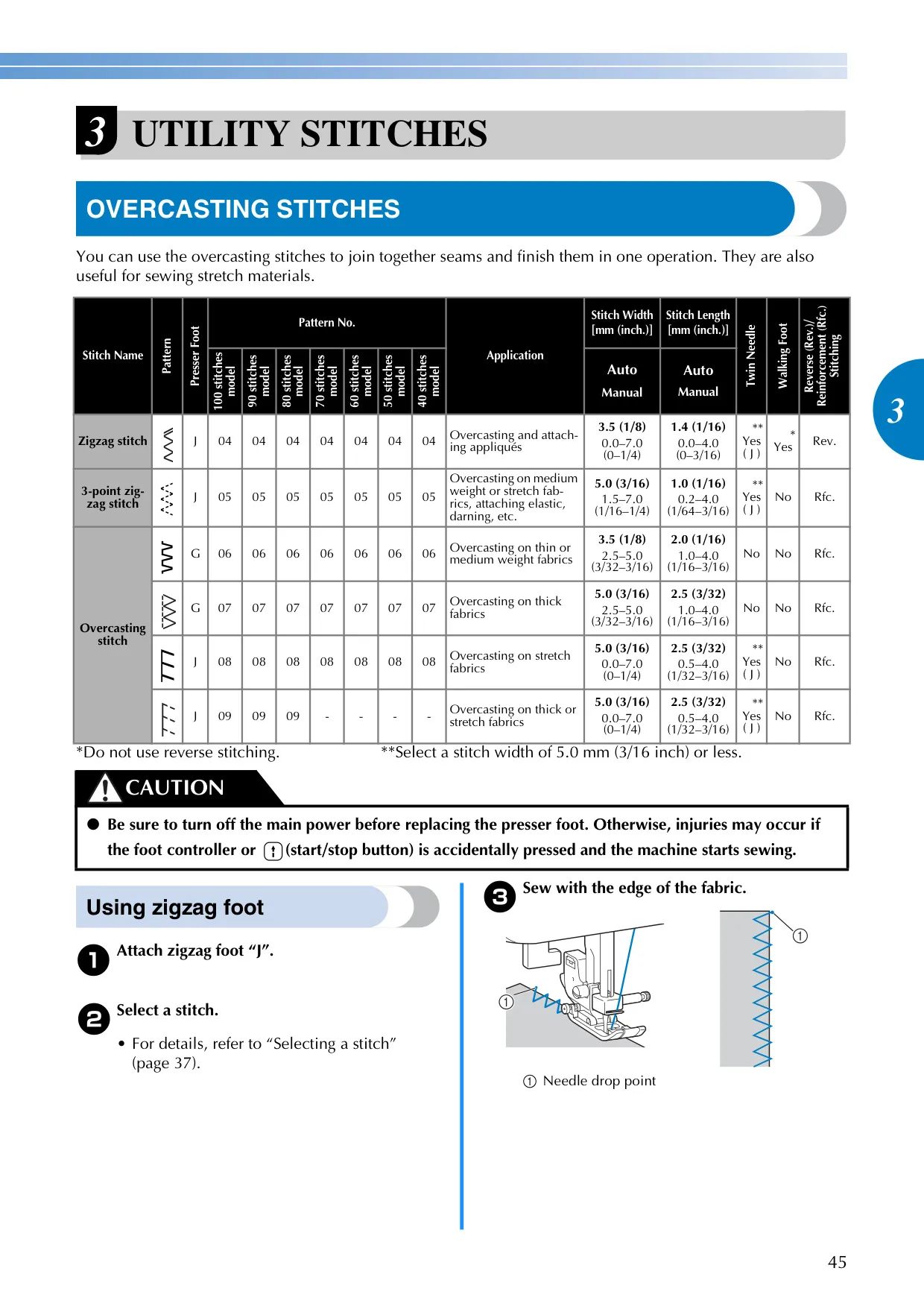
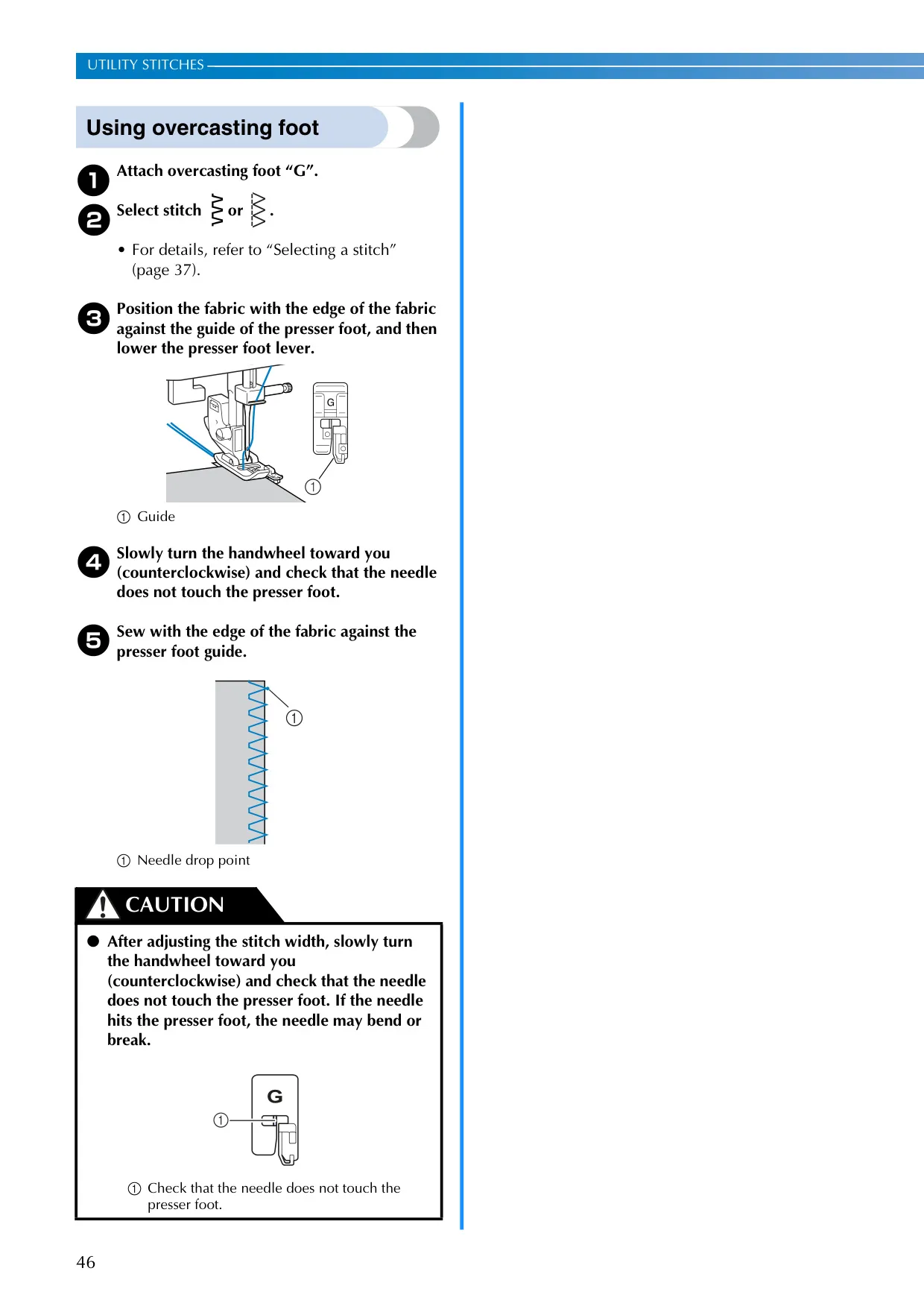
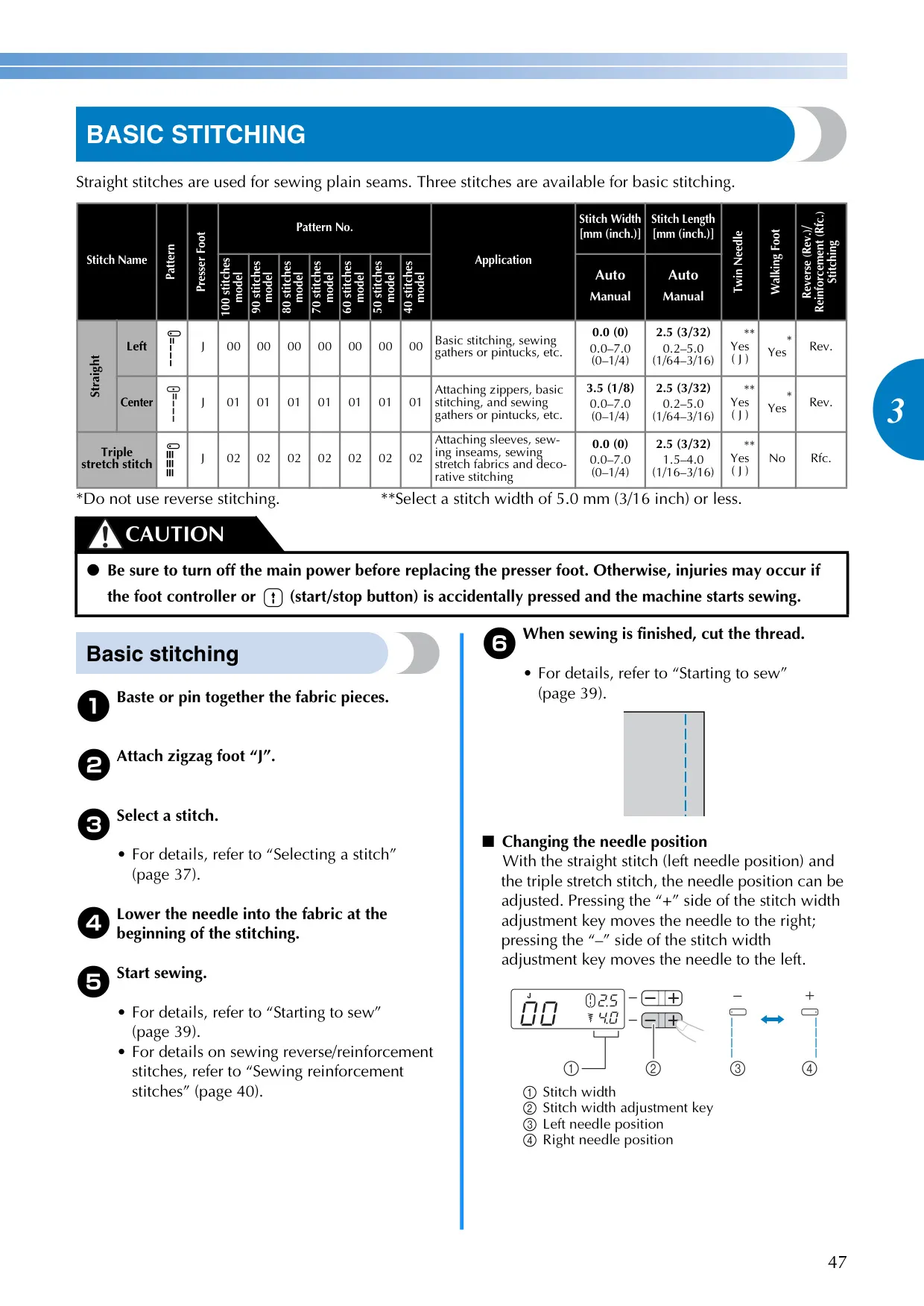








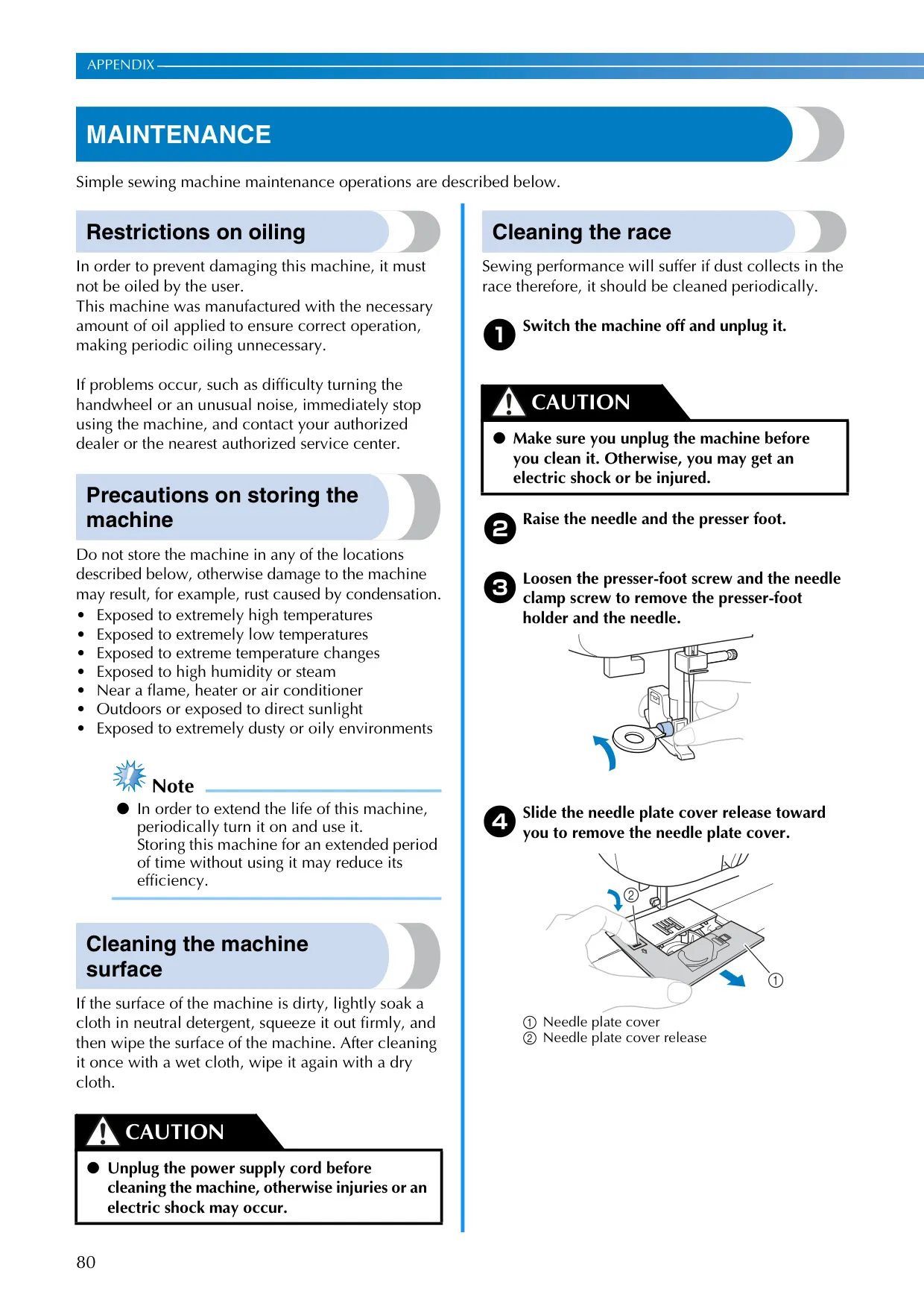
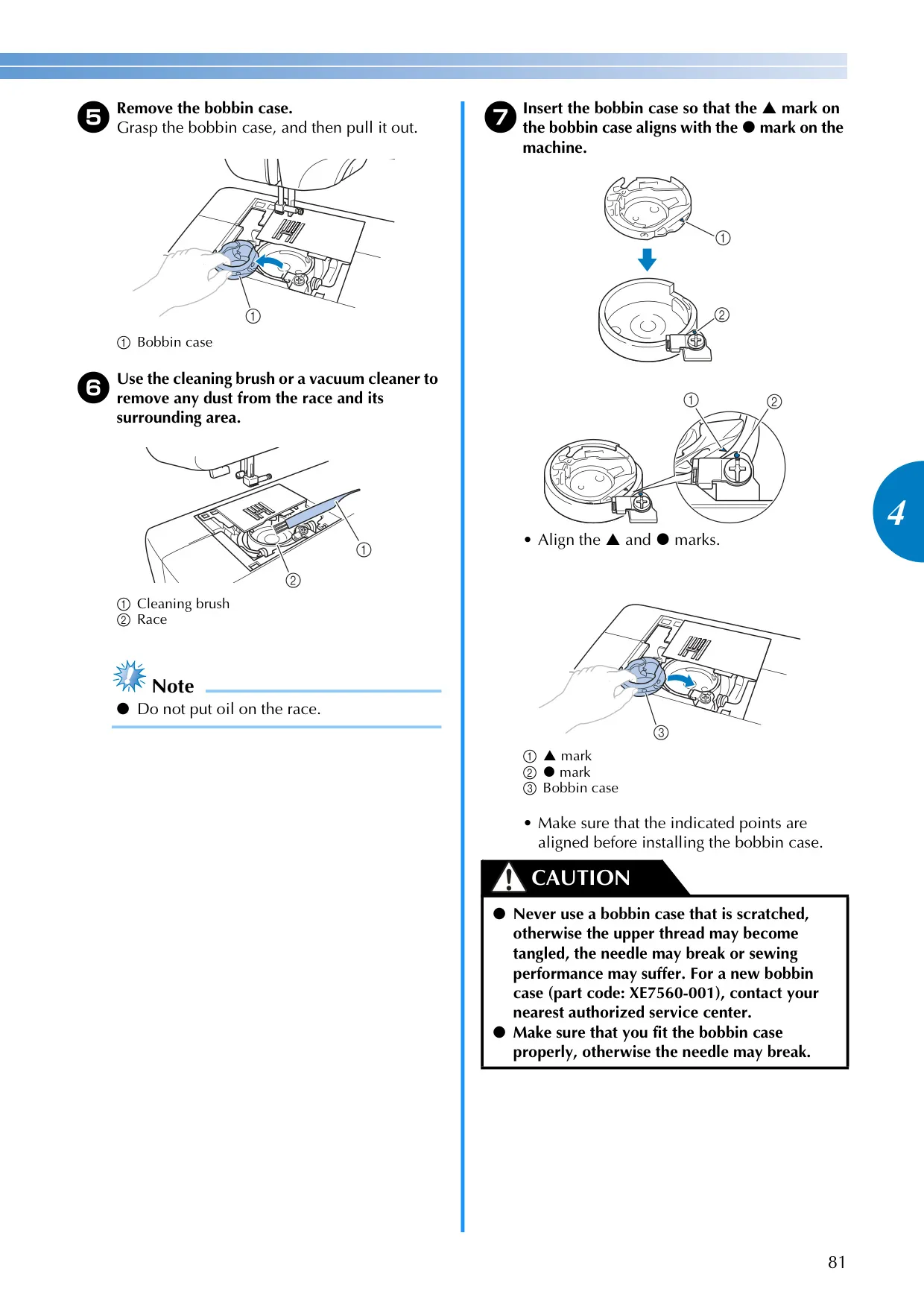
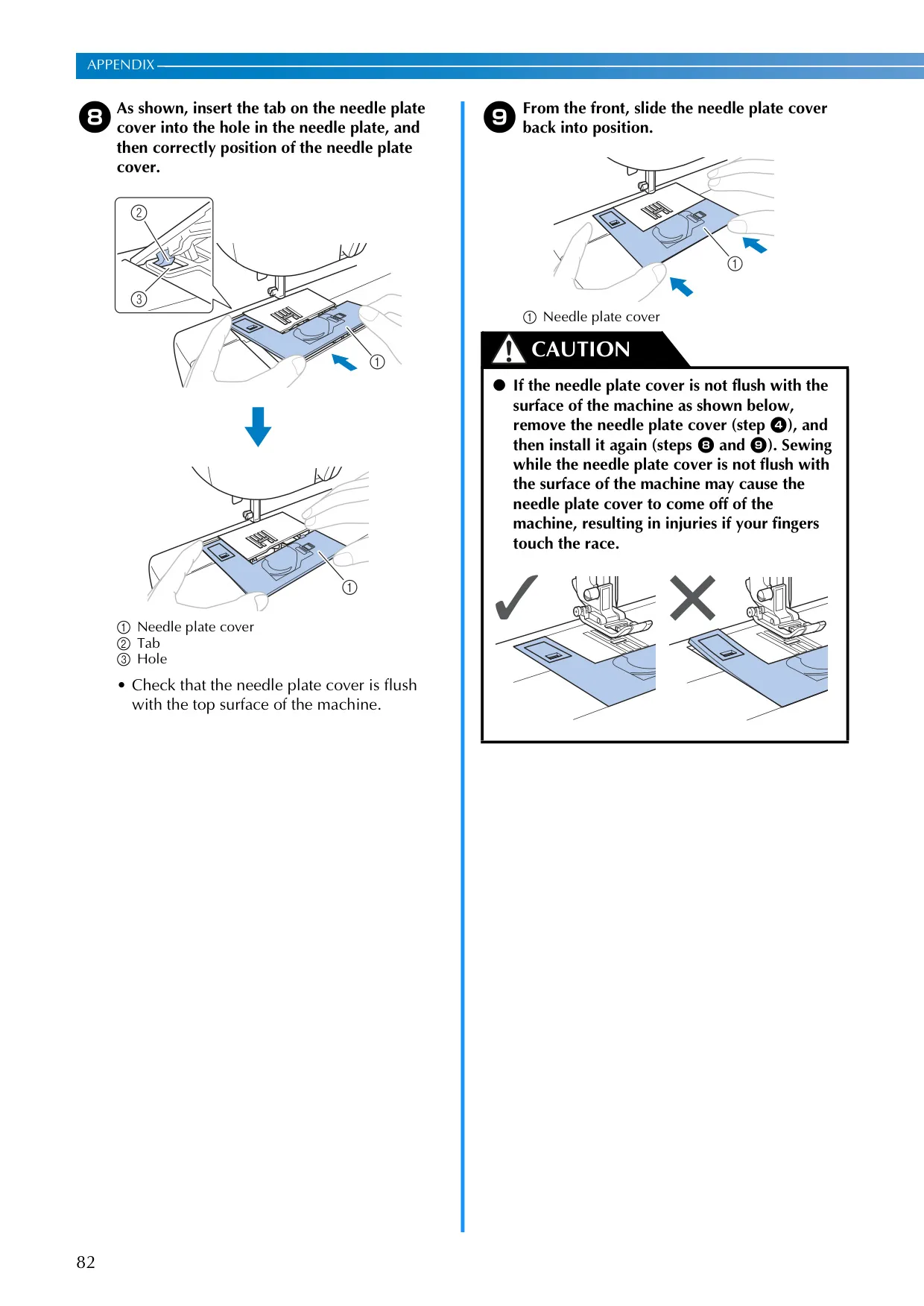
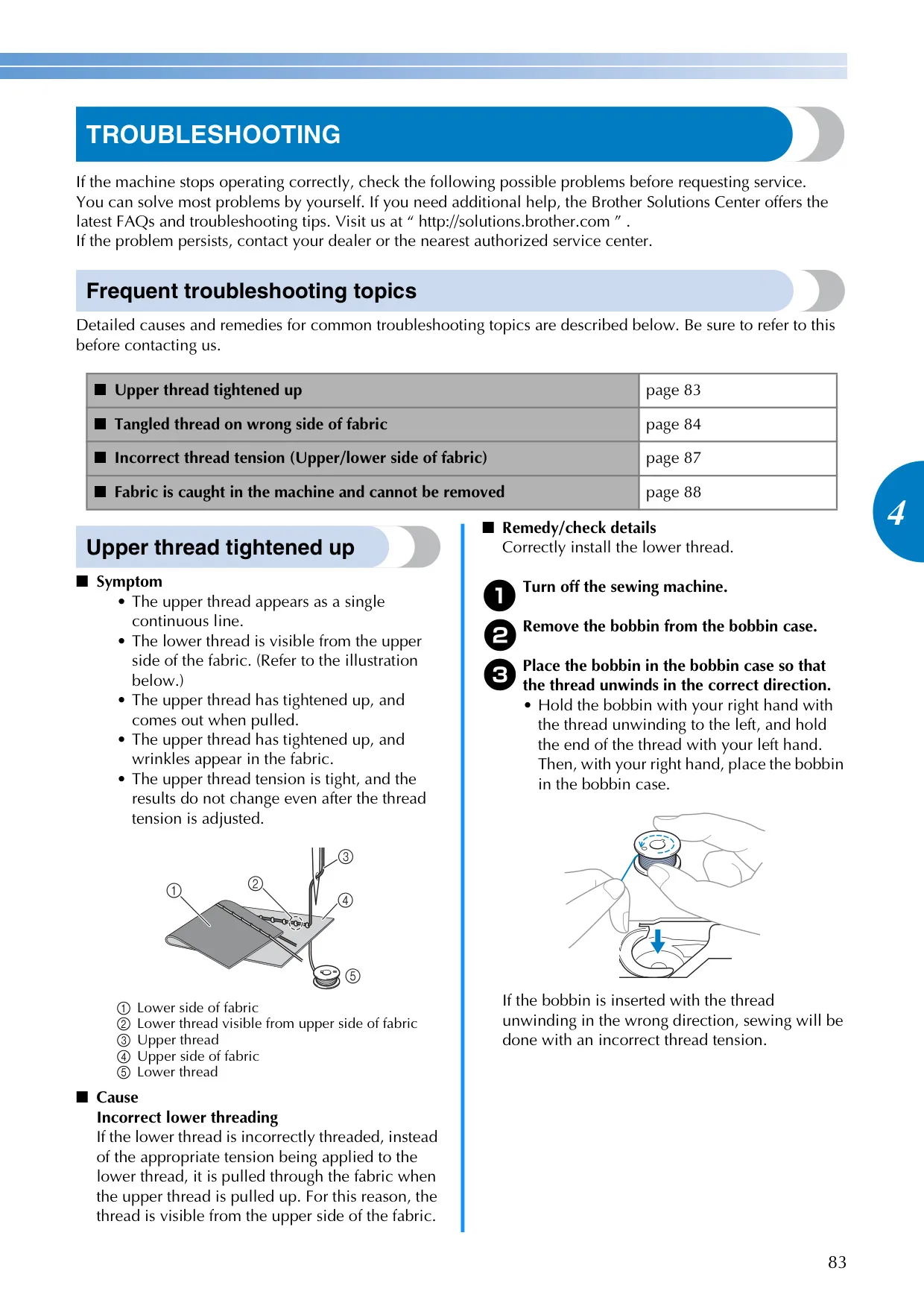









Brother CE1100PRW Sewing Machine
Brother CE1100PRW Instructions
Here we offer the Brother CE1100PRW Sewing Machine manual completely free and in English. We have cataloged this manual in the Sewing Machines section on Manualverse, and it has been rated by 1 users with an average rating of 5. If you have any specific questions about Brother CE1100PRW Sewing Machine, we suggest checking the Frequently Asked Questions (FAQs) section of this manual.
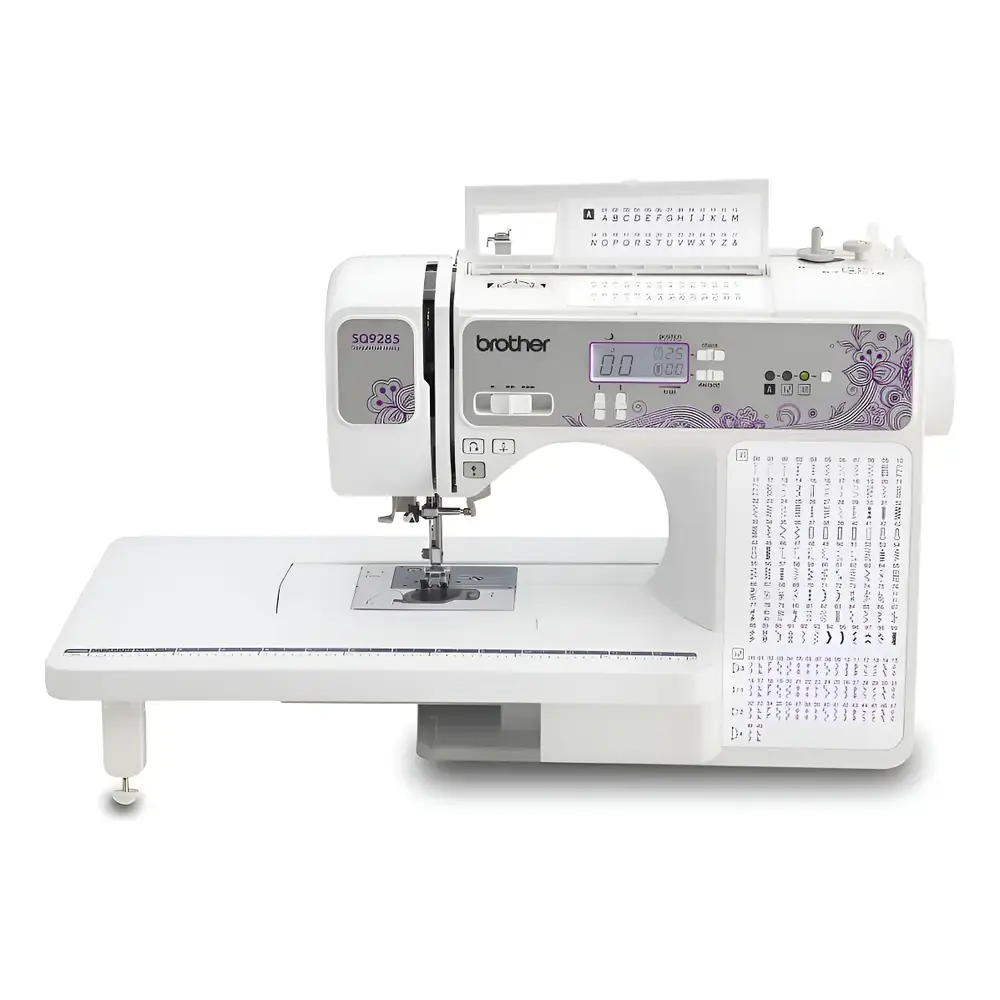
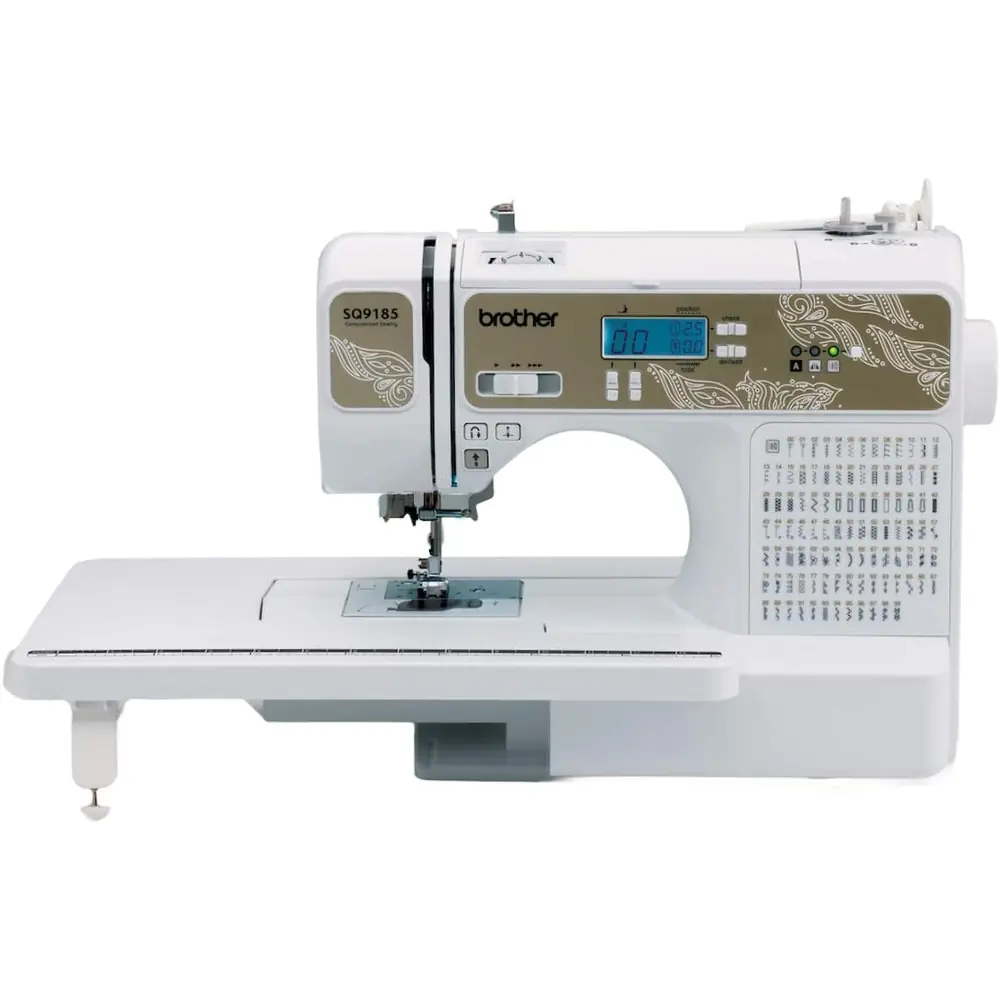
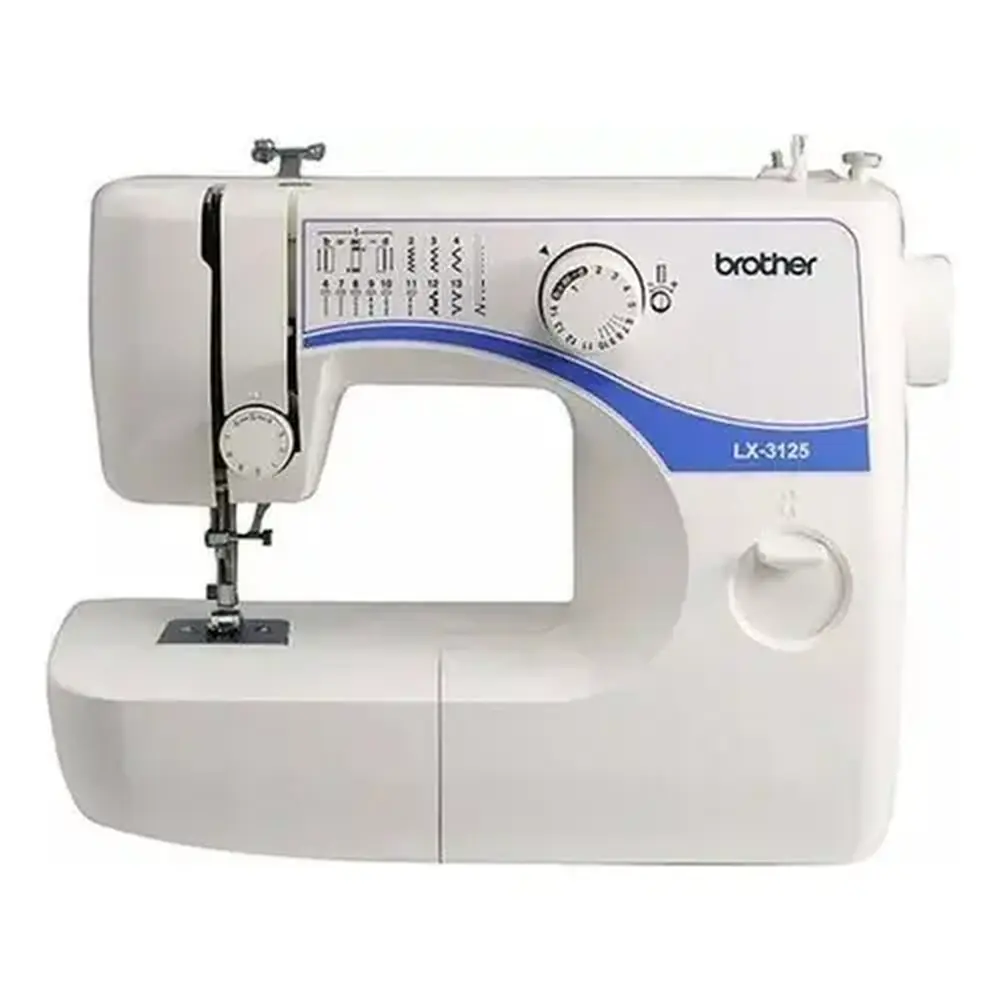
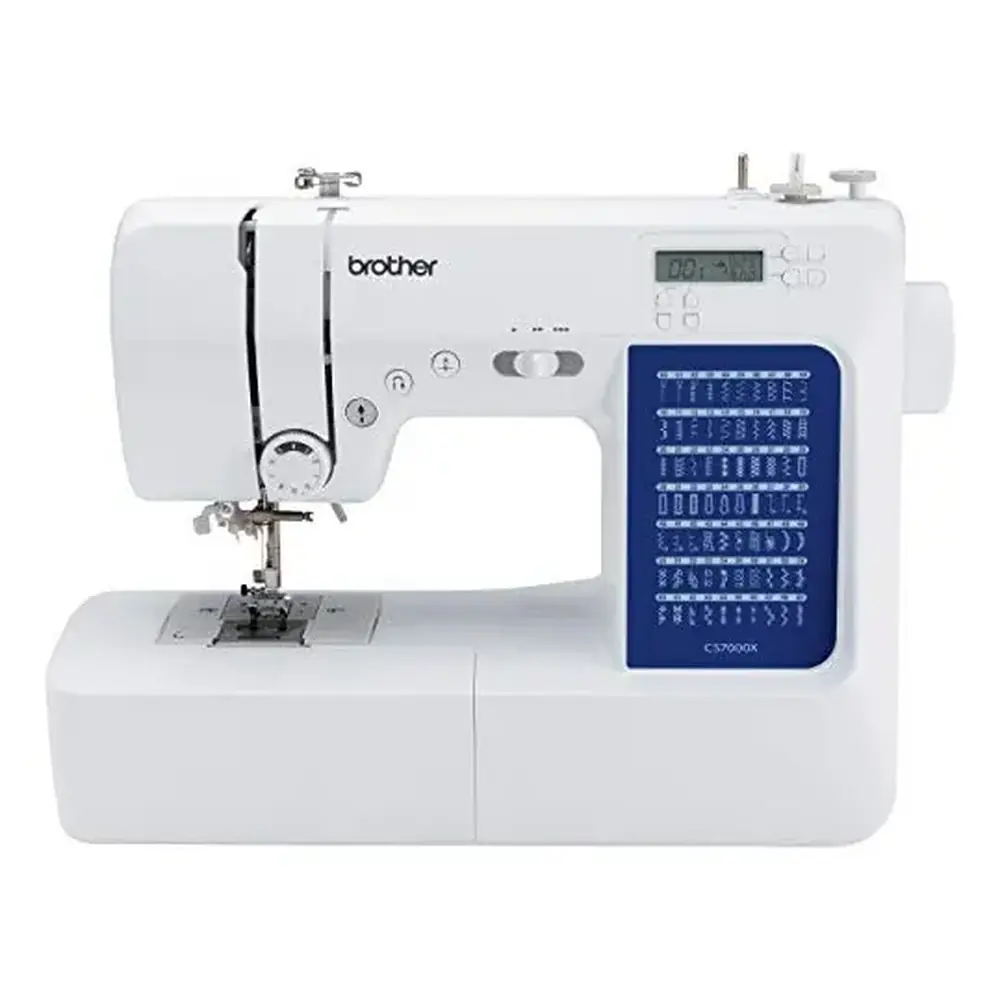
Product Images


Brother CE1100PRW Sewing Machine Specifications
| Feature | Specification |
|---|---|
| Model Series | Brother CE1100PRW (Product Code: 885-V60/V61/V62/V63/V64/V65) |
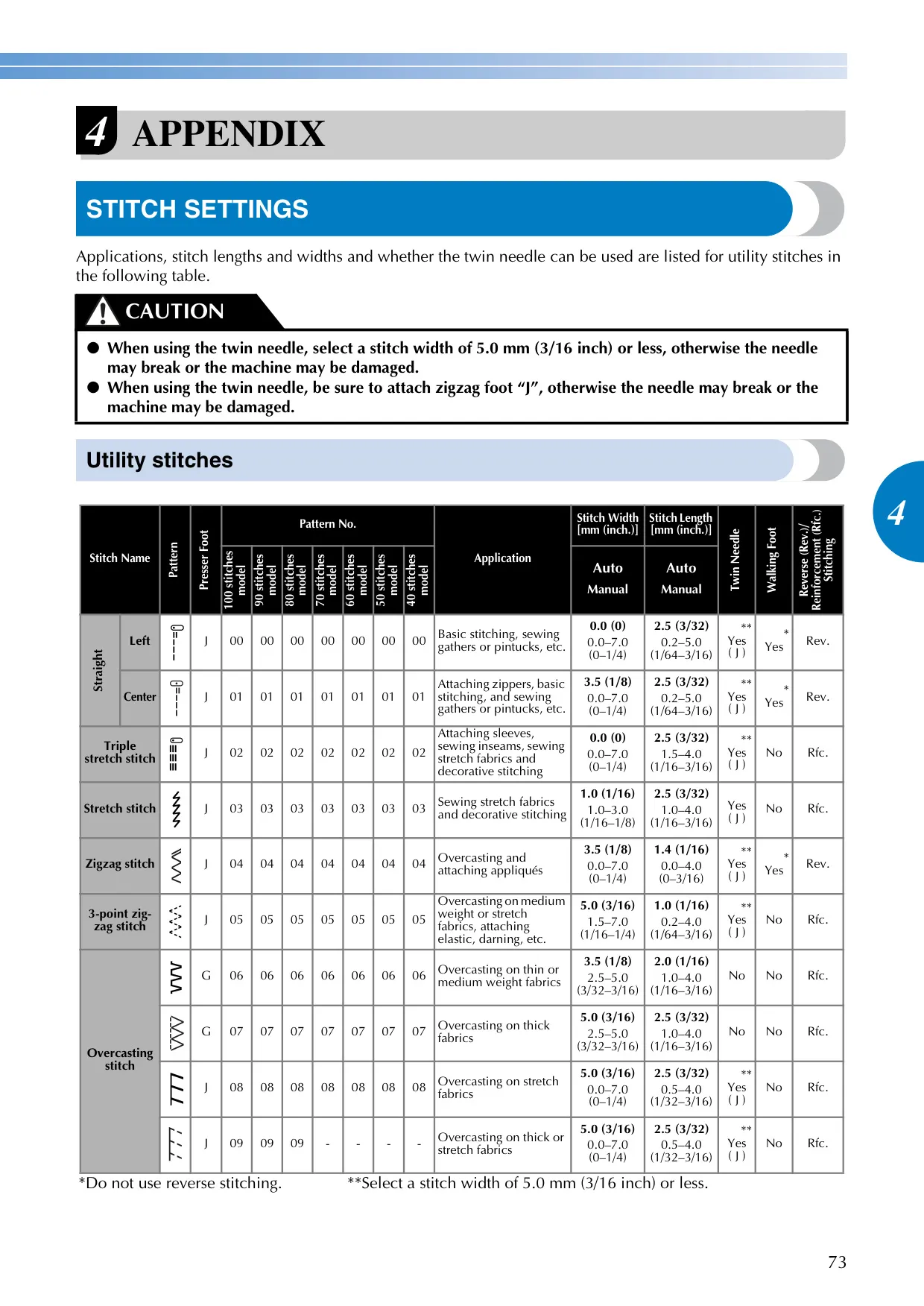
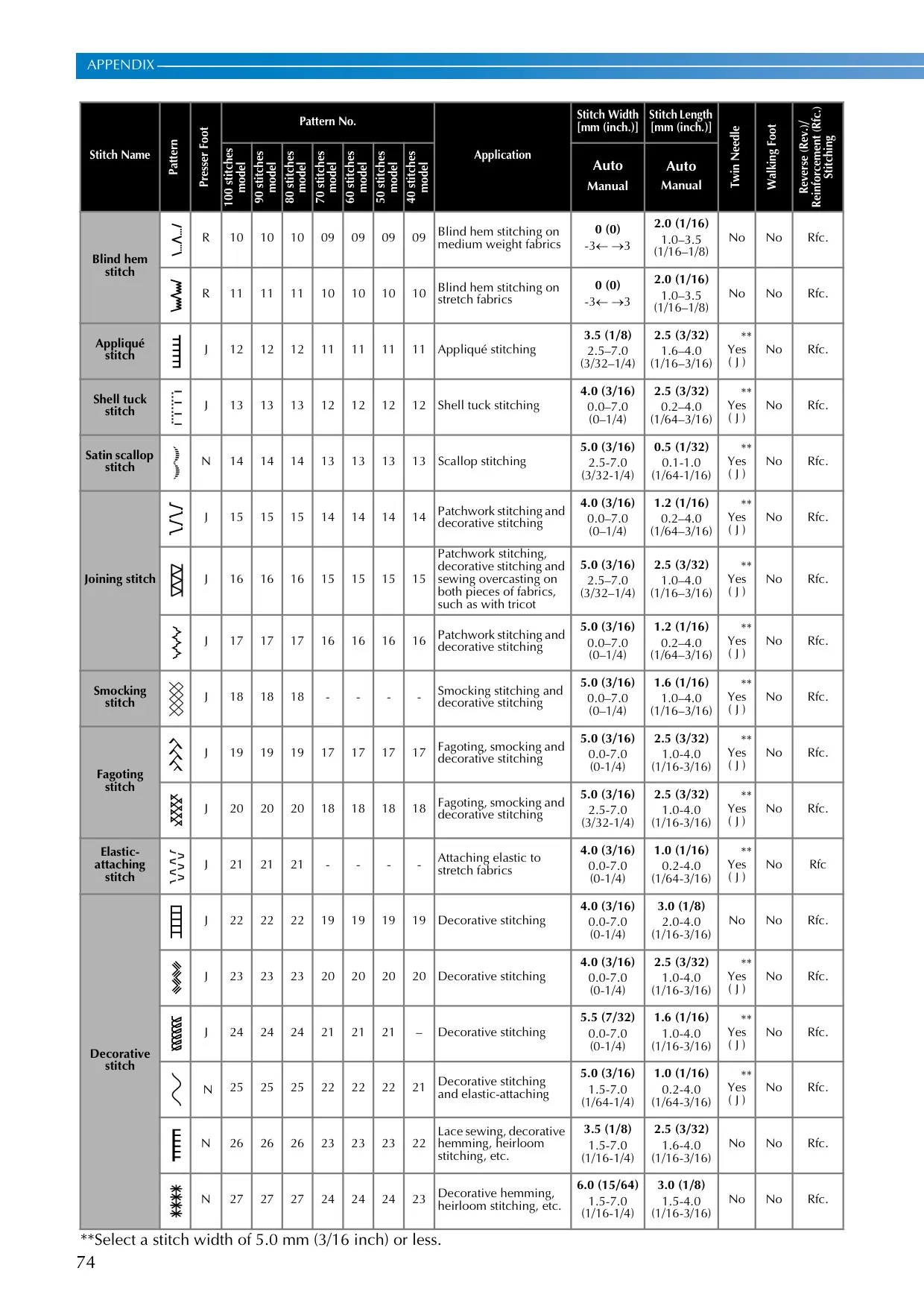
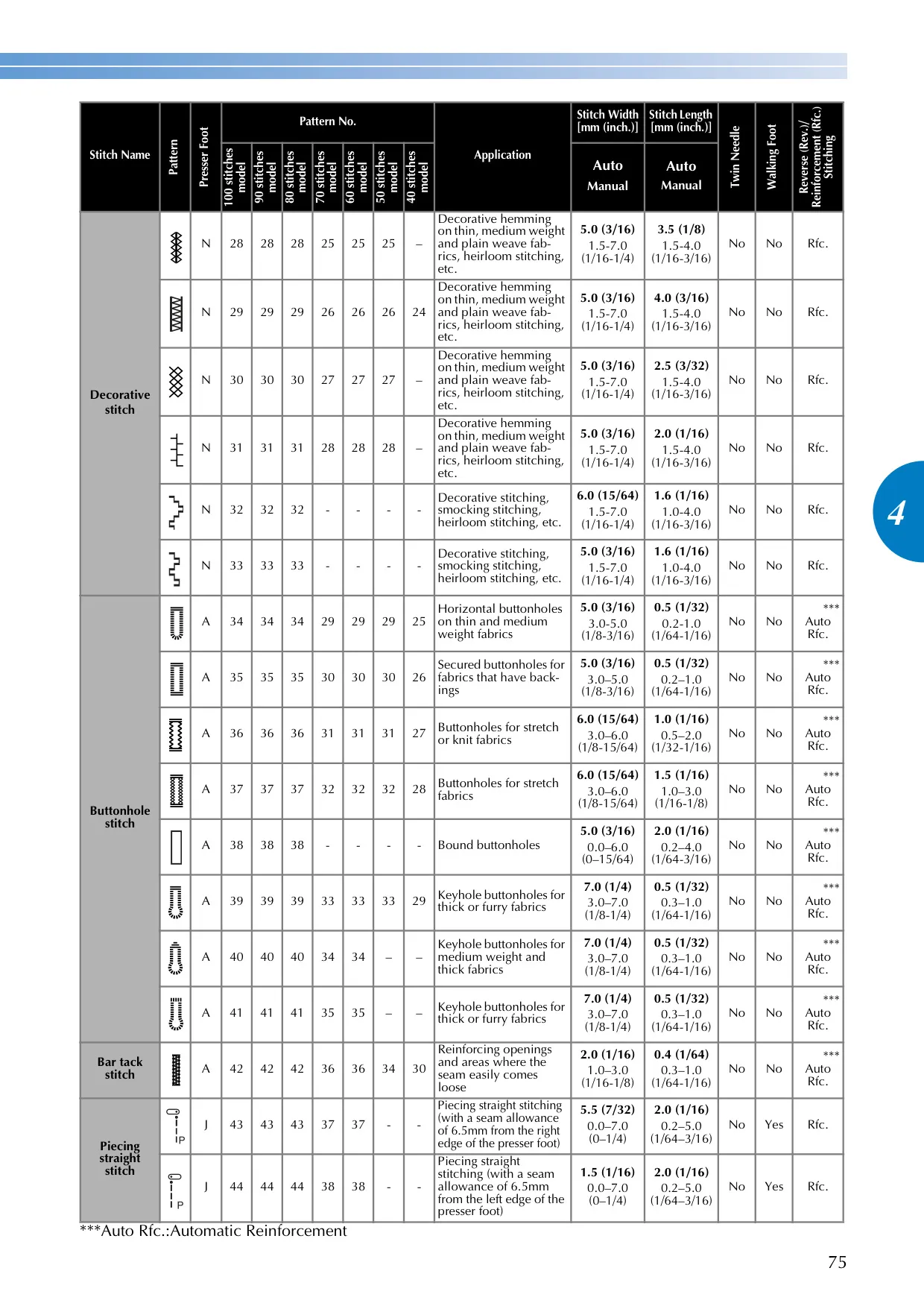
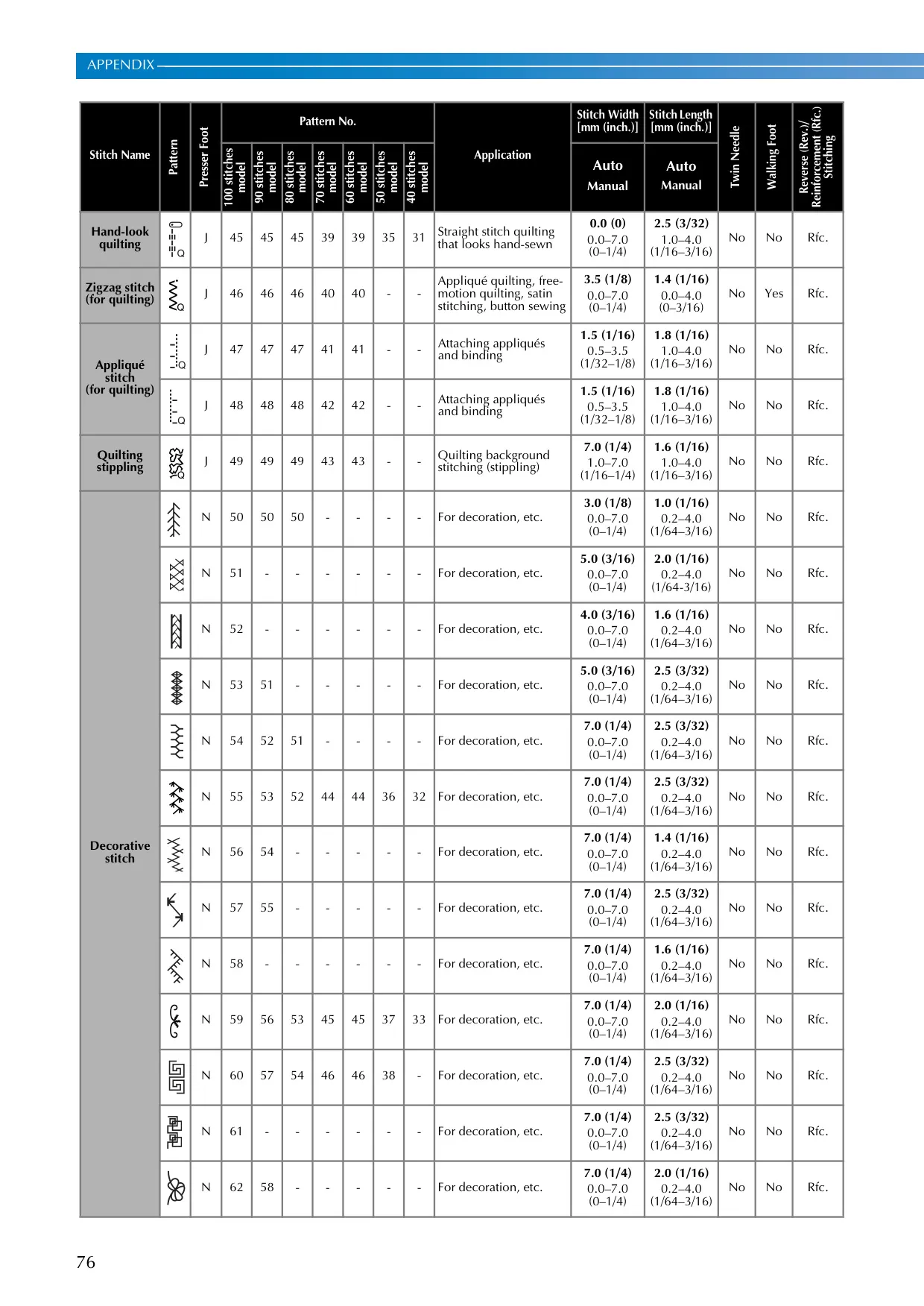
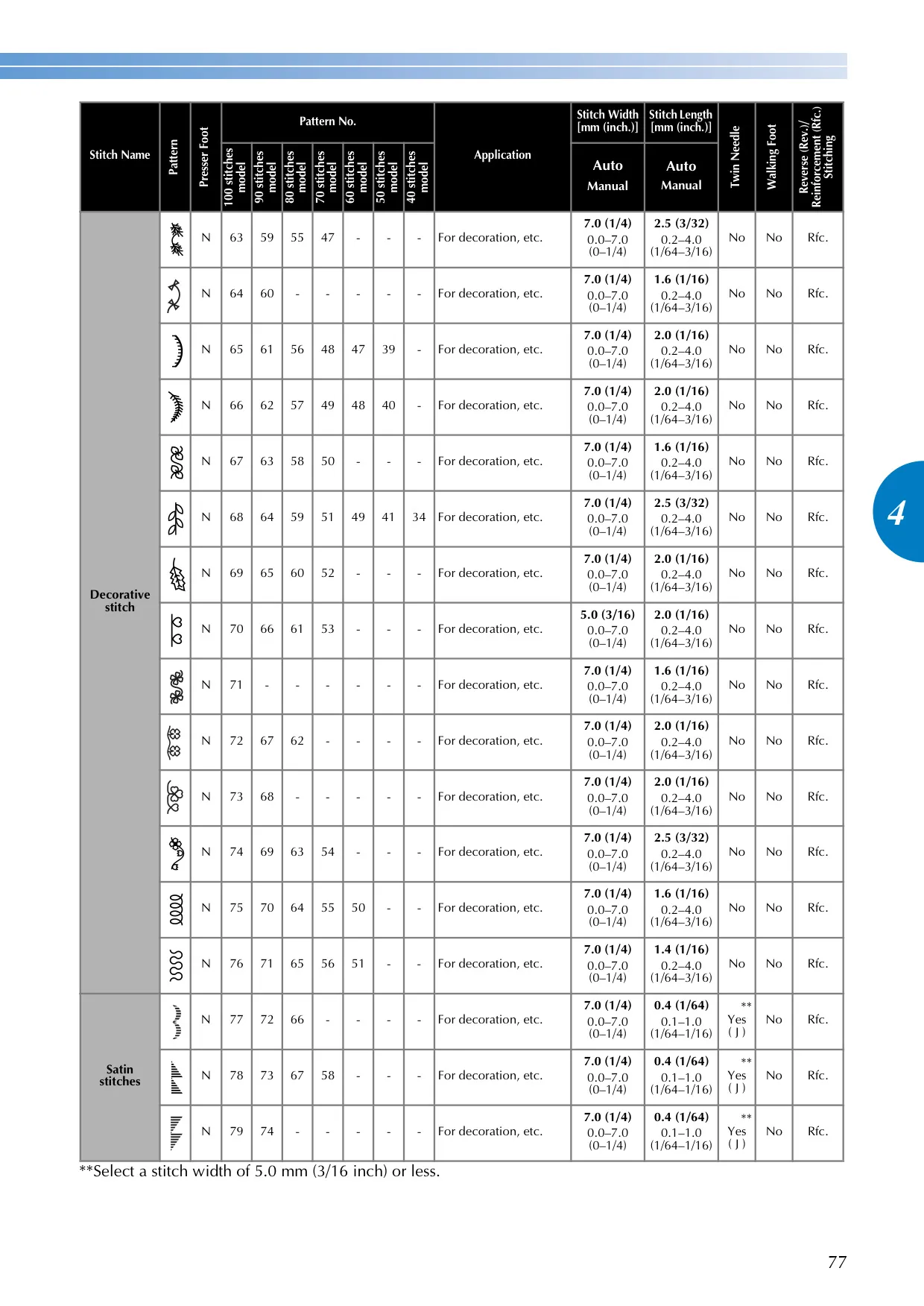
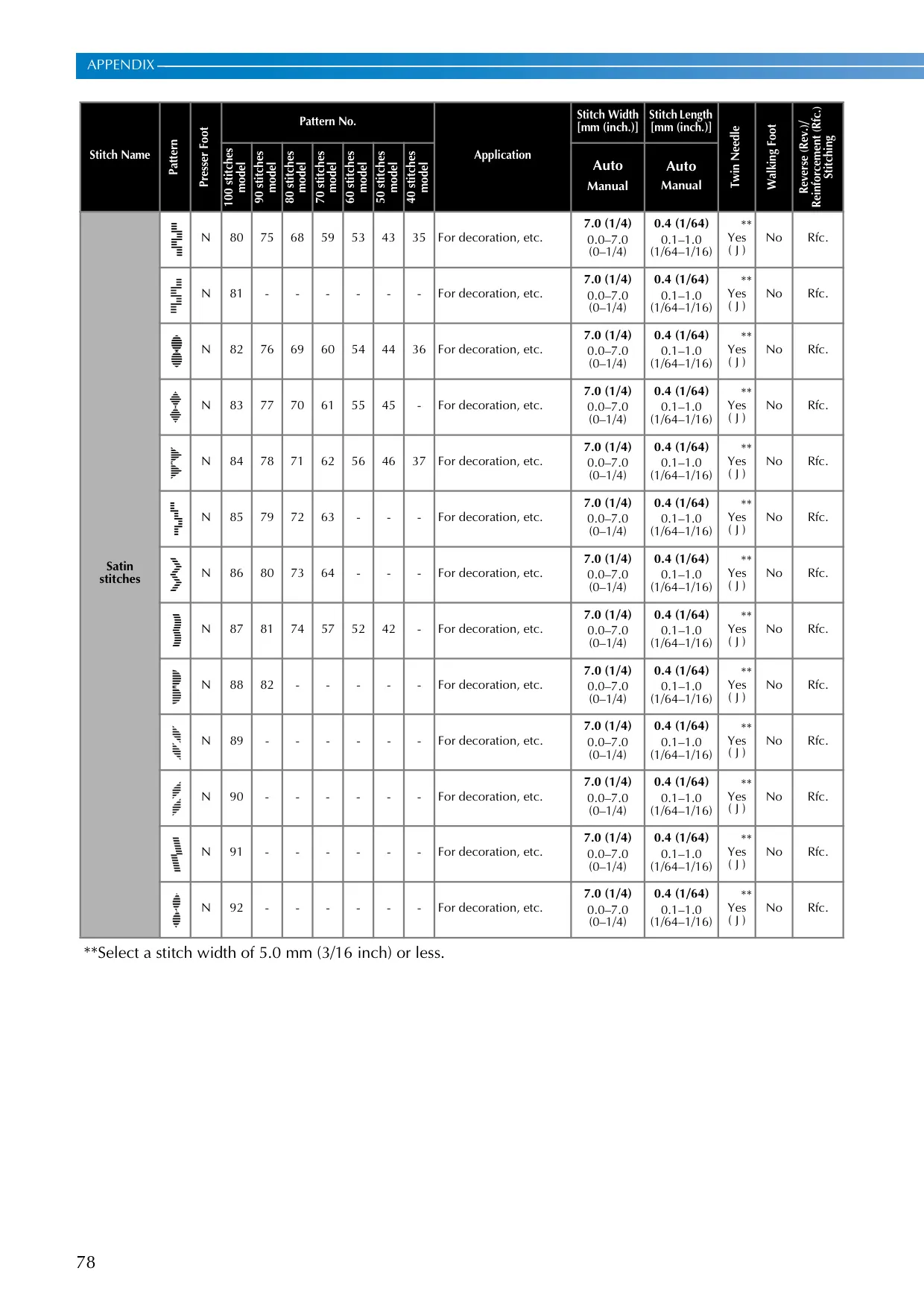
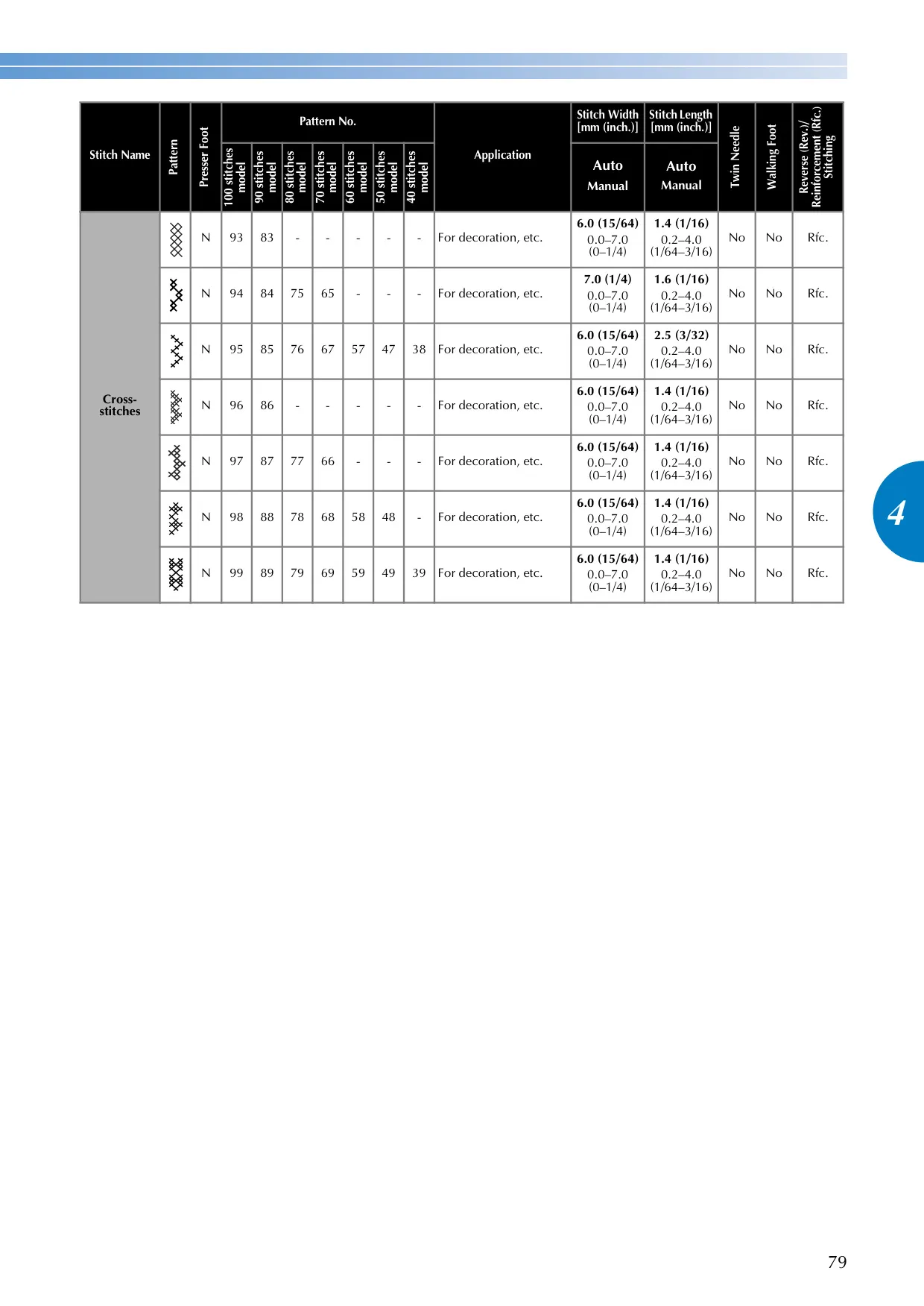
| Stitch Programs | Up to 100 Utility Stitch Functions (depending on model) |
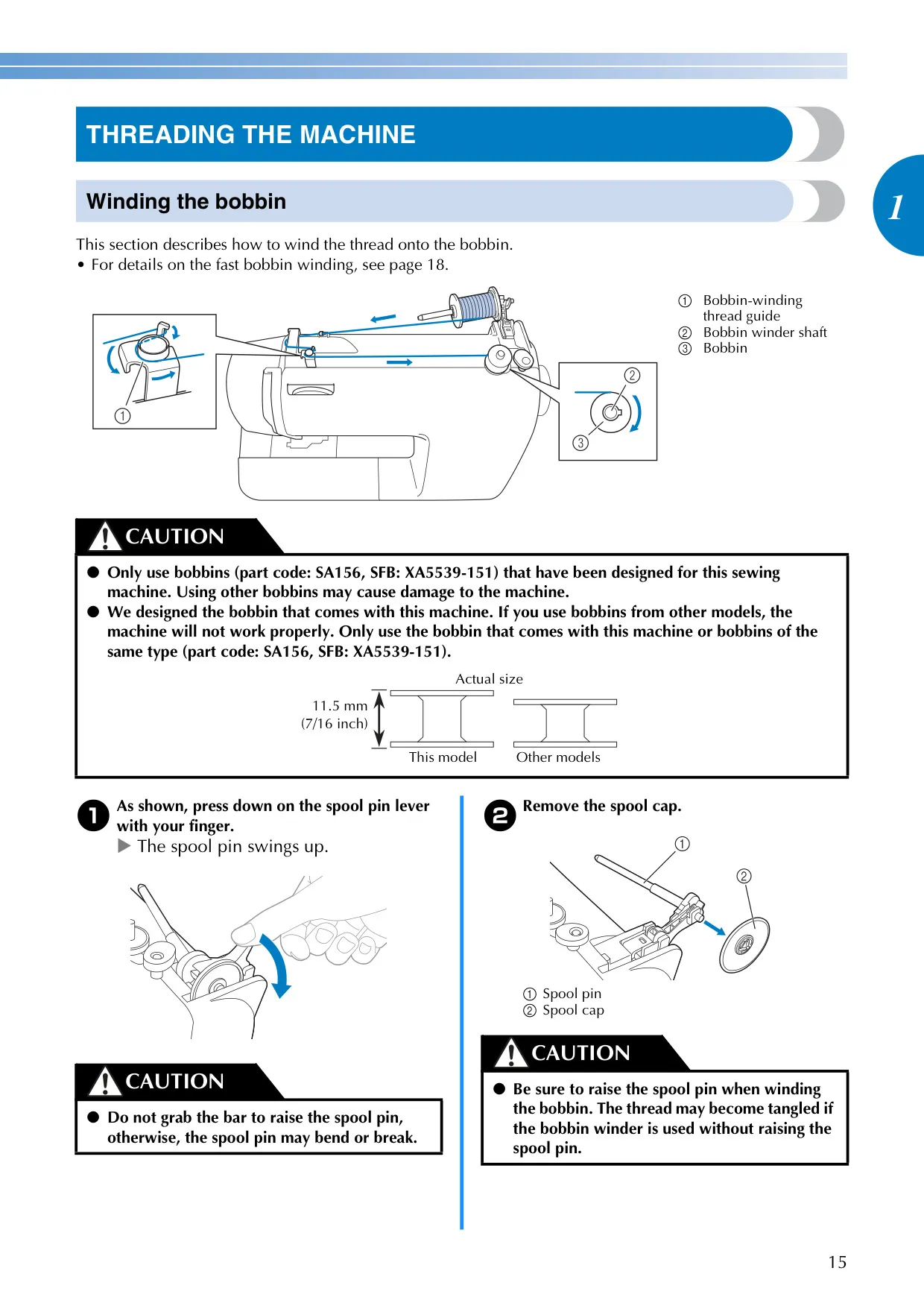
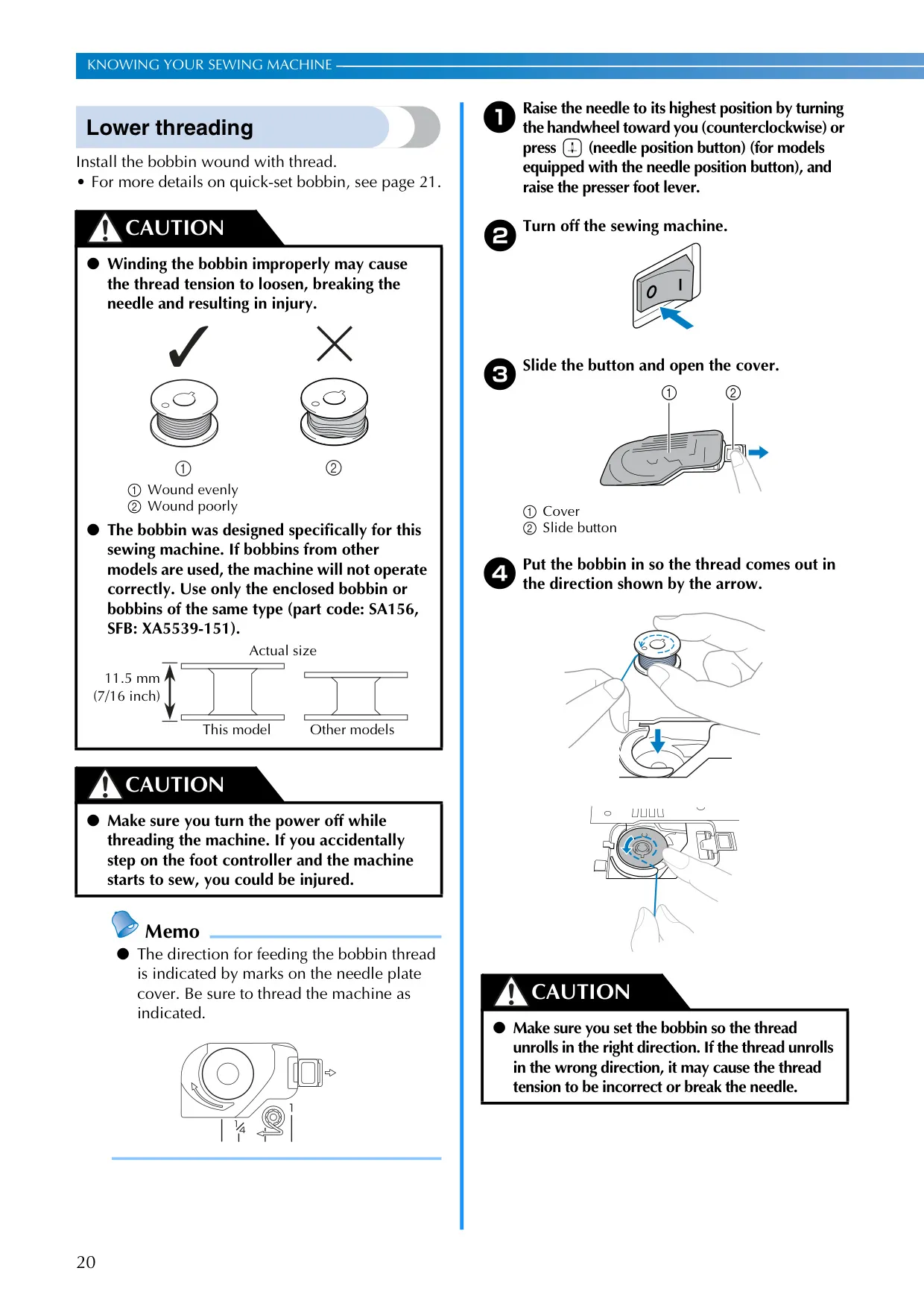
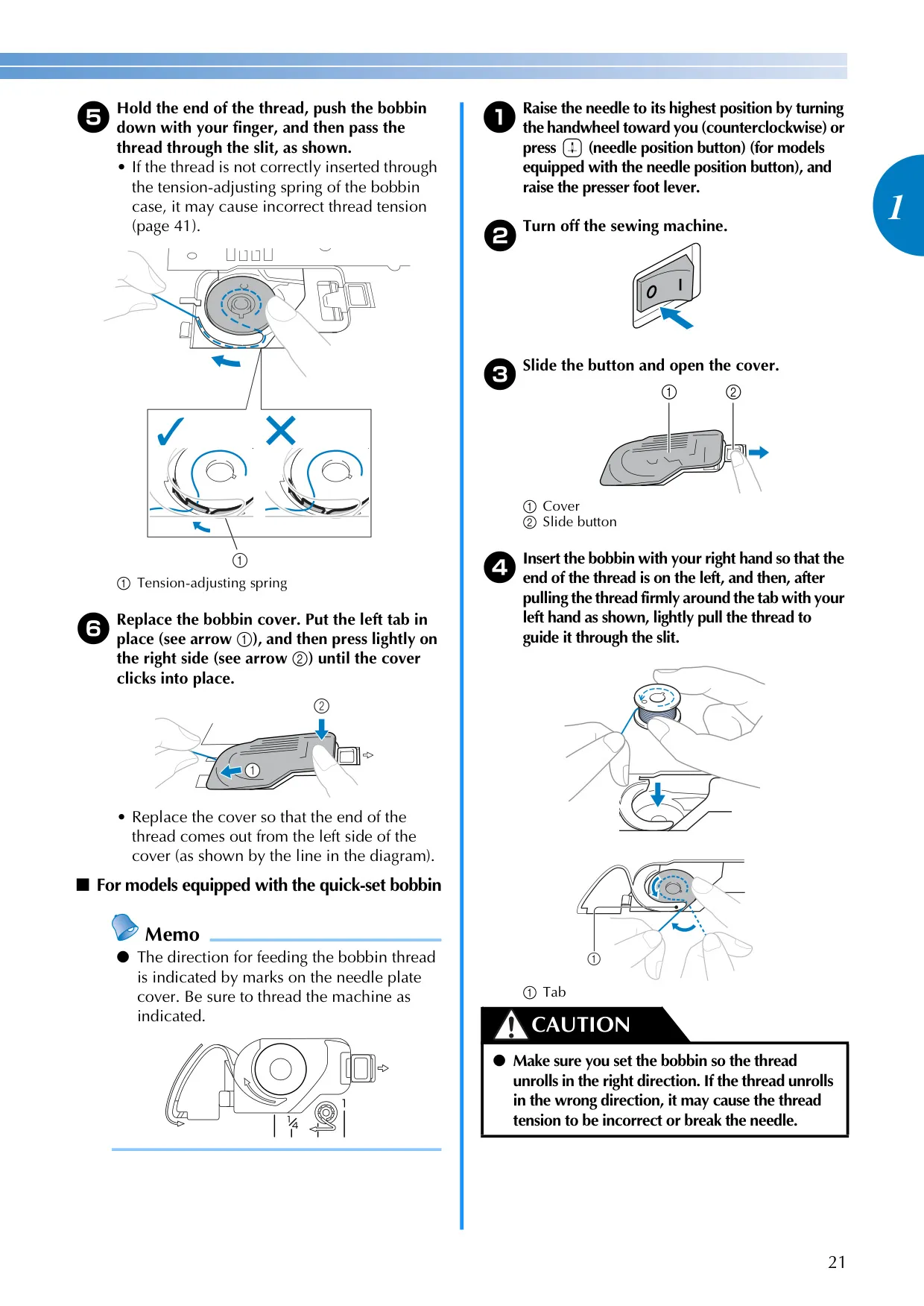
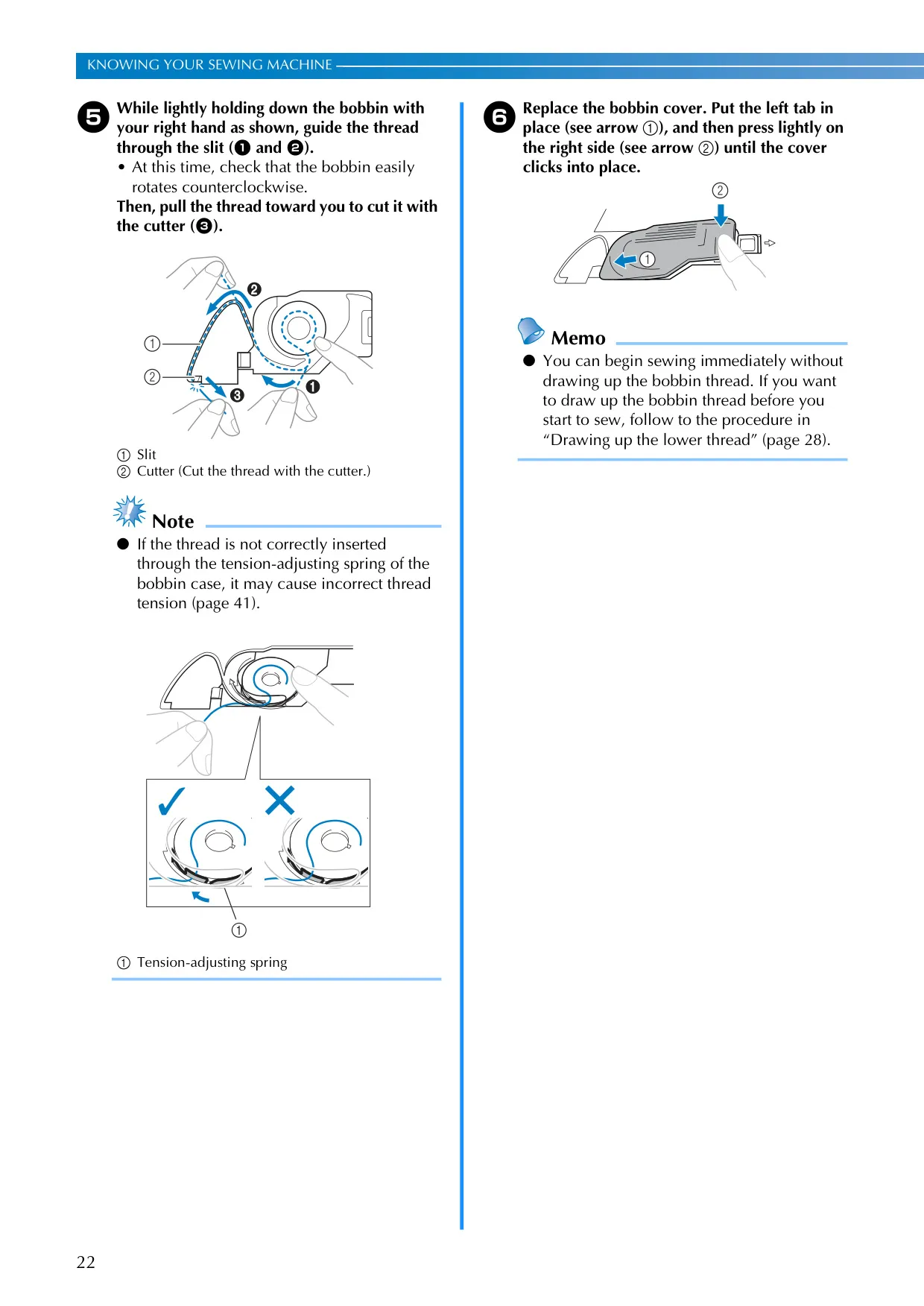
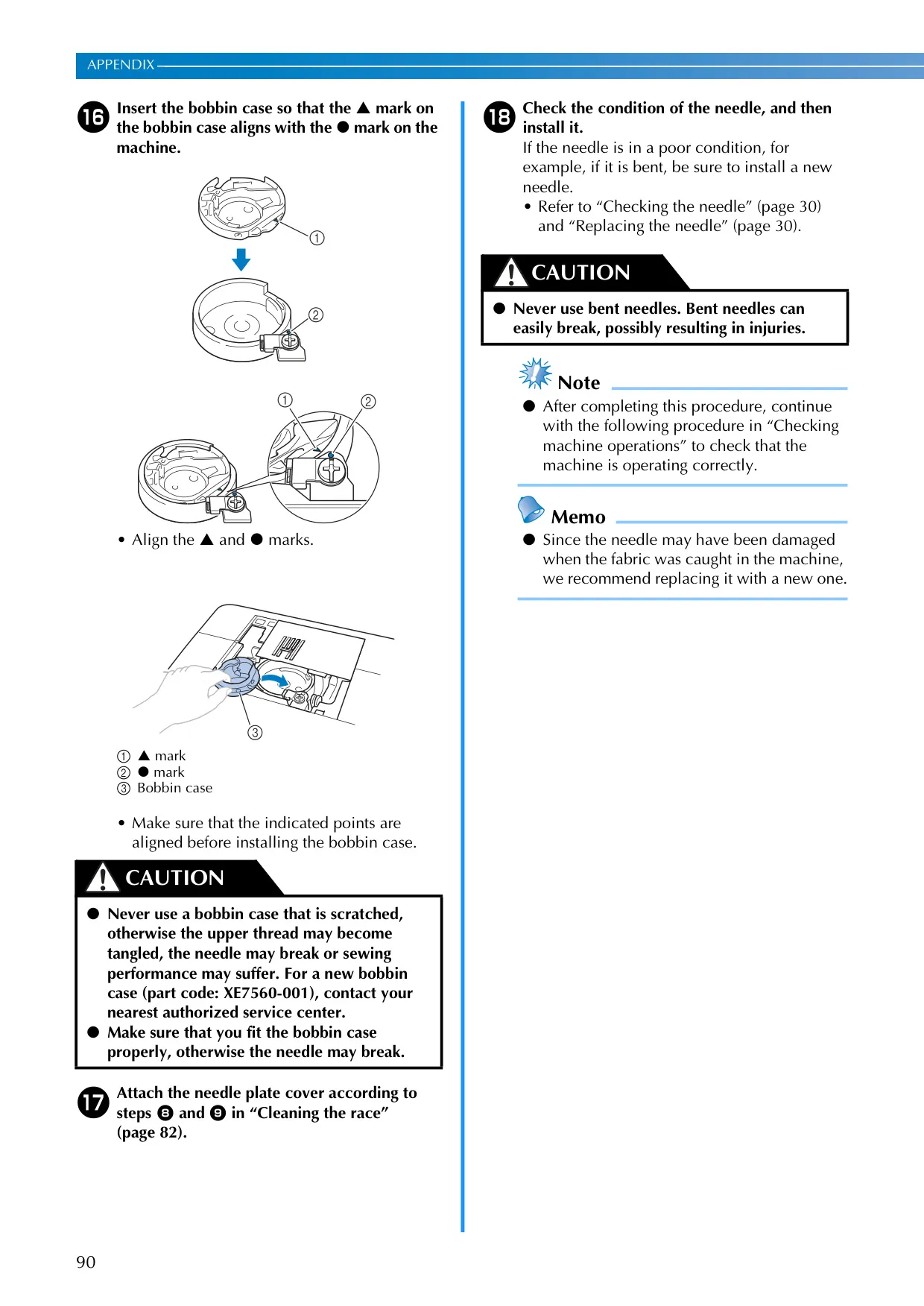
| Bobbin Type | Horizontal, Quick-Set Bobbin System (for equipped models) |
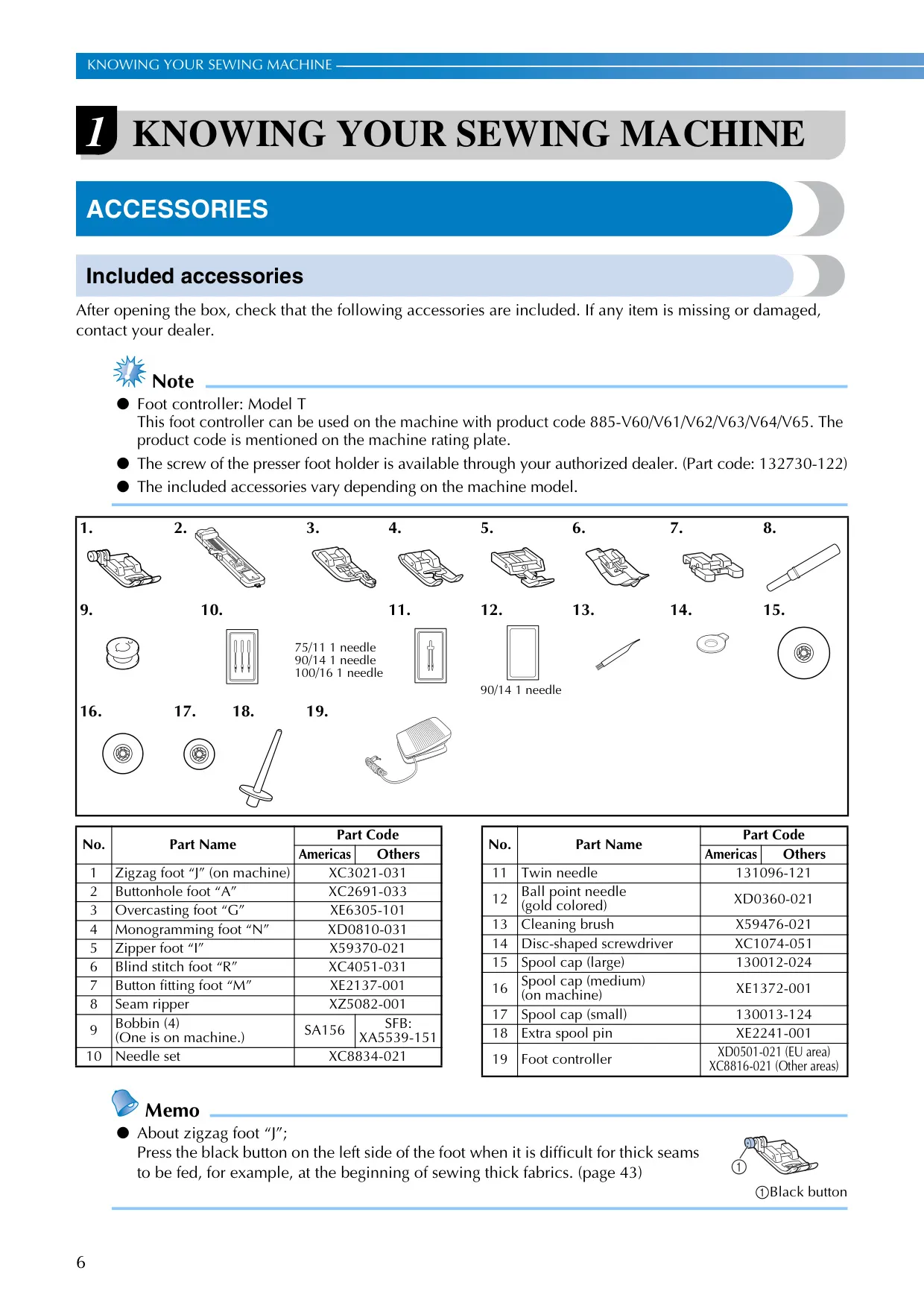
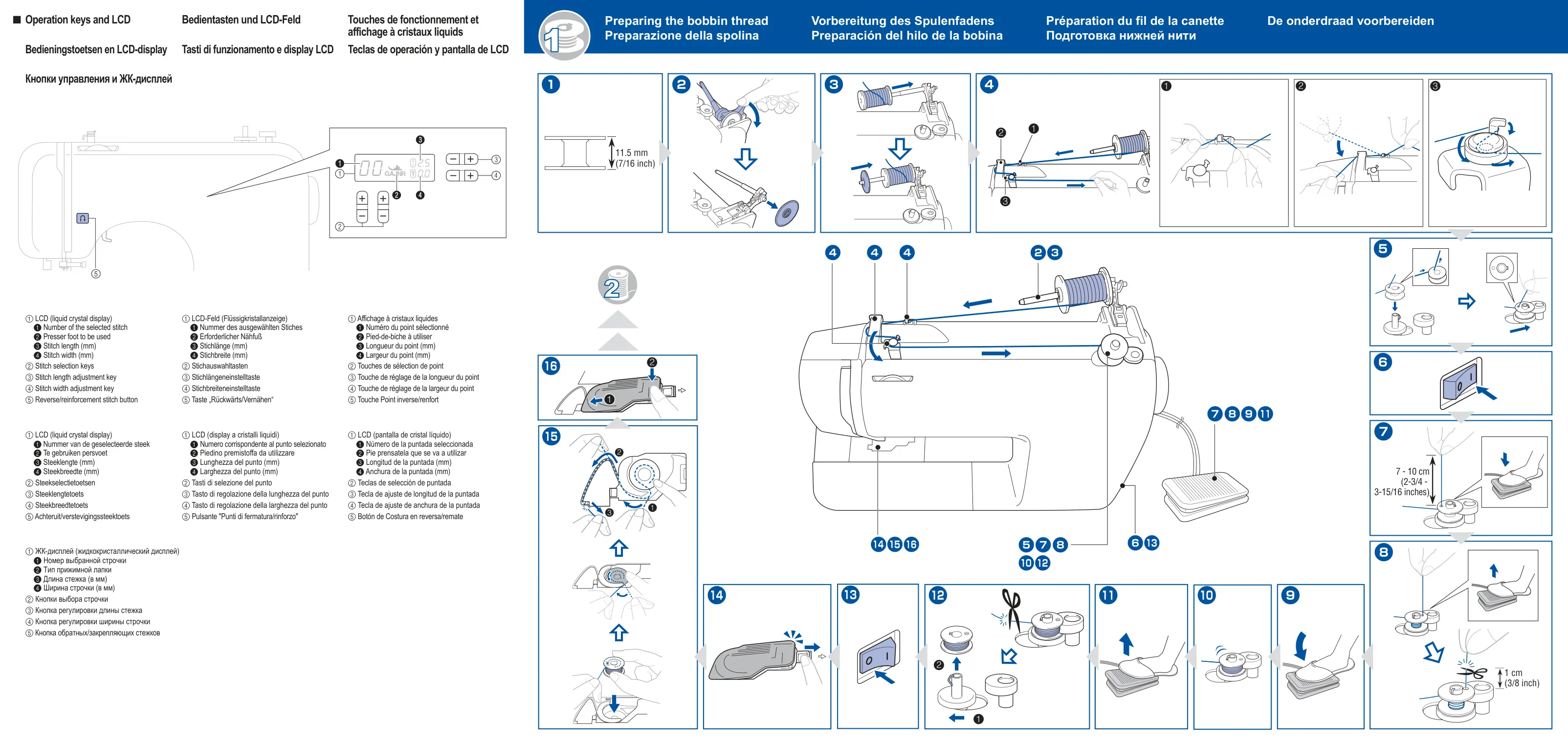
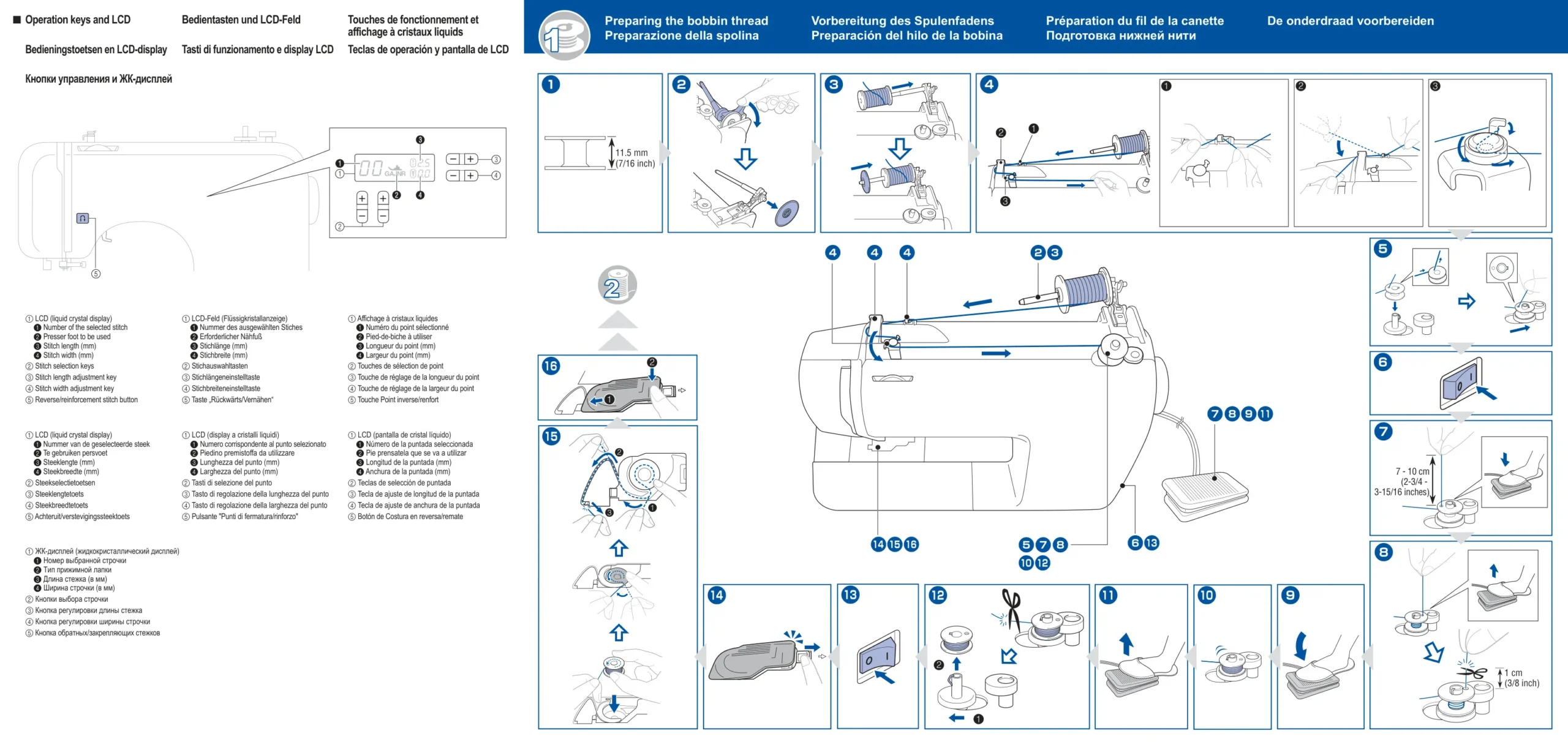
| Bobbin Dimensions | 11.5 mm (7/16 inch), Part Code: SA156, SFB: XA5539-151 |
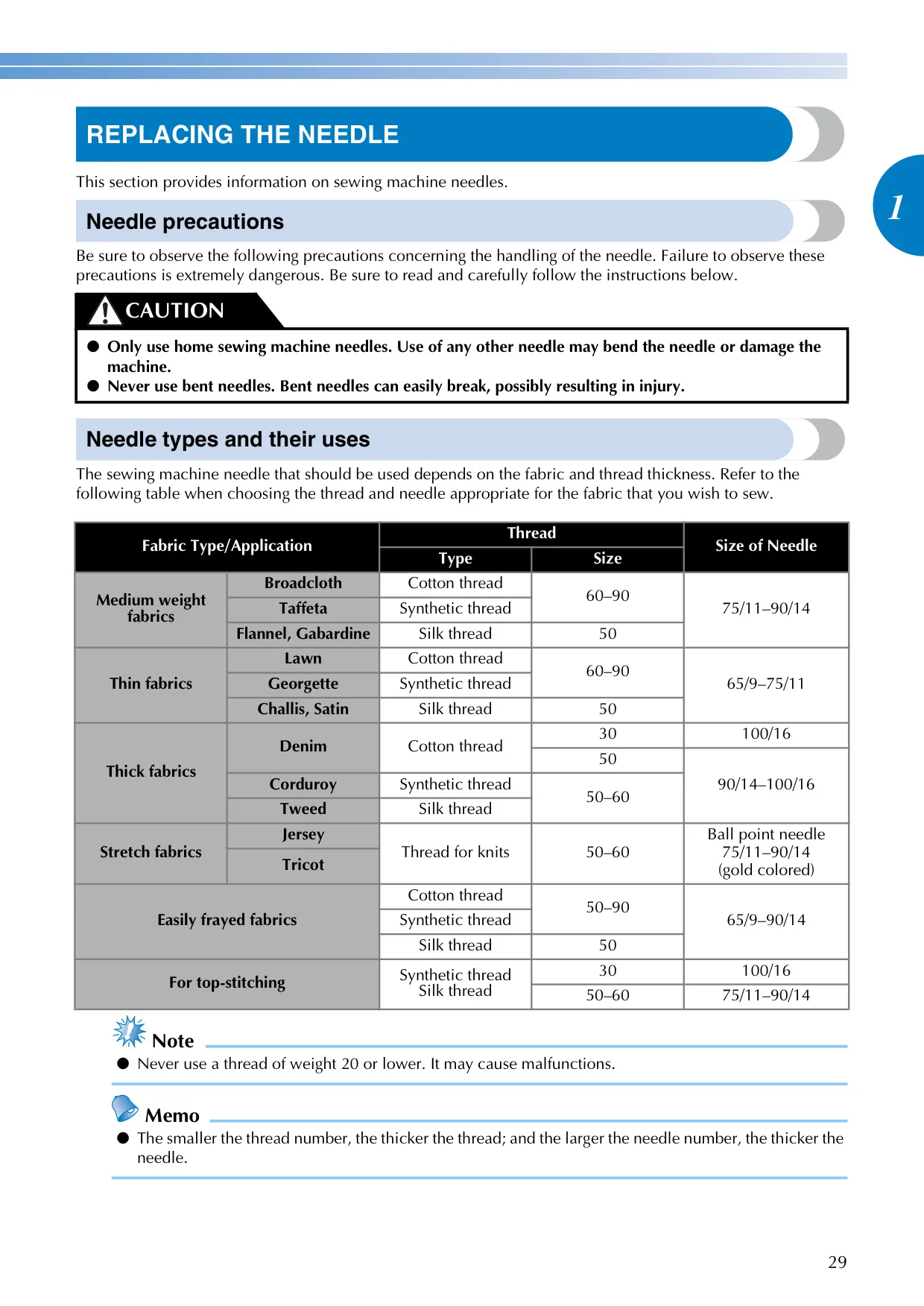
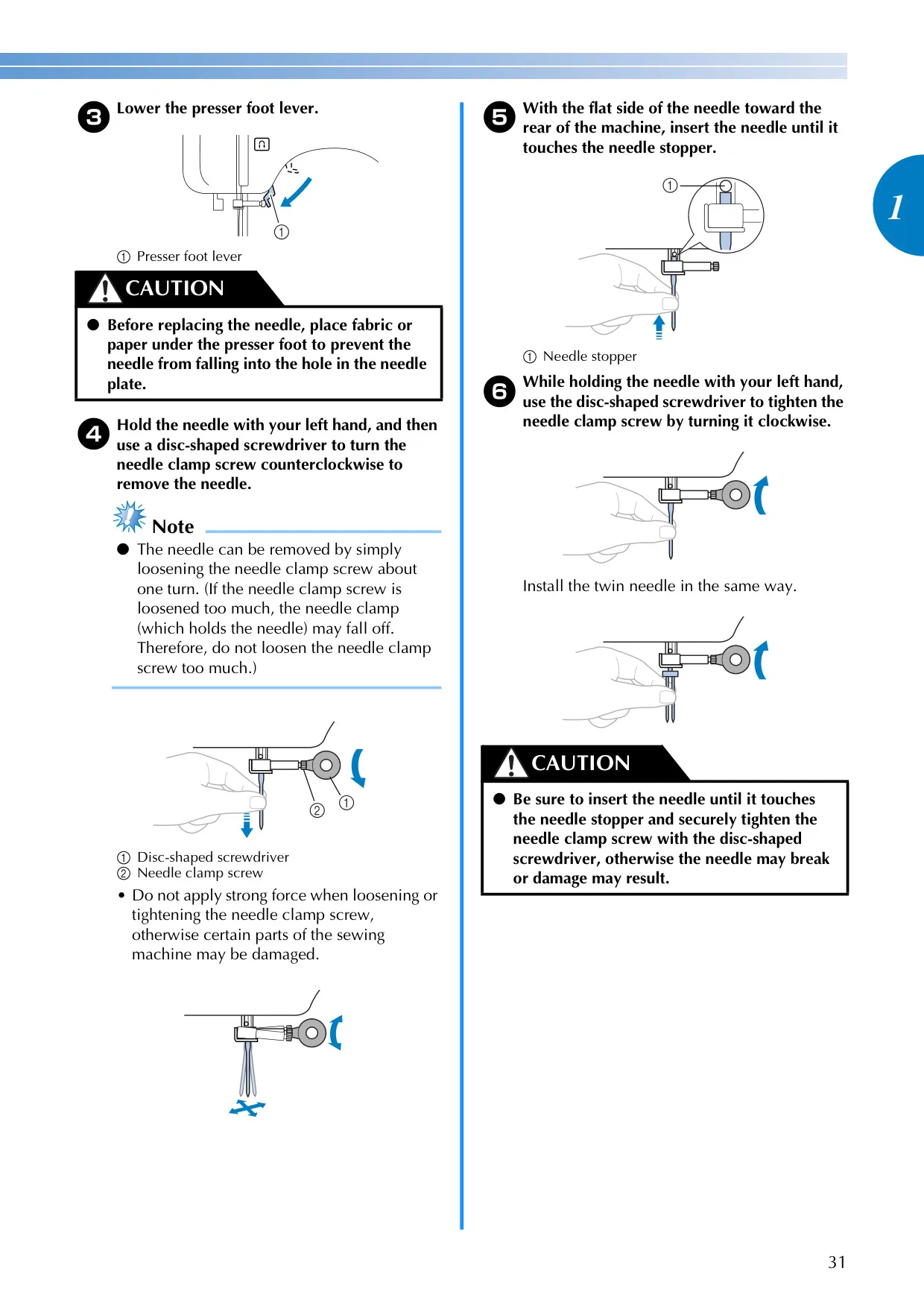
| Needle System | Home Sewing Machine Needles (Sizes: 65/9 – 100/16) |
| Included Needle Types | Standard, Ball Point (gold colored), Twin Needle |
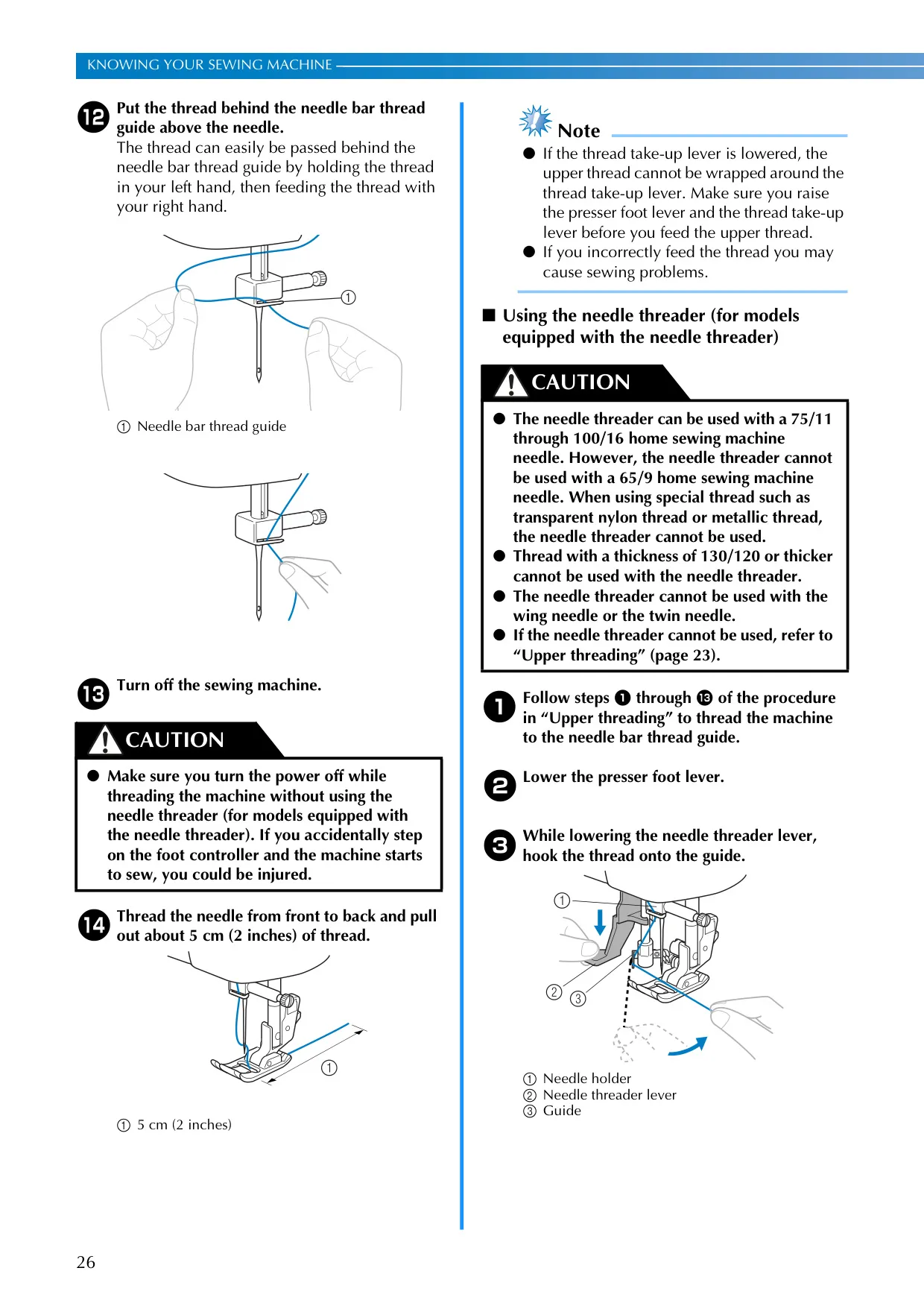
| Needle Threader | Built-in (for equipped models) |
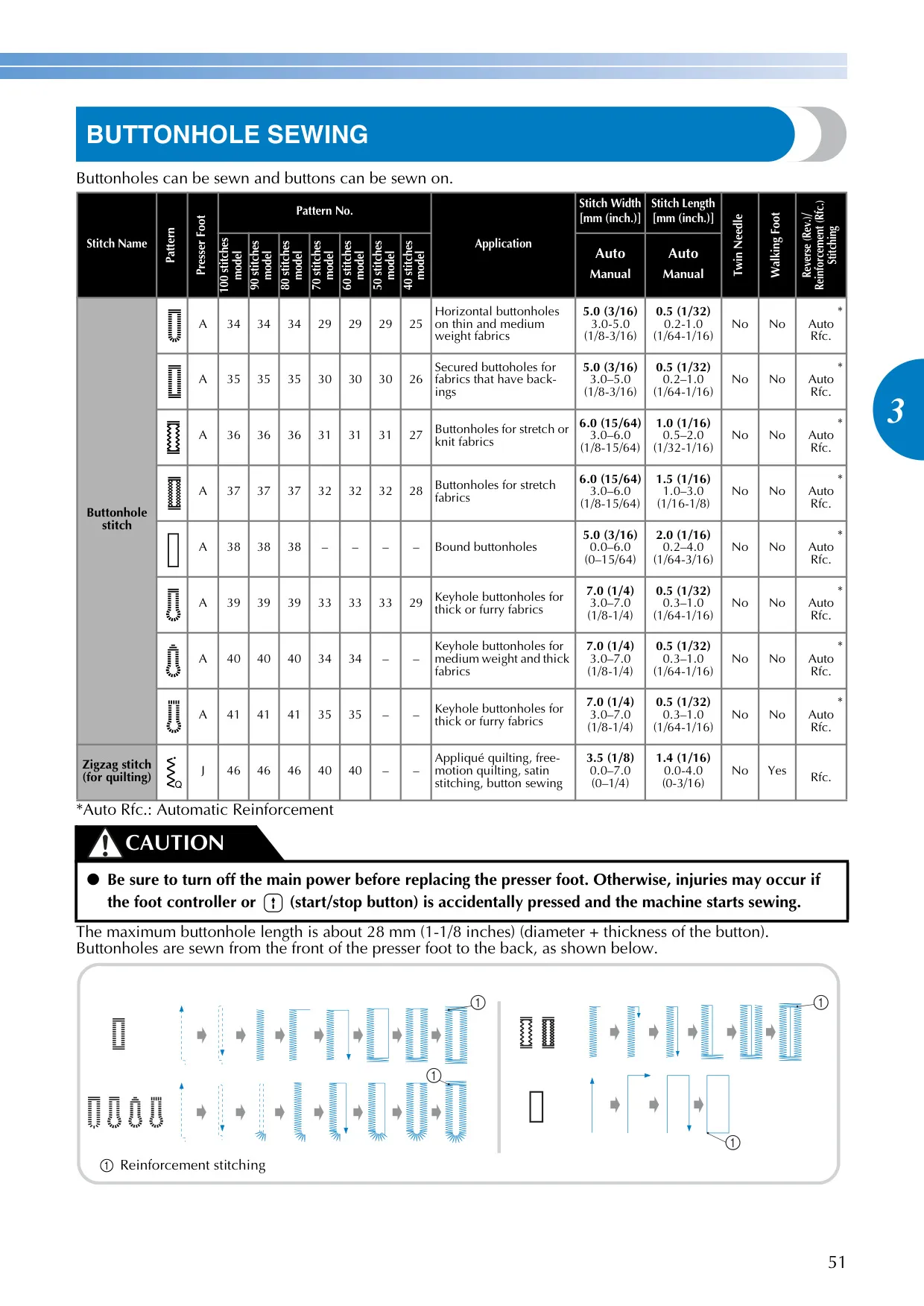
| Max Buttonhole Length | Approx. 28 mm (1-1/8 inches) |
| Max Bar Tack Length | Approx. 28 mm (1-1/8 inches) |
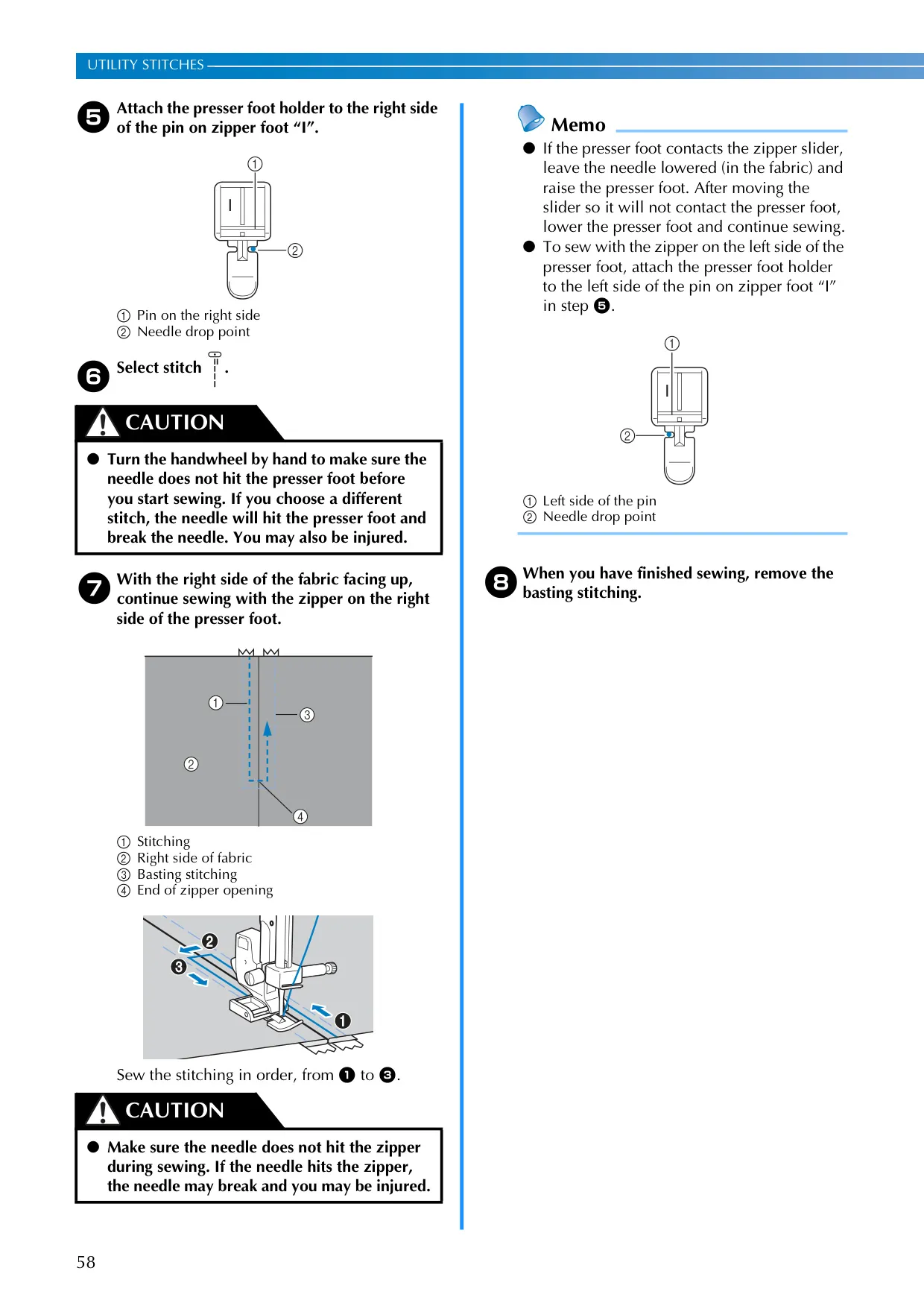
| Included Presser Feet | Zigzag "J", Buttonhole "A", Overcasting "G", Monogramming "N", Zipper "I", Blind Stitch "R", Button Fitting "M" |
| Stitch Length Adjustment | Auto / Manual (e.g., 0.2–5.0 mm for straight stitch) |
| Stitch Width Adjustment | Auto / Manual (e.g., 0.0–7.0 mm for zigzag stitch) |
| Display Type | LCD (Liquid Crystal Display) for stitch number, foot type, length, width |
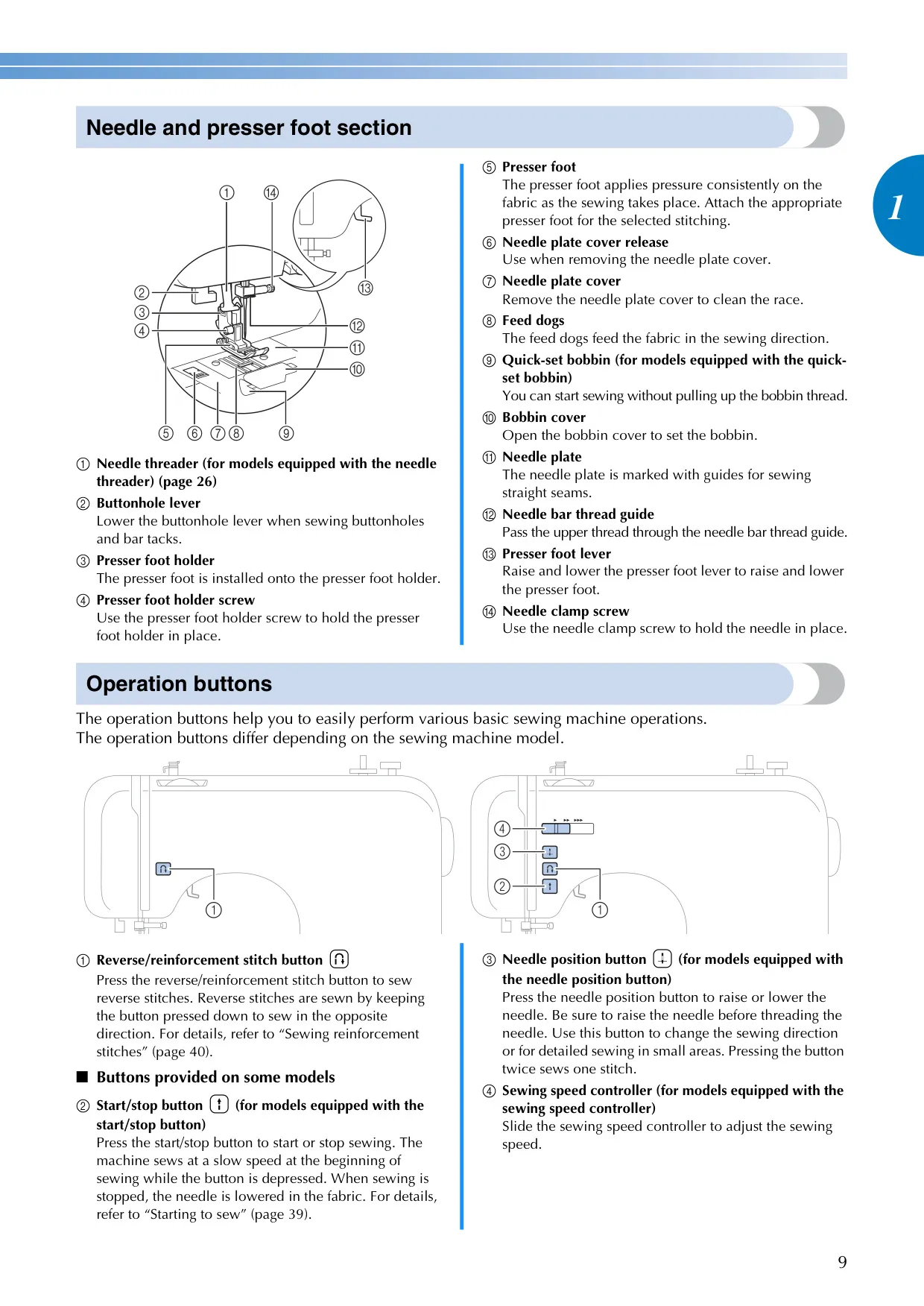
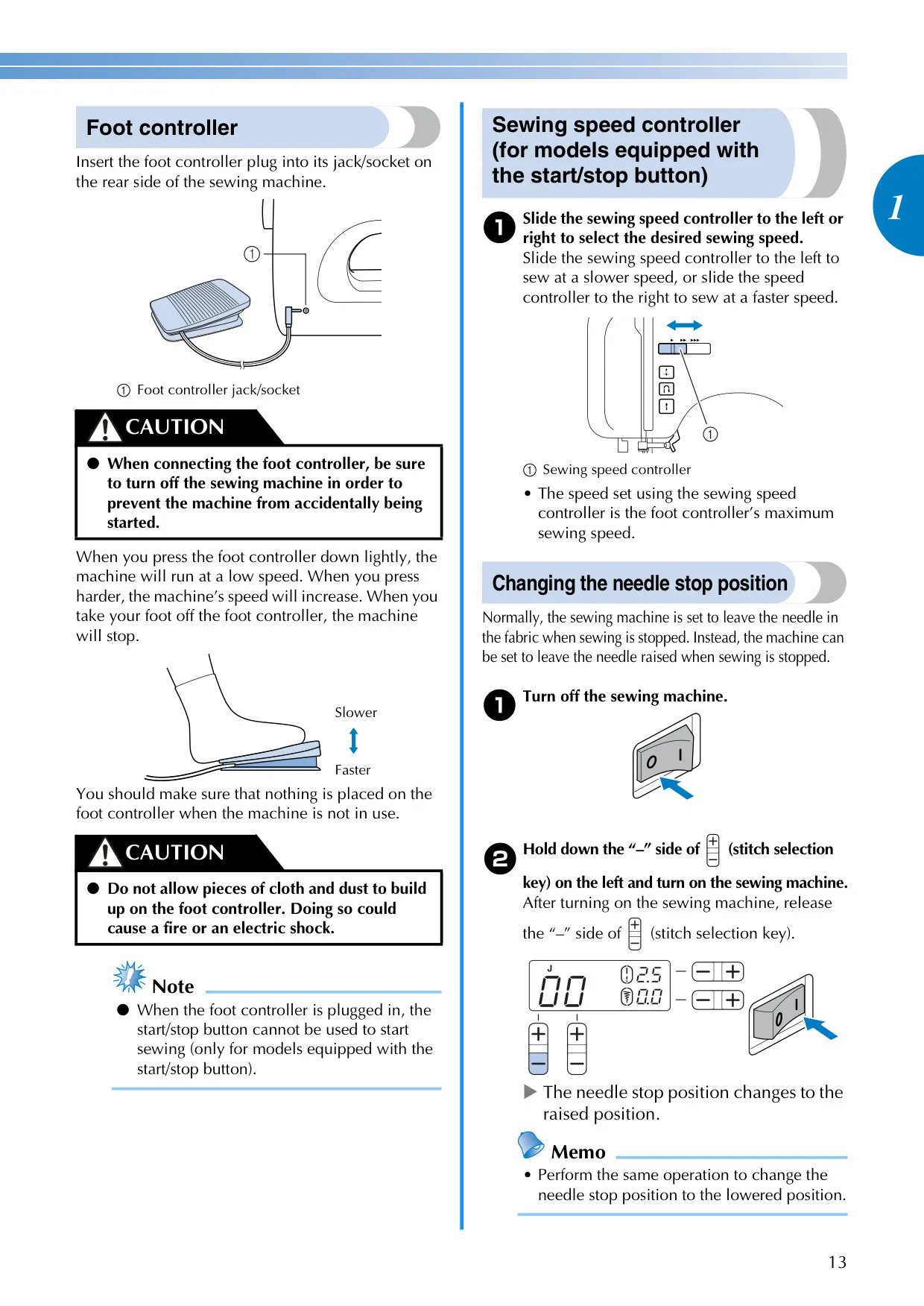
| Operation Controls | Reverse/Reinforcement Stitch Button, Sewing Speed Controller (for equipped models), Needle Position Button (for equipped models), Start/Stop Button (for equipped models) |
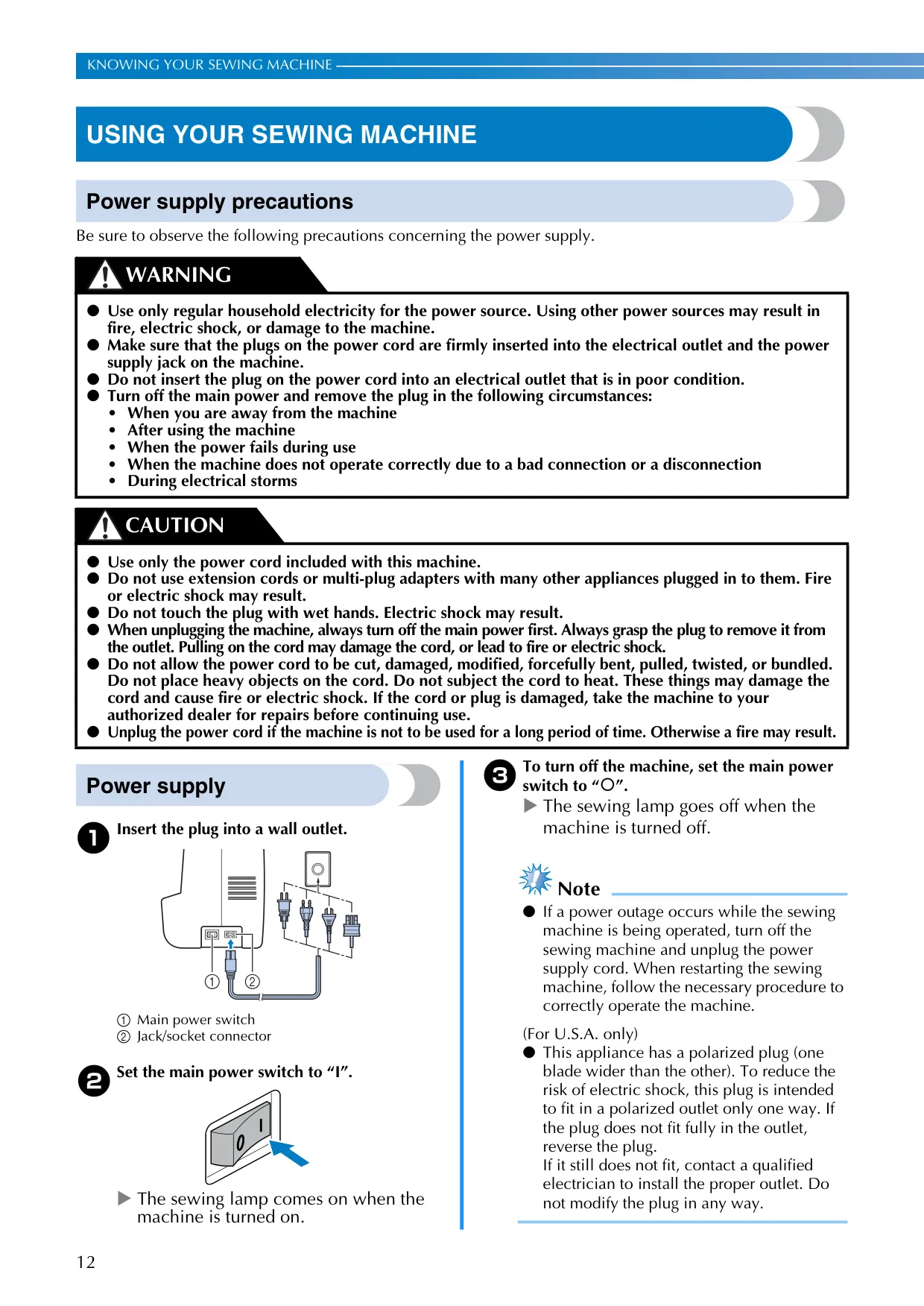
| Power Supply | Regular household electricity (Polarized plug for USA, 220-240V for specific regions) |
| Foot Controller | Model T (Product Code: XD0501-021 for EU, XC8816-021 for others) |
Brother CE1100PRW Sewing Machine Details
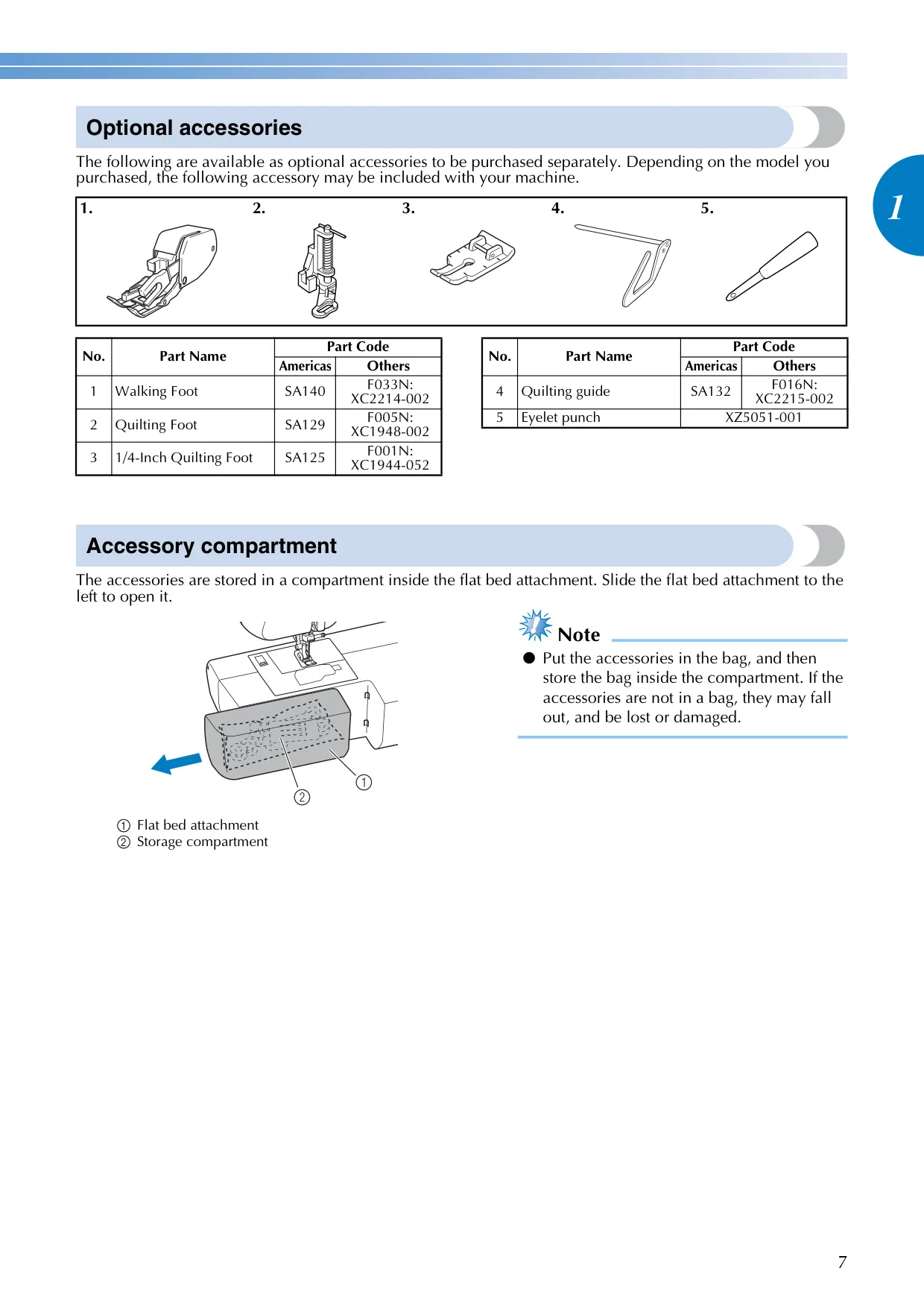
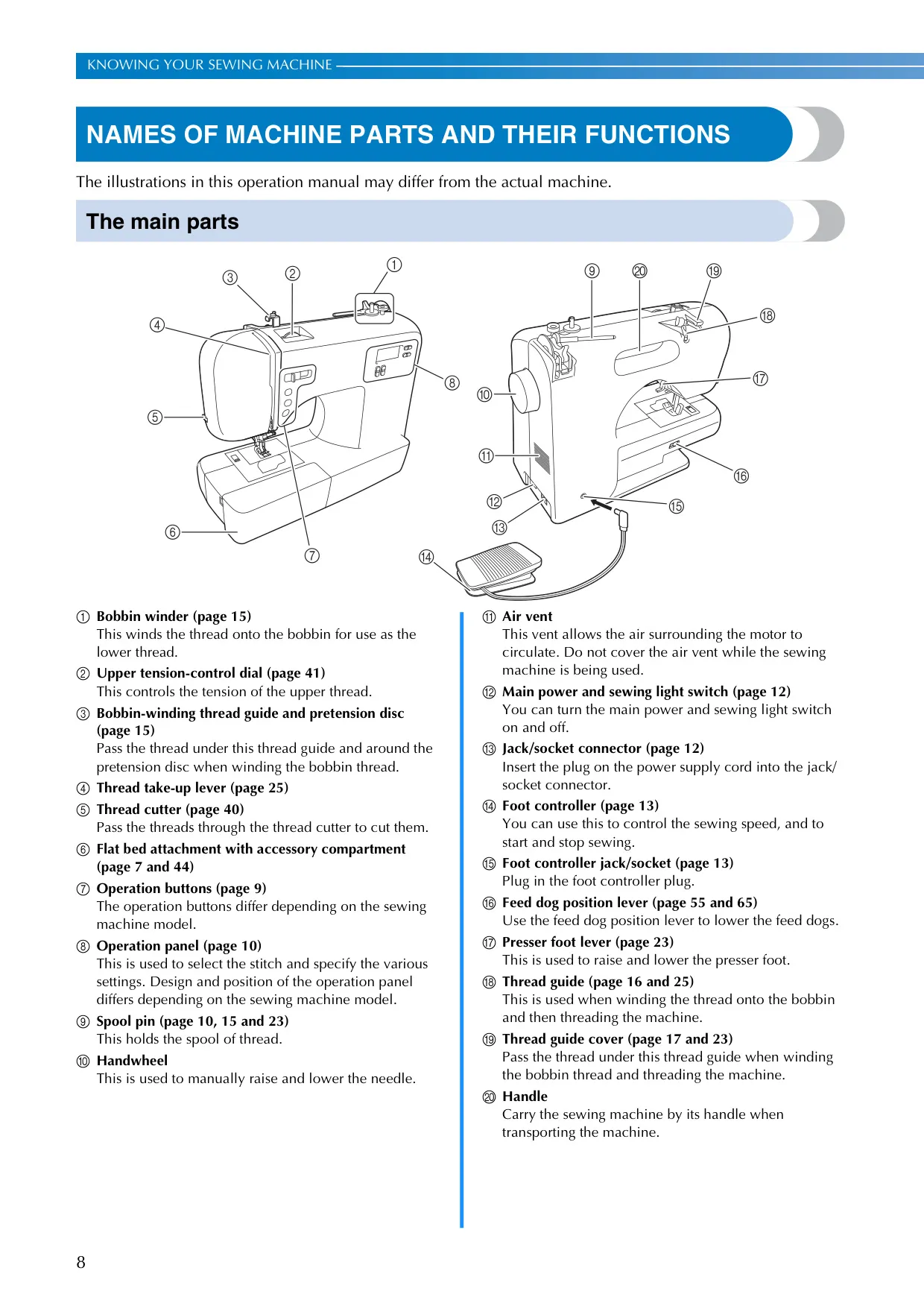
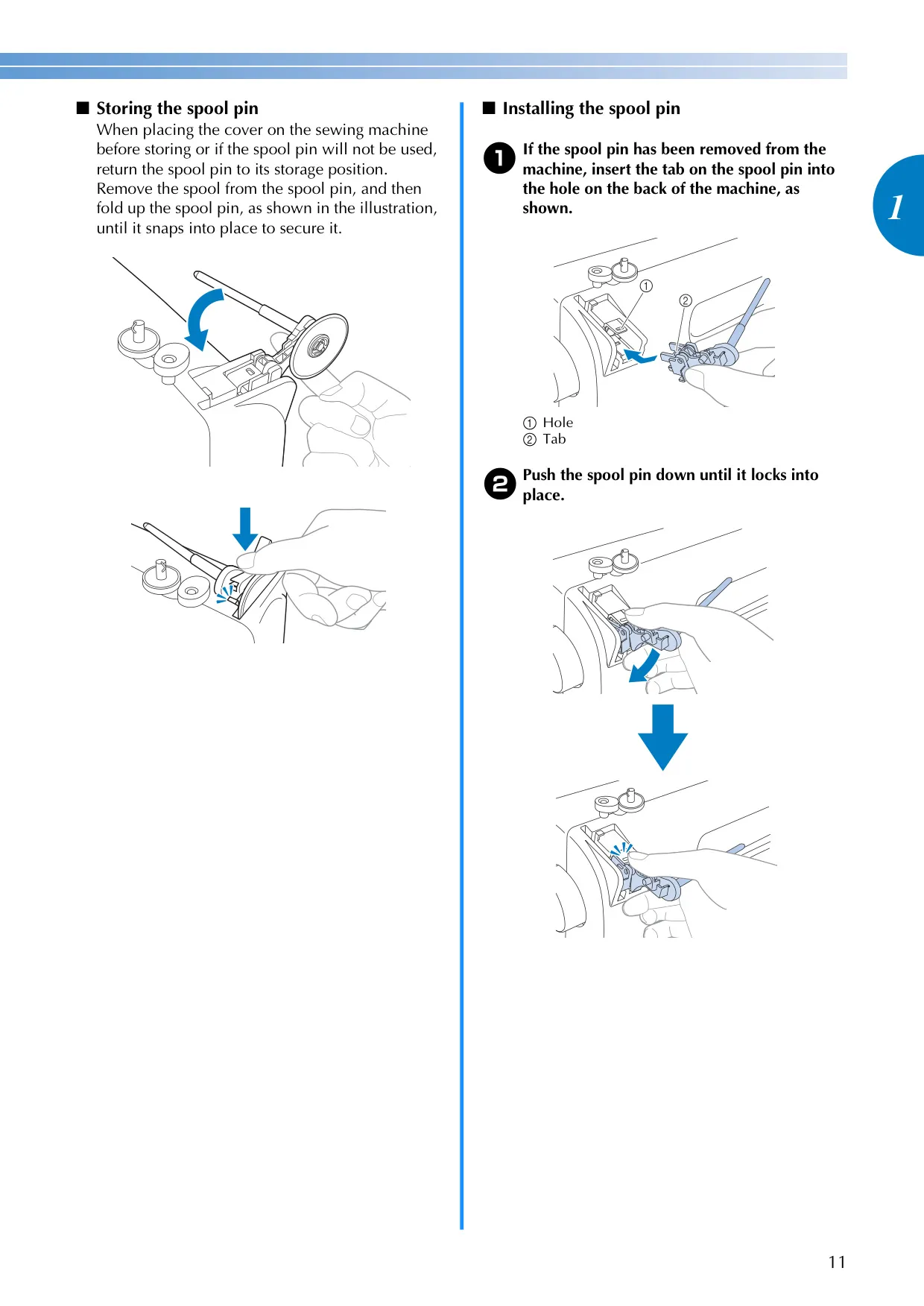
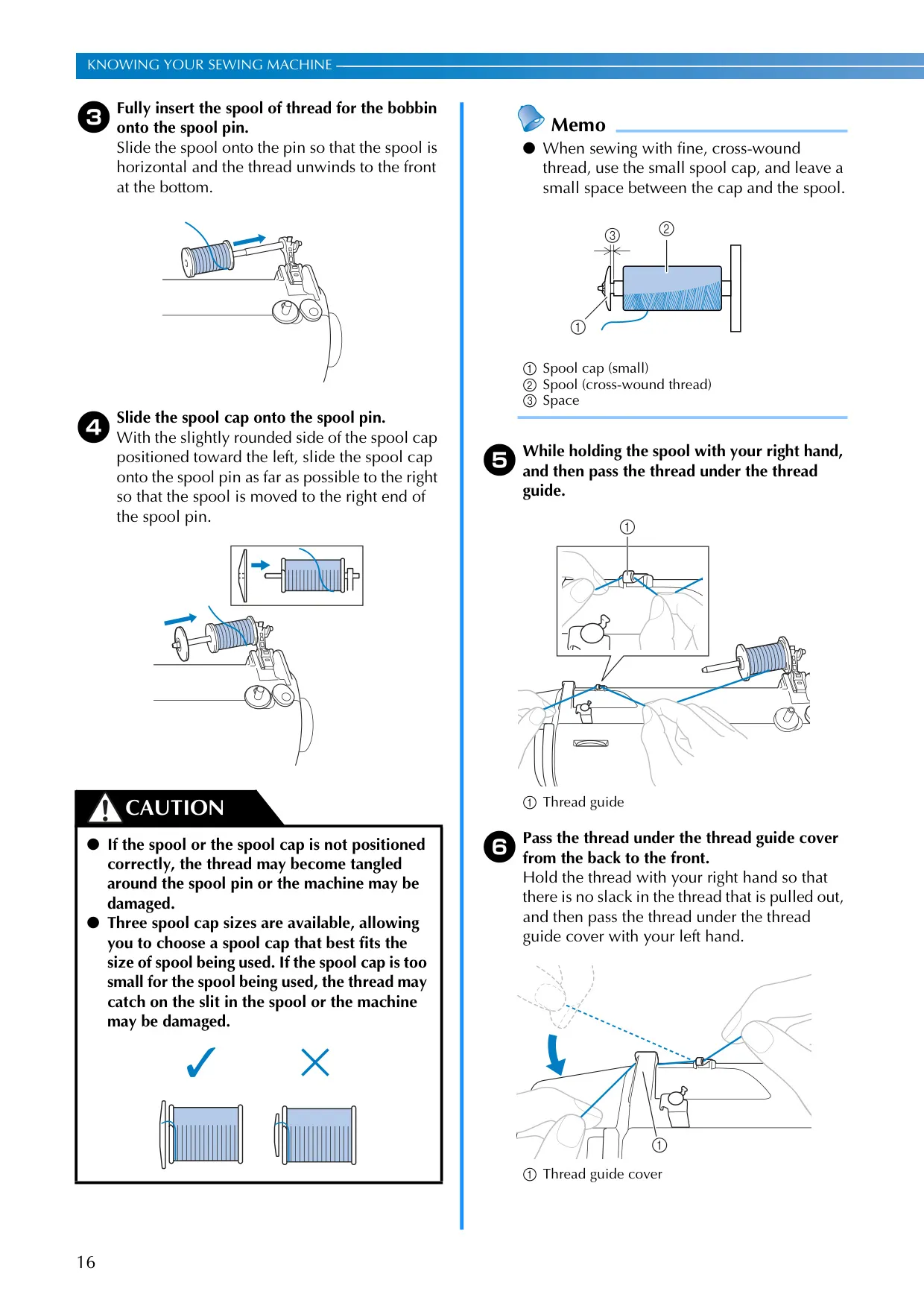
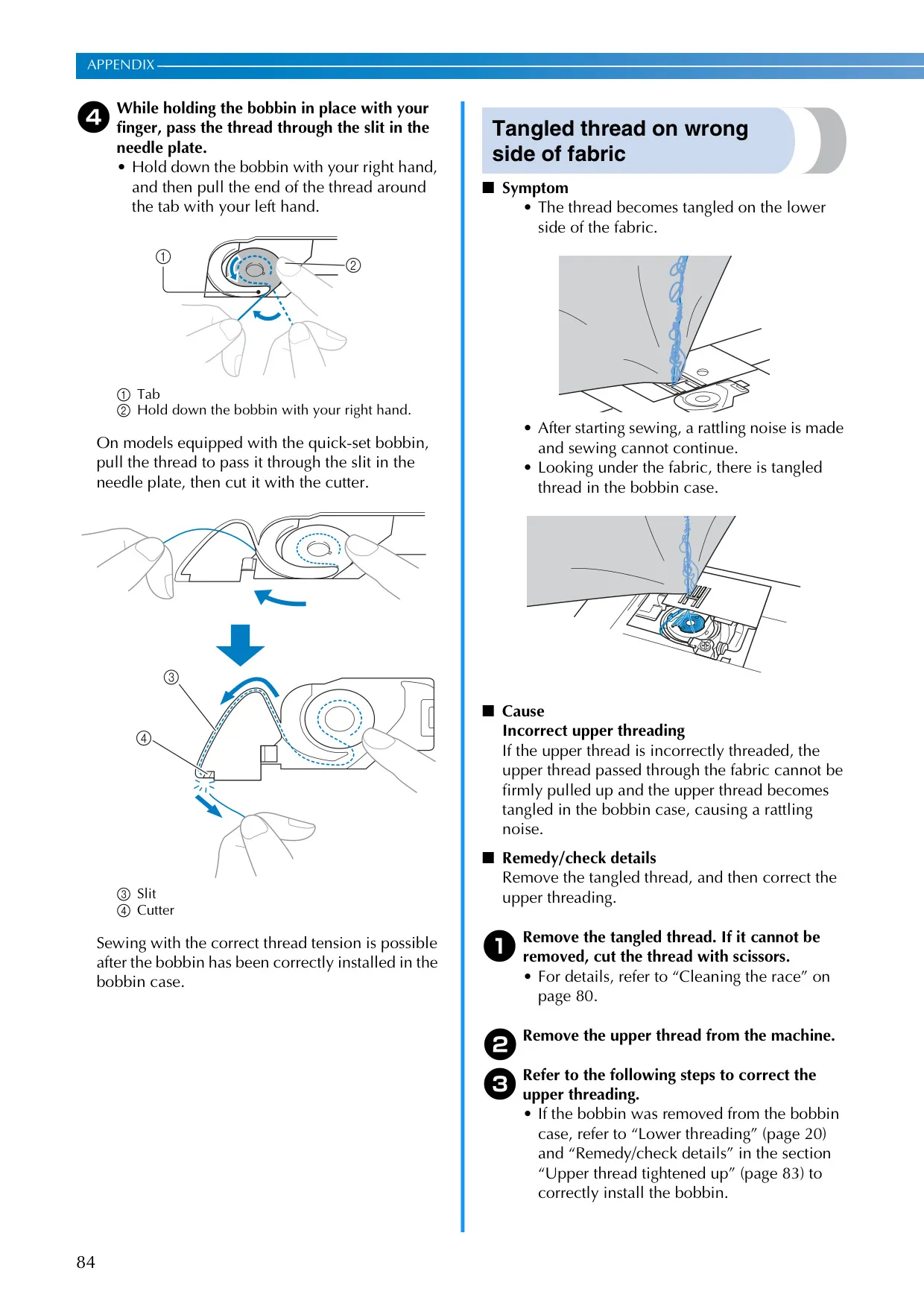
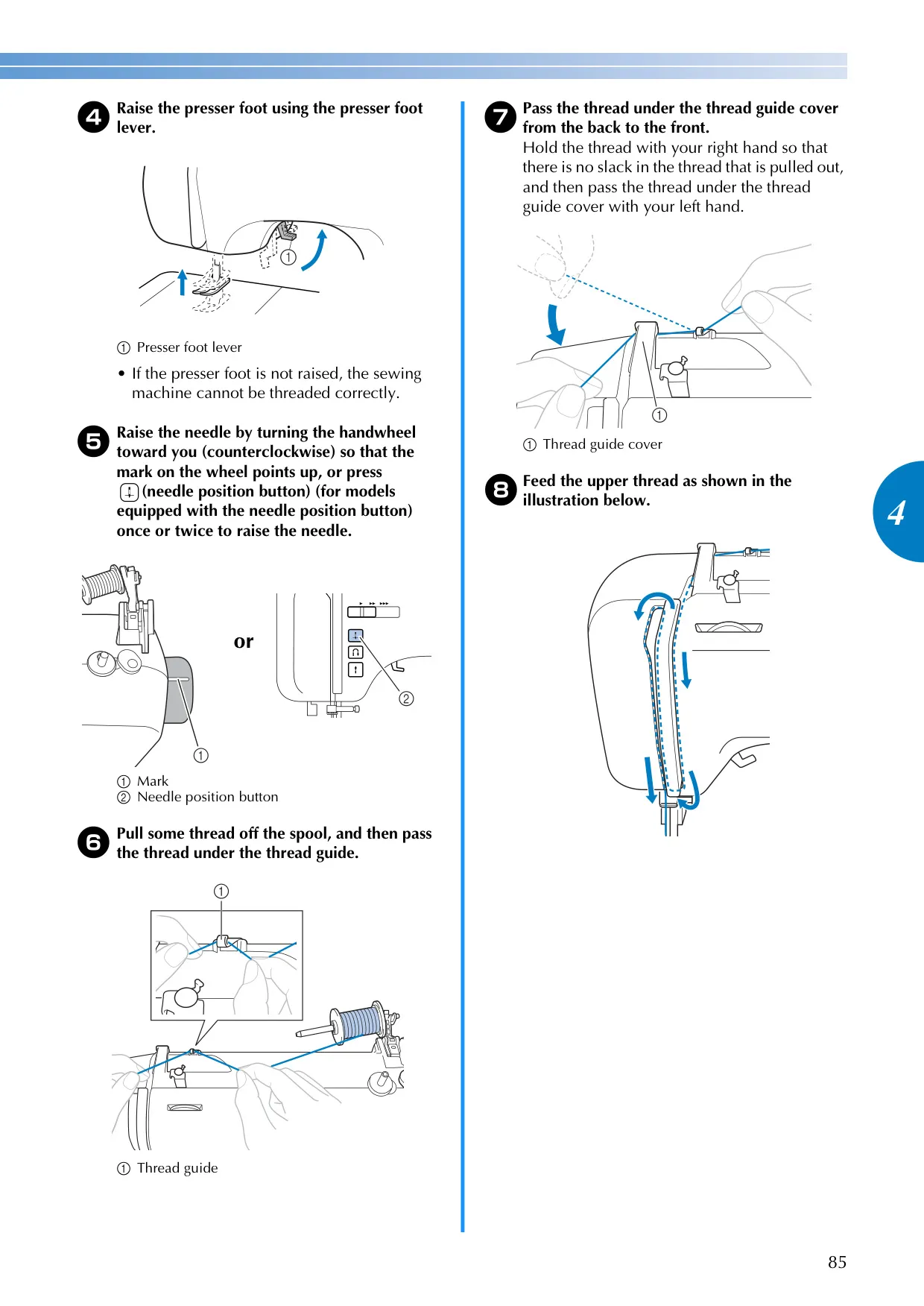
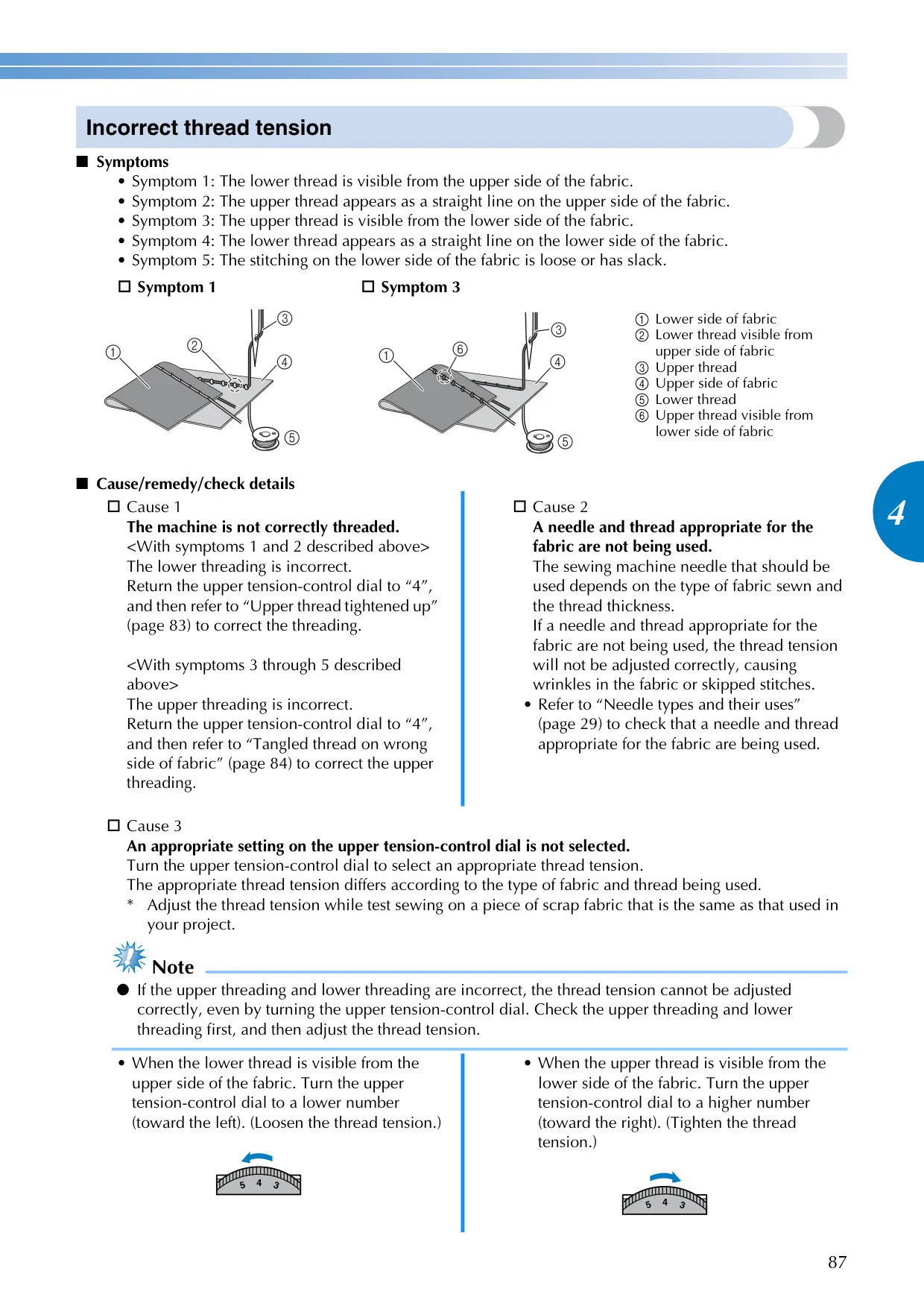
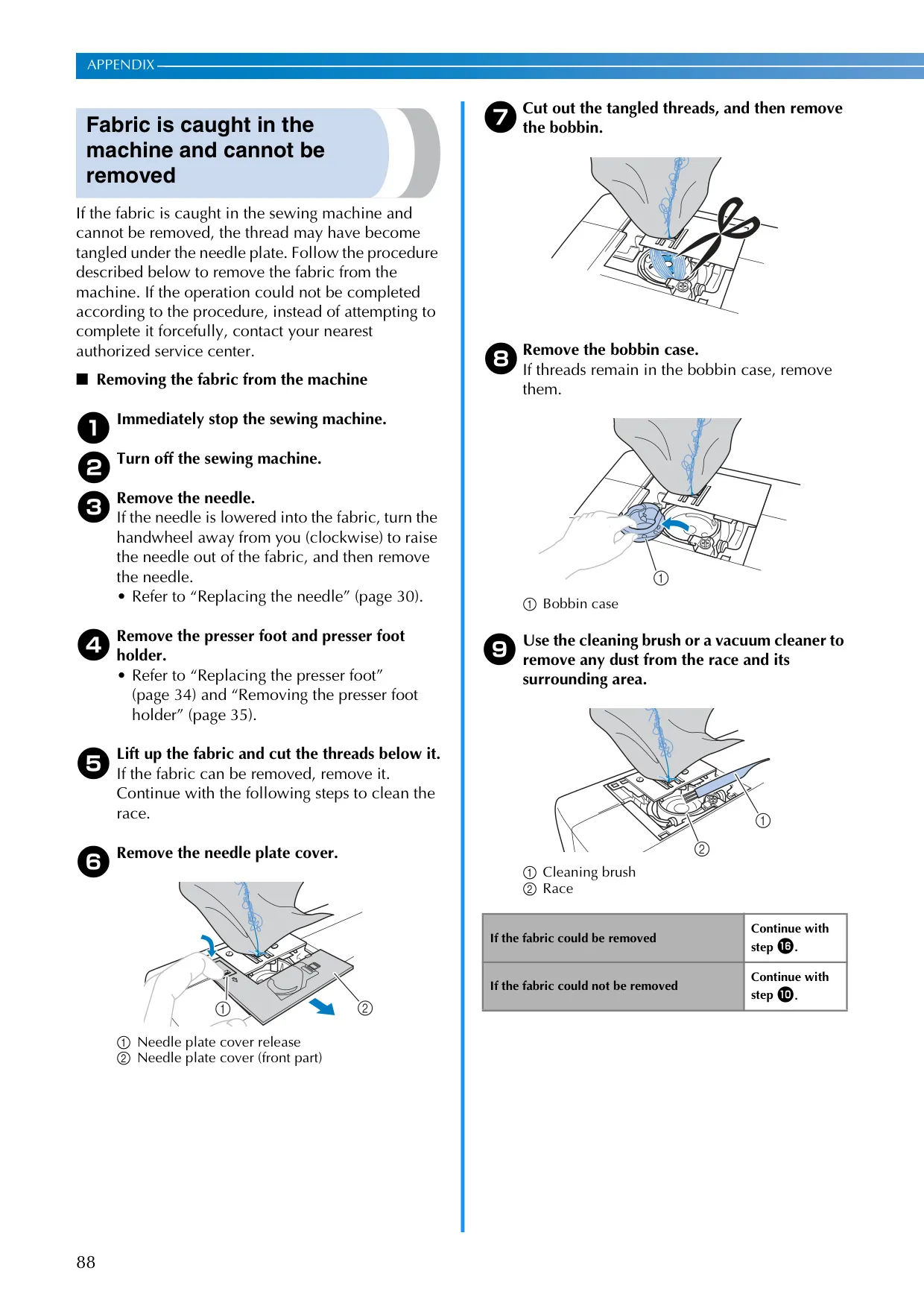
The Brother CE1100PRW sewing machine is engineered for a seamless user experience, starting with its intuitive setup. It features an easily accessible accessory compartment within the flat bed attachment, ensuring tools are always at hand. The machine incorporates a convenient spool pin that swings up for effortless thread loading and down for compact storage. For precision, the handwheel allows manual control over needle position, while the main power switch also controls the integrated sewing light, illuminating your workspace effectively.
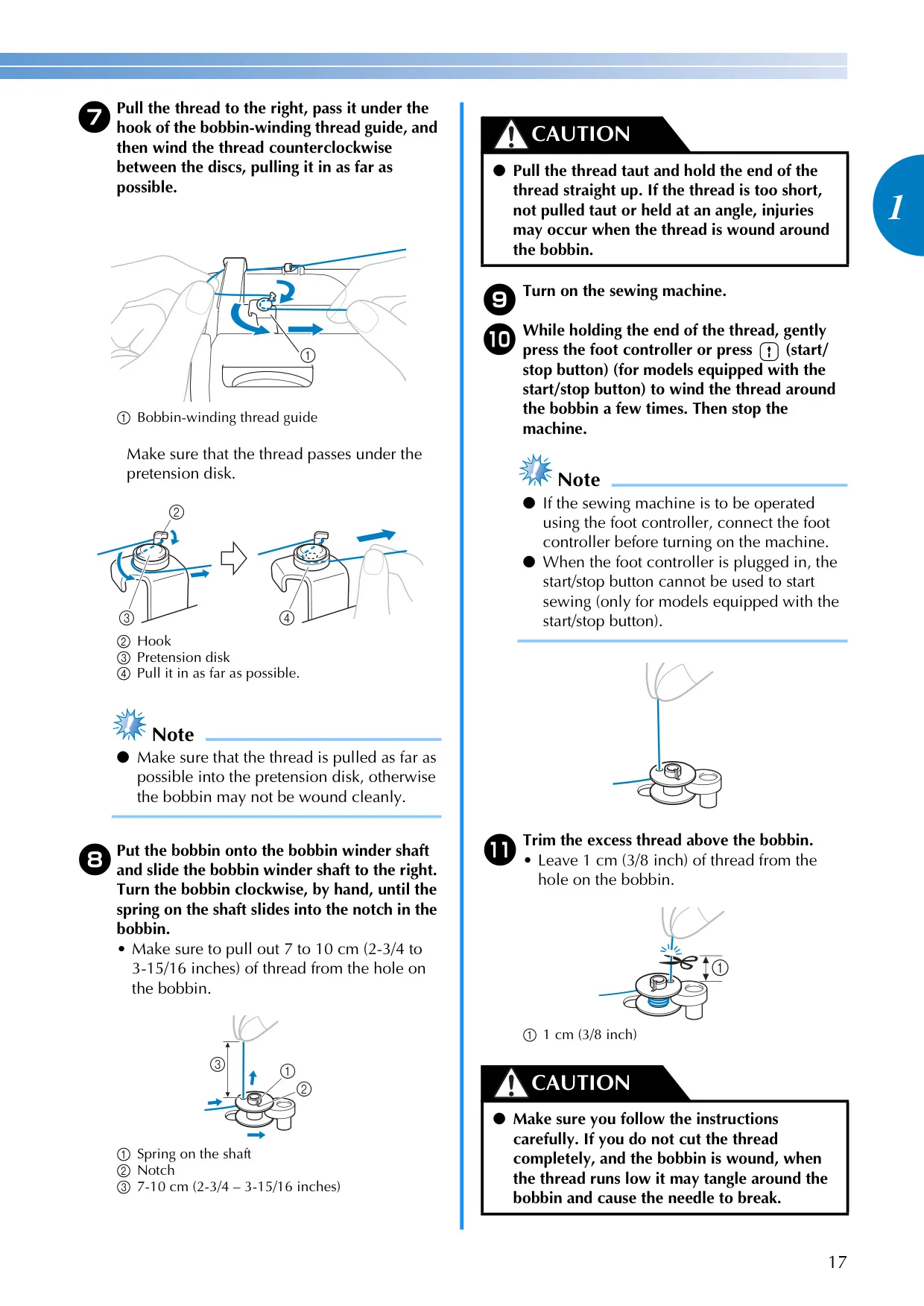
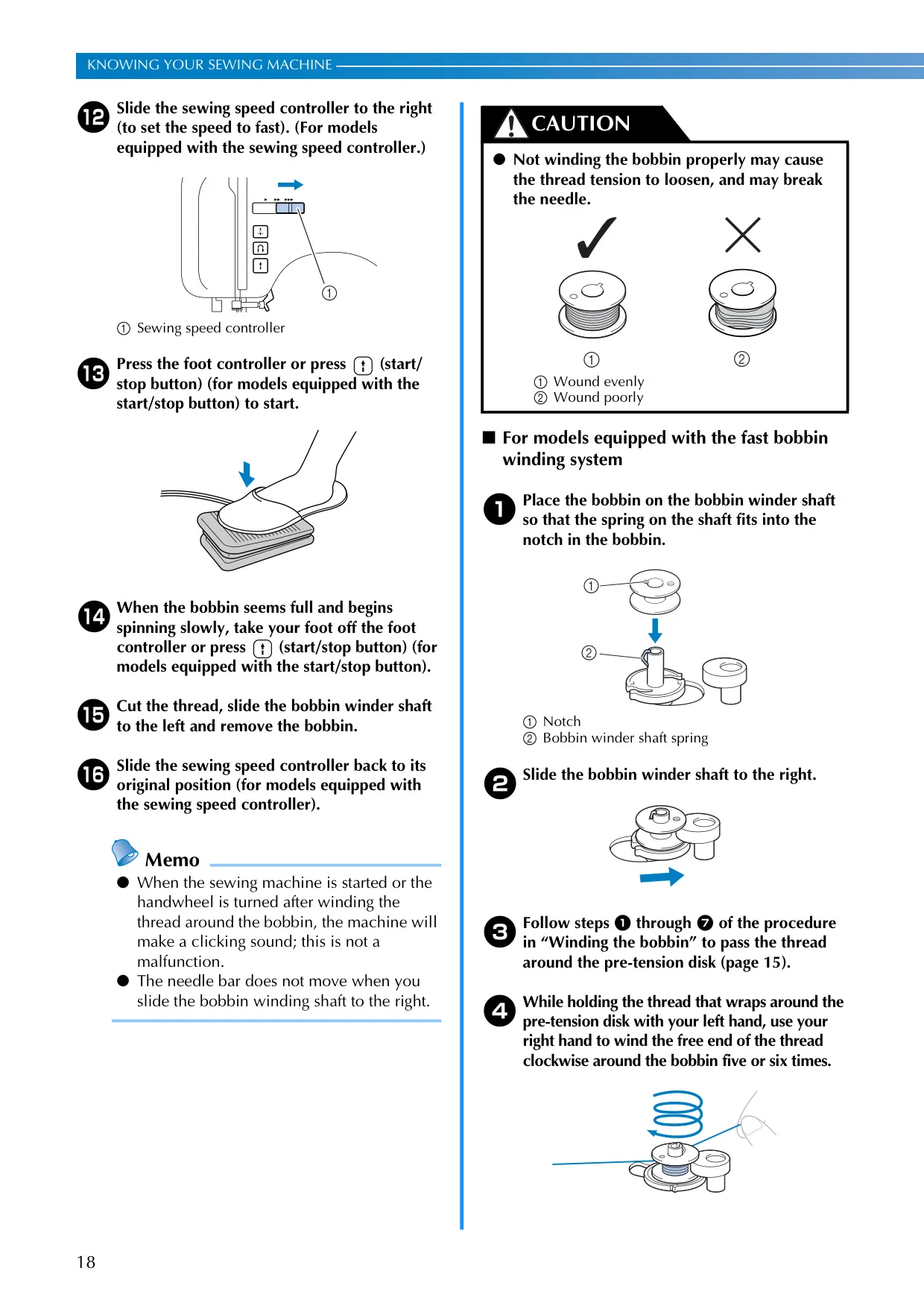
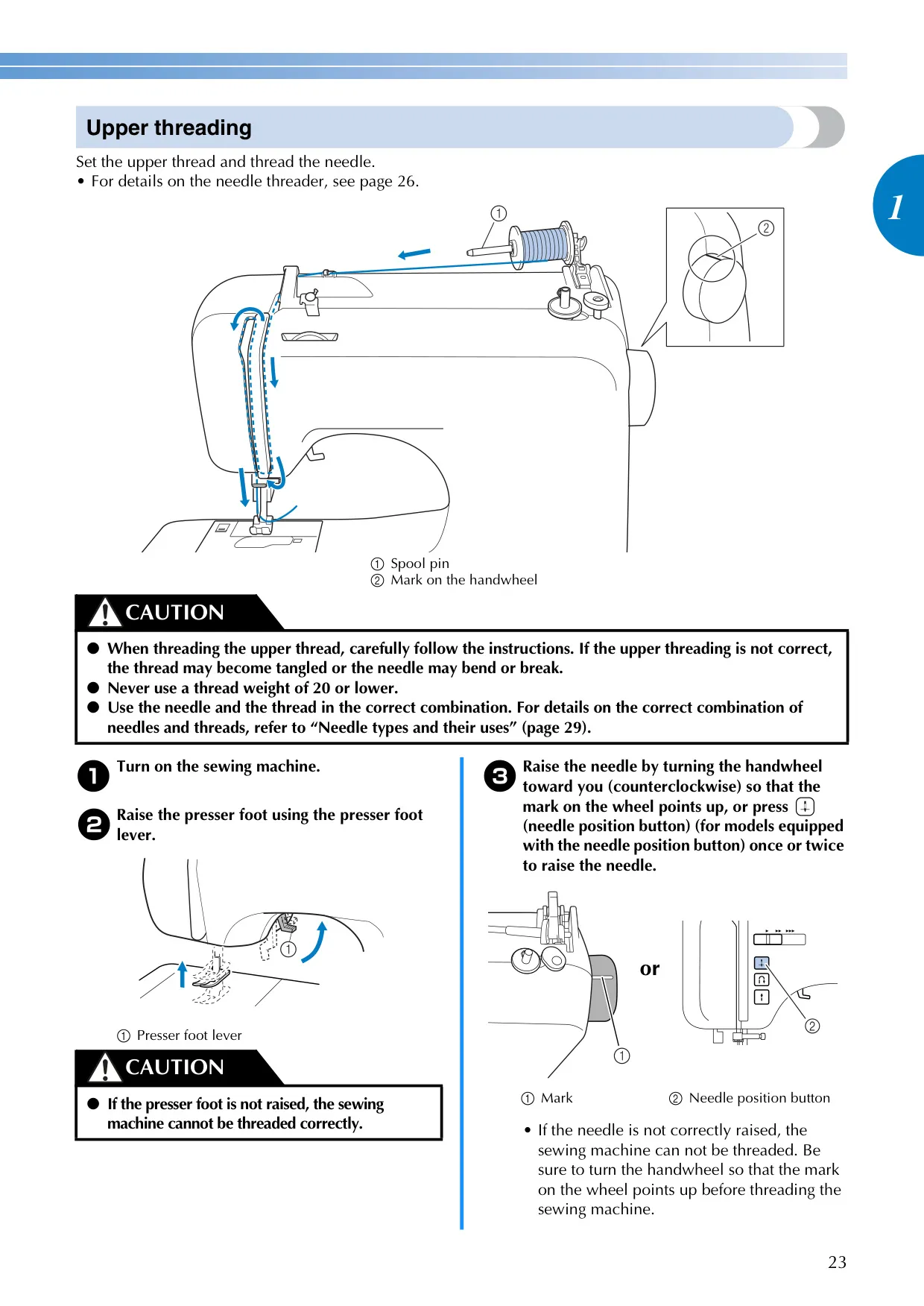
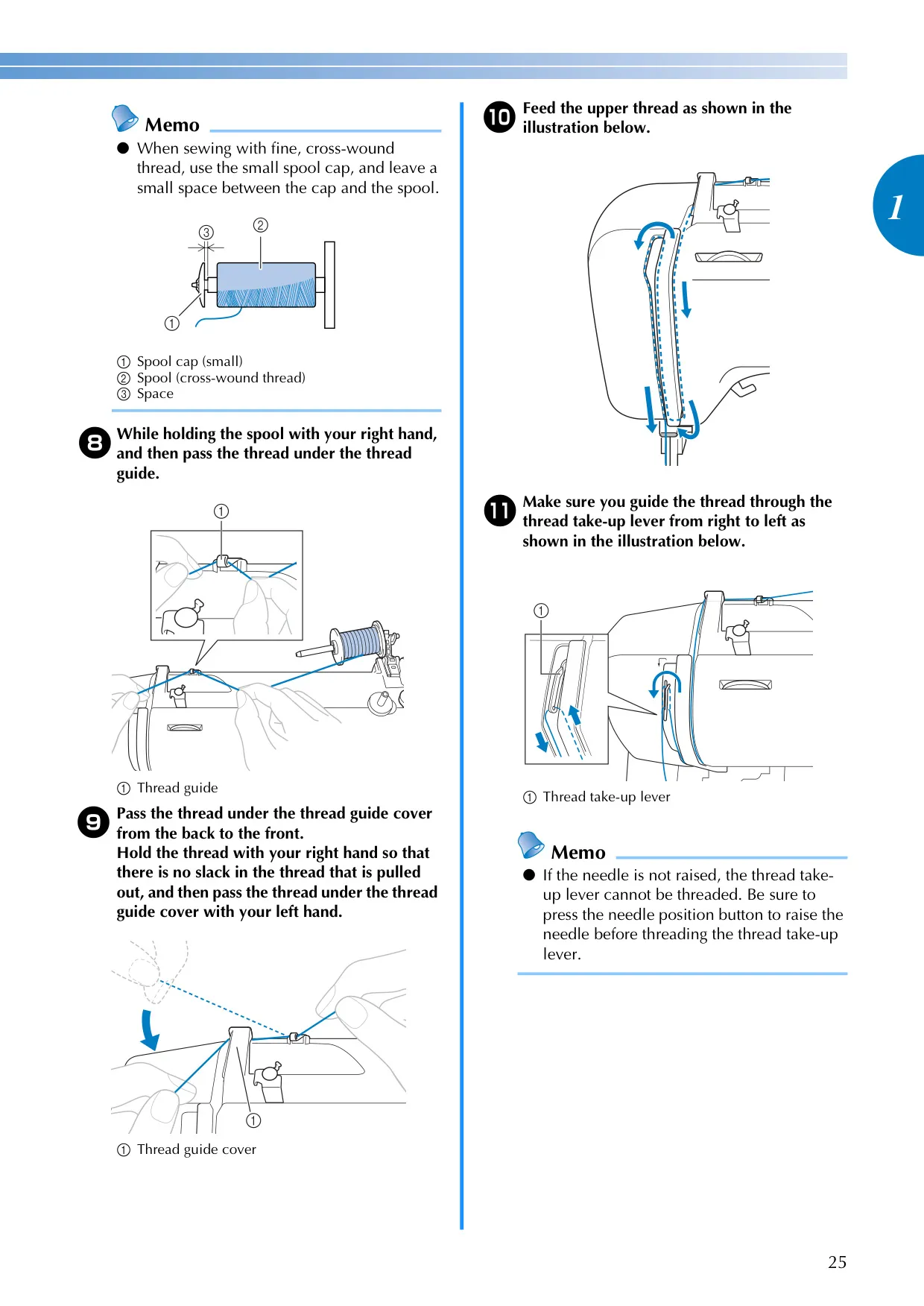
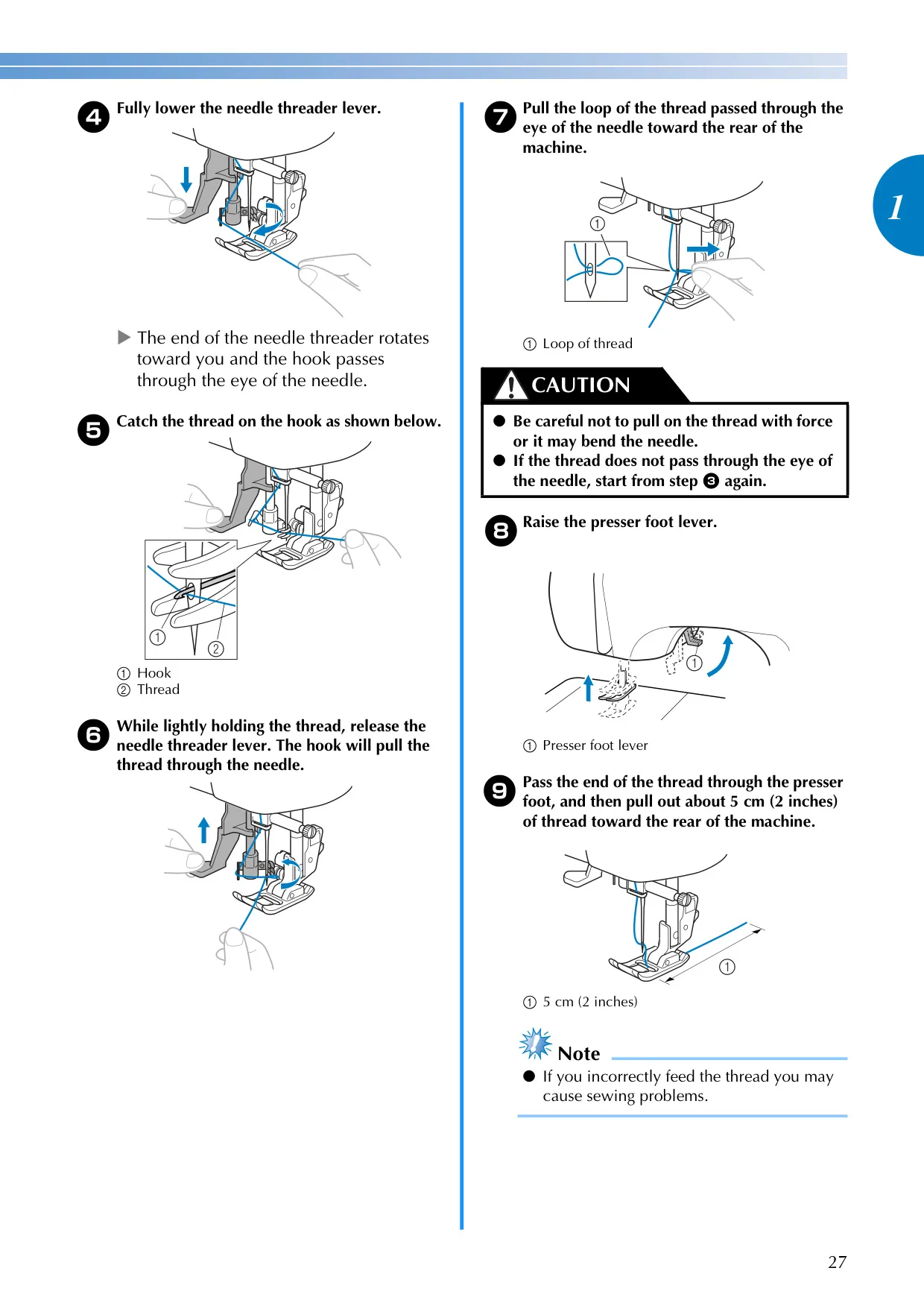
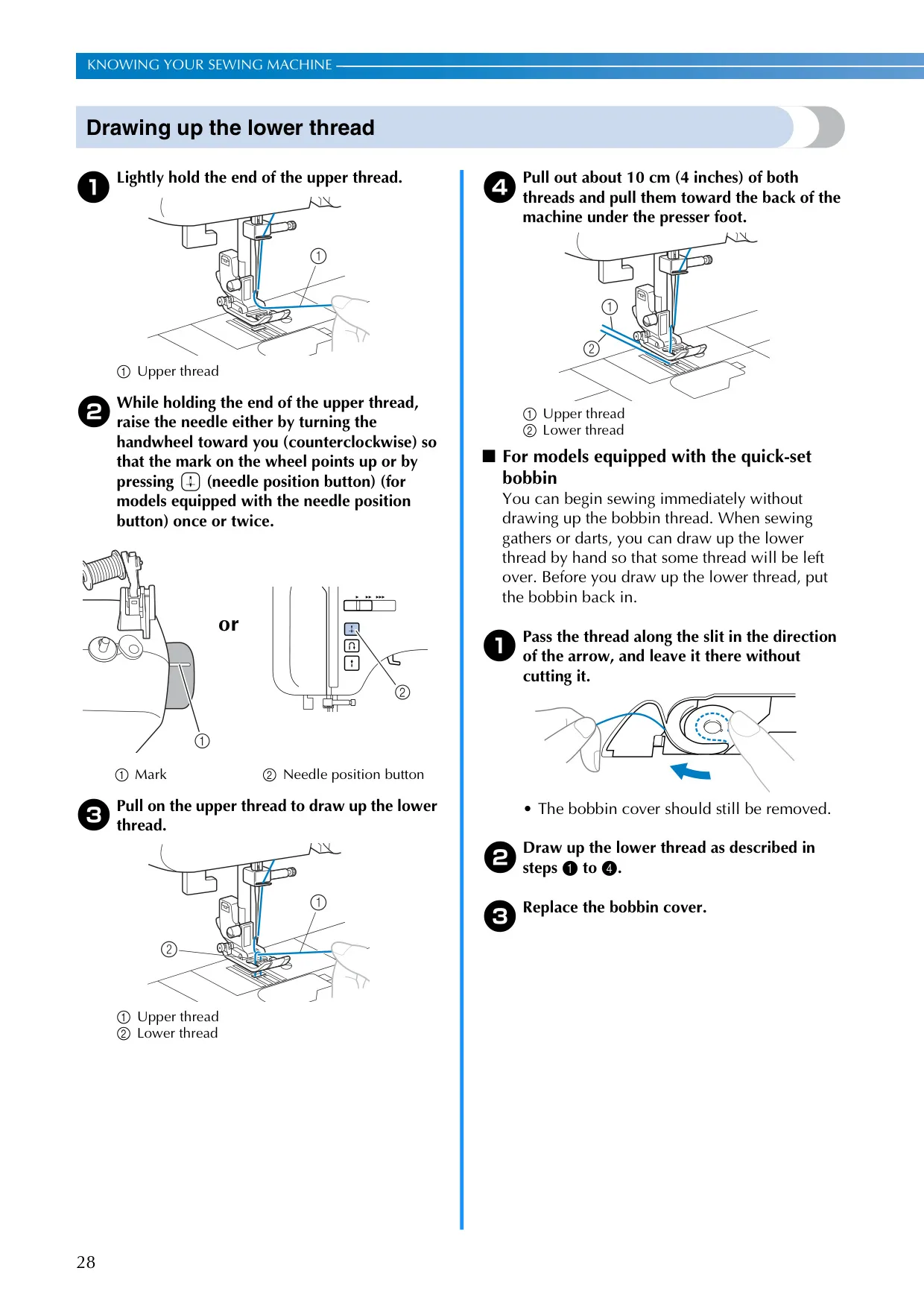
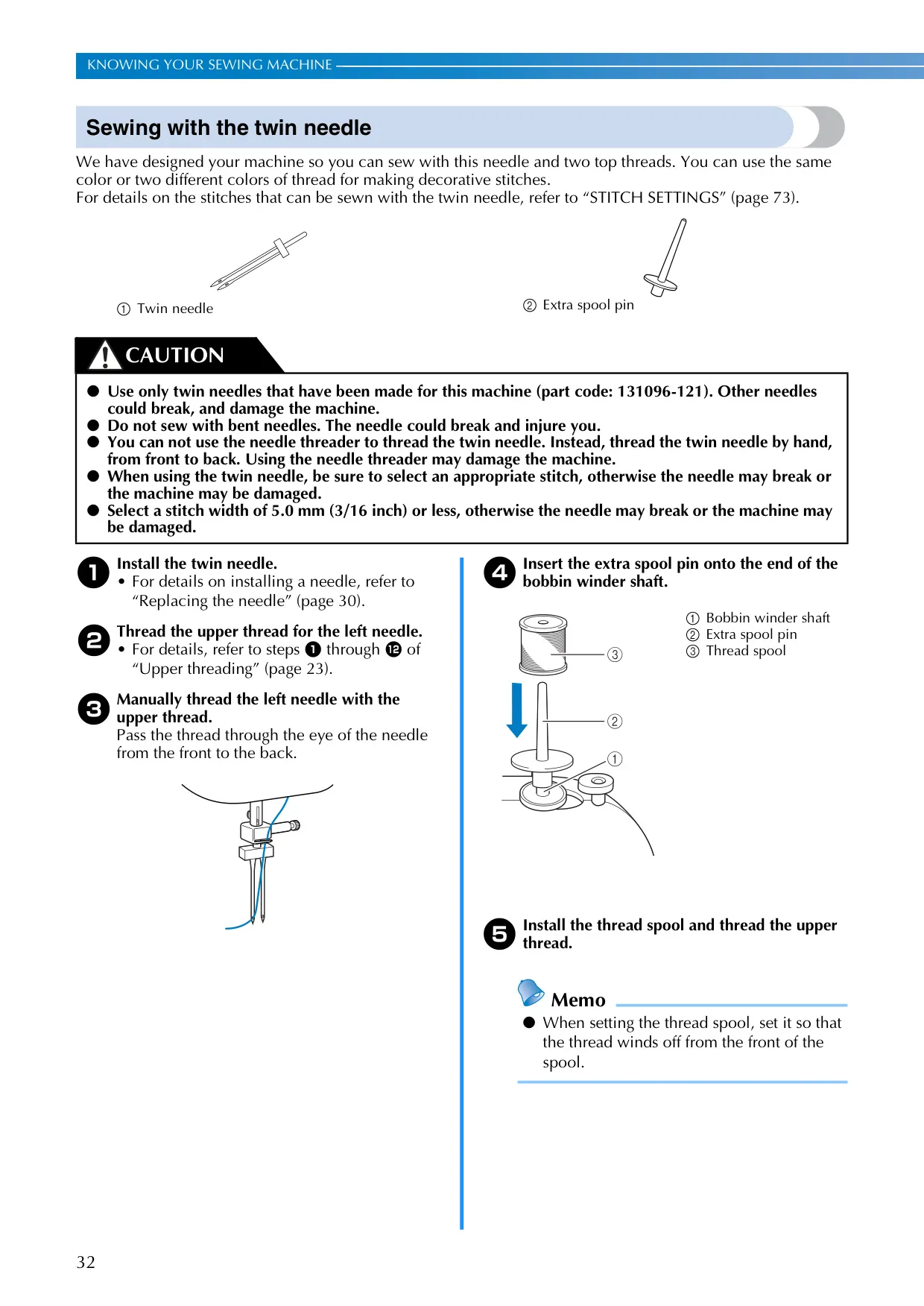
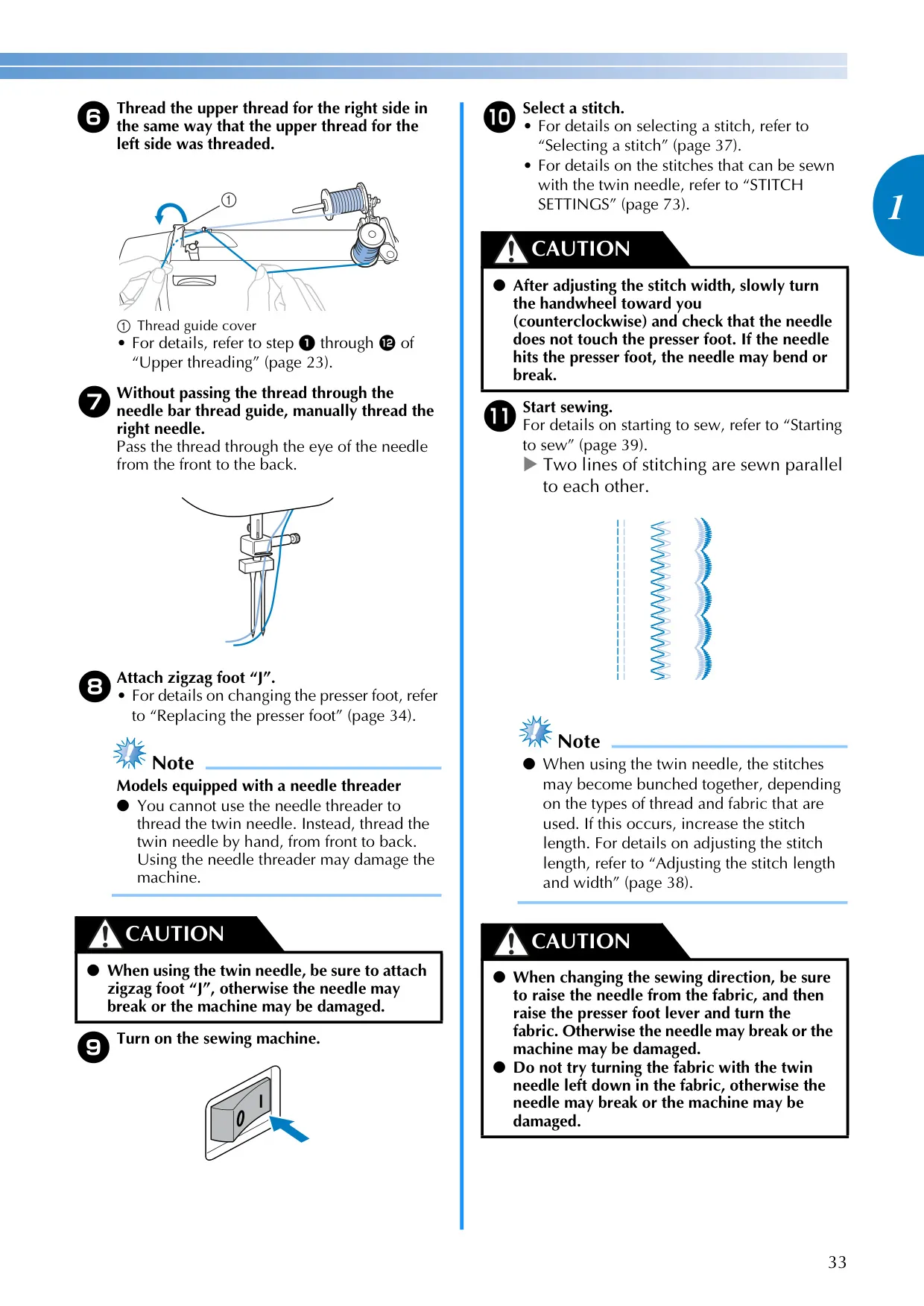
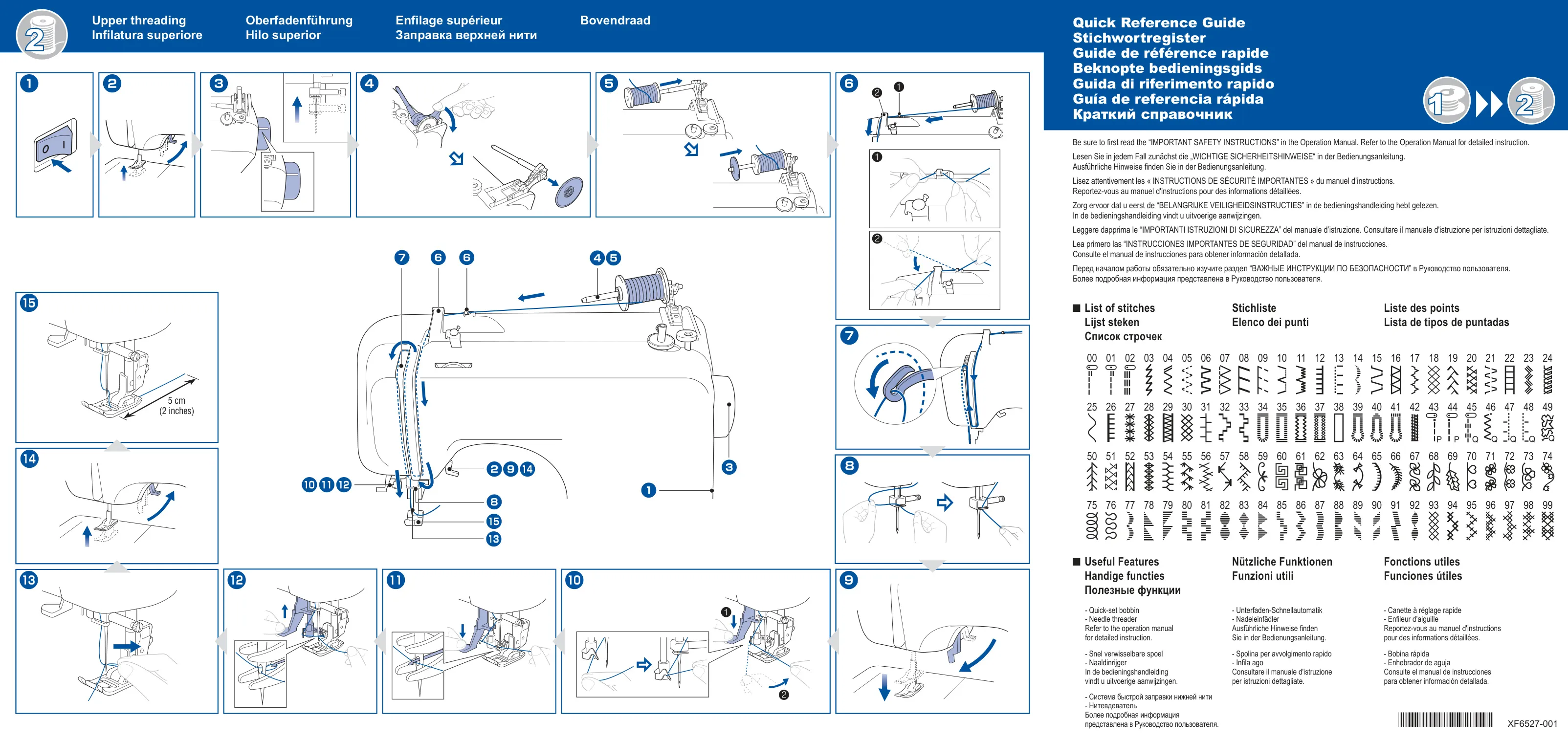
Threading is simplified with the CE1100PRW. It boasts both lower and upper threading guides, including a sophisticated needle threader for equipped models, which automatically guides the thread through the needle eye (note: not for twin or wing needles). The quick-set bobbin system (for equipped models) allows users to start sewing immediately without needing to draw up the bobbin thread manually, saving valuable time and reducing setup complexity. The machine also features a specialized fast bobbin winding system on some models, ensuring bobbins are wound quickly and evenly.
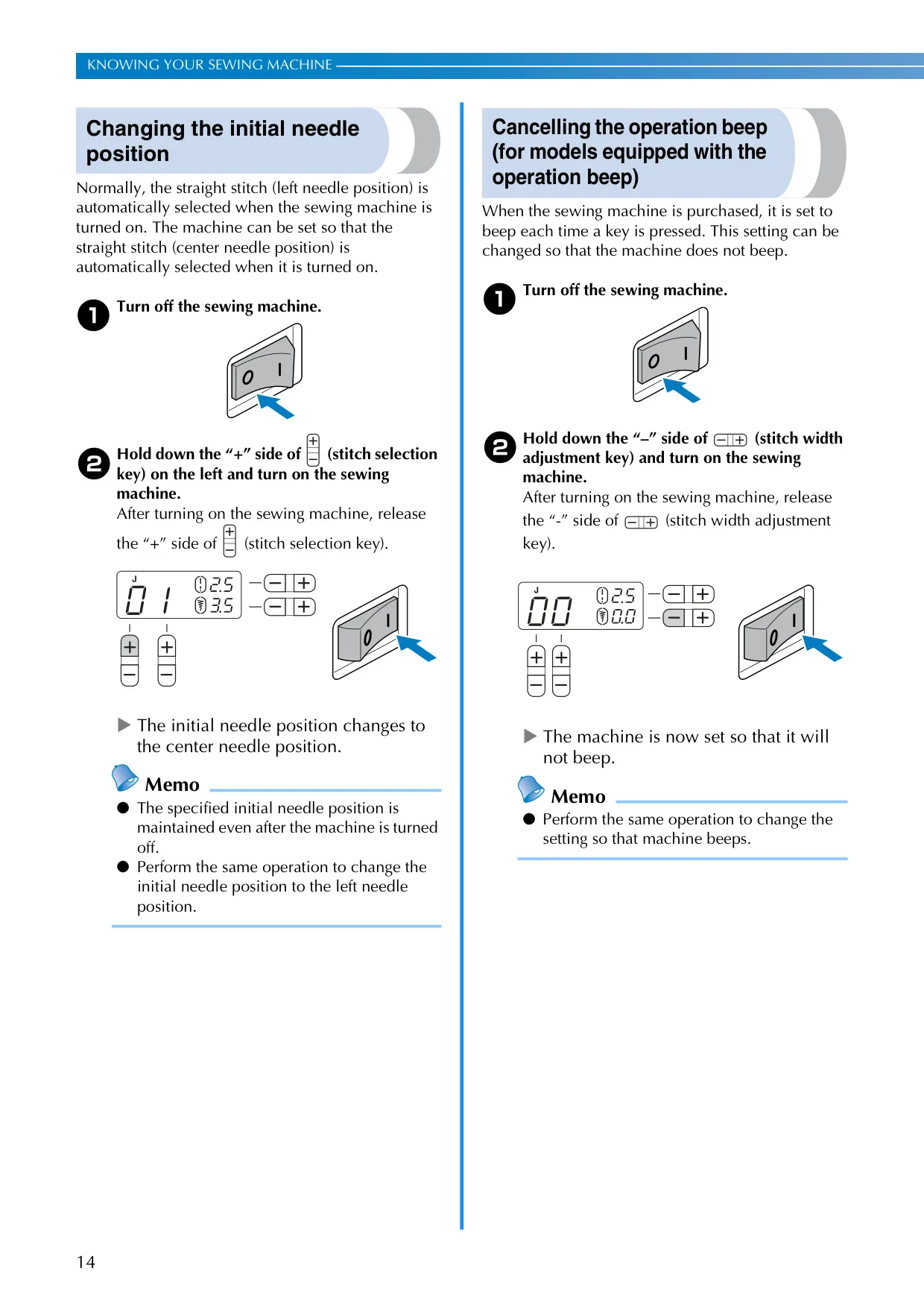
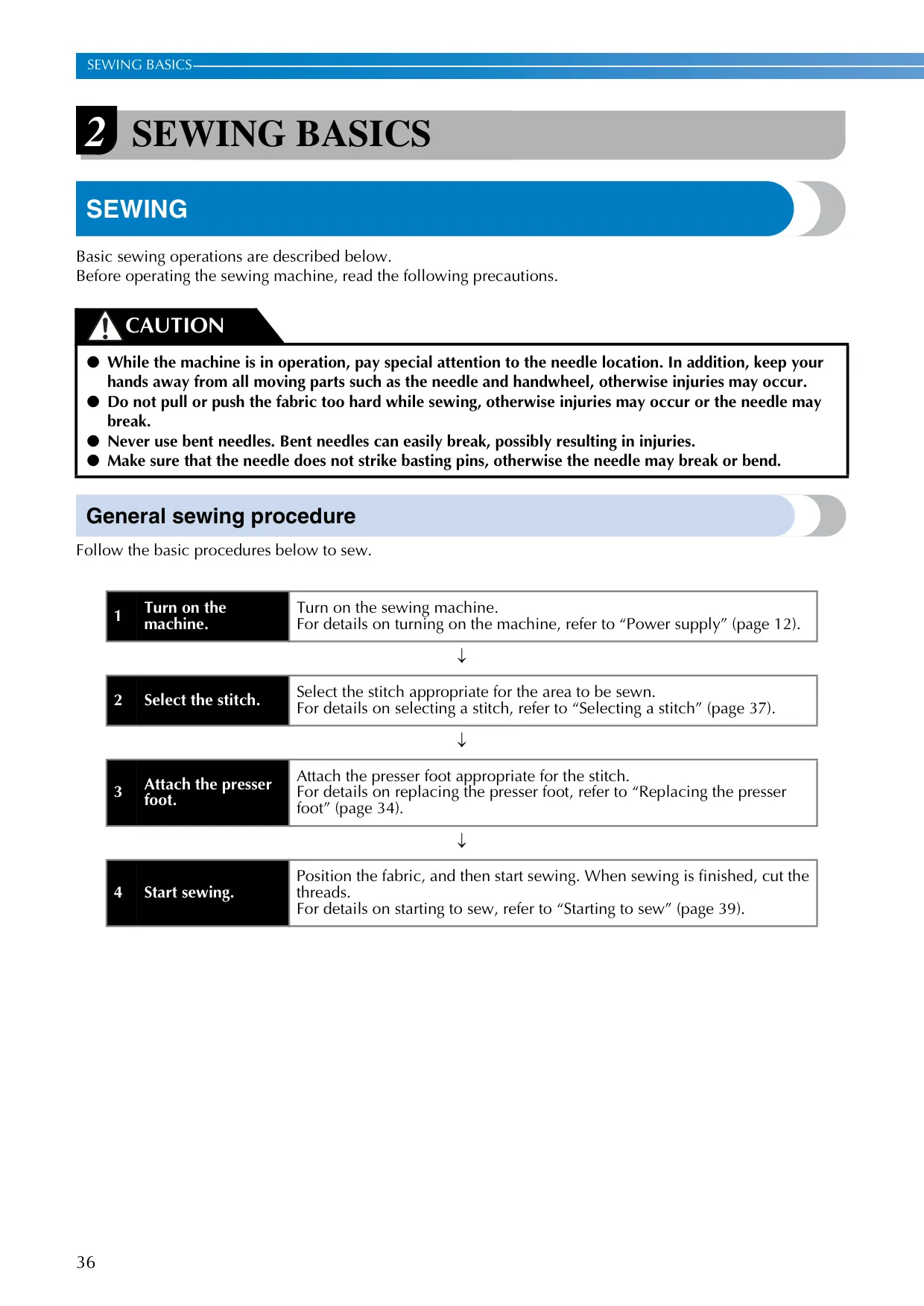
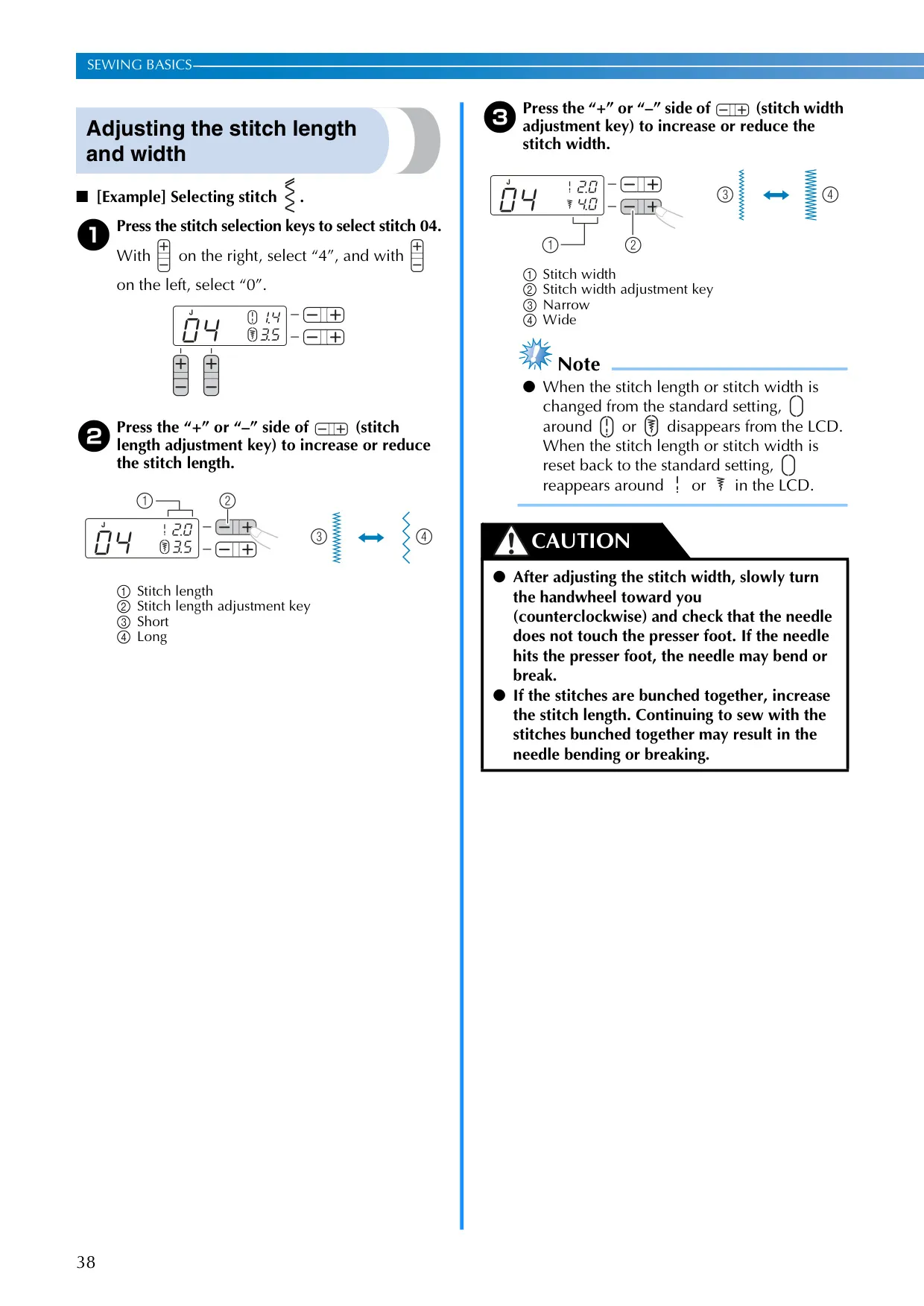
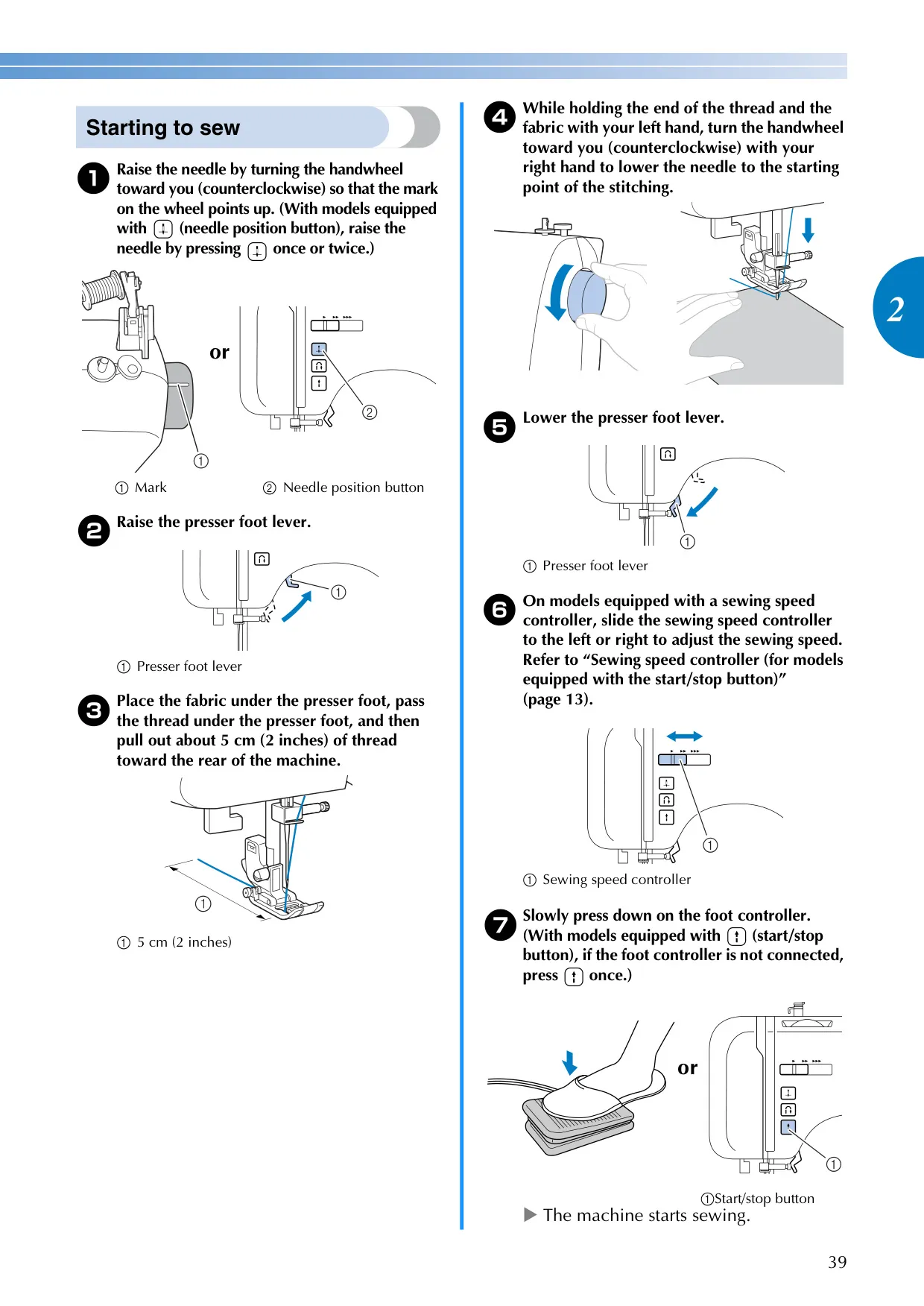
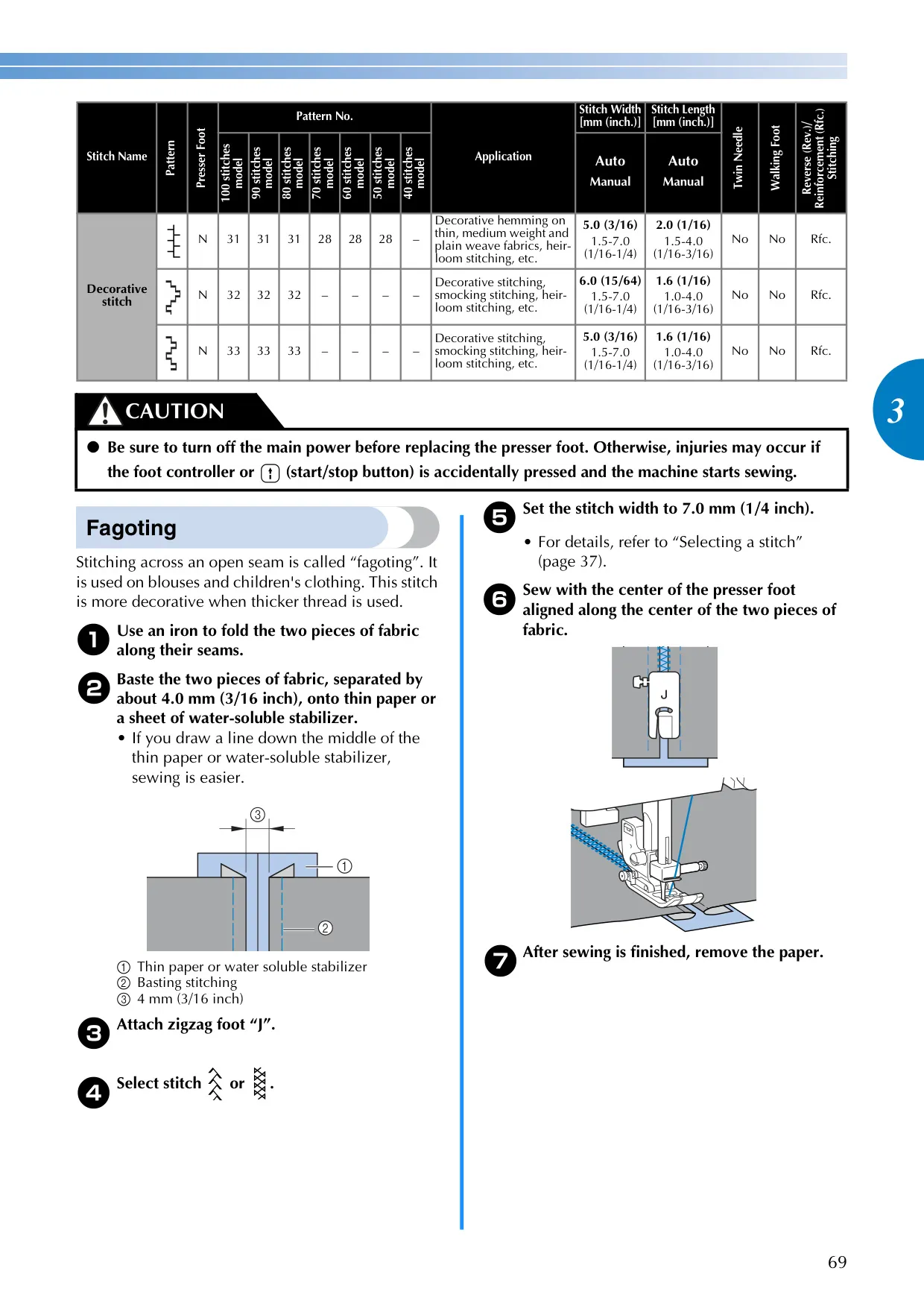
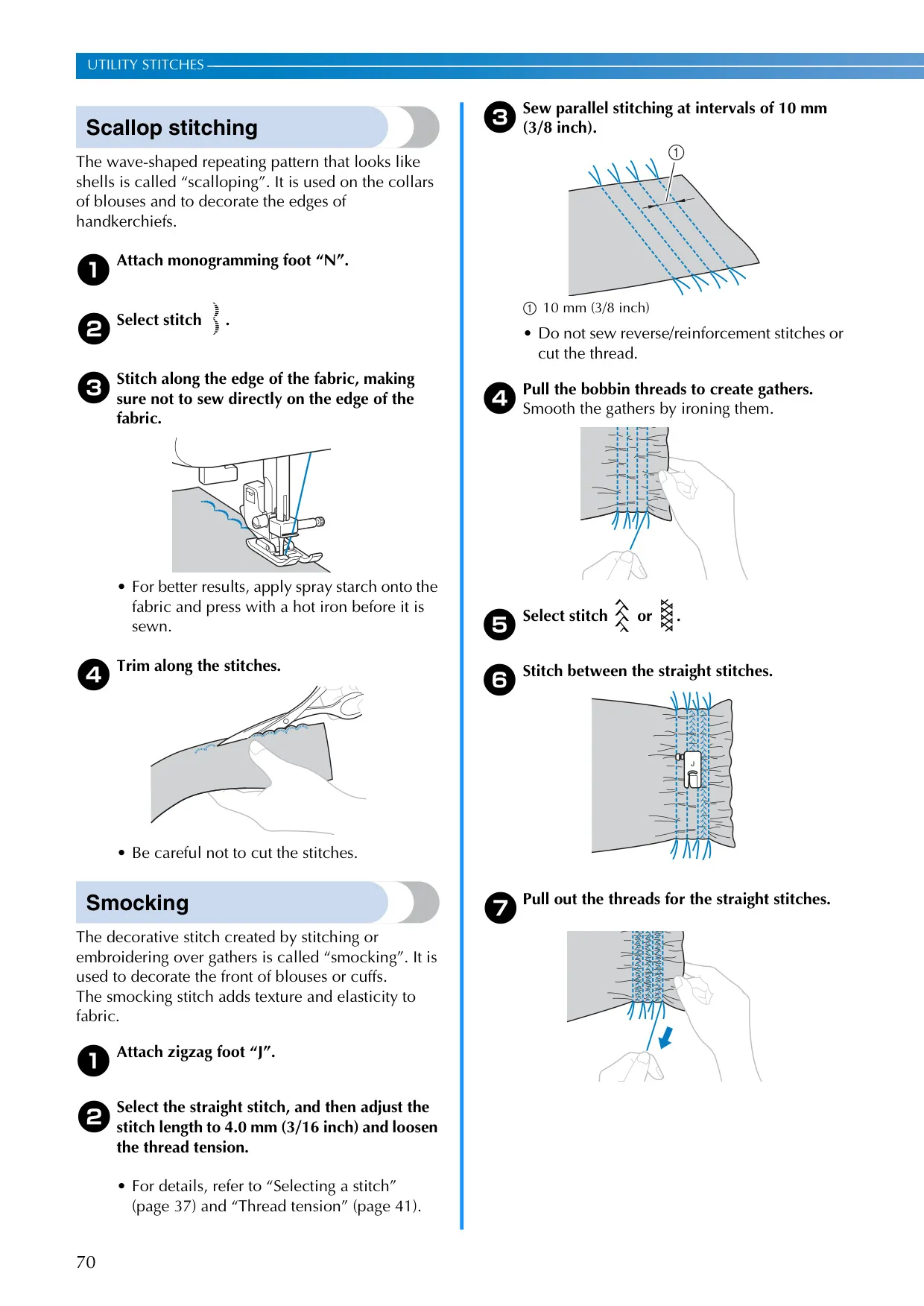
This machine offers a wide array of stitching options, with up to 100 utility stitches catering to diverse projects from basic garment construction to intricate embellishments. Users can easily select and adjust stitch patterns, length, and width via the clear LCD operation panel and dedicated adjustment keys. For enhanced control, a sewing speed controller (on equipped models) allows for precise speed modulation, while the needle position button offers instant needle up/down functionality, ideal for pivoting fabric and detailed work.
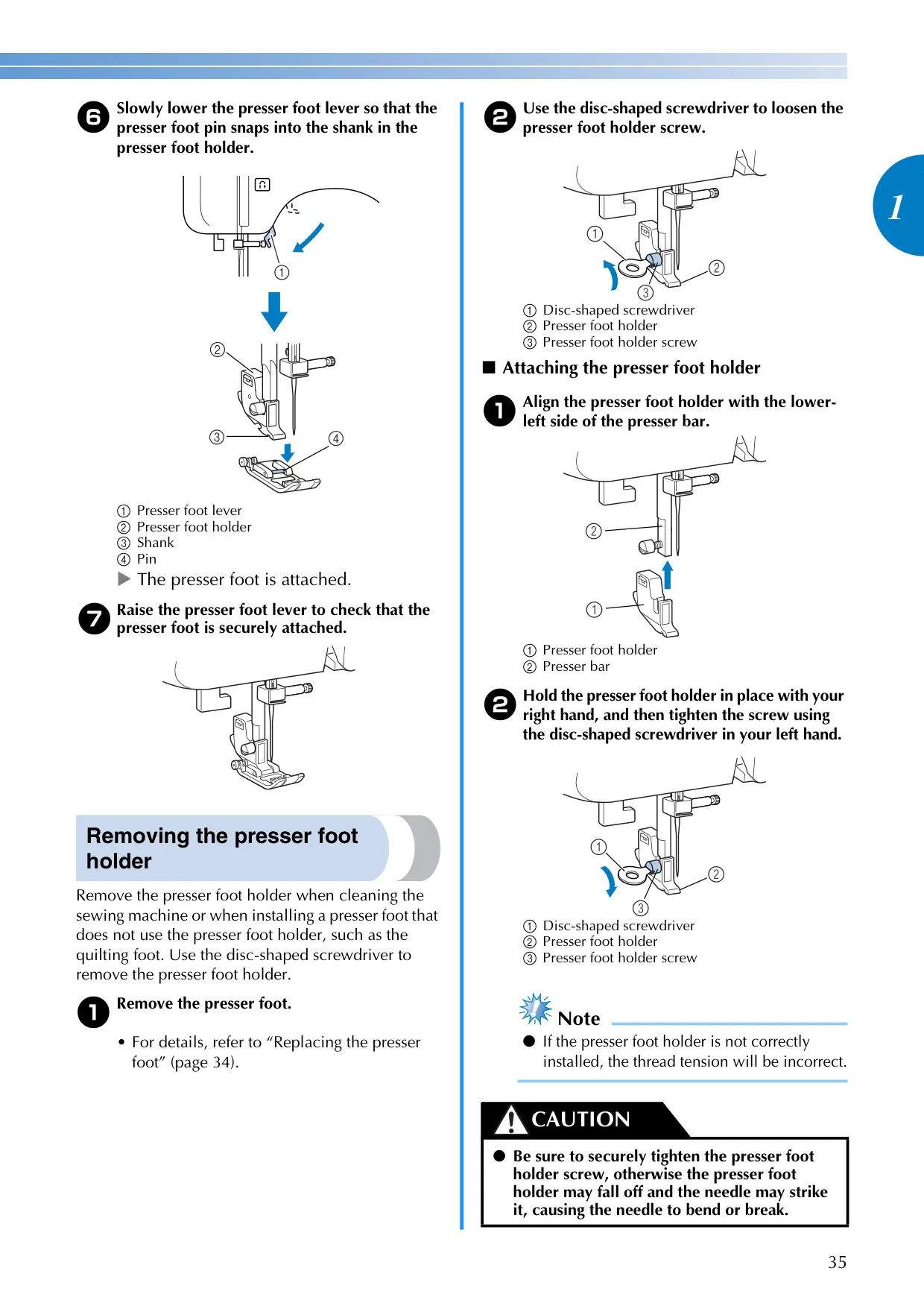
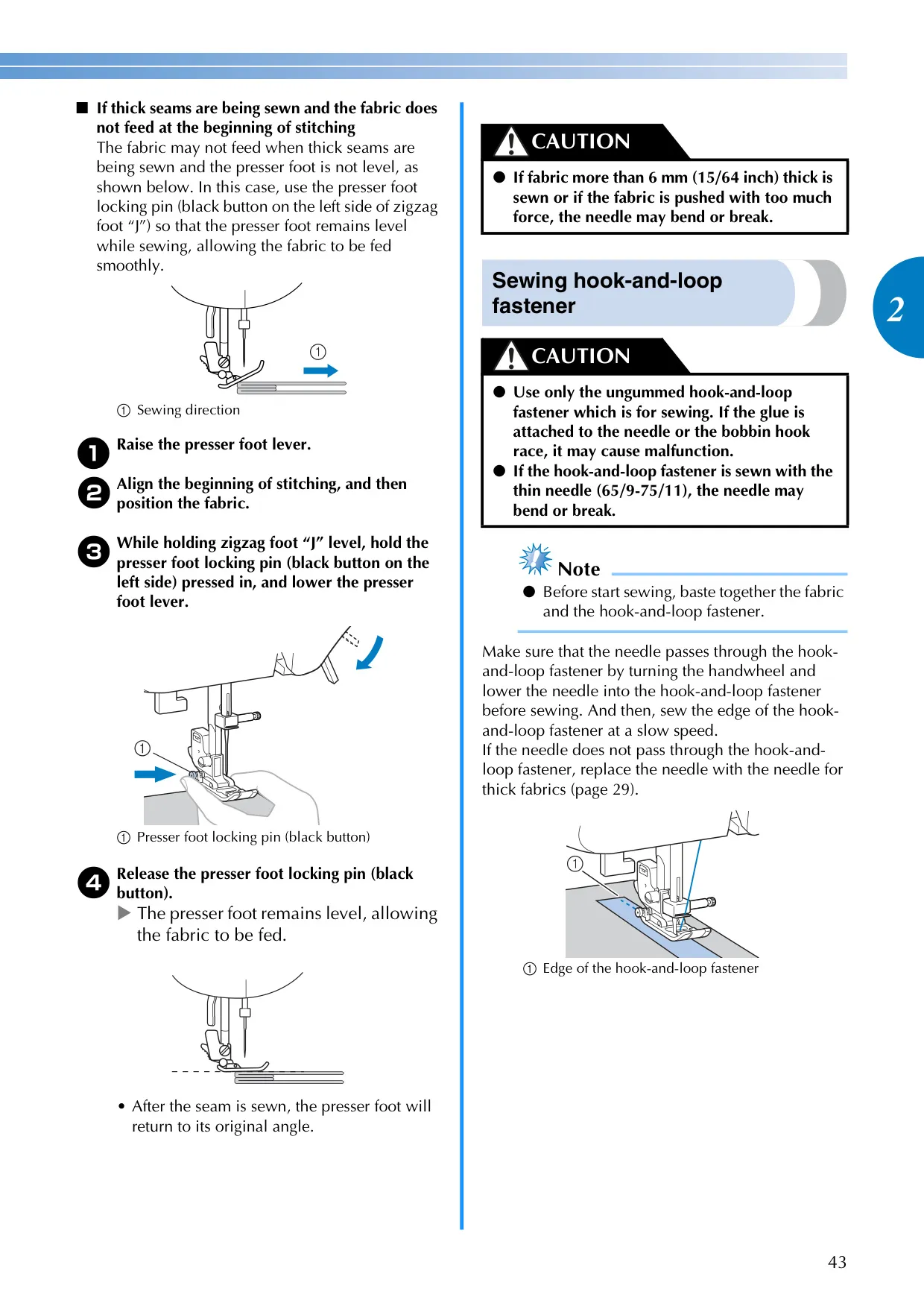
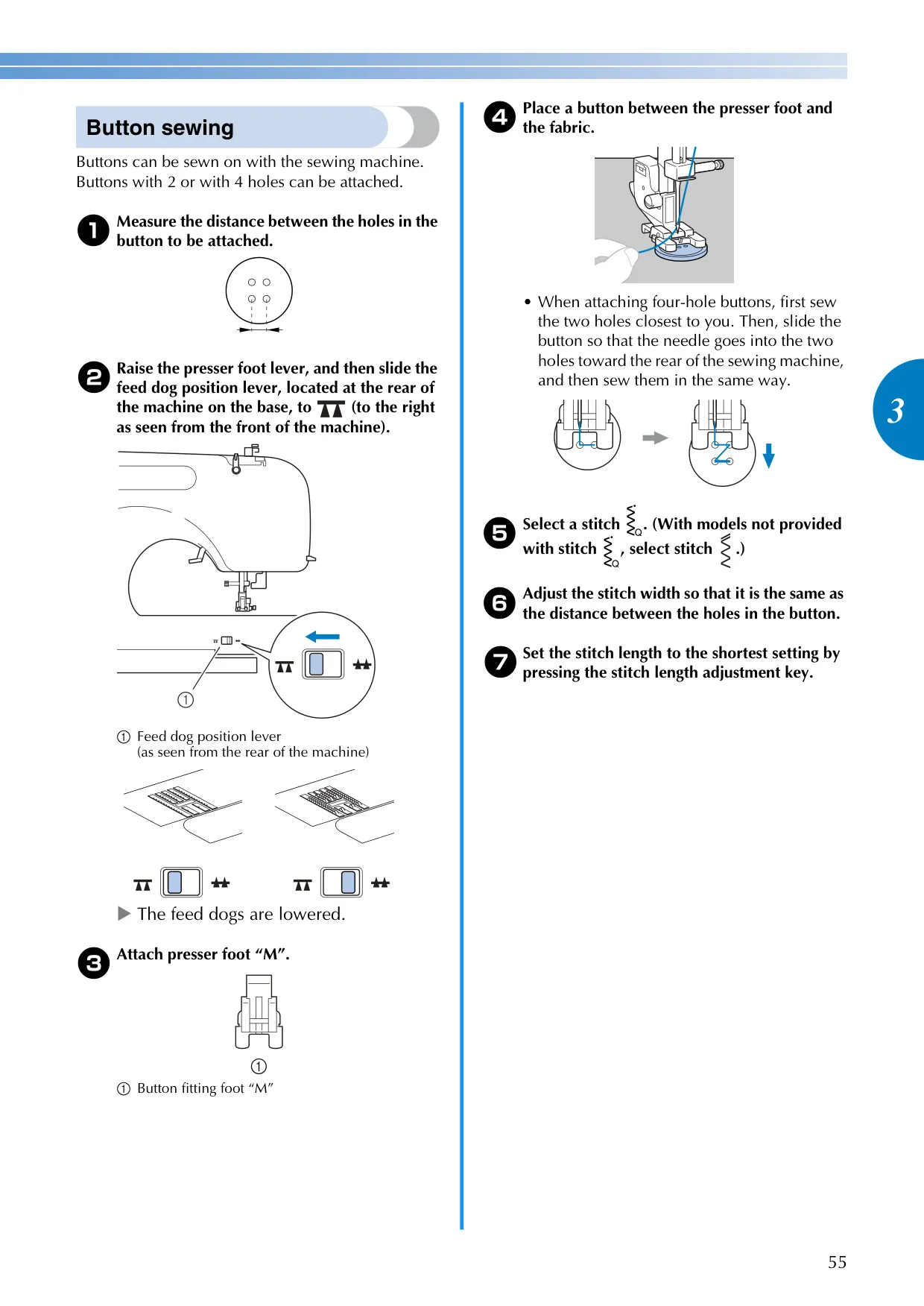
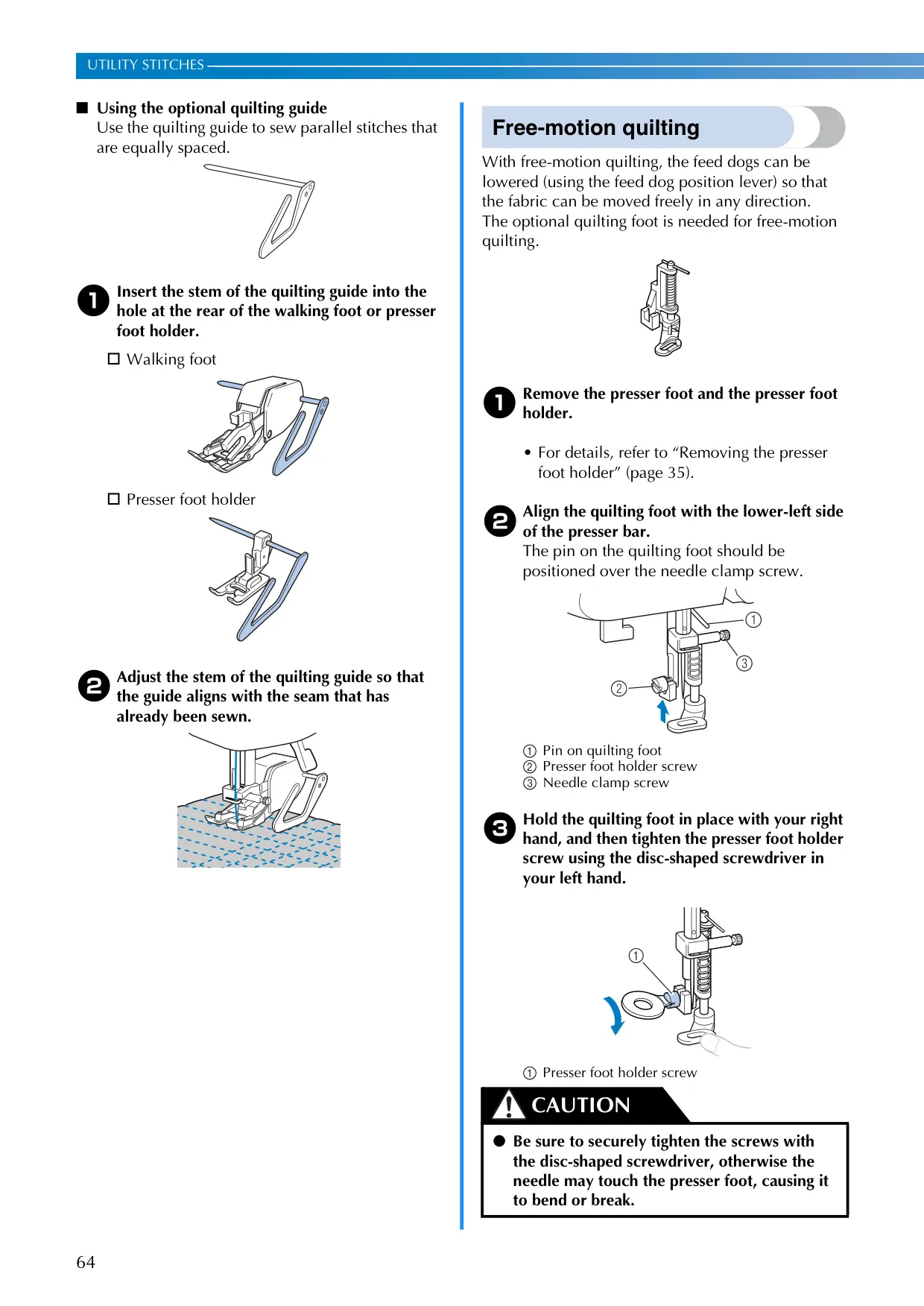
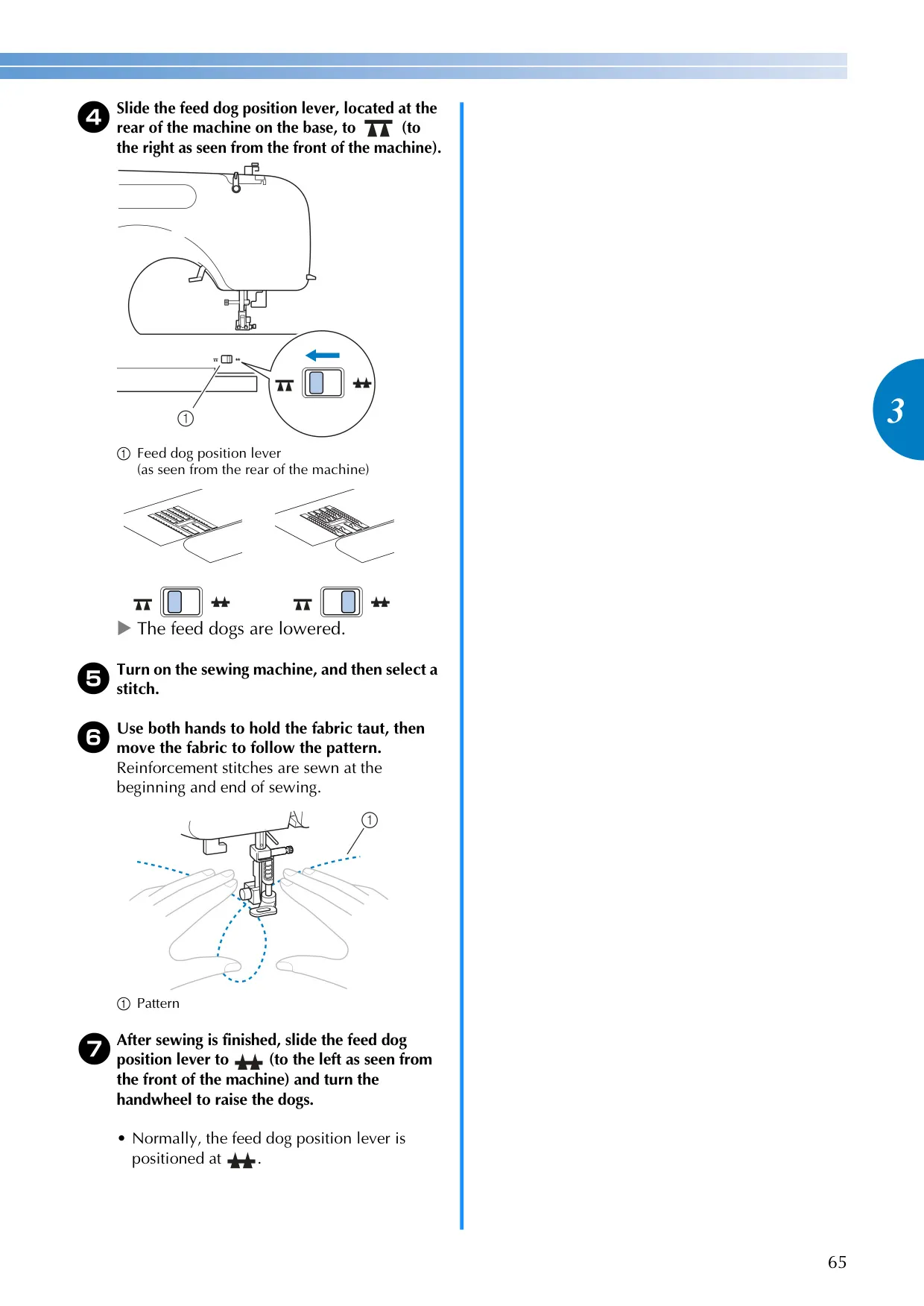
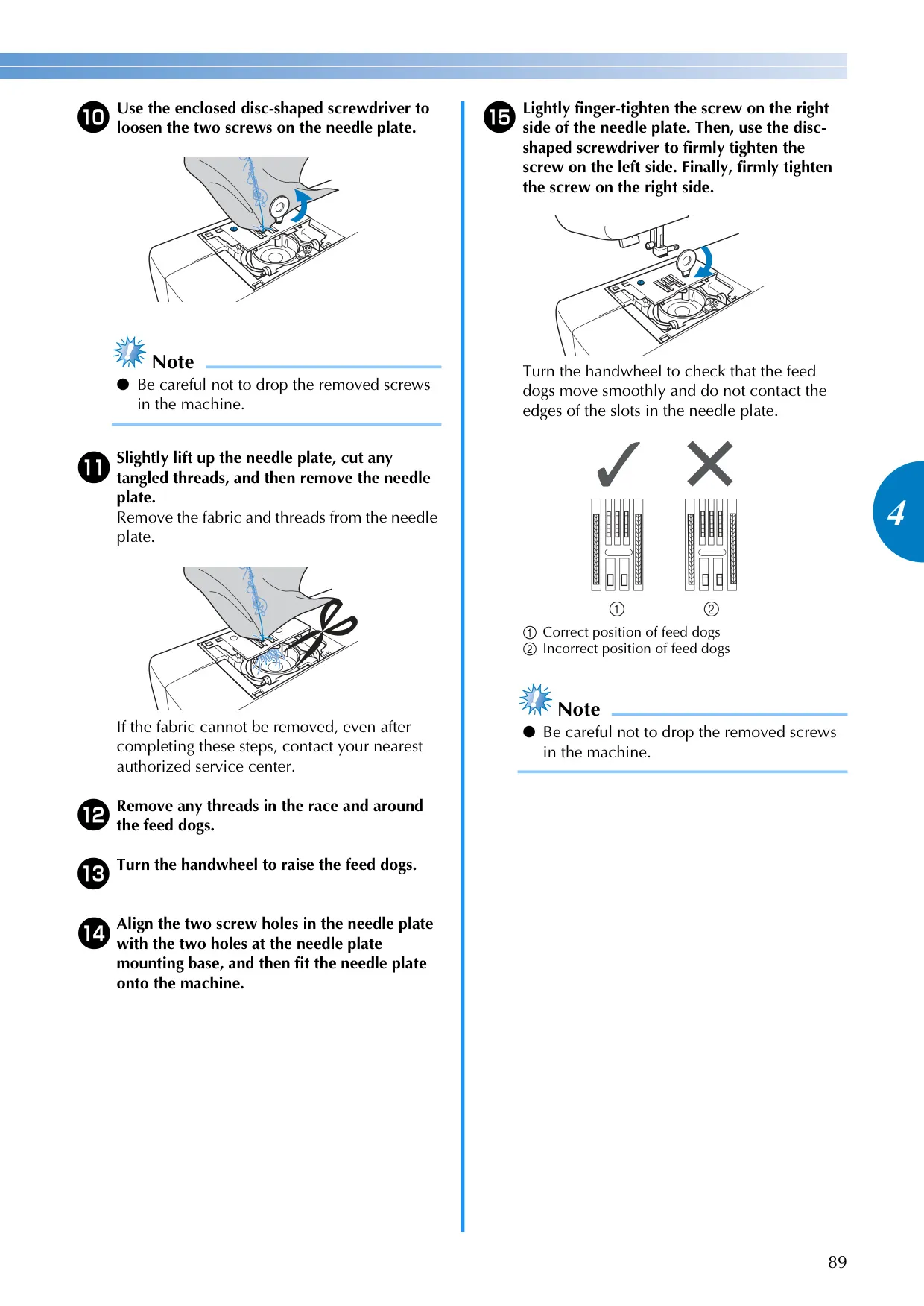
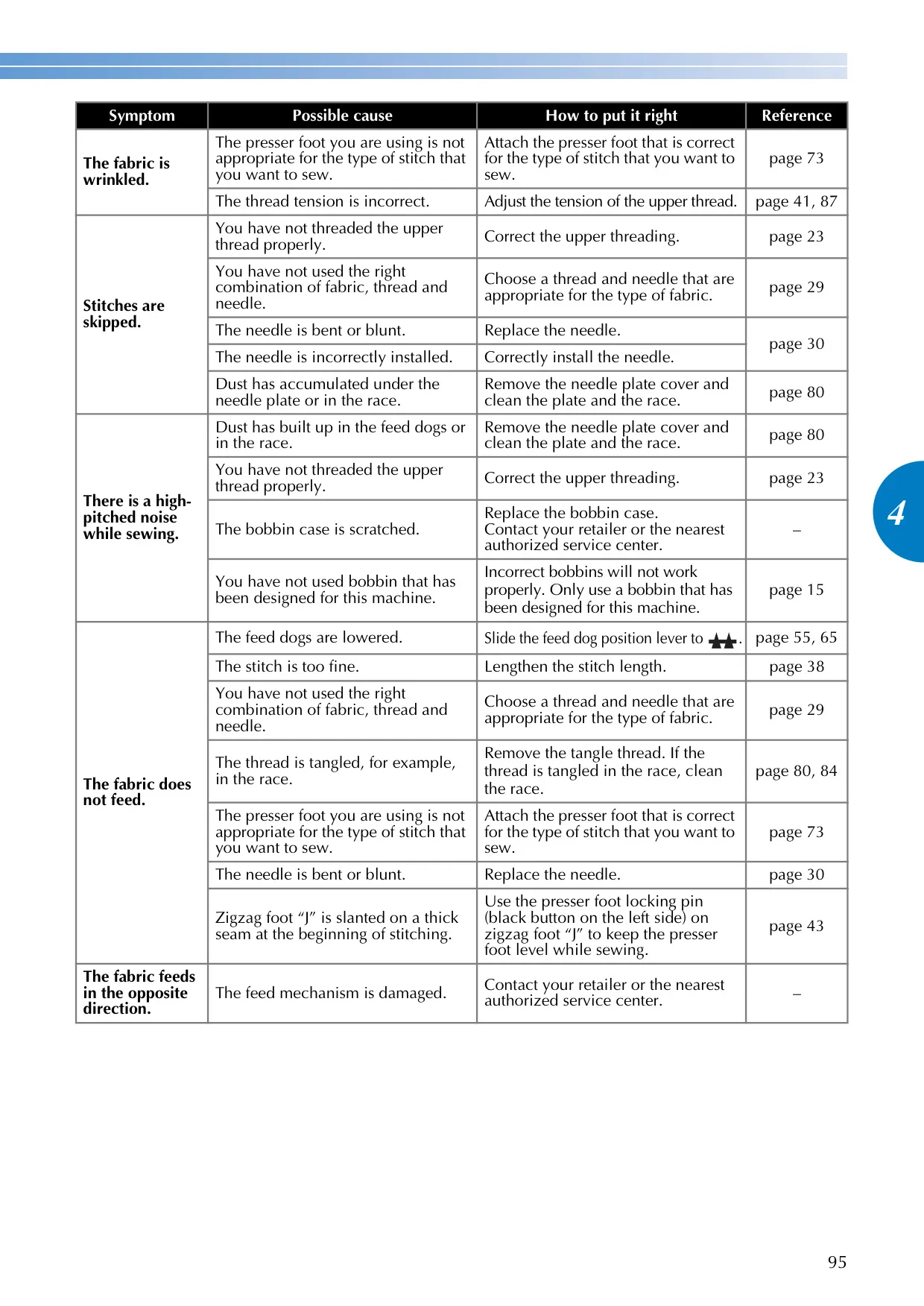
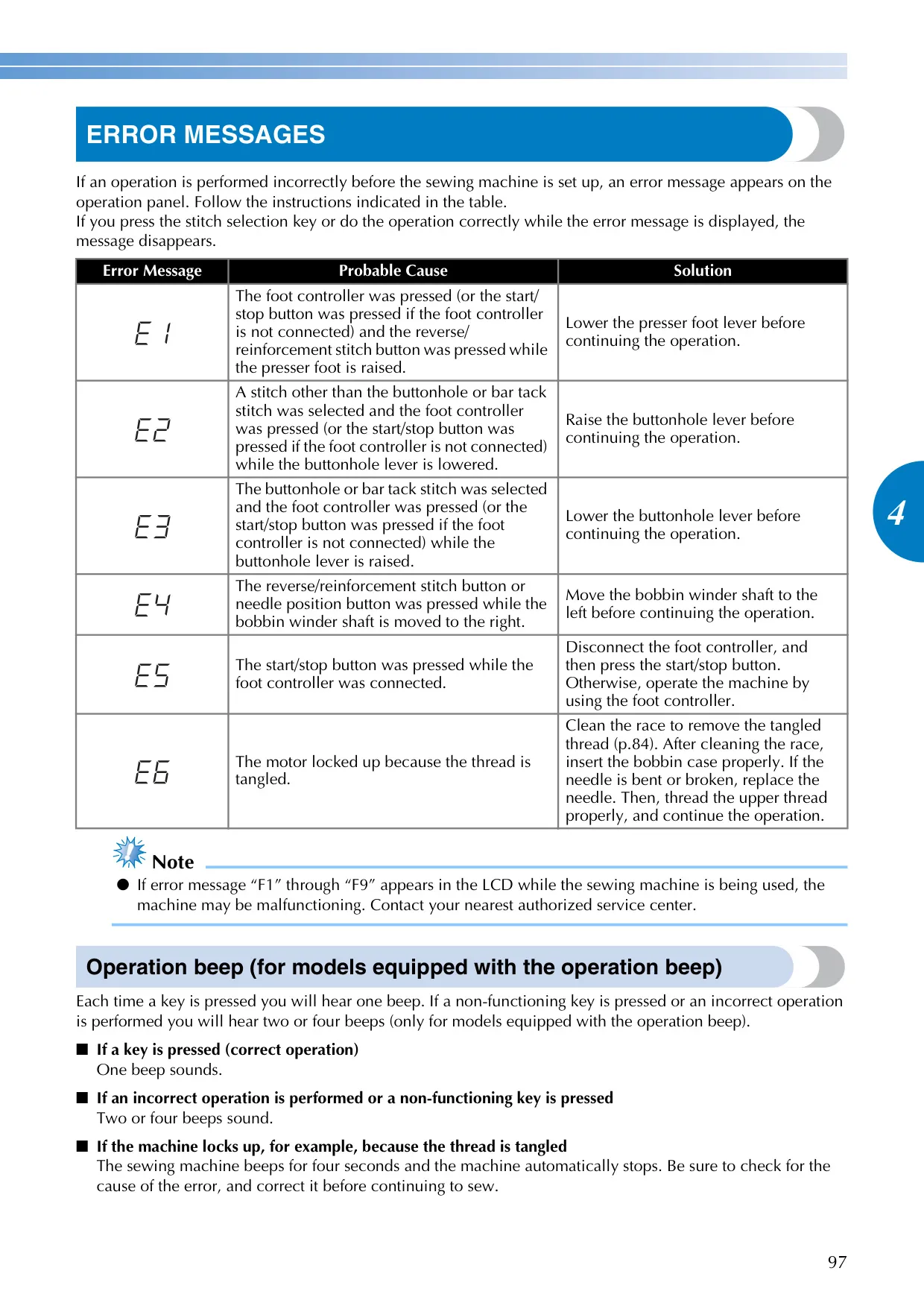
Safety is paramount with the Brother CE1100PRW. Important safety instructions emphasize unplugging the machine during adjustments or when unattended, and using only approved components. The design includes features like a presser foot locking pin for stable sewing on thick seams and a feed dog position lever to lower the feed dogs for specialized techniques like free-motion quilting. Maintenance is straightforward, with guidelines for cleaning the machine surface and the bobbin race, and clear restrictions against user oiling, ensuring longevity.
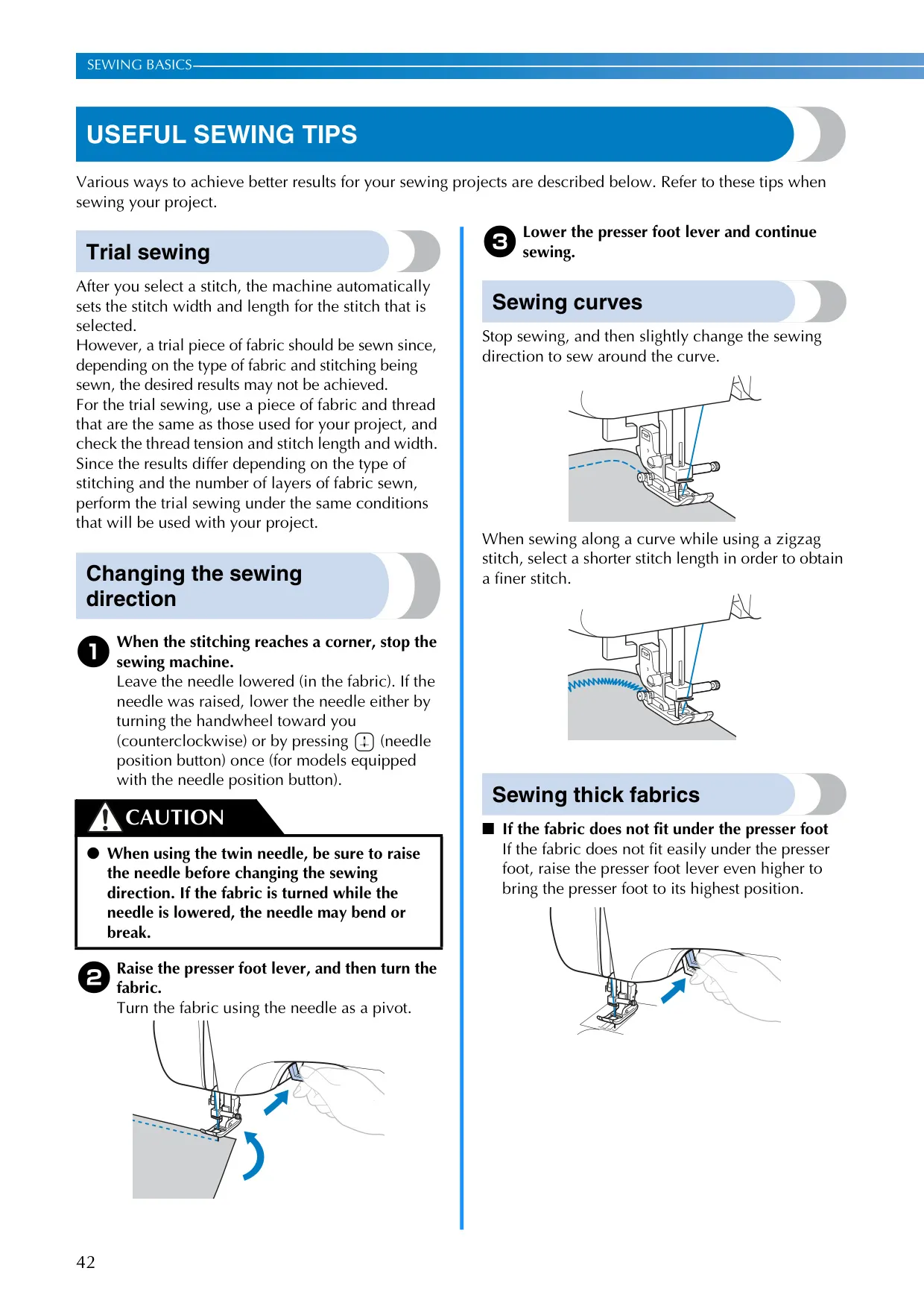
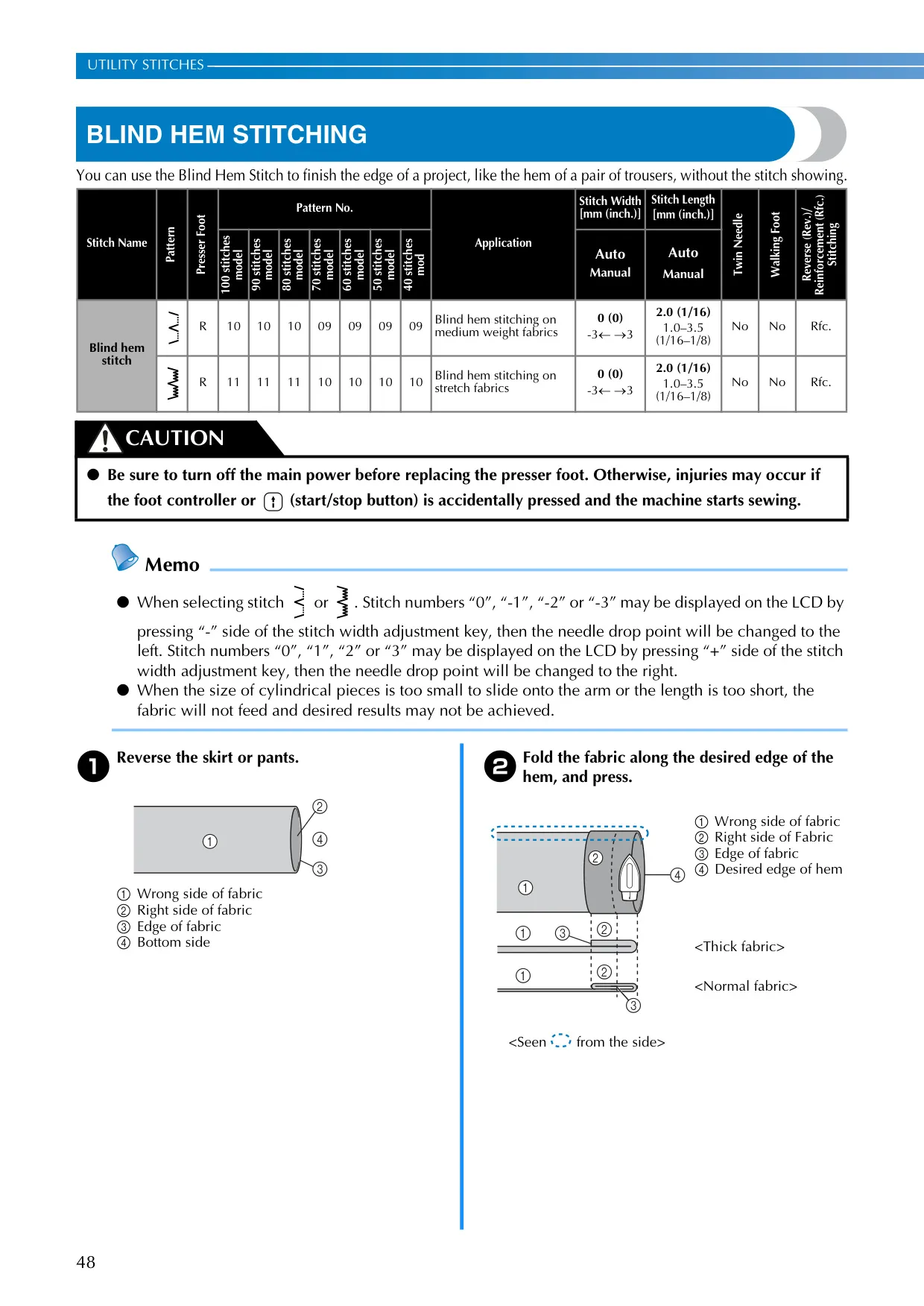
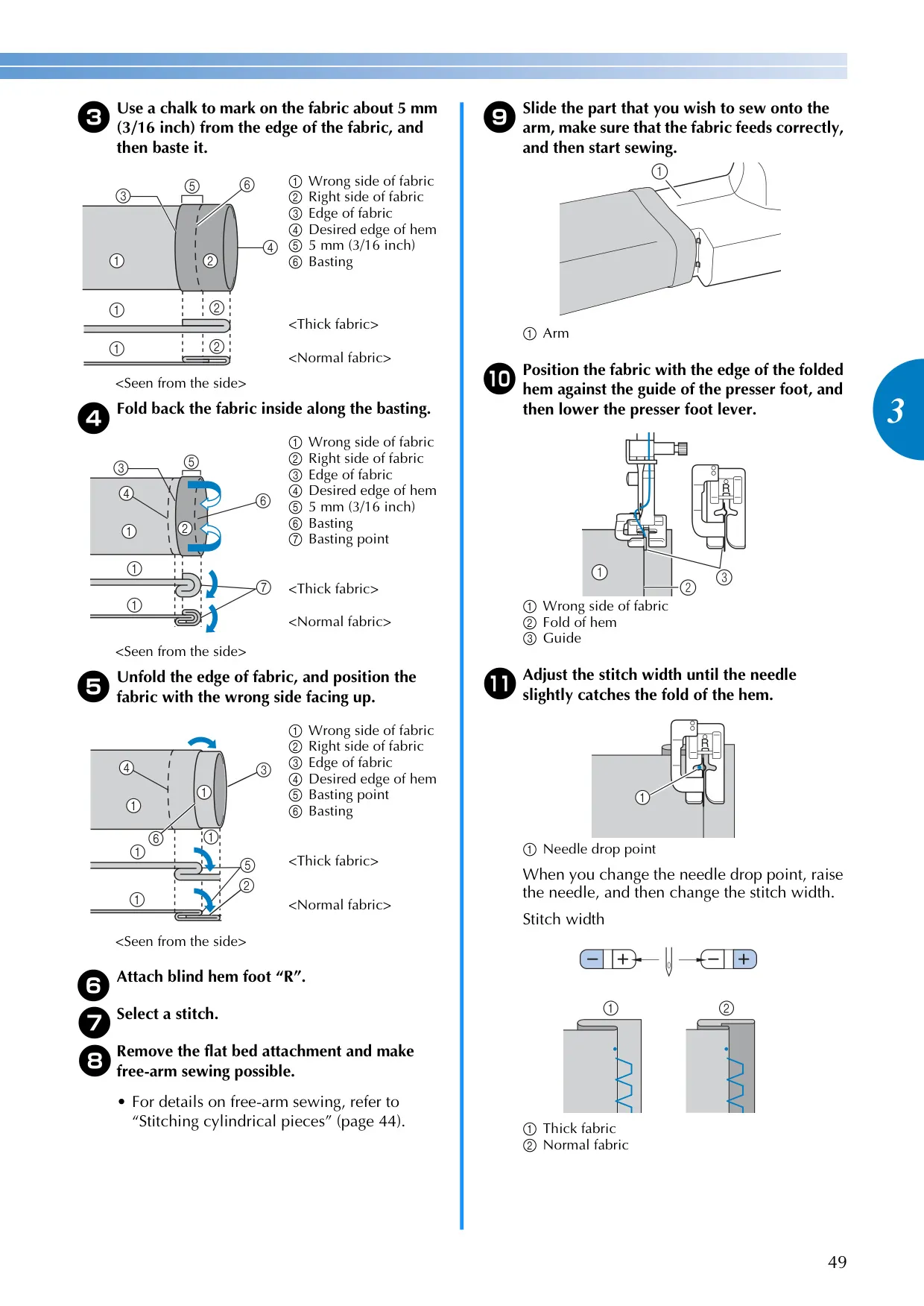
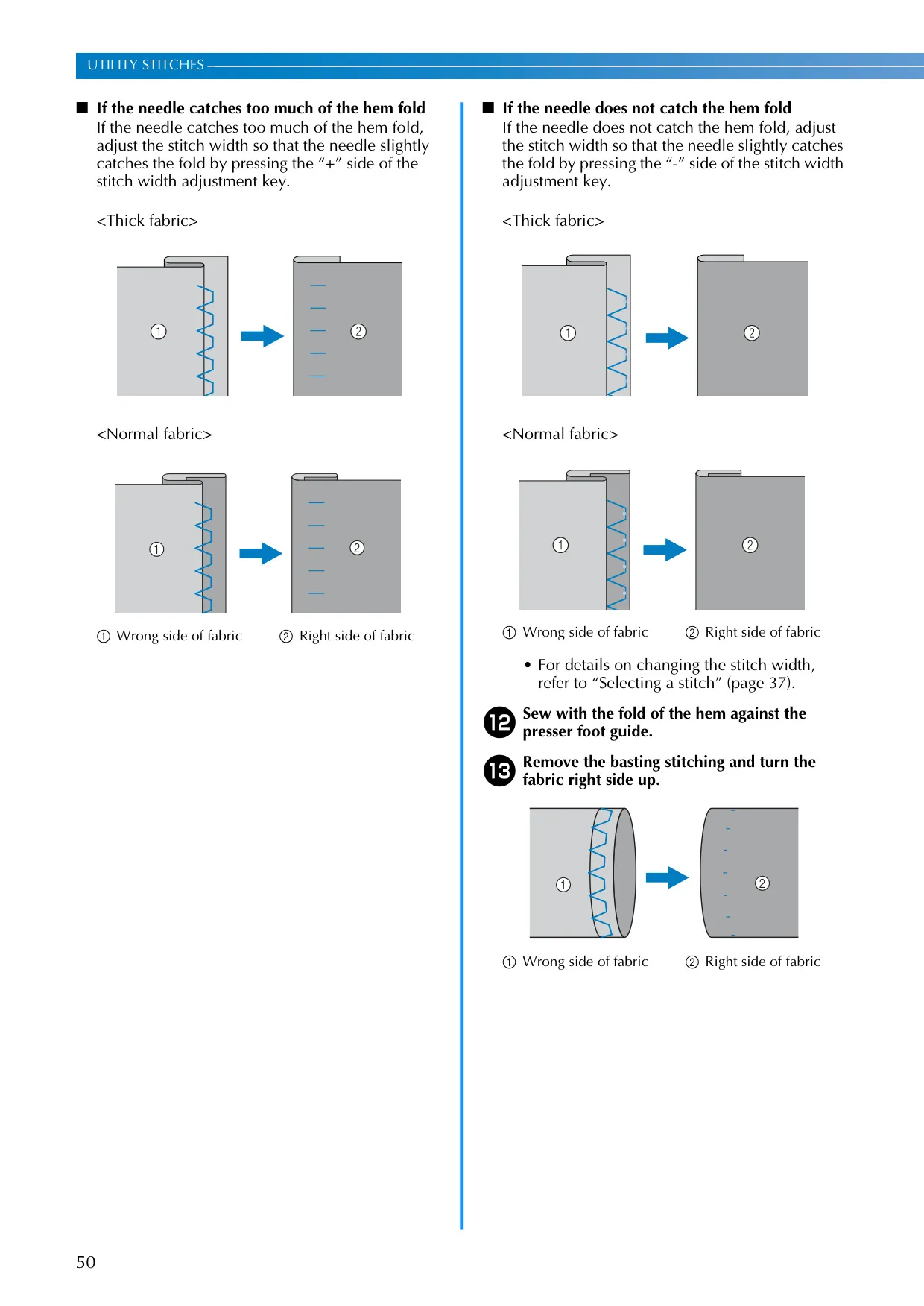
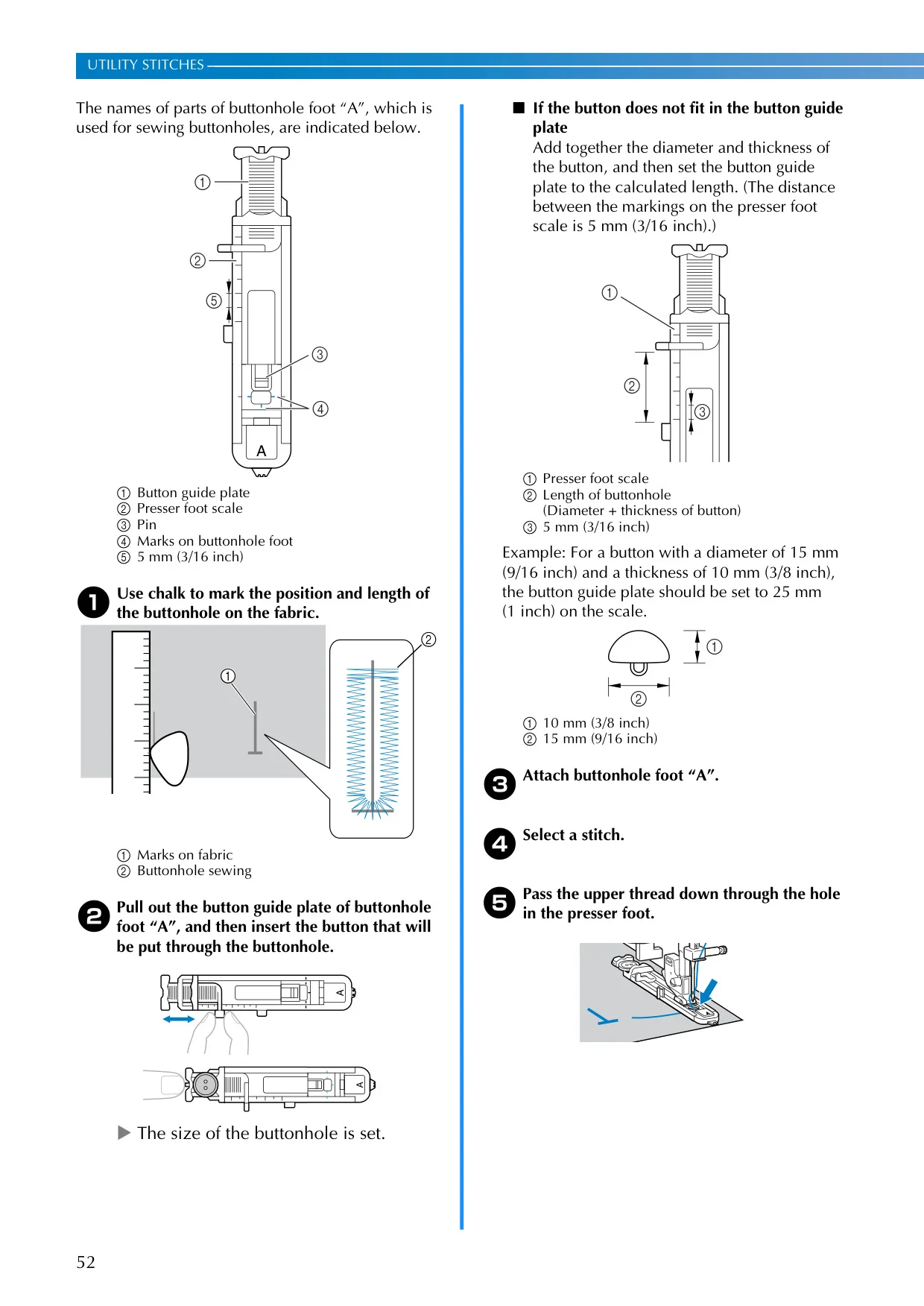
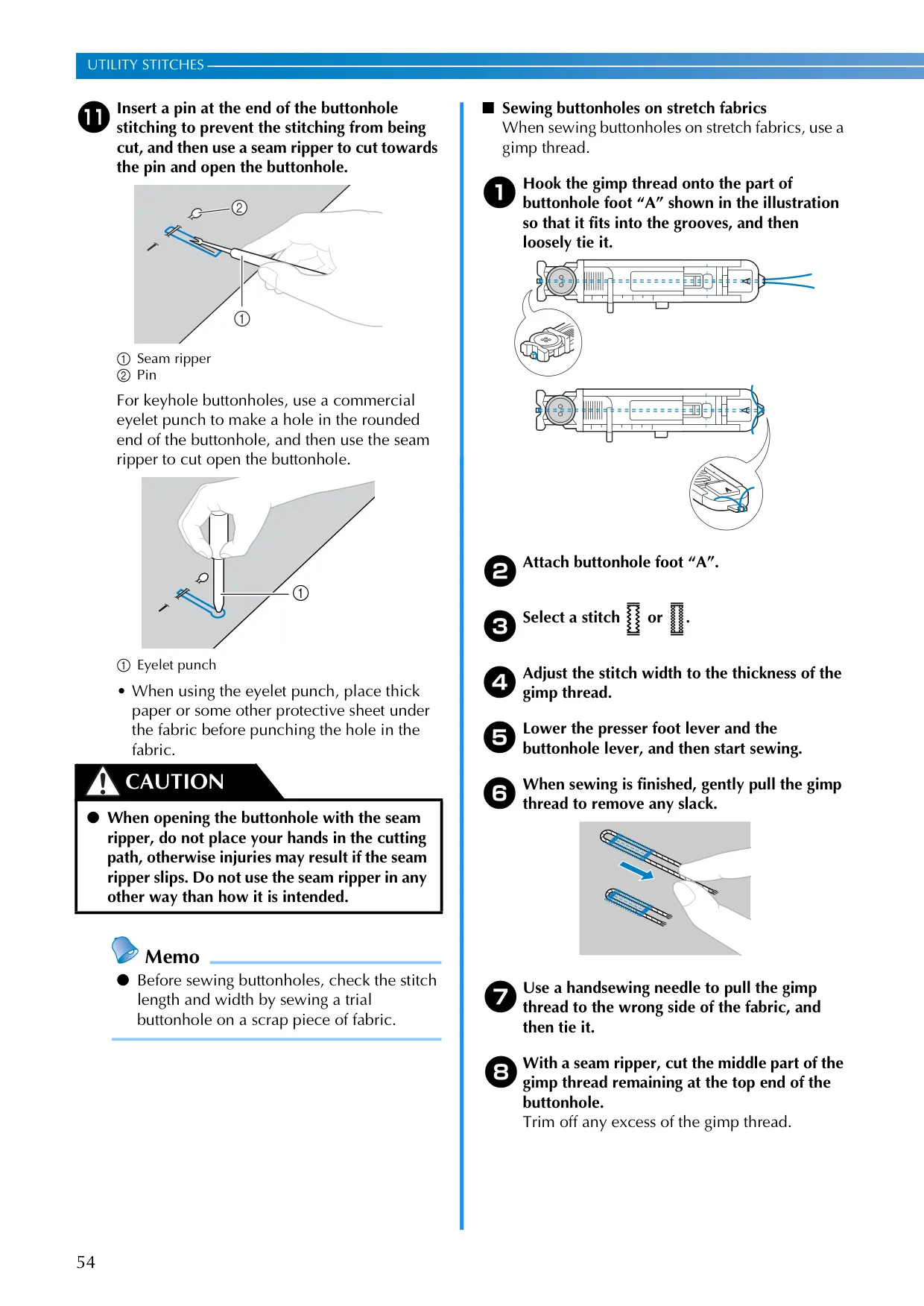
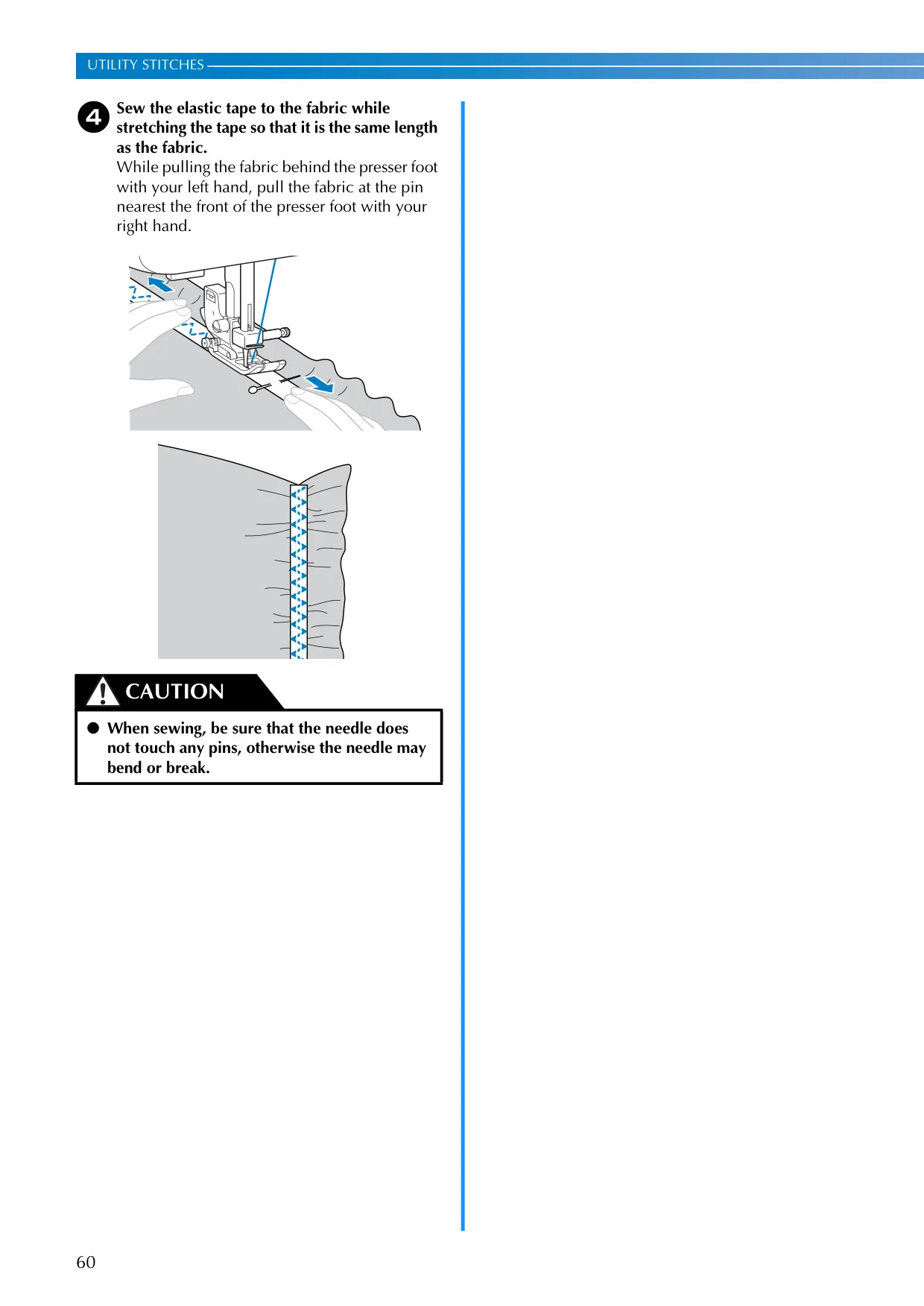
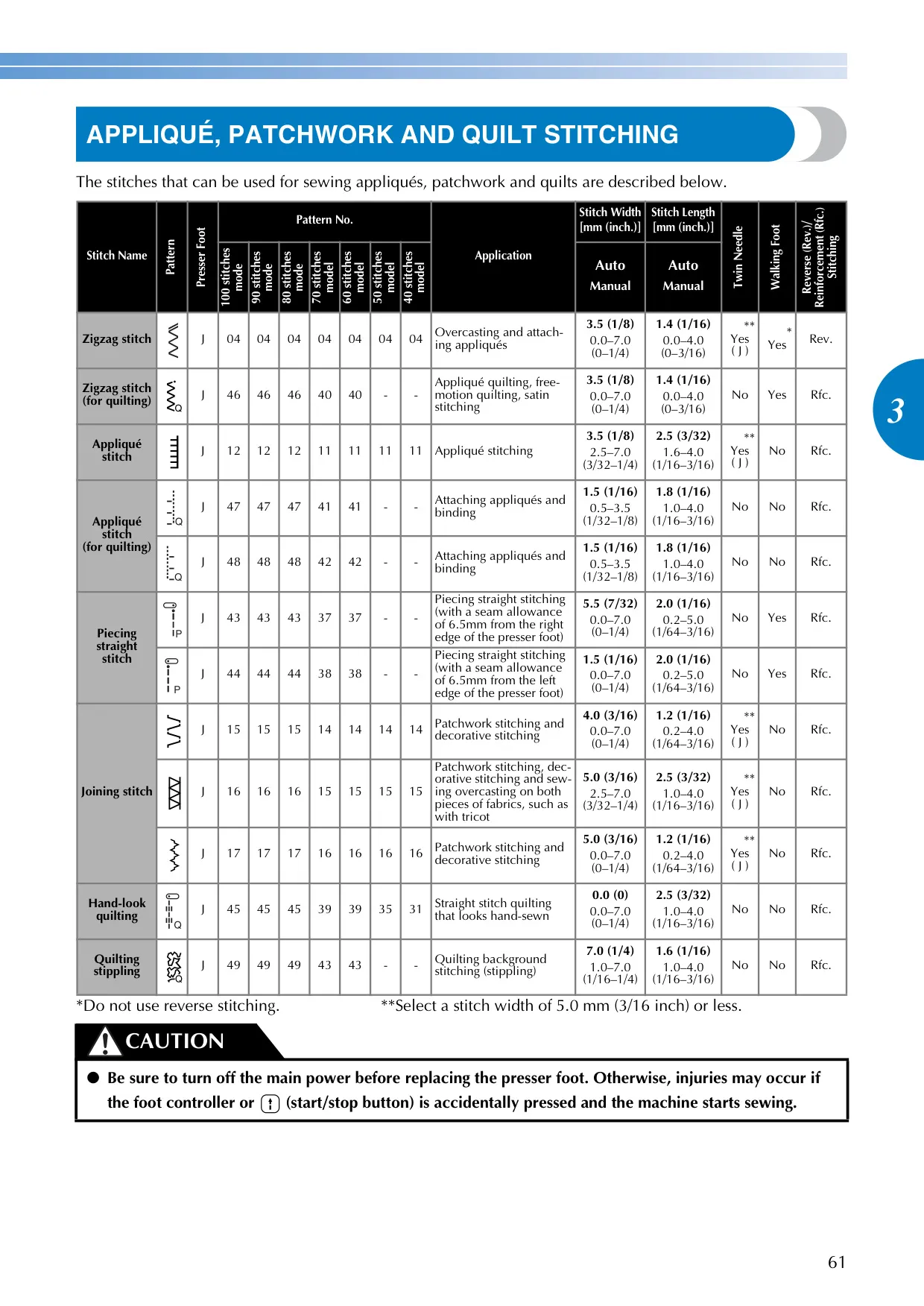
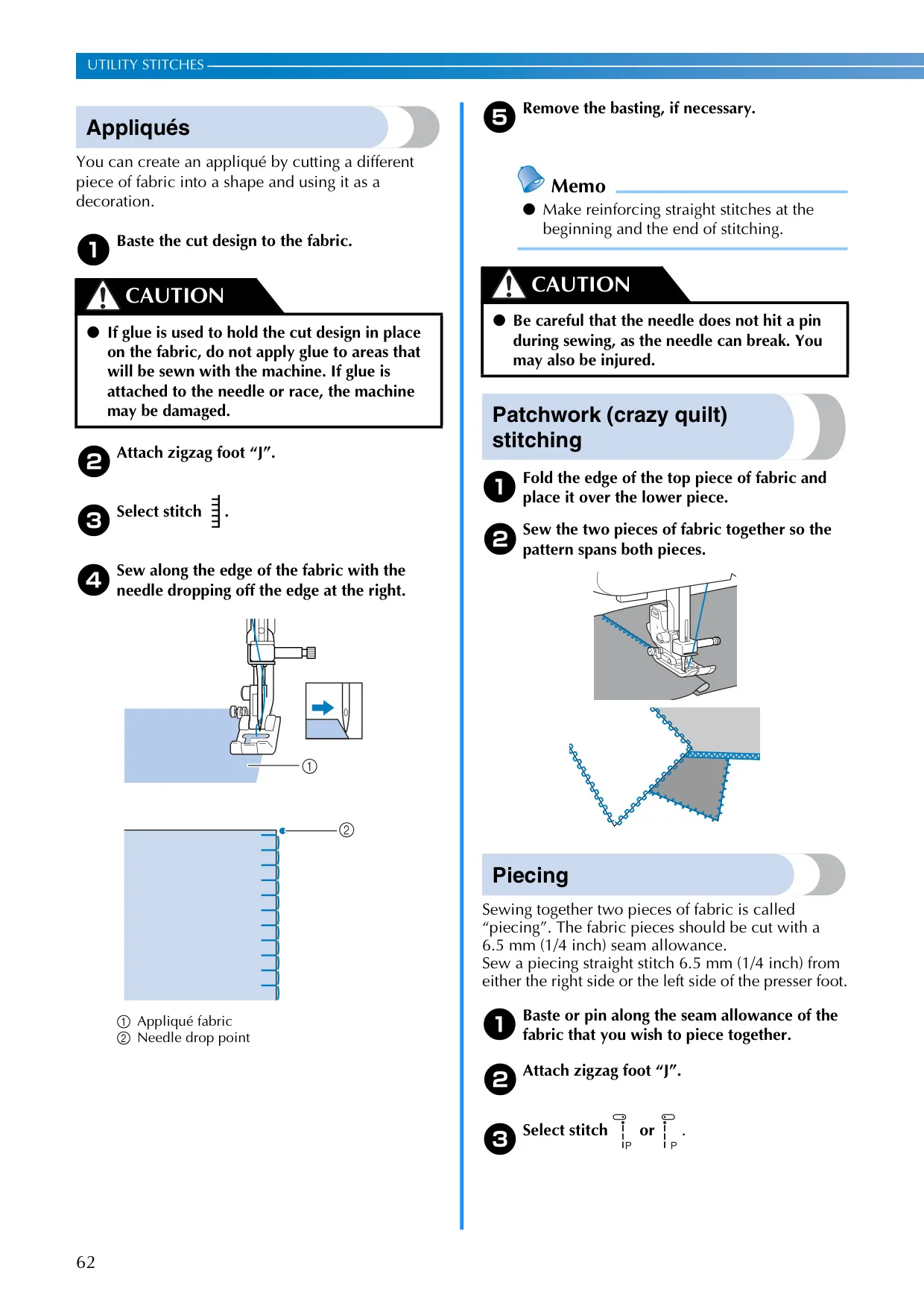
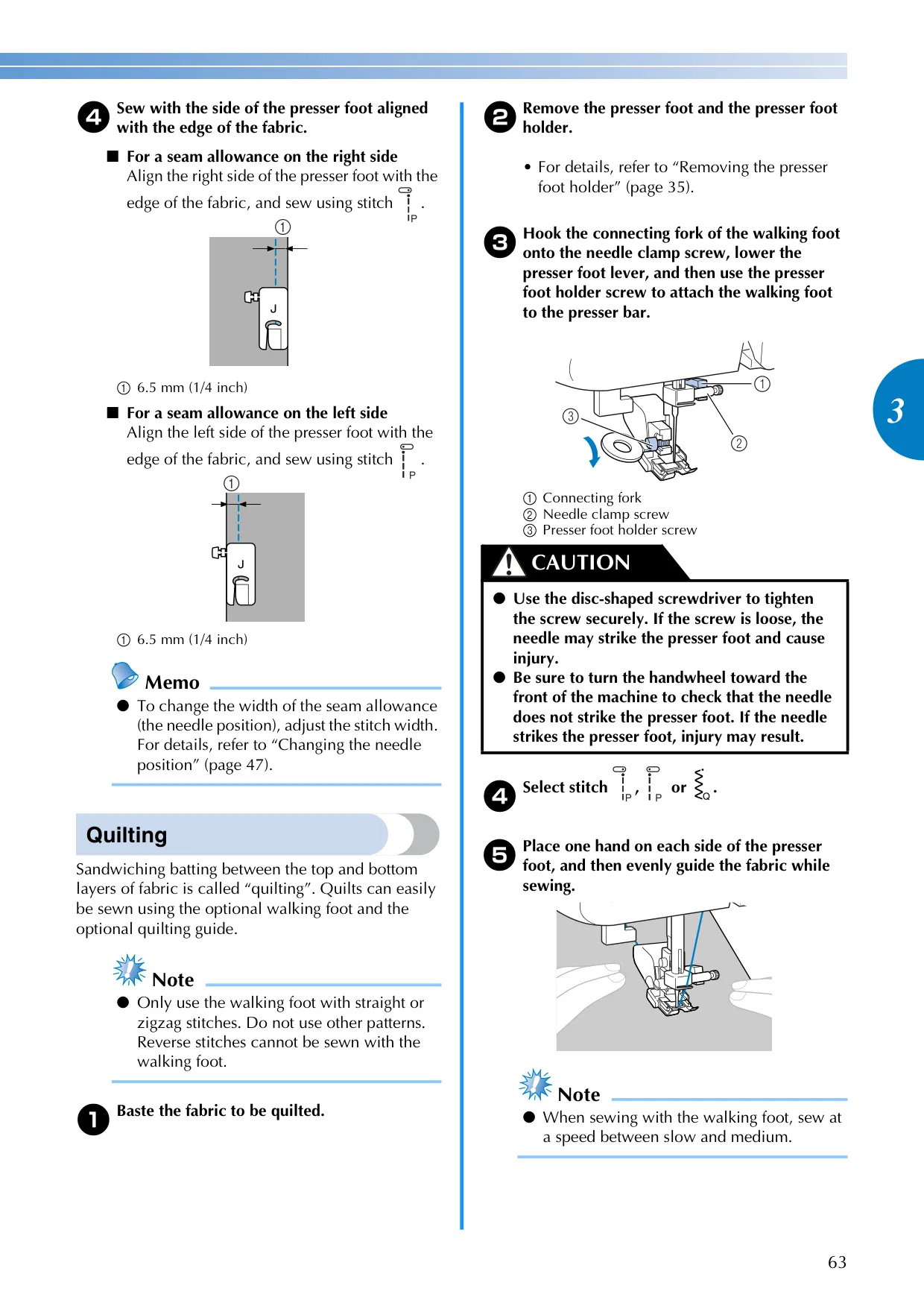
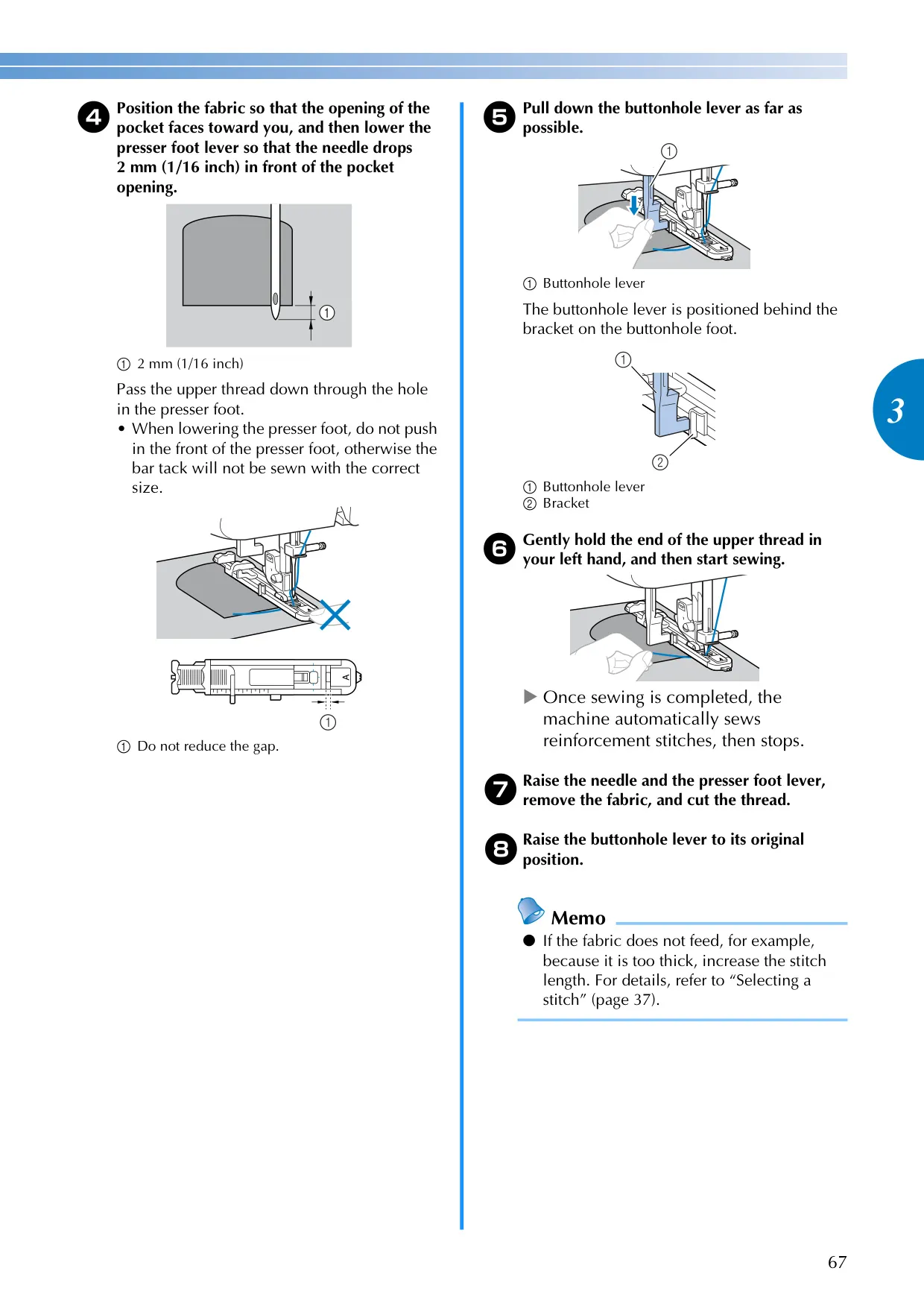
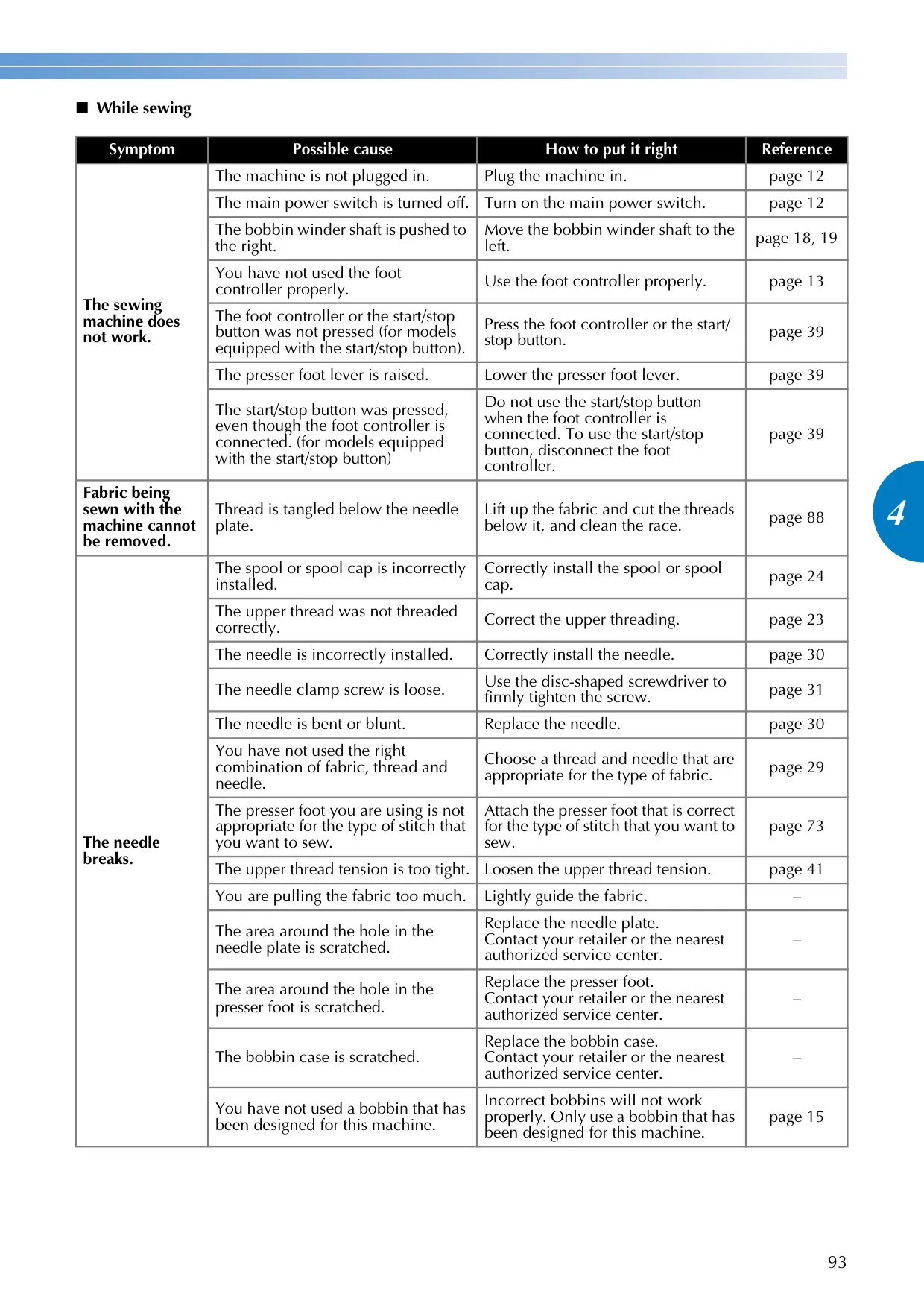
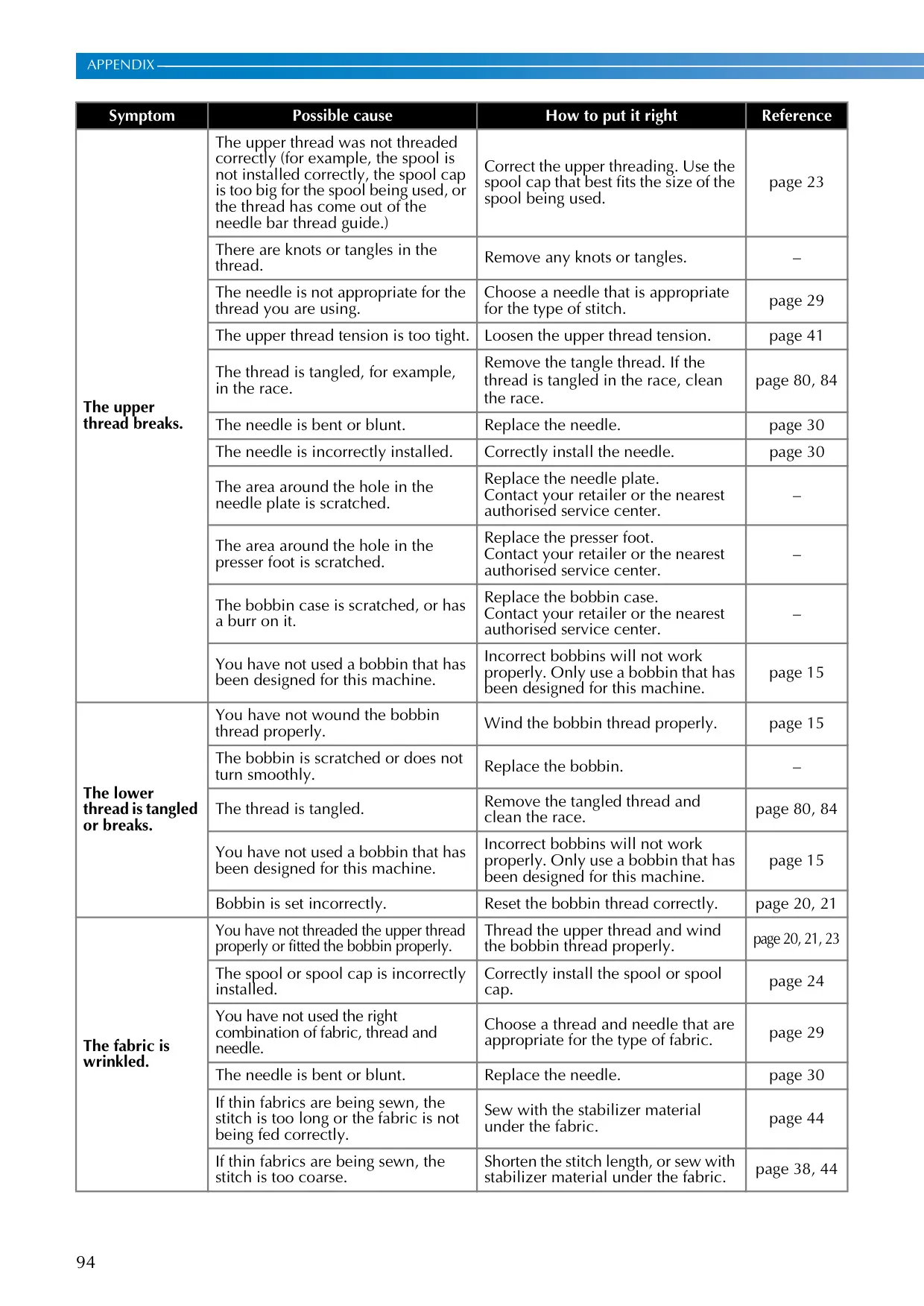
Beyond fundamental sewing, the CE1100PRW supports a variety of specialized techniques. Users can easily perform overcasting stitches for neat seam finishes, blind hem stitching for invisible hems, and buttonhole sewing with an auto-size buttonhole foot. The machine also excels in appliqué, patchwork, and quilting, including options for free-motion quilting with specialized accessories. These features, combined with comprehensive troubleshooting guides in the manual, empower users to tackle a wide range of creative sewing projects.
Frequently Asked Questions (FAQs)
Can't find the answer you need? Here are some frequently asked questions about the Brother CE1100PRW Sewing Machine, and we answer them below.