
Pro IAQ T855ISH Thermostat Instruction Manual
Pro IAQ T855ISH Thermostat








Pro IAQ T855ISH Thermostat
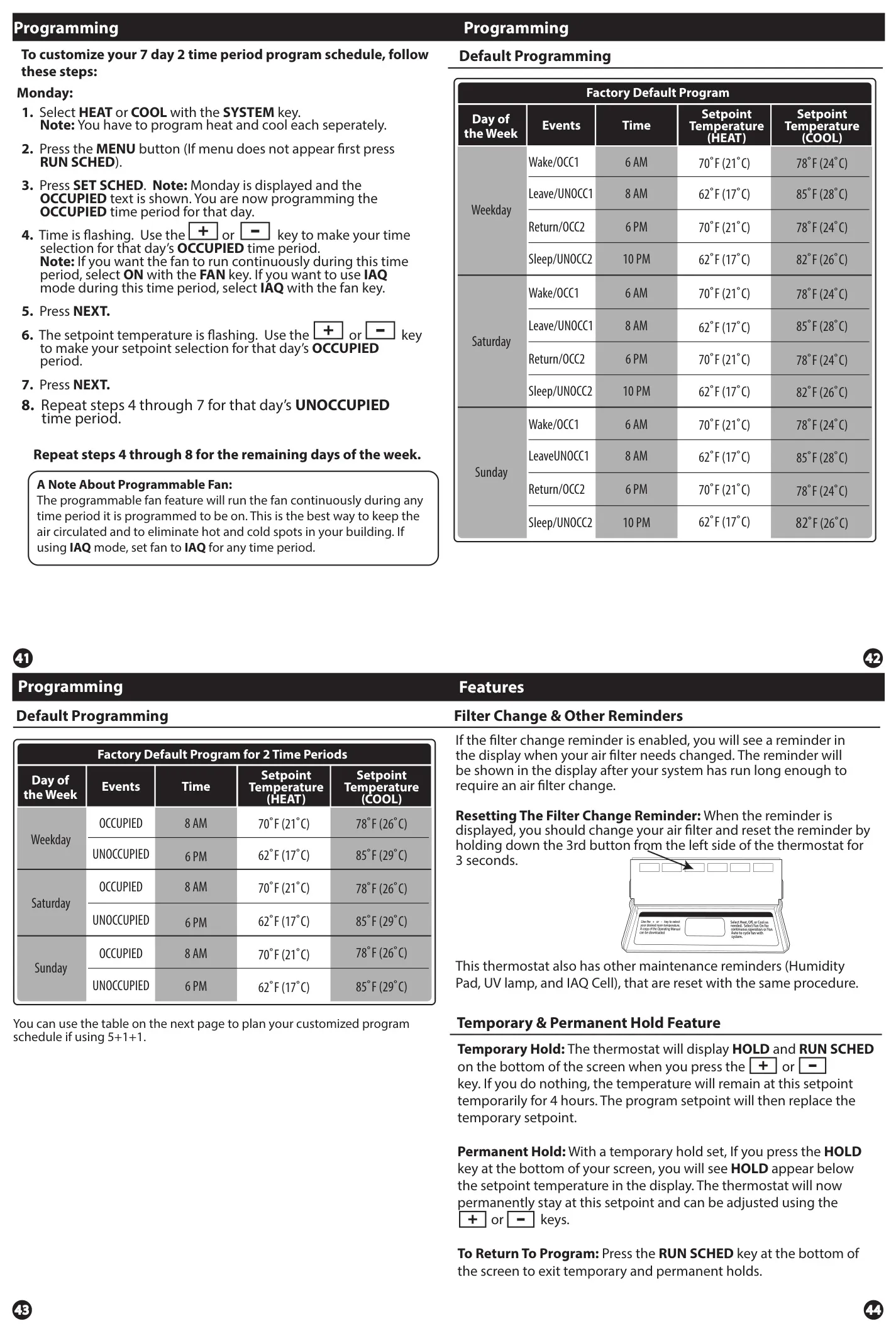
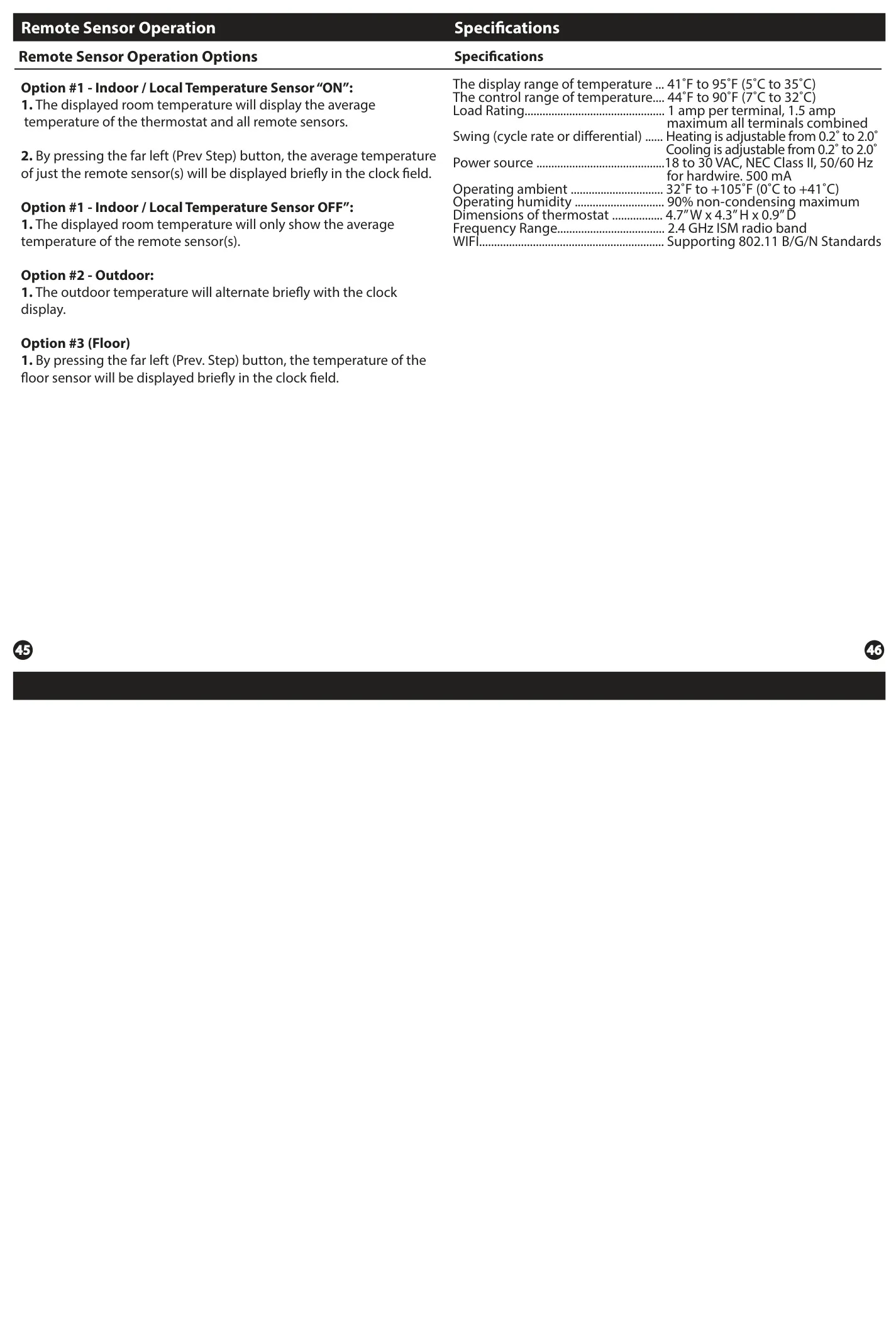
Pro IAQ T855ISH Thermostat Instructions
Here we offer the Pro IAQ T855ISH Thermostat manual completely free and in English. We have cataloged this manual in the Thermostats section on Manualverse, and it has been rated by 1 users with an average rating of 5. If you have any specific questions about Pro IAQ T855ISH Thermostat, we suggest checking the Frequently Asked Questions (FAQs) section of this manual.
Product Images
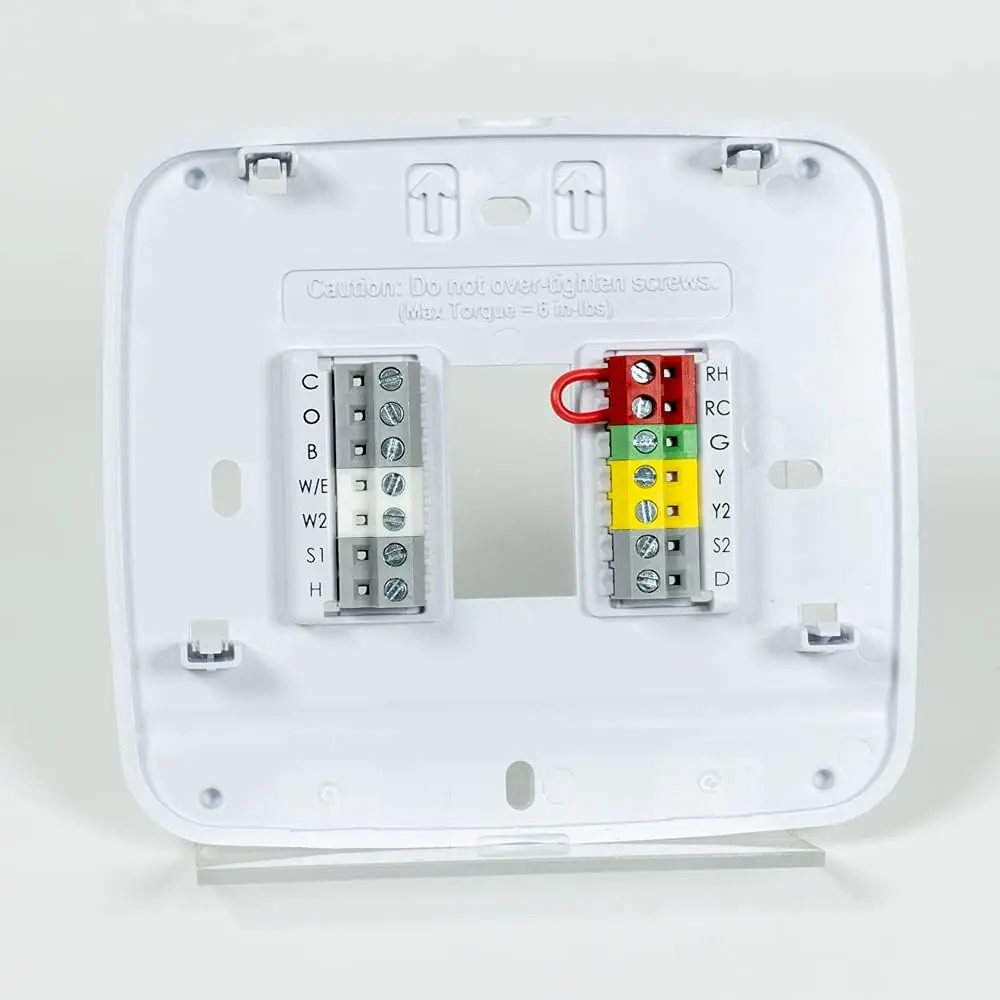
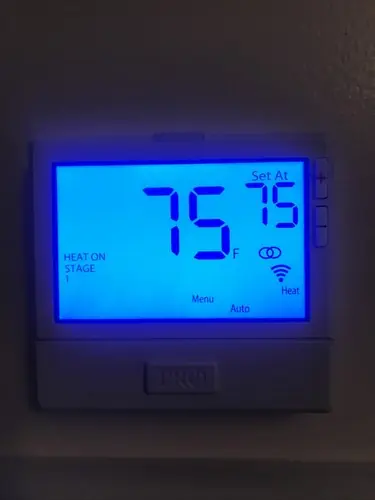
Pro IAQ T855ISH Thermostat Specifications
| Feature | Specification |
|---|---|
| Display Range of Temperature | 41˚F to 95˚F (5˚C to 35˚C) |
| Control Range of Temperature | 44˚F to 90˚F (7˚C to 32˚C) |
| Load Rating | 1 amp per terminal, 1.5 amp maximum all terminals combined |
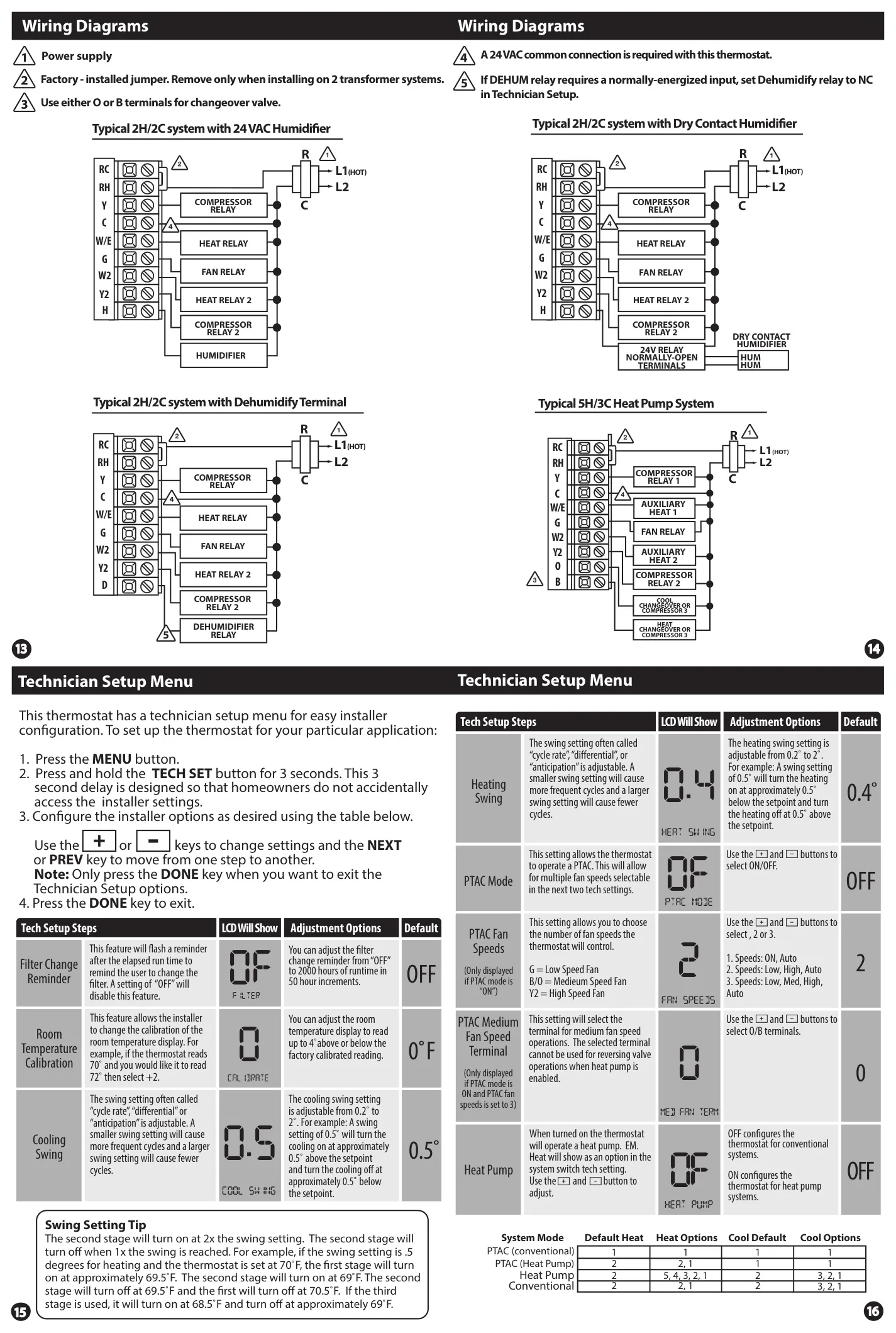
| Swing (Cycle Rate or Differential) | Heating: Adjustable from 0.2˚ to 2.0˚; Cooling: Adjustable from 0.2˚ to 2.0˚ |
| Power Source | 18 to 30 VAC, NEC Class II, 50/60 Hz for hardwire; 500 mA |
| Operating Ambient Temperature | 32˚F to +105˚F (0˚C to +41˚C) |
| Operating Humidity | 90% non-condensing maximum |
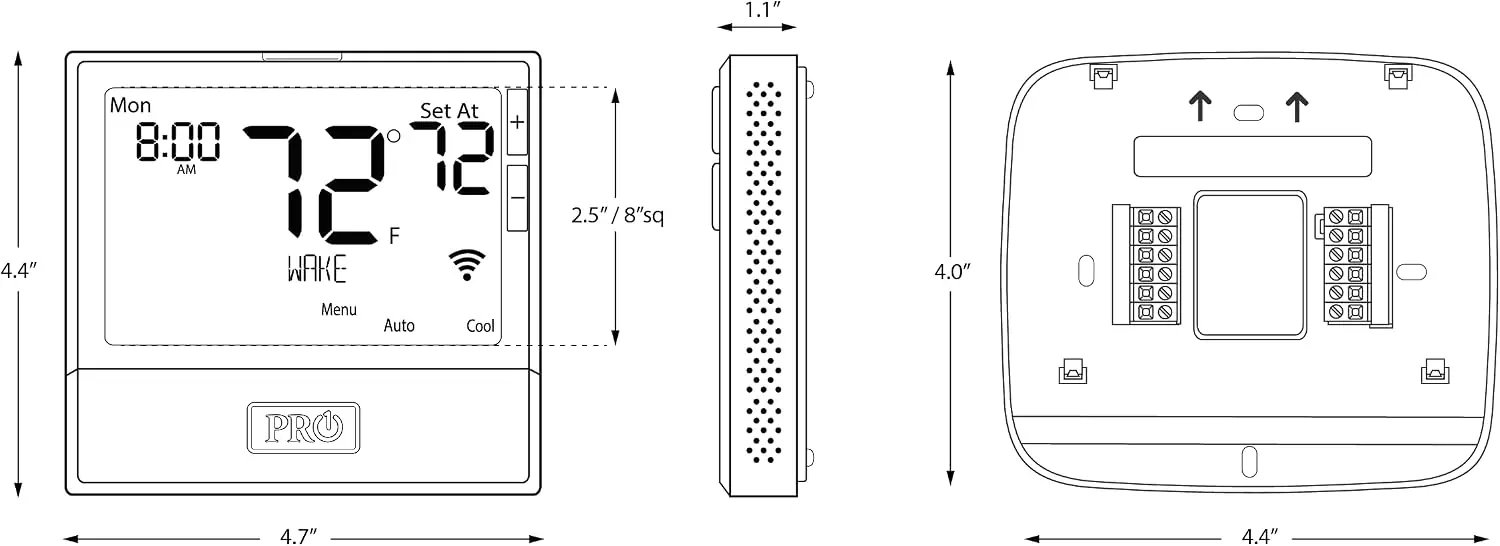
| Dimensions of Thermostat | 4.7” W x 4.3” H x 0.9” D |
| WIFI Frequency Range | 2.4 GHz ISM radio band |
| WIFI Standards | Supporting 802.11 B/G/N Standards |
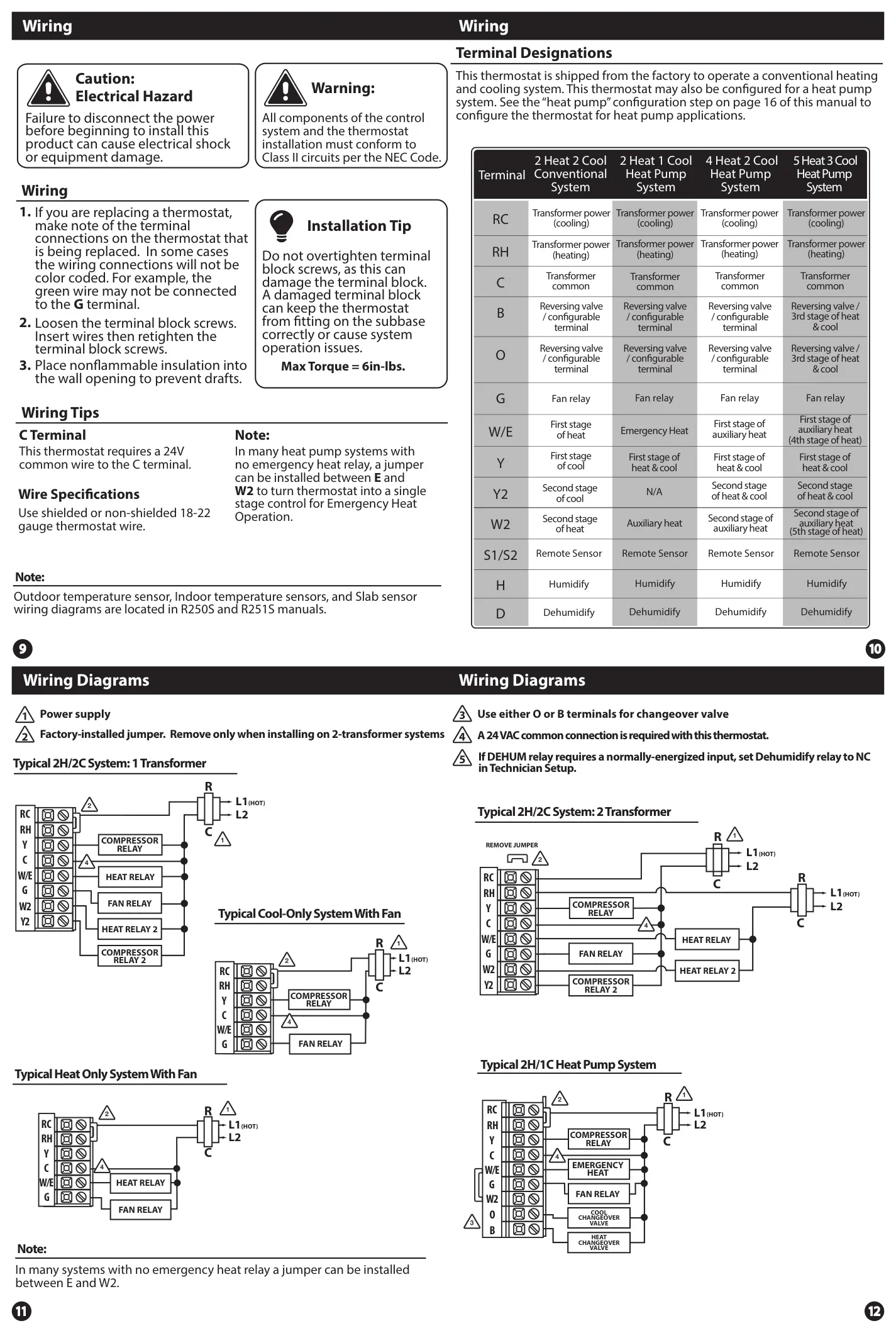
| HVAC System Compatibility | Up to 5 Heat/3 Cool stages with standard low voltage controlled humidifier/de-humidifier |
Pro IAQ T855ISH Thermostat Details
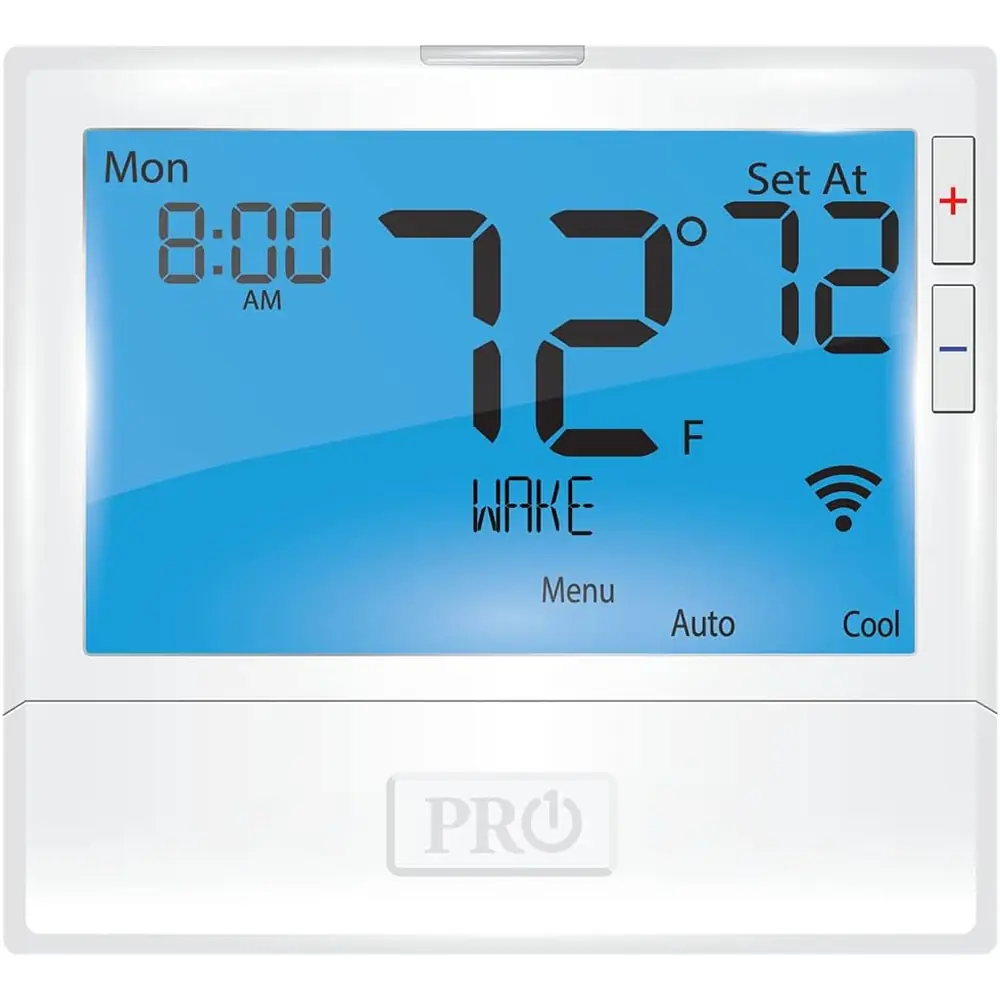
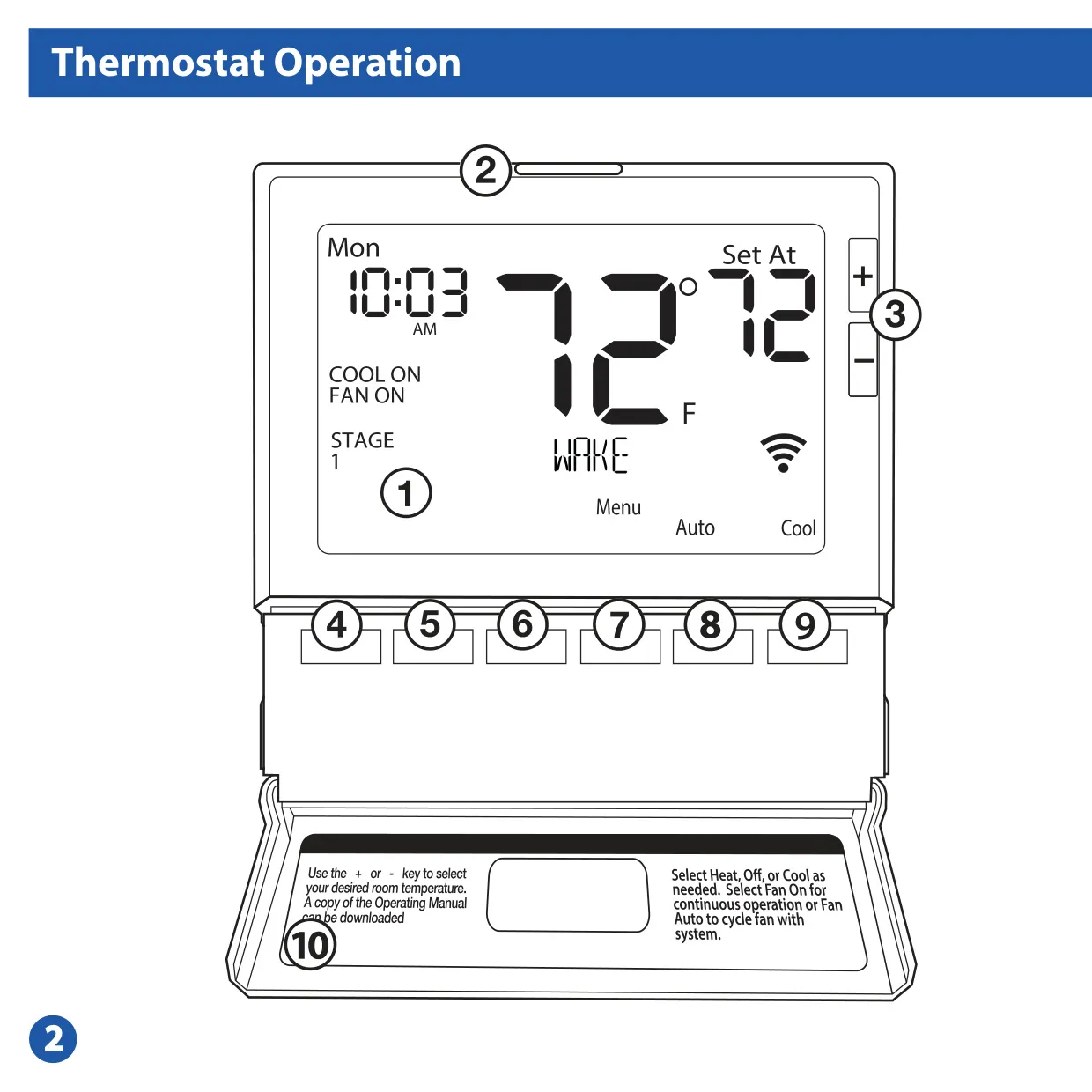
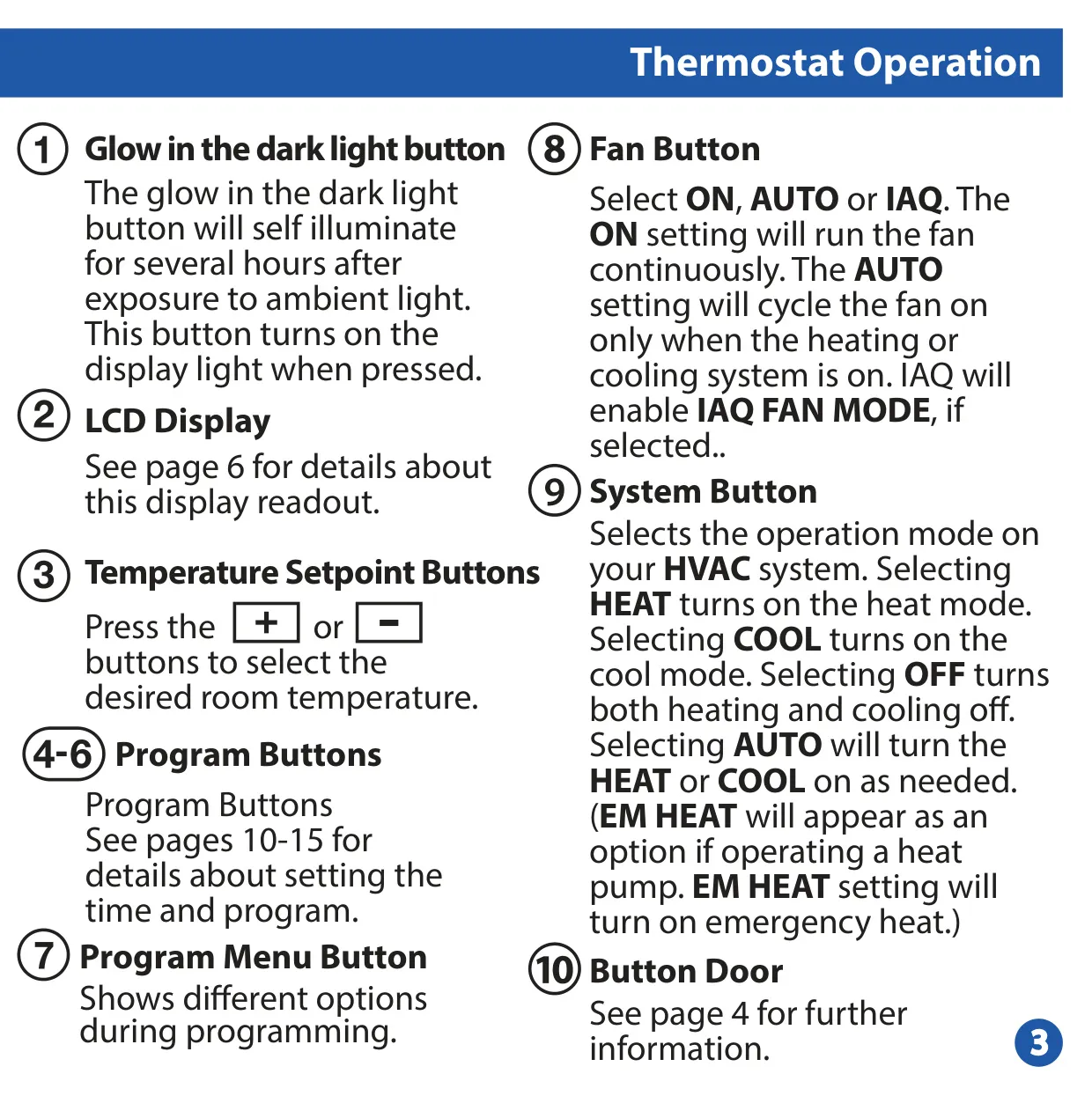
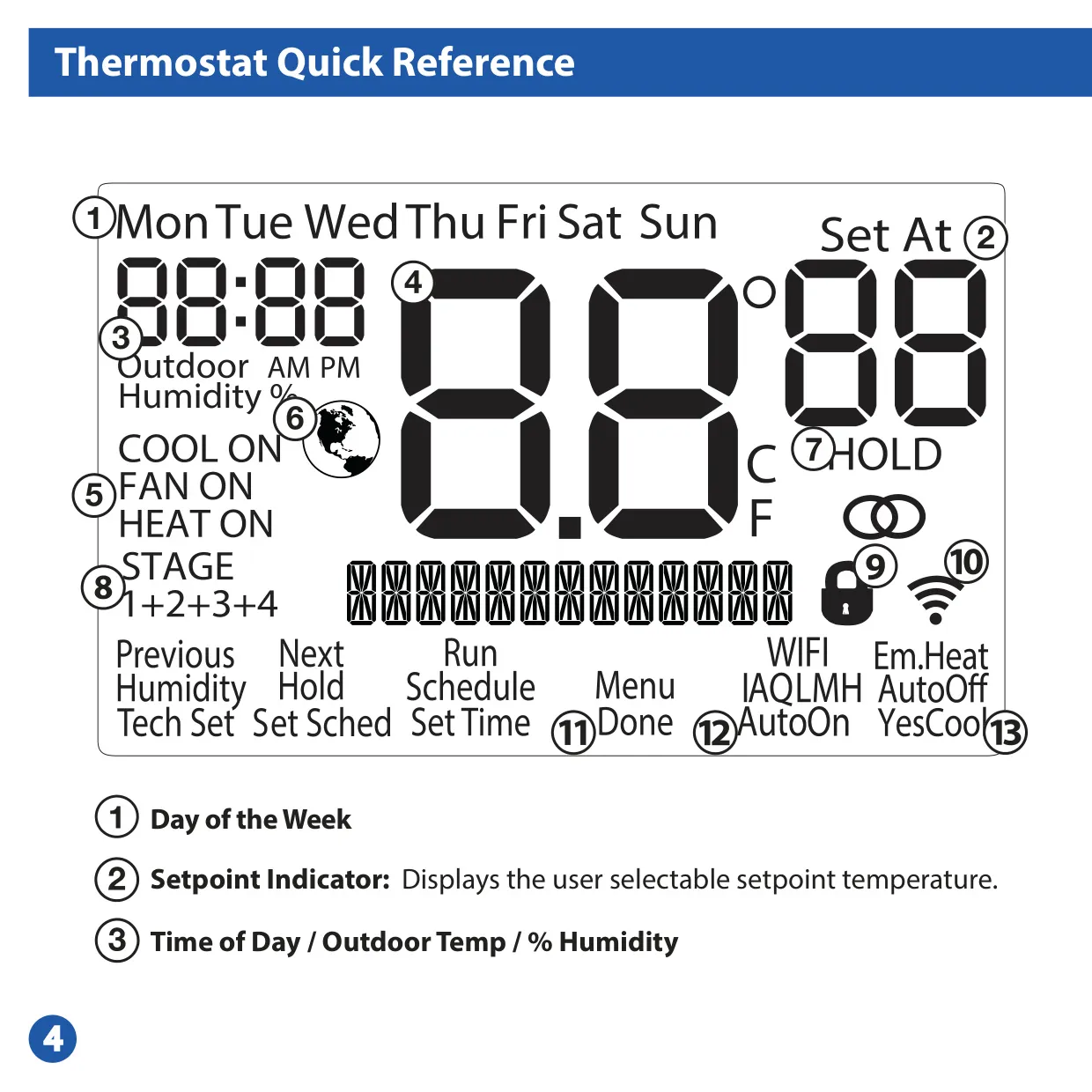
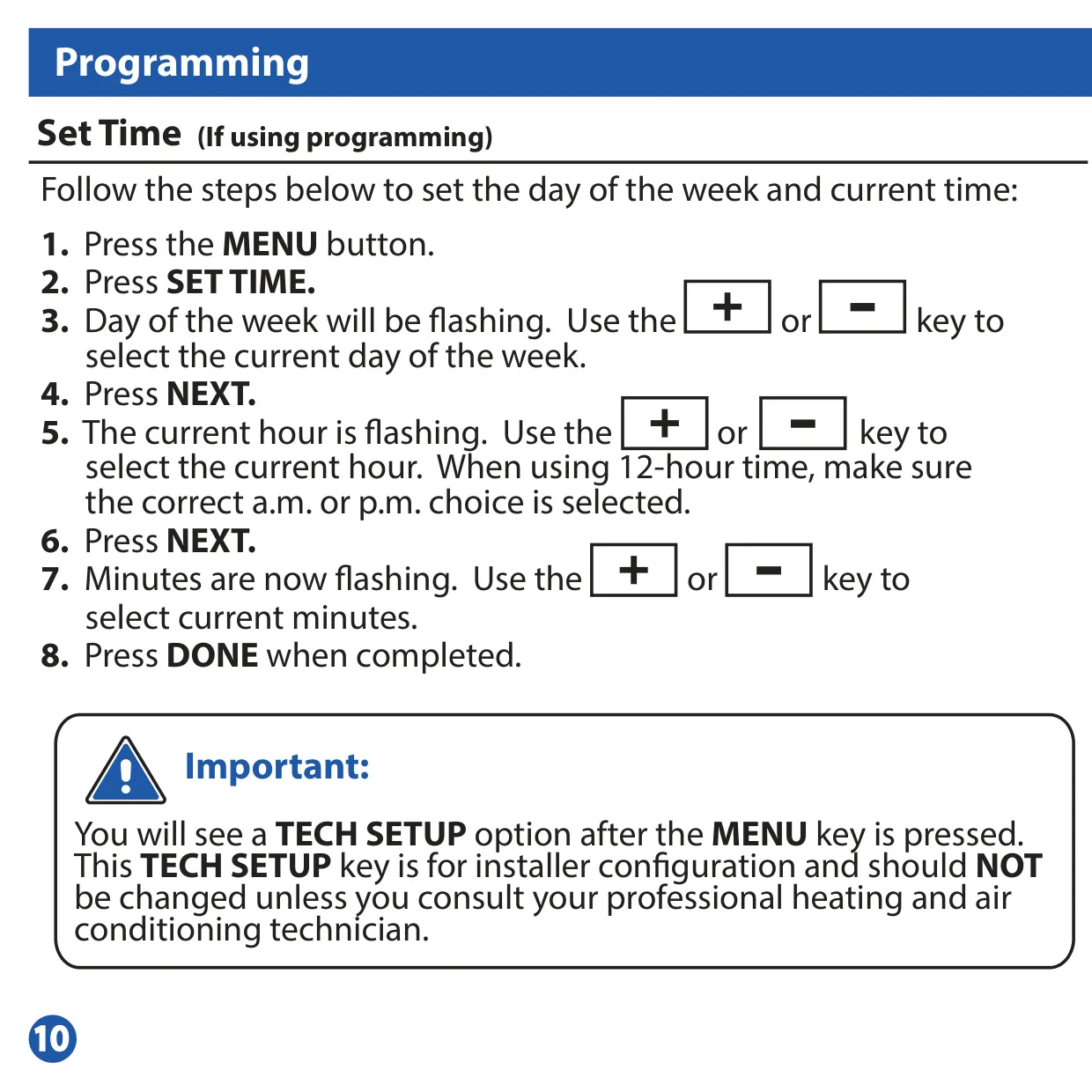
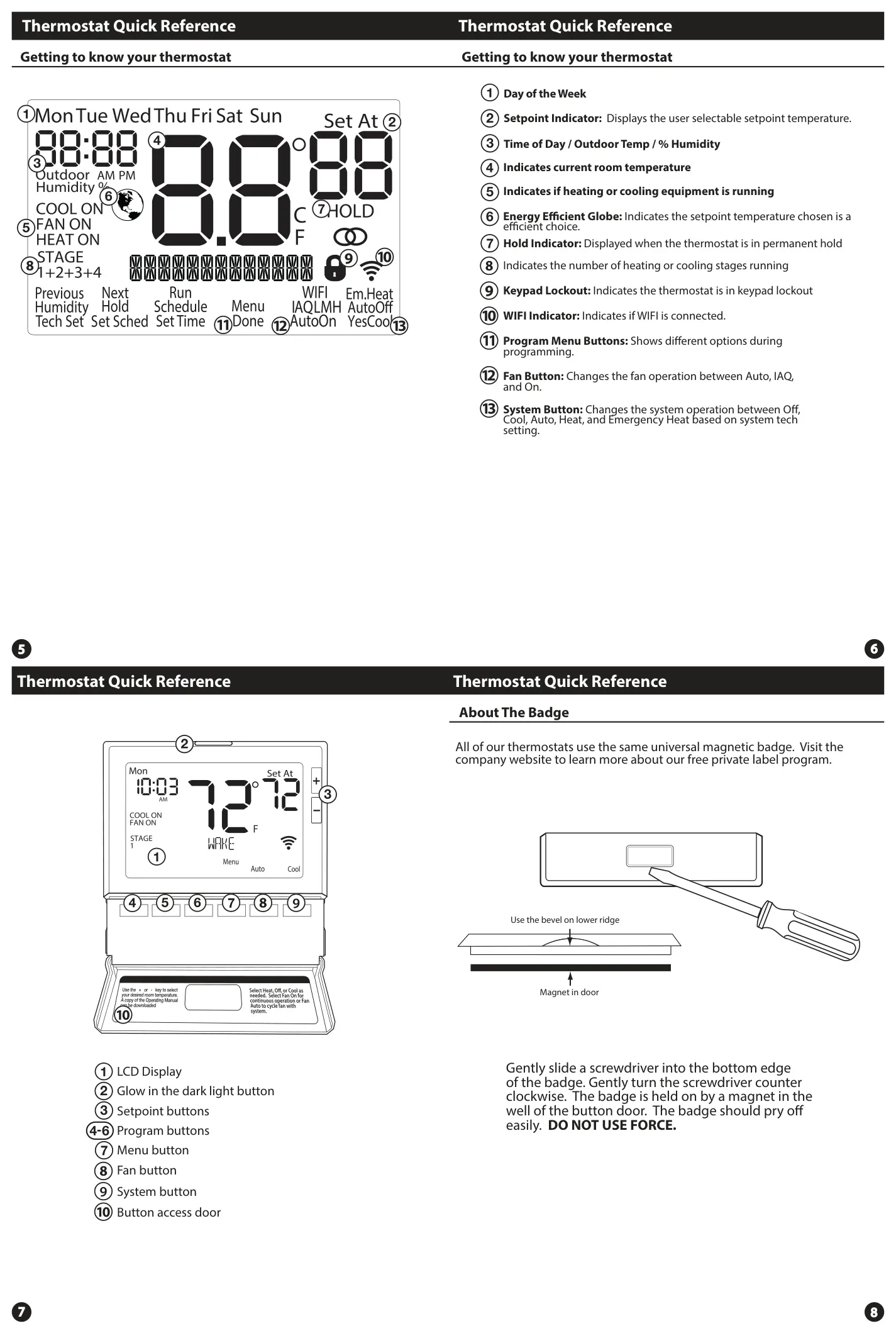
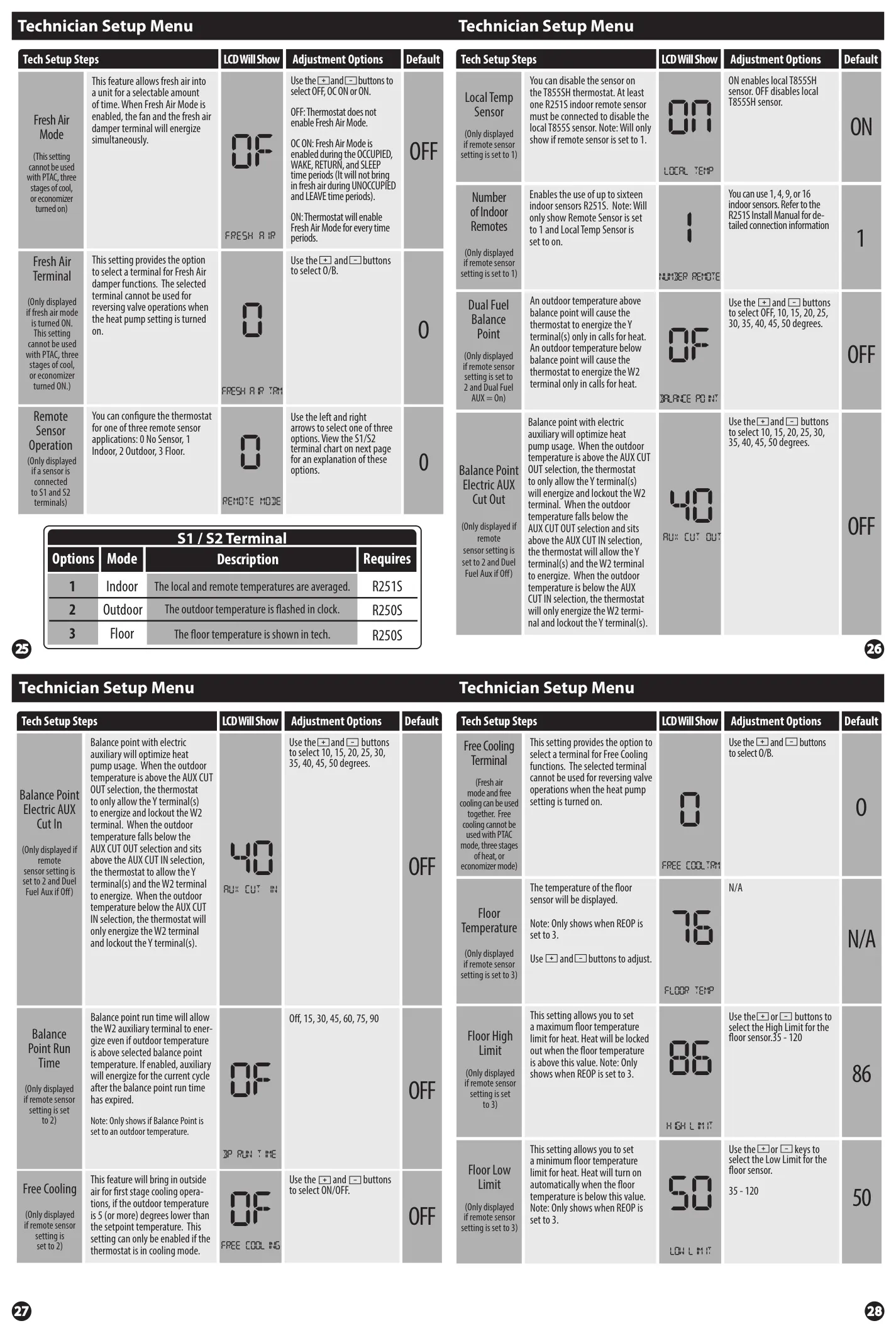
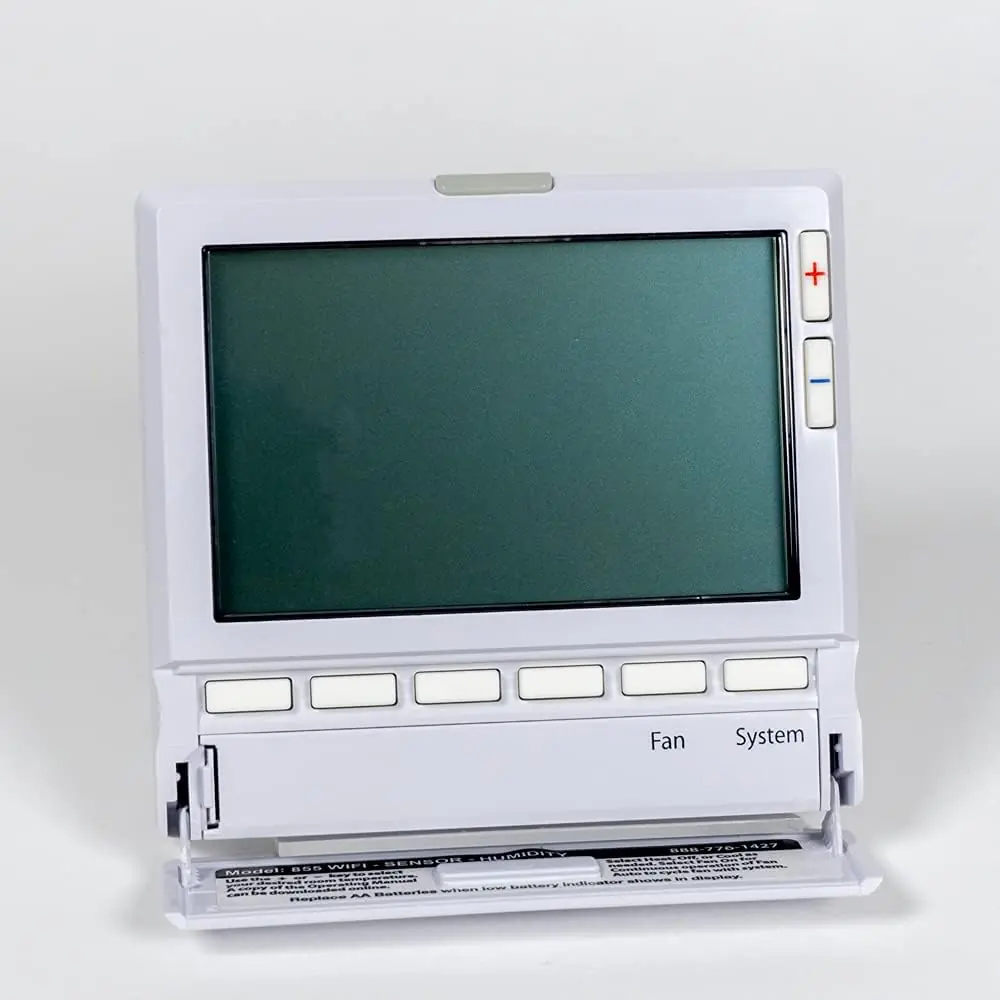
The Pro IAQ T855ISH Thermostat is designed for comprehensive HVAC system control, offering advanced features beyond basic temperature regulation. Its user-friendly interface includes a glow-in-the-dark light button for easy visibility in low light, which illuminates the LCD display. The display provides critical information such as the day of the week, time, outdoor temperature (if configured), current room temperature, setpoint, equipment status (heating/cooling), and an Energy Efficient Globe to indicate optimal temperature choices.
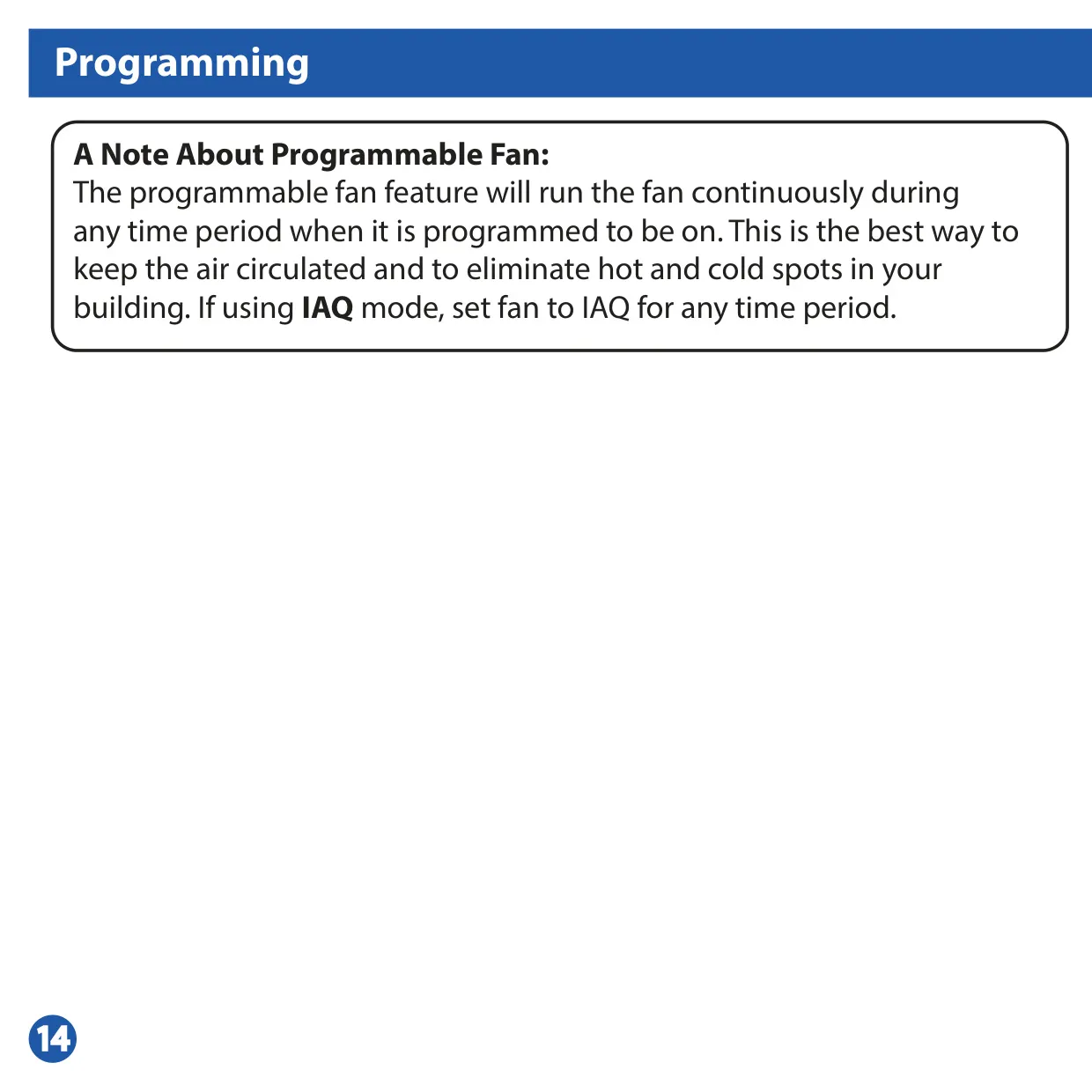
Further enhancing usability, the thermostat features dedicated buttons for program functions, fan operation, and system mode selection. The Fan Button allows users to select between continuous operation (ON), cycling with the heating or cooling system (AUTO), or the unique IAQ Fan Mode for scheduled air circulation. The System Button provides modes like HEAT, COOL, OFF, AUTO, and EM HEAT for heat pump systems, offering versatile control over your environment.
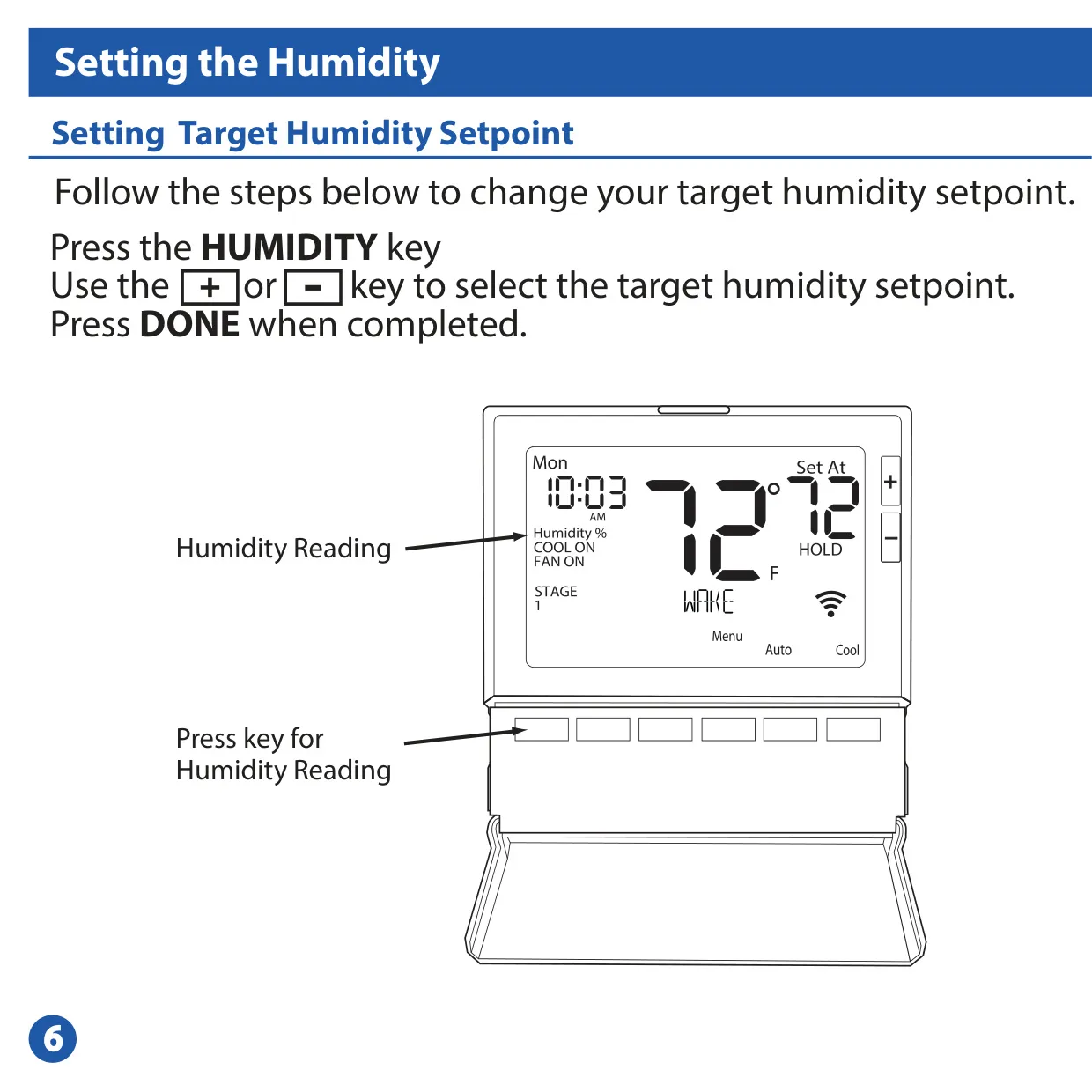
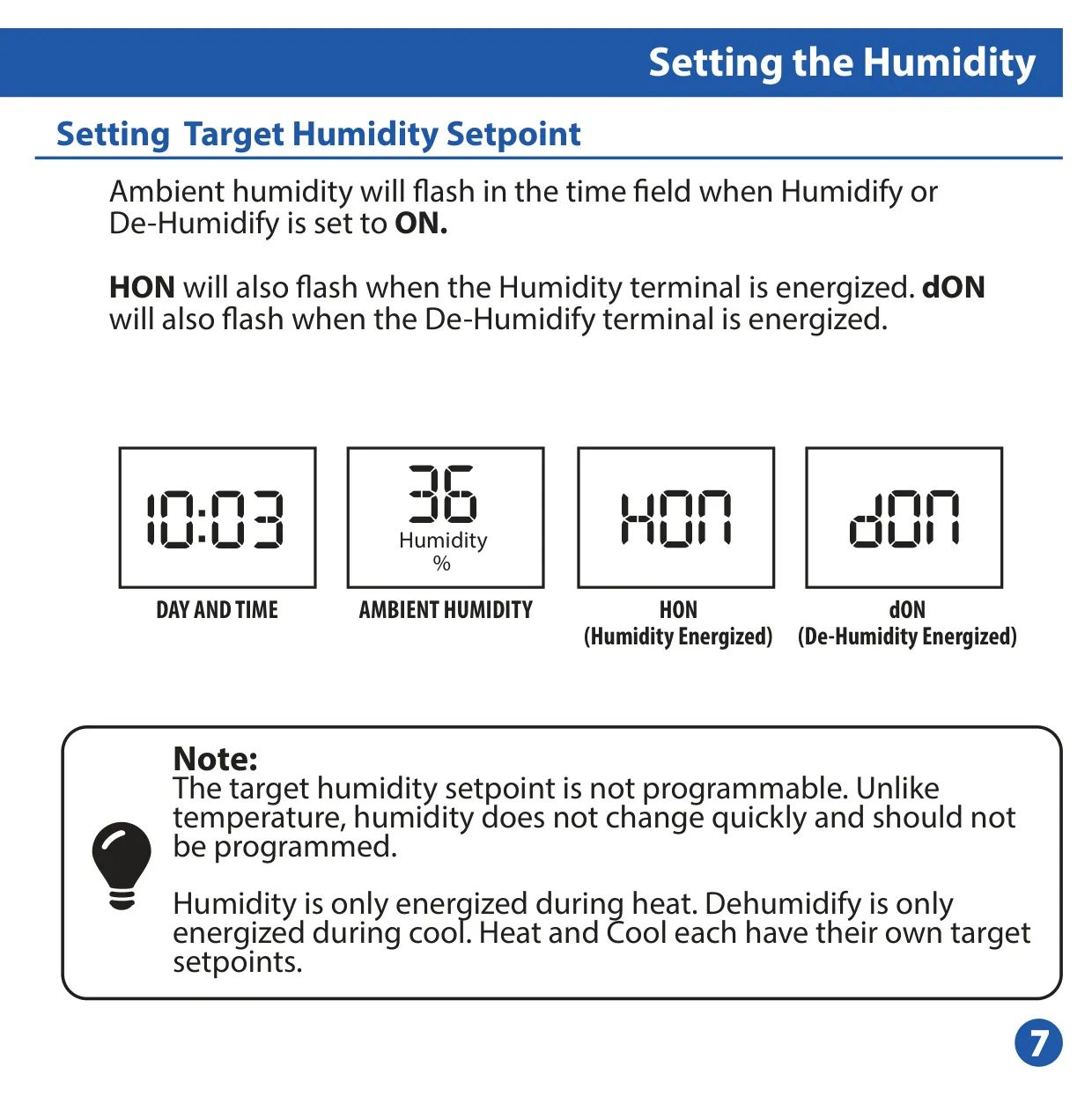
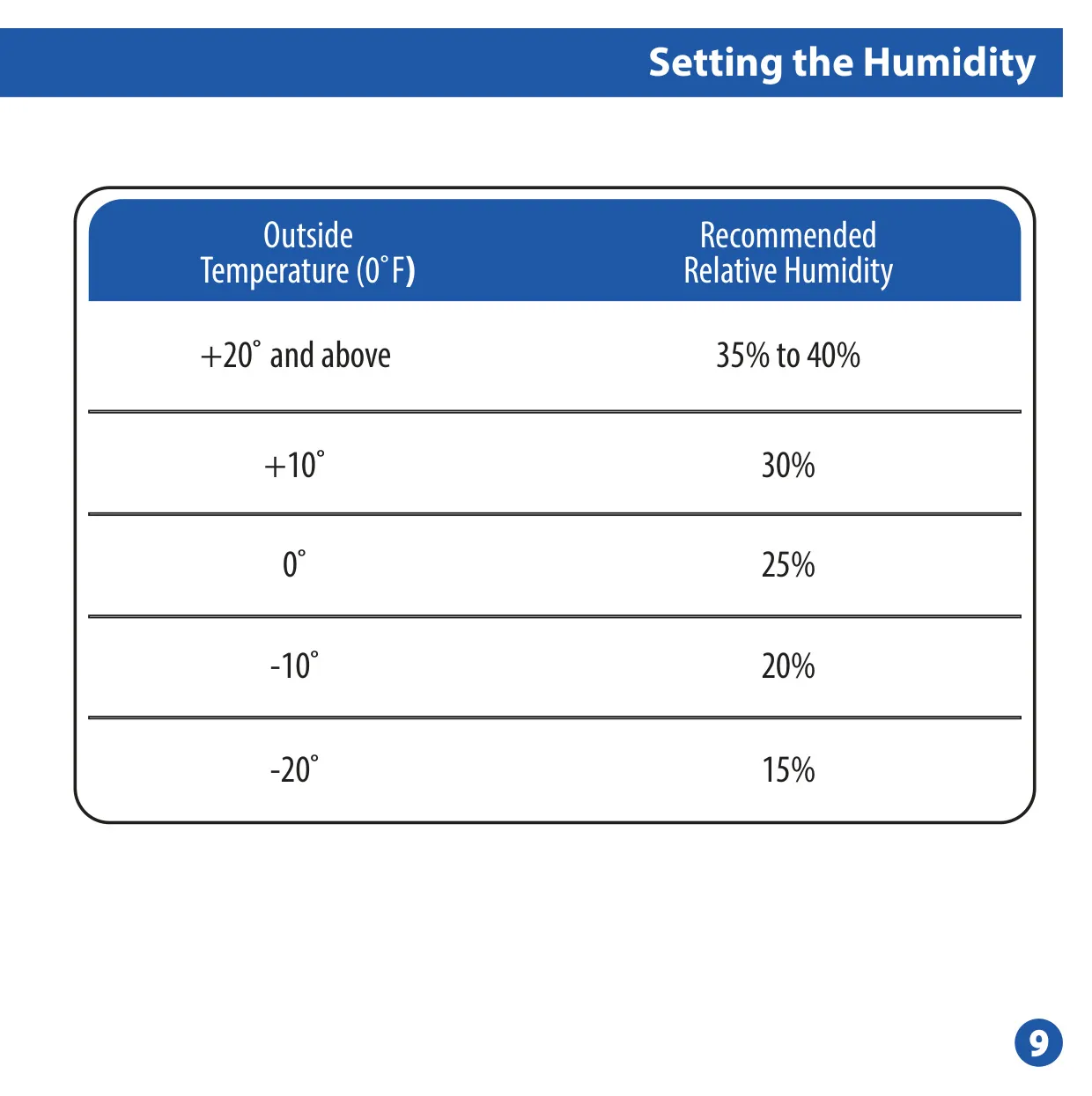
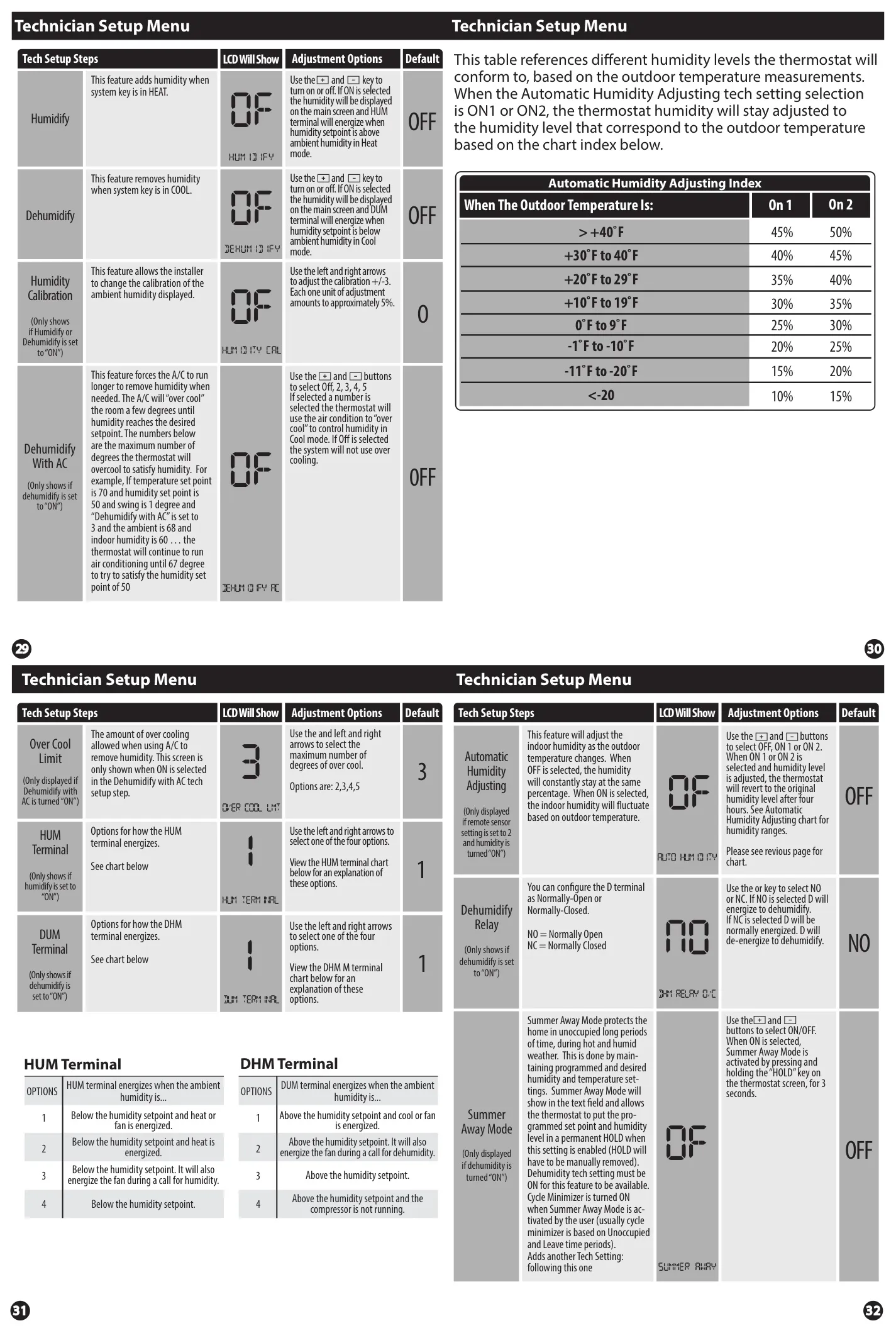
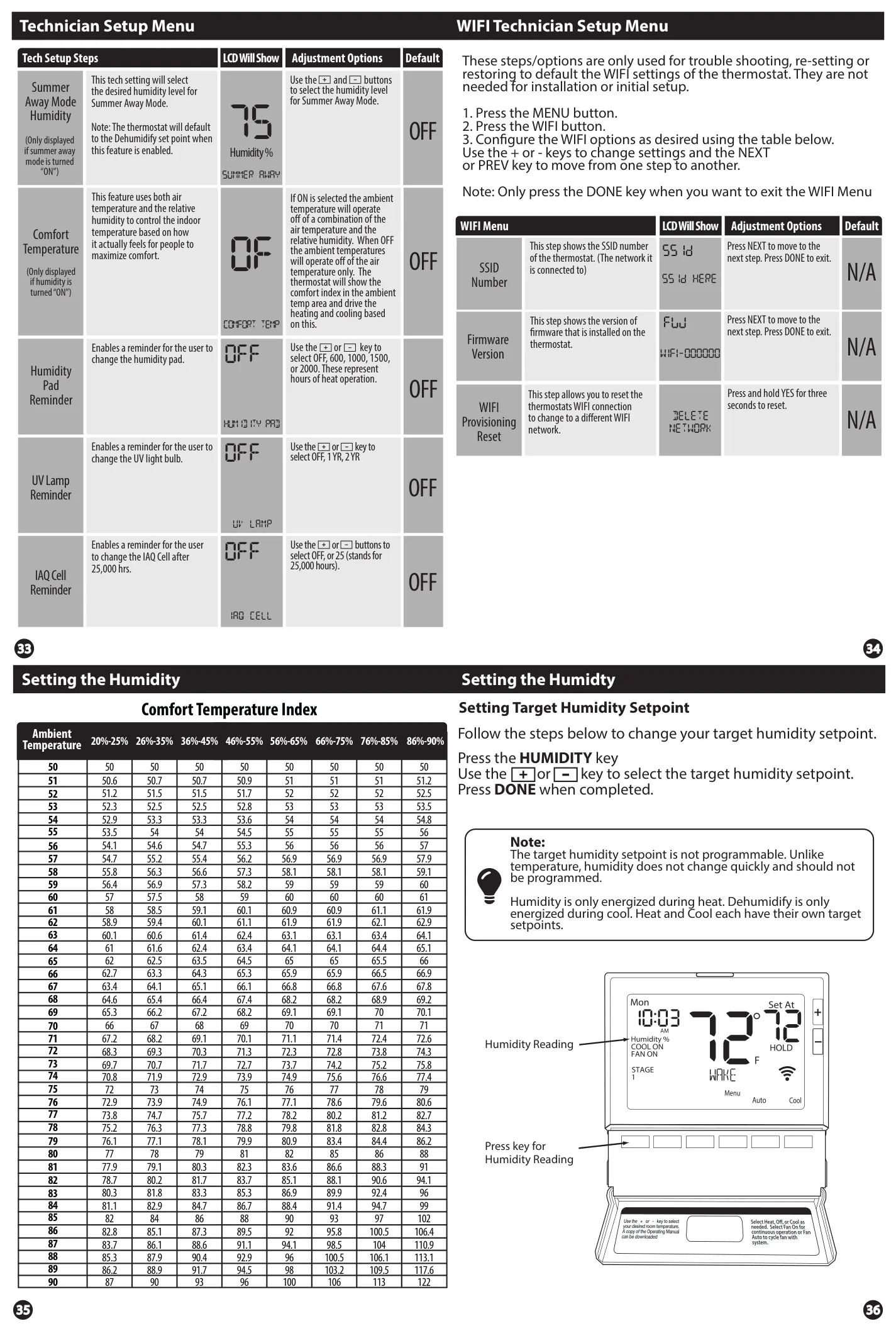
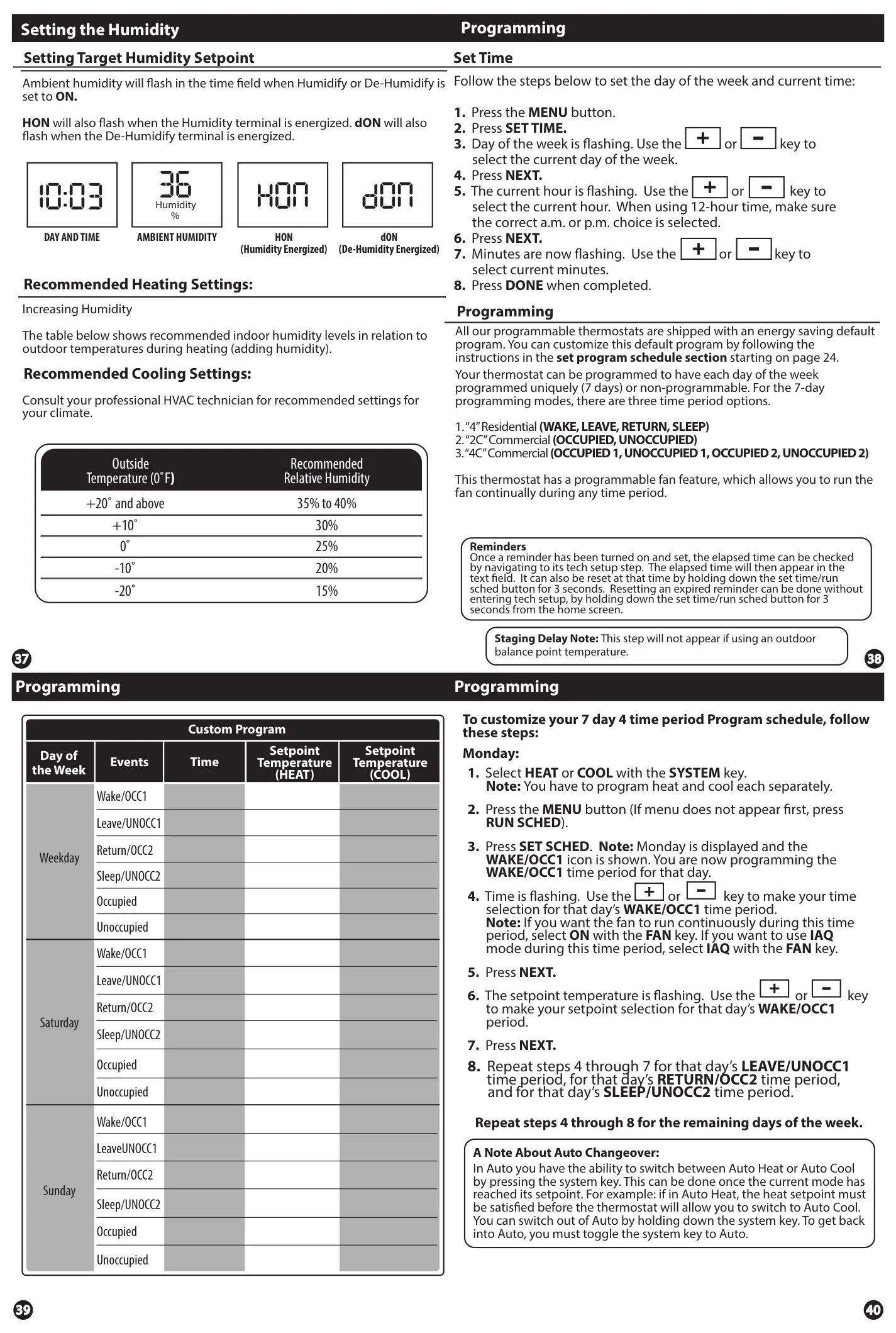
Humidity management is a core aspect of the T855ISH. Users can easily adjust the target humidity setpoint via the HUMIDITY key. While the target humidity itself is not programmable, the system intelligently energizes humidification during heating and dehumidification during cooling. The display indicates when humidify (HON) or de-humidify (dON) terminals are active, ensuring transparency in operation. Recommended humidity levels are provided for heating, enhancing comfort and system efficiency.
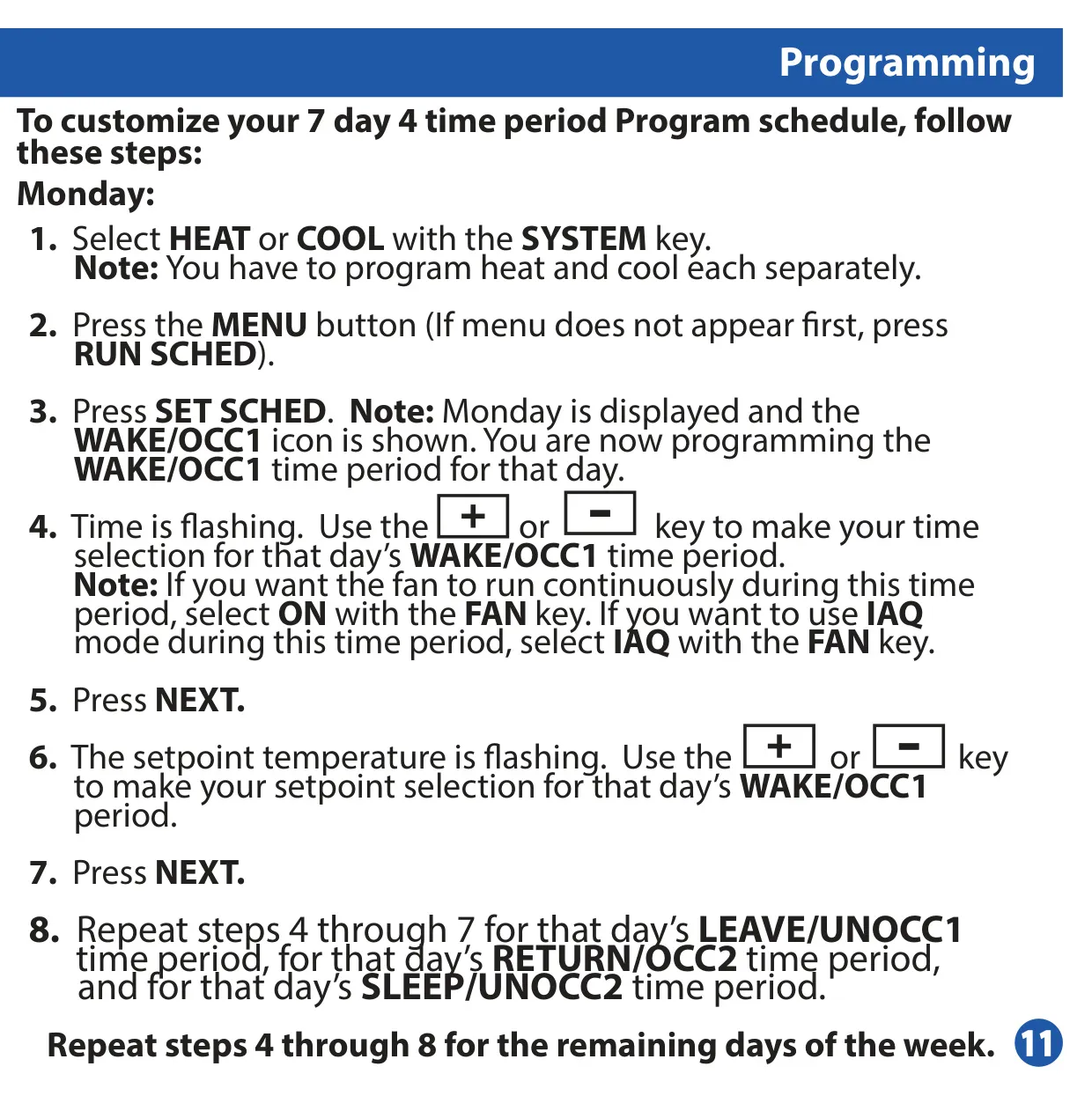
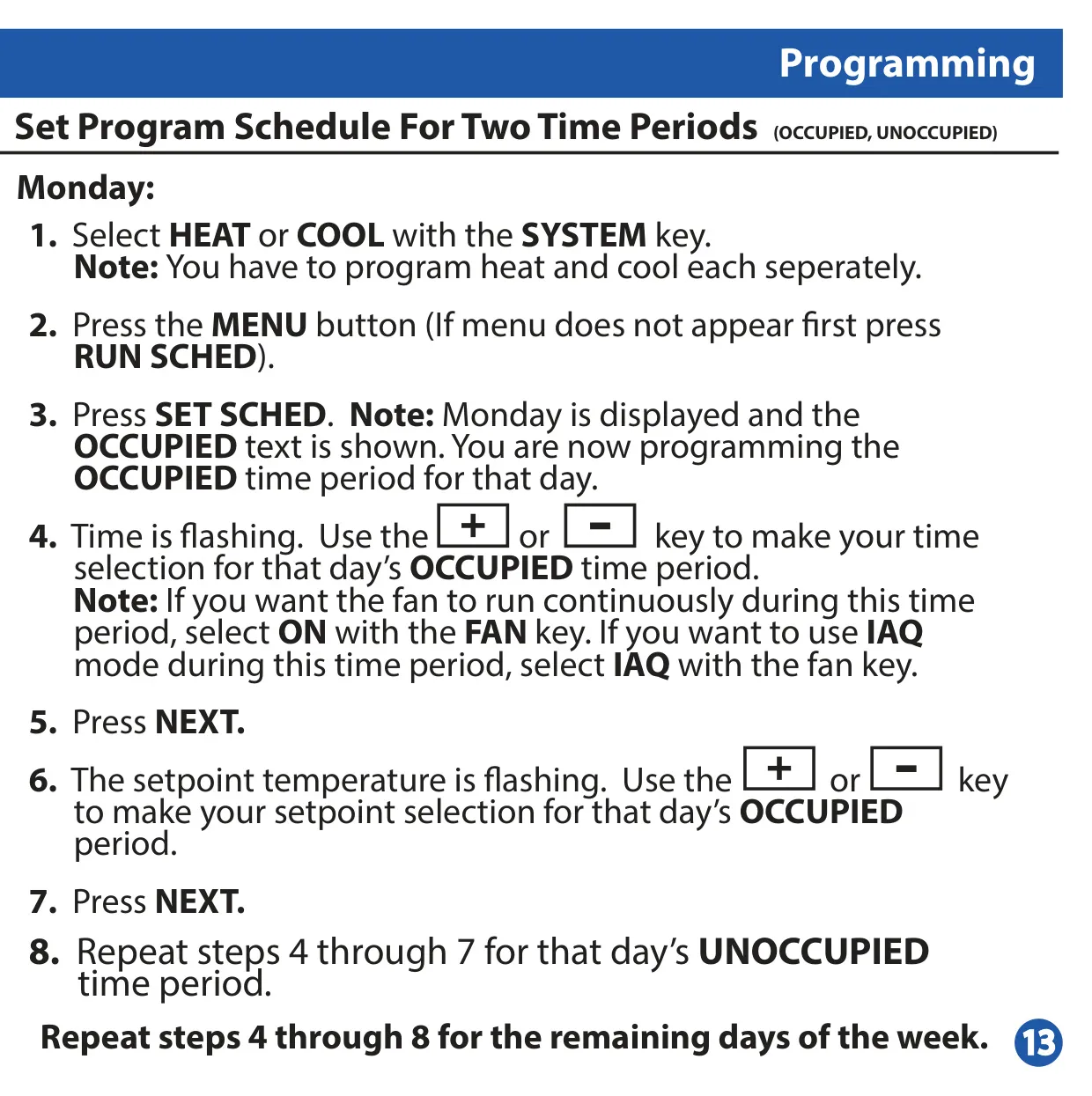
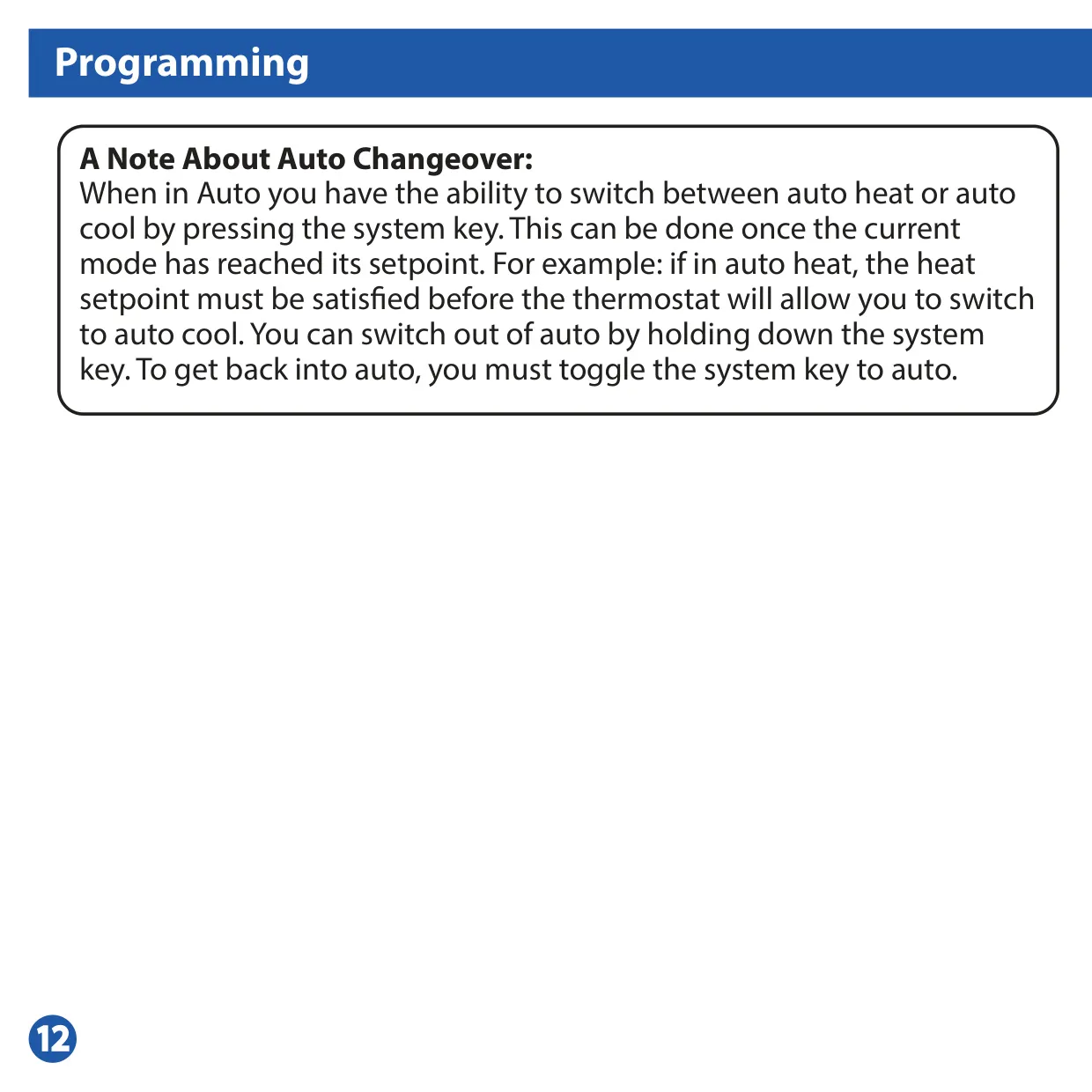
Programming flexibility is paramount, with options for 7-day scheduling across 4 time periods (WAKE, LEAVE, RETURN, SLEEP for residential) or 2/4 time periods (OCCUPIED, UNOCCUPIED for commercial applications). This allows for highly customized comfort settings throughout the week. The thermostat also supports Auto Changeover, enabling automatic switching between heating and cooling modes once the current setpoint is satisfied, simplifying climate control.
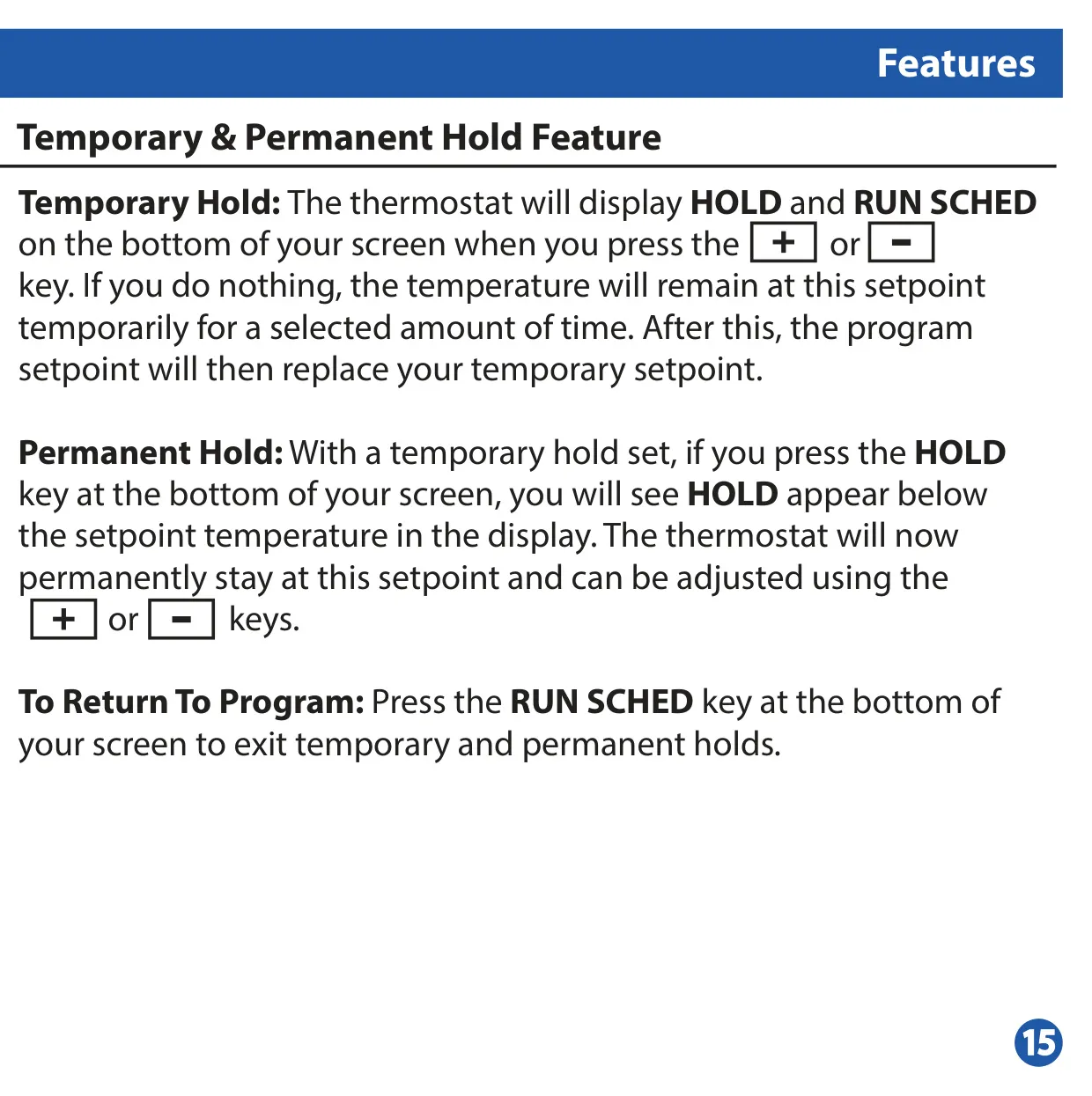
For temporary adjustments, the thermostat offers both Temporary Hold and Permanent Hold features. A temporary hold maintains a new setpoint for a selectable duration (defaulting to 4 hours), while a permanent hold keeps the temperature indefinitely until manually overridden. These features provide convenience for sudden schedule changes or extended absences without disrupting the main program.
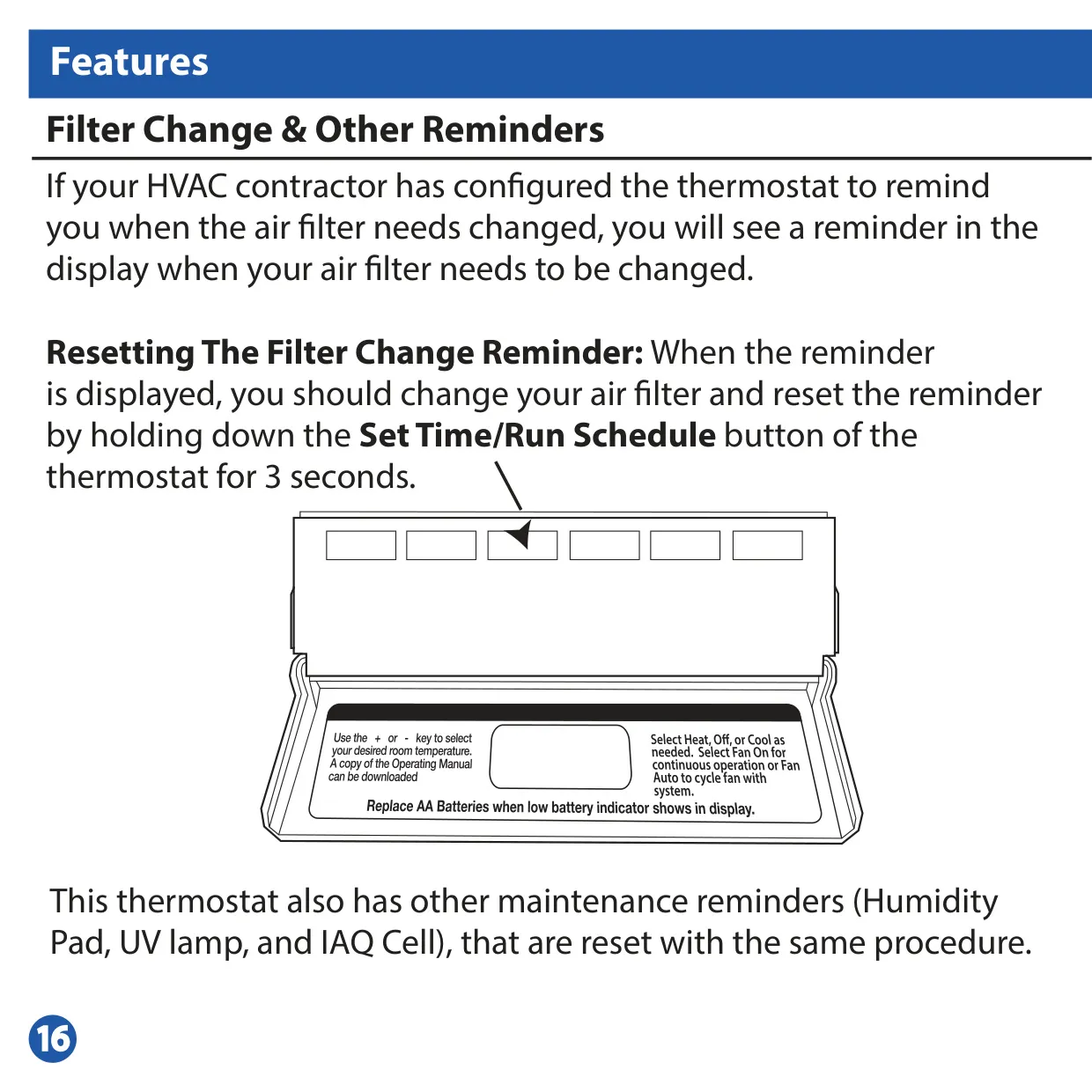
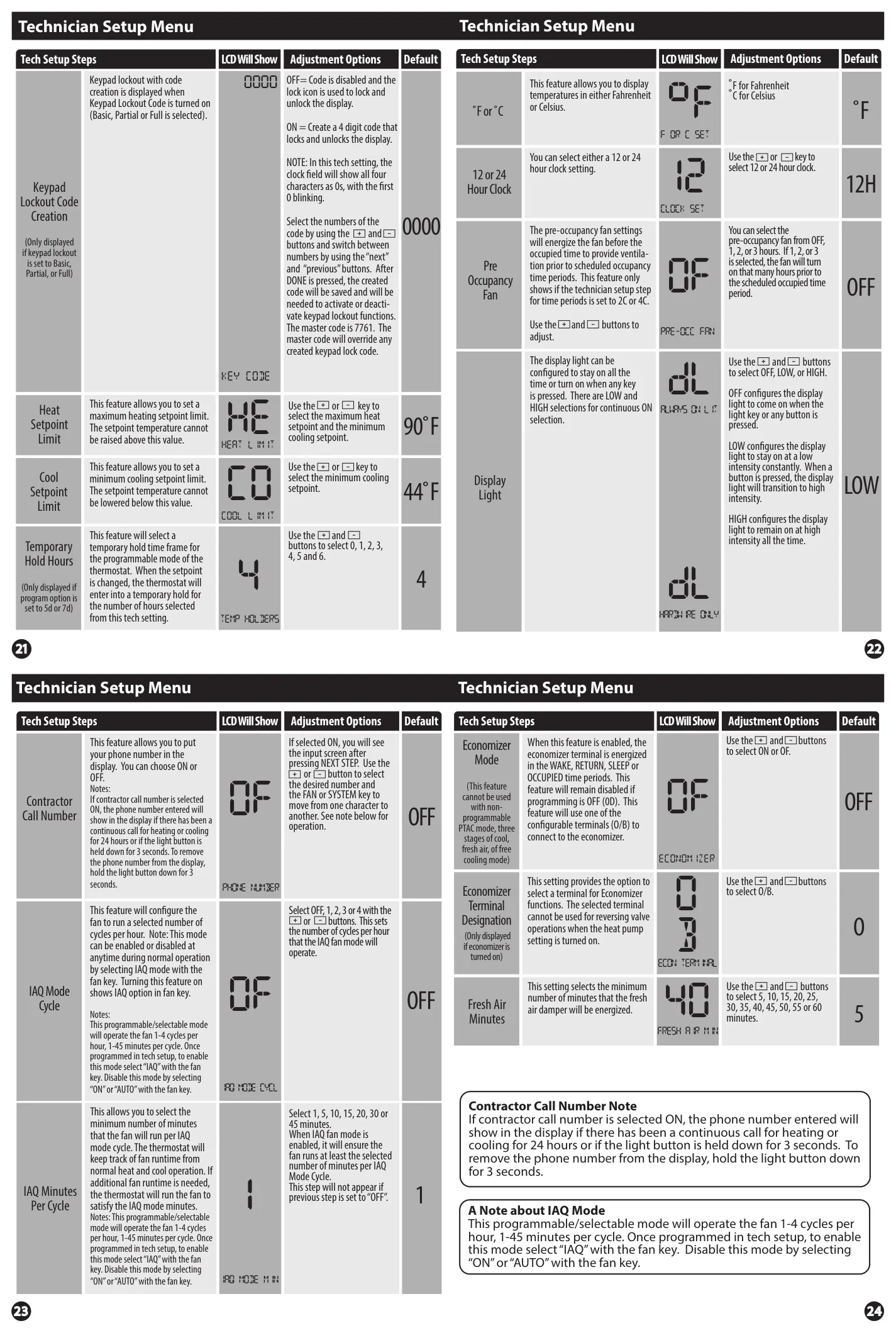
Maintenance reminders are built-in to help prolong system life and ensure optimal air quality. The thermostat can alert users when it's time to change the air filter, humidity pad, UV lamp, or IAQ cell. These reminders appear on the display and can be reset with a simple button press, making routine upkeep straightforward and preventing potential system inefficiencies.
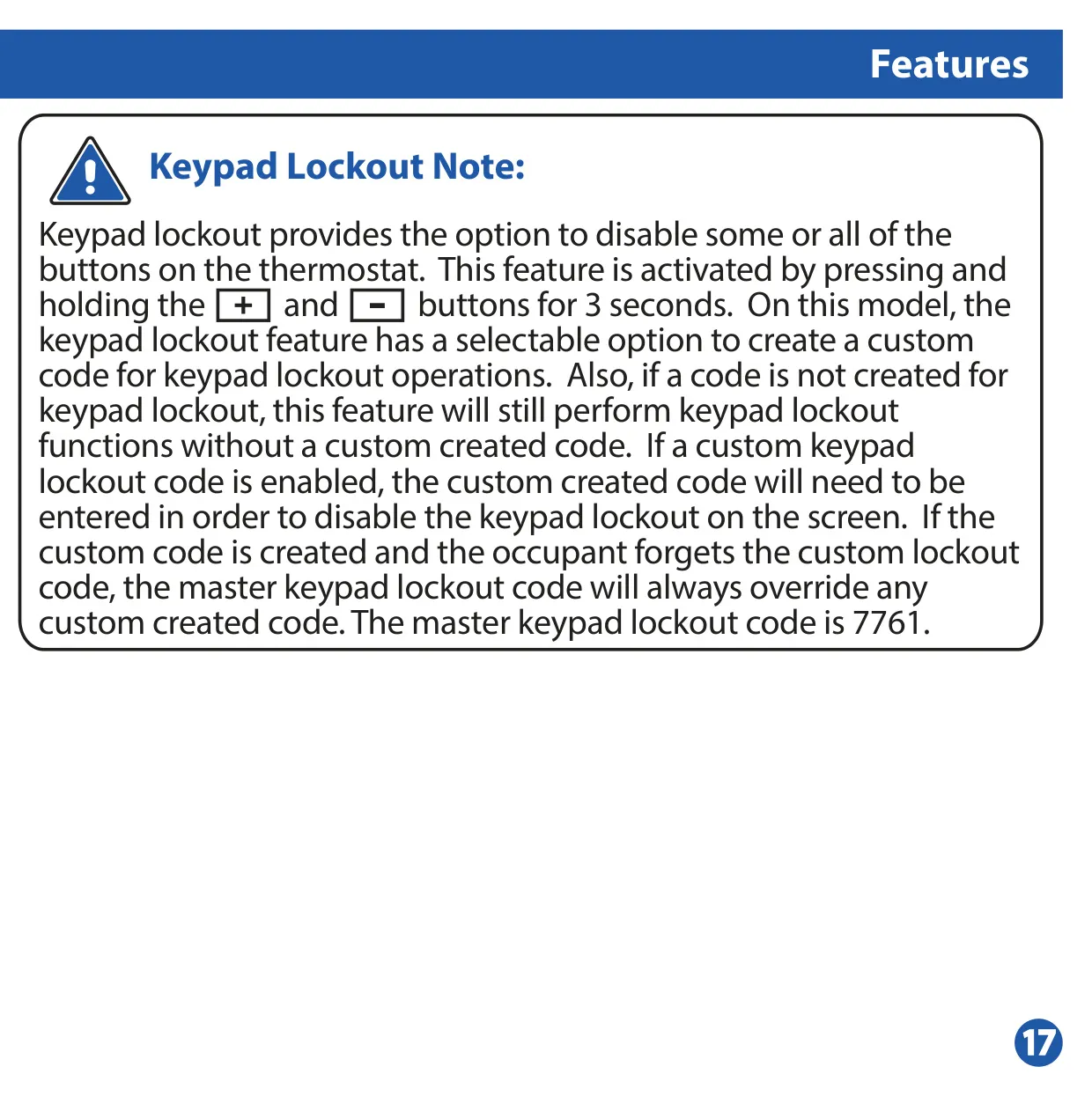
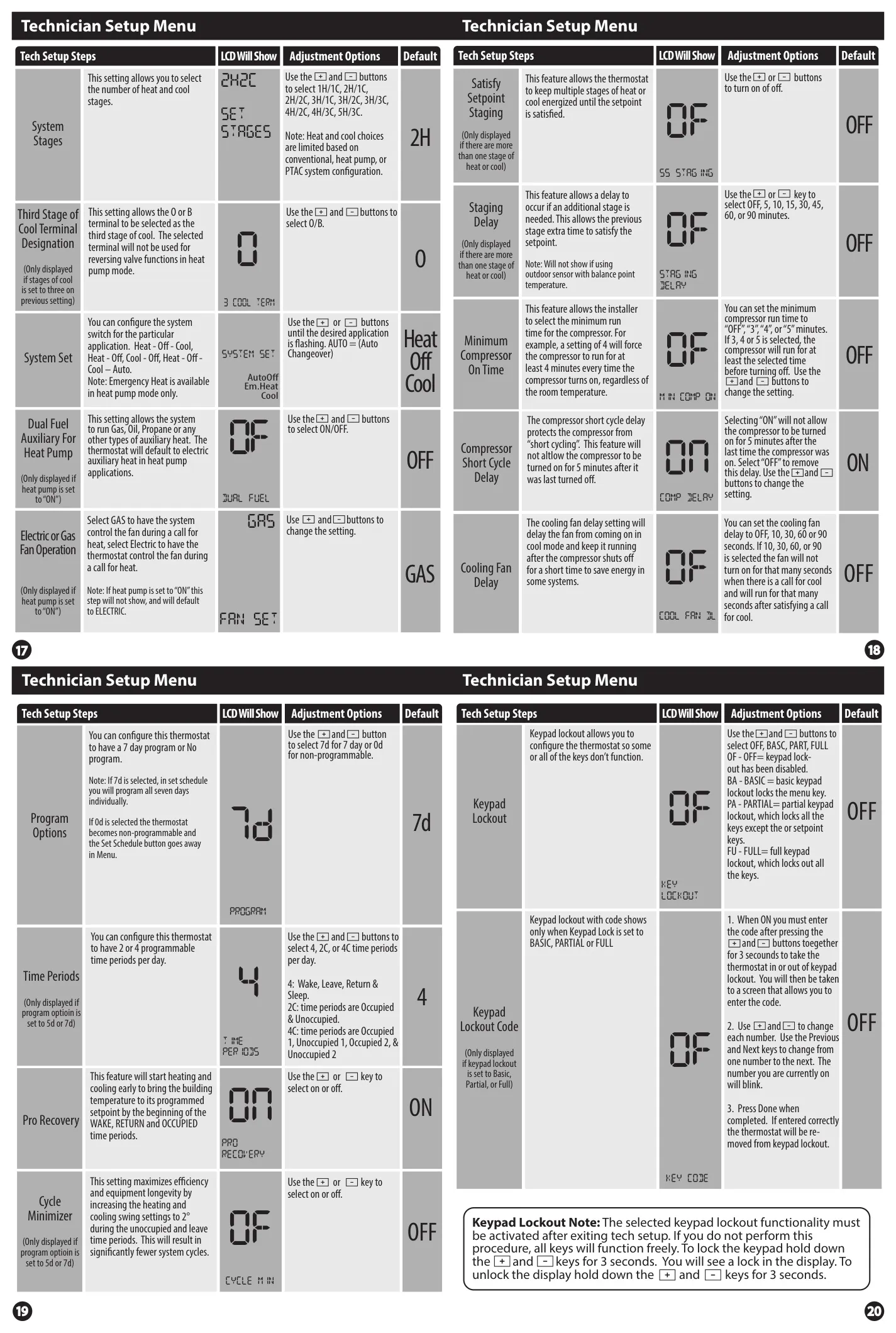
Security and advanced functionality are available through features like Keypad Lockout, which disables some or all buttons to prevent unauthorized changes, optionally with a custom code. Remote sensor capabilities allow for accurate temperature readings from various locations (indoor averaging, outdoor temperature display, or floor sensing), providing precise control over specific zones. The system can also be configured for advanced modes such as Comfort Temperature, which combines air temperature and relative humidity for a more accurate "feels like" temperature control.
Frequently Asked Questions (FAQs)
Can't find the answer you need? Here are some frequently asked questions about the Pro IAQ T855ISH Thermostat, and we answer them below.