
Daikin Thermostat BRC1E73 Instruction Manual
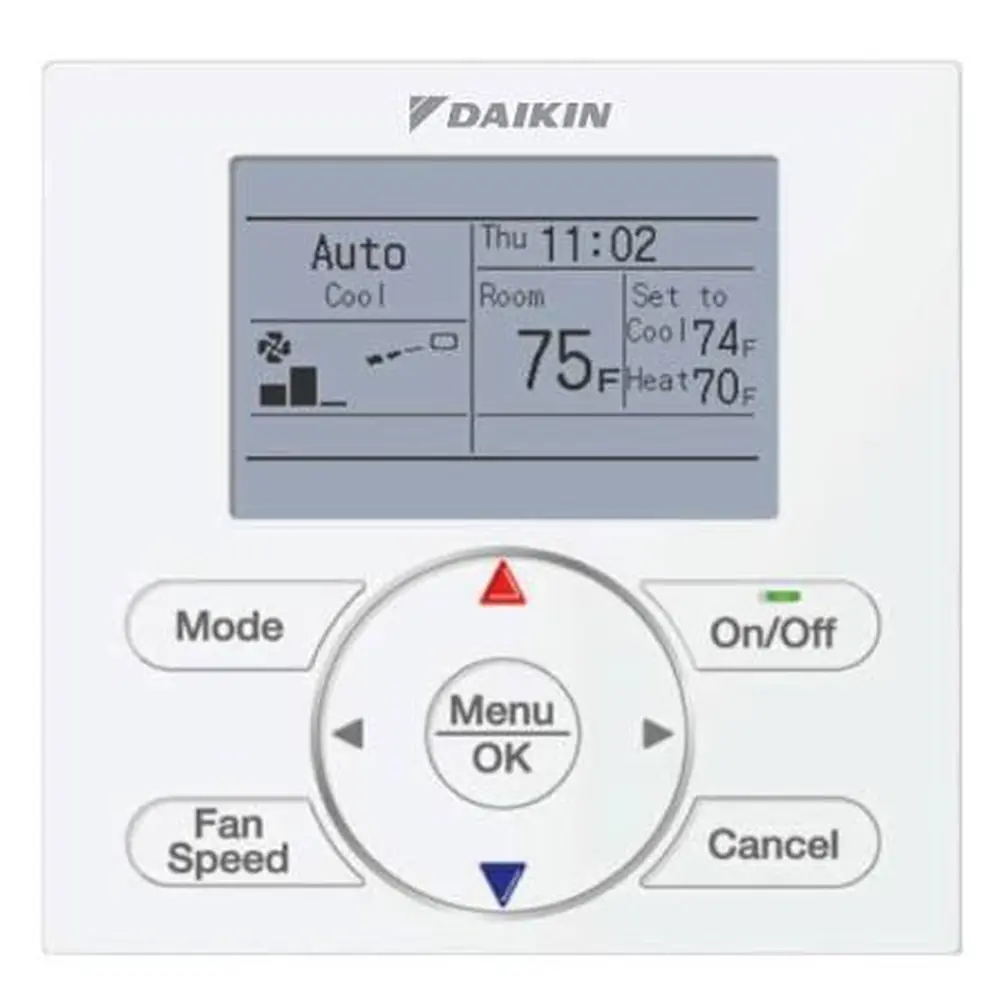
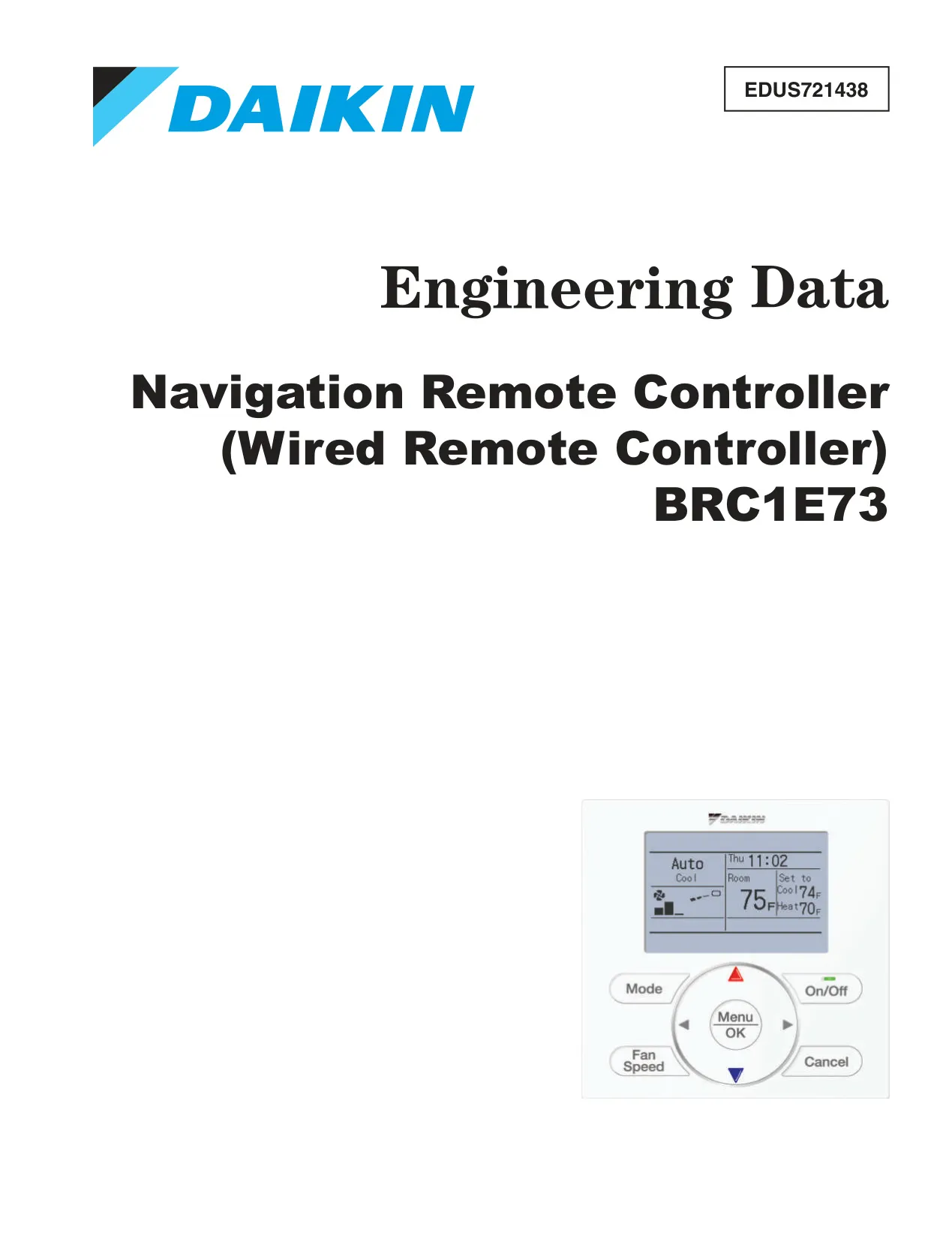
Daikin Thermostat BRC1E73
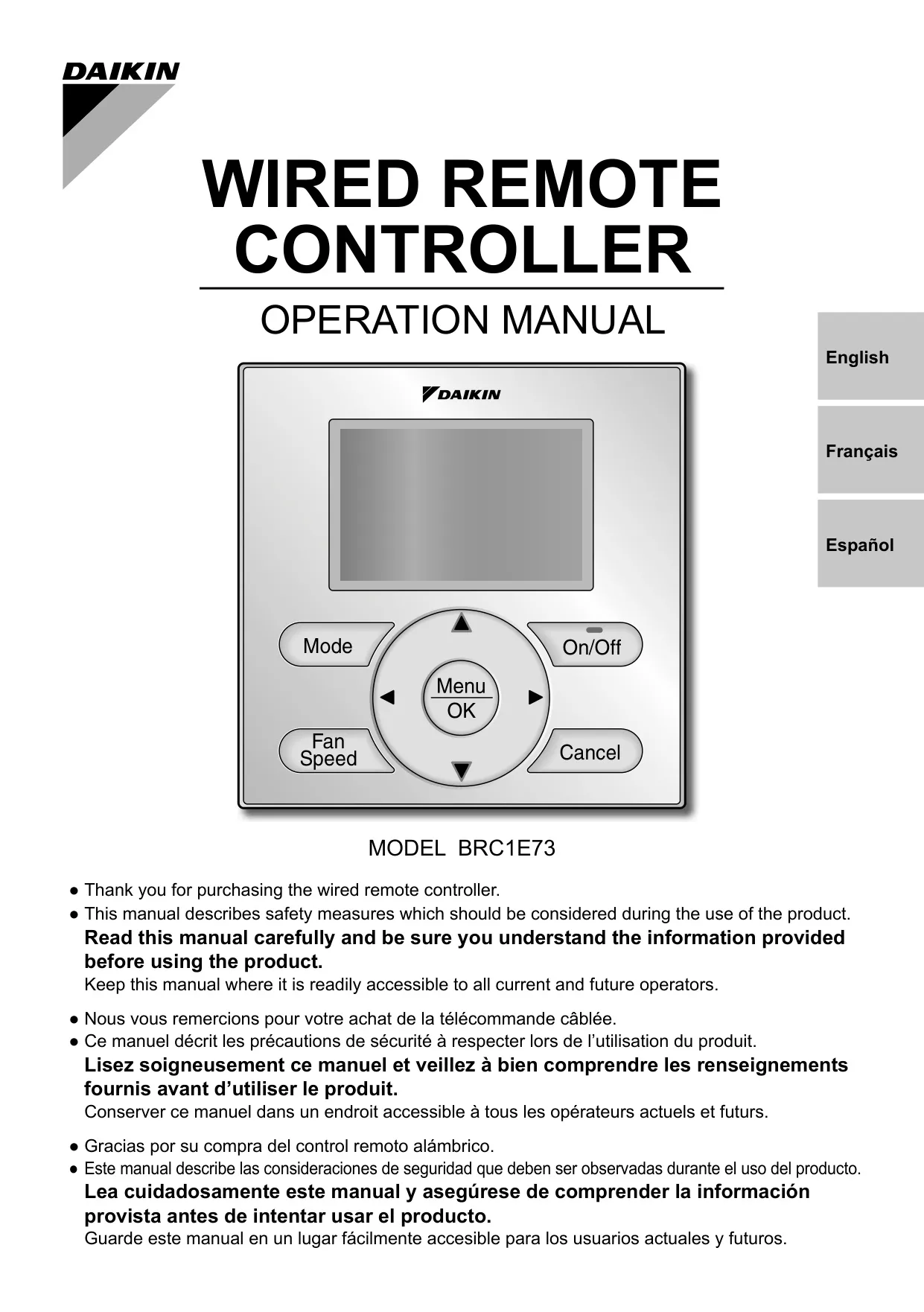

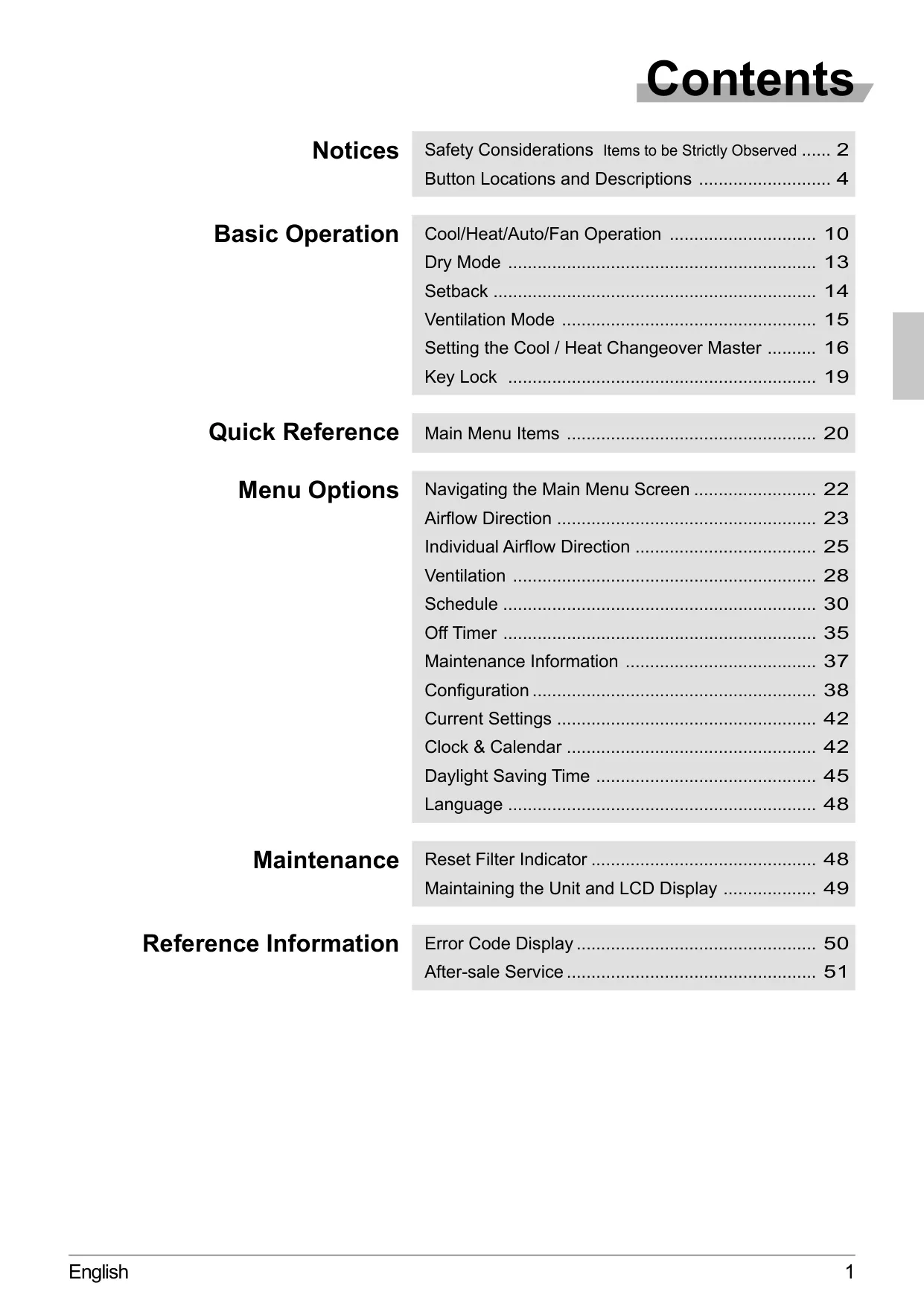
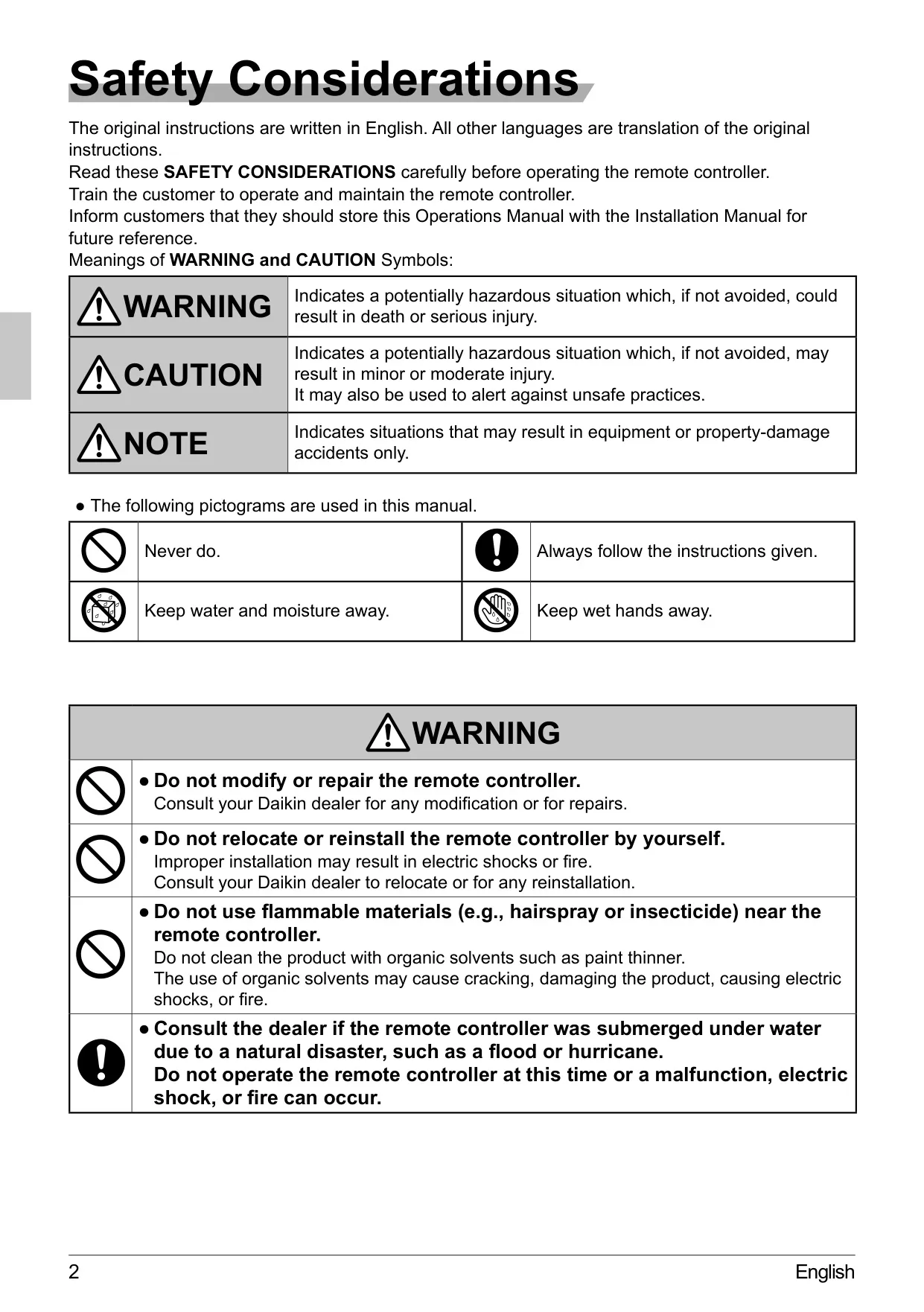
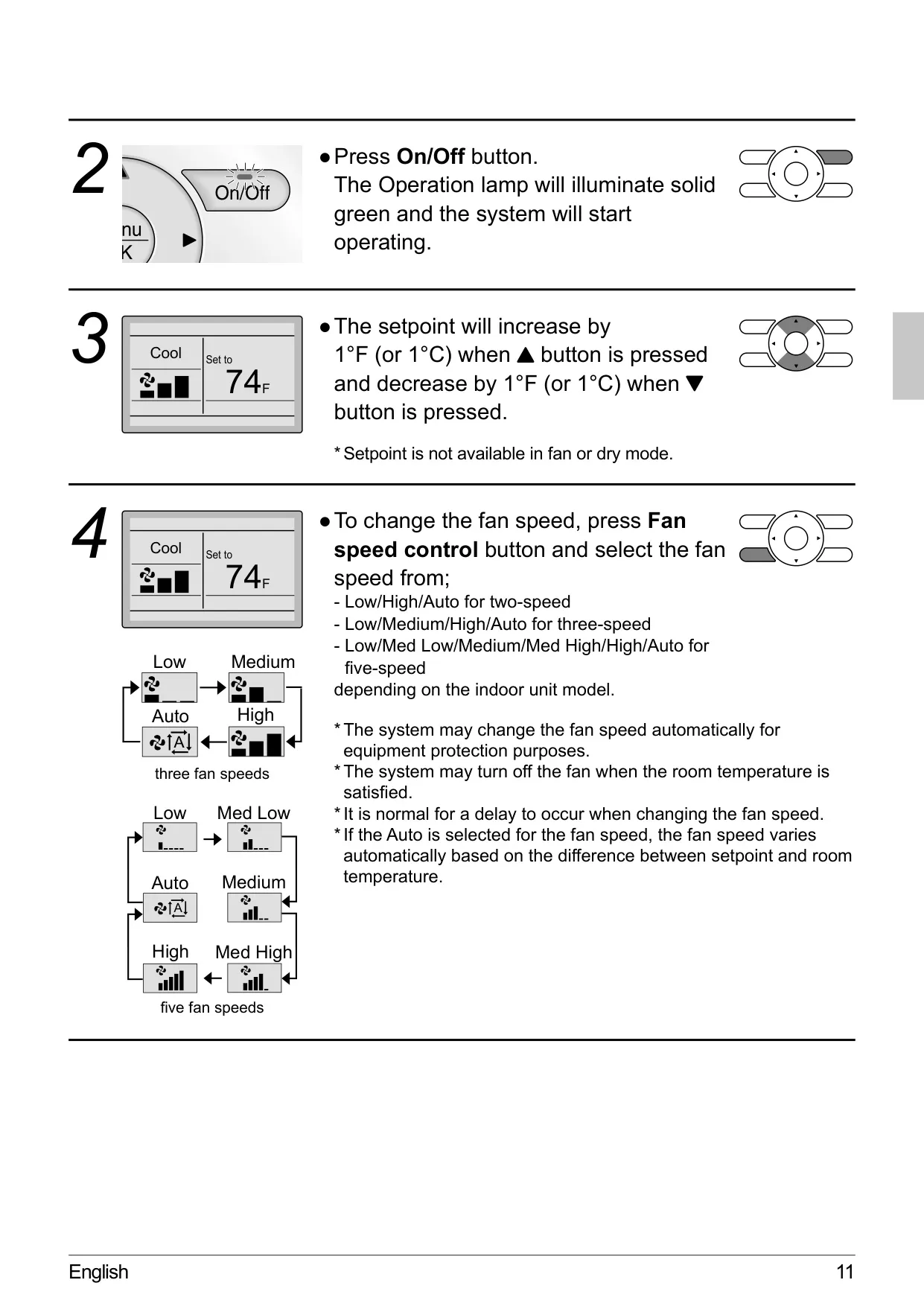
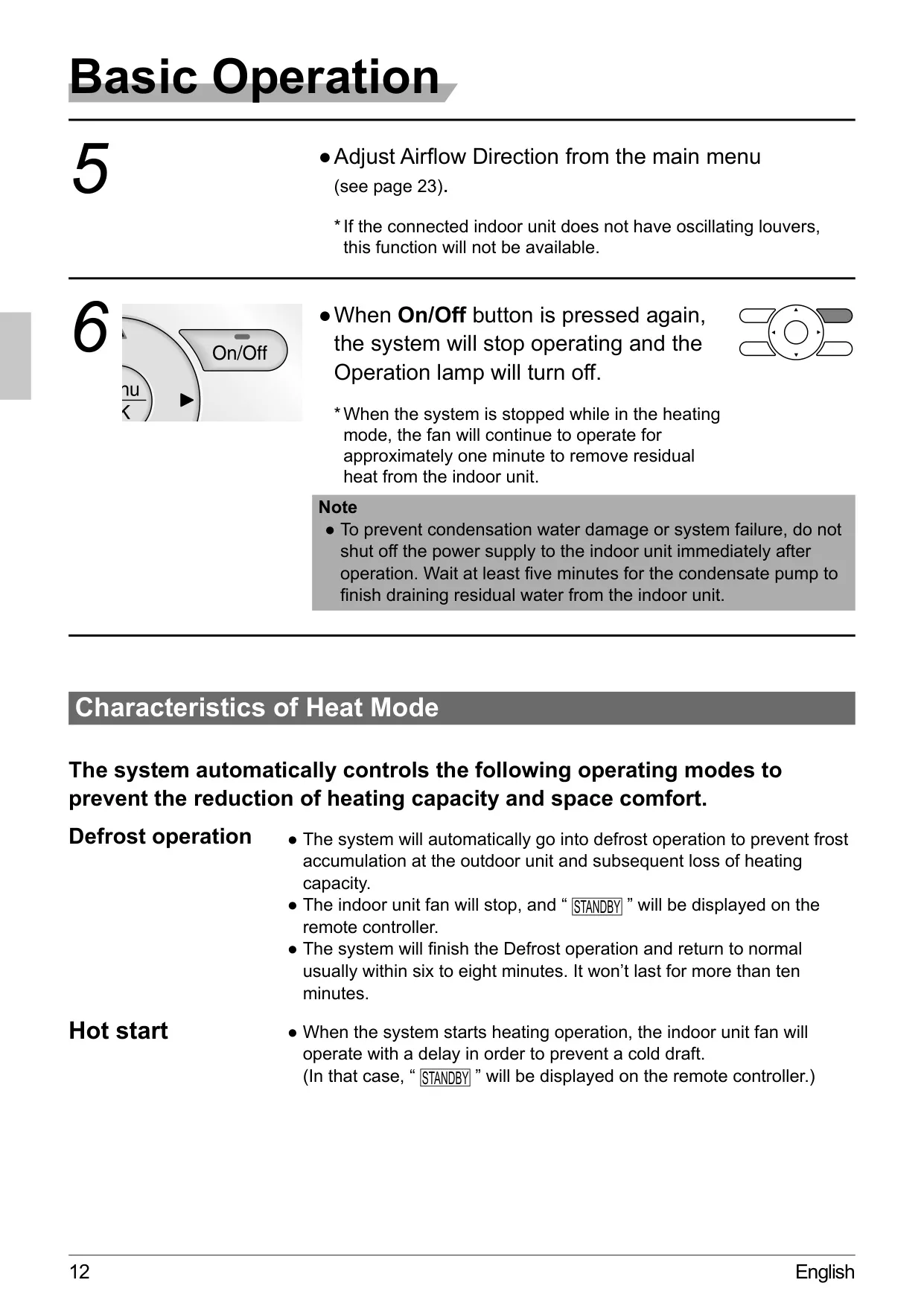
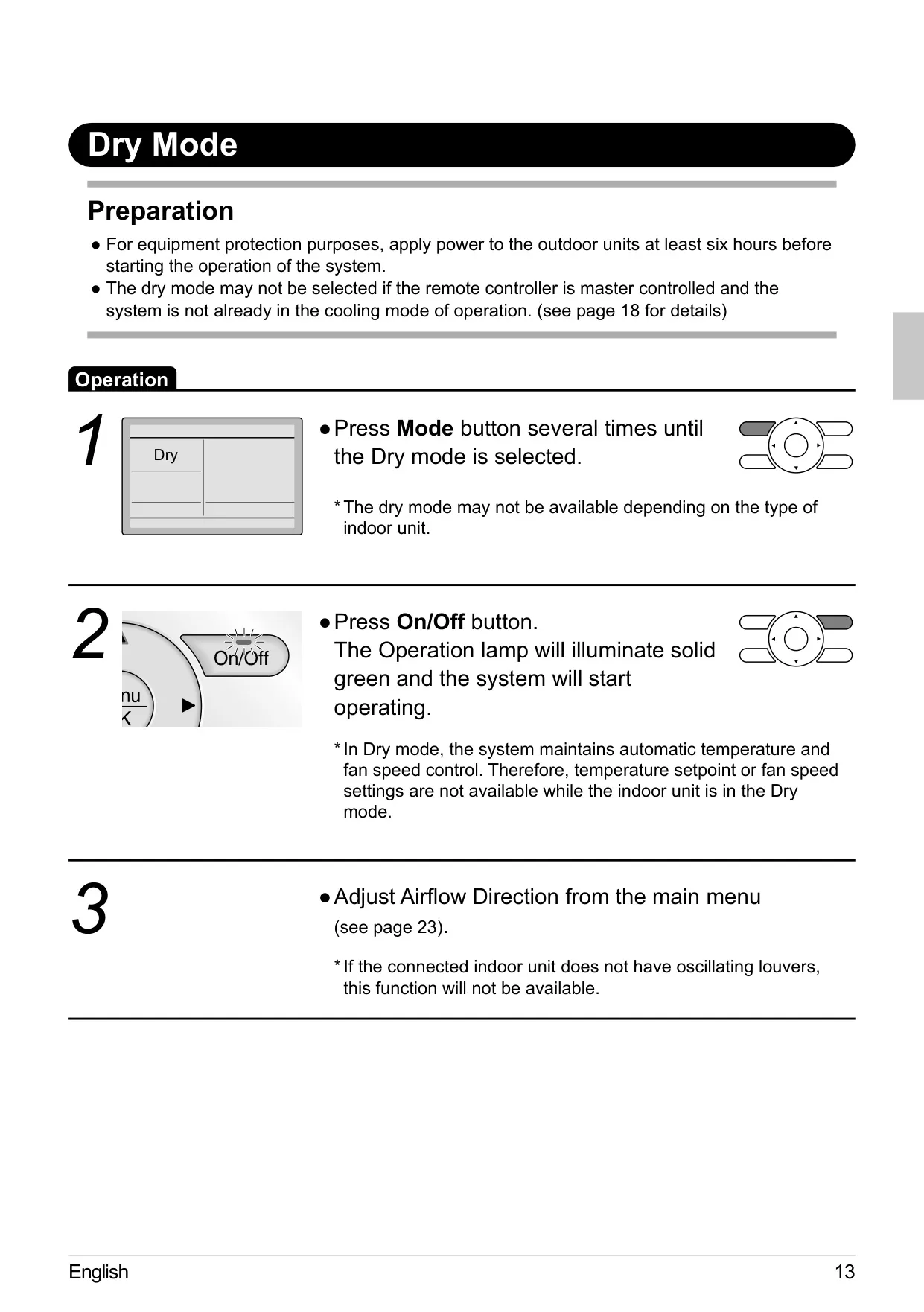
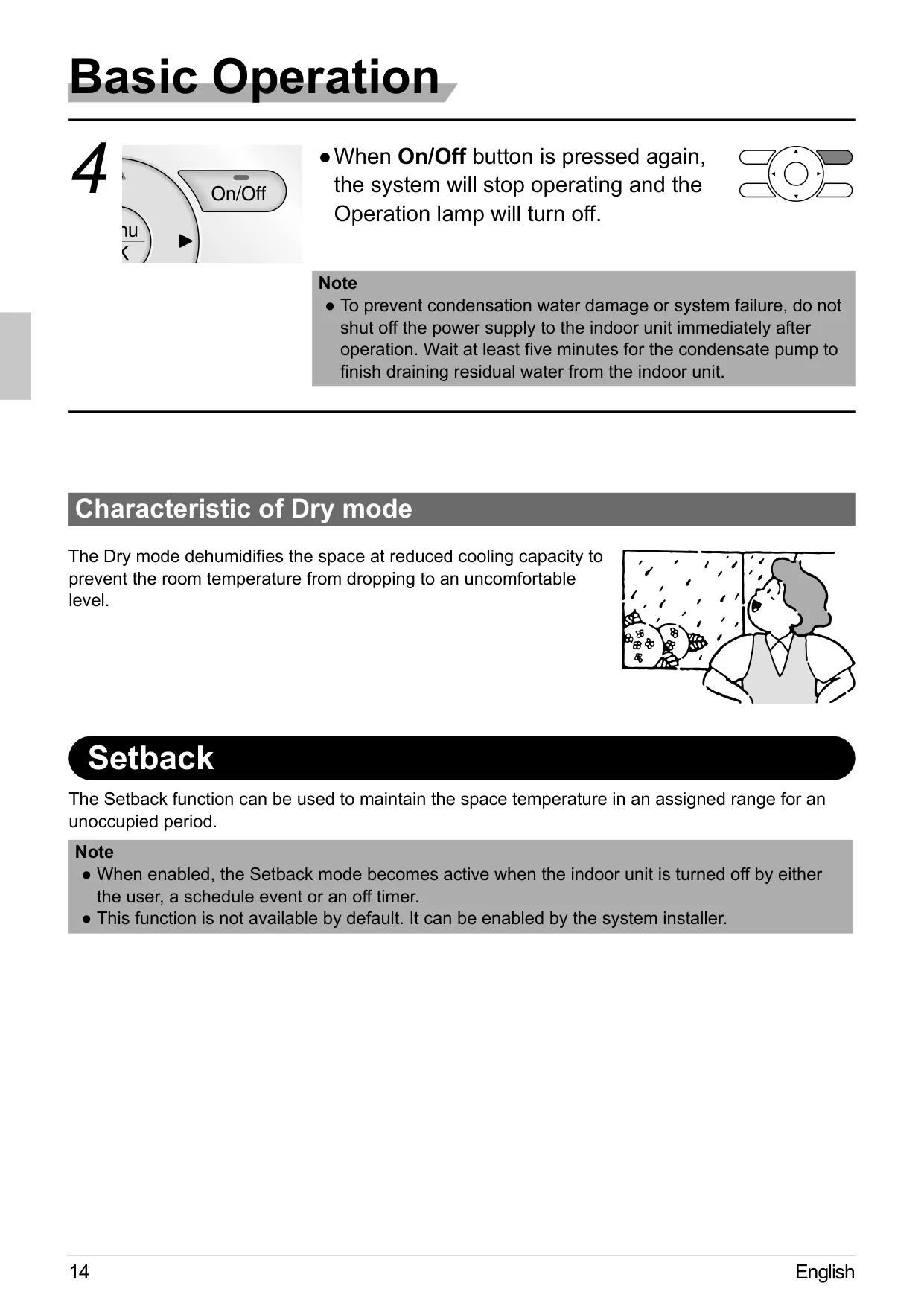
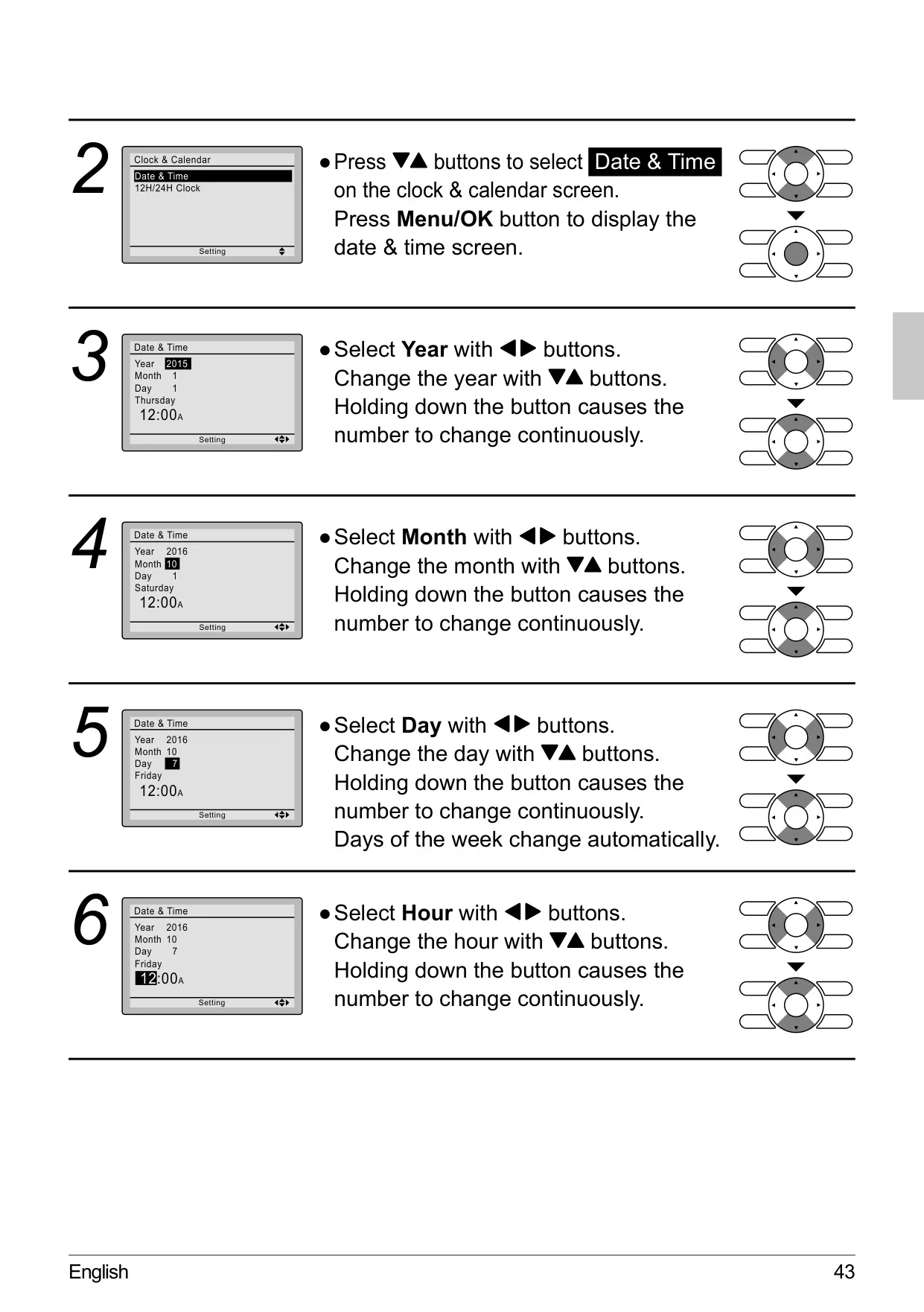
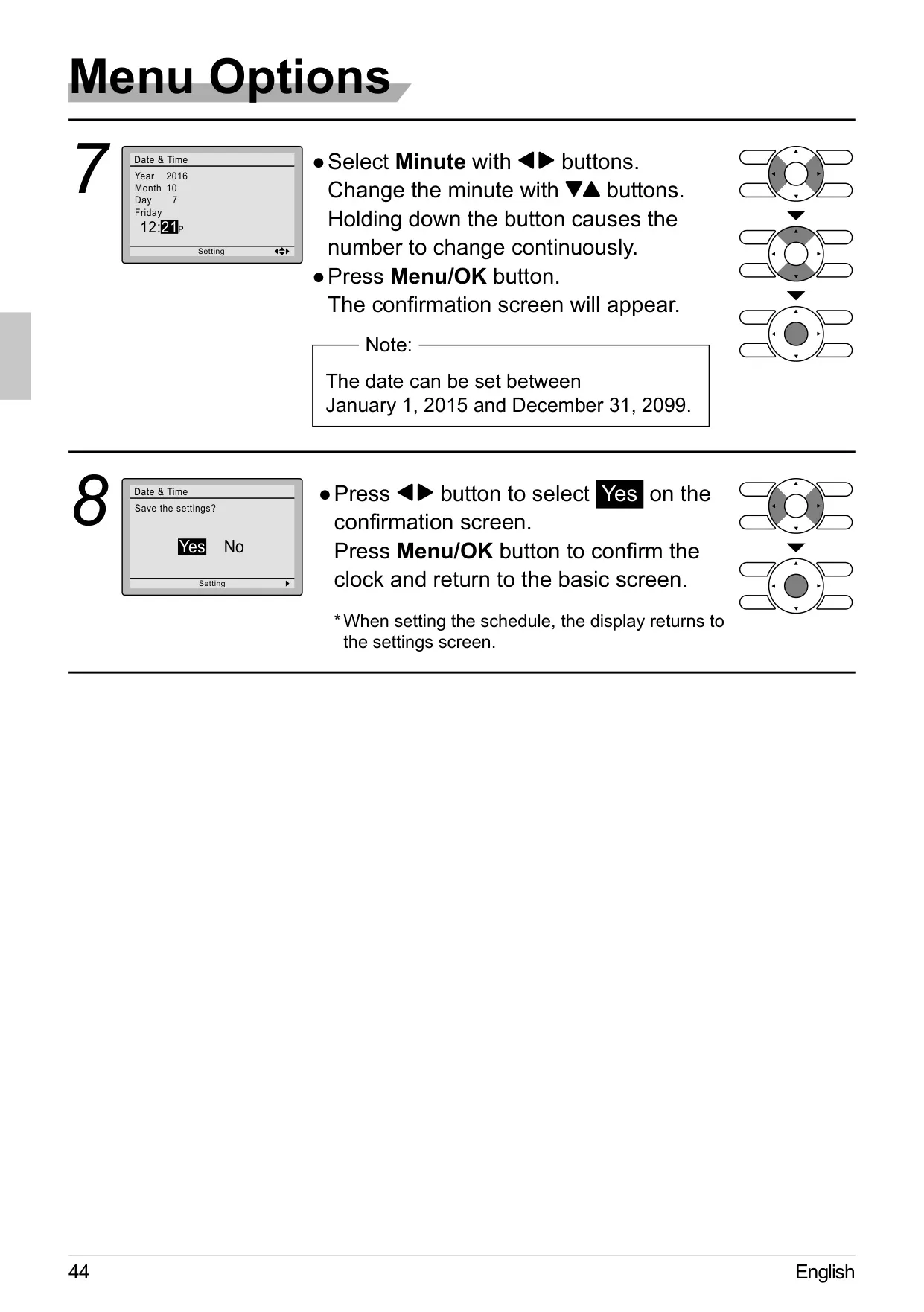
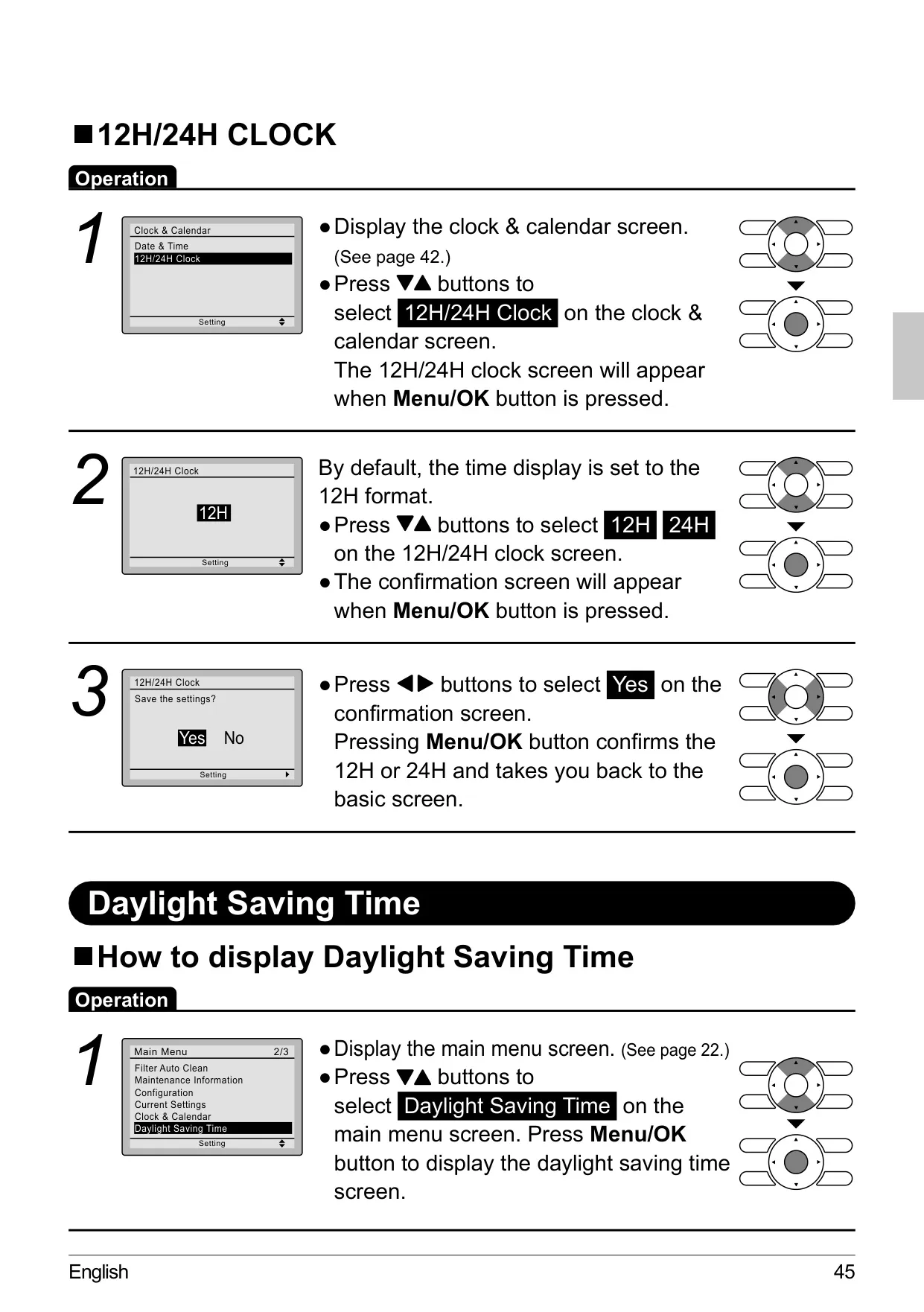
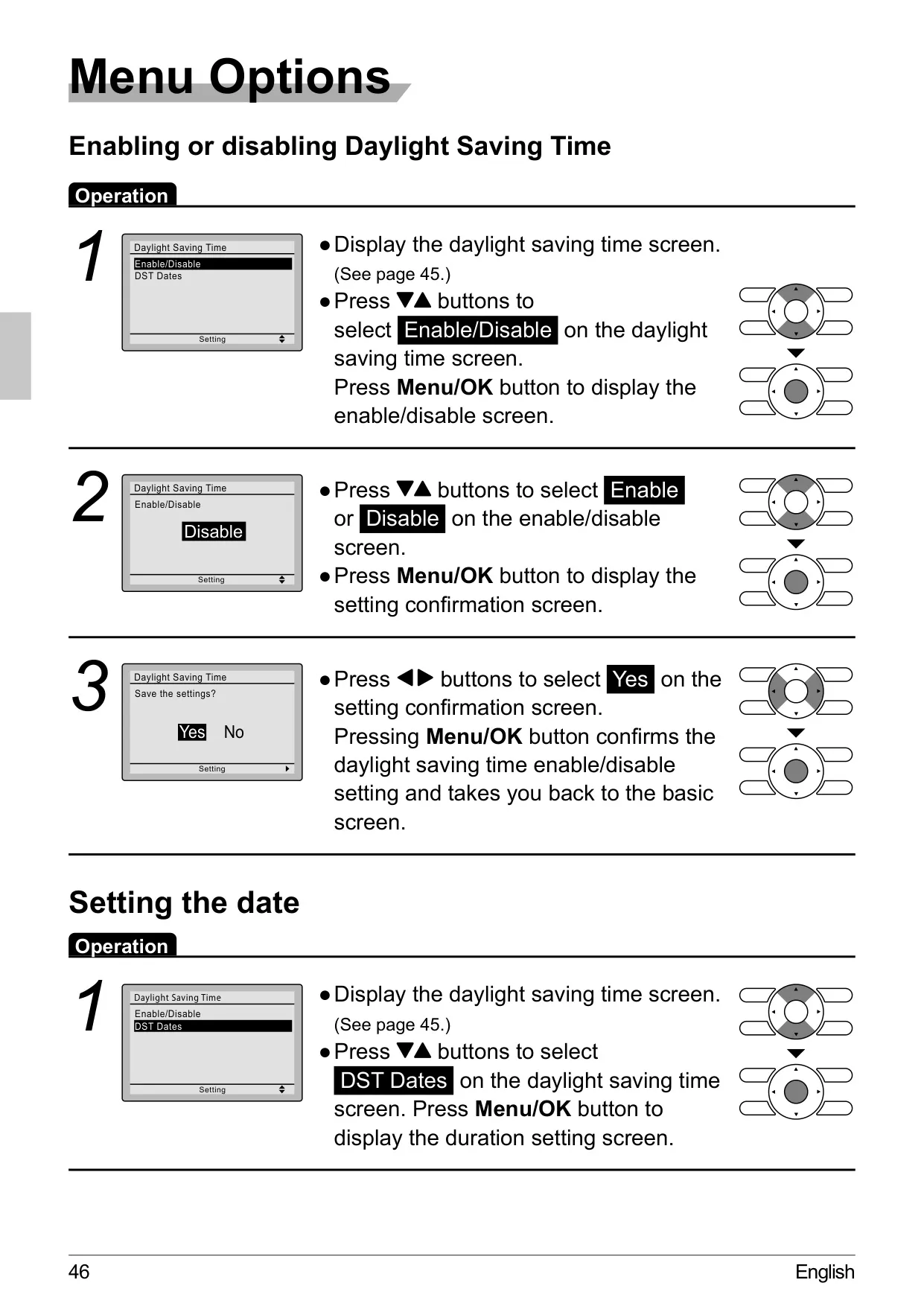
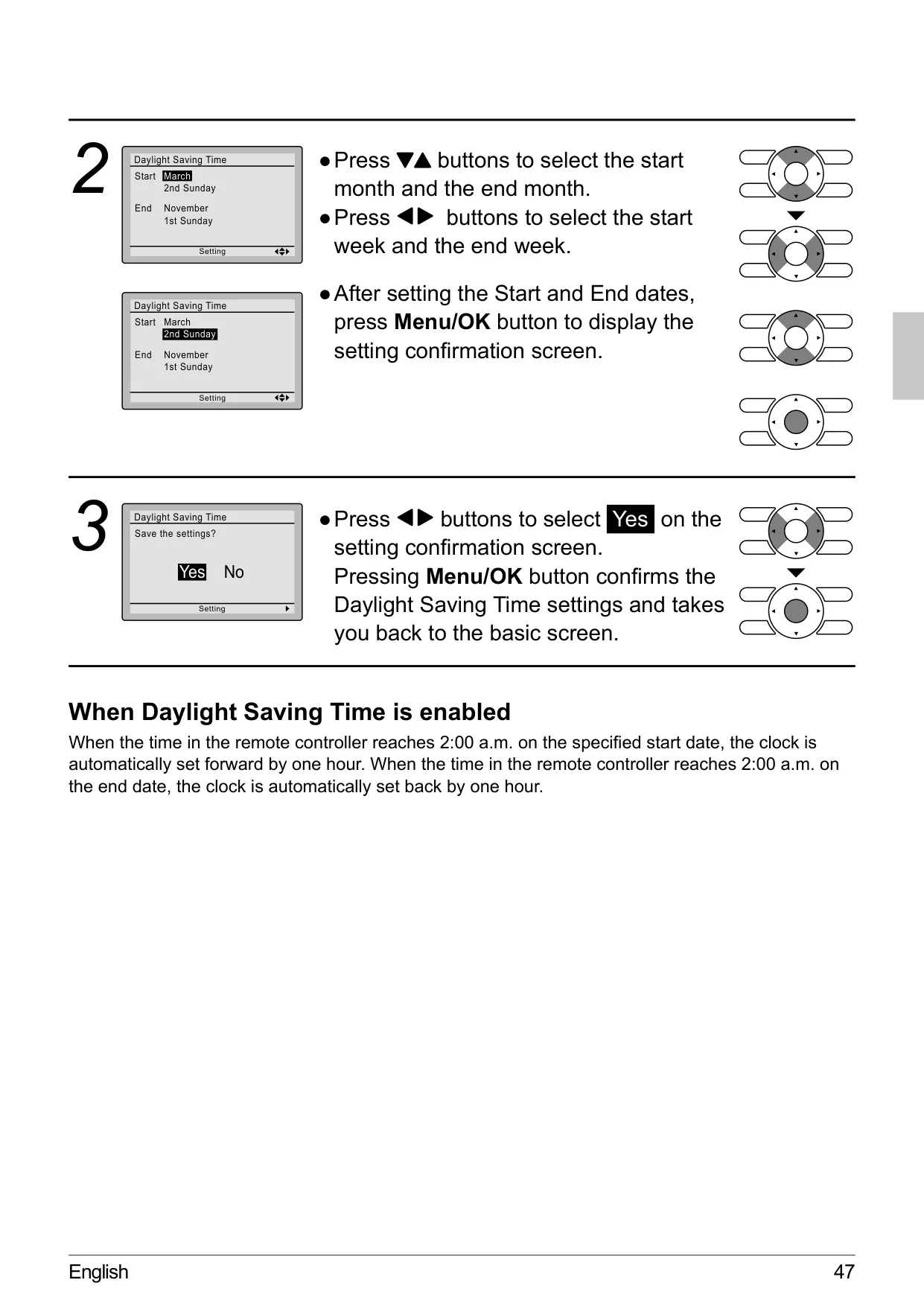
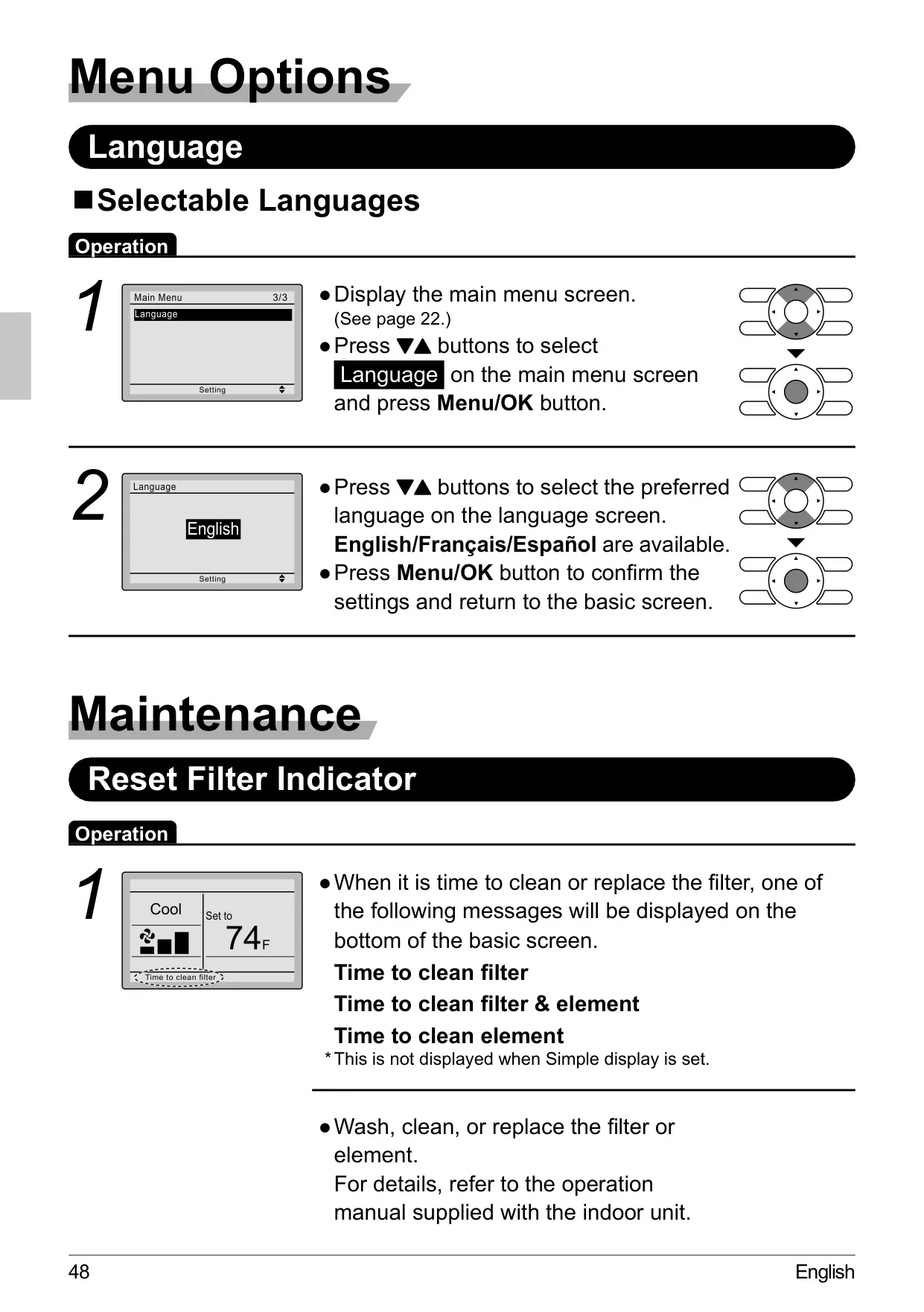
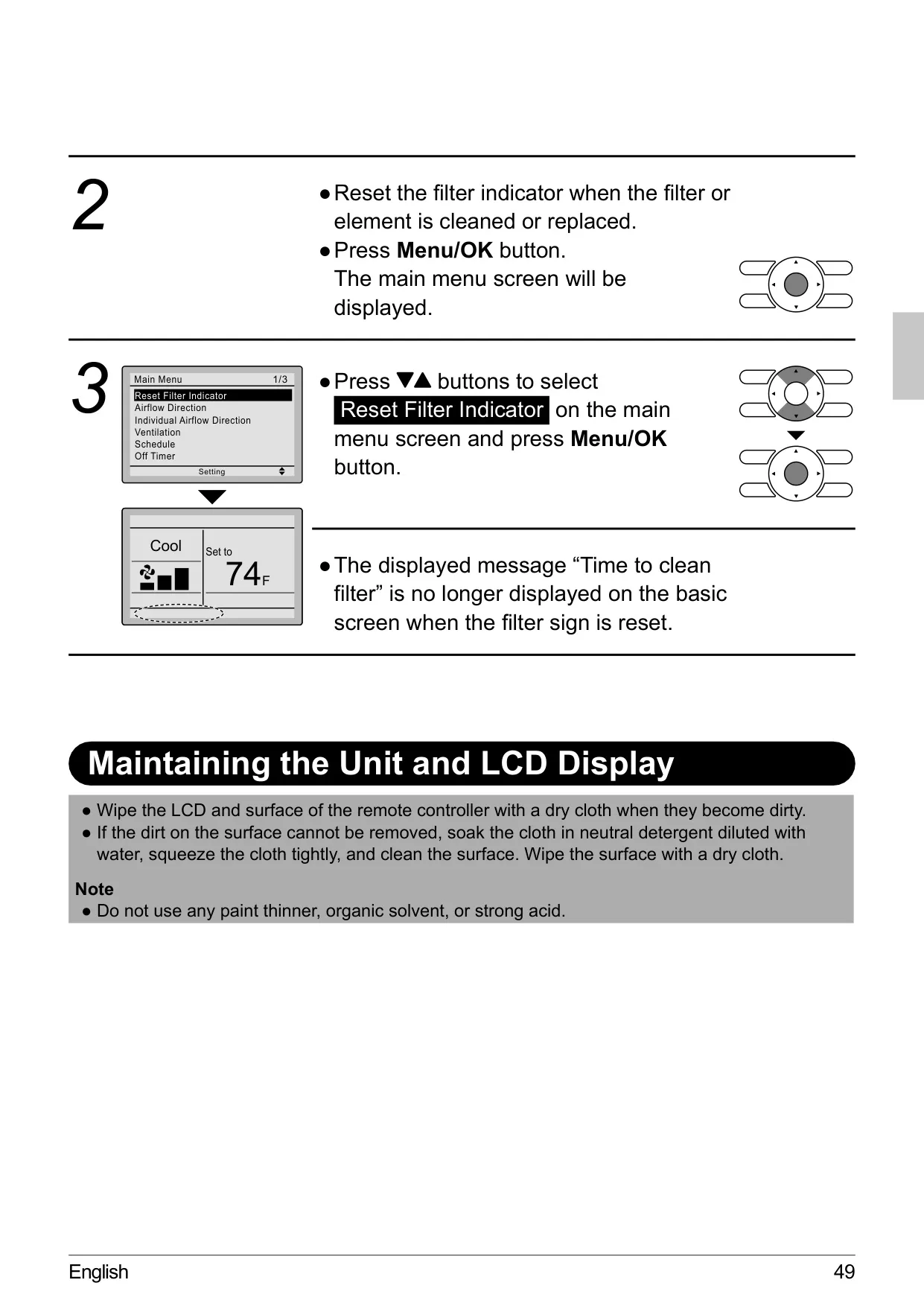
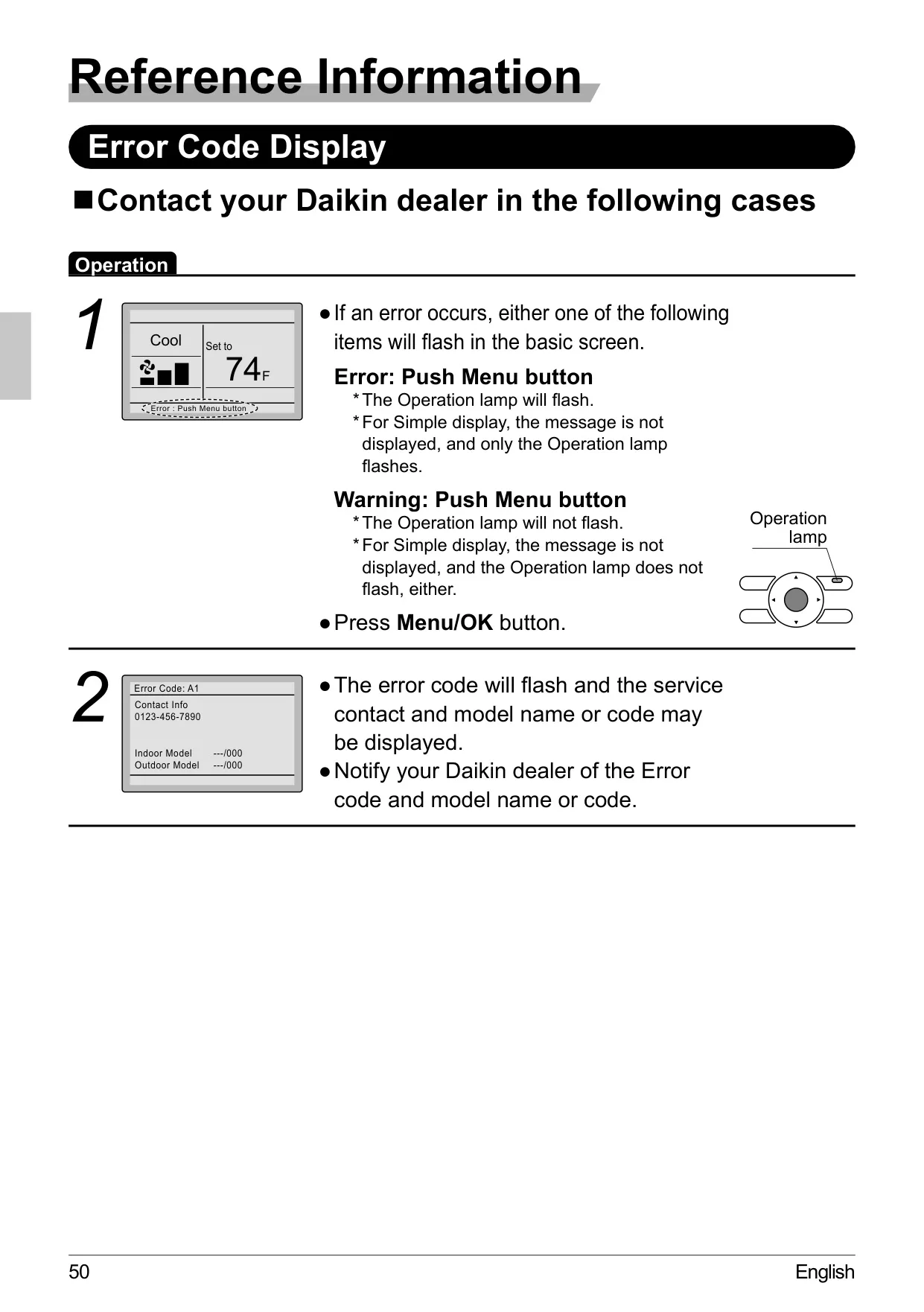


Daikin Thermostat BRC1E73

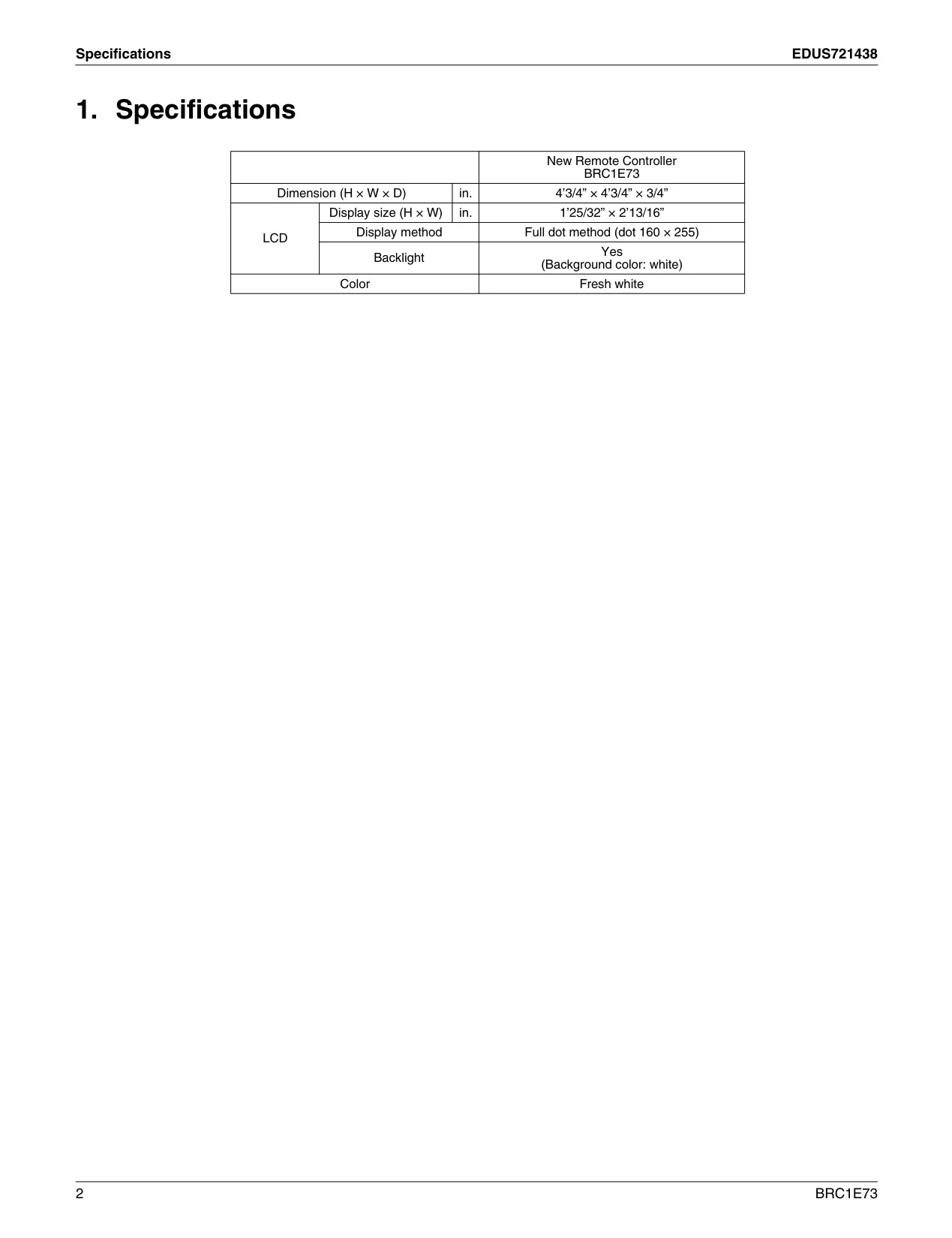
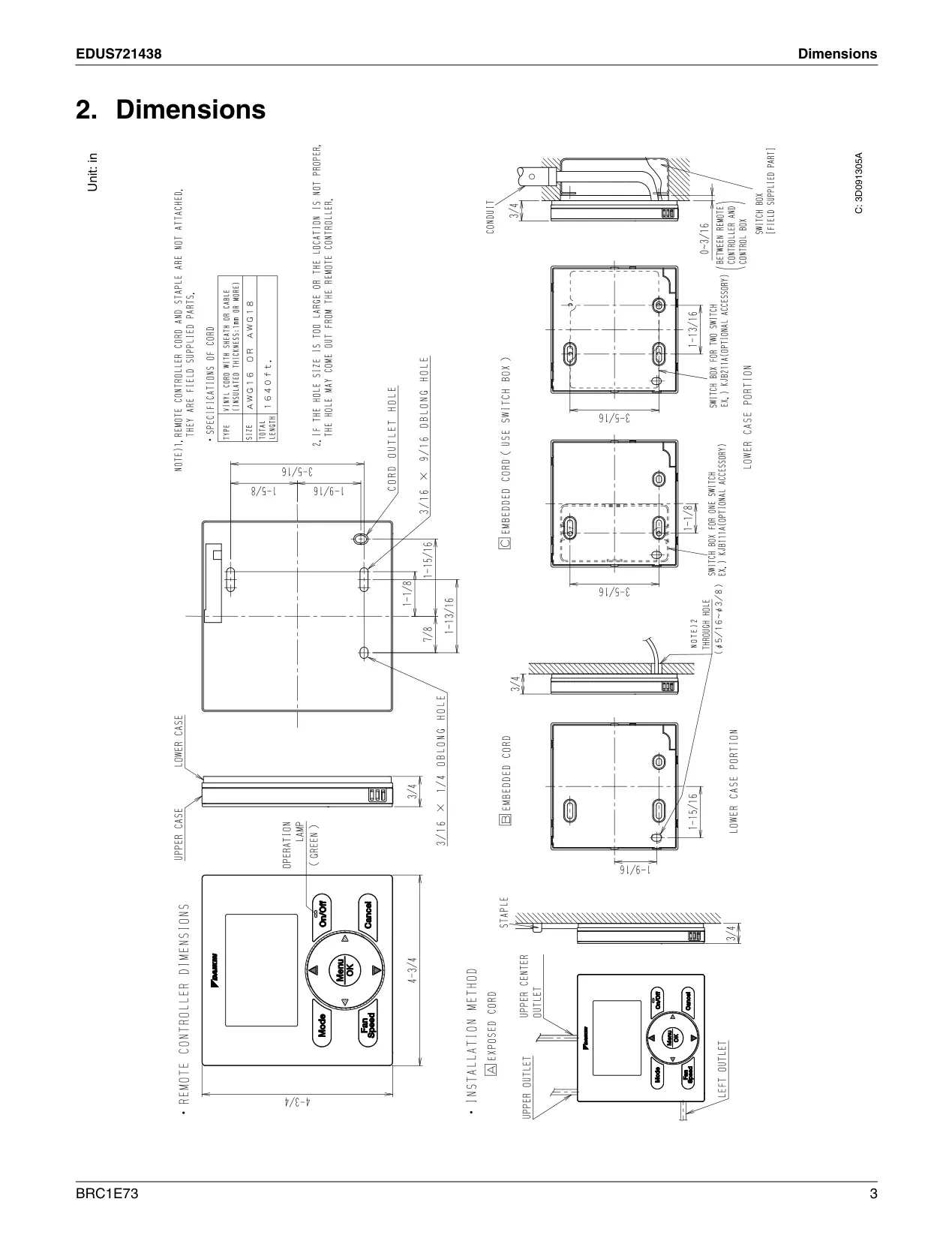
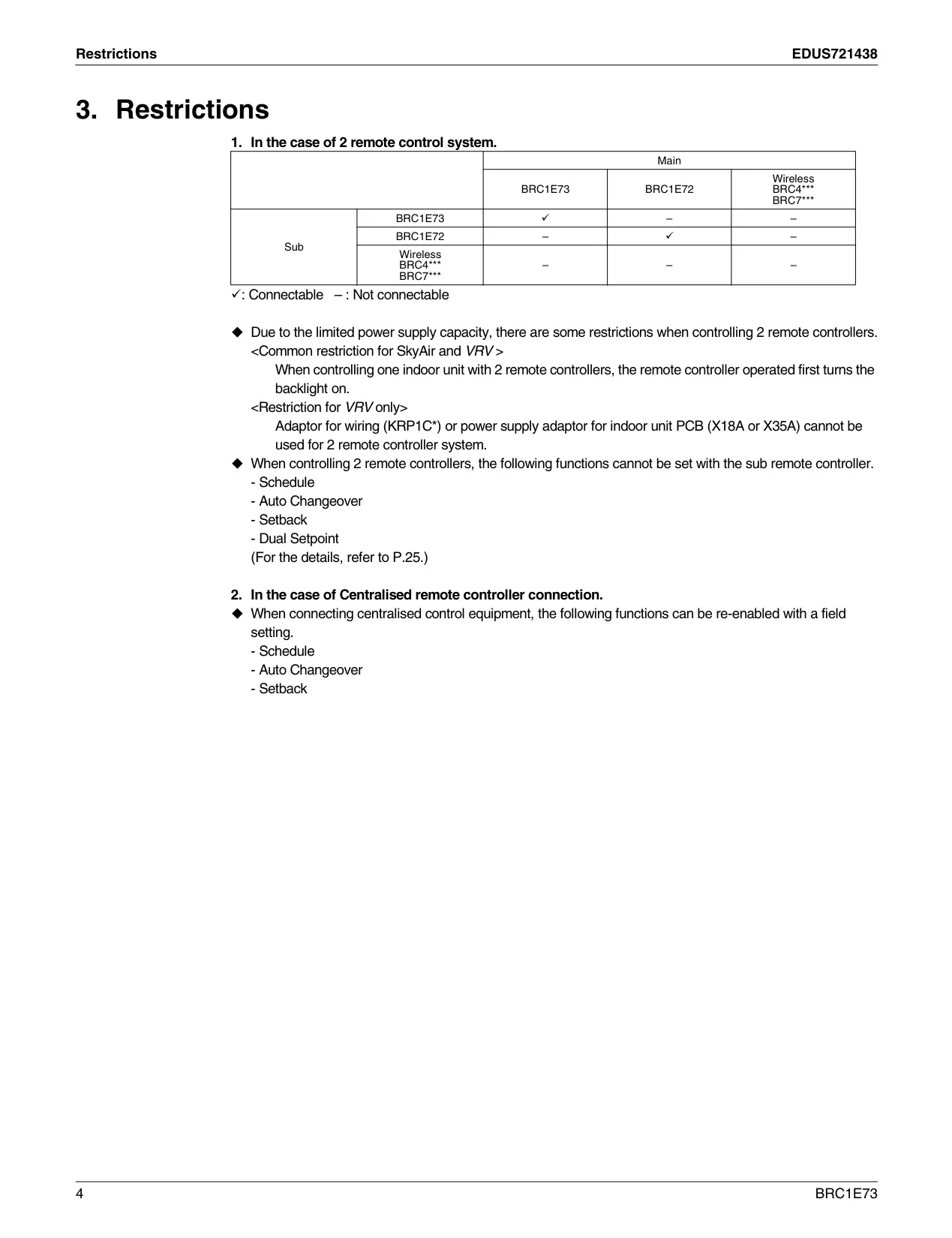
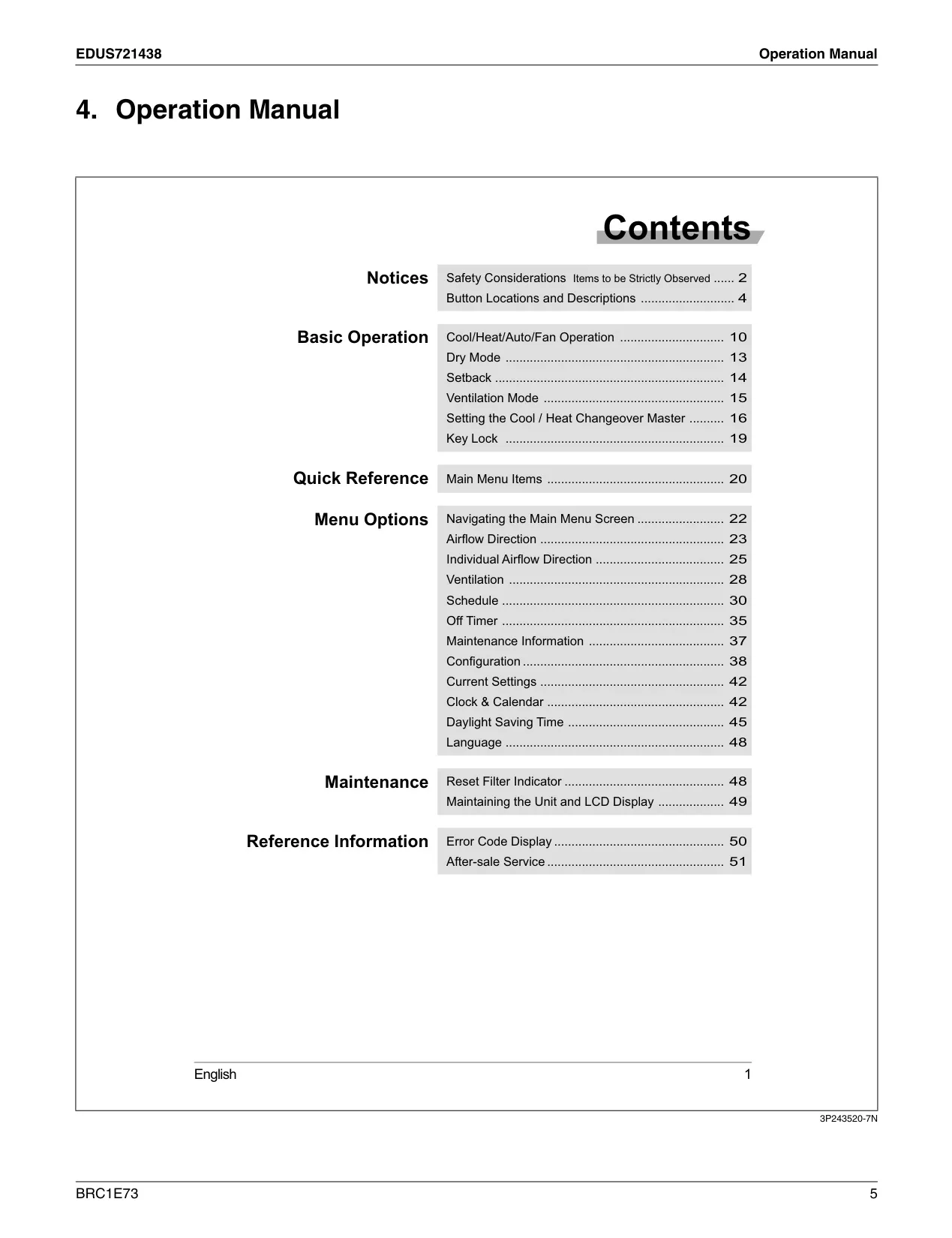
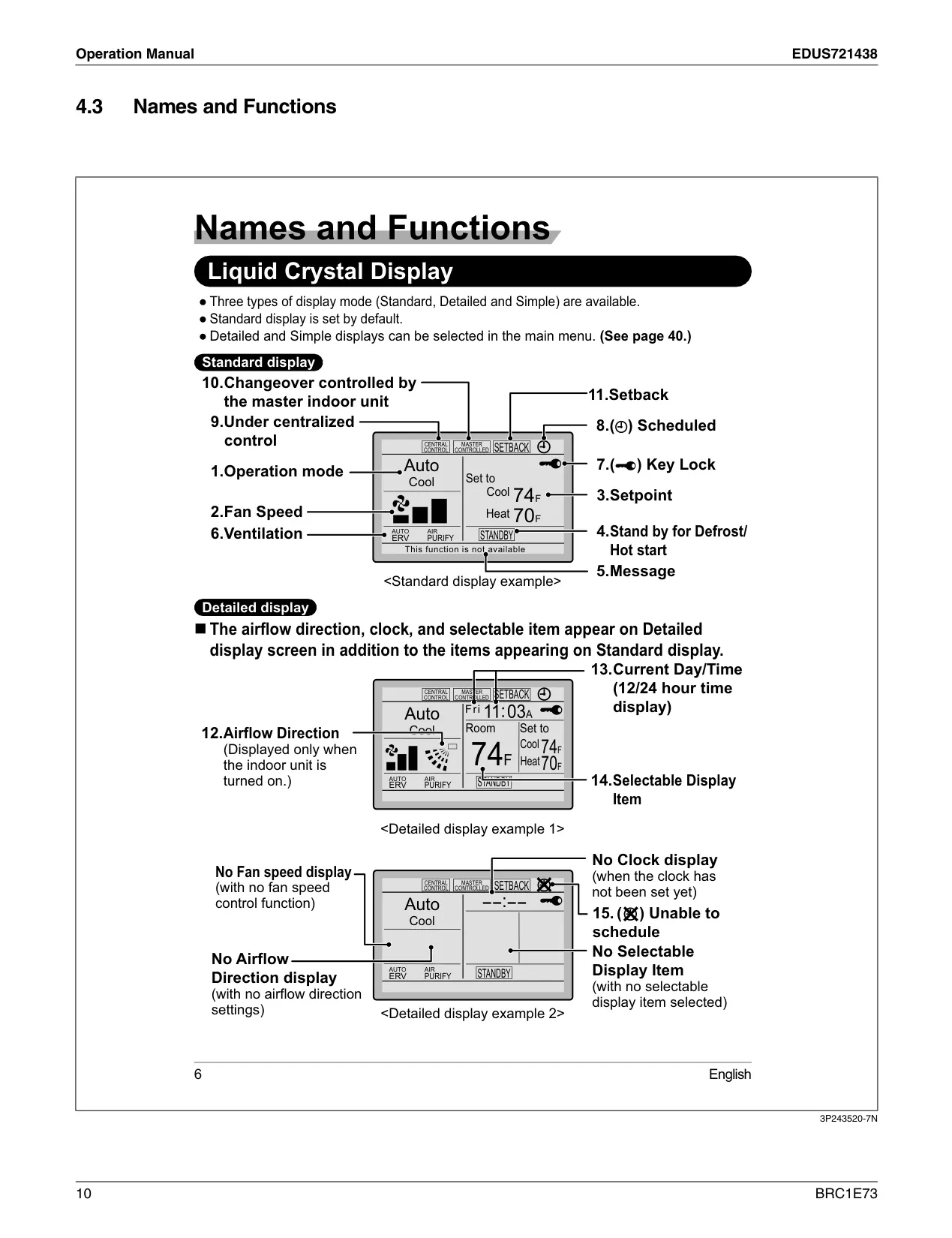
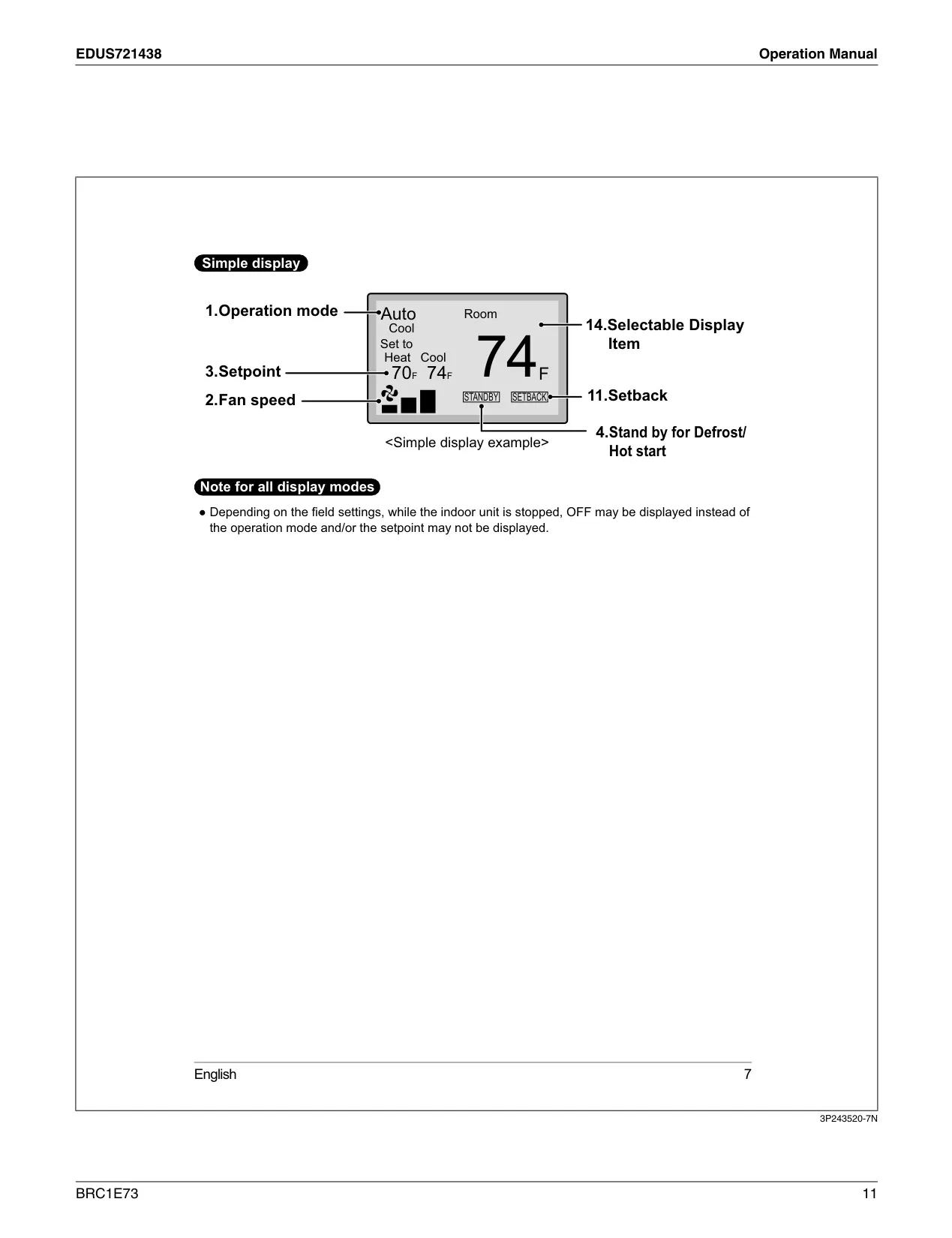
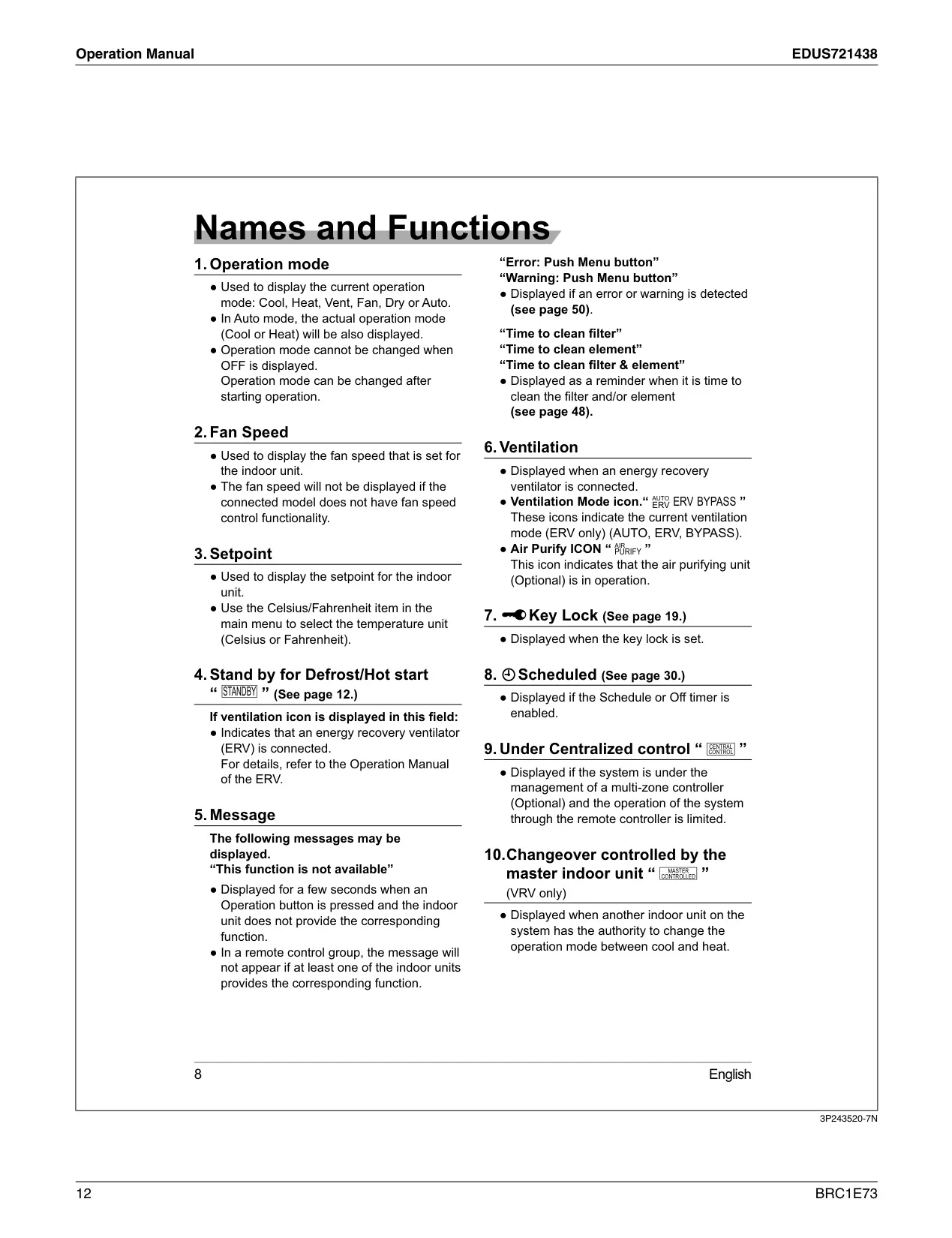
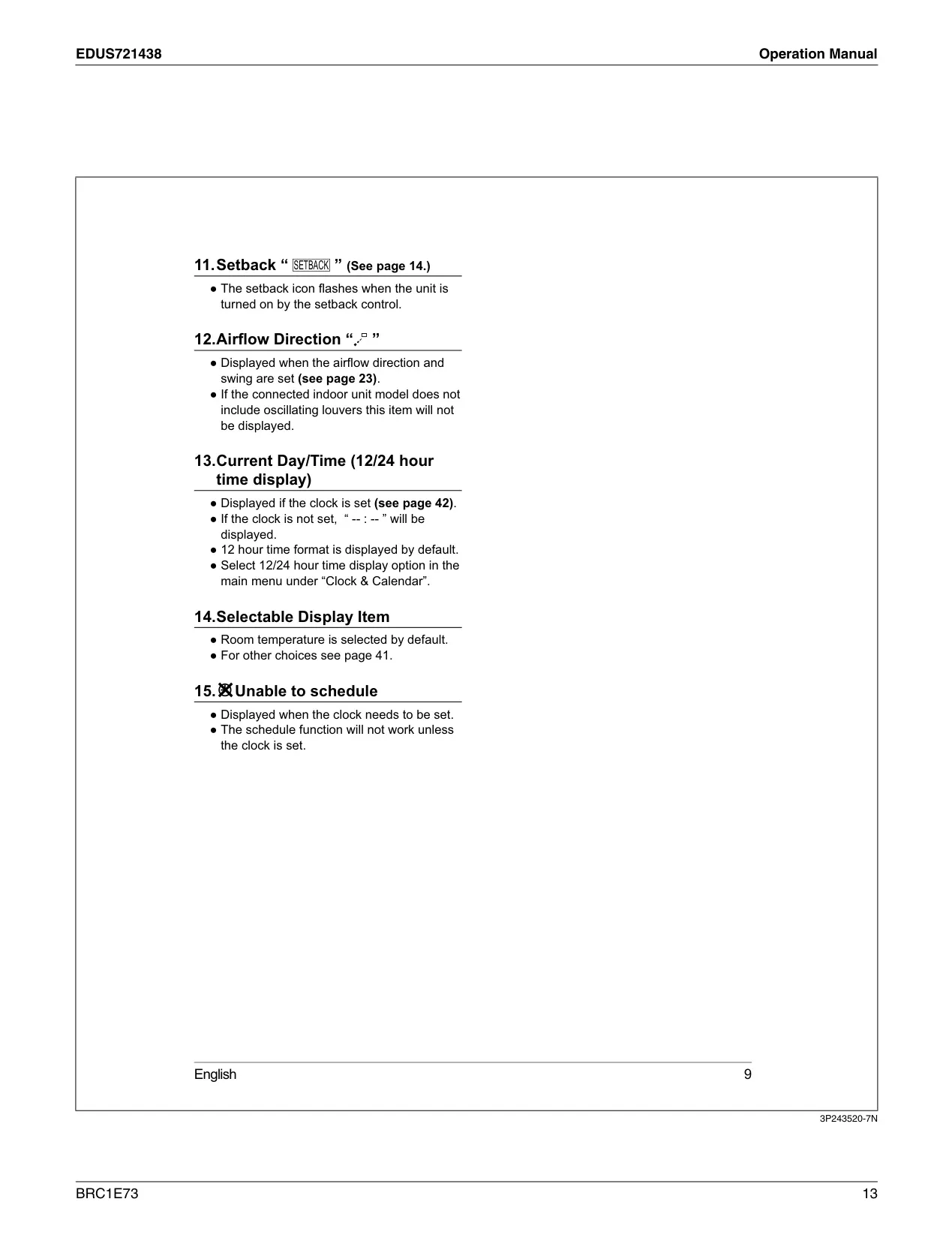
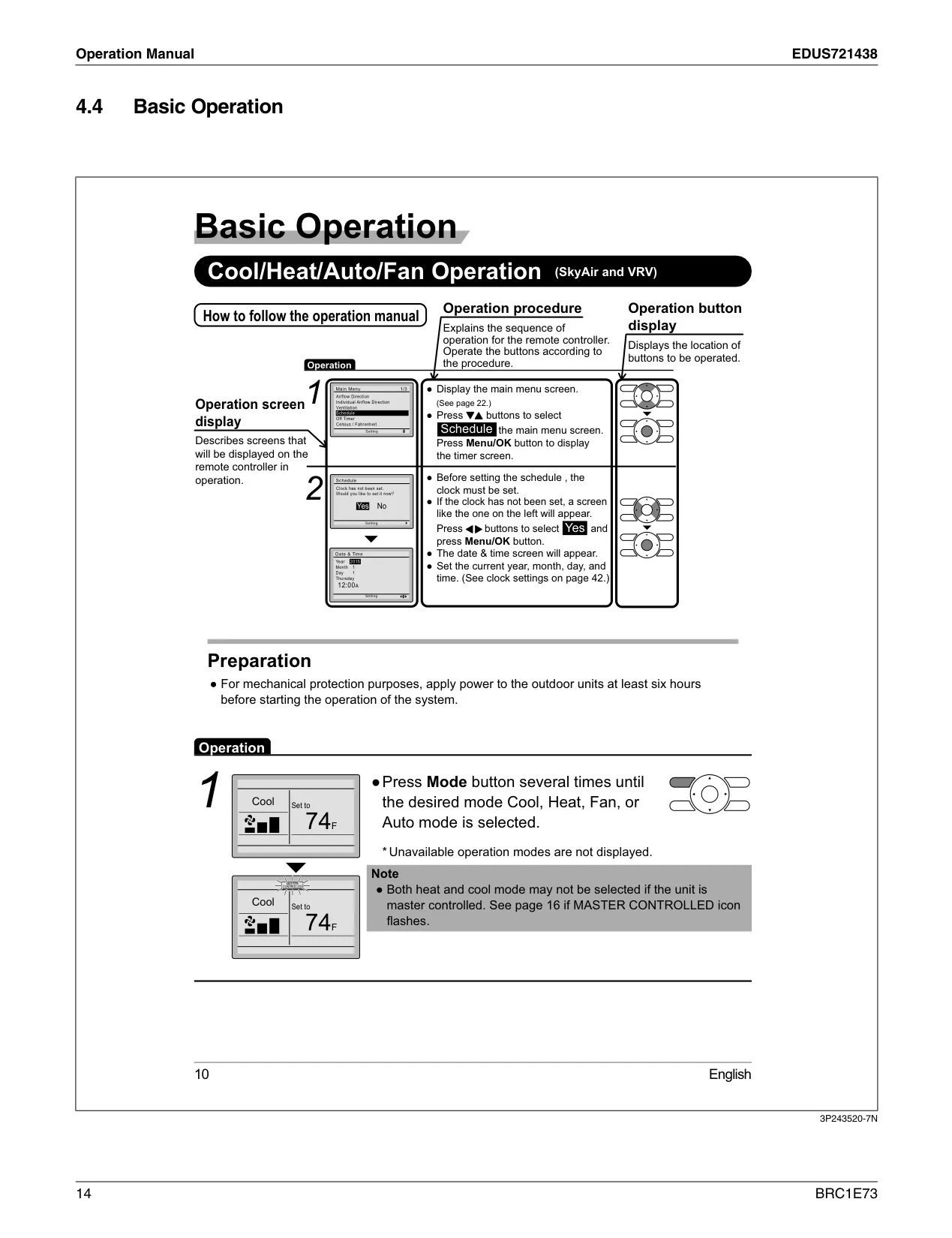
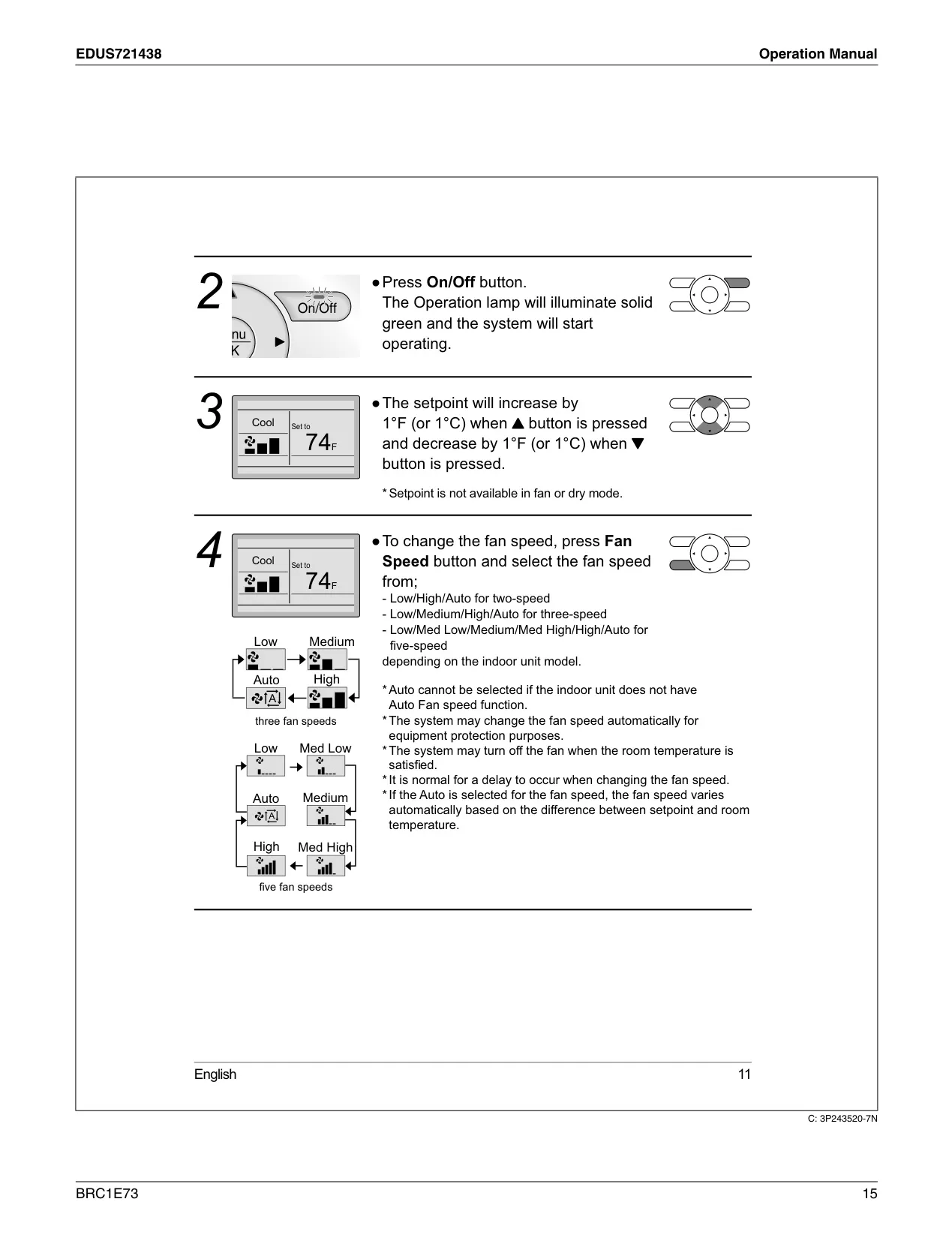
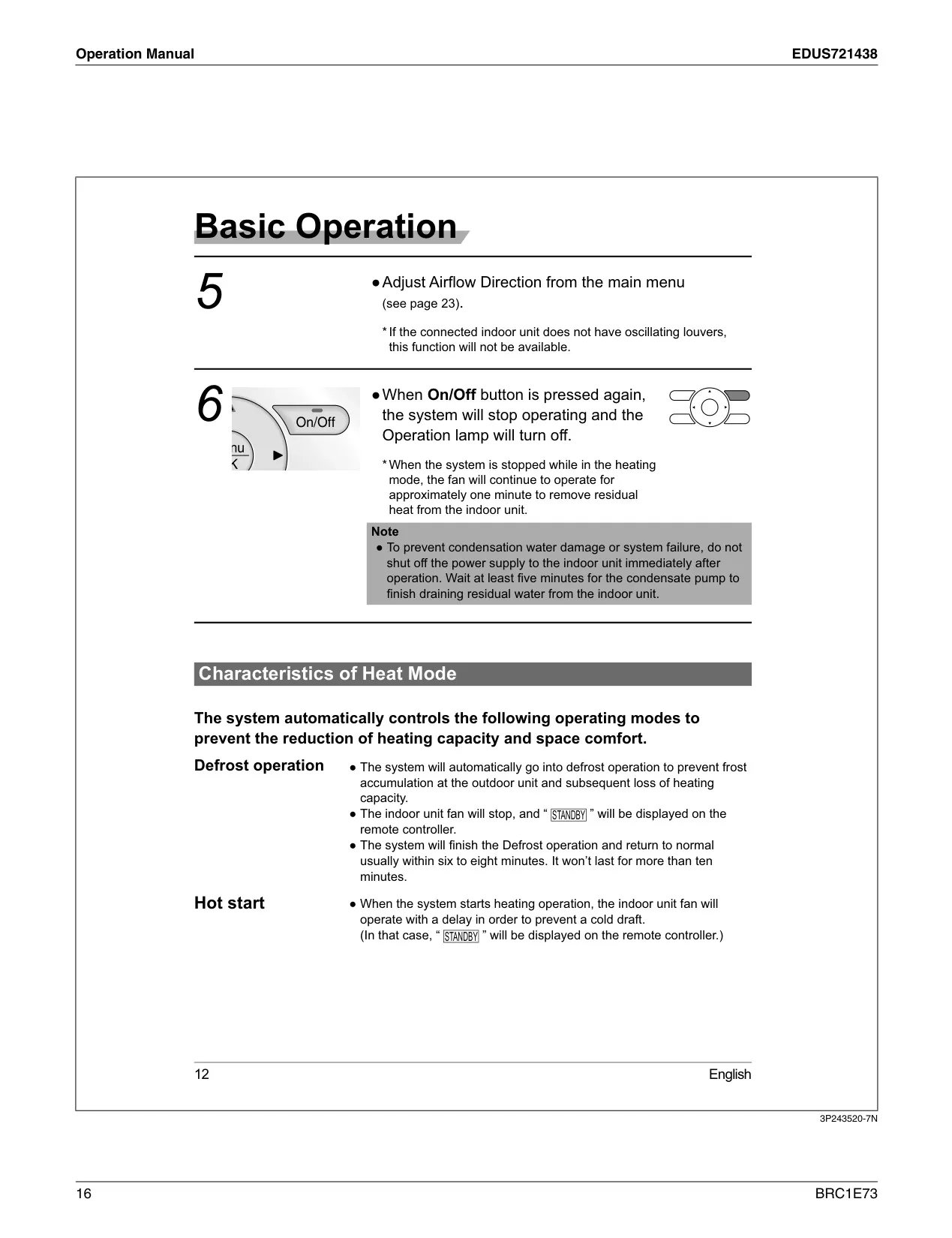
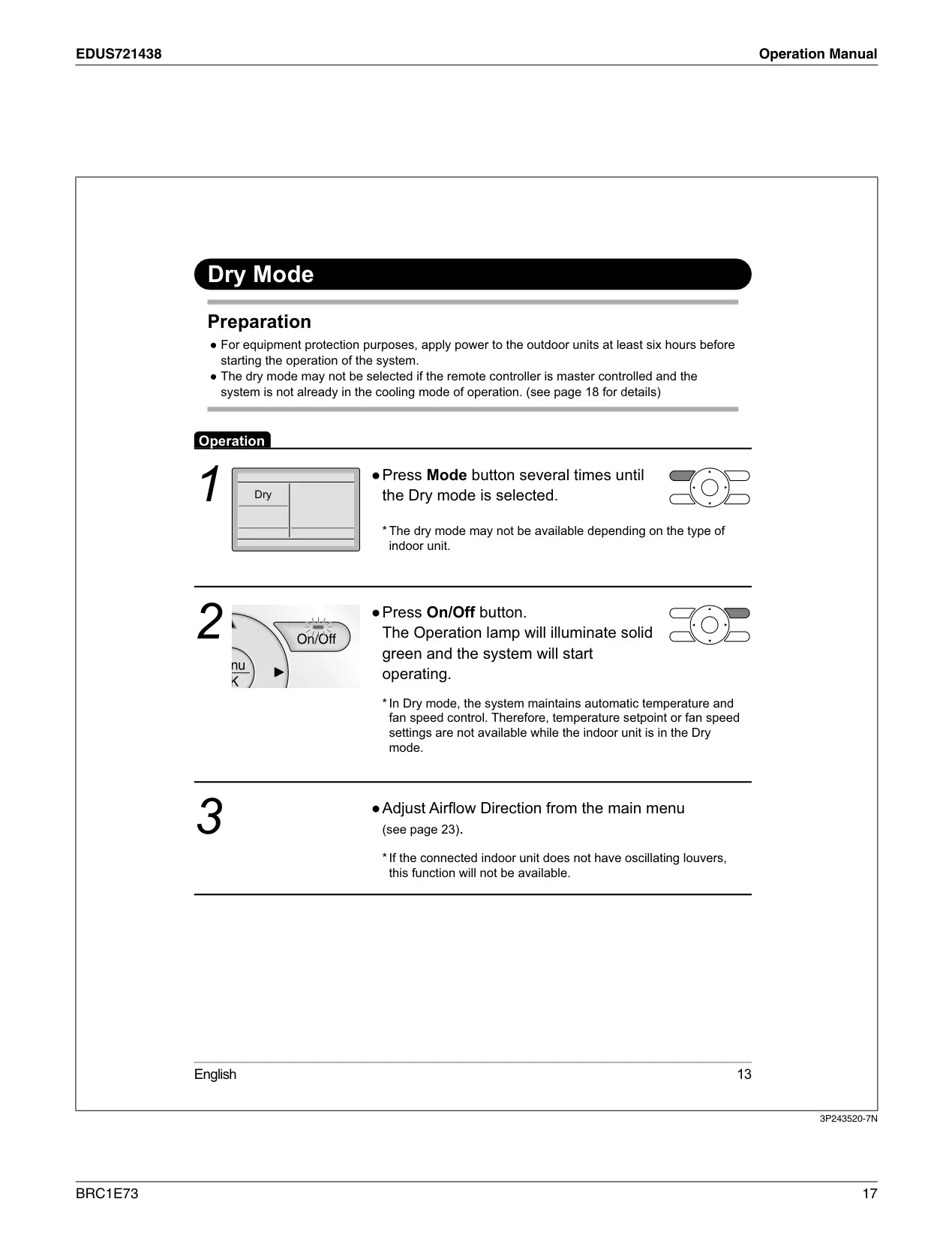
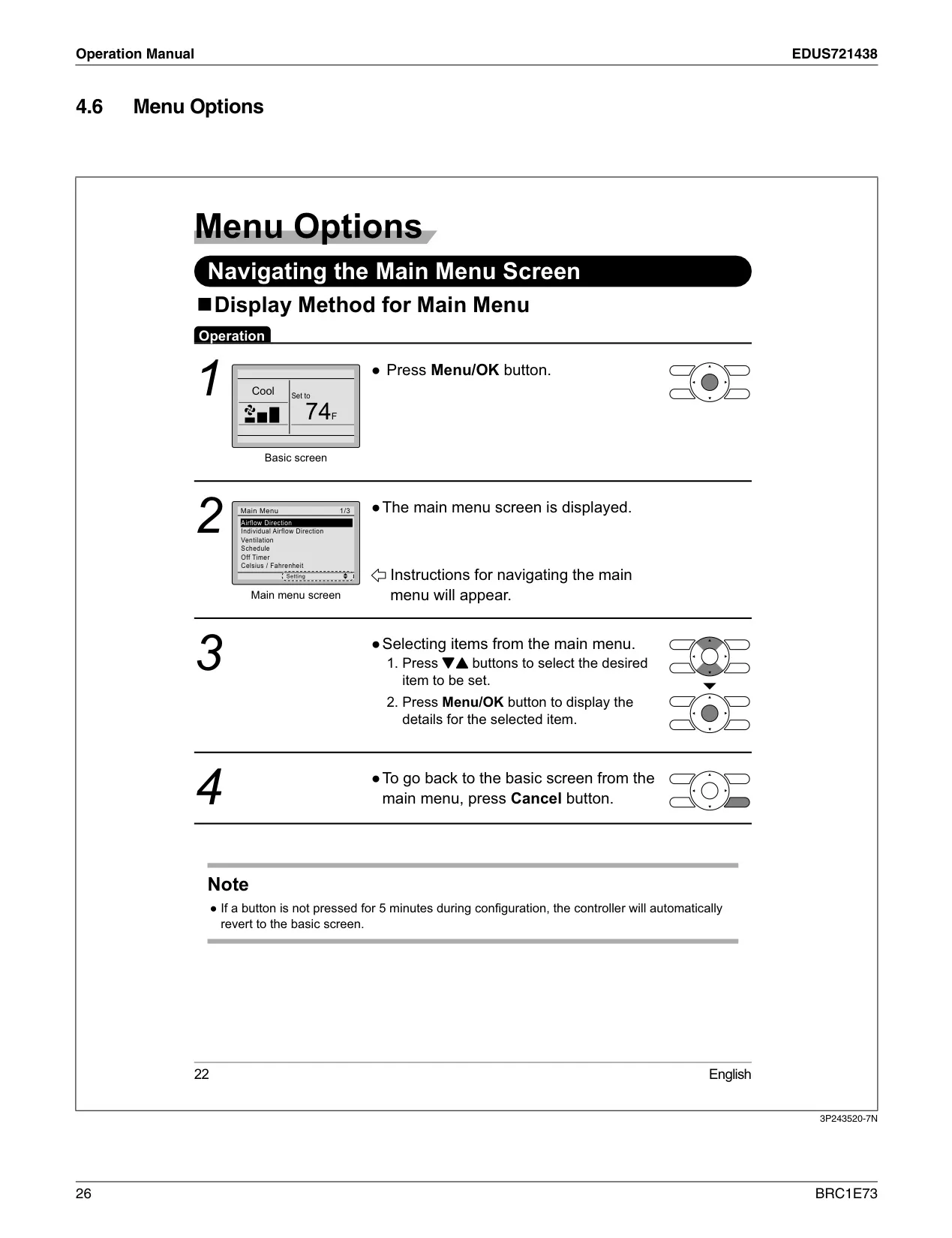
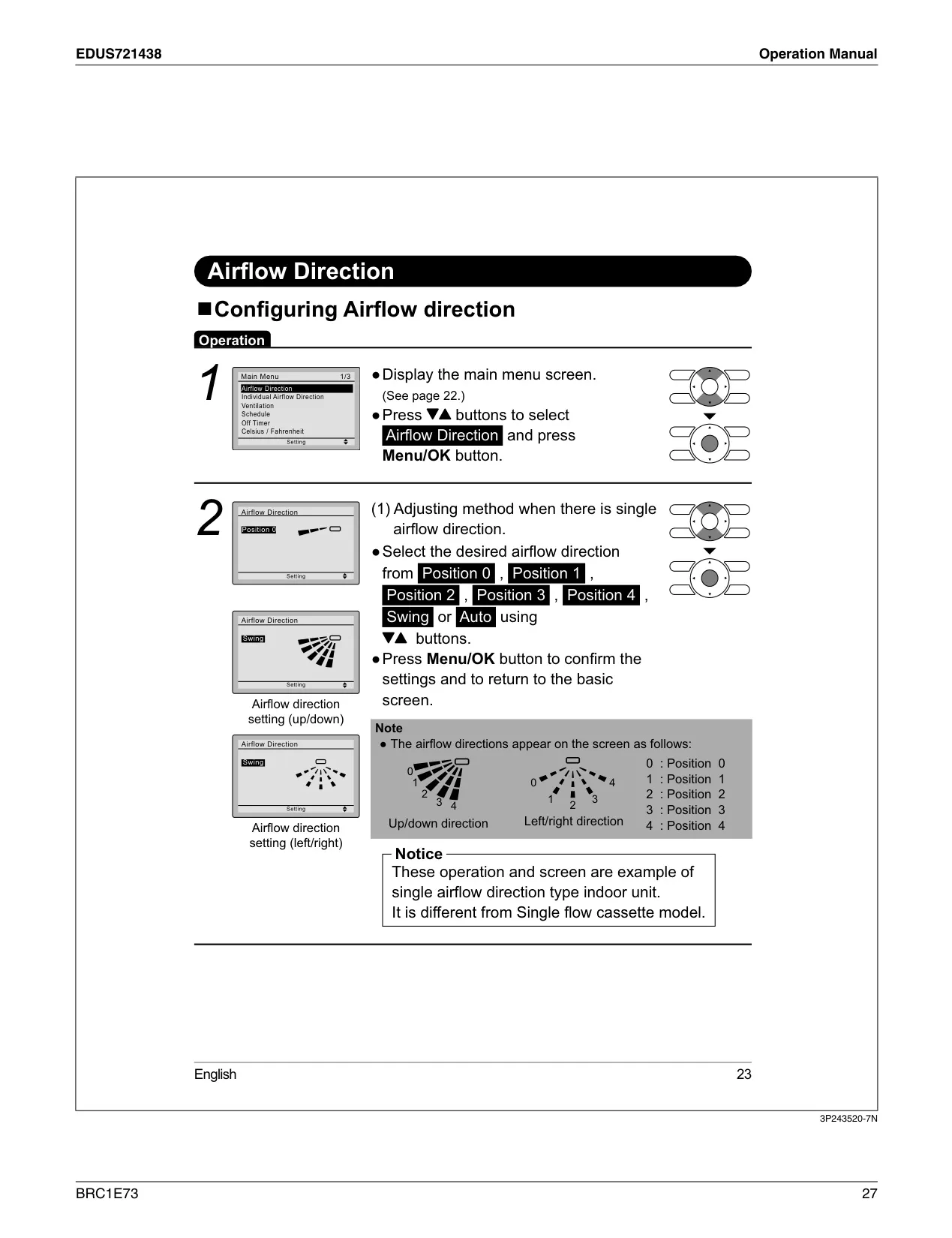
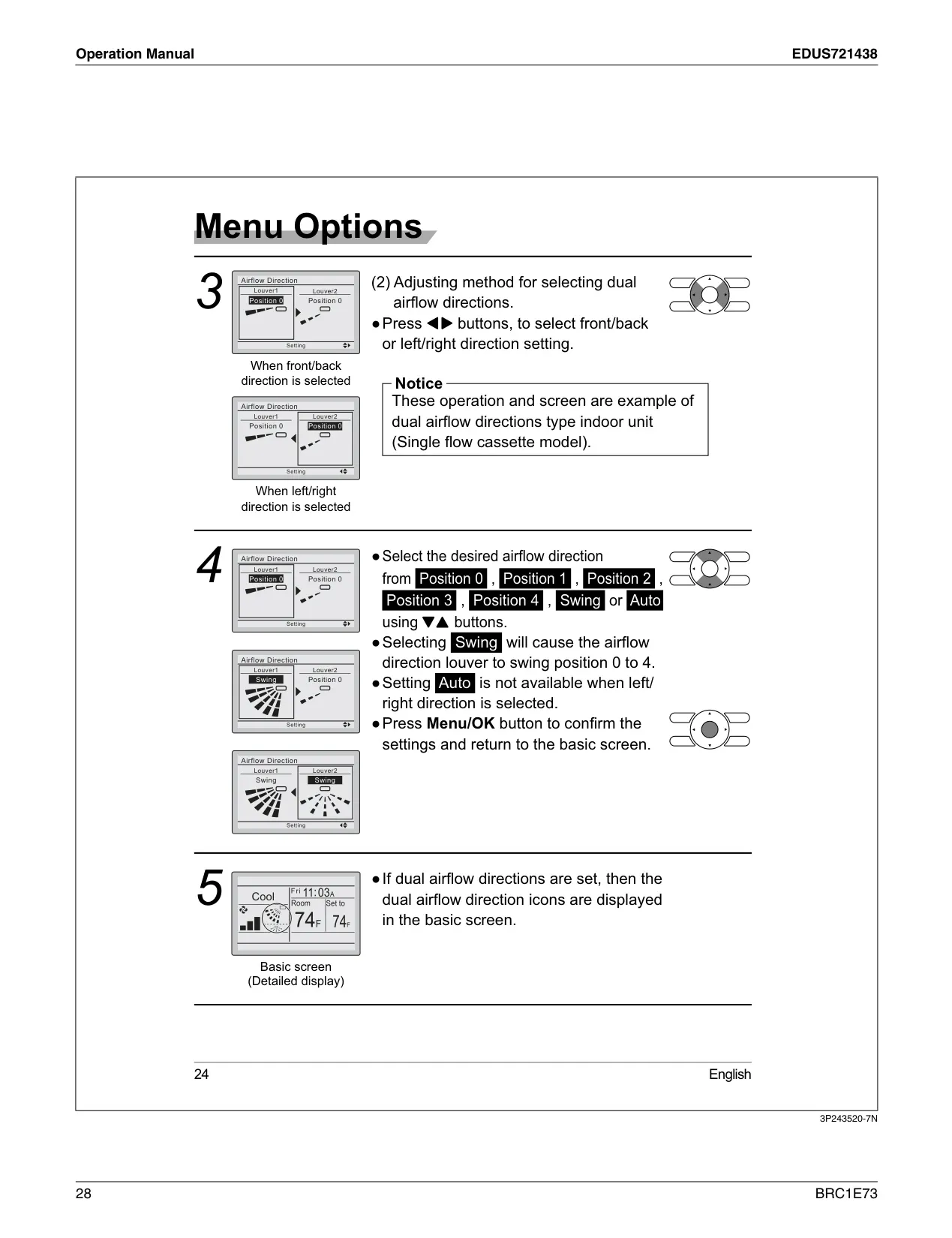
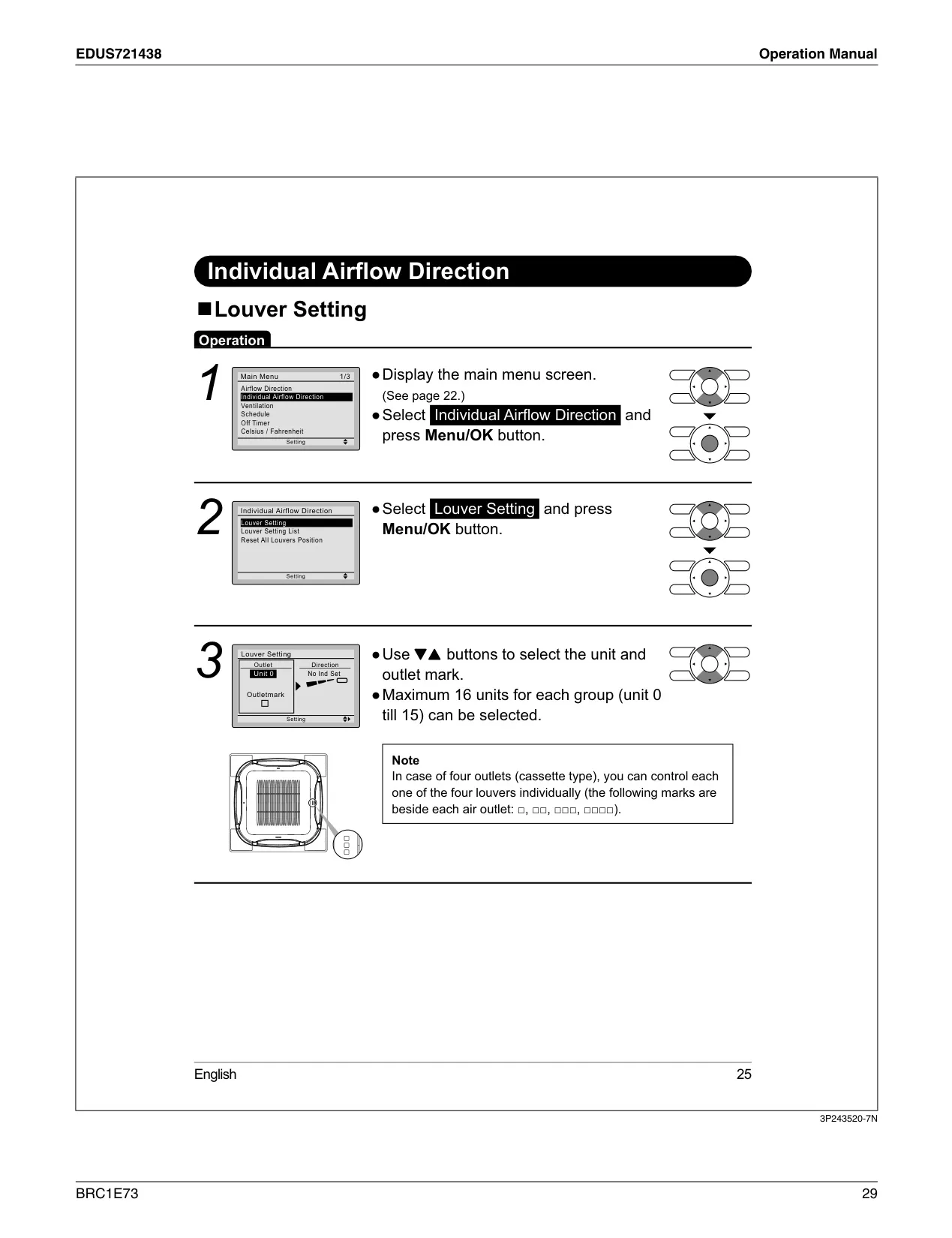
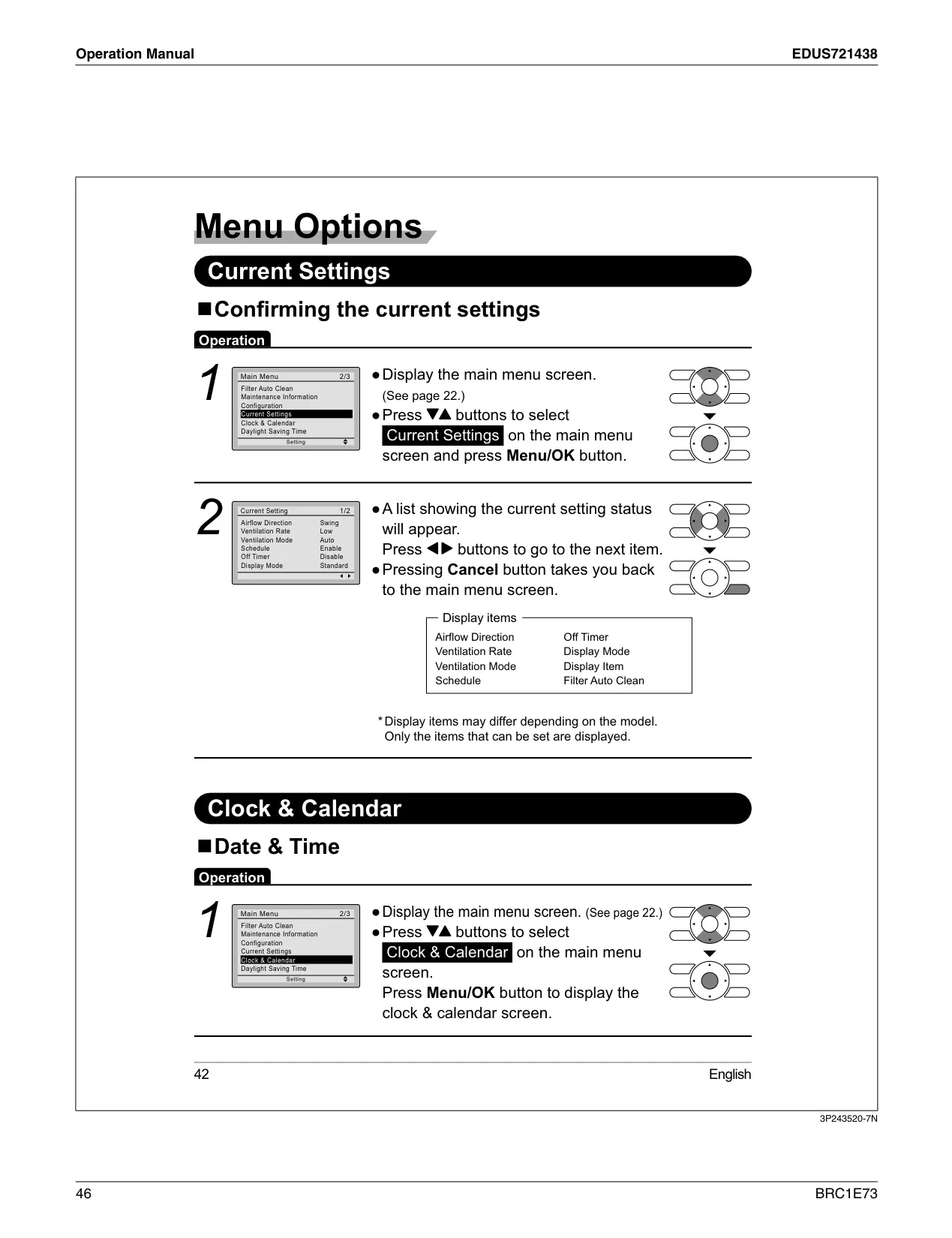
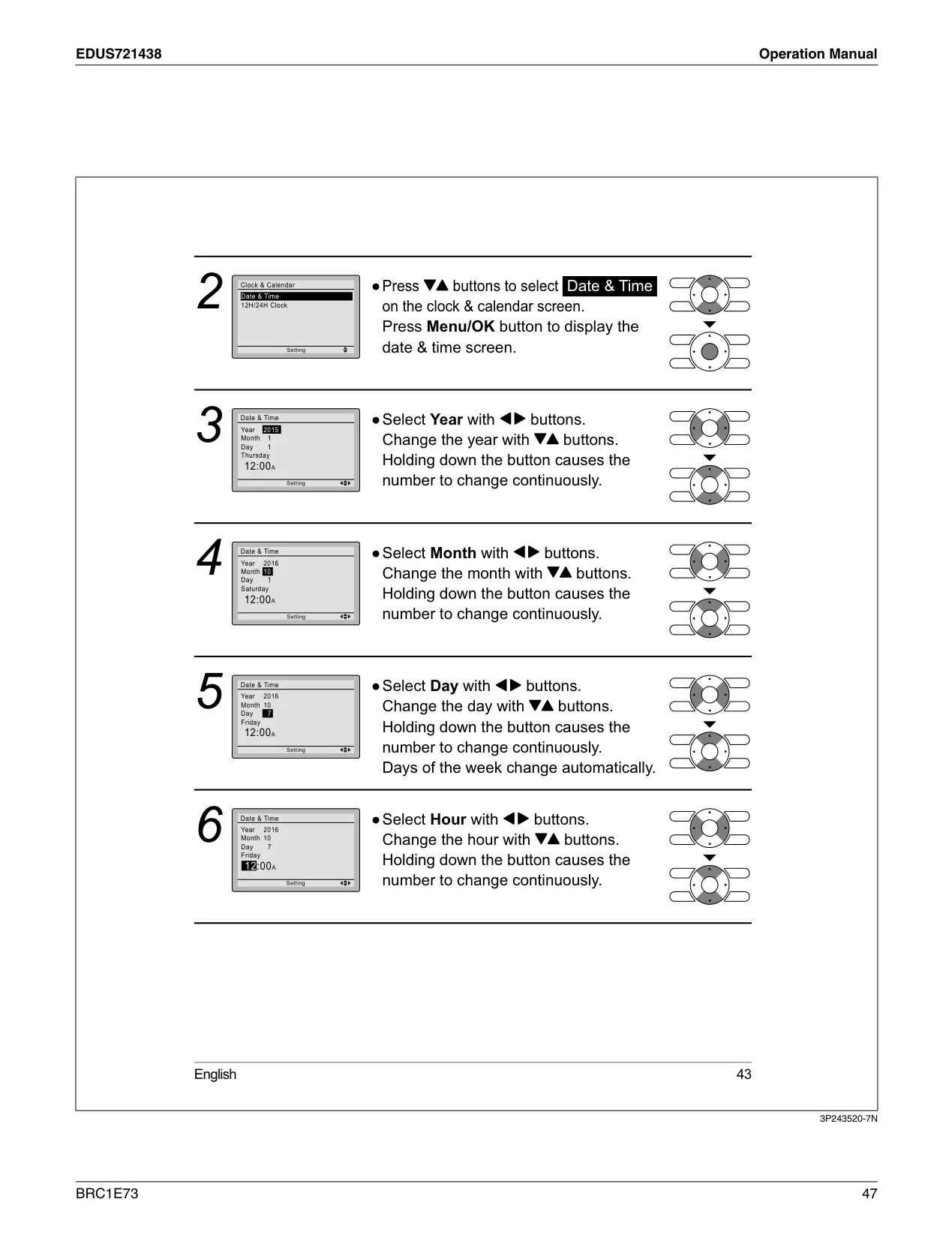
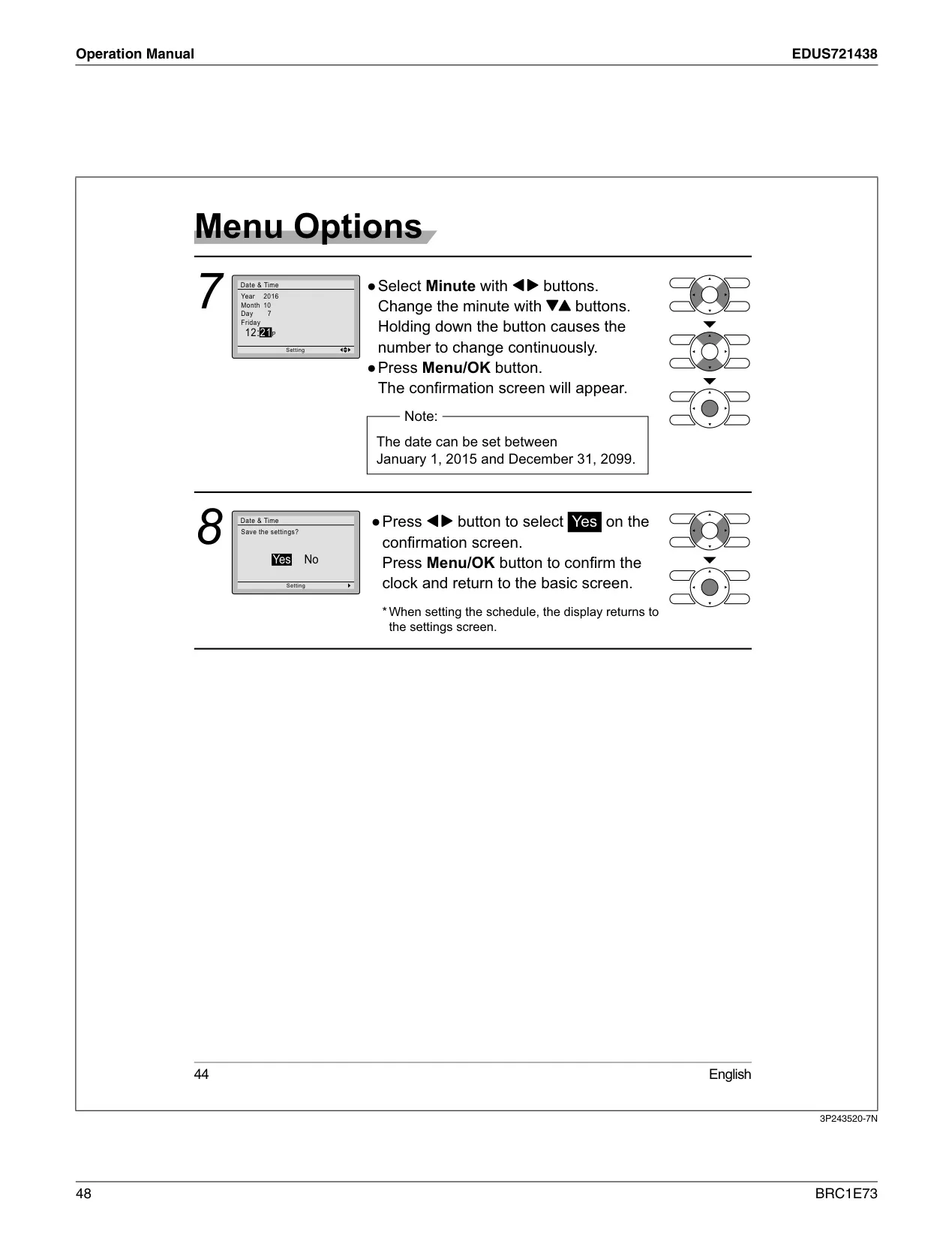
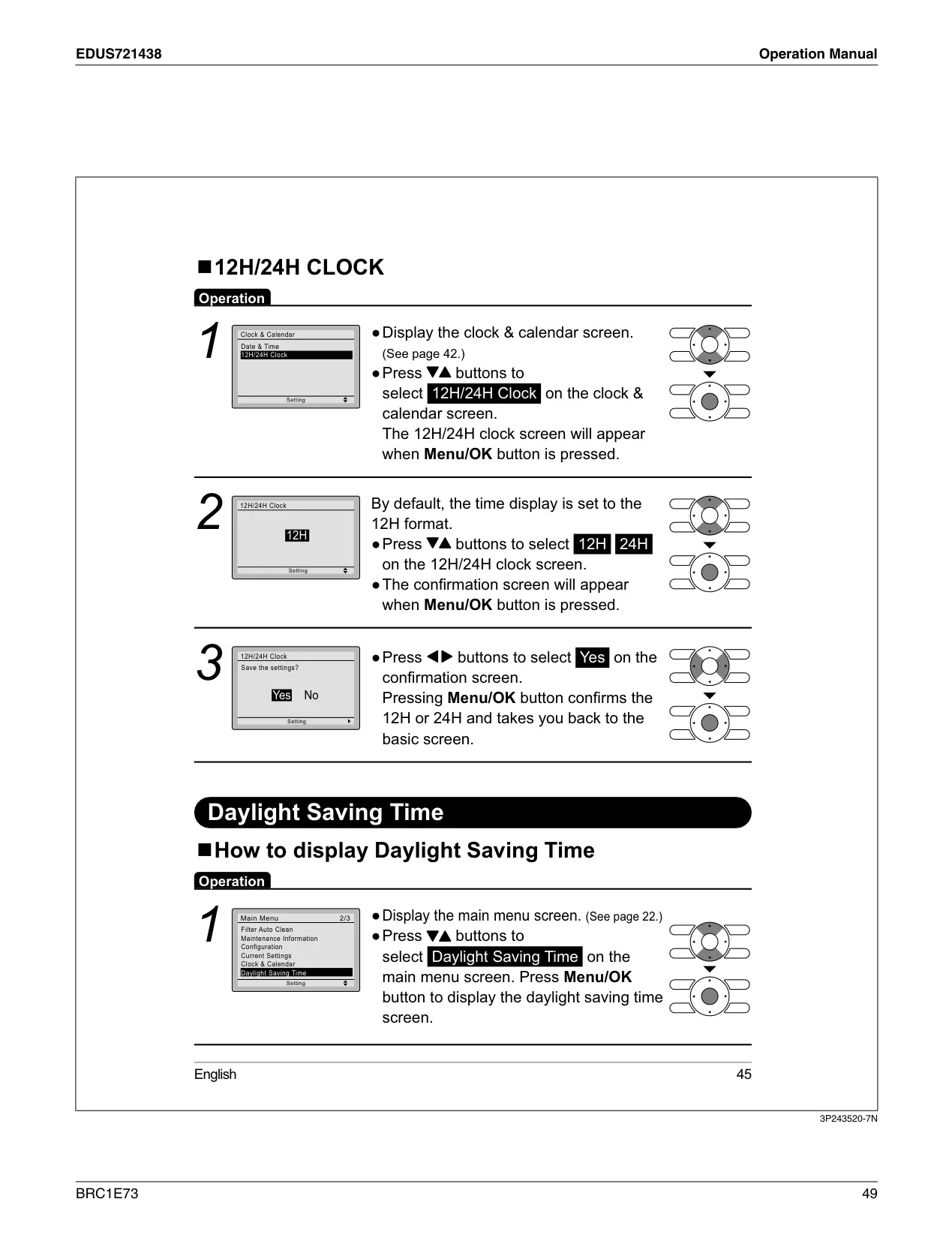
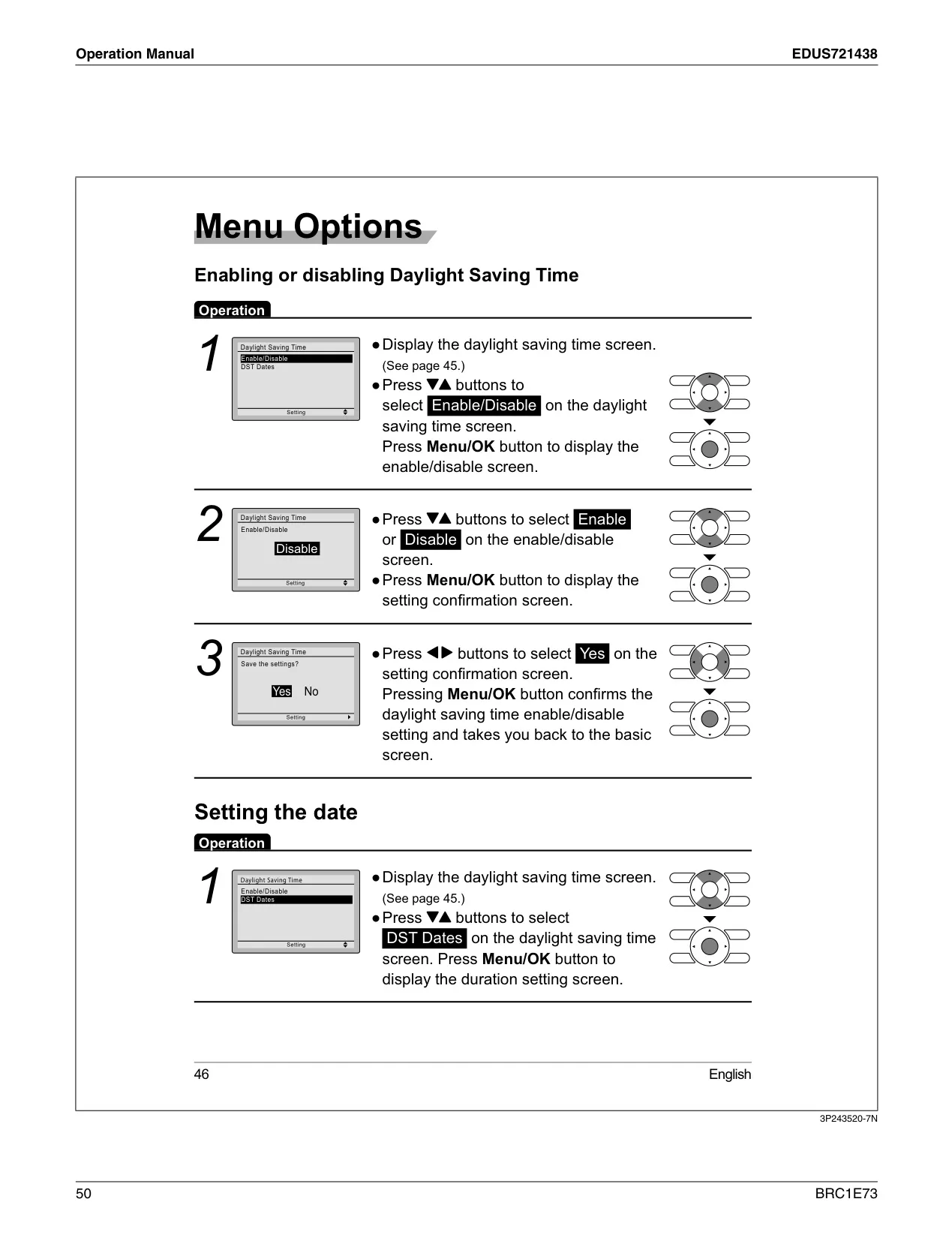
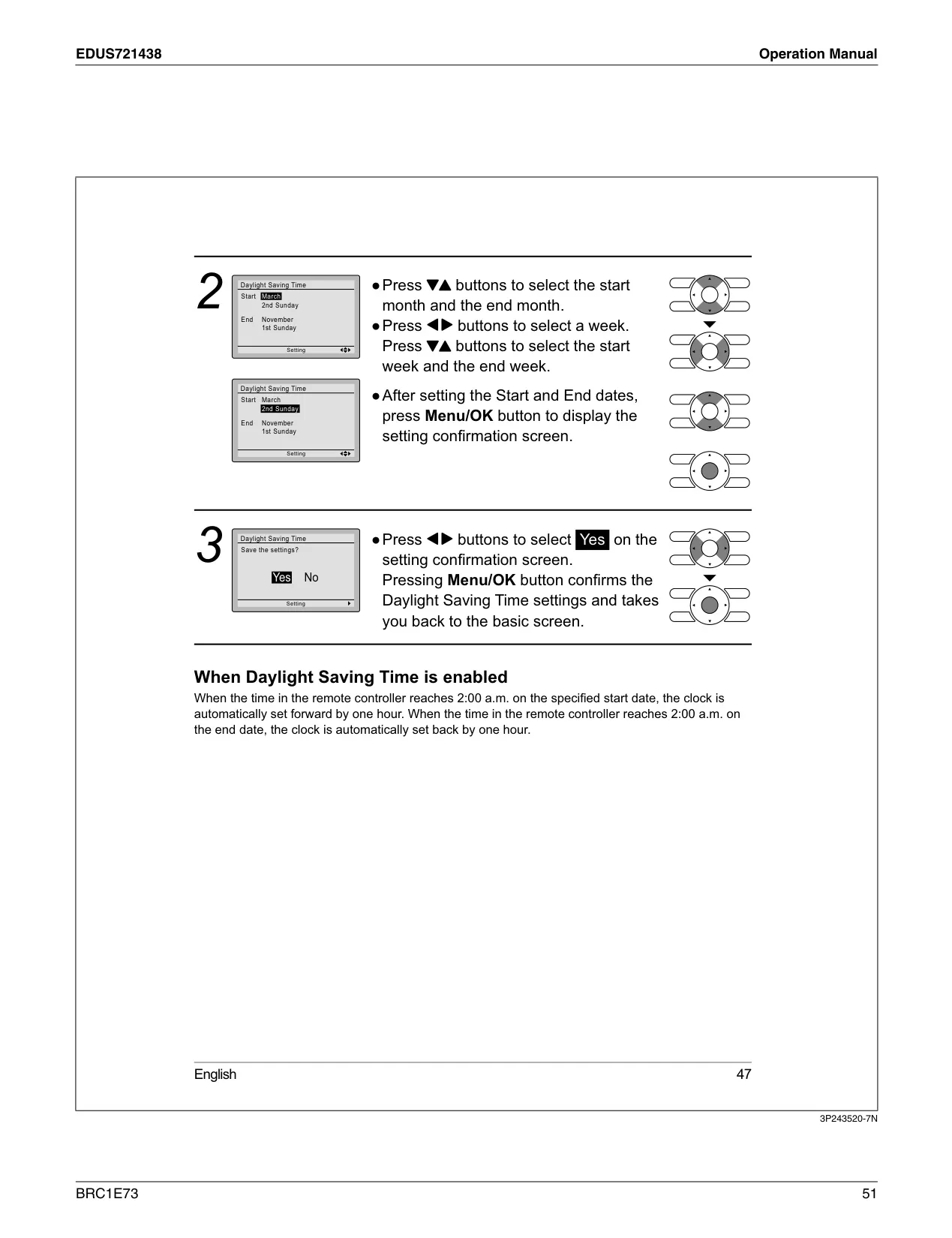
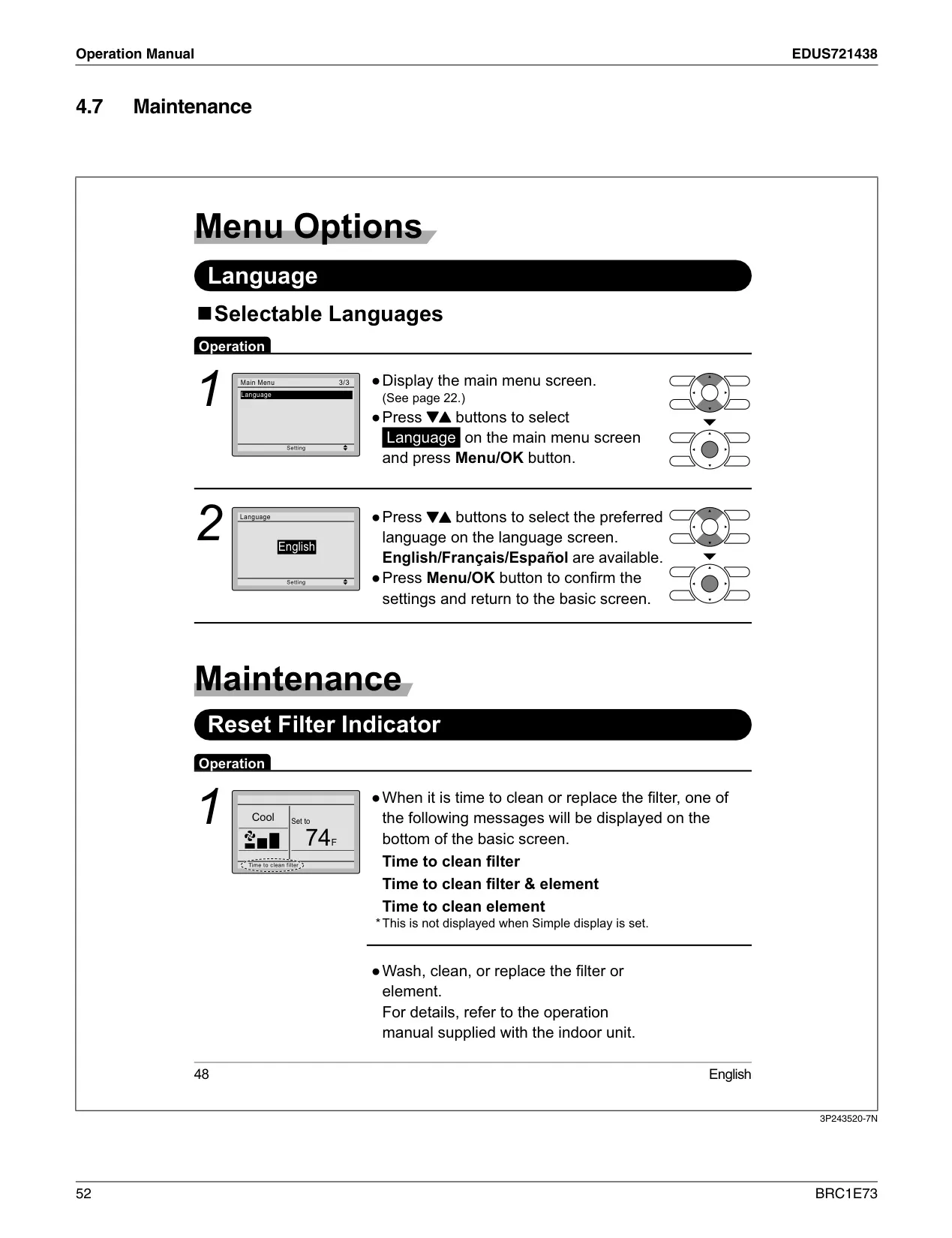
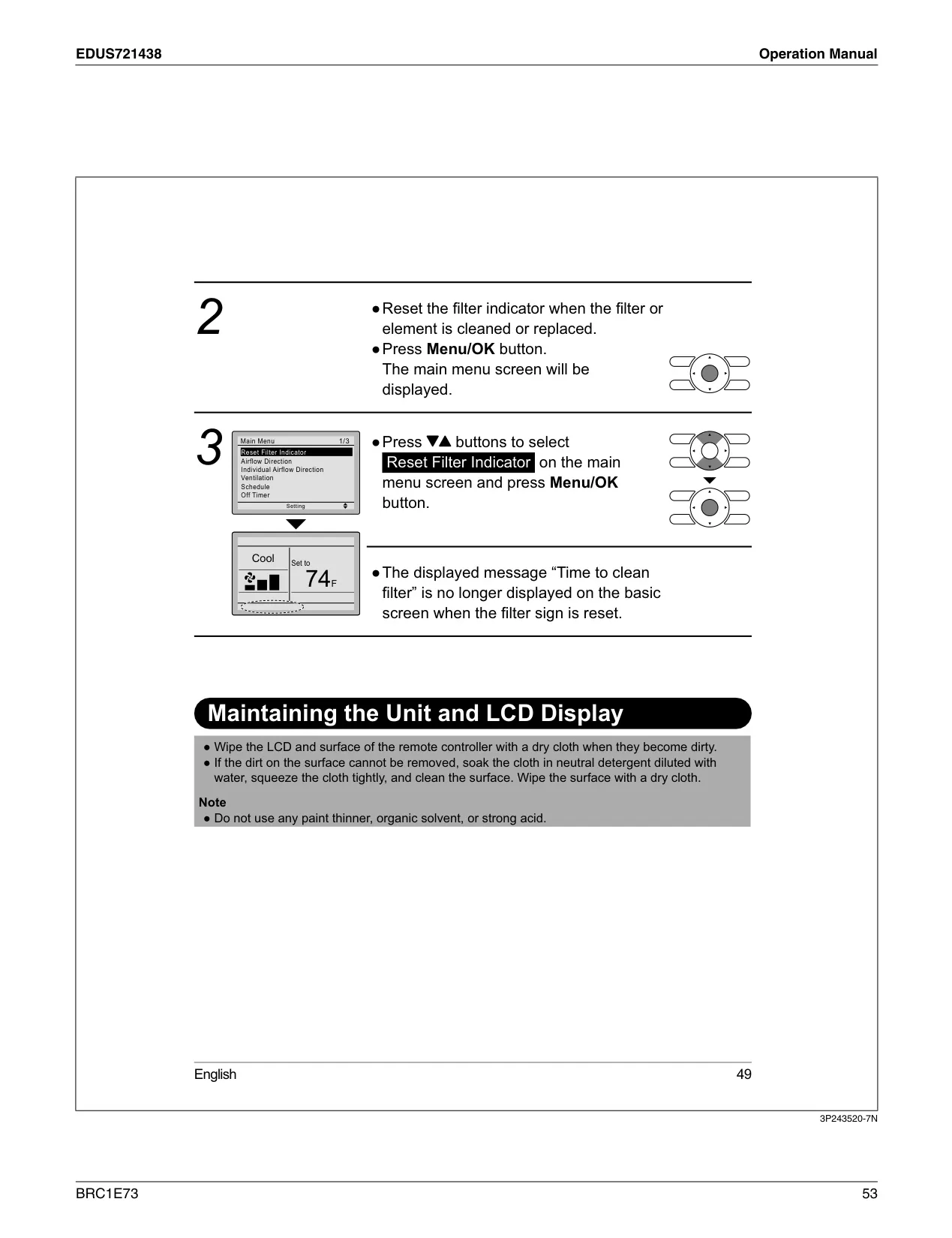
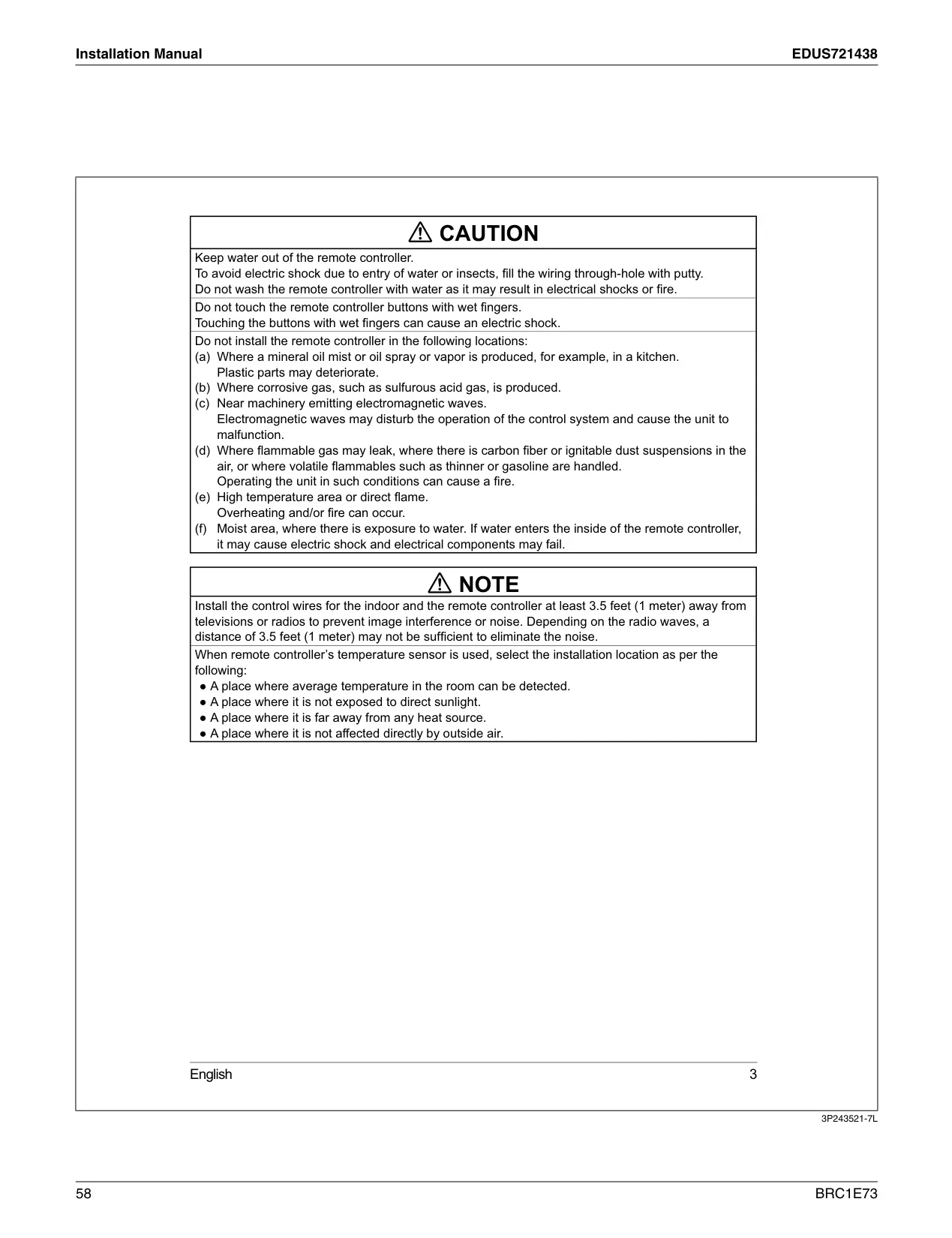
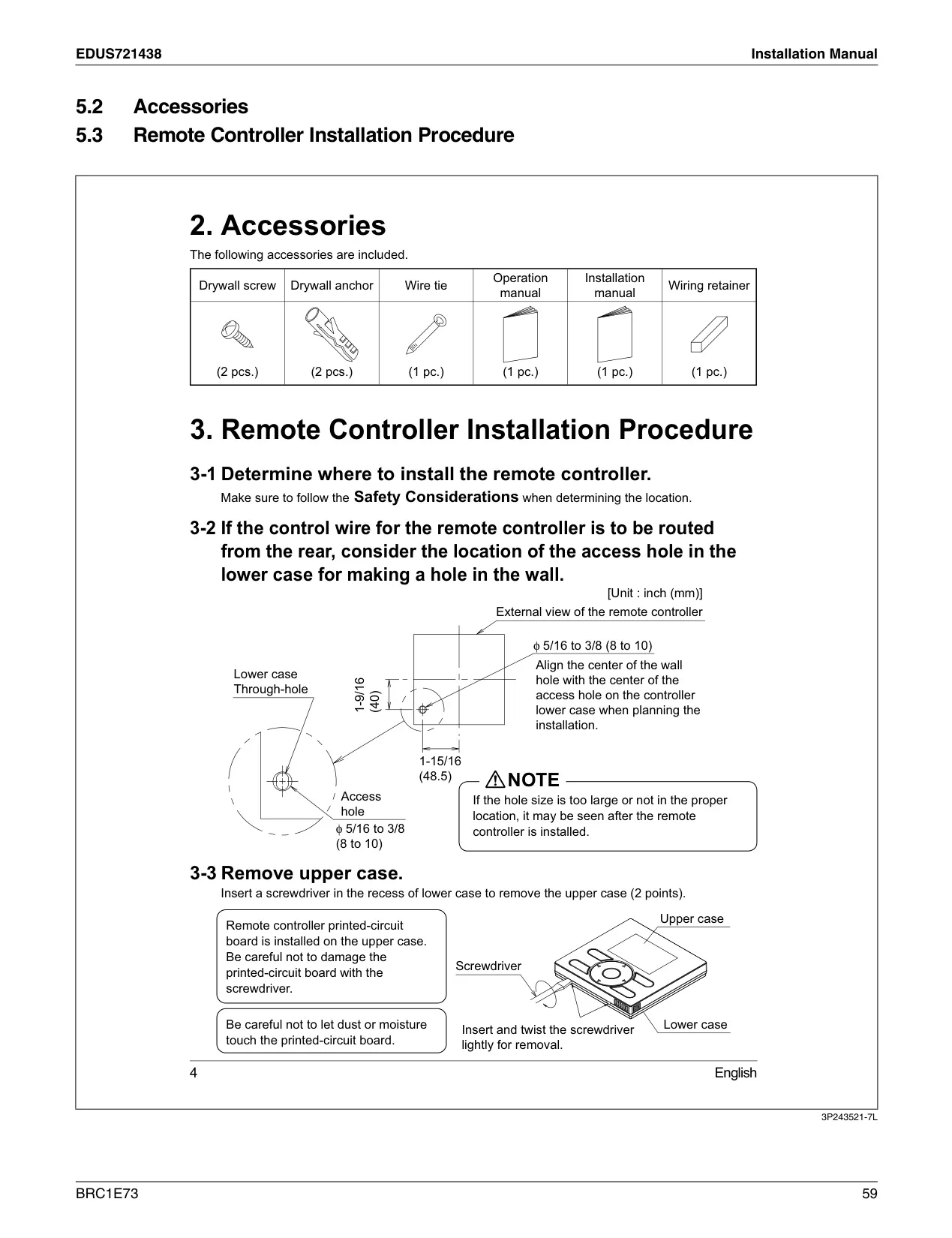
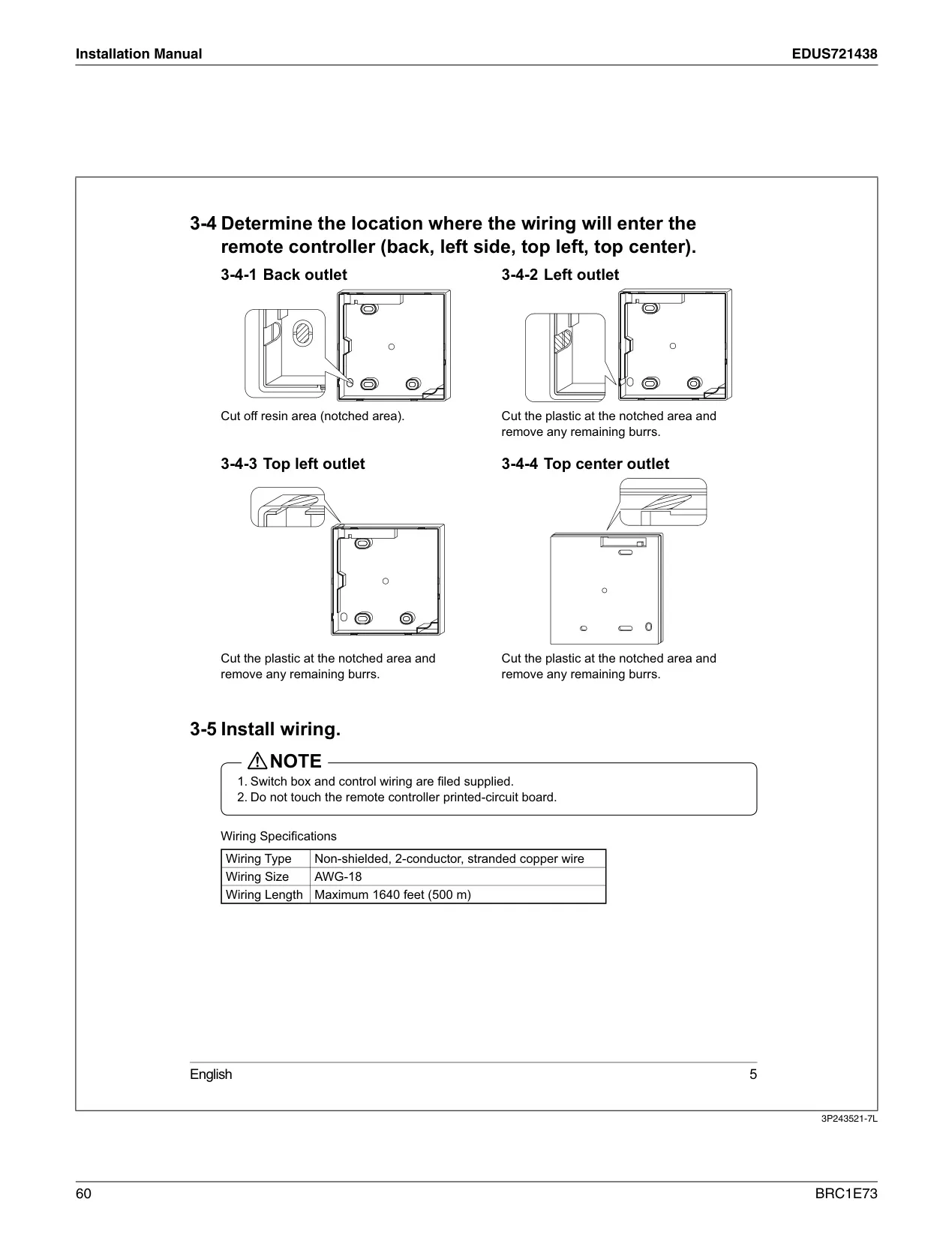
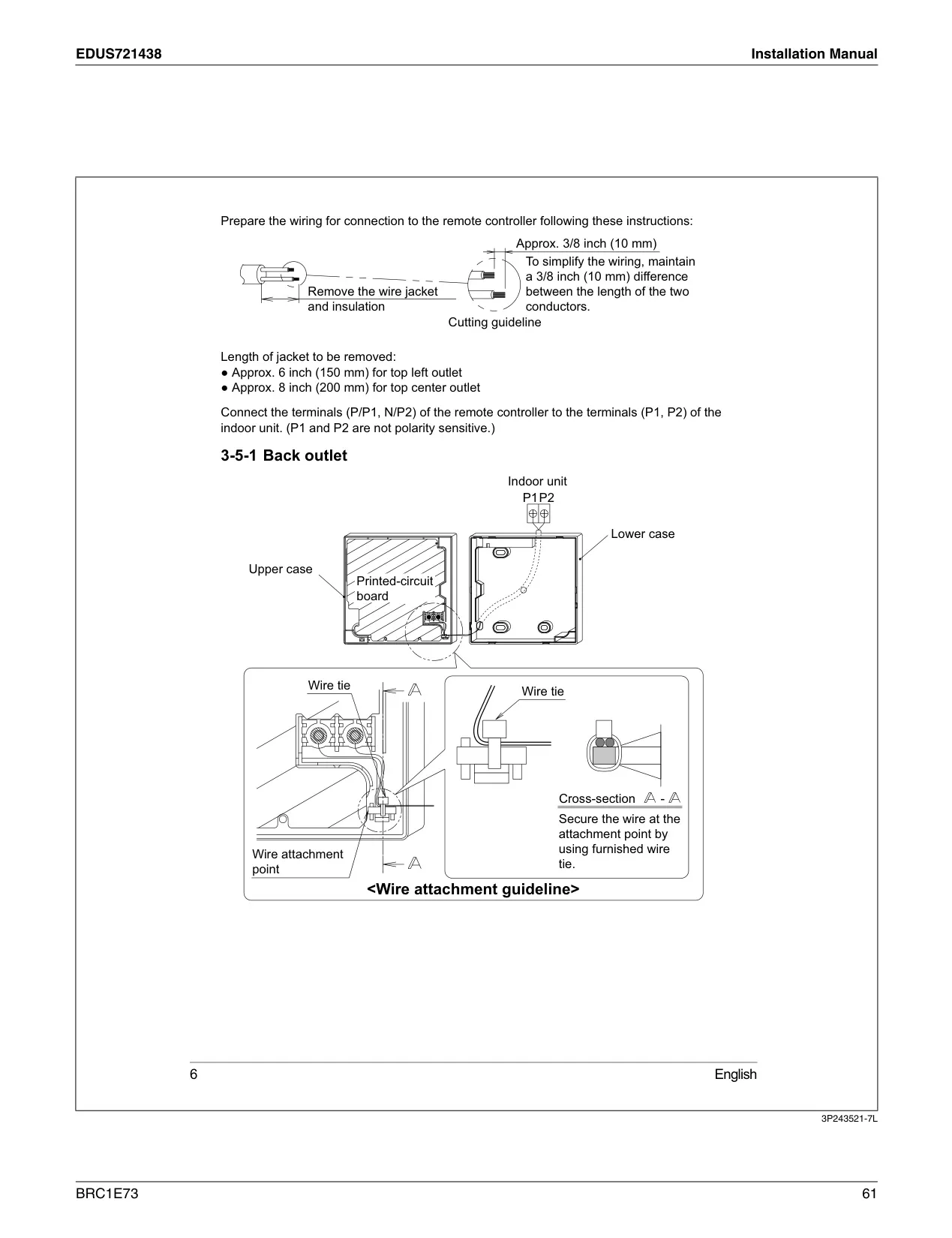
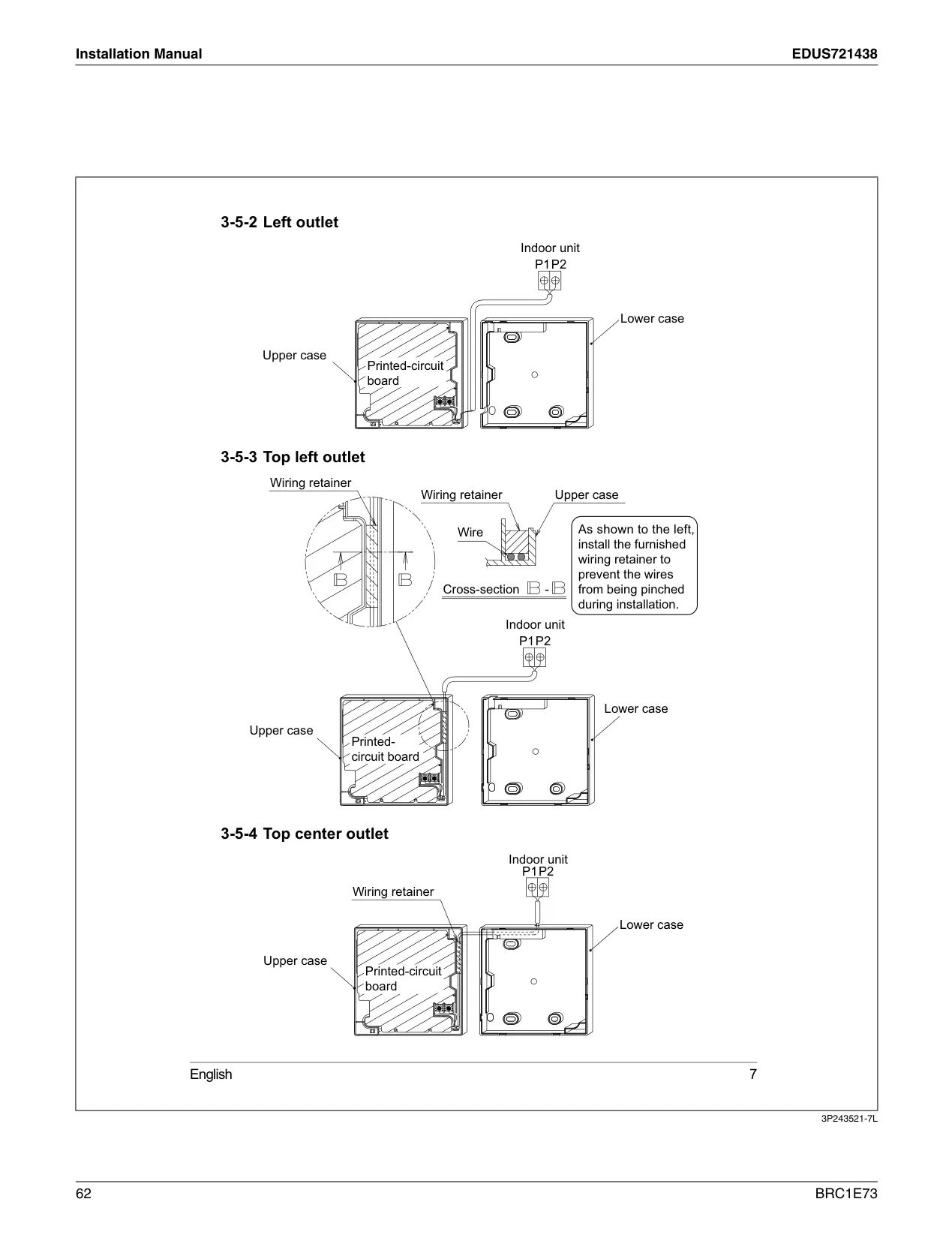
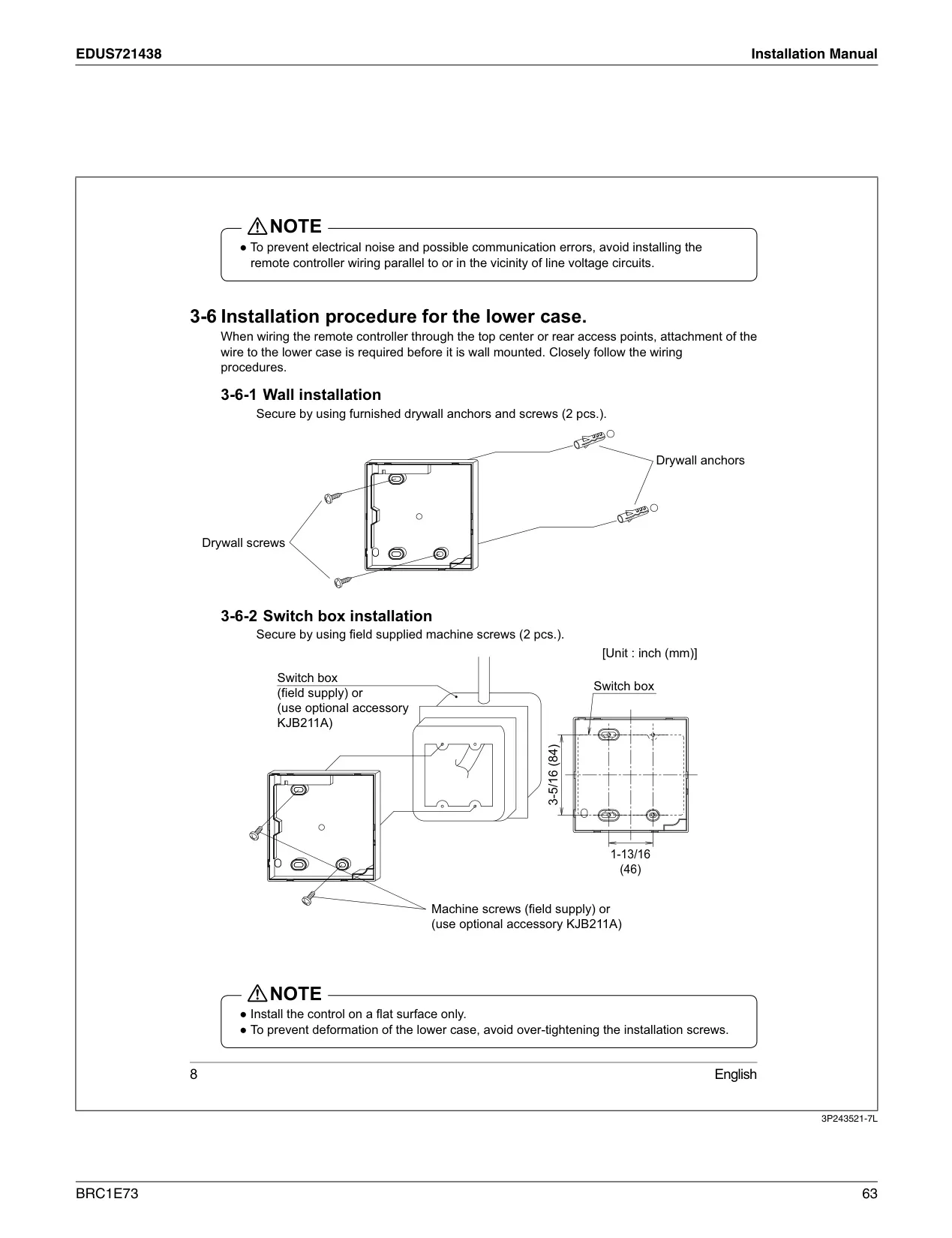
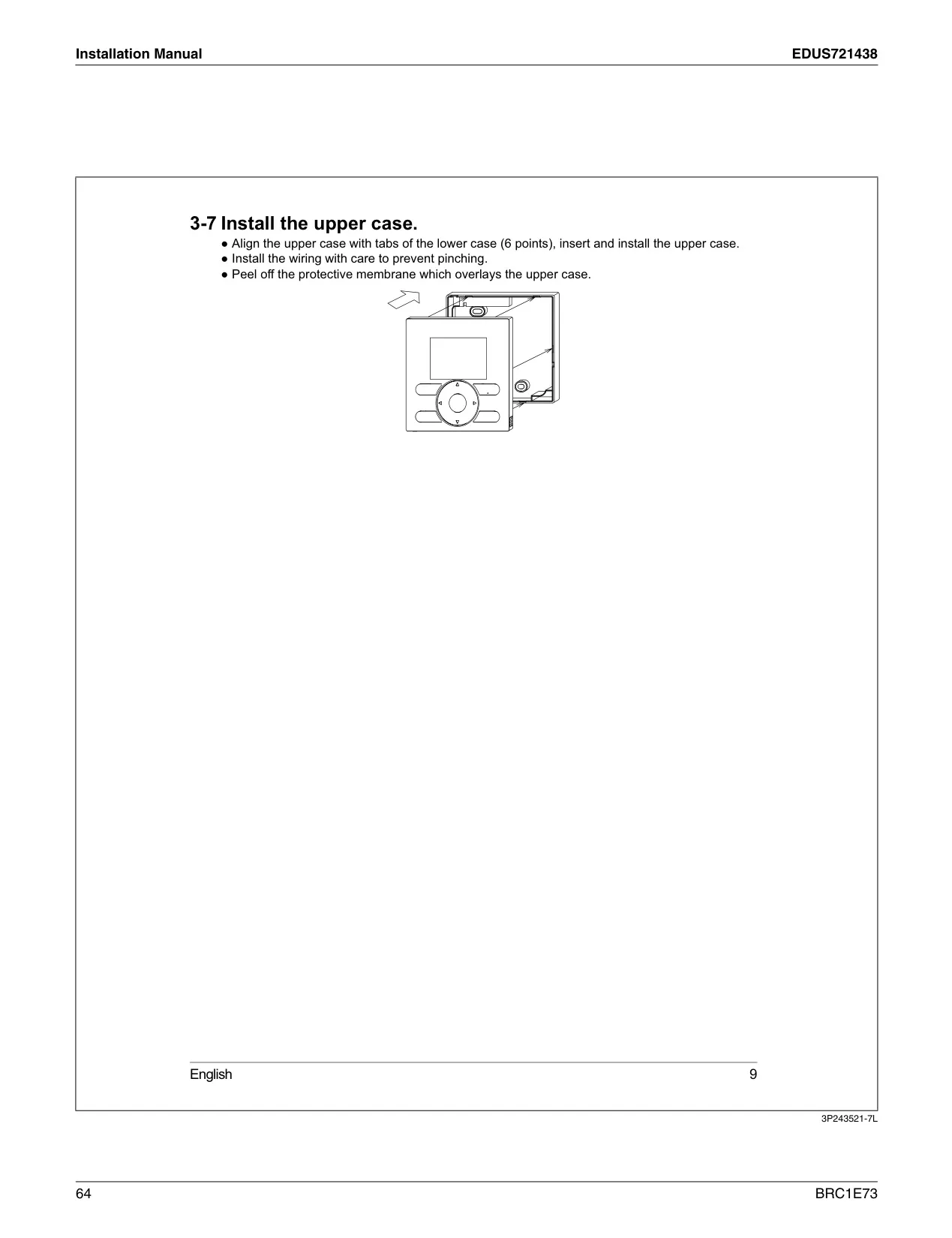
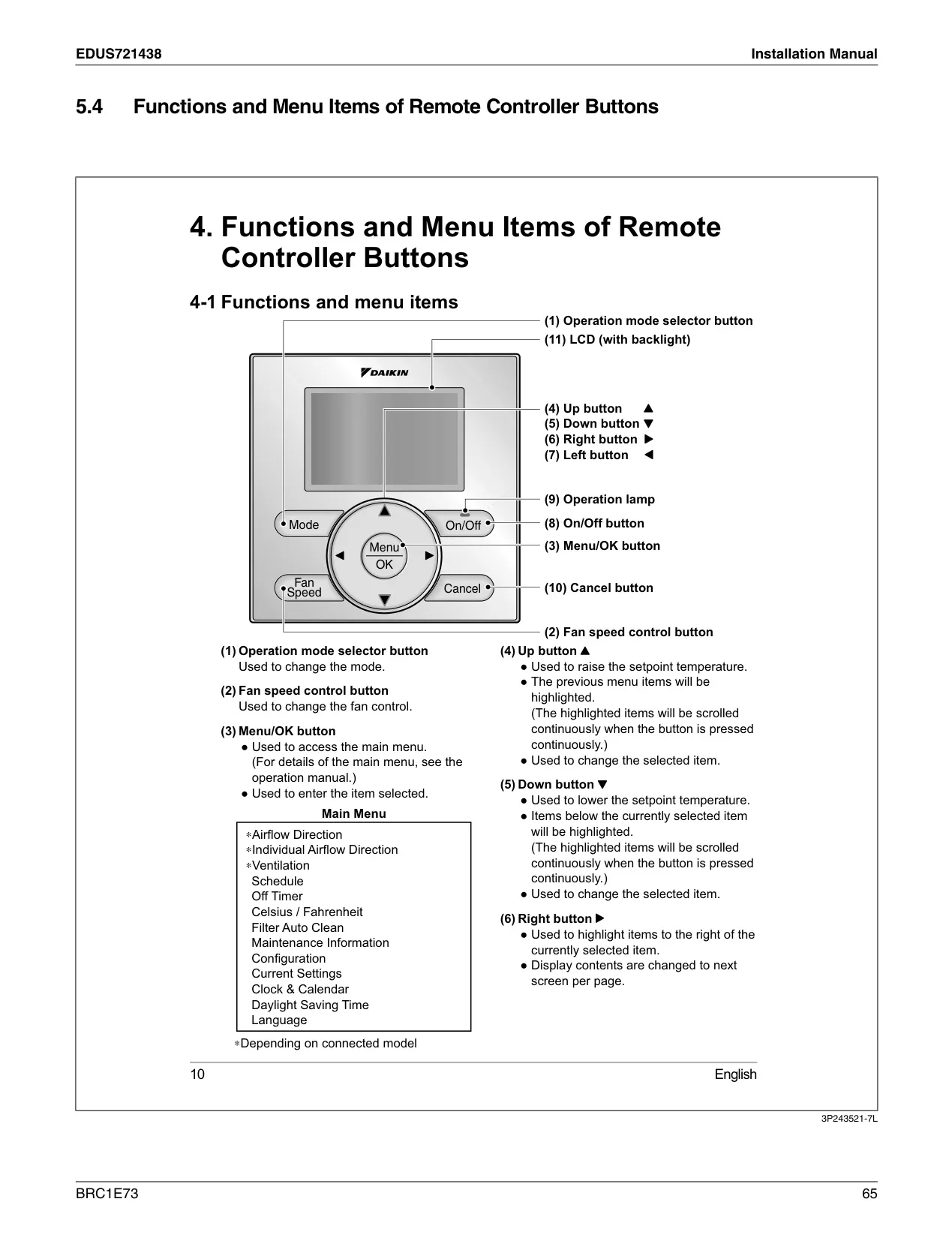
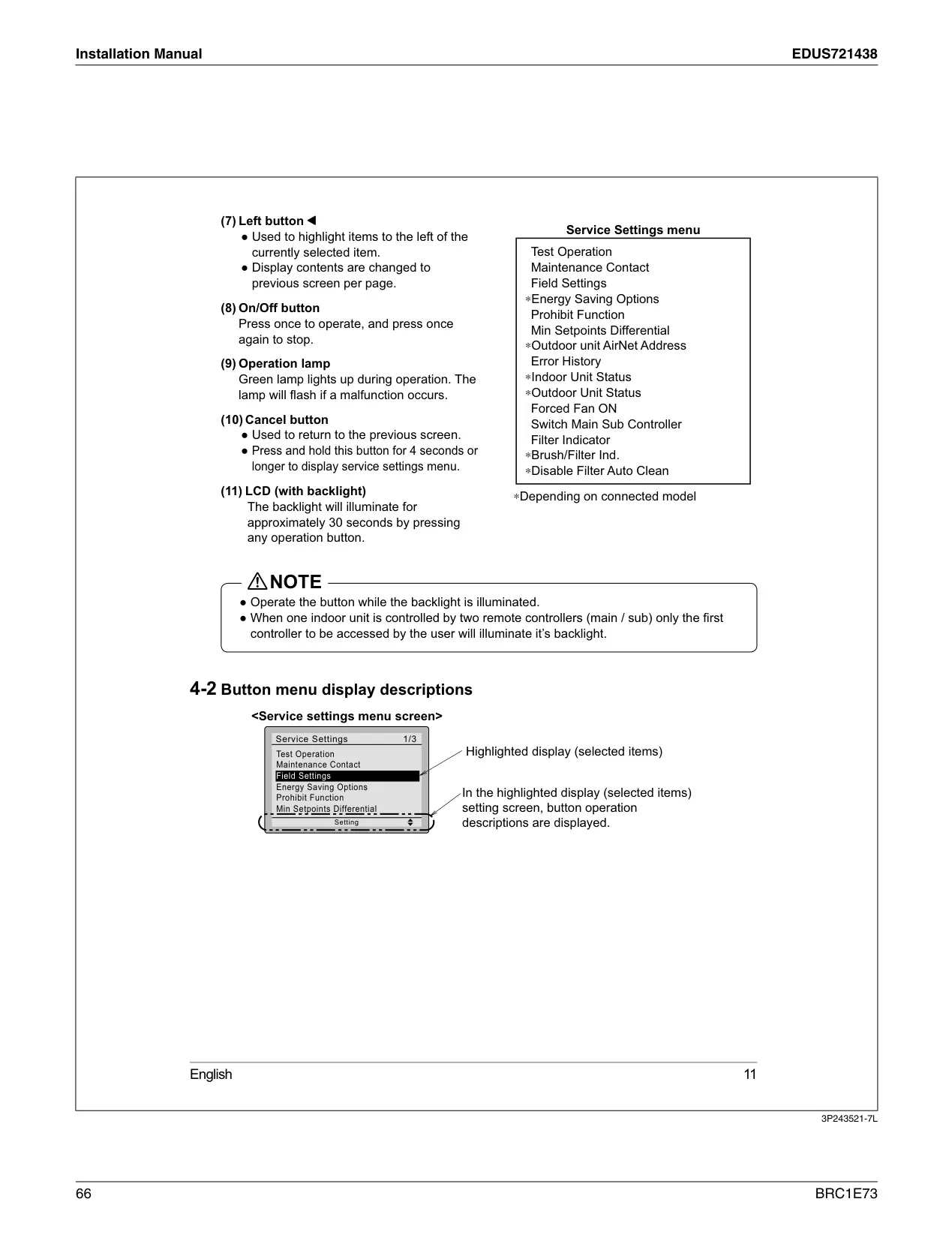
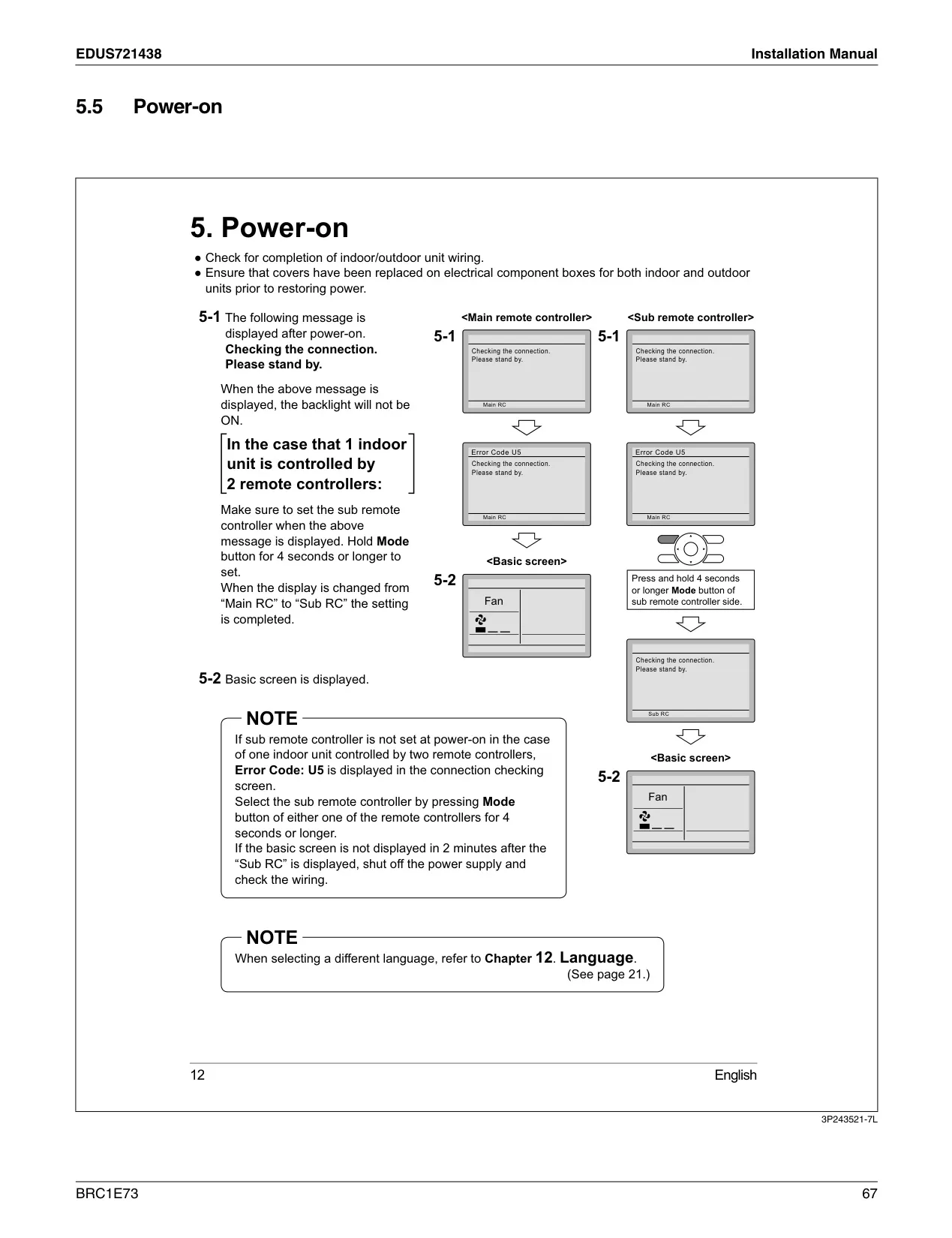
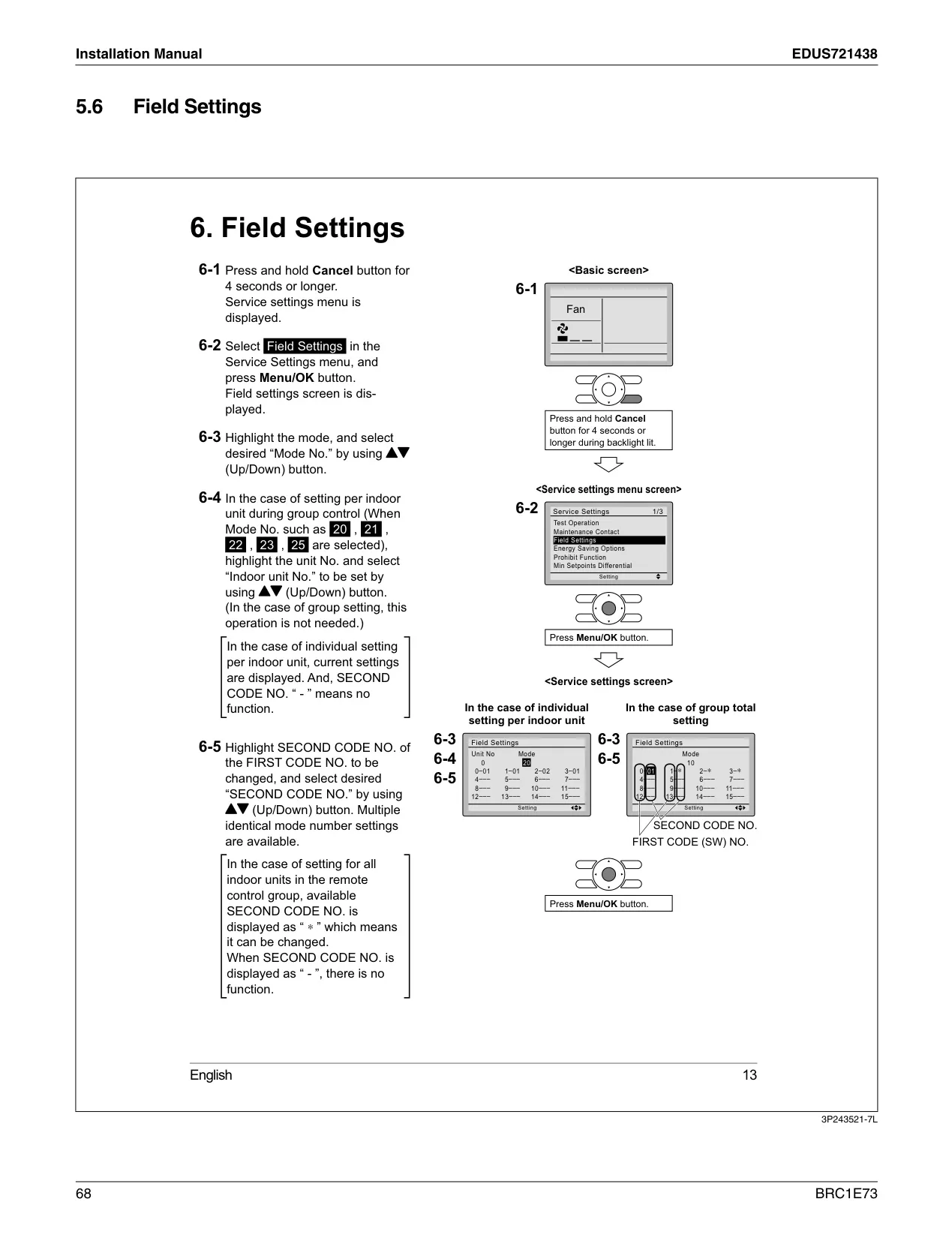
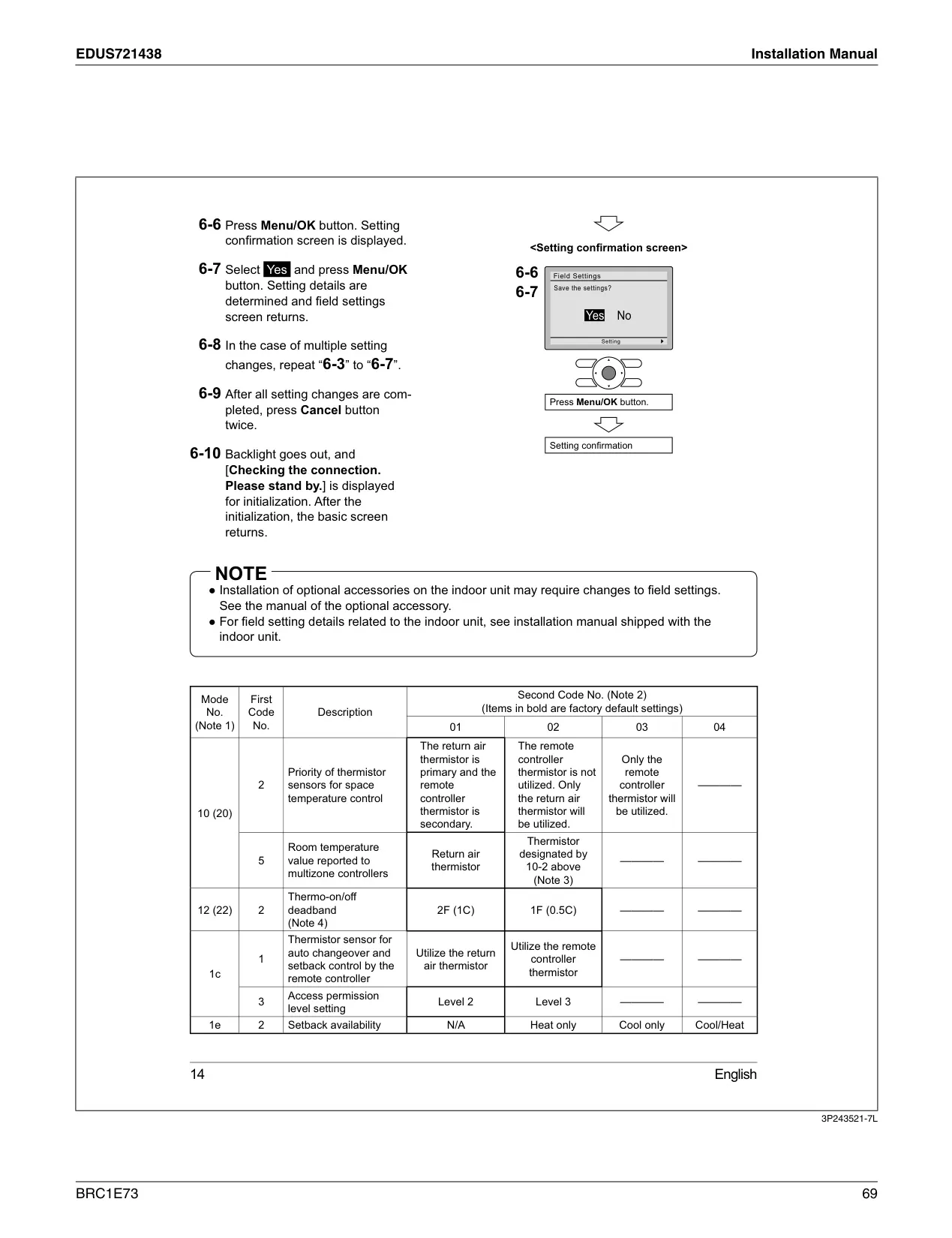
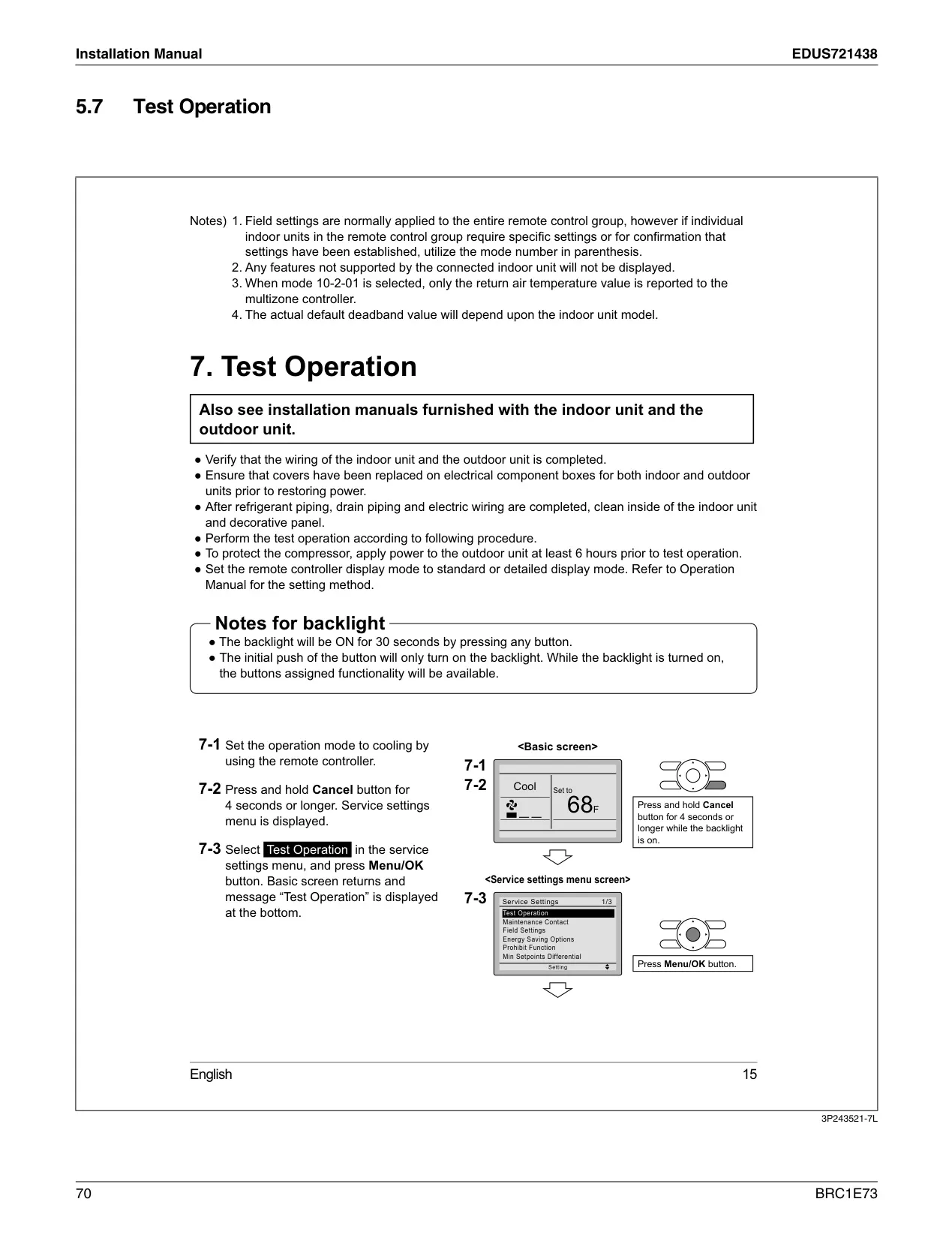
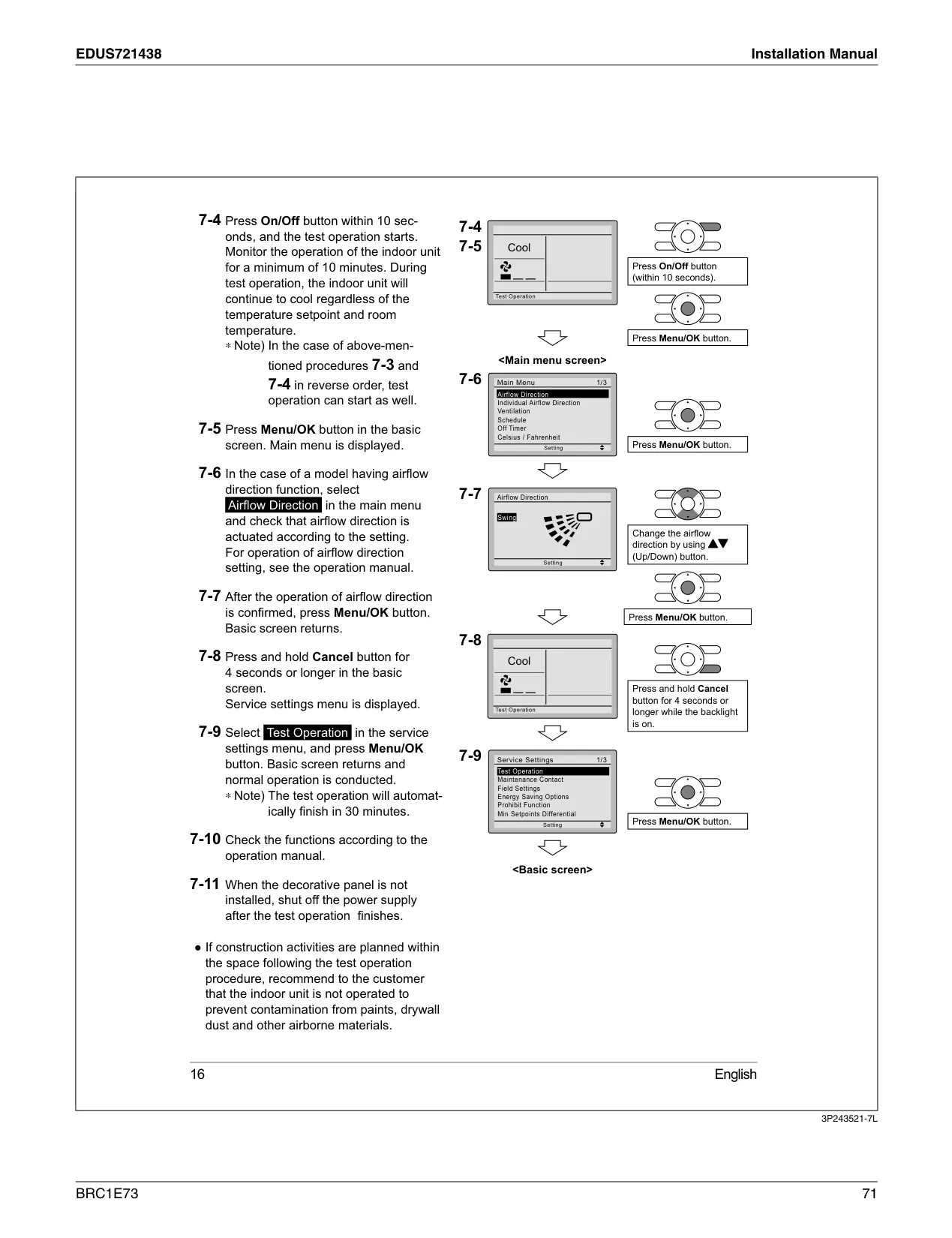
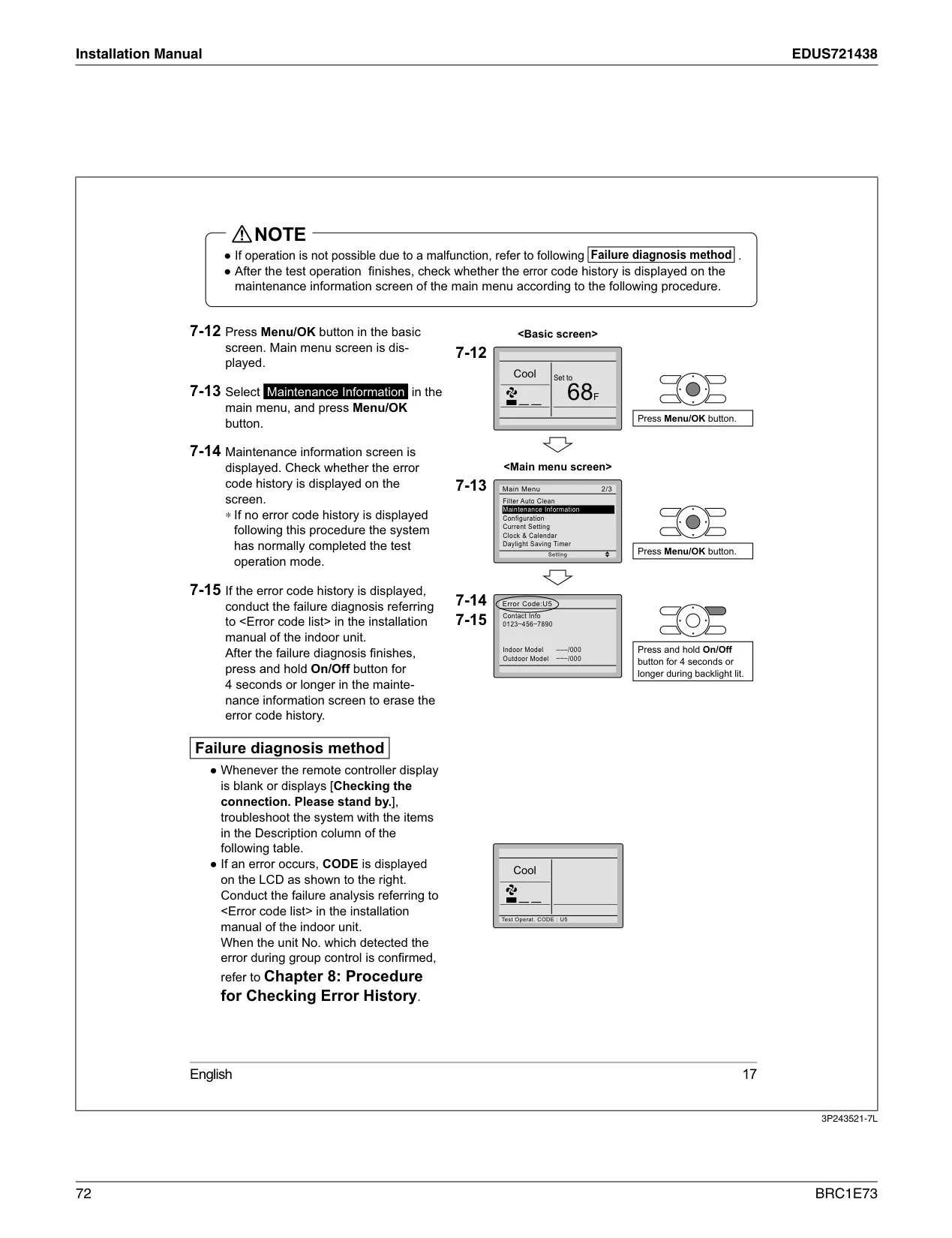
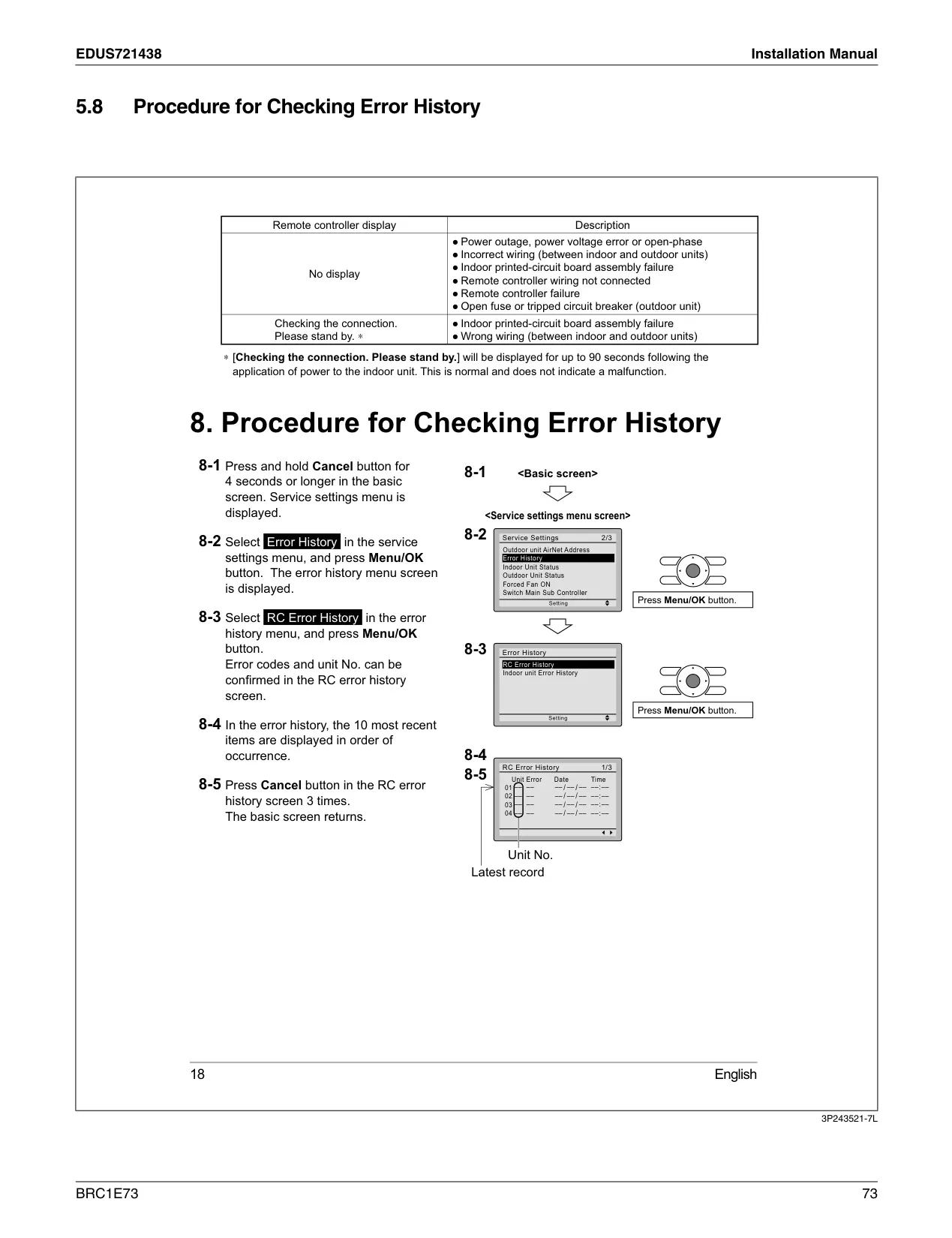

Daikin Thermostat BRC1E73
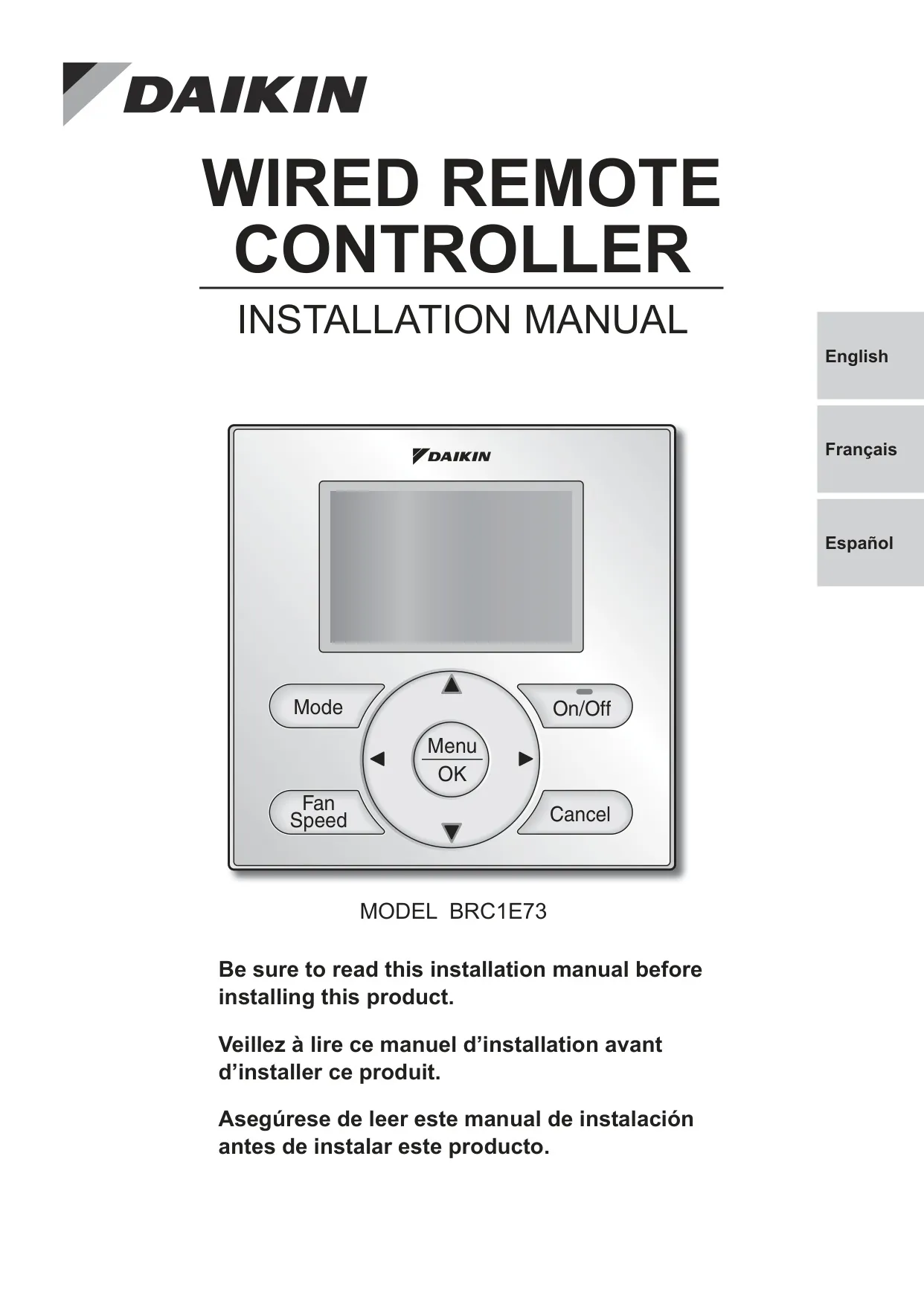
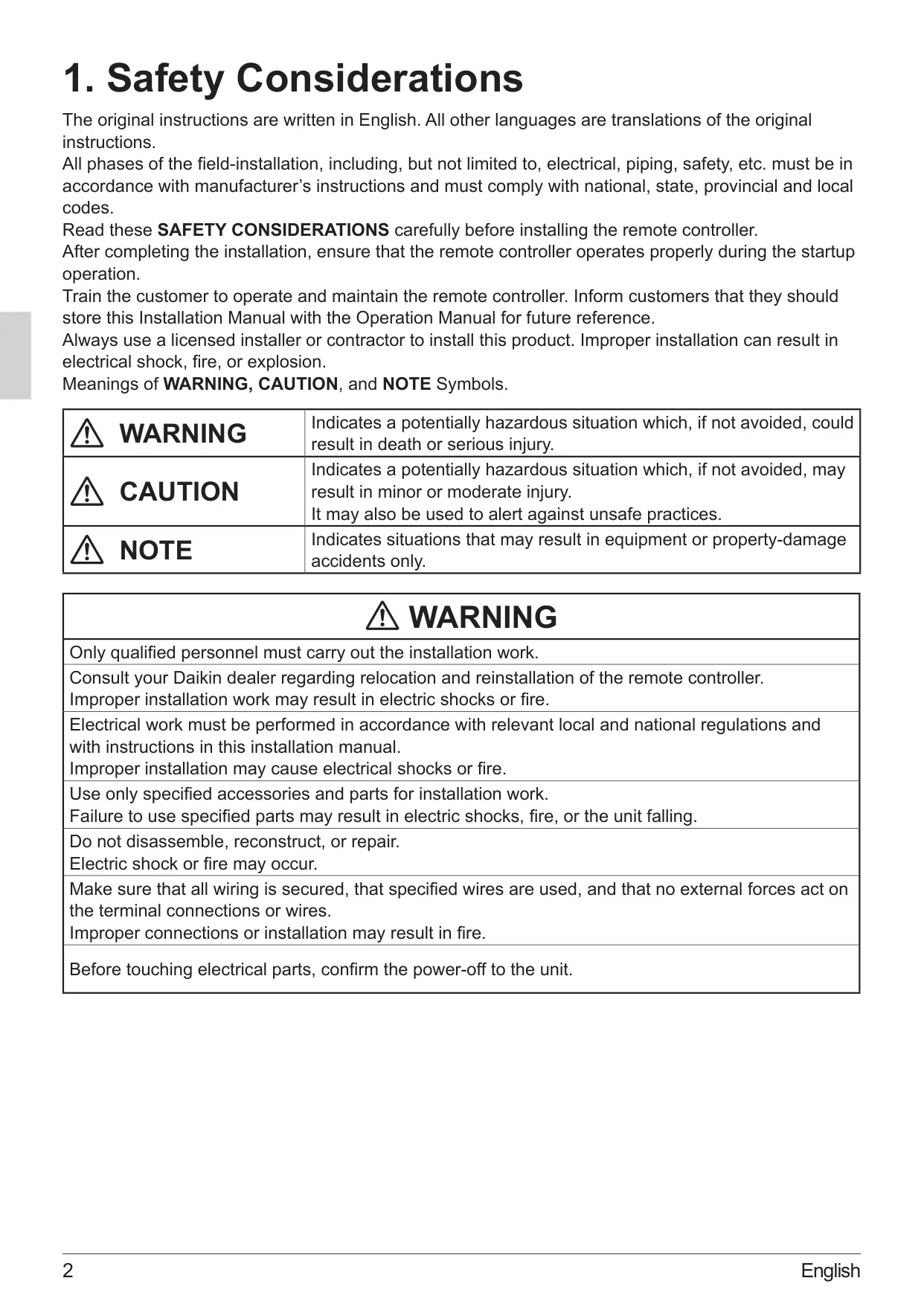
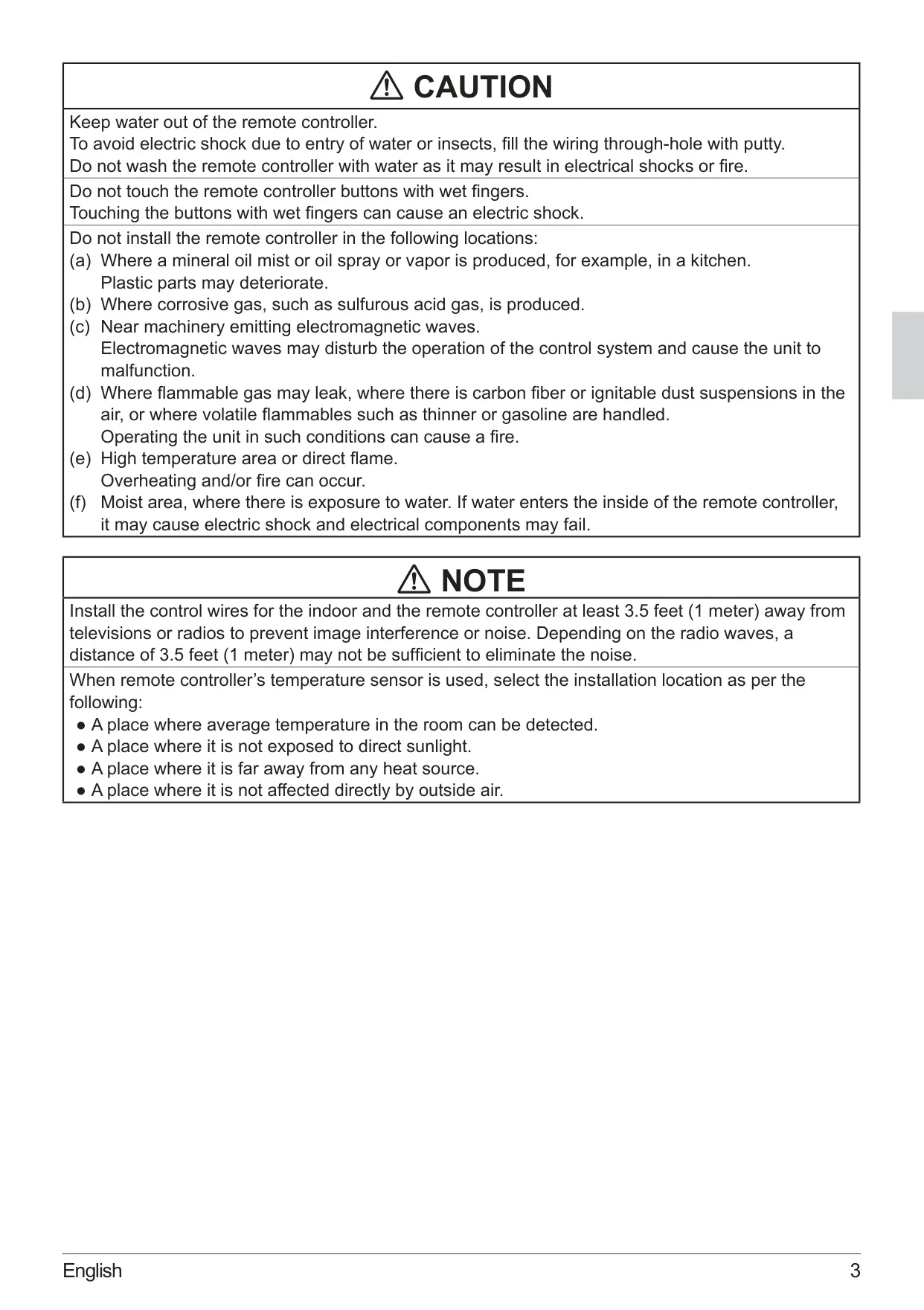
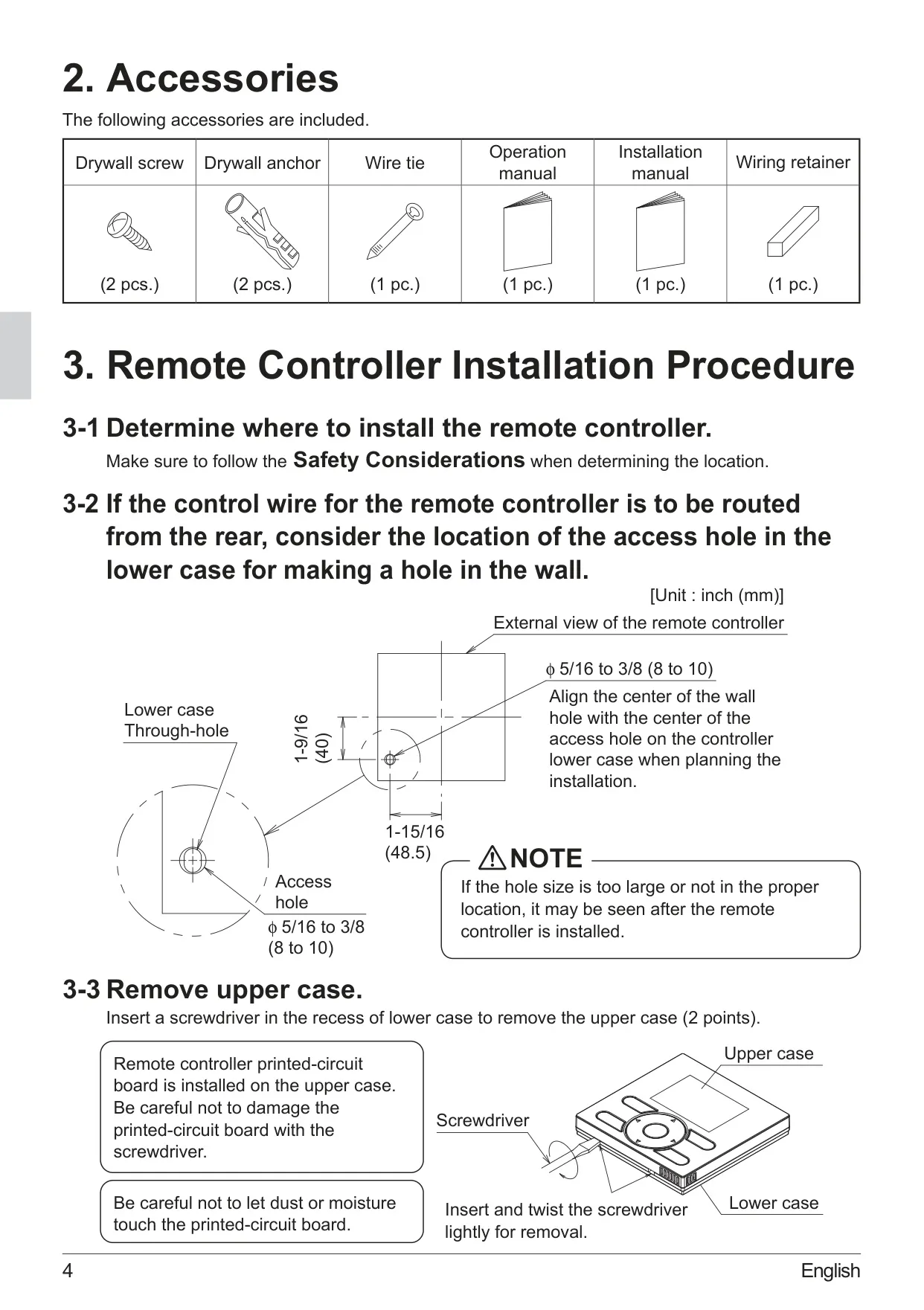
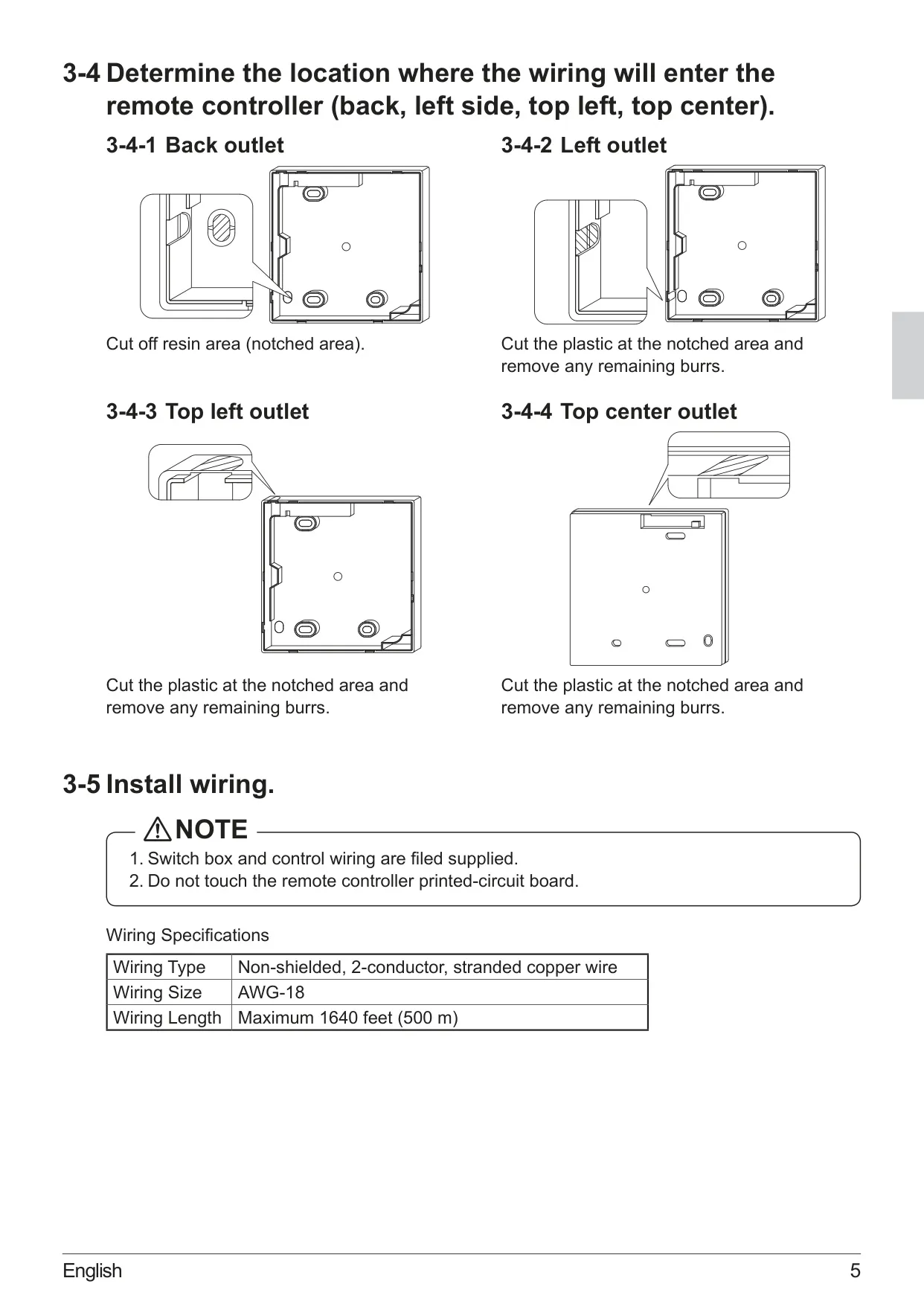
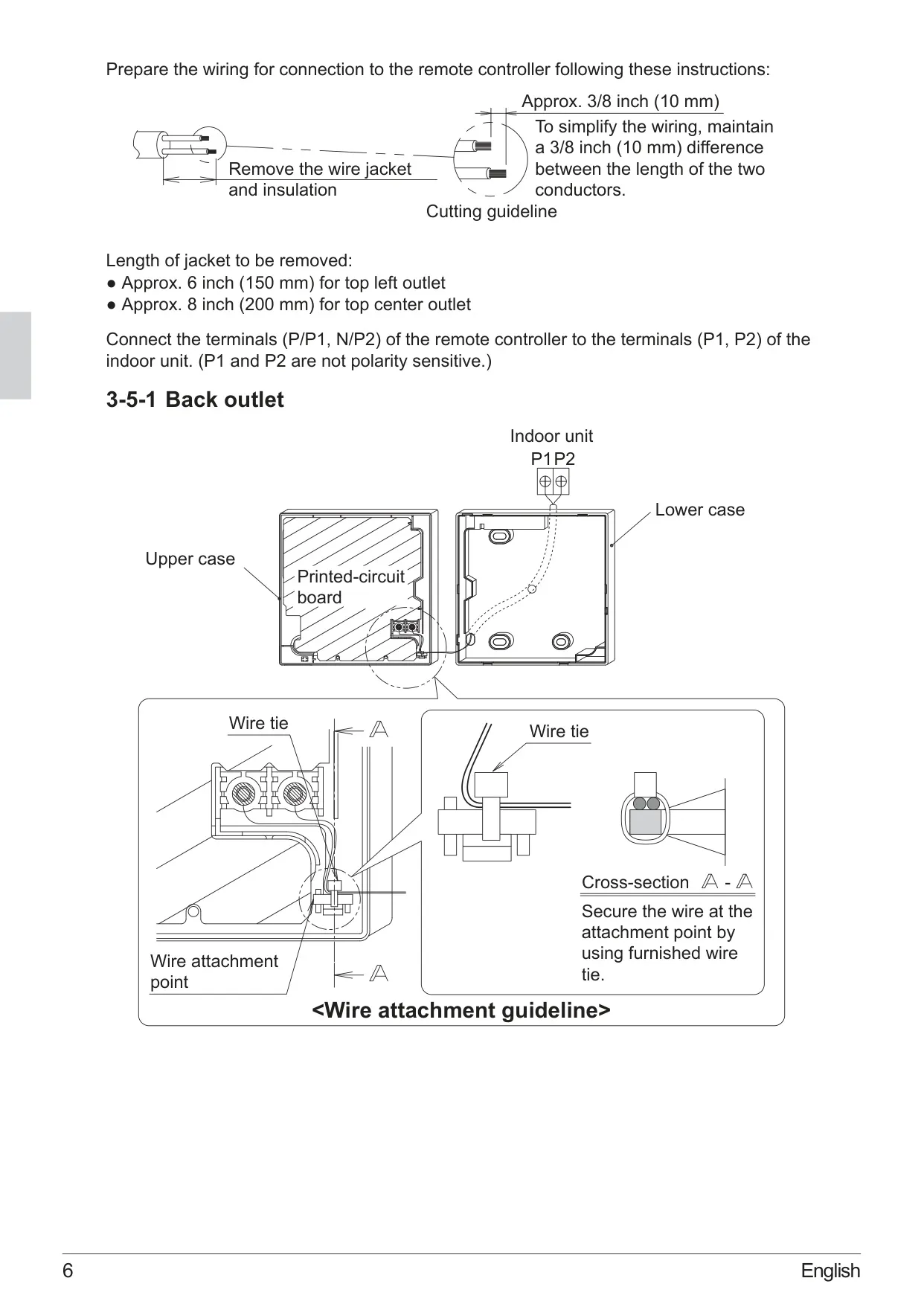
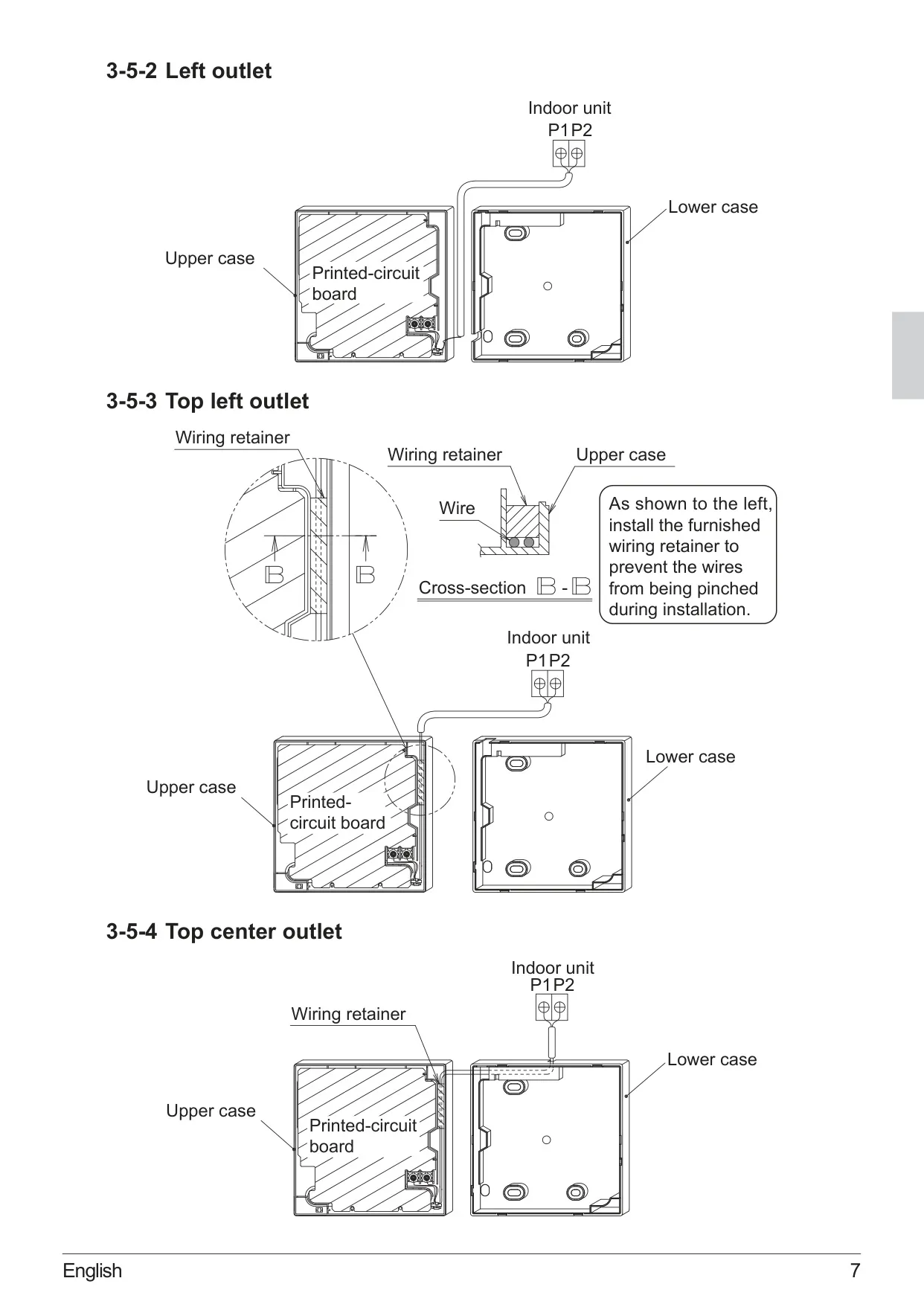
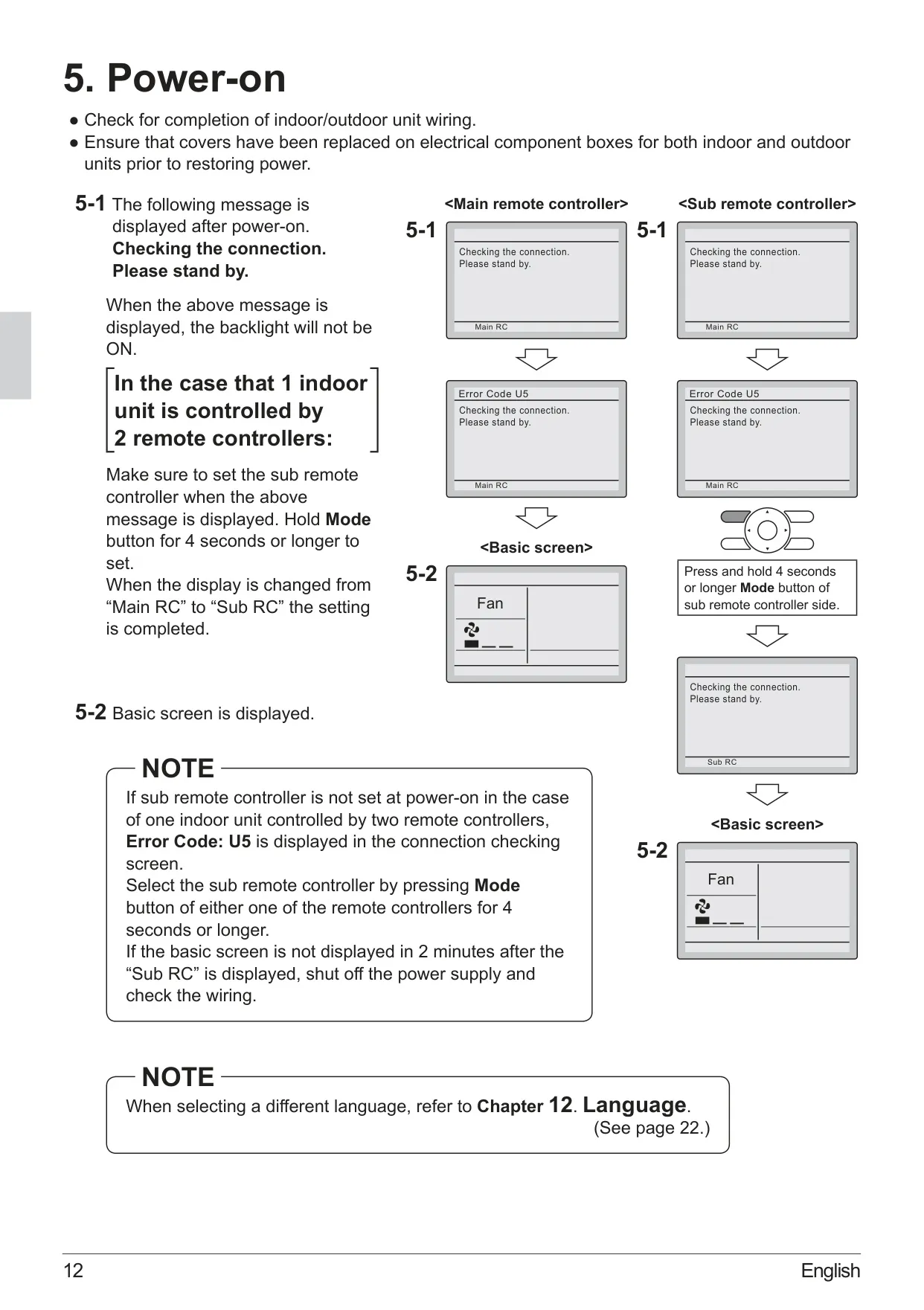
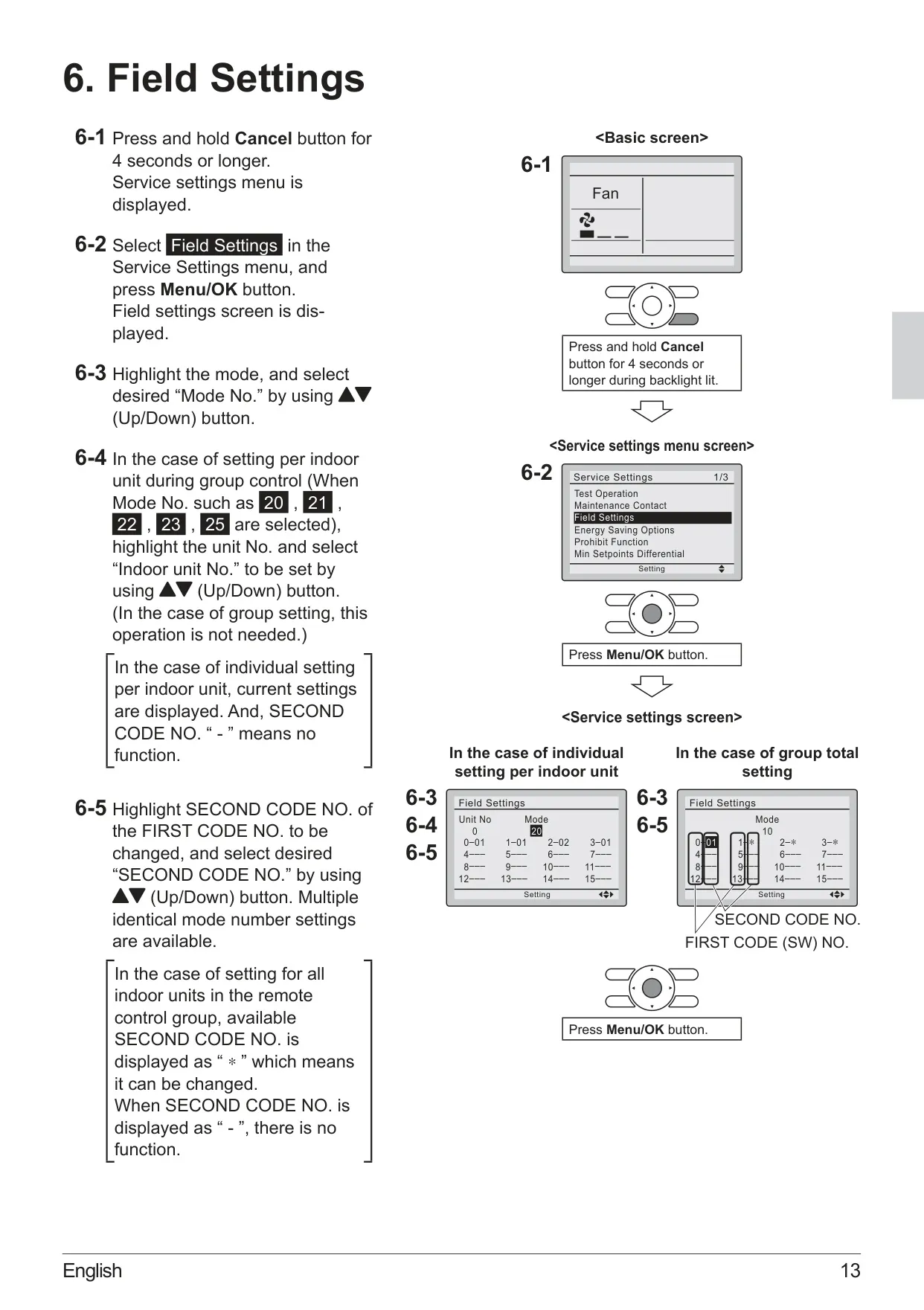
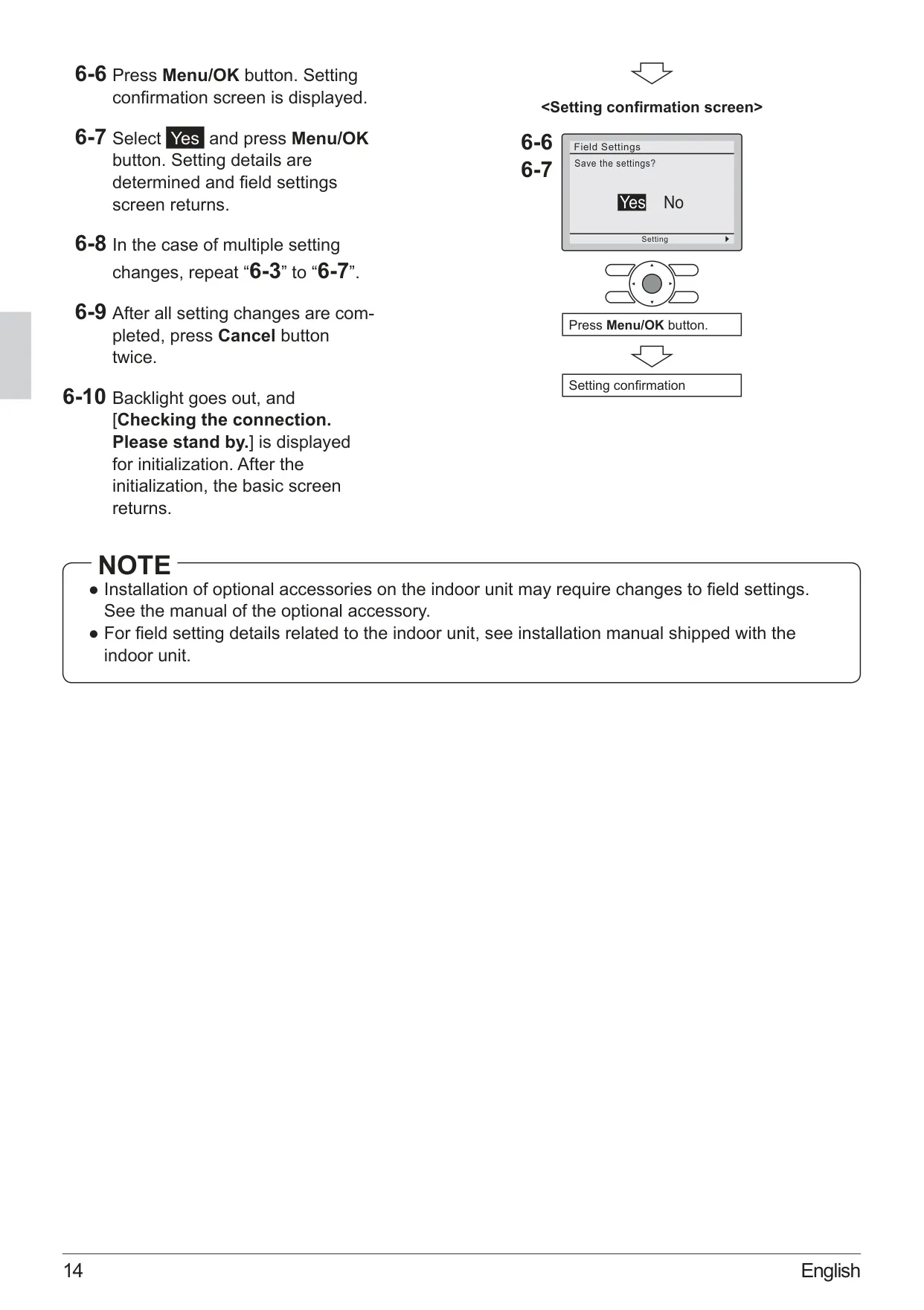
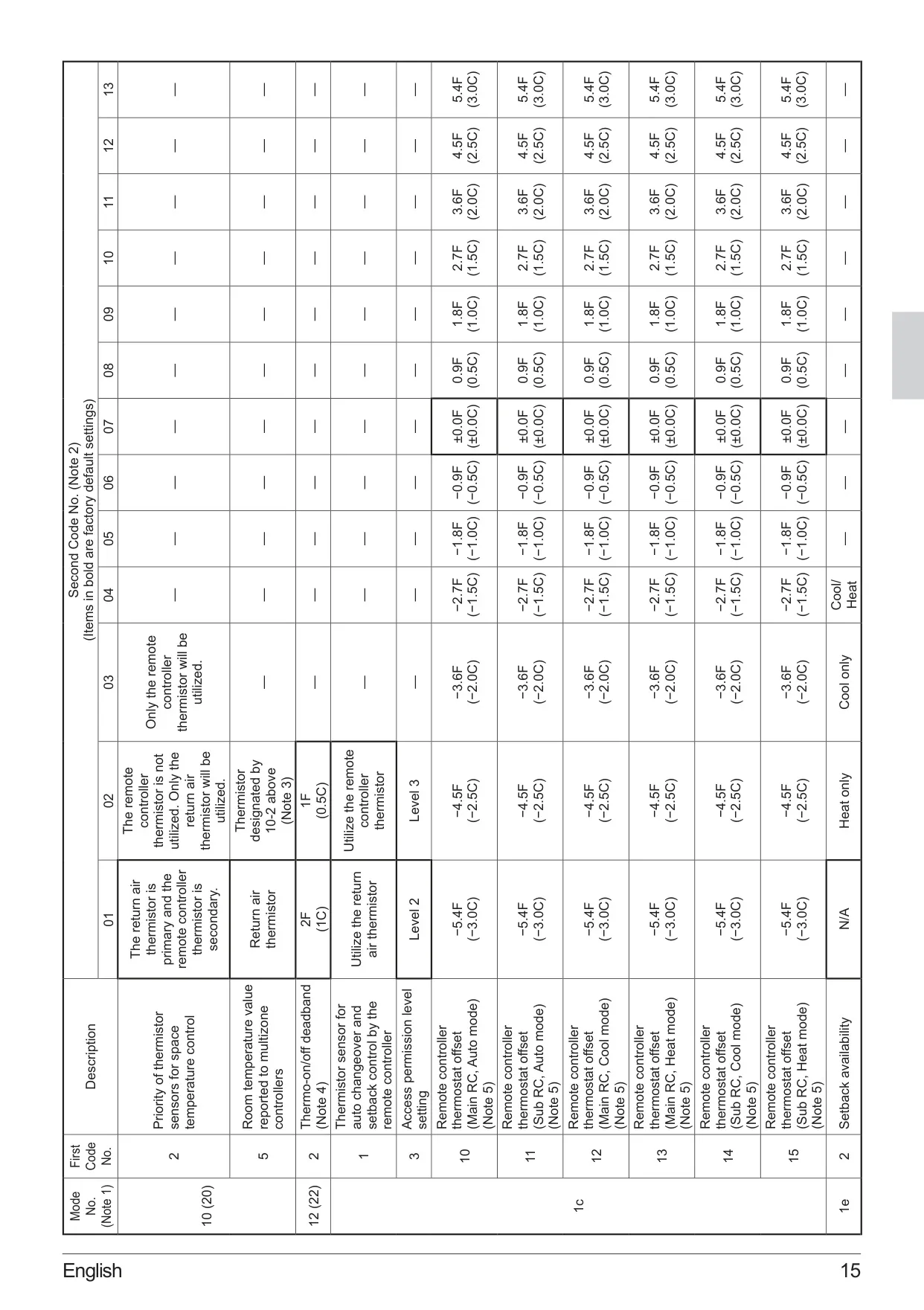
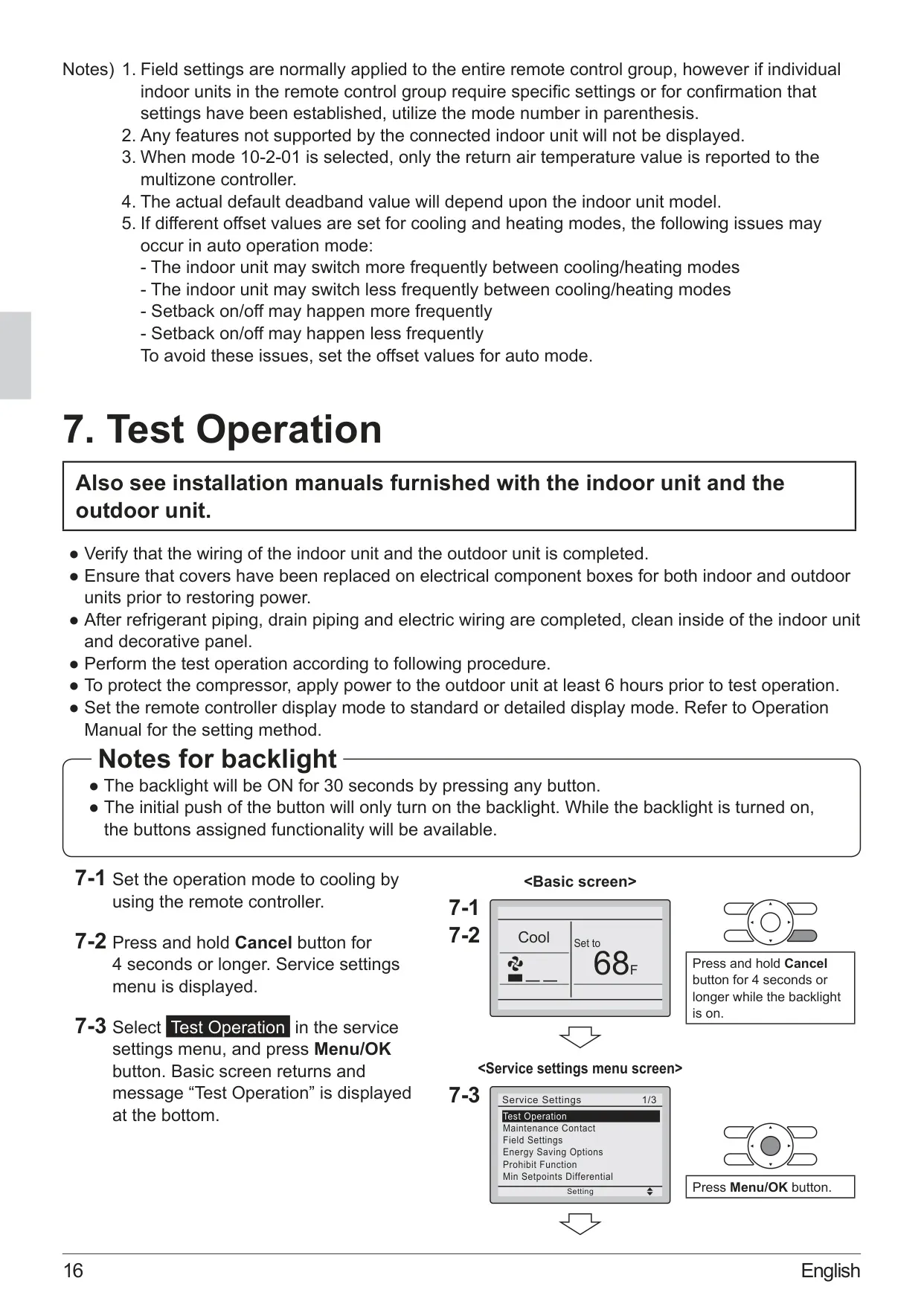
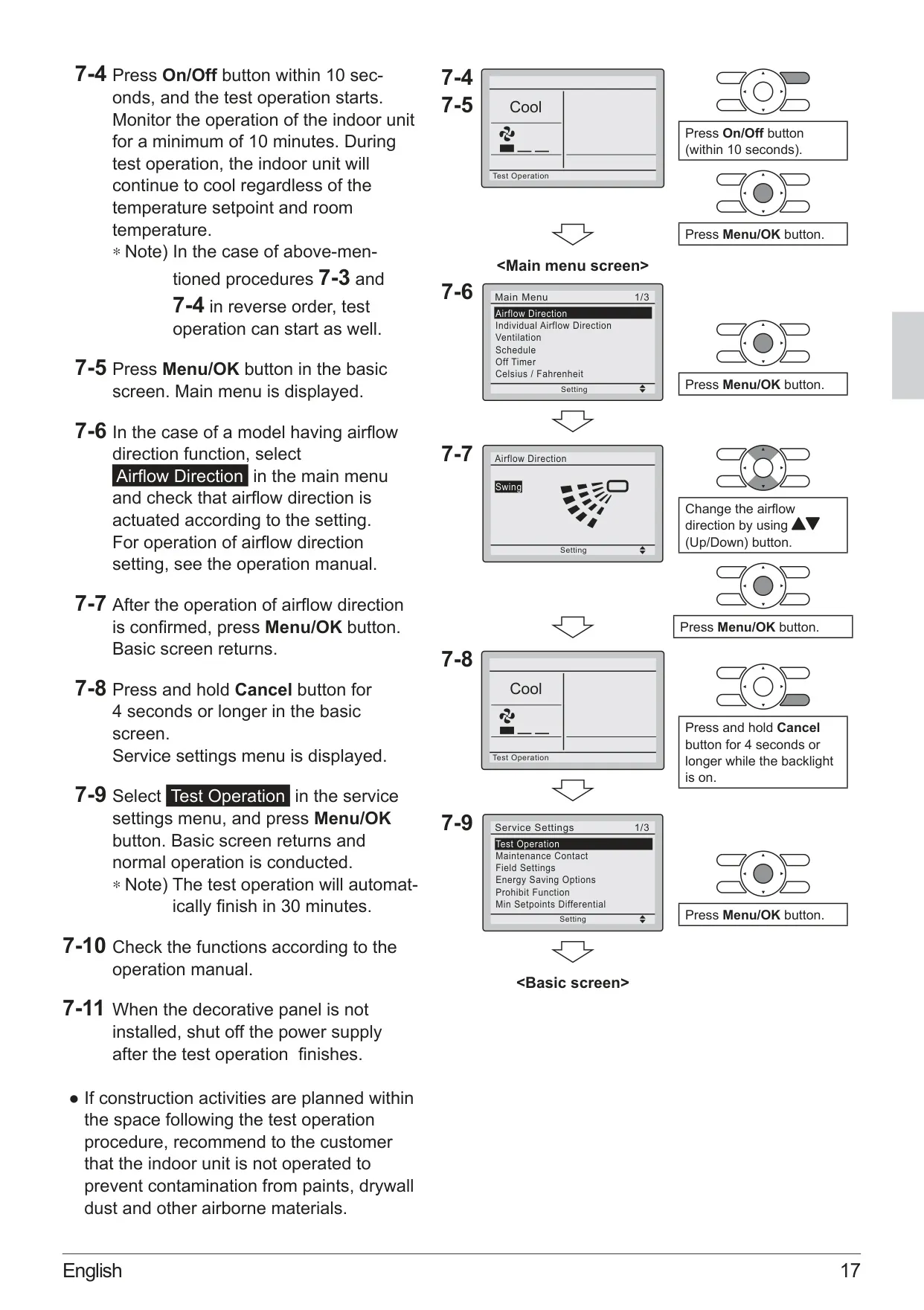
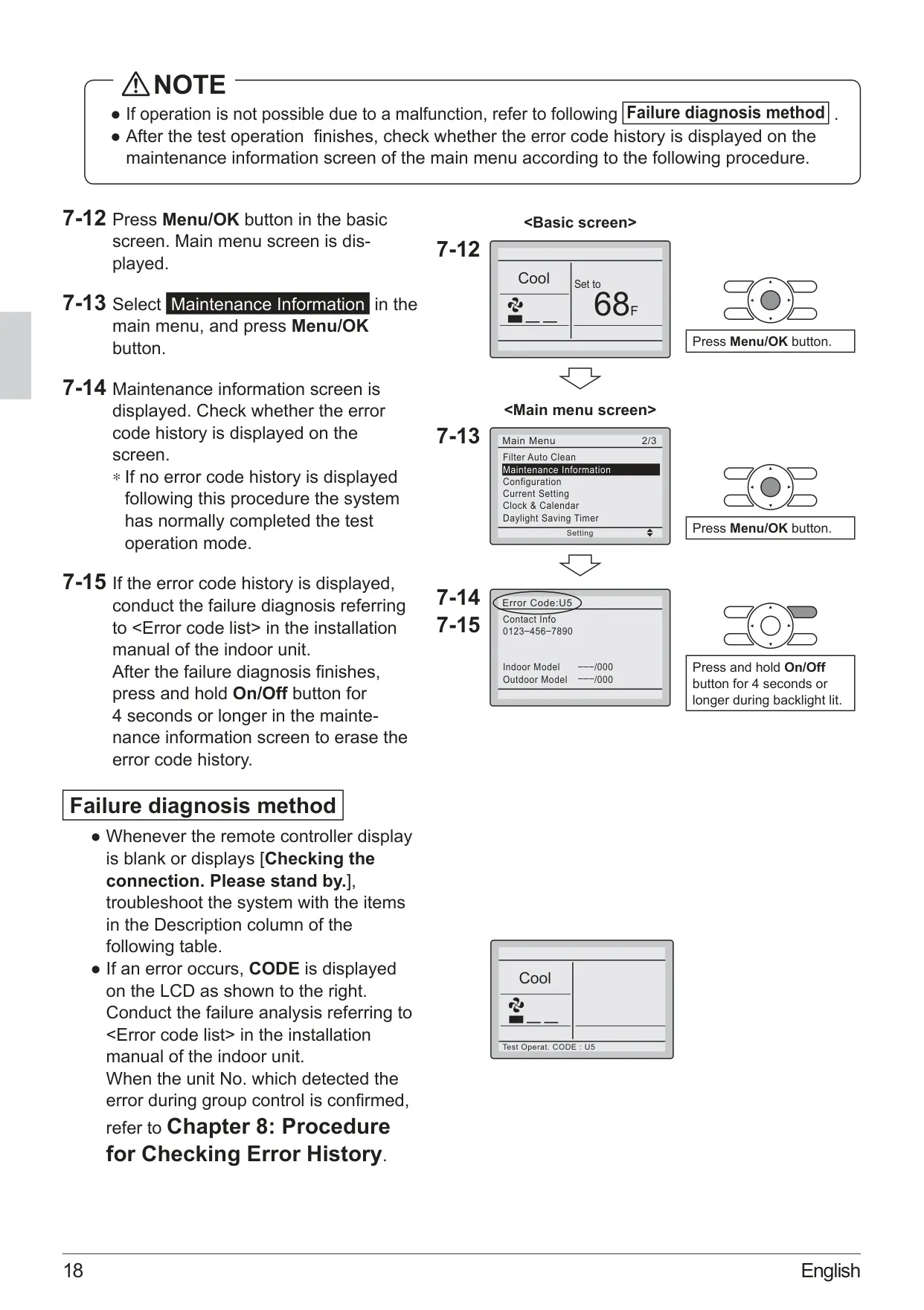
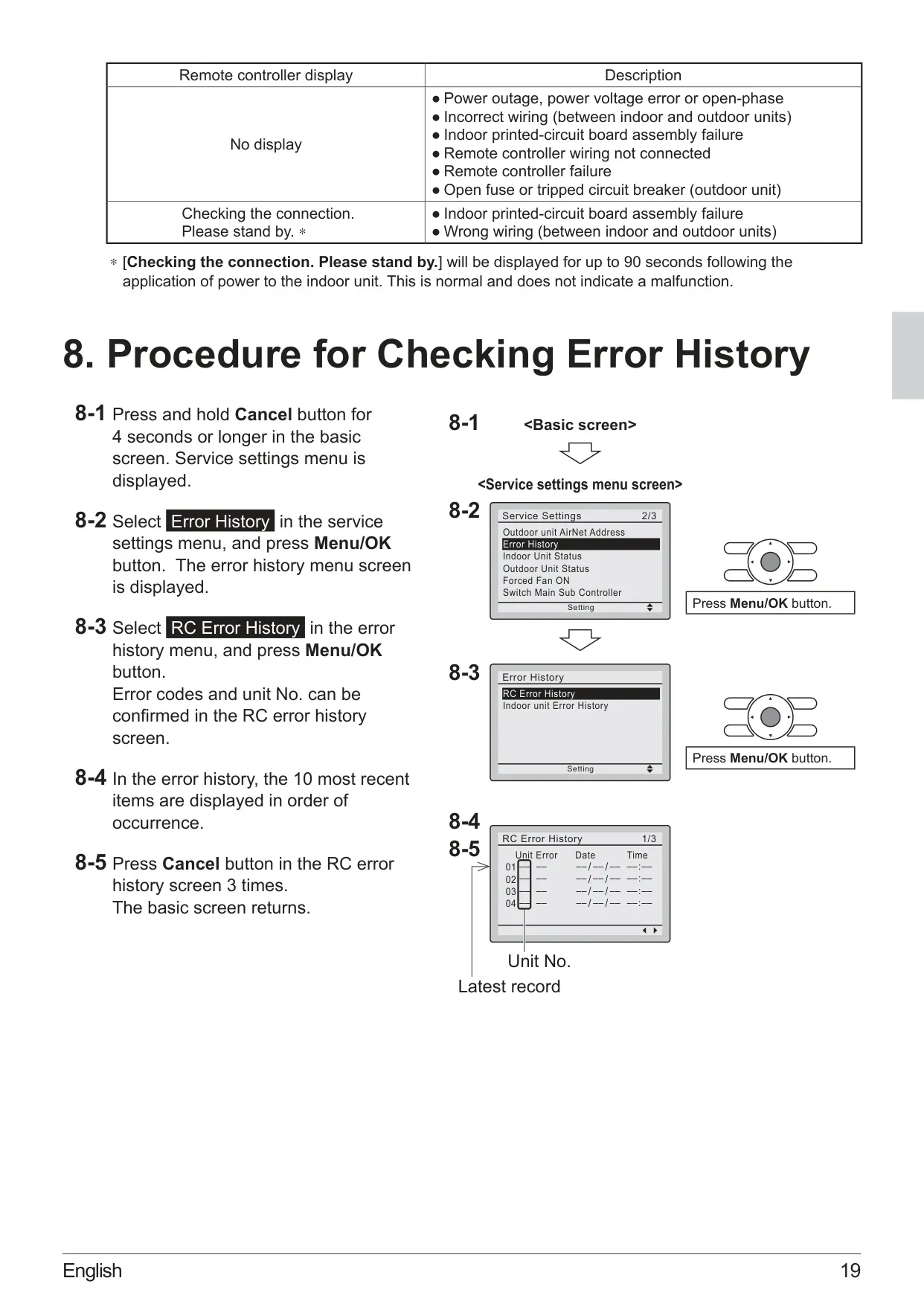
Daikin Thermostat BRC1E73
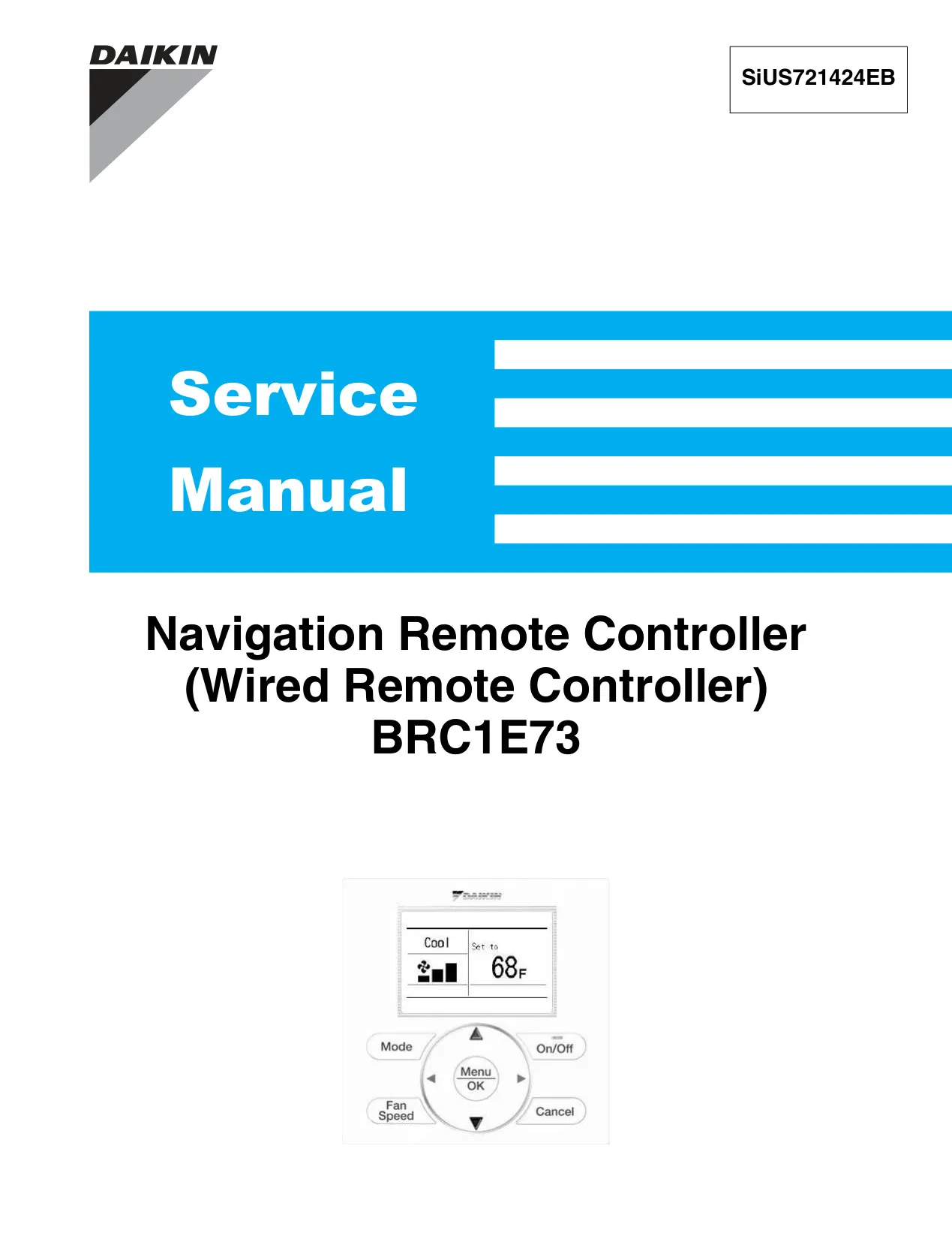
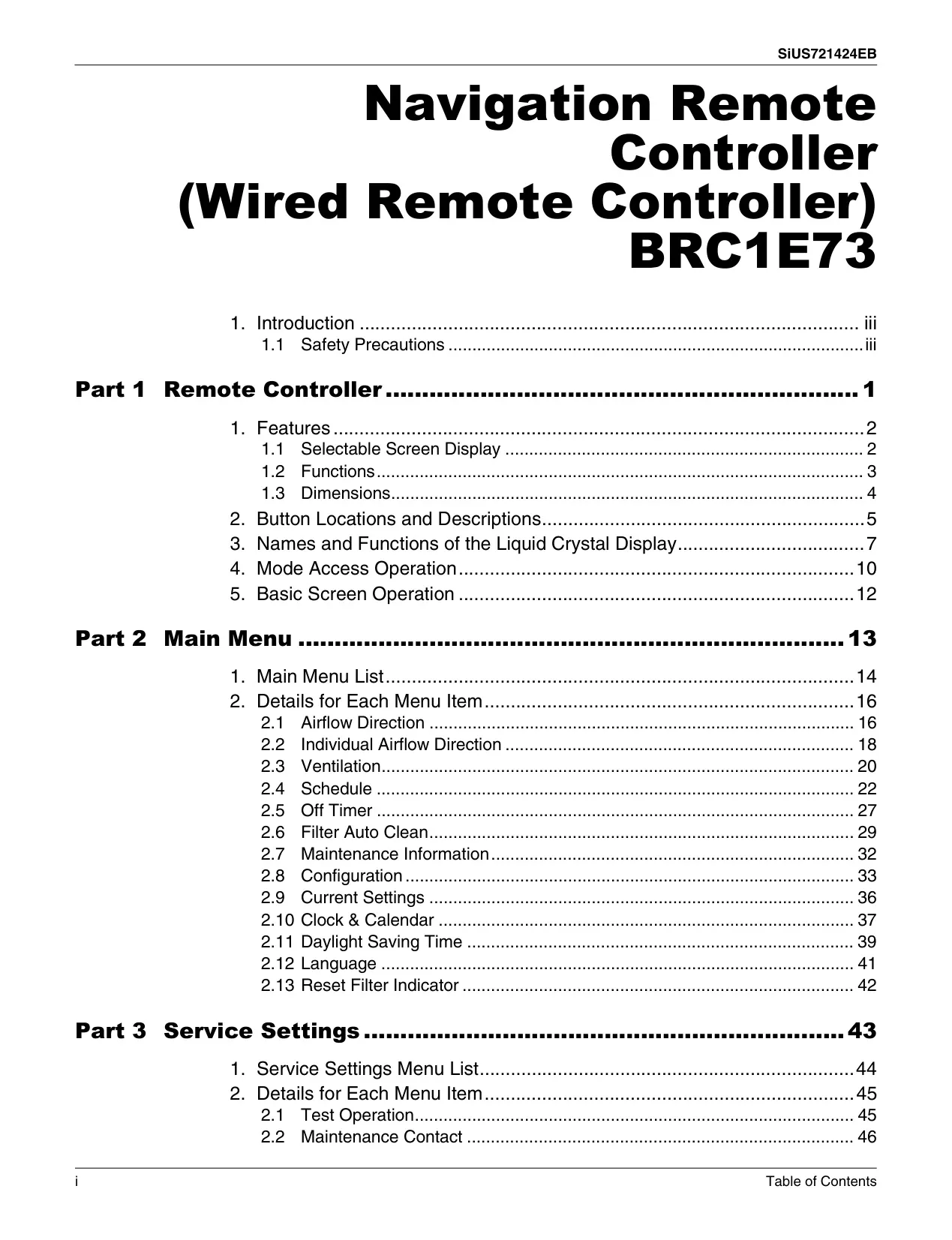
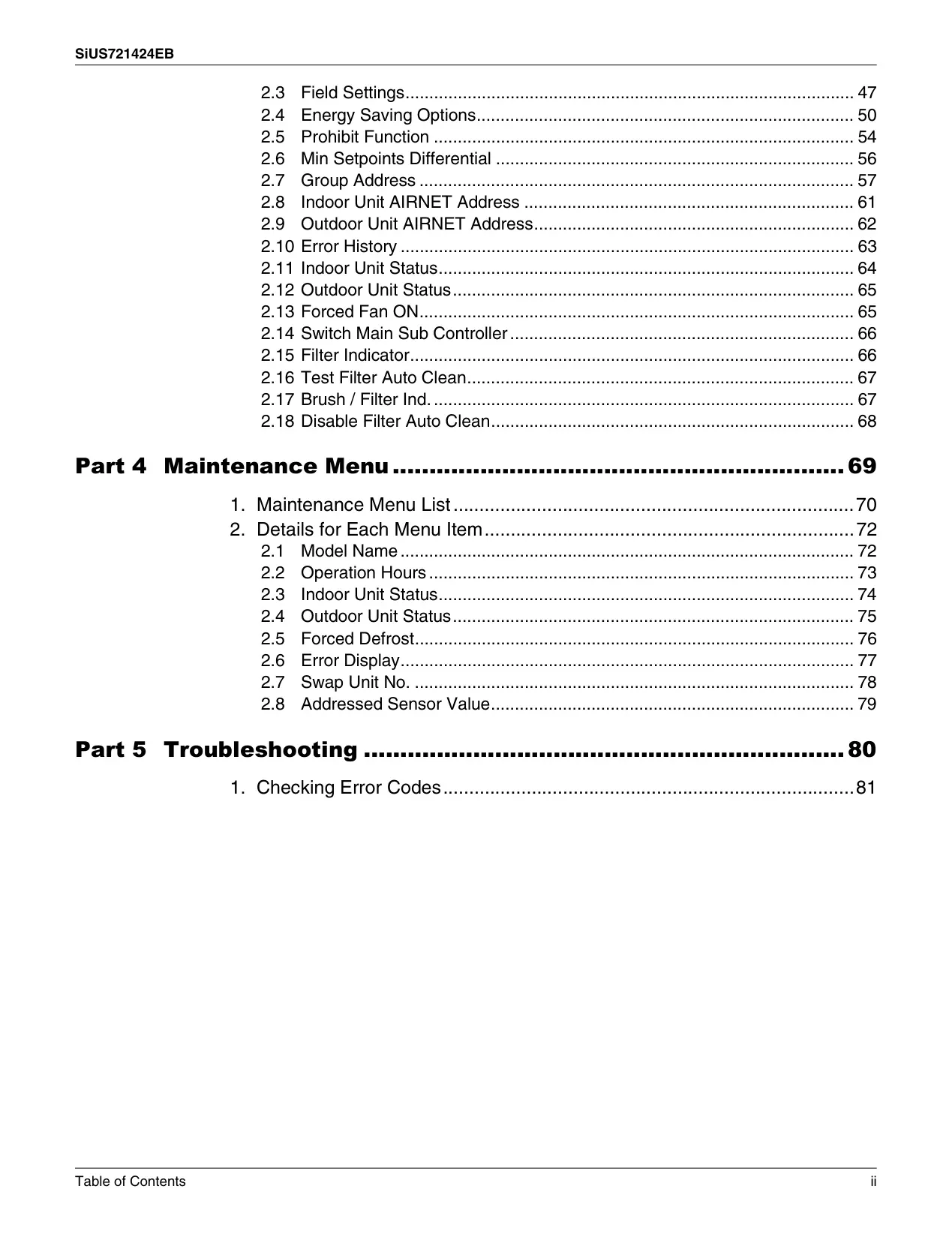
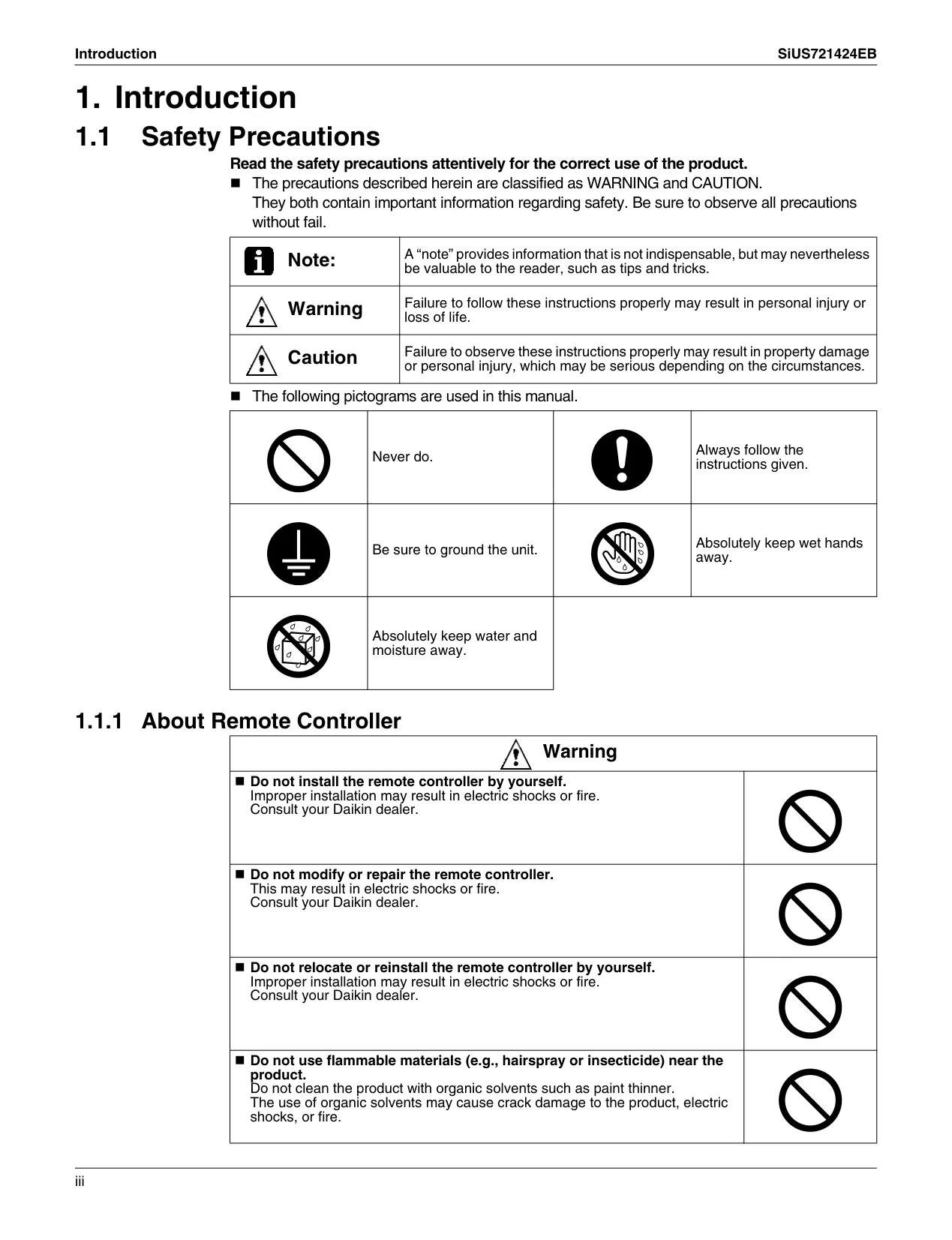
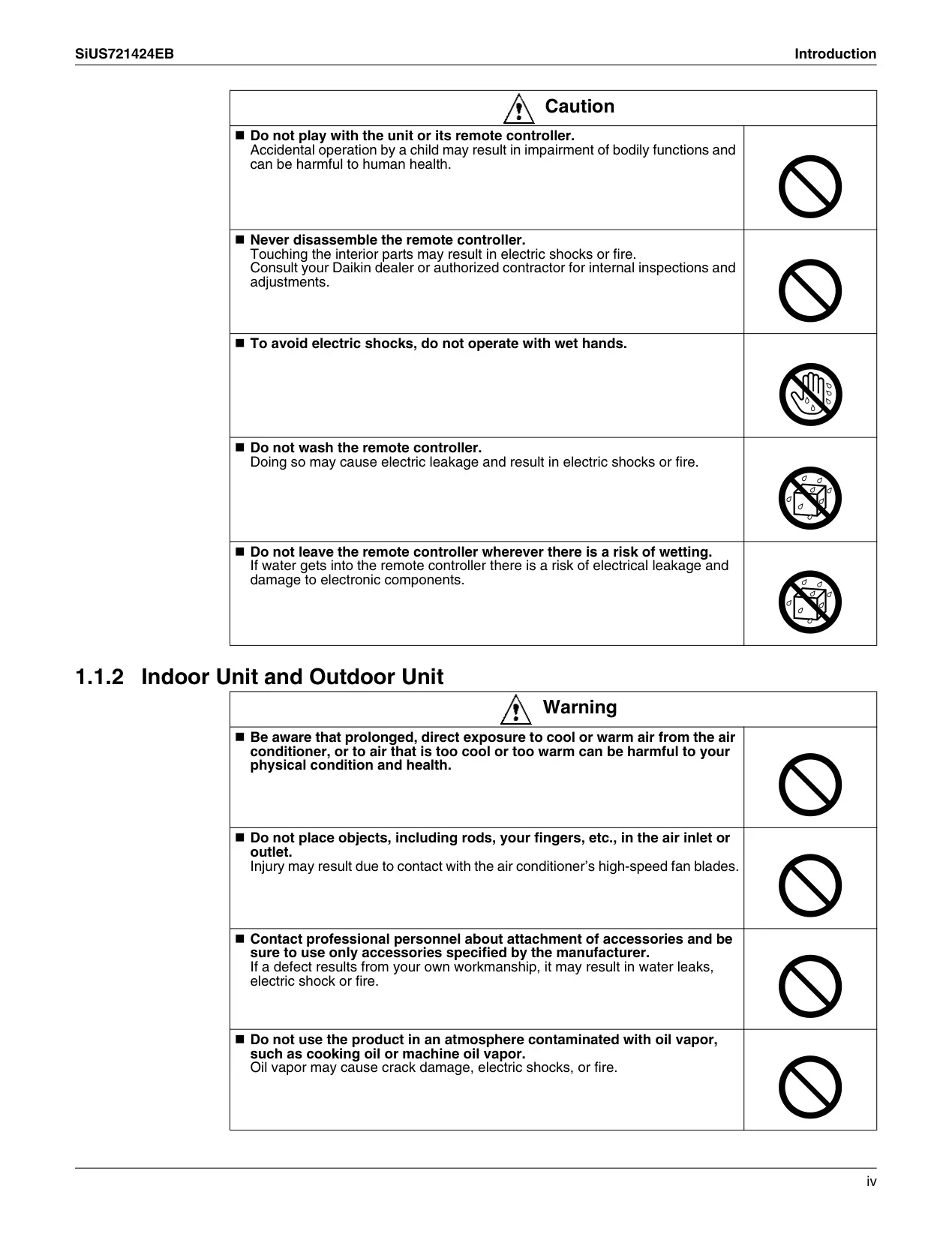
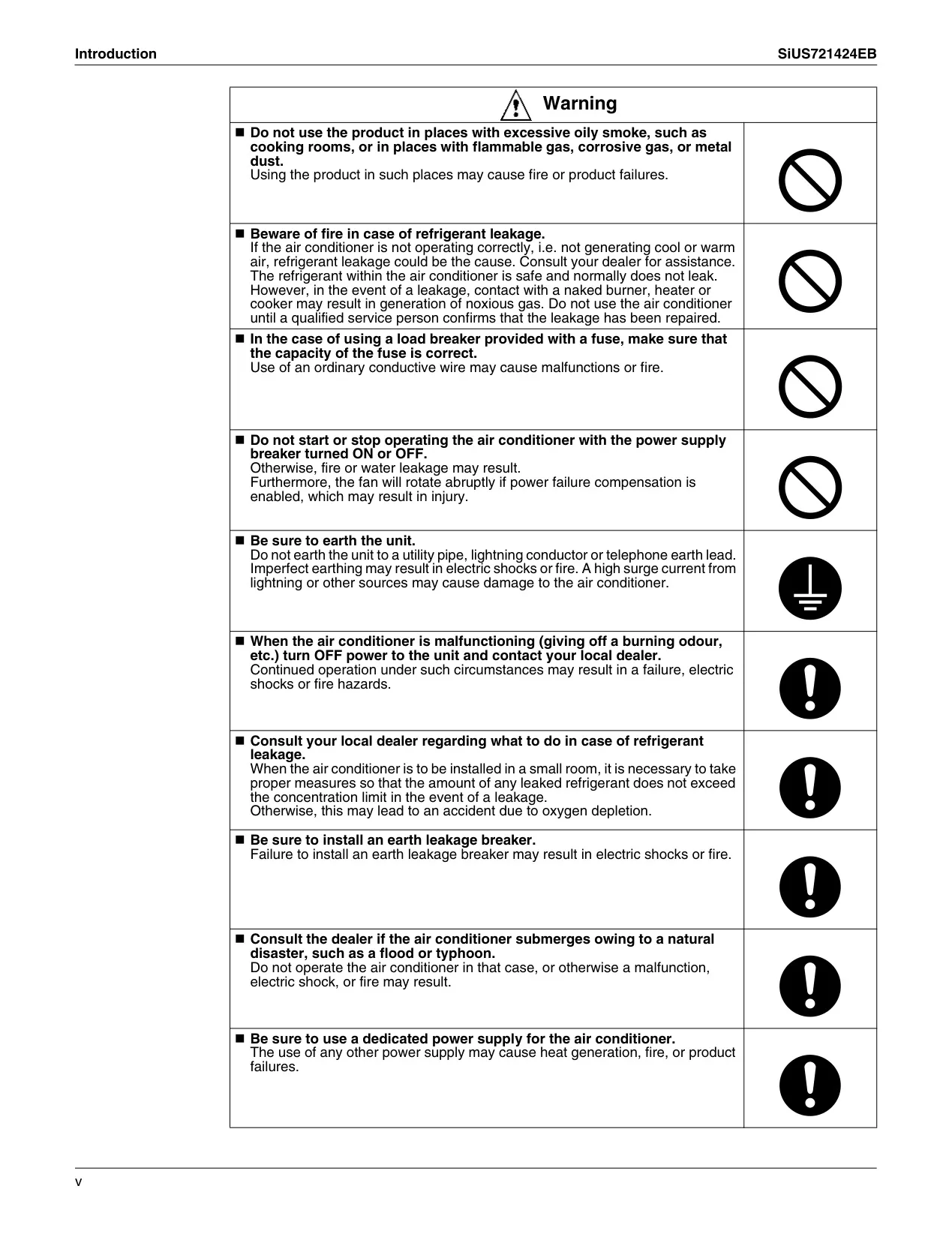
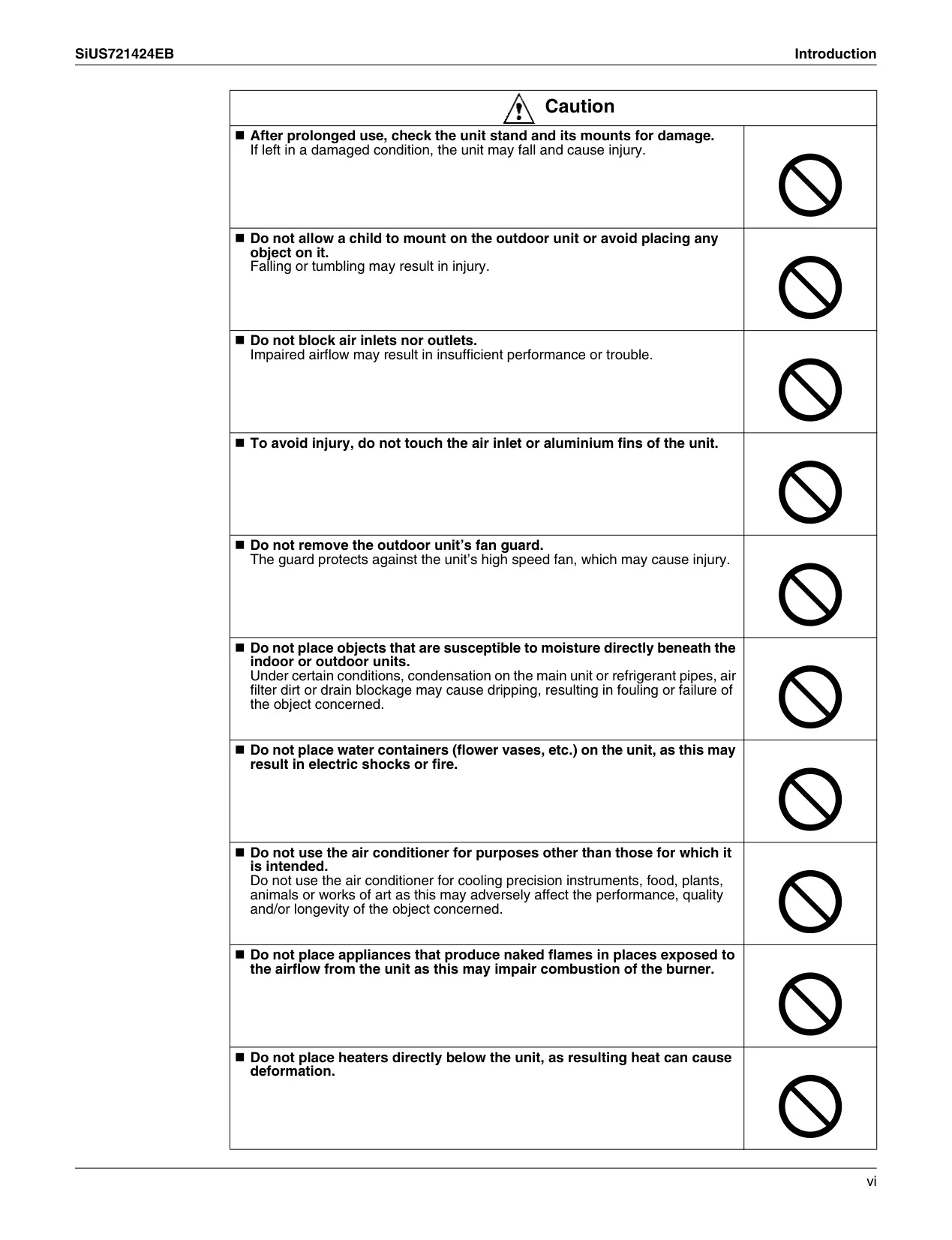
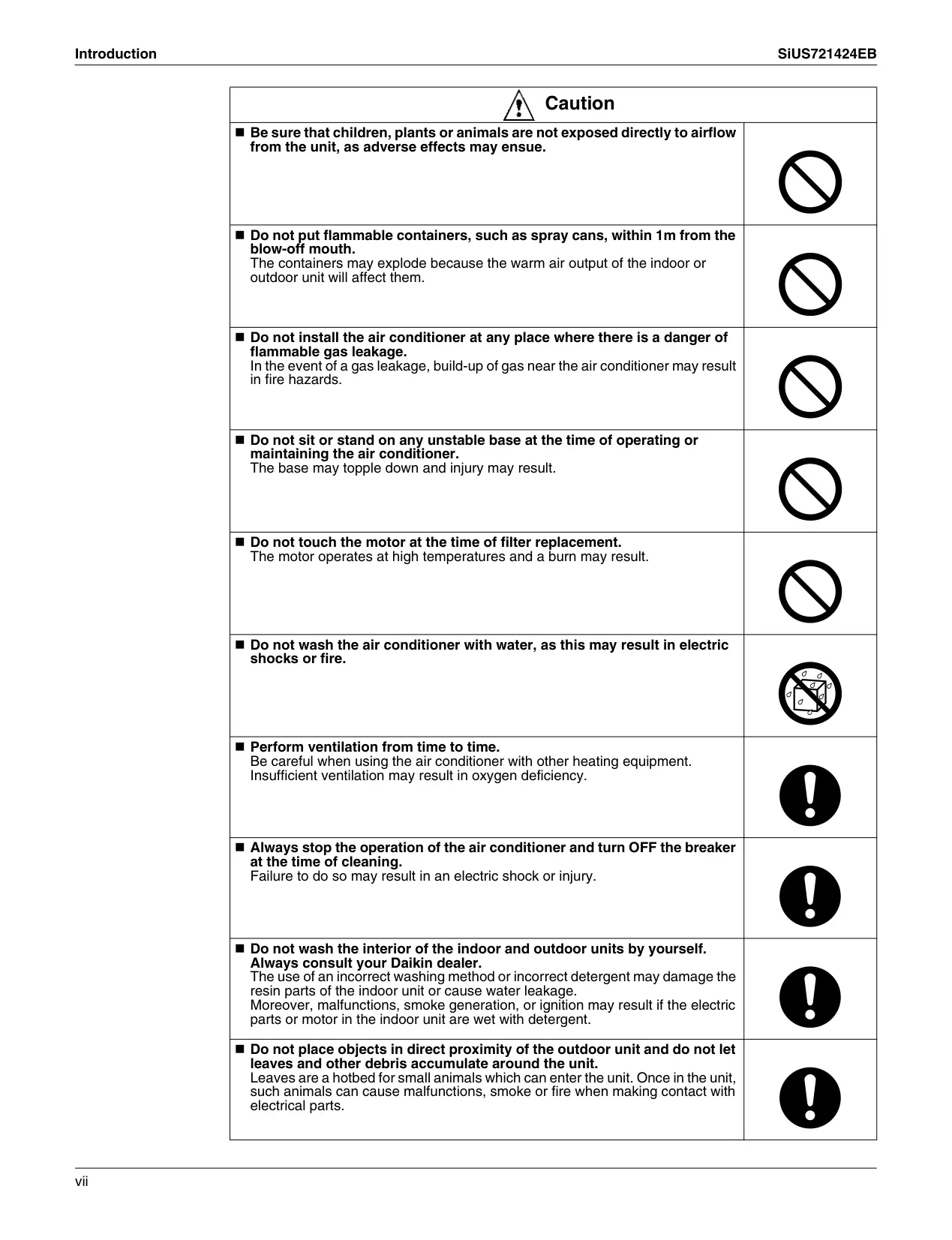
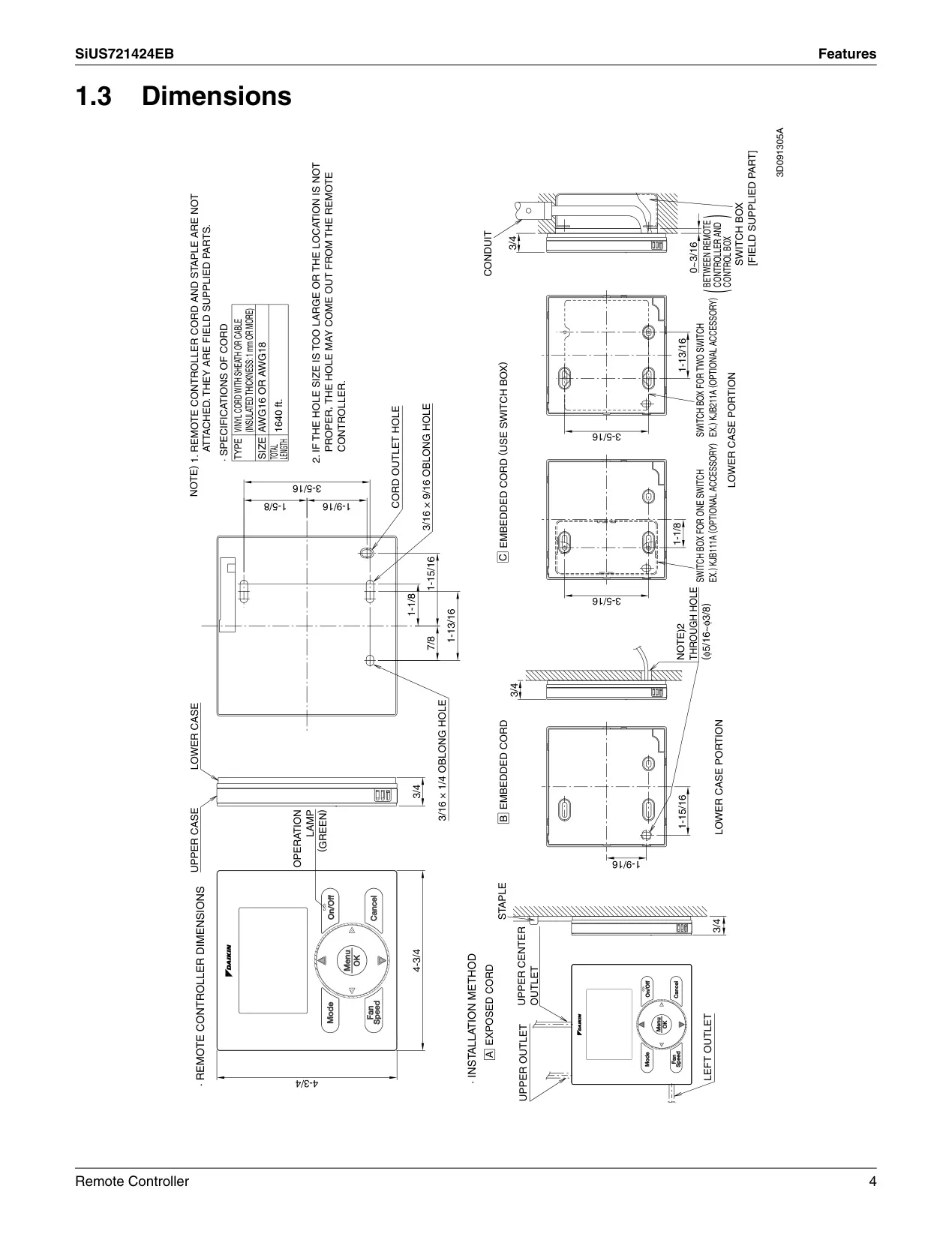
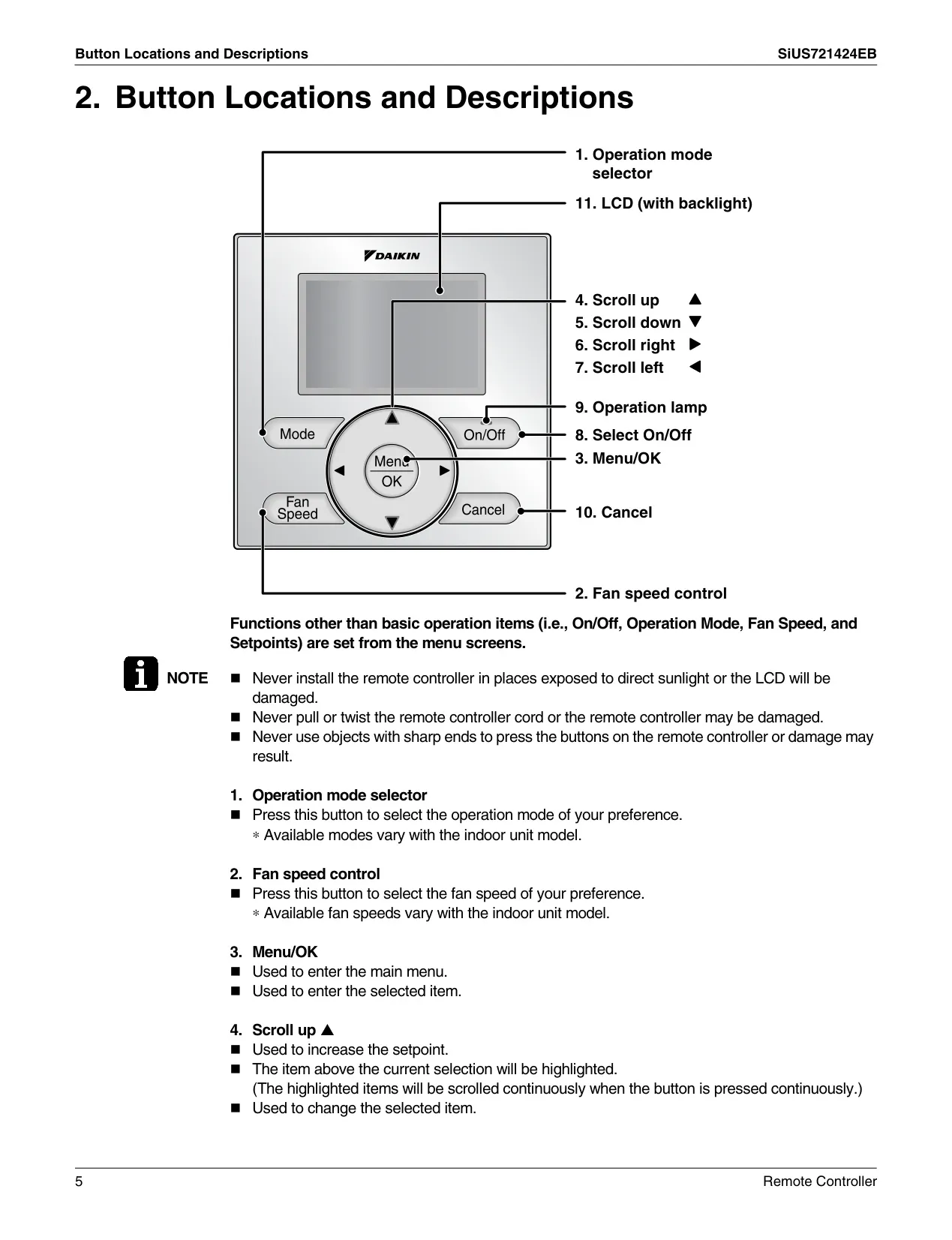
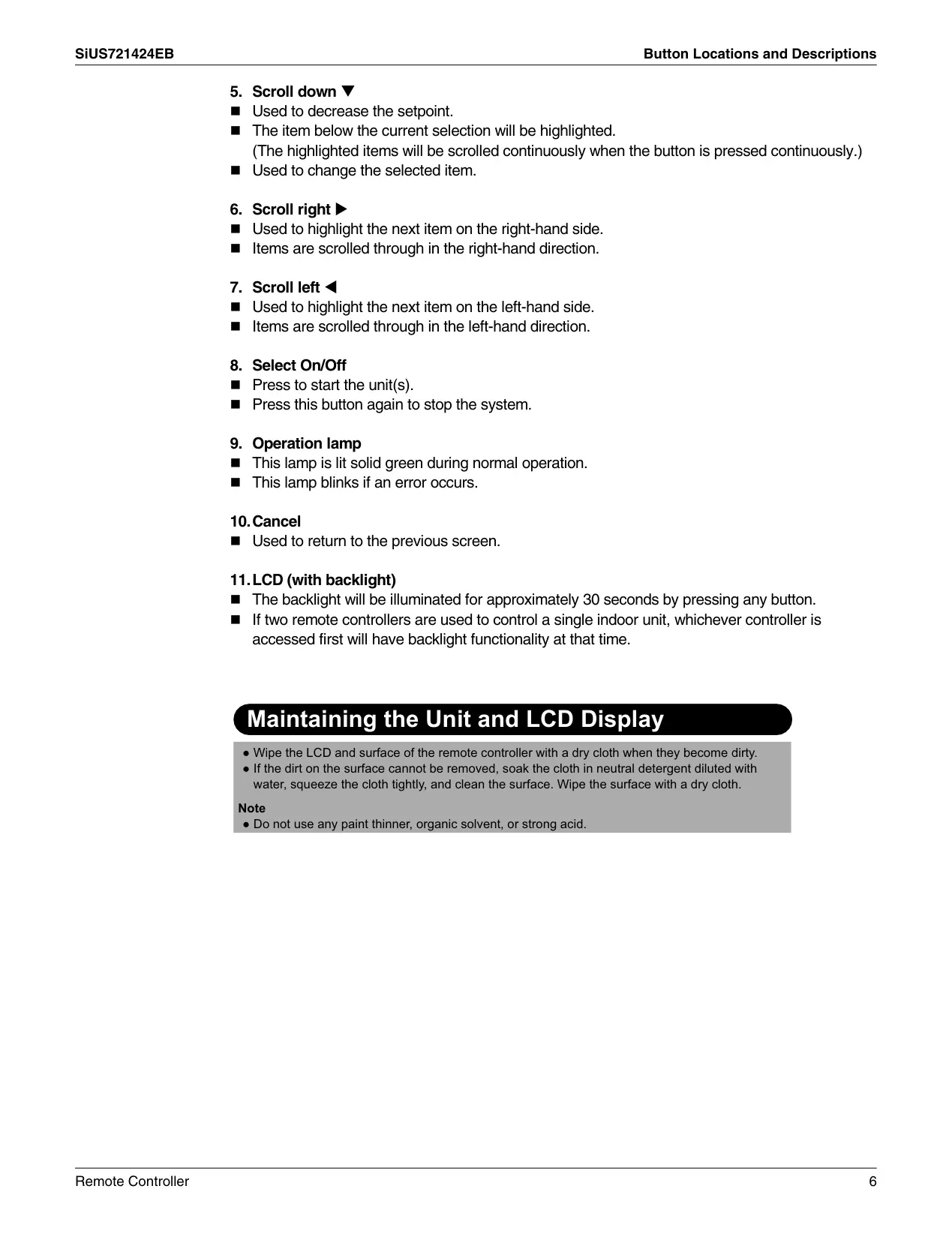
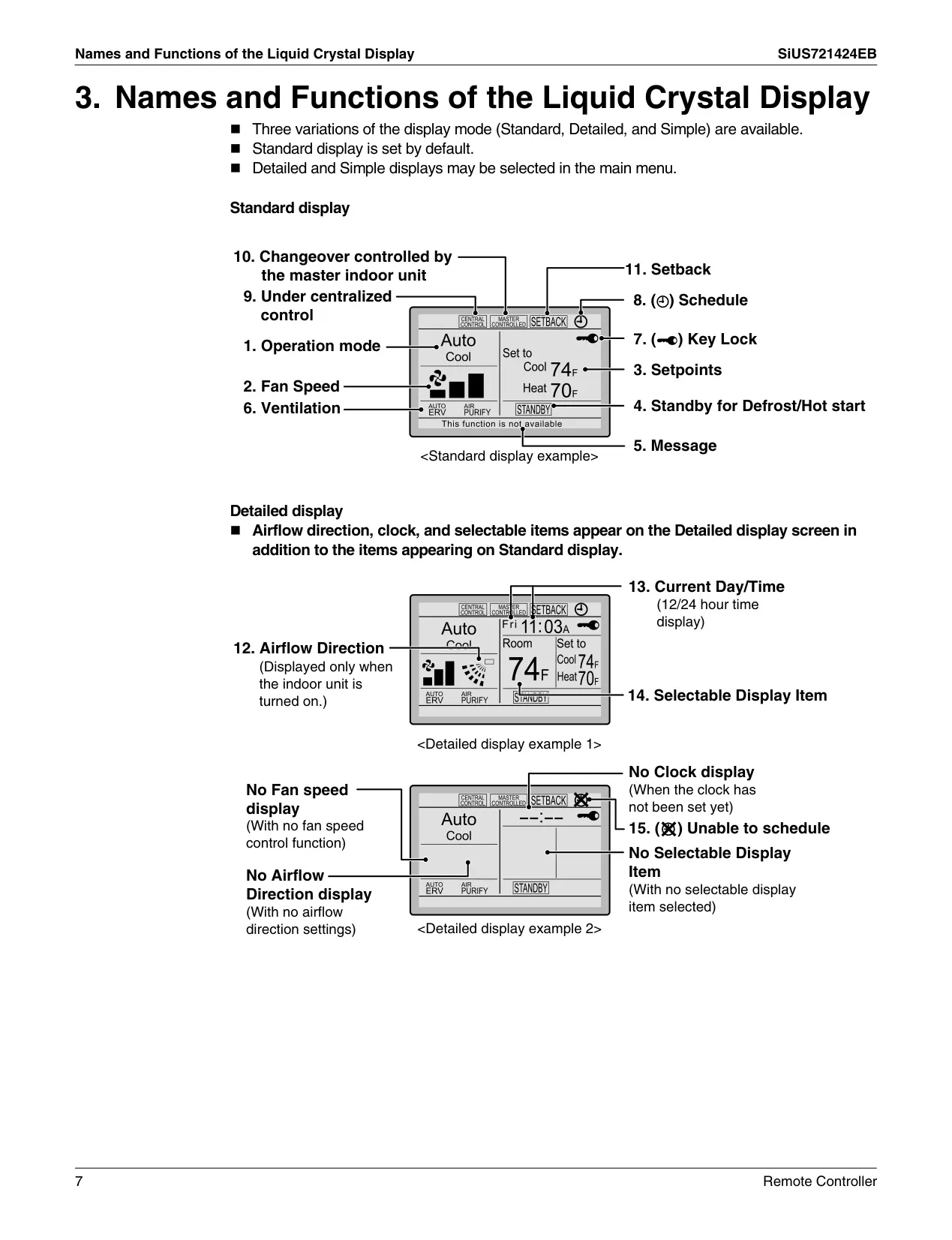
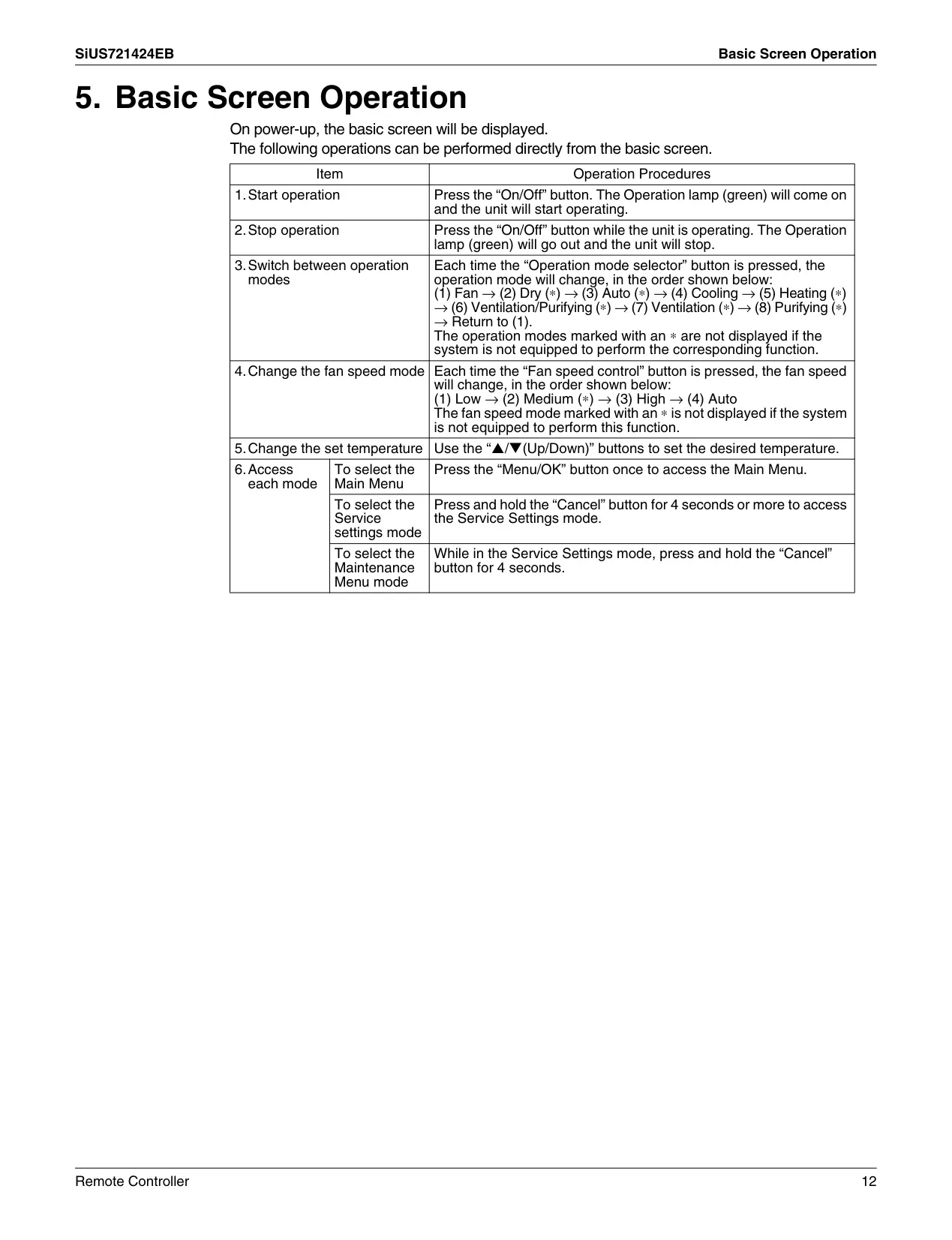
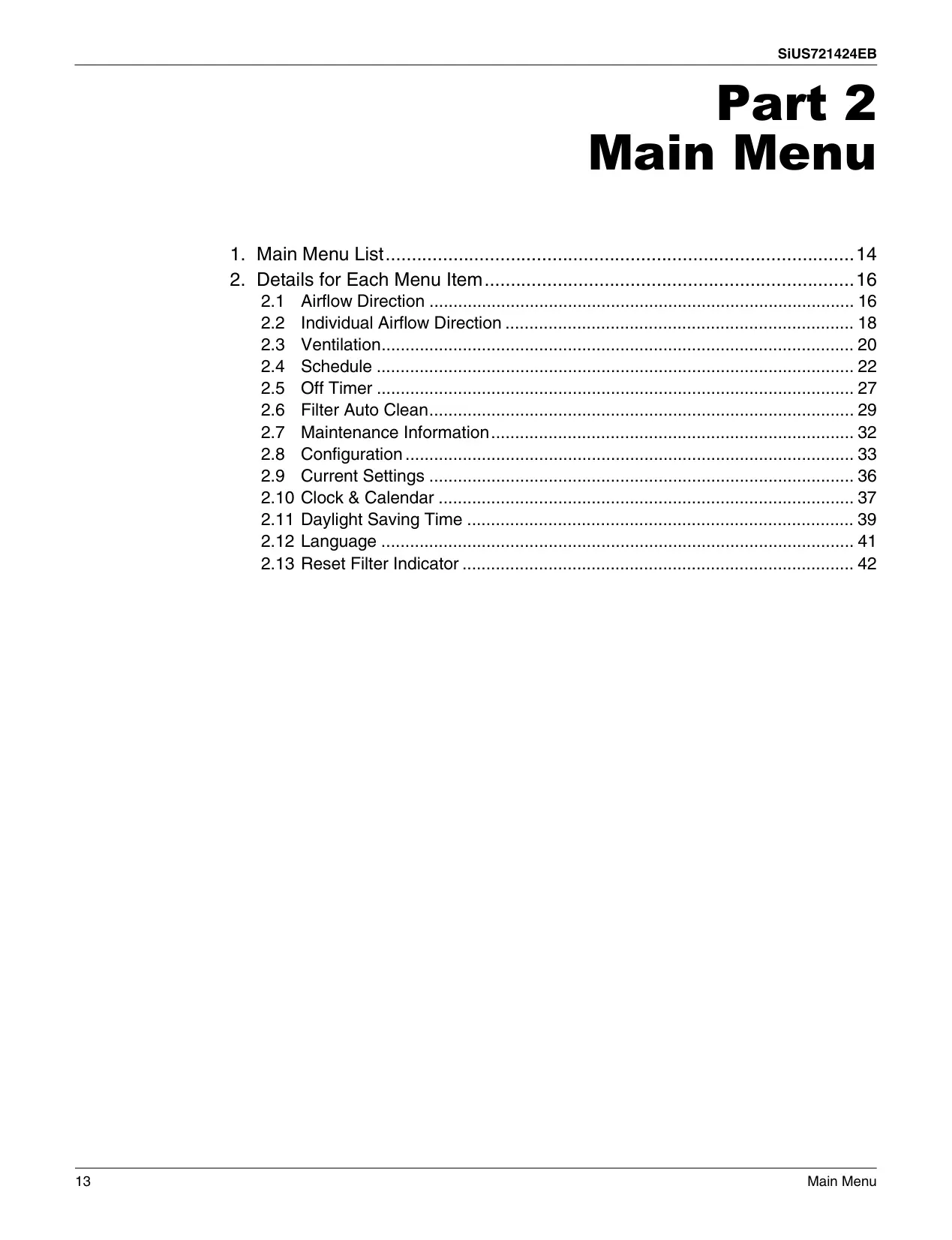
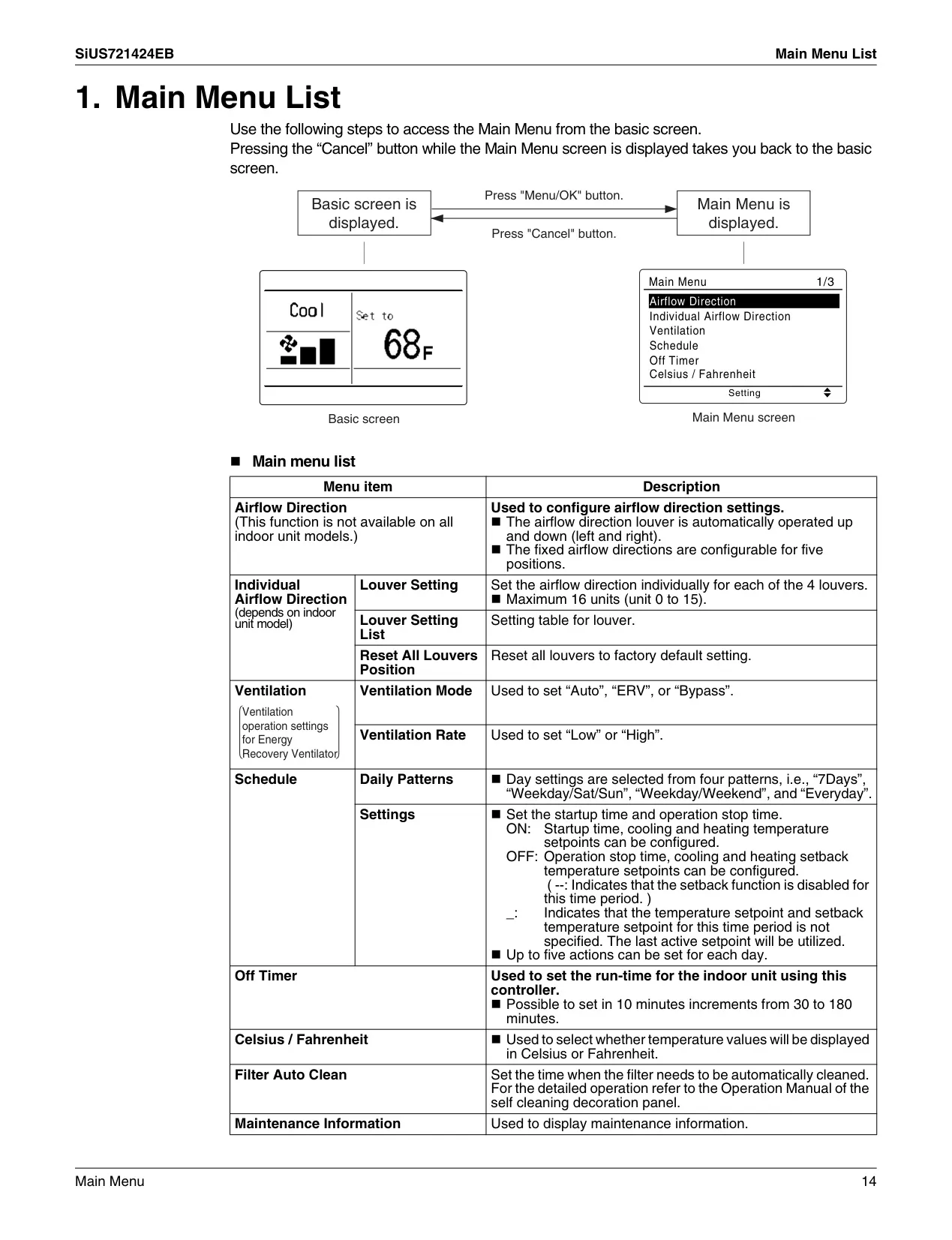
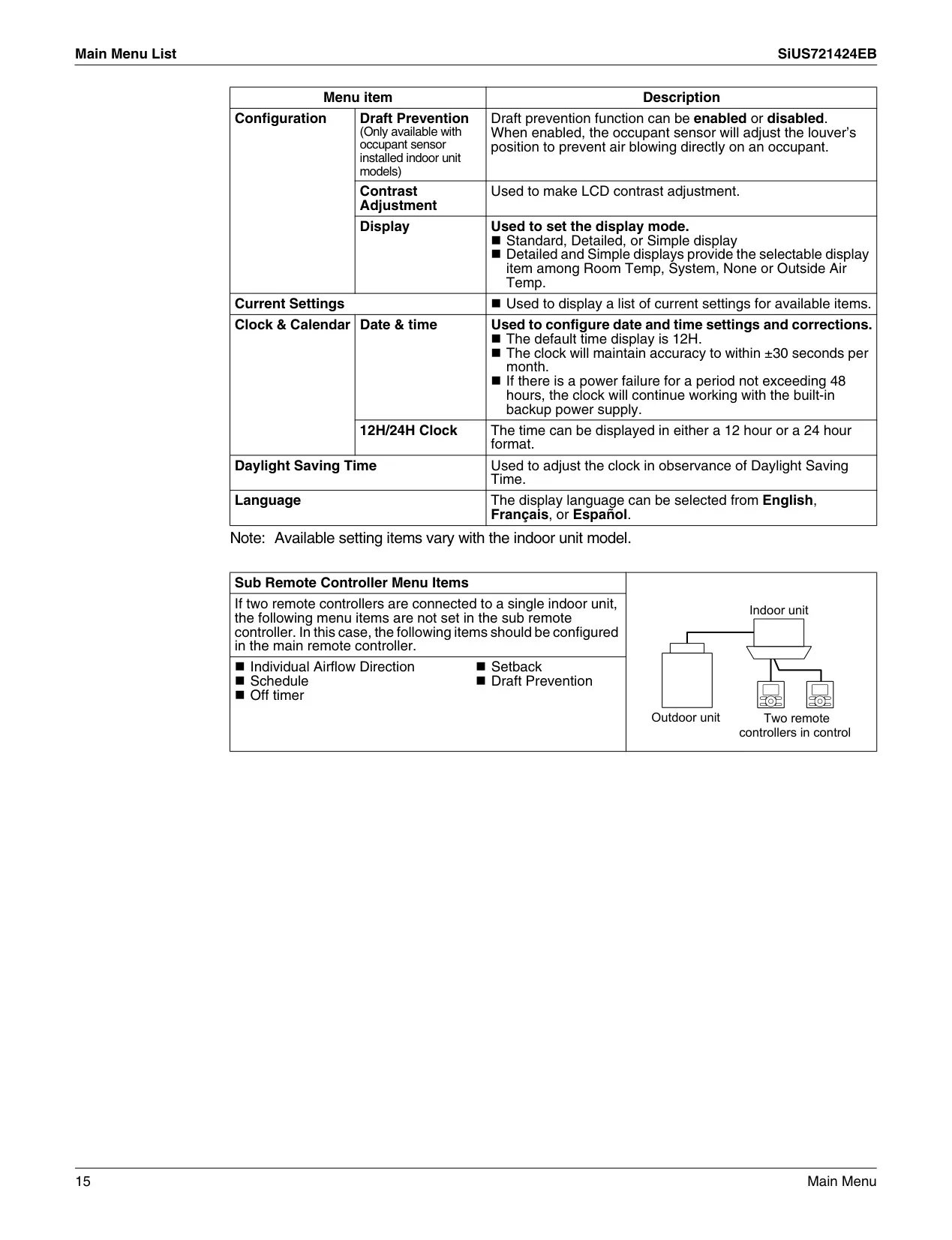
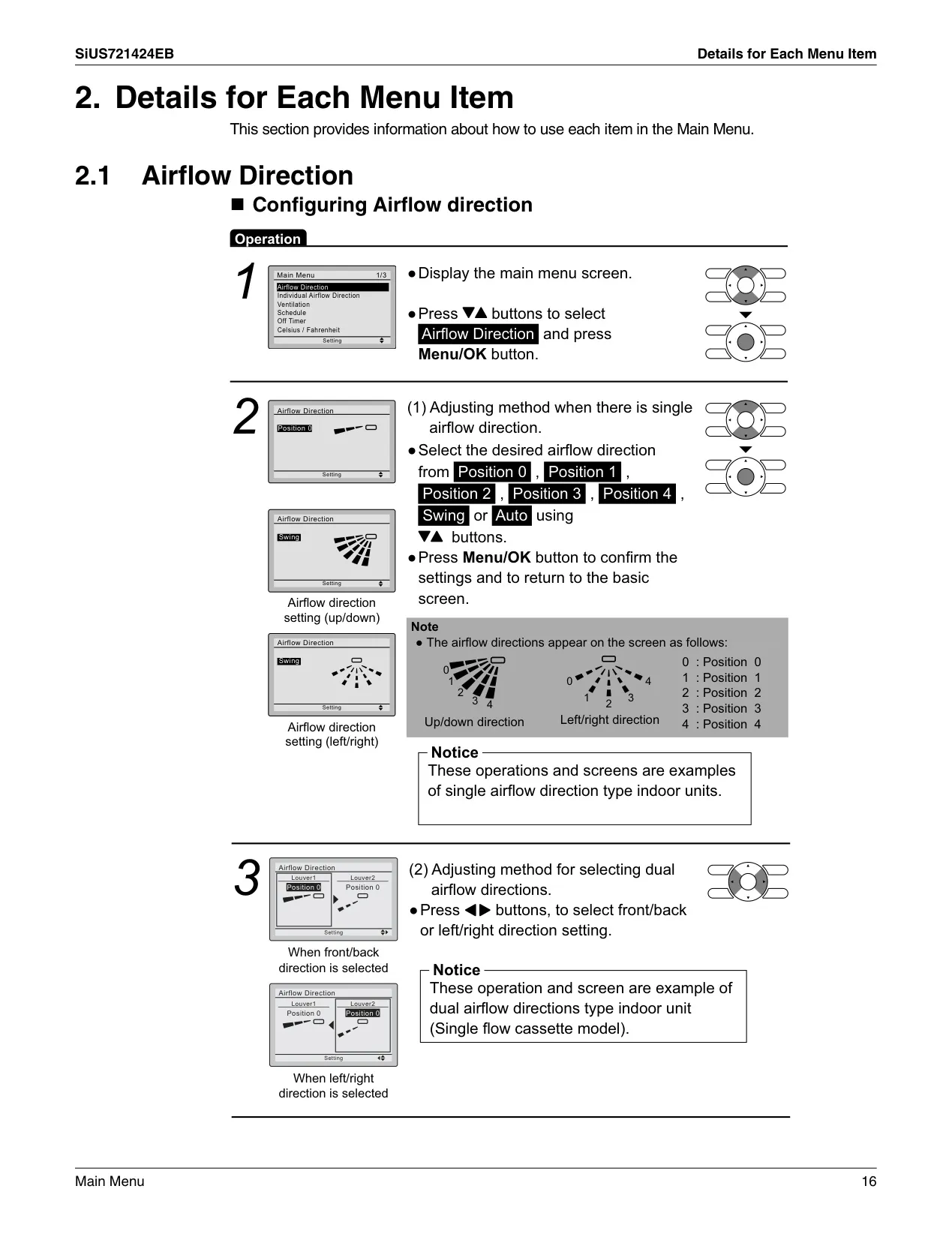
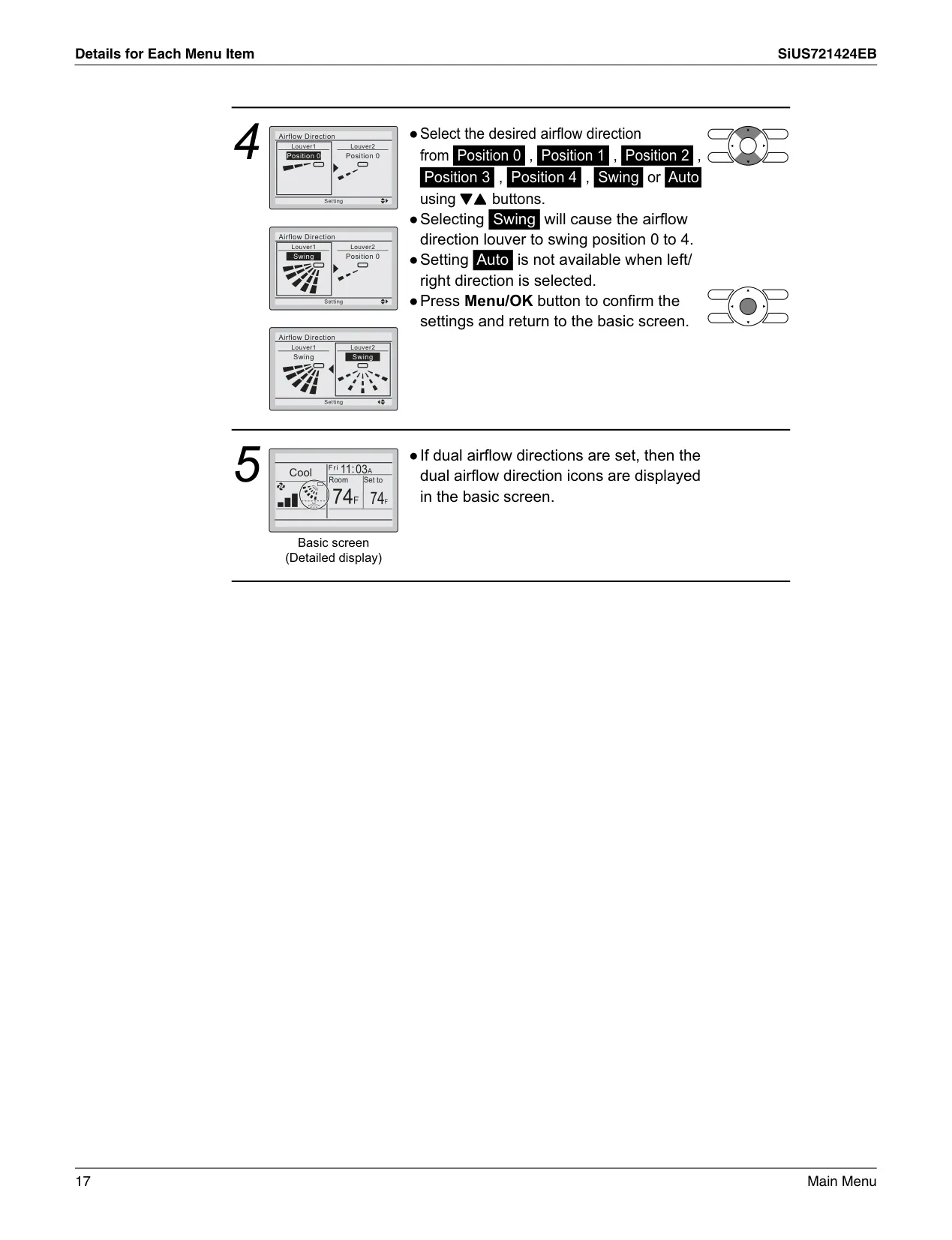
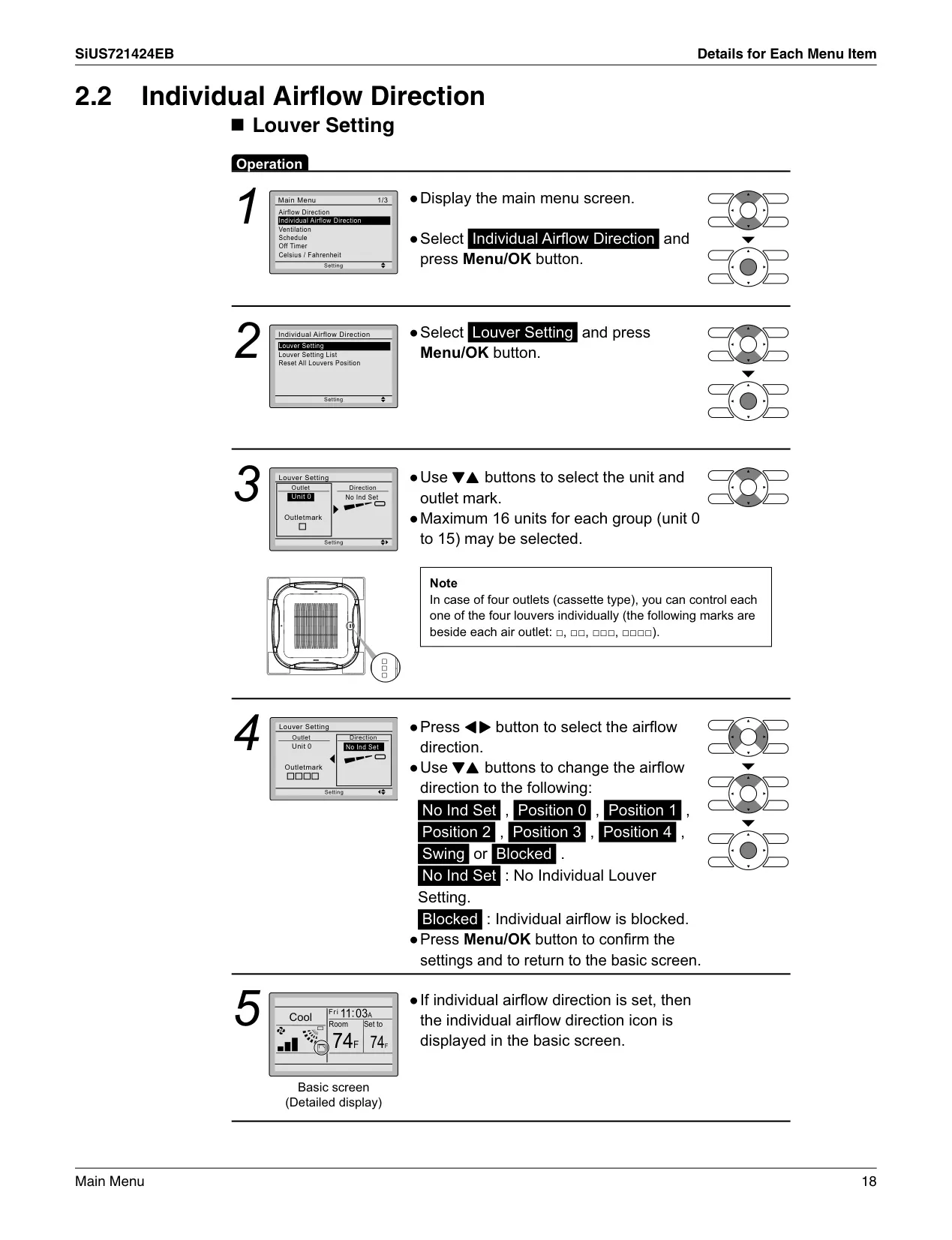
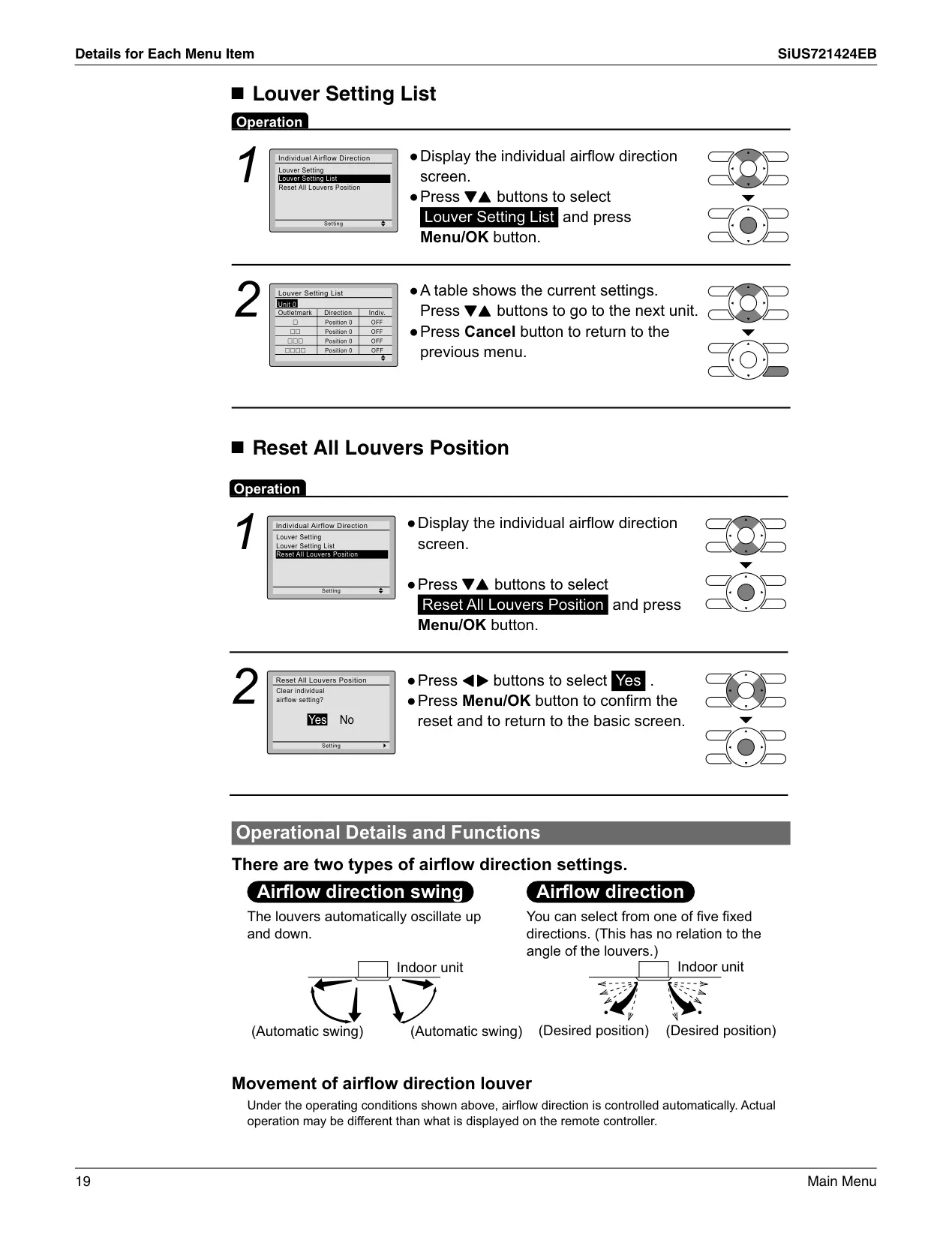
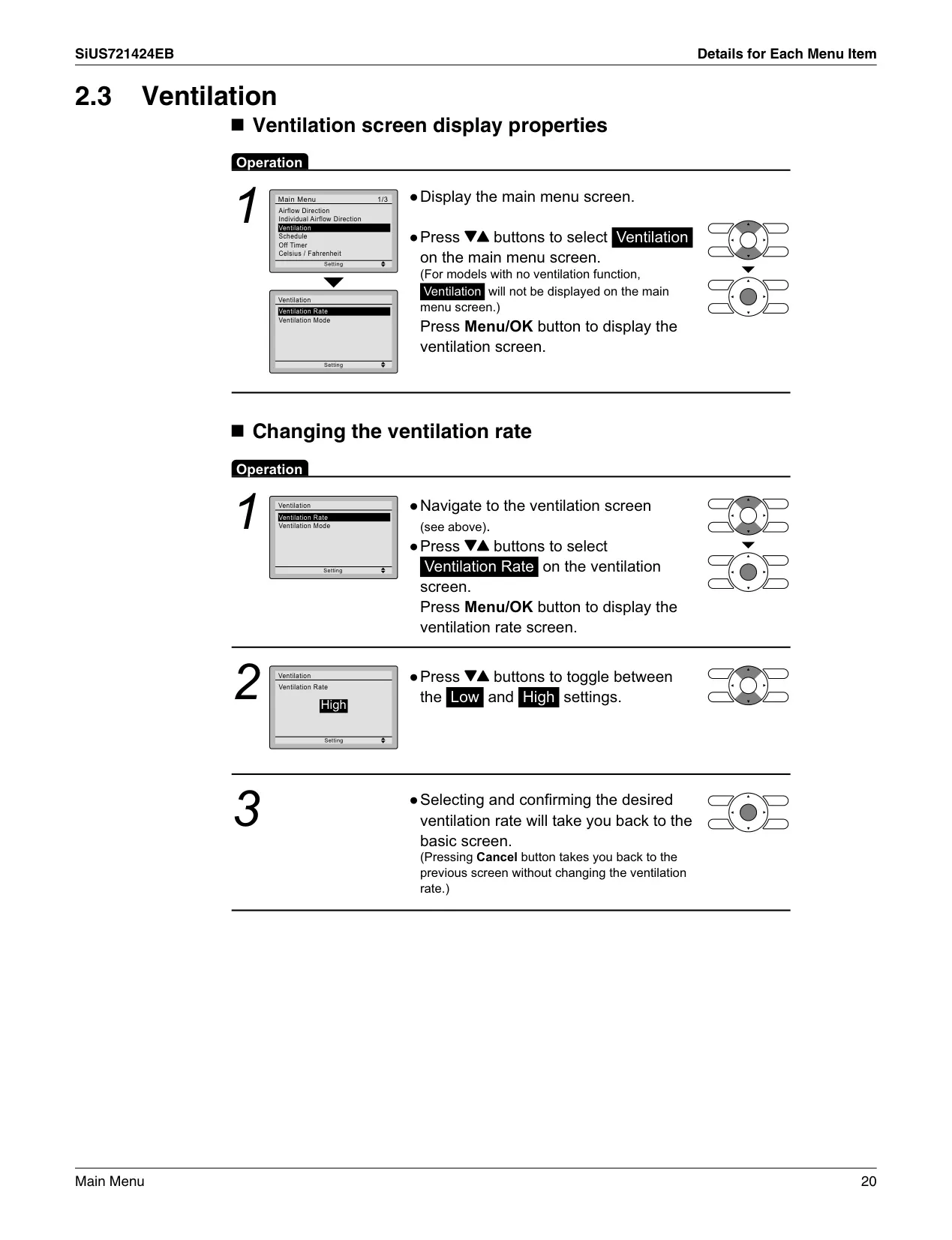
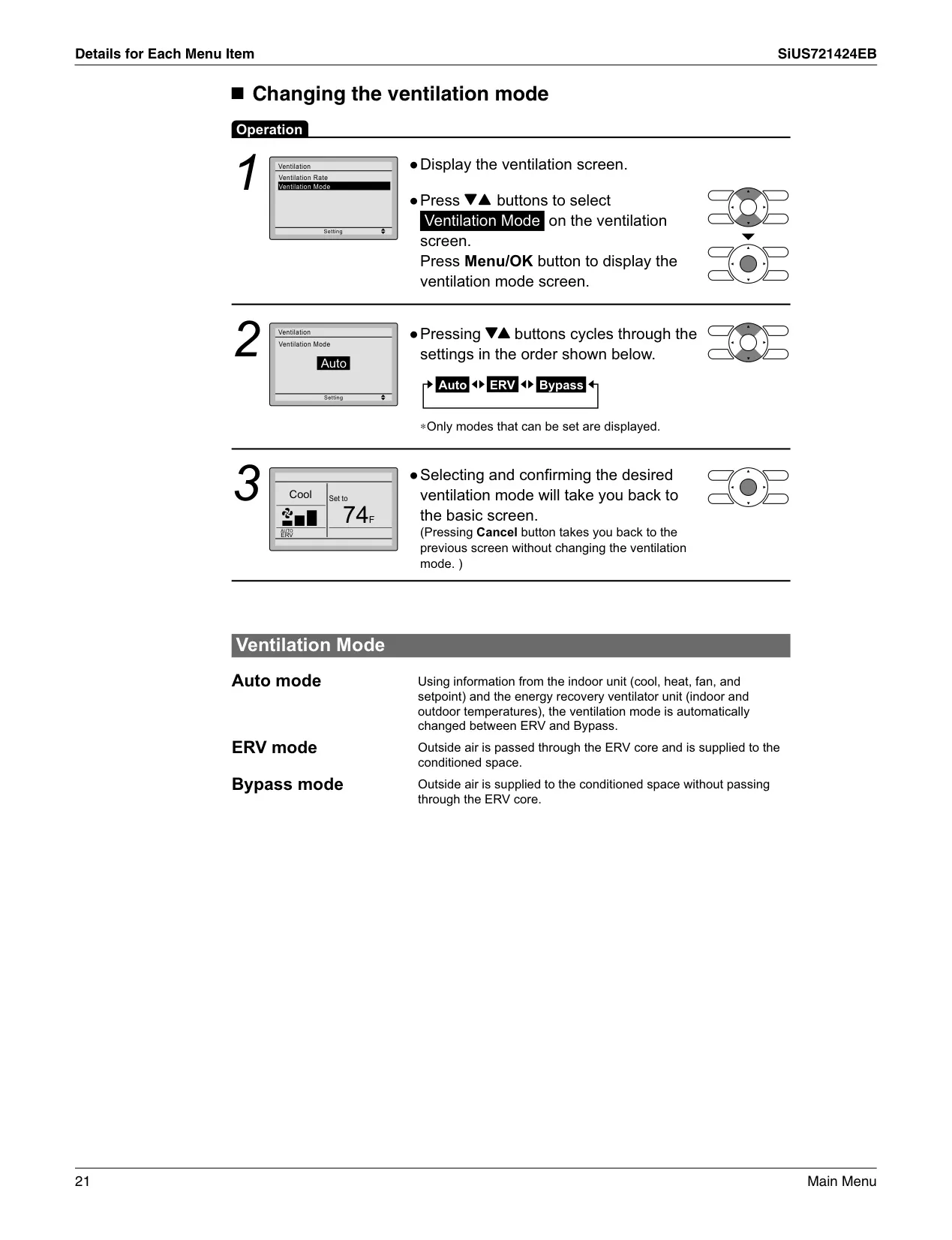
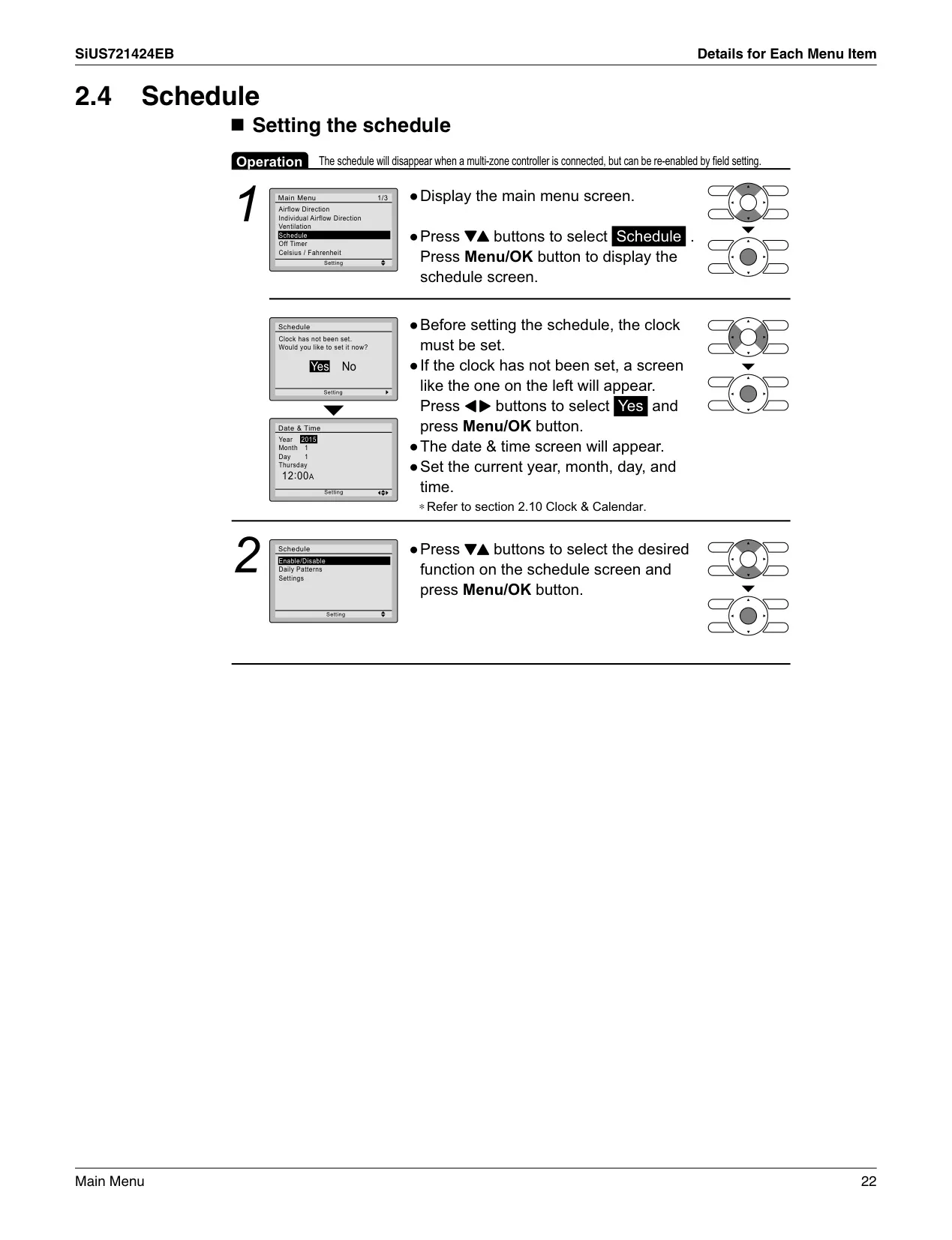
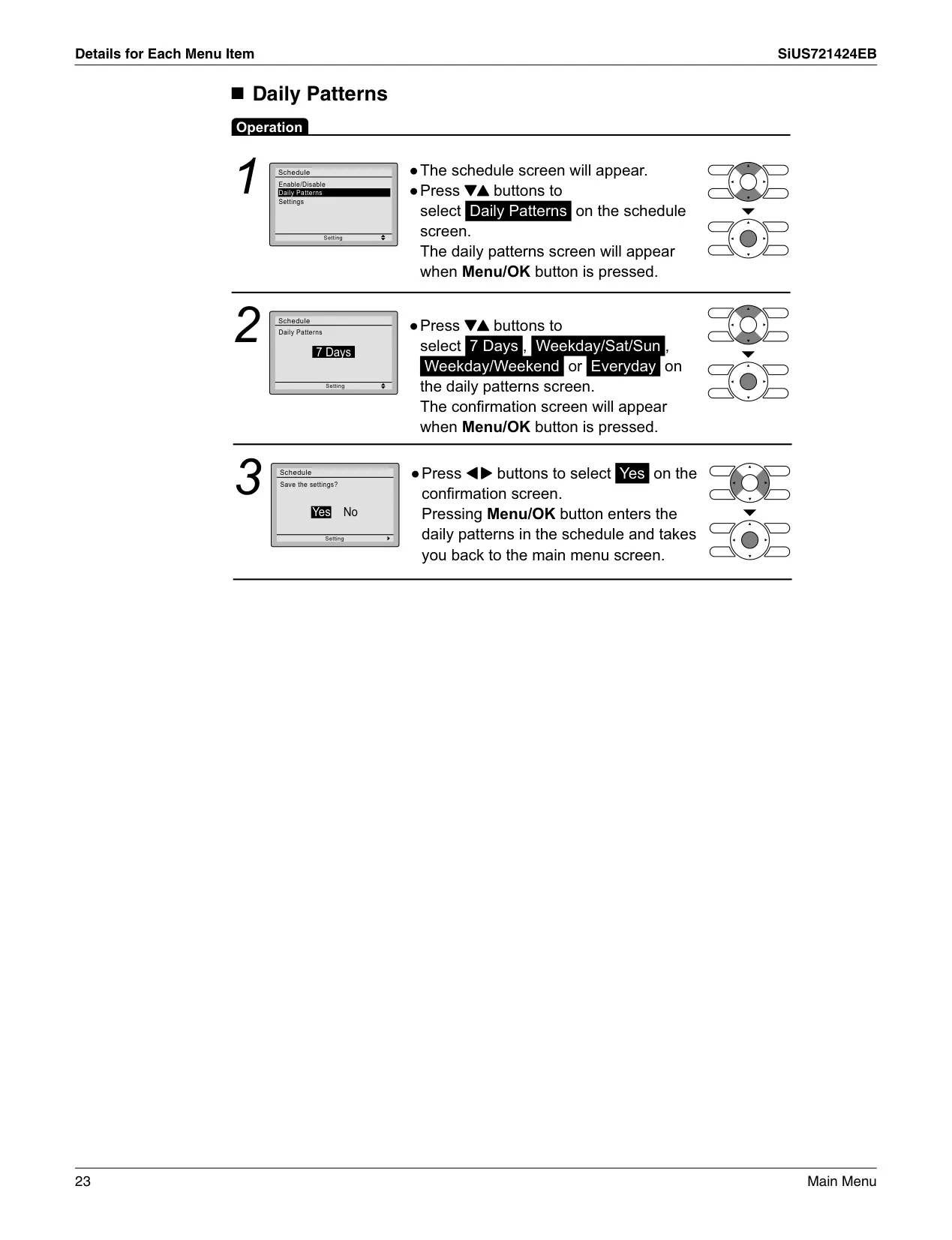
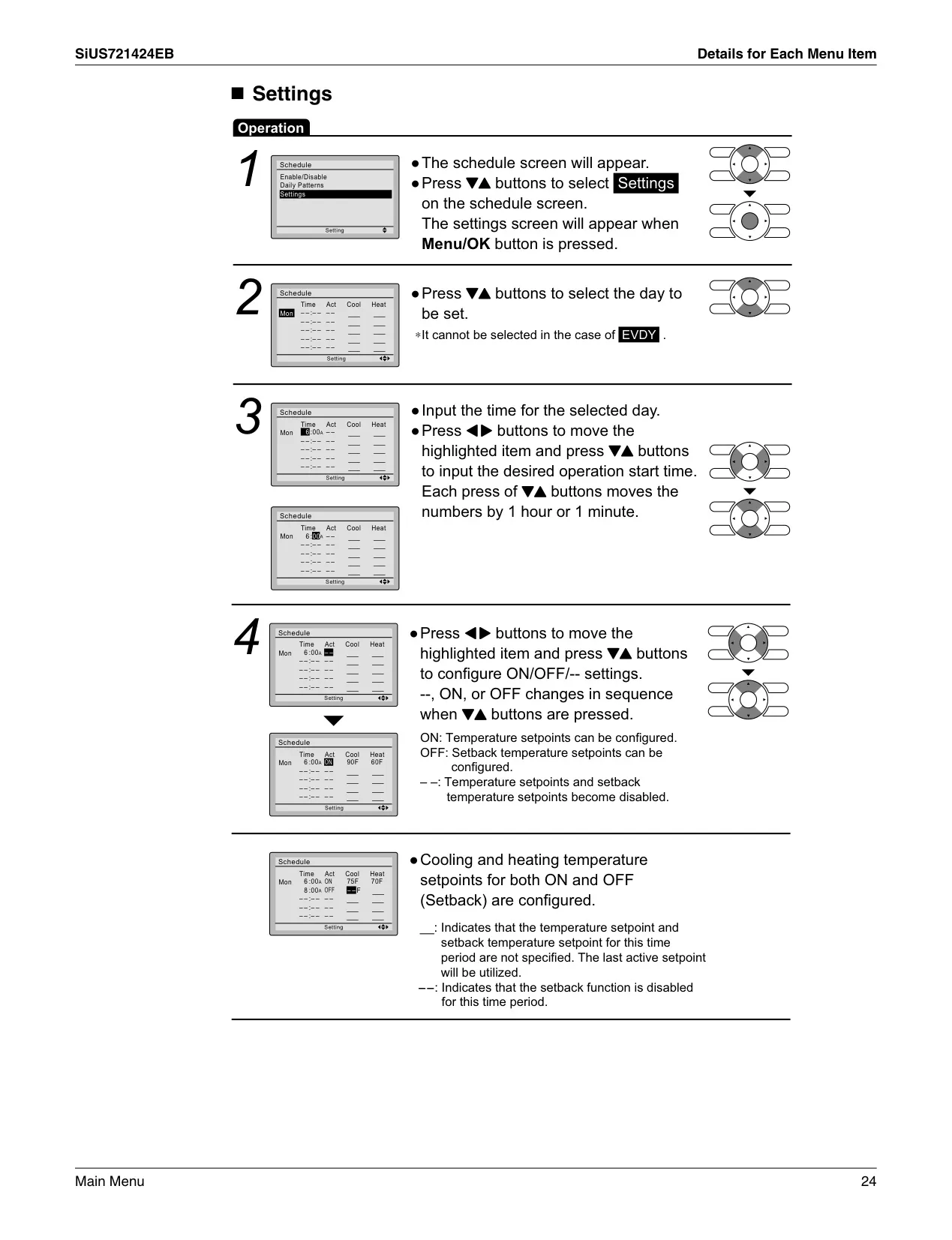
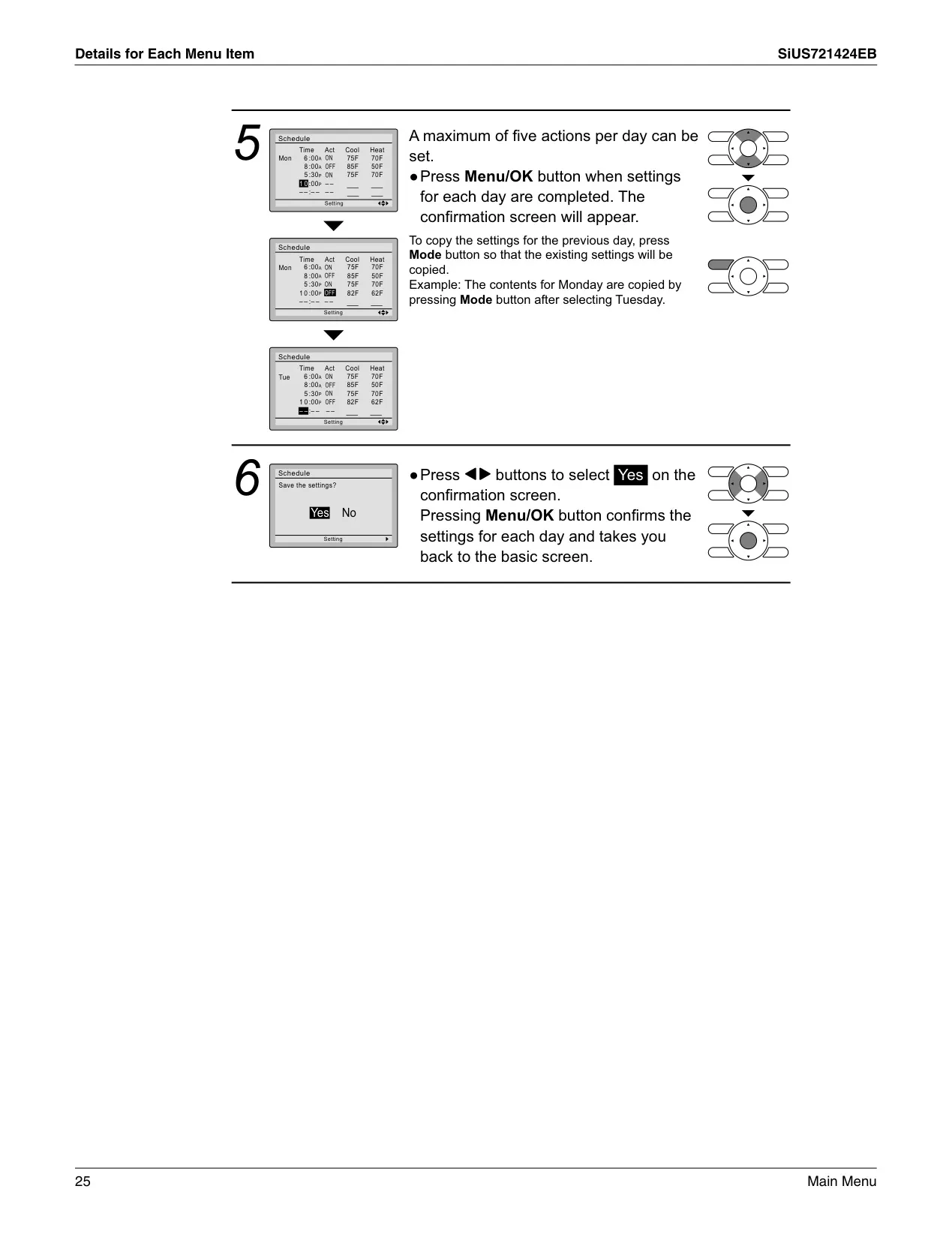
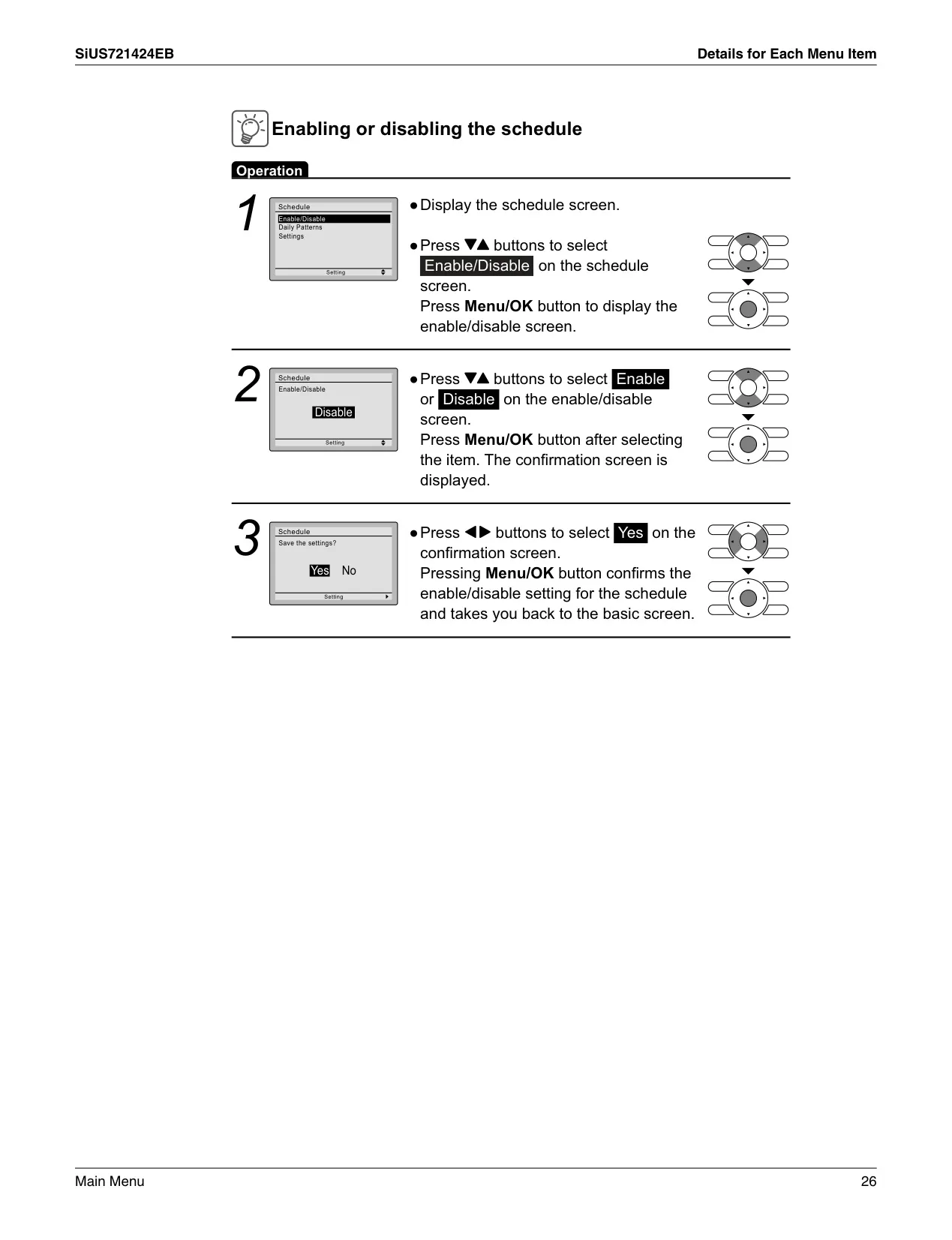
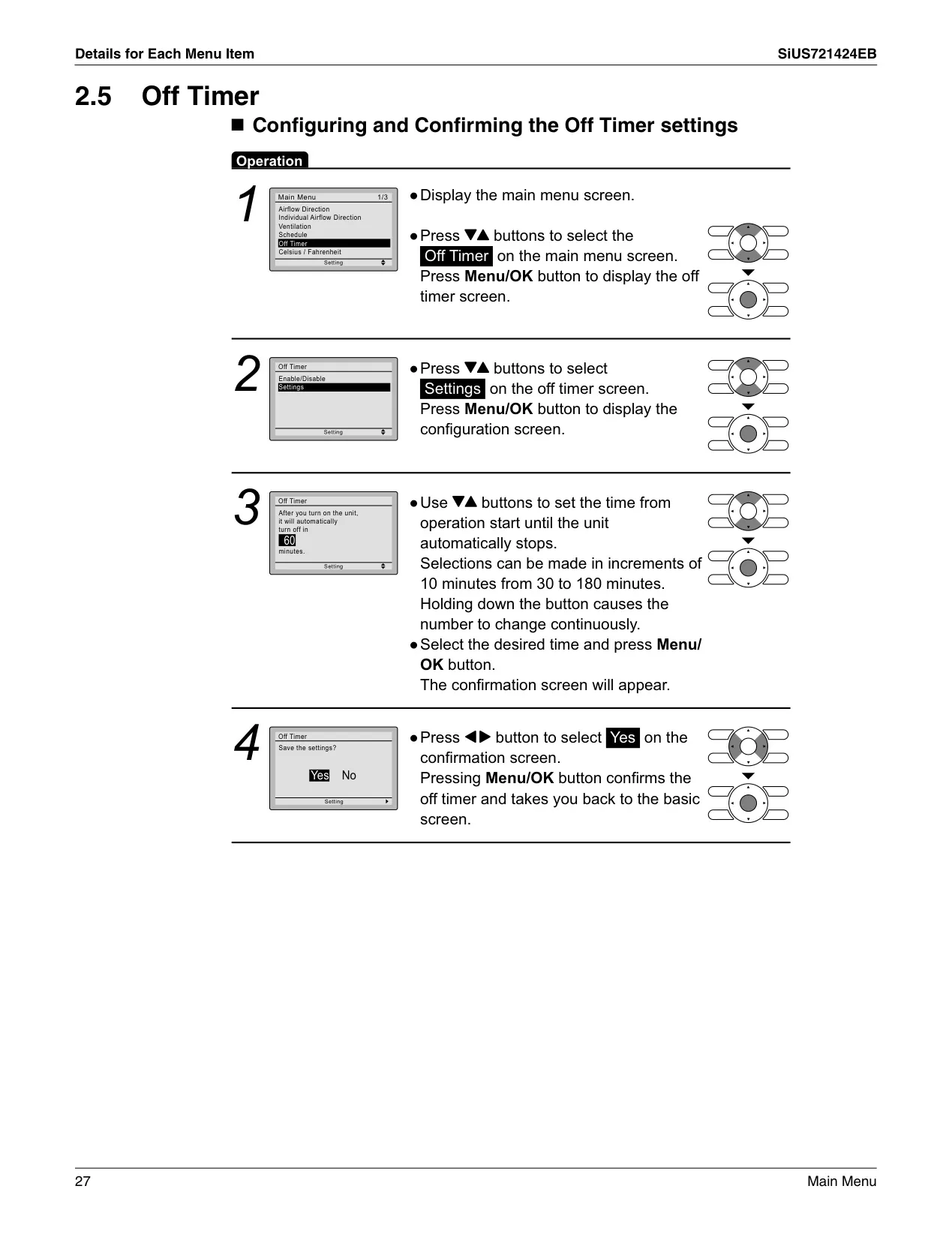
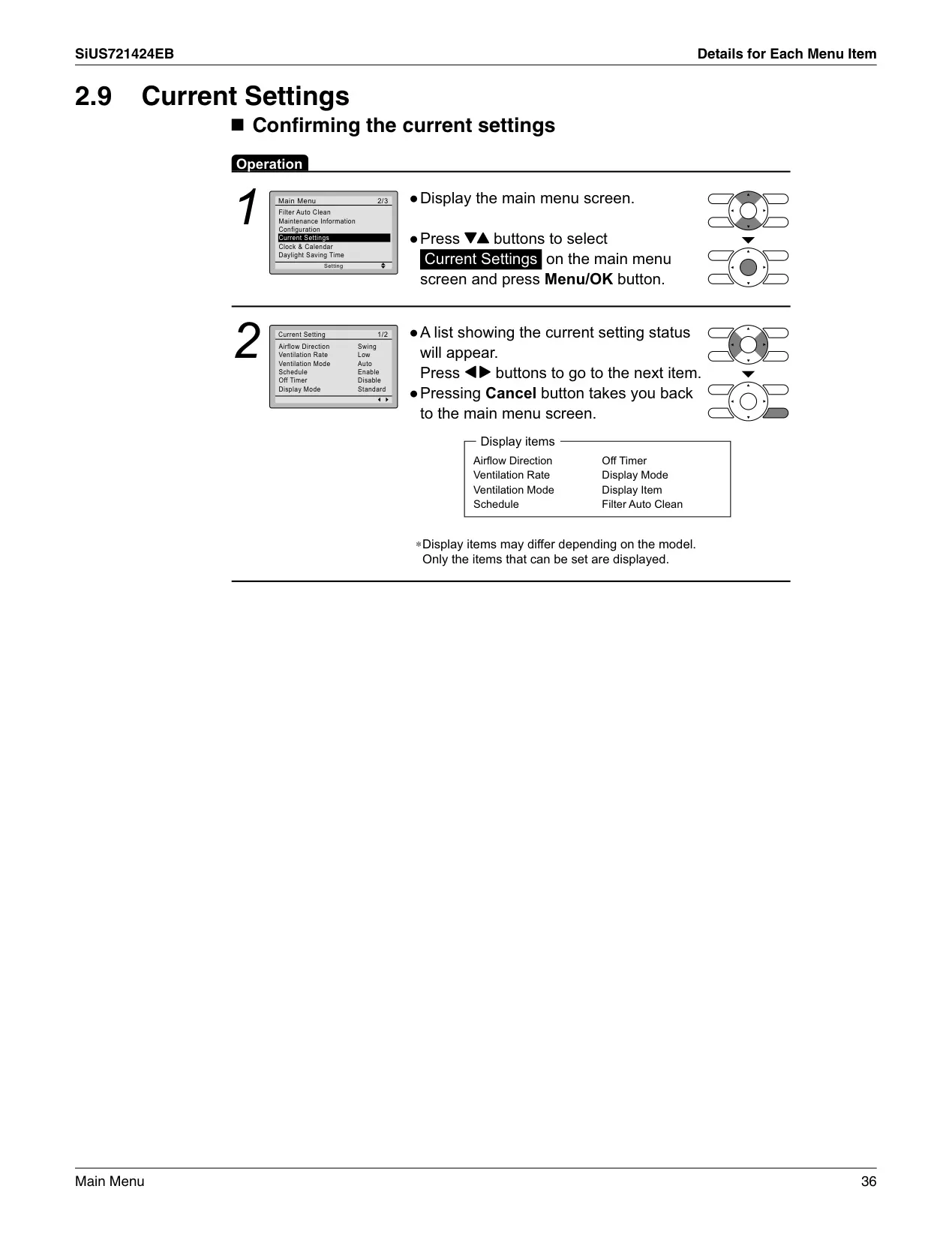
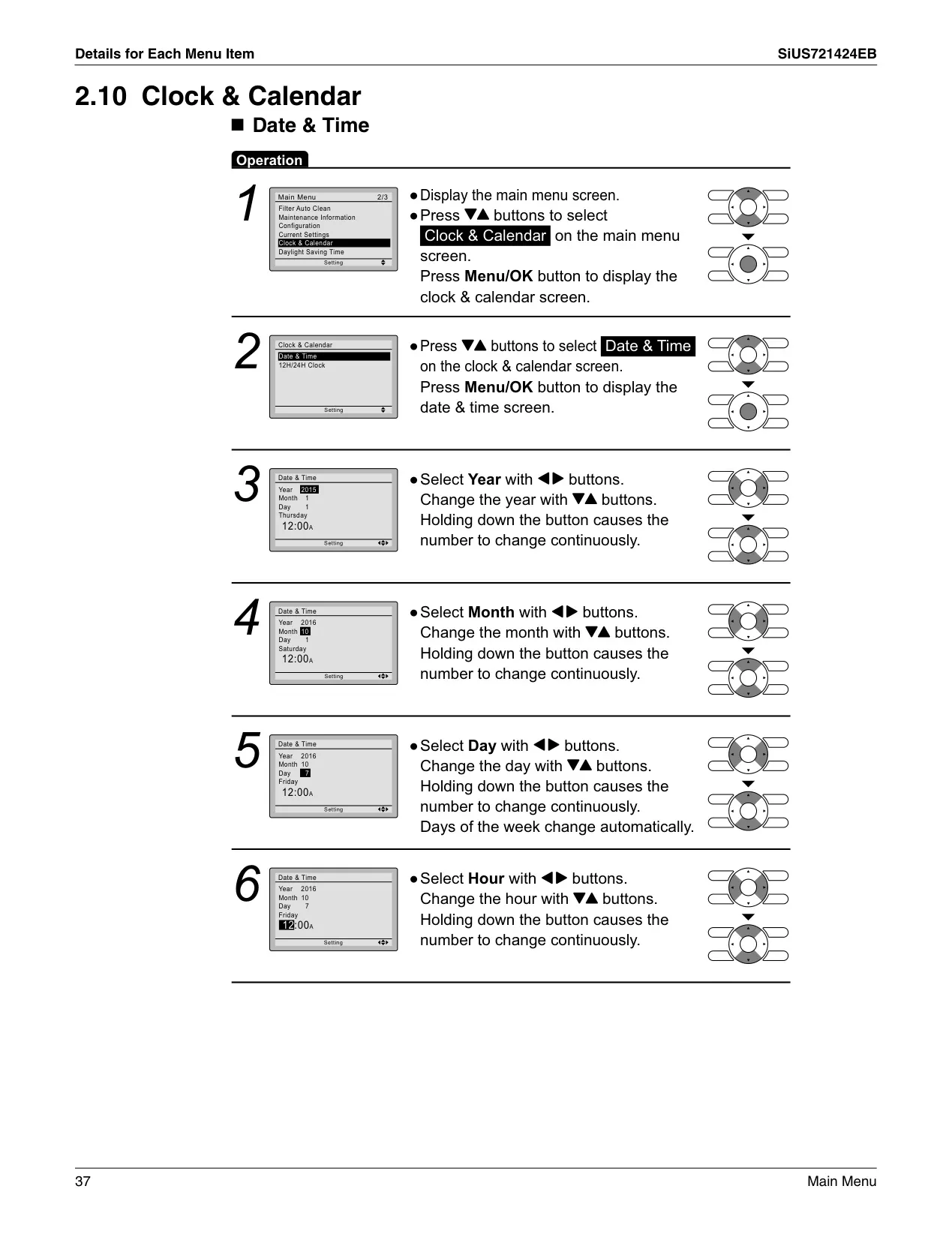
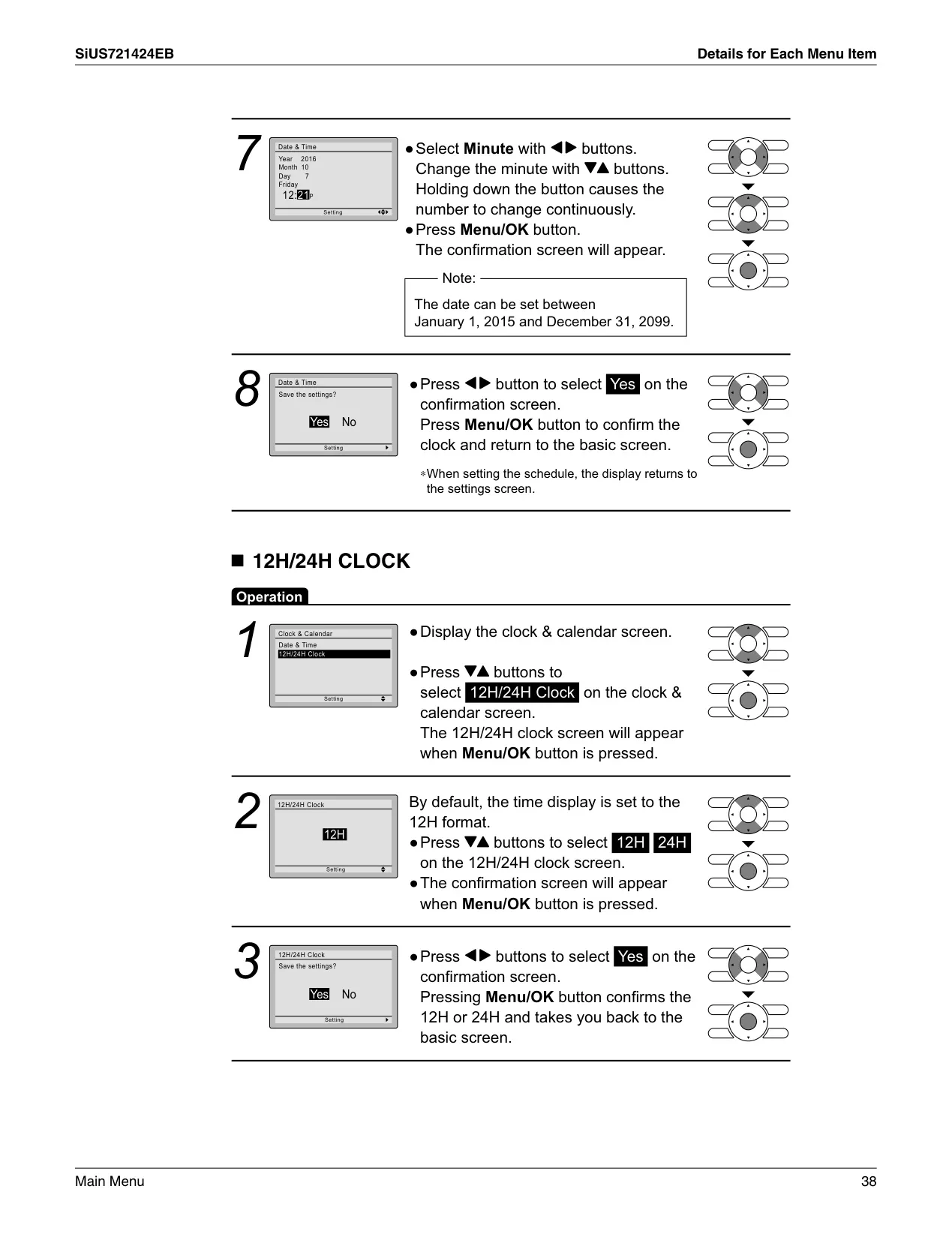
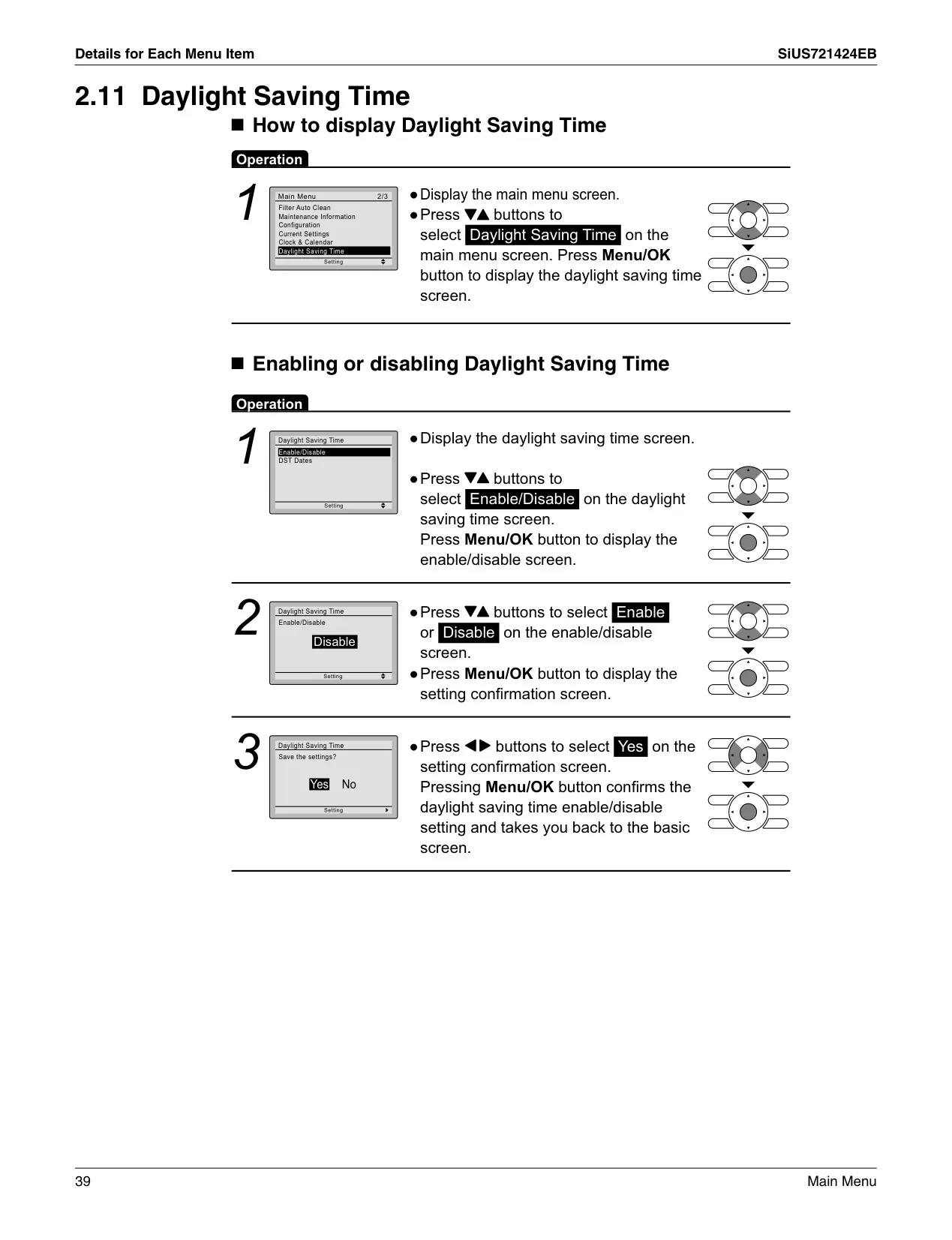
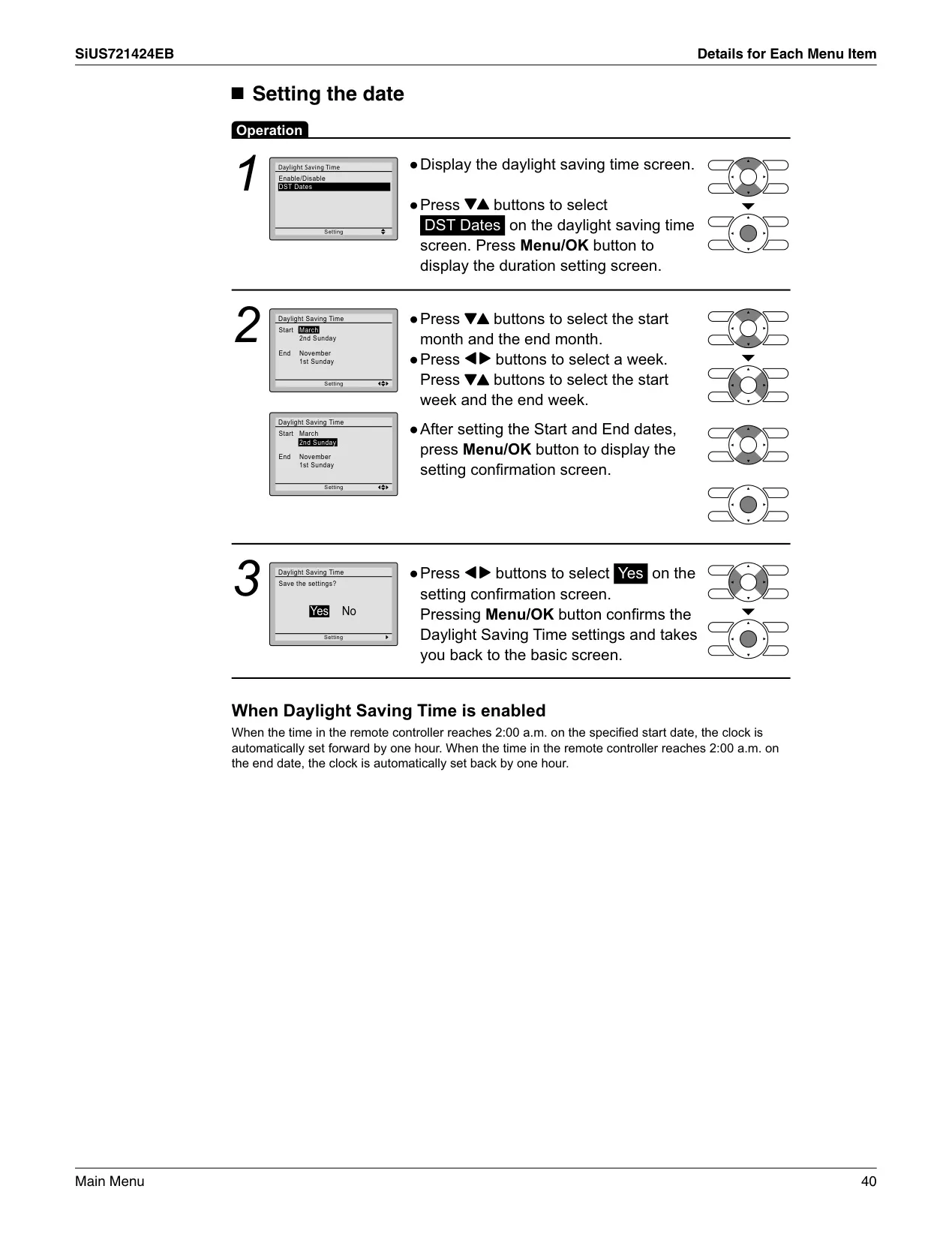
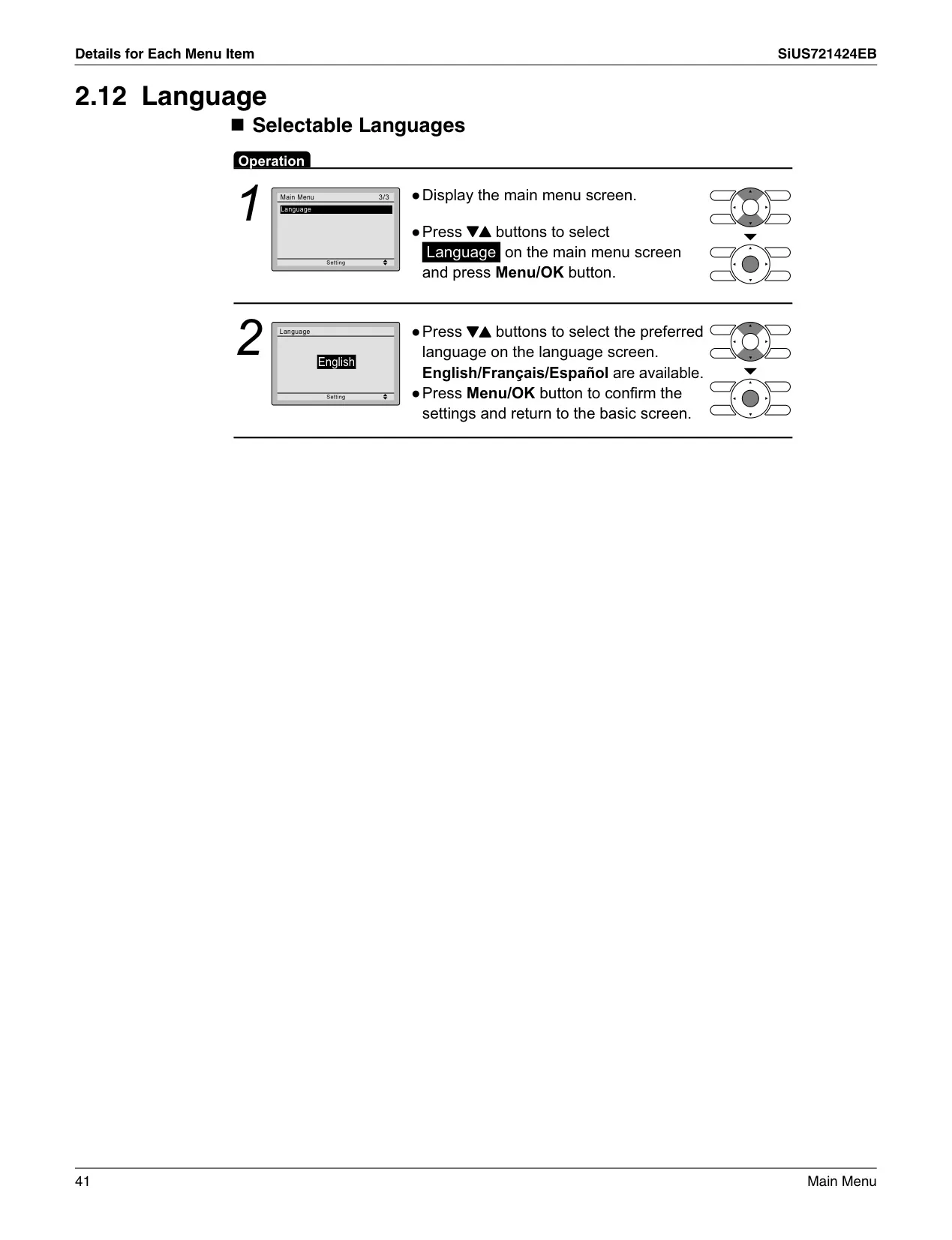
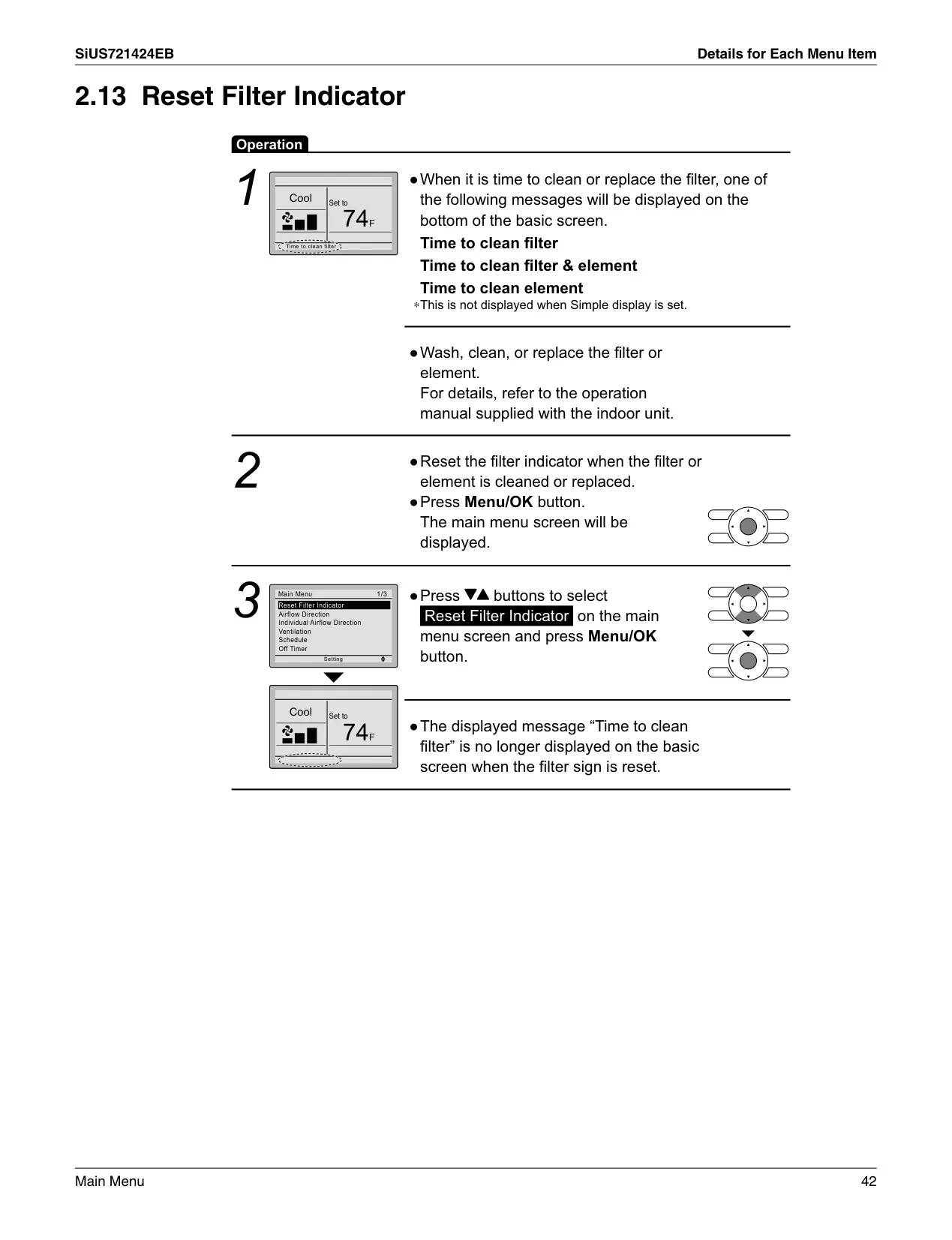
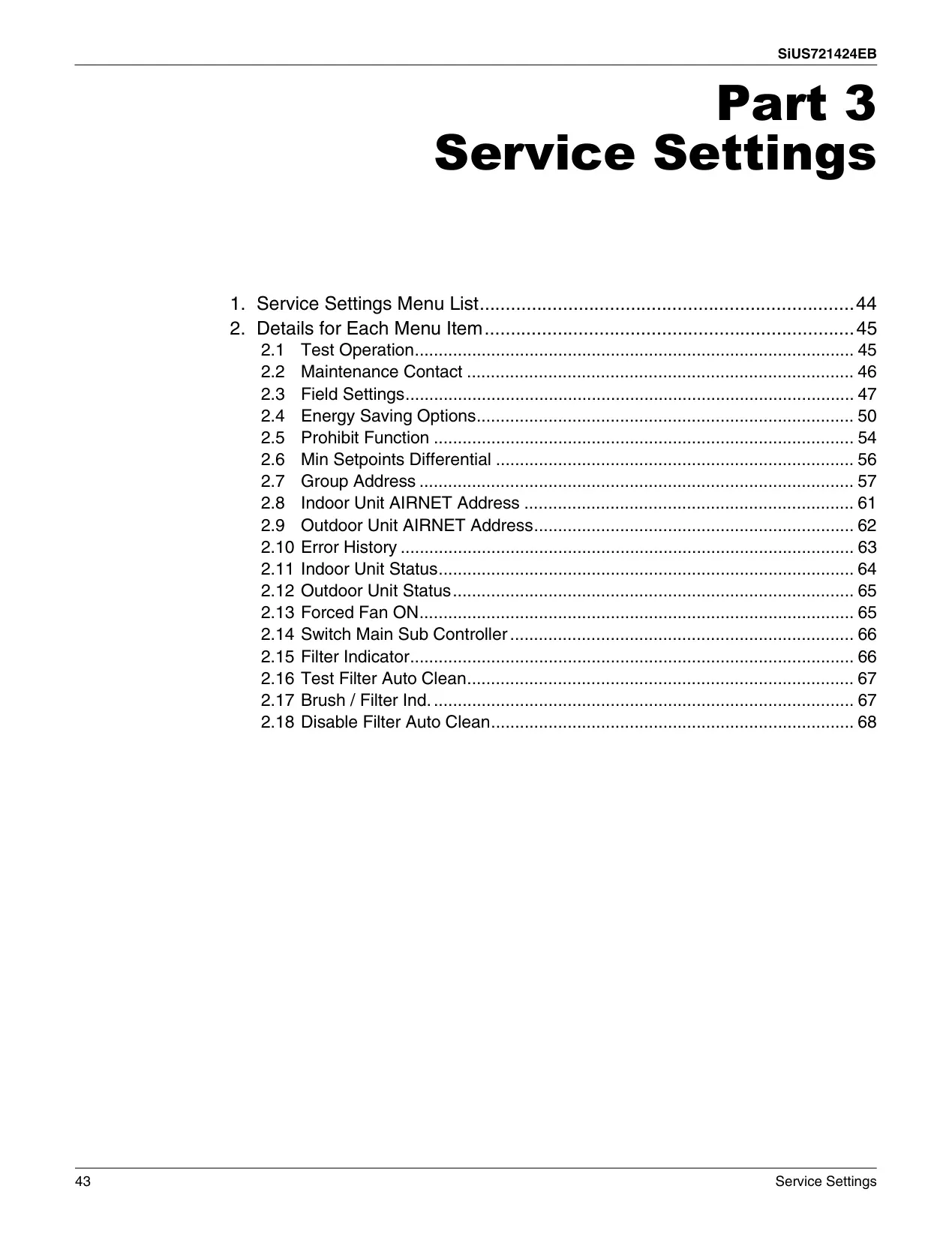
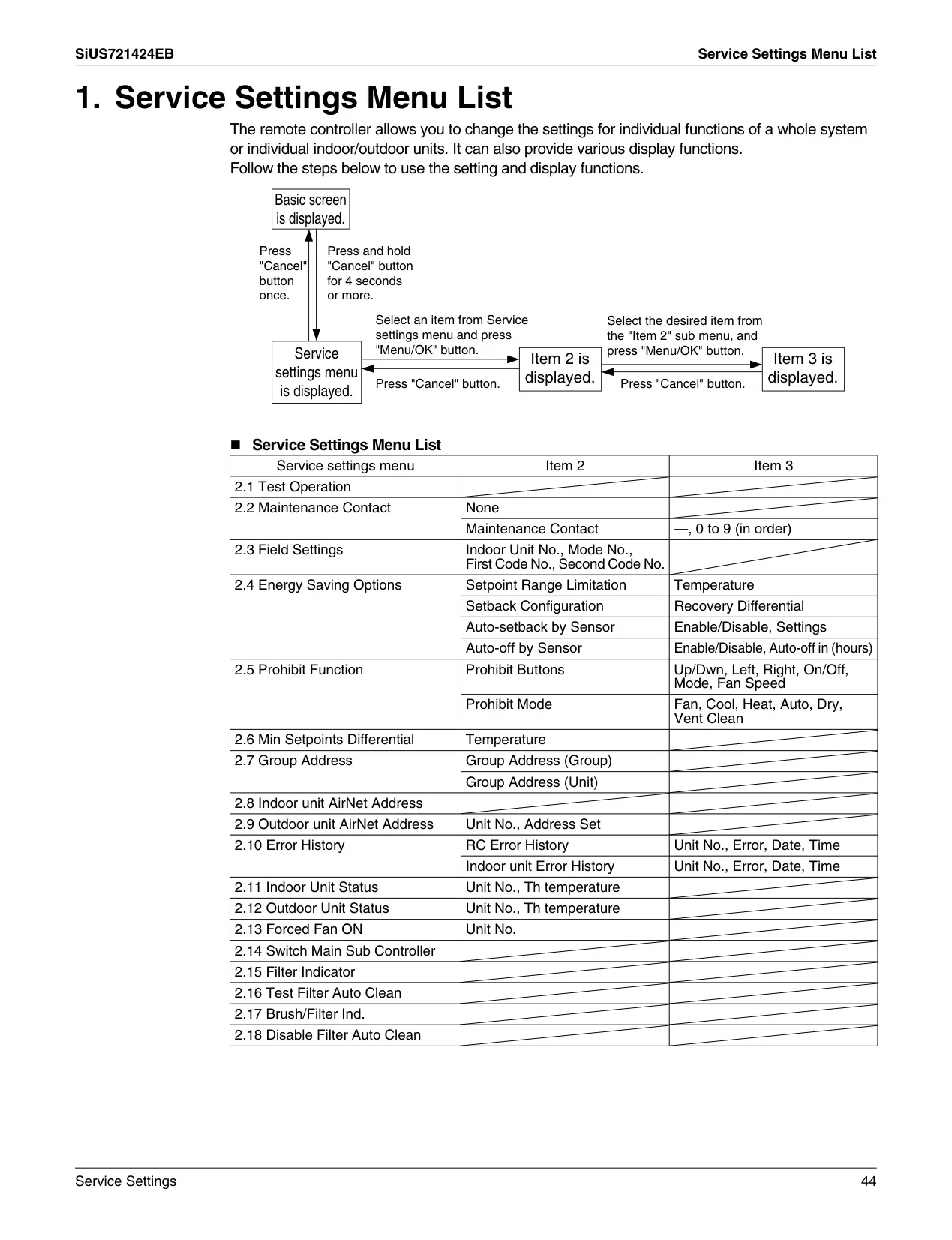
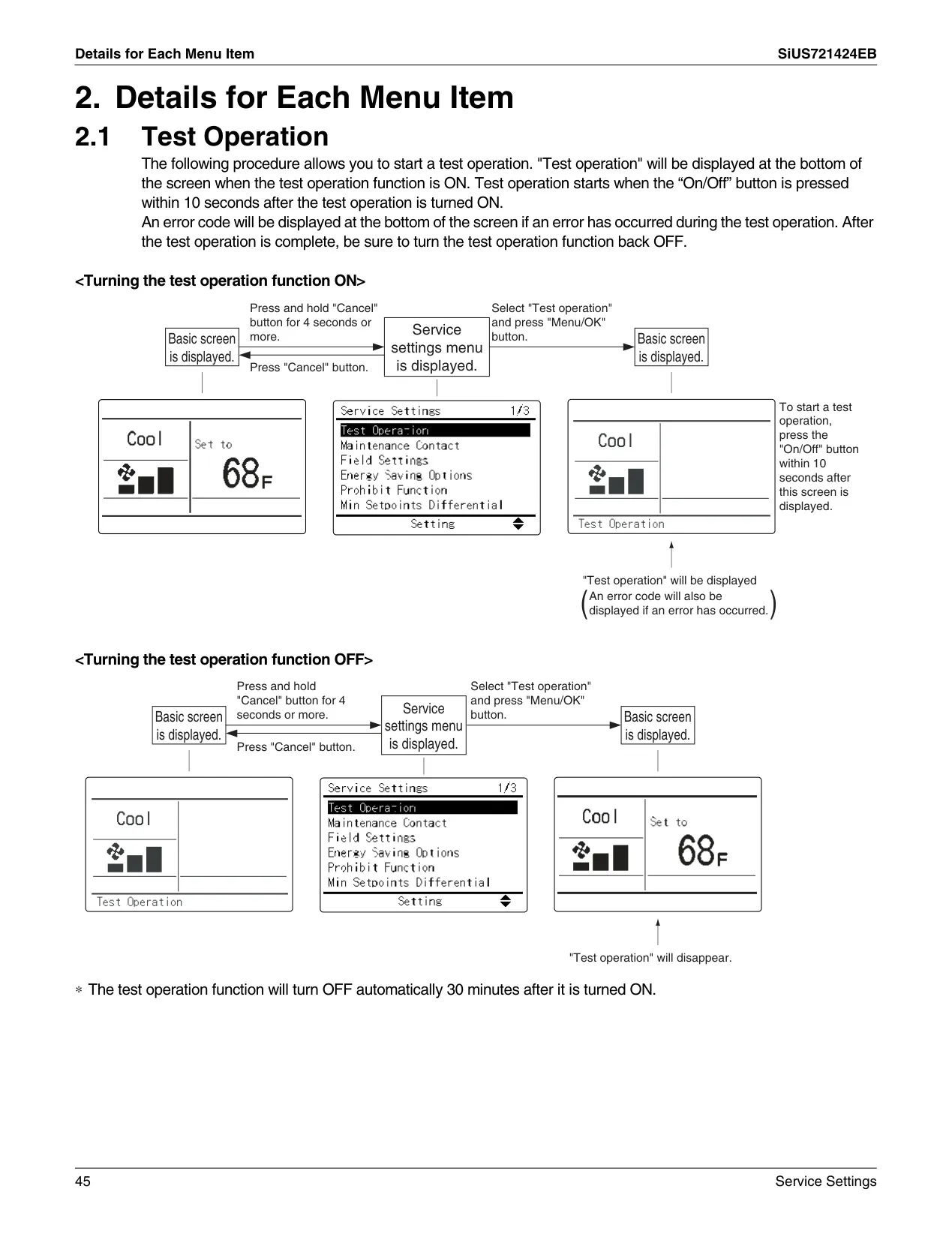
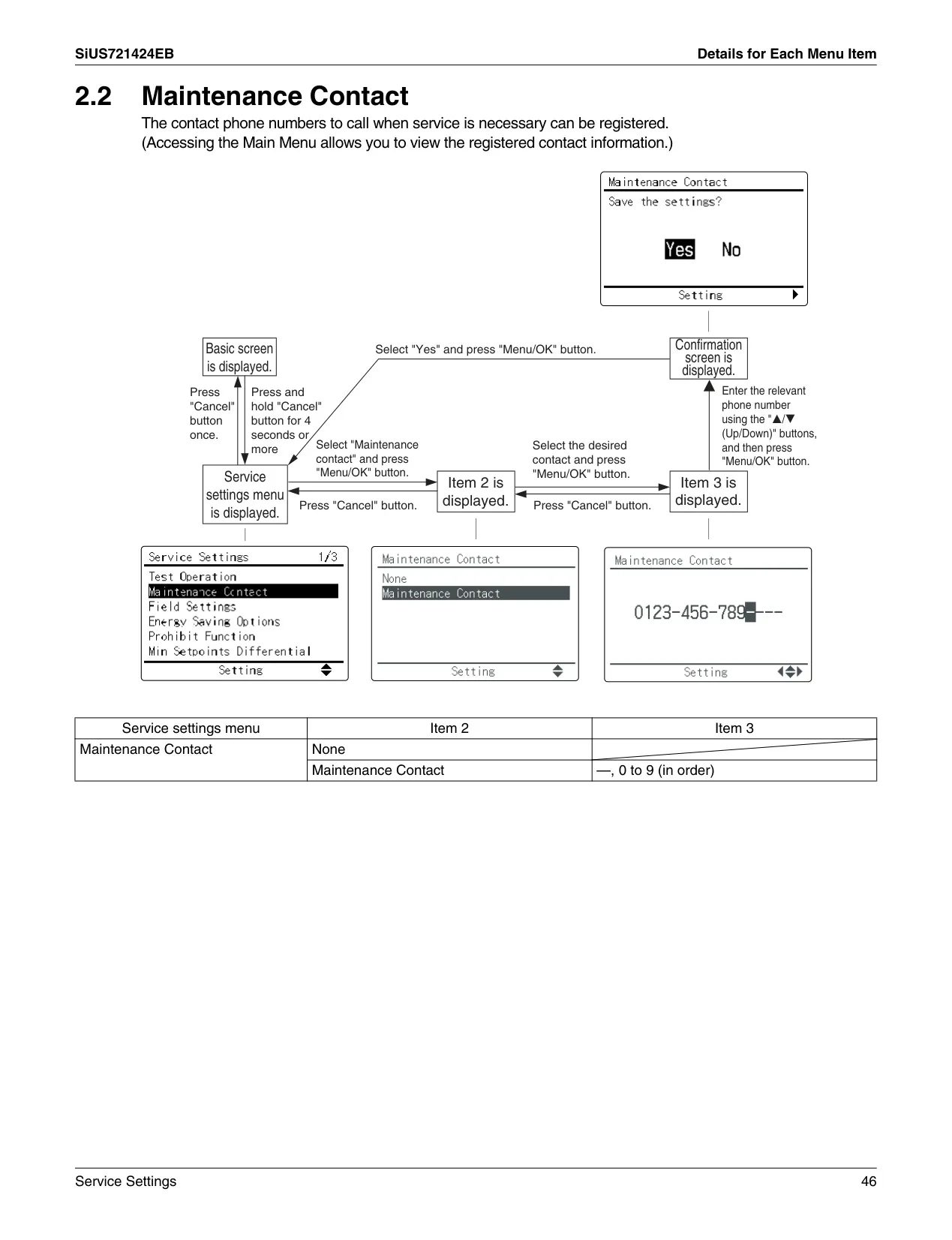
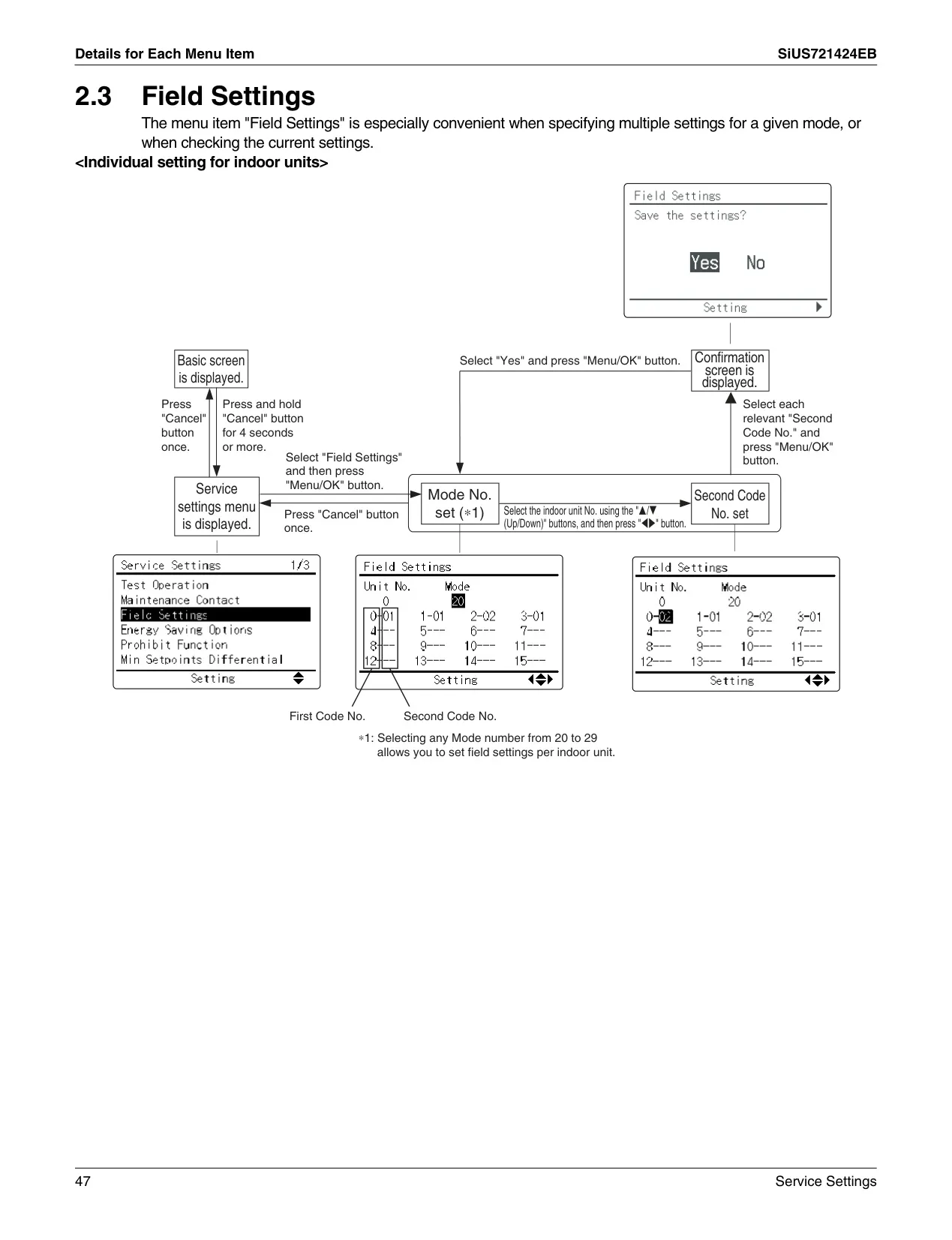
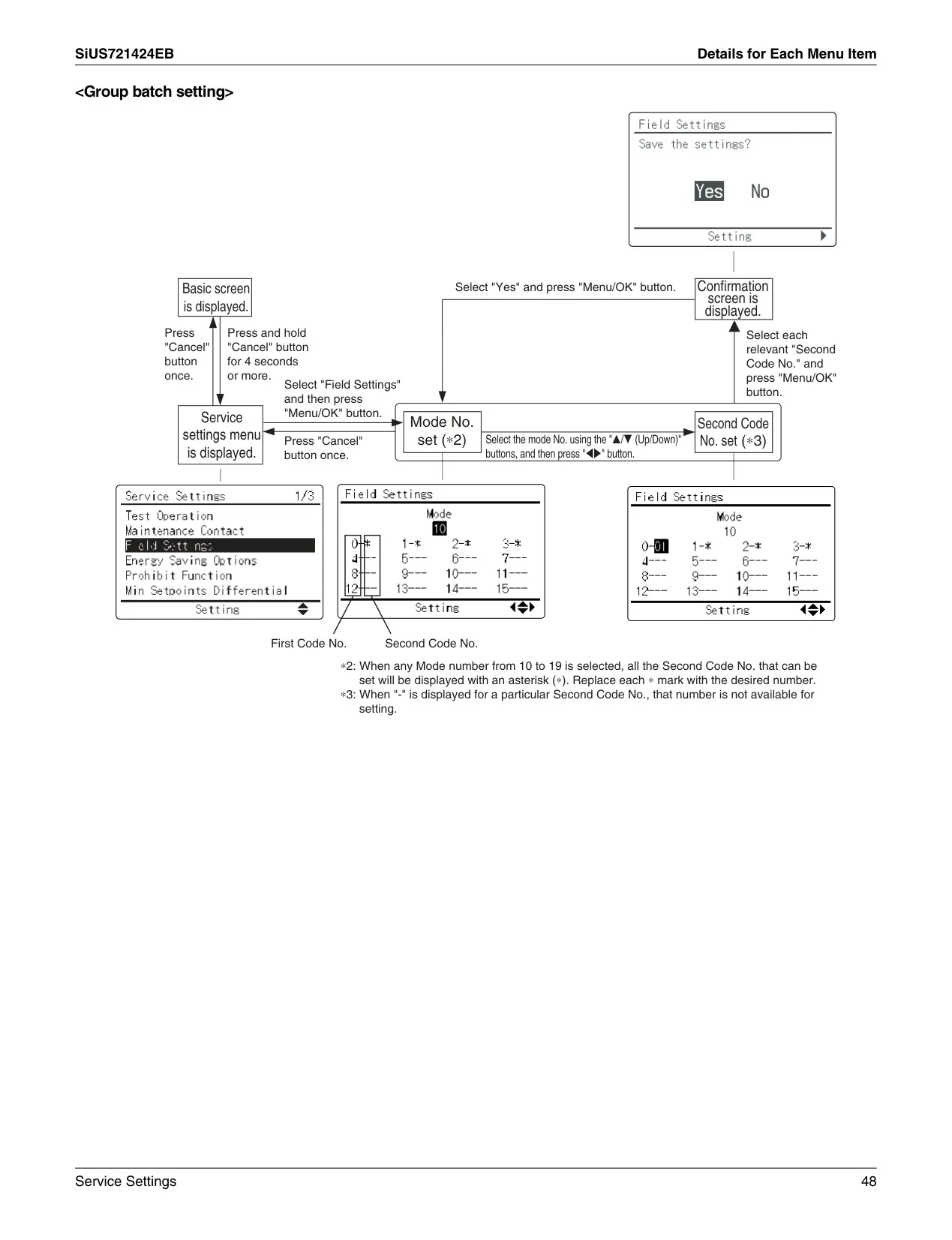
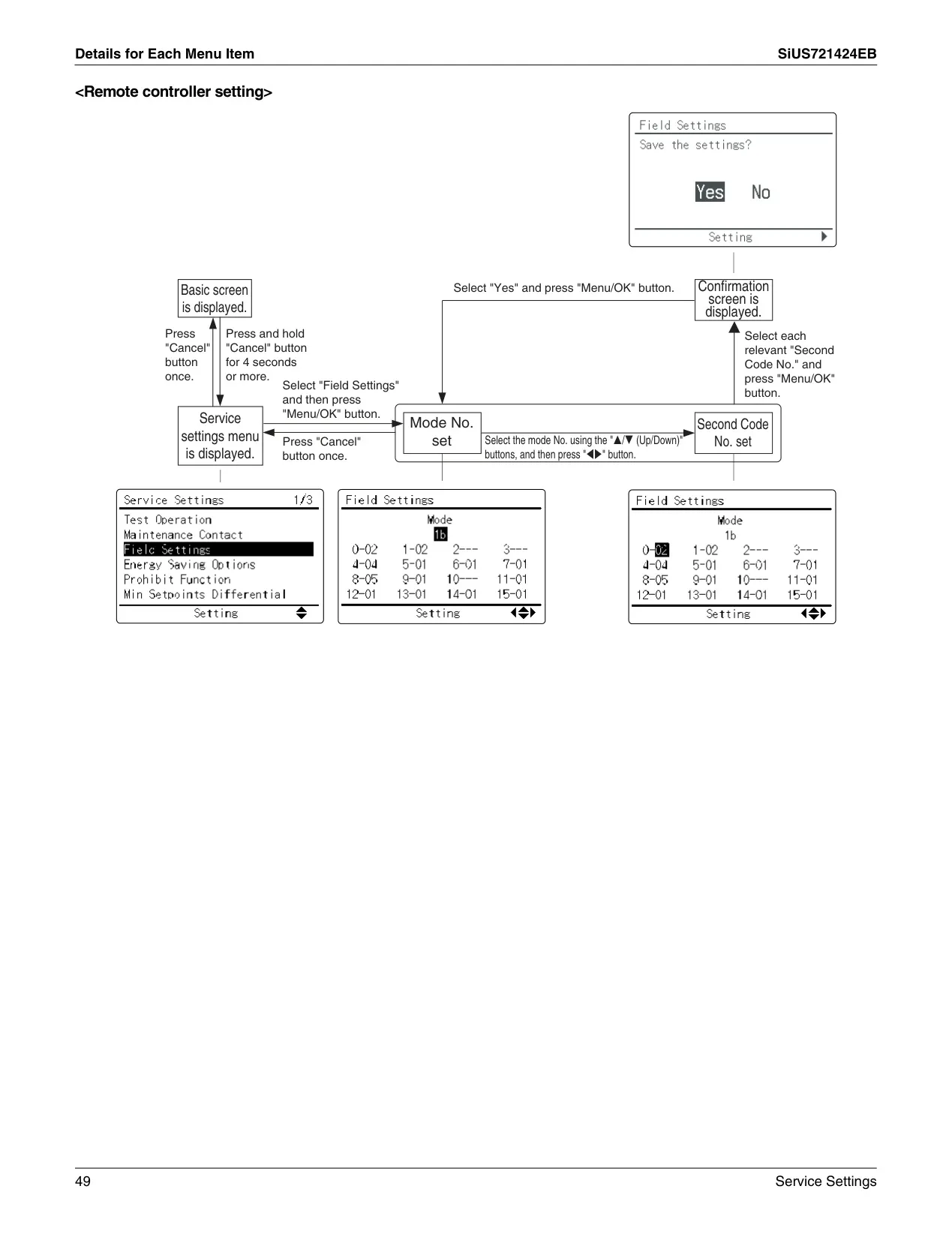
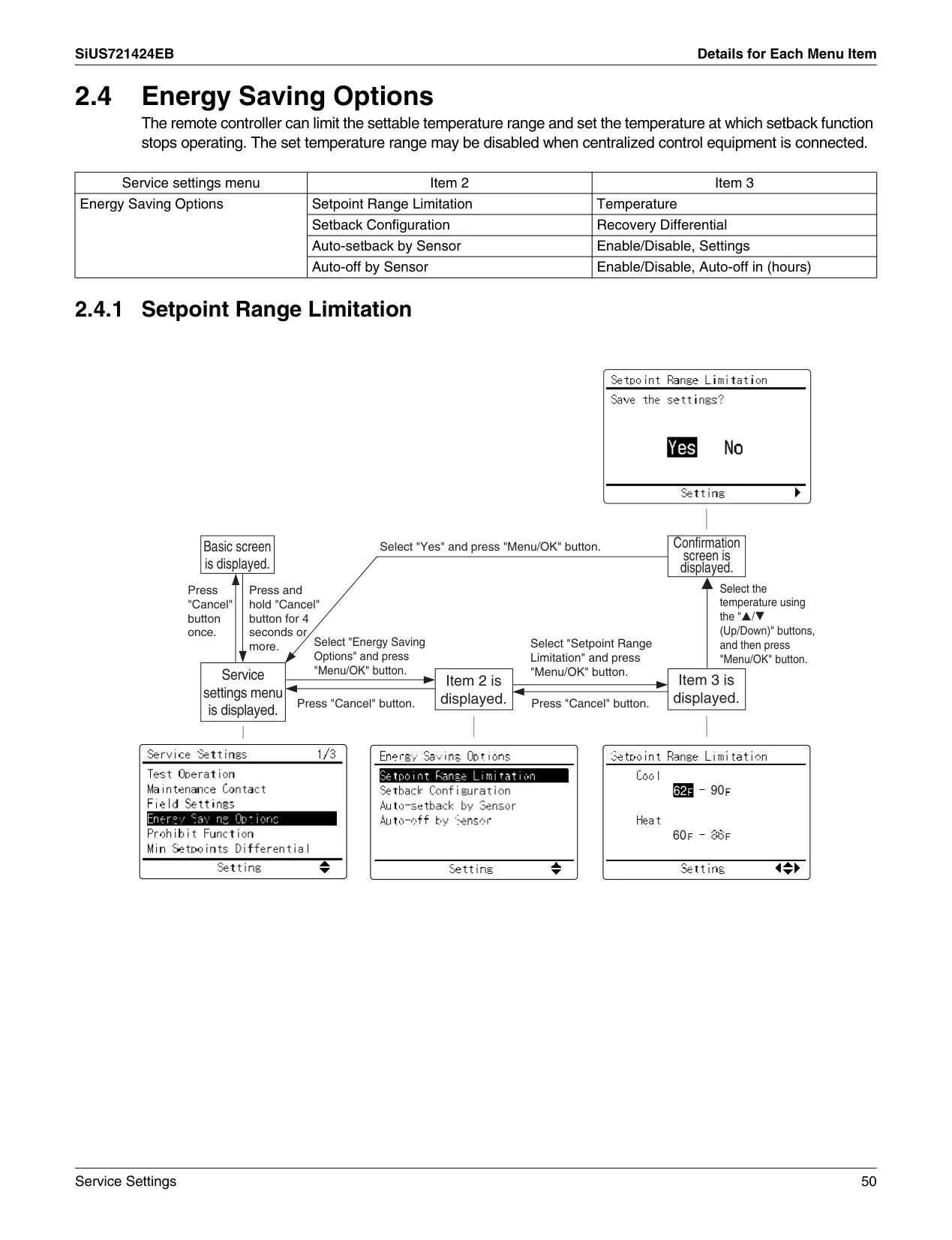
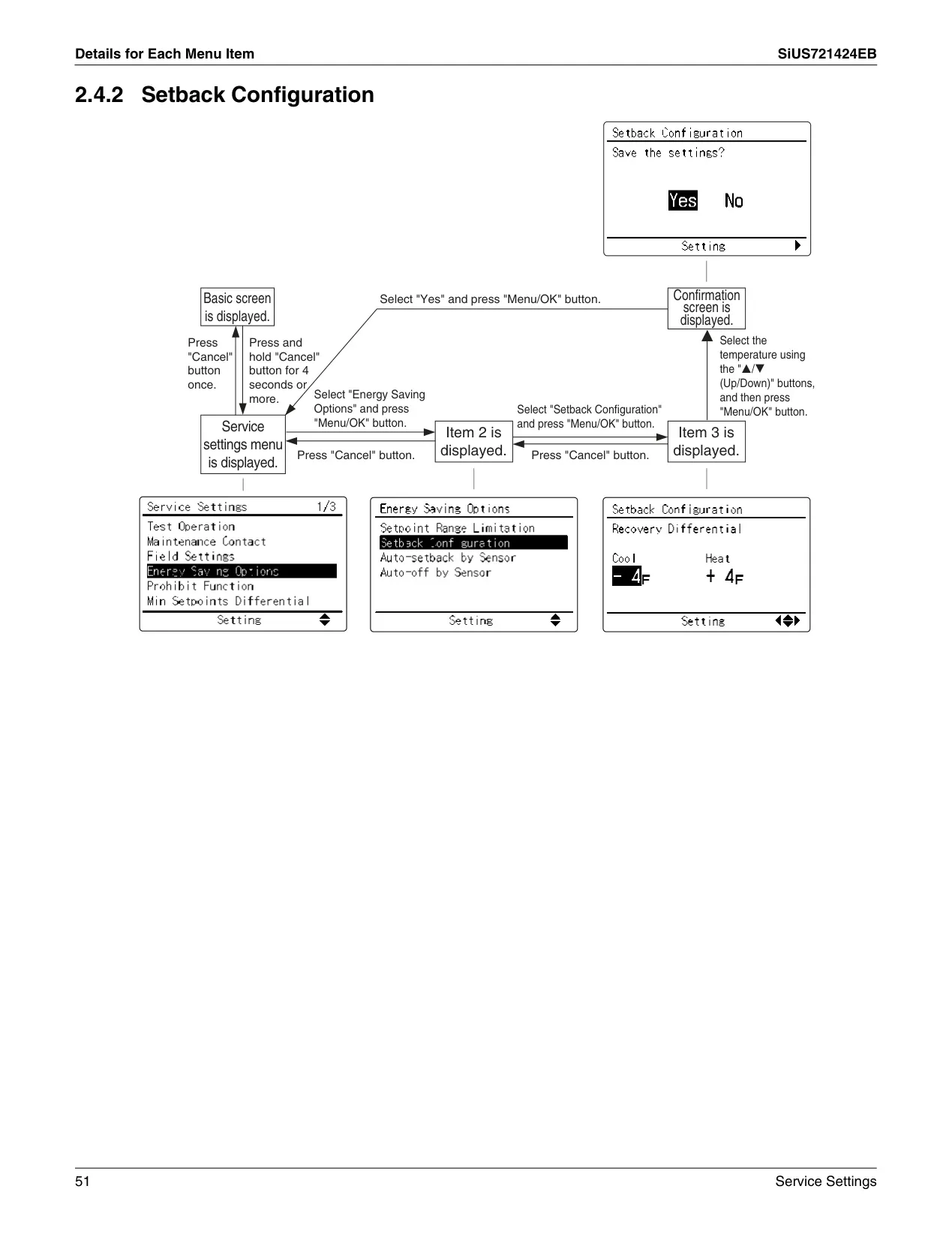
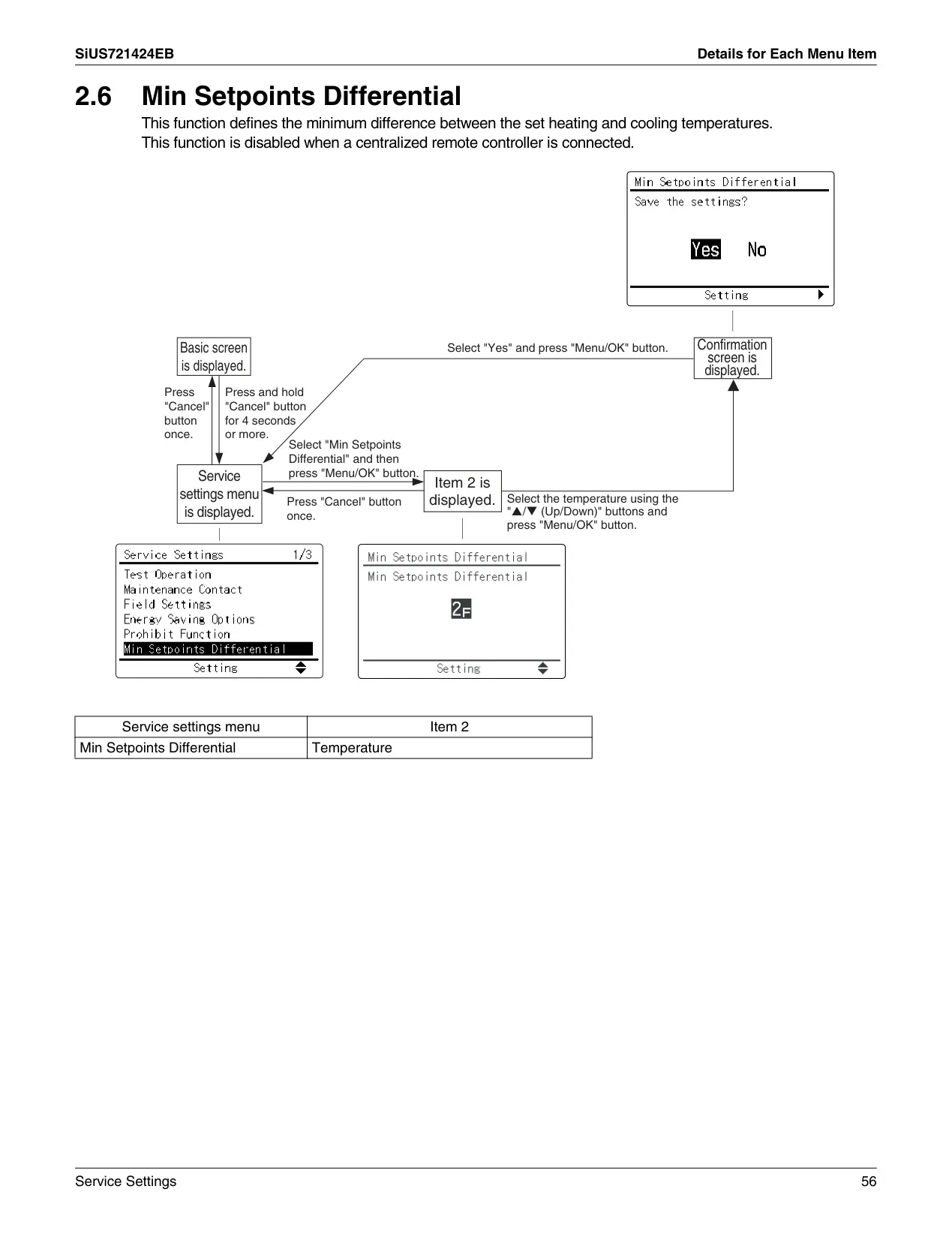
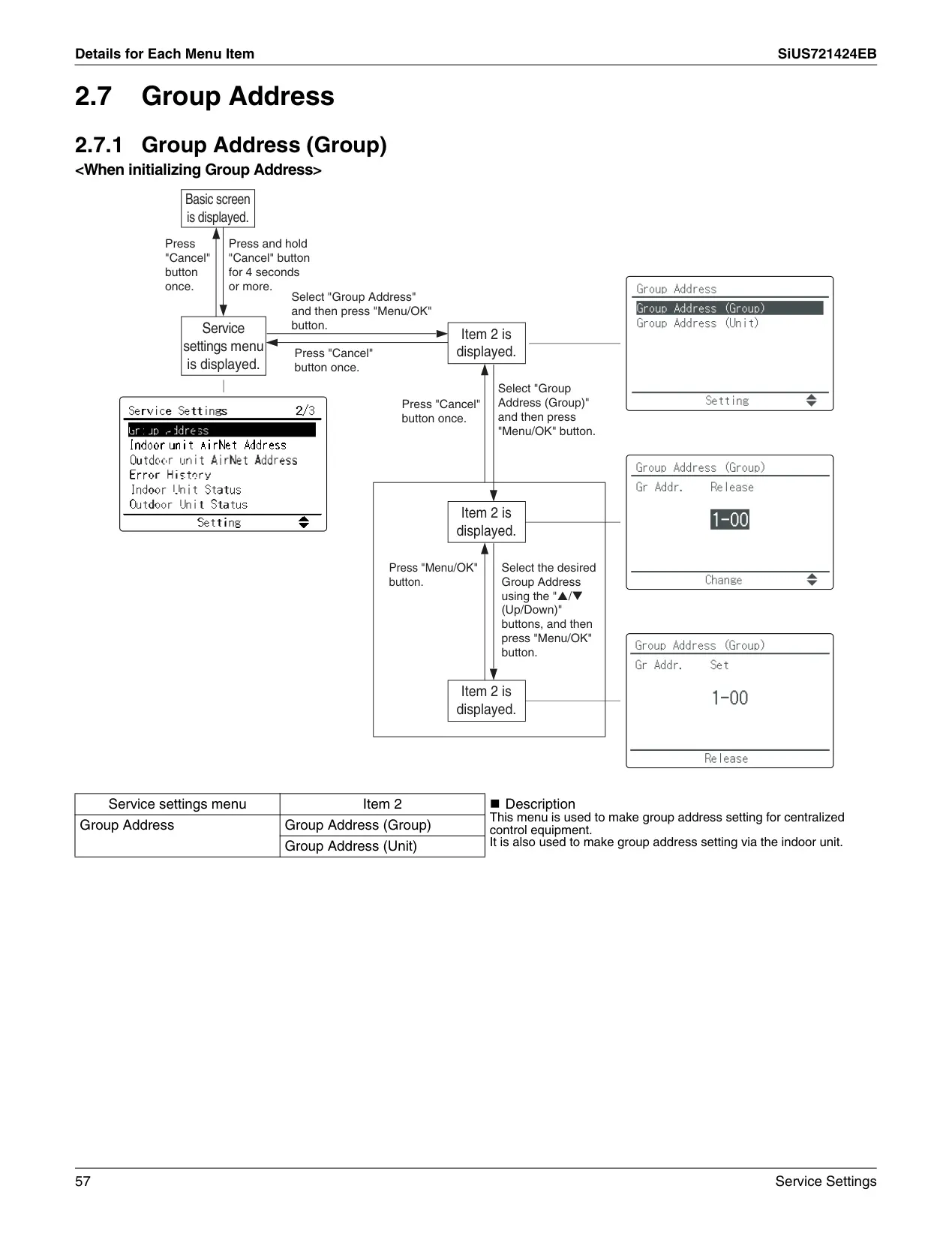
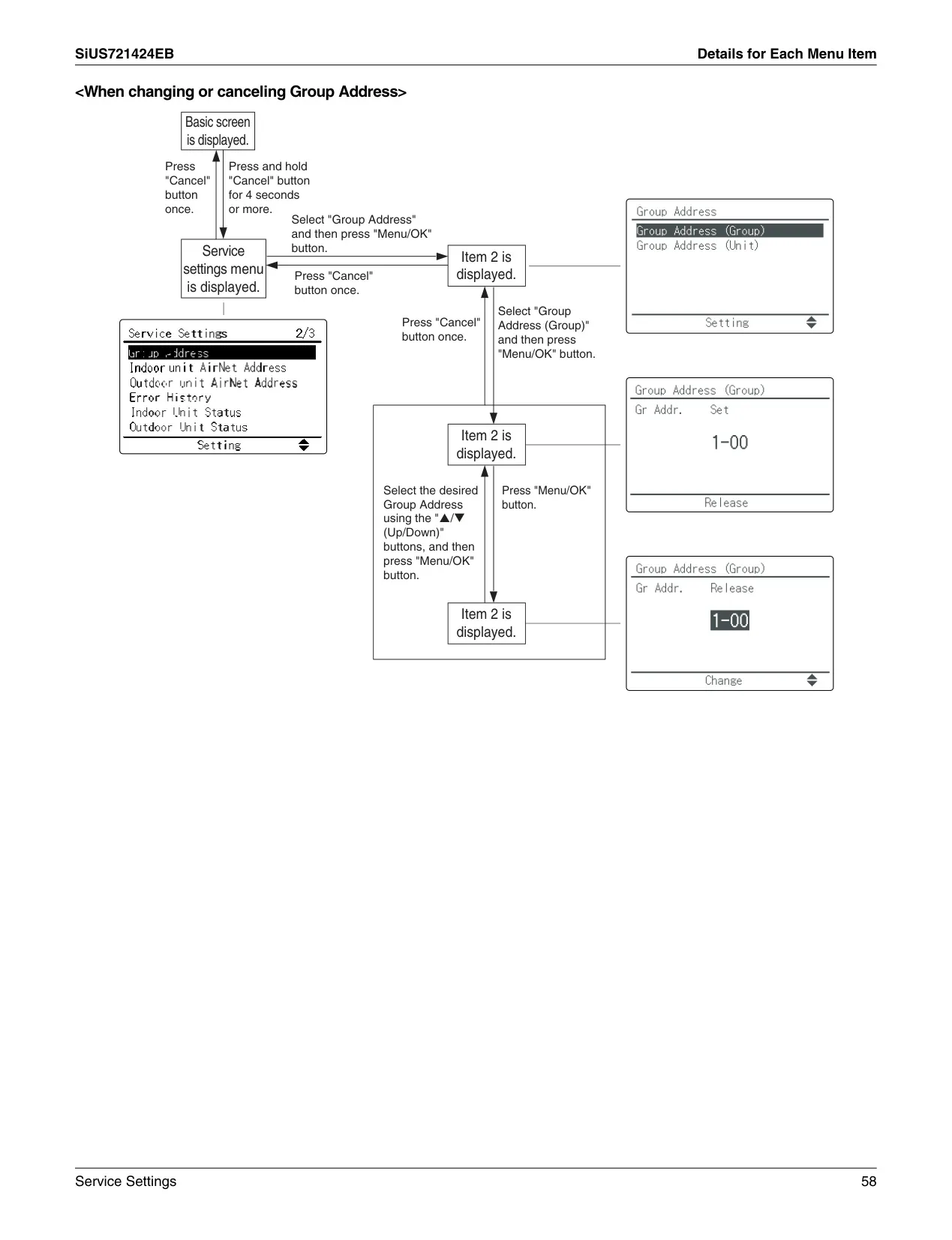
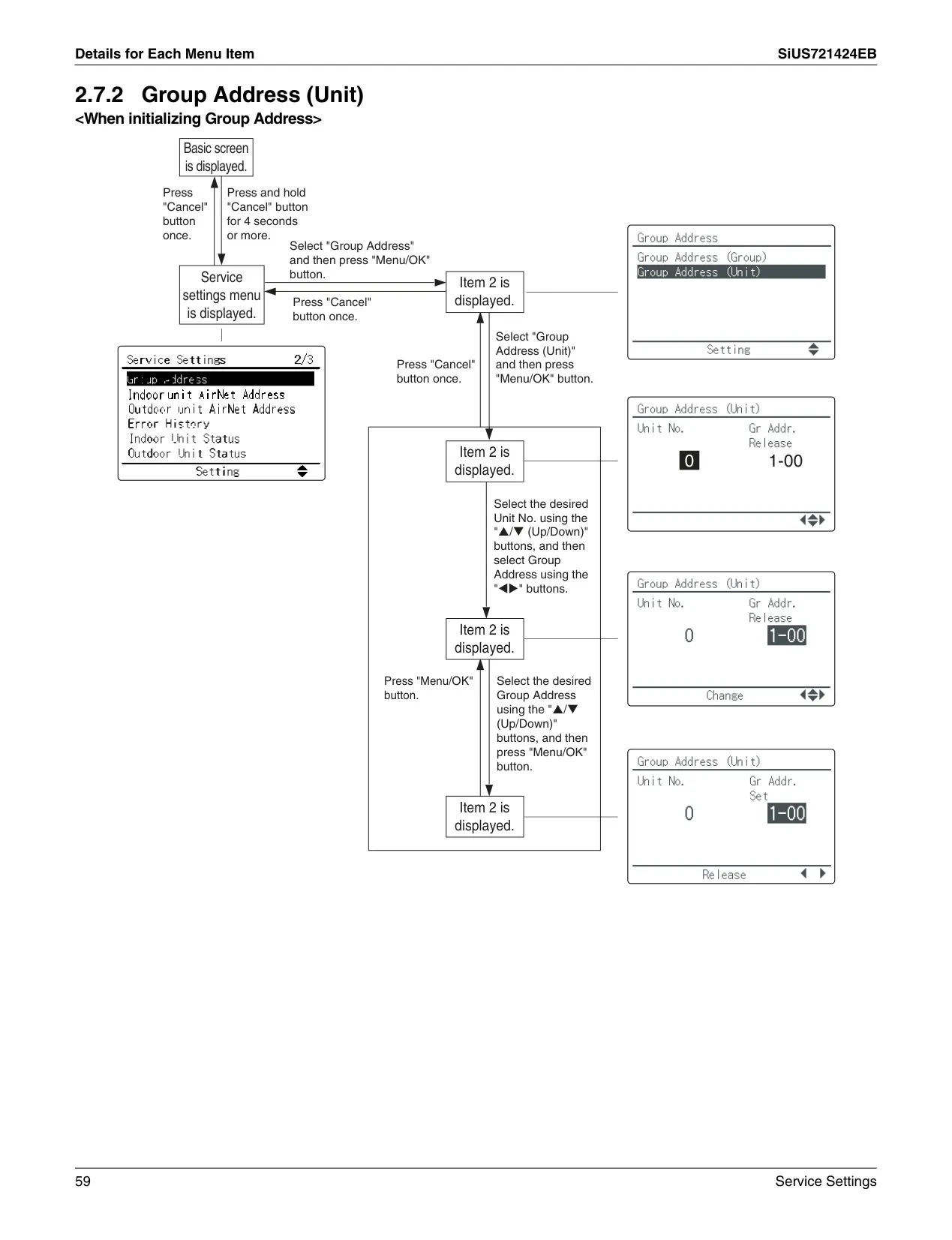
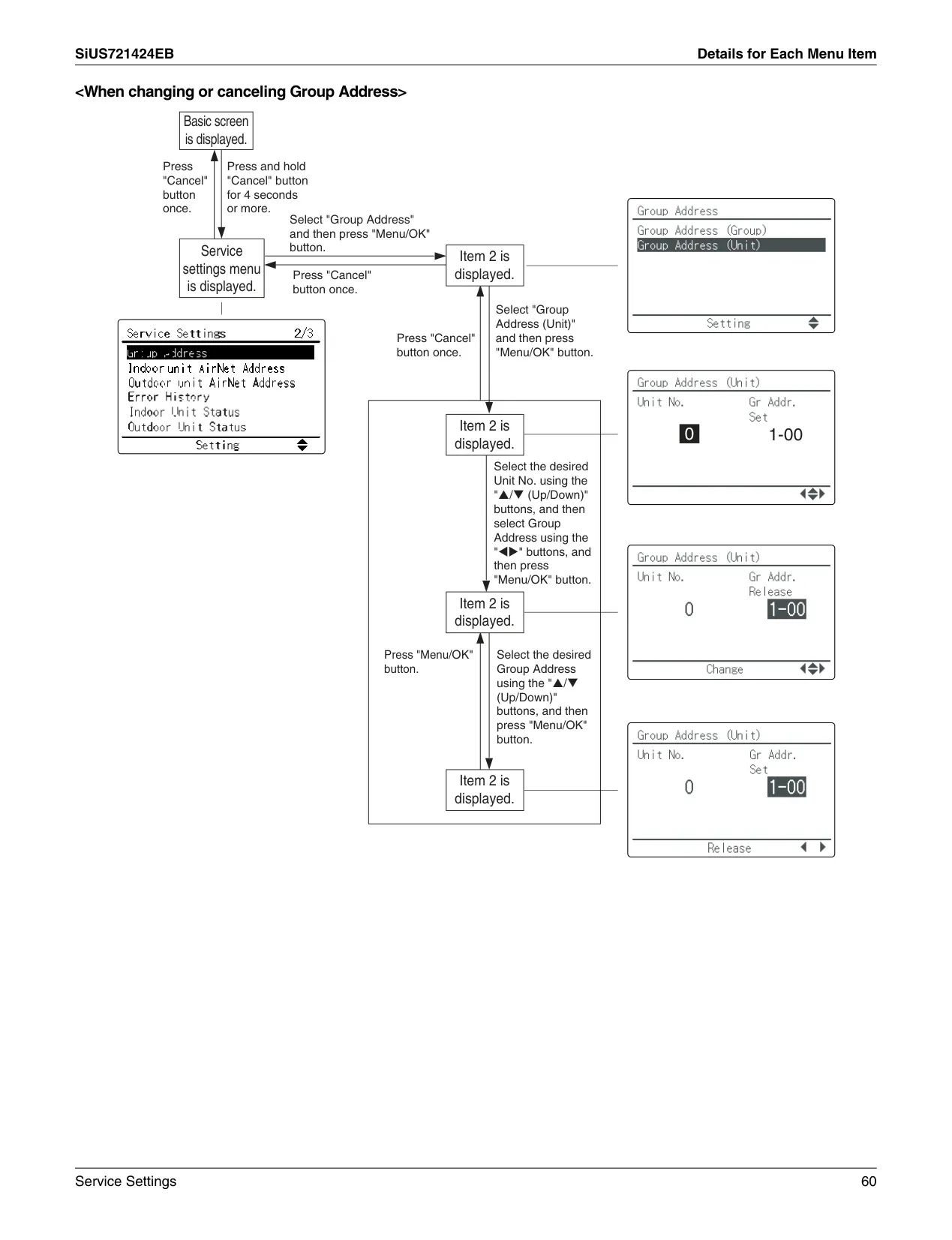
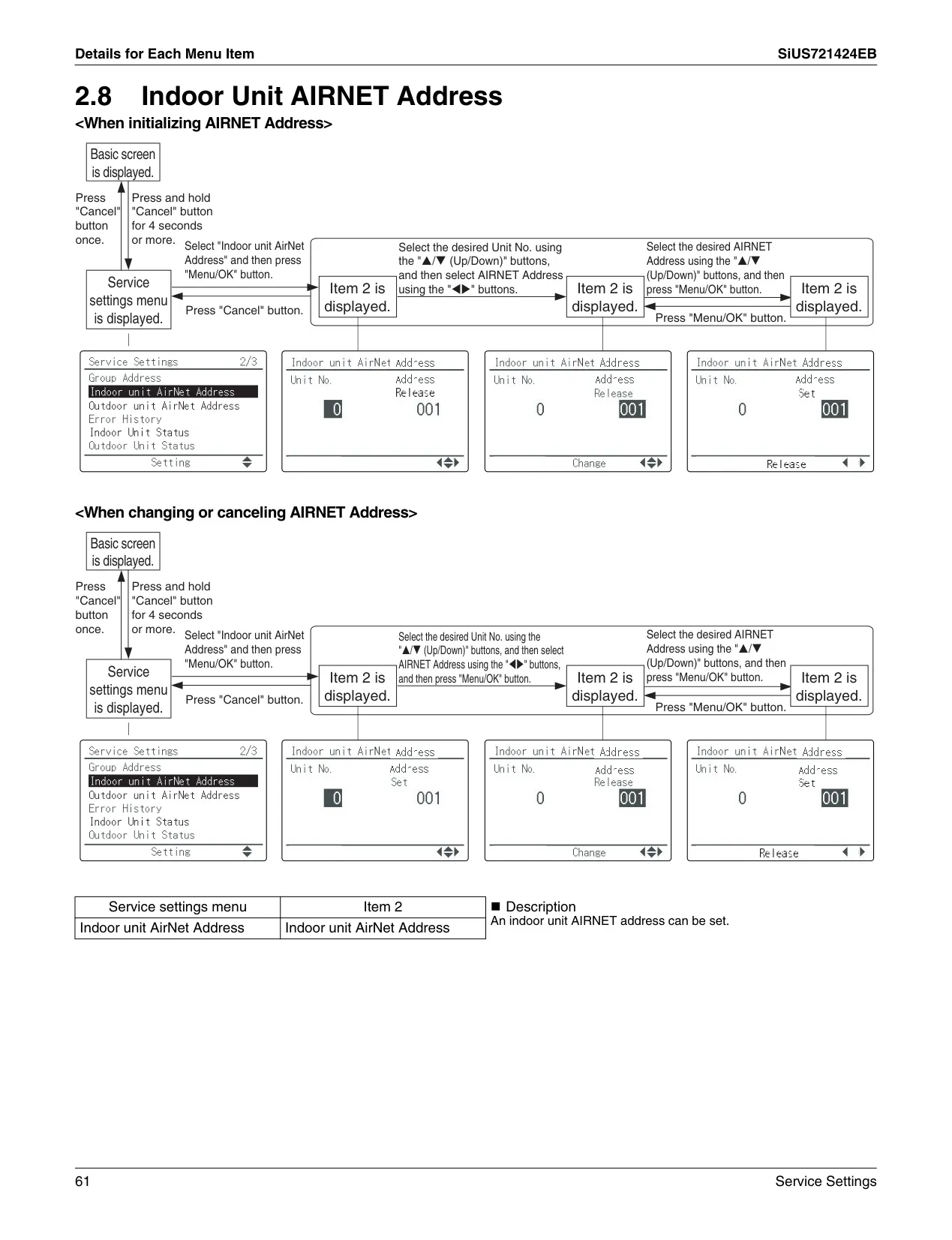
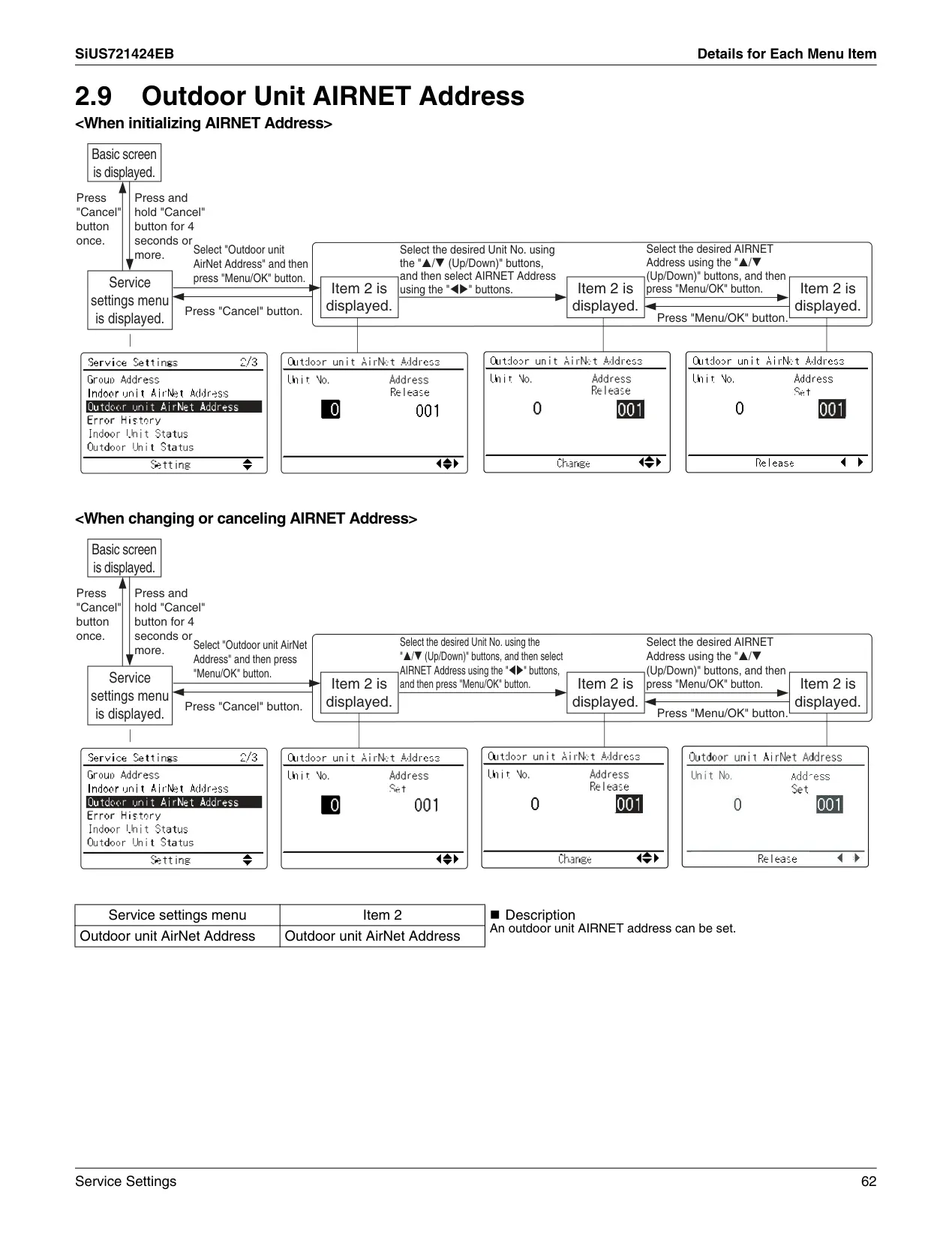
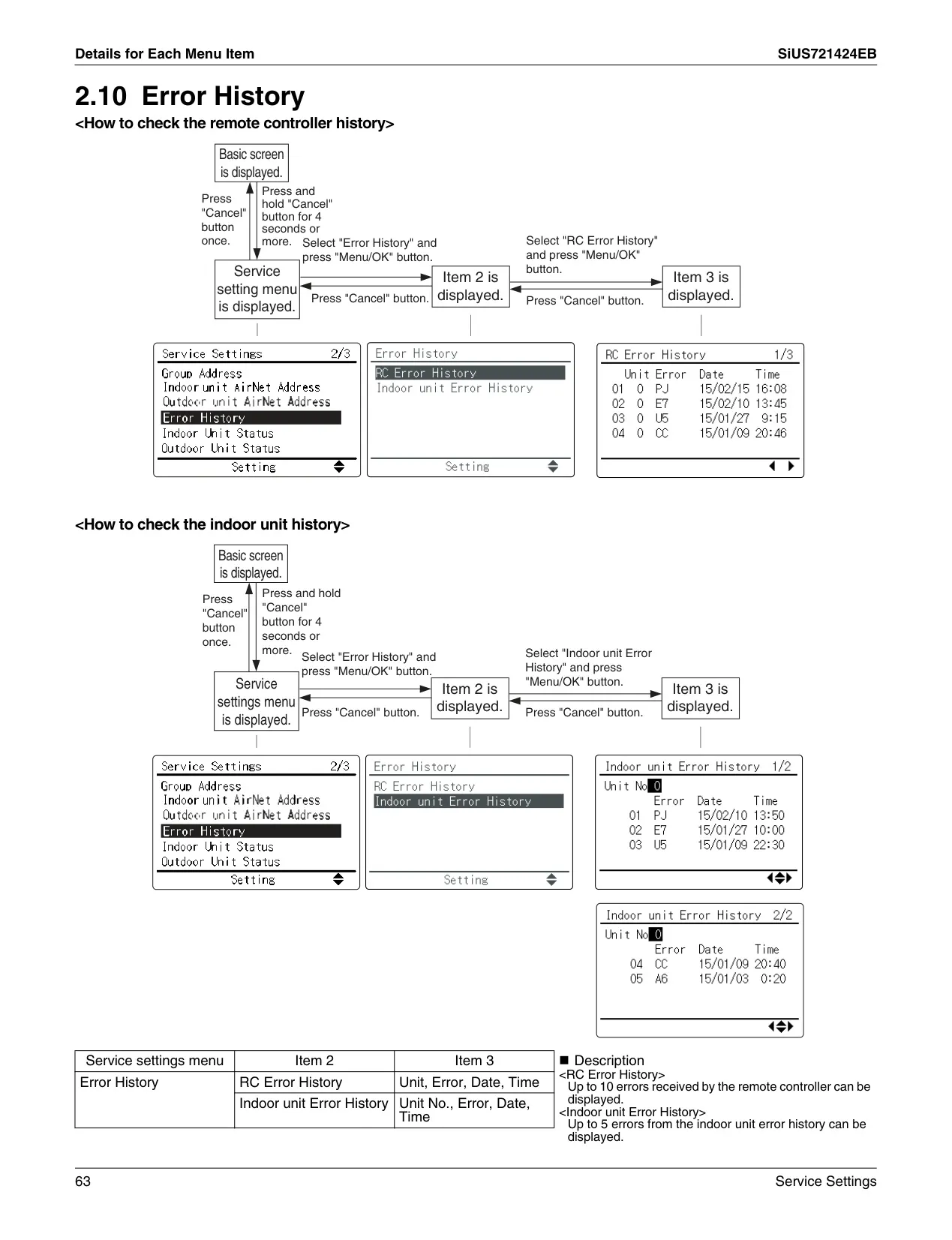
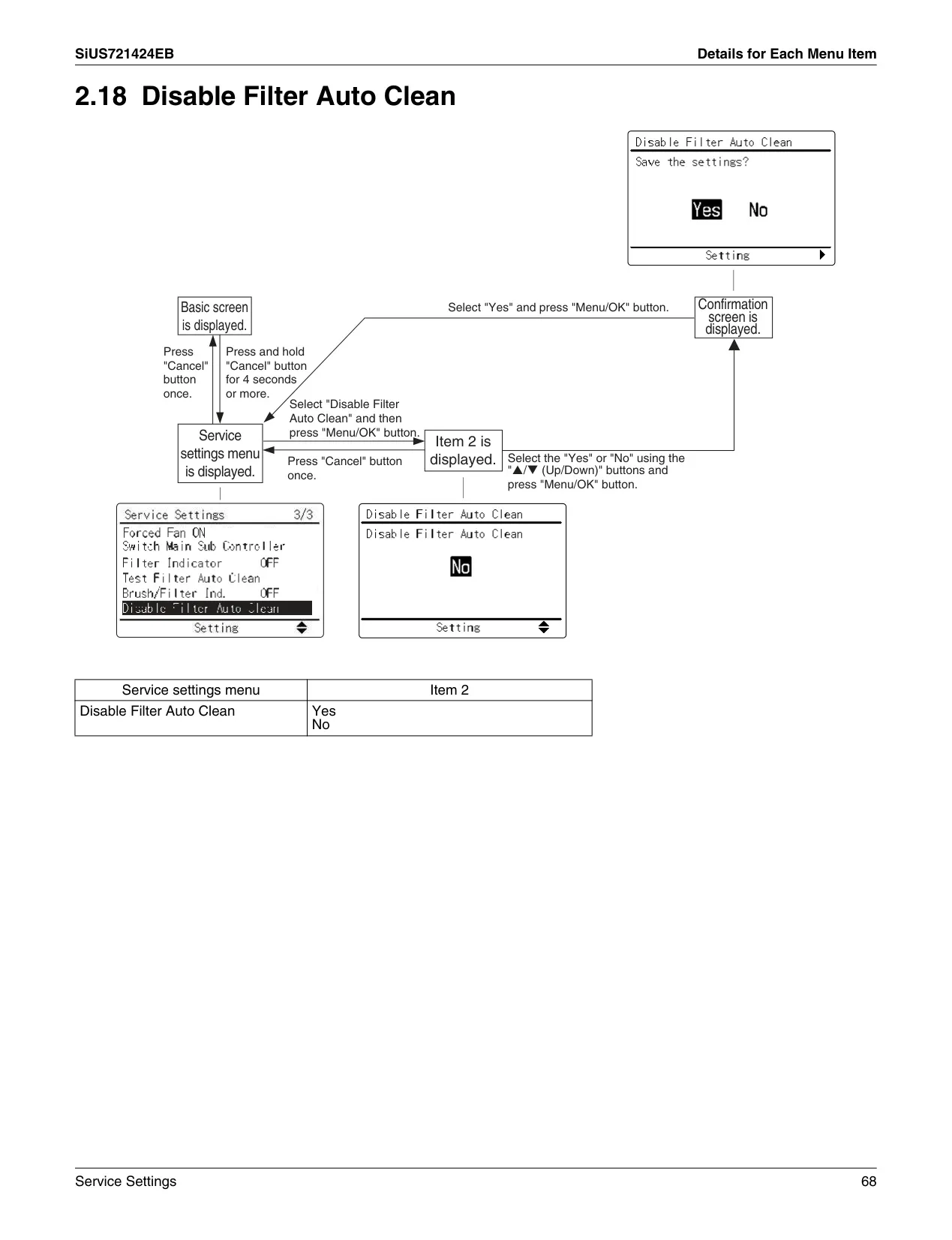
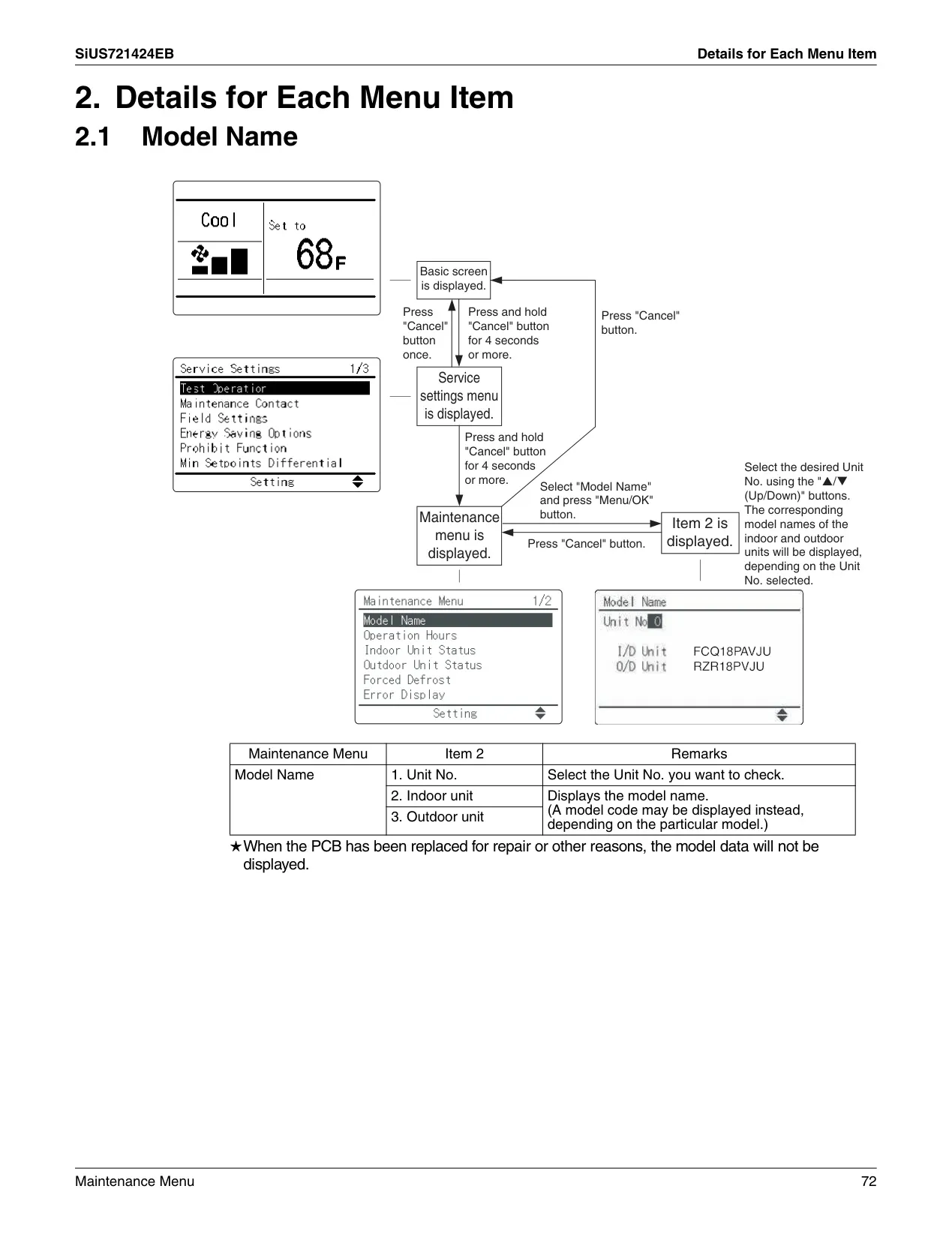
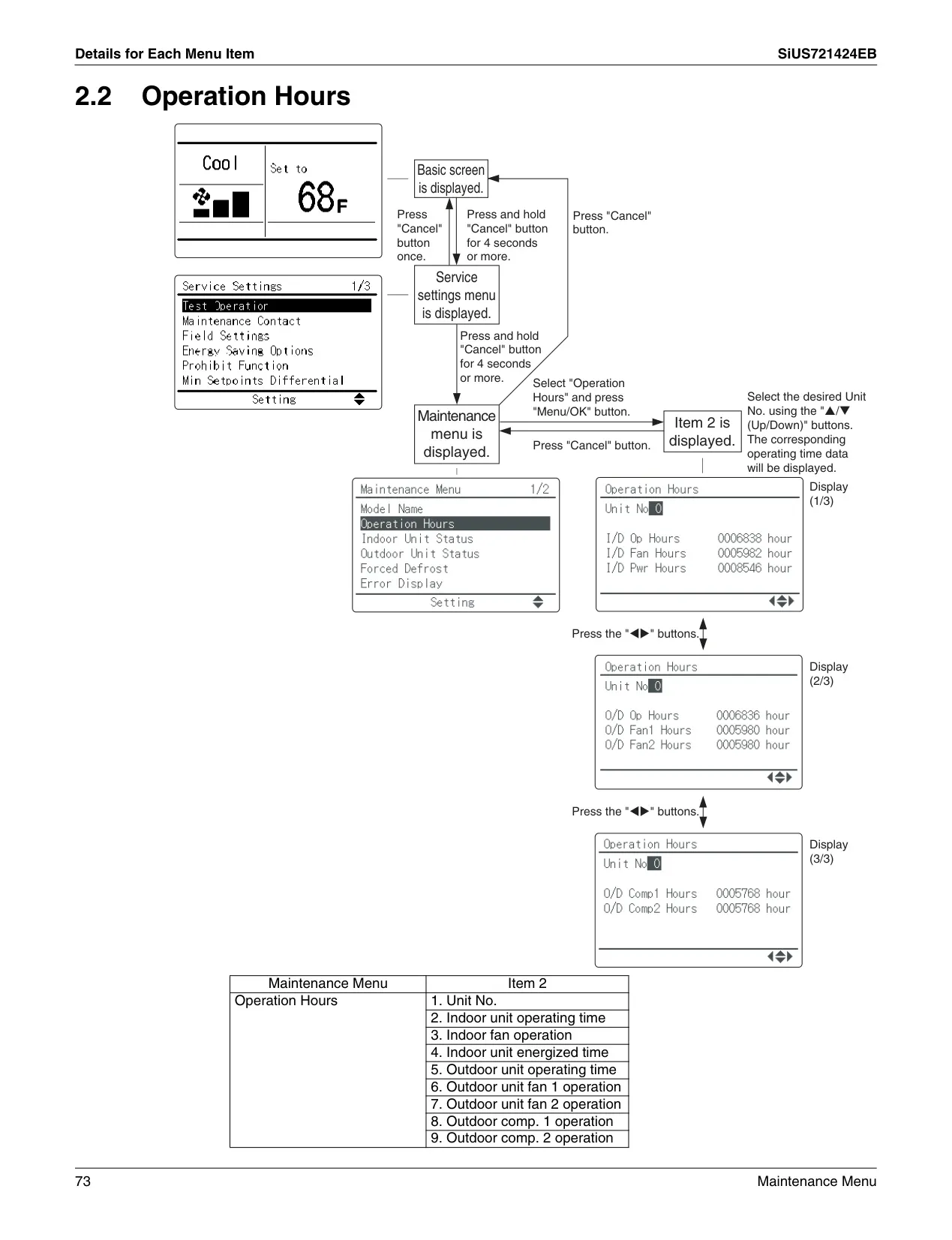
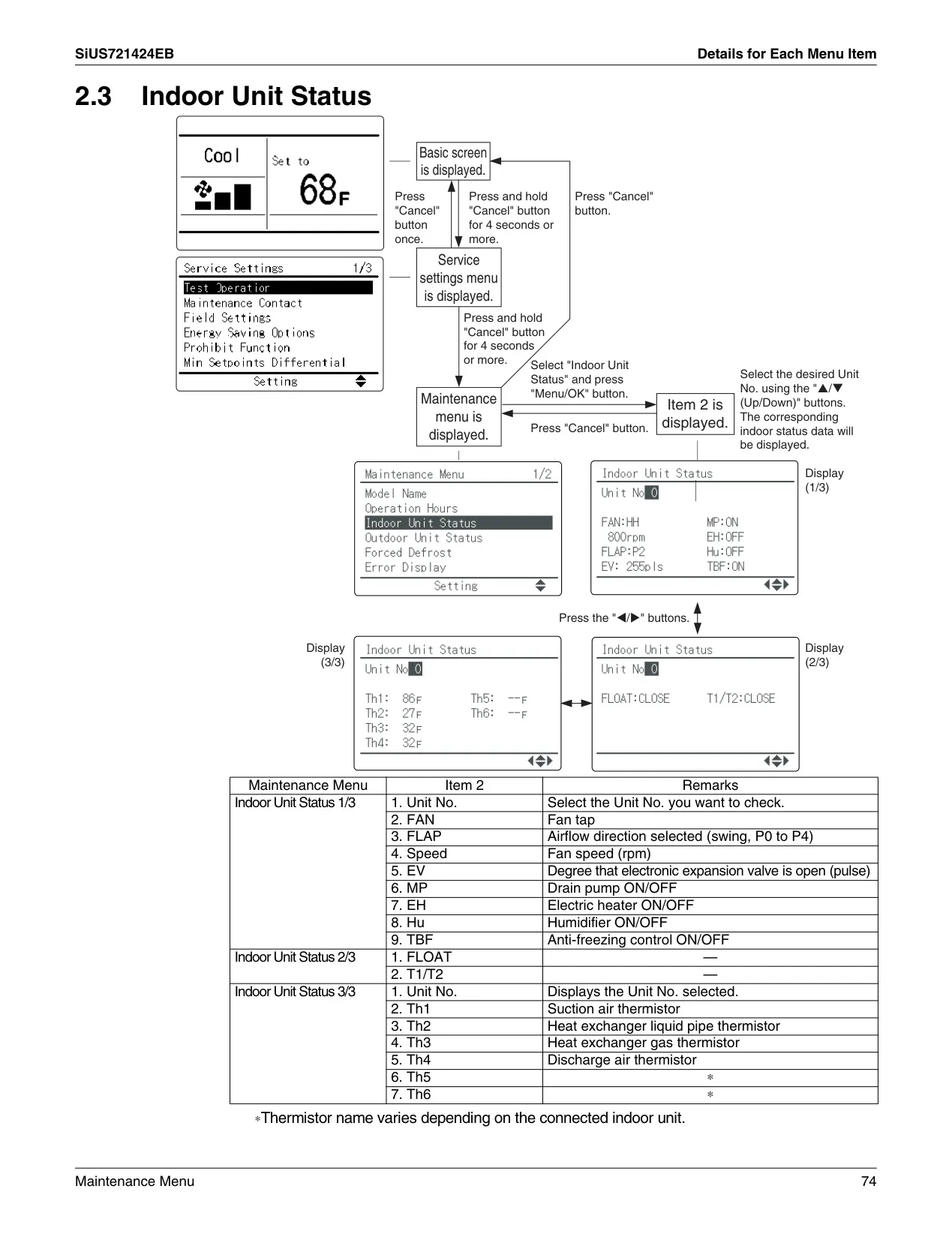
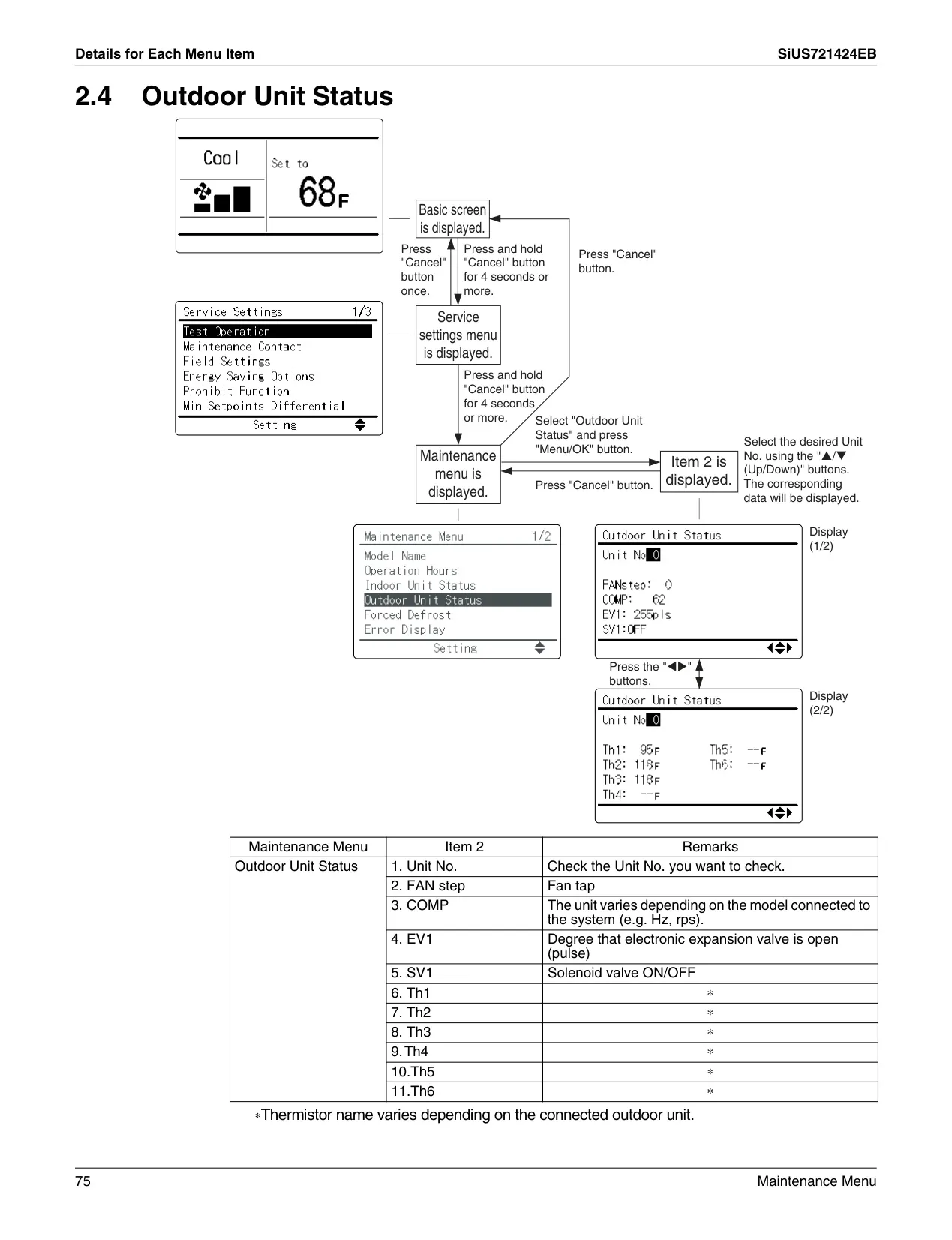
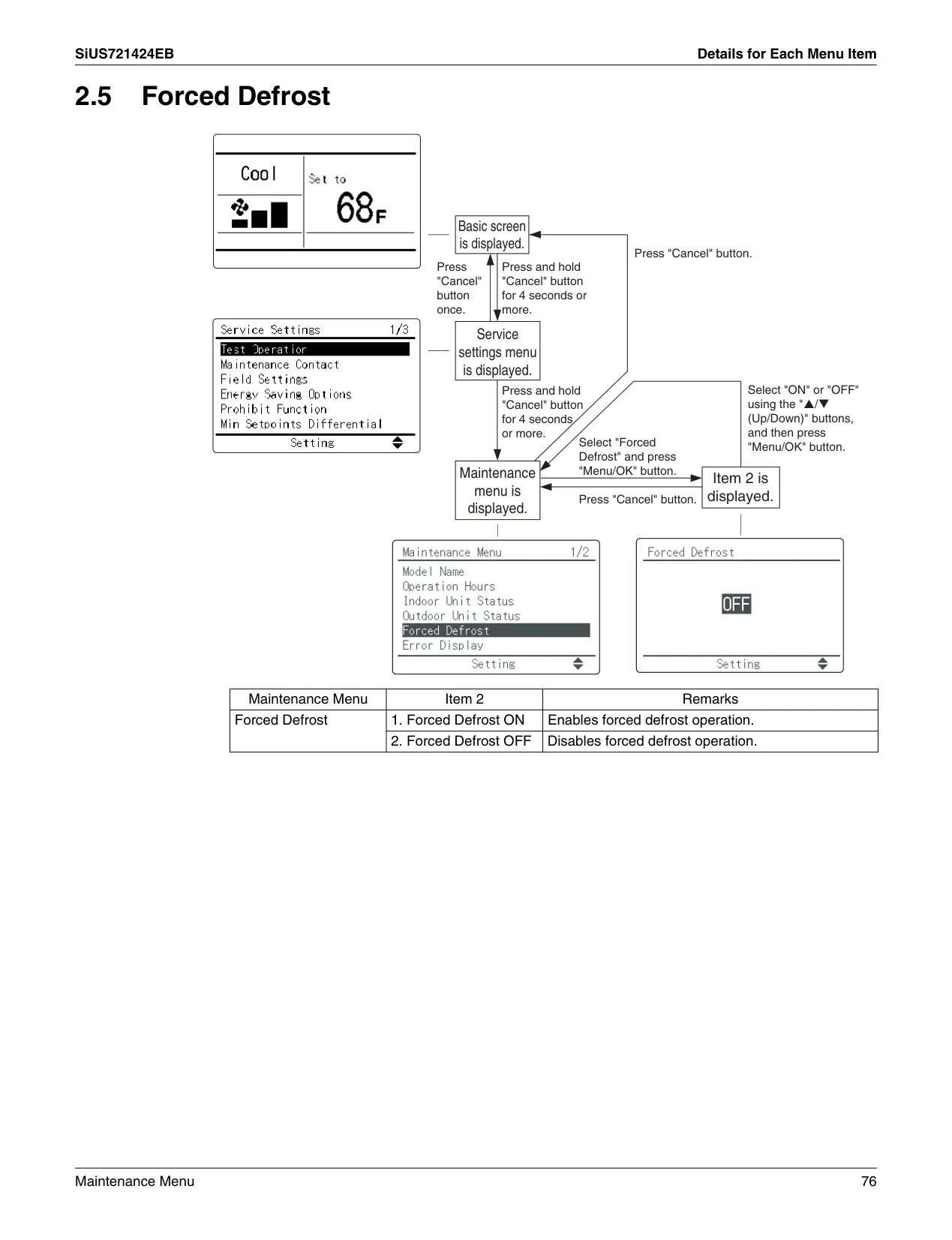
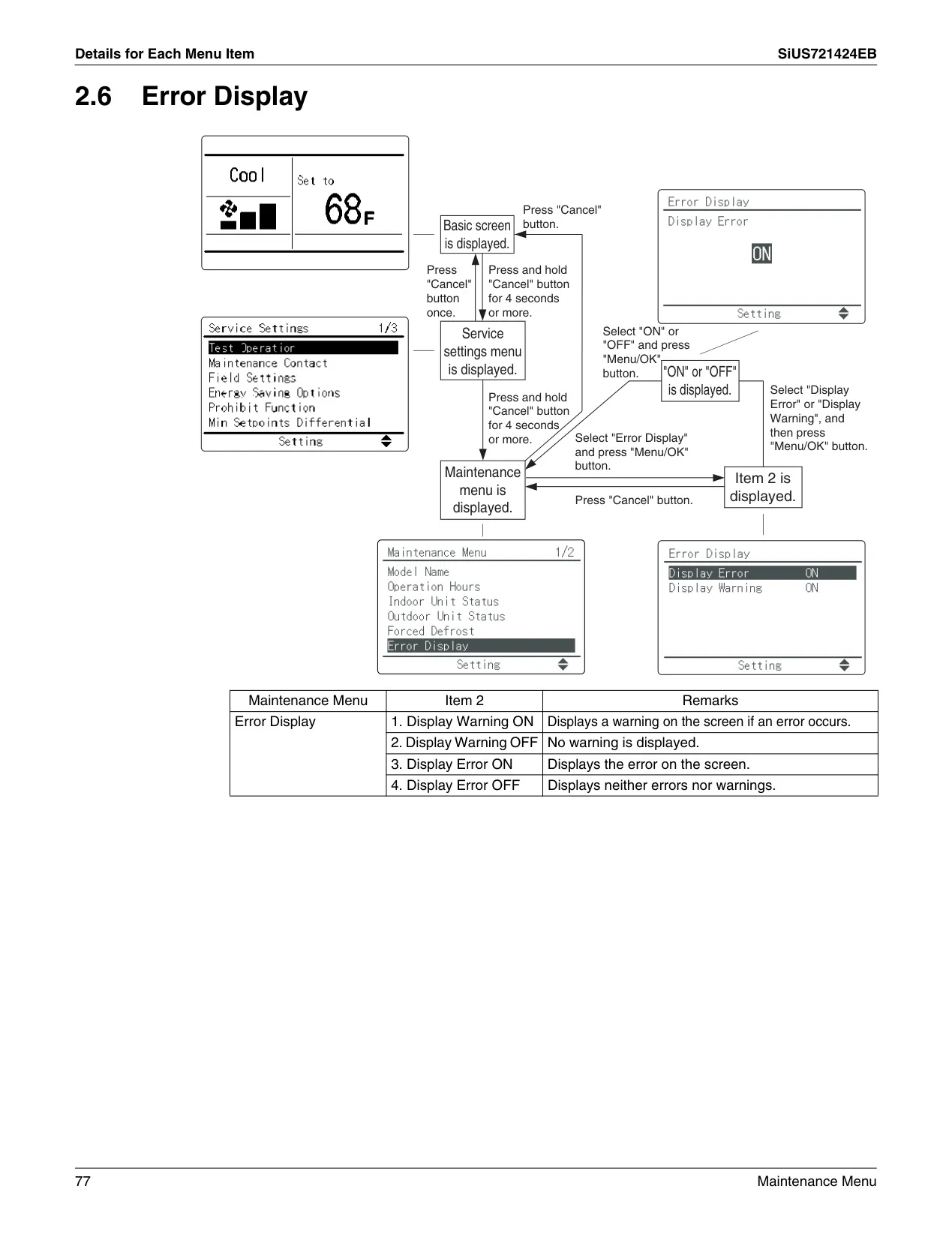
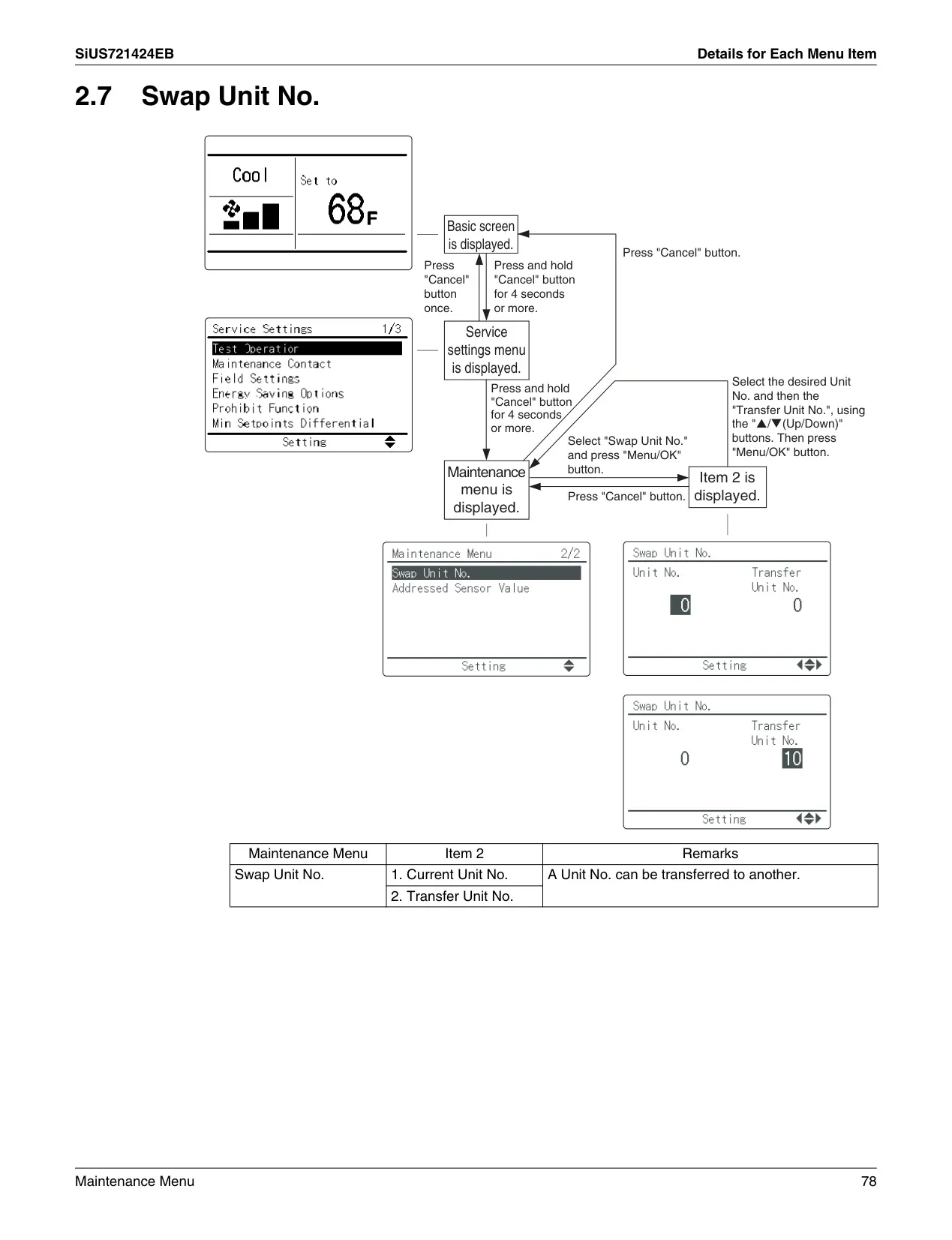
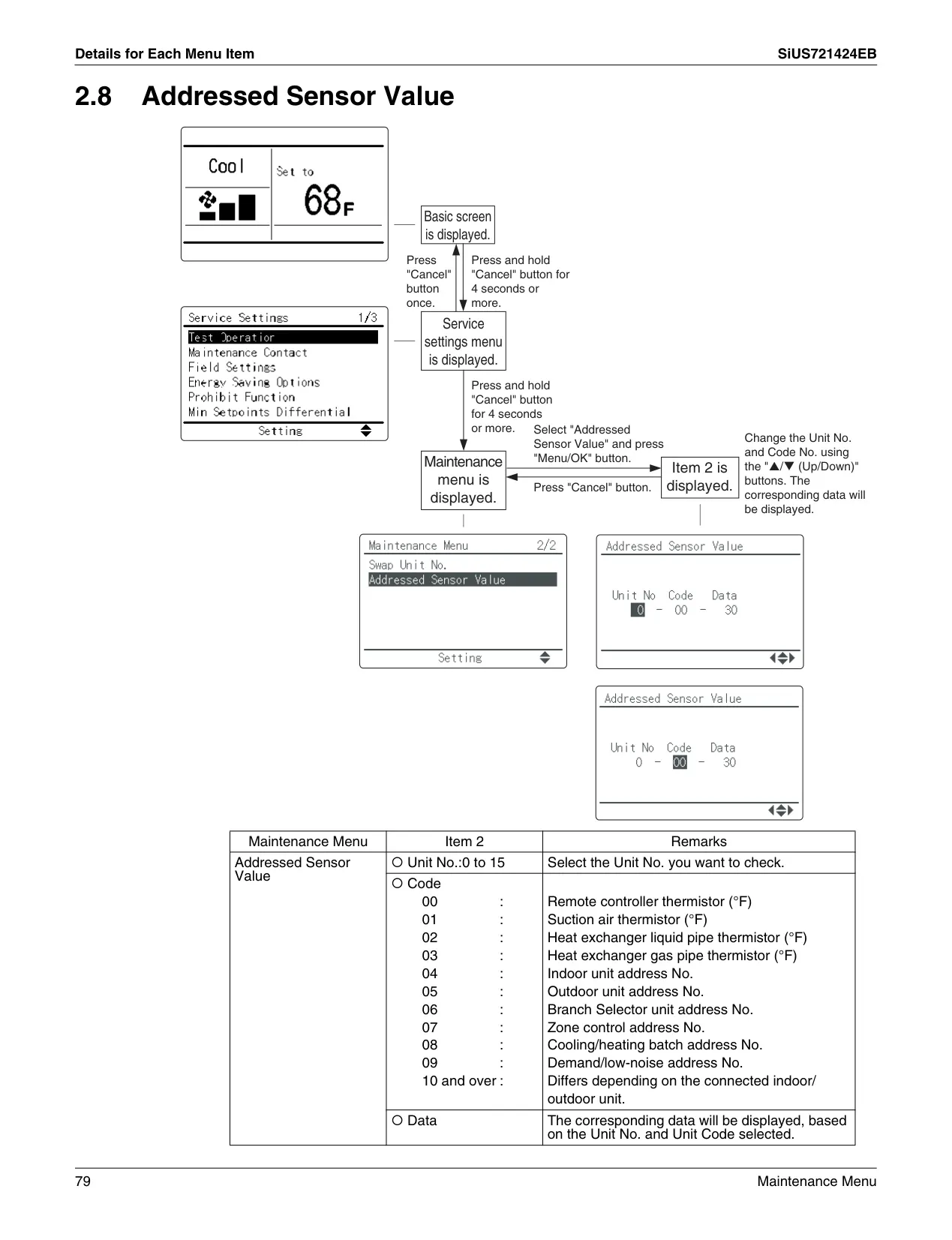

Daikin Thermostat BRC1E73 Instructions
Here we offer the Daikin Thermostat BRC1E73 manual completely free and in English. We have cataloged this manual in the Thermostats section on Manualverse, and it has been rated by 1 users with an average rating of 5. If you have any specific questions about Daikin Thermostat BRC1E73, we suggest checking the Frequently Asked Questions (FAQs) section of this manual.
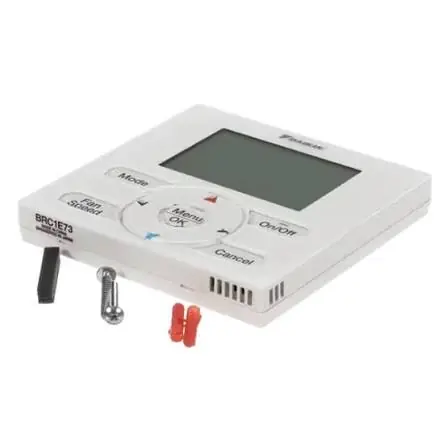
Product Images
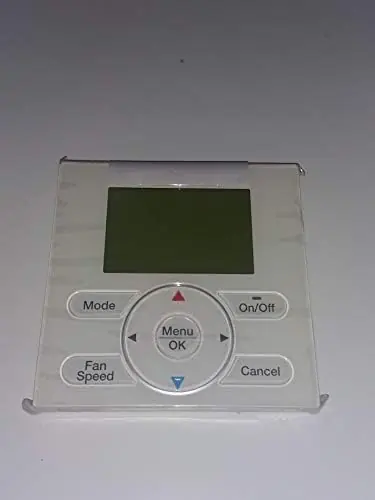
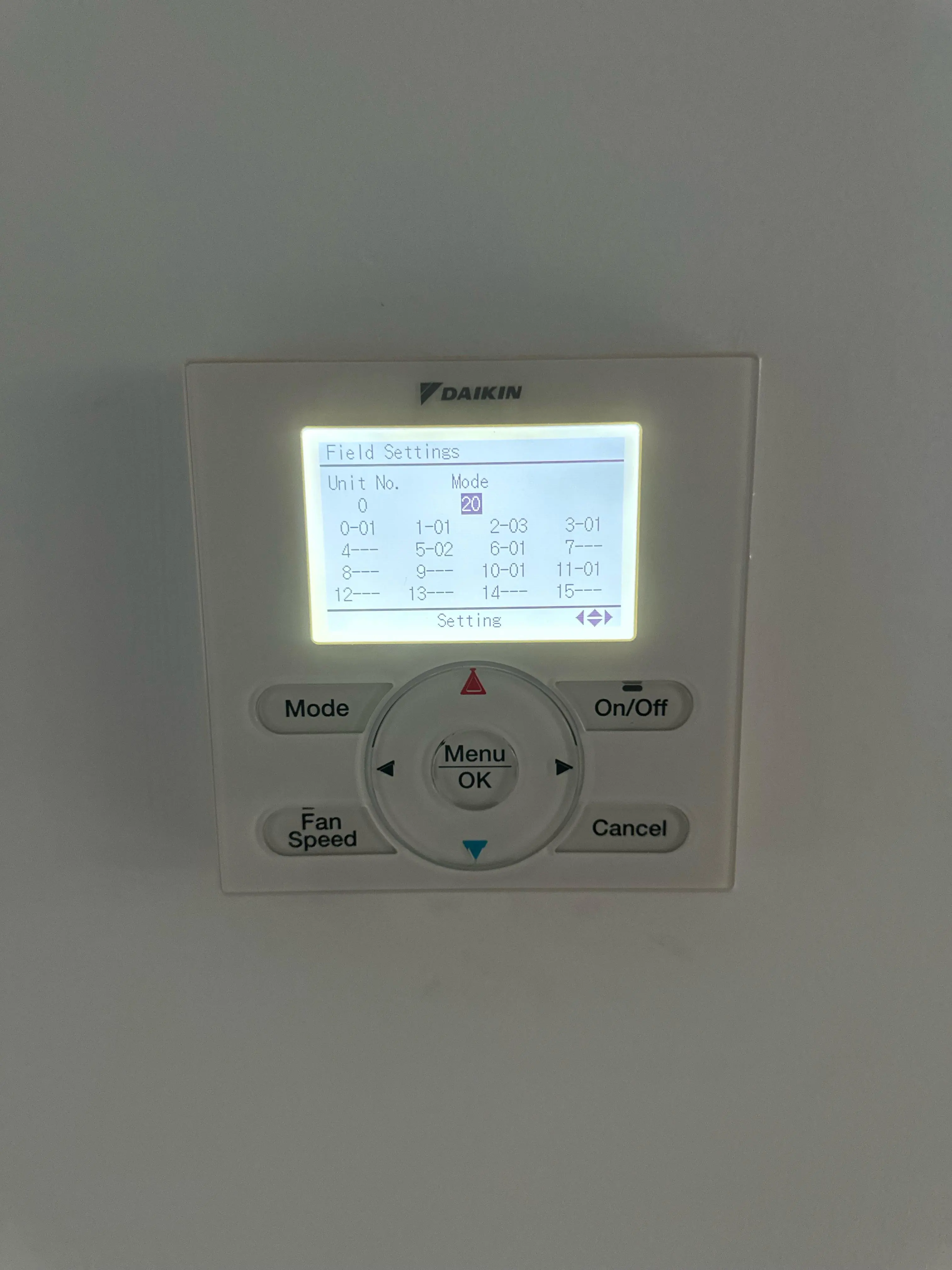
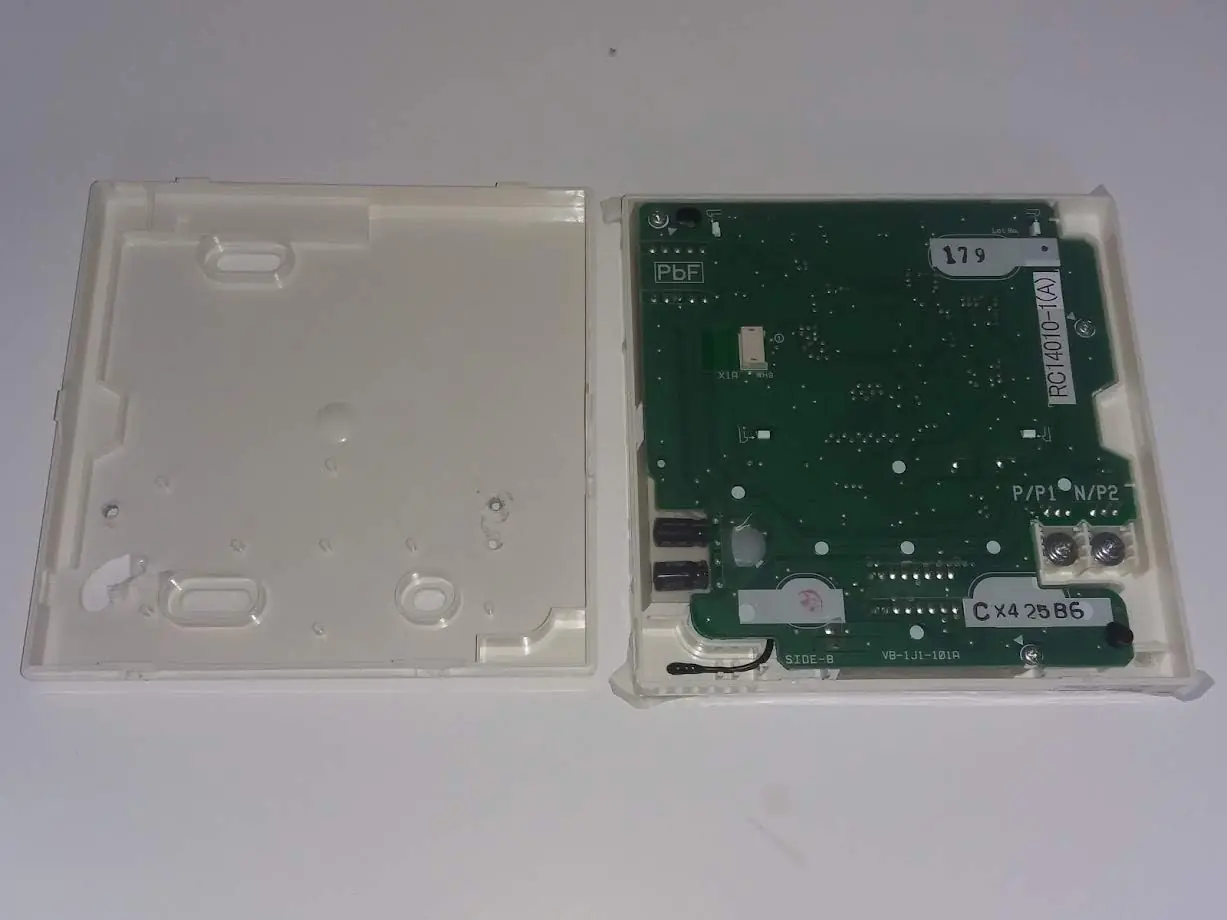
Daikin Thermostat BRC1E73 Specifications
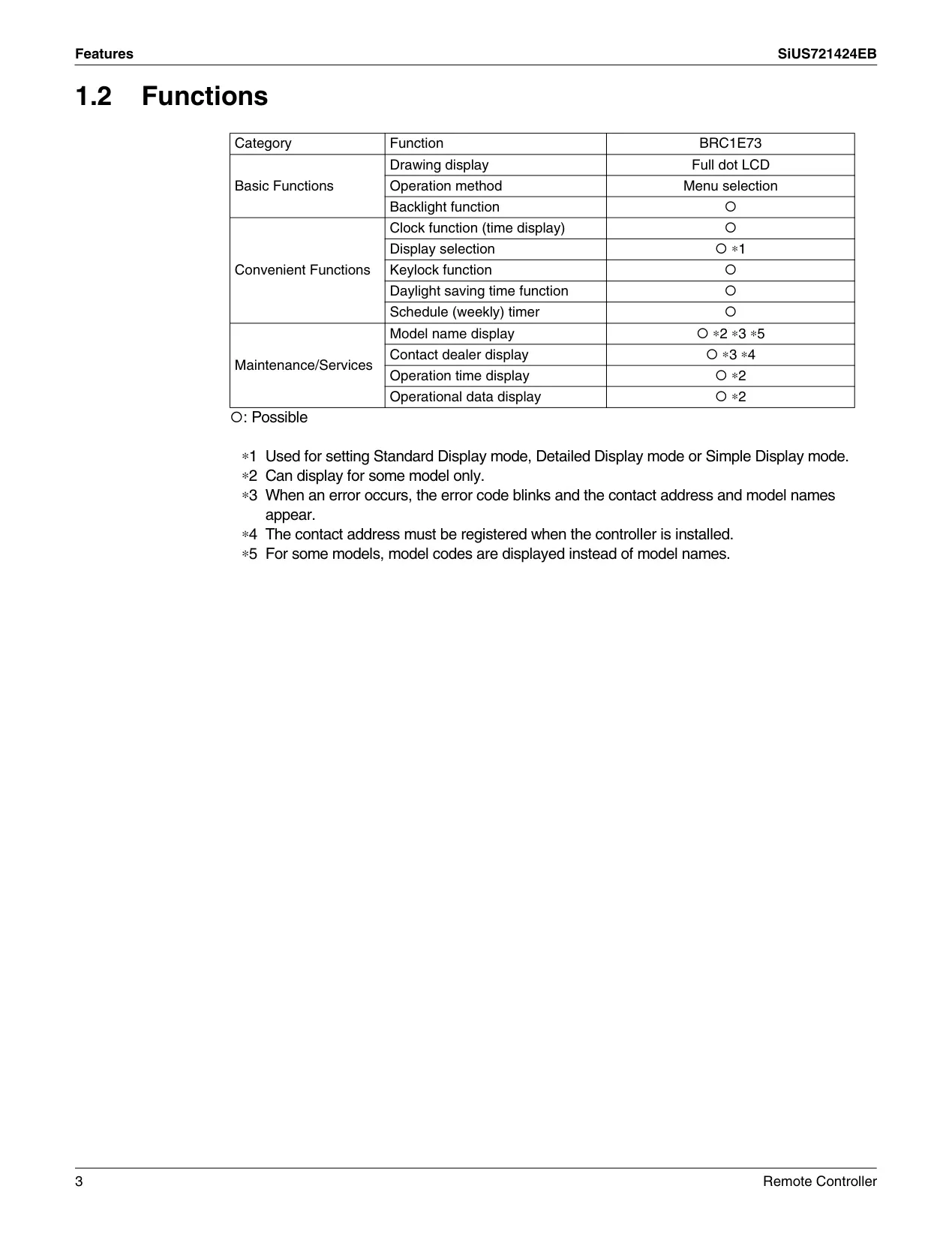
| Feature | Specification |
|---|---|
| Model Name | BRC1E73 |
| Product Type | Wired Remote Controller |
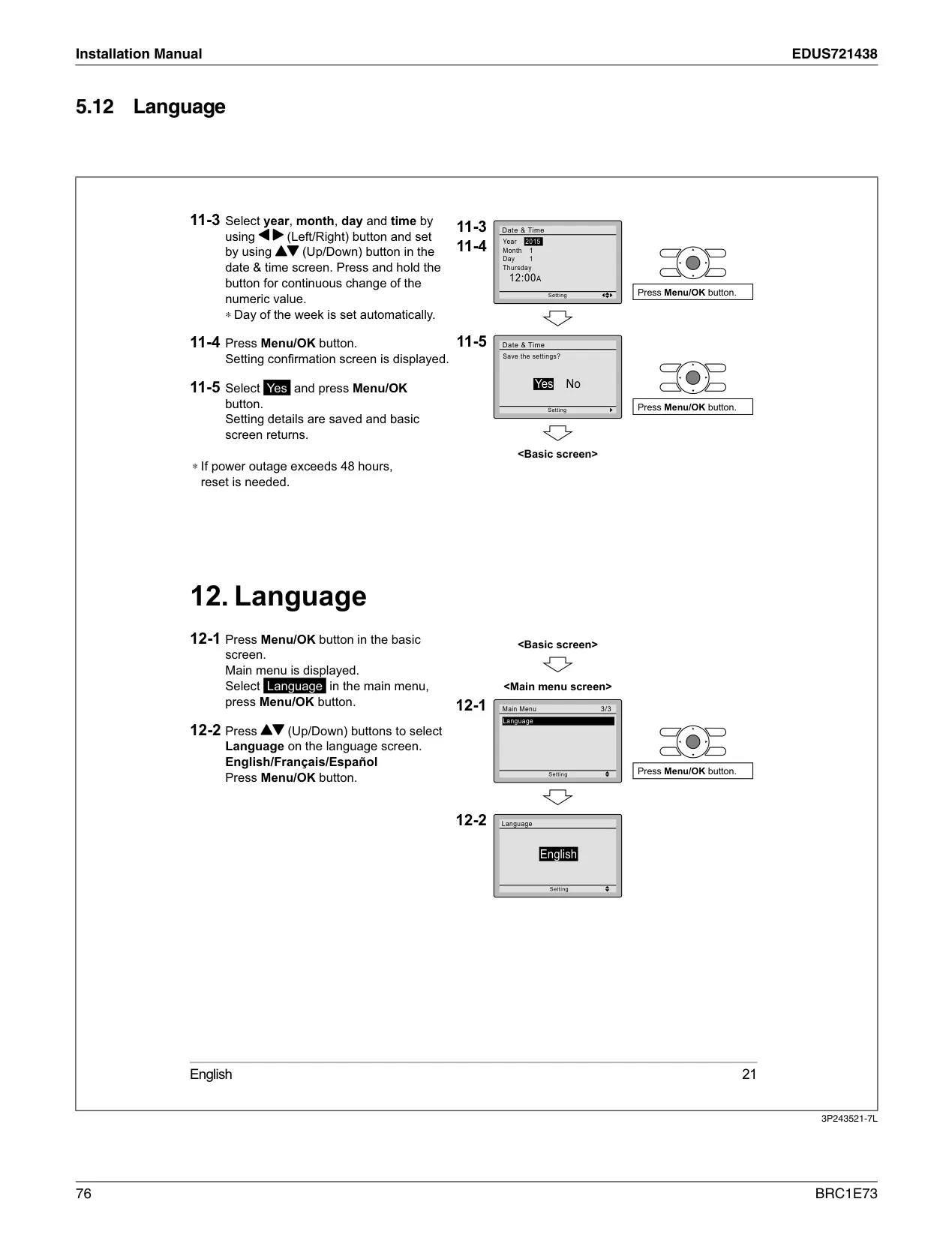
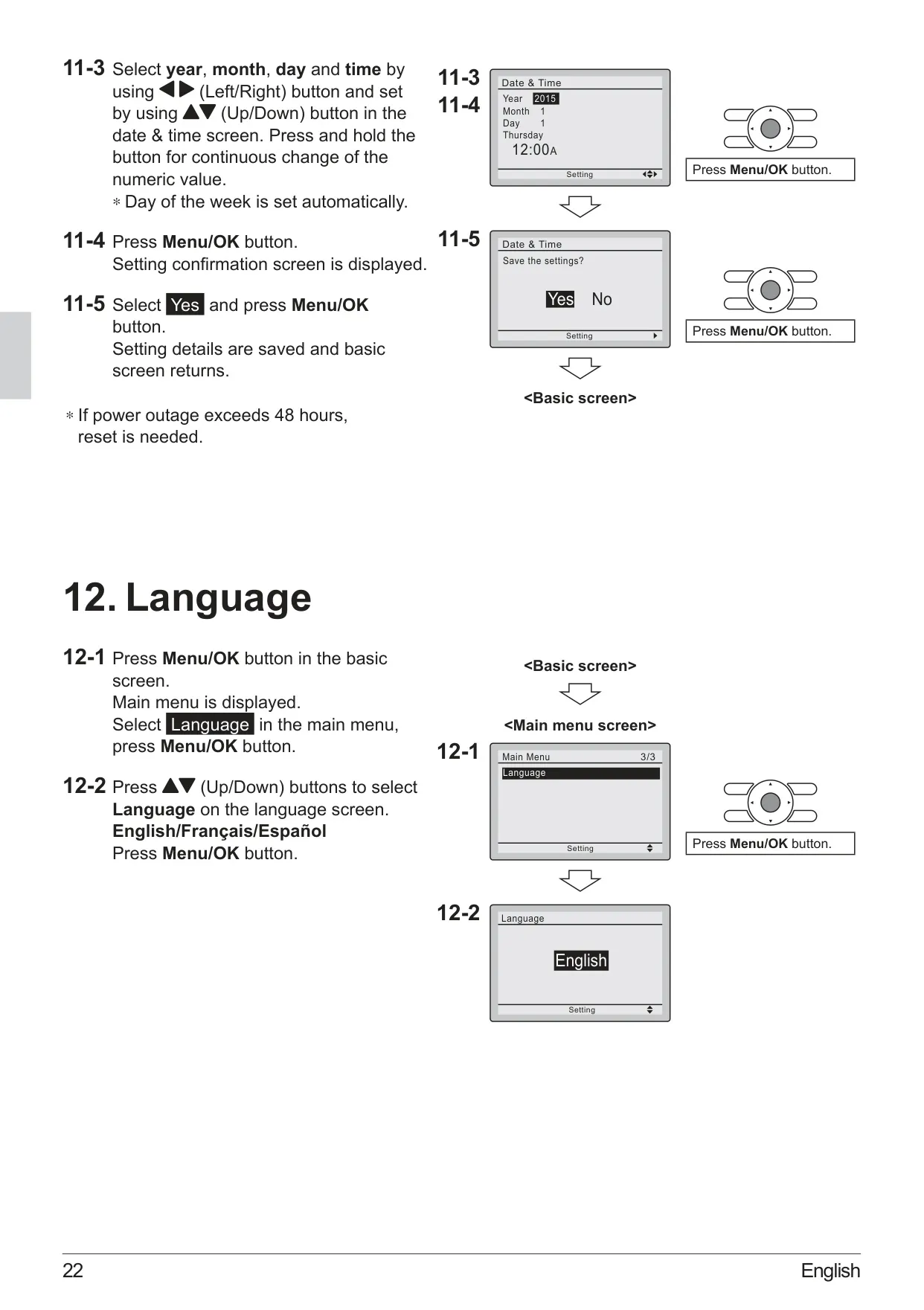
| Supported Languages | English, Français, Español |
| Control Wiring Type | Non-shielded, 2-conductor, stranded copper wire |
| Control Wiring Size | AWG-18 |
| Max. Control Wiring Length | 1640 feet (500 meters) |
| Temperature Display Units | Celsius or Fahrenheit (selectable) |
| Time Display Format | 12-hour or 24-hour (selectable, 12H default) |
| Clock Accuracy | ±30 seconds per month |
| Clock Backup Power | Built-in supply for up to 48 hours during power failure |
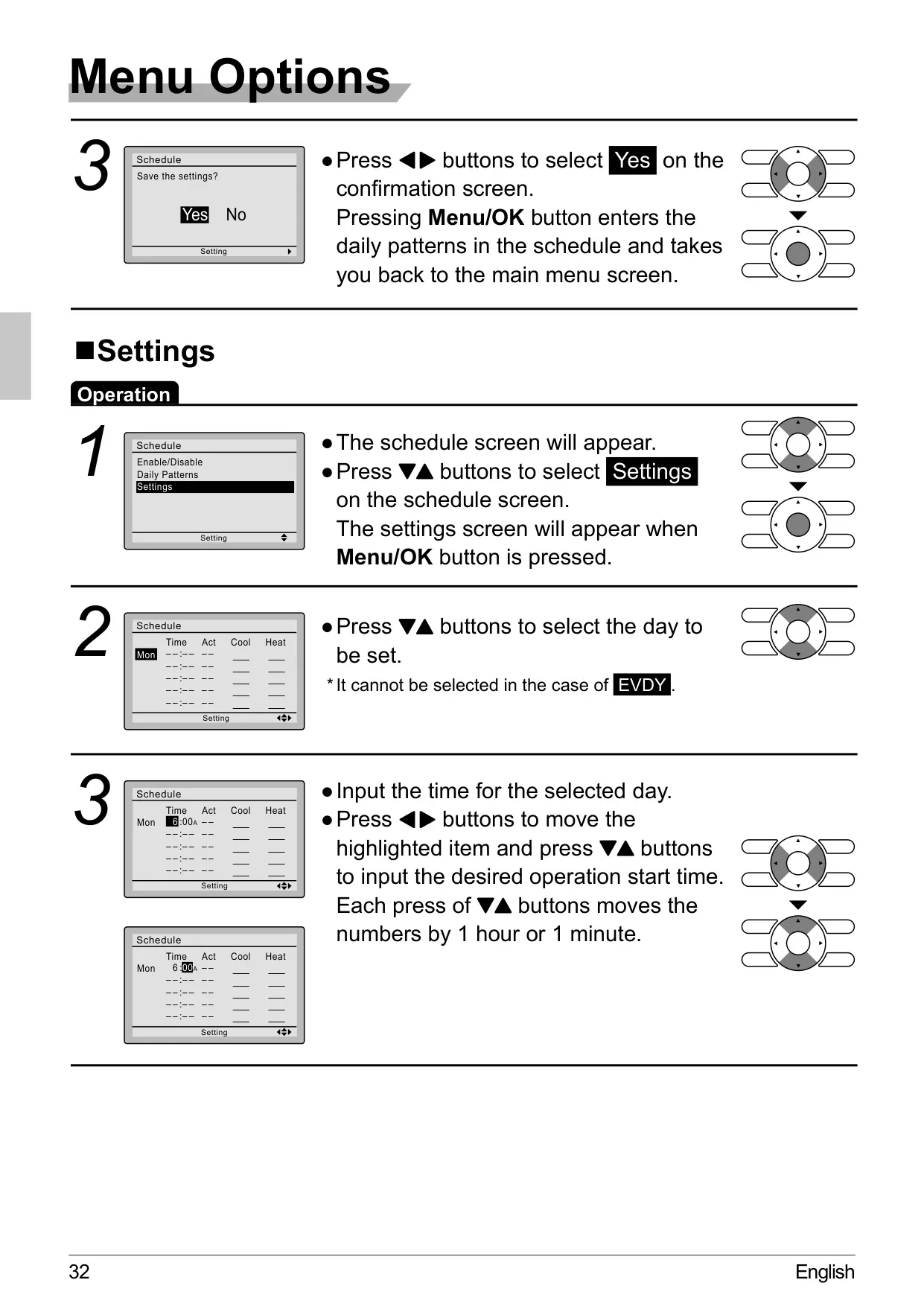
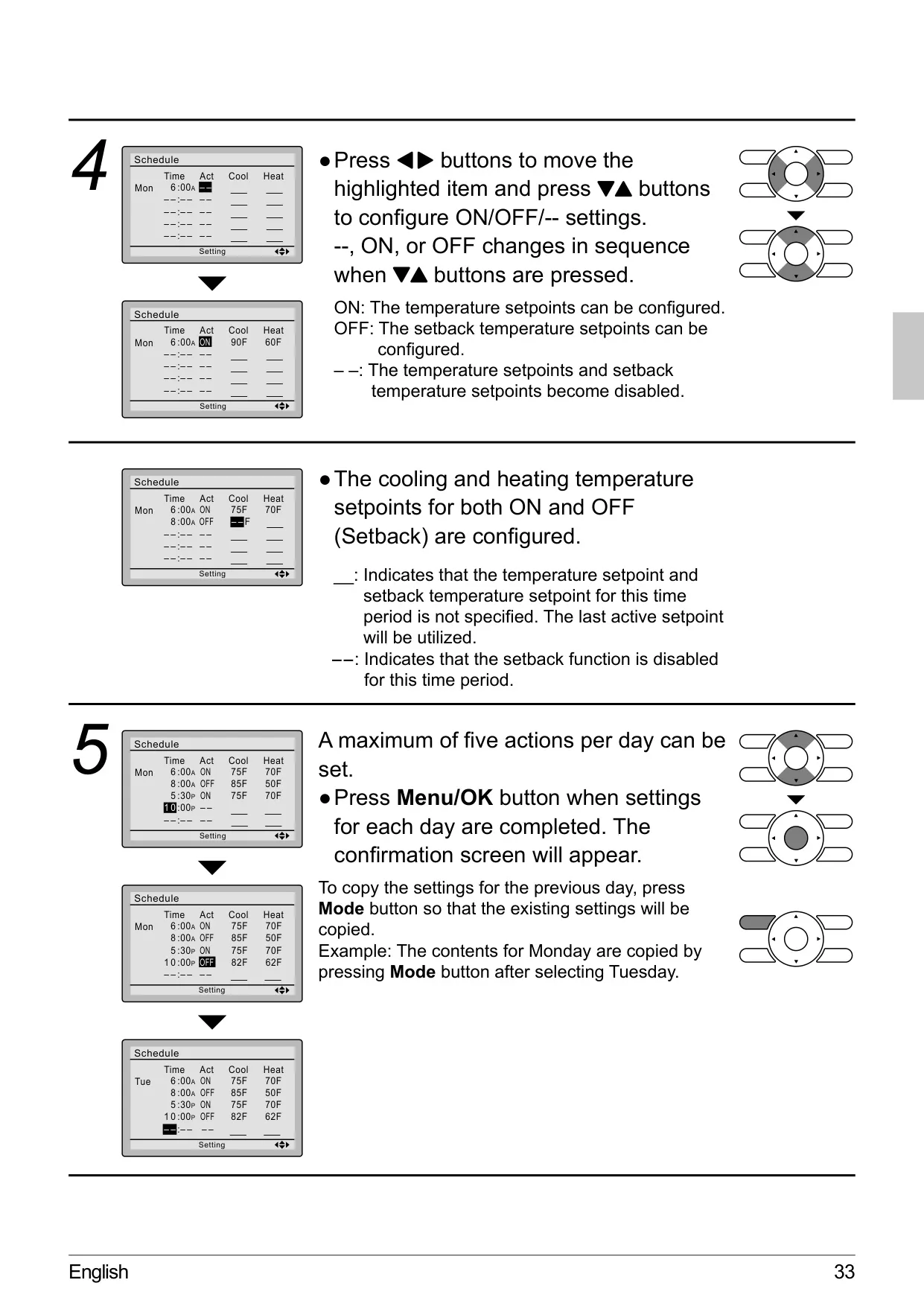
| Schedule Actions | Up to 5 actions per day (ON/OFF, setpoints) |
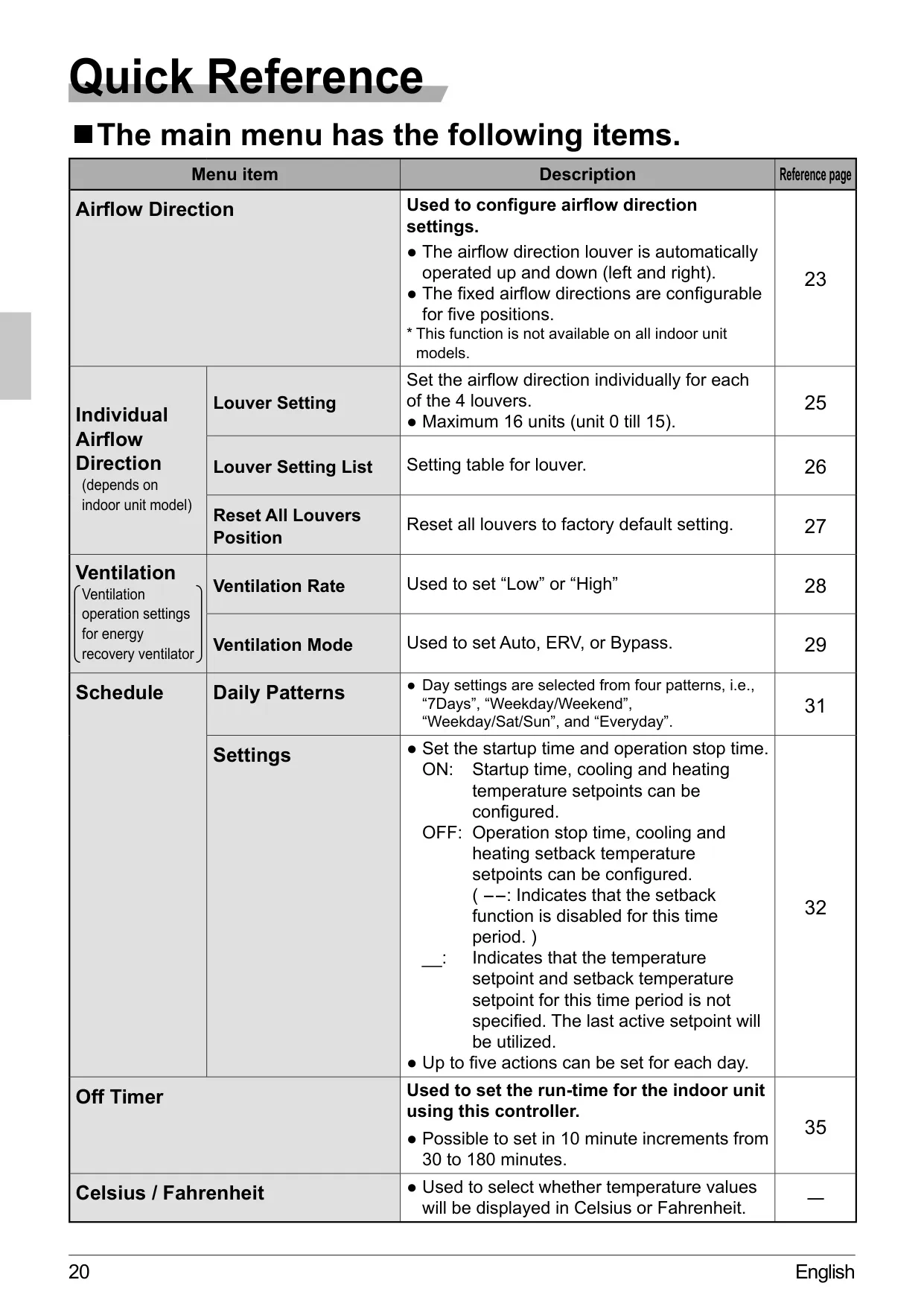
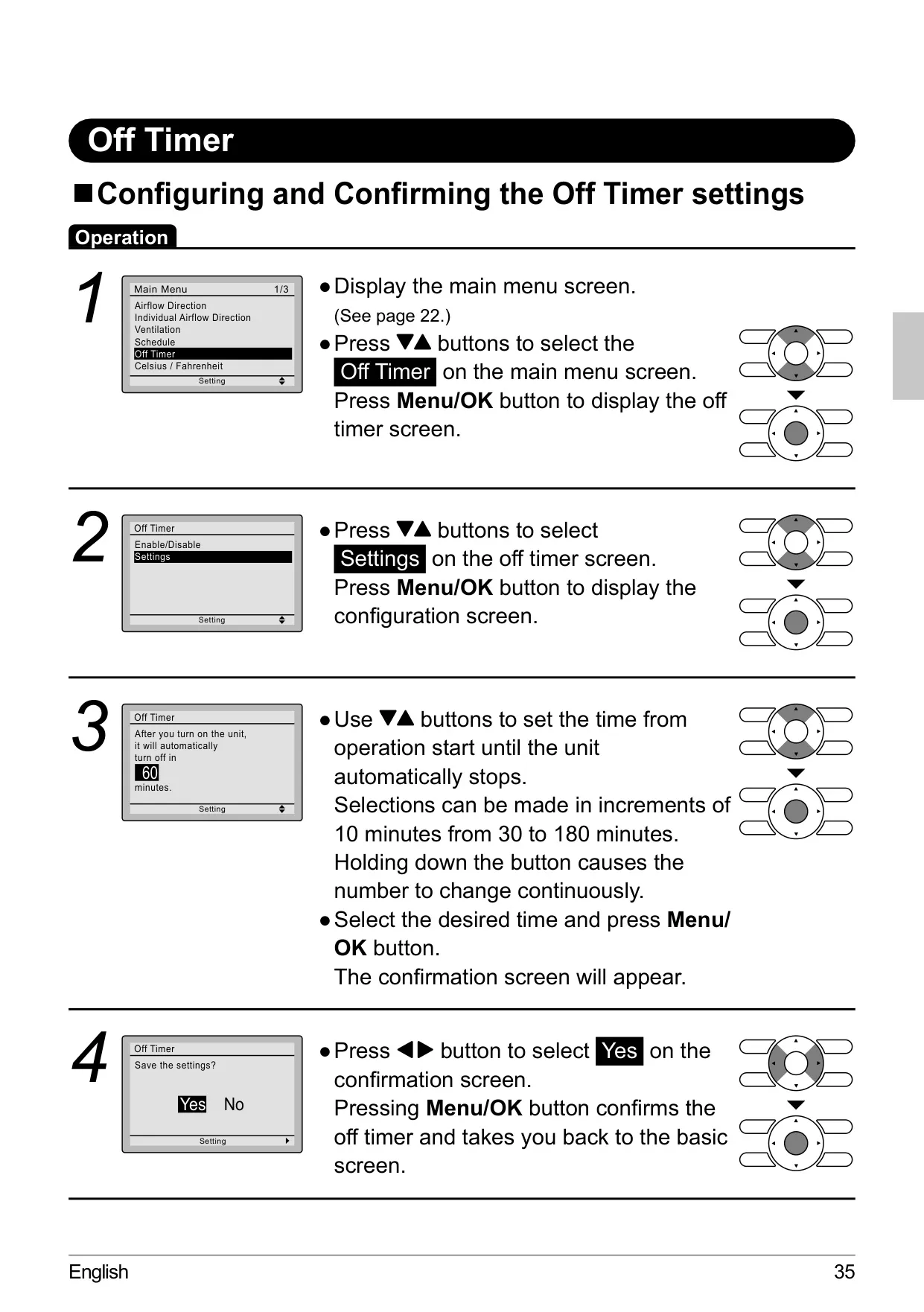
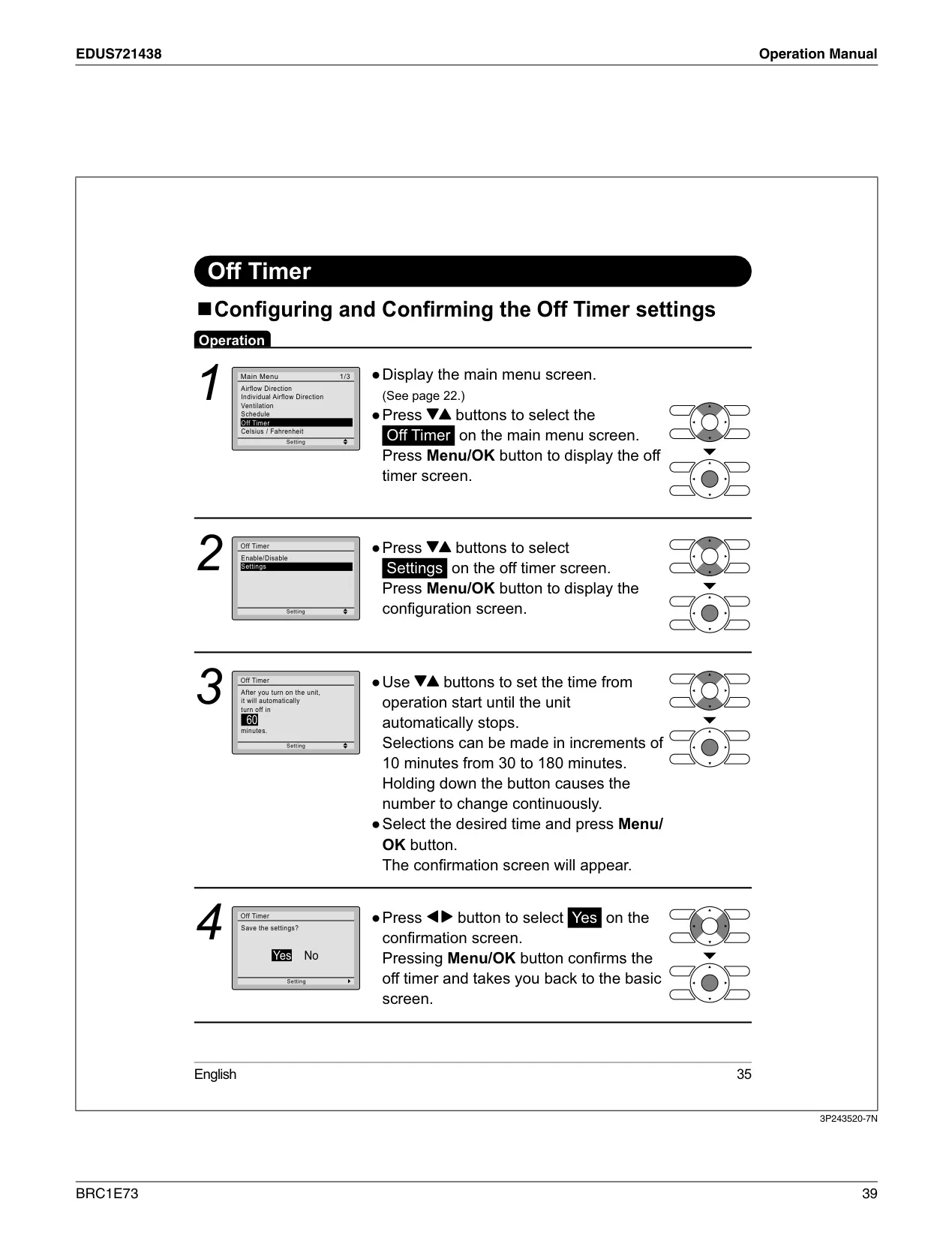
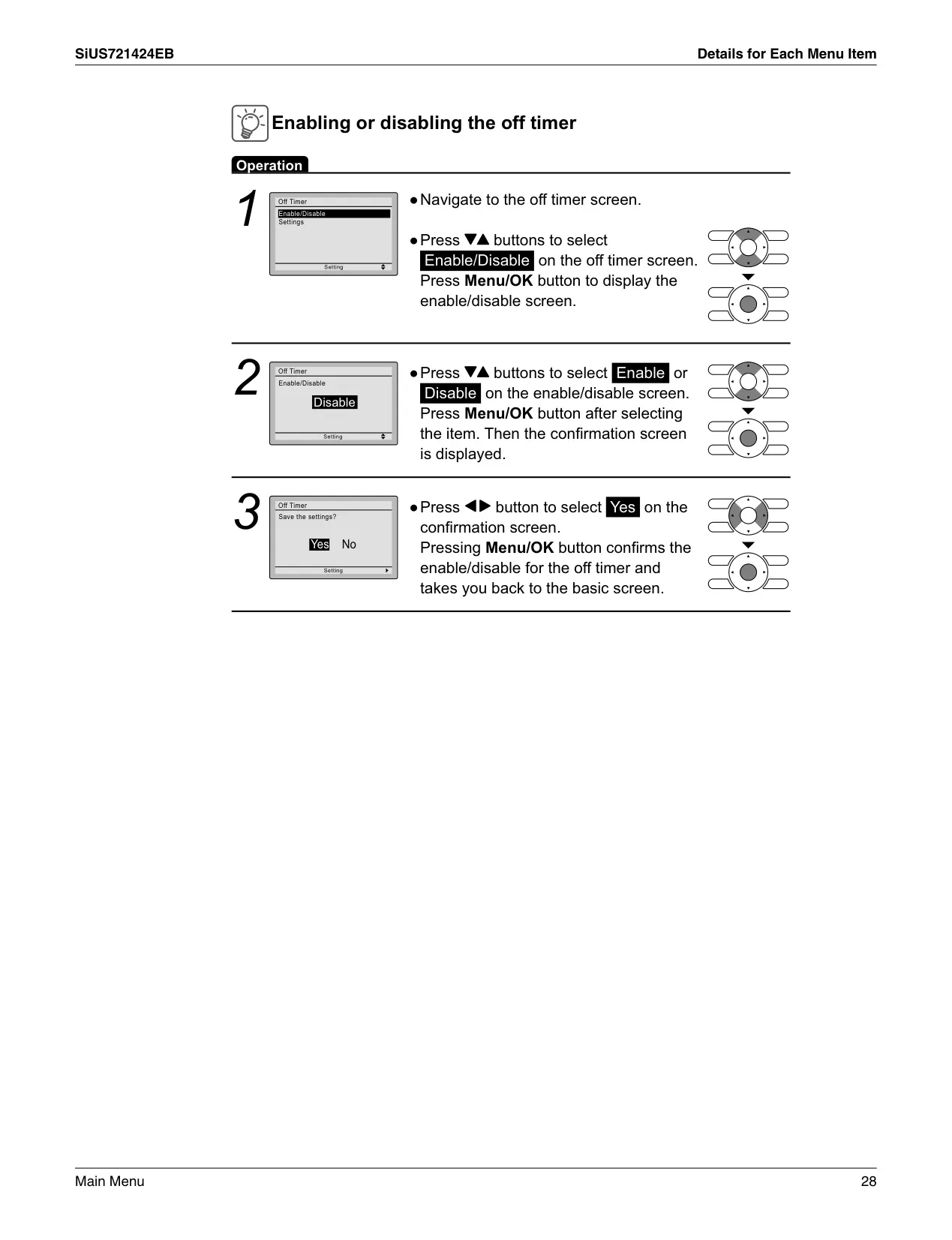
| Off Timer Range | 30 to 180 minutes (in 10-minute increments) |
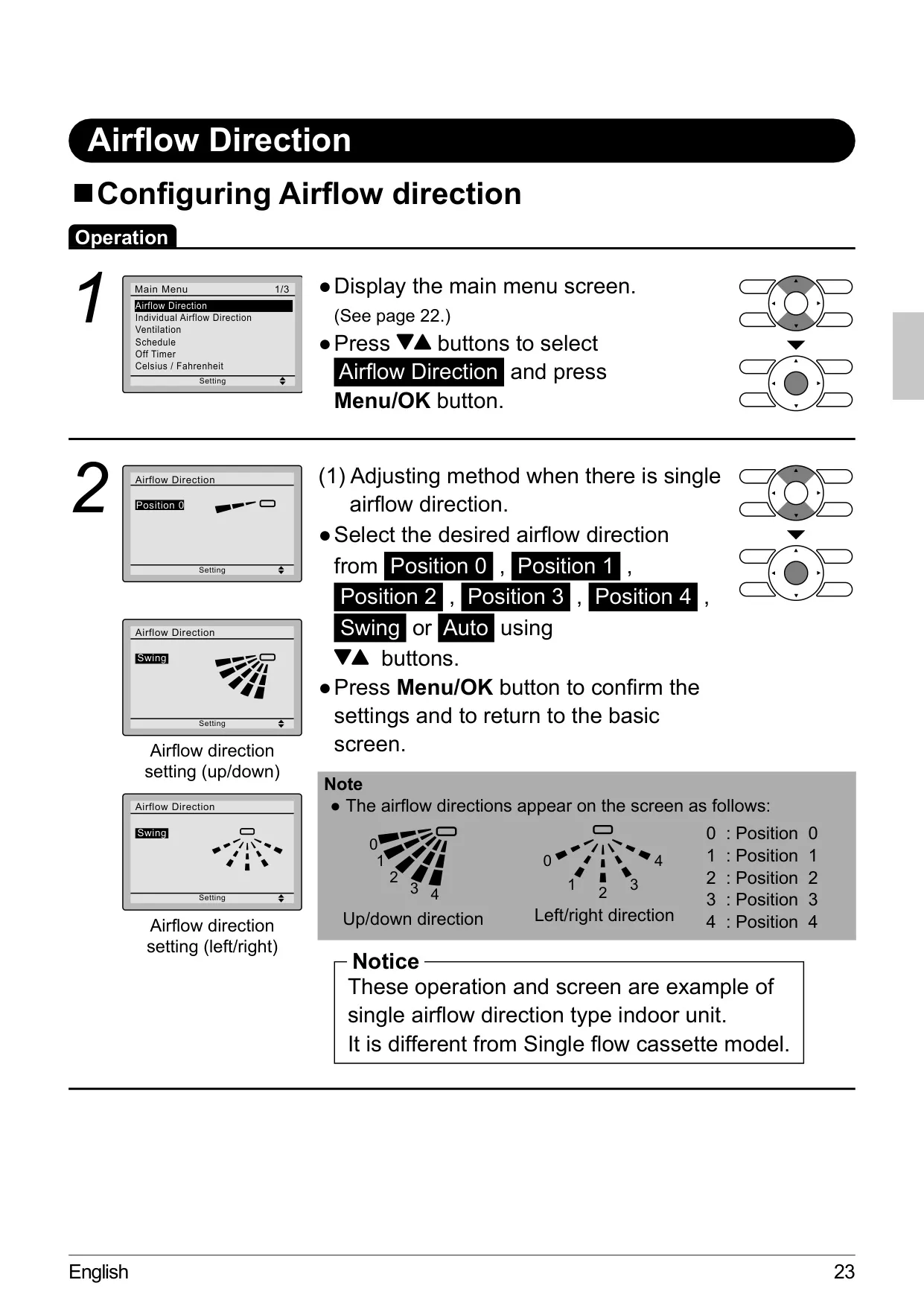
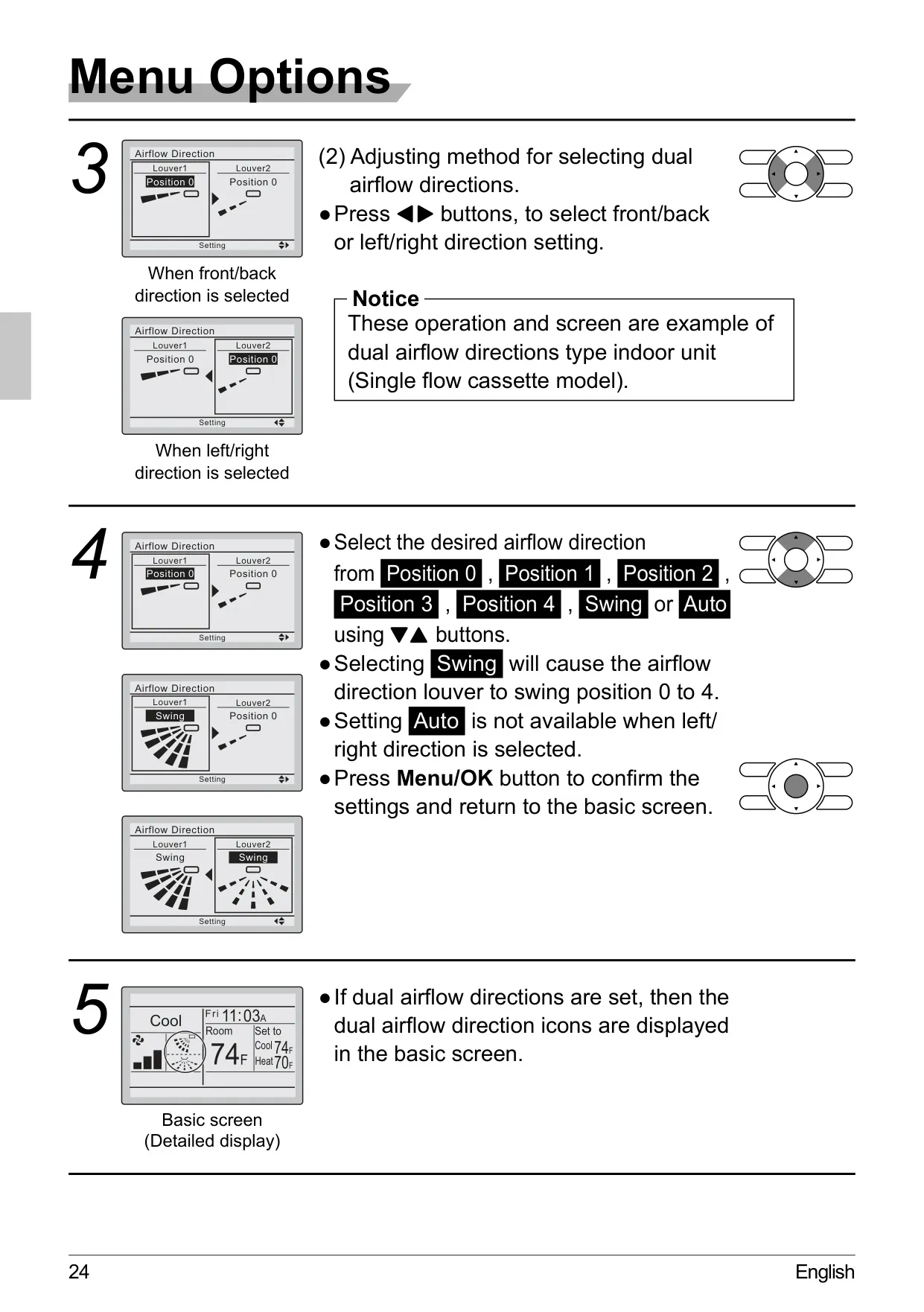
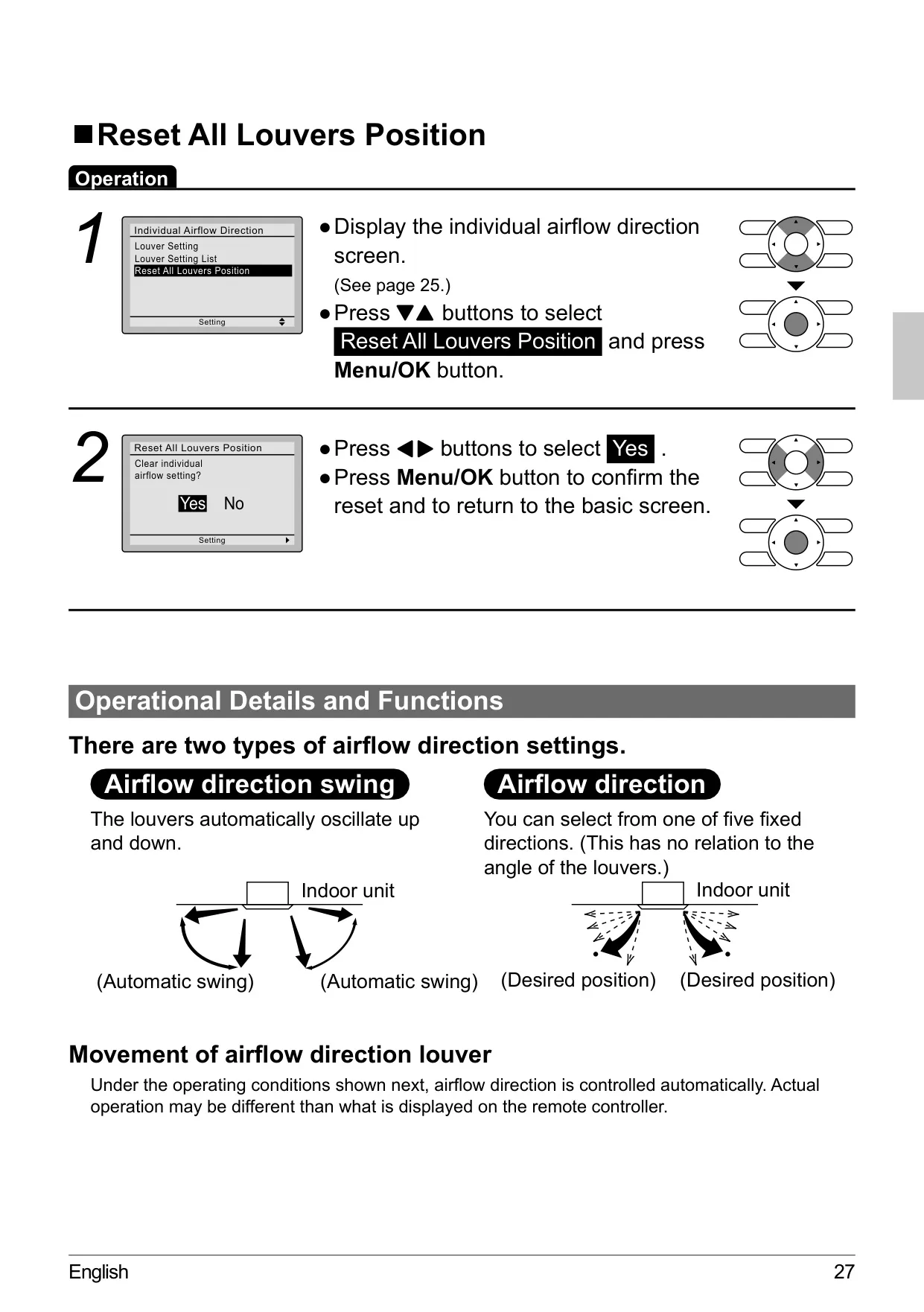
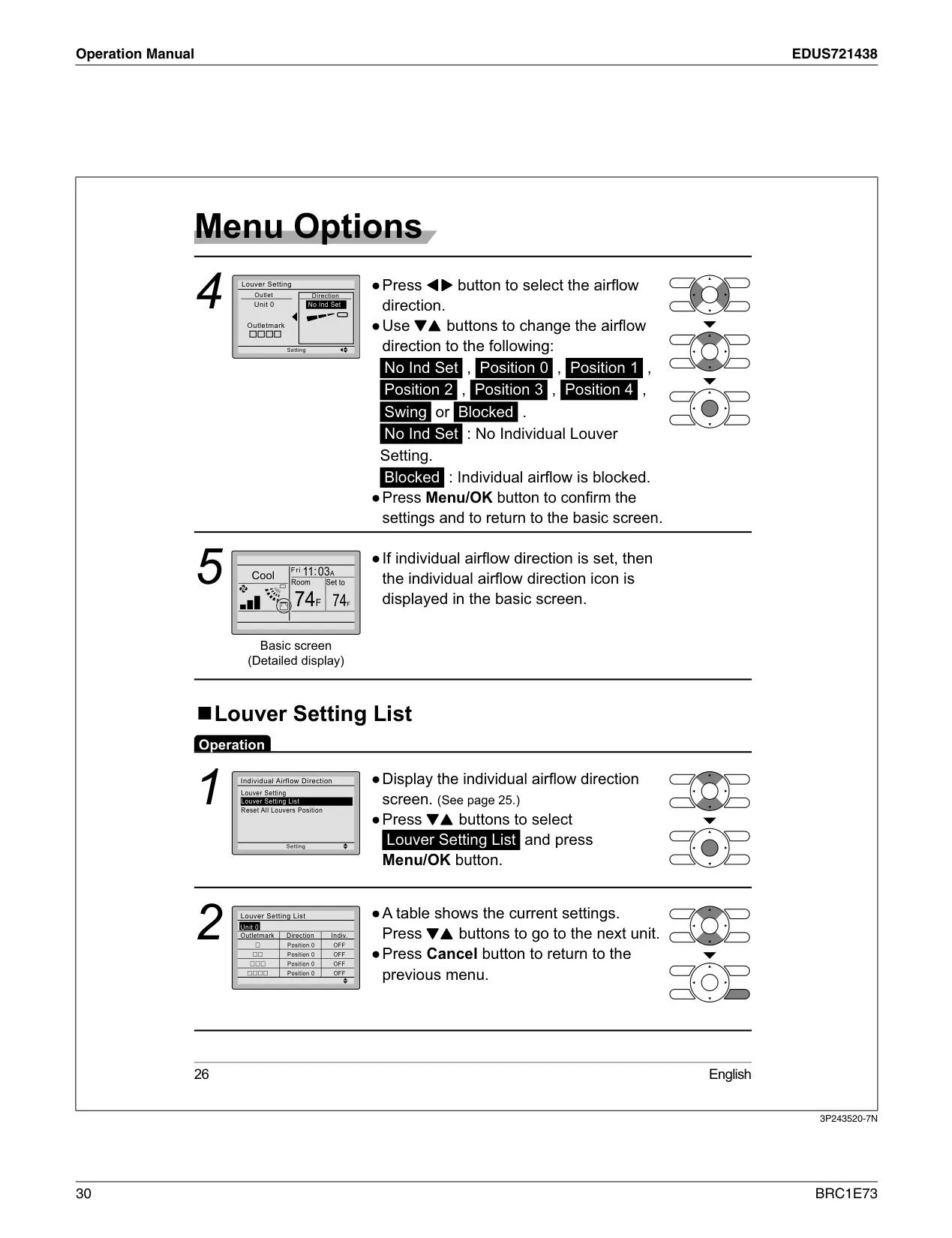
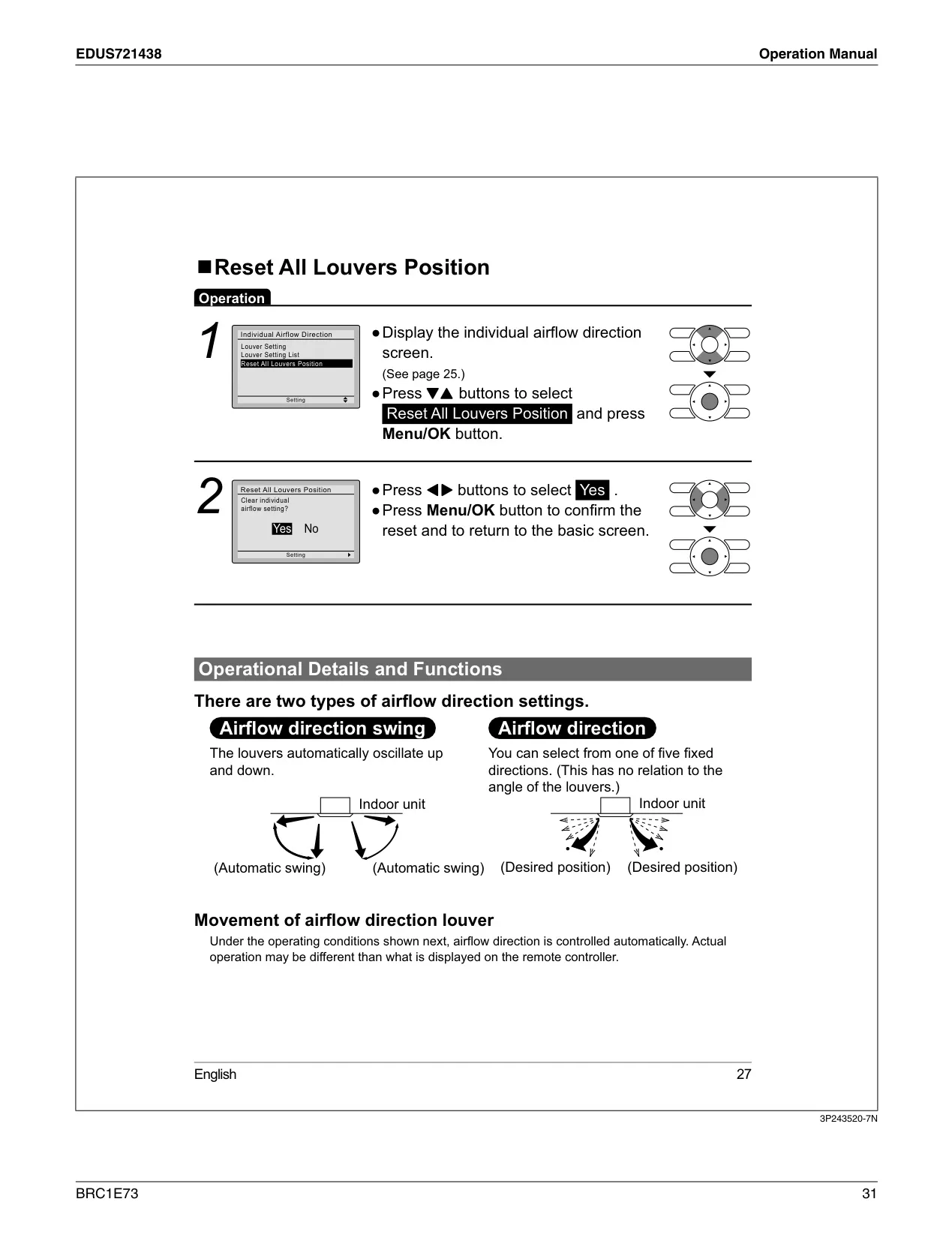
| Airflow Direction Settings | 5 fixed positions, plus Swing and Auto |
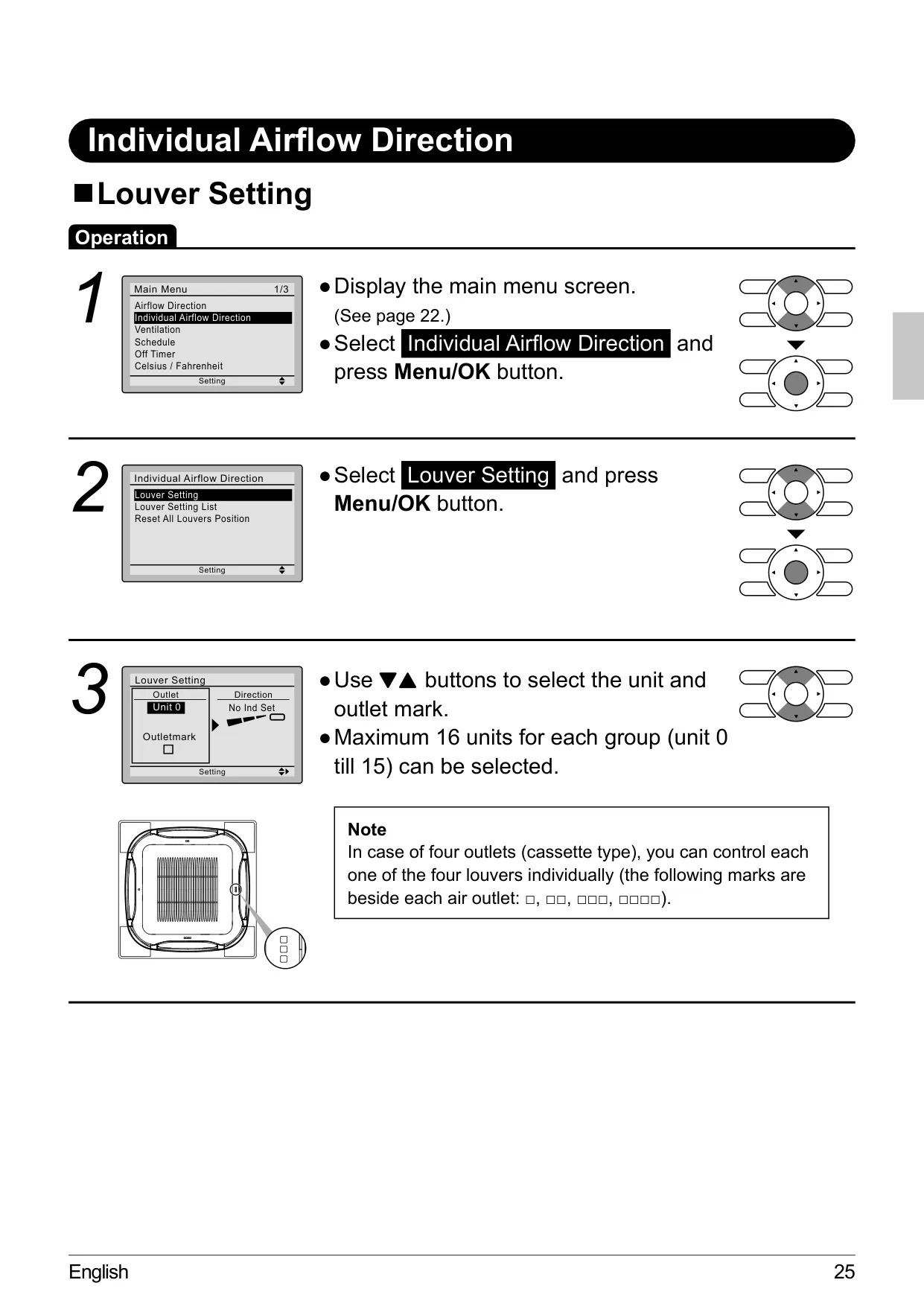
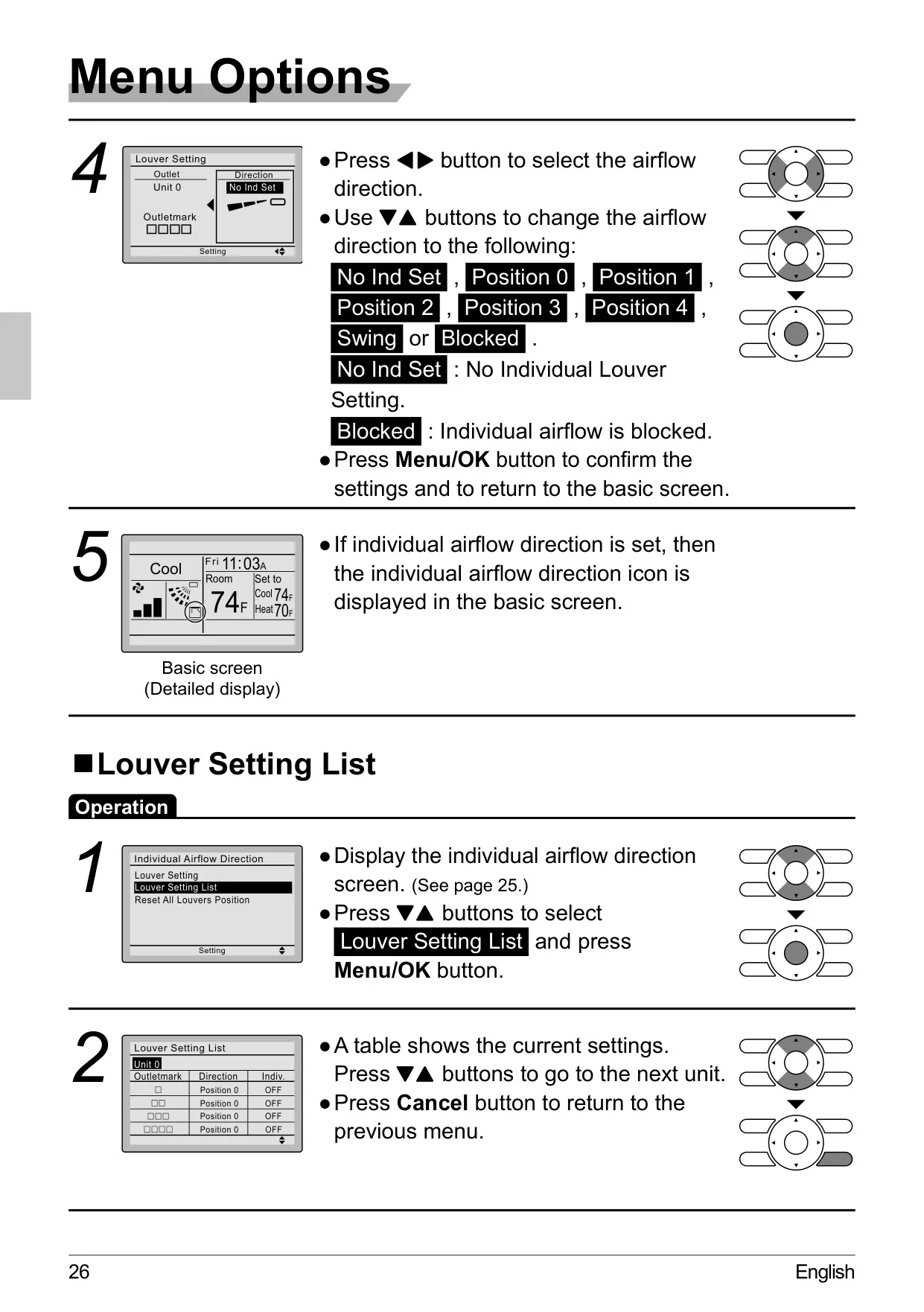
| Individual Louver Control | Up to 16 units (Unit 0-15), for 4 louvers per unit (cassette types) |
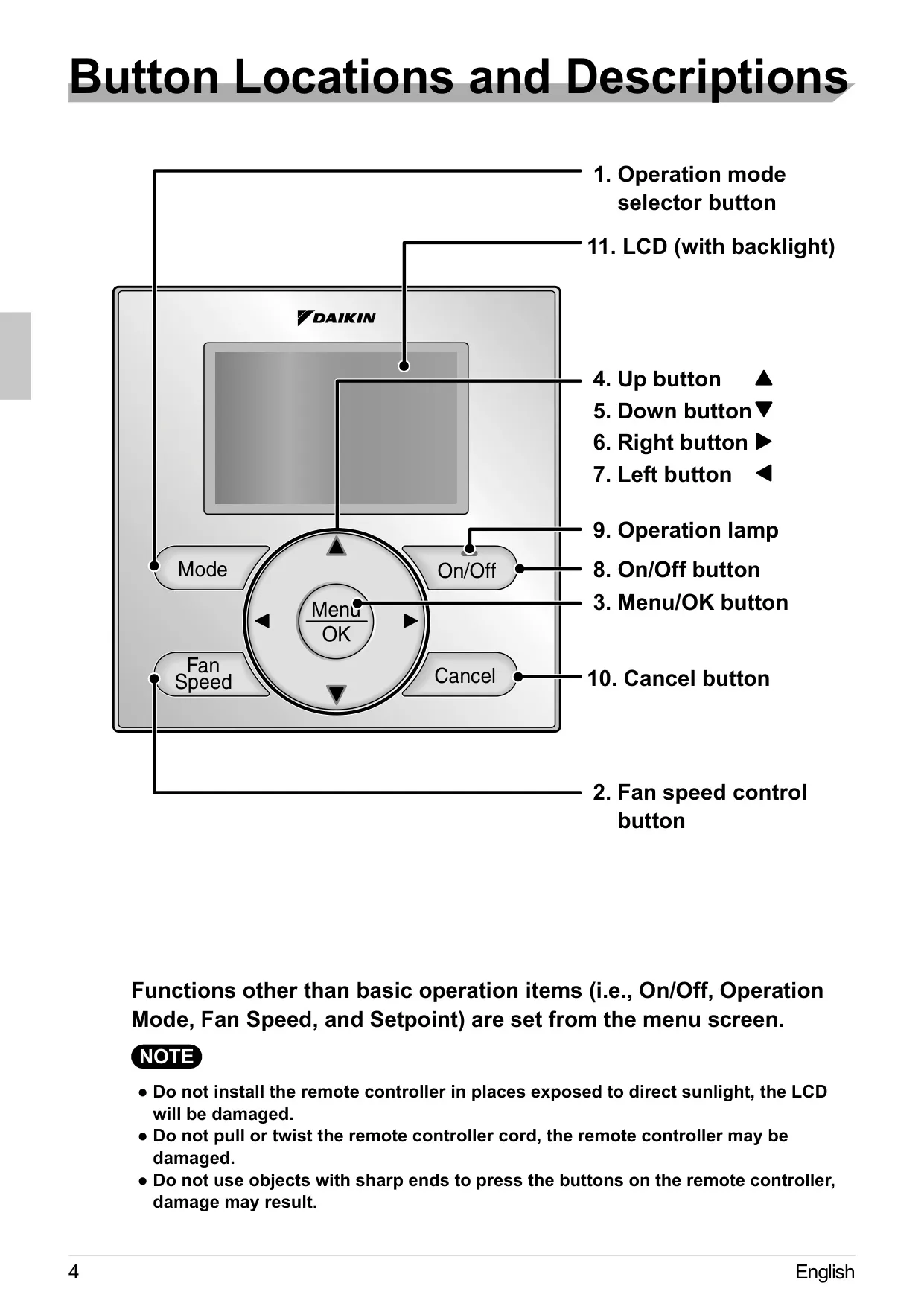
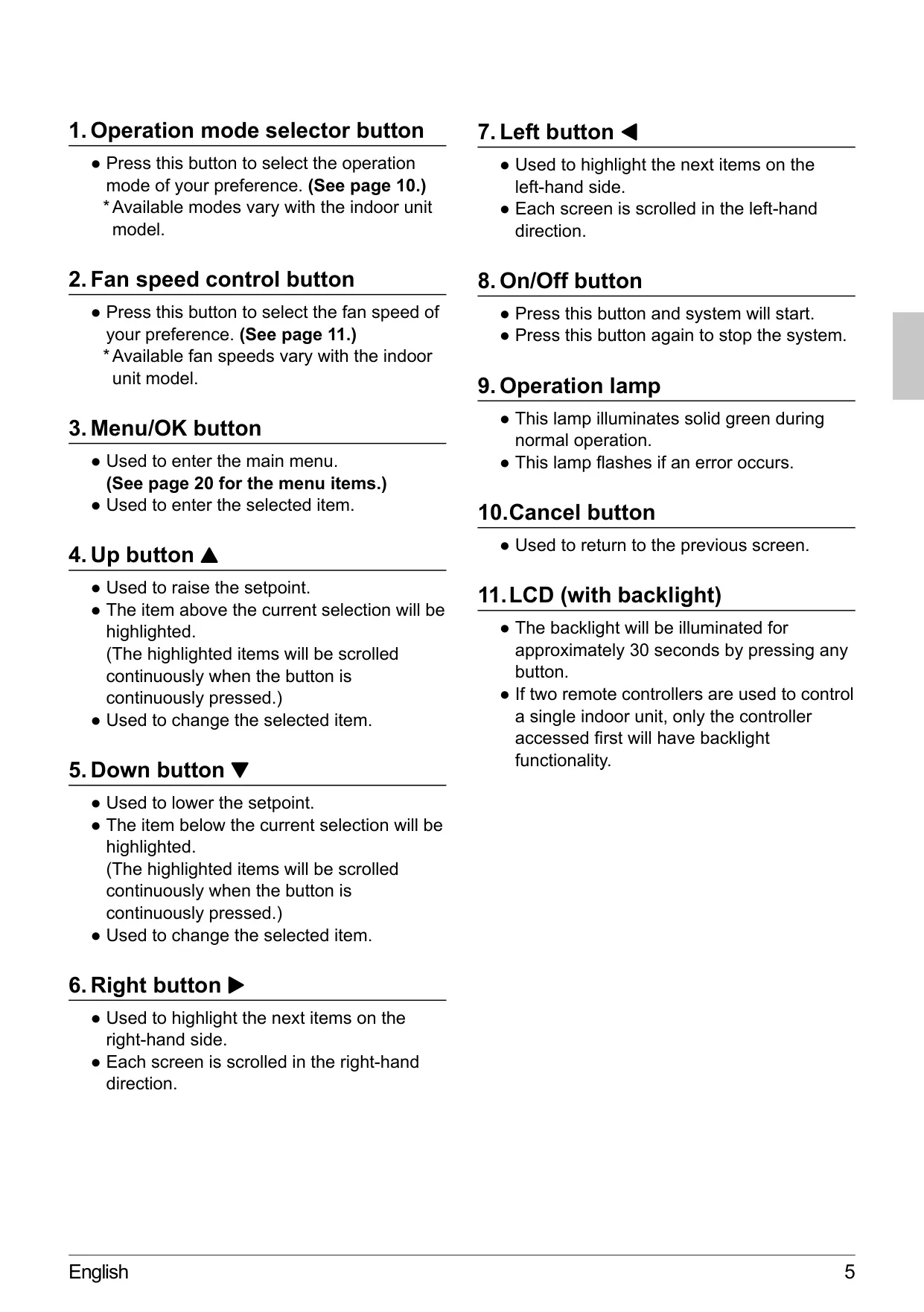
| LCD Backlight Duration | Approximately 30 seconds after any button press |
Daikin Thermostat BRC1E73 Details
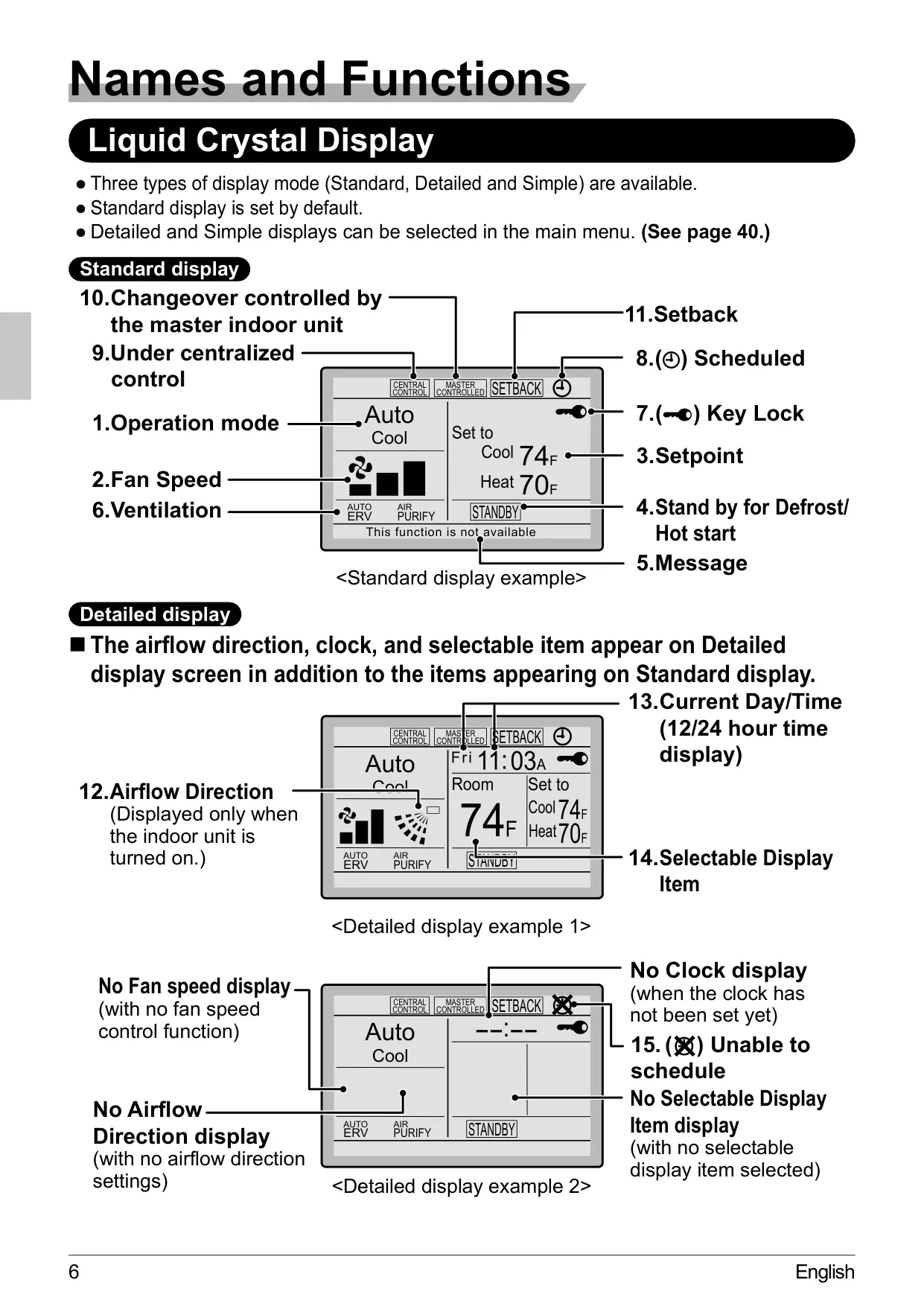
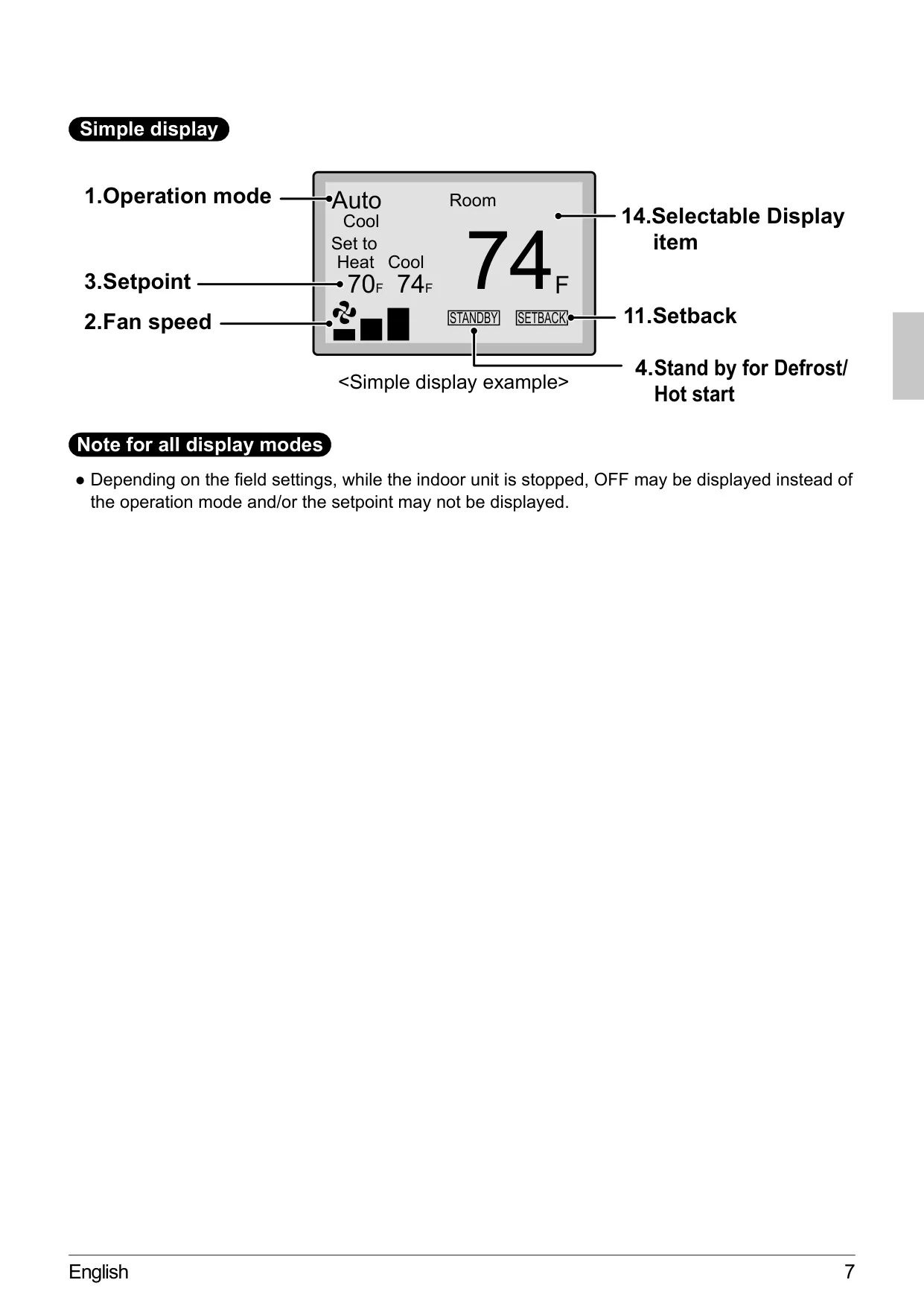
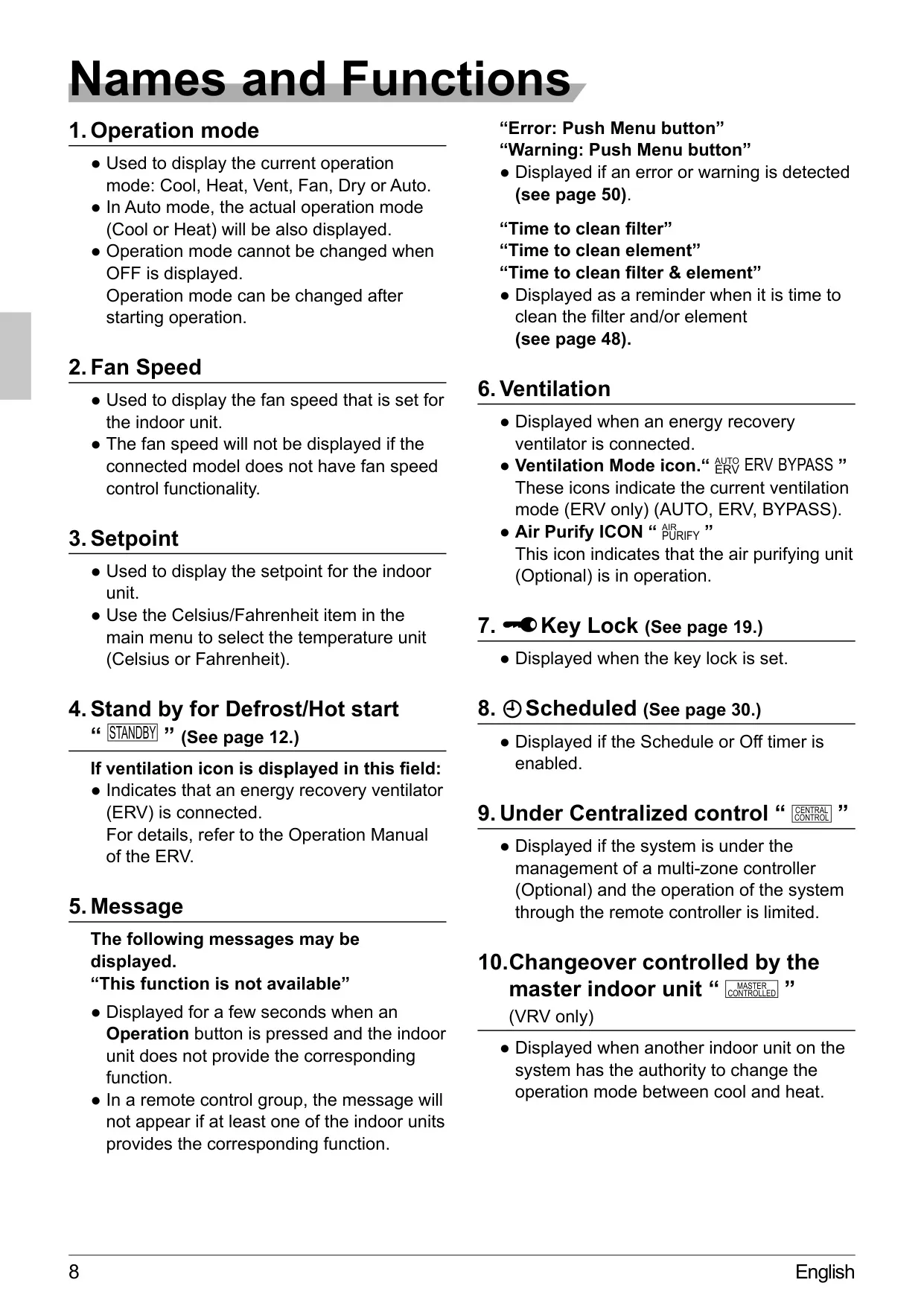
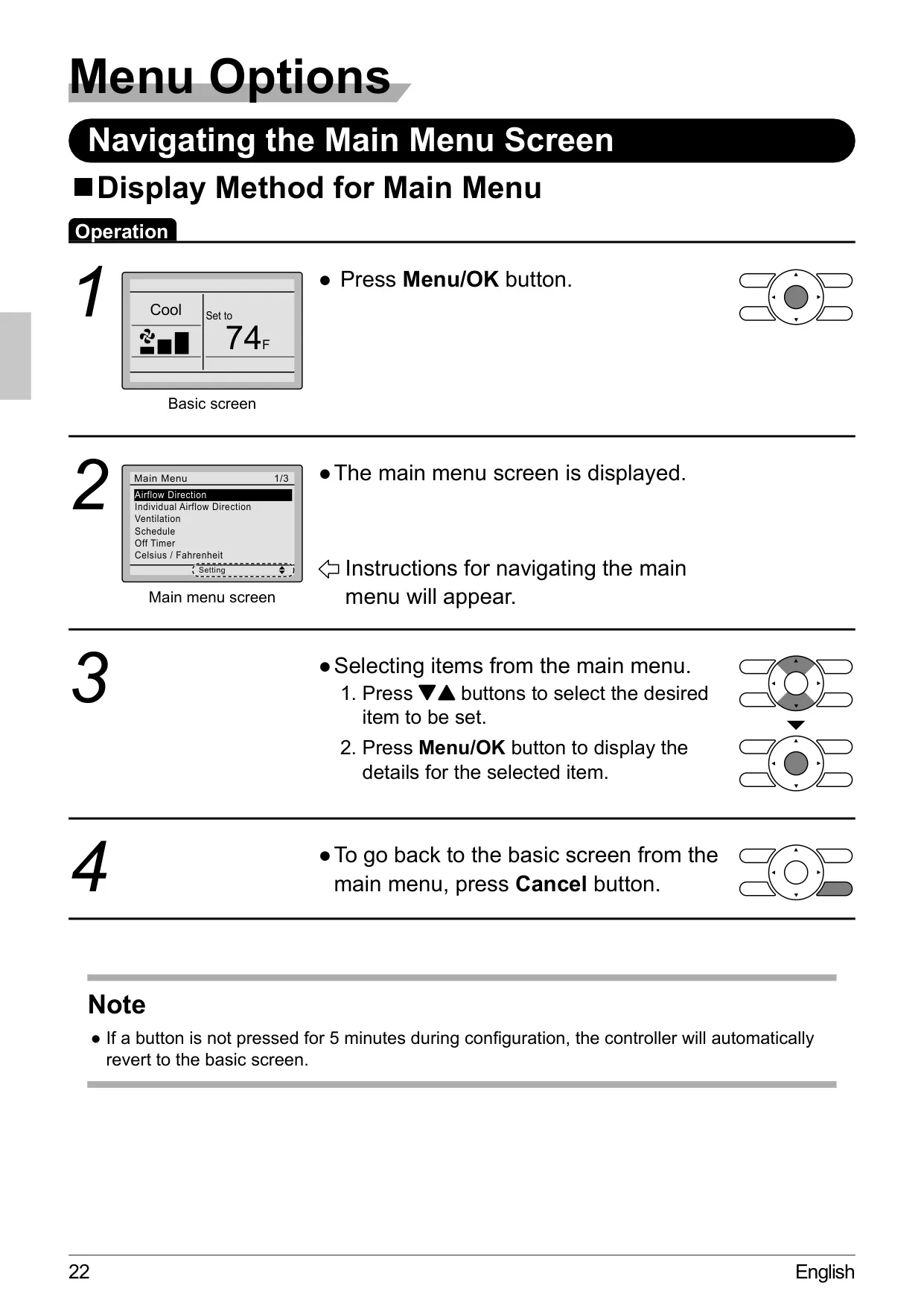
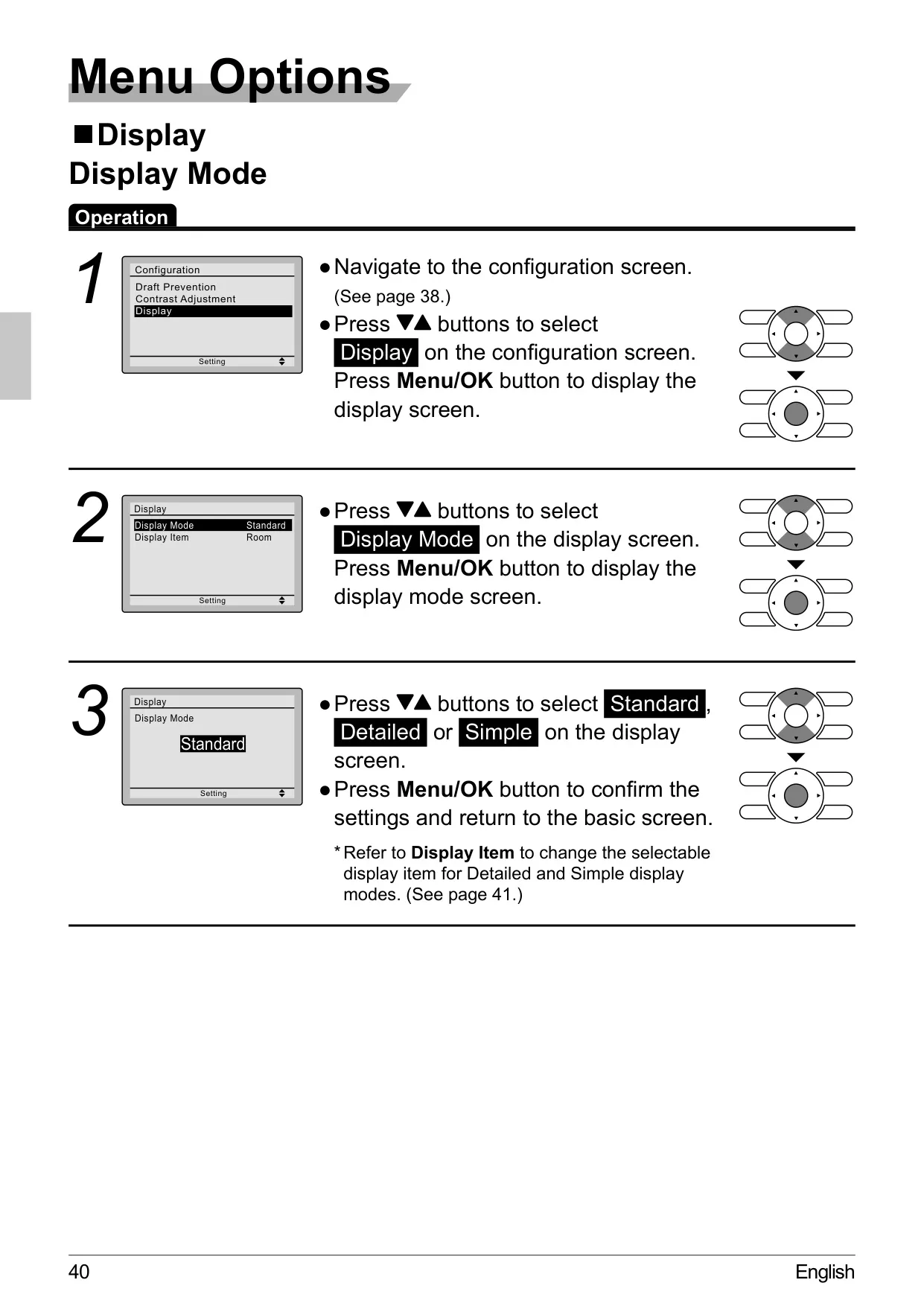
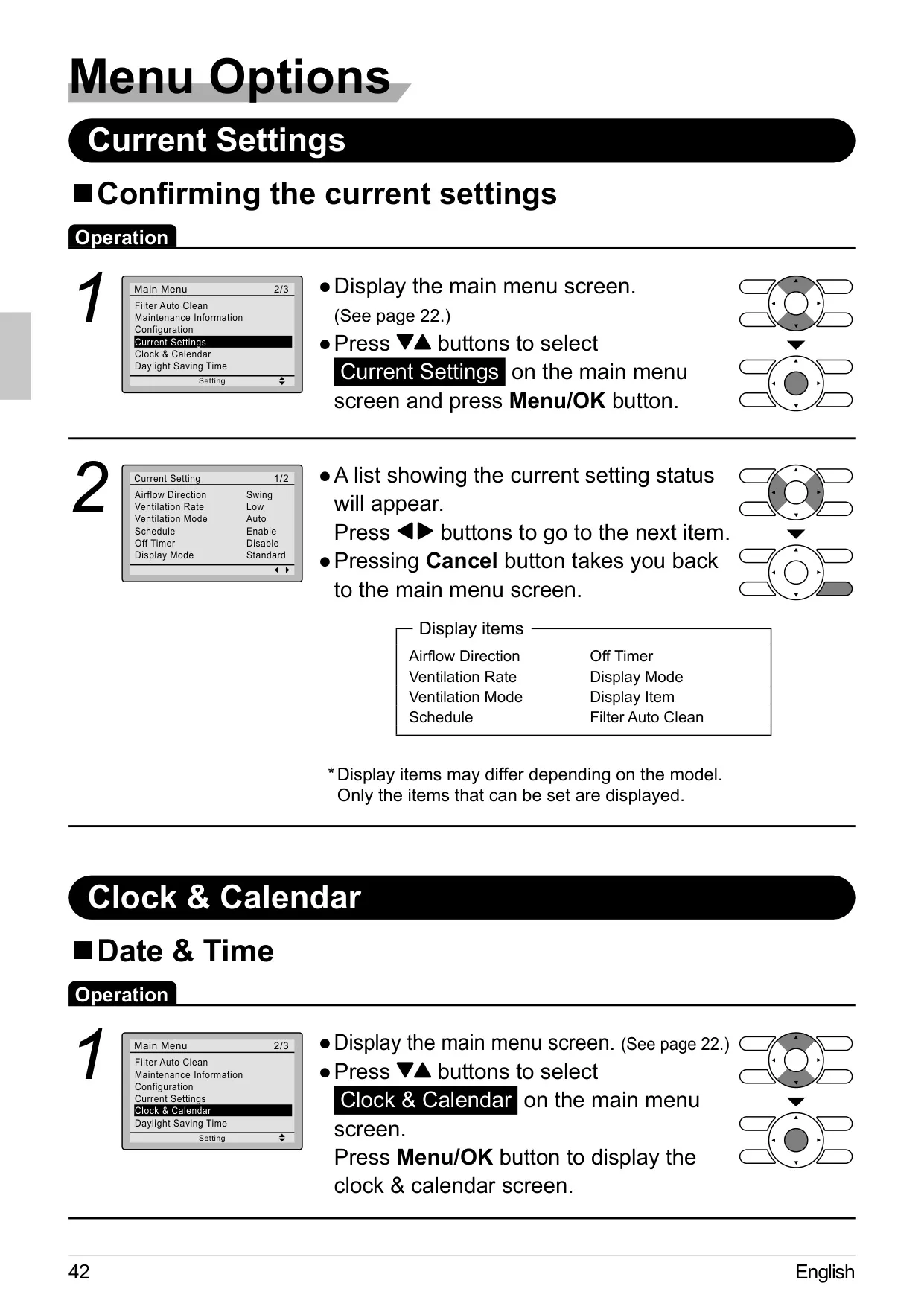
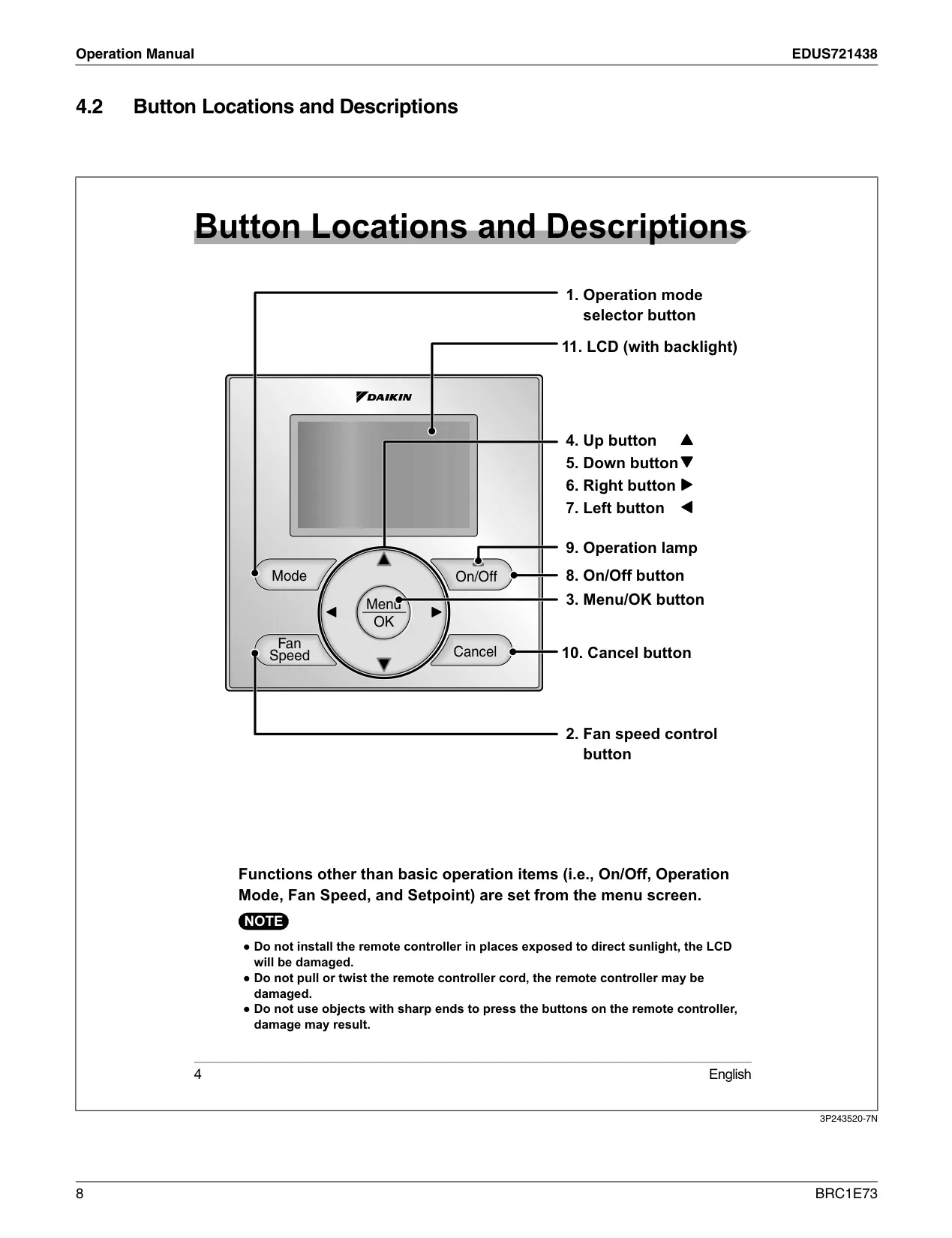
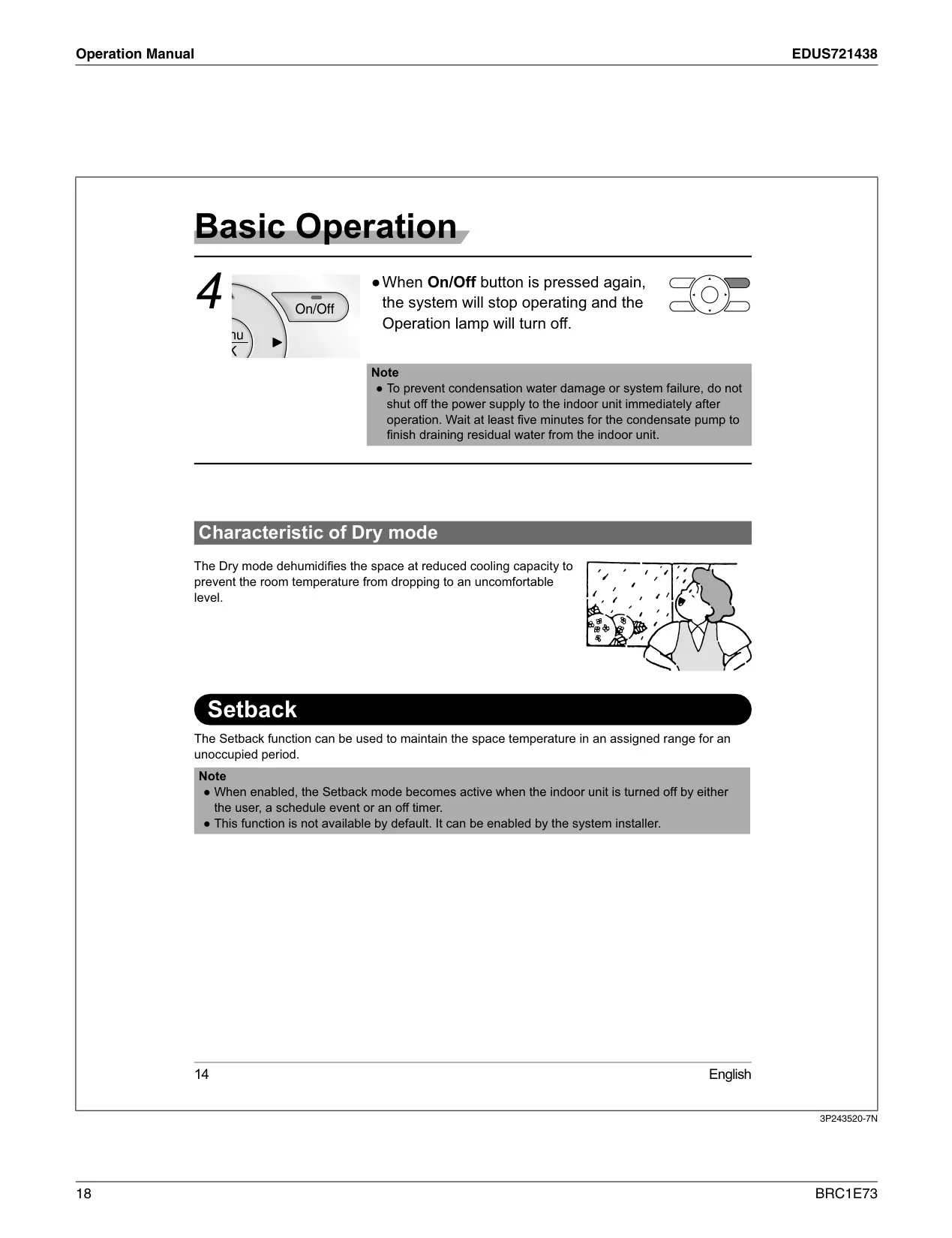
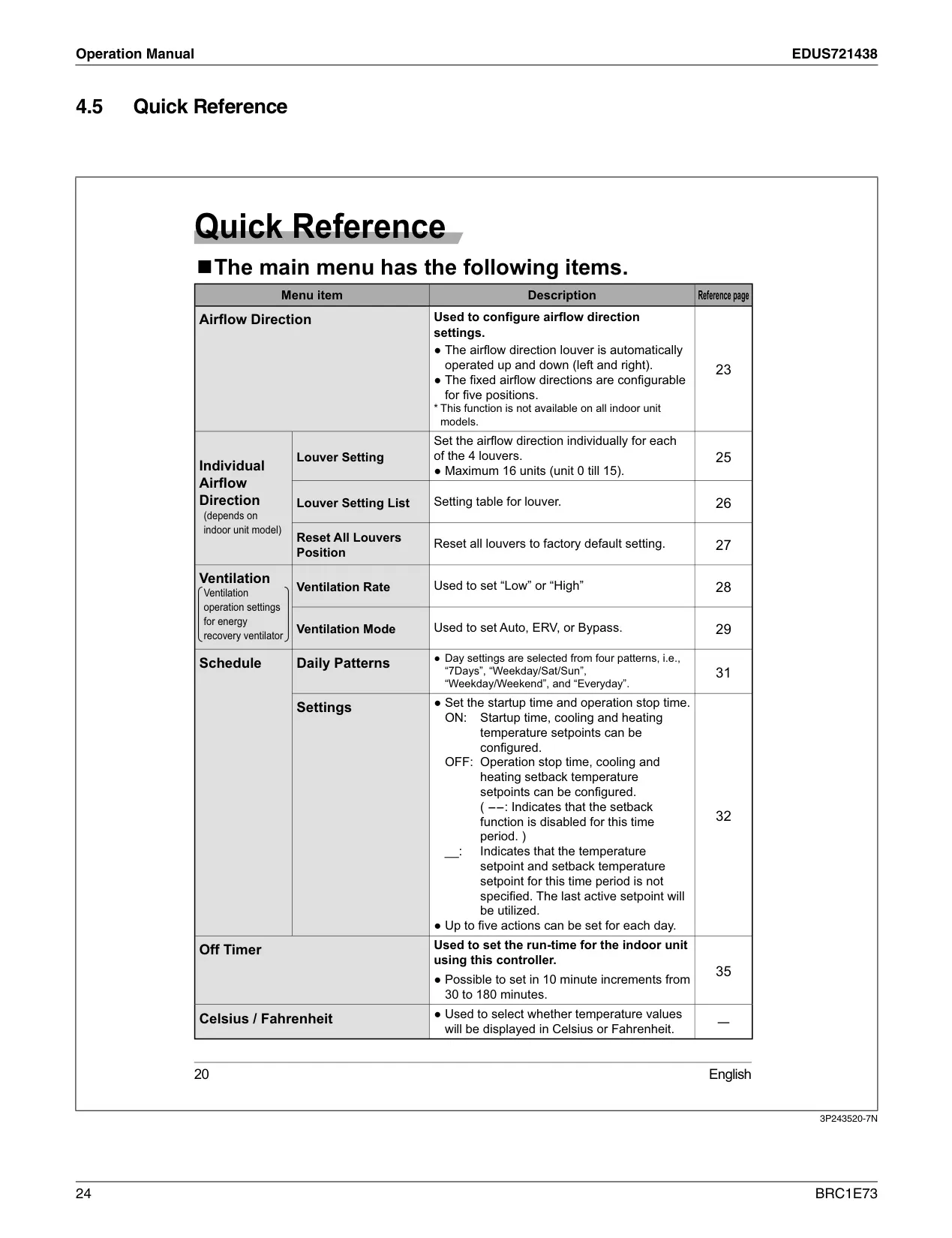
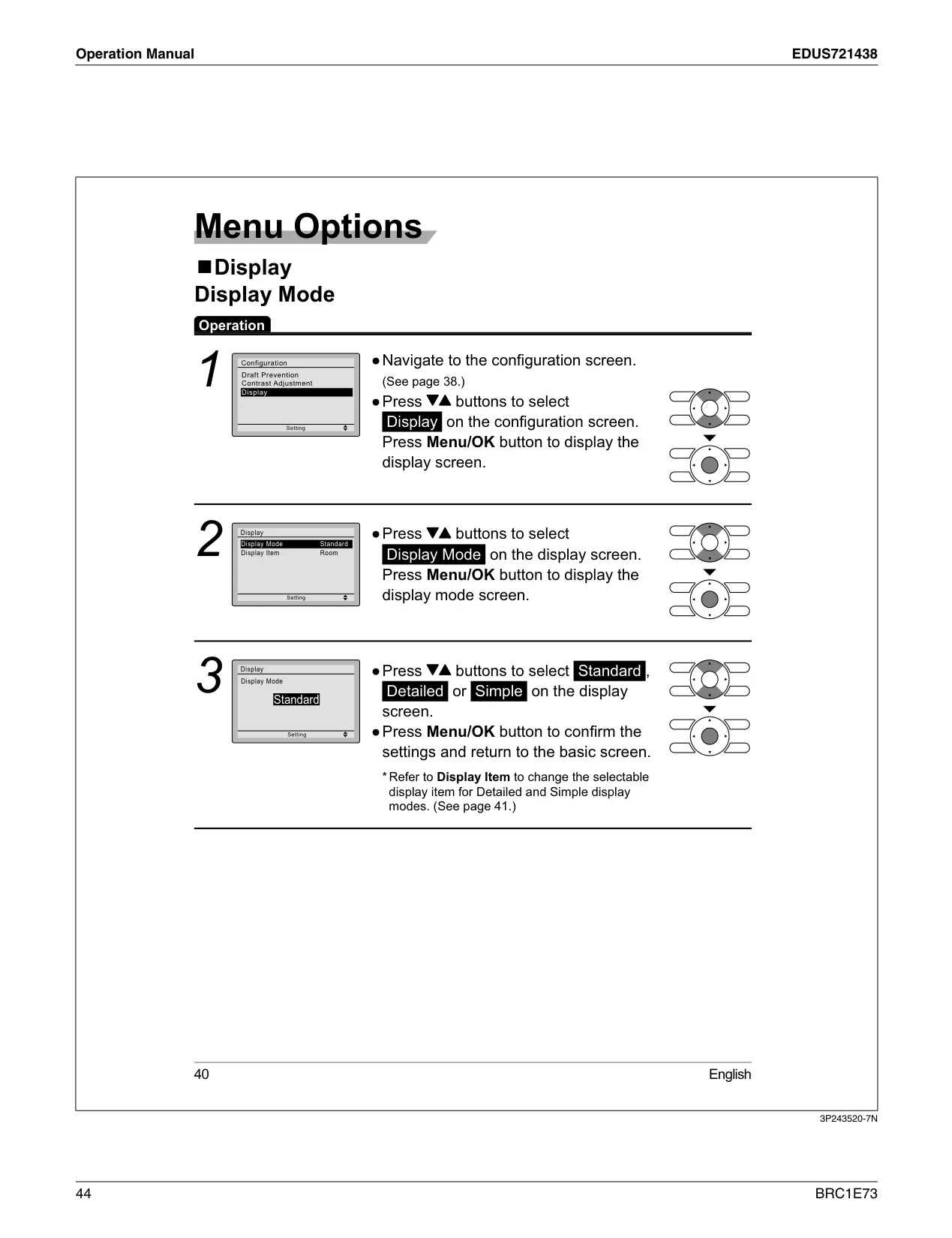
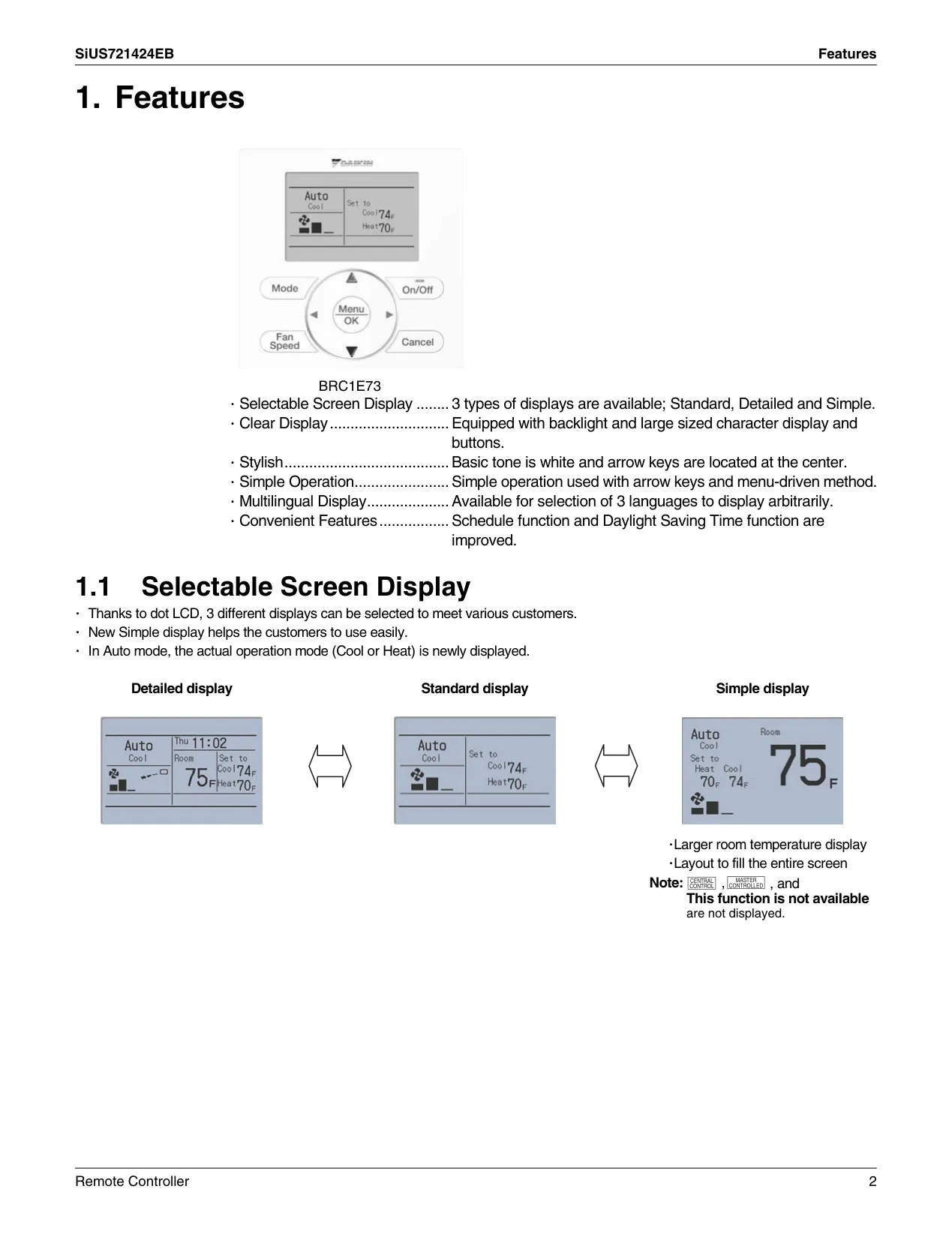
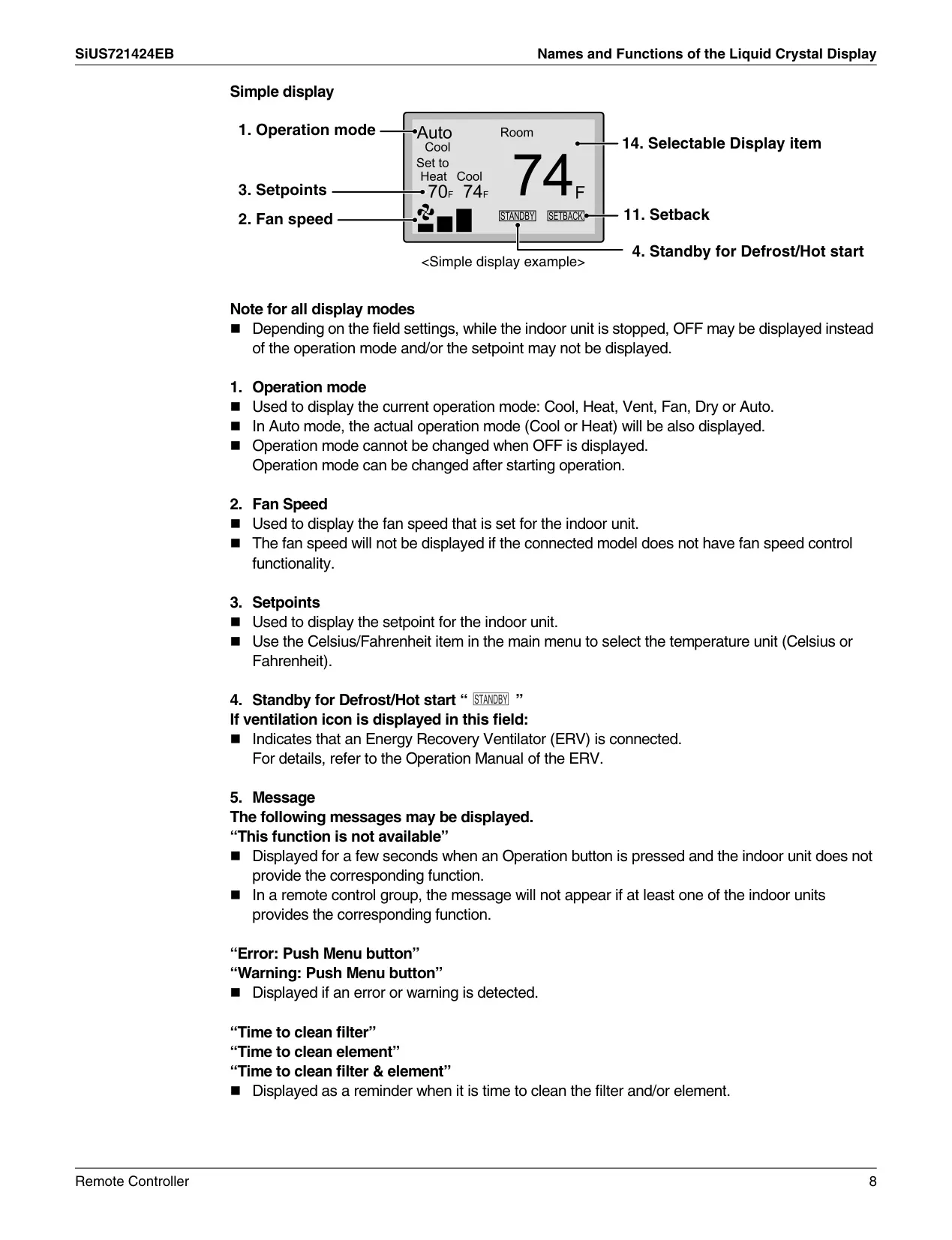
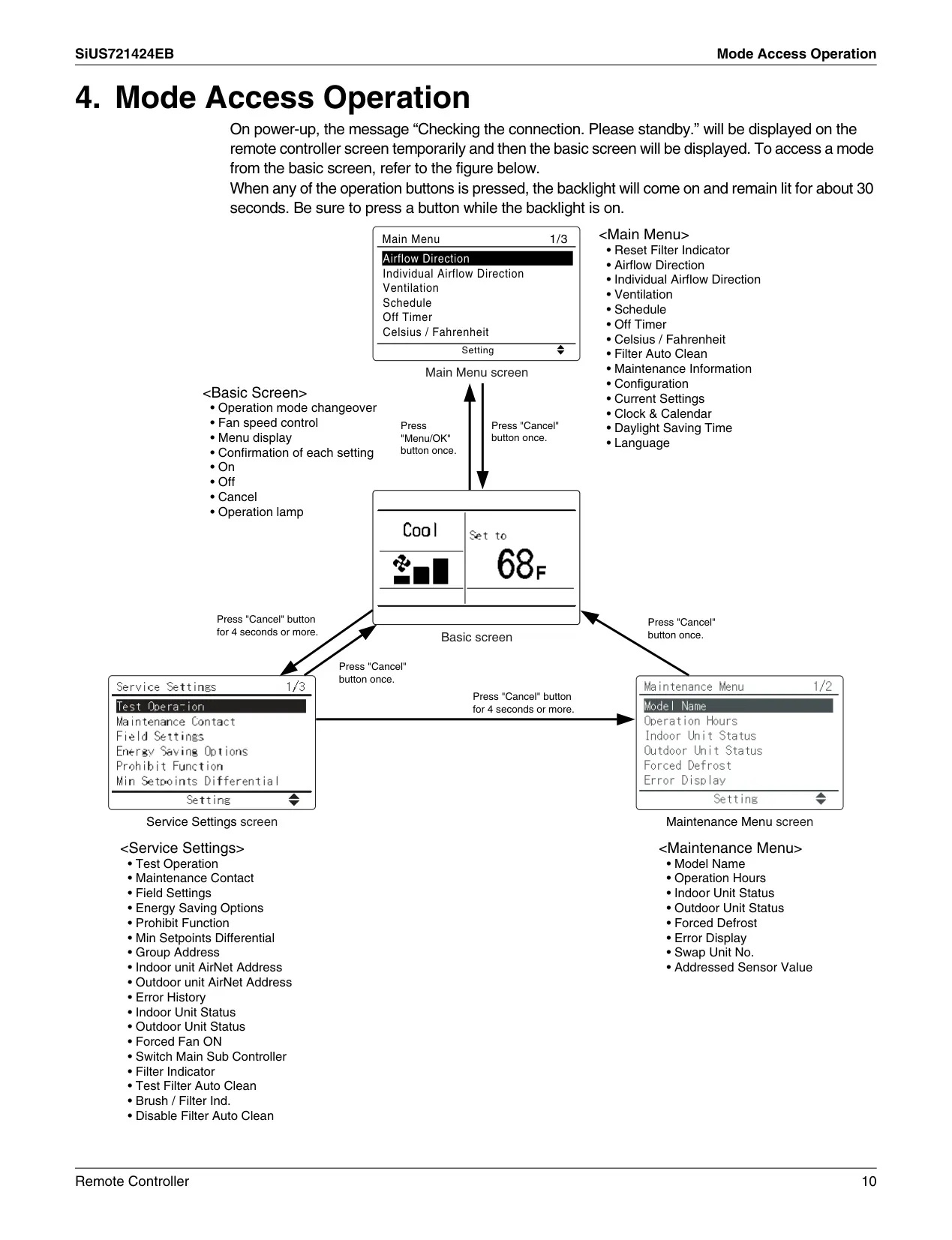
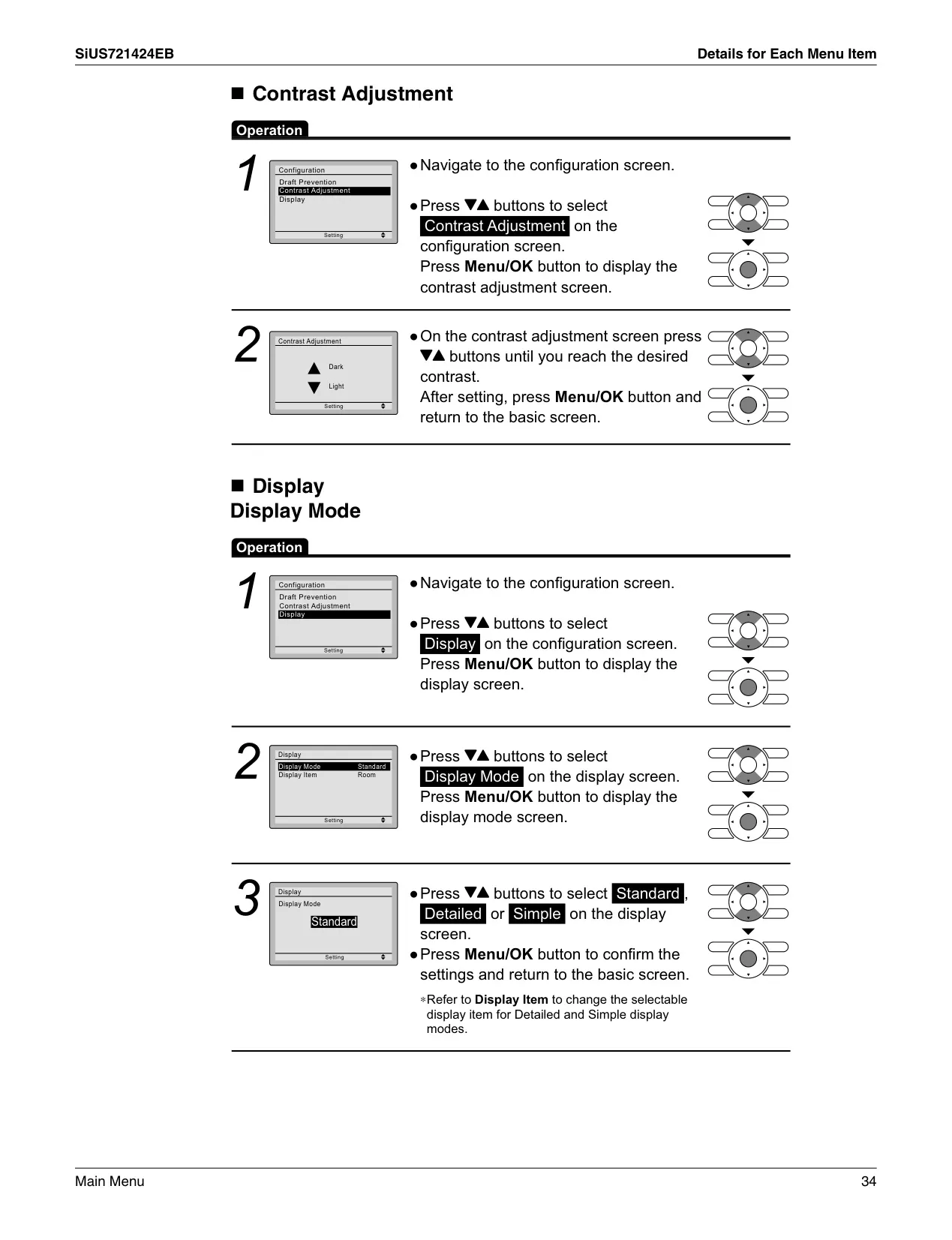
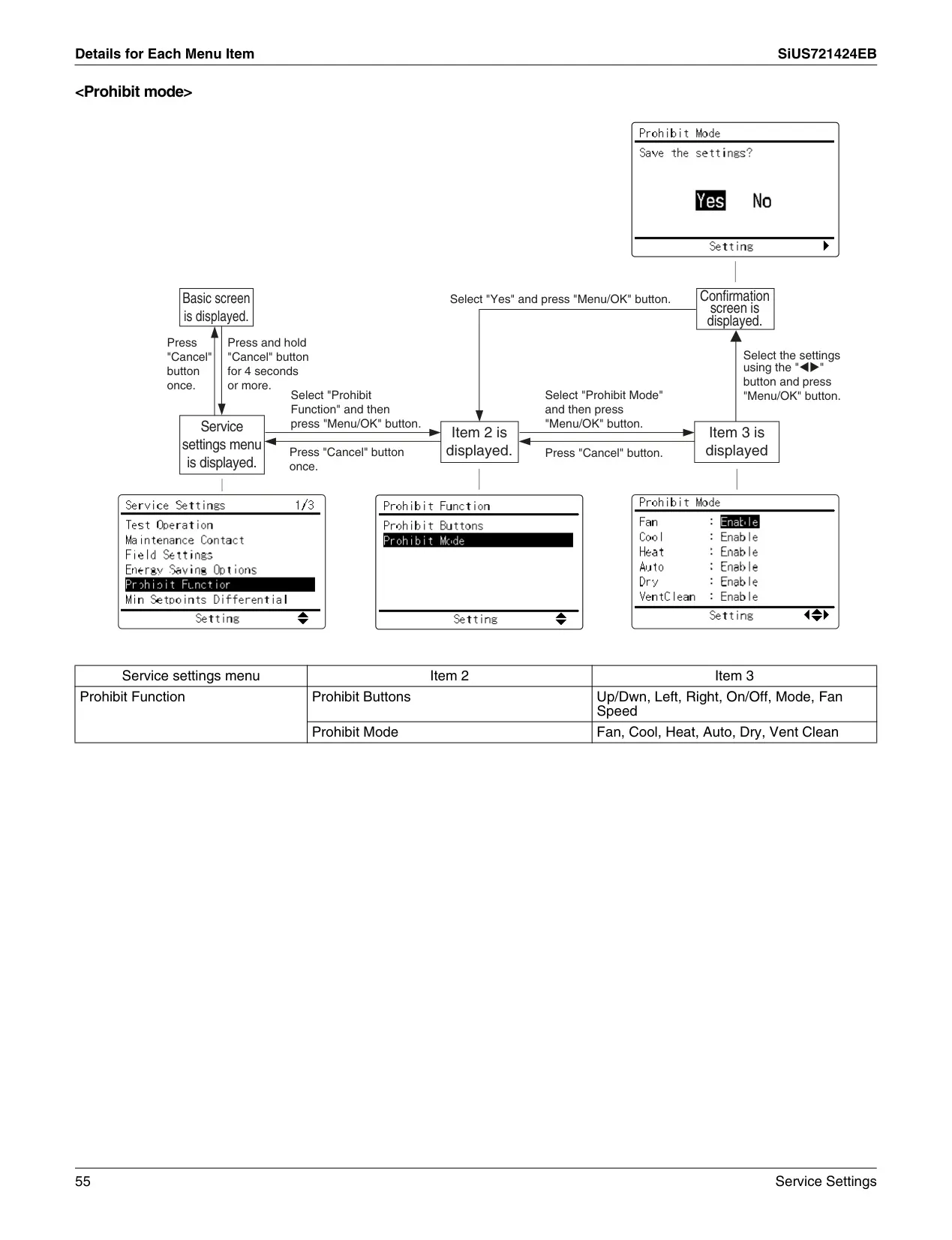
The Daikin Thermostat BRC1E73 is a sophisticated wired remote controller designed for precise climate management. Beyond its core specifications, the unit offers a comprehensive suite of features to enhance user comfort and system efficiency. It supports a variety of operation modes including Cool, Heat, Auto, Fan, Dry, and Ventilation, allowing users to tailor their environment to specific needs. The intuitive Liquid Crystal Display (LCD) can be configured in three distinct modes: Standard, Detailed, and Simple, providing varying levels of information at a glance. Its backlight illuminates for approximately 30 seconds upon button press, with unique behavior when two controllers manage a single indoor unit.
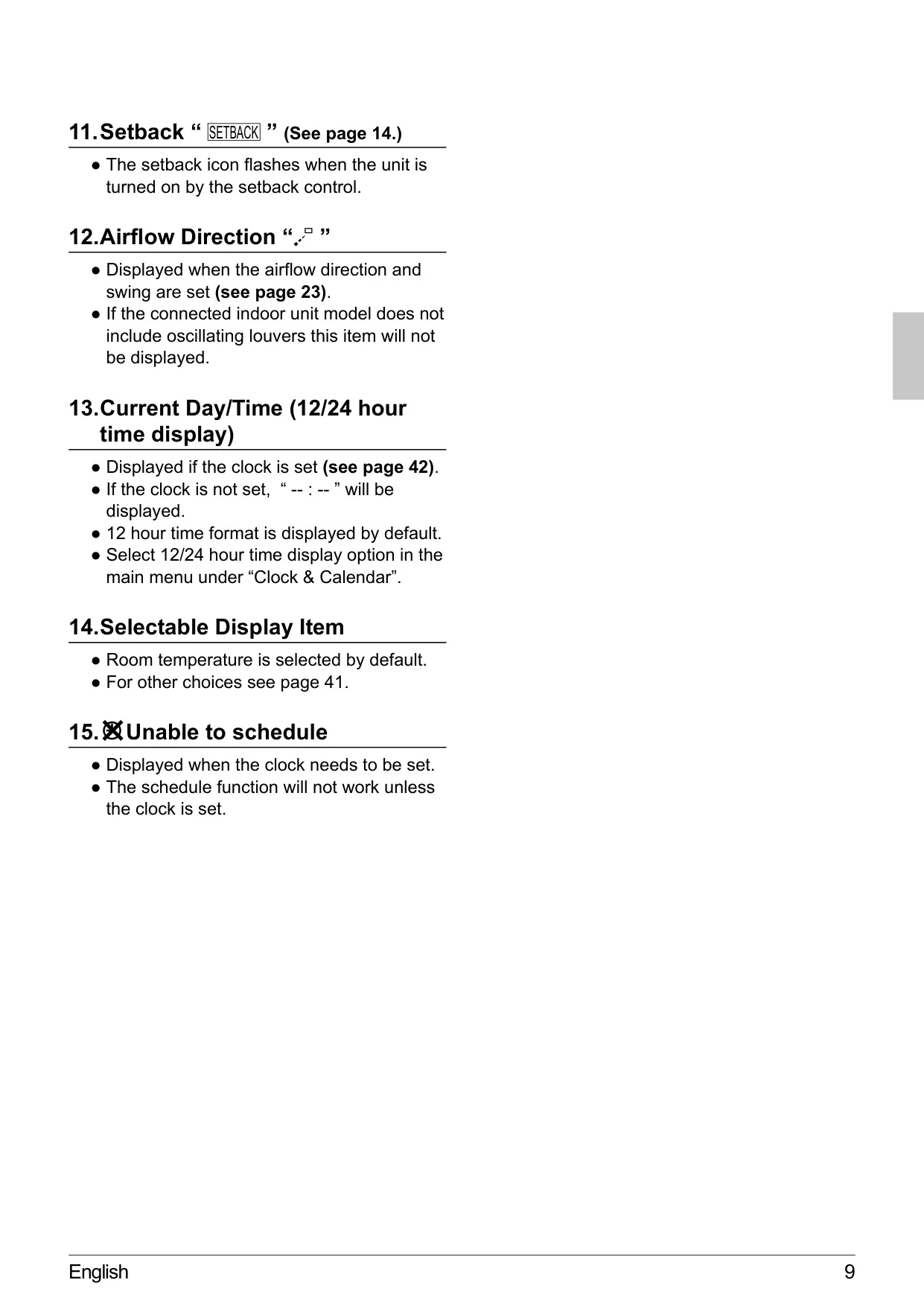
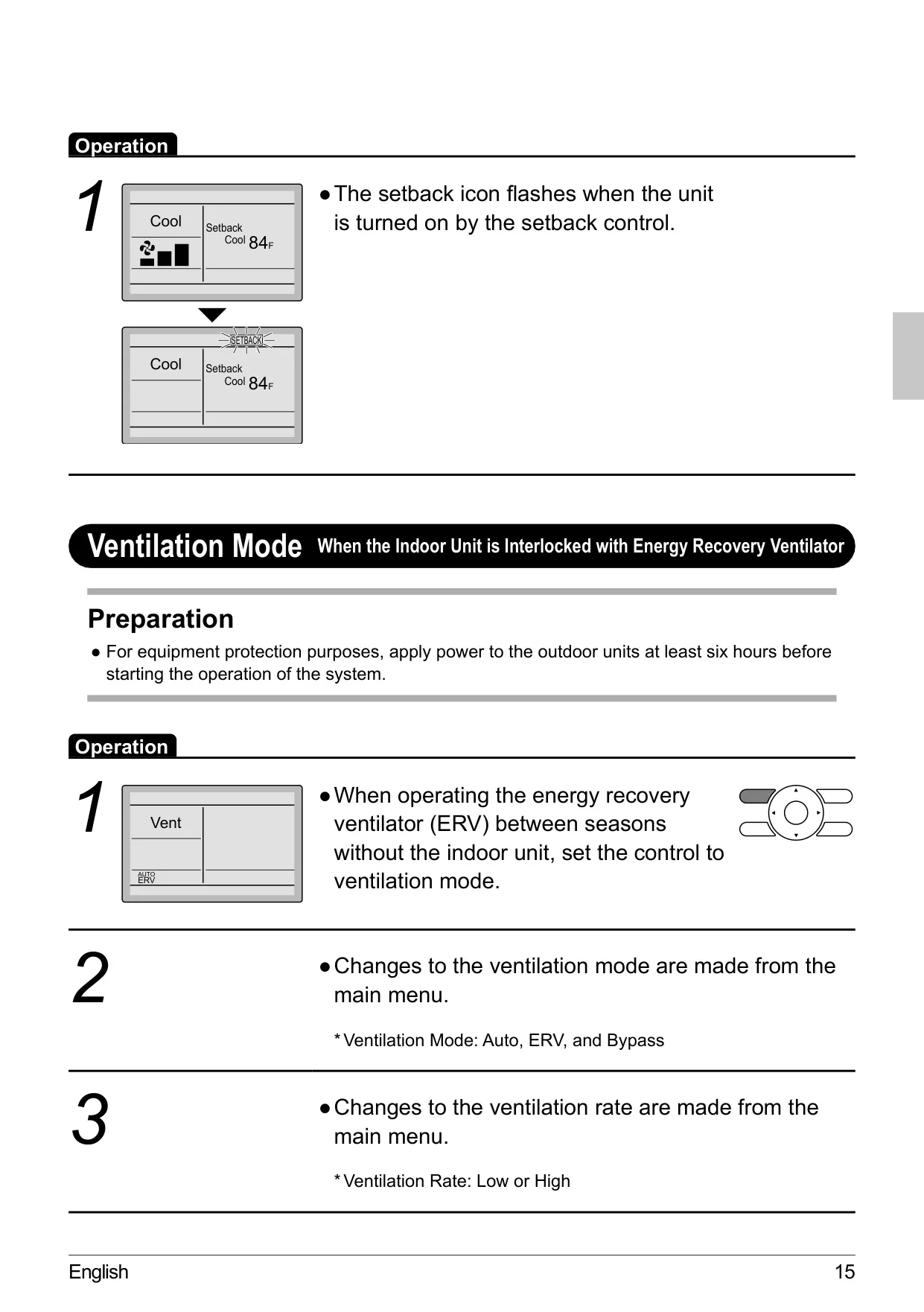
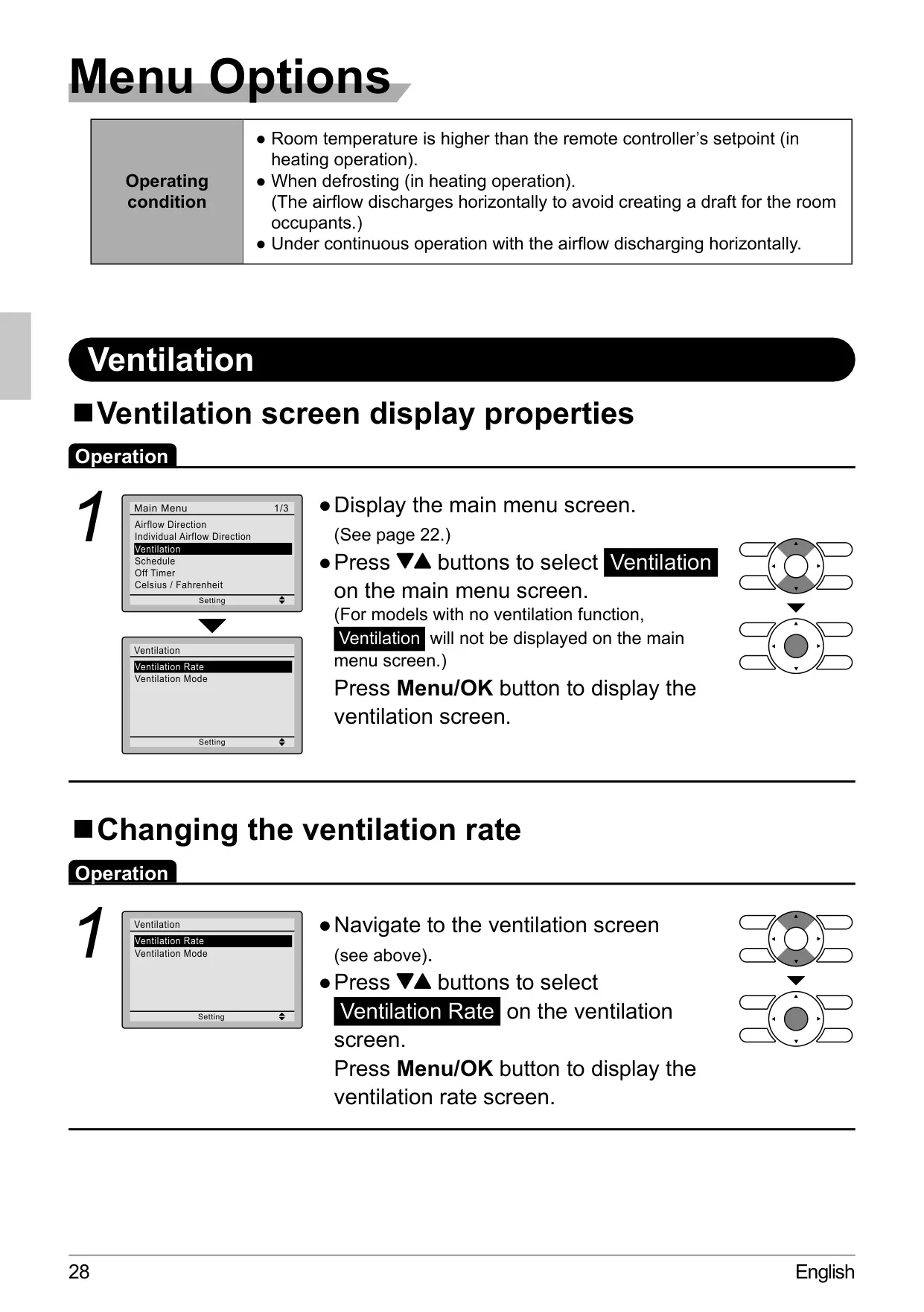
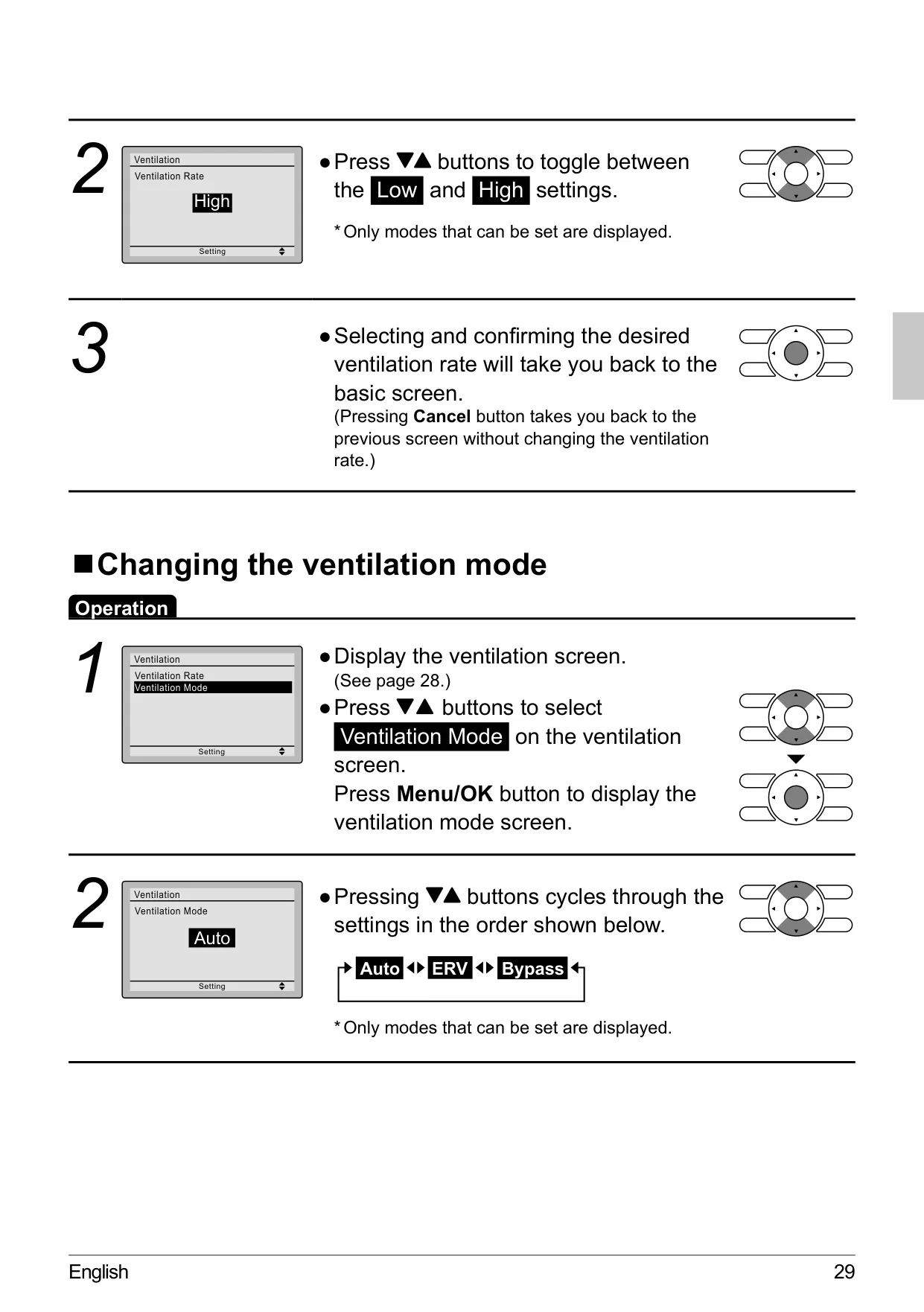
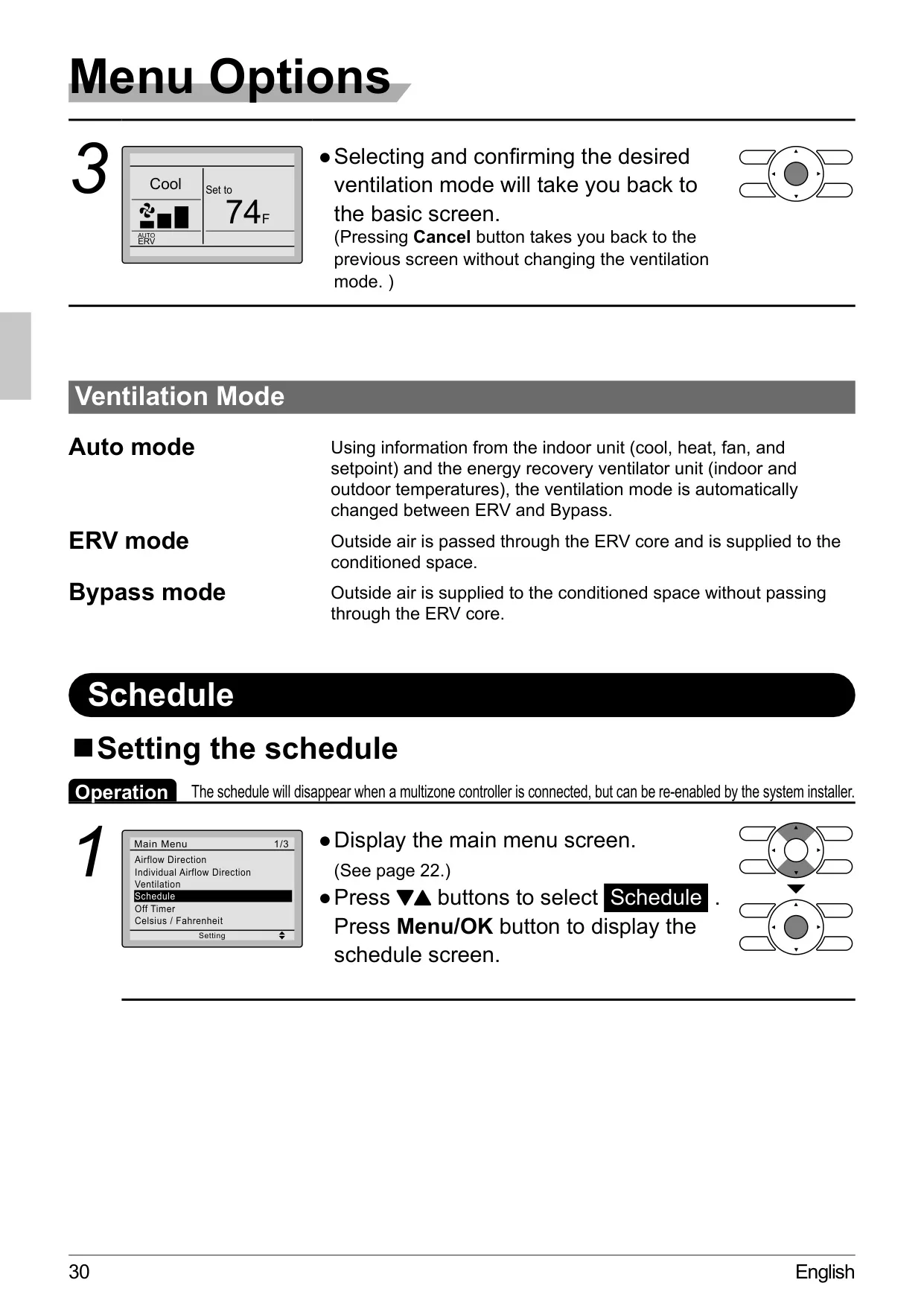
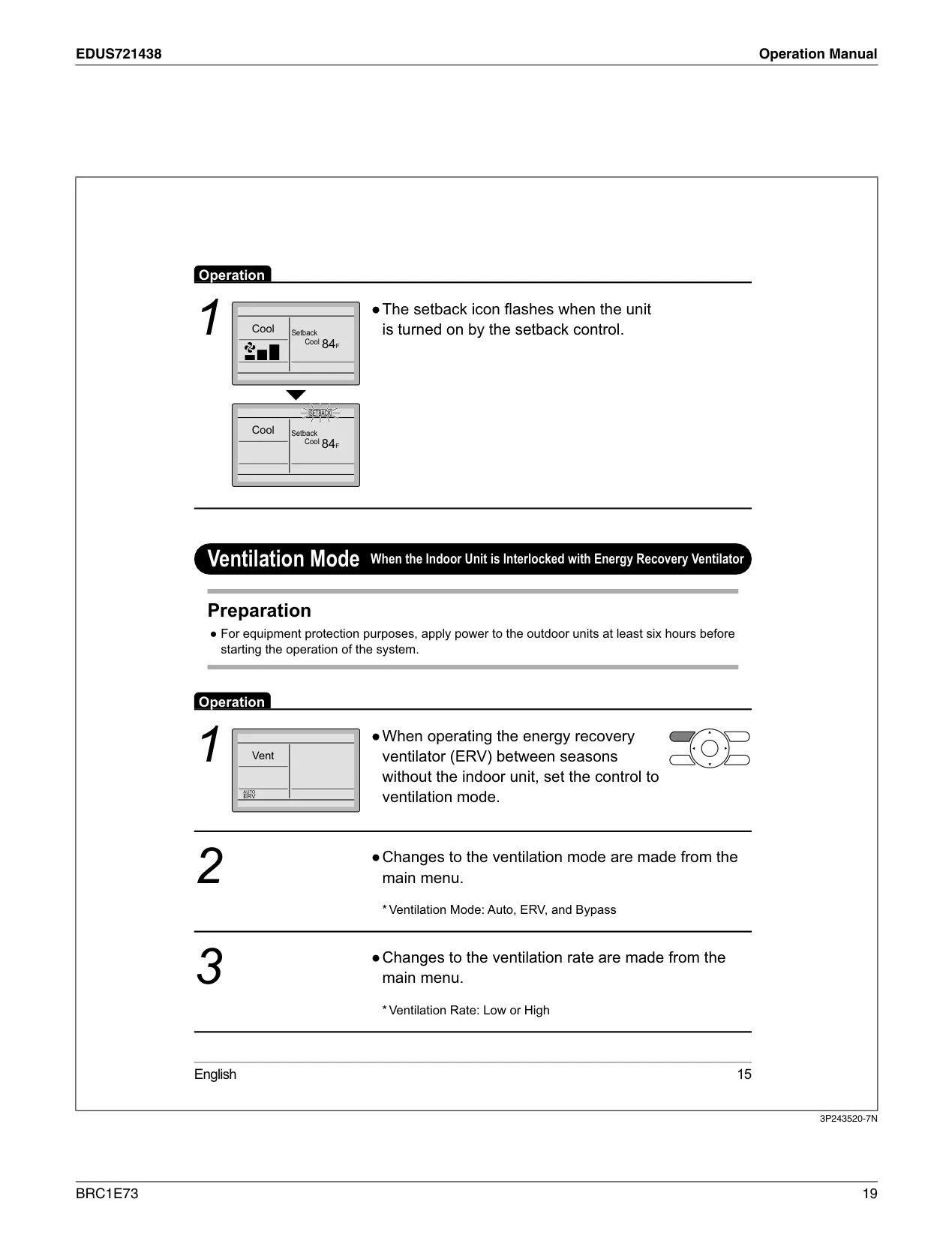
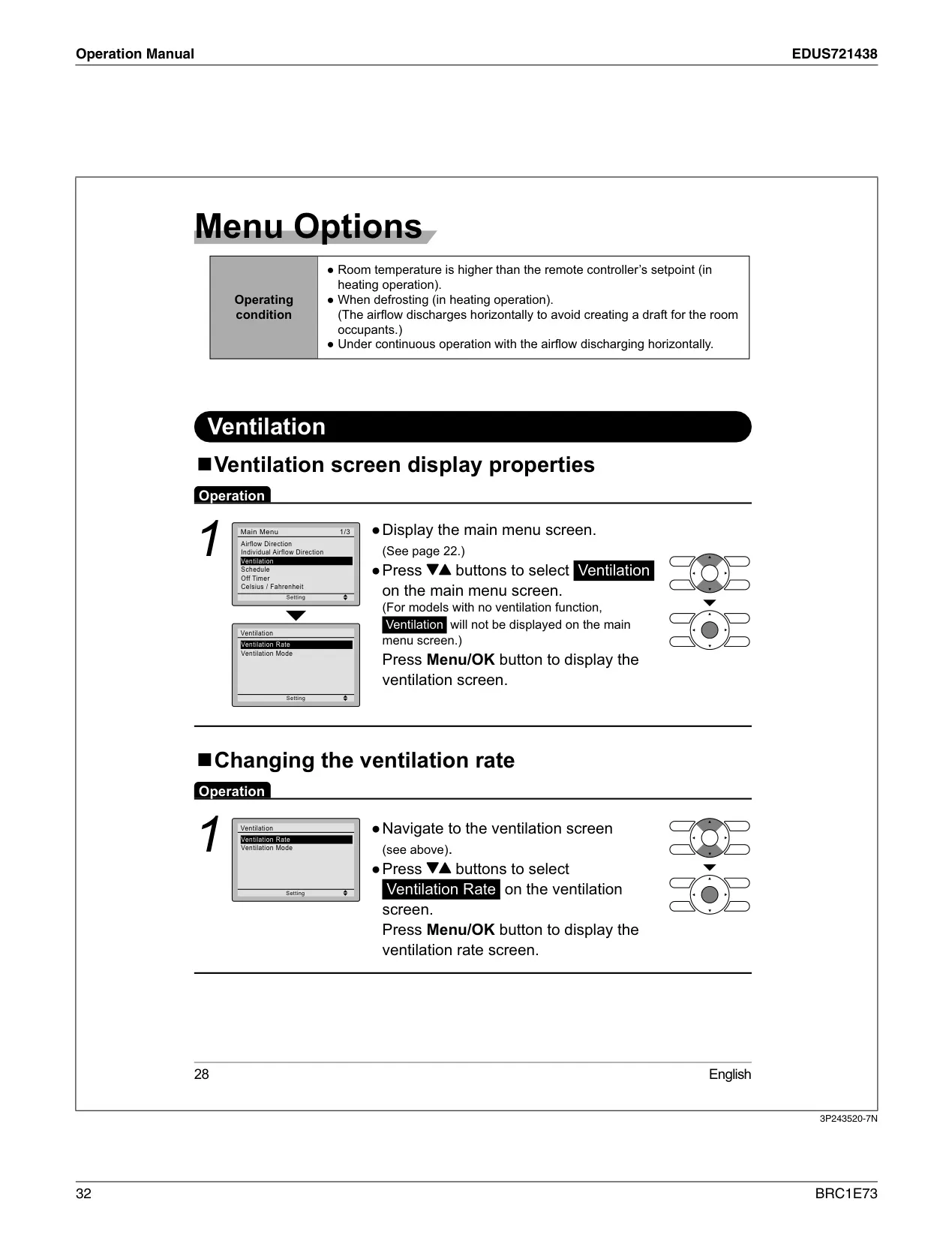
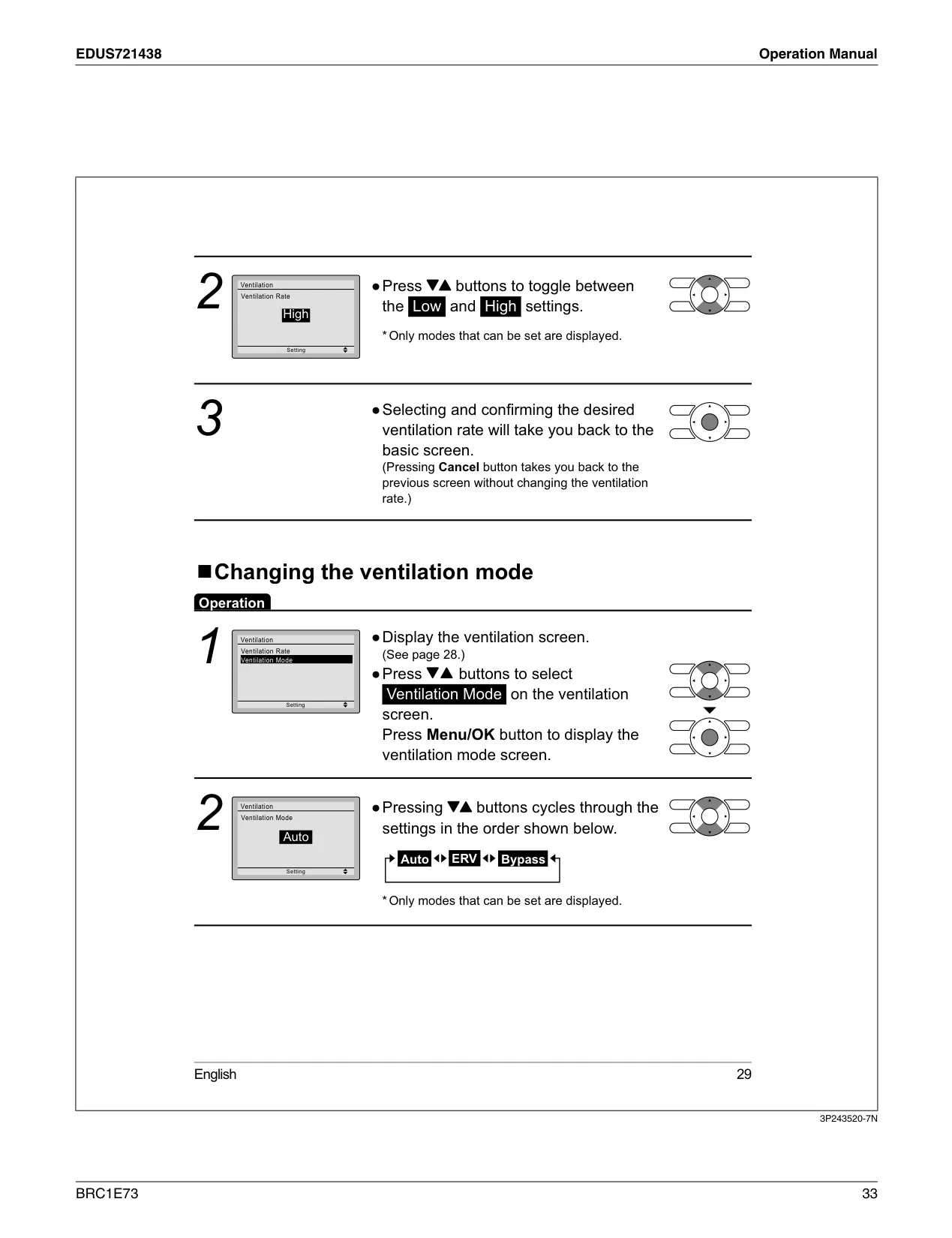
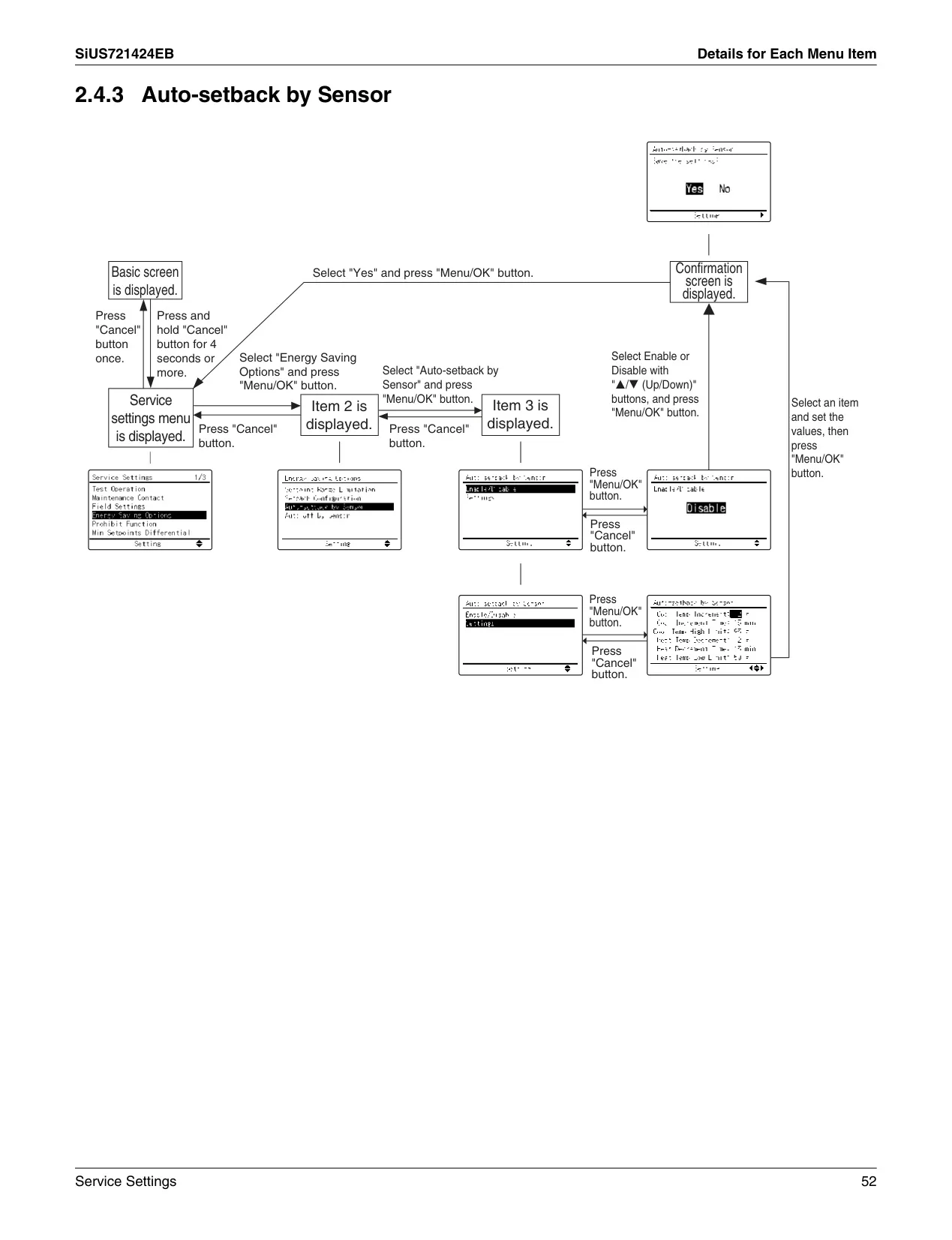
For advanced comfort and energy efficiency, the BRC1E73 includes a versatile Setback function. When enabled, this feature automatically maintains the space temperature within a pre-defined range during unoccupied periods, helping to conserve energy without sacrificing comfort. Furthermore, when integrated with an energy recovery ventilator (ERV), the controller offers dedicated Ventilation modes such as Auto, ERV, and Bypass, along with selectable ventilation rates (Low or High). This ensures optimal air quality and fresh air exchange, adapting intelligently to indoor and outdoor conditions for enhanced environmental control.
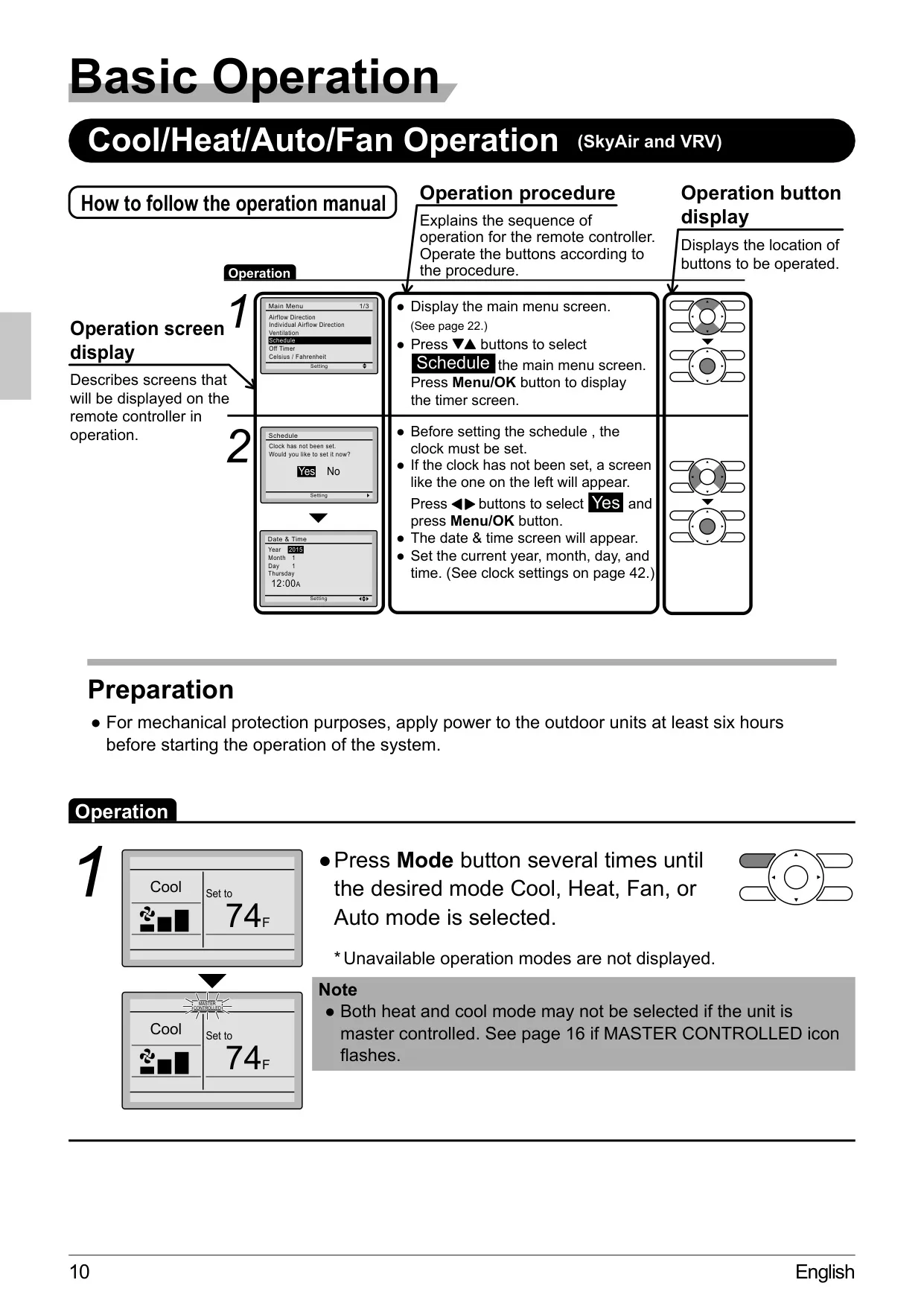
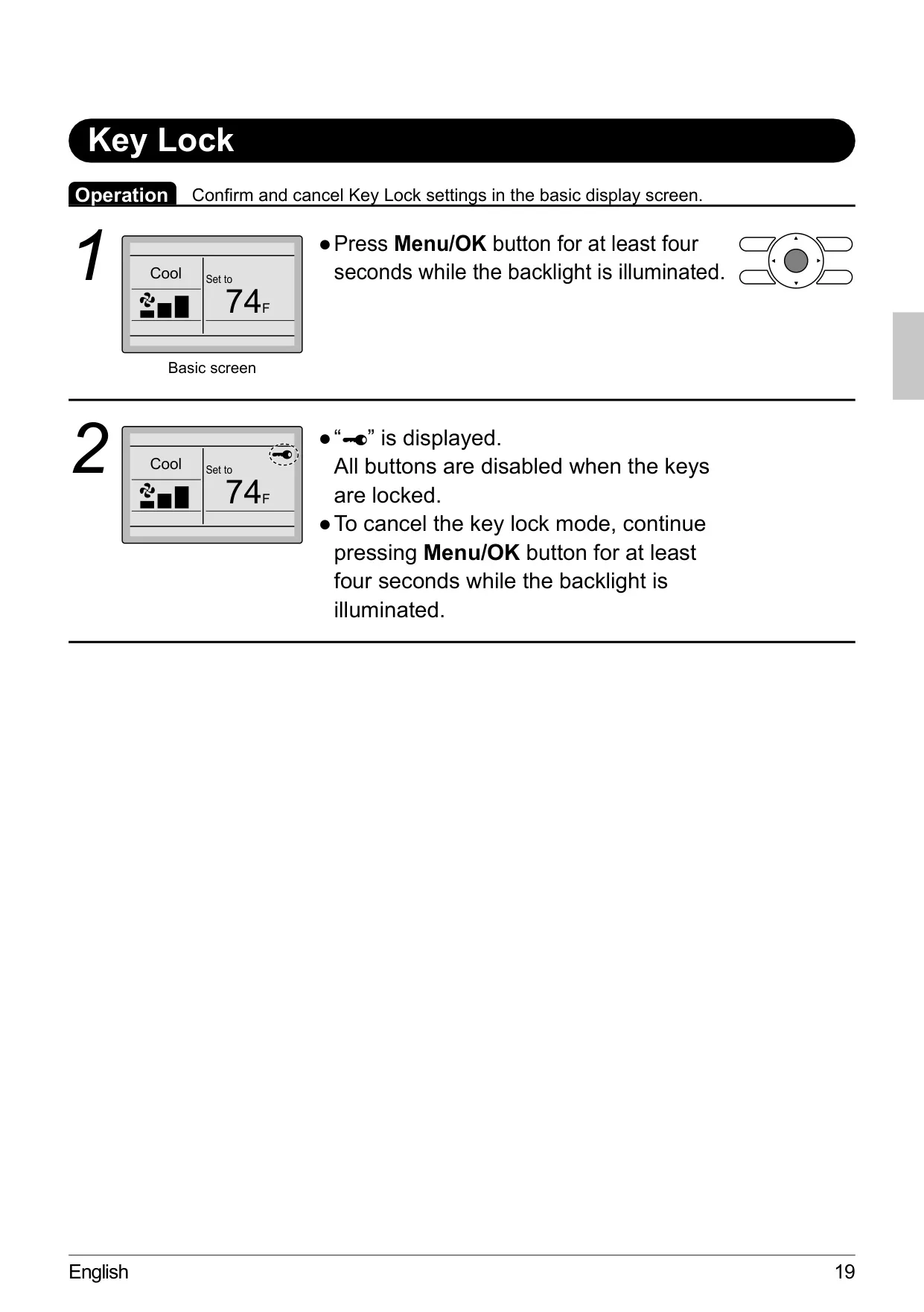
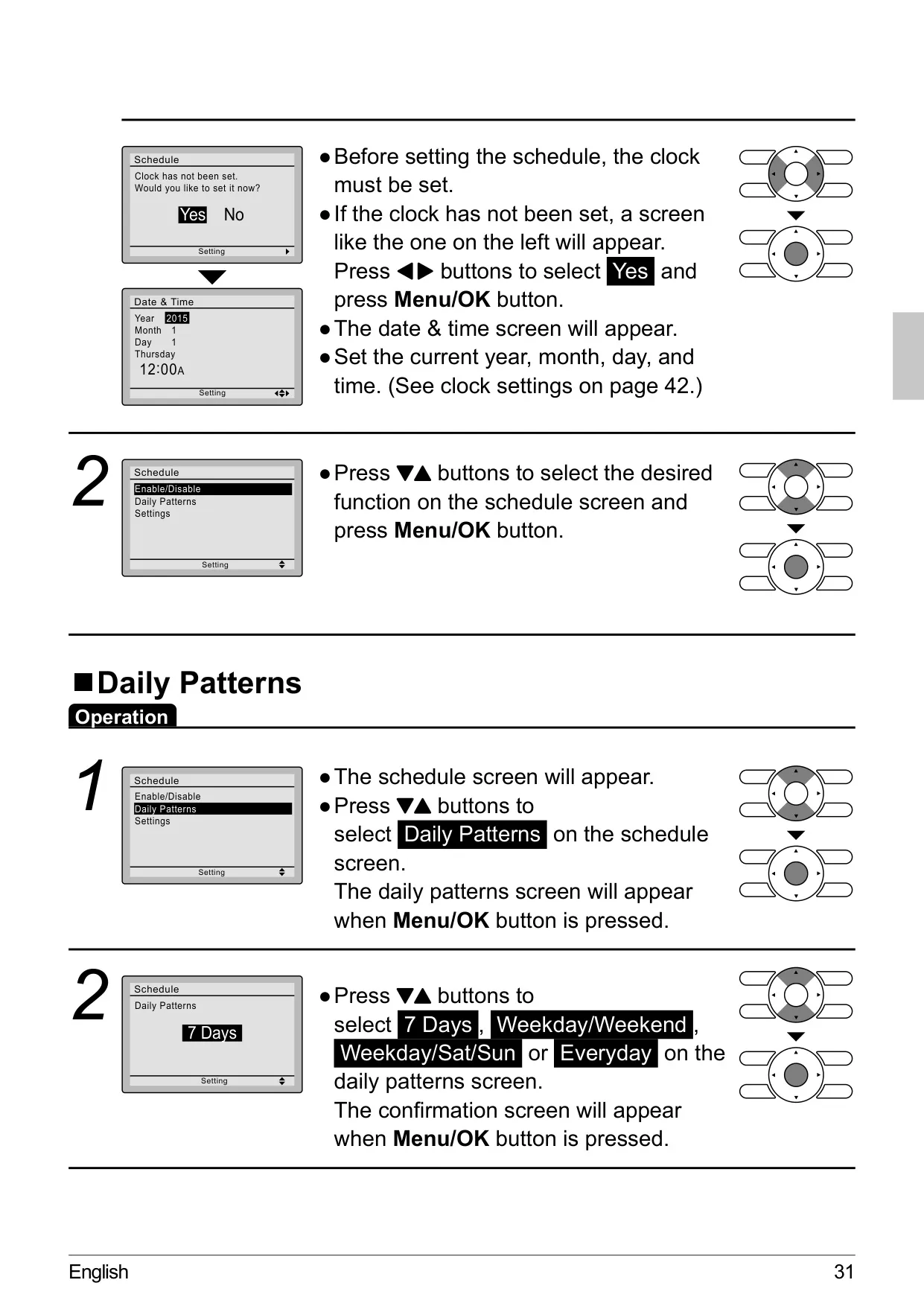
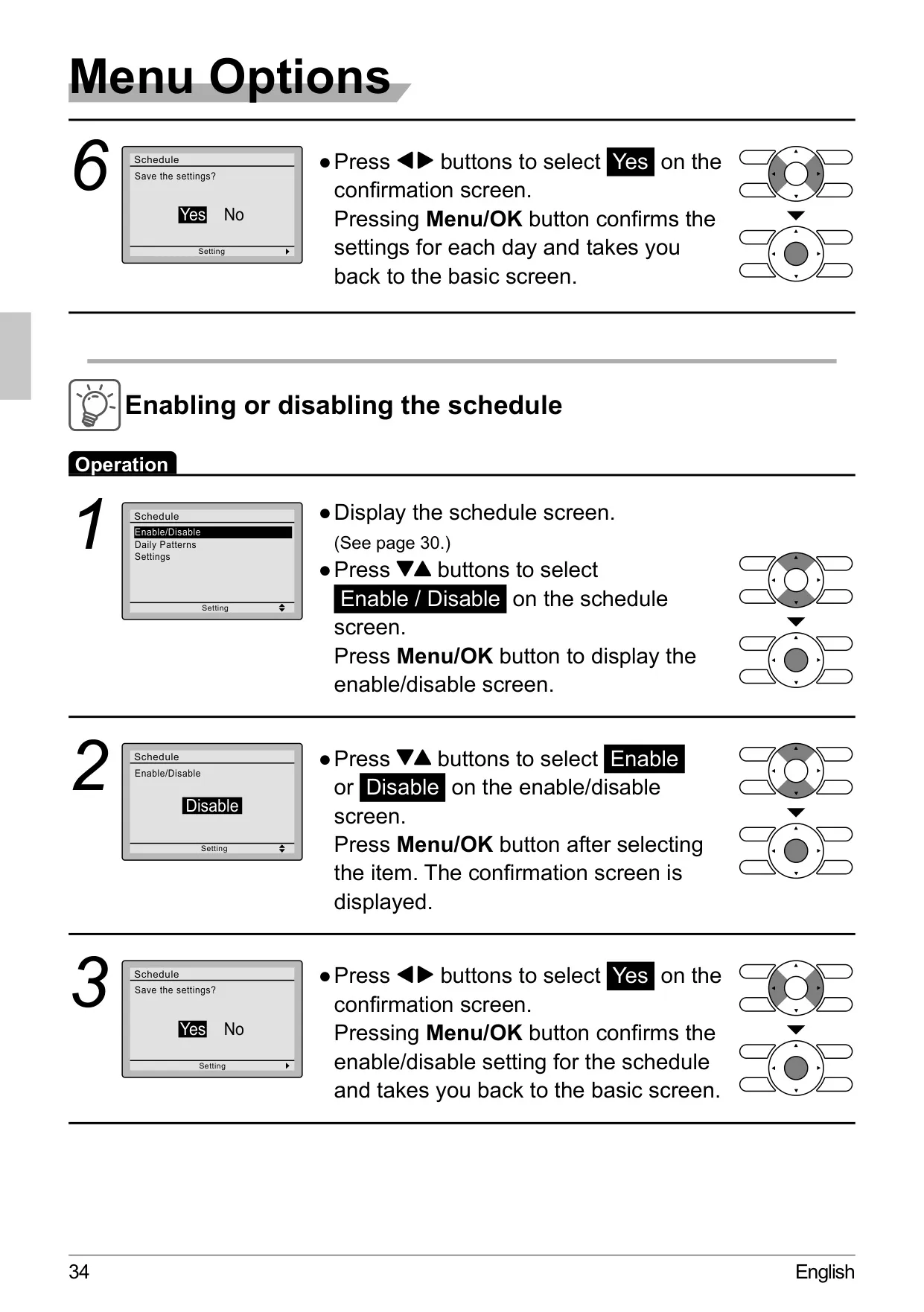
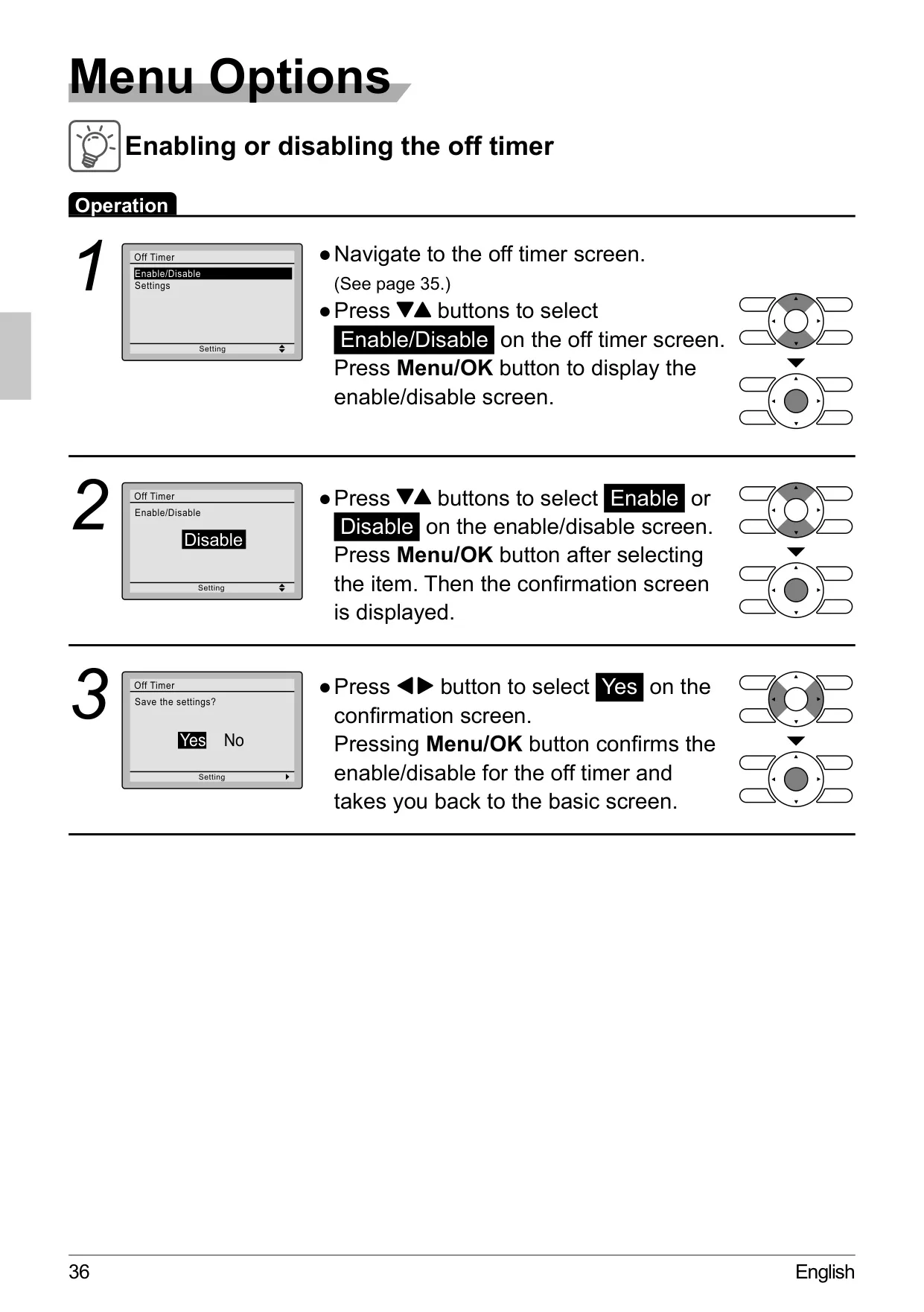
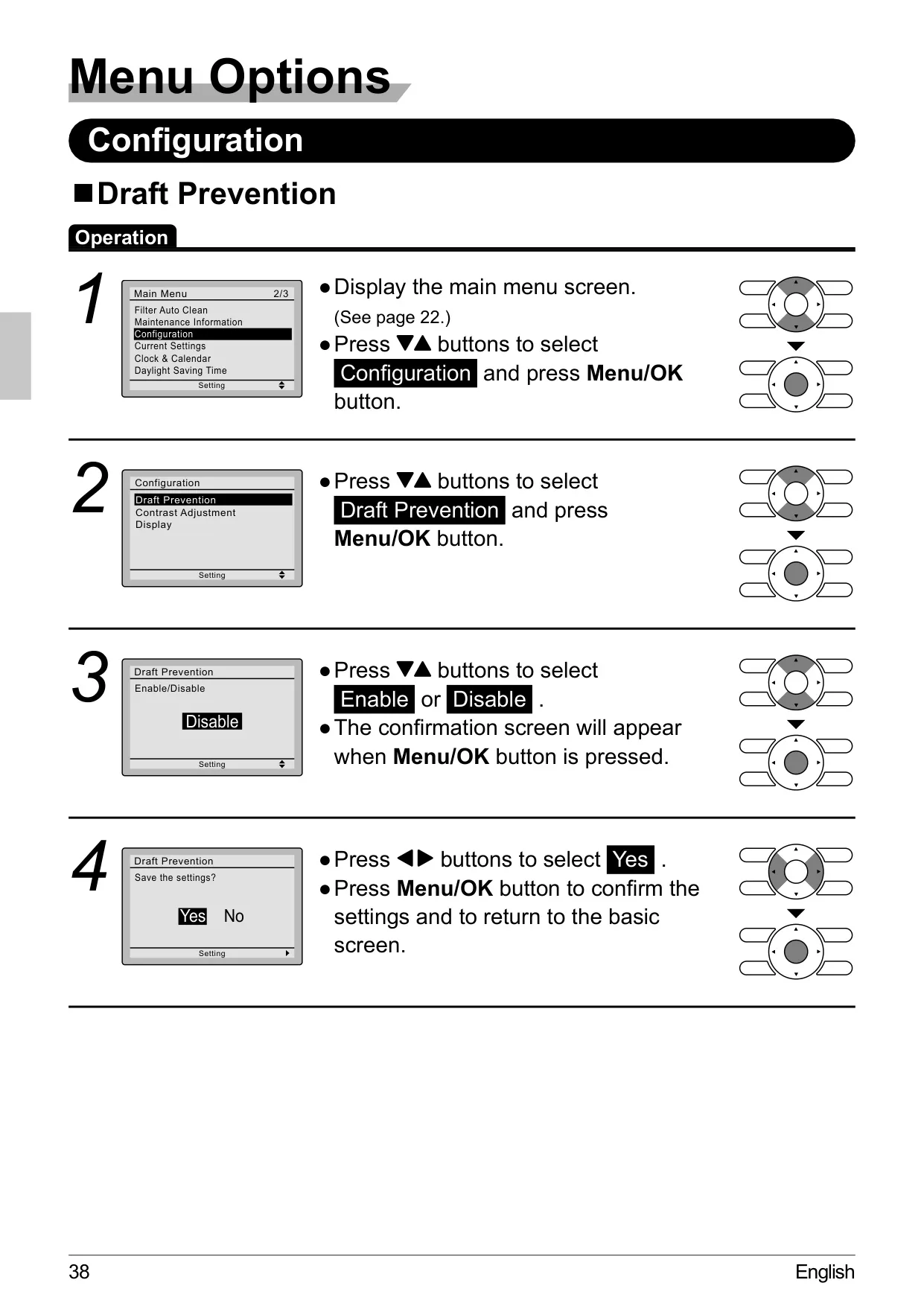
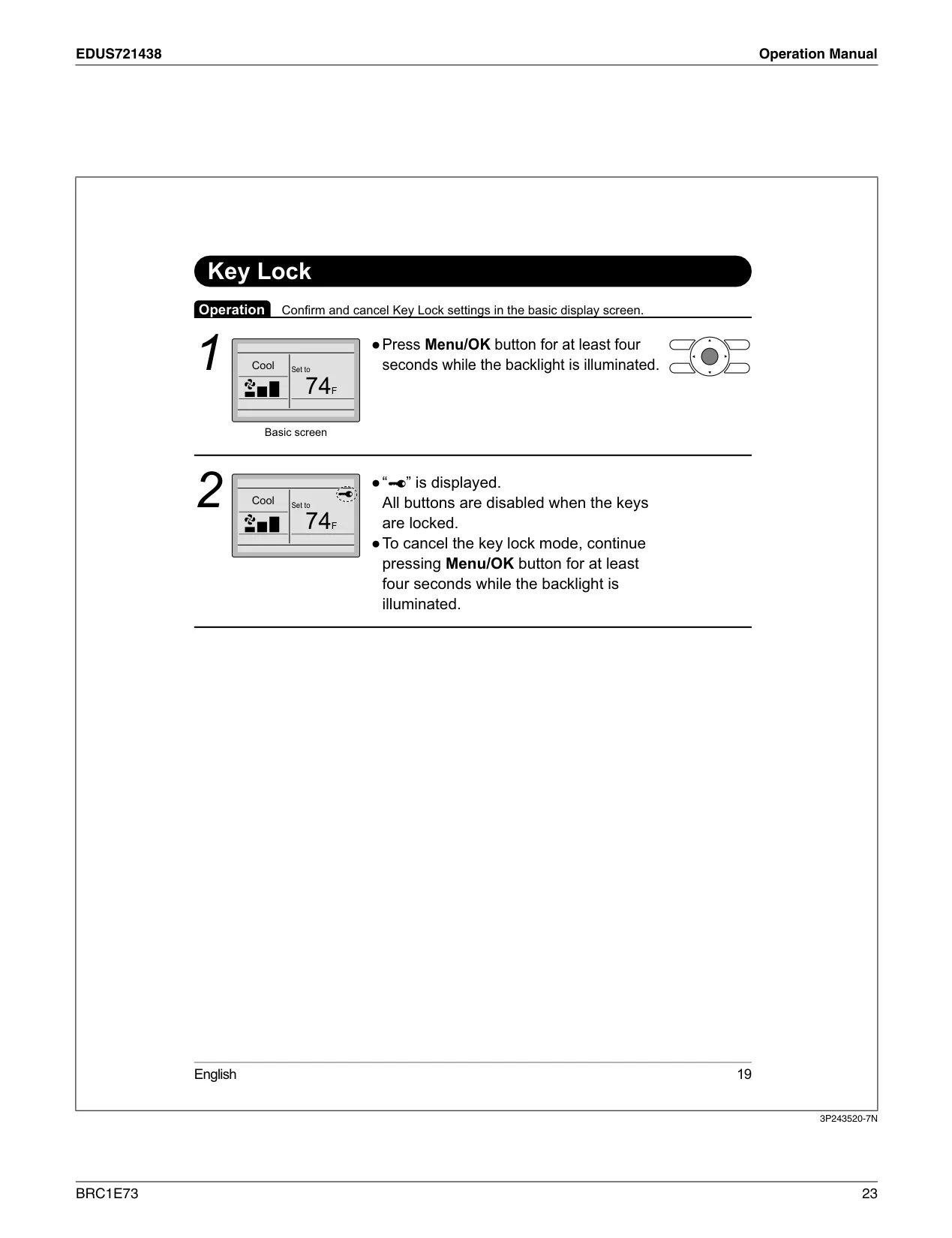
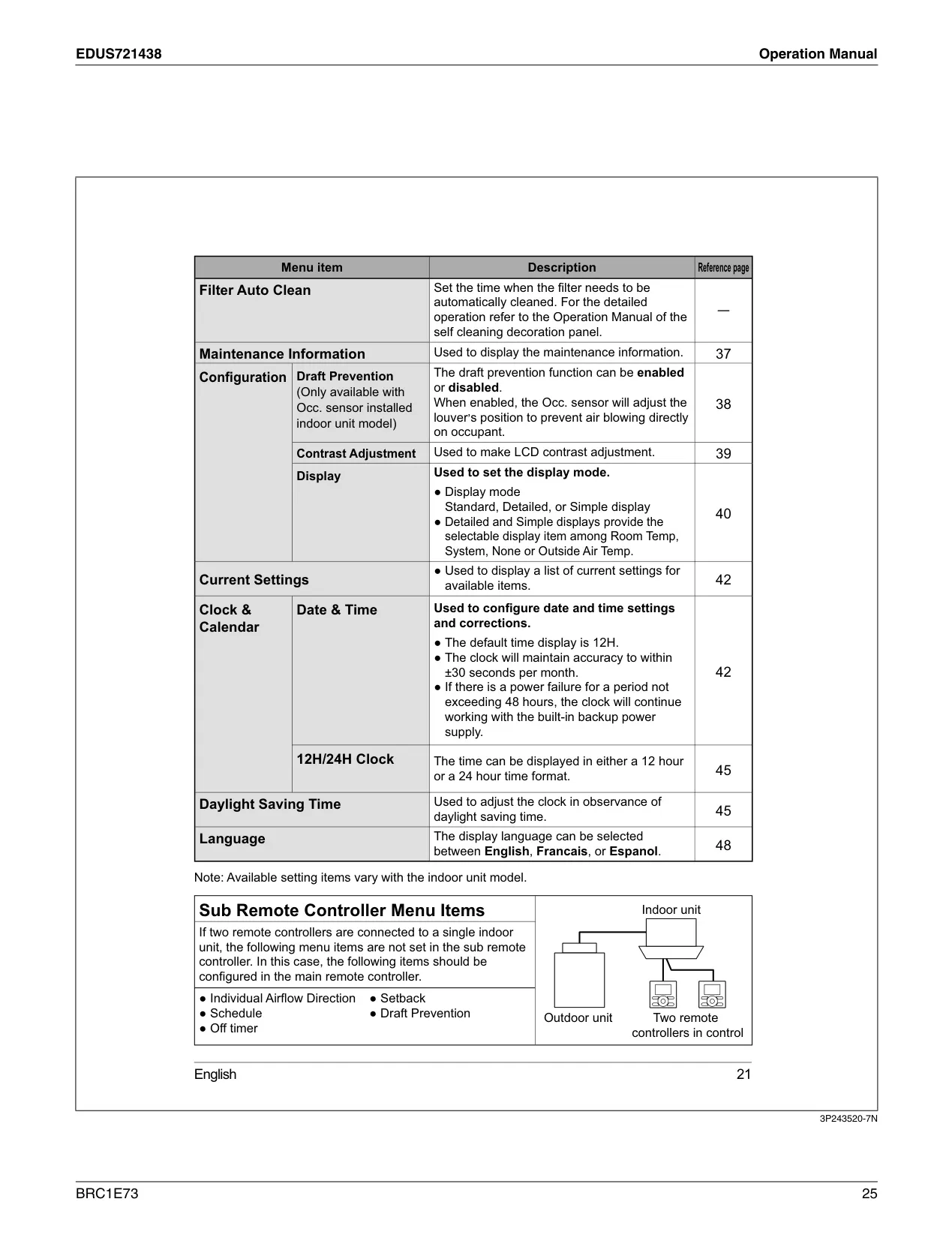
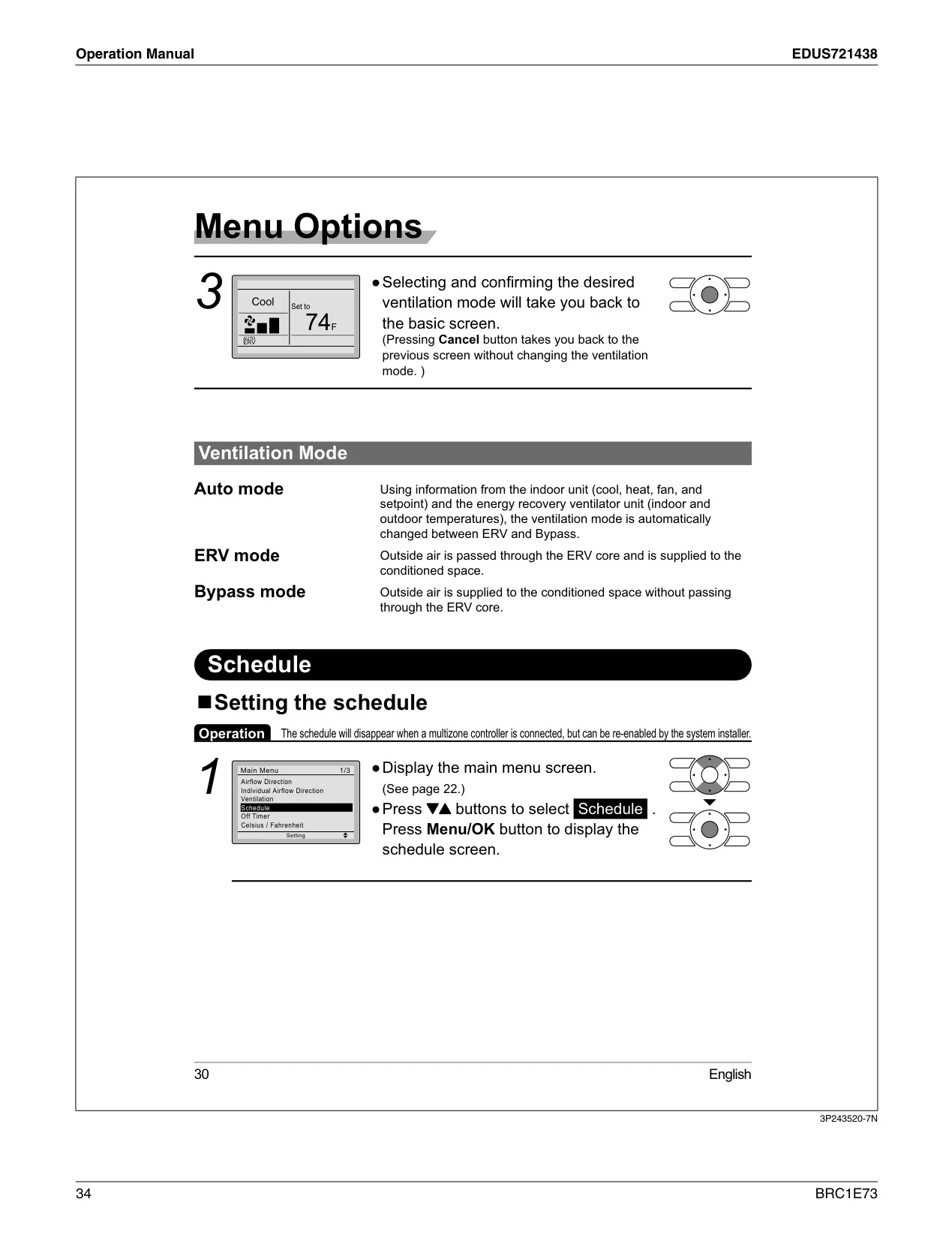
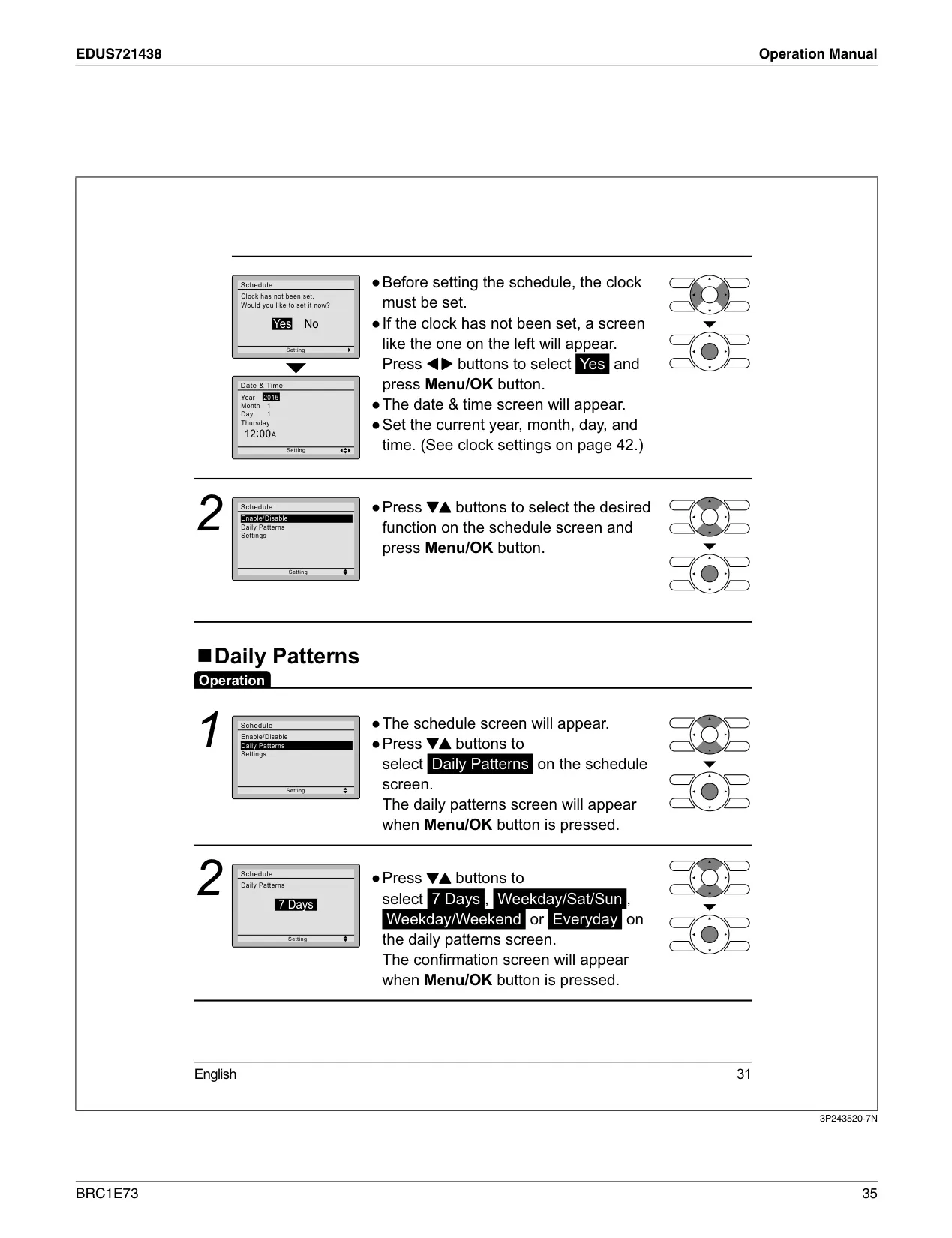
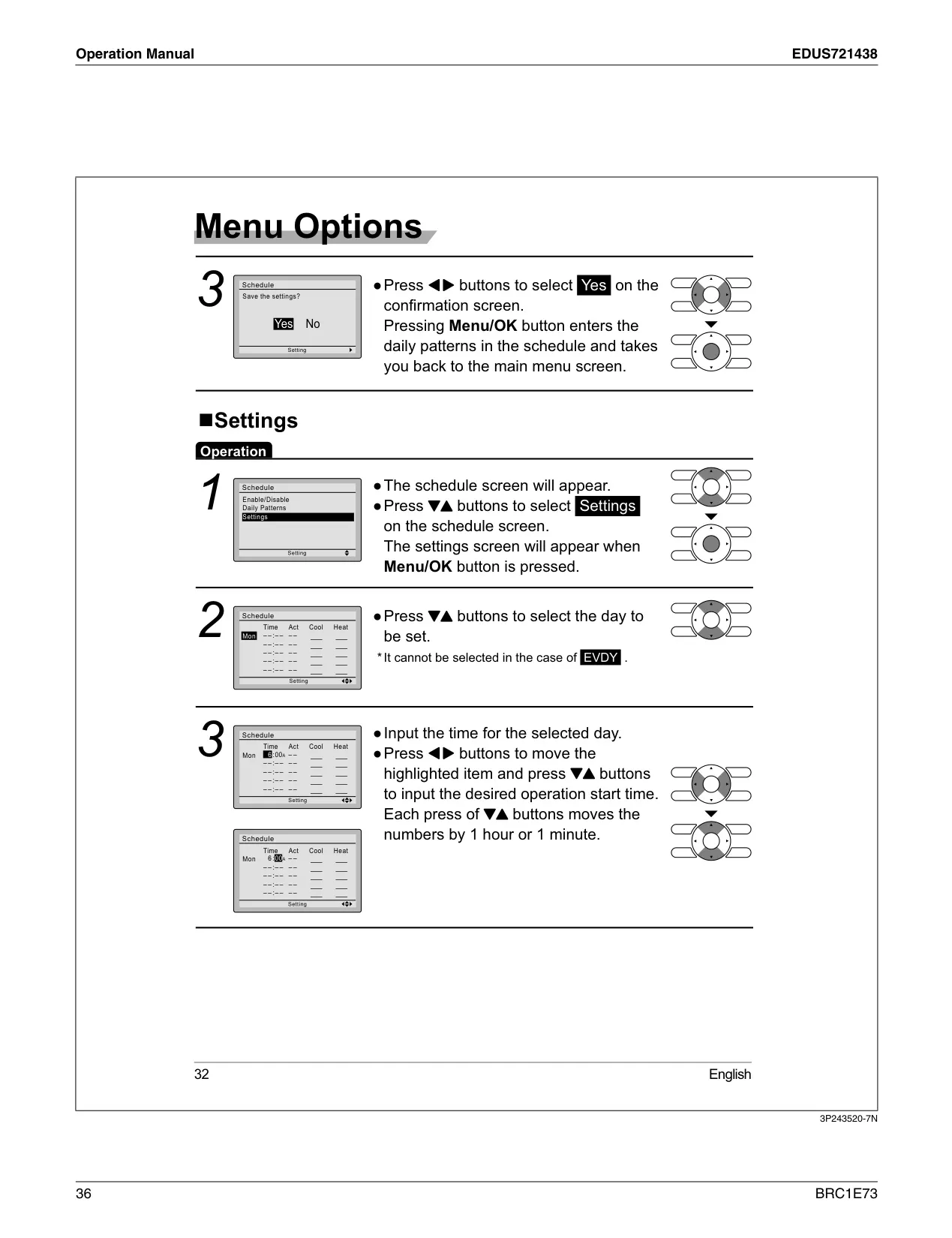
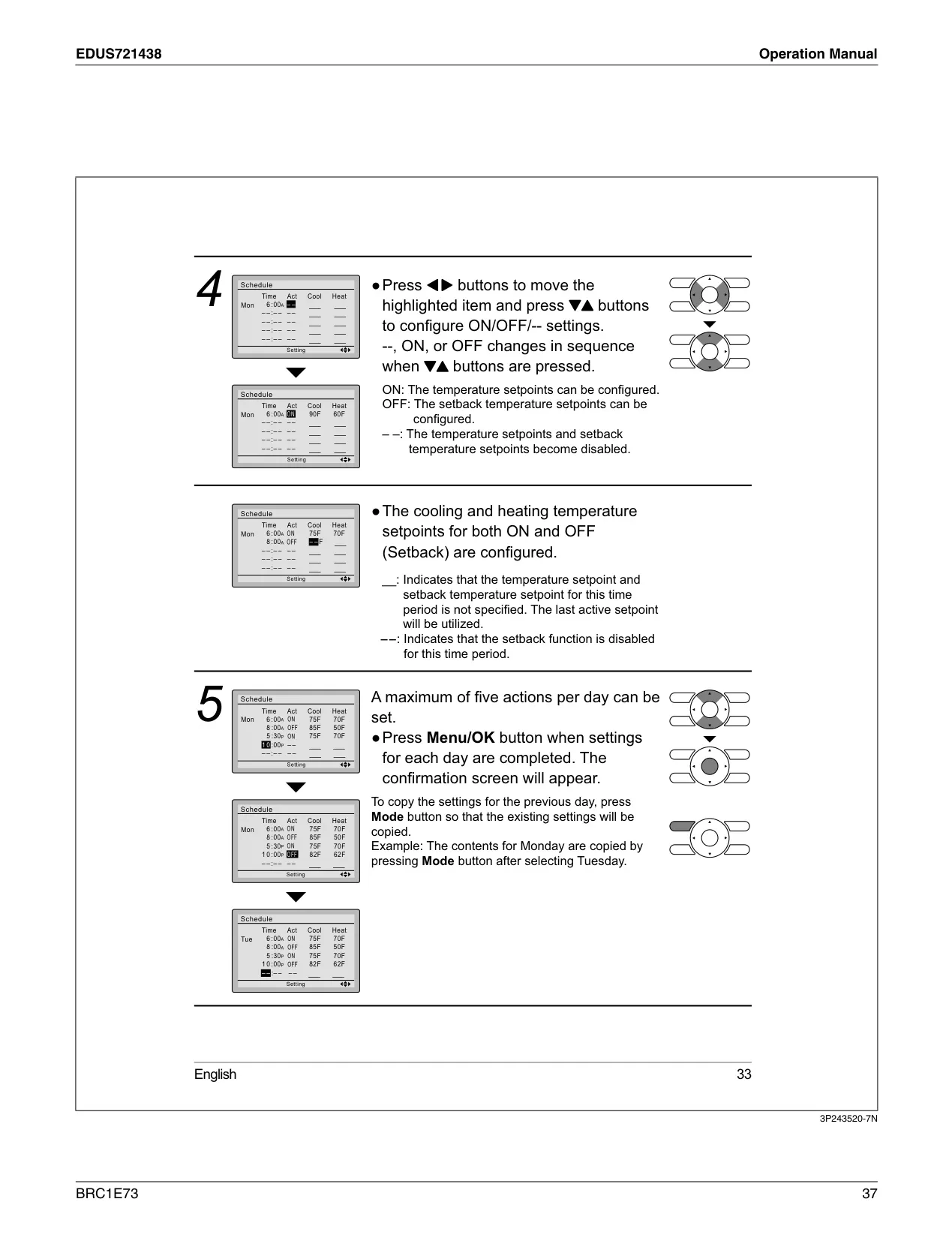
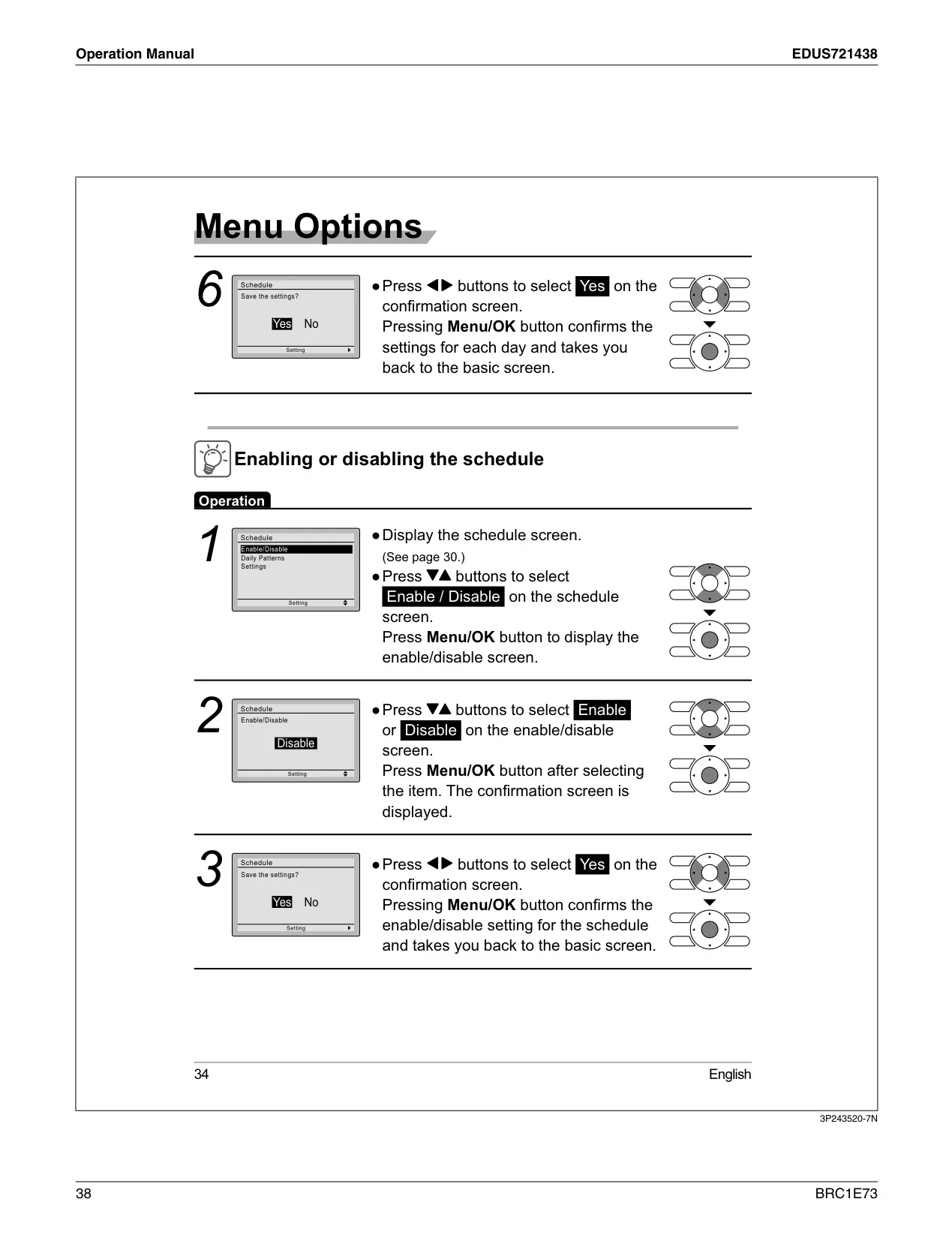
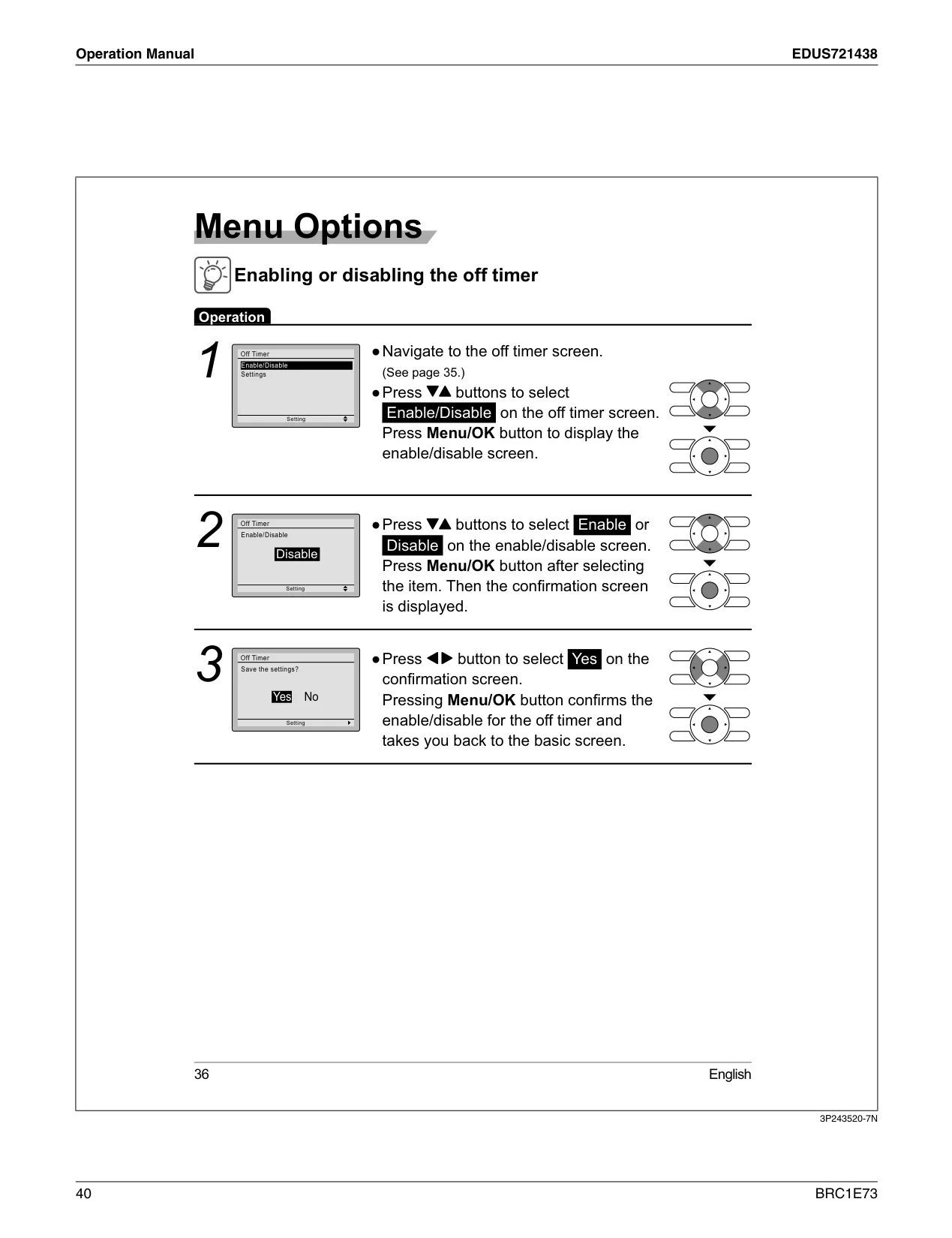
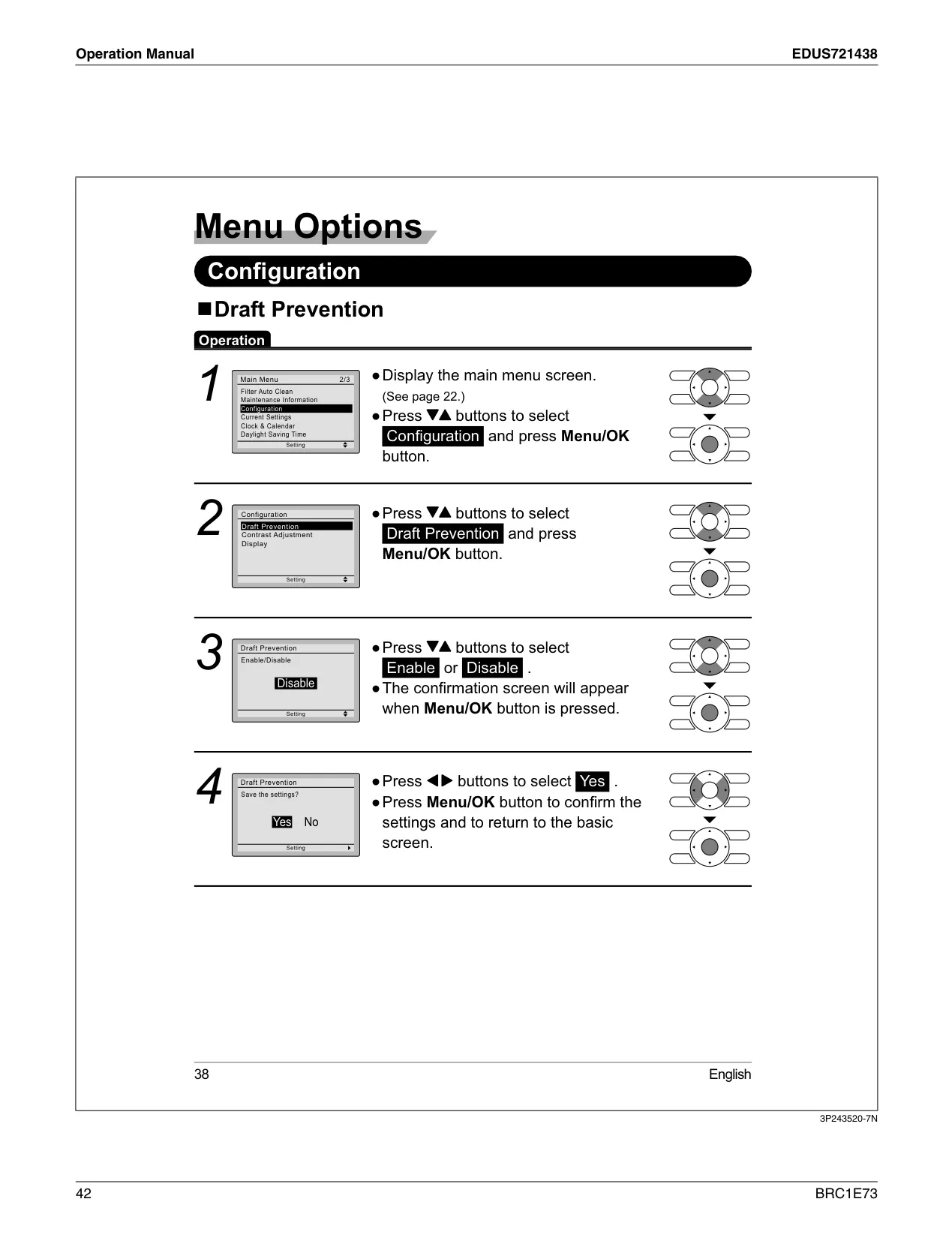
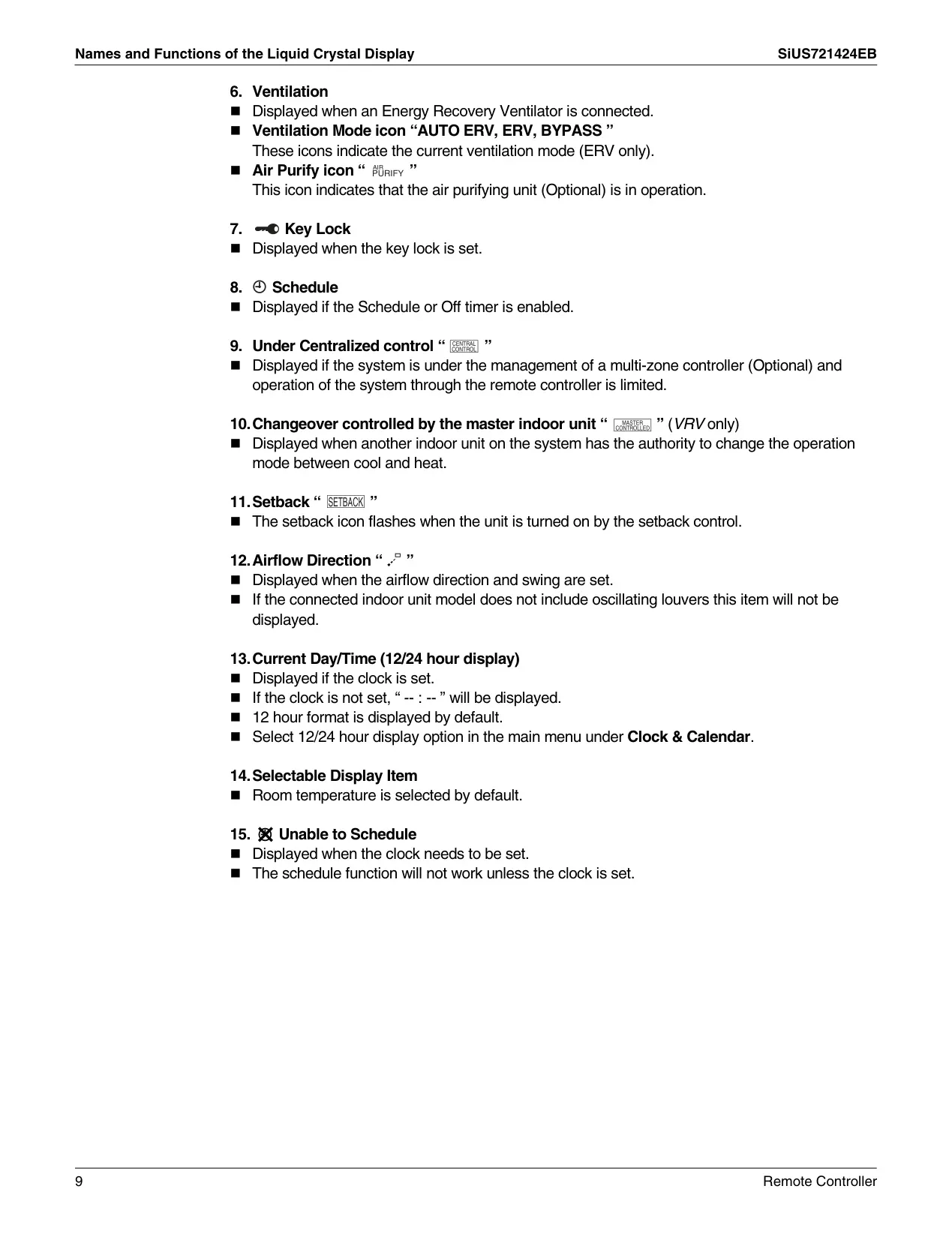
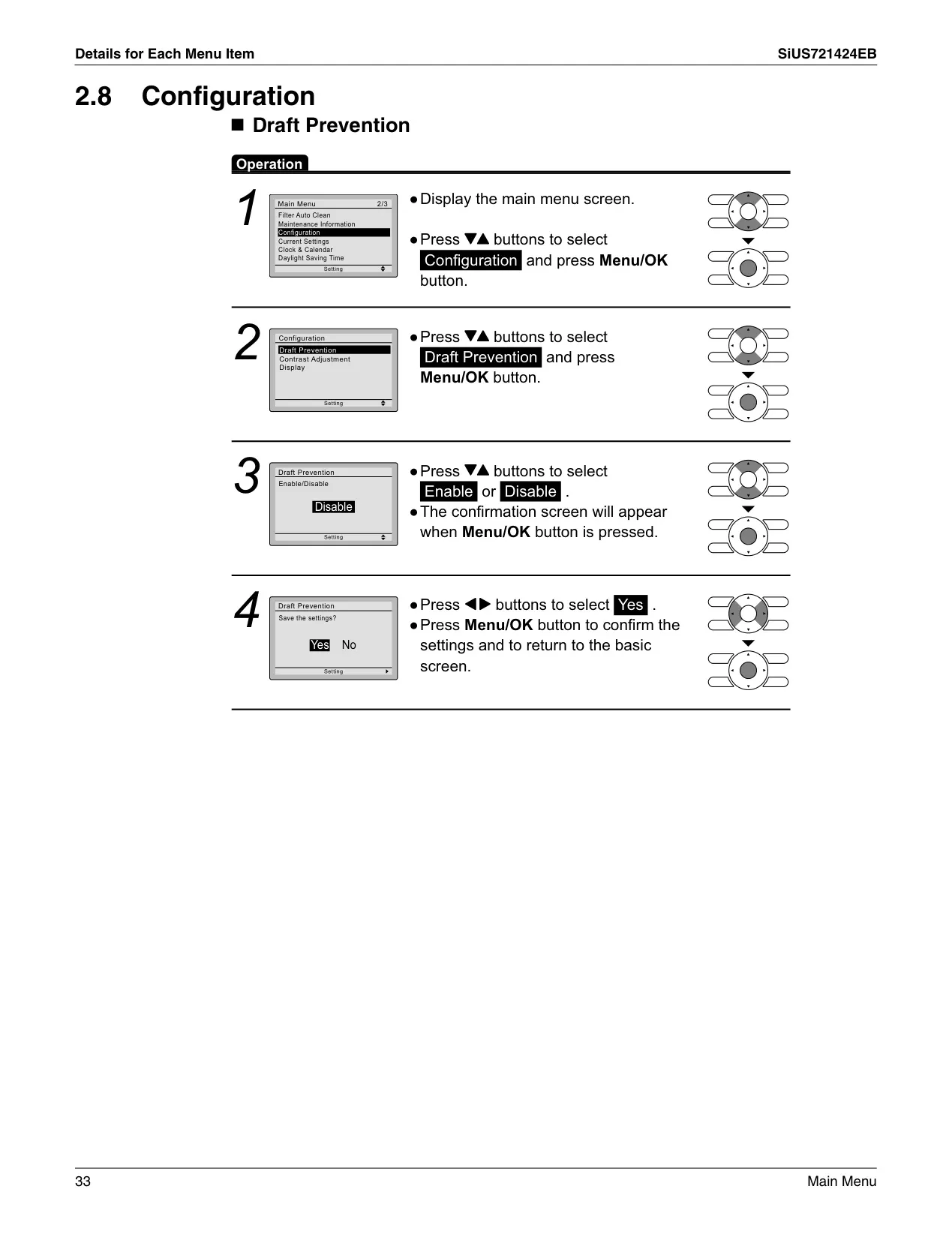
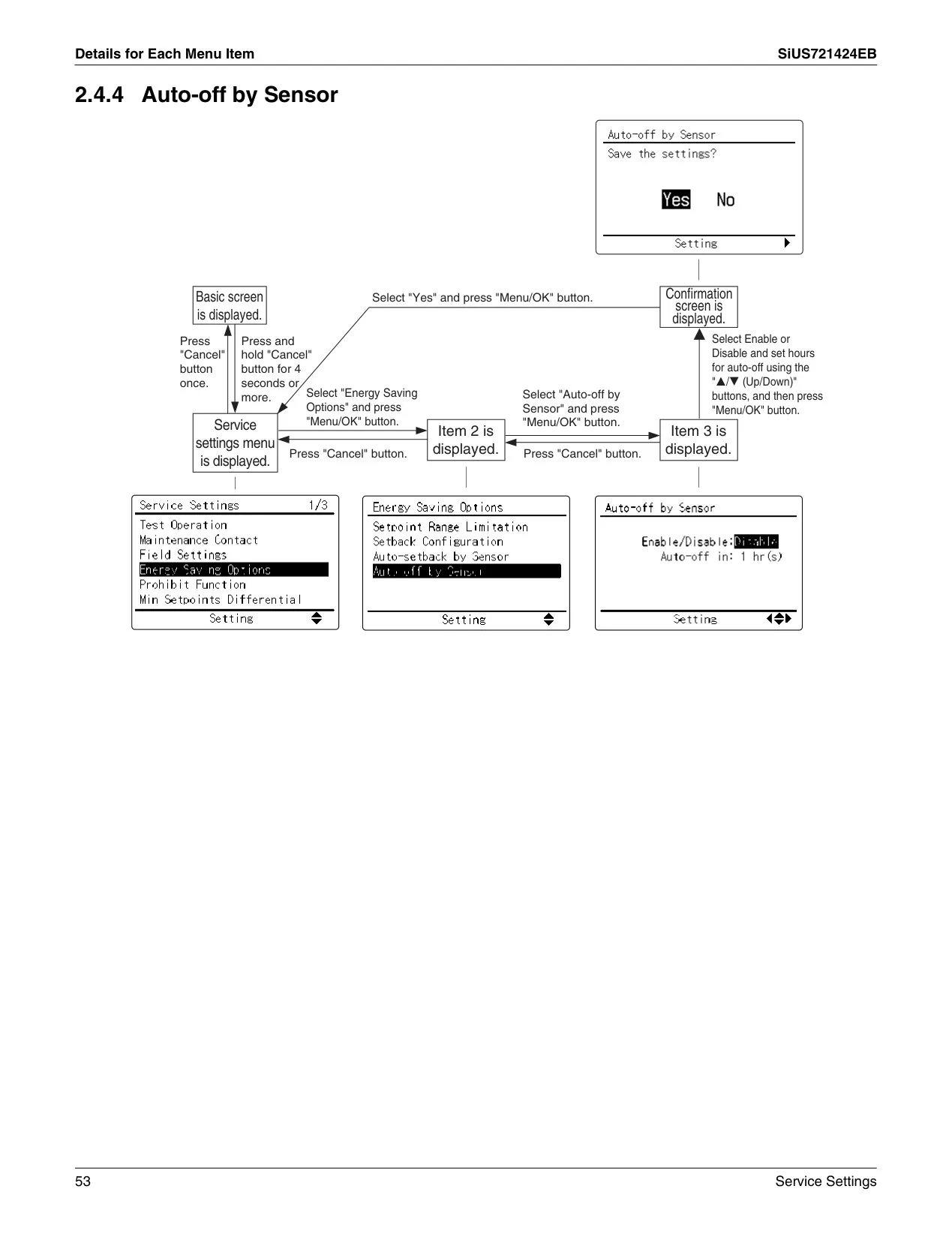
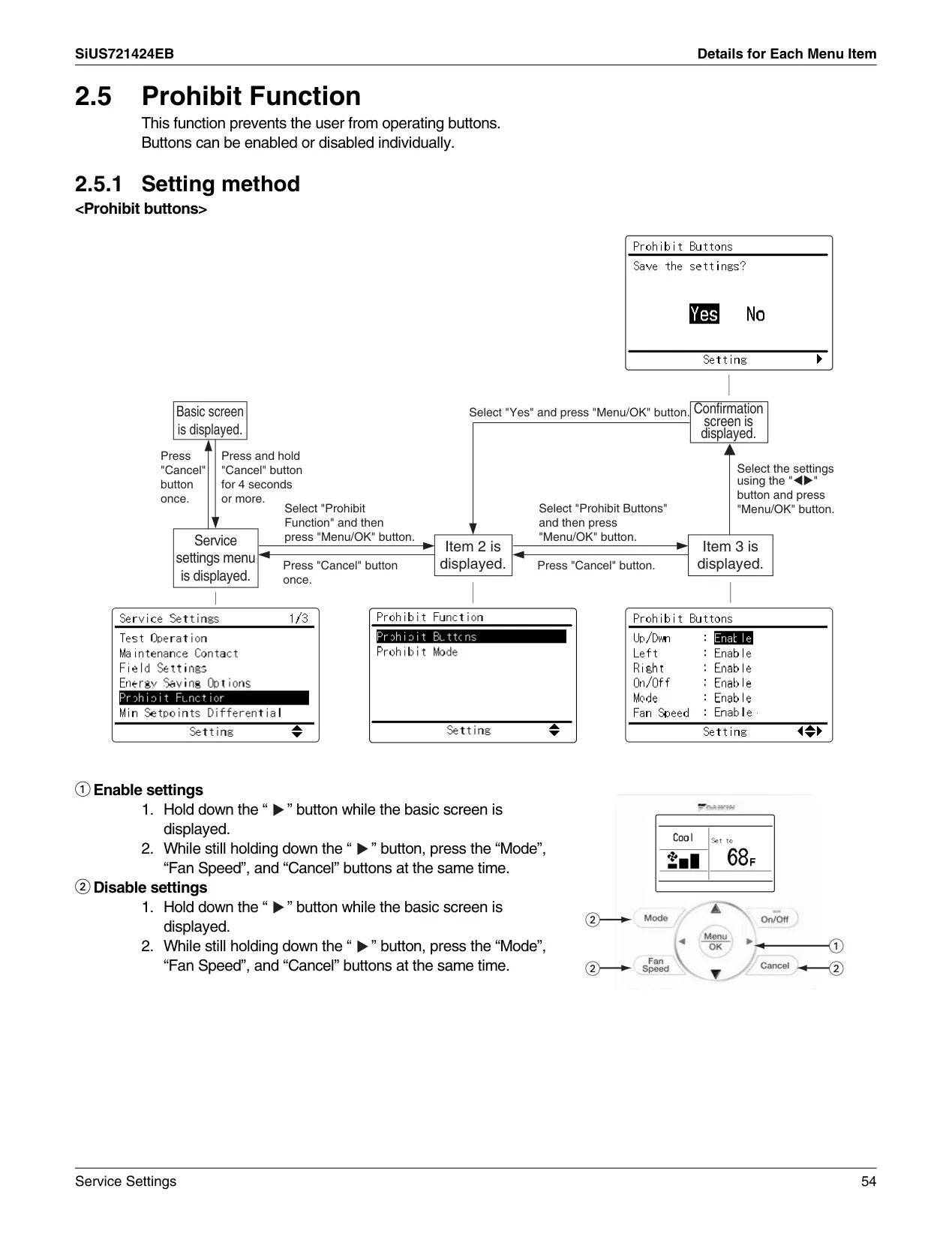
Customization extends to scheduling and control access. Users can program detailed schedules with up to five distinct actions per day, choosing from various daily patterns like "7 Days," "Weekday/Weekend," "Weekday/Sat/Sun," or "Everyday." An Off Timer allows for automatic system shutdown after a set duration, adjustable from 30 to 180 minutes. For security, a Key Lock function disables all buttons, preventing unauthorized adjustments. The controller also features Draft Prevention, which, if an occupancy sensor is installed, intelligently adjusts louver positions to avoid direct airflow on occupants, further enhancing comfort.
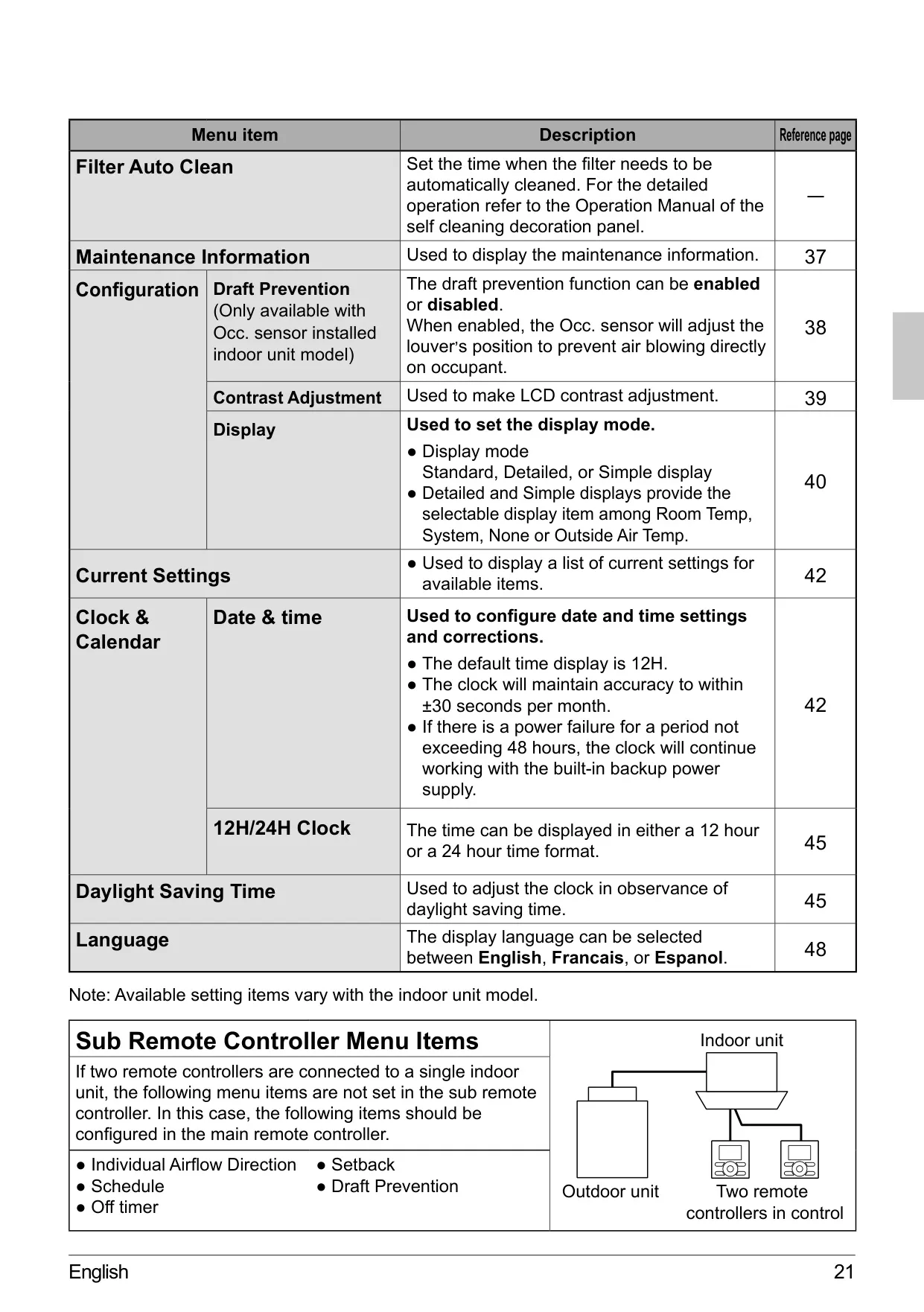
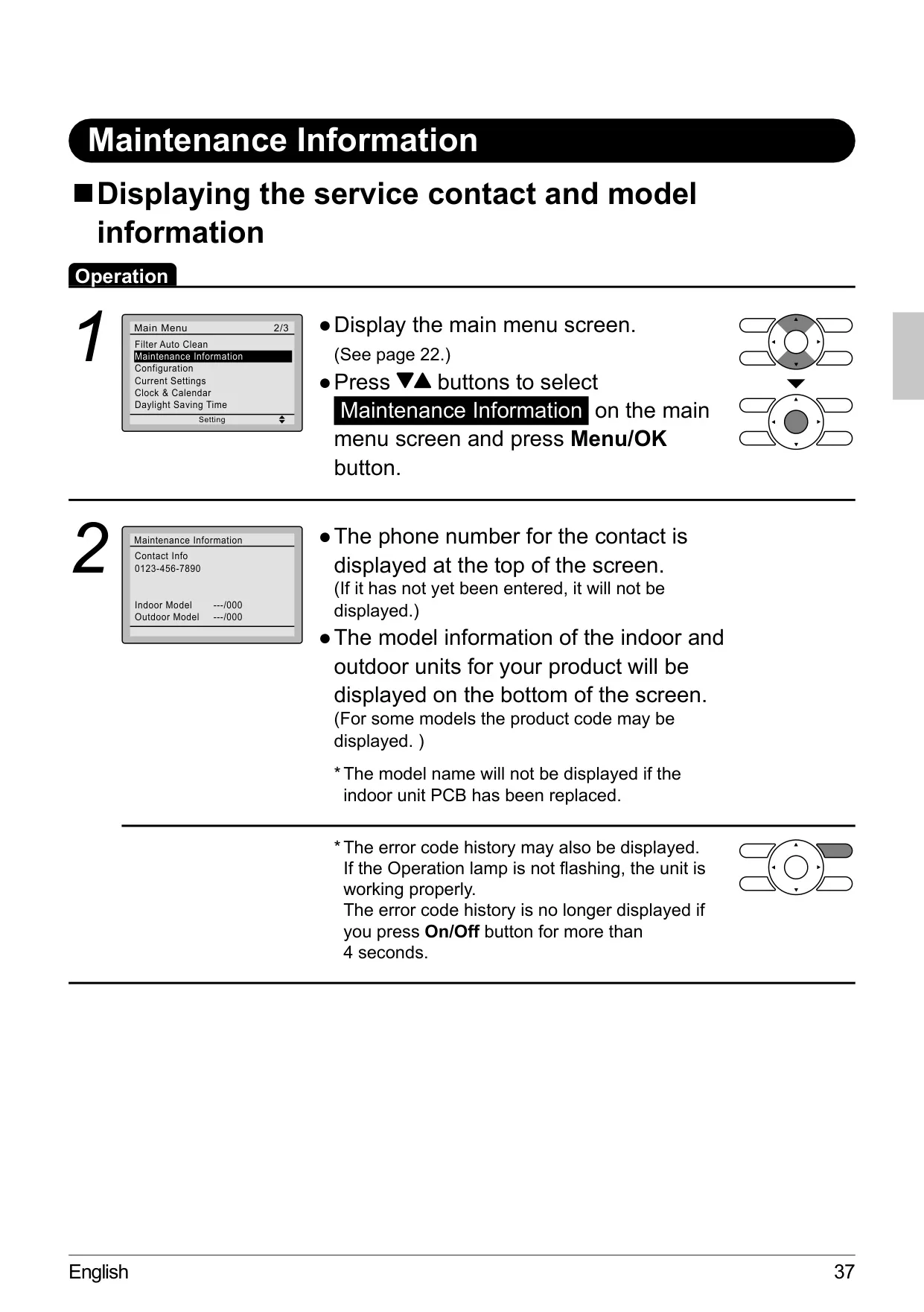
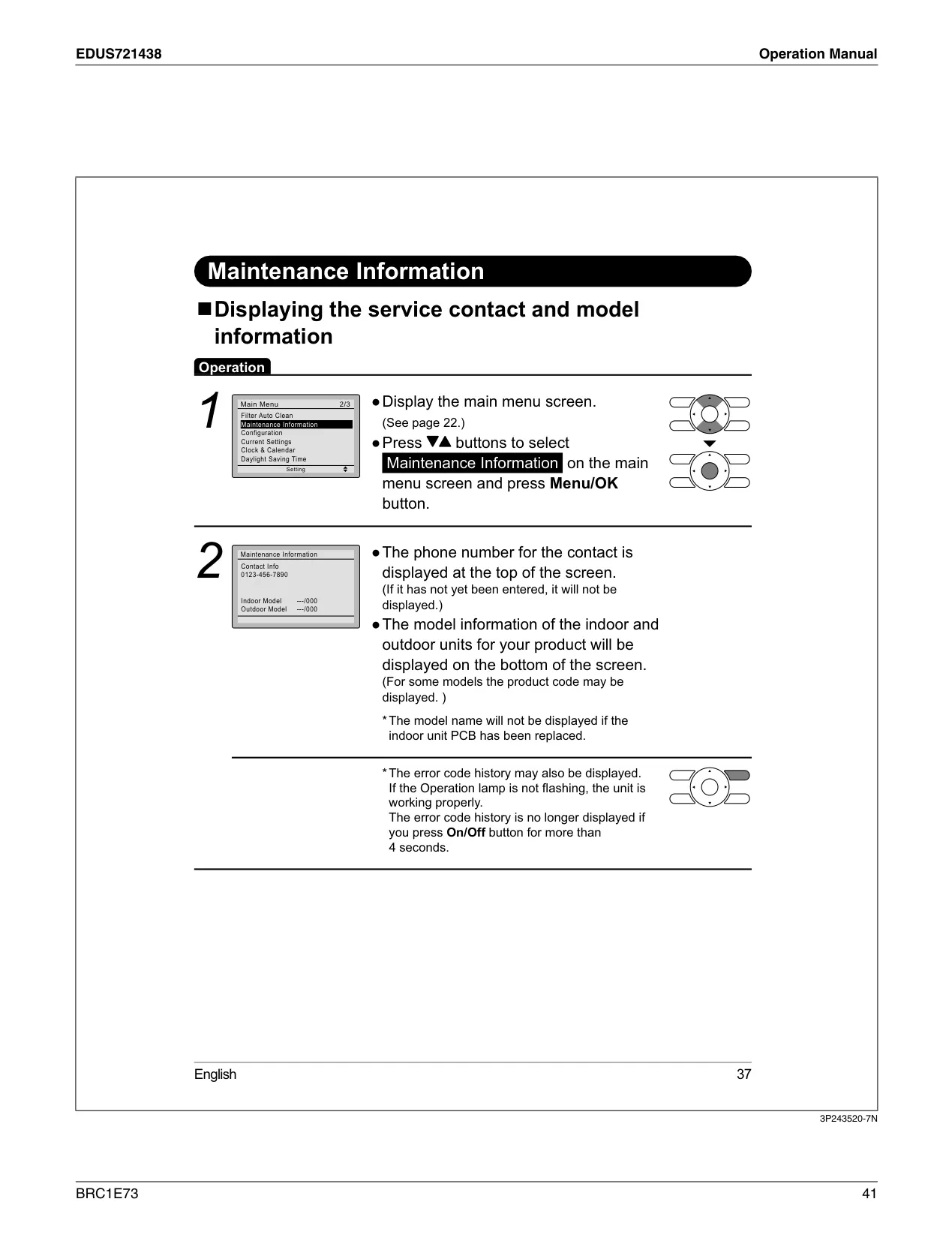
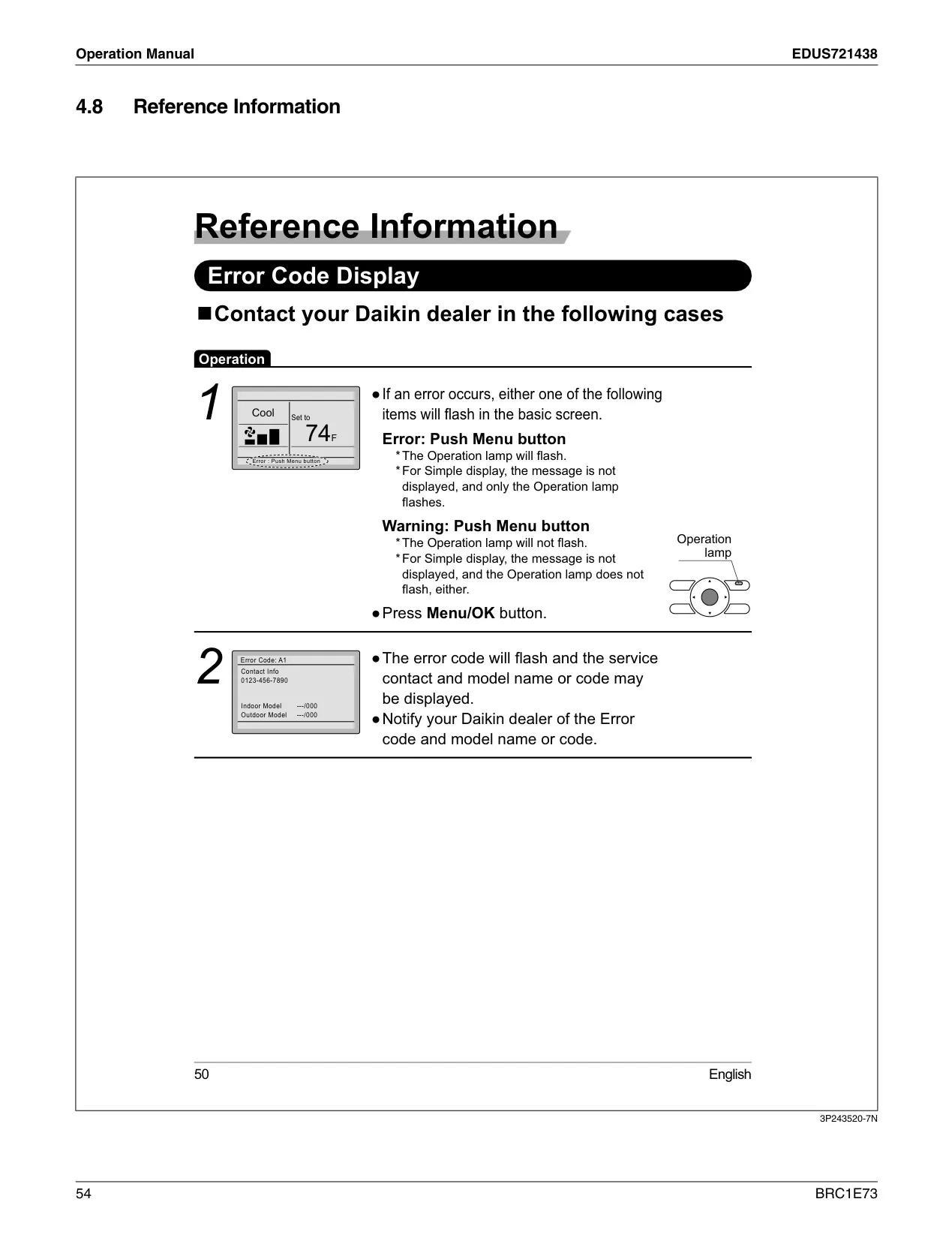
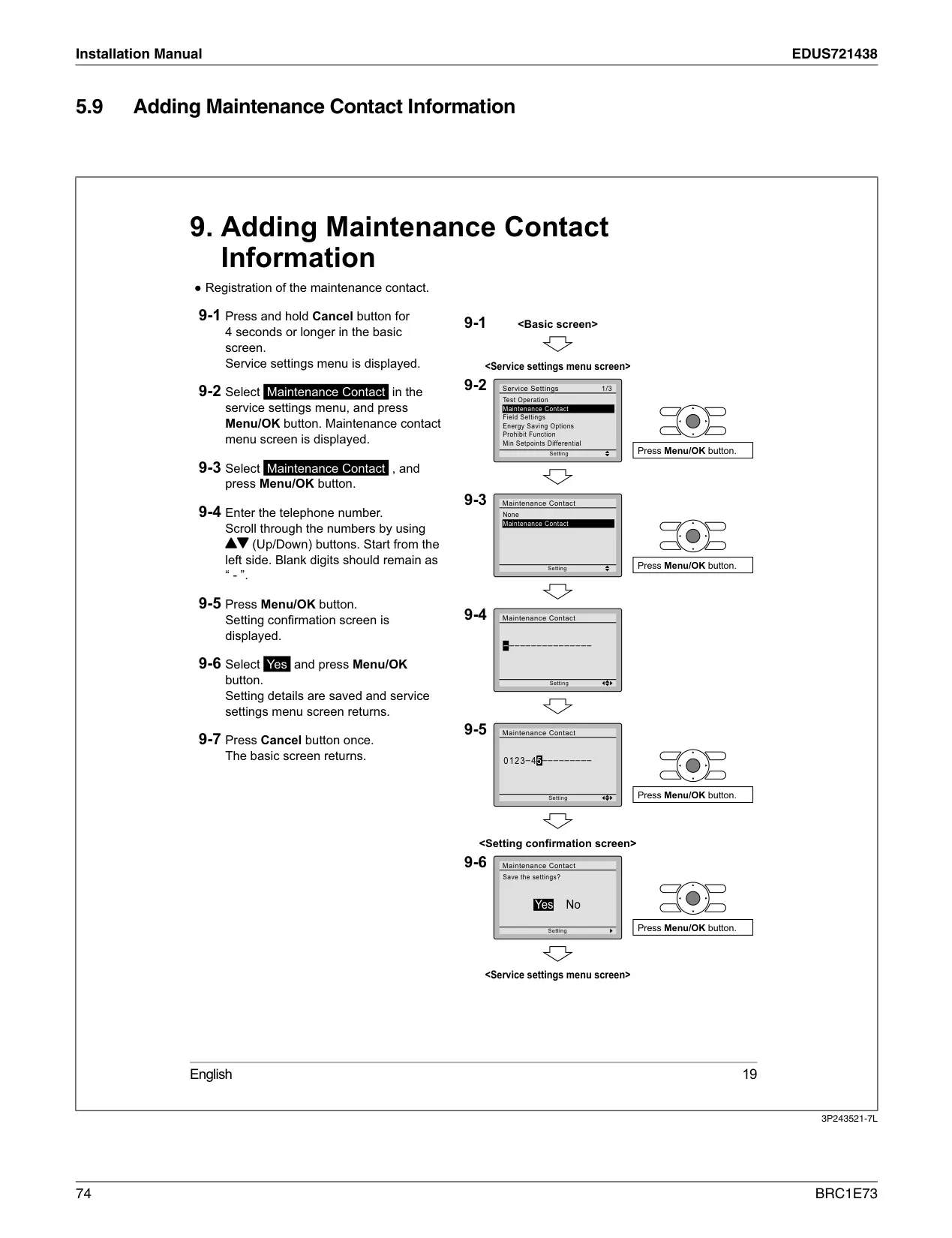
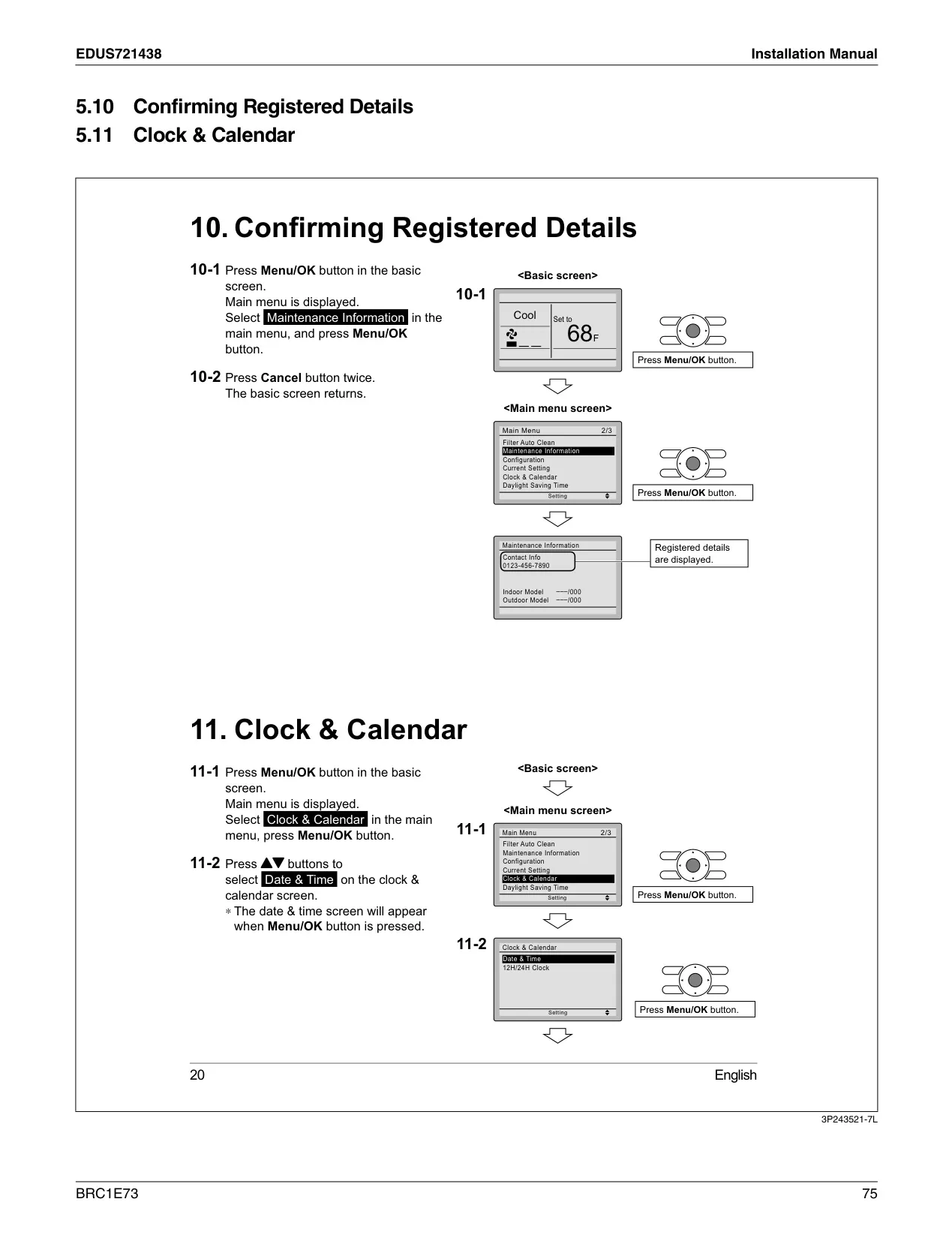
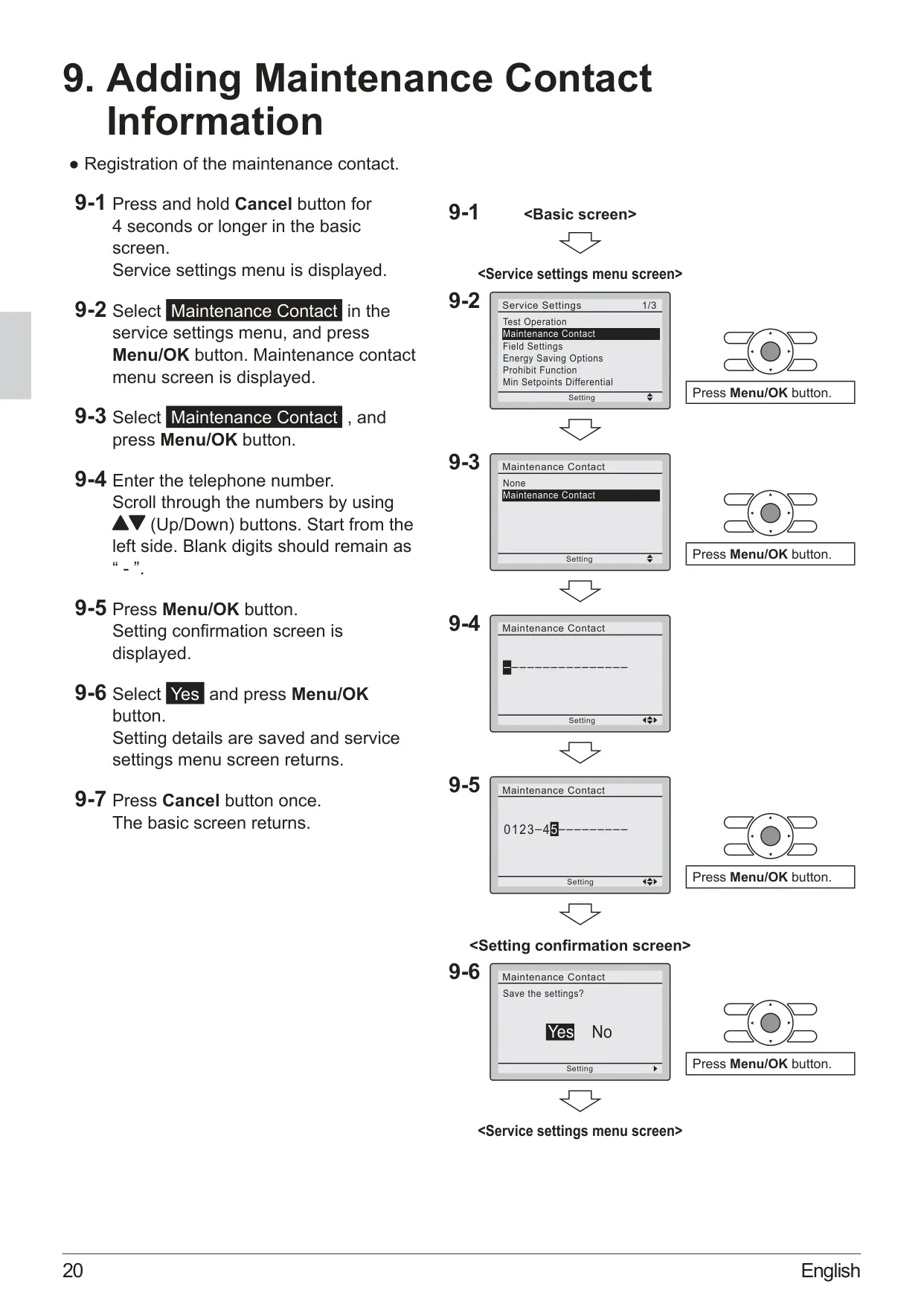
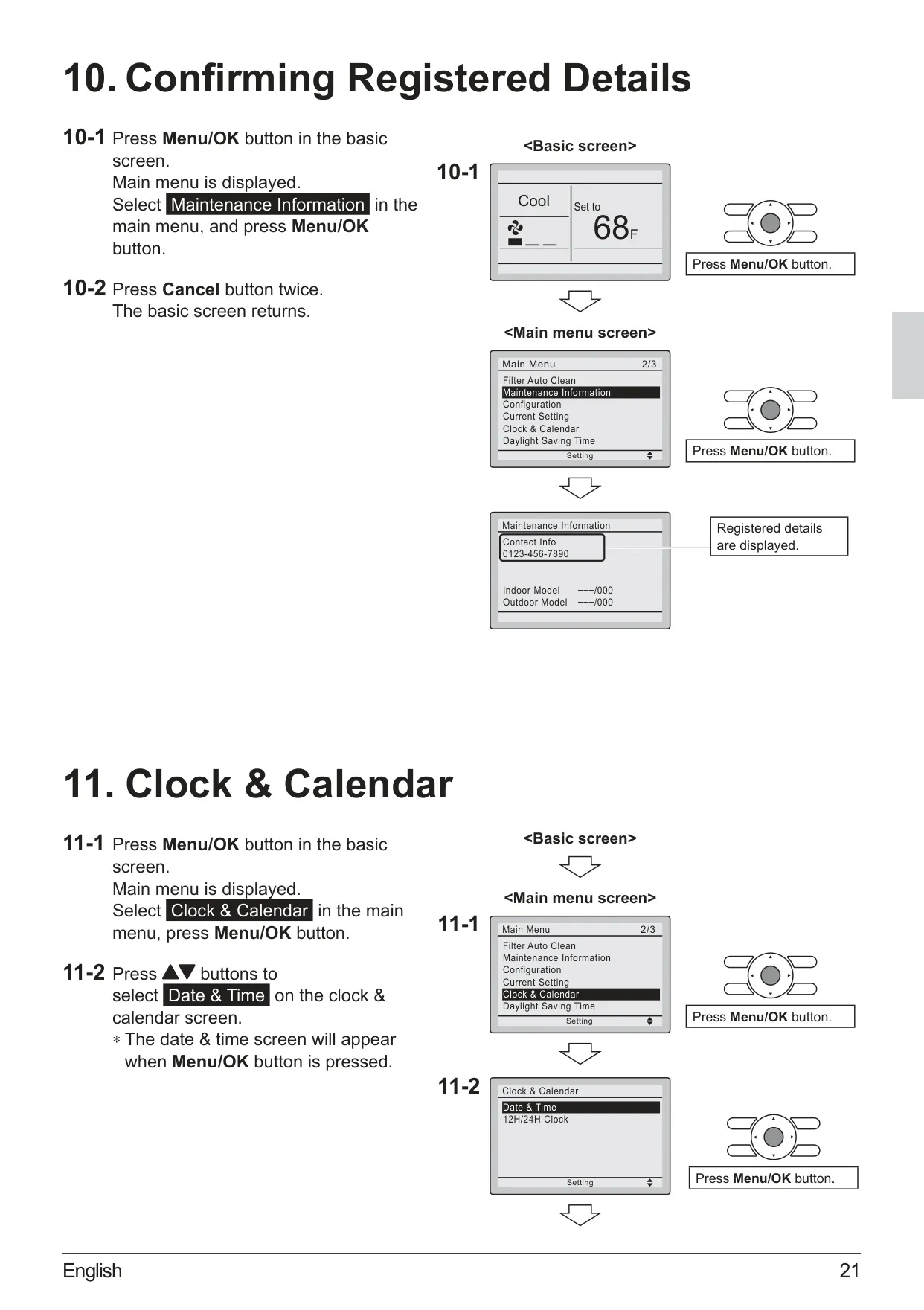
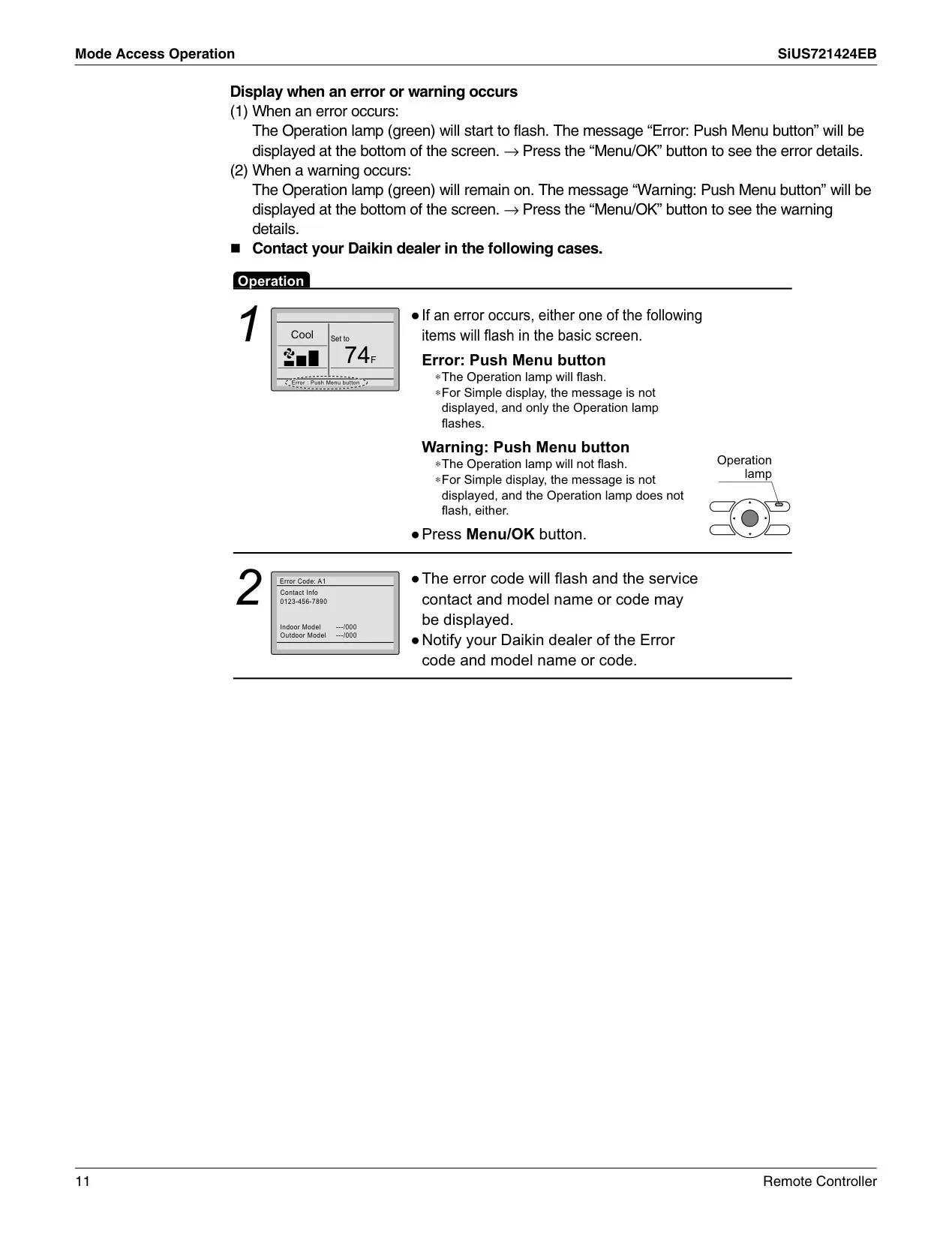
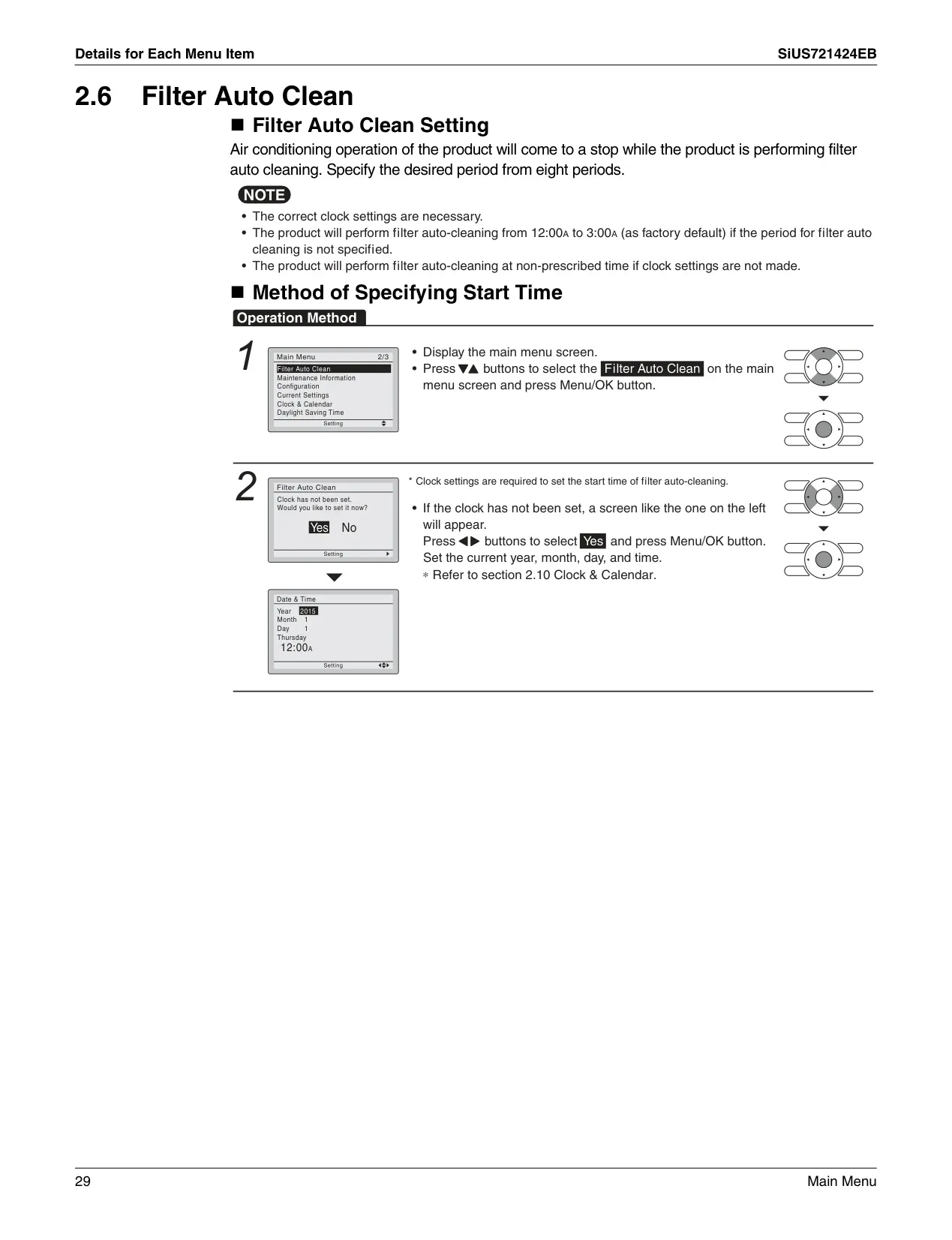
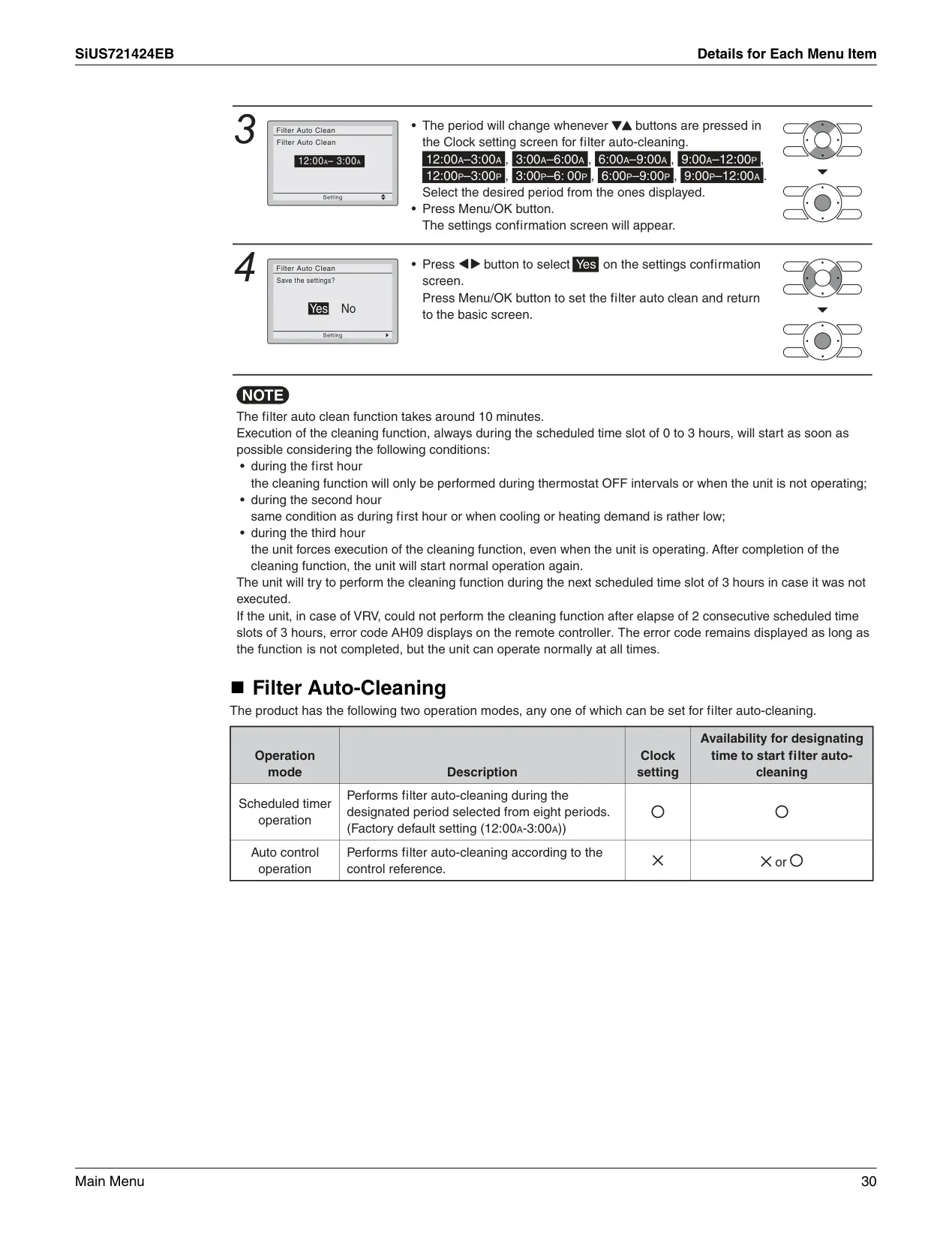
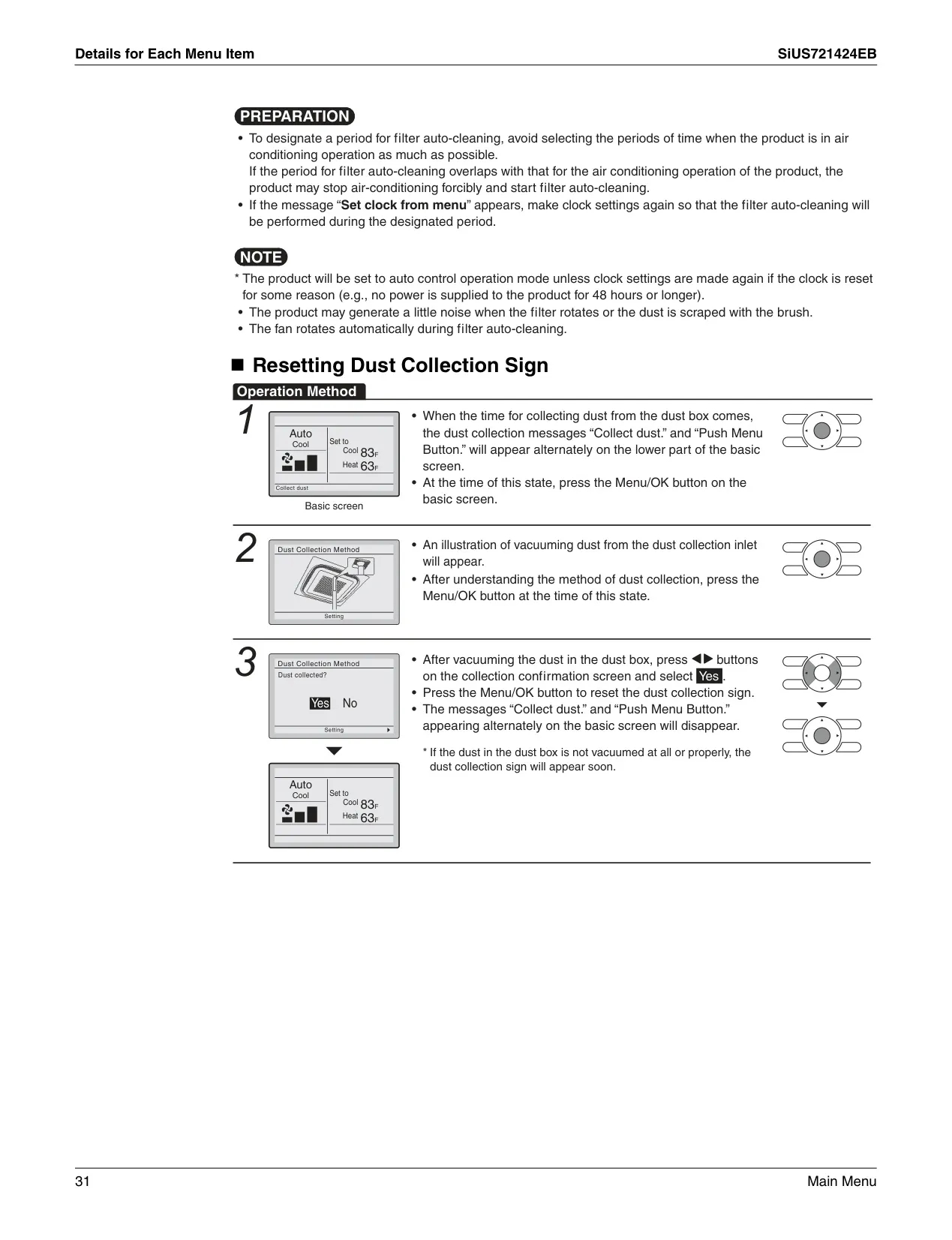
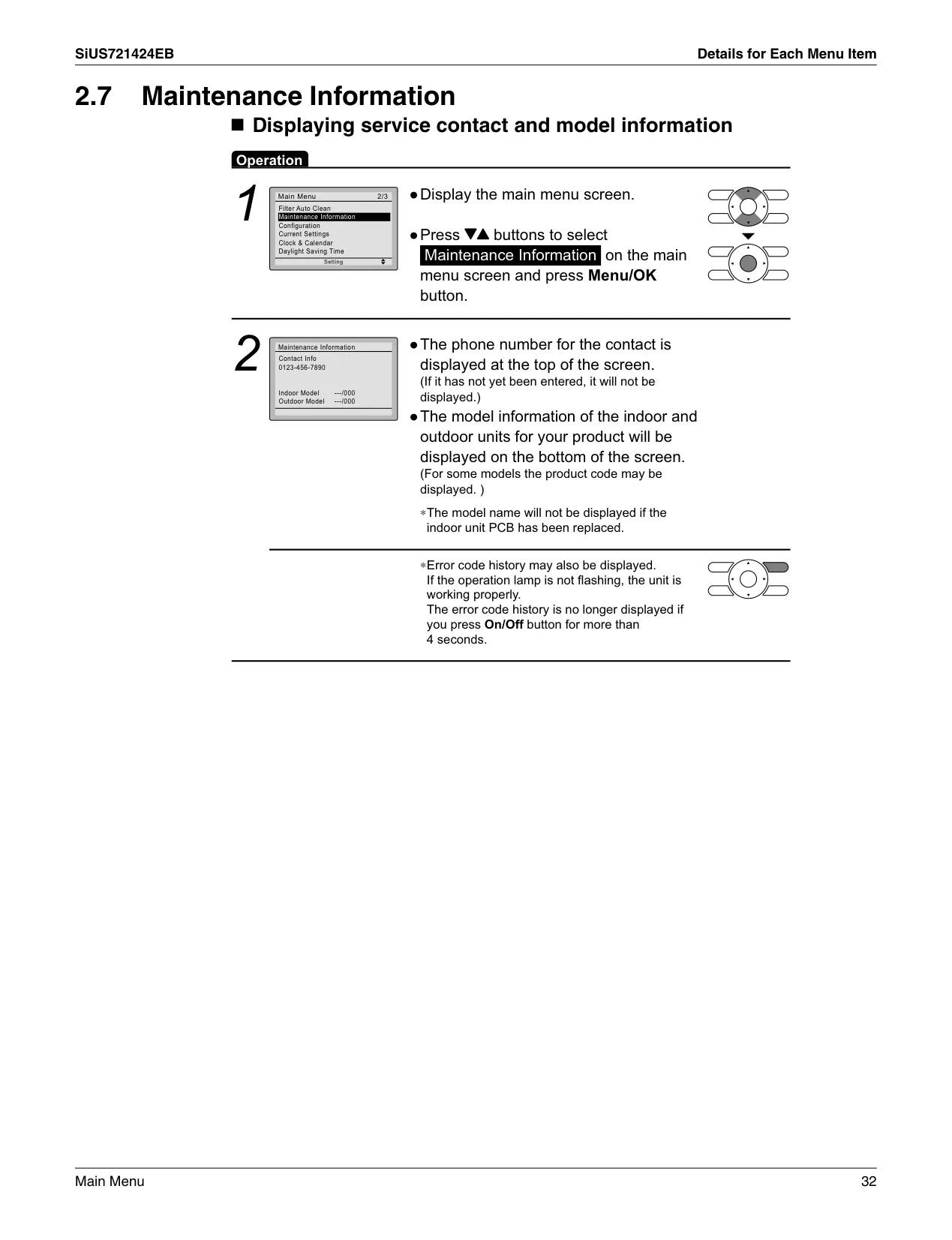
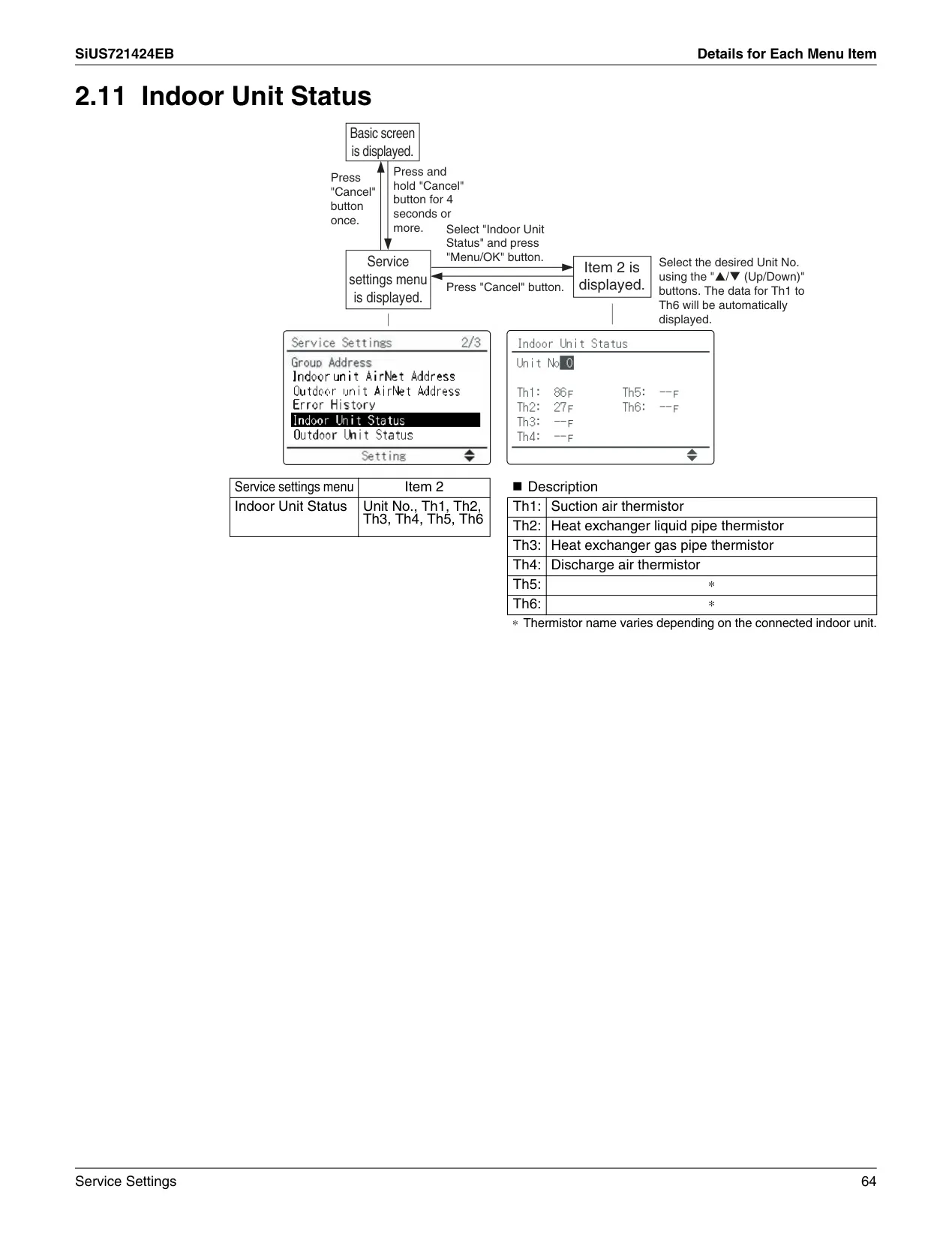
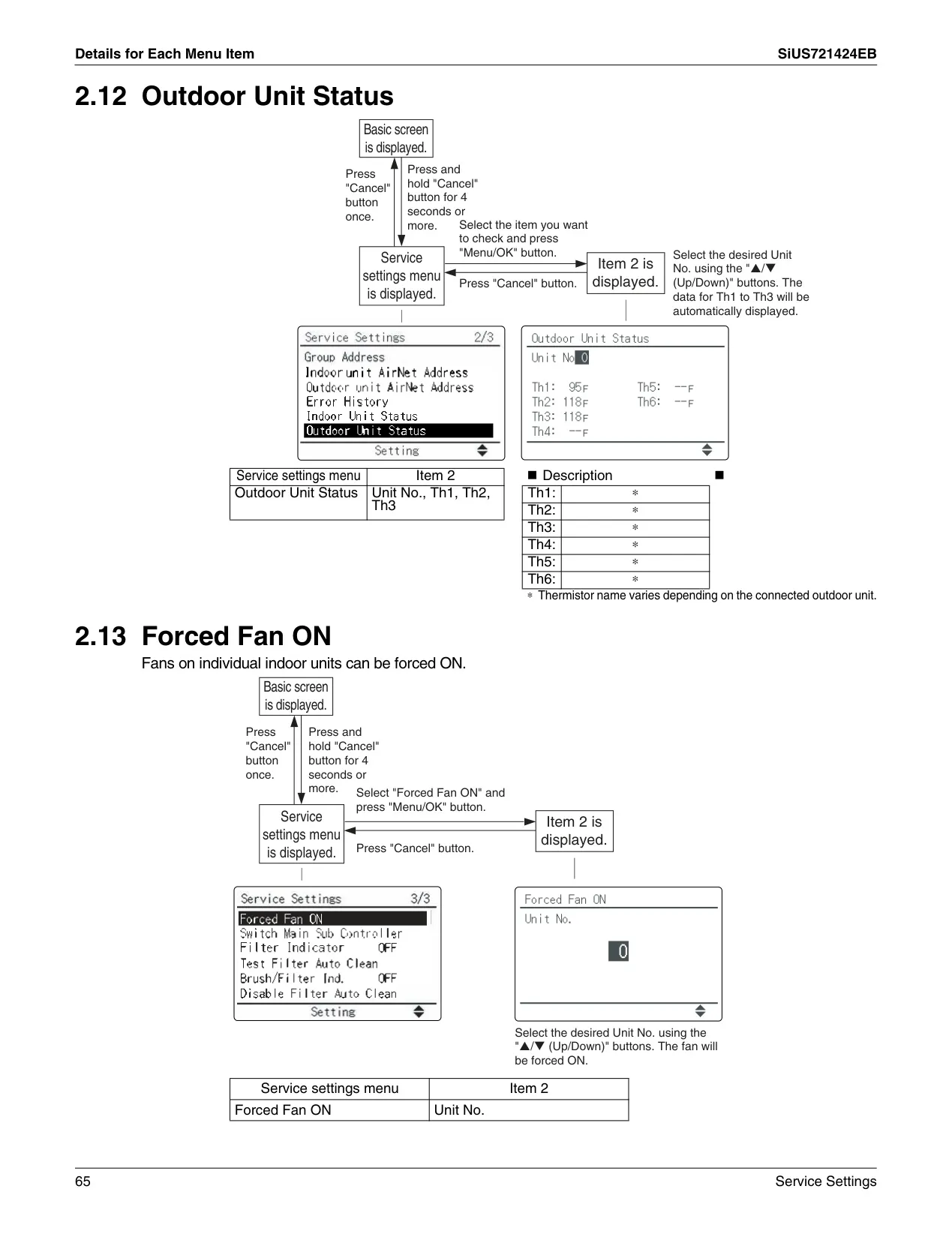
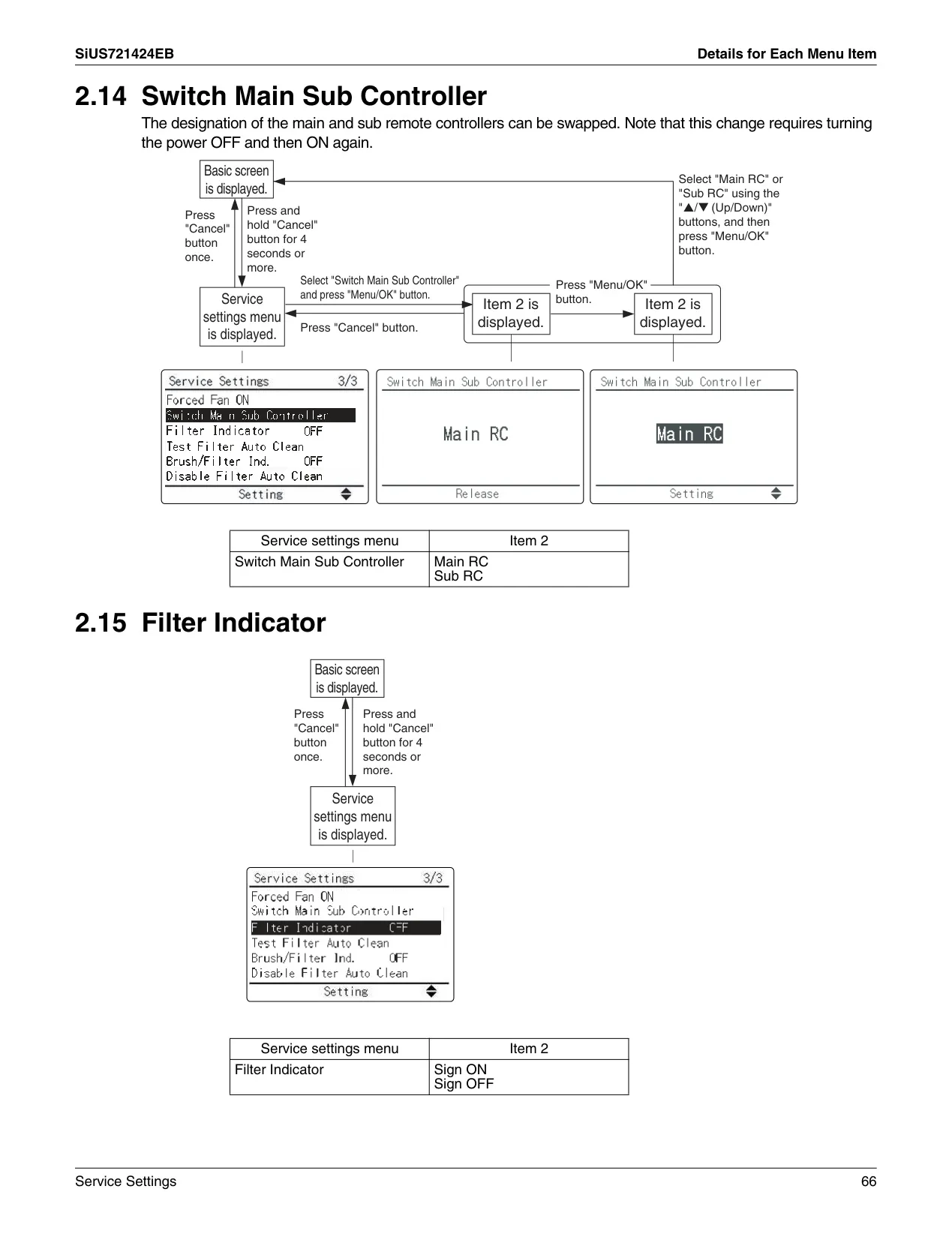
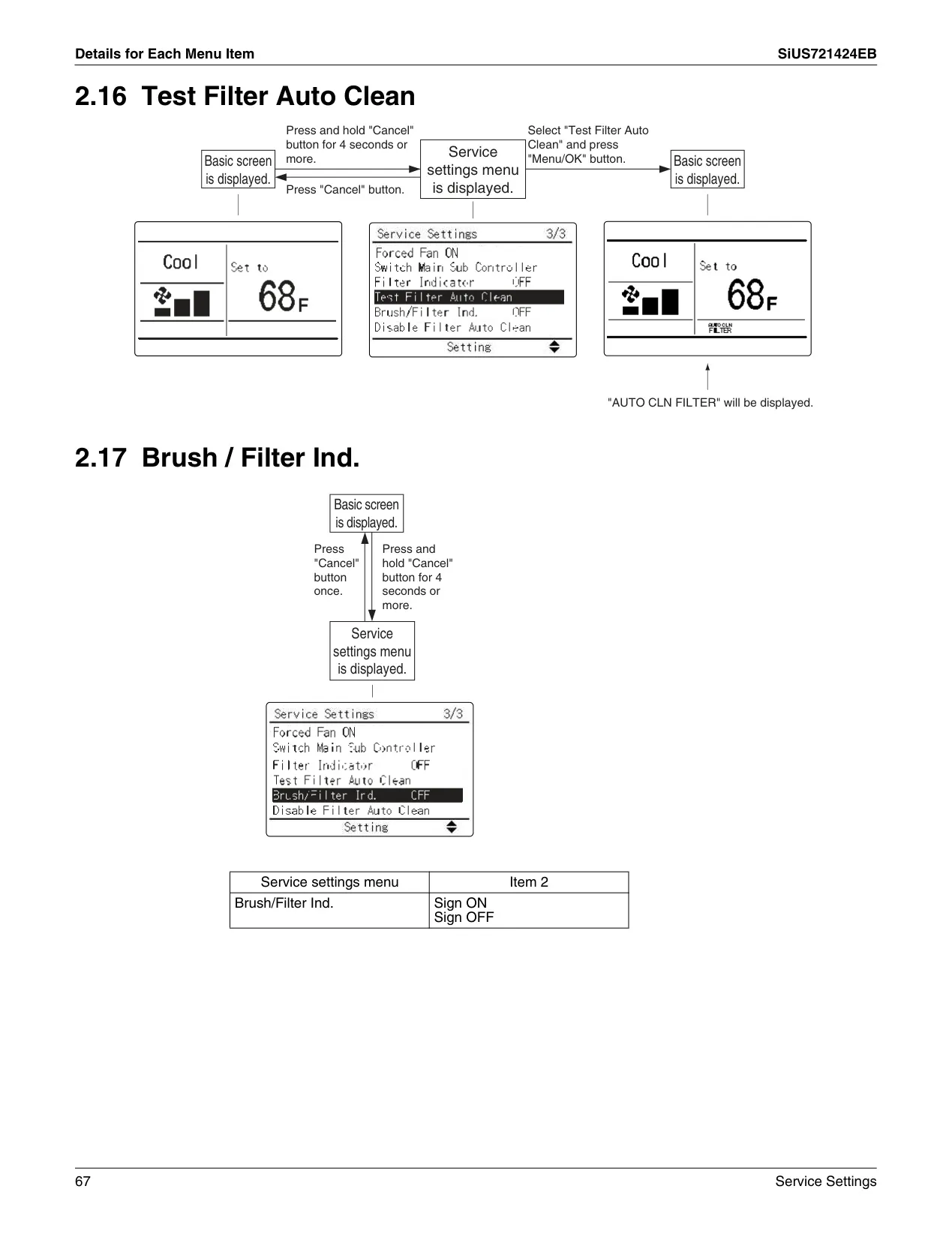
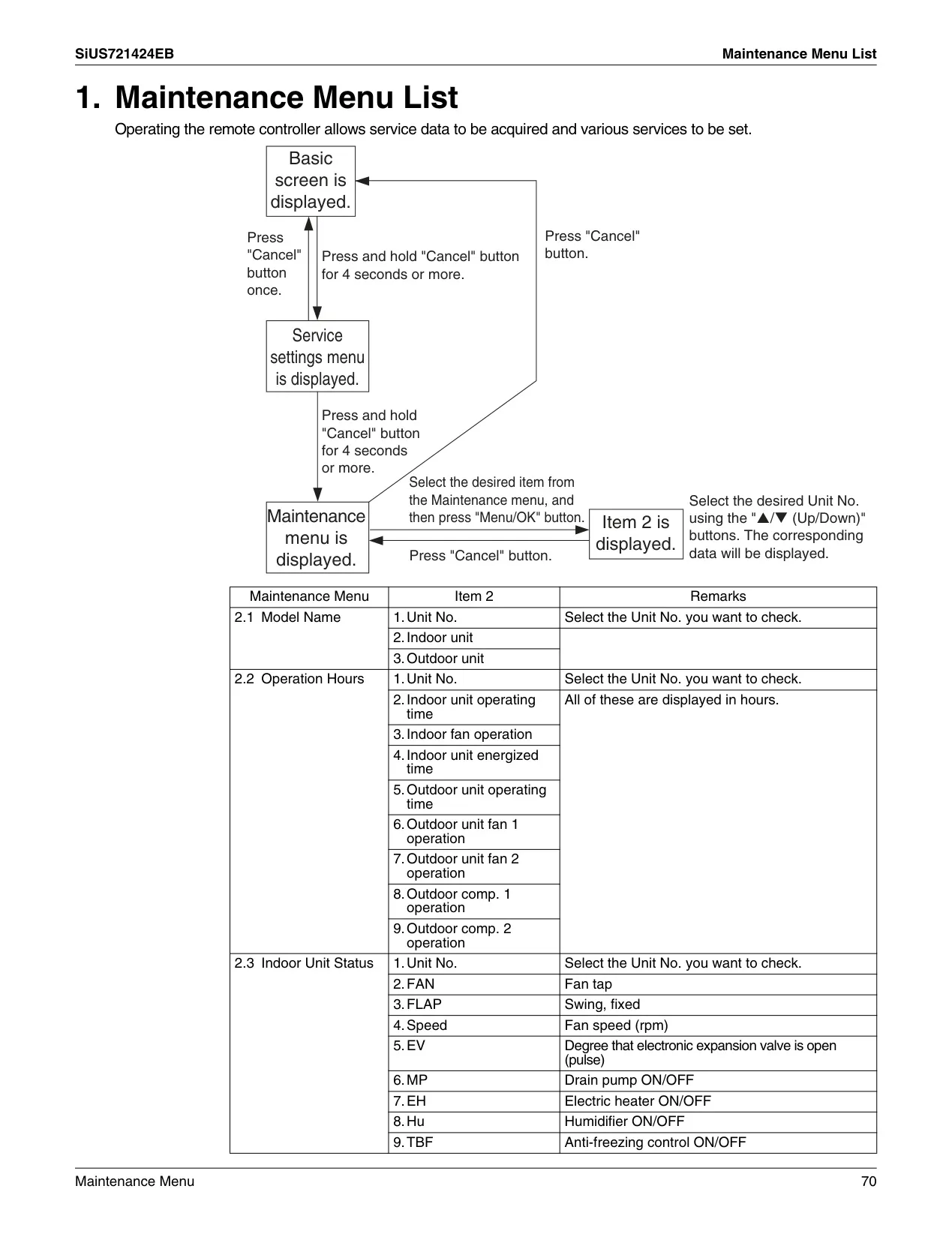
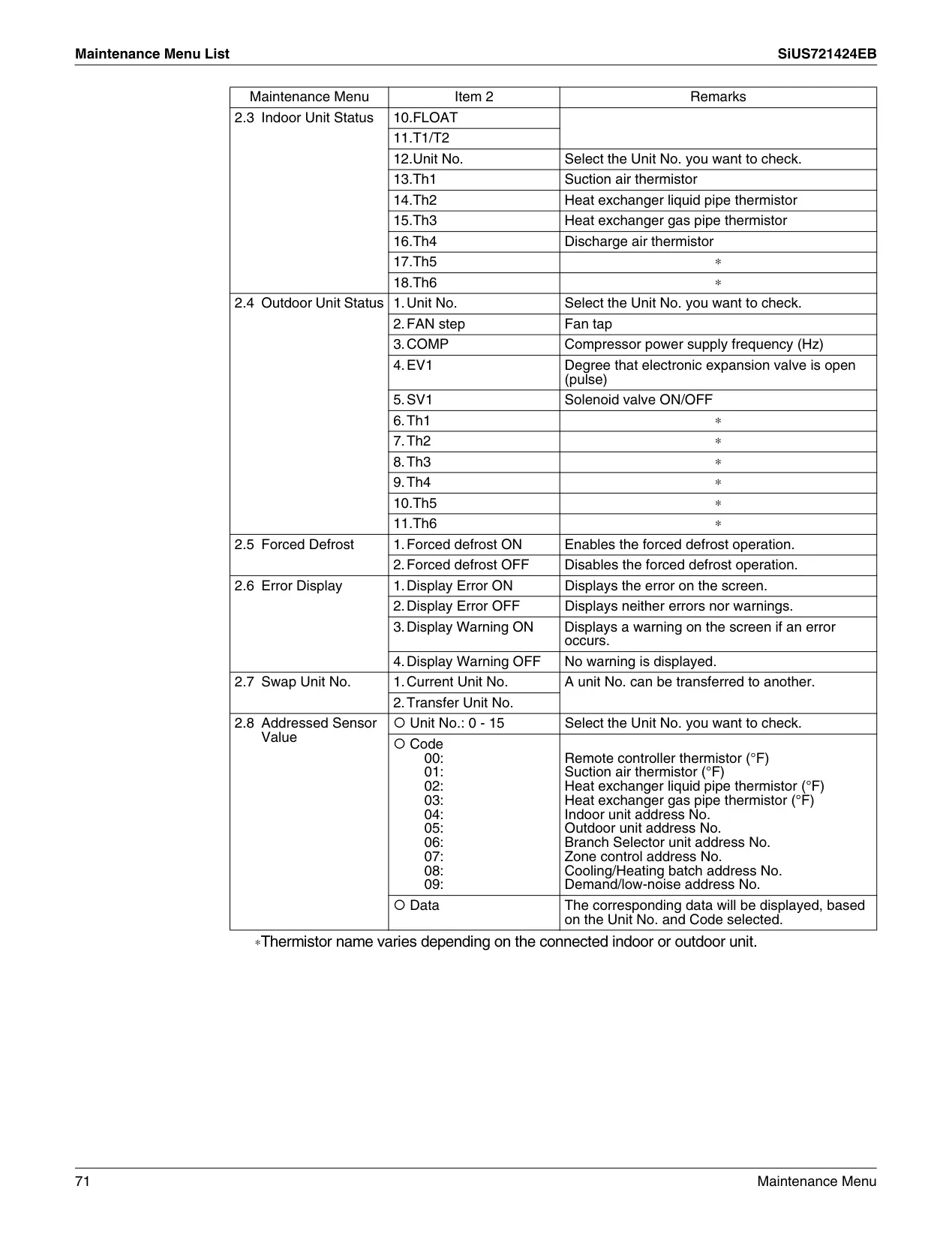
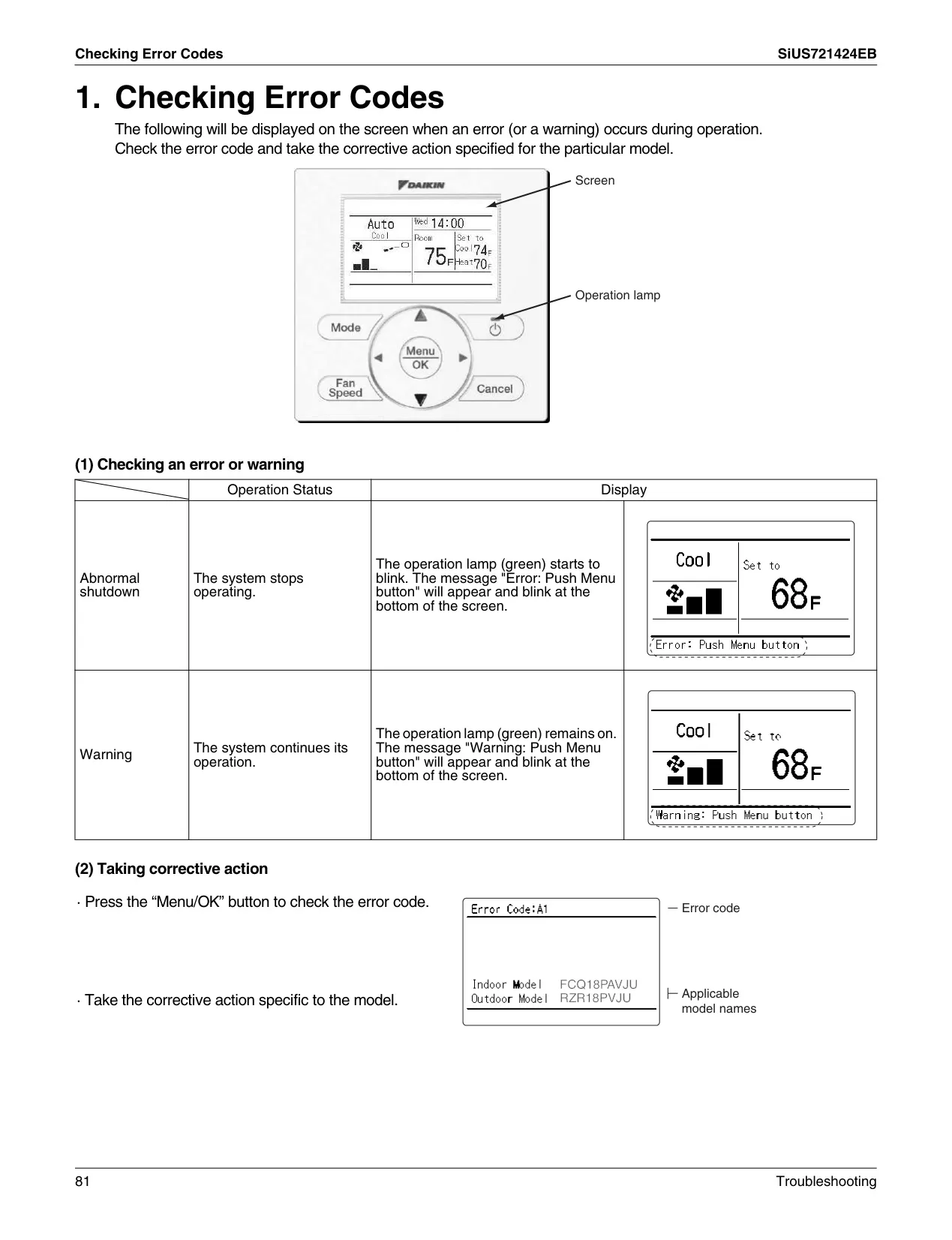
Maintenance and diagnostics are streamlined through the BRC1E73's user interface. The Maintenance Information screen provides crucial data, including service contact details, indoor/outdoor unit model information, and a history of error codes, simplifying troubleshooting. The controller also displays "Time to clean filter" or "Time to clean element" reminders, prompting necessary upkeep. After cleaning, the filter indicator can be easily reset via the main menu. Should a malfunction occur, error codes and warning messages are clearly displayed, often accompanied by a flashing operation lamp, guiding users or service technicians to resolve issues efficiently.
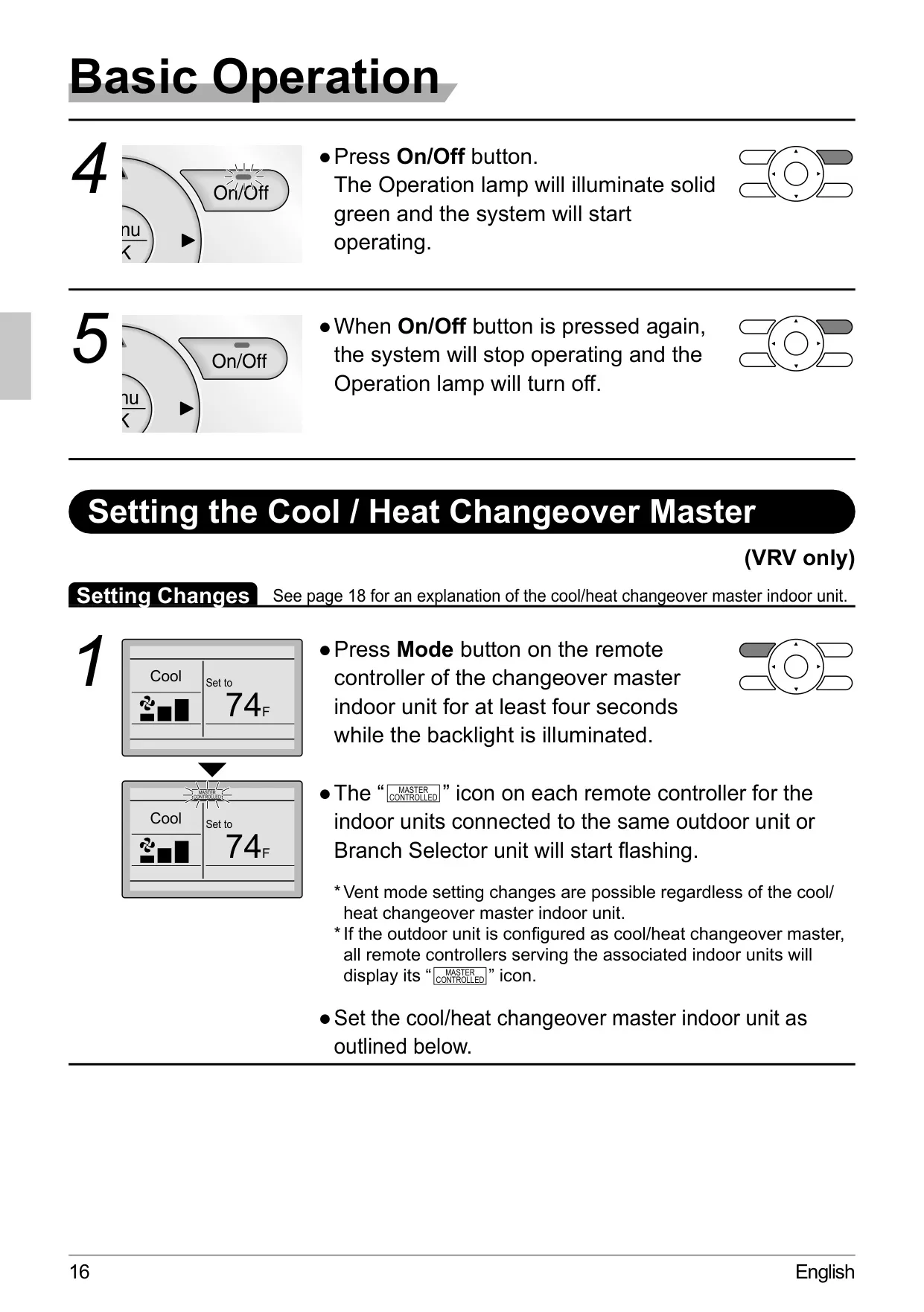
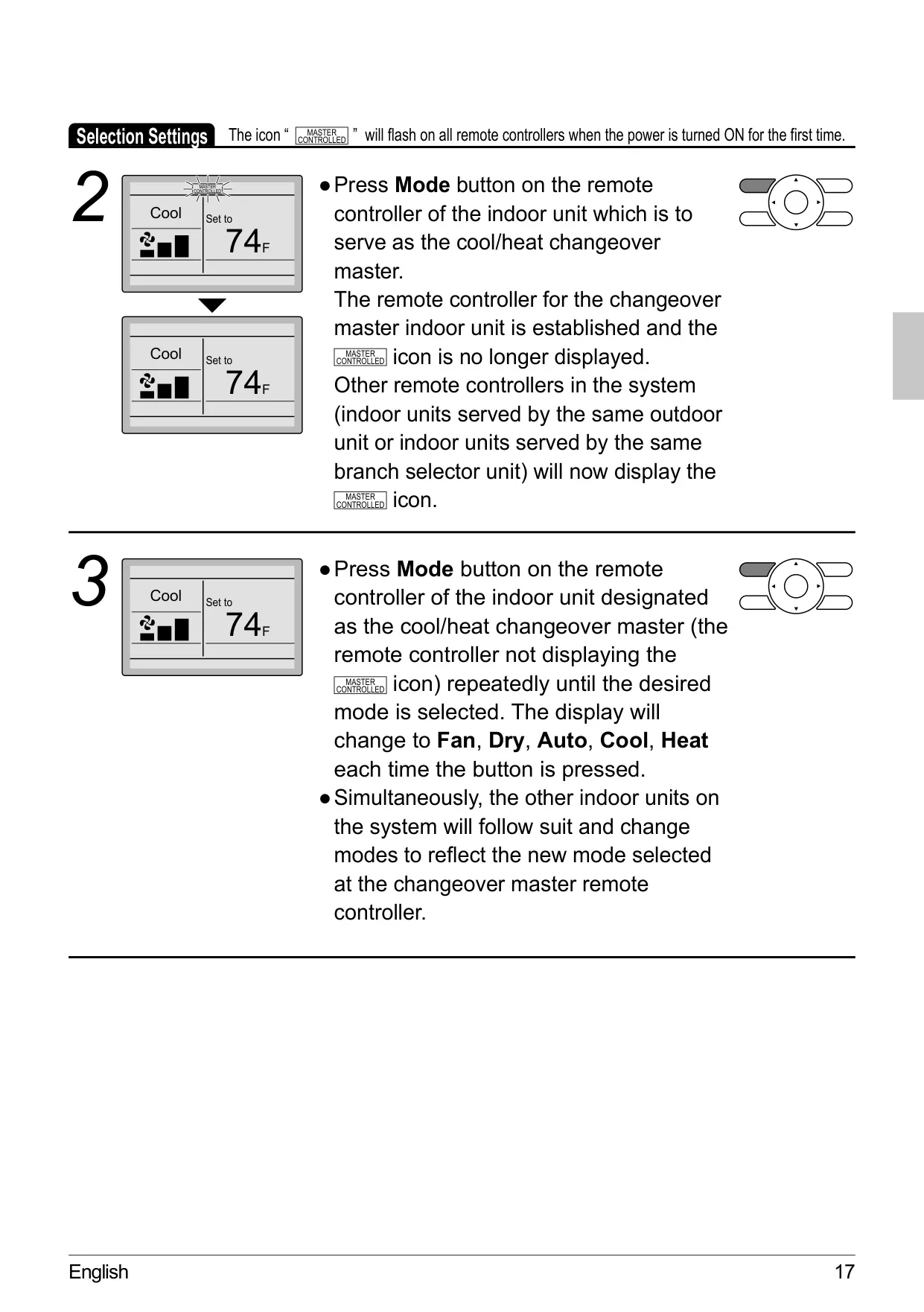
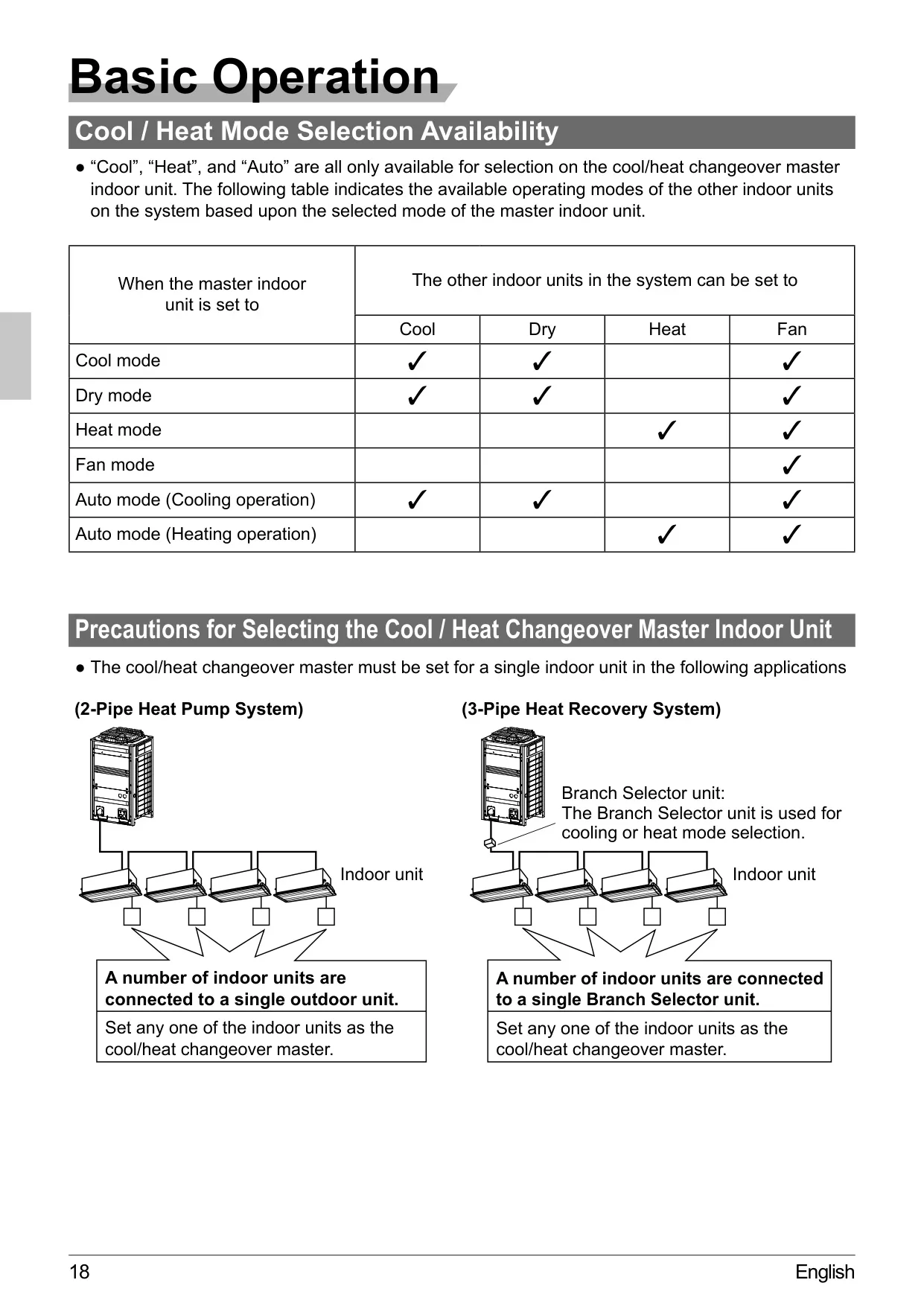
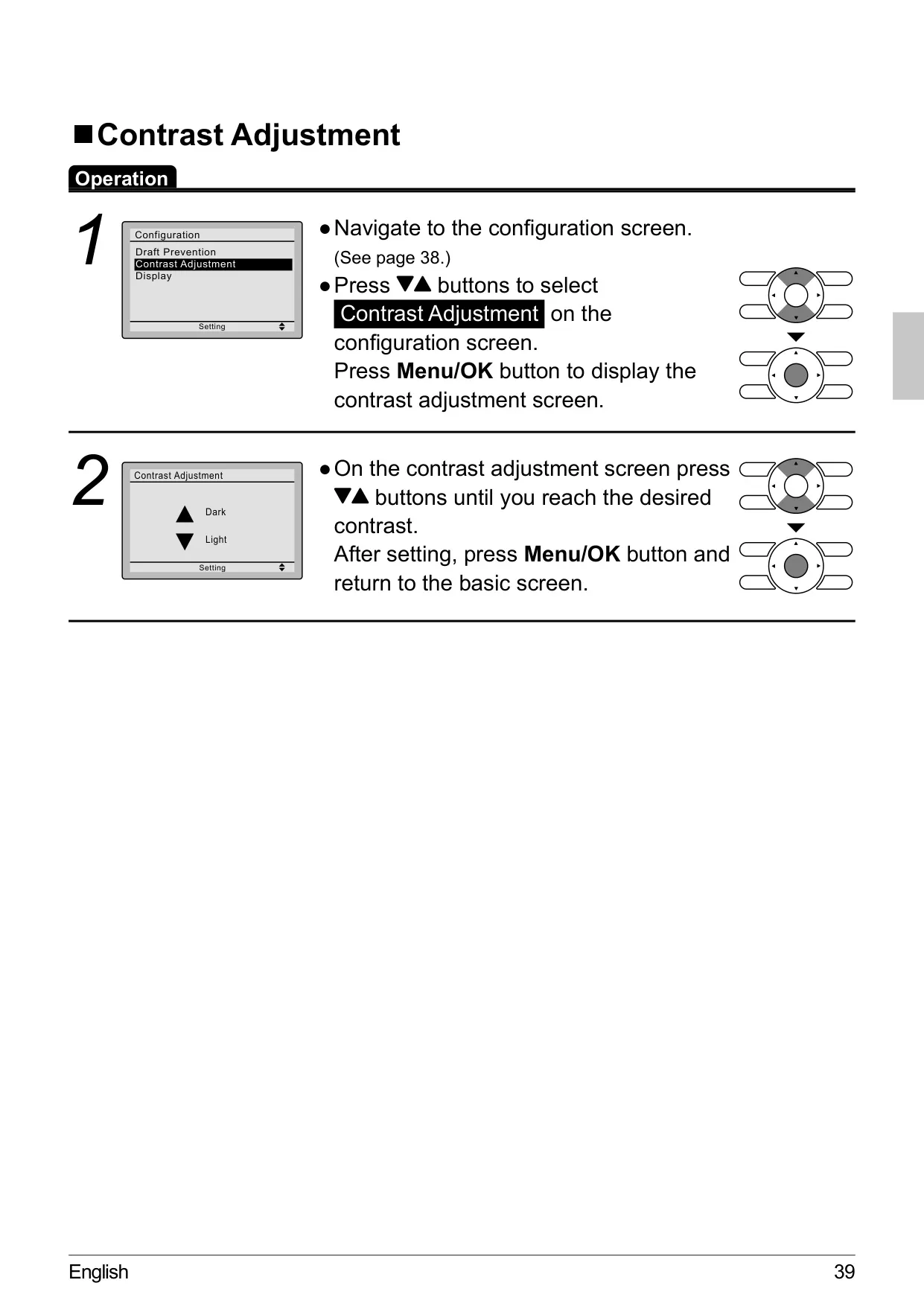
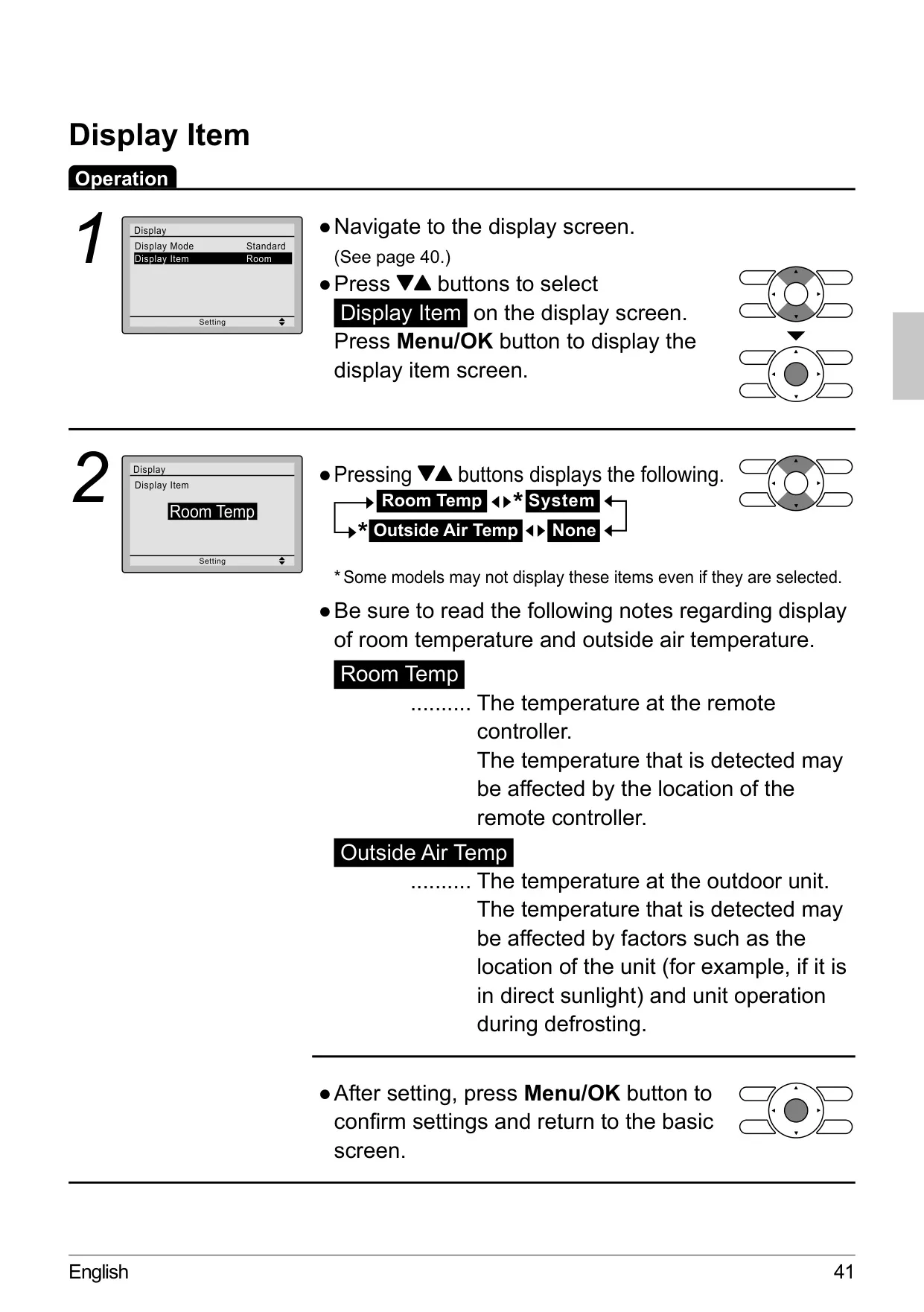
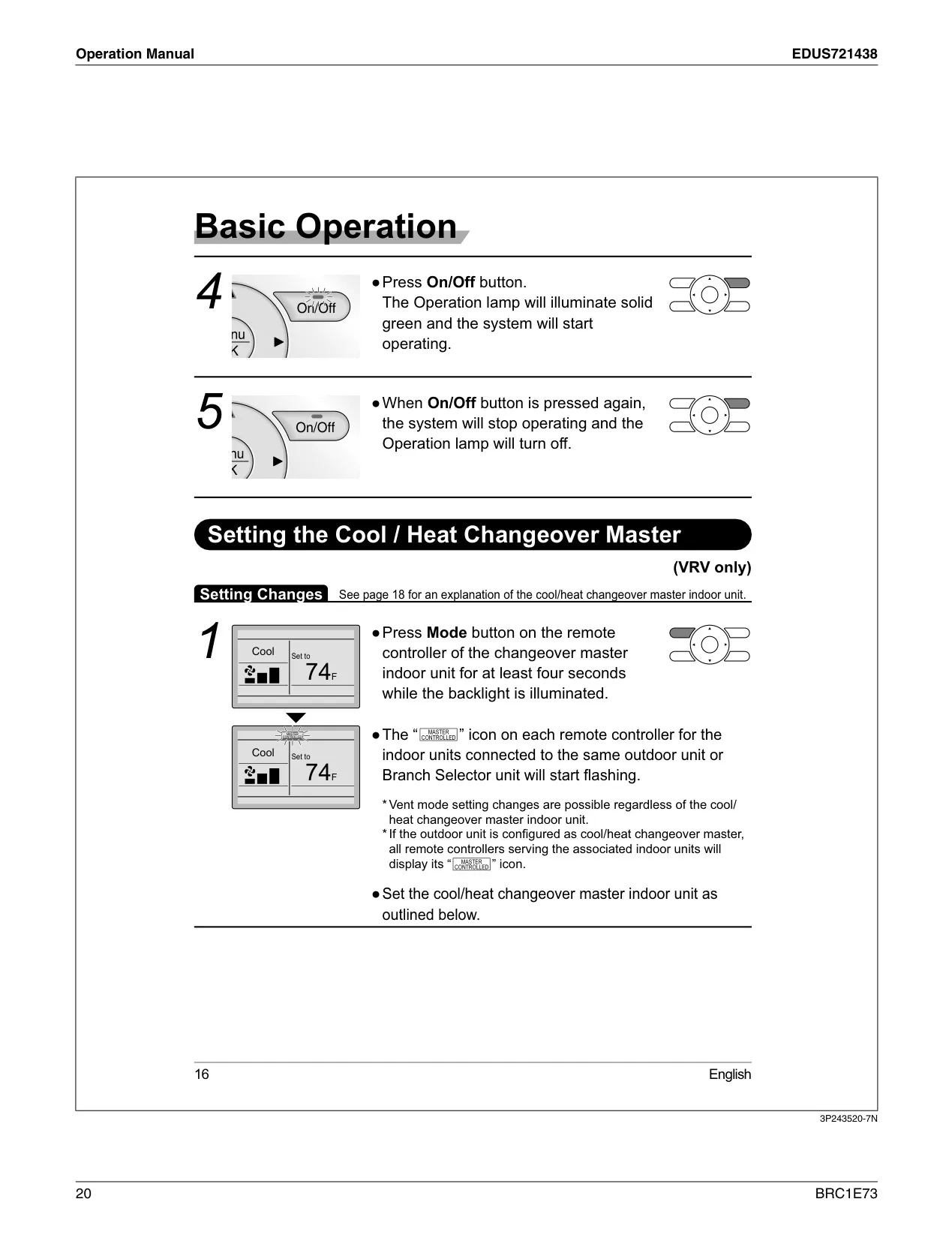
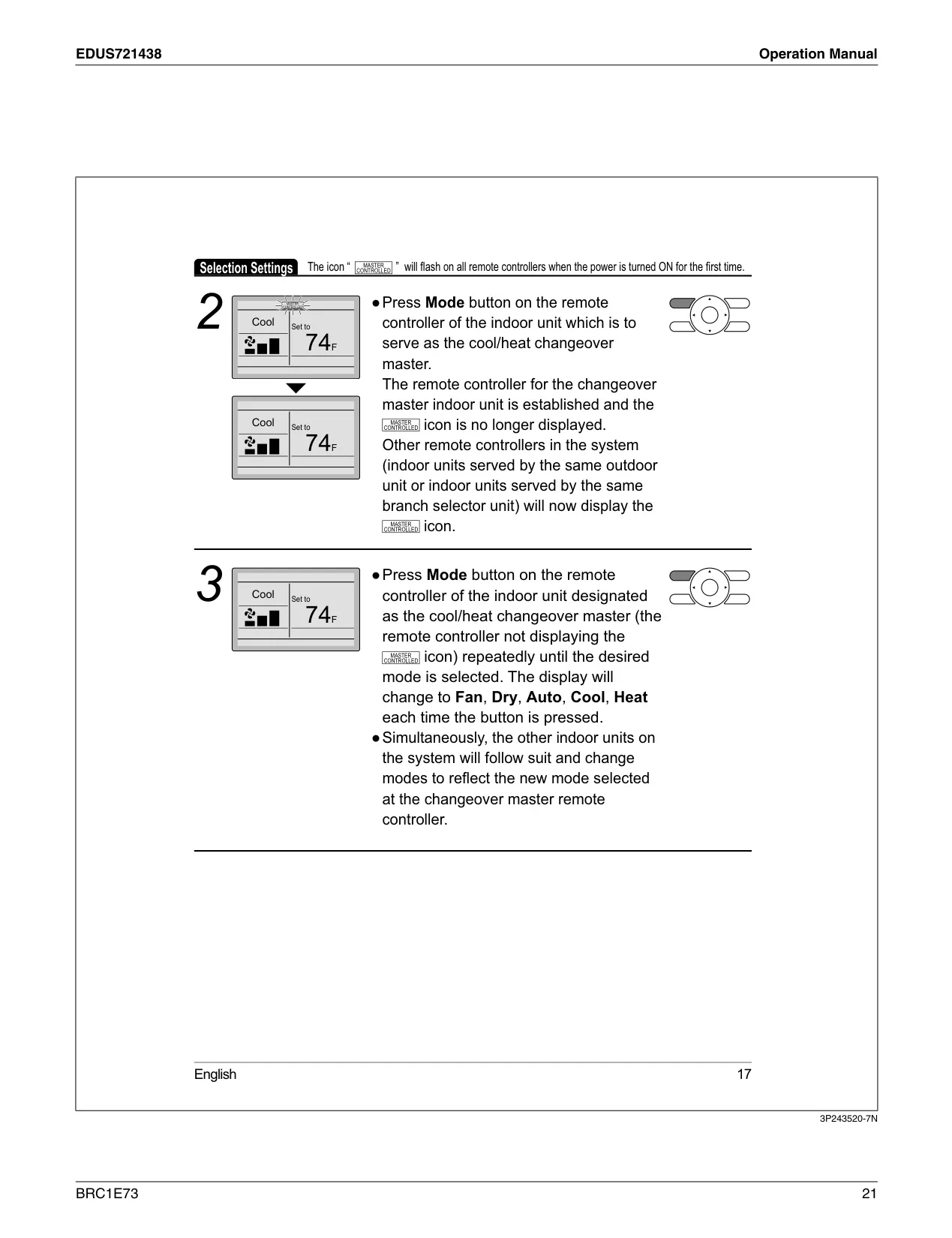
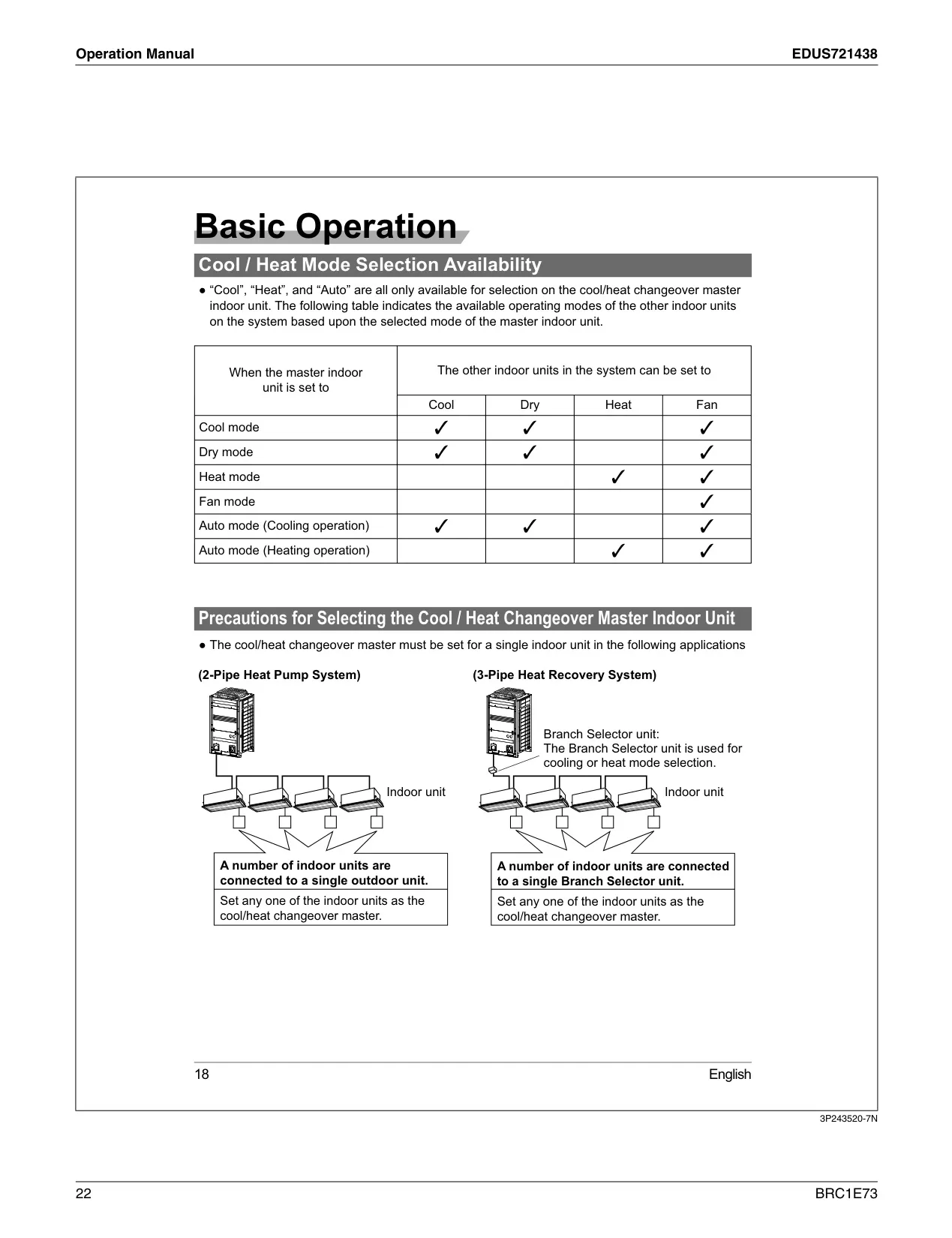
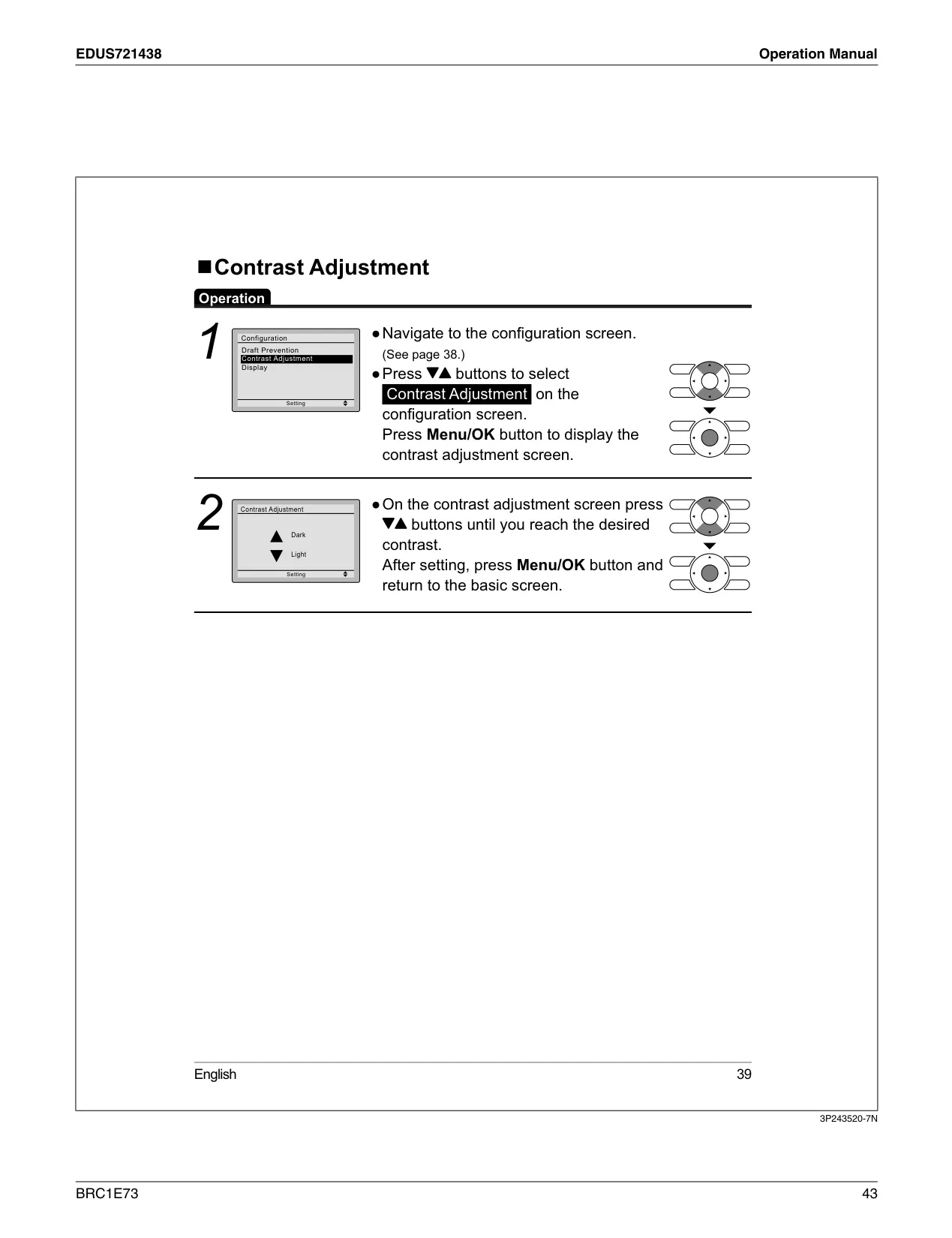
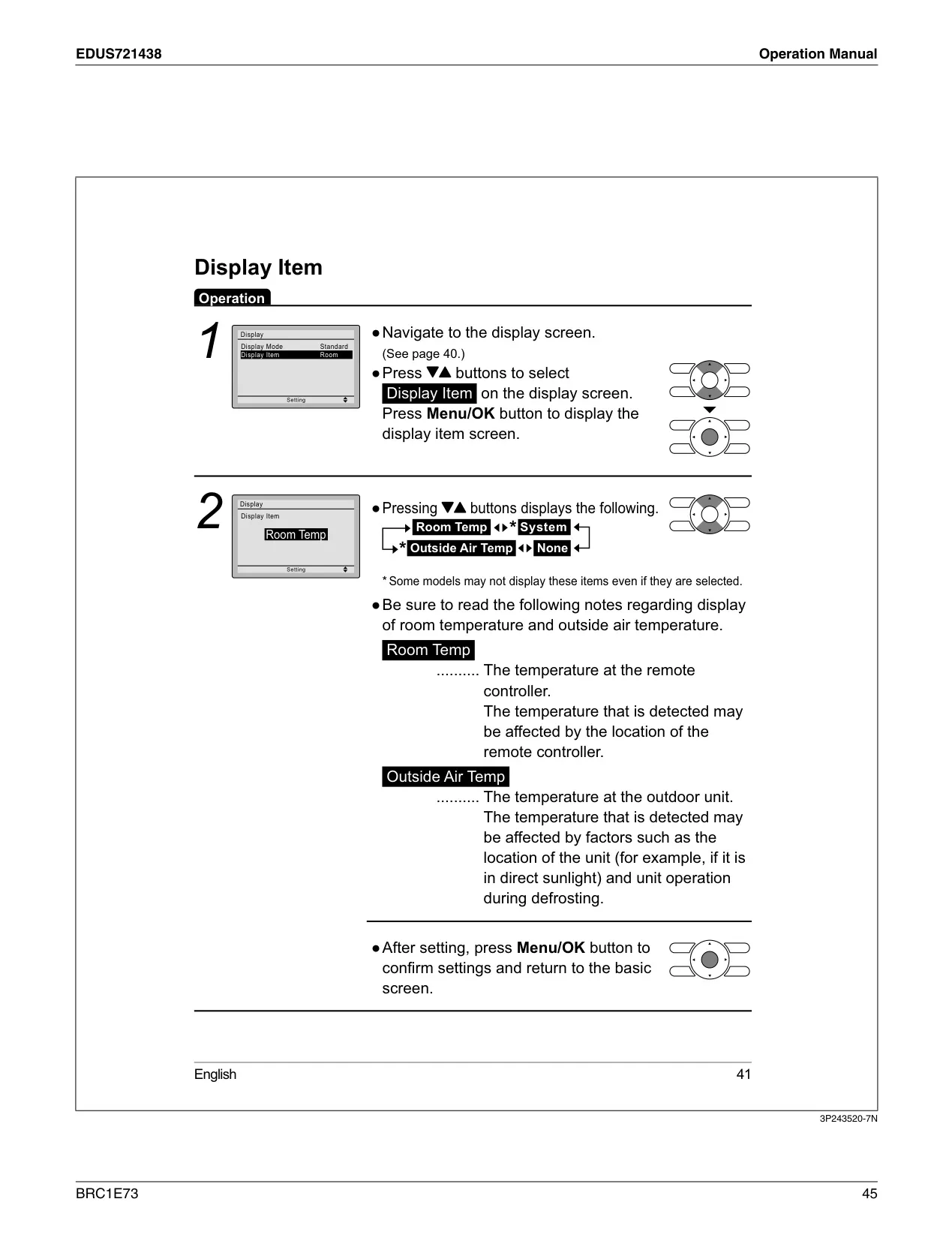
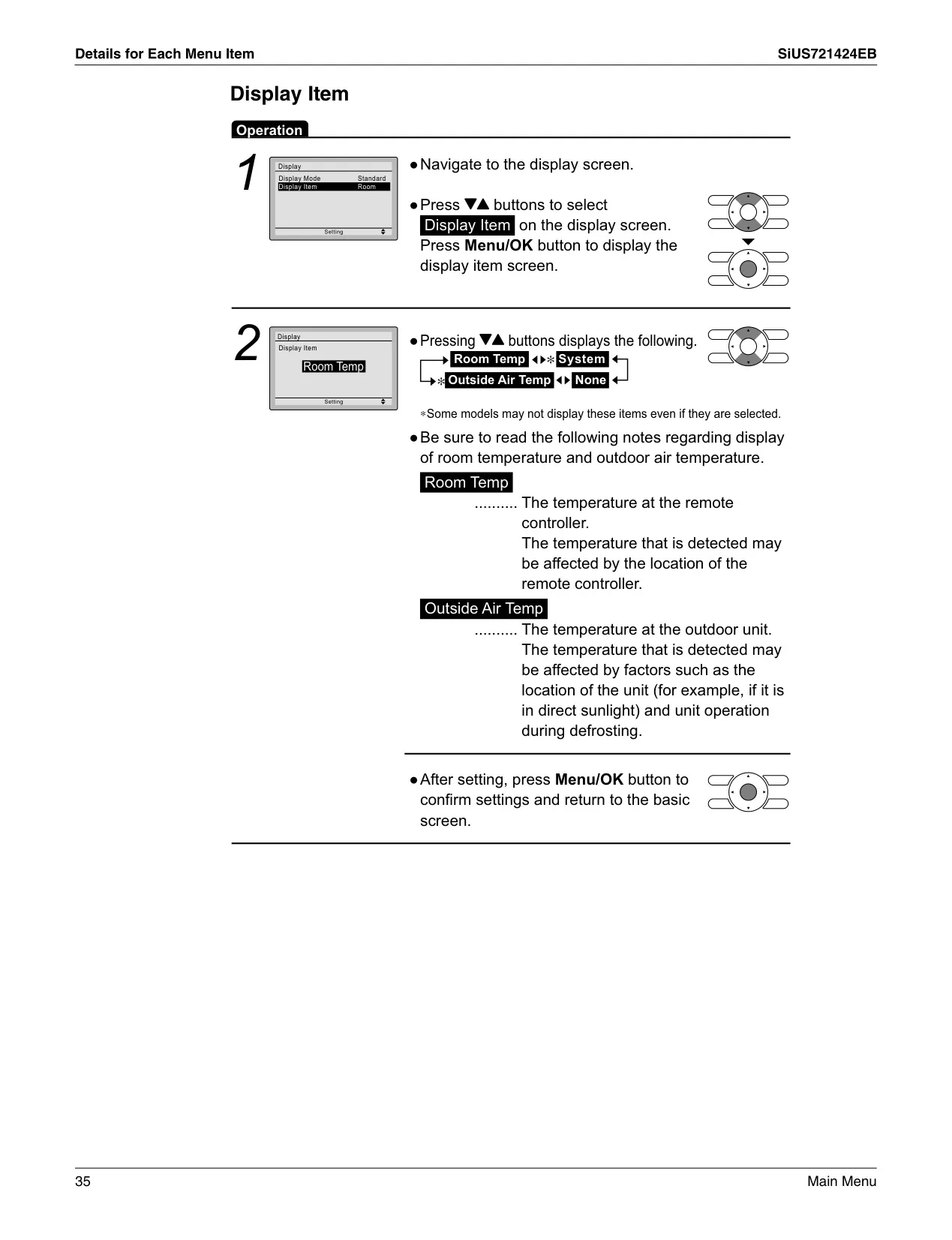
In specialized Daikin VRV systems, the BRC1E73 facilitates a "Cool / Heat Changeover Master" function, allowing a designated indoor unit to dictate the overall system mode (cooling or heating), with other units following suit or operating within limitations. Additional configurable options include adjusting the LCD contrast for optimal visibility and selecting specific display items such as Room Temperature, System status, or Outside Air Temperature. These features, combined with careful installation adhering to wiring specifications and optimal placement for its internal temperature sensor, ensure the BRC1E73 delivers precise and adaptable climate control.
Frequently Asked Questions (FAQs)
Can't find the answer you need? Here are some frequently asked questions about the Daikin Thermostat BRC1E73, and we answer them below.