
RP5 GM31 Universal Control Interface Instruction Manual
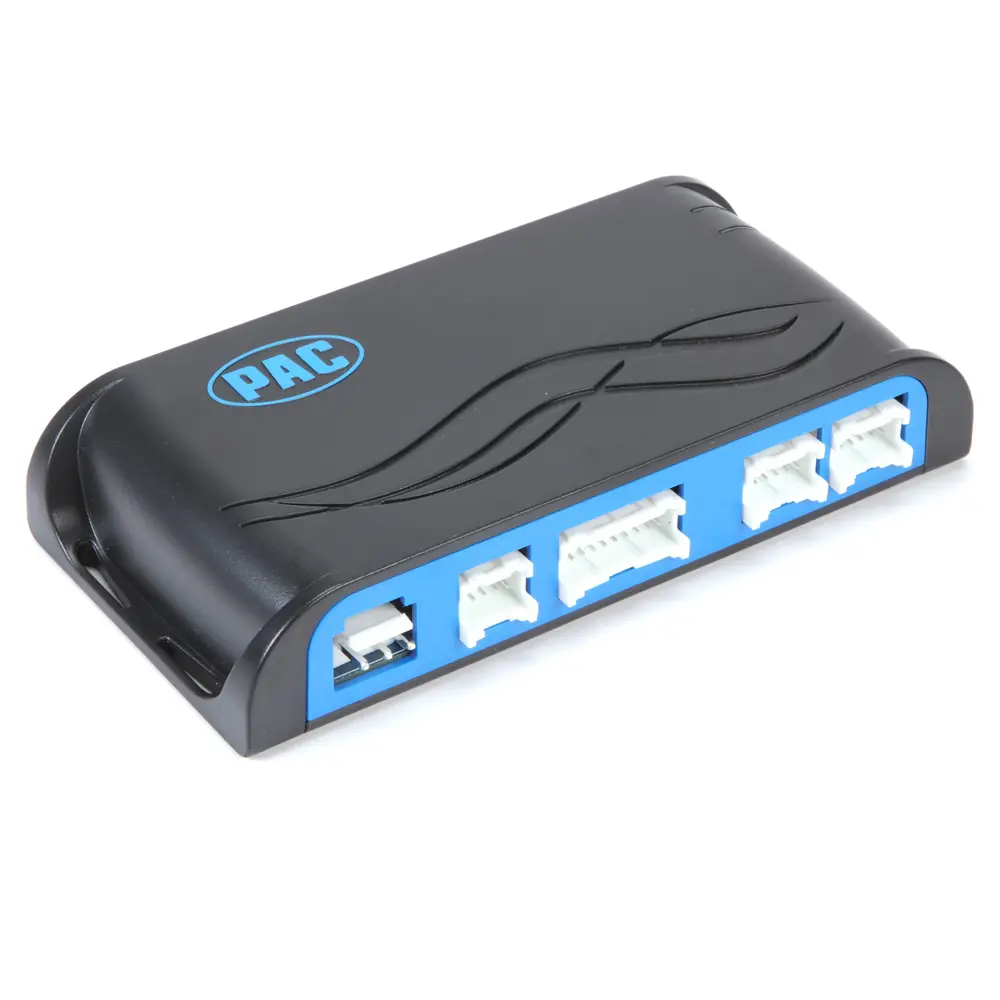
RP5 GM31 Universal Control Interface


RP5 GM31 Universal Control Interface
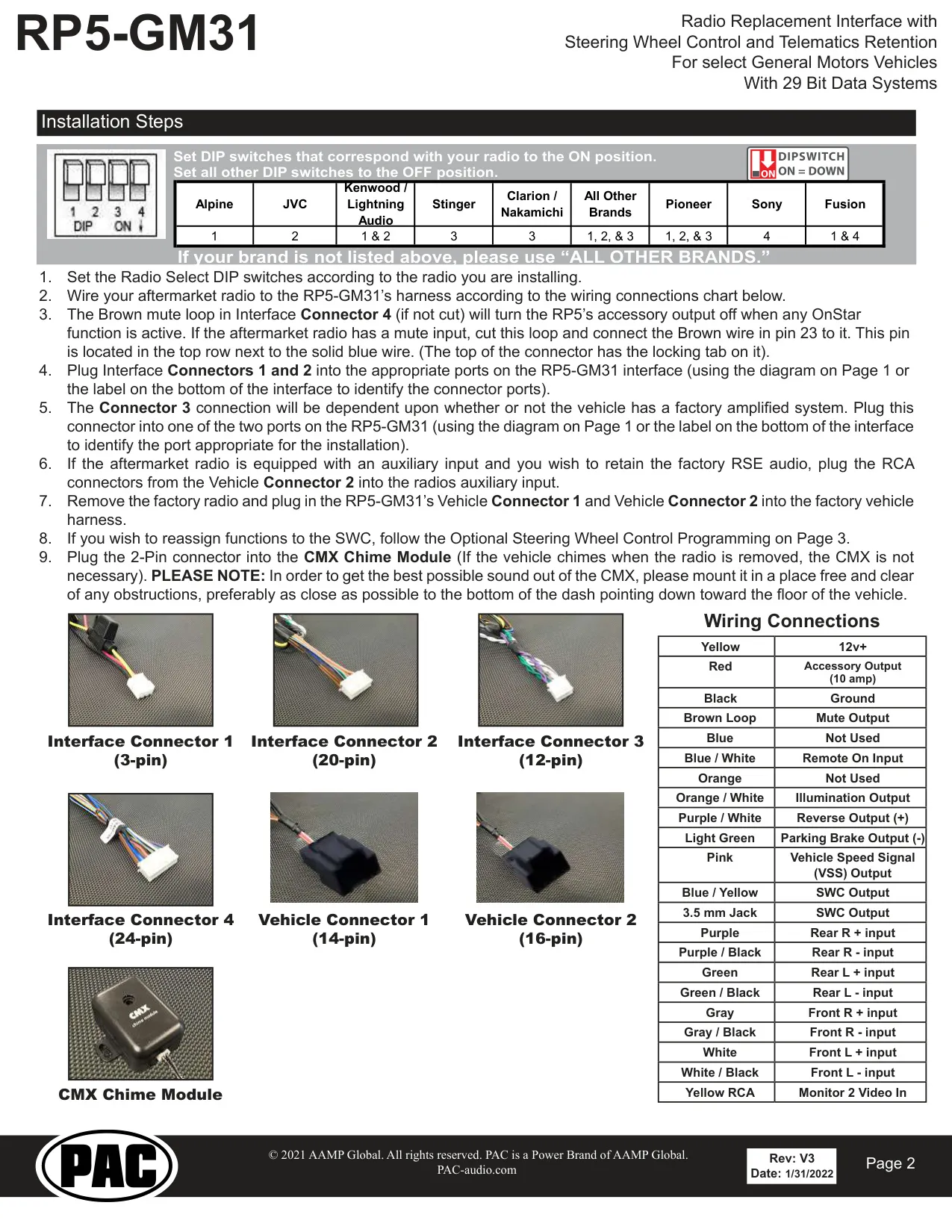
RP5 GM31 Interface Instructions
Here we offer the RP5 GM31 Universal Control Interface manual completely free and in English. We have cataloged this manual in the Universal Control Interface section on Manualverse, and it has been rated by 1 users with an average rating of 5. If you have any specific questions about RP5 GM31 Universal Control Interface, we suggest checking the Frequently Asked Questions (FAQs) section of this manual.
Product Images
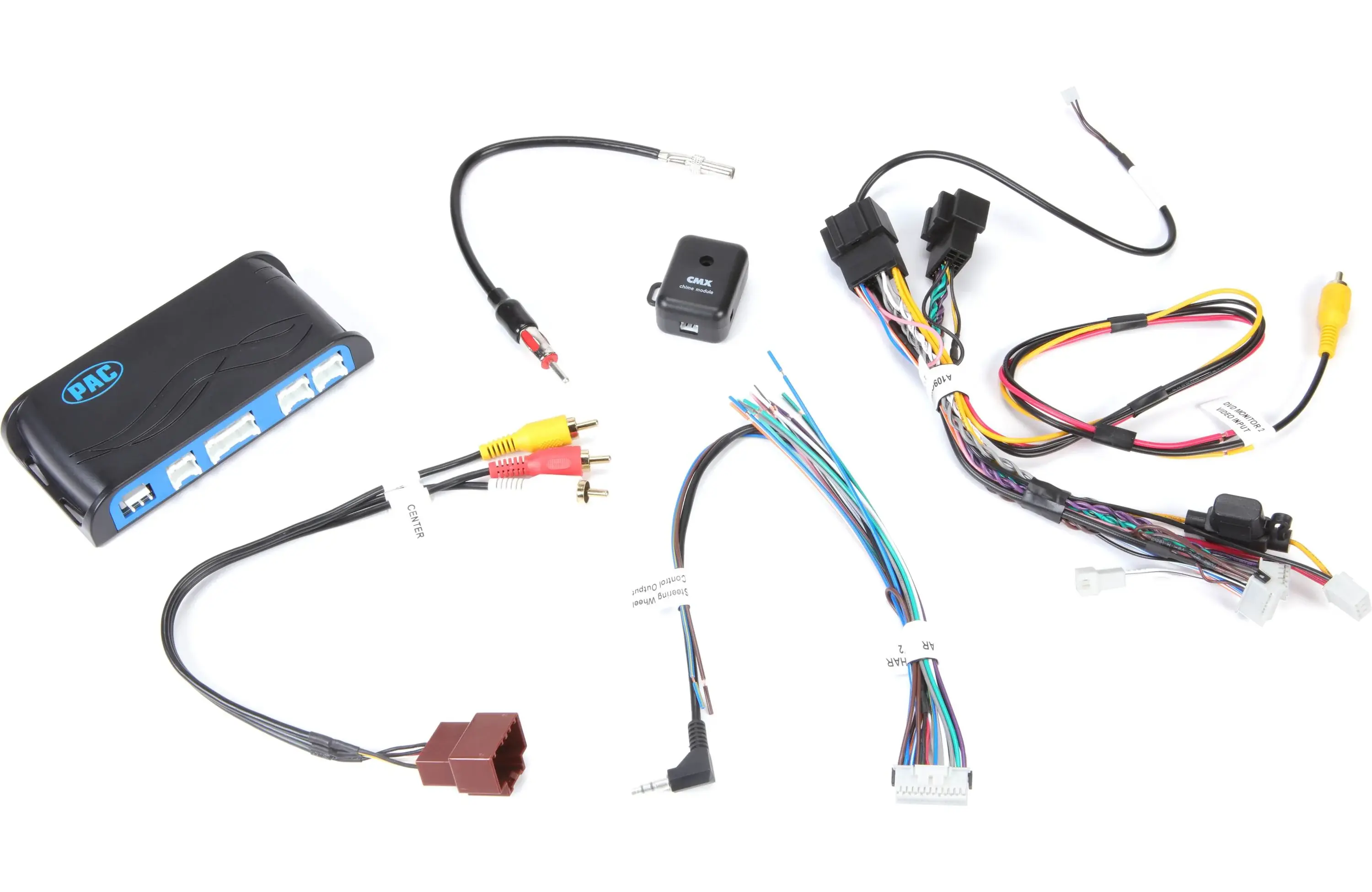
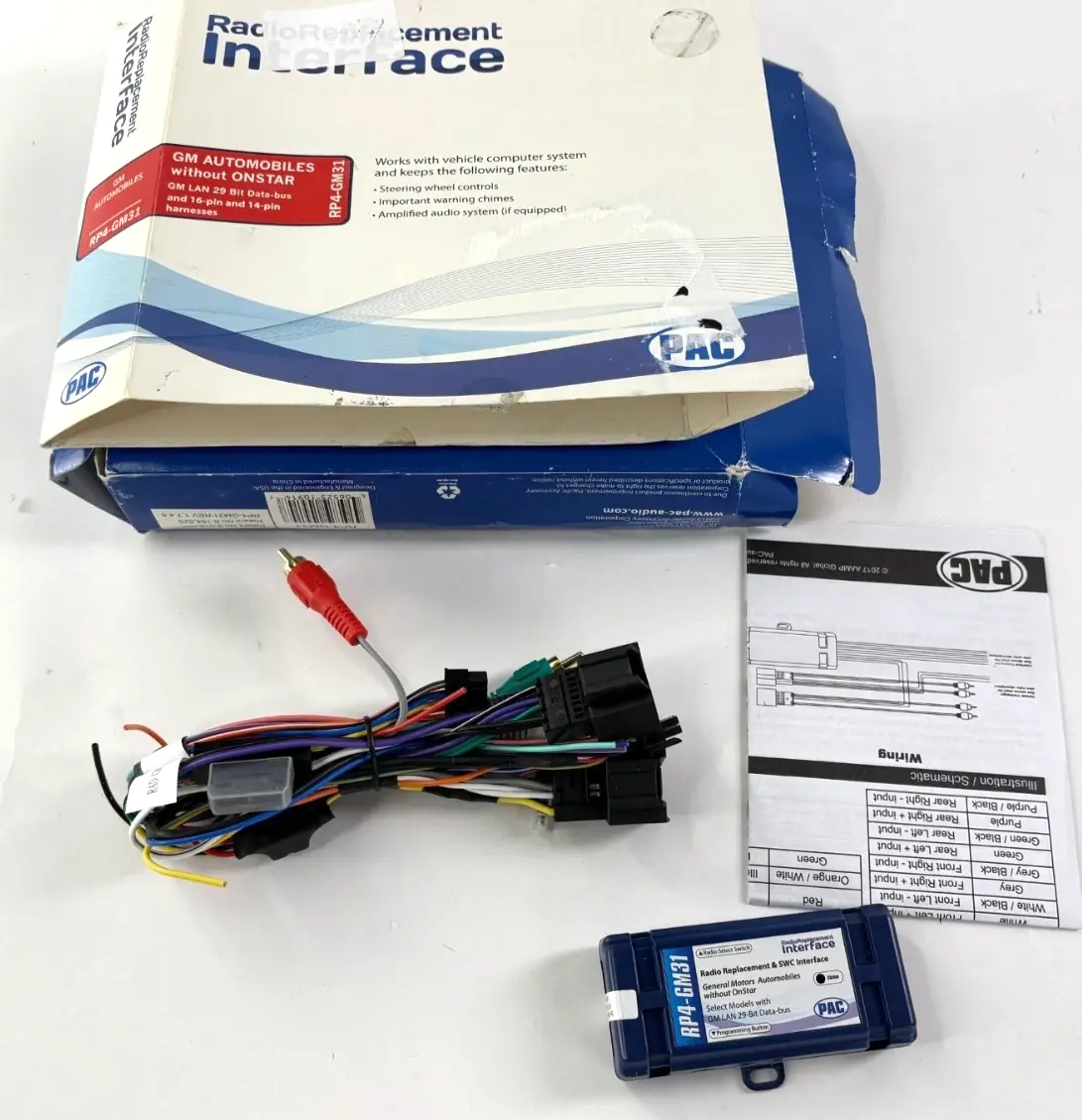
RP5 GM31 Universal Control Interface Specifications
| Feature | Specification |
|---|---|
| Model | RP5-GM31 |
| Manufacturer | PAC (Pacific Accessory Corporation), a Power Brand of AAMP Global |
| Product Type | Radio replacement interface with steering wheel control and telematics (OnStar) retention |
| Vehicle Compatibility | Select General Motors vehicles with 29-bit LAN data bus systems |
| Retained Factory Features | OnStar, warning chimes, Bose amplifier, steering wheel controls (SWC), Rear Seat Entertainment (RSE), Rear Seat Controls (RSC), factory XM radio (if equipped) |
| Data Bus Driven Outputs | Retained accessory power (RAP), vehicle speed signal (VSS), illumination, reverse trigger, parking brake |
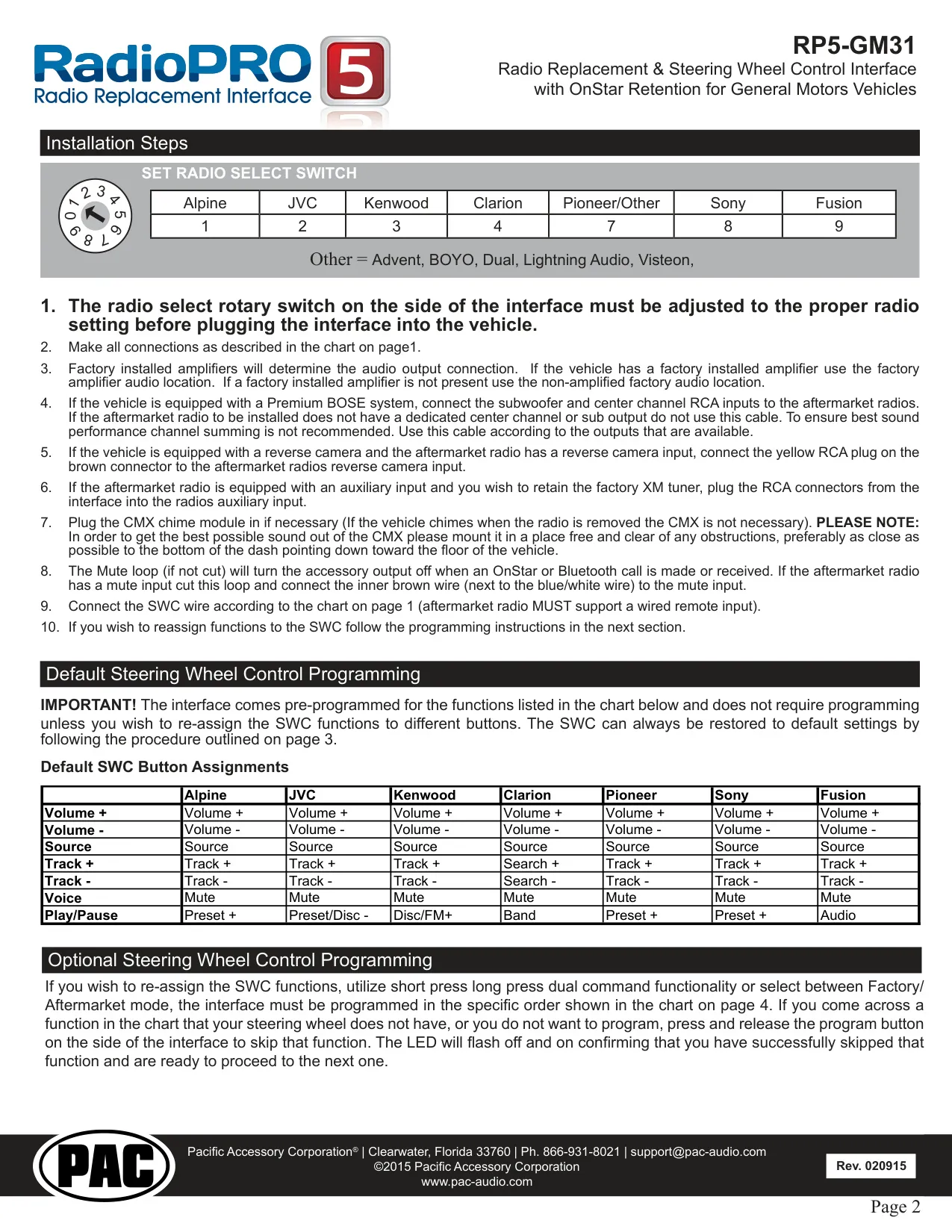
| Radio Selection Method | Radio Select DIP switches on the side of the interface (earlier revision: rotary switch) |
| Supported Radio Brands | Alpine, JVC, Kenwood, Lightning Audio, Stinger, Clarion, Nakamichi, Pioneer, Sony, Fusion, Advent, BOYO, Dual, Rockford Fosgate, Visteon and "All Other Brands" |
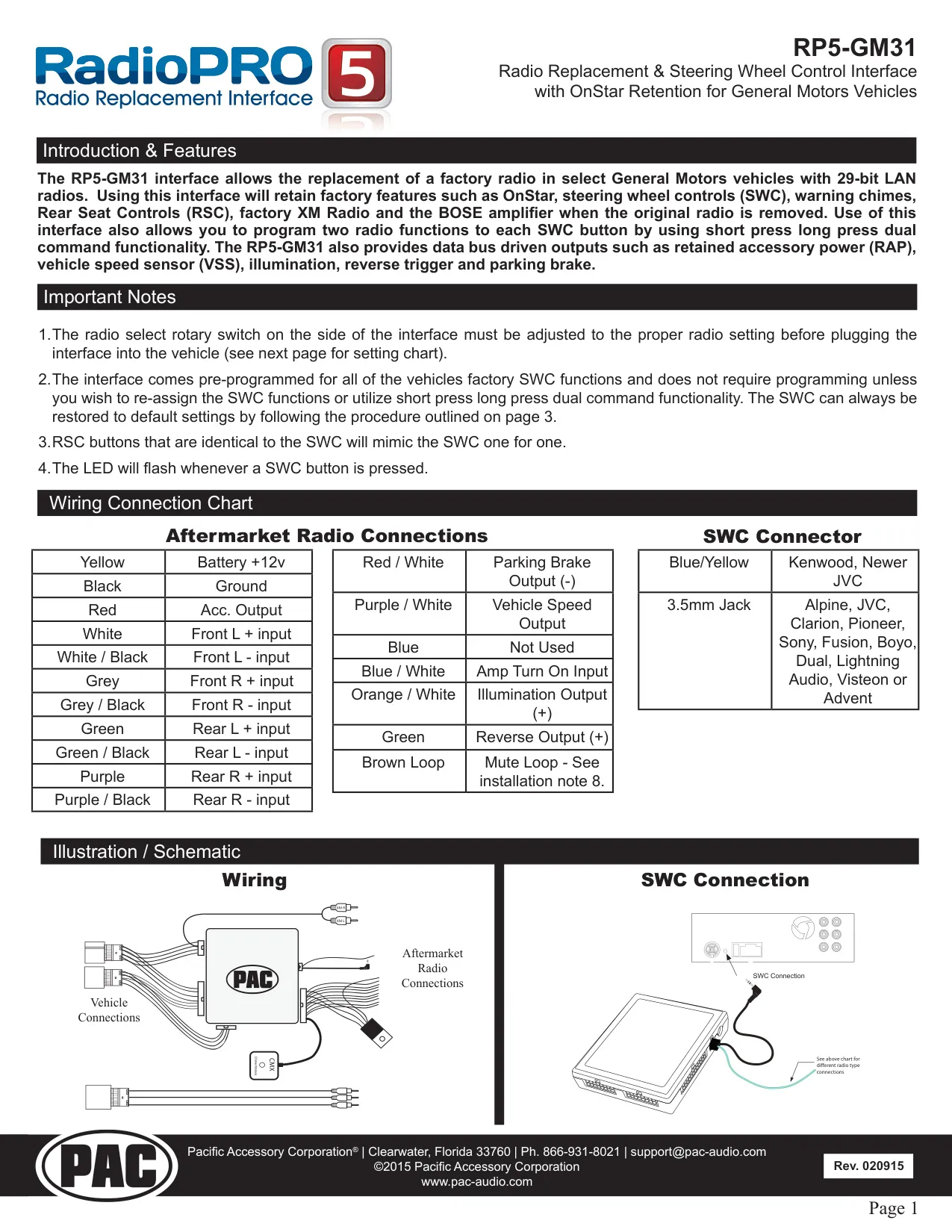
| Yellow Wire | 12V+ battery |
| Red Wire | Accessory output (10 amp) |
| Black Wire | Ground |
| Brown Loop | Mute output (pin 23, Interface Connector 4) |
| Blue / White Wire | Remote on input |
| Orange / White Wire | Illumination output |
| Purple / White Wire | Reverse output (+) |
| Light Green Wire | Parking brake output (-) |
| Pink Wire | Vehicle speed signal (VSS) output |
| Blue and Orange Wires | Not used |
| SWC Outputs | Blue / Yellow wire and 3.5 mm jack |
| Speaker Inputs | Front L (White, White/Black), Front R (Gray, Gray/Black), Rear L (Green, Green/Black), Rear R (Purple, Purple/Black) |
| Video Input | Yellow RCA, Monitor 2 Video In |
| Interface Connector 1 | 3-pin |
| Interface Connector 2 | 20-pin |
| Interface Connector 3 | 12-pin (Amplified or Non-Amplified audio port) |
| Interface Connector 4 | 24-pin |
| Vehicle Connector 1 | 14-pin |
| Vehicle Connector 2 | 16-pin |
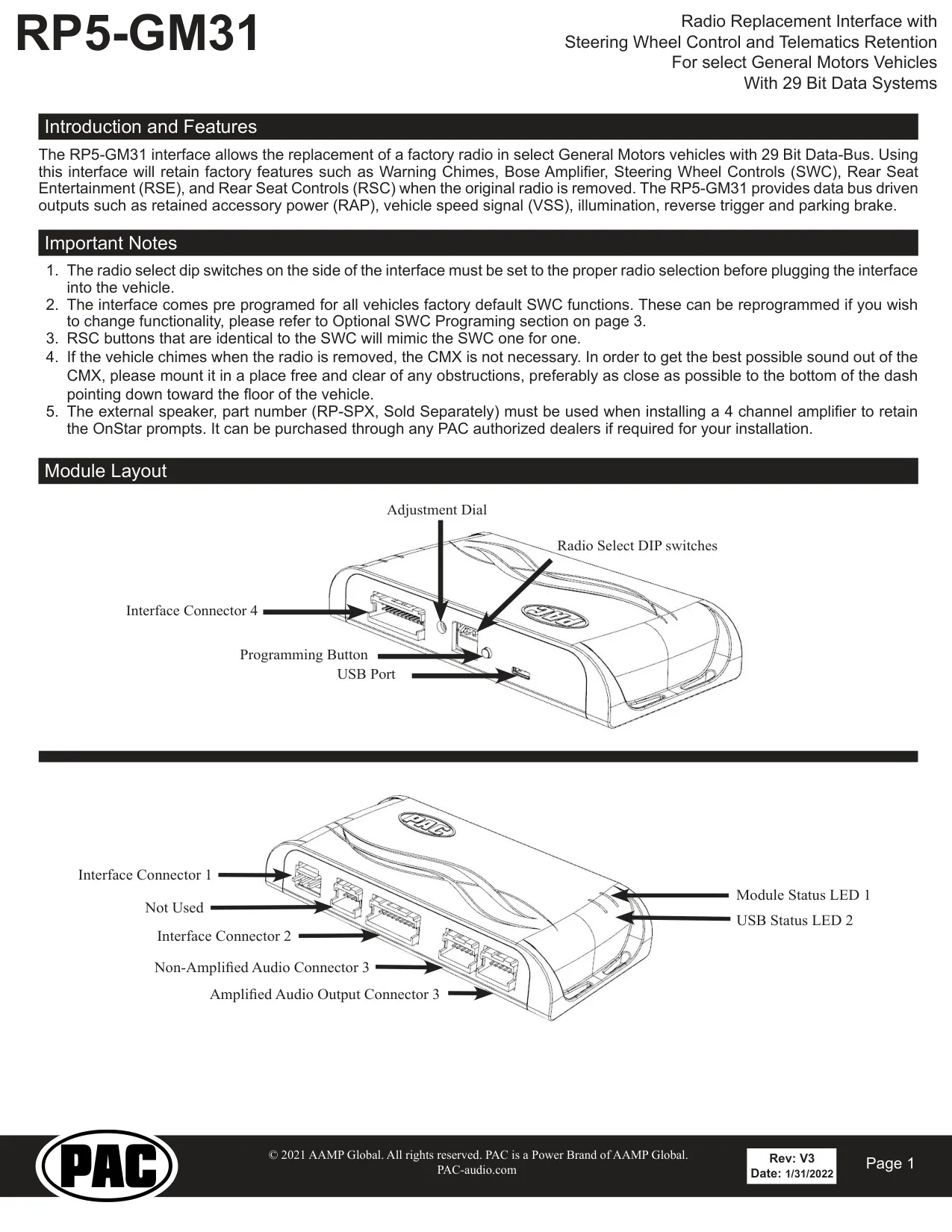
| Module Controls | Programming button, adjustment dial, Radio Select DIP switches, USB port |
| Status Indicators | LED 1 (module status), LED 2 (USB status / OnStar active) |
| Retained Accessory Power Duration | 10 minutes after key off, or until any door is opened |
| SWC Short Press Timing | Release within 1.5 seconds |
| Programming Timeout | 7 seconds (LED flashes 3 times) |
| Chime Module | CMX chime module, 2-pin connector, 4-position volume selector (1 = loudest, 4 = softest) |
| Firmware Updates | RadioPRO PC app via USB (earlier revision: PAC-UP updater, sold separately) |
| Optional Accessories | RP-SPX external speaker, GMRVD rear video interface (both sold separately) |
| Technical Support | support@PAC-audio.com, Toll Free 866-931-8021, International 727-592-5991 |
| Document Revision | Rev: V3, Date: 1/31/2022 |
RP5 GM31 Interface Details
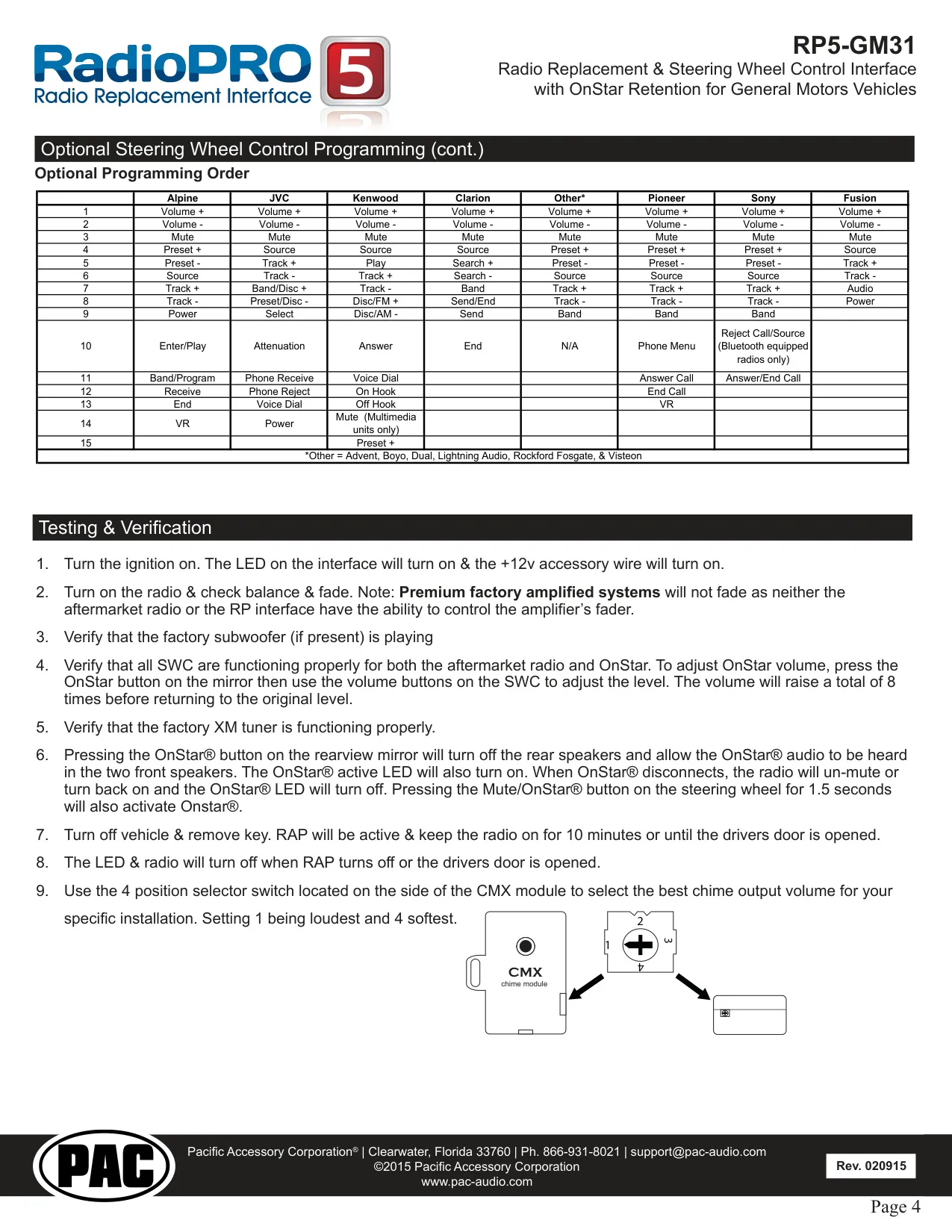
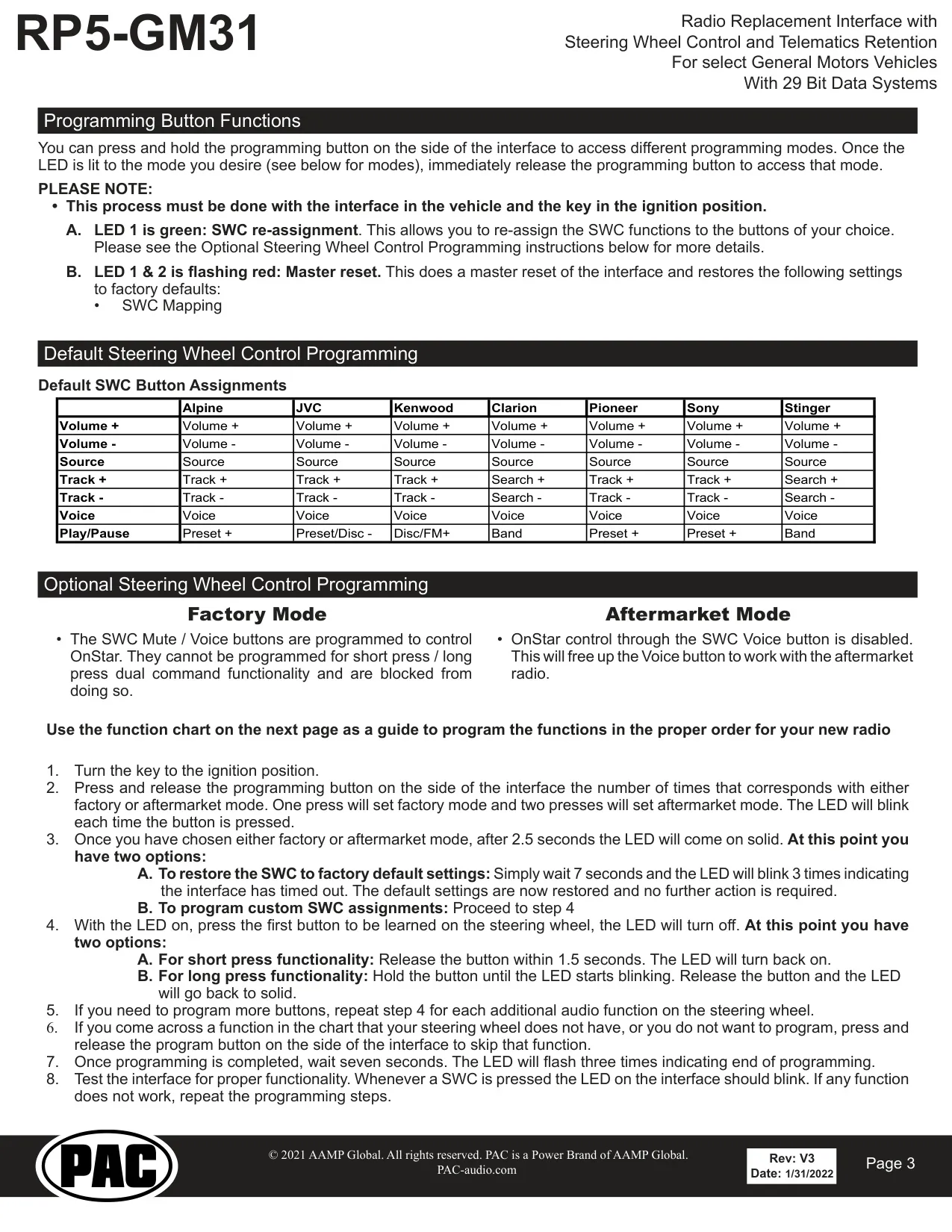
The RP5-GM31 lets installers replace the factory head unit in select General Motors vehicles while keeping the factory systems that rely on the data bus. Its main job is to translate 29-bit LAN messages into signals an aftermarket radio understands. The interface comes pre-programmed with the default steering wheel functions for each supported radio brand, so most installations need no programming. RSC buttons that match the SWC mimic them one for one, and the LED flashes whenever a steering wheel button is pressed.
Installation follows a fixed order. Set the DIP switches first, then wire the radio to the harness and plug Interface Connectors 1 and 2 into their ports. Connector 3 goes into either the amplified or the non-amplified port, depending on whether the vehicle has a factory amplifier. When left intact, the brown mute loop switches off the accessory output during any OnStar activity. If the radio has a dedicated mute input, cut the loop and connect the brown wire on pin 23 to that input.
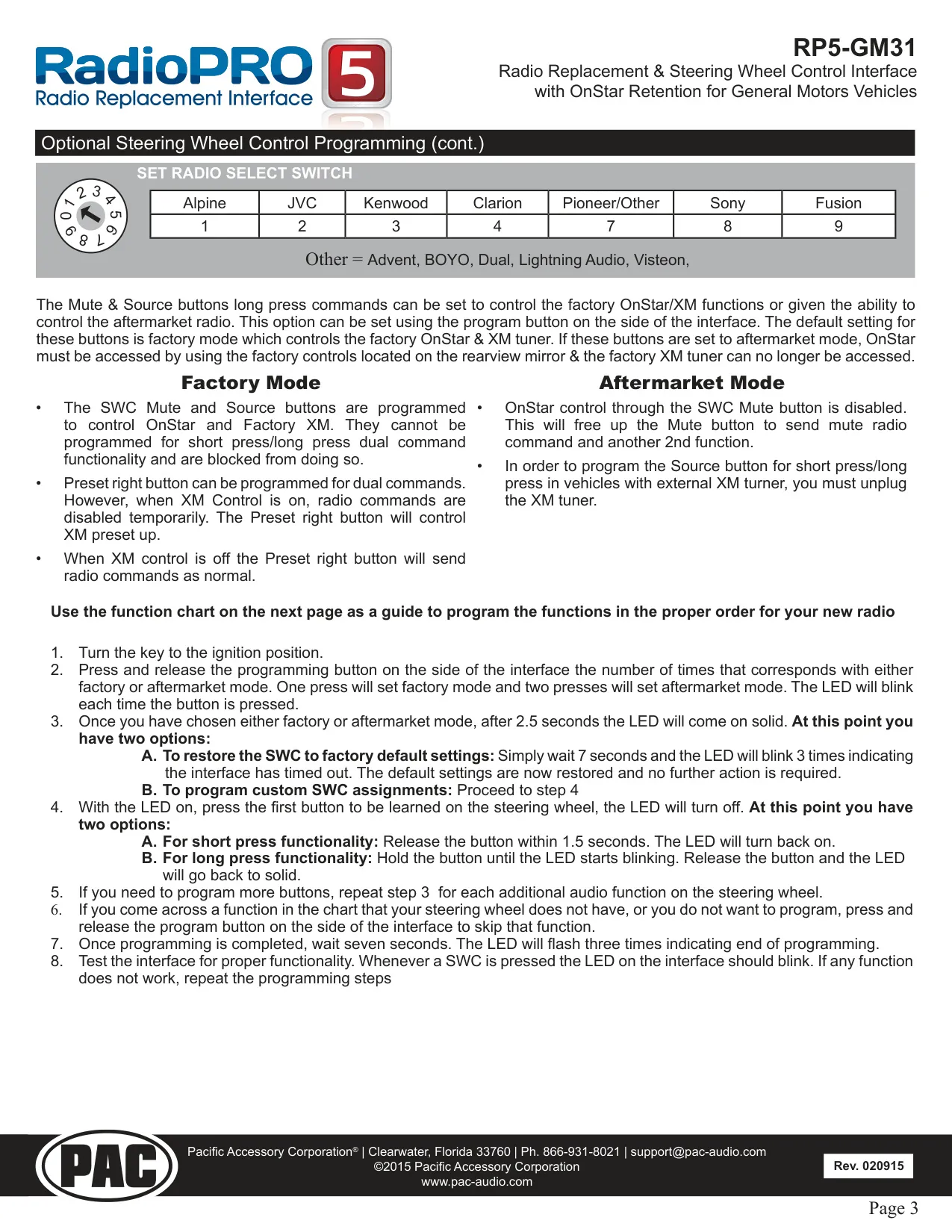
Holding the programming button opens two modes, selected by LED color. When LED 1 turns green, release the button to enter SWC re-assignment. When LED 1 and LED 2 flash red, releasing the button performs a master reset, which restores the SWC mapping to factory defaults. Both procedures must be done with the interface installed in the vehicle and the key in the ignition position. To skip a function you don't need, press and release the button once.
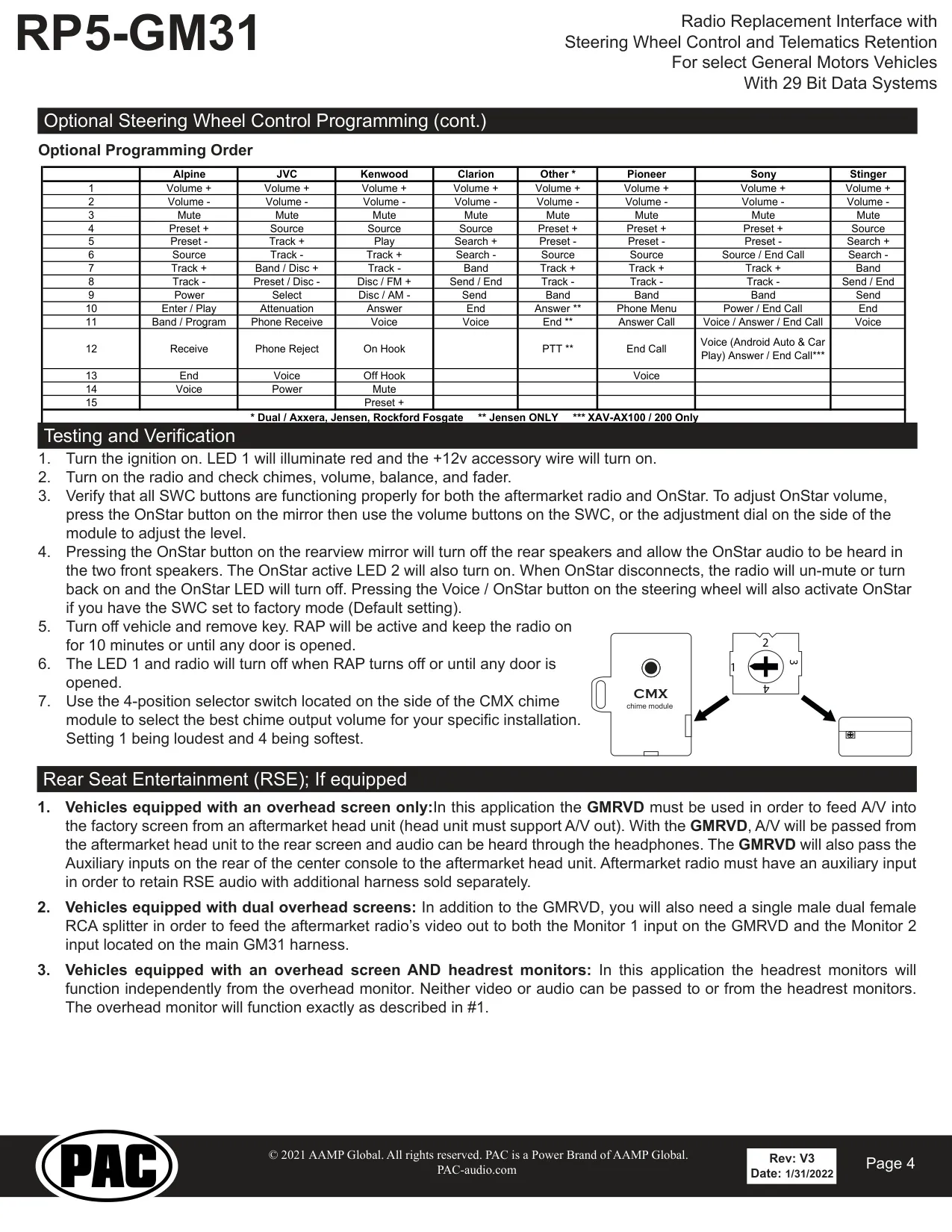
Custom programming starts with a choice between Factory Mode (one press) and Aftermarket Mode (two presses). In Factory Mode, the Mute/Voice button controls OnStar and can't be given dual commands. Aftermarket Mode frees that button for the new radio, so OnStar can then only be reached from the mirror. Each button can hold two commands. A short press is stored when you release within 1.5 seconds. A long press is stored by holding until the LED blinks.
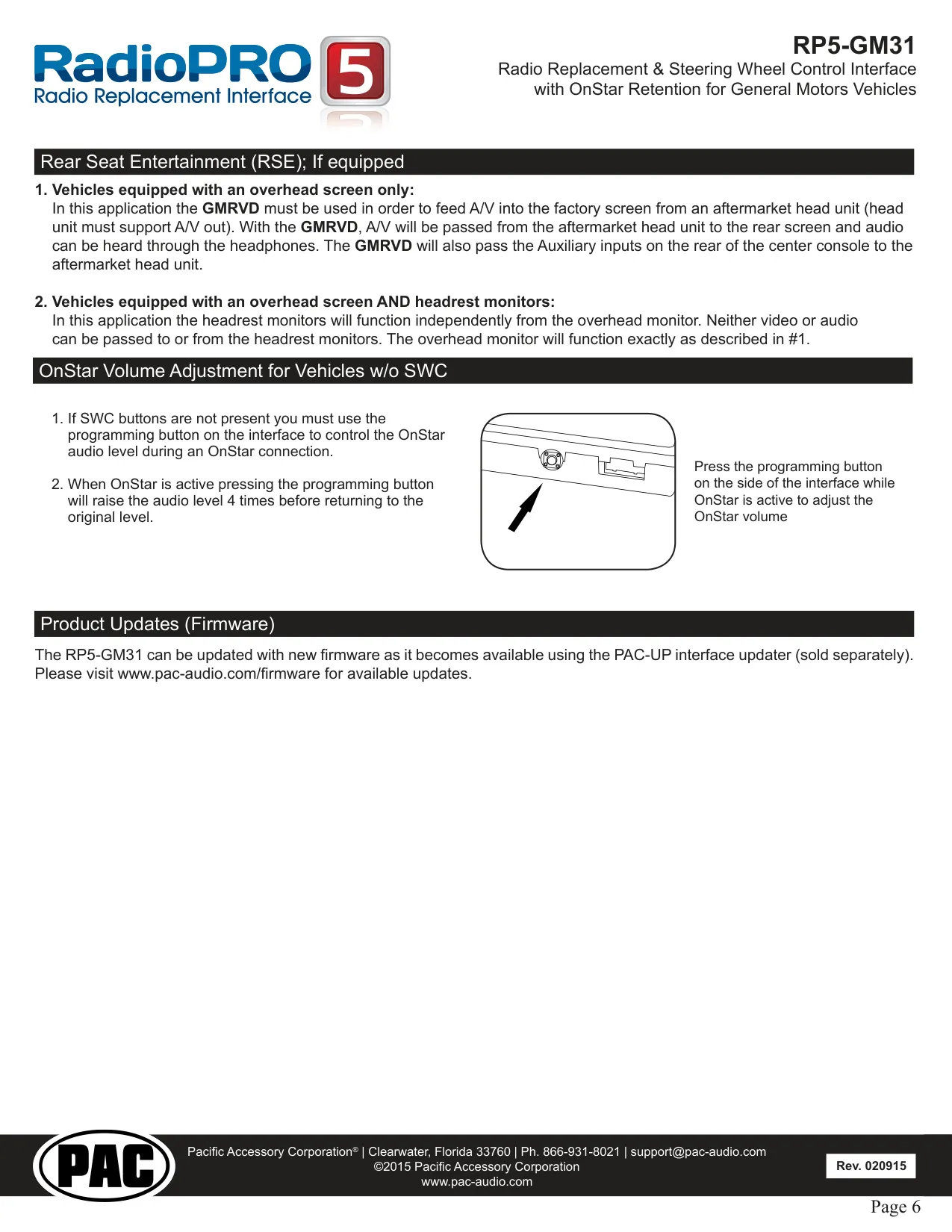
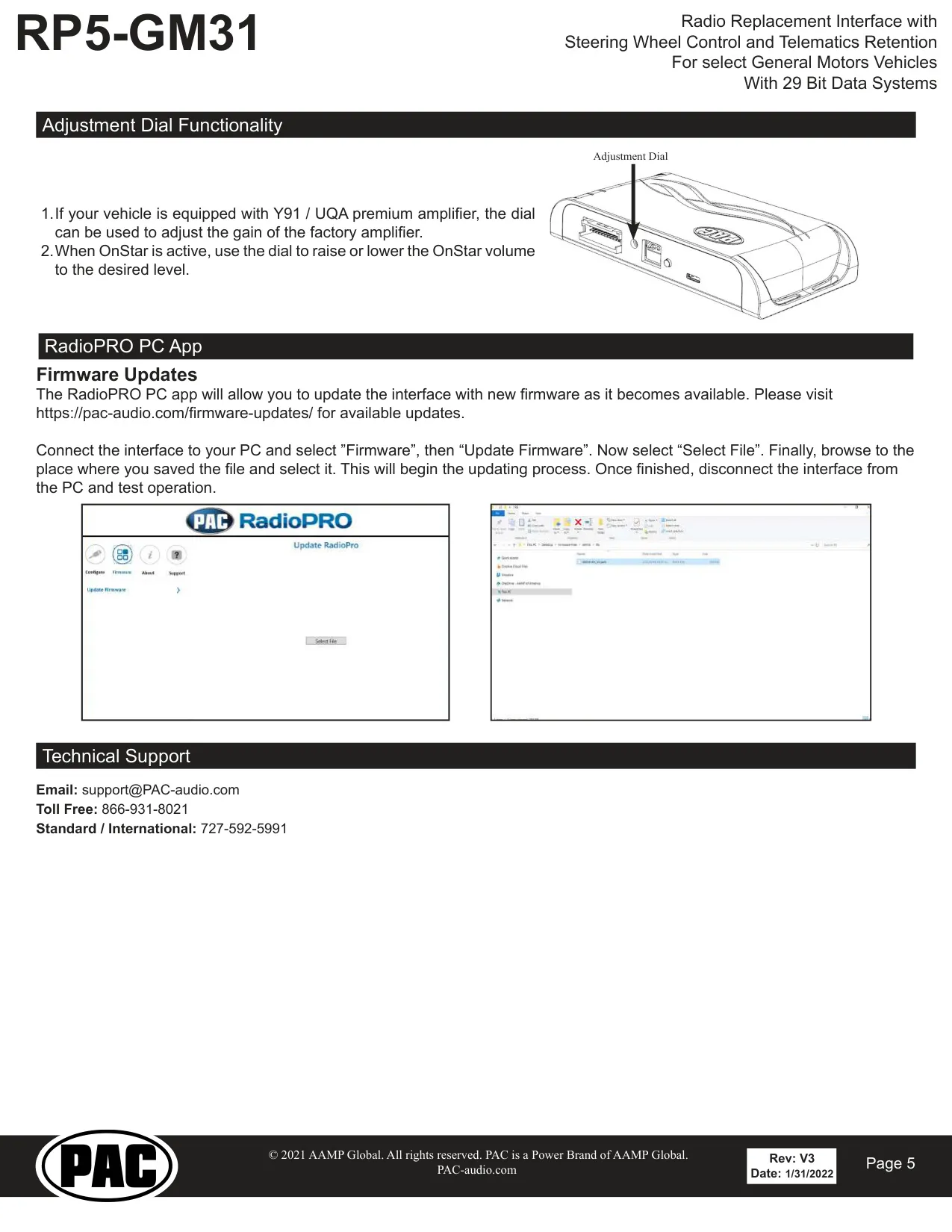
When OnStar is active, the interface mutes the rear speakers and sends OnStar audio to the two front speakers, while LED 2 lights up. After the call ends, the radio unmutes or turns back on. You can set OnStar volume with the steering wheel volume buttons after pressing the mirror button, or with the adjustment dial on the module. In vehicles with the Y91/UQA premium amplifier, the same dial also adjusts the factory amplifier gain.
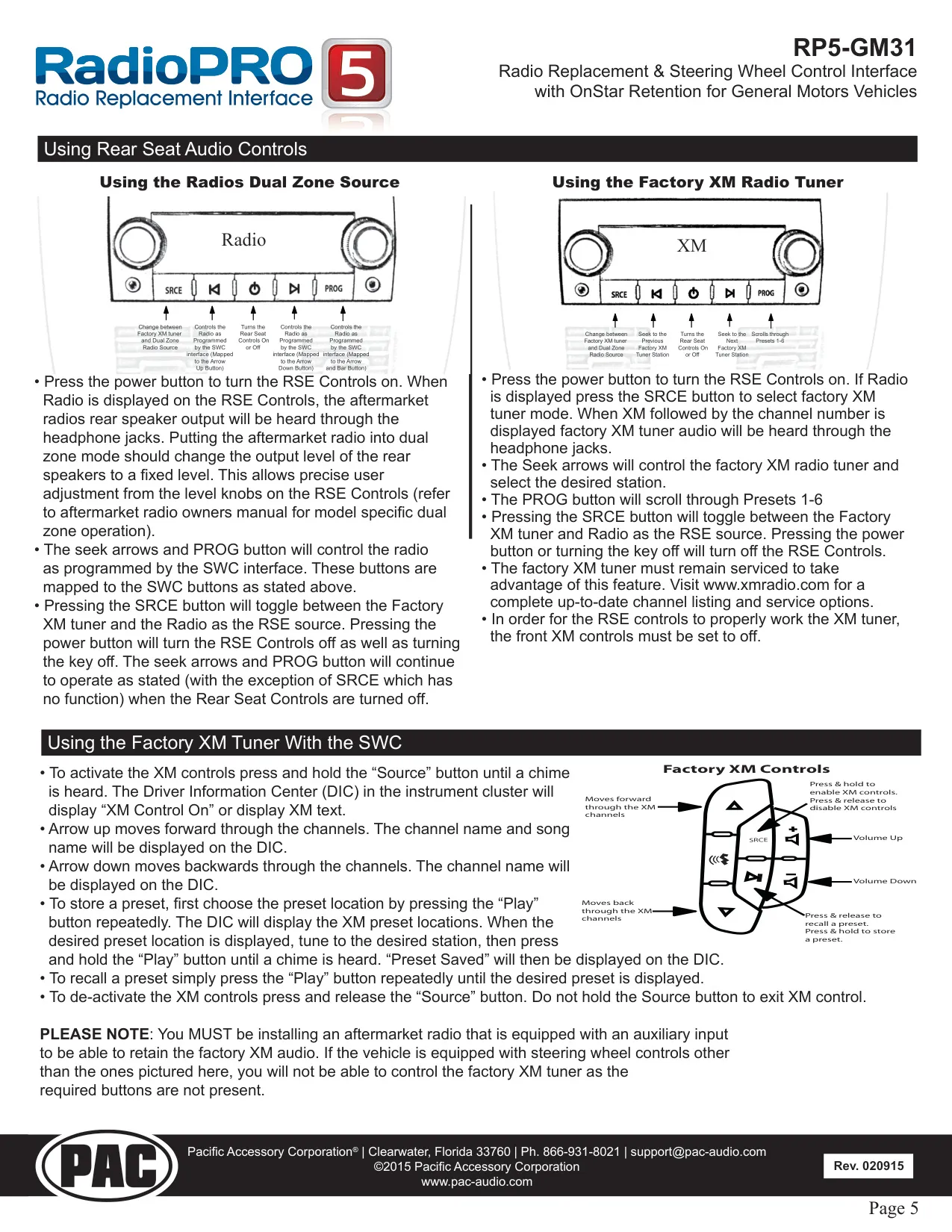
Rear Seat Entertainment support depends on the vehicle's screen layout. With a single overhead screen, the GMRVD sends the head unit's audio and video to the rear screen and returns the console auxiliary inputs to the radio. With dual overhead screens, you also need a single-male, dual-female RCA splitter to feed both Monitor 1 on the GMRVD and Monitor 2 on the GM31 harness. Headrest monitors run independently and pass no audio or video in either direction.
The CMX chime module is only needed if the vehicle stops chiming once the radio is removed. Mount it unobstructed near the bottom of the dash, pointing toward the floor. If you install a 4-channel amplifier, the RP-SPX external speaker is required to keep OnStar prompts audible. To update firmware, connect the module to a PC over USB and use the RadioPRO app's "Update Firmware" function.
Frequently Asked Questions (FAQs)
Can't find the answer you need? Here are some frequently asked questions about the RP5 GM31 Universal Control Interface, and we answer them below.