
Alpine ILX-W650 Multimedia Receiver Instruction Manual
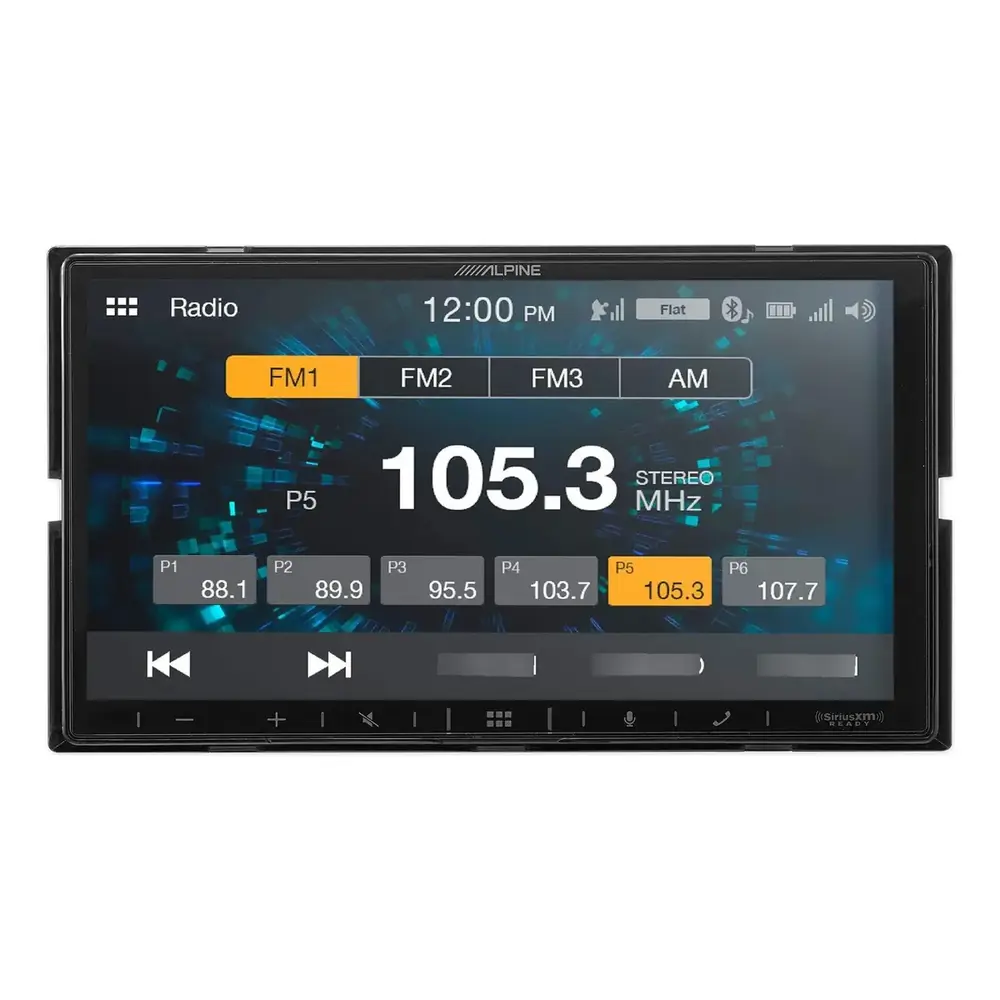
Alpine ILX-W650 Multimedia Receiver

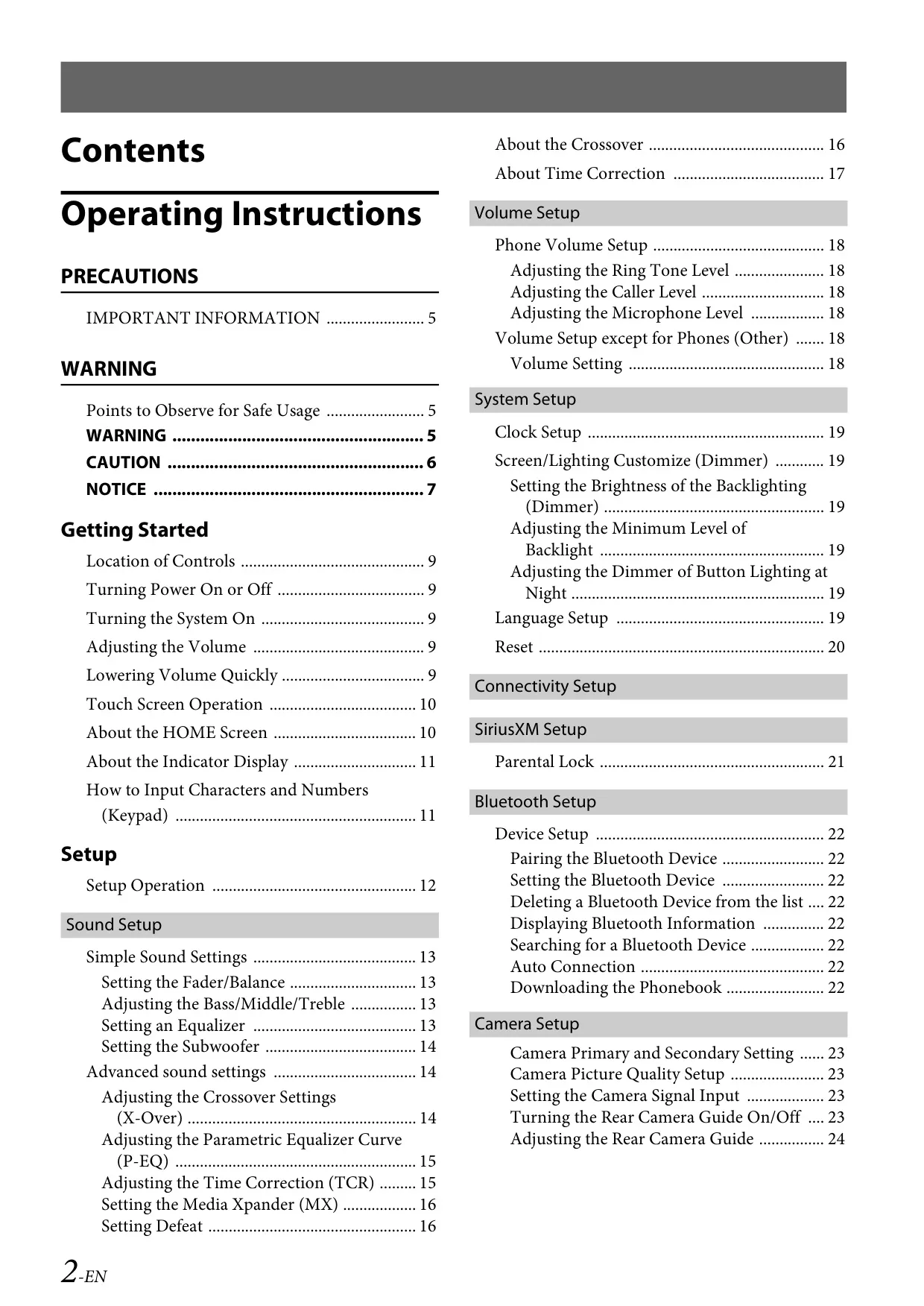


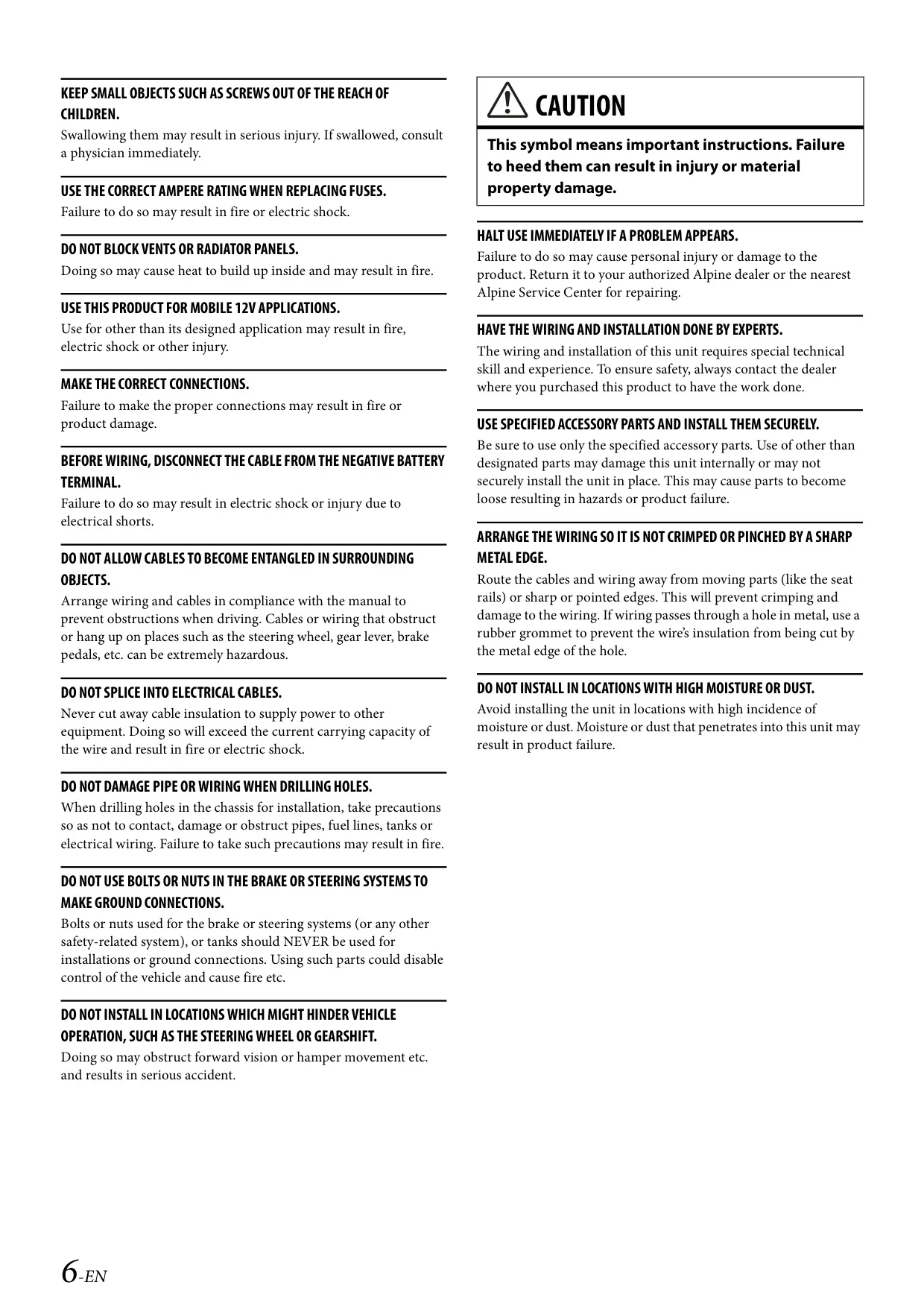
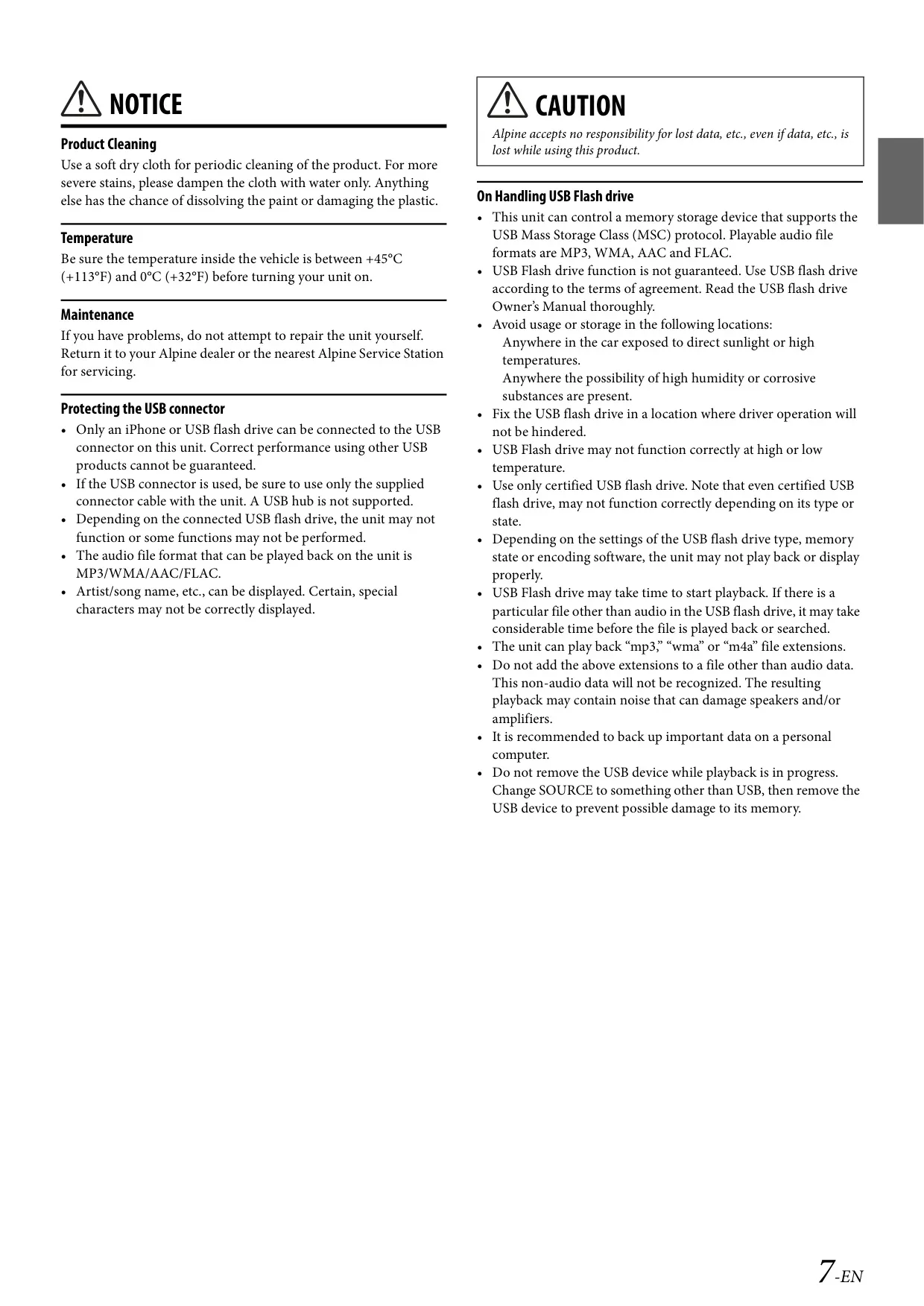























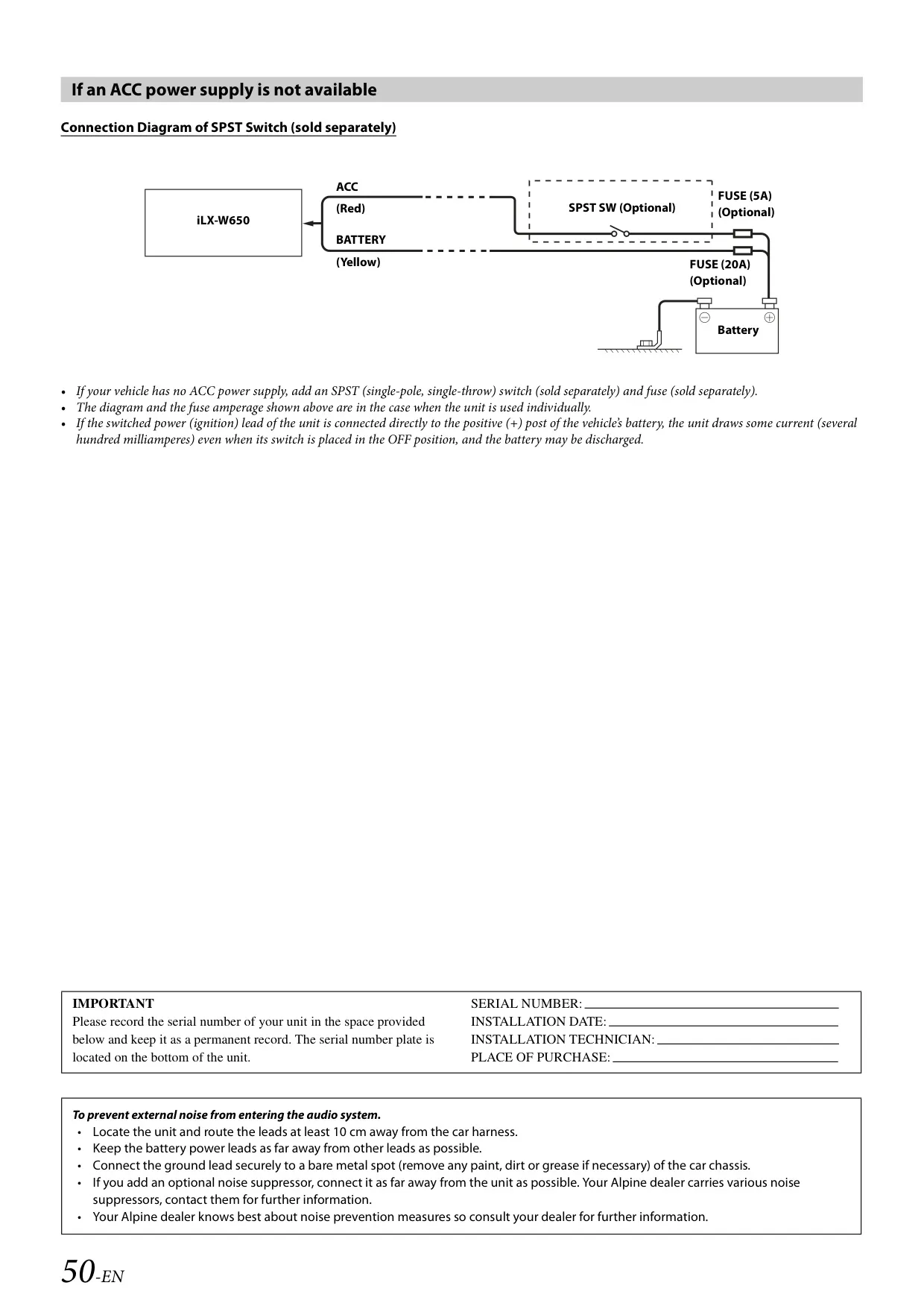

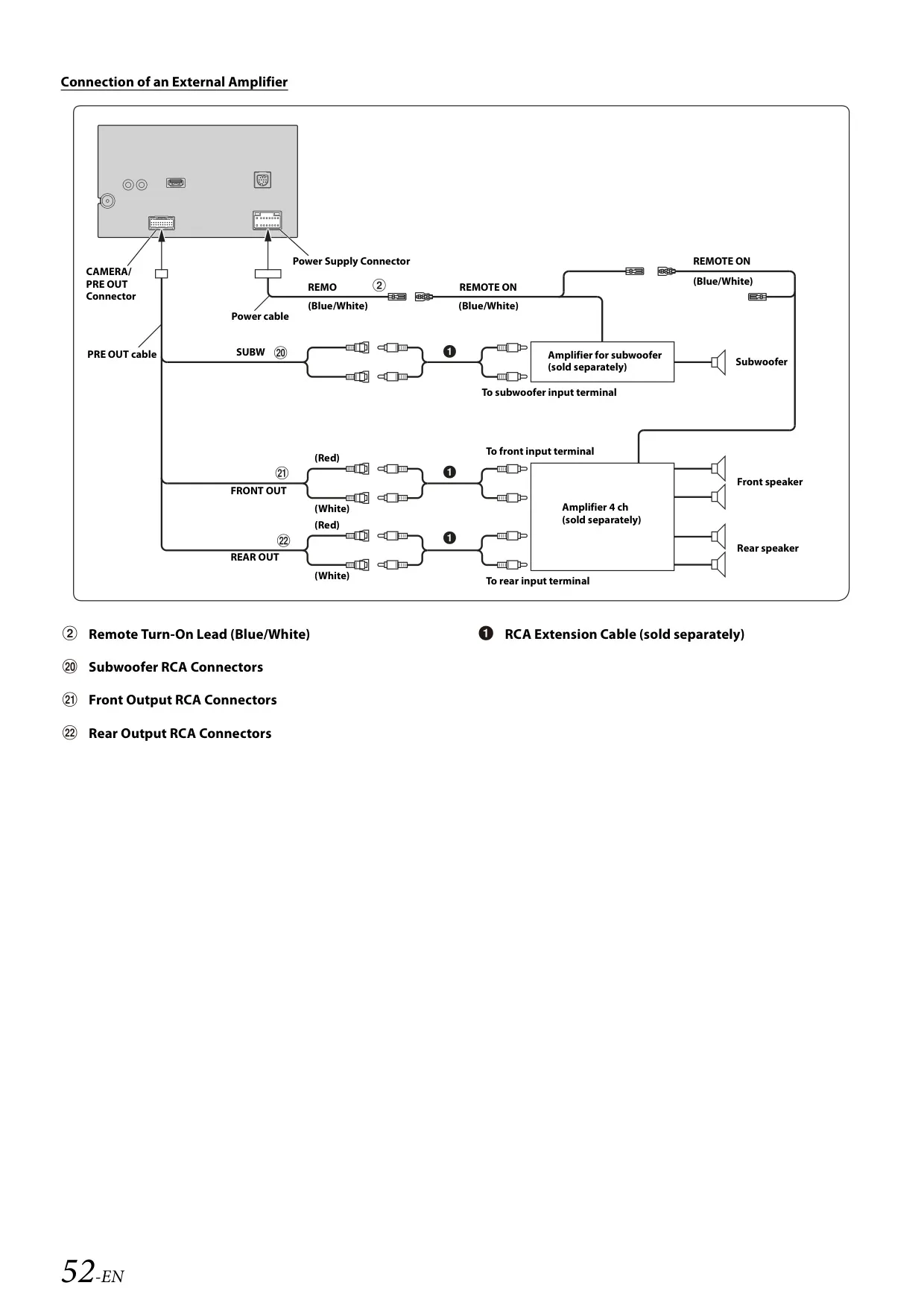




Alpine ILX-W650 Instructions
Here we offer the Alpine ILX-W650 Multimedia Receiver manual completely free and in English. We have cataloged this manual in the Multimedia Receivers section on Manualverse, and it has been rated by 1 users with an average rating of 5. If you have any specific questions about Alpine ILX-W650 Multimedia Receiver, we suggest checking the Frequently Asked Questions (FAQs) section of this manual.
Product Images
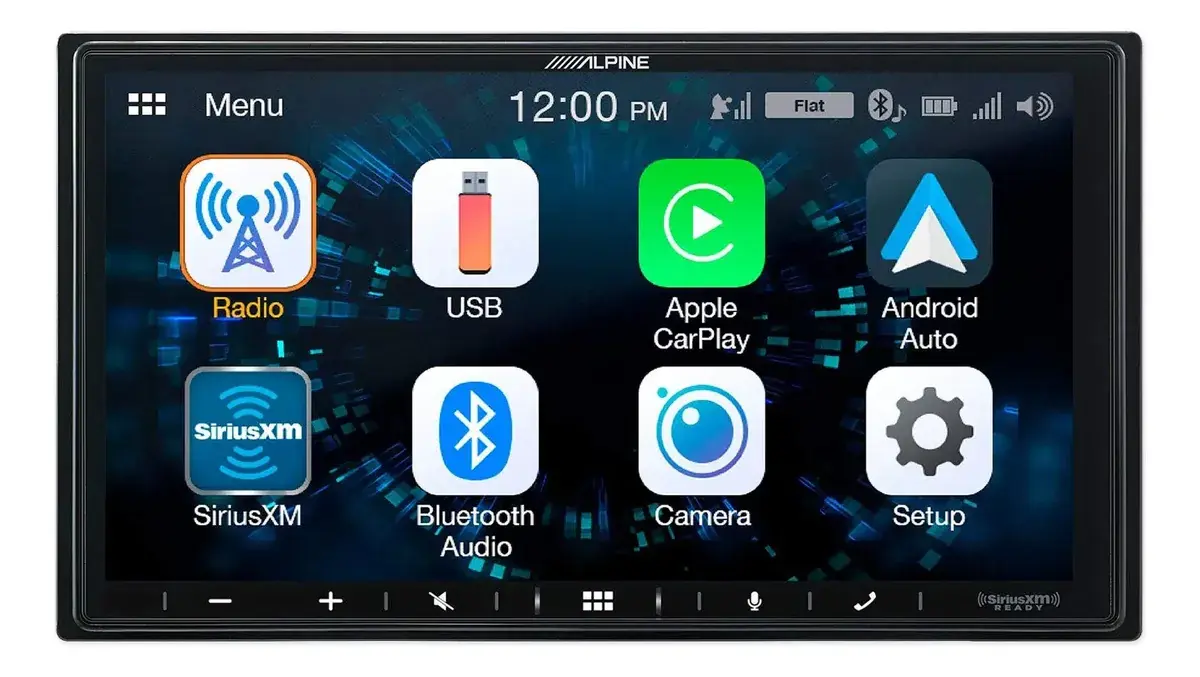


Alpine ILX-W650 Multimedia Receiver Specifications
| Feature | Specification |
|---|---|
| Model | iLX-W650 7-inch Audio/Video Receiver |
| Screen Size | 7" |
| LCD Type | Transparent type TN LCD |
| Operation System | TFT active matrix |
| Number of Picture Elements | 1,152,000 pcs. (800 × 480 × 3 RGB) |
| Effective Number of Picture Elements | 99% or more |
| Illumination System | LED |
| FM Tuning Range | 87.7 – 107.9 MHz |
| FM Mono Usable Sensitivity | 9.3 dBf (0.8 μV/75 ohms) |
| FM 50 dB Quieting Sensitivity | 13.5 dBf (1.3 μV/75 ohms) |
| FM Alternate Channel Selectivity | 80 dB |
| FM Signal-to-Noise Ratio | 65 dB |
| FM Stereo Separation | 35 dB |
| FM Capture Ratio | 2.0 dB |
| AM Tuning Range | 530 – 1,710 kHz |
| AM Usable Sensitivity | 25.1 μV/28 dBf |
| USB Requirements | USB 2.0 |
| USB Max. Power Consumption | 1,000 mA (CDP Support) |
| USB Class | USB (Play From Device) / USB (Mass Storage Class) |
| File System | FAT16/32 |
| Number of Channels | 2-Channels (Stereo) |
| USB Frequency Response | 5 – 20,000 Hz (±1 dB) |
| Total Harmonic Distortion | 0.008% (at 1 kHz) |
| Dynamic Range | 95 dB (at 1 kHz) |
| USB Signal-to-Noise Ratio | 100 dB |
| Channel Separation | 85 dB (at 1 kHz) |
| Bluetooth Specification | Bluetooth V4.2 |
| Bluetooth Output Power | +4 dBm Ave. (Power class 2) |
| Bluetooth Profiles | HFP, PBAP, A2DP, AVRCP |
| Compatible AVRCP Versions | 1.0, 1.3, 1.4, 1.5 |
| Power Requirement | 14.4 V DC (11–16 V allowable) |
| Operating Temperature | -4°F to +140°F (-20°C to +60°C) |
| Power Output | 16 W RMS × 4 (CEA-2006, at 4 ohms, ≤ 1% THD+N) |
| Amplifier S/N | 80 dBA (reference: 1 W into 4 ohms) |
| Preout Level (Front, Rear, Subwoofer) | 4 V/10k ohms (max.) |
| Weight | 0.92 kg (2 lbs.) |
| Chassis Size (W × H × D) | 178 mm (7") × 100 mm (4") × 60 mm (2-6/16") |
| Battery Lead Fuse | 15A |
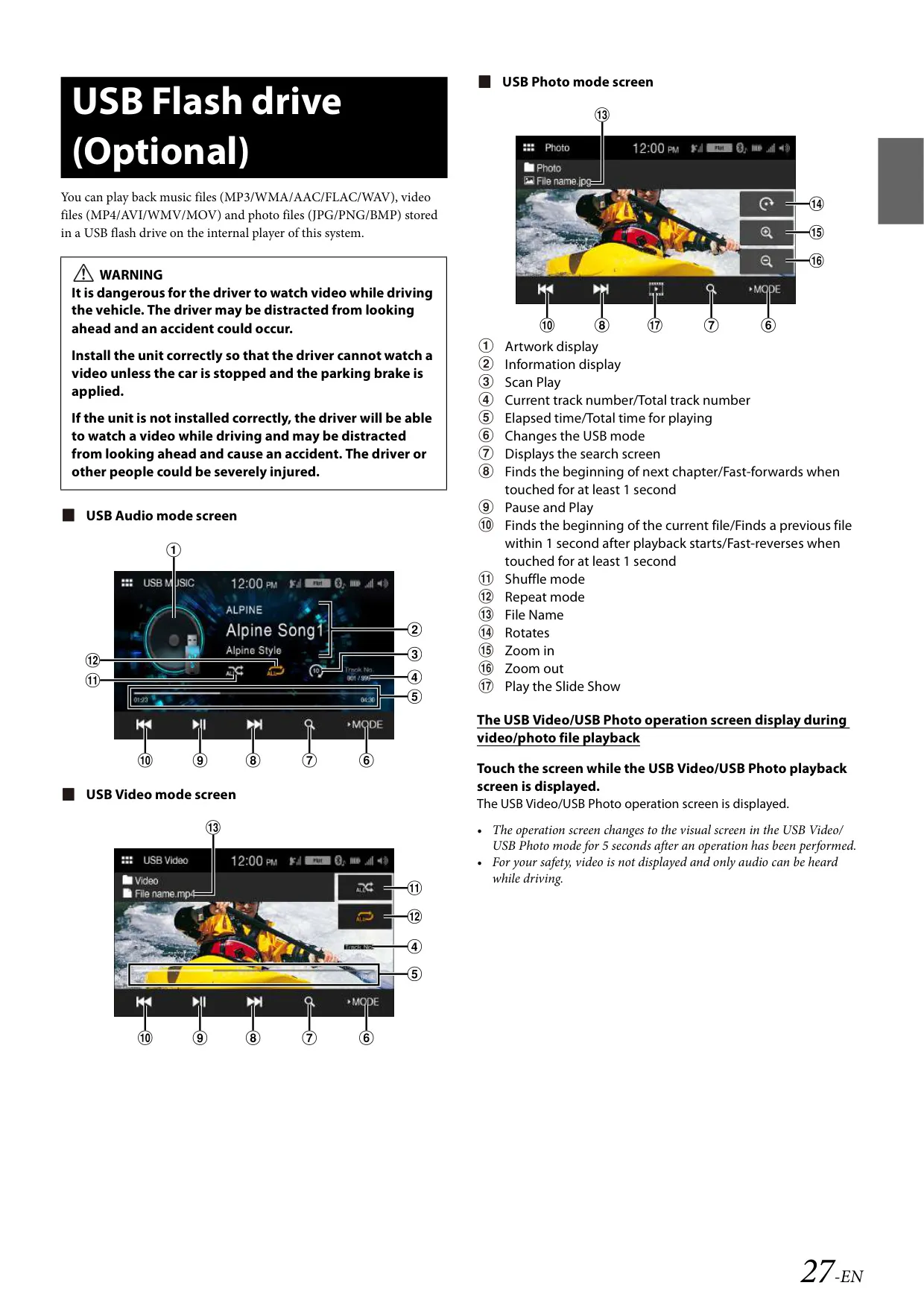
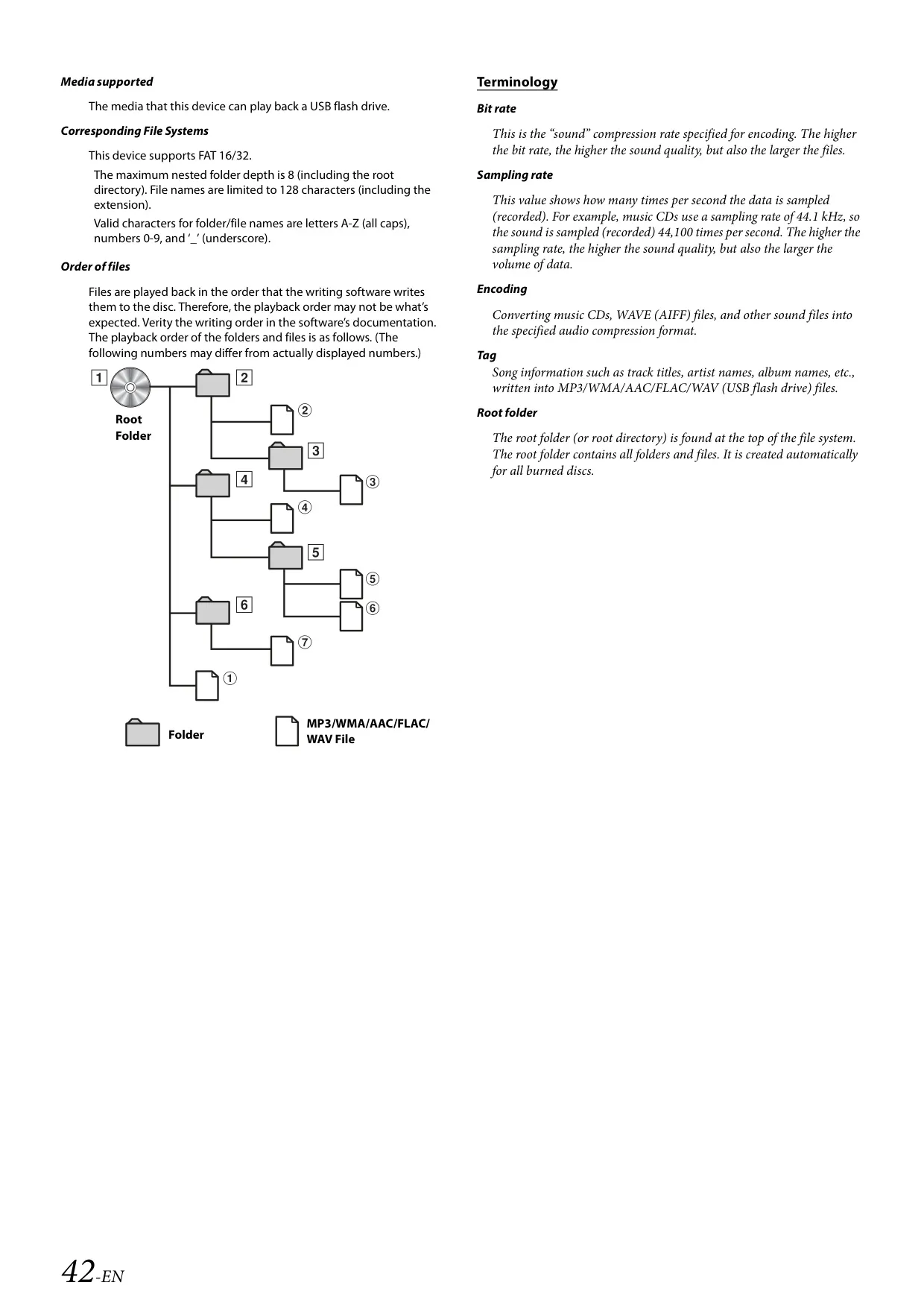
| Supported Audio Files (USB) | MP3, WMA, AAC, FLAC, WAV |
| Supported Video Files (USB) | MP4/AVI/WMV/MOV; H.264/MPEG-4 AVC; max. 4 GB |
| Supported Photo Files (USB) | JPG, PNG, BMP |
| USB Playback Limits | 3,000 files / 255 folders; largest audio file 512 MB; folder depth 8 |
| Audio Bit Rates | 8 – 384 kbps (MP3/WMA/AAC/FLAC); 64 – 1,536 kbps (WAV) |
| Audio Sampling Rates | 8 – 48 kHz |
Alpine ILX-W650 Receiver Details
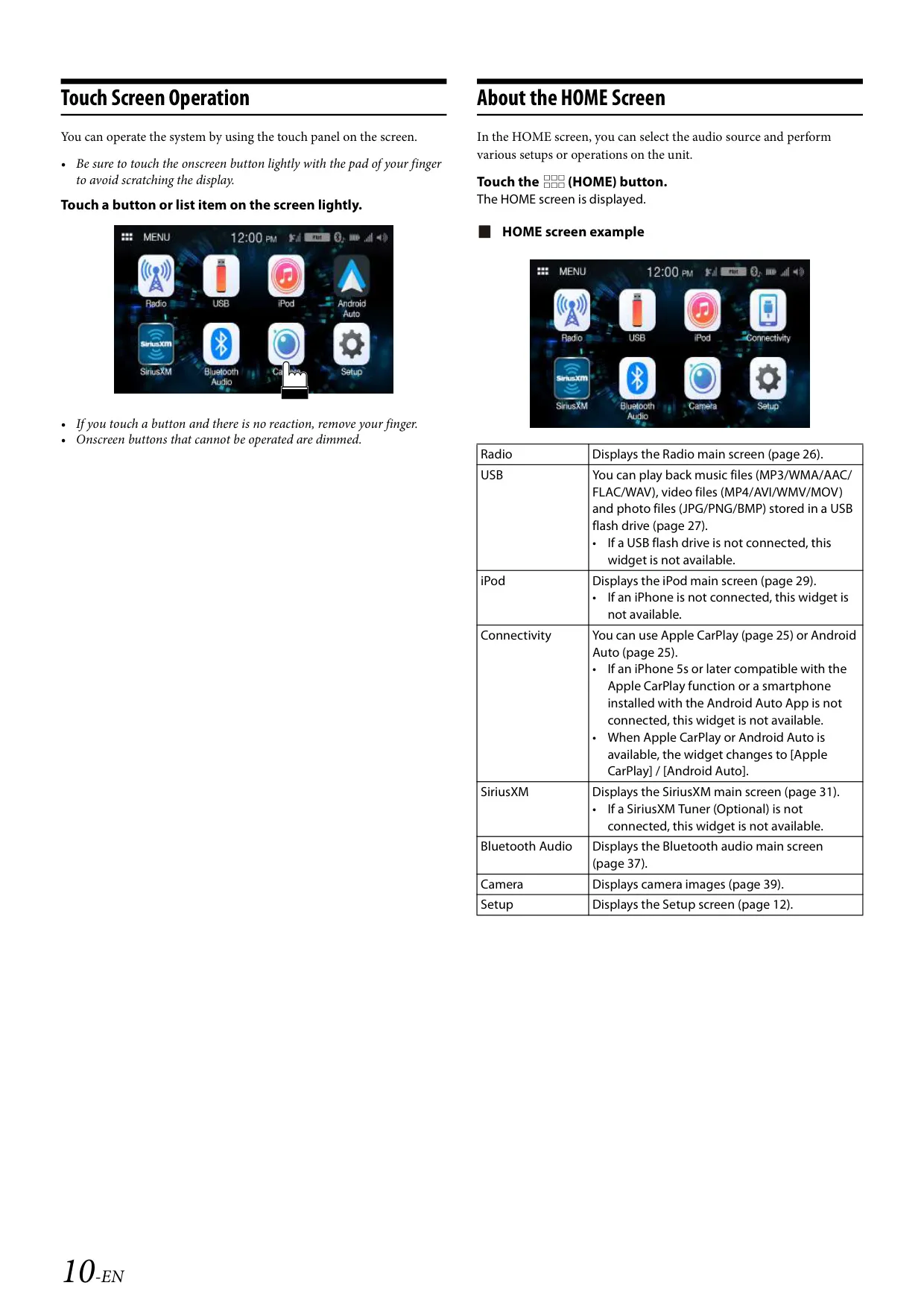
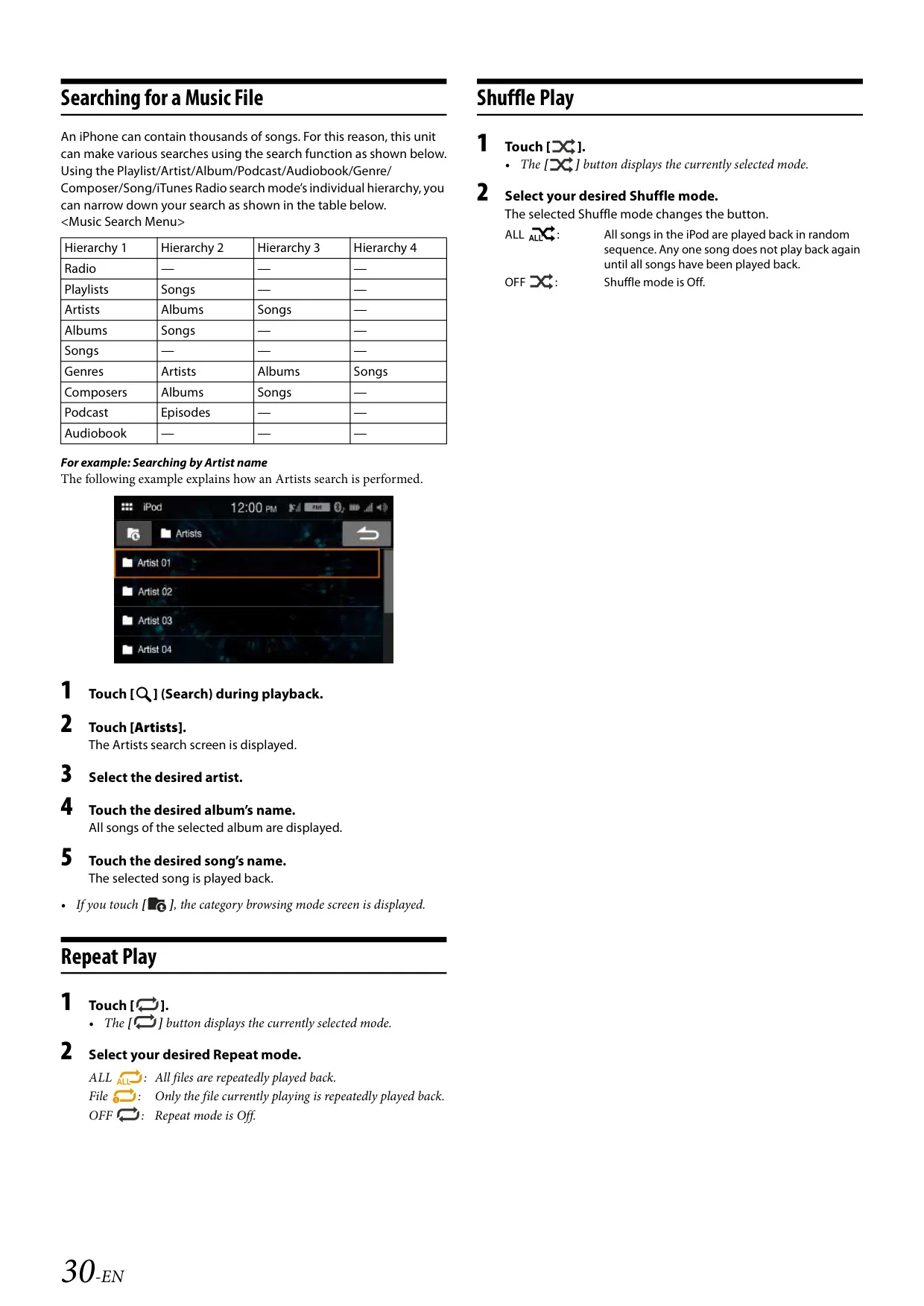
The Alpine iLX-W650 works with both major phone platforms. Apple CarPlay runs on an iPhone 5s or later connected with a Lightning to USB cable. Android Auto starts when you plug in a phone that has the app from Google Play installed. A dedicated voice button on the front of the unit activates Siri or the phone's voice recognition. To play music from an iPhone in plain iPod mode, set CarPlay to Off. Alpine tested iPod mode with every iPhone from the 5s to the iPhone X.
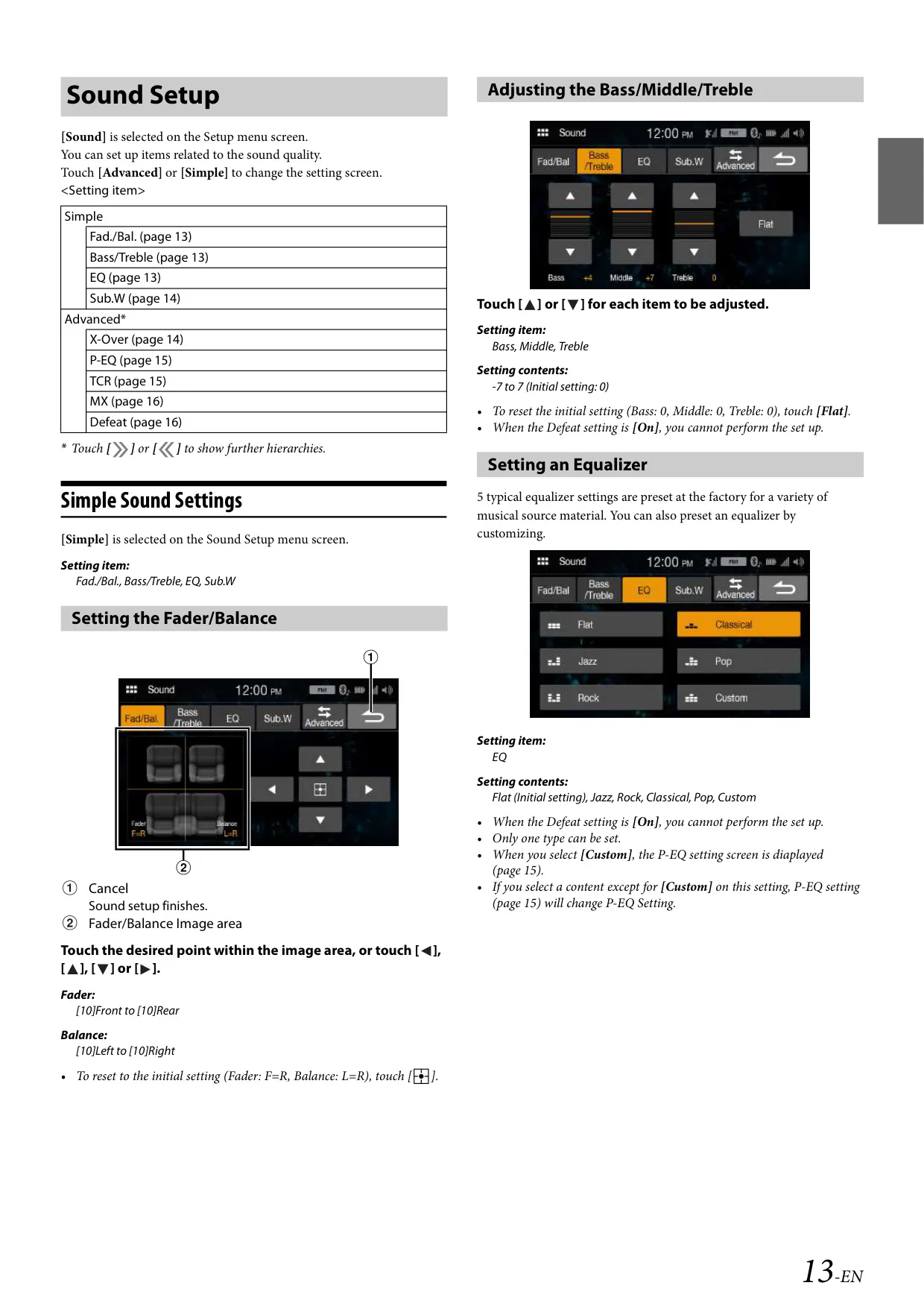
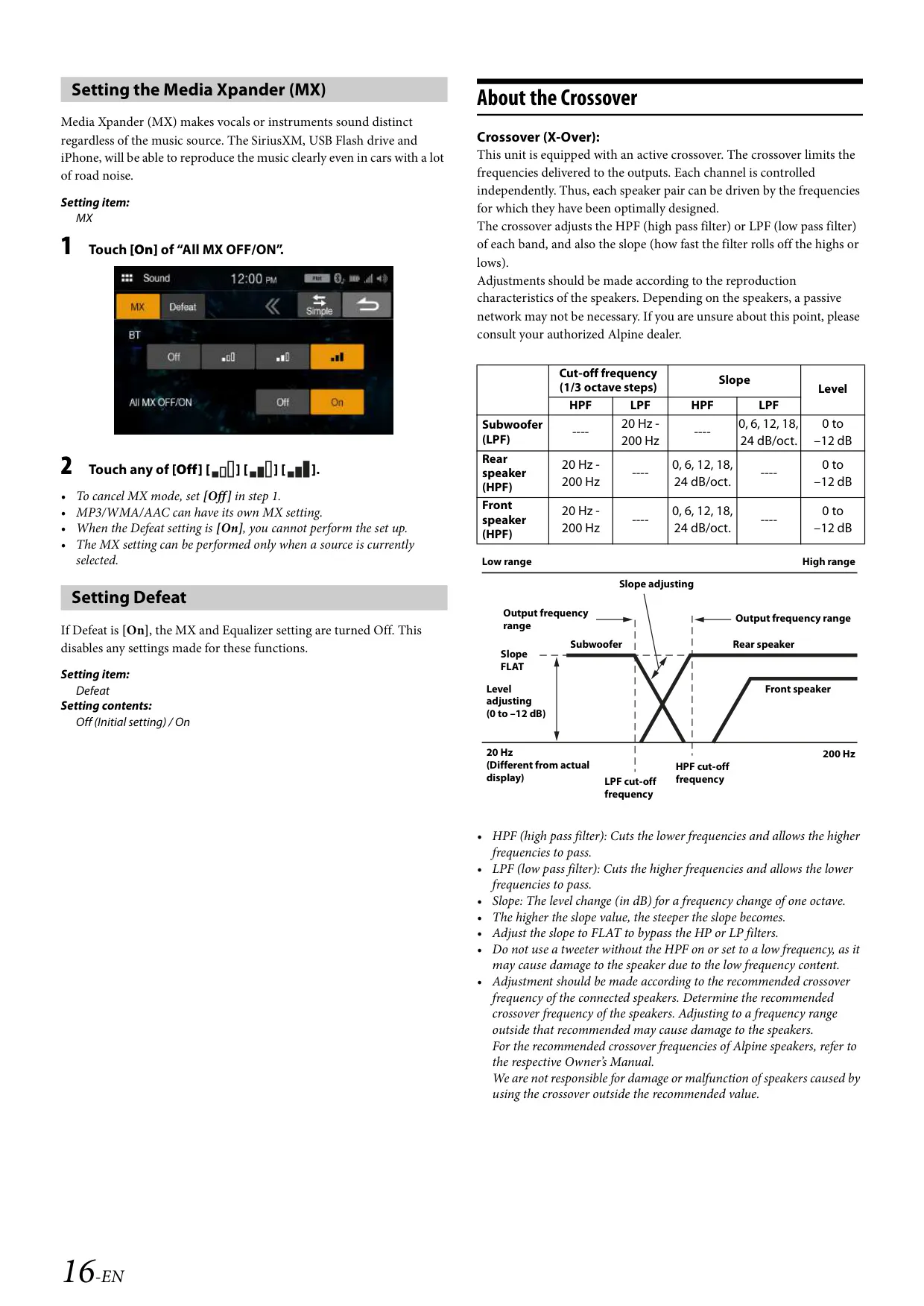
The Simple sound menu covers everyday adjustments. Fader and balance each have 10 steps per side. Bass, Middle and Treble each run from -7 to +7. There are five factory equalizer presets (Flat, Jazz, Rock, Classical and Pop), plus a Custom curve. If you connect an optional subwoofer, you can turn its output on, set its level from 0 to 15 and switch its phase between 0° and 180°. A Defeat switch turns off the Media Xpander and equalizer settings in one step.
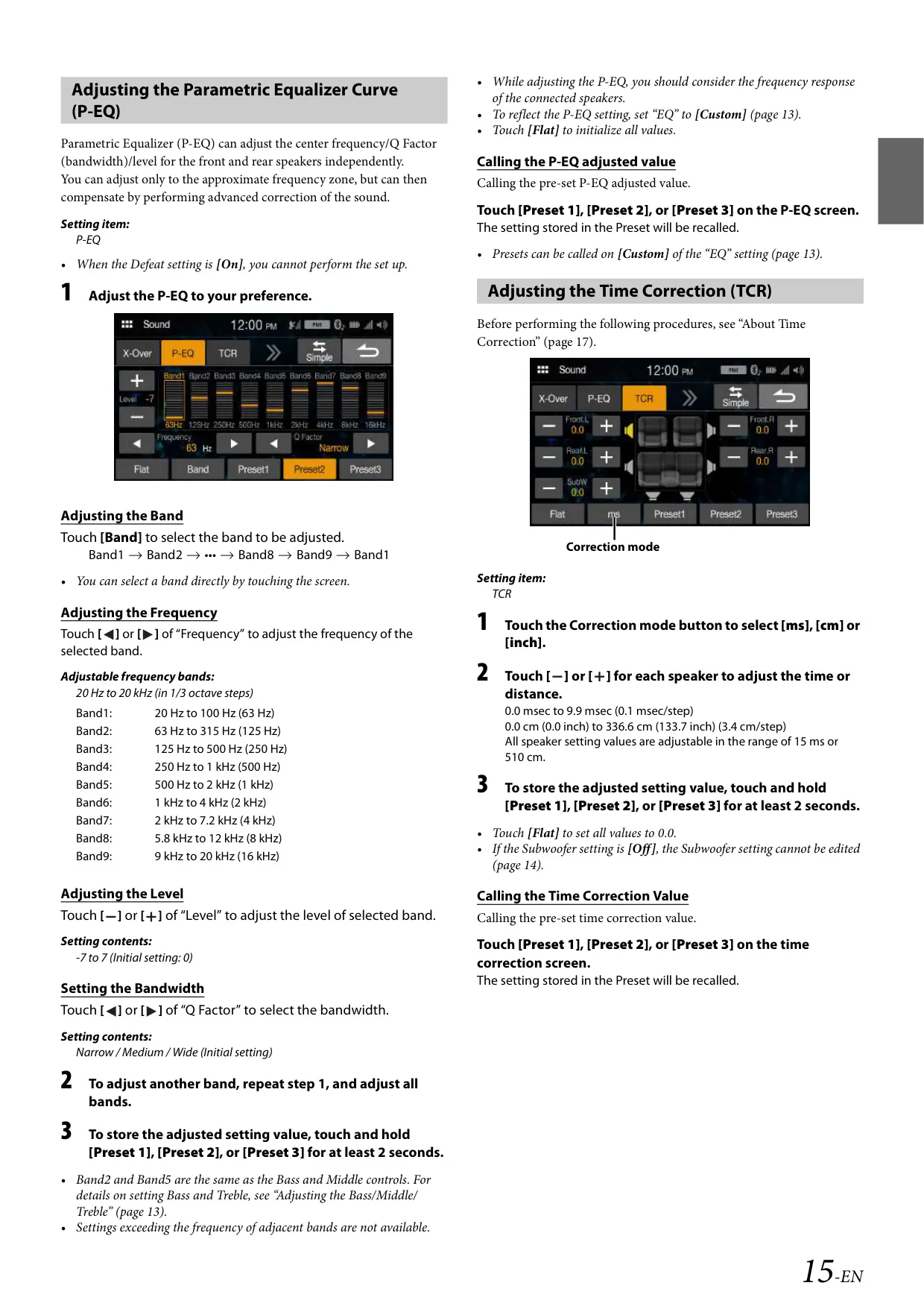
The Advanced menu is aimed at tuning enthusiasts. A 9-band parametric equalizer covers 20 Hz to 20 kHz in 1/3-octave steps, and each band offers Narrow, Medium or Wide Q. The active crossover sets HPF and LPF points from 20 to 200 Hz, with slopes up to 24 dB/oct and levels down to -12 dB. Time correction delays each speaker by up to 9.9 ms in 3.4 cm steps. Crossover, equalizer and time correction settings can each be stored in three presets.
The radio holds 24 presets, six on each of the FM1, FM2, FM3 and AM bands. A.MEMO automatically stores the six strongest stations. F.SCAN and P.SCAN play each found or preset station for five seconds. With an optional tuner, the unit also handles SiriusXM. It offers 18 channel presets, category browsing, direct tuning from a keypad and a 4-digit parental lock, which defaults to 0000. Tuning to channel "0" shows the Radio ID you need to activate a subscription.
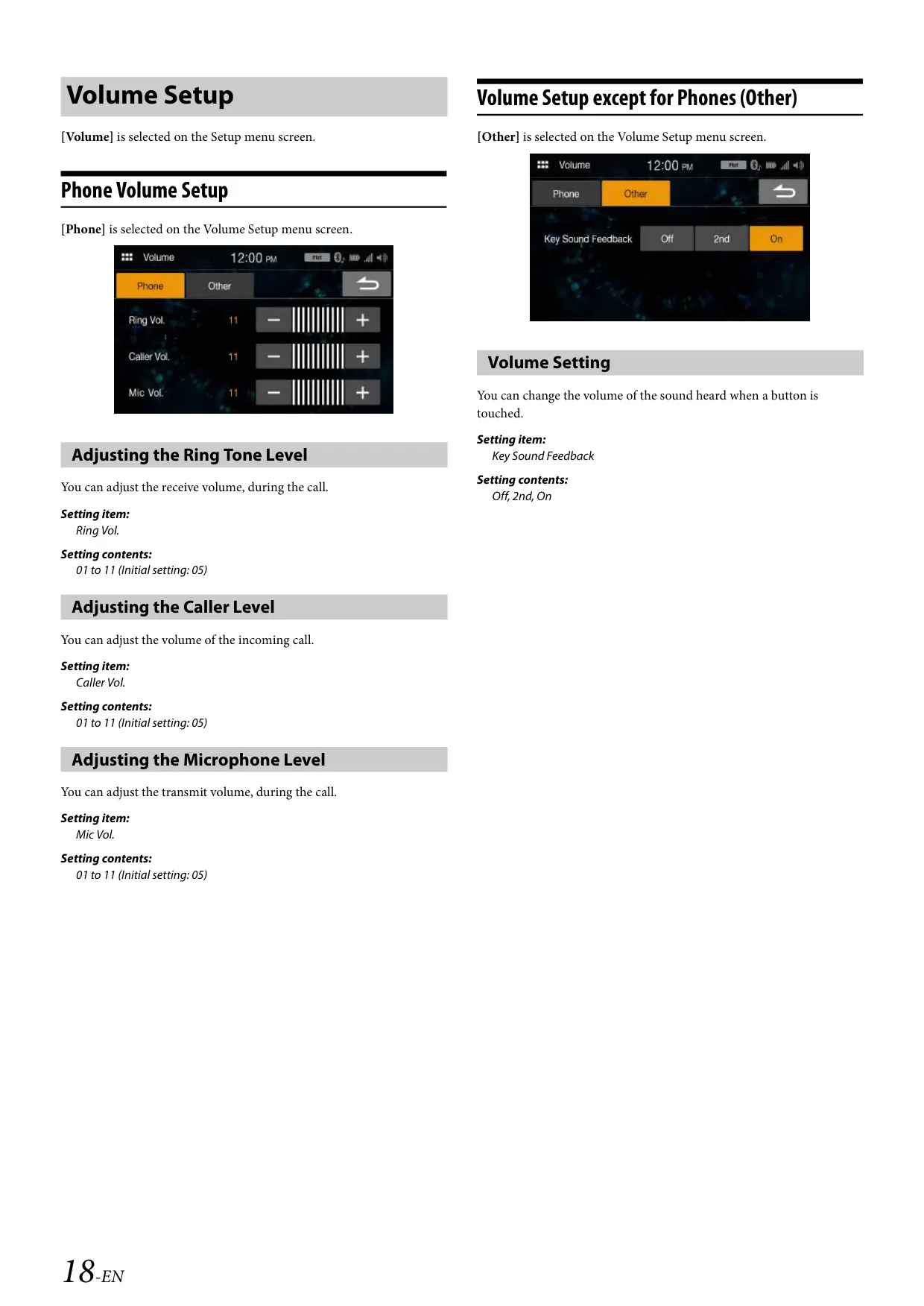
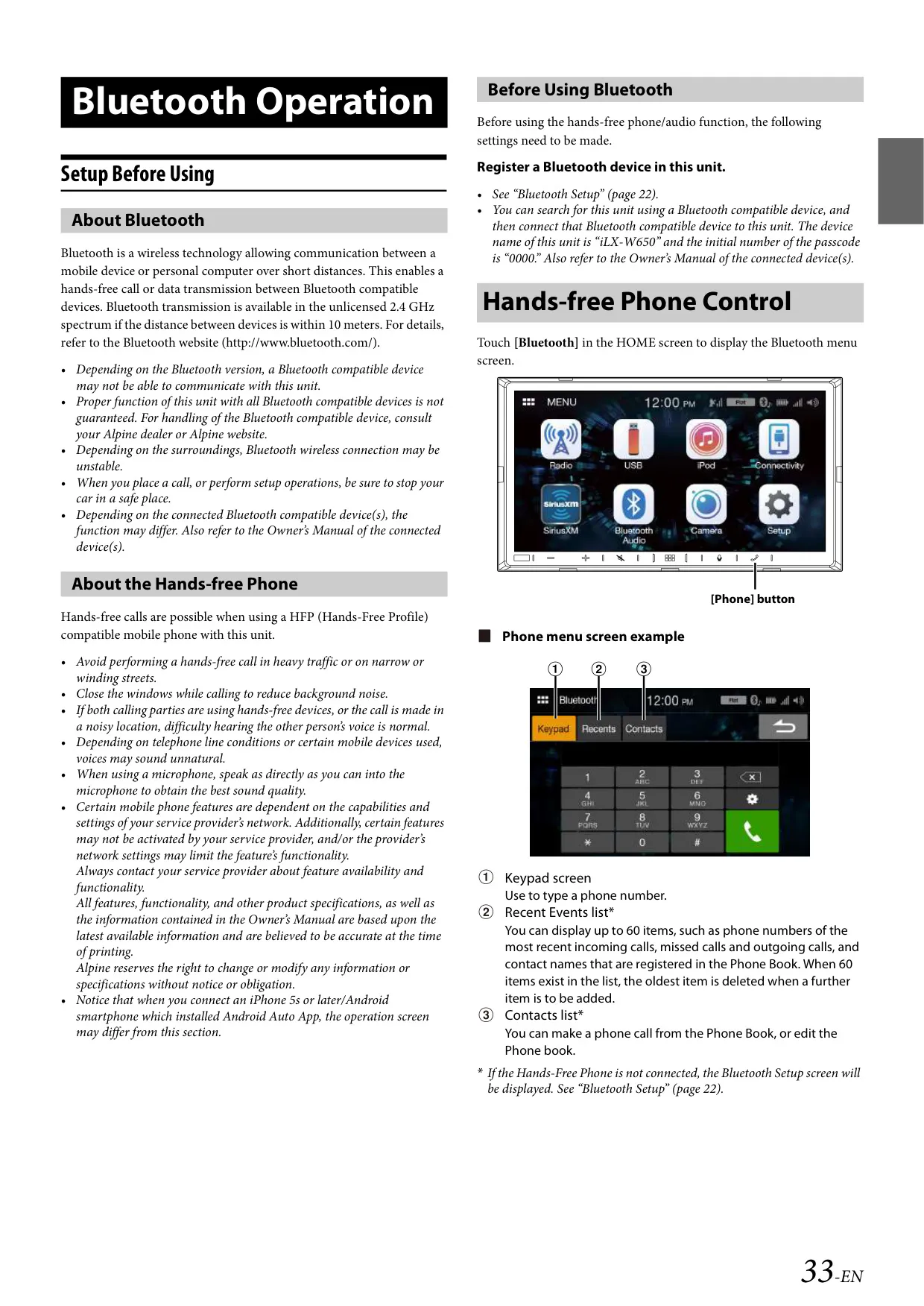
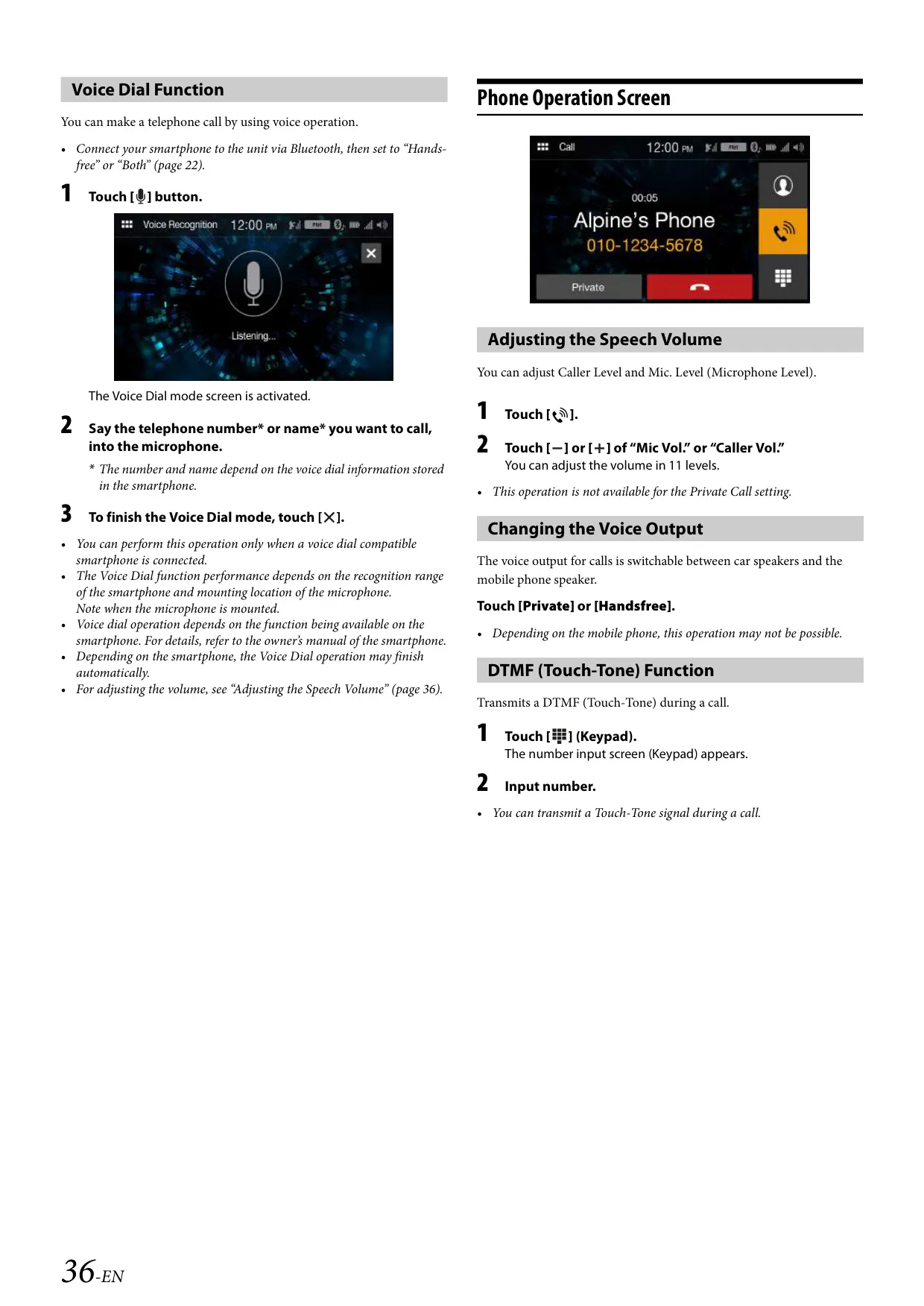
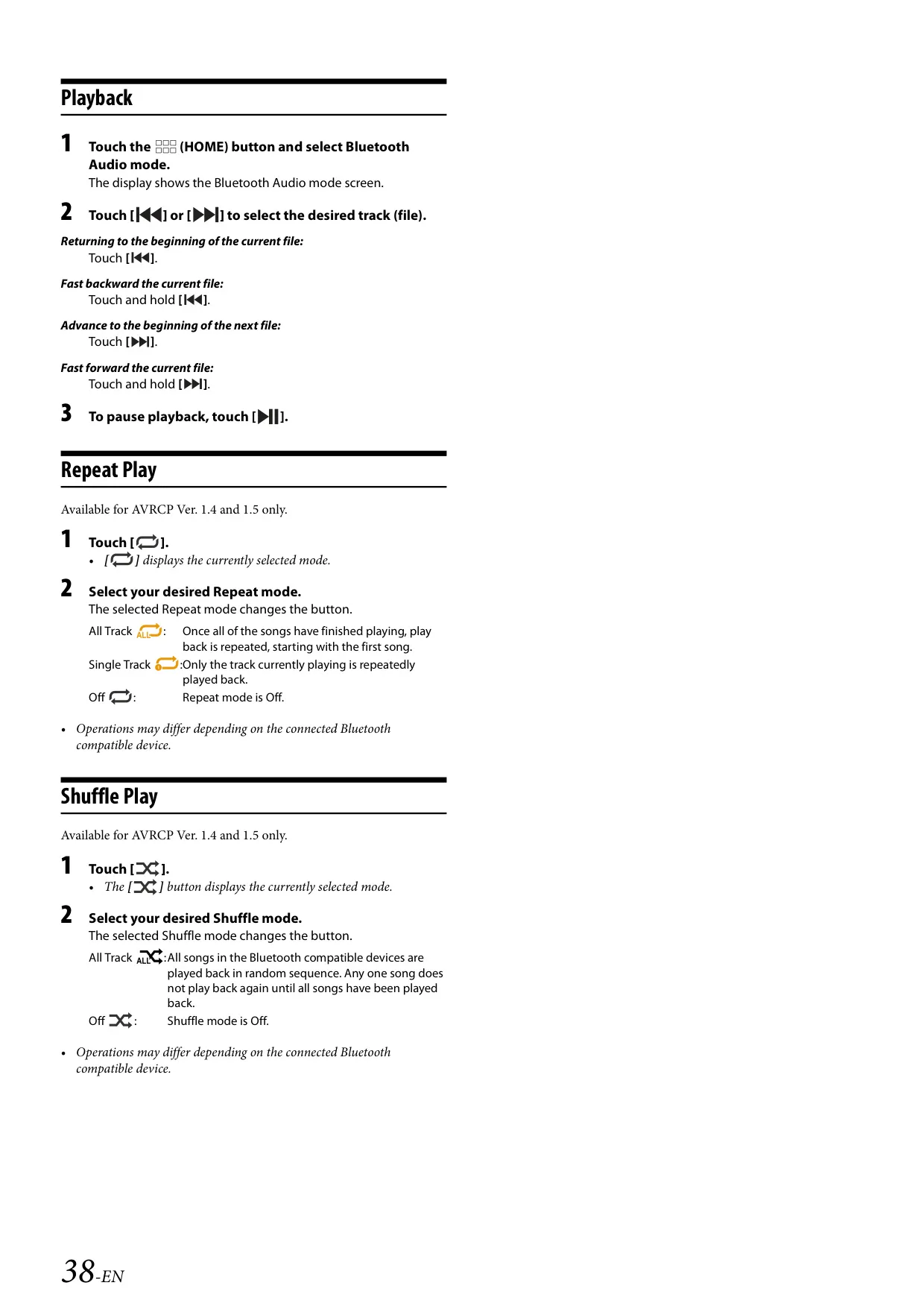
For calls, the unit stores up to four paired phones. Two devices can be connected at once: one for hands-free calling and one for Bluetooth audio. It can download a phonebook of up to 1,000 names with three numbers each. The recent-calls list holds 60 entries. Ringtone, caller and microphone volume each have 11 levels. Other call features include private mode, DTMF tones and voice dialing. When the ignition is turned on, paired devices reconnect automatically.
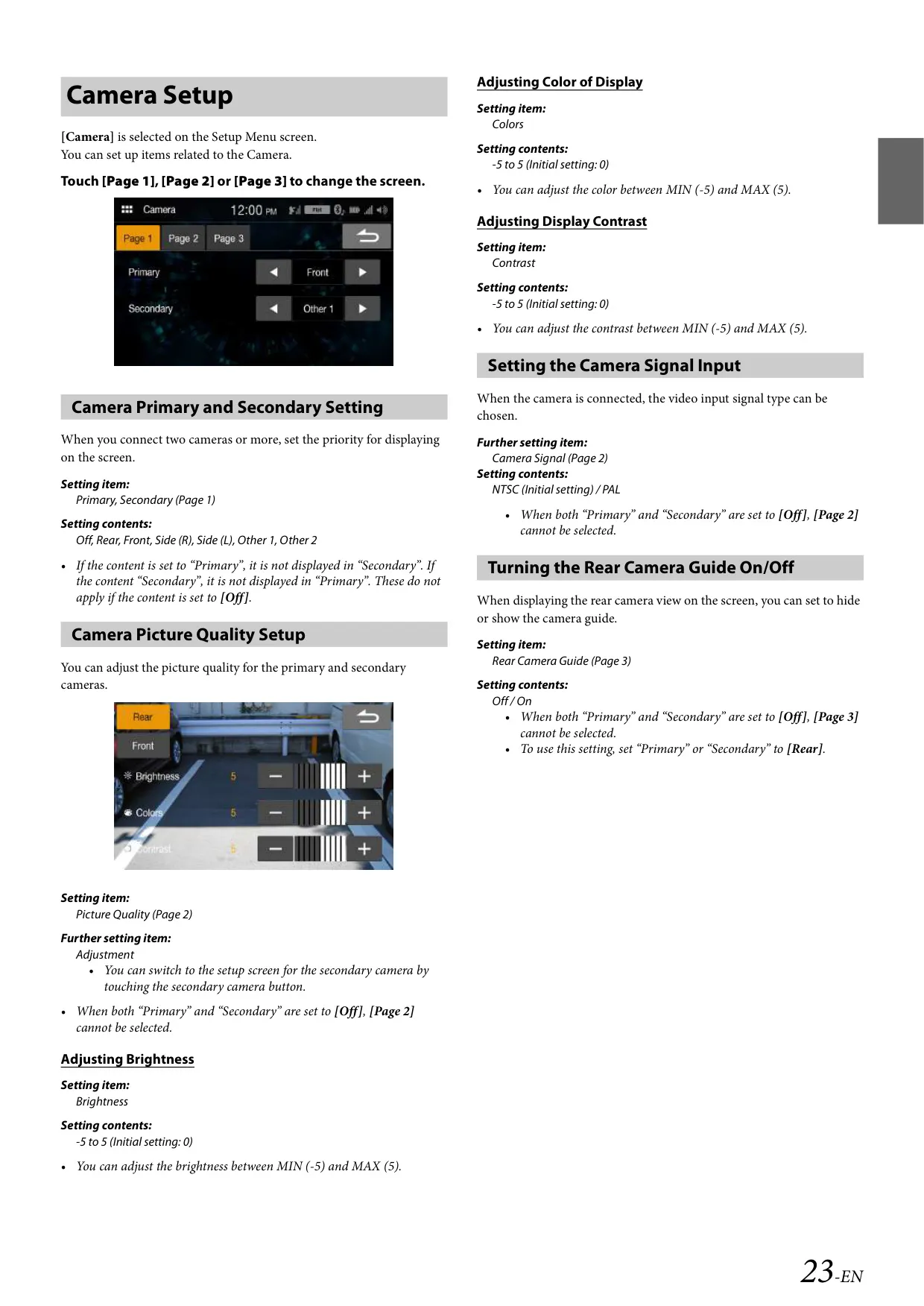
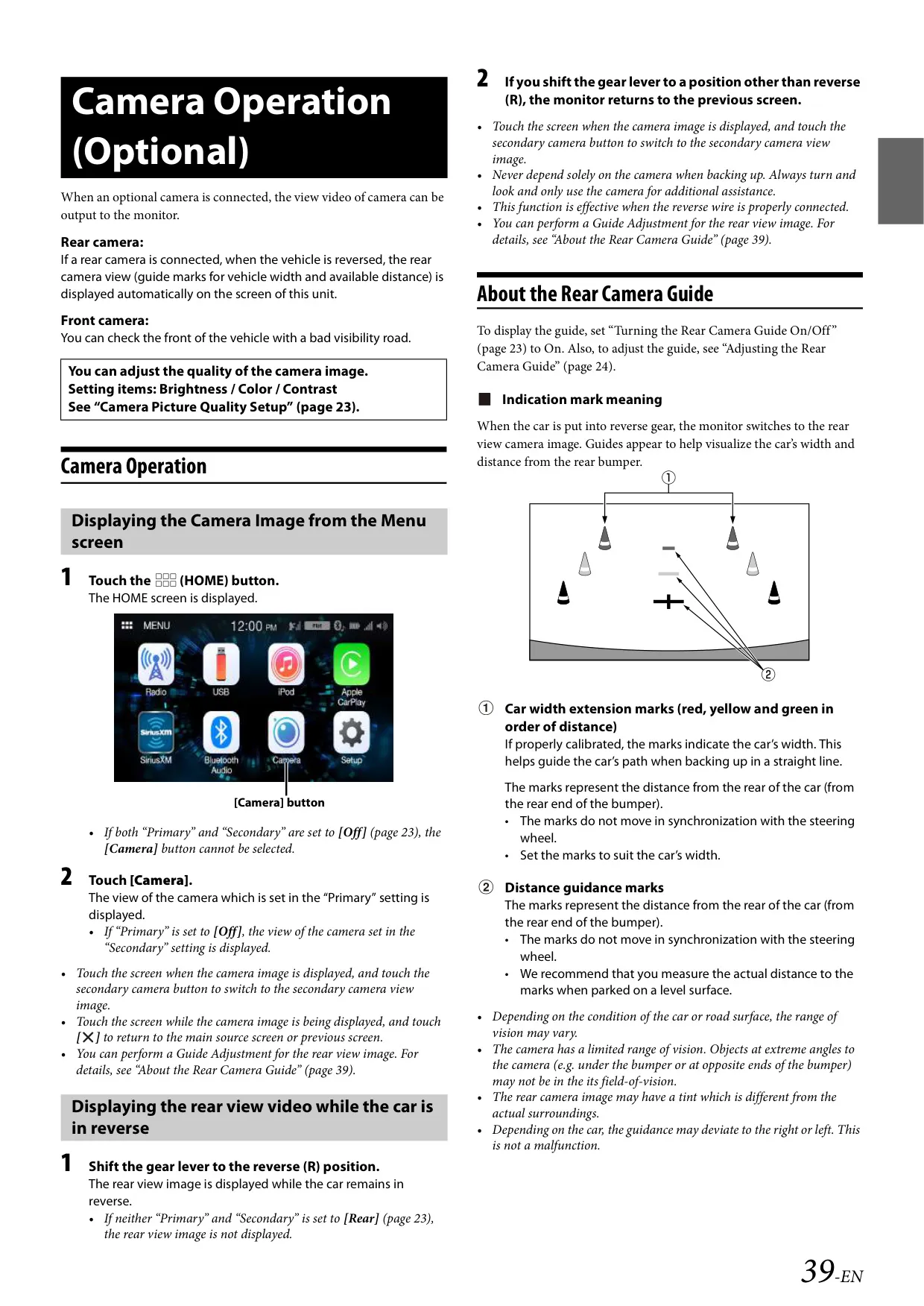
Two RCA inputs accept a rear camera and a front camera. You assign each one as Primary or Secondary from a list of positions: Rear, Front, Side (R), Side (L), Other 1 and Other 2. The camera input accepts NTSC or PAL signals. Brightness, color and contrast each adjust from -5 to +5. When you shift into reverse, the rear view appears automatically. It shows width marks and distance marks in red, yellow and green, and you can move these guide lines on screen.
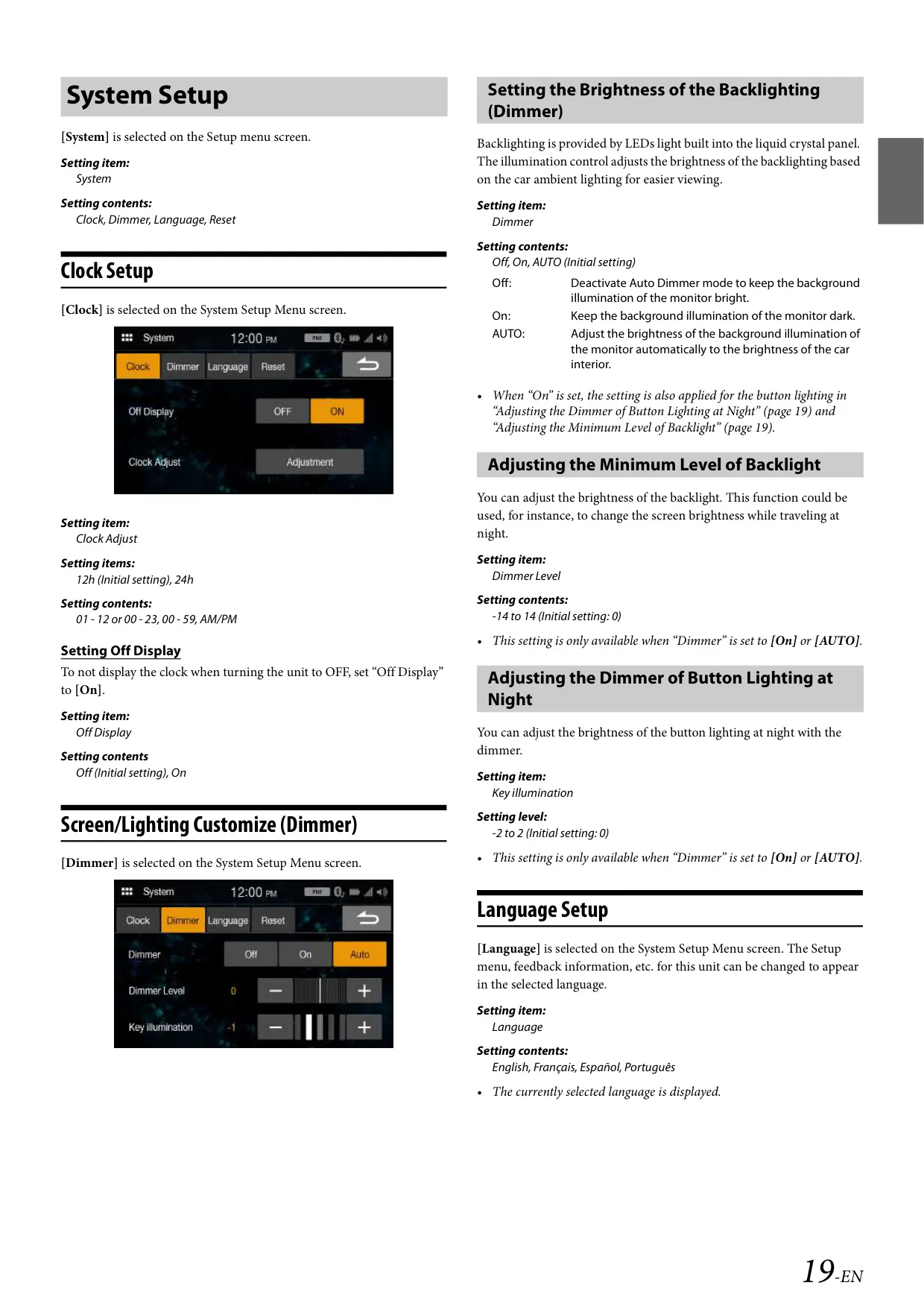
The display dimmer can be set to Off, On or Auto, with a dimmer level from -14 to +14 and a night key illumination level from -2 to +2. Menus are available in English, French, Spanish and Portuguese. The clock can show 12-hour or 24-hour time. Volume ranges from 0 to 35, and the touch-key sound can be turned off. Firmware updates are installed from a USB flash drive. The unit should be mounted at an angle between horizontal and 30°.
Frequently Asked Questions (FAQs)
Can't find the answer you need? Here are some frequently asked questions about the Alpine ILX-W650 Multimedia Receiver, and we answer them below.