
Krups 12 Cup Coffee Maker KM730 Instruction Manual

Krups 12 Cup Coffee Maker KM730






Krups 12 Cup KM730 Instructions
Here we offer the Krups 12 Cup Coffee Maker KM730 manual completely free and in English. We have cataloged this manual in the Coffee Makers section on Manualverse, and it has been rated by 1 users with an average rating of 5. If you have any specific questions about Krups 12 Cup Coffee Maker KM730, we suggest checking the Frequently Asked Questions (FAQs) section of this manual.
Product Images


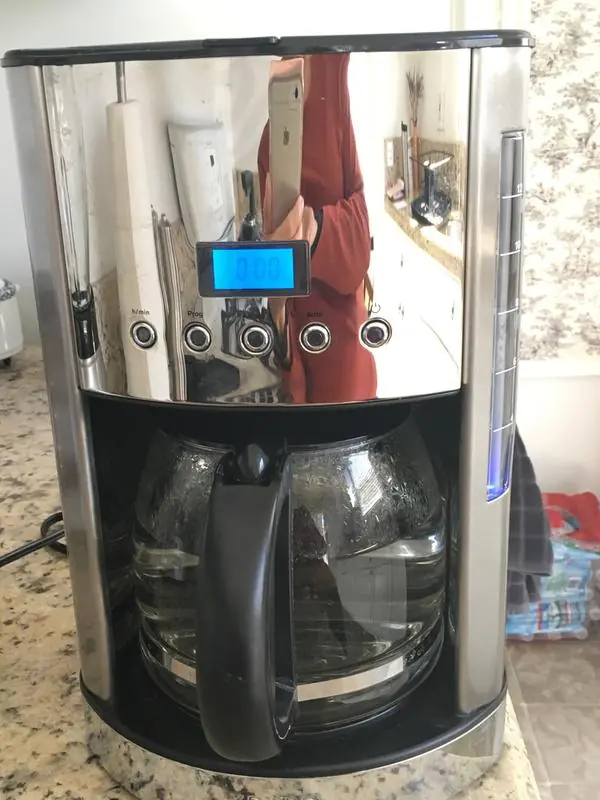
Krups 12 Cup Coffee Maker KM730 Specifications
| Feature | Specification |
|---|---|
| Model | KM730 |
| Brand | Krups |
| Product Type | Programmable drip coffee maker |
| Maximum Capacity | 12 cups |
| Power Supply | 120V outlet |
| Plug Type | Polarized plug (one blade wider than the other) |
| Power Cord | Short power cord (extension cord not recommended) |
| Display | LCD with AM/PM indicators |
| Control Buttons | On/Off, Auto On, Aroma, PROG and h/min buttons, each with a blue LED |
| Filter Compatibility | Standard #4 cone paper filter or permanent filter |
| Included Accessories | Permanent filter, measuring spoon, carafe with lid |
| Recommended Coffee Dose | About 2 ounces of ground coffee for 12 cups (1 tablespoon or 1 measuring spoon per cup) |
| Water Requirement | Cold water only (filtered or bottled recommended) |
| Liquid Absorbed by Grounds and Filter | About 10% |
| Keep Warm Function | Up to 2 hours |
| Auto Shut-Off | 2 hours after the brewing cycle ends |
| Programmable Auto On | Yes, with preset time memory |
| Aroma Selection | Yes, stronger brew strength |
| Pause & Serve | Yes, carafe off the plate for 30 seconds maximum |
| First Use Rinse | 1 liter of water, no coffee |
| Cool-Down Between Pots | 10 minutes recommended |
| Dishwasher-Safe Parts | Carafe, carafe lid and filter holder (top shelf only) |
| Descaling Solution | 2 tablespoons of white vinegar per carafe of cold water, or a suitable descaling agent |
| Descaling Frequency | About every 80 brew cycles (soft water) or 40 brew cycles (hard water) |
| Intended Use | Household use only |
| Warranty | 2 years against manufacturing defects |
| Warranty Coverage Area | USA, Canada and Mexico |
Krups 12 Cup Coffee Maker KM730 Details
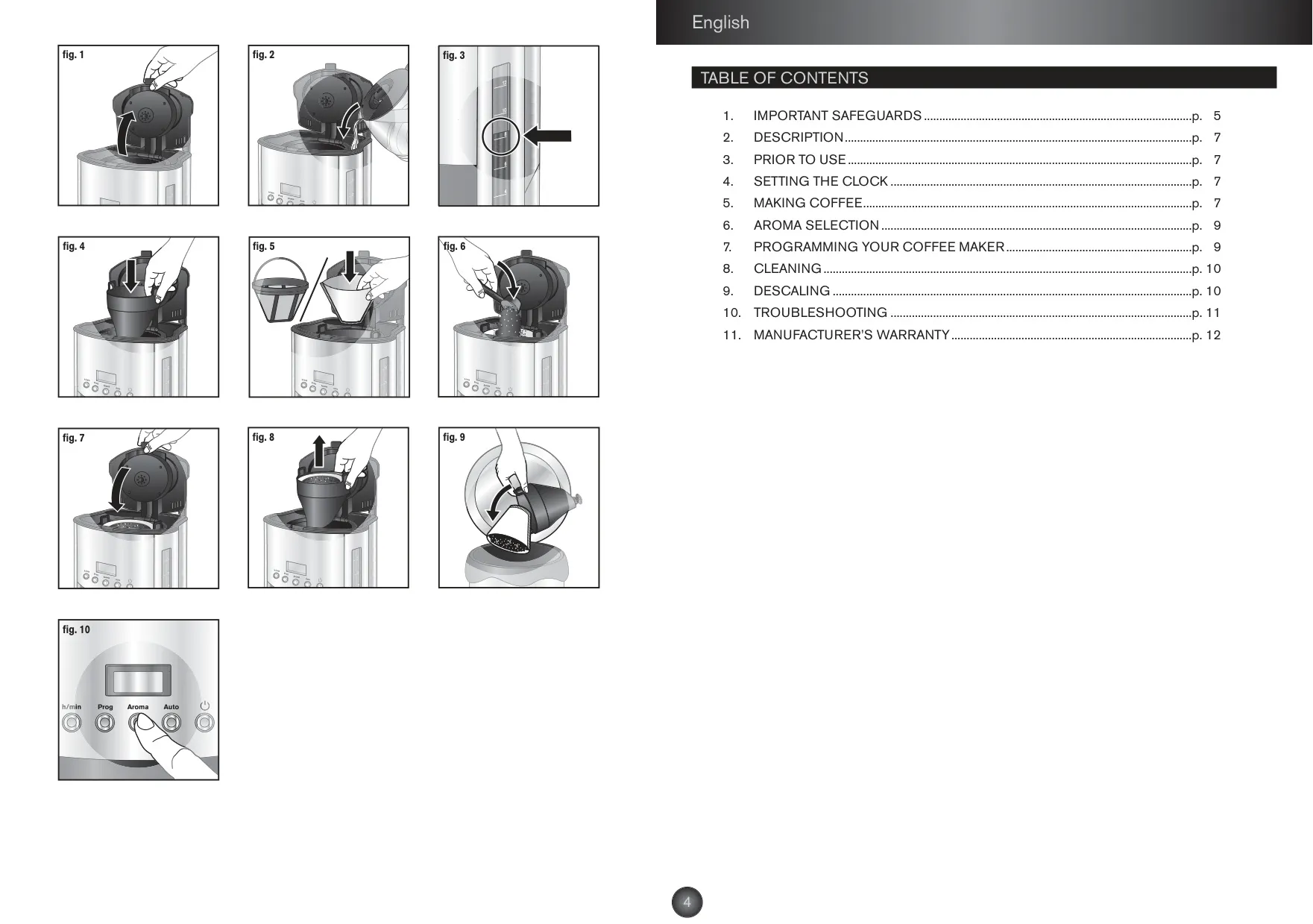
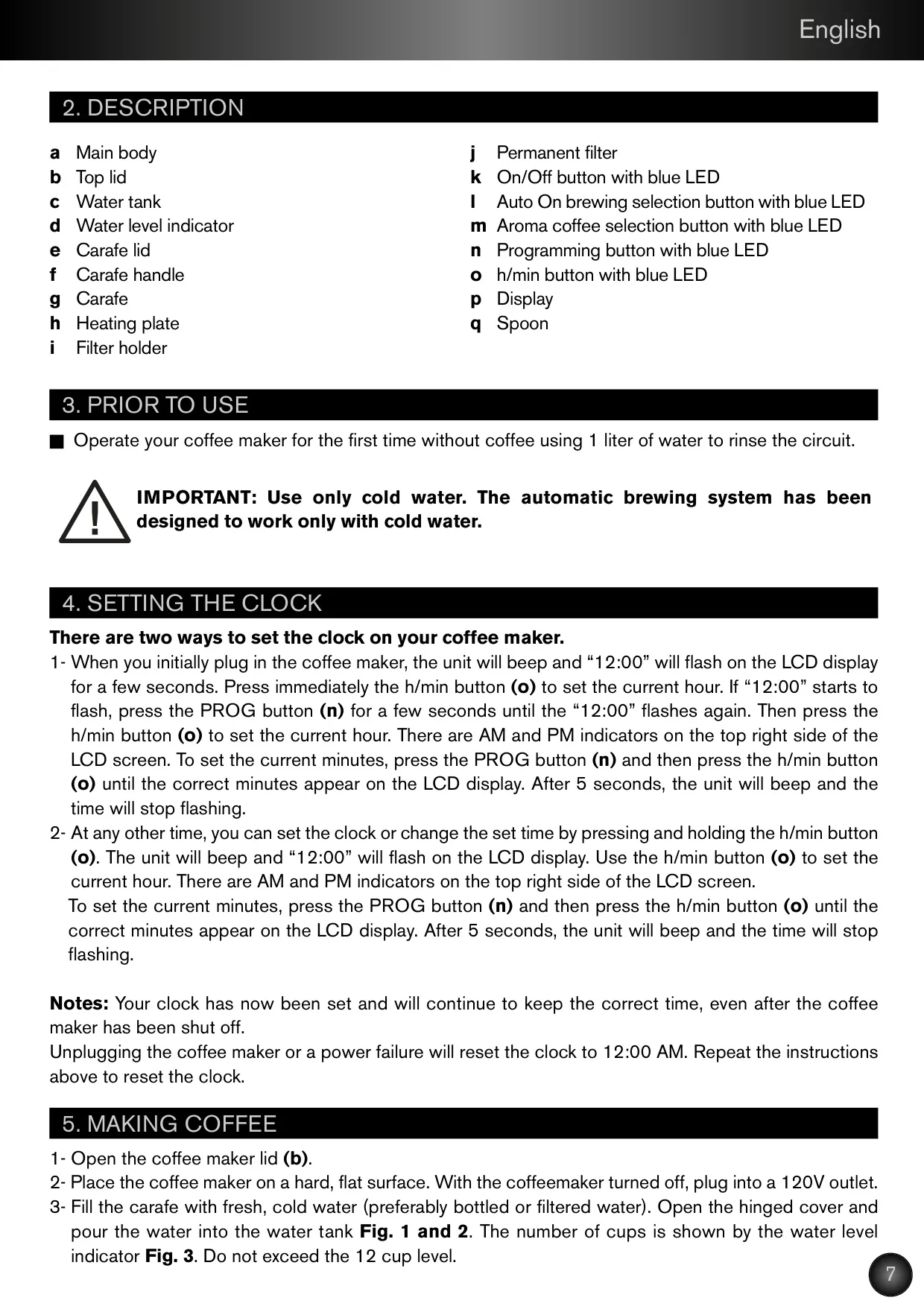
The Krups KM730 is made up of a main body, a hinged top lid, a water tank with a water level indicator, and a carafe with its own lid and handle that sits on a heating plate. The water tank has overflow holes on the back. If you add too much water, the extra drains out the back of the unit instead of flooding the brewing system, so a leak from the rear usually just means the tank was overfilled.
You can set the clock in two ways. When you first plug the machine in, it beeps and "12:00" flashes, and you set the hour with the h/min button. Press PROG to move to the minutes. You can also change the time at any point by holding the h/min button. After five seconds the unit beeps and saves the time. The clock keeps running when the machine is switched off, but unplugging it or a power failure resets it to 12:00 AM.
The carafe must sit fully on the heating plate with its lid on, because this activates the pouring mechanism. If the carafe is not placed correctly, hot water or coffee may overflow from the filter basket. The filter holder must be pushed down and locked before you brew. To take it out, hold the tab on each side and lift it straight up. After brewing, wait a few minutes for the last liquid to drip through before removing the basket.
The LCD uses icons to show what the machine is doing. A black cup icon in the top left corner means Aroma mode is on. Aroma mode makes stronger coffee but slows down brewing. A bell icon appears in the bottom left while you program the start time, and a clock icon in the bottom right shows that Auto On is armed. During keep warm, the On/Off LED flashes and the display counts up the time since brewing finished.
The Auto On function remembers your last start time, so you only need to press the AUTO button to use it again. If you turn the AUTO LED off, the scheduled brew is cancelled. Pause & Serve lets you pour a cup before brewing ends, but brewing does not stop while you pour. Put the carafe back firmly against the back of the machine. Krups also warns that coffee poured mid-cycle will taste different from the finished pot.
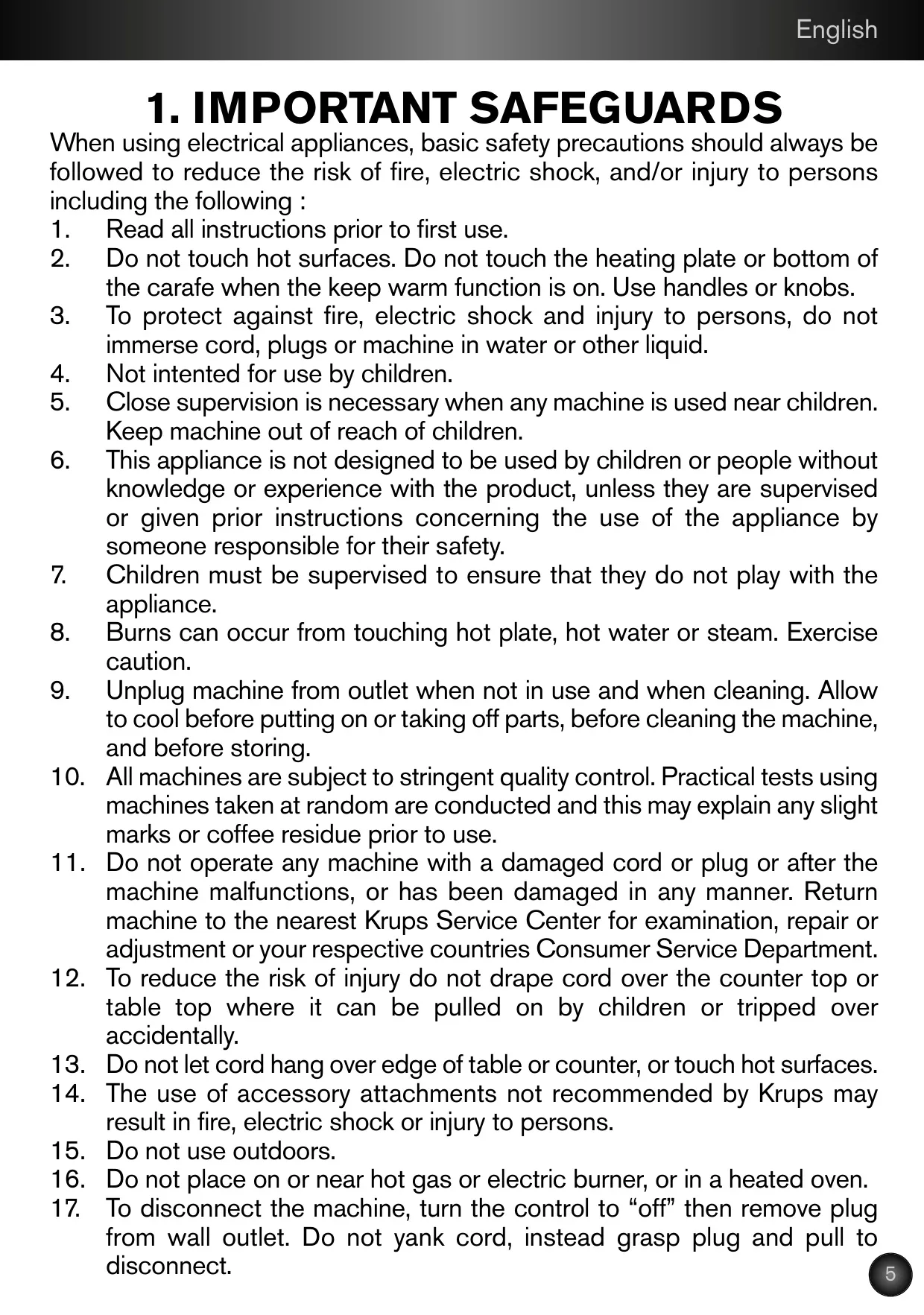
For cleaning, unplug the machine and let it cool first. Clean the stainless steel parts with a damp soft cloth, wiping in the direction of the brush marks, then dry and polish them. For stubborn stains, use a plastic mesh pad or a cloth dampened with vinegar. Never put the machine in water or use abrasive cleaners on it. After descaling, run the brew cycle twice more with plain water to rinse out any vinegar left inside.
The troubleshooting section explains that the timer runs off the electrical network, so Krups suggests resetting the clock once a week if it falls behind. If coffee drips slowly or the basket overflows, possible causes are coffee ground too fine (espresso grind is too fine for drip machines), too much coffee, a paper filter that is badly positioned or doubled, or scale buildup. If the coffee tastes bad, clean the machine, use fresher coffee, change the coffee-to-water ratio, or switch to filtered water.
Frequently Asked Questions (FAQs)
Can't find the answer you need? Here are some frequently asked questions about the Krups 12 Cup Coffee Maker KM730, and we answer them below.