Yamaha CK88 Stage Piano Instruction Manual

Yamaha CK88 Stage Piano







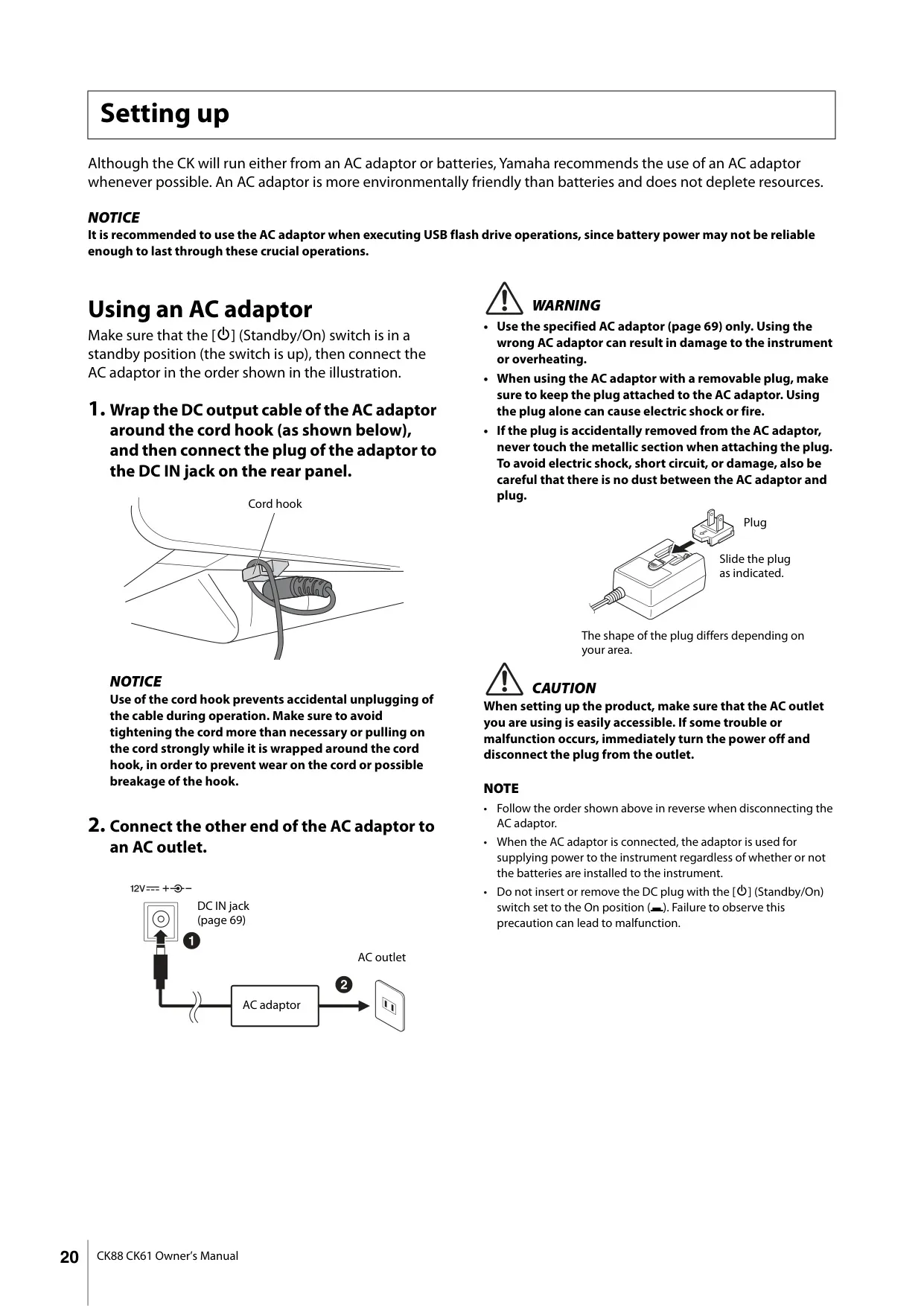


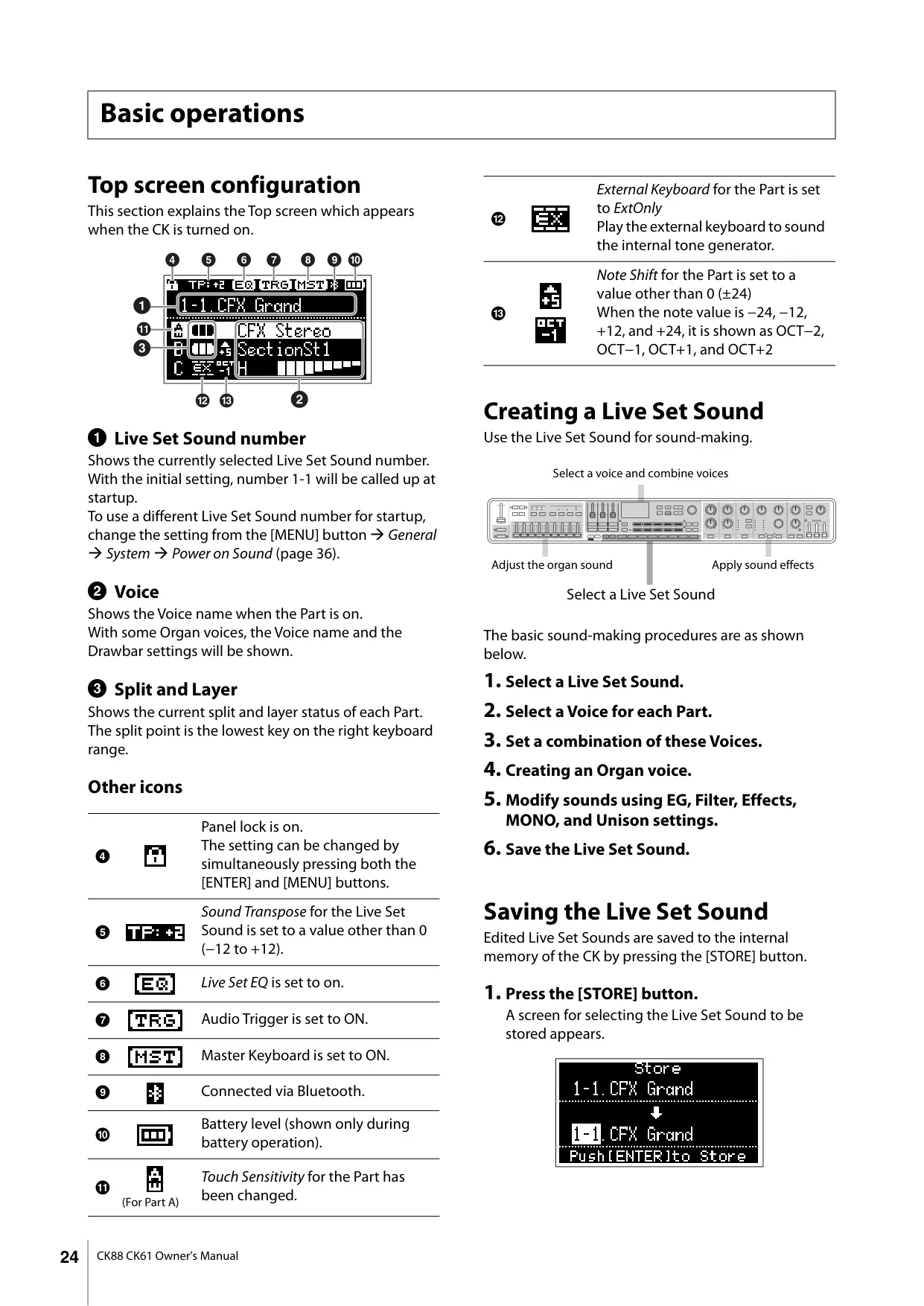


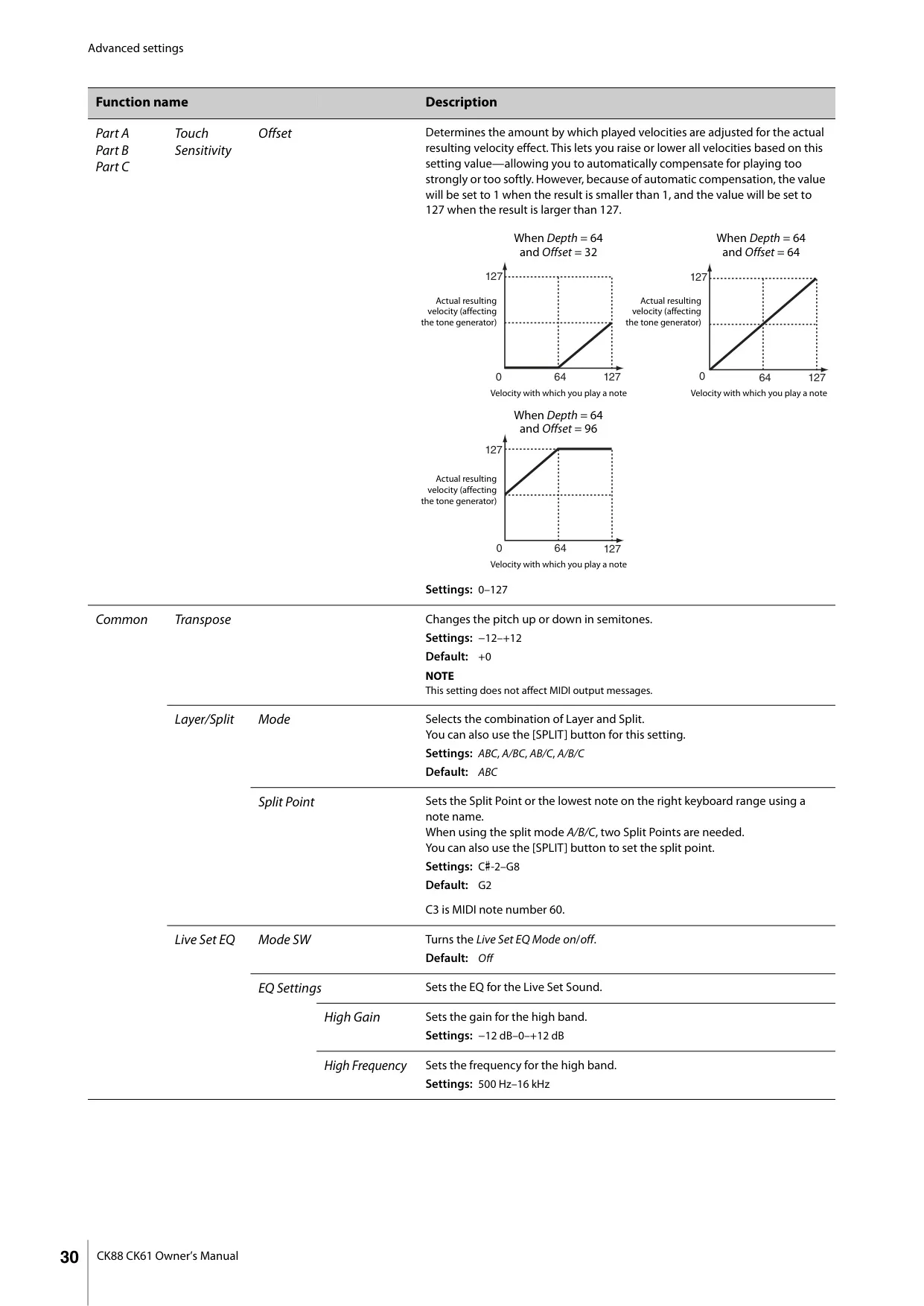


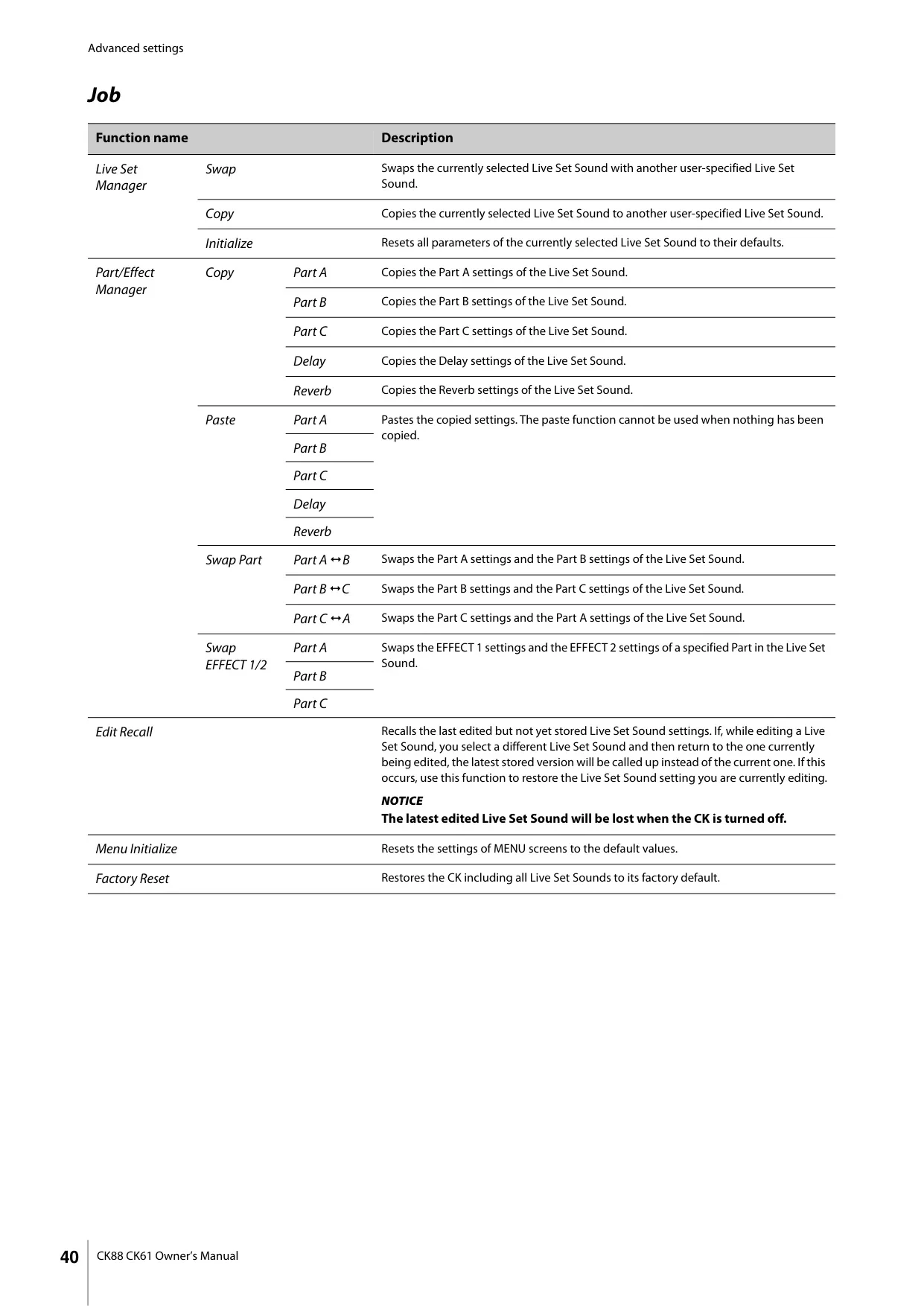
















Yamaha CK88 Stage Piano Instructions
Here we offer the Yamaha CK88 Stage Piano manual completely free and in English. We have cataloged this manual in the Stage Pianos section on Manualverse, and it has been rated by 1 users with an average rating of 5. If you have any specific questions about Yamaha CK88 Stage Piano, we suggest checking the Frequently Asked Questions (FAQs) section of this manual.
Product Images


Yamaha CK88 Stage Piano Specifications
| Item | Detail |
|---|---|
| Keyboard Type | GHS keyboard: matte black keytops |
| Number of Keys | 88 |
| Tone Generation Technology | AWM2, AWM (Organ Flutes) |
| Polyphony (max.) | 128 |
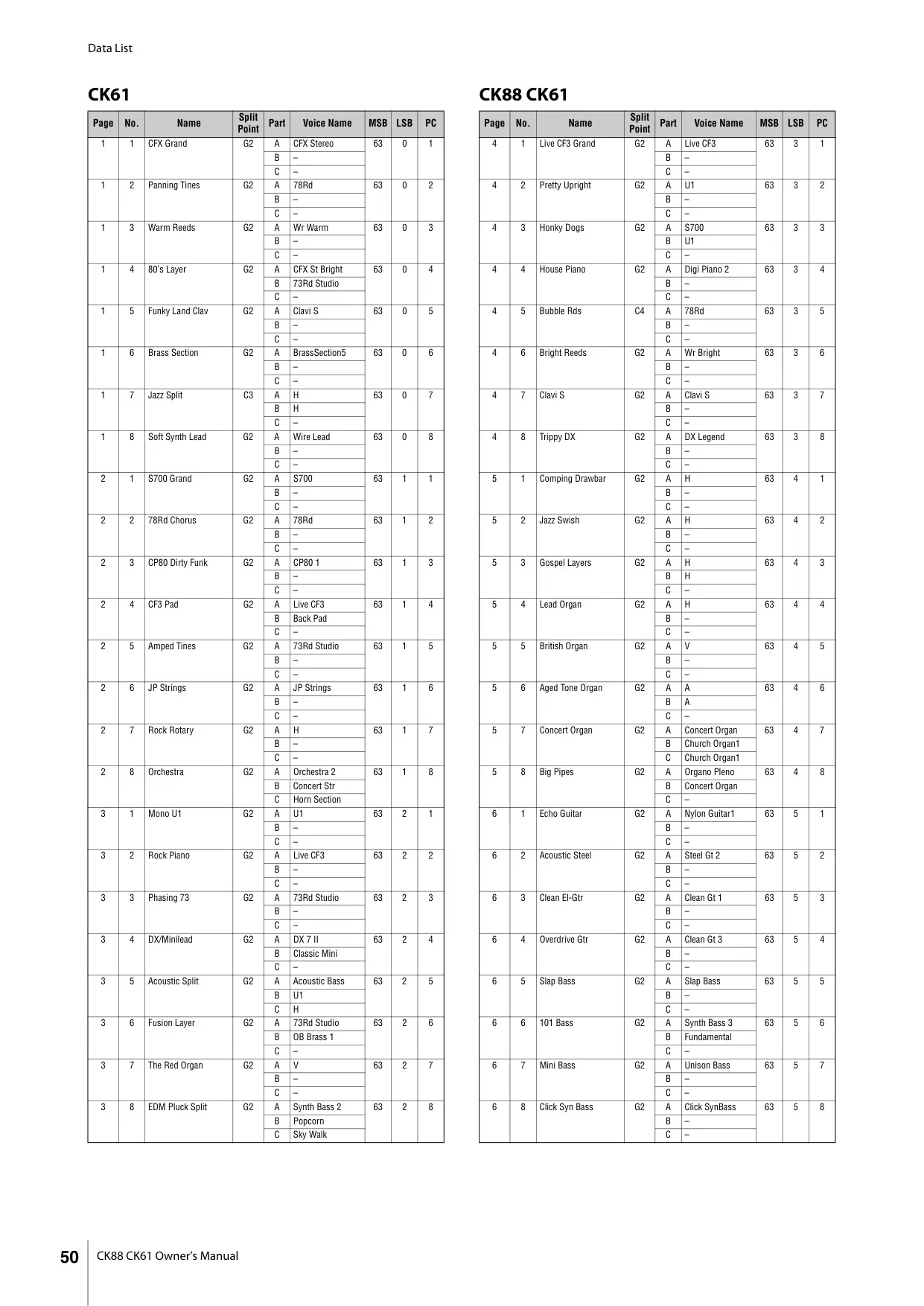
| Number of Live Set Sounds | 160 (Preset Live Set Sounds: 80) |
| Number of Voices | 363 |
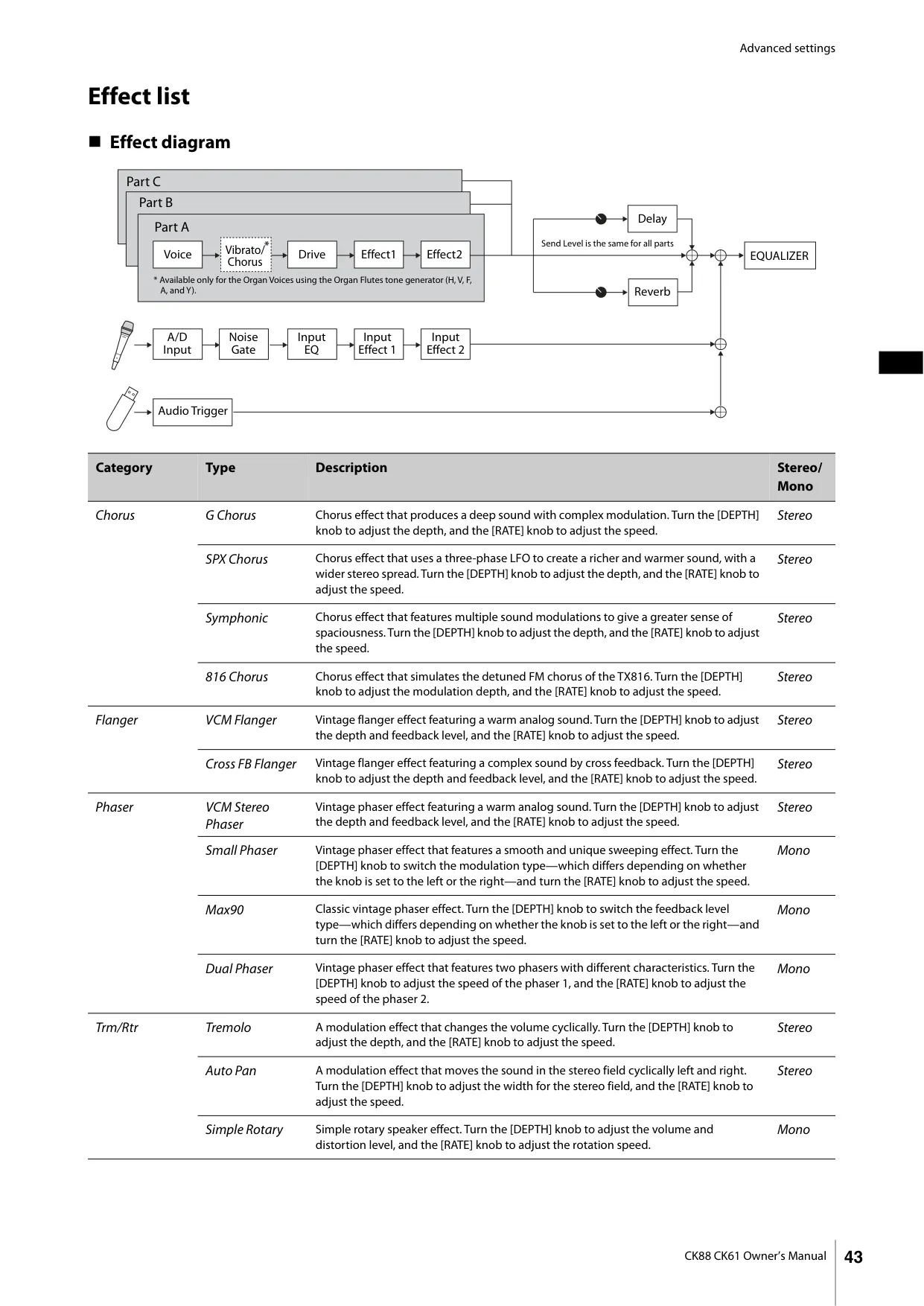
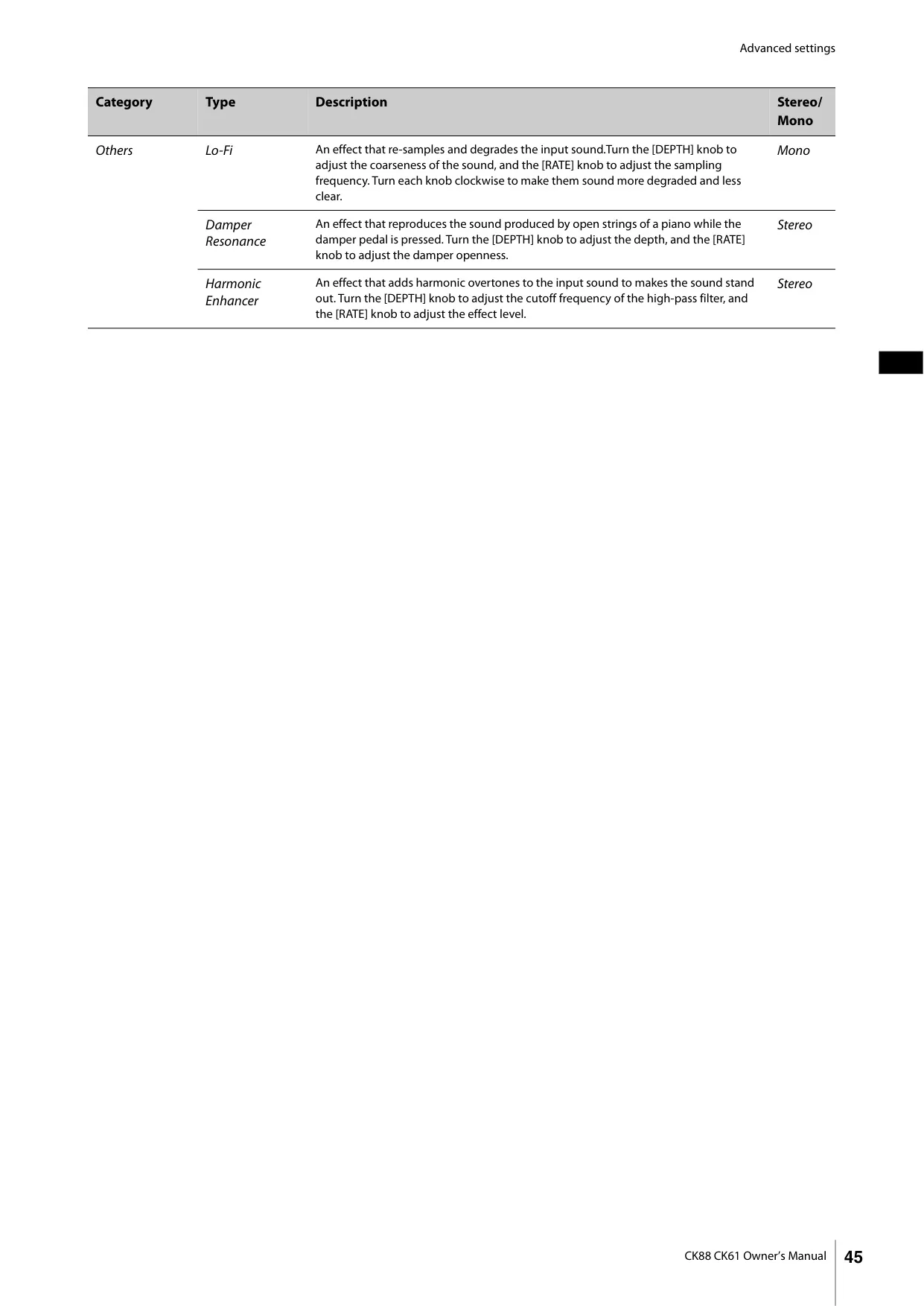
| Effects (Insertion Effect) | Drive 1 system (5 types), Effect 2 systems (1: 36 types, 2: 36 types) |
| Effects (Delay) | 4 types |
| Effects (Reverb) | 3 types |
| Effects (Master EQ) | 3-band |
| Display Type | Full Dot LCD (128 × 64 dots) |
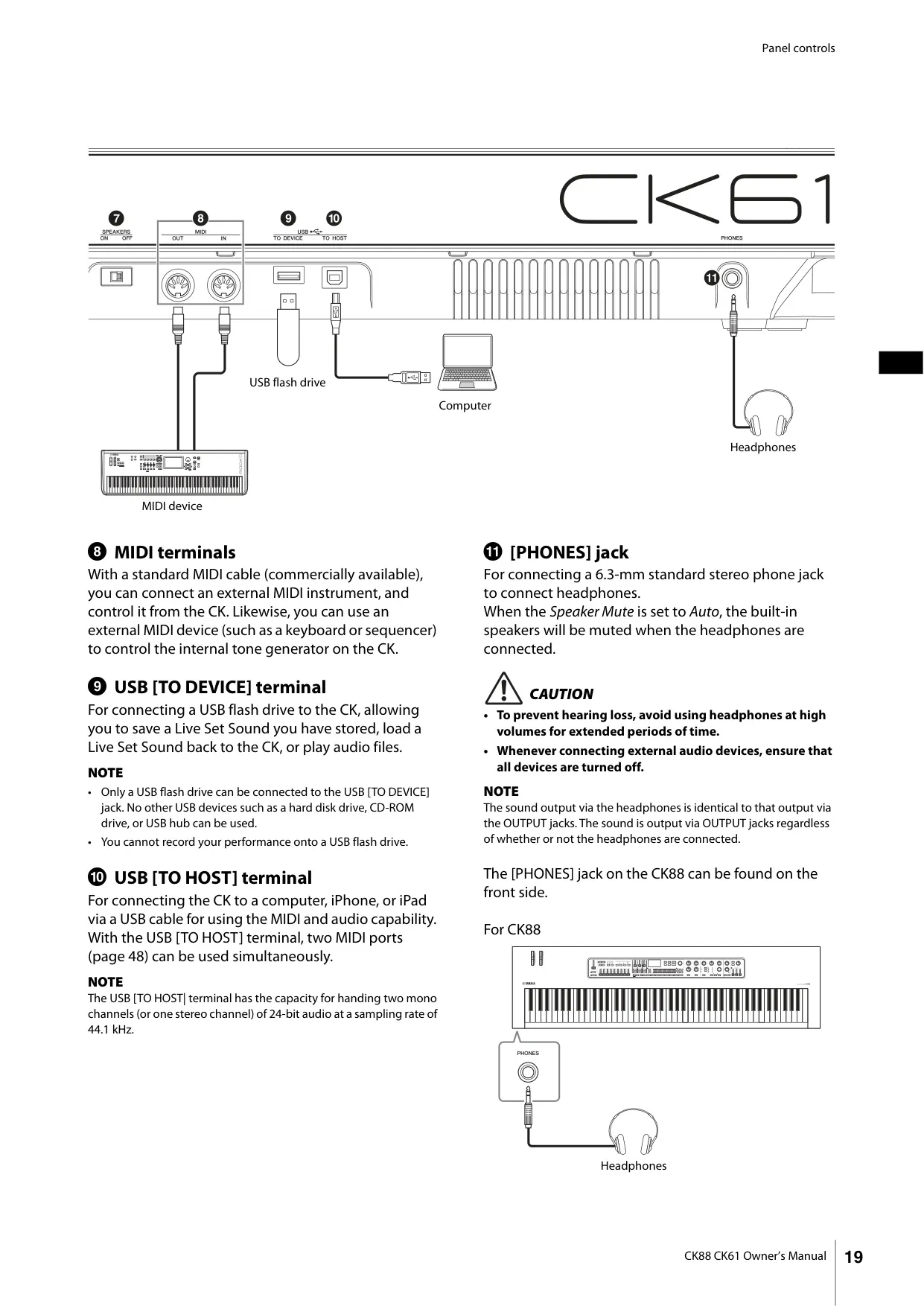
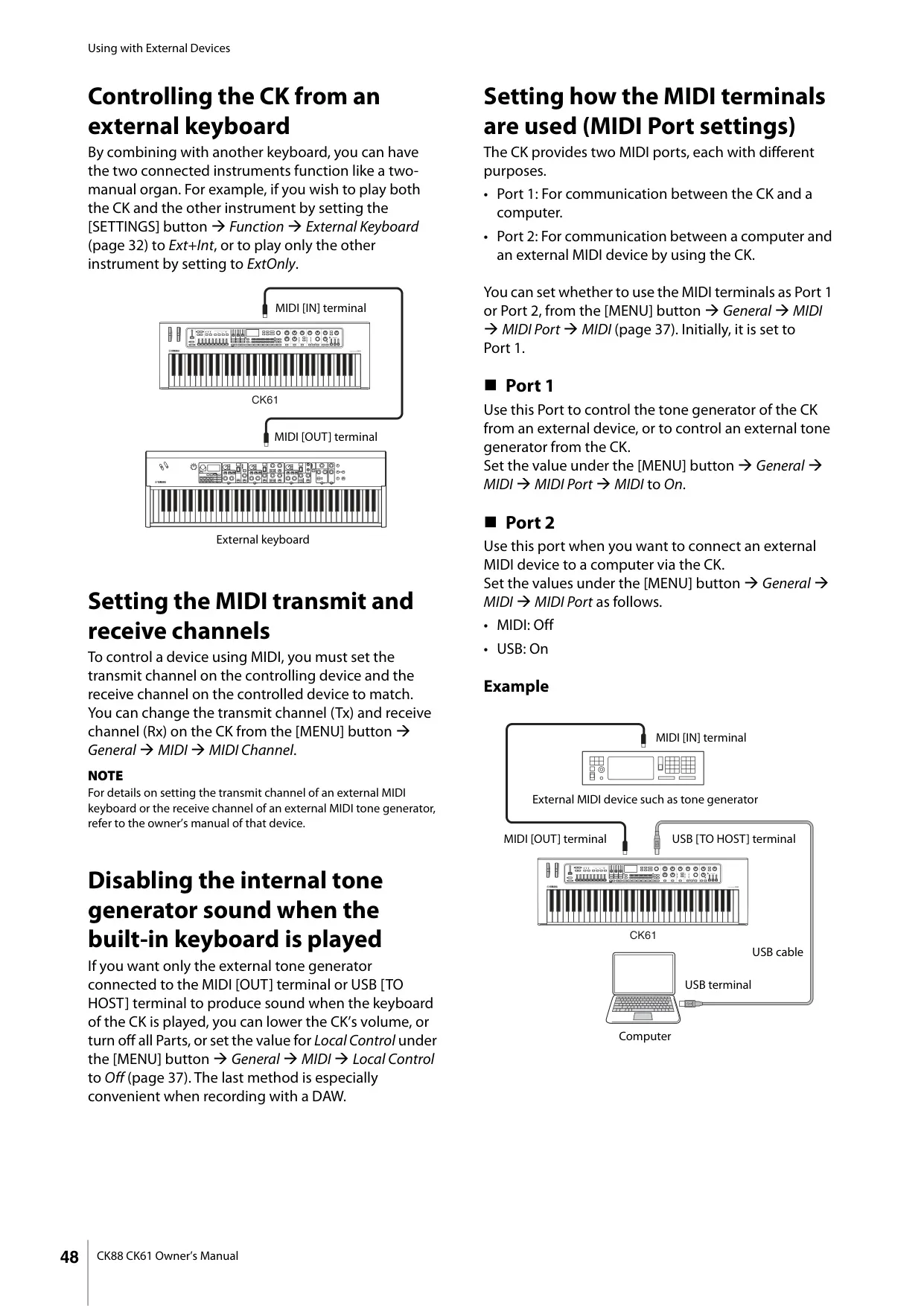
| Connectivity | OUTPUT [L/MONO]/[R] (6.3 mm, standard phone jacks, unbalanced), A/D INPUT [L/MONO]/[R] (6.3 mm, standard phone jacks), [PHONES] (6.3 mm, standard stereo phone jack), FOOT PEDAL [1]/[2], MIDI [IN]/[OUT], USB [TO HOST]/[TO DEVICE], [DC IN] |
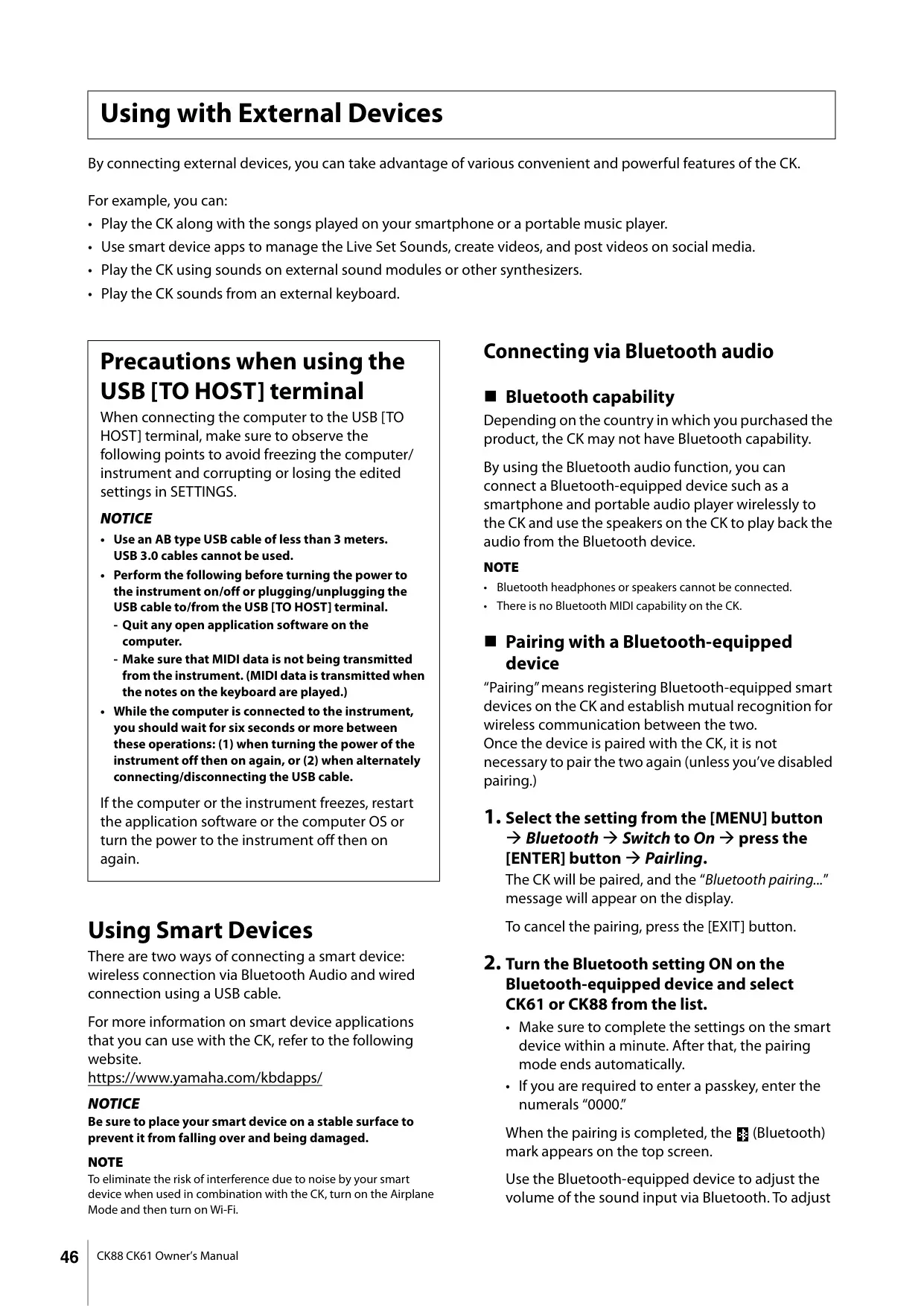
| Bluetooth Version | 4.1 |
| Bluetooth Supported Profile | A2DP |
| Bluetooth Compatible Codec | SBC |
| Bluetooth Wireless Output | Bluetooth class 2 |
| Bluetooth Max. Communication Distance | About 10 m |
| Bluetooth Radio Frequency | 2401–2481 MHz |
| Bluetooth Max. Output Power (EIRP) | 4 dBm |
| Bluetooth Type of Modulation | FHSS |
| USB Audio Interface (Sampling Frequency) | 44.1 kHz |
| USB Audio Interface (Channels) | In: 2 channels (1 stereo channel), Out: 2 channels (1 stereo channel) |
| Sound System (Amplifiers) | 6 W × 2 |
| Sound System (Speakers) | (12 cm × 6 cm) × 2, Switchable ON/OFF |
| Power Supply (AC Adaptor) | PA-150B or equivalent (Output: DC 12V, 1.5 A) |
| Power Supply (Batteries) | Eight “AA” size alkaline (LR6) or Ni-MH rechargeable batteries |
| Power Consumption | 11 W (When using PA-150B AC adaptor) |
| Standby Power Consumption | 0.3 W |
| Dimensions (W×D×H) | 1333 mm × 354 mm × 148 mm (52-1/2 inch × 13-15/16 inch × 5-13/16 inch) |
| Weight | 13.1 kg (28 lb 14 oz) (not including batteries) |
| Included Accessories | AC adaptor*, Owner’s Manual (*May be included depending on your locale) |
Yamaha CK88 Stage Piano Details
The Yamaha CK88 Stage Piano is meticulously engineered for dynamic live performances, studio sessions, and even outdoor use, thanks to its versatile battery operation capability and built-in stereo speakers. It boasts an authentic palette of keyboard sounds, including rich acoustic and electric pianos, vibrant organs, and a wide array of other crucial voices for contemporary music genres. Its flexible architecture supports layering and splitting up to three independent parts, providing extensive sonic possibilities for complex arrangements.
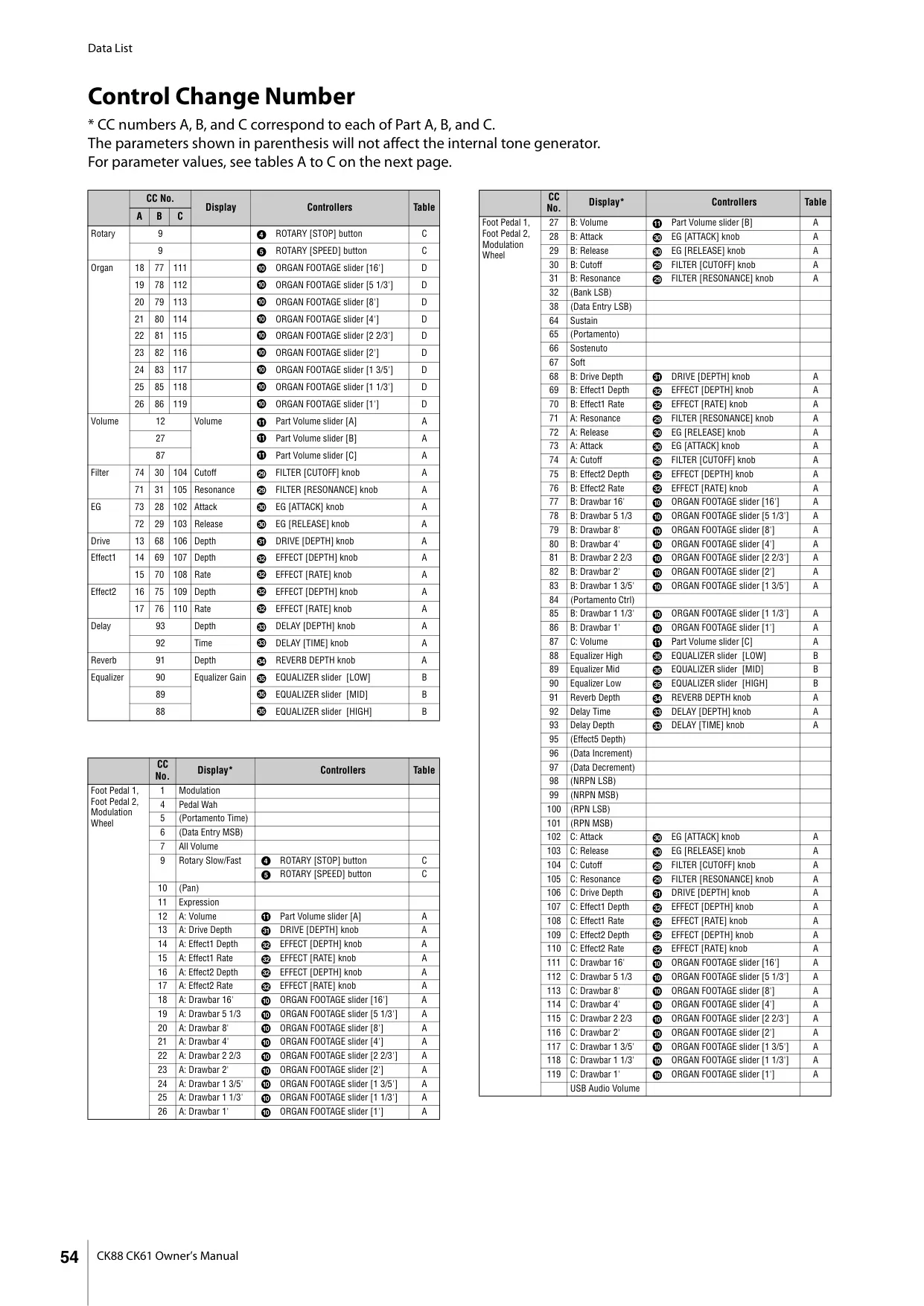
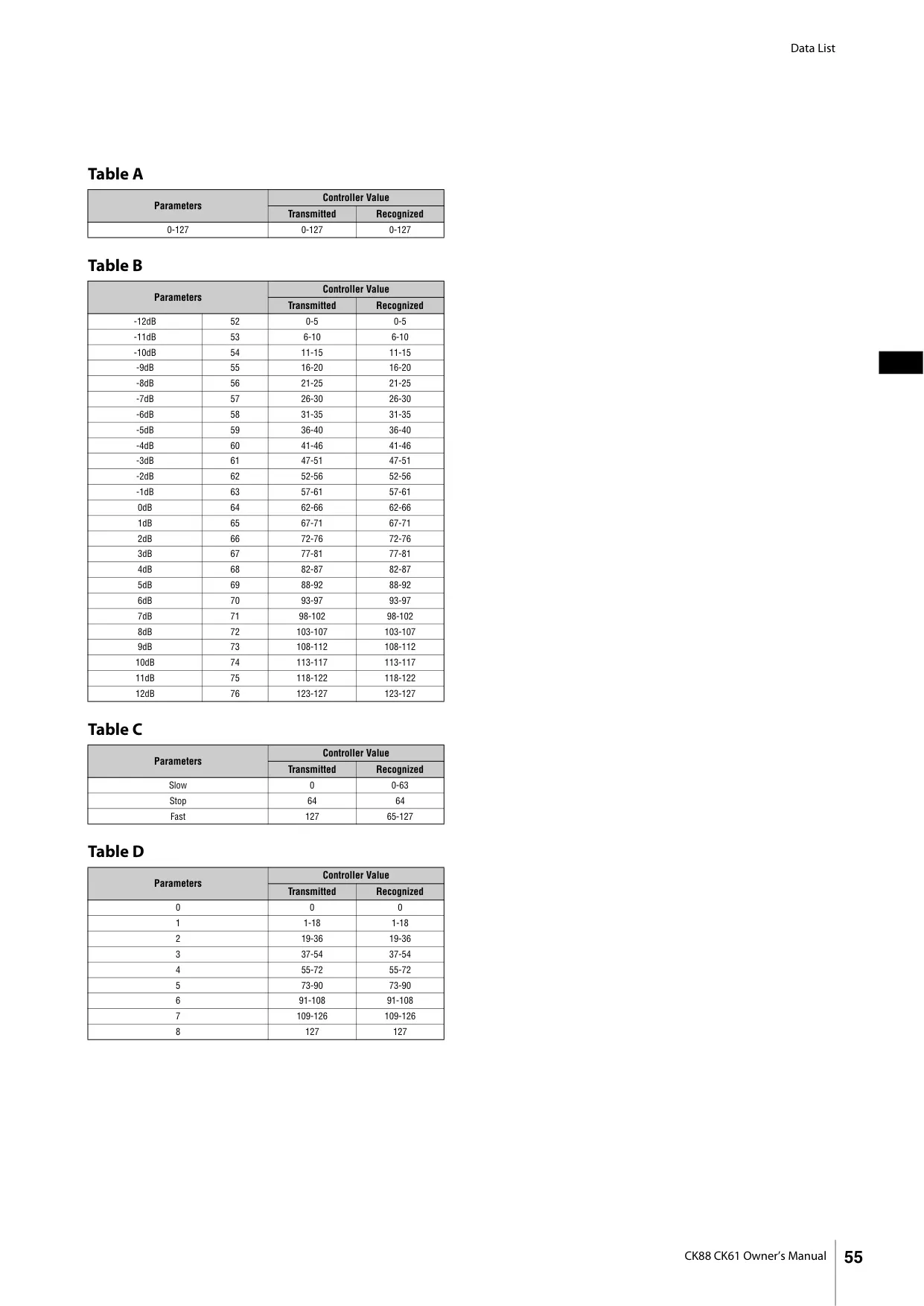
Beyond its core sound engine, the CK88 offers intuitive, hands-on controls for real-time sound sculpting. Dedicated physical sections for the filter, envelope generator (EG), and two effects blocks allow for immediate and expressive adjustments during a performance. The Organ Voices feature nine authentic drawbars for tactile control, replicating the classic experience of vintage organs, further enhanced by dedicated buttons for vibrato/chorus types and percussion settings like soft, fast decay, and pitch changes.
The keyboard's expressive capabilities are augmented by a Pitch Bend Wheel and a highly customizable Modulation Wheel, which can be assigned to control various MIDI parameters or even USB Audio volume. For precise pitch adjustments, both Sound Transpose (per Live Set Sound) and Keyboard Transpose (global) are available. Individual Note Shift for each part allows octave changes, ensuring flexibility in assigning ranges.
Connectivity is a strong suit, with A/D INPUT jacks enabling direct connection of dynamic microphones or other instruments. These inputs benefit from their own dedicated effects and a 3-band EQ, allowing seamless blending of vocals or external audio sources. Furthermore, the Bluetooth Audio function facilitates wireless streaming of backing tracks or music from smart devices, enhancing practice, rehearsal, and live performance scenarios.
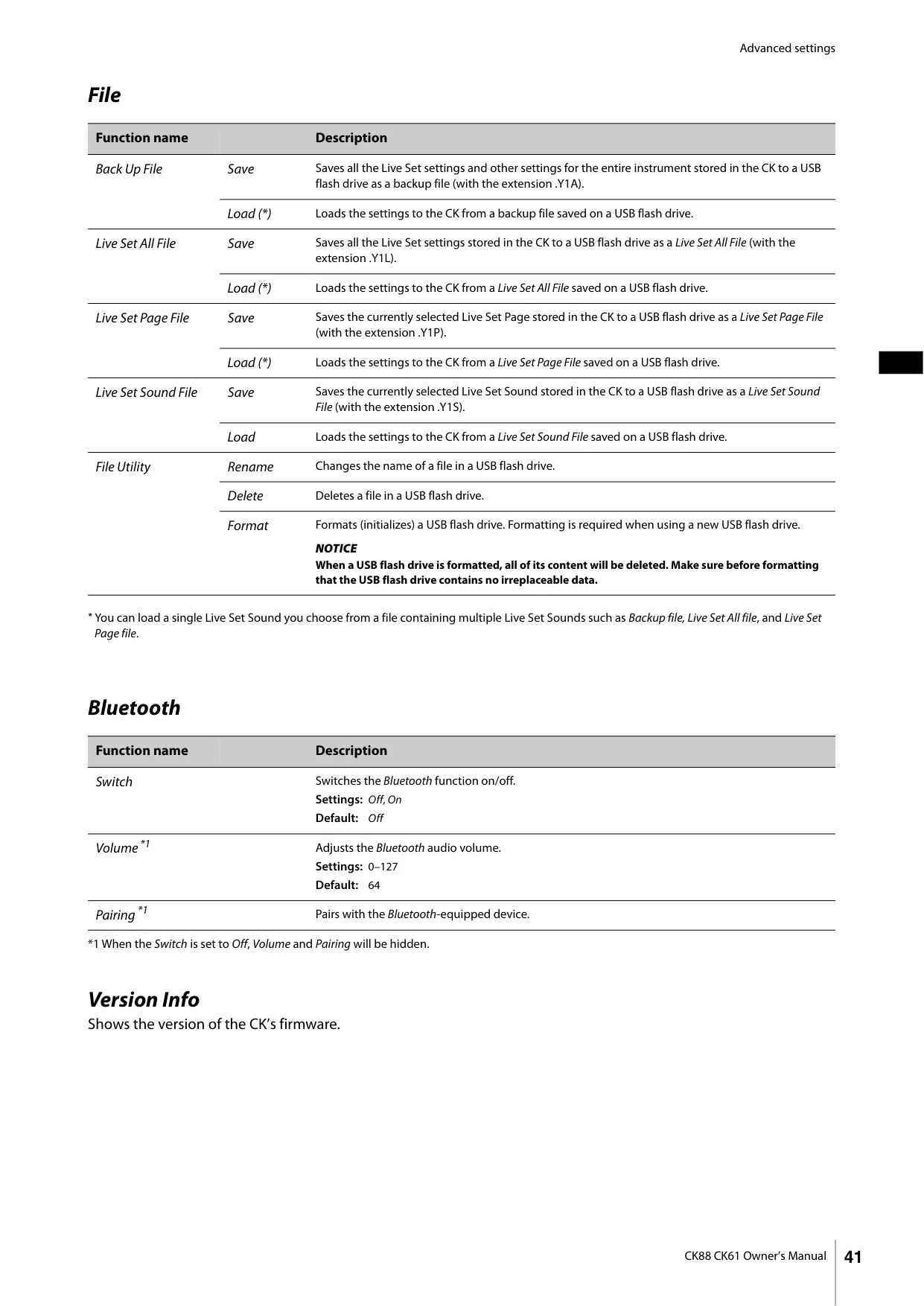
For streamlined digital integration, the CK88 features USB [TO HOST] and [TO DEVICE] terminals. The [TO HOST] port supports MIDI and 2-channel stereo audio for direct connection to computers or smart devices, perfect for recording or online streaming. The [TO DEVICE] port allows saving and loading Live Set Sounds and playing back WAV audio files as Audio Triggers from USB flash drives, which can be assigned to specific keys for instant playback control.
The core of the CK88's performance management lies in its "Live Set" function. This system stores complete groups of settings—including Voices, effects, splits, and controller assignments—into "Live Set Sounds." Users can instantly switch between eight Live Set Sounds on a given "Live Set Page," with access to 20 such pages, totaling 160 unique setups. These configurations are safely stored internally or on a USB flash drive.
Frequently Asked Questions (FAQs)
Can't find the answer you need? Here are some frequently asked questions about the Yamaha CK88 Stage Piano, and we answer them below.