Yamaha CK61 Stage Piano Instruction Manual

Yamaha CK61 Stage Piano









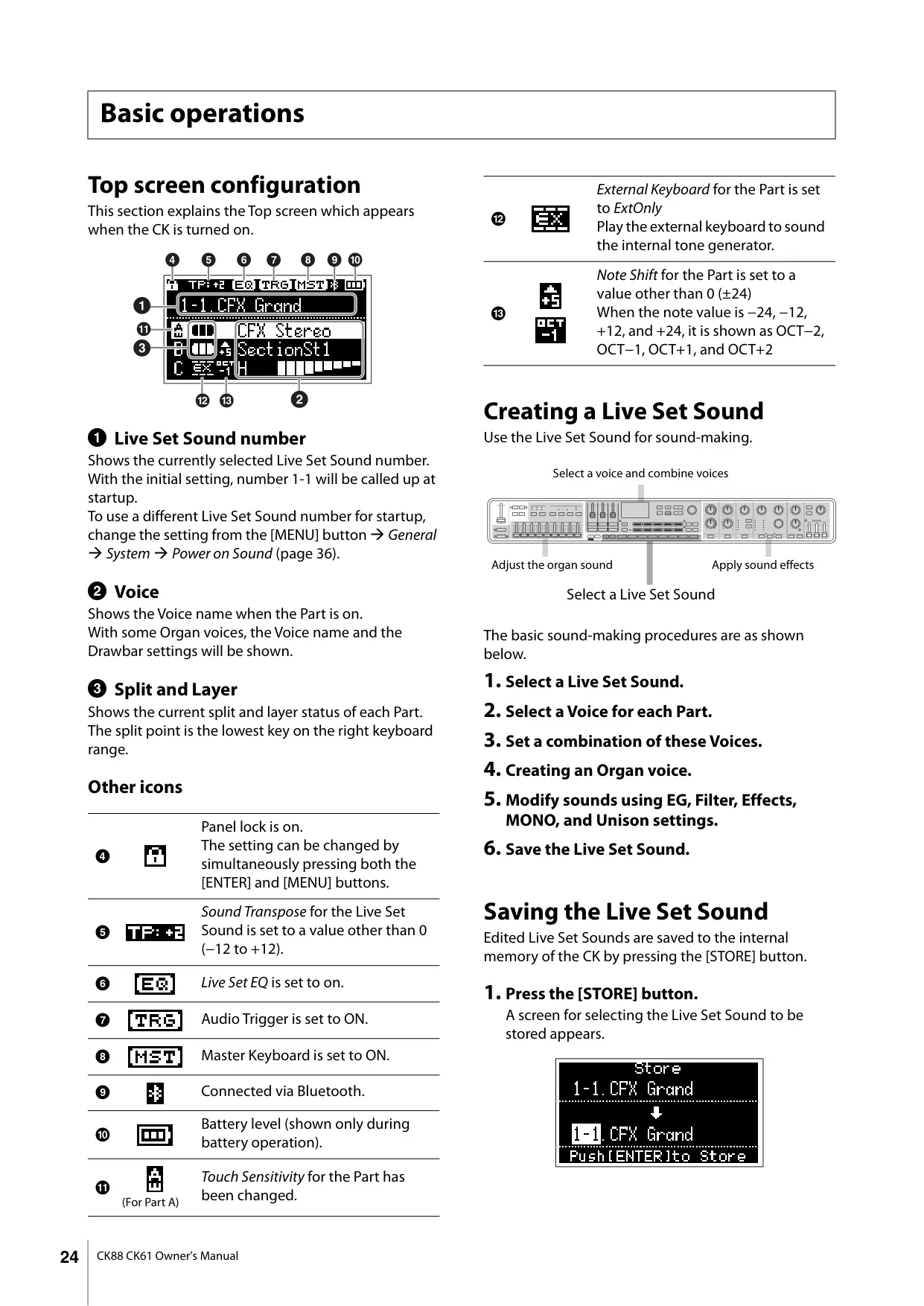


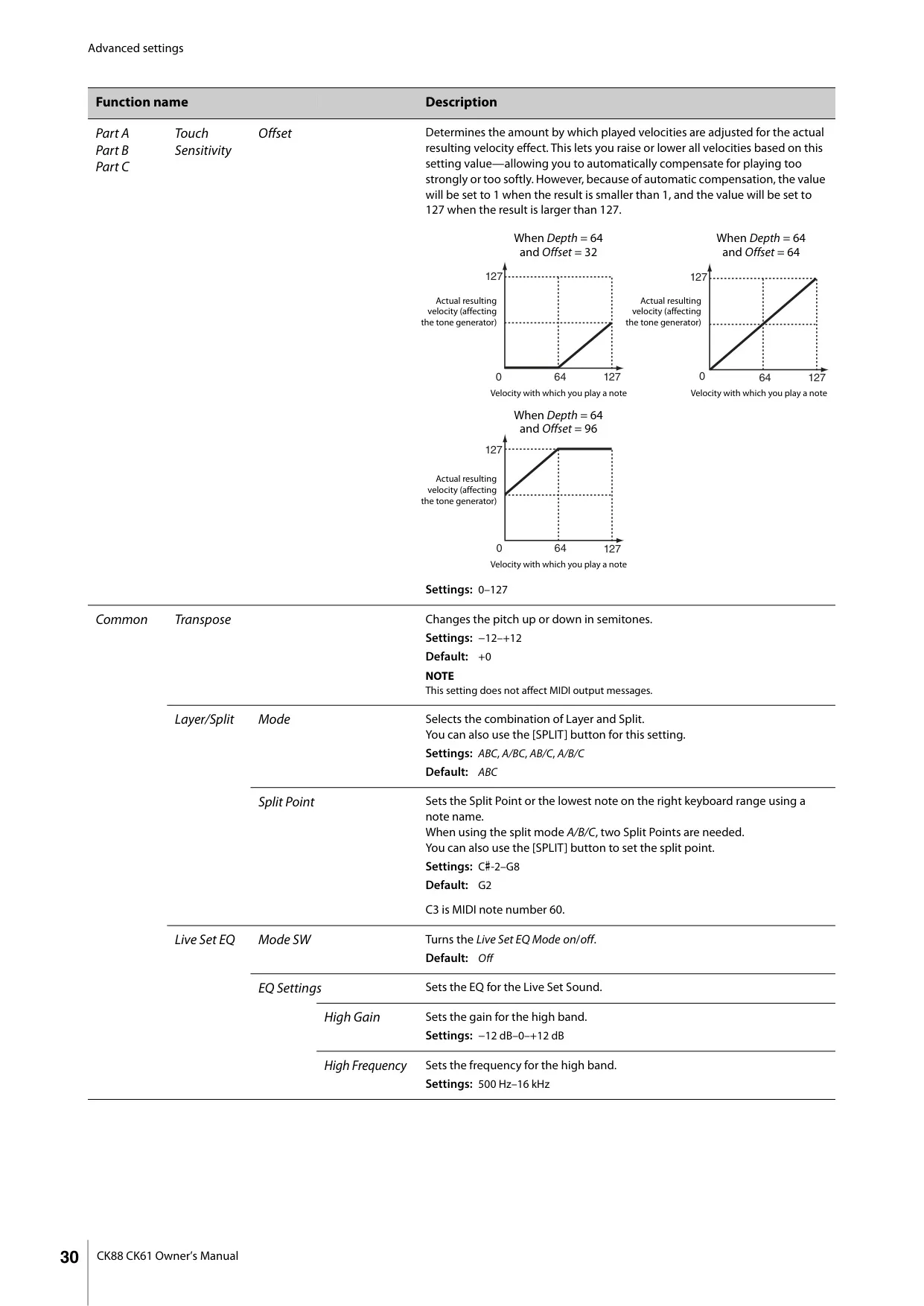


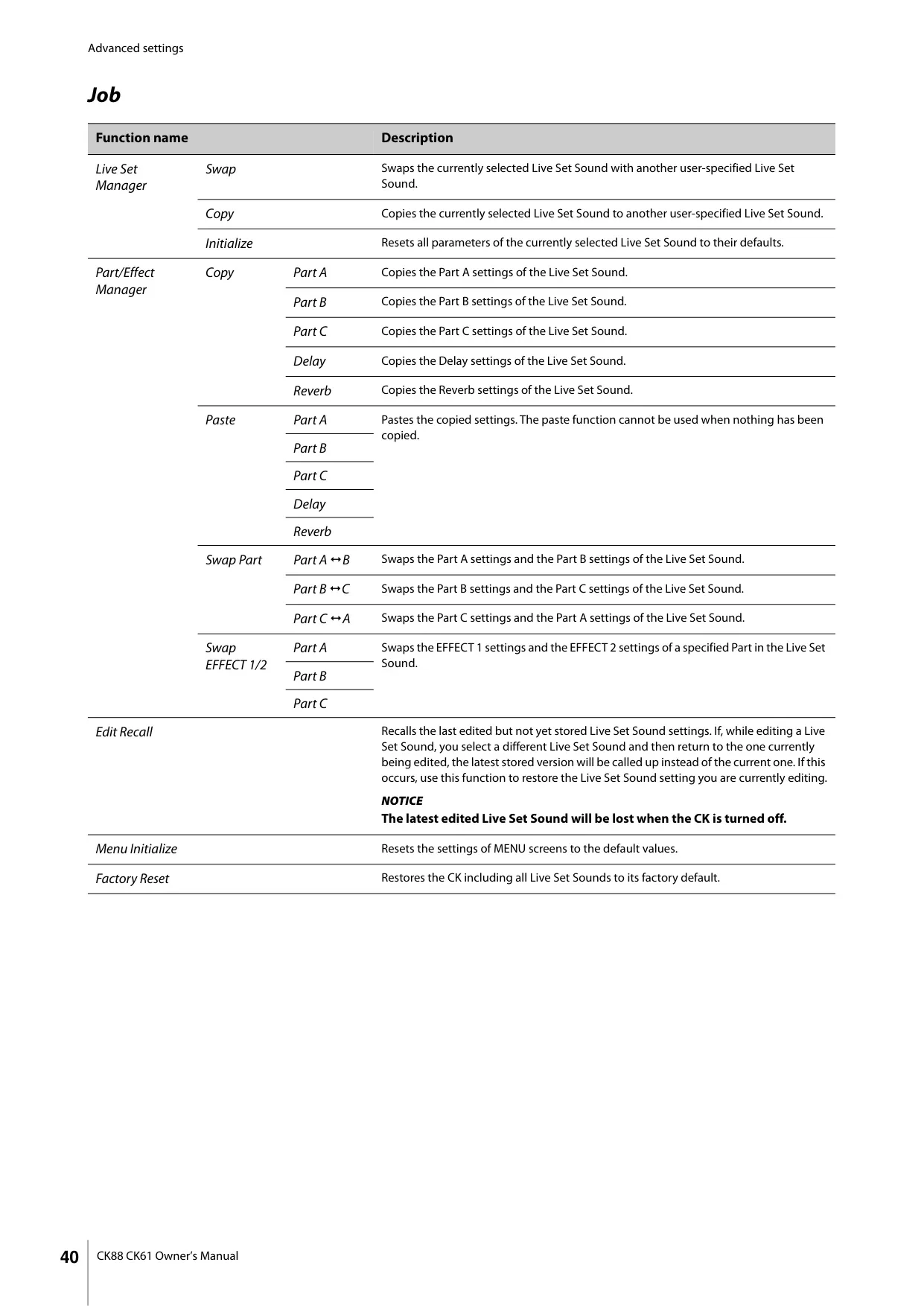
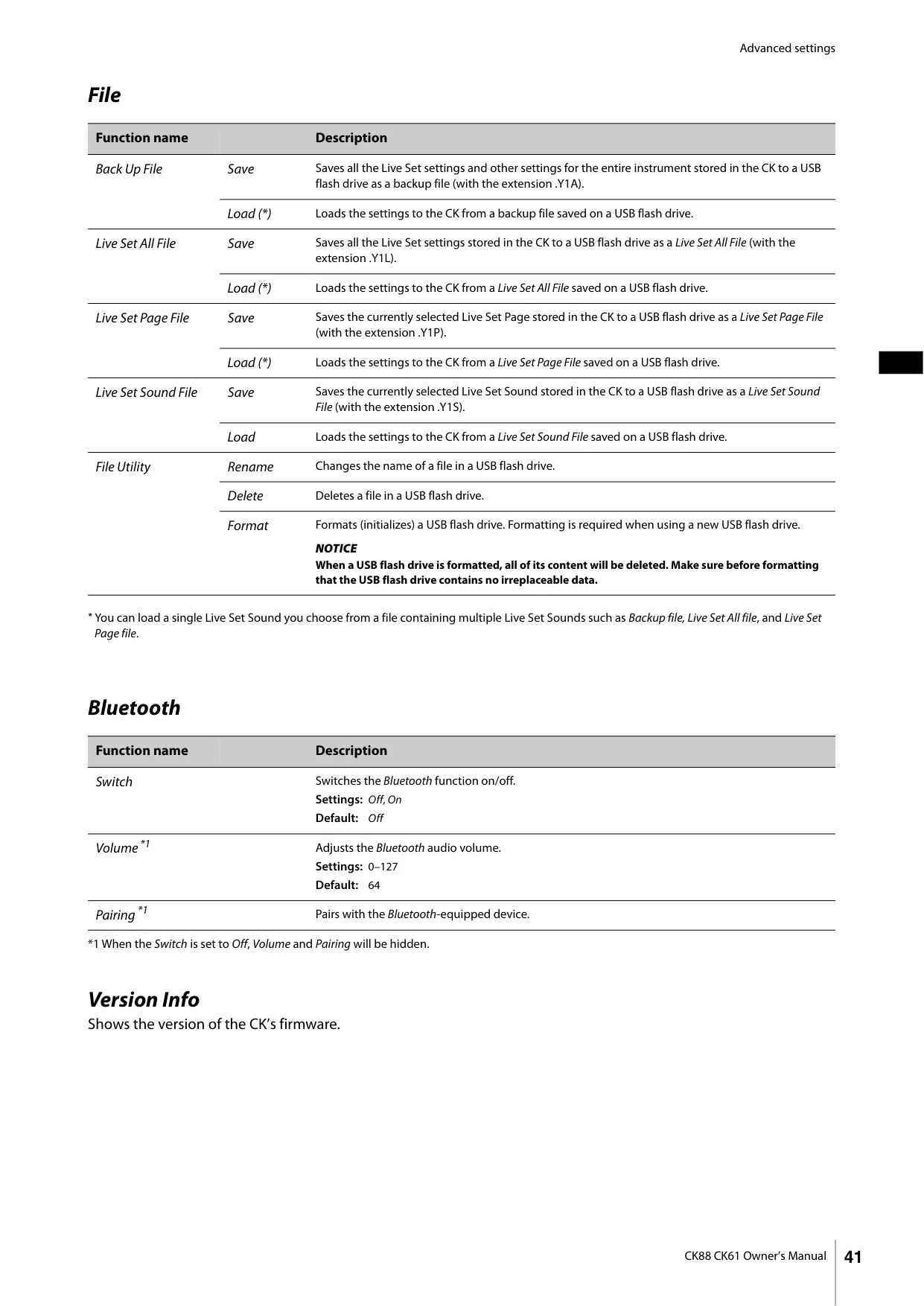
















Yamaha CK61 Stage Piano Instructions
Here we offer the Yamaha CK61 Stage Piano manual completely free and in English. We have cataloged this manual in the Stage Pianos section on Manualverse, and it has been rated by 1 users with an average rating of 5. If you have any specific questions about Yamaha CK61 Stage Piano, we suggest checking the Frequently Asked Questions (FAQs) section of this manual.
Product Images


Yamaha CK61 Stage Piano Specifications
| Item | Detail |
|---|---|
| Keyboard Type | FSB keyboard, initial touch |
| Number of Keys | 61 |
| Tone Generation Technology | AWM2, AWM (Organ Flutes) |
| Polyphony (max.) | 128 notes |
| Number of Live Set Sounds | 160 (80 Preset Live Set Sounds) |
| Number of Voices | 363 |
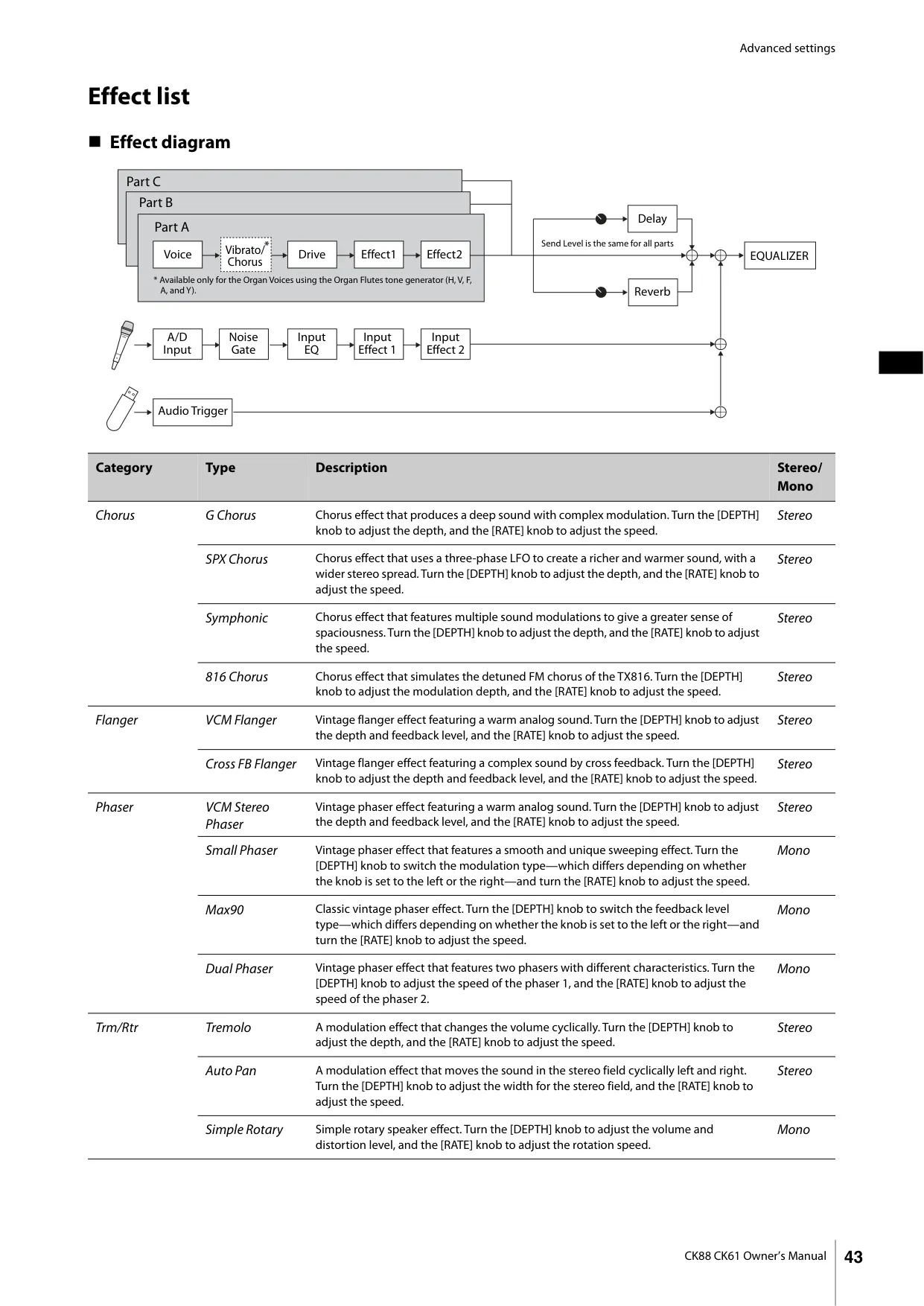
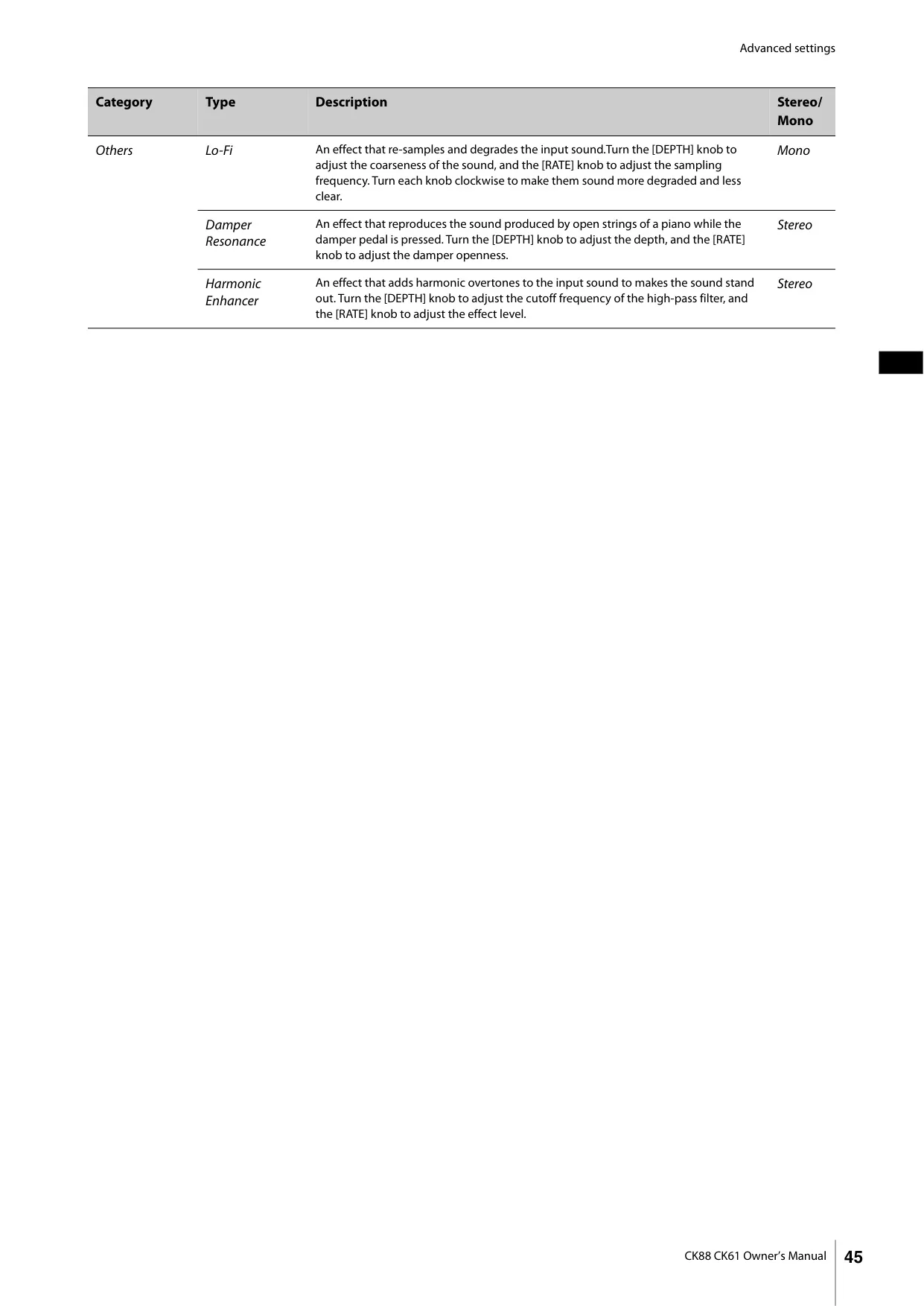
| Effects (Insertion) | Drive (1 system, 5 types), Effect (2 systems, 36 types each) |
| Effects (Delay) | 4 types |
| Effects (Reverb) | 3 types |
| Effects (Master EQ) | 3-band |
| Display Type | Full Dot LCD (128 × 64 dots) |
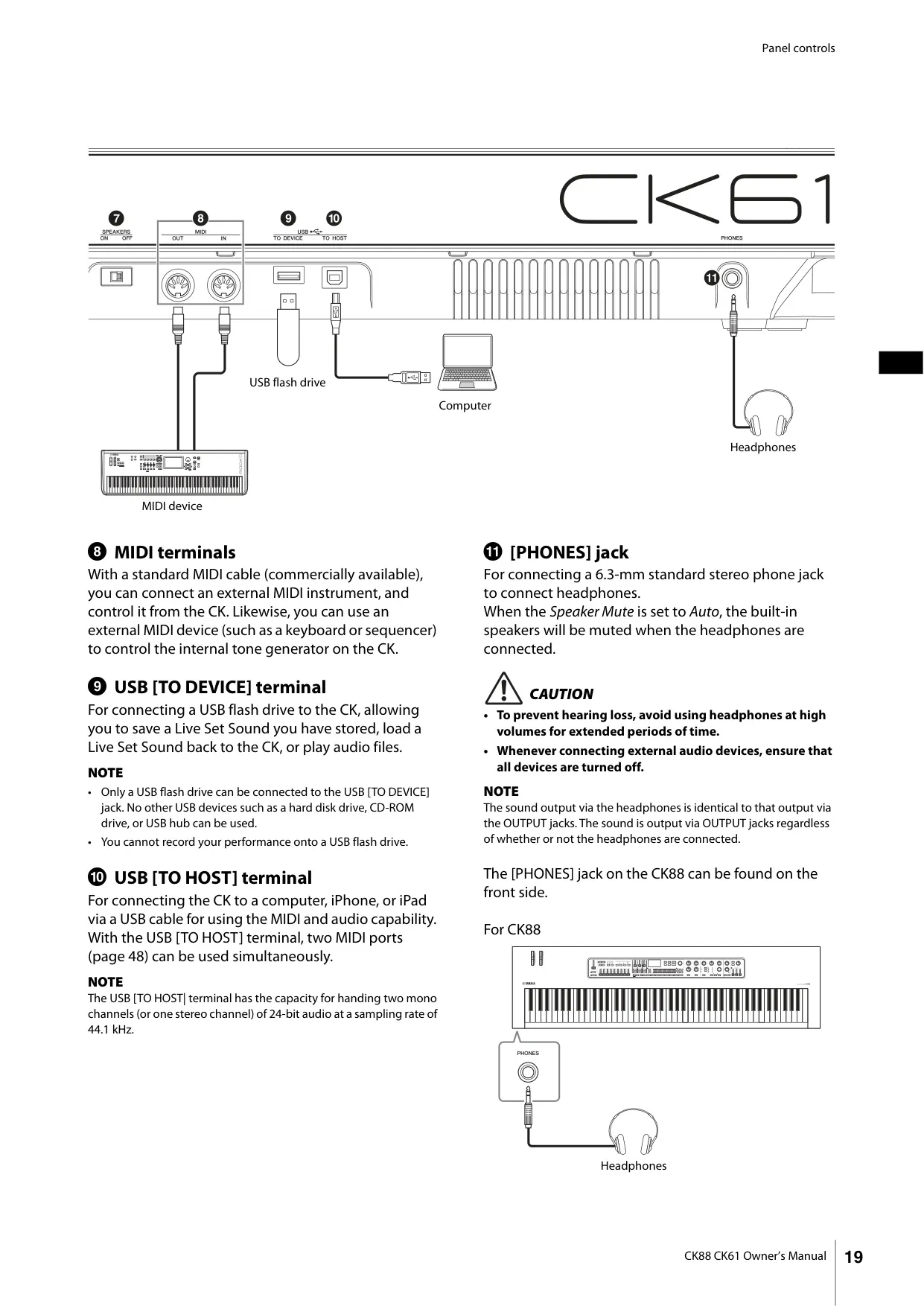
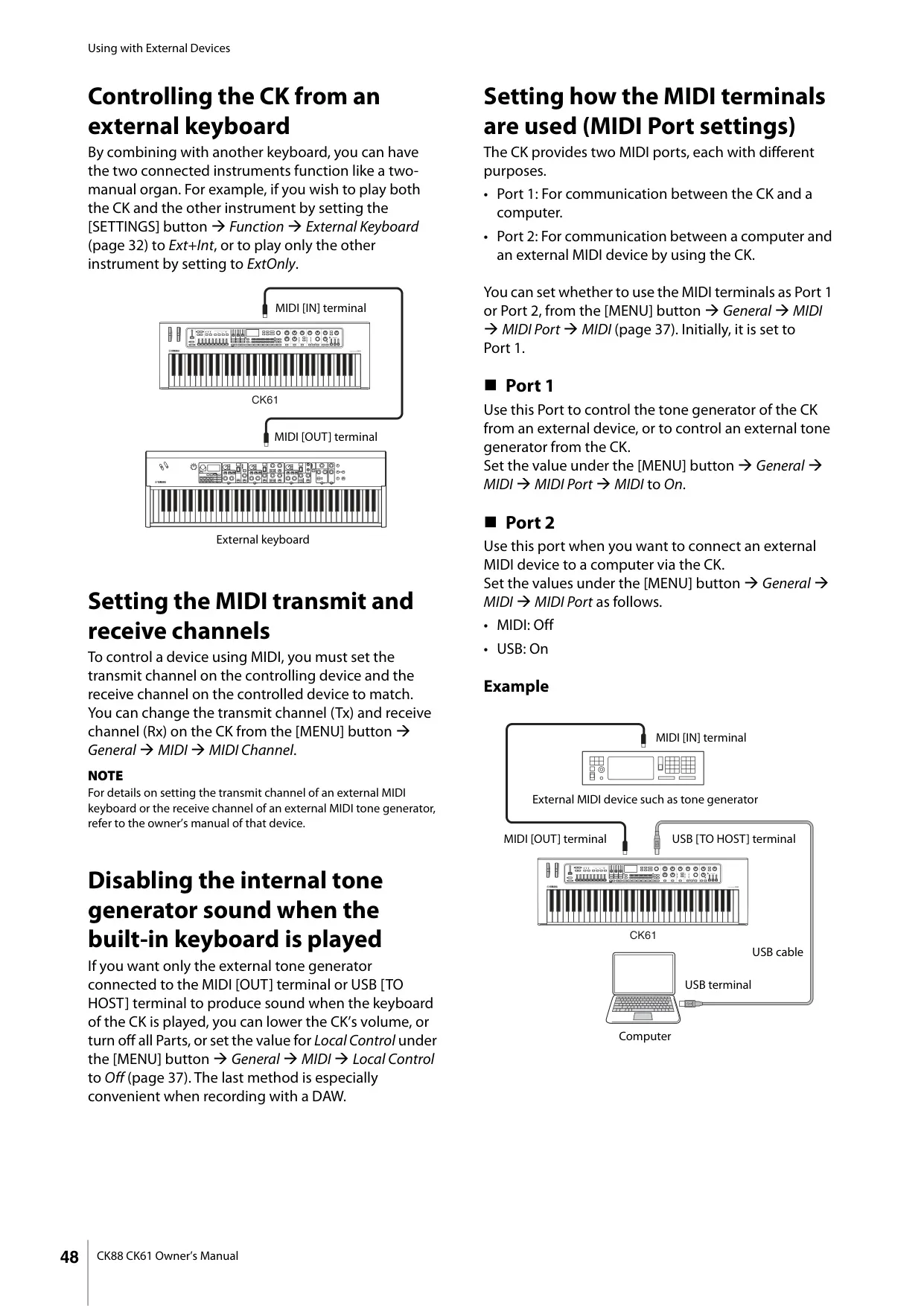
| Connectivity | OUTPUT [L/MONO]/[R] (6.3 mm phone jacks), A/D INPUT [L/MONO]/[R] (6.3 mm phone jacks), [PHONES] (6.3 mm stereo phone jack), FOOT PEDAL [1]/[2], MIDI [IN]/[OUT], USB [TO HOST]/[TO DEVICE], [DC IN] |
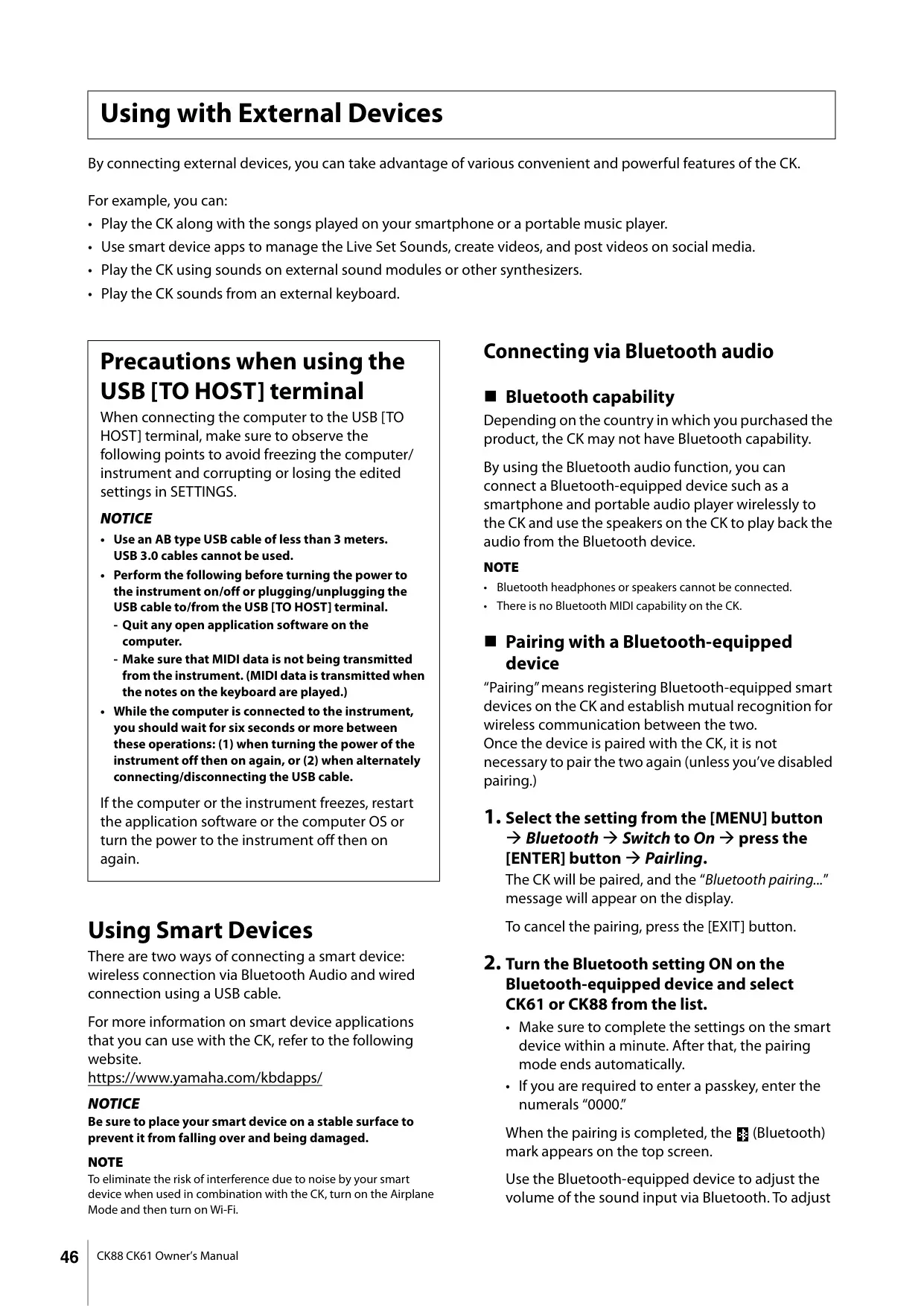
| Bluetooth Version | 4.1 |
| Supported Bluetooth Profile | A2DP |
| Compatible Bluetooth Codec | SBC |
| Wireless Output (Bluetooth) | Class 2 |
| Max. Bluetooth Communication Distance | Approx. 10 m |
| Bluetooth Radio Frequency | 2401–2481 MHz |
| Max. Bluetooth Output Power (EIRP) | 4 dBm |
| Bluetooth Modulation Type | FHSS |
| USB Audio Interface (Sampling Freq.) | 44.1 kHz |
| USB Audio Interface (Channels) | In: 2 (1 stereo), Out: 2 (1 stereo) |
| Sound System Amplifiers | 6 W × 2 |
| Sound System Speakers | (12 cm × 6 cm) × 2, Switchable ON/OFF |
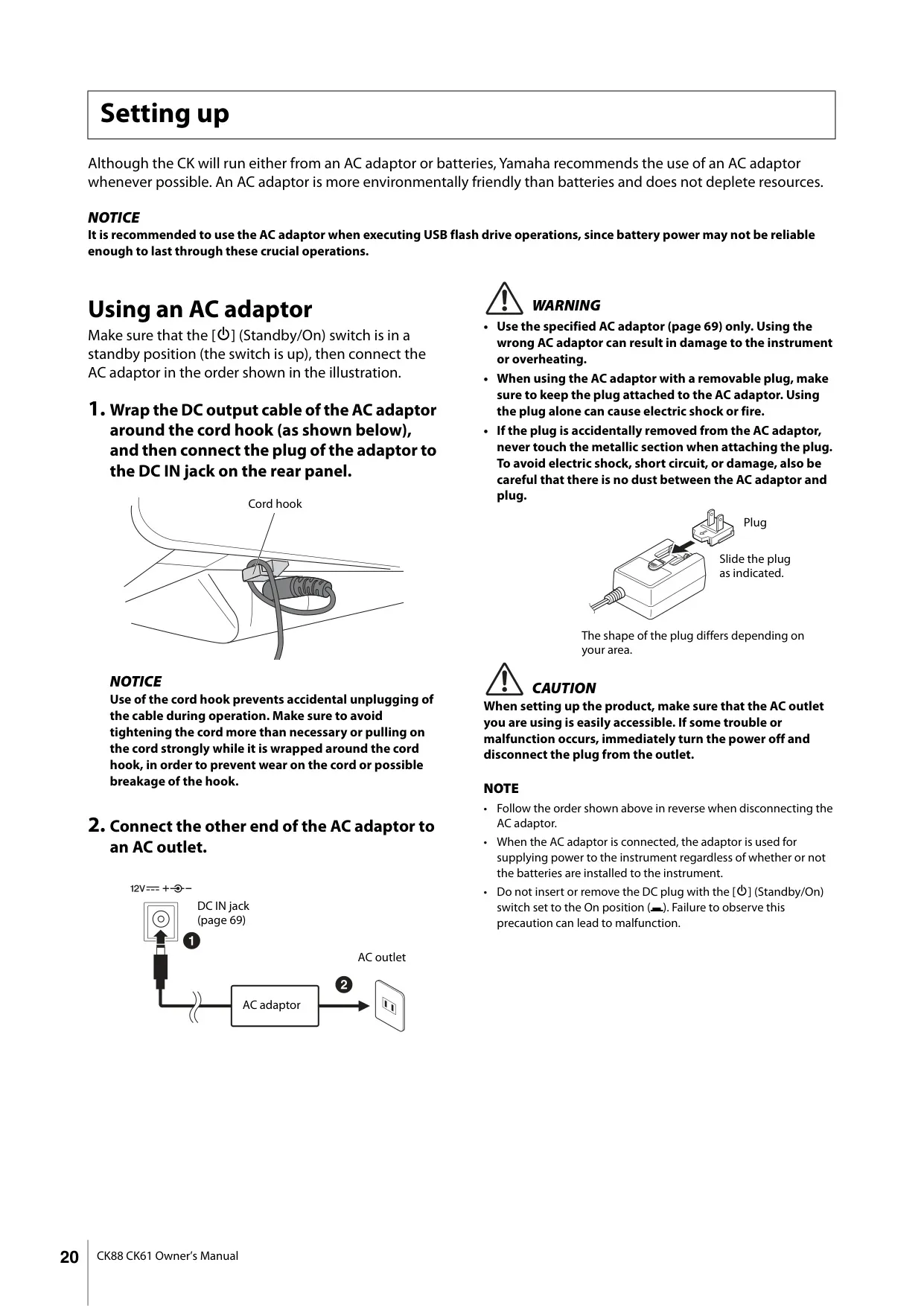
| Power Supply (AC Adaptor) | PA-150B or equivalent (Output: DC 12V, 1.5 A) |
| Power Supply (Batteries) | Eight “AA” size alkaline (LR6) or Ni-MH rechargeable batteries |
| Power Consumption | 11 W (with PA-150B AC adaptor) |
| Standby Power Consumption | 0.3 W |
| Dimensions (W×D×H) | 910 mm × 291 mm × 109 mm (35-13/16 inch × 11-7/16 inch × 4-5/16 inch) |
| Weight | 5.6 kg (12 lb 6 oz) (not including batteries) |
| Included Accessories | AC adaptor*, Owner’s Manual (*May vary by locale) |
Yamaha CK61 Stage Piano Details
The Yamaha CK61 Stage Piano is meticulously engineered for live performance, offering a robust suite of features that extend beyond its core specifications. It's packed with authentic keyboard sounds, including a diverse range of pianos, electric pianos, and specialized organs. This versatility makes it an indispensable tool for contemporary keyboardists performing across various musical genres.
A key strength of the CK61 lies in its flexible sound architecture. Users can layer up to three independent parts or split the keyboard, combining internal voices with external devices like other keyboards, computers, or smartphones. This capability allows for highly complex and customized soundscapes, adaptable to any musical context.
Designed for true portability, the CK61 features built-in stereo speakers and the option for battery operation. This means musicians can use it virtually anywhere, from outdoor gigs and intimate indoor venues to studio rehearsals or casual practice sessions at home, without being tied to a power outlet.
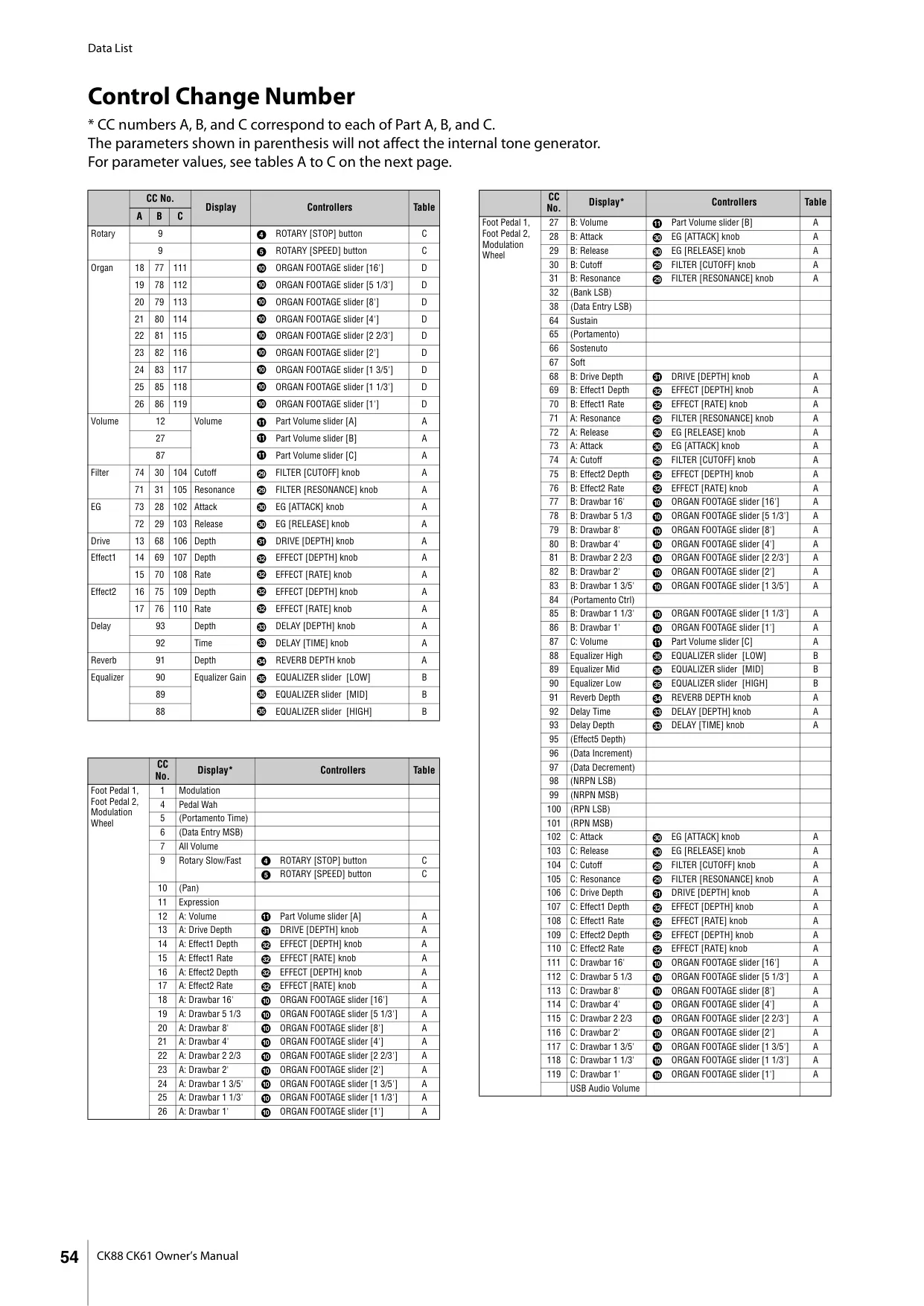
The instrument boasts intuitive controls for on-the-fly sound sculpting. Dedicated sections for filter, EG (Envelope Generator), and effects blocks enable real-time tweaking, allowing performers to dynamically shape their sounds during a set. This hands-on approach encourages creative expression and immediate sonic adjustments.
Organ enthusiasts will appreciate the CK61's built-in drawbars, designed for authentic, real-time control over Organ Voices, mimicking the experience of a vintage organ. Additionally, single-button operations provide quick access to Portamento and Unison sounds, further enhancing expressive possibilities during performance.
Connectivity is a strong suit, with convenient A/D INPUT jacks allowing users to plug in a microphone or another instrument. These external audio sources can then be processed with exclusive built-in effects, perfect for vocalists or small ensembles. Bluetooth Audio playback further expands its utility, enabling wireless streaming of backing tracks from a smartphone or tablet.
The CK61's USB compatibility simplifies integration with modern setups. Connecting to a computer or smartphone via USB is quick and easy, saving valuable setup time for tasks like video recording and online live streaming. This makes it an ideal choice for content creators and performers in the digital age.
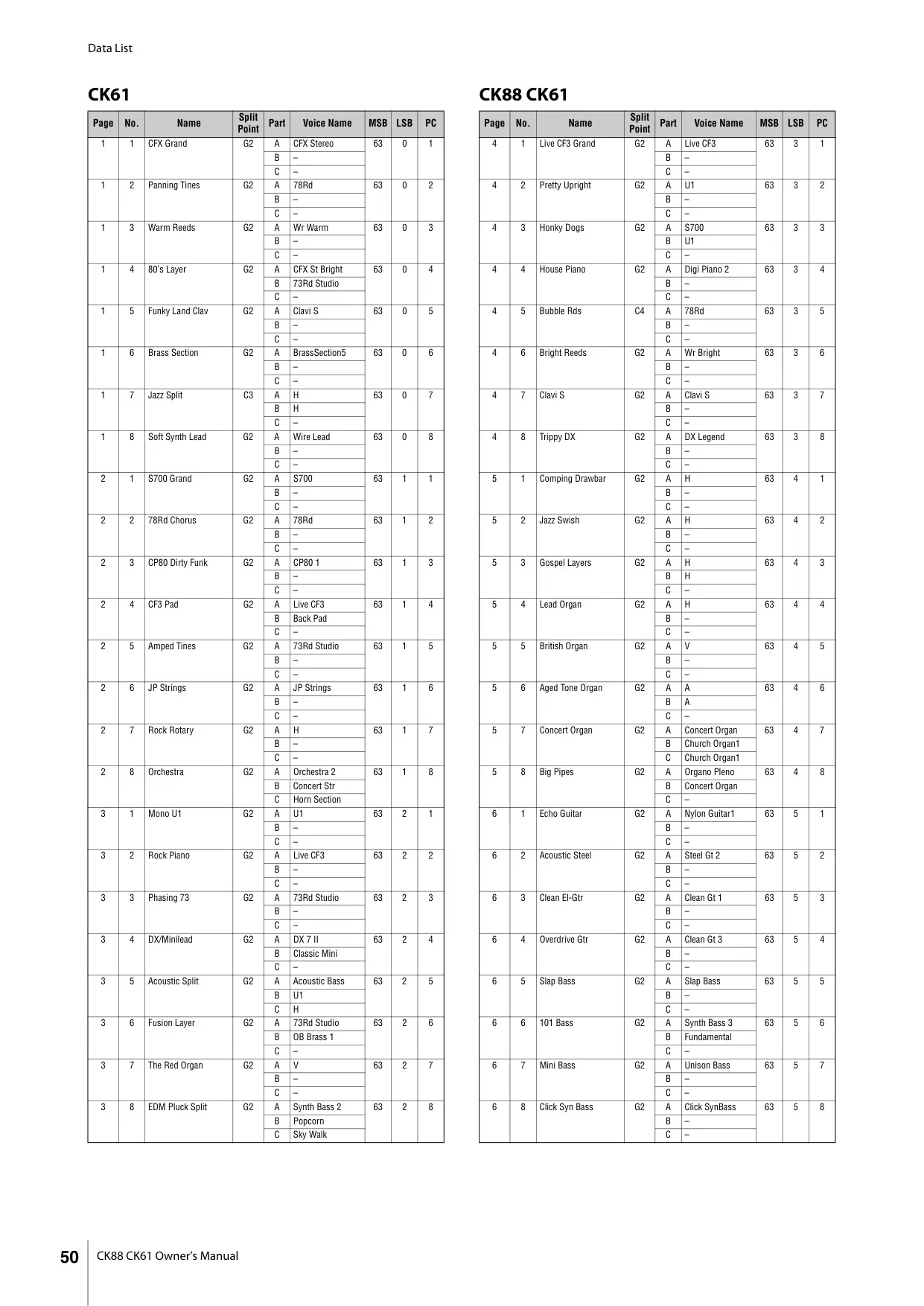
The innovative "Live Set" function manages all created sounds. It allows musicians to save and instantly recall up to 160 "Live Set Sounds" across 20 distinct pages. This organizational system ensures that complex configurations, including voice combinations, splits, and effect settings, are always just a button press away, crucial for dynamic live performances.
Furthermore, the CK61 offers comprehensive sound management options. Live Set Sounds can be saved to the keyboard's internal memory or backed up to a USB flash drive for safekeeping. Integration with Yamaha's Soundmondo service also provides opportunities for sharing and exploring sounds within a wider community.
Frequently Asked Questions (FAQs)
Can't find the answer you need? Here are some frequently asked questions about the Yamaha CK61 Stage Piano, and we answer them below.